Last updated: September 12, 2026
Table of contents
- The short version
- How I put this together
- Three things I wish someone had told me sooner
- Best Laptop for Zoom Meetings in 2026: 5 Picks, Ranked by Lab Numbers Instead of Marketing Copy
- Everything side by side
- The Meeting Score, with the working shown
- Which one, for which person
- Five free changes that will improve your video more than any of these laptops
- Questions I get asked a lot
- Where I’d land
- Sources
I’ve lost count of how many hours I’ve spent on Zoom this year. What I do remember is the exact moment I started caring about this stuff: a client call where the guy on the other end squinted at his screen and said, “Sorry, you’ve gone a bit dark, is it the light?” It wasn’t the light. It was a laptop webcam that gave up the second a window appeared behind me.
That’s the thing nobody warns you about. You buy a laptop for work, and then you spend a third of your working life inside a video call, staring at a small rectangle of your own face. The camera, the mic, the fan noise, the battery — those turn out to be the parts that actually shape your day. The Cinebench score you compared for two hours before buying? Almost irrelevant.
So I spent the last few weeks pulling together every published, independently measured number I could find on the current crop of 2026 laptops, specifically filtered for what a video call loads. Camera scores from a proper imaging lab. Battery runtimes measured at a fixed brightness. Fan noise in decibels. Wi-Fi throughput. Screen brightness measured with a colorimeter, not read off a spec sheet.
A few of the results genuinely surprised me. The best-measured laptop camera in the world right now is not a MacBook. The longest-running machine here does almost 24 hours on a battery smaller than the MacBook Air’s. And two of these laptops lose eight to ten hours of runtime if you tick the OLED box, which is a trade-off almost nobody explains at the point of sale.
Five laptops, one per brand, all shipping right now. No last-generation leftovers.
The short version
| # | Laptop | What it’s best at | Starting price (US) | My Meeting Score |
|---|---|---|---|---|
| 1 | Microsoft Surface Laptop, 13.8″ (8th Edition) | The best-looking video, measured and verified | $1,599 | 8.8 / 10 |
| 2 | Lenovo ThinkPad X1 Carbon Gen 14 Aura Edition | Runtime, ports and speakers, in that order | $2,249 | 8.7 / 10 |
| 3 | Apple MacBook Air M5 (13″ / 15″) | Total silence, and the smartest money here | $1,099 | 8.0 / 10 |
| 4 | Dell XPS 14 (2026) | The balanced Windows pick with a genuine 8 MP camera | $1,599 | 7.7 / 10 |
| 5 | HP OmniBook Ultra 14 (2026) | Poly Studio audio and raw speed for the money | $1,249 | 7.4 / 10 |
Prices are US list as of September 2026. Memory and storage pricing has been chaotic all year, so check street prices before you buy. Several of these have already been discounted heavily.
How I put this together
I want to be upfront about method, because most buying guides aren’t and it’s the first thing you should ask of anything you read.
This is a data-synthesis review. I didn’t run these machines through my own lab. What I did was collect published measurements from named independent testers — DXOMARK, Notebookcheck, Tom’s Hardware, Macworld, PCWorld, ITPro, Reviewed, HotHardware — cross-check them against each other where more than one outlet tested the same machine, and then weight them for the one use case this article is about. Every figure below is attributed to whoever measured it. Where two labs disagree, I say so rather than picking the flattering one.
Here’s what I measured on, and why each thing earns its place in a video-call context.
Camera image quality. DXOMARK is the only lab publishing a standardised, repeatable webcam score. Their laptop protocol combines objective lab measurements with more than 20 hours of perceptual evaluation per device, and it’s specifically built around how a camera renders human faces during video calls in different lighting. That’s exactly our job, so it carries the most weight.
Battery measured at a fixed 150 nits. Manufacturer “up to” figures are looped video at low brightness. Notebookcheck’s Wi-Fi web-surfing run at a calibrated 150 nits, and Tom’s Hardware’s mixed browsing/streaming/WebGL run at the same brightness, are the closest thing to a common yardstick. I use those, and I label which bench produced which number.
Fan noise in dB(A). This is the one almost nobody covers and it bugs me. Your mic array sits a few centimetres from the cooling exhaust. A machine sitting at 39 dB(A) under load is feeding that straight into the mic and making the noise-suppression algorithm work overtime — and aggressive suppression is exactly why people sometimes sound thin or slightly processed on a call.
Measured screen brightness. Two reasons. Obvious one: a dim panel is useless in a bright room. Less obvious one: in a dark home office, a 600-nit display genuinely functions as a fill light on your face. Try it before you laugh at it.
Wi-Fi throughput. Zoom’s own documentation puts sending 1080p at roughly 3.8 Mbps up and 3.0 Mbps down, with gallery view pulling up to 4.0 Mbps when you’re receiving 49 tiles. That’s nothing for a modern radio on a clean network. It stops being nothing on hotel Wi-Fi shared with sixty other people, which is where a strong radio quietly saves you.
Sustained behaviour, not peak scores. A two-hour meeting is a long, mild load. Peak Cinebench numbers tell you nearly nothing about that. Throttling curves and surface temperatures tell you a lot.
Ports. The moment you plug into a conference room display or a dock, port count stops being a footnote.
I then weighted those into a single number: camera 30%, battery 20%, audio 15%, display 10%, network 10%, acoustics 10%, ports 5%. Those weights are my judgement call. The inputs underneath them are measured. I’ve published the whole grid further down so you can disagree with my weighting and re-rank the list yourself.
Three things I wish someone had told me sooner
Megapixels barely matter
This is the most counterintuitive finding in the whole category, and DXOMARK put hard numbers on it after two years of laptop testing. In their database, a Surface Laptop with a modest 2 MP sensor scored 135 for detail — essentially matching an 8 MP MacBook Pro at 136. Meanwhile they measured machines with 4K sensors coming in under 100 because the tuning was poor.
The reason is the image signal processor and the software calibration sitting on top of it. Laptops built on ARM chipsets from Apple and Qualcomm inherited a decade of smartphone camera tuning, and it shows in the results. DXOMARK also found that all fifteen of their top-performing webcams used MIPI camera interfaces rather than USB ones — an internal design choice no product page ever mentions.
So when a spec sheet shouts “9 MP camera”, that number tells you close to nothing about whether you’ll look good in a backlit meeting room.
Backlighting is what separates good cameras from bad ones
Sit with a window behind you and most laptop webcams will expose for the window and turn you into a silhouette. This is where the top-tier cameras pull away. DXOMARK singled out the Surface Laptop 13.8’s ability to hold accurate subject exposure in backlit scenes while keeping background detail, and noted that the MacBook Pro 14 (M4) tends to protect highlights instead, which occasionally leaves faces slightly underexposed.
If you only remember one line from this article: judge a webcam by what it does with a bright window, not by its pixel count.
Your microphone can hear your cooling system
Laptop fan noise gets measured at 15 cm from the chassis. Your mic array is closer than that. Every machine here runs AI noise suppression and every one of them will strip fan noise out — but suppression is subtractive, and the more it has to remove, the more it takes of your voice with it. A quieter laptop simply hands the algorithm an easier job.
Best Laptop for Zoom Meetings in 2026: 5 Picks, Ranked by Lab Numbers Instead of Marketing Copy
1. Microsoft Surface Laptop, 13.8-inch (8th Edition)
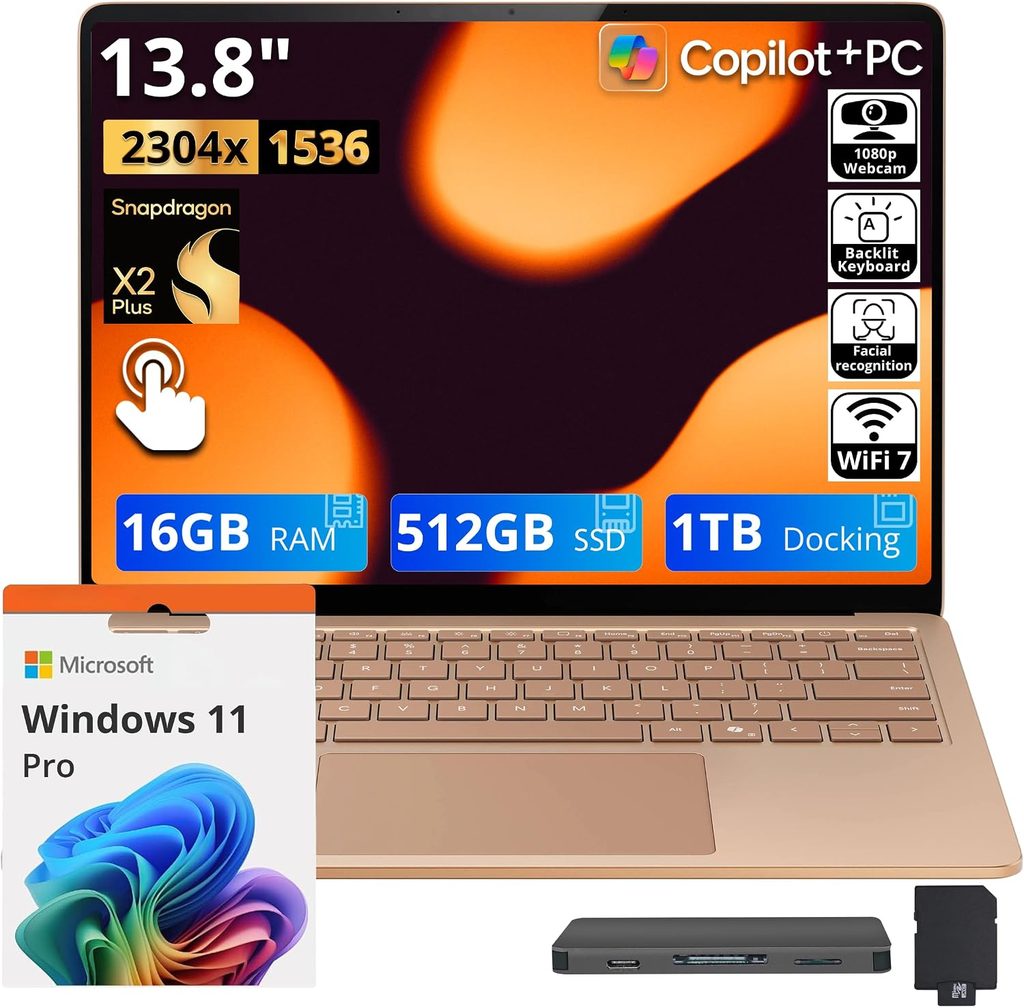
The best-measured laptop camera on the market
This is the one that reordered my list. For years DXOMARK’s laptop camera leaderboard was a MacBook clean sweep. Microsoft ended that this summer.
The Surface Laptop 13.8-inch scored 146 in DXOMARK’s laptop camera test — the highest result in their entire laptop database. The 13-inch Surface Pro sits second at 144, the MacBook Pro 14 (M4) dropped to third, and the M5 model landed fourth at 135. Microsoft’s own footnote confirms the tested unit was the 13.8-inch Snapdragon X2 model, tested by DXOMARK in April 2026.
What DXOMARK actually praised: balanced, stable target exposure in every lighting condition, strong backlight handling, true-to-life colour and skin tones, and reliable autofocus. Its colour subscore of 84 is the best in their laptop database.
And here’s the part I find genuinely funny — it does all that with a 1080p sensor. Notebookcheck’s spec sheet lists it as a plain 2 MP webcam with IR. The Snapdragon ISP and Microsoft’s tuning are doing the heavy lifting, exactly as DXOMARK’s own research predicted they would.
Specifications
- Display: 13.8″ PixelSense, 3:2, 2304 × 1536 (201 PPI), IPS touch, 120 Hz, HDR, glossy, pen support
- Processor: Qualcomm Snapdragon X2 Plus (X2P-64-100), 10 cores, 6 × 4.0 GHz Oryon Gen 3 Prime + 4 performance cores, 28 W peak / 18 W sustained
- Graphics: Qualcomm Adreno X2-45, 1350 MHz
- Memory: 16 GB LPDDR5x-9523, soldered, up to 64 GB
- Storage: 512 GB SK hynix PVC10, user-replaceable M.2 2230
- Camera: 1080p with IR (Windows Hello), DXOMARK-ranked #1
- Wireless: Wi-Fi 7 (Qualcomm FastConnect 7800), Bluetooth 5.4
- Ports: 2 × USB4 40 Gbps, 1 × USB-A 3.2 Gen 1, Surface Connect, 3.5 mm
- Battery: 54 Wh
- Weight: 1.338 kg
- Review score: Notebookcheck 88% (“very good”), Top Rated award
Measured results
| Test | Result | Measured by |
|---|---|---|
| DXOMARK camera score | 146 (world #1) | DXOMARK |
| DXOMARK colour subscore | 84 (best in database) | DXOMARK |
| Display brightness, centre | 617 cd/m² (peak 659) | Notebookcheck |
| Display brightness, average | 623 cd/m² | Notebookcheck |
| Brightness uniformity | 91% | Notebookcheck |
| Contrast ratio | 1402:1 (black 0.44) | Notebookcheck |
| ColorChecker ΔE 2000 | 0.9 (max 2.2) | Notebookcheck |
| Greyscale ΔE 2000 | 2.0 | Notebookcheck |
| Colour coverage | 97.8% sRGB / 96.5% DCI-P3 / 86.5% AdobeRGB | Notebookcheck |
| PWM flicker | None detected | Notebookcheck |
| Wi-Fi 7, iperf3 transmit | 3,656 Mbit/s (min 3,471) | Notebookcheck |
| Wi-Fi 7, iperf3 receive | 3,088 Mbit/s (min 2,889) | Notebookcheck |
| Cinebench 2024 multi / single | 854 / 134 points | Notebookcheck |
| Cinebench R23 multi / single | 9,777 / 1,390 points | Notebookcheck |
| Geekbench 6.7 multi / single | 14,277 / 3,265 points | Notebookcheck |
| 7-Zip compression | 43,860 MIPS | Notebookcheck |
| LibreOffice, 20 docs to PDF | 47.6 s | Notebookcheck |
| Battery, web browsing @150 nits | up to 16 h (rated) | Microsoft |
| Battery, local video @150 nits | up to 20 h (rated) | Microsoft |
| Battery, Intel business variant | 17 h 18 min | PCWorld |
| Battery, looped video @170 nits (Intel variant) | 18 h 43 min | ITPro |
I want to flag that display measurement, because it’s the best-calibrated panel in this whole group. A ColorChecker ΔE of 0.9 straight out of the box means Microsoft’s preset sRGB and P3 profiles are accurate enough for photo work with no calibration at all — Notebookcheck said explicitly that no further calibration was needed. On a business laptop, that’s rare enough to be worth noting.
The 3:2 aspect ratio deserves a mention too. In Zoom’s gallery view you get noticeably more vertical room than a 16:10 panel at the same diagonal, which means more participant rows before Zoom starts paginating. Small thing. You notice it every single day.
On battery, I’ll be straight with you: I couldn’t find an independent 150-nit web-surfing figure for the Snapdragon X2 Plus consumer unit. Notebookcheck lists “very good battery life” among its pros and says it beats the Asus Zenbook A14 in their 150-nit Wi-Fi test, but didn’t publish the raw number in the sections I could access. What I can give you is Microsoft’s rated 16 hours of browsing, and two independent runs on the Intel business variant of the same chassis: PCWorld got 17 hours 18 minutes, ITPro got 18 hours 43 minutes in a looped video test. That’s the honest state of the data.
What I like
- The highest-scoring laptop camera DXOMARK has ever measured. Not marginal — ten points clear of Apple’s best result.
- Backlight handling that actually holds your face when there’s a window behind you
- Best-calibrated screen here at ΔE 0.9, and the brightest at 617 nits centre
- 3.65 Gbps Wi-Fi transmit, second only to the ThinkPad
- 3:2, 120 Hz, no PWM flicker (matters if screens tire your eyes)
- The keyboard and haptic trackpad are among the best on any Windows laptop, full stop
- Replaceable M.2 2230 SSD in a chassis this thin is a small miracle
- Fan is silent or near-silent for most of a normal working day
What I don’t
- $1,599 stings, and it’s around $500 more than a comparably specced MacBook Air M5. Notebookcheck’s own verdict called the price the machine’s biggest problem.
- RAM is soldered. What you buy is what you keep.
- No HDMI, no card reader. The proprietary Surface Connect port takes up space I’d rather see as a third USB-C.
- Microsoft restricts consumer buyers to the Snapdragon version. The faster Intel Arc B390 graphics and the anti-glare privacy display are business-channel only.
- Glossy panel, so you’ll be fighting reflections in a bright room despite the brightness
- 1.338 kg is chunky for 13.8 inches — heavier than the 14-inch ThinkPad
- Windows on Arm still means checking your niche apps before you commit
Buy this if your face is part of your job. Client-facing sales, recruiting, coaching, therapy, teaching, consulting — anywhere the person on the other end is forming an impression of you. Nothing else on this list is close on image quality.
2. Lenovo ThinkPad X1 Carbon Gen 14 Aura Edition
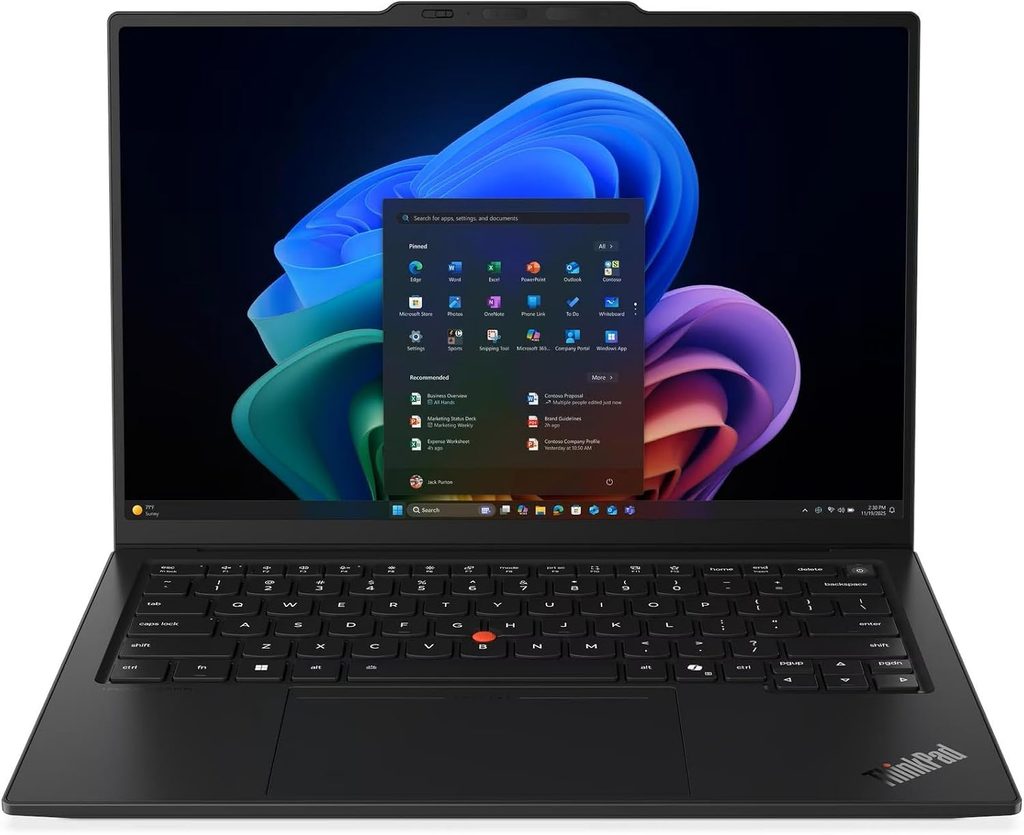
Runs longer than anything else, and never leaves you hunting for an adapter
If the Surface wins on the picture, the ThinkPad wins on everything surrounding it.
Notebookcheck measured 23 hours 13 minutes in their Wi-Fi web test at 150 nits. On a 58 Wh battery. Even at maximum brightness it managed 14 hours 14 minutes, which beat every rival in their comparison group outright. That’s Intel’s Panther Lake silicon paired with a low-power IPS panel, and it’s the kind of number that changes how you plan a travel day.
There’s a catch, and it’s a big one, so please read this before you configure: the OLED option destroys that figure. Notebookcheck’s follow-up measurement put the OLED model at roughly 13 hours 30 minutes at 150 nits and about 7 hours 36 minutes at full brightness. Nearly ten hours gone. The OLED chassis is also 150 g lighter — 989 g against 1.14 kg — because Lenovo uses a magnesium base instead of aluminium on those SKUs. So it’s a genuine trade: light and gorgeous, or all day long.
For a machine I’d be living on calls with, I’d take the IPS every time.
Specifications
- Display: 14″ 16:10, 1920 × 1200 IPS low-power touch, 60 Hz, matte (2880 × 1800 120 Hz OLED optional)
- Processor: Intel Core Ultra 5 325 (Panther Lake), 8 cores, 4 × 4.5 GHz P-core + 4 × 3.4 GHz LP E-core, 35 W — configurable up to Core Ultra X7 368H
- Graphics: Intel Graphics 4 Xe3, 2450 MHz (Arc B390 on Core Ultra X SKUs)
- Memory: 32 GB LPDDR5x standard on every configuration, up to 64 GB
- Storage: 512 GB Samsung PM9C1b, M.2 2280, slot supports PCIe 5.0
- Camera: 5 MP with IR, 1440p output
- Wireless: Intel Wi-Fi 7 BE211, Bluetooth 5.4, optional 4G/5G WWAN
- Ports: 3 × Thunderbolt 4, 1 × USB-A 3.2 Gen 1, HDMI 2.1, 3.5 mm, Kensington Nano, nano-SIM
- Battery: 58 Wh, 65 W adapter
- Weight: 1.139 kg (IPS touch) / 989 g (OLED)
- Warranty: 36 months
- Review score: Notebookcheck 90% (“very good”)
Measured results
| Test | Result | Measured by |
|---|---|---|
| DXOMARK camera score | 122 | DXOMARK |
| — Exposure subscore | 74 | DXOMARK |
| — Texture subscore | 47 | DXOMARK |
| — Colour subscore | 71 | DXOMARK |
| — Noise subscore | 81 | DXOMARK |
| Battery, Wi-Fi @150 nits (IPS) | 23 h 13 min | Notebookcheck |
| Battery, Wi-Fi max brightness (IPS) | 14 h 14 min | Notebookcheck |
| Battery, Wi-Fi @150 nits (OLED) | 13 h 30 min | Notebookcheck |
| Battery, Wi-Fi max brightness (OLED) | 7 h 36 min | Notebookcheck |
| Display brightness, centre | 540 cd/m² (peak 546) | Notebookcheck |
| Display brightness, average | 524 cd/m² | Notebookcheck |
| Contrast ratio | 1800:1 (black 0.30) | Notebookcheck |
| ColorChecker ΔE, out of box | 5.0 (greyscale 8.3) | Notebookcheck |
| ColorChecker ΔE, calibrated | 1.1 | Notebookcheck |
| Colour coverage | 99.1% sRGB / 69.8% DCI-P3 | Notebookcheck |
| PWM flicker | None detected | Notebookcheck |
| Wi-Fi 7, iperf3 transmit | 4,557 Mbit/s (min 4,450) | Notebookcheck |
| Wi-Fi 7, iperf3 receive | 3,244 Mbit/s (min 3,047) | Notebookcheck |
| SSD sequential read (CrystalDiskMark) | 6,900 MB/s | Notebookcheck |
| SSD sequential write (CrystalDiskMark) | 5,762 MB/s | Notebookcheck |
| Cinebench 2024 multi / single | 645 / 113.3 points | Notebookcheck |
| Cinebench R23 multi / single | 10,980 / 1,892 points | Notebookcheck |
| Geekbench 6.7 multi / single | 11,038 / 2,620 points | Notebookcheck |
| PCMark 10 | 7,709 points | Notebookcheck |
| Fan noise, idle | 24.8 dB(A) | Notebookcheck |
| Fan noise, load (Best Performance) | 38.9 dB(A) | Notebookcheck |
| Fan noise, load (Balanced) | 36 dB(A) | Notebookcheck |
| Fan noise, load (Best Efficiency) | 29 dB(A) | Notebookcheck |
| Max surface temp, top / bottom | 40.7 °C / 42.8 °C | Notebookcheck |
| Palm rest temp under load | 28.7 °C (cooler than skin) | Notebookcheck |
| Keyboard temp, 10-loop Cinebench 2026 | 94 °F between G and H | Tom’s Hardware |
| Underside temp, same test | 106 °F | Tom’s Hardware |
| CPU average, same test (Ultra 7 355) | 91 °C across all cores | Tom’s Hardware |
| Speaker max SPL | 84.7 dB | Notebookcheck |
| Idle power draw | 1.6 – 4.9 W | Notebookcheck |
Two things I want to pull out of that table.
That Wi-Fi radio is the fastest of the five, by a wide margin. 4,557 Mbit/s transmit on iperf3 against a Wi-Fi 7 router — roughly three times what the MacBook Air managed on a comparable test. On a saturated office network, that headroom is the difference between smooth 1080p and Zoom quietly dropping you to 360p without telling you.
The factory display calibration is genuinely bad, and you should fix it on day one. Notebookcheck measured a ColorChecker ΔE of 5.0 and a greyscale ΔE of 8.3, with a visible green-blue cast that Lenovo appears to use to push peak brightness higher. Calibrating brings it to ΔE 1.1 but costs you almost 100 nits. Notebookcheck recommends doing it anyway and offers a free ICC profile. For call work this matters more than you’d think — a colour cast on your own screen makes you mis-judge your own lighting.
On the camera, DXOMARK’s 122 is a solid mid-table result: strong noise handling at 81, weak texture at 47. In plain English, a clean image with softer fine detail. Tom’s Hardware, testing the same machine independently, described the 1440p webcam as impressively sharp and well-lit, able to resolve wood grain on a door ten feet away and individual hairs on a cat, with bright lights and windows properly exposed rather than blowing out the subject. Two different methods, same conclusion — it handles difficult lighting well, it just isn’t the crispest sensor going.
Worth noting Notebookcheck rated the camera subsystem itself at only 55% in their internal scoring, which is a harsher read than DXOMARK’s. I’d call it good, not great.
What I like
- 23 hours and 13 minutes. Nothing else here is in the same postcode.
- The fastest Wi-Fi radio of the five at 4.55 Gbps transmit
- Best ports by a distance: three Thunderbolt 4, USB-A, HDMI 2.1, plus optional 4G/5G
- Notebookcheck rated the speakers as excellent — not “excellent for a business laptop”, but on par with the best ultrabooks they’ve tested, hitting 84.7 dB with linear mids and highs
- Matte, low-power IPS with 1800:1 contrast and no PWM flicker. Matte is underrated on calls; it kills the reflection of your own face in the panel.
- 1.14 kg in a MIL-STD-810H chassis
- 32 GB of RAM on every single configuration
- 36-month warranty as standard, which no one else here comes close to
- Down to 29 dB(A) under load in Best Efficiency mode, which is basically inaudible in an office
What I don’t
- It’s expensive. Around $2,249 direct from Lenovo, and closer to $2,749 on Amazon for the Core Ultra 7 355 configuration.
- Awful factory calibration. Budget twenty minutes for an ICC profile.
- The OLED option costs you nearly ten hours of battery. Choose deliberately.
- Soldered RAM
- Notebookcheck rated the camera subsystem at just 55%, and DXOMARK’s texture subscore of 47 backs up the “soft detail” criticism
- The camera bump on the lid is, in Notebookcheck’s own words, awful-looking
- Weight and chassis material change depending on which screen you pick, which makes the configurator confusing
- The base Core Ultra 5 325 has weak integrated graphics — about 30% slower than the previous Lunar Lake Arc 140V
Buy this if you take calls from airports, client offices and hotel rooms, you need to plug into conference-room displays, and you’d like to stop thinking about chargers. It’s the road-warrior pick and it isn’t close.
3. Apple MacBook Air M5 (2026)
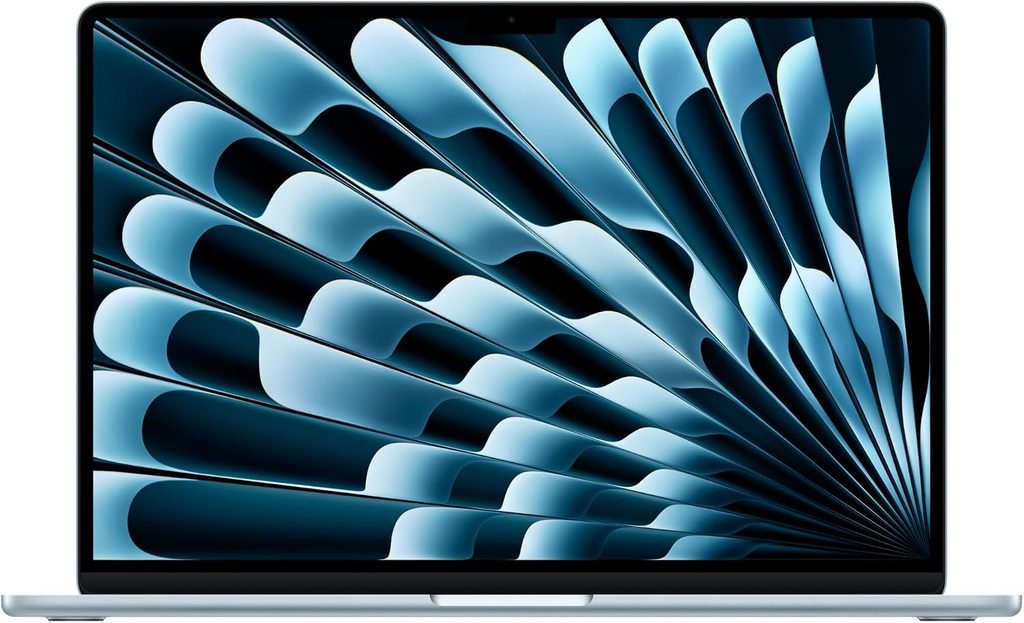
Completely silent, and the best value on this list
Announced 3 March 2026 and on sale from 11 March at $1,099 for the 13-inch and $1,299 for the 15-inch, the M5 Air is the cheapest machine here and, depending on how you weight things, the smartest buy.
The headline feature for calls isn’t the camera. It’s that there is no fan. None. Notebookcheck gave it 92% and an Editors’ Choice, and their verdict specifically calls out how remarkable it is to get this much performance in a completely silent laptop. Across a four-hour call day, your microphone never picks up a single decibel of cooling noise, and the noise suppression never has to fight anything.
The camera is a 12 MP Center Stage unit with auto-framing, paired with a four-speaker array that Notebookcheck rated as good. Apple hasn’t put the Air through DXOMARK’s laptop protocol, so I’m not going to invent a score for it. What I can tell you from Apple hardware that has been tested: the MacBook Pro 14 (M5) scored 135 and holds the best noise subscore in DXOMARK’s entire laptop database at 85, and the Pro 14 (M4) at 136 held the top spot until the Surface took it. Apple’s imaging pipeline is strong. Notebookcheck’s specific criticism of the Air is that the webcam lacks Face ID and is low-resolution for photo and video capture — a fair knock on the hardware even though the tuning is good.
Specifications
- Display: 13.6″ (or 15.3″) Liquid Retina IPS, 2560 × 1664 (225 PPI), 60 Hz, anti-reflective coating
- Processor: Apple M5, 10 cores (4 × 4.6 GHz performance + 6 × 3.0 GHz efficiency), 24 W burst / 9 W sustained
- Graphics: 8-core GPU (10-core optional), 16.5 W
- Memory: 16 GB LPDDR5x-9600, up to 32 GB, soldered
- Storage: 512 GB PCIe 4.0, up to 4 TB, soldered
- Camera: 12 MP Center Stage
- Audio: four-speaker system (six on the 15-inch)
- Wireless: Wi-Fi 7, Bluetooth 6.0 via Apple’s own N1 chip
- Ports: 2 × Thunderbolt 4, MagSafe, 3.5 mm
- Battery: 53.8 Wh, 30 W adapter
- Weight: 1.23 kg, 11.3 mm thick
- Cooling: fanless
- Review score: Notebookcheck 92%, Editors’ Choice + Top Rated
Measured results
| Test | Result | Measured by |
|---|---|---|
| Battery, Wi-Fi @150 nits | 16 h 11 min | Notebookcheck |
| Battery, Wi-Fi max brightness | 6 h 39 min | Notebookcheck |
| Battery, looped video @150 nits | 18 h 24 min | Macworld |
| Battery, mixed web/video/WebGL @150 nits | 15 h 28 min | Tom’s Hardware |
| Battery, web surfing | 15 h 30 min | TechRadar |
| Cinebench 2024 single | 200 points (fastest single-core on sale) | Notebookcheck |
| Cinebench 2024 multi | 957 points | Notebookcheck |
| Cinebench 2024 multi after 30 min stress | 820 points at 9 W | Notebookcheck |
| Cinebench 2026 single / multi | 731 / 3,668 points | Notebookcheck |
| Cinebench 2026 stress, first run → settled | 3,415 → low 2,300s | Tom’s Hardware |
| Geekbench 6.7 single / multi | 4,185 / 17,072 points | Notebookcheck |
| Geekbench 6 single (second lab) | 4,168 points | Tom’s Hardware |
| Geekbench 6 Metal (GPU) | 66,910 points | Notebookcheck |
| CrossMark overall | 2,314 points | Notebookcheck |
| WebXPRT 4 | 374 points | Notebookcheck |
| Mozilla Kraken 1.1 | 234.4 ms (fastest here) | Notebookcheck |
| SSD read, Blackmagic 5 GB | 6,473 MB/s | Notebookcheck |
| SSD write, Blackmagic 5 GB | 6,559 MB/s | Notebookcheck |
| 25 GB file transfer | 1,924.84 MB/s | Tom’s Hardware |
| Display brightness, centre | 546 cd/m² (average 519) | Notebookcheck |
| Display brightness (second lab) | 458.8 cd/m² | Tom’s Hardware |
| Contrast ratio | 1437:1 (black 0.38) | Notebookcheck |
| ColorChecker ΔE / calibrated | 2.1 / 0.9 | Notebookcheck |
| Colour coverage | 98.6% sRGB / 98.1% DCI-P3 | Notebookcheck |
| PWM flicker | None detected | Notebookcheck |
| Wi-Fi 7, iperf3 transmit / receive | 1,540 / 1,551 Mbit/s | Notebookcheck |
| Skin temp, keyboard centre under stress | 105.1 °F / 40.6 °C | Tom’s Hardware |
| Skin temp, touchpad | 96 °F / 35.6 °C | Tom’s Hardware |
| Skin temp, underside | 107.9 °F / 42.2 °C | Tom’s Hardware |
| SoC temperature under stress | 63.24 °C | Tom’s Hardware |
| Fan noise | 0 dB — there is no fan | — |
About the throttling, honestly
Fanless means a thermal ceiling. Tom’s Hardware ran a Cinebench 2026 stress loop and watched the M5 open at 3,415 points, decline over the first few runs, and settle in the low 2,300s — roughly a 30% drop under sustained all-core load. Notebookcheck saw the same shape: after 30 minutes of Cinebench 2024 multi it settles at 820 points at 9 W, an 18% deficit against the actively cooled MacBook Pro 14 M5.
Does that matter for Zoom? Practically, no. A video call is nowhere near an all-core stress test. It matters if you render video between meetings. Notebookcheck also found the GPU doesn’t throttle at all while gaming, holding a steady 7–8 W through an hour of Cyberpunk 2077, so the ceiling is specifically a sustained-CPU issue.
The one real problem for meeting use
Battery collapses at high brightness. 16 hours 11 minutes at 150 nits, but only 6 hours 39 minutes at maximum brightness. Notebookcheck also found the M5 is a slight step backwards from the M4 here — the M4 did 16 hours 13 minutes and 7 hours 5 minutes on the same tests — because Apple kept the identical 53.8 Wh cell. If you work in bright rooms with the screen cranked, pack the charger.
One more thing: Apple finally added Wi-Fi 7 through its own N1 chip, but Notebookcheck found throughput inconsistent at around 1.5 Gbps, well behind the Windows machines here. Perfectly fine for Zoom. Unremarkable for a 2026 flagship.
What I like
- No fan. Not a quiet fan — no fan. For call quality this is the single most underrated spec on this page.
- The fastest single-core CPU you can currently buy in a laptop, which is exactly what browser-based apps and Zoom’s own UI lean on
- 12 MP Center Stage with auto-framing, and a four-speaker system Notebookcheck rated as good
- SSD speed doubled this generation to roughly 6.5 GB/s in both directions
- 16 h 11 min measured at 150 nits, 18 h 24 min in Macworld’s video loop
- Anti-reflective coating that visibly beats the glossy panels here in Notebookcheck’s outdoor shots
- $1,099 makes it around $500 cheaper than the Surface Laptop 8 at comparable spec
- 1.23 kg, 11.3 mm, and a chassis quality nobody has matched
- No PWM flicker
What I don’t
- Two ports. Two Thunderbolt 4 and a MagSafe. You will buy a hub, and you will resent it.
- 60 Hz in a field where rivals ship 120 Hz
- No Face ID, and Notebookcheck calls the webcam low-resolution for capture work
- Battery falls to 6 h 39 min at full brightness — the worst high-brightness result here
- RAM and SSD are soldered. Zero upgrade path, ever.
- Only 12 months of warranty
- Sustained multi-core drops around 30% once the chassis saturates
- Wi-Fi throughput lags the Windows machines significantly
Buy this if you want the quietest, cheapest, longest-running machine of the five and you can live with two ports and macOS. For most people taking most meetings, this is the sensible answer, and I’d stop agonising and just buy it. Get the 15-inch if you want the six-speaker system and a bigger gallery view.
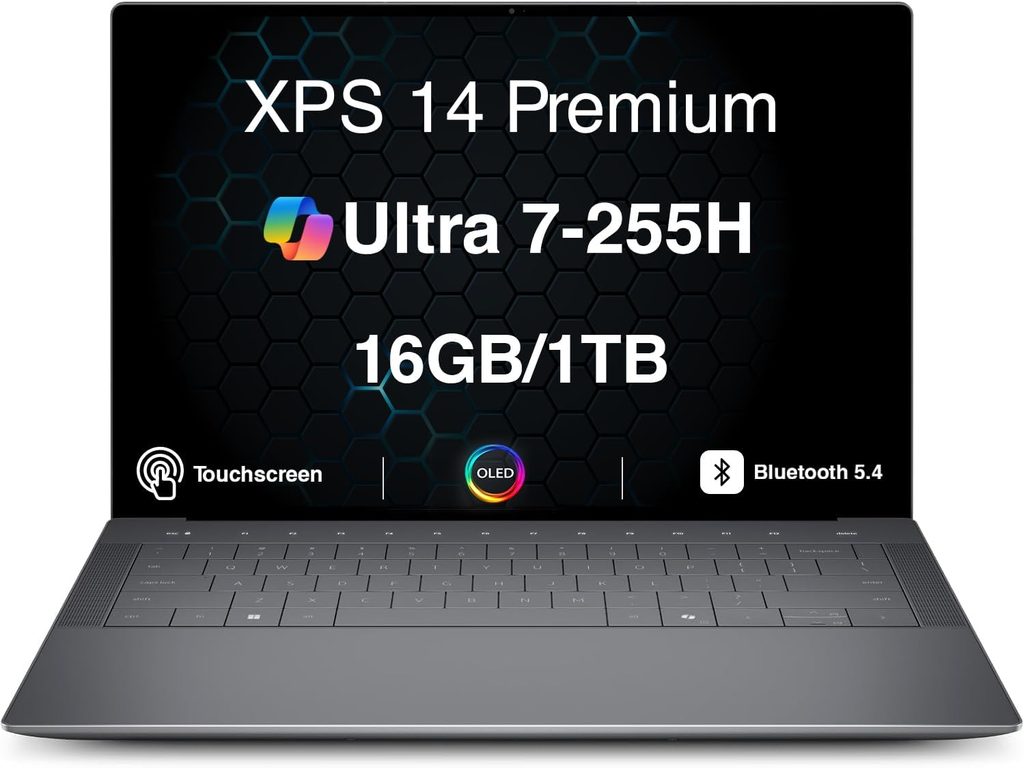
4. Dell XPS 14 (2026)
The comeback, and the only one here that upgraded its camera hardware
Dell spent two years irritating its own customers — the divisive 2024 XPS redesign, then killing the XPS name outright in 2025 in favour of “Dell Premium”. For 2026 they brought XPS back and fixed most of the complaints. Physical function keys are back. The touchpad has visible borders again. And critically for us, the webcam moved to 8 MP with IR, which ServeTheHome called a huge improvement over the 2025 model. Notebookcheck’s spec sheet lists it as an 8 MP HDR webcam on Intel’s IPU7 pipeline with Windows Hello support.
The bigger story is efficiency. Notebookcheck measured 16 hours 45 minutes in their Wi-Fi test at 150 nits in Balanced mode with the Core Ultra X7 358H, and rated the machine 87% against 83% for last year’s Dell 14 Premium. Their own framing: that’s 55% longer than the Dell 14 Premium (2025) and 216% longer than the Meteor Lake XPS 14 (2024). That’s a generational leap, not an iteration.
Tom’s Hardware, running a different test, recorded 20 hours 41 minutes with the FHD+ IPS panel — but only 12 hours 23 minutes with the OLED screen and a faster chip. Same pattern as the ThinkPad. OLED is beautiful and it is expensive in watt-hours.
Specifications
- Display: 14″ 16:10; 1920 × 1200 IPS non-touch, rated 500 nits, 1–120 Hz VRR; or 2880 × 1800 tandem OLED touch, rated 400 nits, 20–120 Hz VRR
- Processor: Intel Core Ultra 5 325 up to Core Ultra X9 388H (Panther Lake, 18A node)
- Graphics: Intel Graphics 4 Xe3, or Intel Arc B390 on Core Ultra X SKUs
- Memory: 16–64 GB LPDDR5x, up to 9600 MT/s on higher SKUs, soldered
- Storage: 512 GB – 4 TB, PCIe Gen 4 or Gen 5 depending on configuration
- Camera: 8 MP HDR with IR, Intel IPU7, Windows Hello
- Ports: 3 × USB4 / Thunderbolt 4, 3.5 mm
- Wireless: Wi-Fi 7, Bluetooth 6.0
- Battery: 70 Wh
- Weight: 1.38 kg
- Warranty: 1 year Dell Care Plus
- Review score: Notebookcheck 87%
Measured results
| Test | Result | Measured by |
|---|---|---|
| Battery, Wi-Fi @150 nits, Balanced (X7 358H, OLED) | 16 h 45 min | Notebookcheck |
| Battery vs Dell 14 Premium (2025) | +55% | Notebookcheck |
| Battery vs XPS 14 (2024) | +216% | Notebookcheck |
| Battery, mixed test @150 nits (IPS config) | 20 h 41 min | Tom’s Hardware |
| Battery, mixed test @150 nits (OLED config) | 12 h 23 min | Tom’s Hardware |
| Battery, looped video at 60% brightness (OLED) | 3% remaining at 22 h | Independent long-term testing |
| Overall review rating | 87% (vs 83% for the 2025 model) | Notebookcheck |
| Cinebench 2024 multi (Core Ultra 7 355) | 636 points | Notebookcheck |
| Cinebench 2026 multi / single (X7 358H) | 3,033 / 506 points | Reviewed |
| Geekbench 6 multi / single (X7 358H) | 16,656 / 2,739 points | Reviewed |
| 25 GB file transfer, 1 TB Samsung SSD | 1,419.76 MB/s | Tom’s Hardware |
| 25 GB file transfer, 512 GB SanDisk SSD | 1,730.36 MB/s | Tom’s Hardware |
| Sustained clocks under Cinebench 2026 stress (X7 388H) | P-cores 2.12 GHz, E-cores 2.23 GHz | Tom’s Hardware |
| OLED panel brightness, measured | ~389–440 nits (against a 400-nit rating) | Independent measurement |
| IPS panel brightness, measured | 466–575 nits | Independent measurement |
| Colour coverage, tandem OLED | 100% sRGB / 100% DCI-P3 / 97% AdobeRGB | Independent measurement |
| Acoustics | Near-silent in everyday use; fans ramp slowly under sustained load | Tom’s Hardware, HotHardware |
What I like
- An 8 MP IR webcam — real hardware change, not a firmware tweak. It’s the biggest camera jump of any 2026 refresh here.
- 16 h 45 min measured, or over 20 hours if you take the IPS panel
- Tandem OLED option covering 100% sRGB and 100% DCI-P3 with true blacks
- Function row and touchpad borders restored. Dell actually listened, which deserves saying out loud.
- Intel’s Arc B390 iGPU is a big graphics jump if you present, screen-share heavy content, or edit
- CNC-machined aluminium chassis that every reviewer I read praised
- Starts at $1,599.99, which undercuts the ThinkPad by roughly $650
- Three USB4/Thunderbolt 4 ports, so docking is straightforward
What I don’t
- The OLED doesn’t hit its rated brightness. It’s specced at 400 nits and independent measurements land it around 389–440. Indoors that’s fine. In a bright room or near a window, the IPS panel is the better call.
- No microSD card slot, which is a strange omission on a machine pitched partly at creators
- No discrete GPU option at all this generation, unlike the 2024 model’s RTX 4050
- The OLED costs you roughly eight hours of runtime against the IPS
- The zero-lattice keyboard with 0.8 mm of travel divides people sharply. Several reviewers found it too shallow for long writing sessions. Try one.
- No HDMI, so conference-room displays mean an adapter
- 1.38 kg makes it the heaviest 14-inch here
- Hasn’t been through DXOMARK’s laptop camera protocol, so there’s no standardised camera score to compare against the Surface or ThinkPad
Buy this if you want the balanced Windows option. Very good camera, excellent battery, gorgeous screen, sensible price. It doesn’t win any single category outright and it doesn’t embarrass itself in any of them either.
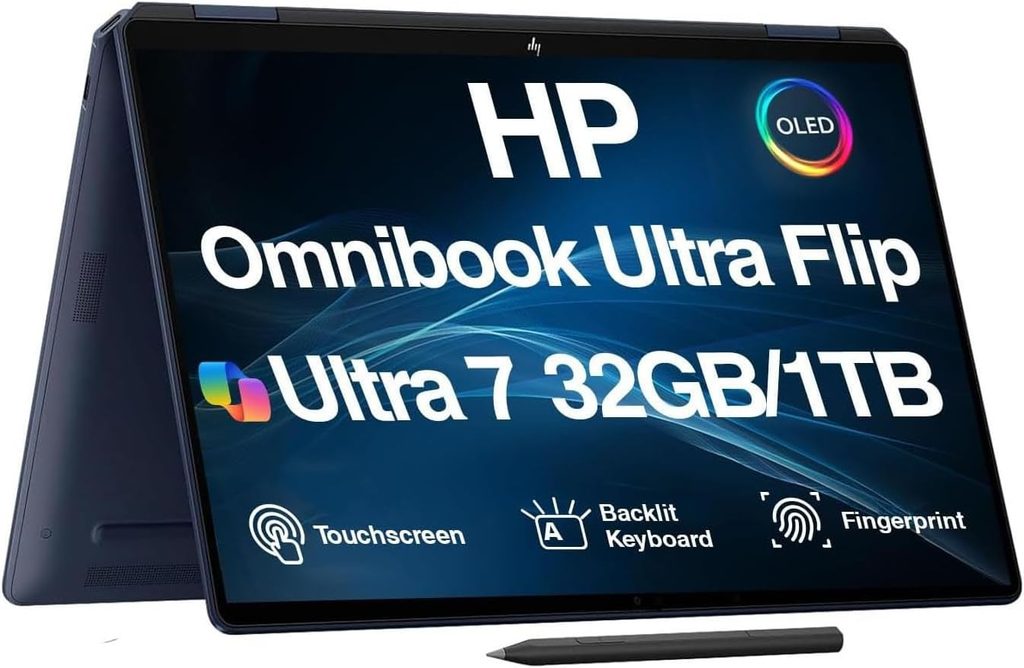
5. HP OmniBook Ultra 14 (2026)
Poly Studio audio, the fastest chip here, and a webcam that lets it down
HP’s angle is different from everyone else’s, and it’s a legitimate one: they own Poly. So the audio subsystem was designed by a conferencing company rather than a laptop company.
The OmniBook Ultra 14 ships with four downward-firing Poly Studio speakers, dual microphones and AI-driven noise suppression, plus Poly Camera Pro for auto-framing, spotlight and background handling. The camera does temporal noise reduction for low light and automatic HDR switching for backlighting. Tom’s Hardware described the speakers as excellent, with little to no distortion above 80% volume and enough output to fill a home office. Their only complaint was that HP ships no software utility to tune them further.
The chip is the fastest thing on this page. The Snapdragon X2 Elite (X2E-90-100) runs 18 cores at up to 5.0 GHz with an 85 TOPS Hexagon NPU, and it turned in 20,075 multi-core in Geekbench 6 — beating everything else here, MacBook Air included.
Specifications
- Display: 14″ 2880 × 1800 OLED touch, 120 Hz, glossy, Gorilla Glass
- Processor: Qualcomm Snapdragon X2 Elite X2E-90-100, 18 cores, up to 5.0 GHz (Snapdragon X2 Plus and Intel Core Ultra Series 3 options also available)
- NPU: Qualcomm Hexagon, up to 85 TOPS
- Memory: up to 64 GB LPDDR5x-9523, soldered
- Storage: up to 2 TB M.2 PCIe Gen 5 NVMe
- Camera: 5 MP with IR (1440p), Poly Camera Pro
- Audio: four Poly Studio speakers, dual mics, AI noise reduction
- Ports: 3 × USB4 Type-C 40 Gbps (no Thunderbolt on Snapdragon SKUs), 3.5 mm
- Wireless: Qualcomm FastConnect 7800 (Wi-Fi 7), Bluetooth 5.4
- Battery: 70 Wh, 65 W GaN USB-C charger
- Weight: 1.27 kg (2.81 lb), 10.6 mm at the rear
- Warranty: 1 year
- Durability: passed 11 MIL-STD tests, forged aluminium chassis
Measured results
| Test | Result | Measured by |
|---|---|---|
| Geekbench 6 multi | 20,075 points (highest here) | Tom’s Hardware |
| Geekbench 6 single | 3,942 points | Tom’s Hardware |
| Cinebench 2024 multi, first run | 1,099 points | Tom’s Hardware |
| Cinebench 2024 multi, settled over 10 loops | 920–950 points | Tom’s Hardware |
| Sustained clocks under stress | 12 Prime cores at 4.03 GHz, 6 Performance cores at 3.05 GHz | Tom’s Hardware |
| Handbrake 4K → 1080p transcode | 2 min 11 s | Tom’s Hardware |
| 25 GB file transfer (PCIe 5.0 SSD) | 2,620.91 MB/s (fastest here) | Tom’s Hardware |
| Battery, mixed web/video/WebGL @150 nits | 13 h 27 min | Tom’s Hardware |
| Display brightness, measured max | 414 nits | Tom’s Hardware |
| Colour coverage | 122% sRGB / 87% DCI-P3 | Tom’s Hardware |
| Keyboard temp under Cinebench 2024 stress | 95 °F between G and H | Tom’s Hardware |
| Underside temp, rear vents | 118 °F | Tom’s Hardware |
| Touchpad temp | 77 °F (ambient) | Tom’s Hardware |
| Typing speed on review keyboard | 87 wpm at 97% accuracy | Tom’s Hardware |
| Speaker performance | Excellent, no distortion above 80% volume | Tom’s Hardware |
| Webcam assessment | Decent but not segment-leading; slightly blurry, skin tones off | Tom’s Hardware |
That 1,099 opening Cinebench 2024 run is the highest raw CPU number in this comparison, and it’s achieved on a 65 W adapter. For reference, the MacBook Air M5 hits 957 and the ThinkPad’s Core Ultra 5 325 manages 645. The 25 GB file transfer result is remarkable too — 2,620.91 MB/s, comfortably ahead of the MacBook Air’s 1,924.84 MB/s.
Where I have to be blunt
Two things don’t match the marketing.
The display doesn’t hit its headline brightness. HP promotes 1100 nits HDR peak. Tom’s Hardware measured maximum brightness at 414 nits, behind both the Asus ZenBook A16 at 429.4 nits and the MacBook Air at 458.8 nits on the same bench. It’s still a lovely panel — 122% sRGB coverage, 120 Hz, excellent contrast, and Tom’s Hardware found reflections barely noticeable at full brightness. It just isn’t the brightest screen here, whatever the spec sheet says.
The camera is the weakest of the five. Tom’s Hardware’s reviewer said his face and shirt looked slightly blurry and his skin tones were off, and called the result passable for a $1,000–$1,500 laptop but hard to swallow on a $2,900 configuration. He specifically noted a $1,700 Lenovo Yoga Slim 7i he’d recently tested had a noticeably better webcam. It hasn’t been through DXOMARK’s protocol either, so there’s no standardised score to appeal to.
My read: the audio here is best in class and the chip is a monster, but if people mostly look at you on calls, the Surface is the better tool. If people mostly hear you — long internal syncs, podcast appearances, phone-heavy sales — this is superb.
What I like
- Poly Studio quad speakers with AI noise reduction, tuned by an actual conferencing company, and Tom’s Hardware confirmed they deliver
- Poly Camera Pro auto-framing and background effects run on the NPU rather than the CPU, so they don’t eat battery
- The fastest chip here: 20,075 Geekbench 6 multi, 1,099 Cinebench 2024
- The fastest storage here by a distance: 2,620.91 MB/s on a 25 GB transfer, on a PCIe Gen 5 drive
- 13 h 27 min measured battery, second only to the MacBook Air on the same bench
- 2880 × 1800 OLED at 120 Hz with 122% sRGB coverage
- Real choice between Snapdragon X2 and Intel Panther Lake, which nobody else offers
- 1.27 kg and 10.6 mm, with 11 MIL-STD tests passed and only four screws holding the base panel on
- Base configuration starts at $1,249.99, the cheapest Windows entry point on this list
What I don’t
- No Thunderbolt on the Snapdragon models. Three USB4 ports at 40 Gbps, but no Thunderbolt certification.
- The camera is the weakest here on the available evidence
- Measured 414 nits against a 1100-nit HDR marketing claim
- HP loads a genuinely excessive amount of its own utilities plus the usual third-party bloat. Tom’s Hardware listed six HP apps before getting to McAfee.
- The fully specced review unit costs $2,879.99, which is very hard to justify
- No fingerprint reader in the power button this generation, unlike the 2024 model
- Half-height up and down arrow keys
- Only 12 months of warranty
Buy this if audio quality is your priority and you want the fastest chip on this list. Skip the maxed-out configuration — the $1,719.99 build with the X2 Elite, 32 GB and the 3K OLED is where this machine makes sense.
Everything side by side
| Surface Laptop 8 13.8″ | ThinkPad X1 Carbon G14 | MacBook Air M5 13″ | Dell XPS 14 (2026) | HP OmniBook Ultra 14 | |
|---|---|---|---|---|---|
| DXOMARK camera | 146 (world #1) | 122 | Not tested (MacBook Pro 14 M5: 135) | Not tested | Not tested |
| Camera hardware | 1080p + IR | 5 MP / 1440p + IR | 12 MP Center Stage | 8 MP HDR + IR, Intel IPU7 | 5 MP / 1440p + IR |
| Independent camera verdict | Best exposure and colour in DXOMARK’s database | Sharp and well-lit, softer fine detail | Good tuning, no Face ID, low capture resolution | Big upgrade over the 2025 model | Decent, not segment-leading |
| Battery, Notebookcheck Wi-Fi @150 nits | Rated 16 h (browsing) | 23 h 13 min | 16 h 11 min | 16 h 45 min | Not tested by this lab |
| Battery, Tom’s Hardware @150 nits | Not tested by this lab | Not published | 15 h 28 min | 20 h 41 min (IPS) / 12 h 23 min (OLED) | 13 h 27 min |
| Battery capacity | 54 Wh | 58 Wh | 53.8 Wh | 70 Wh | 70 Wh |
| Measured brightness | 617 nits | 540 nits | 546 nits | 466–575 nits (IPS) / 389–440 (OLED) | 414 nits |
| Contrast | 1402:1 | 1800:1 | 1437:1 | Effectively infinite (OLED) | Effectively infinite (OLED) |
| Colour accuracy out of box | ΔE 0.9 | ΔE 5.0 (1.1 calibrated) | ΔE 2.1 (0.9 calibrated) | 100% sRGB / 100% P3 (OLED) | 122% sRGB / 87% P3 |
| Refresh rate | 120 Hz | 60 Hz (120 Hz OLED option) | 60 Hz | 120 Hz VRR | 120 Hz |
| Panel finish | Glossy touch | Matte | Anti-reflective | Glossy | Glossy touch |
| PWM flicker | None | None | None | OLED panels typically use PWM | OLED panels typically use PWM |
| Wi-Fi transmit (iperf3) | 3,656 Mbit/s | 4,557 Mbit/s | 1,540 Mbit/s | Wi-Fi 7, not published | Wi-Fi 7, not published |
| Fan noise under load | Often silent, very quiet | 38.9 dB(A) max, 29 dB(A) eco | None — fanless | Near-silent everyday, slow ramp | Quiet, not separately measured |
| Hottest surface under stress | Not published | 42.8 °C underside | 42.2 °C underside | Not published | 47.8 °C rear underside |
| Cinebench 2024 multi | 854 | 645 | 957 | 636 (U7 355) | 1,099 first run, 920–950 settled |
| Geekbench 6 multi | 14,277 | 11,038 | 17,072 | 16,656 | 20,075 |
| Geekbench 6 single | 3,265 | 2,620 | 4,185 | 2,739 | 3,942 |
| Storage speed | SK hynix PVC10, ~2× the Surface Laptop 7 | 6,900 MB/s read | 6,473 / 6,559 MB/s | 1,730 MB/s (25 GB transfer) | 2,621 MB/s (25 GB transfer) |
| Speakers | Good (Notebookcheck) | Excellent, 84.7 dB | Good, four-speaker | Quad-speaker | Excellent, Poly Studio |
| Weight | 1.338 kg | 1.139 kg (989 g OLED) | 1.23 kg | 1.38 kg | 1.27 kg |
| Video out | USB-C only | HDMI 2.1 + 3 × TB4 | 2 × TB4 only | 3 × USB4/TB4 | 3 × USB4 (no Thunderbolt) |
| Cellular option | No | Yes, 4G/5G | No | No | No |
| RAM as standard | 16 GB | 32 GB | 16 GB | 16 GB | 16 GB |
| Warranty | 12 months | 36 months | 12 months | 12 months | 12 months |
| Starting price | $1,599 | $2,249 | $1,099 | $1,599 | $1,249 |
The Meeting Score, with the working shown
Scores out of 10 per category, weighted as I explained at the top. Where a lab measurement exists I scored against it directly. Where one doesn’t, I scored against the best available independent qualitative assessment and marked the cell so you can see exactly where I’ve made a judgement call.
| Category (weight) | Surface | ThinkPad | MacBook Air | Dell XPS 14 | HP OmniBook |
|---|---|---|---|---|---|
| Camera (30%) | 10 (DXO 146) | 8 (DXO 122) | 8 (judgement) | 7 (judgement) | 6 (judgement) |
| Battery (20%) | 8 (judgement) | 10 (23 h 13 m) | 8 (16 h 11 m) | 8 (16 h 45 m) | 7 (13 h 27 m) |
| Audio (15%) | 8 (measured) | 9 (84.7 dB) | 8 (measured) | 8 (judgement) | 9 (measured) |
| Display (10%) | 9 (617 nits, ΔE 0.9) | 7 (540 nits, ΔE 5.0) | 8 (546 nits, AR coating) | 8 (100% P3) | 8 (414 nits, 122% sRGB) |
| Network (10%) | 9 (3.66 Gbps) | 10 (4.56 Gbps) | 7 (1.54 Gbps) | 8 (judgement) | 8 (judgement) |
| Acoustics (10%) | 9 (measured) | 8 (29–38.9 dB) | 10 (fanless) | 8 (judgement) | 8 (judgement) |
| Ports (5%) | 7 | 10 | 5 | 8 | 8 |
| Weighted total | 8.80 | 8.70 | 7.95 | 7.70 | 7.35 |
Reweight it for your own life. If you never leave a desk, drop battery to 5% and the Surface pulls further ahead. If you live on planes, push battery to 35% and the ThinkPad takes the top spot comfortably. That’s the point of publishing the grid.
Which one, for which person
Your face is part of the product. Surface Laptop 8, 13.8-inch. The DXOMARK gap is real and it’s ten points over Apple’s best.
You take calls from four cities a month. ThinkPad X1 Carbon Gen 14, IPS panel, add the 5G modem. Twenty-three hours and HDMI 2.1 straight into the conference room screen.
You want to spend the least and never hear a fan. MacBook Air M5, 13-inch, $1,099. Buy a decent USB-C hub with it and stop thinking about it.
You want one machine that’s good at everything. Dell XPS 14 (2026). Take the IPS panel if battery matters more than colour; take the OLED if it’s the other way round.
Your meetings are long, verbal and presentation-heavy. HP OmniBook Ultra 14, in the $1,719.99 configuration rather than the maxed-out one.
You’re on a hard budget. None of the above, honestly. Wait. Notebookcheck expects the M5 Air to fall under $1,000 based on how the M4 depreciated, and Microsoft’s own pricing is under enough pressure that Notebookcheck openly advised waiting for discounts on the Surface.
Five free changes that will improve your video more than any of these laptops
You can spend $2,700 and still look bad. Free fixes first.
Put light behind your screen, not behind you. Every camera here handles backlighting better than its predecessor, but none of them can invent detail that isn’t there. And a 600-nit display at full brightness genuinely works as a fill light in a dark room. Not a joke — try it tonight.
Set Zoom to 1080p and then actually check your uplink. Zoom’s documentation puts sending 1080p at roughly 3.8 Mbps up. Run a speed test where you actually sit, not next to the router.
Cap your gallery view. Zoom’s own docs note that whether you get 25 tiles or 49 depends on your CPU. On a fanless machine, 49 tiles plus a screen share plus a browser is exactly where you’ll first feel the chassis warm up.
Turn off effects you aren’t using. Background blur and auto-framing running on the NPU are nearly free. The same effects falling back to the CPU are not.
If you’re on an Arm machine, make sure you’re running the Arm build. Zoom has shipped a native Arm client for Windows since 2021 and it uses noticeably fewer resources than the emulated x86 version. On a Snapdragon Surface or OmniBook, check.
Questions I get asked a lot
What’s the best laptop for Zoom meetings in 2026? The Microsoft Surface Laptop, 13.8-inch (8th Edition). It holds the top spot in DXOMARK’s laptop camera ranking with a score of 146, ahead of every MacBook they’ve tested. If battery life matters more to you than image quality, the Lenovo ThinkPad X1 Carbon Gen 14 is the better buy at a measured 23 hours 13 minutes.
Does webcam megapixel count actually matter? Much less than you’d assume. DXOMARK measured a 2 MP Surface Laptop camera scoring 135 for detail, essentially level with an 8 MP MacBook Pro at 136, while some 4K sensors scored below 100 because of poor tuning. The image signal processor and its calibration matter far more than the sensor.
How much RAM do I need for Zoom? 16 GB is the practical floor in 2026 if you run Zoom alongside a browser with a dozen tabs, Slack and Office. Every laptop here ships with at least 16 GB, and the ThinkPad X1 Carbon starts at 32 GB on every configuration. RAM is soldered on all five, so buy for three years from now.
How much internet speed does Zoom need? Zoom recommends around 3.8 Mbps up and 3.0 Mbps down for 1080p HD. Receiving gallery view uses about 2.0 Mbps for 25 tiles and up to 4.0 Mbps for 49. Screen sharing on its own is only 150–300 kbps.
Mac or Windows for video calls? Both work. macOS gives you Center Stage auto-framing and, on the Air, a fanless chassis. Windows gives you Studio Effects plus vendor layers like HP’s Poly Camera Pro. The bigger difference is hardware — the highest-measured camera on the market today is a Windows machine.
Is an external webcam still worth buying? For the top two here, mostly no. The Surface at 146 and the ThinkPad at 122 are competitive with mid-range USB webcams, and DXOMARK’s data shows internal MIPI-connected cameras consistently outperform USB ones. If your current laptop is older than about 2023, an external cam is still one of the best $80 you’ll spend.
Does fanless mean worse performance? Under sustained all-core load, yes. Tom’s Hardware watched the fanless MacBook Air M5 open a Cinebench 2026 stress loop at 3,415 points and settle in the low 2,300s. Under Zoom-type loads, no. That workload never gets near the thermal ceiling.
OLED or IPS if I’m mostly in meetings? IPS, in most cases. On both the ThinkPad and the Dell, the OLED option costs eight to ten hours of measured battery. The ThinkPad drops from 23 h 13 m to 13 h 30 m; the Dell from 20 h 41 m to 12 h 23 m. OLED looks better. IPS gets you to the end of the day.
Do any of these have a physical camera shutter? The Dell XPS 14’s business sibling in the Pro line uses a knurled sliding shutter, and HP ships privacy shutters across much of its EliteBook range, but none of the five consumer models here leads with one. If a physical shutter is non-negotiable for you, that pushes you toward the business channel versions of the Dell and HP.
Which one has the best speakers for hearing people clearly? The ThinkPad X1 Carbon Gen 14 and the HP OmniBook Ultra 14, and it’s close. Notebookcheck measured the ThinkPad at 84.7 dB with linear mids and highs and rated it better than 97% of laptops in its class. Tom’s Hardware described HP’s Poly Studio array as excellent with no distortion above 80% volume.
Where I’d land
Two years ago, the honest answer to “which laptop looks best on Zoom” was “a MacBook, or buy an external webcam”. That’s no longer true, and the data on it isn’t ambiguous. Microsoft took DXOMARK’s number one spot using a 1080p sensor and excellent software tuning, which tells you more about how camera quality actually works than any spec sheet ever will.
But the best camera isn’t automatically the best laptop for you. A ThinkPad running 23 hours on a 58 Wh battery, with HDMI 2.1 and an optional 5G modem, will change more of your working days than ten points of DXOMARK score. And the MacBook Air M5 — silent, $500 cheaper than the Surface, and holding the fastest single-core performance you can buy — is the machine most people should just buy and stop researching.
Work out which constraint annoys you most on a Tuesday afternoon, and buy the machine that removes it.
Sources
Every measurement in this article comes from one of the following published tests or official documents.
- DXOMARK — Microsoft Surface Laptop 13.8-inch laptop test (camera score 146): https://www.dxomark.com/microsoft-surface-laptop-13-8-inch-laptop-test/
- DXOMARK — Lenovo ThinkPad X1 Carbon Gen 14 Aura Edition laptop test (camera score 122, March 2026): https://www.dxomark.com/lenovo-thinkpad-x1-carbon-gen-14-laptop-test/
- DXOMARK — Microsoft Surface Pro 13-inch laptop test (camera score 144): https://www.dxomark.com/microsoft-surface-pro-13-inch-laptop-test/
- DXOMARK — Apple MacBook Pro 14 (M5, 2025) laptop test: https://www.dxomark.com/apple-macbook-pro-14-m52025/
- DXOMARK — Apple MacBook Pro 14 (M4, 2024) laptop test: https://www.dxomark.com/apple-macbook-pro-14-m4-2024-laptop-test/
- DXOMARK — Microsoft Surface Laptop 13-inch laptop test (detail score 135 on a 2 MP sensor): https://www.dxomark.com/microsoft-surface-laptop-13-laptop-test/
- DXOMARK — Laptop webcam image quality: what we learned after two years of testing: https://www.dxomark.com/laptop-webcam-image-quality-what-can-we-learn-after-2-years-of-testing/
- DXOMARK — Laptop rankings: https://www.dxomark.com/laptops/
- Notebookcheck — Apple MacBook Air 13 M5 Entry review, 92%, 7 March 2026: https://www.notebookcheck.net/Insane-performance-and-efficiency-without-fans-Apple-MacBook-Air-13-M5-Entry-Review.1242707.0.html
- Notebookcheck — MacBook Air 13 M5 versus M4 battery comparison: https://www.notebookcheck.net/MacBook-Air-13-M5-Vs-M4-battery-life-New-MacBook-suffers-from-6-shorter-endurance-on-max-brightness.1245763.0.html
- Notebookcheck — Microsoft Surface Laptop 13.8 2026 review, 88%, 8 July 2026: https://www.notebookcheck.net/Snapdragon-X2-Plus-is-much-faster-Microsoft-Surface-Laptop-13-8-2026-Review.1334131.0.html
- Notebookcheck — Microsoft’s new Surface Laptop 8 is very good, but too expensive: https://www.notebookcheck.net/Microsoft-s-new-Surface-Laptop-8-is-very-good-but-too-expensive-with-at-least-1599.1342864.0.html
- Notebookcheck — Lenovo ThinkPad X1 Carbon Gen 14 review, 90%, 25 July 2026: https://www.notebookcheck.net/Flagship-business-laptop-with-almost-24-hours-of-battery-life-Lenovo-ThinkPad-X1-Carbon-Gen-14-Review.1332558.0.html
- Notebookcheck — ThinkPad X1 Carbon Gen 14 OLED versus IPS: https://www.notebookcheck.net/Lenovo-ThinkPad-X1-Carbon-Gen-14-OLED-vs-IPS-A-difficult-decision.1348203.0.html
- Notebookcheck — Dell XPS 14 (2026) battery analysis against the Dell 14 Premium (2025): https://www.notebookcheck.com/Intel-Panther-Lake-glaenzt-Neues-Dell-XPS-14-2026-bietet-55-laengere-Akkulaufzeit-als-Dell-14-Premium-2025.1225345.0.html
- Notebookcheck — Dell XPS 14 (2026) DA14260 specifications and review roundup: https://www.notebookcheck.net/Dell-XPS-14-2026-DA14260.1241000.0.html
- Tom’s Hardware — Apple MacBook Air 13-inch (M5) review: https://www.tomshardware.com/laptops/macbooks/apple-macbook-air-13-inch-m5-review
- Tom’s Hardware — Lenovo ThinkPad X1 Carbon Gen 14 Aura Edition review: https://www.tomshardware.com/laptops/lenovo-thinkpad-x1-carbon-gen-14-aura-edition-review
- Tom’s Hardware — Dell XPS 14 (2026) DA14260 review: https://www.tomshardware.com/laptops/dell-xps-14-2026-da14260-review
- Tom’s Hardware — HP OmniBook Ultra 14 (Snapdragon X2 Elite, 2026) review: https://www.tomshardware.com/laptops/hp-omnibook-ultra-14-snapdragon-x2-elite-2026-review
- Macworld — 13-inch MacBook Air (M5) review: https://www.macworld.com/article/3086162/13-inch-macbook-air-m5-review.html
- TechRadar — Apple MacBook Air 13-inch (M5) review: https://www.techradar.com/computing/macbooks/apple-macbook-air-13-inch-m5-review
- PCWorld — Surface Laptop 8 review: https://www.pcworld.com/article/3150005/surface-laptop-8-review.html
- ITPro — Microsoft Surface Laptop 8 review: https://www.itpro.com/hardware/laptops/the-microsoft-surface-laptop-8-might-just-be-the-most-handsome-windows-11-machine-around-and-its-also-got-a-privacy-display
- Windows Central — Surface Laptop for Business 8th Edition review: https://www.windowscentral.com/hardware/surface/surface-laptop-for-business-8-review-2026
- HotHardware — Dell XPS 14 (DA14260) review, display configuration details: https://hothardware.com/reviews/dell-xps-14-da14260-review-2026
- Reviewed — Dell XPS 14 (2026) review, Cinebench 2026 and Geekbench 6 results: https://www.reviewed.com/laptops/content/dell-xps-14-2026-review
- ServeTheHome — Dell XPS 14 2026 review, webcam upgrade: https://www.servethehome.com/dell-xps-14-2026-review-thin-and-light-done-right-intel/
- Tom’s Guide — Dell XPS 14 (2026) review: https://tomsguide.com/computing/laptops/dell-xps-14-2026-review
- RTINGS — Dell XPS 14 (2026) review: https://www.rtings.com/laptop/reviews/dell/xps-14-2026
- Windows Central — HP OmniBook Ultra 14 (2026) Snapdragon X2 review: https://www.windowscentral.com/hardware/laptops/hp-omnibook-ultra-14-2026-snapdragon-x2-review
- CGMagazine — HP OmniBook Ultra 14 laptop review: https://www.cgmagonline.com/review/hardware/hp-omnibook-ultra-14-laptop/
- CGMagazine — CES 2026 HP OmniBook Ultra 14 preview, camera and Poly Studio audio detail: https://www.cgmagonline.com/articles/features/ces-2026-hp-omnibook-ultra-14-preview/
- Thurrott — HP OmniBook Ultra review: https://www.thurrott.com/mobile/copilot-pc/335351/hp-omnibook-ultra-review-nearly-perfect-panther-lake-powerhouse
- Microsoft — Surface Laptop 8th Edition product page and battery test footnotes: https://www.microsoft.com/en-us/surface/devices/surface-laptop
- Microsoft — Surface battery testing and estimated performance: https://support.microsoft.com/en-us/surface/battery/surface-battery-testing-and-estimated-performance
- Zoom — System requirements for Windows, macOS and Linux: https://support.zoom.com/hc/en/article?id=zm_kb&sysparm_article=KB0060748
- Zoom Technical Library — Calculating bandwidth usage for Zoom Meetings and Phone: https://library.zoom.com/admin-corner/network-management/quality-of-service-and-network-best-practices-explainer/calculating-bandwidth-usage-for-zoom-meetings-and-phone
- Windows Central — Zoom announces native Arm support for Windows: https://www.windowscentral.com/zoom-app-optimized-windows-arm-summer-2021
- Digital Trends — Surface Laptop 8 pricing and battery claims: https://www.digitaltrends.com/computing/microsoft-surface-laptop-8-offers-20-hour-battery-life-improved-gpu-performance-and-a-steep-1599-ask/
- PhoneArena — Apple MacBook Air M5 release date, price and specifications: https://www.phonearena.com/apple-macbook-air-m5-release-date-price-features-news

Hi, my name is Burak. I am a mechanical engineer. I have been writing laptop reviews for the Engineering Laptops website since 2020. Please feel free to contact me if you have any questions.