Last updated: September 11, 2026
Table of contents
- The short version
- What FL Studio actually asks of a laptop
- How I put this list together
- Best Laptop for FL Studio in 2026: 5 Machines I’d Actually Put My Money On
- Side by side
- The table nobody publishes: DPC latency
- Fan noise, measured
- Three things most FL Studio guides get wrong
- What I left out, and why
- Setting up a new laptop for FL Studio
- FAQ
- Where I’d land
- Sources
I’ve lost count of the number of times someone has messaged me saying the same thing. They saved up, bought a laptop with a big processor and 32 GB of RAM, plugged in their interface, dropped the buffer to 128, and got clicks and pops anyway.
It’s almost never the processor’s fault.
The thing that ruins an FL Studio session usually isn’t on the spec sheet at all. It’s a Wi-Fi driver hogging interrupt time. It’s fans ramping to 50 dB two feet from a condenser mic. It’s a laptop that benchmarks beautifully for ten seconds and then quietly gives back 25% of its performance halfway through a long bounce.
So I built this guide around the numbers that actually predict how a machine behaves inside a DAW. DPC latency in microseconds. Fan noise in decibels. Sustained performance, not burst. Battery runtimes from repeatable lab loops. Screen measurements with real Delta E values. SSD throughput under a continuous read loop.
Five laptops, one per brand, all shipping right now. Every figure I quote comes from a named, published measurement, and I’ve linked every source at the bottom so you can check my work.
The short version
| If this is you | Get this | Roughly |
|---|---|---|
| You want the fewest problems and your budget allows it | Apple MacBook Pro 14″ (M5 Pro) | $2,199 |
| You’re on Windows and want the best all-rounder | Dell XPS 14 (2026) | $1,600–$2,260 |
| You need real ports for an interface, a controller and a drive | ASUS Zenbook S14 (2026) | $1,899 |
| You want a big screen and all-day unplugged sessions | Lenovo IdeaPad Pro 5i Gen 11 (16″) | from $1,699 |
| You’re counting every dollar | Acer Swift Go 14 AI (2026) | $1,299 |
What FL Studio actually asks of a laptop
FL Studio isn’t Blender. It doesn’t care about your graphics card. What it cares about is timing.
When you hit play, the mixer hands work out across CPU threads, and every one of those chains has to finish before the audio buffer runs dry. Miss that deadline by a fraction of a millisecond and you hear it. That’s the crackle.
Three things follow from that, and they shape everything below.
Single-core speed sets your floor. A serial chain on one mixer track can’t be split across cores. If your Serum into FabFilter into Ozone chain is too heavy for one core, adding more cores won’t rescue you. Multi-core throughput only starts to matter once the track count climbs.
Buffer size changes which spec matters. At 1024 samples, the machine has plenty of time per block and raw multi-core throughput wins. At 64 or 128, there’s almost no slack and per-core speed plus clean interrupt handling wins instead. This is exactly why PCAudioLabs runs the DAWbench sessions at both 16 and 1024 samples and gets different rankings at each. Any guide that quotes one Cinebench score and calls it a day is telling you half the story.
Interrupt behaviour can beat raw hardware. A slower laptop with a well-behaved driver stack will hold a low buffer better than a faster one with a badly written Wi-Fi or GPU driver. That’s what DPC latency measures, and I think it’s the single most under-reported number in this whole category. I’ve built a whole table for it further down, and it turned out to be the reason I dropped one otherwise excellent laptop from this list.
There’s some good news on the software side too. FL Studio 2026 landed on 7 July 2026, free under Image-Line’s Lifetime Free Updates, with a fully rebuilt FLEX that cuts its own CPU load by up to 50%. The summer updates added the macOS Audio Workgroups API on Apple Silicon, which schedules audio threads toward a common deadline. That’s a real, measurable reason Macs hold tight buffers better now than they did two years ago. As I’m writing this, the current build is 2026.1.6, dated 7 September 2026.
Image-Line’s official minimums are Windows 10 or 11 with 4 GB of RAM, or macOS 10.15.7 and newer on Intel or Apple Silicon. Ignore them. Minimum means “it opens.”
My working floor for 2026: a current-generation H-class CPU, 16 GB of RAM absolute minimum, 32 GB if you touch Kontakt or large sample libraries, a 1 TB NVMe drive, and at least two USB-C ports with one USB-A if you can get it.
How I put this list together
I want to be straight with you about where the numbers come from, because that matters for a purchase this size.
I did not bench five laptops on my own desk. What I did was pull every published measurement I could find from labs that publish their methodology, cross-check them, and weight them for audio work instead of general productivity. Notebookcheck does the heavy lifting here because they publish LatencyMon DPC runs, colorimeter readings, sound-pressure measurements with a calibrated mic, WLAN battery loops and sustained disk throttling graphs for almost every machine they touch. Hardware Canucks and HotHardware fill in battery and acoustics. Trusted Reviews, PCWorld, Gizbot and CNN Underscored add independent second opinions. Apple’s own test conditions are cited where they’re the only published source.
Then I applied four rules:
- Sustained performance beats burst performance.
- Fan noise and interrupt latency beat raw benchmark scores.
- Port layout beats thinness.
- Nothing gets in if a confirmed successor has already shipped.
One laptop per brand, five total. I’d rather give you a real shortlist than twelve affiliate links.
Best Laptop for FL Studio in 2026: 5 Machines I’d Actually Put My Money On
1. Apple MacBook Pro 14″ (M5 Pro)
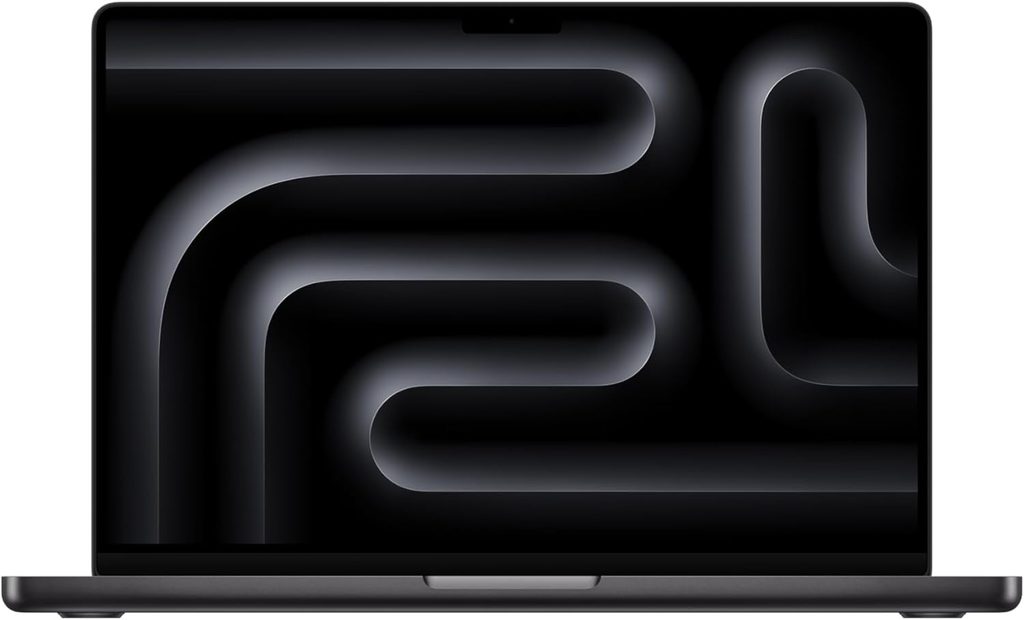
From $2,199 (14-inch, M5 Pro, 24 GB, 1 TB)
If your budget stretches this far, I’d stop reading and buy this one.
Apple launched the M5 Pro and M5 Max MacBook Pros on 3 March 2026, shipping 11 March. Both chips use what Apple calls a Fusion Architecture, stitching two dies into a single package, with an up-to-18-core CPU built from 6 “super cores” and 12 performance cores, rated at up to 30% faster than the previous generation.
That layout happens to be almost a description of what FL Studio wants: a handful of extremely fast cores for serial plugin chains, plus a pile of competent ones for track count.
What’s inside
- CPU: M5 Pro, up to 18 cores. The entry 14-inch config ships a 15-core CPU with a 16-core GPU.
- Memory: up to 64 GB unified, up to 307 GB/s of bandwidth. Soldered, so you decide once at checkout.
- Storage: now starts at 1 TB. Apple measured up to 14.5 GB/s sequential on an M5 Max with an 8 TB drive, using FIO 3.41 with a 1024 KB request size and a 10 GB test file.
- Ports: three Thunderbolt 5, HDMI up to 8K, a full SDXC card slot, MagSafe 3, headphone jack.
- Display: 14.2-inch Liquid Retina XDR mini-LED, 3024×1964, 120 Hz ProMotion, 1600 nits peak HDR and up to 1000 nits SDR, with an optional nano-texture matte finish.
- Wireless: Wi-Fi 7 and Bluetooth 6 through Apple’s N1 chip.
- Battery: Apple rates up to 24 hours. A 96W adapter is included with the 18-core M5 Pro.
The measured numbers
| What | Result | Who measured it |
|---|---|---|
| Geekbench 6, base M5 | 4,263 single / 17,862 multi | MacRumors, first retail unit |
| Geekbench 6, M5 Max 18-core | 4,268 single / 29,233 multi | MacRumors |
| Geekbench 6 database average, 14-inch 2025 | 3,638 single / 17,949 multi | Geekbench Browser, 1,058 results |
| Cinebench 2024, M5 10-core | 200 single / 957 multi | Notebookcheck |
| Cinebench 2024 multi, M5 Max in the 14-inch | 2,073 points | Notebookcheck |
| Wi-Fi battery test at 150 cd/m², base M5 14-inch | 16 hours 42 minutes | Notebookcheck |
CNN Underscored tested the M5 Pro model directly and logged the highest multi-core score they’d ever recorded, 22% above the M4 Pro 16-inch they benched in 2024.
The part that actually wins it for me
Apple states flatly that MacBook Pro delivers the same performance on battery as it does plugged in. Every Windows machine on this list gives something back when you unplug it. I’ve put the exact deltas in the ASUS section below, and they’re not trivial.
If you’ve ever been on a train with a half-finished beat, or backstage twenty minutes before a set, and had to choose between a working session and a working battery, you already understand why that’s worth money.
On top of that: no ASIO driver roulette, no hunting for chipset updates, no LatencyMon archaeology. Core Audio just works, and it removes an entire category of problem from your life.
Where I’d push back on the hype
Notebookcheck’s review of the base M5 14-inch flagged a loud fan under sustained load and constant PWM flickering on the mini-LED panel. Their review of the 14-inch M5 Max went further and listed severe thermal throttling and inconsistent CPU performance even in High Power mode, because that small chassis can’t feed a Max chip properly.
That’s exactly why I’m pointing you at the M5 Pro in the 14-inch, not the Max. If you genuinely need Max-level throughput, get the 16-inch, where Notebookcheck found the same silicon runs about 15% faster in Cinebench 2024 multi and stays stable with quieter fans.
Pros
- The fastest single-core performance you can buy in a laptop, which is the one spec FL Studio leans on hardest
- Identical performance plugged in or on battery
- Three Thunderbolt 5 ports, HDMI and a real SD slot, so your sample archive needs no dongle
- 1 TB of storage as standard finally makes the entry price honest
- Core Audio eliminates a whole class of Windows audio headaches
- FL Studio runs native on Apple Silicon and now uses the Audio Workgroups API
Cons
- $2,199 is a lot, and Apple’s RAM and storage upgrades are brutally priced
- Memory is soldered, so buy 32 GB now if Kontakt or Omnisphere are in your future
- Some Windows-only VSTs simply have no Mac build. Check your plugin folder before you switch
- Constant PWM flicker on the mini-LED panel, which bothers some people over long sessions
- The 14-inch chassis can’t sustain M5 Max clocks, so don’t assume the Max is the “more headroom” option here
- 12-month standard warranty, and essentially no user servicing
I’d buy it if you want to stop troubleshooting computers and start finishing tracks, and your plugin library will follow you to macOS.
2. Dell XPS 14 (2026)
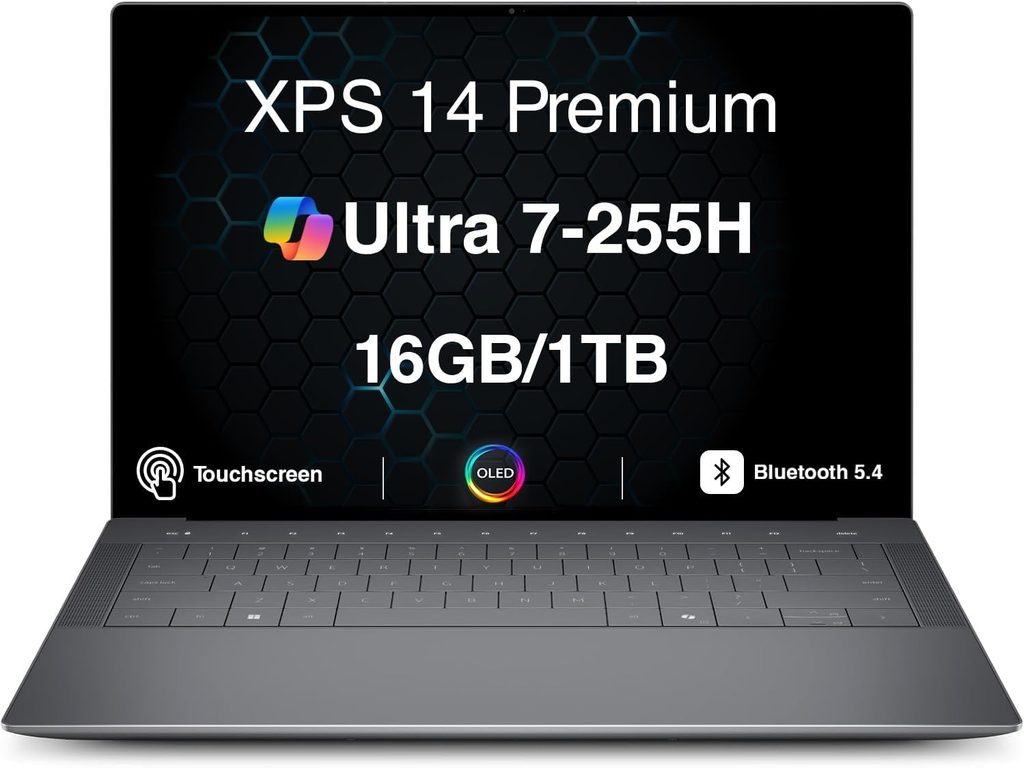
$1,600 base, around $2,200 for the 32 GB / 1 TB OLED config, and PCWorld saw an entry MSRP as low as $1,349.99
Dell spent two years irritating its own fanbase. The 2024 redesign gave us touch-sensitive function keys and an invisible trackpad. In 2025 the XPS name disappeared entirely in favour of “Dell 14 Premium.” The 2026 model walks all of that back, and for a producer it’s the best Windows machine here.
What’s inside
- CPU: Intel Core Ultra X7 358H (Panther Lake), 16 cores and 16 threads: four P-cores at 4.8 GHz, eight E-cores at 3.7 GHz, four low-power E-cores at 3.3 GHz. 69 W short burst, 30 W sustained.
- Memory: 32 GB LPDDR5x at 9,600 MT/s, soldered.
- Storage: Samsung PM9C1b 1 TB PCIe 4.0.
- Display: 14-inch 2880×1800 OLED, 120 Hz with variable refresh, touch, Gorilla Glass 3.
- Ports: three Thunderbolt 4 / USB4 40 Gbps, one 3.5 mm combo jack. That’s the whole list.
- Battery: 70 Wh. Weight: 1.444 kg. Notebookcheck scored it 87%.
The measured numbers
| What | Result | Who measured it |
|---|---|---|
| Geekbench 6.7 | 2,927 single / 17,121 multi | Notebookcheck |
| Cinebench R23 | 2,086 single / 18,932 multi | Notebookcheck |
| Cinebench 2024 | 125.5 single / 974 multi | Notebookcheck |
| Cinebench 2026 | 514 single / 3,990 multi | Notebookcheck |
| PCMark 10 | 9,880 points | Notebookcheck |
| DPC latency, LatencyMon max under web + YouTube + Prime95 | 872.4 µs | Notebookcheck |
| WLAN battery at 150 nits, Balanced profile | 16 hours 45 minutes | Notebookcheck |
| SSD sequential read / write (CrystalDiskMark) | 7,094 / 5,109 MB/s | Notebookcheck |
| SSD sustained read loop (DiskSpd, QD8) | Ø7,012 MB/s, no throttling | Notebookcheck |
| Display brightness | 396.1 cd/m² max, 389 average, 96% uniformity | Notebookcheck |
| Display accuracy | ΔE ColorChecker 1.27, greyscale ΔE 2.0 | Notebookcheck |
| Colour coverage | 100% sRGB, 99.7% Display P3, 98.2% AdobeRGB | Notebookcheck |
| HDR peak brightness | 1,104 cd/m² | Notebookcheck |
| Memory latency | 87.8 ns | Notebookcheck |
| Wi-Fi 7 throughput, 6 GHz receive | 1,740 Mbit/s | Notebookcheck |
What I want you to notice about that battery figure
16 hours 45 minutes, from a 70 Wh cell, in a repeatable WLAN loop at a fixed 150 nits.
The 2025 Dell 14 Premium, with a nearly identical 69.5 Wh battery, managed 10 hours 48 minutes in the same test. The 2024 XPS 14 with the same battery managed 7 hours 45 minutes. Same size cell, more than double the endurance in two years. That’s Intel’s 18A process doing the work, and it’s the biggest single change in Windows laptops this year.
And the honest problems
Notebookcheck’s Cinebench R15 multi-core loop shows this machine settling at an average of Ø2,340 points after peaking at 3,135, which is about a 25% drop under sustained all-core load. The ASUS ExpertBook Ultra with the identical CPU throttled noticeably less. For DAW work this shows up on long stem bounces and freeze operations rather than during playback, but it’s real, and it’s what a 14.6 mm chassis costs you.
The ports are the other issue, and for a producer it’s the bigger one. Three USB-C ports, no USB-A, no SD reader, because Dell dropped it this year. If you run a USB-A interface and a USB-A MIDI controller, you’re buying a hub on day one. Buy a powered one. Bus-powered hubs feeding audio interfaces are a classic source of dropouts.
One more thing you won’t find on Dell’s site: that OLED panel uses PWM dimming at 240.62 Hz at 100% brightness and below, at 29% amplitude. That’s a low frequency. If screen flicker gives you headaches on long sessions, the IPS option is worth a serious look even though it’s the less impressive panel.
Pros
- Genuinely calibrated OLED straight out of the box at ΔE 1.27, which almost nothing else at this price manages
- 16 hours 45 minutes measured, from only 70 Wh
- The SSD holds around 7 GB/s through a sustained read loop with no throttling, so streaming big sample libraries won’t stutter
- Physical function keys and a visible trackpad are back
- 9,600 MT/s memory at 87.8 ns latency is excellent for a machine this thin
- Wi-Fi 7 that actually delivers, at 1,740 Mbit/s on 6 GHz
Cons
- Three USB-C ports and nothing else. No USB-A, no SD, no HDMI
- Roughly 25% sustained multi-core throttle in a Cinebench loop
- 240 Hz PWM on the OLED could bother flicker-sensitive users
- 70 Wh only, and the price climbs fast once you add memory
- The screen shrank from 14.5 inches to 14.0 compared with the outgoing design
I’d buy it if you want the most trouble-free Windows DAW laptop and you’re fine living on a powered hub.
3. ASUS Zenbook S14 (2026, UX5406AA)
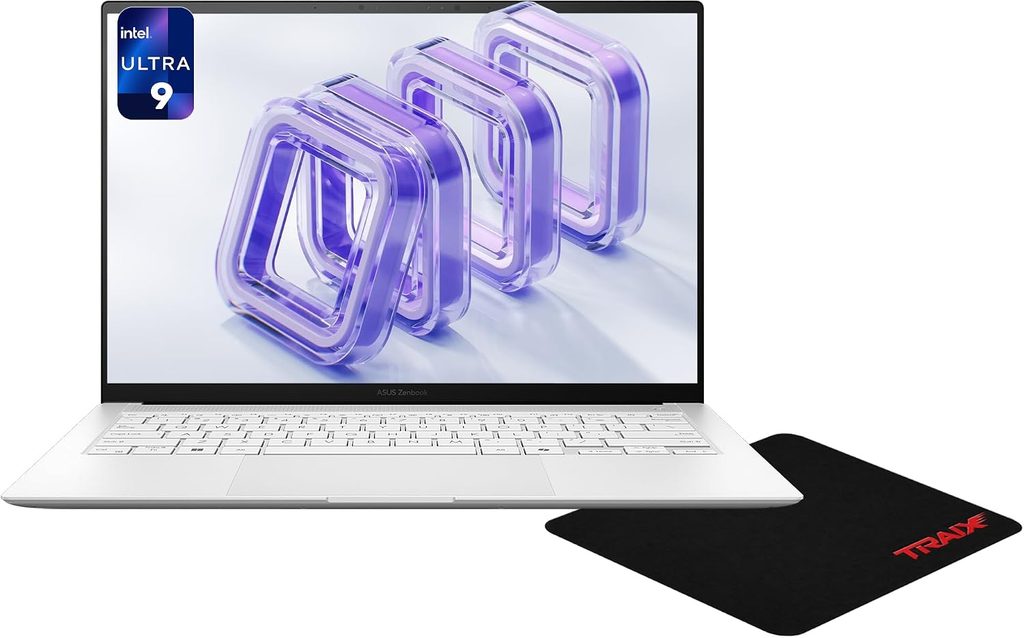
$1,899 for 32 GB and 1 TB
This is what I’d pick if the laptop is going to live on a desk with an interface, a MIDI keyboard, an external drive and a monitor all connected at once. The Dell makes you buy a hub. This one doesn’t.
What’s inside
- CPU: Intel Core Ultra 9 386H (Panther Lake), 16 cores and 16 threads: four P-cores at 4.9 GHz, eight E-cores at 3.9 GHz, four low-power E-cores at 3.5 GHz. 57 W short burst, 28 W sustained.
- Memory: 32 GB LPDDR5x-8533, soldered. Storage: Samsung PM9C1b 1 TB, and the M.2 2280 drive is user-replaceable.
- Display: 14-inch 2880×1800 OLED, 120 Hz, touch.
- Ports: two Thunderbolt 4, one USB-A 3.2 Gen 2, full-size HDMI 2.1, 3.5 mm.
- Battery: 77 Wh. Weight: 1.205 kg, 12.9 mm thick, Ceraluminum lid. Notebookcheck scored it 88%. Warranty is 24 months.
The measured numbers
| What | Result | Who measured it |
|---|---|---|
| Geekbench 6.7 | 2,899 single / 16,882 multi | Notebookcheck |
| Cinebench 2024 | 123.1 single / 969 multi | Notebookcheck |
| Cinebench R23 | 2,066 single / 18,553 multi | Notebookcheck |
| PCMark 10 | 8,639 points | Notebookcheck |
| DPC latency, LatencyMon max | 414.8 µs | Notebookcheck |
| Wi-Fi battery test at 150 nits | over 16 hours | Notebookcheck |
| Battery test, second opinion | 18 hours 28 minutes | Trusted Reviews |
| Display brightness | 459 cd/m² max, 456.9 average, 98% uniformity | Notebookcheck |
| Display accuracy | ΔE ColorChecker 1.0, greyscale ΔE 1.8 | Notebookcheck |
| HDR peak brightness | 1,050 cd/m² | Notebookcheck |
| PWM frequency | 960 Hz, high enough that most people won’t perceive it | Notebookcheck |
| SSD sequential read / write | 7,071 / 5,705 MB/s | Notebookcheck |
| SSD sustained read loop | Ø6,997 MB/s | Notebookcheck |
| Memory latency | 87.7 ns | Notebookcheck |
| Wi-Fi 7 transmit | 4,549 Mbit/s | Notebookcheck |
That DPC figure is the lowest of any laptop on this list, and one of the lowest Notebookcheck has recorded on a current thin-and-light. For anyone trying to hold 128 samples, that matters more than any Cinebench score in the table above it.
On-battery performance, with actual numbers
Notebookcheck published a profile table that answers a question almost nobody tests, so here it is:
| Profile | Power limits | Cinebench 2024 multi | Max fan noise |
|---|---|---|---|
| Whisper | 35 W / 12 W | 476 points | 29 dB(A) |
| Standard | 57 W / 17 W | 666 points | 38.5 dB(A) |
| Performance | 57 W / 28 W | 969 points | 49.1 dB(A) |
| Performance, on battery | 57 W / 28 W | 936 points | 49.1 dB(A) |
Unplugged, it gives back only 3.4% in Cinebench 2024 multi. Gizbot measured a similar pattern independently: 4% off single-core and 7% off multi-core in Geekbench 6, with a wider 16% gap in PCMark 10. ASUS isn’t aggressively throttling on battery, and for a mobile producer that’s the right call.
Now the part I’m not going to soften
Notebookcheck measured 24.1 dB(A) at idle and 49.1 dB(A) at maximum load, using an Earthworks M23R at 15 cm. Their headline complaint about this laptop is exactly that: it’s much louder under load than the model it replaces.
If you record vocals in the same room as your laptop, 49 dB(A) will land in your takes.
It’s manageable once you know about it. Whisper mode tops out at 28 to 29 dB(A) and is quiet all the time, and normal FL Studio playback is a mid-load, not an all-core render, so the fans mostly stay calm. The 49 dB number shows up when you’re bouncing forty stems, not when you’re arranging. My advice: Whisper for tracking, Performance for bouncing, and put it on a stand so the intakes aren’t choked by your desk.
One more genuine gotcha. Notebookcheck measured up to 87 W under maximum load, settling around 48 W, and pointed out that the 68 W adapter shipped in some regions can’t keep up, so the battery drains during peak load even while plugged in. If you do long renders, buy a 100 W USB-C charger.
Finally, a note on the chip choice: ASUS used the CPU-heavy Panther Lake variant, not the Core Ultra X version with the 12-core Arc B390 graphics. For FL Studio that’s irrelevant, the iGPU does nothing for you. If you also cut video in Premiere or Resolve, it’s a real downgrade and the Dell is the better buy.
Pros
- The lowest measured DPC latency here at 414.8 µs
- The port layout a producer actually wants: two Thunderbolt 4, HDMI and USB-A, no dongle
- Barely throttles on battery, giving back only 3.4% in Cinebench 2024 multi
- Brightest and most accurate panel on this list: 459 cd/m², ΔE 1.0, PWM at a comfortable 960 Hz
- 77 Wh in a 1.2 kg body, 16-plus hours measured
- The SSD is user-replaceable, which is rare in this class
- 24-month warranty instead of the usual 12
Cons
- 49.1 dB(A) under full CPU load. Bad news if you record in the same room
- The bundled 68 W adapter can’t cover peak load, so buy a bigger one
- The iGPU is the weak Panther Lake variant despite the Core Ultra 9 badge
- Memory is soldered
- $1,899 is a lot for what’s inside, even in this market
I’d buy it if your laptop mostly sits on a desk, you’re tired of hubs, and you can work around fan noise during bounces.
4. Lenovo IdeaPad Pro 5i Gen 11 (16-inch)
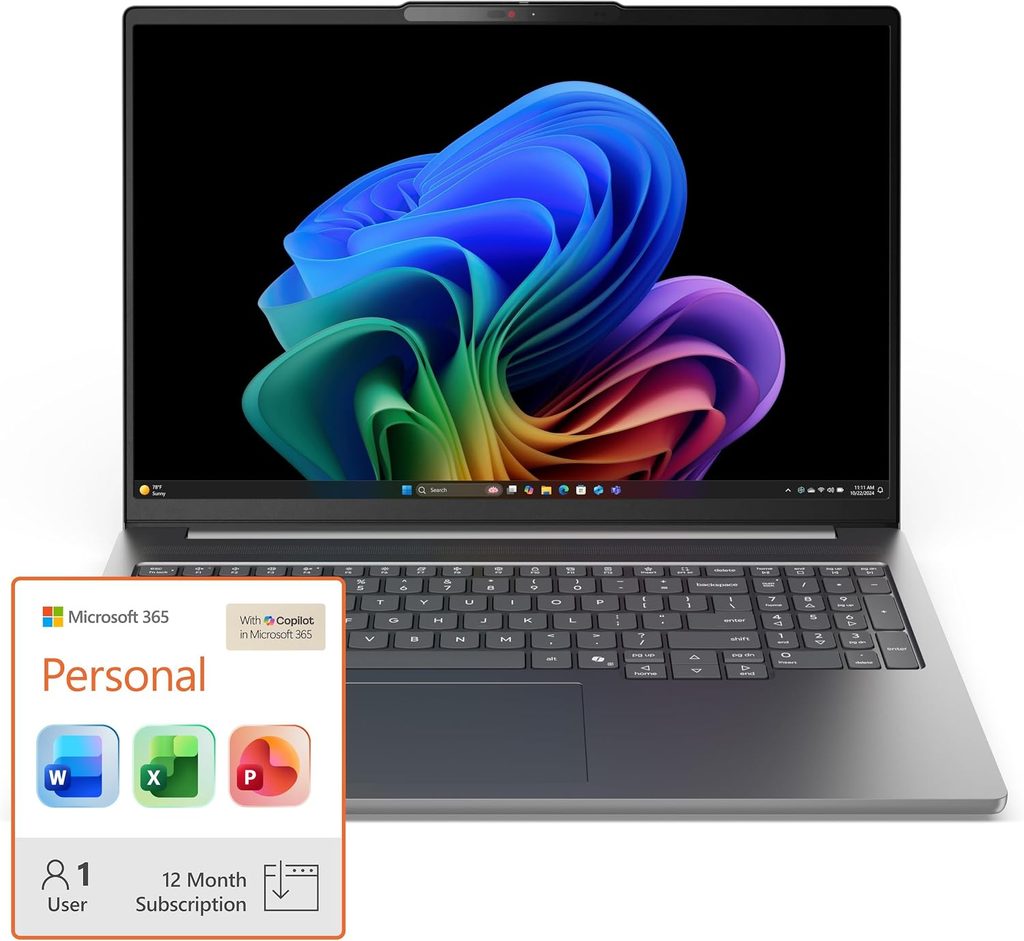
From about $1,699
FL Studio’s playlist and mixer eat horizontal space. Sixteen inches at 2.8K is a materially better arranging surface than fourteen, and this is the machine that delivers it without flagship pricing.
It’s also, by a long way, the longest-lasting laptop here.
What’s inside
- CPU: up to Intel Core Ultra X9 388H (Panther Lake, 16 cores) with the full 12-core Arc B390 graphics. Some configurations pair a lower-tier Core Ultra with an RTX 5060.
- Display: 16-inch 2.8K (2880×1800) OLED at 120 Hz.
- Battery: 99.9 Wh, which is the maximum you can legally carry onto a plane.
- Memory and storage: configurable up to 32 GB LPDDR5x and 2 TB.
The measured numbers
| What | Result | Who measured it |
|---|---|---|
| Web-browsing battery loop, 150 nits, 60 Hz | 30 hours 34 minutes | Hardware Canucks |
| Battery, second independent test | around 23.5 hours | Zip Tie Tech |
| Previous generation (Core Ultra 9 185H) in the same class of test | 10 hours 39 minutes | Notebookcheck |
| Fan noise after hours of continuous benchmarking, measured 1–2 ft from the display | 37–39 dB(A) | HotHardware |
| Geekbench 6, Core Ultra X9 388H in this model | 2,784 single / 16,183 multi | NanoReview community database |
| Cinebench 2024, Core Ultra X9 388H in this model | 122 single / 1,216 multi | NanoReview community database |
| Cinebench 2024, Core Ultra X9 388H platform reference | 129 single / 1,002 multi | Notebookcheck, HP OmniBook Ultra 14 |
| Geekbench 6.7, Core Ultra X9 388H platform reference | 3,027 single / 16,568 multi | Notebookcheck, HP OmniBook Ultra 14 |
Thirty hours and thirty-four minutes. Read that again.
Yes, it’s a browsing loop rather than a DAW session, and yes, the 99.9 Wh battery is doing a lot of the work. But the previous generation with a comparable screen managed 10 hours 39 minutes, and this one has a battery only 19% larger. That’s an efficiency jump, not just a bigger tank.
The acoustics are the other reason it earned a place here. HotHardware measured 37 to 39 dB(A) at ear distance after hours of continuous benchmarking and described it as barely above the noise floor of their lab. Set that against 49.1 dB(A) on the Zenbook under load. If you record acoustic sources, that gap is the whole argument.
The catch
This is a mainstream 16-inch laptop, not a flagship, and the build reflects that. Port configurations also vary between SKUs. Lenovo’s 16-inch IdeaPad Pro chassis has traditionally carried USB-A, HDMI and an SD reader, and the outgoing 2025 model did, but check the exact port list on the specific SKU you’re buying instead of assuming. Memory is soldered here too.
Skip the RTX 5060 configurations unless you also edit video. FL Studio will never touch that GPU, and you’ll pay for it in price, weight, heat and battery life.
Pros
- 30 hours 34 minutes in an independent battery loop, from a 99.9 Wh cell
- 37–39 dB(A) under sustained load, among the quietest machines in its class
- A 16-inch 2.8K 120 Hz OLED is genuinely better to arrange on than 14 inches
- The full Core Ultra X9 with 12-core Arc B390 graphics is available
- Best capability per dollar on this list
Cons
- Mainstream build quality, not premium
- Port selection varies by SKU, so verify before you order
- Soldered memory
- The RTX 5060 configurations are money wasted on a pure FL Studio machine
- Bigger and heavier than the 14-inch options here
I’d buy it if you want screen space and the freedom to work all day unplugged more than you want a luxury chassis.
5. Acer Swift Go 14 AI (2026)
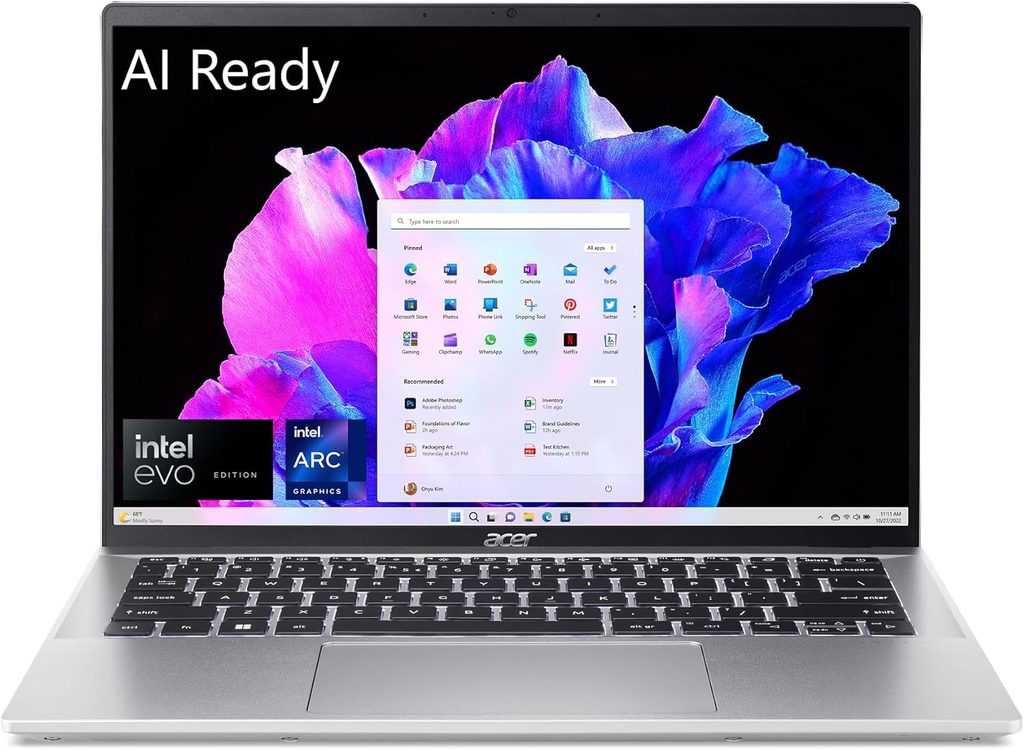
$1,299 as tested, with the Core Ultra 7 355, 16 GB and 512 GB
Let me be honest about the word “budget” in 2026, because it doesn’t mean what it meant two years ago, and that’s not Acer’s fault.
Global DRAM contract prices rose an estimated 90 to 95% quarter over quarter in Q1 2026, with another 58 to 63% projected in Q2, according to TrendForce. IDC reported that Lenovo, Dell, HP, Acer and ASUS all warned clients of 15 to 20% price increases across the board. Gartner put the combined DRAM and SSD surge at around 130% by the end of 2026 against 2025, pushing PC prices up roughly 17%. Memory went from about 16% of a laptop’s bill of materials to 23%.
What that means for you, practically: the laptop you buy this year costs more than the same machine did last year, and the RAM upgrade costs a lot more. Since every laptop on this list has soldered memory, the spec you pick at checkout is the spec you own for the next five years. If 32 GB is remotely in your plans, buy it now. It is not getting cheaper.
With that context, this is the value pick.
What’s inside
- CPU: Intel Core Ultra 7 355 (Panther Lake, non-X).
- Display: 14-inch 1920×1200 60 Hz OLED.
- Memory and storage: 16 GB and 512 GB as reviewed.
- Ports: two USB4 Type-C with power delivery and DisplayPort, one USB-A and a full-size HDMI on the left; a second USB-A, a 3.5 mm jack and a microSD reader on the right.
- Battery: 65 Wh. Weight: 1.24 kg, anodised aluminium. 65 W charger.
The measured numbers
| What | Result | Who measured it |
|---|---|---|
| Battery, PCMark 10 video loop at 150 nits | about 21 hours | Trusted Reviews |
| Geekbench 6.7, Core Ultra 7 355 platform reference | 2,769 single / 11,702 multi | Notebookcheck, Lenovo Yoga Slim 7 Ultra 14 |
| Geekbench 6.7, Core Ultra 7 355, second unit | 2,701 single / 11,394 multi | Notebookcheck, Dell XPS 14 Core Ultra 7 355 |
| Cinebench 2024, Core Ultra 7 355 platform reference | 119.1 single / 655 multi | Notebookcheck, Lenovo Yoga Slim 7 Ultra 14 |
| Cinebench R23, Core Ultra 7 355 platform reference | 1,931 single / 11,221 multi | Notebookcheck, Lenovo Yoga Slim 7 Ultra 14 |
| Generation-over-generation gain vs Core Ultra 7 255 | single-digit percentage points | Trusted Reviews |
I’m quoting platform reference figures from Notebookcheck’s tests of other Core Ultra 7 355 machines because that’s the honest way to give you a number for this chip without pretending I ran it myself. The picture is consistent across units: this is a competent mid-range part, not a leap.
The honest assessment
Trusted Reviews found the port selection puts far more expensive laptops to shame, and they’re right. Four data ports plus HDMI plus a card reader on a 1.24 kg machine is genuinely rare in 2026. For a home studio that’s more useful to you than half a Cinebench point.
Twenty-one hours in a video loop from only 65 Wh is also excellent, and it means a full day of writing beats in a café without hunting for an outlet.
The trade-offs are exactly where you’d expect. The Core Ultra 7 355 is the non-X Panther Lake part and moves only a handful of percentage points past last year’s Core Ultra 7 255. The OLED is 1920×1200 at 60 Hz, which is fine for a DAW because you’re not gaming, but it’s a step down from the 2.8K 120 Hz panels elsewhere here. And 512 GB fills up fast once you install a couple of sample libraries.
Pros
- Best port selection per dollar on this list, including two USB-A and a microSD reader
- Around 21 hours in a repeatable video-loop test, from a modest 65 Wh cell
- An OLED panel at a price where most rivals still ship IPS
- 1.24 kg with a compact 65 W charger, so the whole kit fits in a backpack
- Genuine current-generation Panther Lake silicon, not last year’s stock at a discount
Cons
- Non-X chip, so single-digit gains over 2025 rather than a real jump
- 1920×1200 at 60 Hz is the weakest screen here
- 512 GB will be tight. Budget for an external SSD or a larger config
- 16 GB works but it’s the floor, and you can’t upgrade it later
I’d buy it if you’re starting out, you’ll mostly use stock plugins and modest sample libraries, and you’d rather put the difference into an interface and monitors. Which, honestly, is often the right call.
Side by side
| MacBook Pro 14″ M5 Pro | Dell XPS 14 (2026) | ASUS Zenbook S14 (2026) | Lenovo IdeaPad Pro 5i Gen 11 | Acer Swift Go 14 AI (2026) | |
|---|---|---|---|---|---|
| CPU | Apple M5 Pro, up to 18 cores | Core Ultra X7 358H, 16 cores | Core Ultra 9 386H, 16 cores | Core Ultra X9 388H, 16 cores | Core Ultra 7 355 |
| Memory / storage as tested | 24 GB / 1 TB | 32 GB / 1 TB | 32 GB / 1 TB | up to 32 GB / 2 TB | 16 GB / 512 GB |
| Screen | 14.2″ XDR mini-LED, 120 Hz | 14″ 2.8K OLED, 120 Hz | 14″ 2.8K OLED, 120 Hz | 16″ 2.8K OLED, 120 Hz | 14″ 1920×1200 OLED, 60 Hz |
| Measured battery | 16h 42m (Notebookcheck, base M5) | 16h 45m (Notebookcheck) | over 16h (Notebookcheck) | 30h 34m (Hardware Canucks) | about 21h (Trusted Reviews) |
| USB-A | No | No | Yes, one | Varies by SKU | Yes, two |
| Card reader | SDXC | No | No | Varies by SKU | microSD |
| HDMI | Yes, up to 8K | No | Yes, HDMI 2.1 | Varies by SKU | Yes, full size |
| Weight | 1.6 kg | 1.44 kg | 1.21 kg | 16-inch class | 1.24 kg |
| Price | from $2,199 | $1,600–$2,260 | $1,899 | from $1,699 | $1,299 |
The table nobody publishes: DPC latency
This is the one I care about most, and I’ve never seen it in an FL Studio buying guide.
Notebookcheck runs LatencyMon while a machine browses the web, plays 4K YouTube and runs Prime95, then records the maximum interrupt-to-process latency in microseconds. Lower is better. A machine that stays well under about 1,000 µs under that kind of abuse is a machine that will hold a low buffer. One that spikes into the thousands will give you clicks no matter how fast its processor is.
Every figure below is from Notebookcheck’s own runs.
| Laptop (CPU) | DPC latency, max |
|---|---|
| ASUS ExpertBook Ultra B9406CAA (Core Ultra X7 358H) | 398 µs |
| ASUS Zenbook S14 UX5406AA (Core Ultra 9 386H) | 414.8 µs |
| Dell XPS 14 2026 (Core Ultra 7 355) | 438.5 µs |
| HP EliteBook X G1i 14 AI (Core Ultra 7 268V) | 594.8 µs |
| Honor MagicBook Pro 14 2026 (Core Ultra 5 338H) | 838.2 µs |
| Dell XPS 14 2026 (Core Ultra X7 358H) | 872.4 µs |
| Lenovo Yoga Pro 7 14IAH10 (Core Ultra 9 285H) | 1,381.1 µs |
| ASUS Zenbook S 14 UX5406 (Core Ultra 7 258V, 2024) | 1,614.8 µs |
| Subnotebook class average, 43 machines, last two years | 2,172 µs |
| Dell XPS 14 2024 OLED (Core Ultra 7 155H) | 2,192.4 µs |
| Dell 14 Premium 2025 (Core Ultra 7 255H) | 2,458.4 µs |
| Samsung Galaxy Book5 Pro 14 (Core Ultra 5 226V) | 3,862.9 µs |
| Lenovo Yoga Slim 7 Ultra 14IPH11 (Core Ultra 7 355) | 4,322.1 µs |
| HP OmniBook Ultra 14 (Core Ultra X9 388H) | 5,654.9 µs |
Three things jump out at me.
Brand tells you nothing. Dell occupies both the third-best and the eleventh-worst slot on this list depending on which year and which configuration you buy. The 2024 XPS 14 sat at 2,192 µs. The 2026 model with the same badge sits at 438.5 µs in one config and 872.4 µs in another. That’s a five-fold difference inside one product line.
Neither does the price. The HP OmniBook Ultra 14 is a lovely, fast, expensive laptop with the best chip in Intel’s stack, and it recorded the worst DPC figure in the table. That’s why it isn’t on my list, even though it very nearly was.
Chip generation doesn’t save you either. The Lenovo Yoga Slim 7 Ultra and the Dell XPS 14 base model run the exact same Core Ultra 7 355, and they’re ten times apart. It’s drivers and firmware, not silicon.
If you take one thing from this article, take this: run LatencyMon for ten minutes on any Windows laptop within your return window, before you commit.
Fan noise, measured
The second number no buying guide gives you, and the one that ruins vocal takes. Here are the machines on my list where an independent lab published an actual decibel figure.
| Laptop | Idle | Sustained load | Measured by |
|---|---|---|---|
| ASUS Zenbook S14 (2026), Whisper mode | 24.1 dB(A) | 28–29 dB(A) | Notebookcheck, Earthworks M23R at 15 cm |
| ASUS Zenbook S14 (2026), Performance mode | 24.1 dB(A) | 49.1 dB(A) | Notebookcheck, Earthworks M23R at 15 cm |
| Lenovo IdeaPad Pro 5i Gen 11 | at lab noise floor | 37–39 dB(A) | HotHardware, sound level meter at 1–2 ft |
The Zenbook comparison is the useful one, because it’s the same laptop twice. Switching profiles moves it by more than 20 dB(A), which is roughly the difference between “I can’t hear it” and “my SM7B can.” Whichever Windows machine you buy, find its quiet profile and learn when to use it.
For the MacBook Pro side, Notebookcheck’s verdicts are qualitative rather than numeric: they describe the M5 14-inch as almost always extremely quiet in everyday use with a loud fan only under full load, and the 2026 M5 Max 14-inch as always extremely quiet during everyday use and gaming. In practice, a DAW session is everyday use, not a render.
Three things most FL Studio guides get wrong
1. Don’t buy a Snapdragon laptop for FL Studio
This one matters, because 2026 is full of superb Snapdragon X2 machines with spectacular battery life, and I keep seeing them recommended for music production.
FL Studio still has no native Windows-on-ARM build. Image-Line’s own knowledge base says there’s no definite date for one, and that the work they did for Apple Silicon will help speed things along. Until then, FL Studio runs through Prism, the x86 emulation layer built into Windows 11 on Arm. Image-Line describes emulation performance as good and reliability as solid in their own testing, with compatibility logged from version 21.1.1.3750 onward.
“Good” isn’t “native.” And here’s the bigger problem: your plugins get emulated too. Every Windows VST you own was compiled for x86. Some behave perfectly. Some don’t.
If you already own a Snapdragon machine, try it, it may well be fine for your setup. If you’re buying specifically for FL Studio, buy Intel, AMD or Apple Silicon and skip the question entirely.
2. The graphics card does nothing for you
FL Studio doesn’t offload DSP to the GPU. An RTX 5060 will sit at idle for your entire session. Older guides pushed gaming laptops because they benchmark well in general-purpose tests, but for a DAW you’re paying a premium in heat, weight, fan noise and battery life in exchange for nothing.
The exception is if you also edit video, stream, or make visuals for your releases. Then a dedicated GPU earns its keep. For beats alone, it doesn’t.
Worth knowing: integrated graphics have moved on enough that Notebookcheck measured the XPS 14’s Arc B390 matching or beating the dedicated RTX 4050 in the 2024 XPS 14 on 3DMark, landing within about 10% in actual games. If you do light visual work on the side, integrated is probably enough now.
3. AMD’s 2026 refresh isn’t a reason to wait
AMD launched the Ryzen AI 400 series, codenamed Gorgon Point, at CES 2026. Notebookcheck’s analysis is blunt: apart from slightly higher clocks, faster memory support and a quicker NPU, these are the same Zen 5 cores and RDNA 3.5 graphics as 2025’s Strix Point. Some manufacturers didn’t even bother refreshing their AMD models.
So if you find a 2025 Ryzen AI 9 HX 370 machine heavily discounted, it isn’t meaningfully slower than the 2026 equivalent for FL Studio. Buy on price.
What I left out, and why
HP OmniBook Ultra 14 (2026). Genuinely excellent in most respects, with the best chip in the Panther Lake stack and a PCMark 10 score of 9,939 that beats everything else in its class. But Notebookcheck measured its DPC latency at 5,654.9 µs, the worst figure in my table. For general productivity that’s invisible. For low-buffer audio it’s disqualifying. I’d love to see this revisited after a few driver updates.
ASUS ProArt P16 (H7606). A lovely creator laptop, but its replacement is already announced. ASUS has confirmed a new ProArt P16 (H7607) built around NVIDIA’s RTX Spark, with a 4K Tandem OLED at up to 1,600 nits, a 99 Wh battery and up to 128 GB of RAM, shipping in autumn 2026. Buying the outgoing model right now would be a mistake.
ASUS ROG Zephyrus G16 (2026). A superb machine with a 240 Hz OLED and up to an RTX 5090. It’s also priced around €5,400 for the RTX 5080 configuration, and PC Gamer scored it 78% specifically because of that. For FL Studio you’d be paying flagship money for a GPU that never wakes up.
Anything with 8 GB of RAM. At 2026 prices that isn’t a saving, it’s a countdown.
Setting up a new laptop for FL Studio
On Windows, in this order:
- Install your interface’s own ASIO driver. Focusrite, Universal Audio, MOTU, whoever made it. FL Studio ASIO is a decent fallback and ASIO4ALL is a last resort, but a proper vendor driver almost always buys you a lower stable buffer.
- Set the power plan to High Performance or Best Performance, and turn off USB selective suspend. Aggressive power management is one of the top three causes of dropouts on brand-new laptops.
- Run LatencyMon for ten minutes with your normal apps open, inside the return window. If it names a specific driver, that’s your culprit, and it’s usually Wi-Fi, Bluetooth or graphics. Update or roll it back before you blame FL Studio.
- Turn off Wi-Fi power saving in the adapter’s advanced properties.
- Start at a 256-sample buffer and work down. 128 is a comfortable target on a modern machine. 64 is for tracking, not for a loaded mix.
- Plug your interface straight into a port, not through a cheap bus-powered hub. If you need a hub, buy a powered one.
On macOS: install your interface driver if it needs one, since many are class-compliant and don’t, set your buffer, and get to work. Just make sure you’re on a current FL Studio build so you get the Audio Workgroups scheduling improvements on Apple Silicon.
On both: keep projects and active samples on the internal NVMe and archive finished work externally. The Dell’s Samsung drive held around 7 GB/s through a sustained read loop with no throttling, and the ASUS held Ø6,997 MB/s. No bus-powered external drive is going to match that when you’re streaming a 40 GB Kontakt library.
FAQ
Do I need 16 GB or 32 GB of RAM for FL Studio? 16 GB is genuinely fine for stock plugins, Serum, Vital and moderate projects. 32 GB becomes the answer the moment Kontakt libraries, Omnisphere or orchestral instruments enter the picture, because those stream from memory. Since every laptop worth buying in 2026 has soldered RAM and DRAM prices rose sharply this year, buy 32 GB at checkout if there’s any chance you’ll need it.
Is a MacBook better than Windows for FL Studio in 2026? For the fewest problems, yes. Core Audio removes driver troubleshooting, Apple Silicon delivers the same performance on battery as plugged in, and the M5 Pro has the fastest single-core performance available, which is exactly what FL Studio’s serial plugin chains want. The counter-arguments are price and Windows-only VSTs. Check your plugin folder before you switch.
Will FL Studio run on a Snapdragon X2 laptop? It runs, through Windows 11’s Prism x86 emulation. There is no native ARM64 build and Image-Line hasn’t given a date. Your x86 plugins get emulated too, which is where most of the trouble shows up. If you’re buying specifically for FL Studio, choose Intel, AMD or Apple Silicon.
Does FL Studio use the graphics card? No. FL Studio’s processing is CPU-bound. A dedicated GPU only matters if you also do video or visual work.
What buffer size should I use? 256 samples while producing, 128 if your machine holds it cleanly, 64 for tracking when latency matters more than headroom, and 512 to 1024 for mixing and mastering big sessions. Lower buffers punish per-core speed and driver quality. Higher buffers reward multi-core throughput. Move it as your project grows.
Do I really need an audio interface? For monitoring and recording, yes. Your laptop’s headphone output has no ASIO driver, no proper preamp and no clean converter. An interface is the single biggest quality-per-dollar upgrade in a beginner setup, usually more so than spending another $400 on the laptop.
Is a gaming laptop good for FL Studio? Only if you also game. You’ll pay for a GPU your DAW ignores, and gaming chassis tend to run louder, which matters if there’s a microphone in the room.
Why do you keep talking about DPC latency? Because it’s the thing that causes clicks and pops on machines that look fast on paper. It measures how long the operating system takes to service an interrupt, and a badly behaved driver can spike it into the thousands of microseconds on an otherwise excellent laptop. The table above shows a five-fold spread inside a single product line. It’s free to test and it takes ten minutes.
How long will one of these last me? Realistically five to seven years for FL Studio work, and the limiting factor will be memory, not the processor. Which is the real argument for buying more RAM up front.
Where I’d land
If money isn’t the constraint, buy the MacBook Pro 14″ with M5 Pro and stop thinking about computers. Fastest single core available, quiet during the mid-load work a DAW session actually is, identical performance on battery, and an SD slot you’ll use more than you expect. Get the Pro, not the Max, in this size.
On Windows, the Dell XPS 14 (2026) is the best-measured all-rounder here: 16 hours 45 minutes of real battery, a factory-calibrated OLED at ΔE 1.27, and an SSD that holds 7 GB/s under a sustained loop. Budget for a powered hub on day one.
If your laptop lives on a desk with gear plugged into it, the ASUS Zenbook S14 (2026) has the lowest DPC latency on this list at 414.8 µs, a brighter and more accurate screen than the Dell, and the ports to skip the dongle entirely. Just learn its quiet profile and buy a 100 W charger.
If you want a big canvas and the freedom to work anywhere, the Lenovo IdeaPad Pro 5i Gen 11 ran 30 hours 34 minutes in an independent battery loop and held 37 to 39 dB(A) under sustained load. Nothing else here comes close on either count.
And if you’re starting out, the Acer Swift Go 14 AI (2026) gets you current-generation silicon, an OLED panel, around 21 hours of battery and a port selection that embarrasses laptops twice the price. Put what you saved into an interface and a pair of monitors. Your tracks will thank you for that far more than for another 2,000 Cinebench points.
Sources
FL Studio and platform
- Image-Line, FL Studio 2026.1.6 release notes: https://forum.image-line.com/viewtopic.php?t=342331
- Image-Line, FL Studio 2026.1.3 release notes covering the Apple Silicon Audio Workgroups API: https://forum.image-line.com/viewtopic.php?t=341668
- Image-Line Knowledge Base, “Does FL Studio for Windows support ARM processors”: https://support.image-line.com/action/knowledgebase?ans=767
- OnARM.Net, FL Studio on Windows on Arm compatibility status: https://onarm.net/apps/flstudio
- Wikipedia, FL Studio release history: https://en.wikipedia.org/wiki/FL_Studio
- PCAudioLabs, Pro Audio CPU Benchmarks and Comparisons, DAWbench methodology: https://pcaudiolabs.com/pcaudiolabs-pro-audio-cpu-benchmarks-and-comparisons/
Apple MacBook Pro, M5 / M5 Pro / M5 Max
- Apple Newsroom, Apple introduces MacBook Pro with all-new M5 Pro and M5 Max: https://www.apple.com/newsroom/2026/03/apple-introduces-macbook-pro-with-all-new-m5-pro-and-m5-max/
- Apple Support, MacBook Pro (14-inch, M5 Pro or M5 Max) tech specs: https://support.apple.com/en-us/126318
- Apple Support, MacBook Pro (14-inch, M5) tech specs: https://support.apple.com/en-us/125405
- Notebookcheck, Apple MacBook Pro M5 (2025) review: https://www.notebookcheck.net/Apple-MacBook-Pro-M5-2025-review-The-fastest-single-core-performance-in-the-world.1144391.0.html
- Notebookcheck, Apple MacBook Pro 14 2026 M5 Max product page and verdict: https://www.notebookcheck.net/Apple-MacBook-Pro-14-2026-M5-Max.1257061.0.html
- Notebookcheck, M5 Max in the MacBook Pro 16 versus the MacBook Pro 14: https://www.notebookcheck.net/Apple-s-M5-Max-in-the-MacBook-Pro-16-is-around-15-faster-compared-to-the-MacBook-Pro-14.1250872.0.html
- MacRumors, M5 chip Geekbench results: https://www.macrumors.com/2025/10/17/m5-chip-macbook-pro-geekbench-benchmark/
- MacRumors, M5 Max Geekbench record: https://www.macrumors.com/2026/03/05/m5-max-geekbench-benchmarks/
- Geekbench Browser, MacBook Pro 14-inch 2025 averages: https://browser.geekbench.com/macs/macbook-pro-14-inch-2025
- CNN Underscored, MacBook Pro M5 and M5 Pro testing: https://www.cnn.com/cnn-underscored/reviews/macbook-pro-m5
Dell XPS 14 (2026)
- Notebookcheck, Dell XPS 14 2026 full review, including DPC latency, colorimetry, SSD loop and throttling data: https://www.notebookcheck.net/Dell-XPS-14-2026-review-Fully-reborn-with-Intel-Panther-Lake-X7.1218670.0.html
- Notebookcheck, XPS 14 2026 battery life compared with the 2025 Dell 14 Premium: https://www.notebookcheck.net/Dell-XPS-14-2026-with-Intel-Panther-Lake-delivers-55-longer-battery-life-vs-2025-Dell-14-Premium.1225329.0.html
- PCWorld, Dell XPS 14 review: https://www.pcworld.com/article/3067275/dell-xps-14-review.html
- Tom’s Guide, Dell XPS 14 (2026) review: https://tomsguide.com/computing/laptops/dell-xps-14-2026-review
ASUS Zenbook S14 (2026)
- Notebookcheck, ASUS ZenBook S14 2026 full review, including DPC latency, acoustics, power profiles and colorimetry: https://www.notebookcheck.net/Asus-ZenBook-S14-2026-Laptop-Review-Brighter-OLED-but-a-slow-Panther-Lake-iGPU.1342874.0.html
- Notebookcheck news analysis of the Zenbook S14’s fan noise and iGPU choice: https://www.notebookcheck.net/The-new-Asus-Zenbook-S14-2026-is-a-great-laptop-but-it-deserves-the-Core-Ultra-X-chips-with-the-Arc-B390-iGPU.1348338.0.html
- Trusted Reviews, Asus Zenbook S 14 (2026) review: https://www.trustedreviews.com/reviews/asus-zenbook-s-14-2026
- Gizbot, ASUS Zenbook S14 (2026) review with plugged-in versus battery benchmarks: https://www.gizbot.com/laptop/reviews/asus-zenbook-s14-2026-review-a-premium-ultraportable-that-plays-to-its-strengths-125775.html
- UltrabookReview, Asus Zenbook S14 longer-term review: https://www.ultrabookreview.com/74670-asus-zenbook-s14-gen2-review/
Lenovo IdeaPad Pro 5i Gen 11
- Notebookcheck, IdeaPad Pro 5i Gen 11 battery life report: https://www.notebookcheck.net/30-hour-battery-life-Lenovo-IdeaPad-Pro-5i-Gen-11-with-Intel-Panther-Lake-reportedly-lasts-long-time-on-single-charge.1214121.0.html
- TechSpot, Intel Panther Lake review roundup with Hardware Canucks battery results: https://www.techspot.com/news/111088-intel-panther-lake-review-roundup-graphics-battery-life.html
- HotHardware, Intel Core Ultra X9 388H review, acoustics and battery pages: https://hothardware.com/reviews/intel-core-ultra-x9-388h-panther-lake-review?page=3
- UltrabookReview, 2026 Lenovo Yoga Pro 9i, Yoga Pro 7i and IdeaPad Pro 5i explained: https://www.ultrabookreview.com/74443-lenovo-yoga-pro-9i-7i-5i/
- NanoReview, Lenovo IdeaPad Pro 5i Gen 11 (16-inch, 2026) benchmark database: https://nanoreview.net/en/laptop/lenovo-ideapad-pro-5i-16-gen-11-16-2026
- Windows Latest, Panther Lake SKUs and pricing for Lenovo’s 2026 refresh: https://www.windowslatest.com/2025/12/24/exclusive-intel-panther-lake-skus-for-lenovos-2026-refresh-ultra-7-356h-ultra-x9-388h-ultra-x7-358h/
Acer Swift Go 14 AI (2026)
- Trusted Reviews, Acer Swift Go 14 AI (2026) review: https://www.trustedreviews.com/reviews/acer-swift-go-14-ai-2026
- Windows News, Acer Swift Go 14 AI tested, 21-hour battery result: https://windowsnews.ai/article/acers-swift-go-14-ai-tested-21-hour-battery-in-a-sub-1300-oled-laptop.438963
- Acer Newsroom, Swift AI Copilot+ PC lineup with Intel Core Ultra Series 3: https://news.acer.com/acer-announces-new-lineup-of-premium-swift-ai-copilot-pcs-featuring-intel-core-ultra-series-3-processors
Platform and market context
- UltrabookReview, complete list of Intel Panther Lake laptops: https://www.ultrabookreview.com/74624-intel-panther-lake-laptops/
- Notebookcheck, AMD Ryzen AI 400 “Gorgon Point” performance analysis: https://www.notebookcheck.net/AMD-Ryzen-AI-400-Performance-Analysis-Gorgon-Point-debuts-with-only-minor-improvements.1211982.0.html
- PCWorld, PC prices could soar 20% due to DRAM and SSD shortages: https://www.pcworld.com/article/3021660/computer-prices-could-go-up-by-20-due-to-ram-shortage-pc-makers-warn.html
- Notebookcheck, laptop prices could rise at least 20% in 2026: https://www.notebookcheck.net/Laptop-prices-could-soar-by-at-least-20-in-2026-not-just-due-to-higher-DRAM-costs.1176288.0.html
- Insight, 2026 RAM shortage with TrendForce DRAM contract price data: https://www.insight.com/en_US/campaigns/insight/2026-ram-shortage.html
- Tom’s Hardware, memory and SSD price outlook through 2026: https://www.tomshardware.com/laptops/framework-warns-of-even-more-rising-ram-and-ssd-prices-through-2026-as-memory-crisis-persists-some-reprieve-as-prices-plateau-in-latest-monthly-update
Considered but not selected
- Thurrott, HP OmniBook Ultra review: https://www.thurrott.com/mobile/copilot-pc/335351/hp-omnibook-ultra-review-nearly-perfect-panther-lake-powerhouse
- Notebookcheck, ASUS ProArt P16 (H7607) with RTX Spark, launching autumn 2026: https://www.notebookcheck.net/Asus-ProArt-P16-launching-with-1-600-nit-Tandem-OLED-display-128-GB-RAM-and-Nvidia-RTX-Spark.1384089.0.html
- PC Gamer, Asus ROG Zephyrus G16 (2026) review: https://www.pcgamer.com/hardware/gaming-laptops/asus-rog-zephyrus-g16-2026-review/
Prices and availability were accurate when I wrote this and change often in the current memory market. Every benchmark figure is credited to the lab that produced it, and results vary with firmware, drivers, cooling and configuration.

Hi, my name is Burak. I am a mechanical engineer. I have been writing laptop reviews for the Engineering Laptops website since 2020. Please feel free to contact me if you have any questions.