Table of contents
- Quick Answers, If You’re Standing in a Store Right Now
- First, The Question That Should Decide Everything
- How I Put This Together
- Best Laptop for Exercise Science Majors in 2026: 5 Picks, Real Lab Numbers, and the One Question Nobody Tells You to Ask
- 1. Lenovo IdeaPad Slim 5a (16″, Gen 11) — My Overall Pick
- 2. Acer Swift 16 AI (SF16-71T) — The One for Biomechanics and Serious Data
- 3. Apple MacBook Air 15″ (M5, 2026) — Best Battery and Best to Carry
- 4. Lenovo ThinkPad X1 Carbon Gen 14 Aura Edition — The Machine You Keep
- 5. Apple MacBook Neo (2026) — The Budget Answer
- Everything Side by Side
- Buy According to Your Track
- What I’d Tell You Not to Buy
- Accessories That Actually Earn Their Place
- Questions I Get Asked Constantly
- Where I’d Land
I want to start with a story, because it’s the reason this article exists.
A couple of years back I helped a kinesiology sophomore pick out a laptop. Gorgeous machine. Thin, silent, gorgeous screen, everyone online loved it. She loved it too — right up until Biomechanics II, when the lab handed everyone a folder of high-speed video and told them to run it through Kinovea. Kinovea doesn’t have a Mac version. Never has. She spent the rest of that semester queuing for a lab PC at 7 a.m. so she could finish assignments before her 9 o’clock class.
That’s not a hardware problem. That’s a research problem. And it’s the specific thing almost every “best student laptop” list gets wrong about this major, because they treat exercise science like a generic humanities degree with more walking.
It isn’t. Your degree is four different workloads wearing a trench coat:
There’s the writing and lecture stuff, which literally any laptop handles. There’s the statistics load — SPSS, R, JASP, Jamovi — which wants memory and a processor that doesn’t wilt after ten minutes. There’s the video and biomechanics load, which is genuinely heavy and which most buying guides pretend doesn’t exist. And then there’s the one that quietly ruins people’s plans: the instrumentation load. Metabolic carts. EMG. Force plates. Motion capture. Isokinetic dynamometers.
That last group runs on Windows. Not “prefers” Windows. Runs on it, on x86, with vendor drivers that were written in 2014 and get updated when somebody remembers.
So this guide is built backwards from that. Five picks. Every number below comes from a published lab measurement, and I’ll tell you which lab and which protocol produced it, because “we tested it” is the single most abused phrase in this whole industry. Let’s go.
Quick Answers, If You’re Standing in a Store Right Now
| What you need | What I’d buy | Rough price |
|---|---|---|
| Best overall for this degree | Lenovo IdeaPad Slim 5a (16″, Gen 11) | $950 – $1,150 |
| Best for biomechanics & video | Acer Swift 16 AI (SF16-71T, Core Ultra X7) | $1,300 – $1,799 |
| Best battery and portability | Apple MacBook Air 15″ (M5, 2026) | $1,199 – $1,299 |
| Best for all four years plus clinicals | Lenovo ThinkPad X1 Carbon Gen 14 Aura | $1,800 – $2,300 |
| Best on a tight budget | Apple MacBook Neo (2026) | $599 – $699 |
Pricing has been genuinely chaotic through 2026 — memory costs went sideways and dragged everything with them, and Apple even nudged the Neo’s entry price up mid-year. Treat those numbers as ranges, not gospel.
First, The Question That Should Decide Everything
Before you compare a single spec, look at this. Software, not silicon, is the fork in the road.
| Software you’ll probably meet | Runs on | What I’d flag |
|---|---|---|
| Kinovea (video motion analysis) | Windows only | Free, and everywhere in undergrad biomechanics. No Mac build exists |
| BIOPAC AcqKnowledge (EMG, ECG, physiology) | Windows / macOS | Mac version exists, but teaching labs are almost always set up Windows-first |
| Metabolic cart software (ParvoMedics, COSMED, etc.) | Windows | Vendor-locked and driver-dependent. No wiggle room |
| EMG & motion capture (Delsys, Noraxon, Vicon, Qualisys) | Windows | Often needs specific USB hardware plus legacy drivers |
| Dartfish (sports performance) | Windows | Common in coaching and S&C programmes |
| IBM SPSS Statistics | Windows / macOS | Truly cross-platform, though campus licences skew Windows |
| R / RStudio / JASP / Jamovi | Everything | Genuinely fine anywhere. Free, too |
| OpenSim (musculoskeletal modelling) | Windows / macOS / Linux | Mostly a grad-school thing |
| Complete Anatomy / Visible Body | Everything, tablets included | Not a factor in your decision |
Read that twice. If your programme has a human performance lab and you plan to collect your own data — a senior thesis, an honours project, a research assistantship — you want an x86 Windows machine. Not a Chromebook. Not an ARM laptop. And a Mac only if you’re at peace with being the person who always borrows a lab computer.
I’m not Apple-bashing here. I recommend Macs twice below and I mean it both times. It’s just that this particular major carries an unusual amount of hardware-attached software, and glossing over that is how people end up buying twice.
One more trap worth knowing about. Windows-on-ARM — the Snapdragon X and X2 machines — is genuinely good now. Browsers fly, Office is fine, battery life is superb. It is still a coin flip for old instrumentation drivers, because a signed kernel-mode USB driver compiled for x86 doesn’t care how clever your emulation layer is. If your department tells you their kit works on ARM, wonderful. If nobody knows, don’t be the test case.
How I Put This Together
Let me be upfront about where the numbers come from, because it matters more than any conclusion I draw from them.
The measurements are from independent laboratories. Notebookcheck, LaptopMedia, PCWorld, Tom’s Hardware, Tom’s Guide, MyFixGuide, CNN Underscored, Ultrabookreview. These outlets run standardised, repeatable protocols with calibrated kit — colorimeters, thermal cameras, controlled brightness levels. I’ve named the protocol next to every figure that could be misread, because a 16-hour battery from a 150-nit browsing loop and a 16-hour battery from a video playback test are not remotely the same claim, and plenty of sites will happily let you confuse them.
What’s mine is the weighting. I built a scoring rubric for this degree specifically, because what matters to a kinesiology student isn’t what matters to a general reviewer:
| Criterion | Weight | Why it matters here |
|---|---|---|
| Lab software compatibility (x86 Windows) | 25% | The single biggest way this purchase goes wrong |
| Real battery across a campus and lab day | 20% | Lectures, labs, clinic hours, and a shortage of outlets |
| Sustained CPU, not peak | 15% | Bootstrapped stats and video exports run for minutes, not seconds |
| Screen legibility in gyms, labs, pool decks | 15% | Glossy panels are miserable under strip lighting and skylights |
| Ports and field-day practicality | 15% | USB-A for older kit, card slots for camera footage |
| Longevity and upgradeability | 10% | You’re keeping this four years minimum |
Three things I lean on harder than most reviewers do:
Sustained load, not burst. A ten-second Cinebench run tells you nothing about a permutation test in R or re-encoding forty minutes of squat footage. I want the thirty-minute number and the thermal behaviour underneath it. You’ll see that reflected constantly below, and it reorders the rankings dramatically.
Glare, measured properly. I pair maximum SDR brightness in nits with reflectance in gloss units where a lab has published it. Under 45 GU is a low-reflectance panel. Over 80 GU is a mirror. A 497-nit glossy OLED at 133 GU and a 524-nit matte IPS panel are not equivalent in a naturally lit weight room, whatever the spec sheet implies.
The Lab Day model. Manufacturer battery claims are video playback at low brightness, which is nothing like your Tuesday. My working day looks like this: three hours of lecture notes with a browser open, two hours in the lab with an acquisition app running and the screen turned up, two hours of stats and writing, plus an hour of dead time. In practice that lands around 55–70% of a published video-loop number, and roughly 80–90% of a published web-browsing number. I’ve applied that to every pick and labelled it as an estimate, because that’s exactly what it is.
Best Laptop for Exercise Science Majors in 2026: 5 Picks, Real Lab Numbers, and the One Question Nobody Tells You to Ask
1. Lenovo IdeaPad Slim 5a (16″, Gen 11) — My Overall Pick
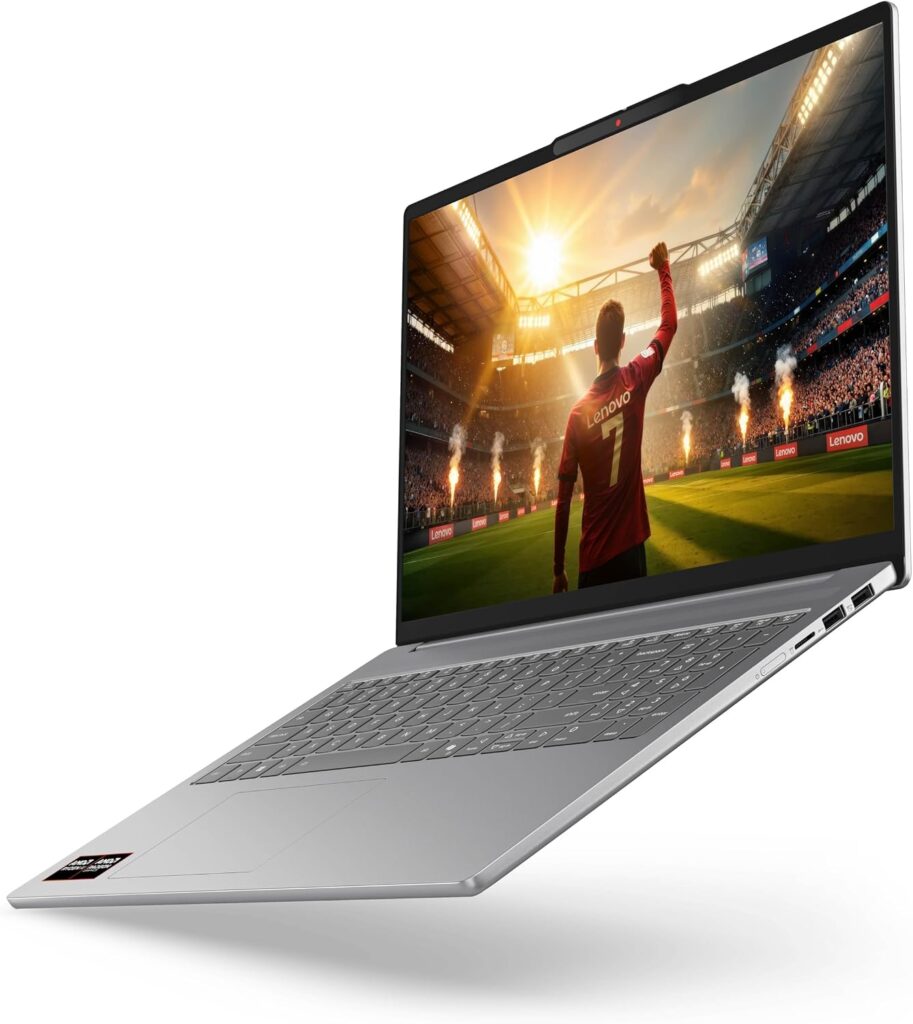
When a student messages me and says “just tell me what to buy,” this is what I say. Not because it’s the sexiest machine here. Because it does the specific things this degree demands, and it’s the only laptop on this list where you can add memory in year three instead of buying a new laptop.
Specifications
- CPU: AMD Ryzen AI 7 450 — 8 cores, 16 threads, Zen 5, 50 TOPS NPU
- Graphics: AMD Radeon 860M integrated, 8 compute units
- RAM: 32 GB DDR5-5600 in two accessible SO-DIMM slots
- Storage: 1 TB PCIe 4.0 NVMe, plus a second empty M.2 slot (2242 primary, 2280 secondary)
- Display: 16.0″, 2880 × 1800, 120 Hz OLED, 16:10, 212 PPI, VESA DisplayHDR True Black 1000
- Battery: 80 Wh (the series also ships 50 Wh and 60 Wh cells — check before buying)
- Weight: 1.761 kg (3.88 lbs) measured, 16.9 mm thick
- Ports: 2× USB-C 10 Gbps with PD and DisplayPort, 2× USB-A 5 Gbps, HDMI 2.1, microSD, 3.5 mm
- Wireless: Wi-Fi 7 (MediaTek MT7925), Bluetooth 5.4
- Extras: NumPad, IR camera with Windows Hello, physical privacy shutter, 100 W charger
The Lab Numbers
| Test | Result |
|---|---|
| Geekbench 6 single-core | 2,991 |
| Geekbench 6 multi-core | 14,388 |
| Cinebench 2024 multi-core | 946 |
| 3DMark Time Spy (Graphics) | 2,762 |
| 3DMark Wild Life Extreme | 5,095 |
| SSD sequential read | 7.13 GB/s |
| SSD sequential write | 6.44 GB/s |
| SSD peak temperature | 55 °C (43 °C average) |
| CPU, 10-second burst | 4,677 MHz avg @ 56 W, 90 °C avg |
| CPU, 30-minute sustained | 4,551 MHz avg @ 49 W, 92 °C avg |
| Idle CPU temperature | 39 °C, completely silent |
| Battery, video playback @ 180 nits SDR | 11 h 34 m |
| Display, max SDR brightness | 497 nits |
| Display, HDR peak (8% window) | 1,060 nits |
| Display, HDR full-screen white | 640 nits |
| Colour accuracy, factory | 1.4 dE2000 |
| Colour accuracy, with calibration profile | 1.0 dE2000 |
| Colour gamut | 100% sRGB, 100% DCI-P3 |
| White point | 6,250 K |
| Panel uniformity, worst case | 3.45% luminance, 1.48 dE2000 |
| Screen reflectance | 133 GU (highly reflective) |
| Counter-Strike 2, 1200p Very High | 76 fps |
| Shadow of the Tomb Raider, 1200p Lowest | 75 fps |
All measurements from LaptopMedia’s laboratory, August 2026, on the Ryzen AI 7 450 with the 2.8K OLED panel and 80 Wh battery.
What Those Numbers Actually Mean For You
The thirty-minute sustained result is the headline, and I don’t think it’s close.
Clock speed falls from 4,677 MHz in a ten-second burst to 4,551 MHz after half an hour of full load. That’s a drop of about 2.7%. Two point seven percent. Most thin laptops shed fifteen, twenty, thirty percent over that window. So when you’re running a Monte Carlo simulation at one in the morning for a stats final, or batch-exporting a semester’s worth of gait footage, this thing holds its speed instead of gently collapsing.
The trade-off is heat. It averages 92 °C in Performance mode with a peak touching 99 °C in short bursts. Clocks stay stable so it isn’t throttling in any meaningful way, but Lenovo has clearly decided speed beats coolness, and the fan will let you and everyone near you know about it. In a quiet shared lab, just drop it to Balanced.
Two SO-DIMM slots is the sleeper feature of this whole article. Every other Windows machine here has soldered memory. If you start at 16 GB and eventually find yourself with SPSS, thirty browser tabs, Kinovea and Zotero all open at once — and you will, probably in your third year — you can add RAM for less than a textbook costs. Same story with the empty second M.2 slot. High-speed video eats storage at a frankly upsetting rate, and dropping a 2 TB drive into a spare slot is far cheaper than paying Lenovo for it up front.
Storage speed is excellent too: 7.13 GB/s reads on the SanDisk drive, peaking at only 55 °C. Pulling a 40 GB folder of footage off an external drive stops being a coffee break.
And that 16-inch panel is a genuine workspace. SPSS output on the left, your write-up on the right, both readable. At 212 PPI text stays crisp through a twelve-hour reading session.
The one thing I’d warn you about is glare. 133 GU puts this firmly in mirror territory. Under fluorescent tubes in a teaching lab, or in a room with big windows, you’ll see yourself. The 497-nit brightness fights back reasonably well, but if you’re doing a lot of work in bright rooms, budget twenty dollars for a matte screen protector.
My Lab Day estimate: 7–9 hours. Derated from that 11 h 34 m video figure, assuming you’re not running HDR at full brightness.
Pros
- Two upgradeable RAM slots and two M.2 slots — nothing else here comes close on long-term value
- Barely throttles: 2.7% clock drop across a thirty-minute full load
- Superb OLED — 497 nits measured, full DCI-P3, 1.4 dE2000 straight out of the box
- Very fast storage at 7.13 GB/s read, and it stays cool doing it
- microSD reader for camera footage, plus two USB-A ports for older lab hardware
- NumPad, which sounds trivial until you’re entering data all semester
- Aluminium chassis that genuinely shrugs off fingerprints
- Full x86 Windows, so everything in that software table just installs
Cons
- Runs hot — 92 °C average under sustained load in Performance mode
- 133 GU reflectance. It’s a mirror in bright rooms
- No Thunderbolt or USB4; wired transfers capped at 10 Gbps
- Both USB-C ports live on the left, and charging occupies one of them
- HDMI tops out at 4K 60 Hz
- Half-height up and down arrow keys are cramped
- No fingerprint reader, IR camera only
- The configuration matters enormously. The entry model ships a dim 45% NTSC IPS panel and a much weaker chip. Do not buy the base version and expect any of the numbers above
Who It’s For
Anyone doing exercise science, kinesiology or athletic training who wants one machine to cover all four workloads and survive four years. This is my default answer.
2. Acer Swift 16 AI (SF16-71T) — The One for Biomechanics and Serious Data
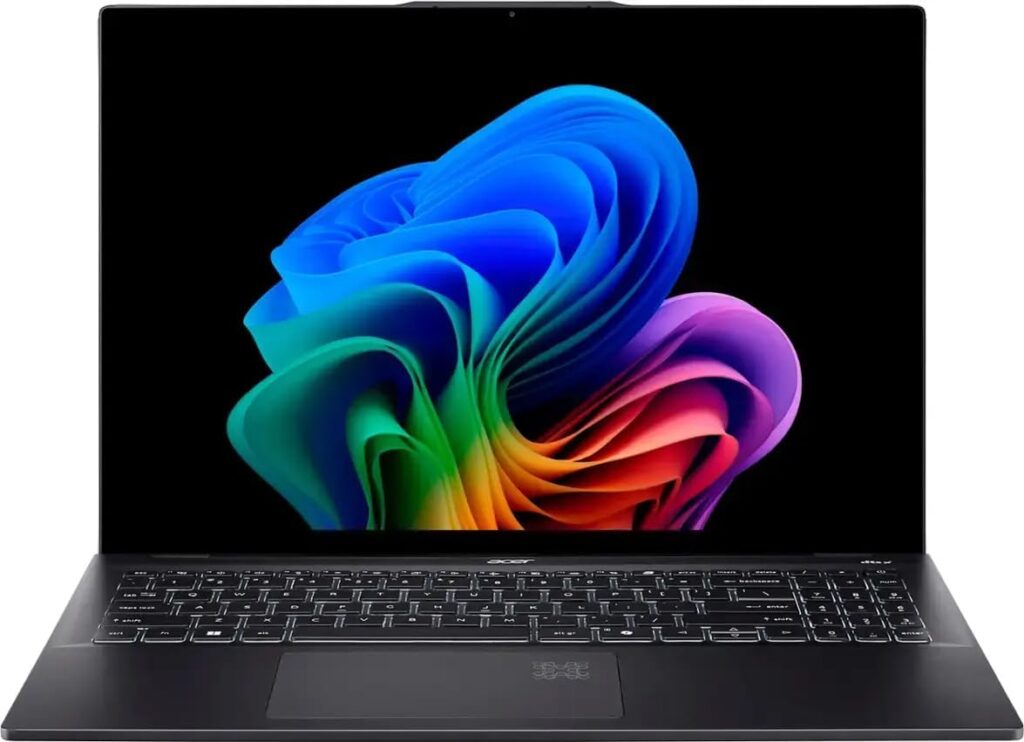
If your programme is research-heavy, if a thesis is on the horizon, or if you already know you’ll be living inside video analysis software, this is the machine. It’s the most capable Windows laptop here by a clear margin, and its battery life is honestly a bit ridiculous given that performance.
Specifications
- CPU: Intel Core Ultra X7 358H (Panther Lake) — 16 cores, 16 threads (4 P-cores at 4.8 GHz, 8 E-cores at 3.7 GHz, 4 low-power E-cores at 3.3 GHz), 65 W PL1/PL2, 50 TOPS NPU
- Graphics: Intel Arc B390, 12 Xe3 cores
- RAM: 32 GB LPDDR5 (soldered)
- Storage: 1 TB Western Digital PC SN5000S NVMe
- Display: 16″, 2880 × 1800 OLED, 48–120 Hz adaptive, 10-point touch
- Battery: 70 Wh
- Weight: 1.4 kg (3.09 lbs) measured; the charger adds 473 g
- Ports: 2× Thunderbolt 4, 2× USB-A, HDMI, microSD, 3.5 mm
- Wireless: Intel Killer Wi-Fi 7 BE1775s, Bluetooth 5.4
- Extras: 17 × 11 cm haptic touchpad, 1080p webcam with privacy shutter and IR, 180-degree hinge
The Lab Numbers
| Test | Result |
|---|---|
| Geekbench 6.7 single-core | 2,864 |
| Geekbench 6.7 multi-core | 16,161 |
| Cinebench R23 multi-core | 19,544 |
| Cinebench R23 single-core | 2,077 |
| Cinebench R20 multi / single | 7,743 / 785 |
| Cinebench R15 sustained loop | Ø2,947 (range 2,892 – 3,063) |
| PCMark 10 overall | 10,474 |
| 3DMark Time Spy | ~7,050 |
| Blender BMW27 (CPU) | 171 seconds |
| 7-Zip compression | 68,243 MIPS |
| HWBOT x265 4K encode | 22.6 fps |
| R Benchmark 2.5 overall mean | 0.4311 sec |
| LibreOffice, 20 documents to PDF | 56.9 s |
| SSD sequential read | over 6,300 MB/s |
| microSD card reader | 27.17 MB/s (slow) |
| Wi-Fi 7 throughput, 6 GHz | 2,373 Mbit/s send, 2,361 Mbit/s receive |
| Battery, Wi-Fi web browsing | over 16 hours |
| Battery, video playback loop | ~18 h 30 m |
| Battery, real-world mixed productivity | 15 h 21 m |
| CPU temp, Cinebench stress test | 80 °C average |
| Surface temp, between G and H keys | 33 °C |
| Surface temp, touchpad | 26 °C |
| Surface temp, underside near hinge | 35 °C |
| Display, max brightness | 405 nits (401.9 average) |
| Display, brightness uniformity | 99% |
| Display, contrast ratio | 30,769:1 (black level 0.013) |
| Colour accuracy, factory | 1.61 dE2000 |
| Colour accuracy, calibrated | 1.34 dE2000 |
| Greyscale accuracy | 2.25 dE2000 |
| Colour gamut | 100% sRGB, 99.89% DCI-P3, 93.4% AdobeRGB |
| Gamma / white point | 2.265 / 6,581 K |
| HDR peak brightness | 613 nits |
| PWM flicker | 481 Hz, 82% amplitude |
| Overall lab rating | 85% |
Figures from Notebookcheck (May and July 2026), Tom’s Hardware (March 2026) and PCWorld (March 2026).
What Those Numbers Actually Mean For You
That Cinebench R15 loop is the one I keep coming back to. Across a full sustained run it moves between 2,892 and 3,063 points — roughly six percent of variance, with the average sitting at 2,947. Compare that to the Dell XPS 16 running the exact same chip, which averaged 2,543 with lows down at 2,492. Same silicon, meaningfully different cooling. If your senior project involves batch-processing marker data or re-encoding hours of high-speed video, that stability is worth more than any headline peak score.
Then look at the R Benchmark result: 0.4311 seconds. That’s an actual R workload, not a synthetic proxy, and it’s one of the faster results in its class. I wish more reviewers ran it, because for this degree it’s more relevant than any gaming benchmark ever printed.
The Arc B390 is the other reason this earns its spot. A Time Spy score around 7,050 is roughly two and a half times what the Radeon 860M in my top pick manages. For you that means GPU-accelerated decode and export in Kinovea, Resolve or Premiere, and real headroom if you head toward 3D musculoskeletal work.
Fifteen hours and twenty-one minutes of genuine mixed productivity matters far more than the 18h30m video figure. That’s a machine you can take to an 8 a.m. lecture, a 1 p.m. lab and a 6 p.m. library session and never once look for a socket.
The thermal story is unusually good, and I want to flag the exact numbers because they’re the kind of thing you actually feel. Under a Cinebench stress test the CPU averaged 80 °C internally while the keyboard between the G and H keys sat at 33 °C and the touchpad at 26 °C. Basically body temperature. It doesn’t get uncomfortable on your legs.
Two honest gripes. The display tops out around 405 nits, which is respectable but notably dimmer than the IdeaPad’s 497 or the ThinkPad’s 524 — and it’s glossy, so bright rooms are still a problem. And the microSD reader is genuinely slow at 27.17 MB/s. If you’re pulling large video files off a card regularly, use a USB-C reader instead. Small thing, but it’ll cost you minutes every single time.
If you’re PWM-sensitive, note the 481 Hz flicker at 82% amplitude. Most people won’t notice. A few will, and they’ll know who they are.
My Lab Day estimate: 11–13 hours. Best of the Windows machines here by a distance.
Pros
- Fastest sustained performance on this list, with only ~6% variance across a full stress loop
- Battery life that shouldn’t coexist with that performance: 15 h 21 m in real mixed use, over 16 h browsing
- Arc B390 graphics roughly two and a half times the iGPU competition here
- Runs genuinely cool — 26 °C at the touchpad under full load
- Fast storage at over 6,300 MB/s
- Best port selection here: 2× Thunderbolt 4, 2× USB-A, HDMI, microSD
- Superb colour accuracy at 1.61 dE2000 factory, with 30,769:1 contrast
- Blistering Wi-Fi 7 — over 2,370 Mbit/s on 6 GHz
- Full x86 Windows compatibility
Cons
- Expensive at the top configuration, around $1,799 or €1,600
- Display only reaches 405 nits, and it’s glossy — the dimmest screen of my top three
- microSD reader is slow at 27.17 MB/s
- Speakers are thin and the webcam is merely okay
- The 17 × 11 cm touchpad is divisive; several reviewers found it eats palm-rest space
- Soldered RAM and very limited upgrade options — what you buy is what you keep
- PWM flicker at 481 Hz may bother sensitive users
- Check the model number. The standard Core Ultra 7 355 variants get basic integrated graphics, not the Arc B390. The X7 or X9 badge is the one you want
Who It’s For
Biomechanics students, anyone planning a research thesis, and anyone who’ll do regular video analysis. Also the right call if you want one machine that games decently on the side.
3. Apple MacBook Air 15″ (M5, 2026) — Best Battery and Best to Carry
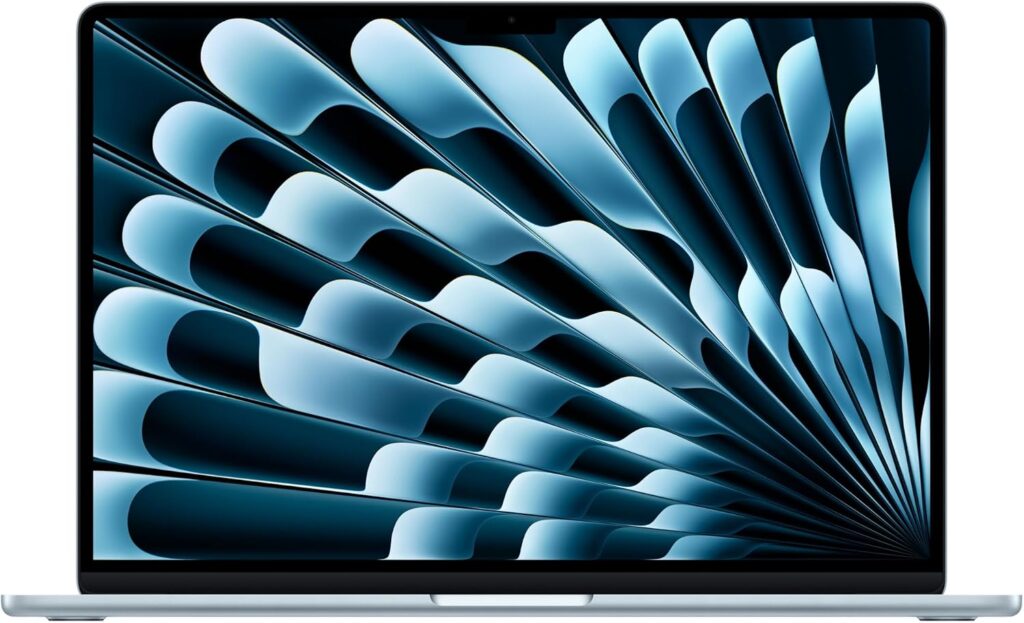
I’ll say the awkward bit first. This is an excellent laptop and a compromised choice for this specific degree. Both things are true at once. If you can live with that software table above, here’s why it’s still on my list.
Specifications
- CPU: Apple M5 — 10-core CPU, 10-core GPU on the 15-inch, 16-core Neural Engine
- Memory: 16 GB unified base, 153 GB/s bandwidth (up from 120 GB/s on M4)
- Storage: 512 GB base, PCIe 4.0, up to 4 TB
- Display: 15.3″ Liquid Retina, 500 nits, 60 Hz (no ProMotion)
- Battery: 66.5 Wh on the 15-inch; 53.8 Wh on the 13-inch
- Weight: 1.51 kg (3.3 lbs) for the 15-inch; 1.23 kg (2.7 lbs) for the 13-inch
- Cooling: Fanless
- Ports: 2× Thunderbolt, MagSafe, 3.5 mm
- Wireless: Apple N1 chip, Wi-Fi 7, Bluetooth 6
- Extras: 12 MP Center Stage camera, six-speaker system on the 15-inch
The Lab Numbers
| Test | Result |
|---|---|
| Geekbench 6 single-core | 4,168 |
| Geekbench 6 multi-core | 17,067 |
| Cinebench 2026 multi-core | 2,921 |
| Cinebench 2026 stress, opening run | 3,415 |
| Cinebench 2026 stress, settled | low 2,300s (≈32% drop) |
| Effective clocks under Cinebench | 4.3 GHz single-core, 3.6 GHz multi-core |
| SSD sequential read | 6,701.8 MB/s |
| SSD sequential write | 6,459.2 MB/s |
| Battery, Wi-Fi @ 150 nits (15″) | 17.2 hours |
| Battery, Wi-Fi at maximum brightness | 6.7 hours |
| Battery, web surfing (13″) | 15.5 hours |
| CPU power draw, Cinebench 2024 multi | Ø27.6 W (25.1 – 37 W) |
| CPU power draw, Cinebench 2024 single | Ø15.6 W (13.9 – 20.2 W) |
| Display brightness | 500 nits |
| Charge to ~50% on a 40 W charger | 30 minutes |
| Independent lab overall rating | 92% (“very good”) |
Benchmarks from Tom’s Hardware (March 2026); battery, SSD, power draw and display verification from Notebookcheck (March 2026).
What Those Numbers Actually Mean For You
That single-core score of 4,168 is the highest number anywhere in this article, by a mile. And single-core speed is what you actually feel — apps opening, spreadsheets recalculating, the general sense that the machine is keeping up with you. Nothing here feels faster in ordinary use.
Now look at the stress test, because this is the caveat that matters. It opens at 3,415 and settles into the low 2,300s. Roughly a 32% drop, which is exactly what physics does to a laptop with no fan. Burst work is superb. Long grinding work is not this machine’s strength. A ten-minute R script? Completely fine. A forty-minute video export? It’ll slow down and you’ll notice.
Then there’s the pair of battery numbers I really want you to sit with. 17.2 hours on Wi-Fi at 150 nits. Six point seven hours at maximum brightness. Same laptop, same test, same day. Cranking the screen costs you roughly 60% of your runtime.
That’s not an Apple problem — it’s true of every laptop here — but Notebookcheck published both figures for this one, and it’s the single most useful thing you can know before a long day out. If you’re testing athletes outdoors in bright sun and you turn the screen up to see it, plan for seven hours, not seventeen.
The SSD is quick at around 6.7 GB/s read, which makes the doubled 512 GB base storage far more useful than it sounds. And the practical arguments nobody puts in a spec table still count: 3.3 lbs, silent in a quiet reading room, and a chassis that survives four years of being crushed into a gym bag.
My Lab Day estimate: 10–12 hours at sensible brightness. Call it 6–7 if you’re working outdoors with the screen maxed.
Pros
- Fastest single-core performance here by a wide margin
- 17.2 hours on Wi-Fi at 150 nits — outstanding efficiency
- Completely silent, because there is no fan
- Excellent build, and the 15-inch is still only 3.3 lbs
- 512 GB and 16 GB are now the base config, which was overdue
- Fast PCIe 4.0 storage at 6.7 GB/s read
- Wi-Fi 7 and Bluetooth 6 via Apple’s own N1 chip
- Genuinely good speakers for lecture recordings and video review
Cons
- Cannot natively run Windows-only lab software. Kinovea, most metabolic cart software, most EMG and motion capture suites. For many programmes, this decides it
- Sustained performance drops around 32% under long loads — the fanless tax
- Battery collapses to 6.7 hours at maximum brightness
- No ProMotion; 60 Hz at this price in 2026 is stingy
- Drives only one external display
- Memory and storage upgrades are eye-watering and permanent
- No USB-A, no card reader — you will own a dongle
- Apple Silicon can’t run x86 Windows in a VM, so Parallels is not the escape hatch people think it is
Who It’s For
Students in wellness, health promotion, sport management, coaching, or pre-professional tracks who won’t personally operate lab instrumentation. Also perfectly fine if your programme provides lab workstations — but confirm that with your department first. One email saves a lot of grief.
4. Lenovo ThinkPad X1 Carbon Gen 14 Aura Edition — The Machine You Keep
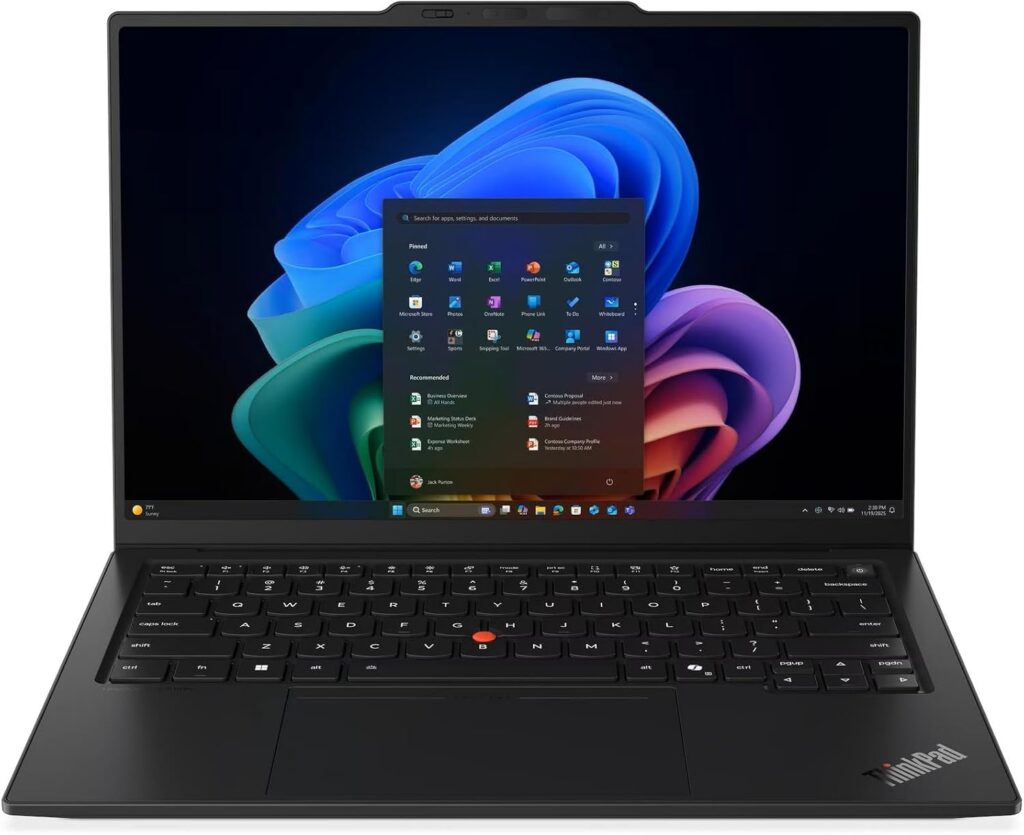
This is the expensive, unglamorous, quietly correct answer. If you’re heading toward a DPT, an OT programme, PA school or research — five to seven years of screen time — this is the one still working at the end of it.
Specifications
- CPU: Intel Panther Lake, from Core Ultra 5 325 up to Core Ultra X7 368H (the common config is the Core Ultra 7 355 — 8 cores, 8 threads, 4.7 GHz, 50 TOPS NPU, 35 W PL1/PL2)
- RAM: up to 64 GB LPDDR5X-7467 (a real jump — Gen 13 capped at 32 GB)
- Storage: M.2 2280 PCIe 4.0, user-replaceable
- Display: 14″, choice of low-power WUXGA IPS touch, or 2.8K 120 Hz VRR OLED — including a matte anti-glare OLED
- Battery: 58 Wh
- Weight: 0.98 kg (2.15 lbs) for the lightest config; 1.139 kg measured on a touch model
- Ports: 3× Thunderbolt 4, 1× USB-A, HDMI, 3.5 mm, docking connector, Kensington lock
- Wireless: Wi-Fi 7 (Intel BE211), Bluetooth 5.4, optional 4G LTE or 5G WWAN with nano-SIM
- Extras: New Space Frame chassis, 70% larger cooling fan, 1440p webcam, TrackPoint, fingerprint reader
The Lab Numbers
| Test | Result |
|---|---|
| Geekbench 6 single-core | 2,621 |
| Geekbench 6 multi-core | 11,211 (11,263 on a repeat run) |
| Battery, Wi-Fi test — IPS panel | ~24 hours |
| Battery, Wi-Fi at max brightness — IPS | 14 hours |
| Battery, local video playback — IPS | nearly 17 hours |
| Battery, mixed web + OpenGL + video @ 150 nits | 13 h 10 m |
| Battery, mixed Office + web + video — OLED | 12 h 15 m |
| Same test, previous ThinkPad X1 Carbon Gen 13 | 8 h 18 m |
| CPU temp, Cinebench 2026 10-loop stress | 91 °C average across all cores |
| Surface temp, between G and H keys | 34 °C |
| Surface temp, touchpad | 22 °C |
| Surface temp, underside | 41 °C |
| Display brightness — IPS panel | 524 nits average |
| Display contrast — IPS | 1,800:1 (black level 0.3) |
| Display gamut — IPS | 97–100% sRGB |
| PWM flicker — IPS | None |
| Display brightness — OLED option | 500 nits, 100% DCI-P3, HDR 500 True Black |
| Rapid charge | 0 → 80% in 60 minutes on the 65 W charger |
| Chassis weight, measured | 1.139 kg (touch config) |
| Manufacturer repairability score | 9 / 10 (iFixit) |
Battery and display measurements from Notebookcheck (July 2026); thermal and mixed-use battery from Tom’s Hardware (July 2026) and MyFixGuide (July 2026); video playback endurance and construction data from LaptopMedia (August 2026); benchmark configuration from The Gadgeteer (July 2026).
What Those Numbers Actually Mean For You
Look at that battery block, because it’s the most useful thing in this entire article and I’ve never seen anyone frame it properly.
Roughly 24 hours on the IPS panel. Twelve and a quarter on the OLED. Same laptop. Same chassis. Same 58 Wh battery. The display choice alone roughly doubles your day.
If you’re doing clinical rotations, internships, or long field sessions collecting data at a high school track with no socket in sight, take the IPS. You give up some colour saturation you almost certainly don’t need for this degree, and you get a genuinely different relationship with your charger. Even at maximum brightness the IPS version still manages 14 hours, which is better than most laptops manage at 150 nits.
And here’s the part that made me put this machine on the list rather than a cheaper 14-incher: 524 nits average brightness with no PWM flicker. Nearly every premium laptop in 2026 ships a glossy panel, and glossy panels are miserable in the rooms exercise science students actually work in — strip-lit teaching labs, gyms with skylights, pool decks, outdoor testing. A bright, matte, flicker-free screen is a real, daily, tangible advantage over the IdeaPad’s 133 GU mirror. If you want OLED anyway, the matte anti-glare version exists, and it’s the one to get.
The thermal figures tell you something too. Internally the CPU runs hot at 91 °C during a ten-loop Cinebench stress test, but the touchpad sits at 22 °C and the keyboard at 34 °C. Lenovo’s new Space Frame chassis freed up enough room for a fan 70% larger than the previous generation, and it shows: the heat goes out the back rather than into your palms.
Multi-core is the weakest of the Windows picks here at 11,211 versus the IdeaPad’s 14,388. This is an ultraportable, not a workstation. Great for stats, writing and clinical work. Slower for video export.
One more thing worth real money: Lenovo advertises a 9/10 repairability score, and the keyboard, I/O daughterboard and USB-C ports are all customer-replaceable. If you’re keeping a laptop for seven years, that’s not a footnote. That’s the whole argument.
My Lab Day estimate: 16–20 hours with IPS. 9–11 hours with OLED.
Pros
- Around 24 hours of browsing on the IPS config, and still 14 hours at full brightness
- 524-nit matte IPS with zero PWM flicker — the best screen here for lab and gym environments
- Matte anti-glare OLED also available if you want the contrast
- 2.15 lbs at its lightest, and it still feels indestructible
- Best keyboard on any laptop this thin, and it isn’t close
- 9/10 repairability with a user-replaceable SSD, battery, keyboard and I/O board
- Stays cool where you touch it — 22 °C touchpad under full load
- 64 GB memory ceiling gives it a long research life
- Optional 5G WWAN, three Thunderbolt 4 ports, and a proper USB-A
- Full x86 Windows compatibility
Cons
- Expensive — around $2,032 to start and it climbs fast
- The OLED config gives back roughly half the battery advantage
- Weakest multi-core performance of the Windows picks at 11,211
- IPS panel calibration is poor out of the box, with a visible green-blue cast
- Only 58 Wh in a redesigned chassis, which frustrated several reviewers
- Intel still drops more performance on battery than AMD or Qualcomm equivalents
- The camera bump on the new lid is genuinely ugly
Who It’s For
Pre-DPT, pre-OT, pre-PA and research-track students who’ll keep this thing well past graduation. Also the right pick if you’re on your feet in the field constantly and can’t count on power.
5. Apple MacBook Neo (2026) — The Budget Answer
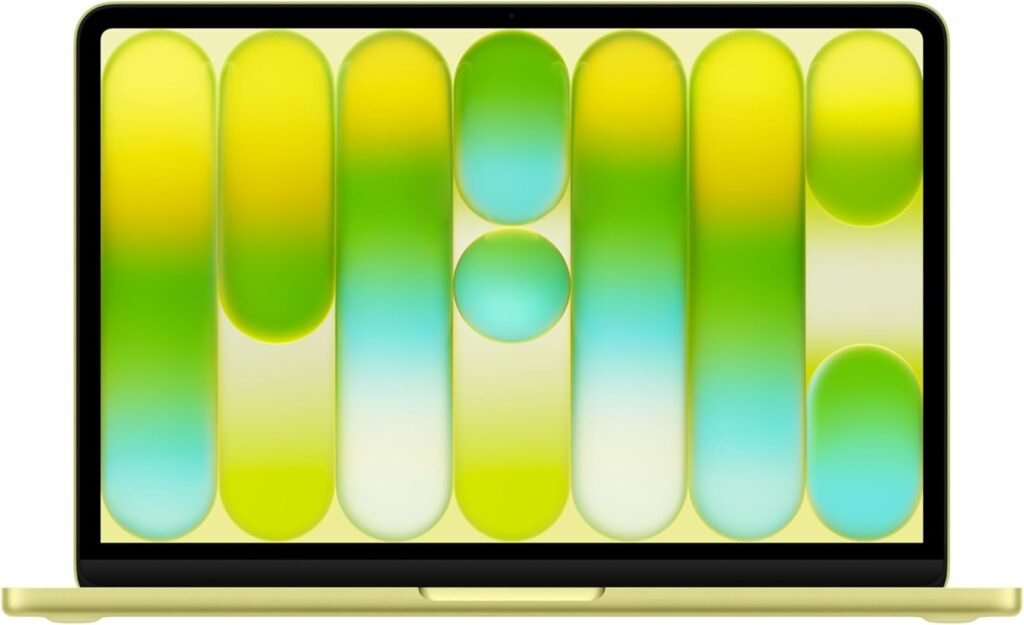
Apple’s cheap laptop reset the entire budget category this year, and pretending it doesn’t belong on a student list would be daft. But it comes with the Air’s asterisk plus one more.
Specifications
- CPU: Apple A18 Pro — 6 cores (2 performance + 4 efficiency), 5-core GPU, 16-core Neural Engine, TSMC N3E
- RAM: 8 GB unified, soldered
- Storage: 256 GB or 512 GB
- Display: 13″, 2408 × 1506
- Weight: 1.22 kg (2.7 lbs)
- Cooling: Fanless
- Launched: 11 March 2026 at $599 ($499 education). The entry price moved up during 2026, so check before you order
The Lab Numbers
| Test | Result |
|---|---|
| Geekbench 6 single-core | 3,461 |
| Geekbench 6 single-core, cold 3-run average | 3,569 |
| Geekbench 6 multi-core | 8,668 |
| Geekbench Metal (GPU) | 31,286 |
| Single-core after 5 minutes all-core stress | 476 (an ~87% collapse) |
| Time to full thermal throttle | roughly 60 seconds |
| Cinebench 2026 single run duration | 14 minutes for a score of 1,439 |
| Battery, tested (Tom’s Guide) | 13 h 28 m |
| Battery, 4K looping test (CNN Underscored) | 13 h 57 m |
| Single-core vs Apple M1 MacBook Air (2,346) | 47% faster |
| Multi-core vs Apple M1 MacBook Air (8,342) | roughly level |
| Single-core vs Apple M4 (3,696) | within 6–7% |
Geekbench figures first published by MacRumors (March 2026) from the Geekbench database; sustained-load and thermal figures from independent testing (March–April 2026); battery from Tom’s Guide and CNN Underscored (2026).
What Those Numbers Actually Mean For You
Nearly fourteen hours of tested battery in an aluminium laptop that started at $599 is remarkable, and it’s why this thing became one of the best-selling laptops on the planet within months. For lectures, note-taking, reading, essays, Zoom and general coursework, it’s more than enough machine.
But look at that sustained figure and take it seriously. The A18 Pro holds full speed for about sixty seconds and then falls off a cliff — a single-core score of 3,461 cold becomes 476 after five minutes of all-core stress. That’s an 87% collapse. There’s no fan, so there’s nowhere for the heat to go.
For your degree, that means one very specific thing. Writing, browsing, reading and light spreadsheet work: brilliant, genuinely faster-feeling than laptops costing three times as much. Anything that runs for more than about a minute — a real statistical model, a video encode, a big dataset import: it will crawl.
Add the 8 GB of soldered memory, which is a real ceiling the moment you have SPSS open alongside a heavy browser session, and macOS, which brings every compatibility caveat from the Air section without the performance to compensate.
My Lab Day estimate: 9–11 hours.
Pros
- Extraordinary value — this is the fastest single-core laptop at anywhere near this price
- 13 h 28 m to 13 h 57 m of tested battery life
- Proper aluminium construction, not budget plastic
- Genuinely light at 2.7 lbs, and silent
- Surprisingly good speakers
- Excellent for writing, reading and lecture work
Cons
- Sustained performance collapses by about 87% after five minutes of load
- 8 GB of soldered RAM — a hard ceiling for statistics work
- macOS, so no Windows-only lab software
- 256 GB base storage disappears fast if you touch video
- Six cores in 2026 shows in multi-core work — it’s roughly M1-level there
- Limited ports
Who It’s For
Students on a tight budget whose programme provides lab computers. Or first- and second-years who want something cheap and excellent now, and will buy a proper Windows machine when the lab-heavy courses arrive. That’s a perfectly defensible plan, honestly — $599 now plus a good machine in year three usually beats one stretched compromise.
If you need Windows on a budget: hunt for the IdeaPad Slim 5a in its entry configuration on sale rather than buying a fresh budget model. Same chassis, same upgradeable RAM slots, and you can add memory later. It gets discounted hard and often.
Everything Side by Side
| IdeaPad Slim 5a 16 | Acer Swift 16 AI | MacBook Air 15 M5 | ThinkPad X1 Carbon 14 | MacBook Neo | |
|---|---|---|---|---|---|
| OS / architecture | Windows x86 | Windows x86 | macOS ARM | Windows x86 | macOS ARM |
| Lab software compatible | Yes | Yes | Partial | Yes | Partial |
| Geekbench 6 single-core | 2,991 | 2,864 | 4,168 | 2,621 | 3,461 |
| Geekbench 6 multi-core | 14,388 | 16,161 | 17,067 | 11,211 | 8,668 |
| Sustained-load behaviour | 2.7% clock drop over 30 min | ~6% variance across full loop | ~32% drop | 91 °C avg, stable | ~87% collapse after 5 min |
| CPU temp under load | 92 °C | 80 °C | fanless, throttles | 91 °C | fanless, throttles |
| Touchpad temp under load | not published | 26 °C | fanless (no fan noise) | 22 °C | fanless |
| SSD read / write | 7.13 / 6.44 GB/s | 6.3+ GB/s read | 6.70 / 6.46 GB/s | PCIe 4.0, replaceable | not published |
| Best published battery | 11 h 34 m video @180 nits | 15 h 21 m real mixed use | 17.2 h Wi-Fi @150 nits | ~24 h Wi-Fi (IPS) | 13 h 57 m 4K loop |
| Battery at max brightness | not published | not published | 6.7 h | 14 h (IPS) | not published |
| My Lab Day estimate | 7–9 h | 11–13 h | 10–12 h | 16–20 h (IPS) | 9–11 h |
| Screen type | 2.8K OLED 120 Hz | 2.8K OLED 48–120 Hz | Liquid Retina 60 Hz | IPS 60 Hz or matte OLED | Retina 60 Hz |
| Measured brightness | 497 nits | 405 nits | 500 nits | 524 nits (IPS) | not independently measured |
| Colour accuracy (dE2000) | 1.4 | 1.61 | not published | poor on IPS, green-blue cast | not published |
| Contrast ratio | effectively infinite (OLED) | 30,769:1 | not published | 1,800:1 (IPS) | not published |
| Glare risk | High (133 GU) | High (glossy) | Moderate | Low with matte | Moderate |
| PWM flicker | mild pulsation | 481 Hz, 82% amplitude | not published | None on IPS | not published |
| USB-A ports | 2 | 2 | 0 | 1 | 0 |
| Card reader | microSD | microSD (27 MB/s) | None | None | None |
| Thunderbolt / USB4 | No | 2× TB4 | 2× Thunderbolt | 3× TB4 | No |
| RAM upgradeable | Yes, 2 slots | No | No | No (64 GB ceiling) | No (8 GB ceiling) |
| Spare M.2 slot | Yes | No | No | SSD replaceable | No |
| Repairability | Good | Very limited | Poor | 9/10 (iFixit) | Poor |
| Weight | 3.88 lbs | 3.09 lbs | 3.3 lbs | 2.15 lbs | 2.7 lbs |
| Price | $950–1,150 | $1,300–1,799 | $1,199–1,299 | $1,800–2,300 | $599–699 |
Buy According to Your Track
Because “best laptop for exercise science” genuinely isn’t one answer — where you’re heading changes it.
Biomechanics and motion analysis research Acer Swift 16 AI. You need the Arc B390 for video, the sustained CPU for processing, and Windows for the capture software. Get 32 GB and don’t look back.
Exercise physiology and metabolic testing Lenovo IdeaPad Slim 5a. Windows is non-negotiable for the carts, those two USB-A ports matter for older interfaces, and the upgradeable memory covers you when the datasets grow. 16 GB minimum, 32 GB if the budget stretches.
Pre-DPT, pre-OT, pre-PA ThinkPad X1 Carbon Gen 14 with the IPS panel. Six or seven years of use, roughly 24 hours of battery for clinical rotations, and the best keyboard you’ll ever type case notes on.
Strength and conditioning, coaching MacBook Air 15″ M5. You’ll live in spreadsheets, video review and messaging. Battery, weight and build quality matter more than raw compute here. Confirm your lab requirements first.
Health promotion, wellness, sport management MacBook Neo. Genuinely enough machine. Bank the difference.
What I’d Tell You Not to Buy
Chromebooks. No exercise physiology instrumentation software runs on ChromeOS. None. However good the battery is, this is a dead end for this degree.
Anything with 8 GB of soldered RAM that you’re keeping four years. SPSS is hungry and it’s rarely alone on your desktop. 16 GB is the 2026 floor. If the memory is upgradeable, 8 GB is a survivable starting point — the IdeaPad proves that.
Windows-on-ARM machines, unless you’ve verified compatibility. The Snapdragon X and X2 laptops are lovely devices with wonderful battery life, and they’re the riskiest possible pick for legacy USB instrumentation. If your department confirms their kit works, brilliant. If nobody knows, don’t gamble a thousand dollars on it.
Under 256 GB of storage. One semester of biomechanics video will swallow it whole.
Gaming laptops, unless you also game. Heavy, loud, hot, and the battery life is dire. You’re carrying this across campus five days a week.
Accessories That Actually Earn Their Place
Short list, because the wrong laptop with the right accessories often beats the right laptop alone.
- A powered USB-A hub. Non-negotiable if you buy a Mac. Older lab kit is USB-A and it isn’t changing.
- A USB-to-RS232 serial adapter. Sounds archaic. Isn’t. Plenty of dynamometers and older metabolic carts still speak serial, and the FTDI-chipset adapters are the ones that actually work.
- A fast USB-C card reader. Especially on the Acer, where the built-in microSD slot manages a sluggish 27 MB/s.
- A 1 TB external SSD. Video files are enormous and your internal drive will fill faster than you expect.
- A 65 W or 100 W GaN charger. Small, light, charges everything, lives in your bag permanently.
- A matte screen protector, if you bought one of the glossy OLED machines and work in bright rooms. About twenty dollars to solve a real, daily problem.
Questions I Get Asked Constantly
Almost certainly not as an undergraduate. Modern integrated graphics — the Arc B390 especially — handle video analysis fine. A discrete GPU only starts to matter for heavy 3D musculoskeletal modelling or large-scale machine learning, and that’s graduate territory.
For coursework, yes. If you’re doing a thesis with large datasets or running virtual machines, go to 32 GB. And strongly prefer a machine where you can add memory later — that’s why the IdeaPad wins my top spot.
Not as your only device. It’s superb for anatomy apps, lecture annotation and reading, but it won’t run SPSS properly, won’t run Kinovea at all, and can’t talk to lab instrumentation. Excellent second device, though.
Where I’d Land
If you want one answer with no caveats: Lenovo IdeaPad Slim 5a (16″, Gen 11), in the Ryzen AI 7 450 configuration with the 2.8K OLED. It runs everything this degree throws at it, it loses under 3% of its clock speed over half an hour of full load, its storage is genuinely quick at 7.13 GB/s, and it’s the only machine here where you can add memory in year three instead of buying a new laptop.
If your work is video-heavy, spend up to the Acer Swift 16 AI. The Arc B390 and that 15 h 21 m real-world battery life are worth the money, and it runs cooler under load than anything else on this list.
If you’re going to live with this machine for seven years and you’re on your feet all day, the ThinkPad X1 Carbon Gen 14 with the IPS panel — roughly 24 hours of battery, 524 nits, no flicker, 9/10 repairability — is the grown-up answer.
And if you’re never going to touch a metabolic cart yourself, the MacBook Air 15″ M5 or the MacBook Neo will make you happier day to day, and I won’t argue.
Whatever you pick, do the one thing this whole article has been building toward: email your department and ask which software their labs run, and whether it works on macOS. Thirty seconds of typing. It’s the highest-value thing you can do before spending a thousand dollars, and almost nobody does it.
Good luck. Go get some data.
Every benchmark, thermal, display and battery figure quoted here comes from independent laboratory testing published between March and August 2026 by Notebookcheck, LaptopMedia, PCWorld, Tom’s Hardware, Tom’s Guide, MyFixGuide, CNN Underscored, The Gadgeteer and Ultrabookreview. Test protocols differ between labs — battery results in particular depend heavily on brightness, refresh rate and workload — so I’ve named the protocol wherever a number could be misread. Lab Day estimates are my own derated projections, not lab measurements, and I’ve labelled them as such throughout. Prices reflect the market at the time of writing and are moving quickly.

Hi, my name is Burak. I am a mechanical engineer. I have been writing laptop reviews for the Engineering Laptops website since 2020. Please feel free to contact me if you have any questions.