
Last updated: November 6, 2026
Table of contents
- How I Put This List Together (and Why You Can Trust the Numbers)
- Key Takeaways
- Quick Picks
- Side-by-Side Comparison
- The 5 Best Laptops for Jewellery Designing in 2026
- 1. ASUS ROG Zephyrus G16 (2026, GU606) : Best Overall for Jewellery CAD
- 2. Razer Blade 16 (2026) : Best for Heavy KeyShot and GPU Rendering
- 3. Lenovo ThinkPad P1 Gen 9 : Best Workstation for Production Shops
- 4. Samsung Galaxy Book6 Ultra : Best Value and Best Battery Life
- 5. Apple MacBook Pro 16 with PROLED XDR (M5 Max) : Best for Mac-Based Designers
- The Jeweller’s Software and Hardware Map
- The Jeweller’s Workflow Fit Score
- Why Screen Color Matters So Much for Gold, Platinum and Gemstones
- Buying Guide: What to Look for in a Jewellery Design Laptop
- So, Which One Should You Buy?
- Frequently Asked Questions
- A Few Honest Notes Before You Buy
- Sources
Here’s a number that stuck with me while I was researching this guide: 0.1 millimeters.
That’s about the thickness of a human hair. It’s also roughly the margin between a prong that holds a one-carat diamond for fifty years and a prong that lets it fall into a kitchen sink six months after the wedding. Jewellery CAD sits in a very odd corner of the design world. The things you make are tiny, but the precision you need is almost surgical. Your laptop has to push a dense mesh of pavé settings around in Rhino without stuttering. It has to render 18K rose gold so it looks like rose gold and not like an old copper pipe. And it has to show a client what an oval sapphire will look like on her hand before anyone has poured a single gram of metal.
Then there’s the surprise that changed how I built this whole list.
Two of the most beautiful and expensive “creator” laptops of 2026, the new ASUS ProArt P16 with Nvidia’s RTX Spark chip and Microsoft’s Surface Laptop Ultra, are laptops I would not hand to a jeweller. They aren’t slow. They’re fast. The problem is that both run on Arm chips, and the official system requirements for Rhino 8 and for Gemvision’s MatrixGold both say, in plain words, “Not ARM.”
So picture it. You spend around $5,000 on a gorgeous new laptop. You open your client’s halo ring file. And you find out your main design software isn’t officially supported on the machine. Most “best laptop” lists walk right past that trap, because they were written for video editors and gamers. They weren’t written for people who count prongs for a living.
This one is.
How I Put This List Together (and Why You Can Trust the Numbers)
I want to be straight with you from the start. I didn’t lock five $4,000 laptops in my own lab for this article. What I did was gather the numbers that independent testing labs have actually published, and then read all of it through a jeweller’s eyes.
Every benchmark, battery result, display measurement and temperature below comes from a named reviewer: mostly Notebookcheck, StorageReview, Tom’s Hardware, Tom’s Guide, TechRadar, PC Gamer, LaptopMedia, UltrabookReview, Engadget and PetaPixel. I name the source next to every figure. When two labs got different results, I show you both instead of quietly picking the nicer one.
Then I matched those numbers against what the software makers themselves say they need: McNeel for Rhino, Gemvision for MatrixGold, and KeyShot for rendering. That’s the part most laptop roundups skip, and for jewellers it’s the part that matters most.
My rules for this list were simple:
- Only current models. If a newer version of a laptop is out, the older one doesn’t get in.
- One laptop per brand, five brands in total.
- No invented numbers. If a lab hasn’t published it, it’s not in here.
Key Takeaways
- Windows on Intel or AMD is still the safe choice for jewellers. MatrixGold is a Rhino plug-in that only runs on Windows, and both Rhino 8 for Windows and MatrixGold list Arm processors as unsupported.
- Nvidia RTX is the sweet spot for rendering. KeyShot’s GPU mode on Windows is built on Nvidia hardware. On a Mac, KeyShot’s GPU mode still carries a beta label.
- VRAM (graphics memory) matters more than most people think. 8GB works for modeling and light renders. 16GB is comfortable for real KeyShot work. 24GB is luxury.
- Screen color accuracy is where gold and gemstones live or die. Look for near-100% DCI-P3 coverage and a measured Delta E under 2.
- A MacBook is a great jewellery machine only if your software runs on a Mac. If your shop runs on MatrixGold, it’s not your laptop.
Quick Picks
| Award | Laptop | Why it wins |
|---|---|---|
| Best overall for jewellery CAD | ASUS ROG Zephyrus G16 (2026, GU606) | RTX 5080 with 16GB VRAM, factory-calibrated OLED, full Windows compatibility, best power for the price |
| Best for heavy KeyShot rendering | Razer Blade 16 (2026) | RTX 5090 with 24GB VRAM, 99.7% DCI-P3 OLED, Thunderbolt 5 |
| Best workstation for production shops | Lenovo ThinkPad P1 Gen 9 | Upgradeable RAM, two Thunderbolt 5 ports, SD Express, over 22 hours of battery in Notebookcheck’s test |
| Best value and battery life | Samsung Galaxy Book6 Ultra | Accurate OLED touchscreen, nearly 17 hours in Notebookcheck’s Wi-Fi test |
| Best for Mac-based designers | Apple MacBook Pro 16 with PROLED XDR (M5 Max) | New tandem OLED touchscreen, fastest CPU on this list, native Rhino 8 for Mac |
Side-by-Side Comparison
| Laptop | CPU / GPU (as reviewed) | VRAM | Display (measured) | Battery (lab result) | Weight | Price seen |
|---|---|---|---|---|---|---|
| ASUS ROG Zephyrus G16 (2026) | Core Ultra 9 386H / RTX 5080 | 16GB | 240Hz OLED, 100% DCI-P3, Delta E 0.8 (LaptopMedia) | About 14 hrs (Tom’s Guide) | 4.24 lbs | About $3,400 to $4,800 by config |
| Razer Blade 16 (2026) | Core Ultra 9 386H / RTX 5090 | 24GB | 240Hz OLED, 99.7% DCI-P3 (Notebookcheck) | 12h 46m (Tom’s Hardware) | 4.7 lbs | $4,899.99 as tested |
| Lenovo ThinkPad P1 Gen 9 | Core Ultra 9 386H / RTX PRO 2000 Blackwell | 8GB | 4K IPS 800 nits 100% DCI-P3, or 3.2K Tandem OLED with pen | 22+ hrs (Notebookcheck, base panel) | 3.9 lbs | Builds from $3,734 (StorageReview) |
| Samsung Galaxy Book6 Ultra | Core Ultra 7 356H / RTX 5070 | 8GB | 120Hz OLED touch, 97% DCI-P3, Delta E 0.9 (Notebookcheck) | 16.8 hrs (Notebookcheck) | 4.19 lbs | $3,199.99 as tested (Tom’s Hardware) |
| Apple MacBook Pro 16 PROLED XDR | M5 Max 18-core CPU / 40-core GPU | Shared, up to 128GB | Tandem OLED touch, 105.2% DCI-P3 volume, Delta E 1.08 (PetaPixel) | 30h 46m (Engadget, M5 Max 16-inch) | About 4.0 lbs | From $4,799 (Gizmodo) |
Performance, Storage and Heat at a Glance
| Laptop | CPU rendering (Cinebench multi-core) | Storage or card reader (measured) | Heat and noise under load |
|---|---|---|---|
| ASUS ROG Zephyrus G16 | 1,283 in Cinebench 2024 (UltrabookReview) | SD reader 181 MB/s average copy (Notebookcheck) | Keyboard peaked at 46.3°C, palm rests 34.4°C (Notebookcheck) |
| Razer Blade 16 | 1,234 in Cinebench 2024 (TechRadar) | 25GB file copy at 1,735 MB/s (Tom’s Hardware) | GPU hit 87°C in long gaming loads, loud fans (Tom’s Hardware) |
| Lenovo ThinkPad P1 Gen 9 | 5,083 in Cinebench 2026 (StorageReview) | Gen5 SSD read at 10,012 MB/s (StorageReview) | CPU at 94.1°C but held 98.3% of its score over 30 minutes (StorageReview) |
| Samsung Galaxy Book6 Ultra | 1,232 in Cinebench 2024 (Notebookcheck) | SSD read at 7,065 MB/s in CrystalDiskMark (Notebookcheck) | Max fan noise 48.5 dB(A) (Notebookcheck); TechRadar says it gets very hot |
| MacBook Pro 16 (M5 Max) | 2,490 in Cinebench 2024 (Notebookcheck); 7,925 in Cinebench 2026 (Pokde) | SSD read 12,695 MB/s, write 12,824 MB/s (PetaPixel, 4TB) | Notebookcheck calls the bundled power adapter insufficient at full load |
Quick note: Cinebench 2024 and Cinebench 2026 use different scales, so compare scores within the same version only.
The 5 Best Laptops for Jewellery Designing in 2026
1. ASUS ROG Zephyrus G16 (2026, GU606): Best Overall for Jewellery CAD
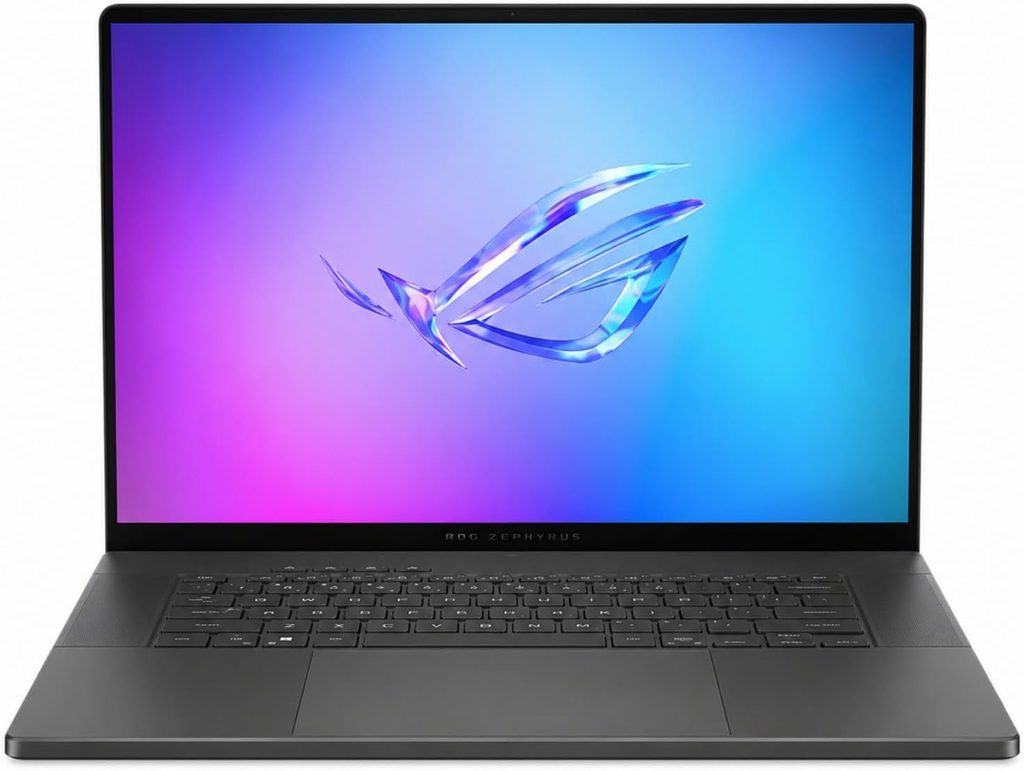
I’ll admit, putting a gaming laptop at the top of a jewellery list felt a little strange at first. Then I wrote down what a jeweller’s laptop actually has to do. It needs to keep Rhino’s viewport smooth. It needs a big Nvidia GPU for KeyShot. And it needs a screen that tells the truth about metal colors. The Zephyrus G16 does all three, and it does it without a workstation price tag.
Specs (as reviewed by Notebookcheck):
- CPU: Intel Core Ultra 9 386H (Panther Lake, 16 cores)
- GPU: Nvidia GeForce RTX 5080 Laptop, 16GB GDDR7, 135W including Dynamic Boost
- RAM: 64GB LPDDR5X-8533 (soldered)
- Storage: 2TB Samsung PM9C1b SSD, two M.2 2280 slots
- Display: 16-inch 2560×1600 OLED, 240Hz, G-Sync, glossy
- Ports: Thunderbolt 4, USB-C 10Gbps, 2× USB-A 10Gbps, HDMI 2.1, UHS-II SD reader, 3.5mm audio
- Battery: 90Wh, 250W power adapter
- Weight and size: 4.24 lbs (1.92 kg), 17.9mm thick
Benchmarks and measurements:
- Geekbench 6: 2,947 single-core and 17,319 multi-core (Notebookcheck). Tom’s Guide got 2,877 and 16,960.
- Cinebench 2024: 127 single-core and 1,283 multi-core in a 10-minute run (UltrabookReview). PC Gamer recorded 124 and 1,215.
- Cinebench R23: 21,569 at best and 21,125 across a 10-minute loop (UltrabookReview). That small drop tells me the cooling holds up during long CPU jobs.
- 3DMark Time Spy: 17,840 (Notebookcheck). UltrabookReview measured 18,672 at default settings and 19,921 in the maximum power mode.
- Display: LaptopMedia measured 100% sRGB, 100% DCI-P3, a factory-calibrated Delta E of 0.8 in Display P3 mode, 510 nits in SDR and 1,098 nits HDR peak. Notebookcheck’s unit came in at 91.7% Display P3 and 97.5% sRGB, while Tom’s Guide recorded 469 nits and 80.4% DCI-P3. Results clearly vary by panel sample and testing method. Notebookcheck detected PWM flicker at 1,440Hz.
- Card reader: 181 MB/s average copy speed and 217.8 MB/s max read (Notebookcheck).
- Heat: Keyboard area peaked at 46.3°C in Notebookcheck’s stress test, while the palm rests stayed at a comfortable 34.4°C.
- Battery: Tom’s Guide got about 14 hours in its web test, which is a genuinely shocking number for an RTX 5080 laptop. LaptopMedia reported up to 17 hours.
What this means at the bench: The 16GB of VRAM is the headline. KeyShot asks for at least 8GB of dedicated VRAM for GPU mode and warns that “most scenes will not run on cards with less than 8GB.” It saves its 16GB recommendation for its AI features. The Zephyrus is the most affordable laptop on my list that clears that 16GB bar. The calibrated P3 mode on the OLED is exactly what you want when you’re deciding whether your yellow gold material reads as 14K or 22K.
Pros:
- RTX 5080 with 16GB VRAM is a true KeyShot GPU-mode machine
- Factory-calibrated OLED with excellent measured accuracy
- Full x86 Windows, so MatrixGold, Rhino 8 and other Windows jewellery tools run without fuss
- Solid aluminum chassis, great keyboard, two SSD slots
- Strong battery life for this much power
Cons:
- RAM is soldered, so buy 64GB upfront if you can
- No Thunderbolt 5 and no PCIe 5.0 SSD support (Notebookcheck)
- PWM flicker may bother sensitive eyes during long sessions
- Glossy screen picks up reflections from your bench lamp
- Prices swing a lot by configuration and retailer
2. Razer Blade 16 (2026): Best for Heavy KeyShot and GPU Rendering
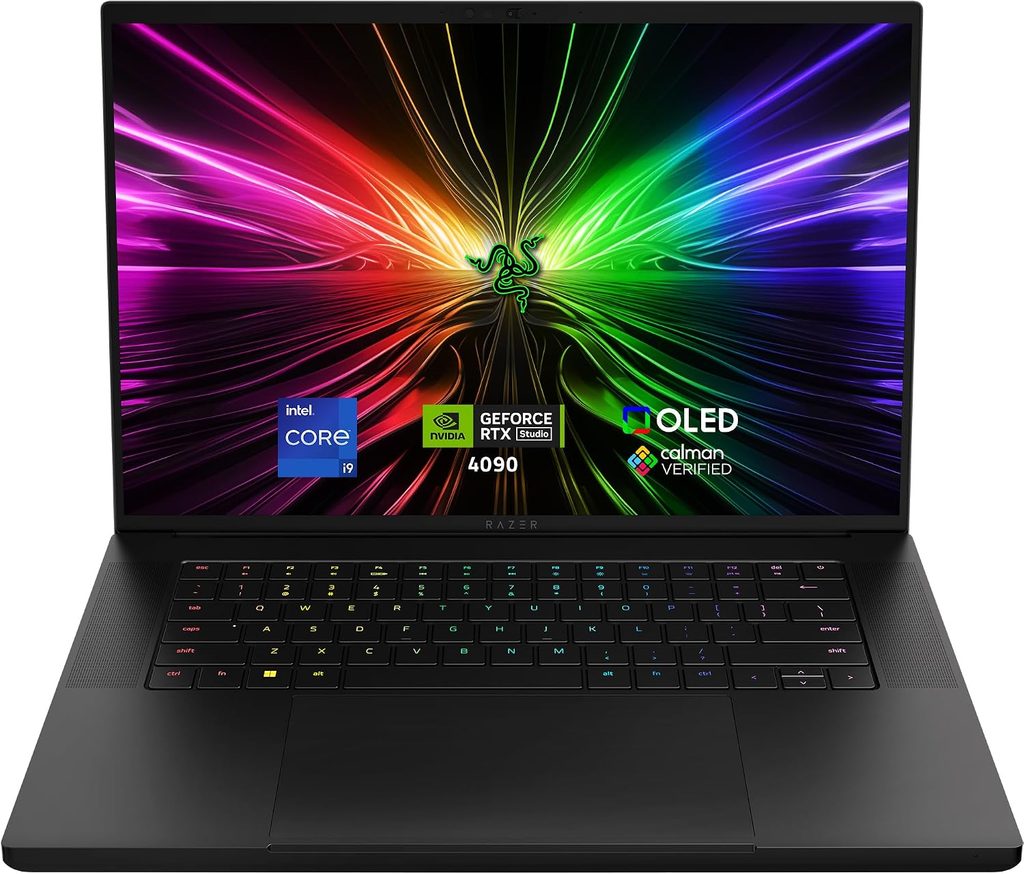
If your business runs on photoreal renders, for example custom bridal clients who want to “see the ring” before they put down a deposit, this is the laptop I’d point you toward. The RTX 5090’s 24GB of VRAM is the most graphics memory you can get in a laptop this thin. That headroom is what keeps big KeyShot scenes, packed with pavé and caustics, from choking halfway through.
Specs (as reviewed by Notebookcheck and Tom’s Hardware):
- CPU: Intel Core Ultra 9 386H (16 cores, up to 4.9GHz)
- GPU: Nvidia GeForce RTX 5090 Laptop, 24GB GDDR7 (Notebookcheck lists 160W, Tom’s Hardware lists 175W max)
- RAM: 32GB LPDDR5X-9600 (soldered)
- Storage: 2TB Lexar NM790 PCIe 4.0, plus an empty second M.2 slot
- Display: 16-inch 2560×1600 OLED, 240Hz, glossy
- Ports: Thunderbolt 5, Thunderbolt 4, 3× USB-A 10Gbps, HDMI 2.1, UHS-II SD reader, 3.5mm audio
- Battery: 90Wh, 280W adapter
- Weight and size: about 4.7 lbs, 0.69 inches thick
Benchmarks and measurements:
- Geekbench 6: 2,895 single-core and 16,971 multi-core (Tom’s Hardware).
- Cinebench 2024: 128 single-core and 1,234 multi-core (TechRadar).
- Cinebench R23 multi-core: 20,750 (Notebookcheck). That’s well behind bigger HX-class laptops like the Alienware 16 Area-51, which scored 39,514.
- 3DMark: Time Spy 21,661, Steel Nomad 5,911, Fire Strike 36,218 (TechRadar).
- Display: Notebookcheck measured an average of 464.9 nits, 99.7% Display P3, 100% sRGB and 93.5% AdobeRGB. Out of the box, its ColorChecker Delta E was 3.03, which dropped to 0.6 after calibration. PWM was measured at 1,441Hz. Tom’s Hardware measured 408.2 nits.
- Storage: 1,735 MB/s in Tom’s Hardware’s 25GB file transfer test. The SD reader managed 151.3 MB/s average copy (Notebookcheck).
- Heat: The GPU reached 87°C during extended gaming in Tom’s Hardware’s testing, and the fans got very loud.
- Battery: 12 hours 46 minutes in Tom’s Hardware’s mixed web, video and OpenGL test at 150 nits.
- CPU-heavy work: Tom’s Hardware’s 4K-to-1080p HandBrake transcode took 3:17, compared with 1:51 on the MSI Raider 16 Max HX.
What this means at the bench: For KeyShot GPU mode and Blender Cycles, this is the strongest graphics chip on the list. The trade-off is the CPU. The Panther Lake chip is efficient, which explains the battery life, but it’s not a multi-core monster, so CPU rendering and heavy Boolean operations won’t run faster than on the Zephyrus. Also, because the out-of-box color error was 3.03, I’d calibrate this screen before judging metal colors for a client.
Pros:
- RTX 5090 with 24GB VRAM, the best laptop GPU for big KeyShot scenes
- Thunderbolt 5 for fast external drives and docks
- Excellent battery life for an RTX 5090 laptop
- Gorgeous, compact aluminum build
- Spare M.2 slot for a dedicated project drive
Cons:
- Very expensive at $4,899.99 as tested
- Multi-core CPU performance trails HX-class rivals
- Screen needs calibration for color-critical work
- No touchscreen, no 4K option
- Loud fans under heavy load
3. Lenovo ThinkPad P1 Gen 9: Best Workstation for Production Shops
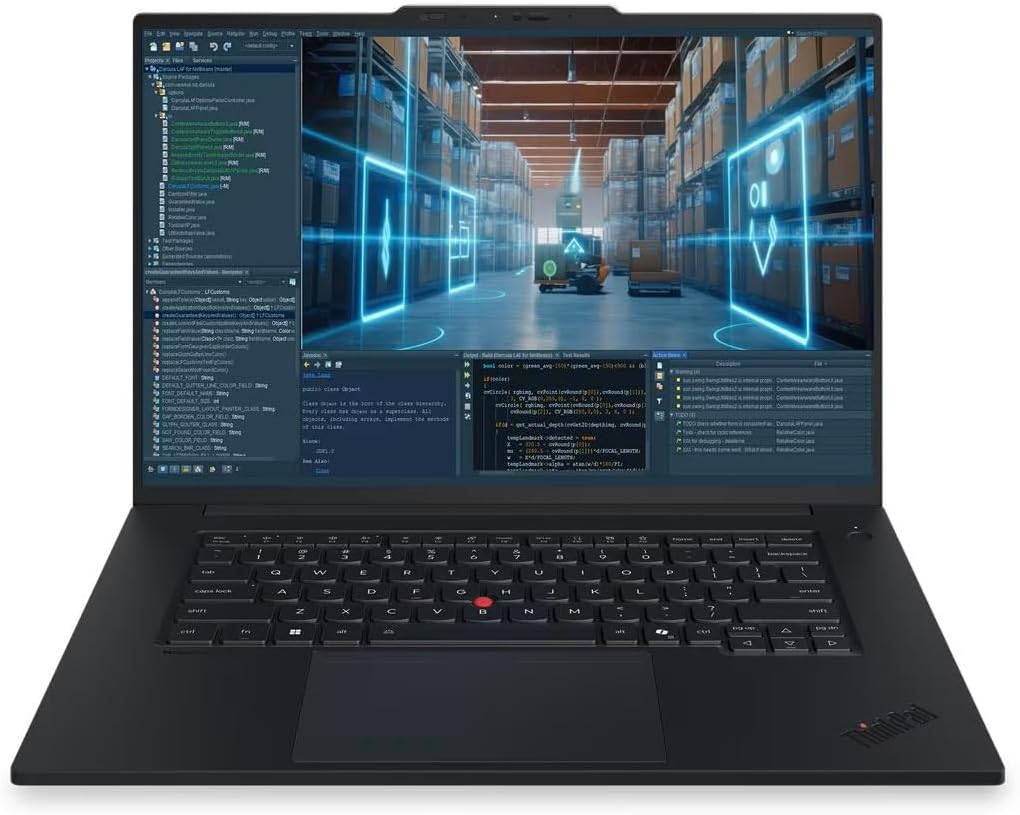
This is the laptop I’d buy if I ran a casting house, a busy custom shop, or a jewellery CAD class. In those places, uptime and service matter more than peak frame rates. Lenovo announced it in March 2026 and calls it the most capable ThinkPad it has ever made, aimed squarely at color-critical work and rendering. The details back that up.
Specs (as reviewed by StorageReview and Notebookcheck):
- CPU: Intel Core Ultra 9 386H (StorageReview) or Core Ultra 7 366H (Notebookcheck)
- GPU: Nvidia RTX PRO 2000 Blackwell, 8GB GDDR7 (ISV-certified workstation GPU)
- RAM: 64GB LPDDR5X-8533 on a replaceable LPCAMM2 module, up to 96GB
- Storage: two M.2 2280 slots (one PCIe 5.0, one PCIe 4.0), up to 8TB, RAID 0/1 support
- Display options: 1920×1200 IPS 500 nits; 3840×2400 IPS 800 nits with 100% DCI-P3 and X-Rite factory calibration; or a 3200×2000 Tandem OLED touchscreen with pen support, 600 nits SDR and 1,500 nits HDR, 40 to 120Hz
- Ports: 2× Thunderbolt 5, Thunderbolt 4, USB-A 10Gbps, HDMI 2.1, SD Express 7.0, 3.5mm audio
- Battery: 90Wh, 140W USB-C GaN charger
- Weight: from 3.90 lbs (1.77 kg)
Benchmarks and measurements:
- Cinebench 2026: 5,083 multi-core and 519.9 single-core, 18% ahead of the previous Core Ultra 9 285H with the same GPU (StorageReview).
- Sustained load: In a 30-minute Cinebench loop, it settled at 4,811, which is 98.3% of its first run, with the CPU sitting at 94.1°C (StorageReview). It runs hot, but it doesn’t slow down much.
- Other CPU work: Blender CPU rendering was 18 to 23% faster than the previous generation across three scenes (StorageReview).
- SSD: The 2TB SK hynix Gen5 drive read at 10,012 MB/s and peaked at 756.5K IOPS in 4K random reads (StorageReview).
- Battery: Over 22 hours in Notebookcheck’s Wi-Fi test at 150 nits. Notebookcheck notes the basic 1920×1200 panel helped this result.
- Rating: 91% from Notebookcheck.
What this means at the bench: The pen-capable Tandem OLED option is quietly the most interesting thing here for designers who start with a sketch. You also get SD Express, Thunderbolt 5 and memory you can actually upgrade later, so this laptop can grow with your shop. The weak point is the 8GB RTX PRO 2000. It’s fine for MatrixGold modeling and moderate KeyShot work, but StorageReview found that 8GB a hard ceiling for heavier GPU jobs. One oddity: Notebookcheck measured only 33.3 MB/s from the SD reader with its test card, so don’t count on it for fast photo offloads until that’s explained.
Pros:
- Upgradeable LPCAMM2 RAM and two SSD slots, which is rare in 2026
- Two Thunderbolt 5 ports plus SD Express
- Outstanding battery life in Notebookcheck’s testing
- Pen-capable Tandem OLED option for sketching
- ISV-certified GPU, premium build, best-in-class keyboard
Cons:
- GPU is capped at 8GB VRAM
- Gets expensive fast; StorageReview saw a high-end OLED build list at $7,719
- Chassis runs hot under load
- Keyboard isn’t user-replaceable
4. Samsung Galaxy Book6 Ultra: Best Value and Best Battery Life
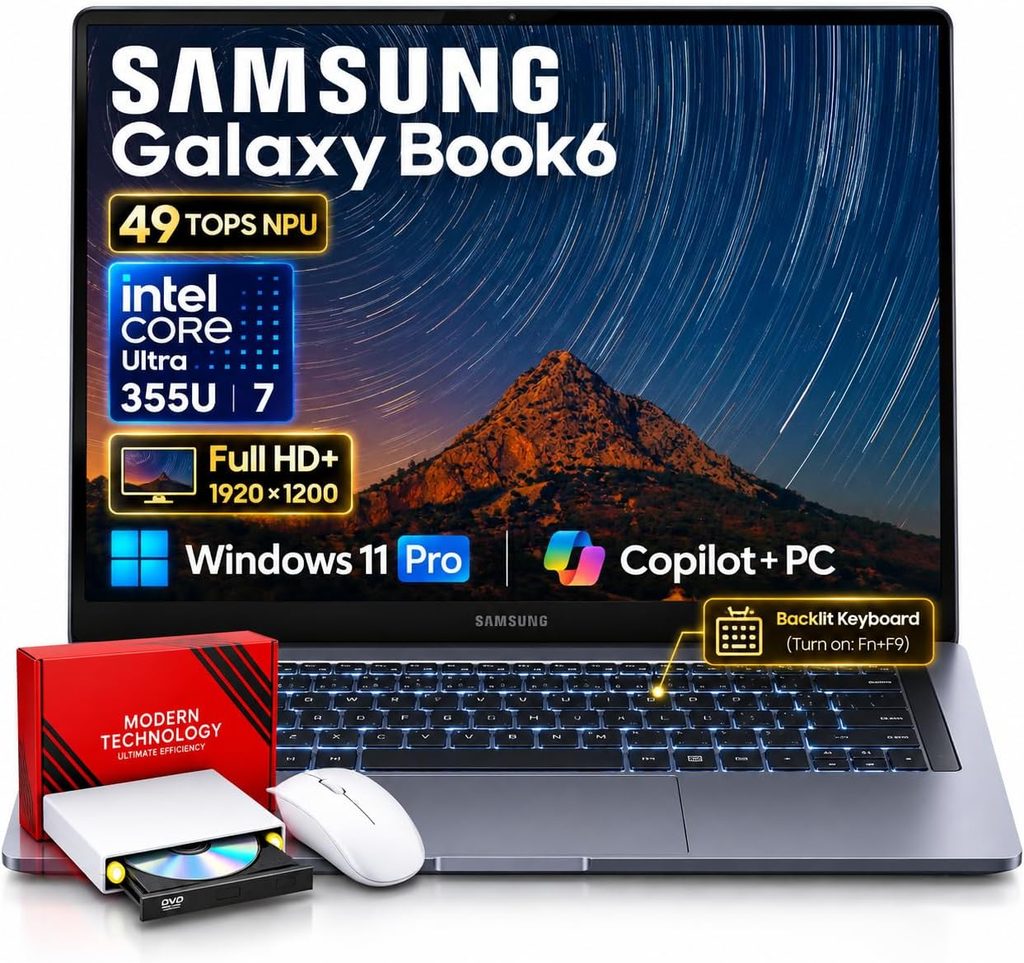
The Book6 Ultra is the laptop I’d recommend to a bench jeweller who’s just moving into CAD, or to a designer who travels to trunk shows and wants to model on a train without hunting for an outlet. It’s the most “normal” laptop on this list, and I mean that as a compliment.
Specs (as reviewed by Notebookcheck):
- CPU: Intel Core Ultra 7 356H (Panther Lake, 16 cores)
- GPU: Nvidia GeForce RTX 5070 Laptop, 8GB GDDR7, 90W (RTX 5060 and integrated-only versions are also sold)
- RAM: 32GB LPDDR5X-8533 (soldered)
- Storage: 1TB Samsung PM9C1b, two M.2 2280 slots
- Display: 16-inch 2880×1800 OLED touchscreen, 30 to 120Hz
- Ports: 2× Thunderbolt 4, USB-A 5Gbps, HDMI 2.1, SDXC reader, 3.5mm audio
- Battery: 80.2Wh, 140W adapter
- Weight and size: 4.19 lbs (1.9 kg), 15.4mm thick
Benchmarks and measurements:
- Geekbench 6: 2,851 single-core and 16,676 multi-core (Notebookcheck).
- Cinebench 2024: 122.4 single-core and 1,232 multi-core (Notebookcheck).
- 3DMark Time Spy: 11,467 (Notebookcheck). TechRadar measured 12,309.
- SSD: 7,065 MB/s sequential read in CrystalDiskMark (Notebookcheck).
- Display: About 505 nits SDR, 1,182 nits HDR, 97% P3, 99.9% sRGB and a Delta E of 0.9 (Notebookcheck). The catch is PWM flicker at 240Hz with full amplitude at every brightness level.
- Noise and heat: Max fan noise of 48.5 dB(A) under load (Notebookcheck). TechRadar notes it can get very hot under heavy loads.
- Battery: 16.8 hours in Notebookcheck’s Wi-Fi test, 15 hours 21 minutes in Tom’s Hardware’s test, and 13 hours 39 minutes in TechRadar’s video test.
- Rating: 91% from Notebookcheck, and an Editor’s Choice from Tom’s Hardware.
What this means at the bench: You get the same class of Panther Lake CPU as the Zephyrus and the Razer, in a quieter package that lasts longer away from the wall. The screen is color-accurate right out of the box. The limit is the 8GB GPU. It’s perfectly fine for MatrixGold modeling and lighter renders, but if KeyShot takes up half your day, step up to the Zephyrus.
Pros:
- Best battery life of any Windows laptop here in Notebookcheck’s testing
- Accurate OLED touchscreen with a Delta E of 0.9
- Quiet in everyday use, excellent speakers
- Two SSD slots
- Most affordable RTX option on this list
Cons:
- Low-frequency PWM flicker (240Hz) is a real concern for long sessions
- Limited ports; one USB-C is taken while charging
- No SD Express, slow card reader
- Soldered RAM and an 8GB VRAM ceiling
5. Apple MacBook Pro 16 with PROLED XDR (M5 Max): Best for Mac-Based Designers
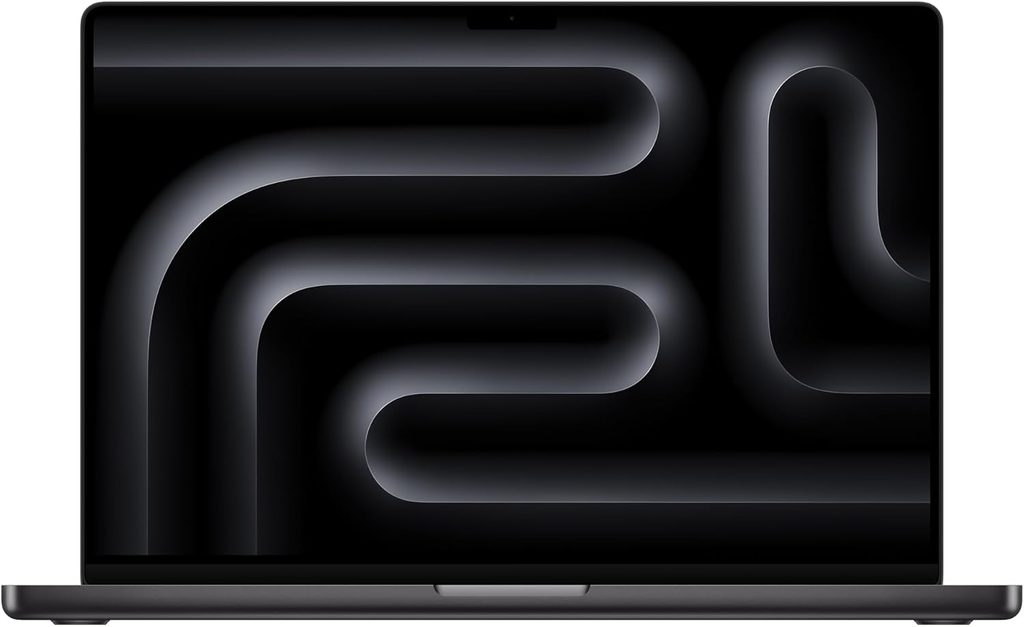
Apple announced the MacBook Pro with PROLED XDR Display on October 28, 2026, and it went on sale November 6, so it really is as current as laptops get. It’s Apple’s first touchscreen Mac and its first MacBook with a tandem OLED panel. For a designer whose world is Rhino for Mac, Blender or Apple-native apps, it has the best-measured screen I came across this year.
But I have to be honest with you here: MatrixGold does not run on macOS. Boot Camp isn’t available on Apple Silicon, and McNeel lists virtualization tools like Parallels as unsupported for Rhino 8 for Windows. If your shop runs on Gemvision software, skip this one. Seriously.
Specs:
- Chip: Apple M5 Max, 18-core CPU, 40-core GPU (M5 Pro also available)
- Memory: unified memory, configurable up to 128GB
- Display: 16.3-inch 3472×2266 PROLED XDR tandem OLED touchscreen, 120Hz ProMotion, rated by Apple for 1,000 nits full-screen and up to 2,000 nits peak
- Ports: 3× Thunderbolt 5, HDMI, SDXC slot, MagSafe 3, headphone jack
- Wireless: Wi-Fi 7, Bluetooth 6
- Battery: 100Wh
- Weight: about 4.0 lbs (9to5Mac)
Benchmarks and measurements:
- A quick note first: PetaPixel and 9to5Mac both report that performance is unchanged from the mini-LED M5 Max MacBook Pro released in March. So the performance figures below come from reviews of that same chip.
- Geekbench 6: 4,336 single-core and 30,057 multi-core (Notebookcheck, MacBook Pro 16 M5 Max).
- Cinebench 2024: 199 single-core and 2,490 multi-core (Notebookcheck), 44% ahead of the RTX Spark N1X in Notebookcheck’s comparison.
- Cinebench 2026: 733 single-core and 7,925 multi-core (Pokde).
- GPU: Notebookcheck’s analysis puts the M5 Max GPU roughly on par with an RTX 5070 laptop GPU. Tom’s Hardware measured 3,865 in 3DMark Steel Nomad on the 14-inch M5 Max.
- SSD: 12,695 MB/s read and 12,824 MB/s write in Blackmagic Disk Speed Test (PetaPixel, 4TB M5 Max). Engadget measured about 13 GB/s read and 13.8 GB/s write in ATTO.
- Battery: Engadget’s 16-inch M5 Max ran for about 30 hours 46 minutes in its test, about 30 minutes longer than the previous generation.
- PROLED display: PetaPixel measured 148.5% sRGB, 102.3% Adobe RGB and 105.2% DCI-P3 color volume, with an average Delta E of 1.08.
- Power: Notebookcheck flagged the bundled power adapter as insufficient when the M5 Max is pushed to full load.
What this means at the bench: This is by far the fastest CPU on the list, which helps with CPU rendering and heavy Rhino operations. (KeyShot on Mac renders on the CPU unless you use its beta GPU mode.) The touch display is a nice bonus for walking clients through a design. I’d pick the 16-inch over the 14-inch, though, because Notebookcheck reported inconsistent performance and throttling on the 14-inch M5 Max.
Pros:
- Fastest CPU of any laptop here
- Stunning tandem OLED with excellent measured accuracy
- Three Thunderbolt 5 ports, HDMI and an SD slot built in
- Exceptional battery life and very fast SSD
- Rhino 8 runs natively on Apple Silicon
Cons:
- No MatrixGold and no native Windows jewellery CAD
- KeyShot GPU mode on Mac is still beta
- Some Rhino for Windows commands are missing on Mac (McNeel publishes the full list)
- Very expensive, with 16-inch M5 Max PROLED models starting at $4,799
- Memory can’t be upgraded later
The Jeweller’s Software and Hardware Map
This is the section I wish had existed when I started digging into jewellery CAD hardware. Most guides lump all “3D software” together. Jewellery tools are much pickier than that.
| Software | Windows (Intel/AMD) | macOS | Windows on Arm | What hardware it leans on |
|---|---|---|---|---|
| MatrixGold (Gemvision) | ✅ Supported | ❌ Not available | ❌ Not supported | Fast multi-core CPU (Gemvision calls it very processor-intensive), 4GB+ VRAM, GeForce RTX recommended for rendering, 8GB+ RAM |
| Rhino 8 | ✅ Supported | ✅ Native on Apple Silicon (some commands missing) | ❌ Not supported | OpenGL 4.5 GPU, 4GB+ VRAM recommended, 8GB+ RAM |
| Matrix and RhinoGold (legacy) | ⚠️ Runs, but no longer supported | ❌ Not available | ❌ Not supported | Gemvision ended support on August 31, 2022 |
| KeyShot Studio | ✅ CPU and GPU mode (Nvidia RTX) | ✅ CPU; GPU mode is beta on M3 or newer with 16GB | ⚠️ Not a recommended path | GPU mode: Nvidia RTX with ideally 8GB+ dedicated VRAM; 16GB+ for AI features |
| Blender (Cycles) | ✅ Supported | ✅ Supported | ⚠️ Possible, but not the fast path | Nvidia RTX with OptiX is the fastest laptop option |
Three things I’d tape to the workshop wall:
- The Arm trap is real. McNeel’s official Rhino 8 requirements call for a 64-bit Intel or AMD processor and specifically exclude Arm, and Gemvision’s MatrixGold requirements do the same. On the McNeel Forum in October 2026, McNeel’s Wim Dekeyser wrote, “I run Rhino 9 on an ARM PC (with a Qualcomm GPU) and that works fine,” but he also said there are no plans for a native Arm64 build. “Seems to work” is not the same as “supported,” and MatrixGold has no such note at all. That’s why the ASUS ProArt P16 (RTX Spark) and the Surface Laptop Ultra aren’t on this list, even though Notebookcheck called the ProArt one of the most compelling Windows laptops you can buy right now.
- The Mac question is really a MatrixGold question. If you need MatrixGold, you need Windows on Intel or AMD. Full stop.
- For KeyShot, VRAM is your stone budget. Every extra pavé stone, prong and HDRI environment in a scene eats graphics memory. 8GB works. 16GB is comfortable. 24GB is luxury.
The Jeweller’s Workflow Fit Score
This is my own scoring system. It’s not a lab benchmark. I built it only from the sourced facts above and weighted it the way a working jeweller’s week actually breaks down.
Weights: Software compatibility (MatrixGold plus Rhino for Windows) 30 points · GPU rendering headroom 25 · Display color accuracy 20 · Battery and portability 15 · Ports and upgradeability 10
| Laptop | Compatibility (30) | GPU rendering (25) | Display (20) | Battery and portability (15) | Ports and upgrades (10) | Fit Score (100) |
|---|---|---|---|---|---|---|
| Razer Blade 16 (2026) | 30 | 25 | 17 | 11 | 8 | 91 |
| ASUS ROG Zephyrus G16 (2026) | 30 | 21 | 18 | 13 | 7 | 89 |
| Lenovo ThinkPad P1 Gen 9 | 30 | 15 | 18 | 15 | 10 | 88 |
| Samsung Galaxy Book6 Ultra | 30 | 14 | 18 | 14 | 5 | 81 |
| Apple MacBook Pro 16 PROLED (M5 Max) | 12 | 15 | 20 | 15 | 9 | 71 |
So why does the Razer top the score while the Zephyrus is my “best overall”? Price. The Blade’s extra 8GB of VRAM is lovely, but the Zephyrus gets you 16GB of VRAM and a calibrated OLED for a lot less money in most configurations. Notebookcheck reported a Best Buy price of $3,389 for an RTX 5080 model with 32GB and 2TB, compared with $4,899.99 for the Razer as tested. For most jewellers, that difference is better spent on a resin printer, a good loupe, or a few months of software subscriptions.
Why Screen Color Matters So Much for Gold, Platinum and Gemstones
Here’s something I find fascinating. Many of the colors jewellers care about live right at the edge of what a standard sRGB screen can show. Rich yellow golds, warm rose golds, deep emerald greens and saturated ruby reds sit in territory that wider color spaces like DCI-P3 cover much better. That’s why I gave measured P3 coverage and Delta E so much weight.
- DCI-P3 coverage near 100% means saturated gemstone colors aren’t being clipped. The Zephyrus (100% per LaptopMedia), Razer (99.7%), Samsung (97%) and MacBook PROLED (105.2% color volume) all clear that bar.
- Delta E under 2 means what you see is very close to the real color. The Zephyrus (0.8), Samsung (0.9) and MacBook (1.08) measured excellently. The Razer started at 3.03 and dropped to 0.6 after calibration, so calibrate it.
- PWM flicker matters when you stare at one ring for six hours. The Samsung’s 240Hz flicker at full amplitude is the one I’d worry about. The Zephyrus (1,440Hz) and Razer (1,441Hz) flicker at much higher frequencies that most people won’t notice.
- Glossy or matte: glossy OLEDs look gorgeous but reflect your bench lamp. The ThinkPad’s anti-glare 4K IPS and Tandem OLED options are kinder in a bright workshop.
Buying Guide: What to Look for in a Jewellery Design Laptop
1. Processor. Gemvision describes MatrixGold as very processor-intensive. Any of the Core Ultra 9 386H or Core Ultra 7 356H chips on this list clear its minimums easily. If you do a lot of CPU rendering, the M5 Max is the fastest, but only for software that runs on a Mac.
2. GPU and VRAM. An Nvidia RTX GPU is the single most useful upgrade for jewellers who render. Gemvision recommends GeForce RTX for rendering, and KeyShot’s GPU mode on Windows is built for Nvidia. Aim for 16GB VRAM if rendering is a big part of your work.
3. RAM. Gemvision says 8GB is generally plenty for most MatrixGold users, but I’d treat 32GB as the real minimum in 2026, and 64GB if you keep Rhino, KeyShot, Photoshop and a 3D printing slicer open at the same time. Remember that RAM is soldered on the Zephyrus, Razer, Samsung and Mac. Only the ThinkPad P1 Gen 9 lets you upgrade later.
4. Display. Go for 16 inches, near-100% DCI-P3, a Delta E under 2, and as little low-frequency PWM flicker as possible.
5. Ports for scanners, printers and cameras. You’ll want Thunderbolt 4 or 5 for fast external drives and docks, USB-A for older 3D scanners and license dongles, and an SD reader for client photos. The ThinkPad P1 Gen 9 (SD Express plus Thunderbolt 5) and Razer Blade 16 (Thunderbolt 5 plus three USB-A ports) are the best-connected laptops here.
6. Mouse first, touch second. Gemvision explicitly says MatrixGold isn’t designed for a touchscreen and needs a mouse and keyboard, and it recommends a mouse with side buttons. A touchscreen or pen (ThinkPad OLED option, Samsung, MacBook PROLED) is a bonus for sketching and client presentations. It doesn’t replace a good mouse.
So, Which One Should You Buy?
- You run MatrixGold and render a few times a week: ASUS ROG Zephyrus G16 (2026) with the RTX 5080, ideally with 64GB of RAM.
- Renders are how you sell: Razer Blade 16 (2026) with the RTX 5090.
- You run a shop, a school or a production line: Lenovo ThinkPad P1 Gen 9 with the Tandem OLED.
- You’re new to CAD or you travel a lot: Samsung Galaxy Book6 Ultra.
- You design in Rhino for Mac or Blender and never touch MatrixGold: MacBook Pro 16 with PROLED XDR (M5 Max).
- Avoid for jewellery CAD for now: Arm-based Windows laptops like the ASUS ProArt P16 (RTX Spark) and Microsoft Surface Laptop Ultra, at least until McNeel and Gemvision officially support them.
Frequently Asked Questions
Can I run MatrixGold on a MacBook?
No. MatrixGold is a plug-in for Rhino 8 for Windows and only runs on Windows. Boot Camp isn’t available on Apple Silicon Macs, and McNeel lists virtualization like Parallels as unsupported for Rhino 8 for Windows.
Is a gaming laptop OK for jewellery design?
Yes, and it’s often the smartest buy. Gemvision’s own guidance has long said a good gaming graphics card works well with MatrixGold, and gaming laptops like the Zephyrus G16 and Blade 16 give you more VRAM per dollar than most workstations.
How much VRAM do I need for KeyShot?
KeyShot recommends at least 8GB of dedicated VRAM for GPU mode and warns that most scenes won’t run on less. Its 16GB recommendation applies to its AI features. If you want real headroom, look at the RTX 5080 or RTX 5090.
Does Rhino 8 run on Windows on Arm laptops like the Surface Laptop Ultra?
Not officially. McNeel’s Rhino 8 system requirements list Arm processors as unsupported. Some McNeel staff have said Rhino runs on Arm PCs in their own use, but that isn’t official support for Rhino 8, and it says nothing about MatrixGold.
Is an OLED screen good for jewellery rendering?
Yes, for color and contrast. The OLEDs on this list measured near-full DCI-P3 with low Delta E. Just watch out for PWM flicker if your eyes are sensitive, and consider an anti-glare option if your workshop is bright.
What’s the most affordable laptop on this list that’s still good for jewellery CAD?
The Samsung Galaxy Book6 Ultra. Tom’s Hardware’s RTX 5070 review unit was priced at $3,199.99, and RTX 5060 versions cost less.
Do I need a workstation GPU like the RTX PRO 2000 instead of a GeForce card?
Not necessarily. Workstation GPUs come with certified drivers and are a good fit for shops that need guaranteed stability. But for most independent jewellers, a GeForce RTX card with more VRAM gives better rendering value.
A Few Honest Notes Before You Buy
- Different labs tested different configurations. For example, Notebookcheck lists the Razer’s GPU at 160W while Tom’s Hardware lists 175W.
- Display results vary by reviewer and method. The Zephyrus G16 measured 100% DCI-P3 at LaptopMedia, 91.7% at Notebookcheck and 80.4% at Tom’s Guide. PetaPixel’s MacBook figures are color volume, which can go above 100%.
- Battery tests aren’t directly comparable between outlets, since Notebookcheck, Tom’s Hardware, Tom’s Guide, Engadget and TechRadar all use different workloads.
- Laptop prices move constantly. Lenovo in particular discounts its P series often.
- The MacBook Pro PROLED XDR went on sale November 6, 2026. Because Apple’s chip is identical to the earlier M5 Max model, its performance and battery numbers come from reviews of that model.
Sources
- Notebookcheck: Asus ROG Zephyrus G16 2026 Review
- Notebookcheck (German): Asus ROG Zephyrus G16 2026 im Test
- LaptopMedia: ASUS ROG Zephyrus G16 (GU606, 2026) Review
- UltrabookReview: Asus ROG Zephyrus G16 GU606 Review
- Tom’s Guide: Asus ROG Zephyrus G16 (2026) Review
- PC Gamer: Asus ROG Zephyrus G16 (2026) Review
- Lowpi: ASUS ROG Zephyrus G16 (2026) Review Roundup
- Notebookcheck: Razer Blade 16 Review (Core Ultra 9 386H)
- Tom’s Hardware: Razer Blade 16 (2026) Review
- TechRadar: Razer Blade 16 (2026) Review
- StorageReview: Lenovo ThinkPad P1 Gen 9 Review
- Notebookcheck: Lenovo ThinkPad P1 Gen 9 Review
- Lenovo StoryHub: ThinkPad P1 Gen 9 Announcement
- Notebookcheck: Samsung Galaxy Book6 Ultra Review
- Tom’s Hardware: Samsung Galaxy Book6 Ultra Review
- TechRadar: Samsung Galaxy Book6 Ultra Review
- Samsung US: Galaxy Book6 Series
- Apple Newsroom: MacBook Pro with PROLED XDR Display
- PetaPixel: Apple M5 Max MacBook Pro with PROLED XDR Review
- PetaPixel: MacBook Pro with M5 Max Review
- 9to5Mac: MacBook Pro with PROLED XDR Display Review
- Engadget: MacBook Pro M5 Max 16-inch Review
- Gizmodo: Apple Announces First Touchscreen MacBook Pros
- Notebookcheck: Apple MacBook Pro 16 2026 M5 Max Review
- Notebookcheck: Review Verdict for the MacBook Pro 16 M5 Max
- Notebookcheck: MacBook Pro 14 2026 M5 Max Reviews
- Tom’s Hardware: MacBook Pro 14-inch M5 Max Review
- Pokde: MacBook Pro M5 Max 16-inch Review
- Notebookcheck: Asus ProArt P16 RTX Spark Review
- Tom’s Hardware: Microsoft Surface Laptop Ultra Review
- McNeel: Rhino 8 System Requirements
- McNeel Wiki: Rhino 8 for Windows Commands Not in Rhino 8 for Mac
- McNeel Forum: Rhino on RTX Spark and Windows on Arm
- Evotech Pacific: MatrixGold System Requirements
- Lemondim: MatrixGold (Official Distributor)
- Stuller: End of Support for Matrix and RhinoGold
- KeyShot: Latest KeyShot Studio Minimum System Requirements

Hi, my name is Burak. I am a mechanical engineer. I have been writing laptop reviews for the Engineering Laptops website since 2020. Please feel free to contact me if you have any questions.