Table of contents
- The short version
- Start here: the exam software rules that decide what you can buy
- The thing nobody else is telling you: ARM laptops and the MacBook Neo
- How I put this together
- Best Laptop for Law School in 2026: I Checked 5 Machines Against the Rules Your School Actually Enforces
- 1. Lenovo ThinkPad X1 Carbon Gen 14 — the best law school laptop, if the budget stretches
- 2. Lenovo ThinkPad E14 Gen 8 — the best value here, and the only one you can open up
- 3. Apple MacBook Air 13″ M5 — the one most students should actually buy
- 4. Asus Zenbook A14 (2026) — the lightest bag by a mile, with one real asterisk
- 5. Apple MacBook Neo — the $599 Mac, and the most complicated call in this guide
- Everything side by side
- The things that actually decide your three years
- What to skip
- How to configure whatever you buy
- The exam-day dry run
- Common questions
- Where I land
- Sources
Nobody warns you about this part. You spend a week reading laptop reviews, you pick the one that won every award, you buy it in July, and then in October your school’s IT desk tells you the exam software won’t run on it.
That’s not a hypothetical. Right now there are laptops sitting on shelves at Best Buy that a handful of law schools will not let you take a final on. One of them is Apple’s newest MacBook. Another is one of the most praised Windows laptops of the year.
So I built this guide backwards from how most of them work. I started with ExamSoft’s current published requirements, read them line by line, then cross-checked them against the 2026-27 IT policy pages at Duke, NYU, Indiana Maurer, Minnesota, Santa Clara and Miami. Only after that did I look at benchmarks.
Because here’s the truth about law school computing: the workload is not hard. Word, a browser with too many tabs, a PDF reader, Westlaw, Lexis, Zoom. Any laptop from the last four years handles that. What actually separates a good law school laptop from a bad one is whether it runs your exam software, whether it survives a nine-hour day away from an outlet, and whether your hands still feel fine after your fourth memo of the semester.
The short version
| Pick | Best for | Price (Aug 2026) | My score |
|---|---|---|---|
| Lenovo ThinkPad X1 Carbon Gen 14 (WUXGA IPS) | The best law school laptop overall | ~$2,249 list, frequently discounted | 95/100 |
| Lenovo ThinkPad E14 Gen 8 | Best value, and the only upgradeable one | ~$960–$1,265 | 84/100 |
| Apple MacBook Air 13″ M5 | Best for most students | $1,099 | 83/100 |
| Asus Zenbook A14 (2026) | Lightest bag. Confirm with your school first | $999.99 | 75/100 |
| Apple MacBook Neo | Tightest budget. Confirm with your school first | $599 / $699 | 69/100 |
If you don’t want to think about it, buy the MacBook Air M5. ExamSoft supports Apple silicon, it’s fanless, it’s the fastest thing here in single-core work, and $1,099 now gets you 16GB and 512GB instead of the 256GB Apple used to charge the same money for.
If your school requires Windows 11 Pro and TPM, or you just want the longest battery life in this class, buy the ThinkPad X1 Carbon Gen 14 with the matte 1920×1200 IPS screen. Notebookcheck measured 23 hours and 13 minutes of Wi-Fi web browsing on it. That is a real number from a standardized test, and it is roughly seven hours more than the MacBook Air.
Now let me show my work.
Start here: the exam software rules that decide what you can buy
Most U.S. law schools run secured exams through ExamSoft’s Examplify. Some use Exam4. Either way, the software is stricter than a normal app and the rules shift year to year. I pulled ExamSoft’s published minimum system requirements at the end of August 2026. Here’s what changes your shopping list.
If you’re buying Windows
- Windows 11, 64-bit only. Windows 10 is done. ExamSoft currently certifies Windows 11 23H2, 24H2 and 25H2, and notes that 23H2 retires in September 2026 pending certification of 26H2.
- S mode is not supported. Plenty of cheap retail laptops ship in S mode. You can switch out of it for free, but do that in August, not the night before Contracts.
- ARM is now permitted, with conditions. ExamSoft lists both x86 and ARM processors, but ARM only on Windows 11 24H2 or higher, running Examplify 3.10.0 or later. Read the next section before you act on that.
- You need administrator rights. Don’t plan on using a machine you’re locked out of, and don’t use a work-issued laptop.
- No virtual machines. ExamSoft states that running Examplify in a virtualized environment breaks the license agreement, and specifically names VMware, Parallels and Citrix Workspace. You cannot buy a MacBook and run Windows Examplify inside Parallels.
If you’re buying a Mac
- Supported: macOS Sonoma, Sequoia and Tahoe. Sonoma retires in September 2026 pending certification of the next release, which ExamSoft refers to as Golden Gate.
- Supported chips: Intel, A18, and M series. That A18 line is new, and it matters more than it looks. I’ll come back to it.
Three rules that quietly change which laptop you should buy
Examplify ignores your touchscreen. ExamSoft states plainly that touchscreen input isn’t supported on Mac or Windows laptops. If you were about to pay extra for touch because it seemed like a smart hedge, don’t. During a secured exam it does nothing at all. Touch panels also cost you weight and battery. Notebookcheck measured the touch version of the X1 Carbon Gen 14 at 1.139 kg against 989 g for the non-touch OLED model. That’s 150 grams you carry every day for a feature the exam software refuses to acknowledge.
Scaling has to be set to 100%. ExamSoft specifies a minimum resolution of 1280 x 768 with scaling at 100%. I have not seen a single mainstream laptop review mention this, and it’s the sleeper issue in this whole category. On a 14-inch 1920×1200 panel, 100% scaling is comfortably readable. On a 14-inch 2880×1800 OLED, the same setting renders text at roughly half the physical size, and you’re squinting at it for four straight hours while trying to spot a hidden issue in a fact pattern. That is a genuine argument for the boring WUXGA screen over the gorgeous 2.8K OLED, and it’s the exact opposite of what a general-purpose review will tell you.
If your school uses ExamMonitor, you need real hardware. Proctored exams require an integrated or USB webcam with no virtual camera software running, a microphone that isn’t built into headphones, 2.5 Mbps upload, and ExamSoft recommends 8GB of RAM. If you use OBS, Krisp, or a virtual cam for Zoom, disable them well before exam week.
The thing nobody else is telling you: ARM laptops and the MacBook Neo
This is where I’d slow down if I were shopping right now.
ExamSoft, the vendor, now allows ARM-based Windows machines and now lists Apple’s A18 chip among supported processors. On paper, that opens the door to Snapdragon laptops and to the $599 MacBook Neo.
But your school sets its own floor, and several of them haven’t moved. I read six schools’ current pages. Here’s what they say.
| School | Current published policy (as of Aug 2026) |
|---|---|
| Duke Law | 16GB RAM minimum, and it suggests 32GB if the machine can’t be upgraded later. Windows 11 Pro or Education, or macOS 14 and above. Calls TPM 1.2 or 2 essential for Windows because of drive encryption in clinic courses. Advises against buying Windows laptops from big-box stores partly because those models may lack TPM. |
| Indiana Maurer | Requires a current-generation x64 processor above 2GHz with at least four cores, and Windows 11. For Macs it accepts any currently shipping MacBook Pro or Air, and explicitly excludes the Neo, noting that ExamSoft hasn’t confirmed the Neo will run Examplify and that until it does, the Neo isn’t recommended. |
| Minnesota Law | Lists a non-ARM processor, 8GB of RAM or more, and 100GB of storage or more as minimums. States that a laptop is required and that tablets and phones don’t qualify. |
| Santa Clara Law | Warns that Examplify for Windows may not run correctly on Qualcomm Snapdragon machines. Wants 8GB minimum with 16GB highly recommended, and 50GB free space with 100GB or more preferred. |
| NYU Law | A laptop is mandatory. Every student must type their exams because handwriting isn’t permitted. Tablets and e-readers don’t meet the requirement. |
| Miami Law | Notes the Florida Bar is administered through Examplify, and advises turning off OS auto-update so you don’t get ahead of what the exam software supports. |
Read the Indiana entry again. A top-tier law school is telling admitted students in writing not to buy the MacBook Neo. Meanwhile ExamSoft’s own requirements page now lists A18 as a supported chip. One of those pages is out of date, and figuring out which one is not something you want to be doing at 8:15 on the morning of a final.
What I’d actually do, and it takes two minutes: email your school’s IT help desk before you buy. One sentence. “Is a [exact model] with a [Snapdragon X2 Elite / A18 Pro / Core Ultra 5 325] approved for Examplify this academic year?” Save the reply in a folder. That email is worth more than this article or any other.
And that Miami note about auto-updates deserves its own paragraph, because it’s the best free advice on any of those six pages. Every autumn Apple ships a new macOS and a fresh wave of 1Ls discovers their exam software won’t launch on it. Turn off automatic OS updates in September and leave them off until your school gives the all-clear.
How I put this together
I want to be straight with you about where the numbers come from, because “we tested it” gets used pretty loosely in this corner of the internet.
The framework here is mine. I built the scoring system below, audited ExamSoft’s requirements against those six schools’ policies, worked out the scaling and carry-weight math, and made every judgment call about what matters over three years of a JD rather than three weeks of reviewing.
The lab measurements are not mine, and I’m not going to pretend otherwise. Every brightness, battery, thermal, SSD and benchmark figure in this article is a published result from an outlet that documents its protocol, and I name the source at every number. Most of it comes from Notebookcheck, which runs a standardized Wi-Fi browsing battery test at 150 nits and again at maximum brightness, measures displays with an X-Rite i1Pro 3 analyzed in CalMAN, and takes surface temperatures with a calibrated Fluke t3000FC. I’ve also used Tom’s Hardware, Tom’s Guide, Windows Central, Trusted Reviews, Expert Reviews, Digital Trends, CNN Underscored, Dave2D and iFixit where they ran the better test for a specific question.
Where two labs disagree, I show you both numbers instead of picking the flattering one. That happens twice below, with the MacBook Neo’s screen brightness and with its battery life, and in both cases the disagreement tells you something useful.
My scoring, and why it’s weighted this way
This is scored for law school, not for general use. That’s the entire point of the exercise.
| Category | Points | Reasoning |
|---|---|---|
| Exam-day compatibility | 25 | You get one attempt at each final. Nothing else on this list rescues a machine that won’t launch Examplify. |
| Battery in a bright room | 25 | I weight the maximum-brightness result heavily, not just the 150-nit lab figure. Lecture halls have windows. |
| Keyboard and pointing | 15 | You’ll type somewhere north of 300,000 words in your 1L year. |
| Weight, including the charger | 15 | Your casebooks already weigh five pounds each. |
| Reading comfort | 10 | Matte versus glossy, flicker, peak brightness, sharpness. You’ll read 800 to 1,200 pages a week. |
| Three-year durability | 10 | Warranty length, serviceability, whether you can add RAM in 2L. |
Price is deliberately left out of the score. I rate the machine on the merits, then talk about money separately. If you fold price into the score, the cheapest thing always wins and the ranking stops being useful.
Best Laptop for Law School in 2026: I Checked 5 Machines Against the Rules Your School Actually Enforces
1. Lenovo ThinkPad X1 Carbon Gen 14 — the best law school laptop, if the budget stretches
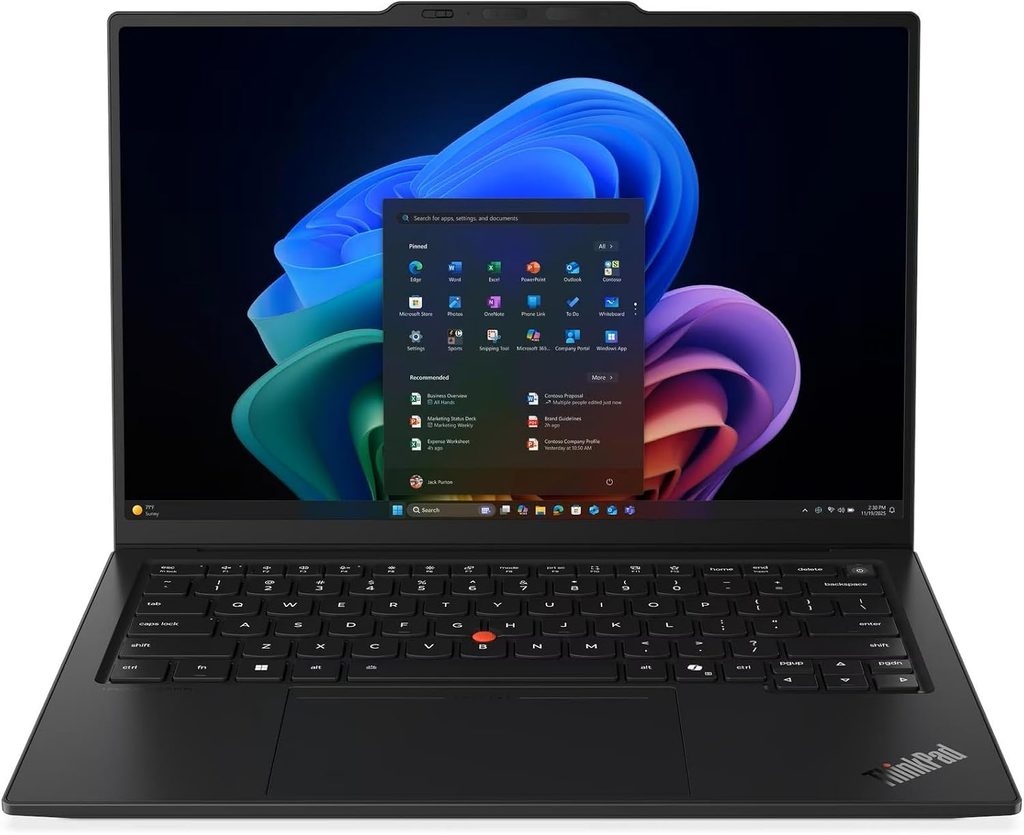
Score: 95/100 Price: From roughly $2,249 configured on Lenovo’s own site. Notebookcheck logged an Amazon listing near $2,749 for the Core Ultra 7 355 configuration, and lower-spec listings have shown up closer to $1,700. Lenovo discounts these constantly. Never pay list price for a ThinkPad.
The configuration I’d buy
- CPU: Intel Core Ultra 5 325 (Panther Lake). 8 cores: four performance cores to 4.5GHz, four low-power efficiency cores at 3.4GHz, 35W
- Graphics: Intel Graphics 4 Xe3 integrated
- Memory: 32GB LPDDR5x-7467, soldered. Every SKU ships with at least 32GB, and the Core Ultra X models go to 64GB
- Storage: 512GB Samsung PM9C1b PCIe 4.0, in a user-replaceable M.2-2280 slot that also accepts PCIe 5.0 drives
- Display: 14-inch, 1920×1200, 16:10, matte IPS, 60Hz, low-power panel
- Battery: 58Wh
- Weight: 1.139 kg / 2.51 lb as measured by Notebookcheck on the IPS touch model. The OLED variant comes in under a kilo at 989 g
- Ports: Three Thunderbolt 4, one USB-A, HDMI 2.1, 3.5mm, optional 5G modem
- Wireless: Intel Wi-Fi 7 BE211, Bluetooth 5.4
- OS: Windows 11 Pro
- Build: MIL-STD-810H tested, carbon fiber lid
Measured results
Everything below is from Notebookcheck’s July 2026 review of the 21V70075GE unit.
| Test | Result |
|---|---|
| Wi-Fi web browsing at 150 nits | 23 h 13 min |
| Wi-Fi web browsing at maximum brightness | 14 h 14 min |
| Same test, OLED version at 150 nits | 13 h 30 min |
| Same test, OLED version at maximum brightness | 7 h 36 min |
| Display brightness | 546 nits maximum, 524 nits average, 93% uniformity |
| Contrast | 1800:1, black level 0.3 cd/m² |
| Color coverage | 99.1% sRGB, 69.8% DCI-P3, 72% AdobeRGB |
| Color accuracy out of box | ColorChecker deltaE 5.0, grayscale deltaE 8.3 |
| Color accuracy after calibration | ColorChecker deltaE 1.1 |
| Flicker (PWM) | None detected |
| Cinebench 2024 | 645 multi / 113.3 single |
| Cinebench R23 | 10,980 multi / 1,892 single |
| Geekbench 6.7 | 11,038 multi / 2,620 single |
| PCMark 10 | 7,709 |
| SSD, CrystalDiskMark sequential | 6,900 MB/s read, 5,762 MB/s write |
| SSD, AS SSD sequential | 5,129 MB/s read, 3,282 MB/s write |
| Noise, idle | 24.8 dB(A) |
| Noise, full load, Best Performance | 38.9 dB(A) |
| Noise, full load, Best Efficiency | 29 dB(A) |
| Surface temperature, max load | 40.7 °C top, 42.8 °C bottom |
| Palm rest, max load | 28.7 °C |
| Wi-Fi 7 throughput (iperf3 transmit) | 4,557 Mbit/s |
| Speaker output | 84.7 dB(A), linear response |
| Notebookcheck overall rating | 90% |
Why it wins for this specific job
The battery result is the headline and it isn’t close. Twenty-three hours at 150 nits is the kind of number that changes how you pack your bag. But the figure I actually care about is 14 hours and 14 minutes at full brightness, because that’s the honest scenario. You’re in a room with west-facing windows at two in the afternoon, the panel is cranked, and you still finish the day around half charge.
Now look at the OLED version of the identical laptop: 7 hours 36 minutes at maximum brightness. Same chassis, same chip, same 58Wh cell. The screen choice cuts your unplugged runtime in half. For a law student the answer is the matte WUXGA IPS every single time. It’s brighter in practice, it’s matte so overhead lighting doesn’t bounce into your eyes, it stays readable under Examplify’s 100% scaling rule, and it doubles your battery. The OLED is the better screen for watching a movie and the worse screen for being a law student.
The keyboard is the second reason. Notebookcheck measured 1.5mm of key travel, and Lenovo pairs it with a haptic touchpad and the TrackPoint. If you’re writing two dozen memos and typing through six hours of class a day, this is what you want under your hands.
It’s also the only machine here that clears Duke-style Windows requirements straight out of the box, with Windows 11 Pro and TPM standard and a business-grade chassis.
What’s good
- The longest measured battery life in this guide by a wide margin, at both brightness levels
- The best keyboard in the category, full stop
- Effectively silent in normal use at 24.8 dB(A) idle, which matters more than you’d think in a quiet reading room
- Palm rest stays at 28.7 °C under full load, cooler than your skin
- Three Thunderbolt 4 ports plus full-size USB-A and HDMI, so no dongle pouch
- Windows 11 Pro and TPM standard
- Replaceable SSD, up to 64GB RAM on higher configurations, MIL-STD-810H tested
What’s not
- It’s expensive. This is firm-reimbursement territory
- Factory color calibration is genuinely poor. Notebookcheck measured a ColorChecker deltaE of 5.0 and a grayscale deltaE of 8.3, with a visible green-blue cast. Calibrating brings it to 1.1 but costs nearly 100 nits of peak brightness. Irrelevant for reading case law, worth knowing if you do anything visual
- Memory is soldered
- 60Hz on the IPS panel
- The camera bump on the lid is genuinely unattractive and Notebookcheck said so too
Who should buy it
Anyone whose school requires Windows 11 Pro or TPM. Anyone doing a clinic, where encrypted drives and enterprise network access come up. Anyone who takes notes by keyboard for six hours a day. And anyone who has ever crawled around a library basement looking for an outlet.
2. Lenovo ThinkPad E14 Gen 8 — the best value here, and the only one you can open up
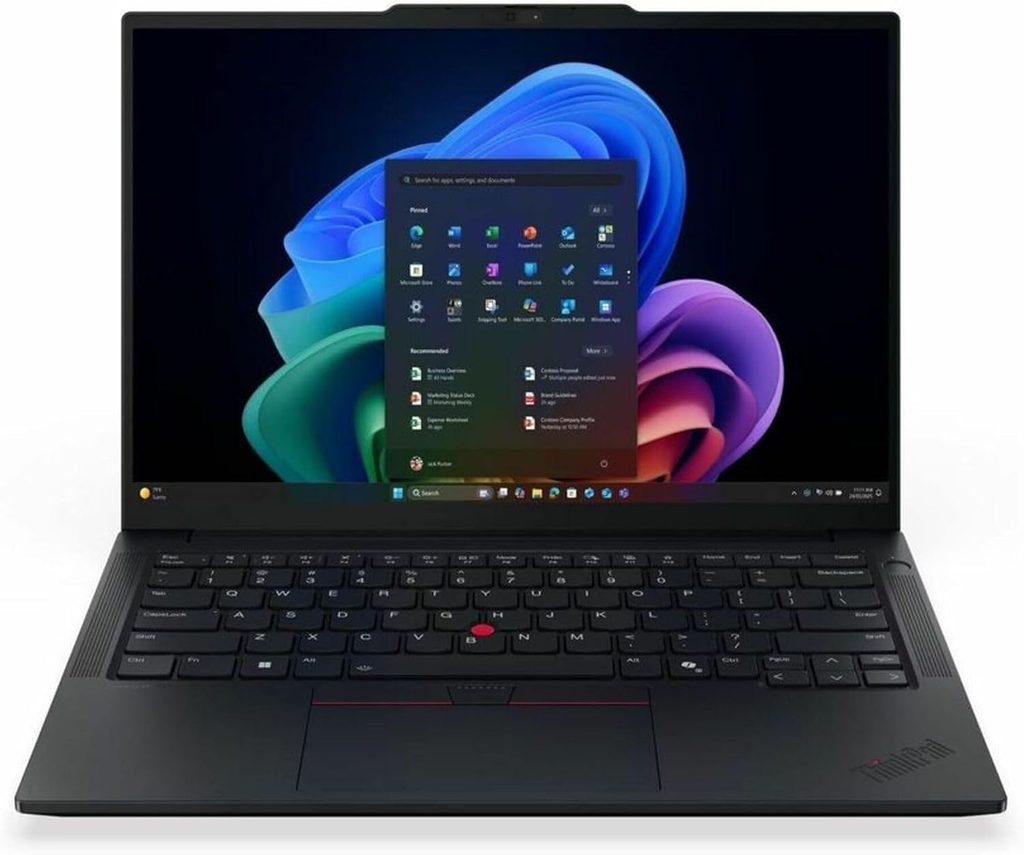
Score: 84/100 Price: Notebookcheck’s review unit was €1,099, roughly $1,265. Lenovo’s German store lists the line from €961. U.S. E14 configurations have been appearing between about $860 and $1,020. Check Lenovo’s site directly, and check it during a sale, because the list prices on these are fiction.
Specifications
- CPU: AMD Ryzen AI 7 345, 6 cores and 12 threads on Zen 5. Two cores to 4.6GHz plus four Zen 5c cores at 3.4GHz
- Graphics: AMD Radeon 840M
- Memory: 16GB DDR5-5600 in two SO-DIMM slots, expandable to 64GB
- Storage: 512GB WD PC SN7100S, with two M.2 slots
- Display: 14-inch, 1920×1200, 16:10, matte IPS, 60Hz
- Battery: 64Wh
- Weight: 1.455 kg / 3.21 lb, 15.3mm thick
- Ports: Two USB4 40Gbps, two USB-A, HDMI 2.1, Gigabit Ethernet, 3.5mm
- Wireless: MediaTek Wi-Fi 7 MT7925, Bluetooth 5.4
- Webcam: 1080p with a mechanical privacy shutter and IR for Windows Hello
- OS: Windows 11 Pro
Measured results
All from Notebookcheck’s August 2026 review of the 21Y2006XGE unit.
| Test | Result |
|---|---|
| Wi-Fi web browsing at 150 nits | 13 h 20 min |
| Wi-Fi web browsing at maximum brightness | 10 h 20 min |
| 1080p H.264 video playback | 14 h 43 min |
| Idle, minimum brightness | 27 h 33 min |
| Full load, maximum brightness | 3 h 35 min |
| Display brightness | 420 nits maximum, 393.6 nits average, 89% uniformity |
| Contrast | 1400:1, black level 0.3 cd/m² |
| Color coverage | 59% sRGB, 39.4% DCI-P3, 40.8% AdobeRGB |
| Color accuracy out of box | ColorChecker deltaE 5.41, grayscale deltaE 2.49 |
| Flicker (PWM) | None detected |
| Cinebench 2024 | 618 multi / 107 single |
| Cinebench R23 | 11,461 multi / 1,818 single |
| Geekbench 6.7 | 9,100 multi / 2,604 single |
| PCMark 10 | 7,316 |
| SSD, AS SSD sequential | 4,869 MB/s read, 2,424 MB/s write |
| SSD, DiskSpd queued sequential read | 6,789 MB/s |
| Noise, idle | 25 dB(A) |
| Noise, full load | 34.1 dB(A) average, 36.7 dB(A) peak |
| Surface temperature, max load | 39.8 °C top, 42.2 °C bottom |
| Palm rest, max load | 31 °C |
| Wi-Fi 7 throughput (iperf3 transmit) | 1,984 Mbit/s |
| Speaker output | 80.6 dB(A), weak bass |
| Notebookcheck overall rating | 86% |
Why it’s on this list
Two SO-DIMM slots and two M.2 slots. In 2026 that’s close to extinct in a 14-inch laptop, and across a three-year degree it’s a genuine superpower. Buy the 16GB configuration now, add a second stick for about $40 in 2L when Westlaw plus sixty tabs starts to bite, and drop in a second SSD when your outlines and lecture recordings fill the first one. Every other machine in this guide is frozen at whatever you order on day one.
That upgrade path also fixes the one real weakness in Notebookcheck’s test unit, which shipped single-channel and noticeably held back the integrated graphics. A second stick of RAM solves it. Order it dual-channel if the option exists.
It runs Windows 11 Pro, so it clears the Duke-style requirements. It has Ethernet, which sounds quaint right up until you’re in a courthouse or a legal aid office fighting terrible Wi-Fi. And it uses the ThinkPad keyboard, which gets you most of the X1 Carbon typing experience for roughly half the money.
What’s good
- The only genuinely upgradeable machine in this guide: 64GB memory ceiling, two SSD slots
- 13 h 20 min unplugged, and a strong 10 h 20 min even with the screen at full brightness
- Matte panel at 420 nits with no flicker, which is easy on the eyes across long reading sessions
- Windows 11 Pro, USB4, Wi-Fi 7, Ethernet, HDMI and two USB-A ports
- Quiet: 25 dB(A) idle, never louder than 36.7 dB(A)
- Best capability per dollar here
What’s not
- The display covers only 59% of sRGB. Next to anything else in this guide, colors look washed out. For black text on white pages it’s a non-issue. For anything visual it’s the machine’s clear weak point
- The heaviest pick at 3.21 lb, and the thickest at 15.3mm
- No SD card reader
- Speakers are clear on voices and thin on everything else, measured at 80.6 dB(A) with weak bass
- Notebookcheck’s unit shipped with a 12-month warranty. Pay for the extension
Who should buy it
Students on a real budget who don’t want to give up the keyboard or Windows 11 Pro, and anyone who likes the idea of opening the machine and improving it later. If money is tight and your school requires Windows, this is the pick.
3. Apple MacBook Air 13″ M5 — the one most students should actually buy
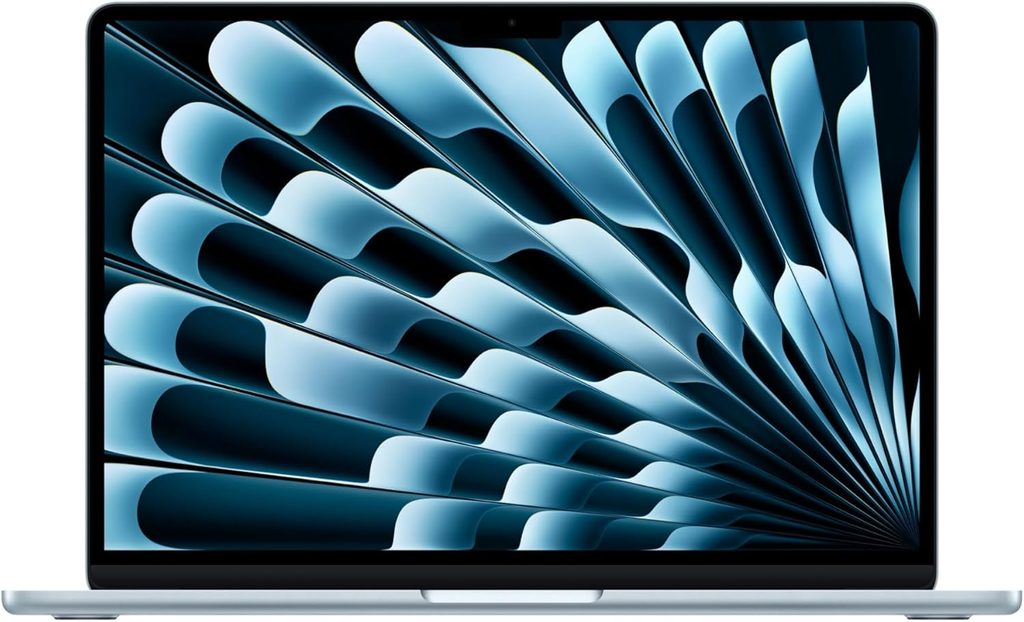
Score: 83/100 Price: $1,099 for 16GB and 512GB. Launched March 11, 2026.
Specifications
- Chip: Apple M5, 10-core CPU with four performance cores at 4.6GHz and six efficiency cores at 3.0GHz. 8-core GPU in the base model
- Memory: 16GB LPDDR5x-9600, soldered
- Storage: 512GB PCIe 4.0, soldered. This is the meaningful change, since the M4 base model shipped 256GB
- Display: 13.6-inch, 2560×1664, 16:10, IPS, 60Hz, 225 PPI, anti-reflective coating
- Battery: 53.8Wh
- Weight: 1.23 kg / 2.71 lb, 11.3mm thick
- Ports: Two Thunderbolt 4, MagSafe, 3.5mm. That’s the whole list
- Wireless: Wi-Fi 7, Bluetooth 6, via Apple’s N1 chip
- Cooling: Fanless
- Warranty: 12 months
Measured results
From Notebookcheck’s March 2026 review of the entry model unless noted.
| Test | Result |
|---|---|
| Wi-Fi web browsing at 150 nits | 16 h 11 min |
| Wi-Fi web browsing at maximum brightness | 6 h 39 min |
| Display brightness | 546 nits center, 519 nits average, 90% uniformity |
| Contrast | 1437:1, black level 0.38 cd/m² |
| Color coverage | 98.6% sRGB, 98.1% DCI-P3, 86.8% AdobeRGB |
| Color accuracy out of box | ColorChecker deltaE 2.1, grayscale deltaE 3.3 |
| Flicker (PWM) | None detected |
| Response time, black to white | 14.7 ms |
| Cinebench 2024 | 957 multi / 200 single |
| Cinebench 2026 | 3,668 multi / 731 single thread |
| Geekbench 6.7 | 17,072 multi / 4,185 single |
| Geekbench 6, separate unit (Tom’s Hardware) | 17,067 multi / 4,168 single |
| CrossMark | 2,314 overall, 2,253 productivity |
| WebXPRT 4 | 374 |
| Mozilla Kraken | 234.4 ms |
| SSD, Blackmagic 5GB | 6,473 MB/s read, 6,559 MB/s write |
| File transfer, 25GB (Tom’s Hardware) | 1,924.84 MB/s |
| 3DMark Steel Nomad | 941 |
| Sustained load, 30 min Cinebench 2024 multi | 820 points at 9W |
| Wi-Fi throughput (iperf3 transmit) | 1,540 Mbit/s |
| Noise, any load | Silent, no fan |
| Notebookcheck overall rating | 92% |
What those numbers mean in practice
The M5 is currently the fastest single-core laptop processor you can buy, and Notebookcheck says so without hedging. A Geekbench 6 single-core result of 4,185 puts it roughly 60% ahead of every Intel and Qualcomm chip in this guide. For law school that translates into Westlaw with forty tabs, a 300-page PDF, Word and a Zoom call all running at once, in total silence.
Because it’s fanless it makes no noise at all, ever. In a silent exam room where you can hear the person next to you spin up, that’s worth something real that no benchmark captures.
The throttling story is more honest than the marketing. Tom’s Hardware watched Cinebench 2026 open at 3,415 and settle into the low 2,300s across repeated runs, which is exactly what a fanless chassis does under sustained load. But thirty minutes into a Cinebench 2024 multi-core stress test the chip was still producing 820 points while drawing 9 watts. Nothing in a JD program looks like a thirty-minute render. You will never meet this limit.
On battery I have to be blunt. 16 hours 11 minutes at 150 nits is excellent. 6 hours 39 minutes at maximum brightness is not, and it’s actually slightly behind the M4 Air, because Apple kept the same 53.8Wh cell while making the chip faster. Notebookcheck flagged this directly. If you run your screen near 100% in a bright room, this Air will not clear a full day of classes without a charger. The X1 Carbon will, by more than seven hours. That gap is why the Air scores 19 out of 25 on battery here instead of 24.
On exam day
ExamSoft supports M-series chips, and MacBooks are the most common law school laptop in the country, which means your school’s help desk has troubleshot a thousand of them. Set your display to the default scaling and run the practice exam in September rather than assuming.
What’s good
- Fastest single-core performance in any laptop right now, by a wide margin
- Completely silent, permanently
- An accurate display with no calibration needed: ColorChecker deltaE 2.1 out of the box, 546 nits, no flicker, and an anti-reflective coating Notebookcheck singled out as better than typical glossy panels
- 16GB and 512GB standard at $1,099 is a legitimately good deal by Apple’s standards
- SSD reads and writes above 6.4 GB/s
- Wi-Fi 7 and Bluetooth 6
- The trackpad is still the best in the industry and nothing is close
What’s not
- 6 hours 39 minutes at maximum brightness. Go in knowing this
- Two ports, both on the same side. Budget for a hub
- 60Hz
- Memory and storage are soldered, so what you buy is what you have for three years
- One-year warranty unless you add AppleCare+
- Webcam is fine for Zoom and unimpressive for anything else
Who should buy it
Most students. If your school doesn’t mandate Windows and you’re not doing something unusual, this is the fast, quiet, well-supported answer at a price that won’t make your loan officer flinch.
4. Asus Zenbook A14 (2026) — the lightest bag by a mile, with one real asterisk
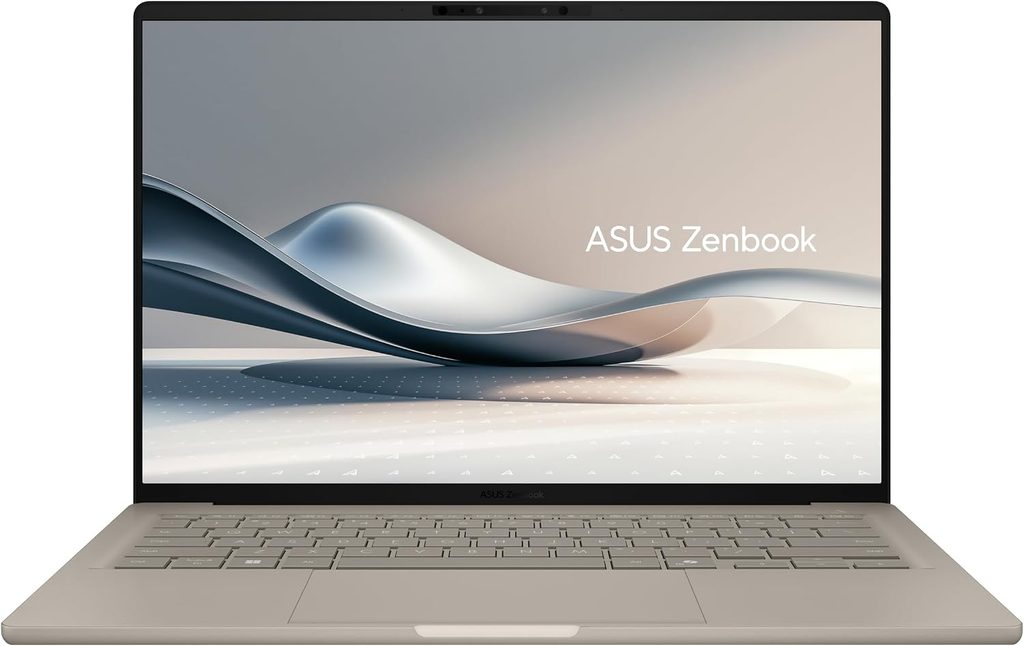
Score: 75/100 Price: $999.99 at Best Buy for the Snapdragon X2 Elite with 16GB and 512GB. UK pricing has run £1,599, so the U.S. configuration is the better deal by some distance.
Specifications
- CPU: Qualcomm Snapdragon X2 Elite X2E-88-100, 18 cores. This is ARM. Read the asterisk below
- Graphics: Qualcomm Adreno X2-90. NPU rated at 80 TOPS
- Memory: 16GB LPDDR5X soldered in the U.S. configuration
- Storage: 512GB PCIe 4.0
- Display: 14-inch, 1920×1200, 60Hz Lumina OLED, glossy, no touch
- Battery: 70Wh
- Chassis: Asus Ceraluminum, a ceramic-coated aluminum alloy
- Weight: 990 g / 2.18 lb as measured by Trusted Reviews
- Ports: USB-A, two USB4 Type-C, HDMI, 3.5mm
- Wireless: Wi-Fi 7, Bluetooth 5.4
- Charger: 100W USB-C
Measured results
| Test | Result | Source |
|---|---|---|
| PCMark 10 video loop at 150 nits | 22 h 25 min | Trusted Reviews |
| PCMark 10 video loop | 23 h 38 min | Windows Central |
| PCMark 10 video loop at 80% brightness | 22 h 08 min | 91mobiles |
| Real-world mixed use at ~50% brightness | 13 to 14 h | Digital Trends |
| Display brightness, full screen SDR | 407 nits | Windows Central |
| Display brightness, peak SDR | 379.4 nits | Trusted Reviews |
| Black level | 0.01 cd/m² | Trusted Reviews |
| Color coverage | 100% sRGB, 100% DCI-P3, 94% AdobeRGB | Windows Central and Trusted Reviews |
| Color accuracy | deltaE 0.88 against sRGB, 0.82 against DCI-P3 | Expert Reviews |
| Color temperature | 6600K | Trusted Reviews |
| Cinebench 2026 | 5,740 multi / 631 single | 91mobiles |
| SSD sequential (1TB unit) | 7,066 MB/s read, 6,022 MB/s write | Trusted Reviews |
The asterisk, and it’s a big one
This is an ARM laptop, and ARM is precisely where law school exam software gets complicated.
ExamSoft permits ARM processors on Windows 11 24H2 or later with Examplify 3.10.0 or higher, so on paper you’re fine. But Minnesota Law’s published minimums still specify a non-ARM processor. Santa Clara warns that Examplify may not run correctly on Snapdragon machines. Indiana Maurer requires an x64 processor. That’s three of the six schools I checked that would rule this laptop out or flag it for extra scrutiny.
Do not buy this until your school’s IT desk tells you in writing that it’s approved. If they say yes, you’re getting the lightest, longest-lasting Windows laptop of 2026 for a thousand dollars. If they say no, you just avoided a very expensive problem.
What’s good
- 990 g. You feel that difference every day, on every walk across campus
- The best video-playback battery numbers here, and Digital Trends still got 13 to 14 hours of genuine mixed work at half brightness
- An OLED panel with essentially perfect blacks, full sRGB and DCI-P3 coverage, and deltaE under 1.0, which is better color accuracy than anything else in this guide
- Keeps full-size USB-A and HDMI, so you can plug into a classroom projector without a dongle
- $999.99 for a premium chassis and this much battery is a real price
What’s not
- It’s ARM. That’s a live exam-day risk at a meaningful number of schools
- A 1920×1200 60Hz panel on a $1,000 laptop in 2026 is thin on value, and several reviewers said so directly
- Peak SDR brightness of 379 to 407 nits is the dimmest measured panel in this guide, and it’s glossy, which is a poor combination for a sunny lecture hall
- 16GB soldered, below what Duke recommends for a machine you can’t upgrade
- Retail units generally ship Windows 11 Home, which doesn’t meet Duke’s Pro or Education requirement without an upgrade
- The 100W charger is bulkier than the 65W bricks the ThinkPads use, which eats into the weight advantage
Who should buy it
Students at schools that have explicitly approved ARM, who commute, who carry a lot, and who want to leave the charger at home. Everyone else should treat this as a maybe rather than a plan.
5. Apple MacBook Neo — the $599 Mac, and the most complicated call in this guide
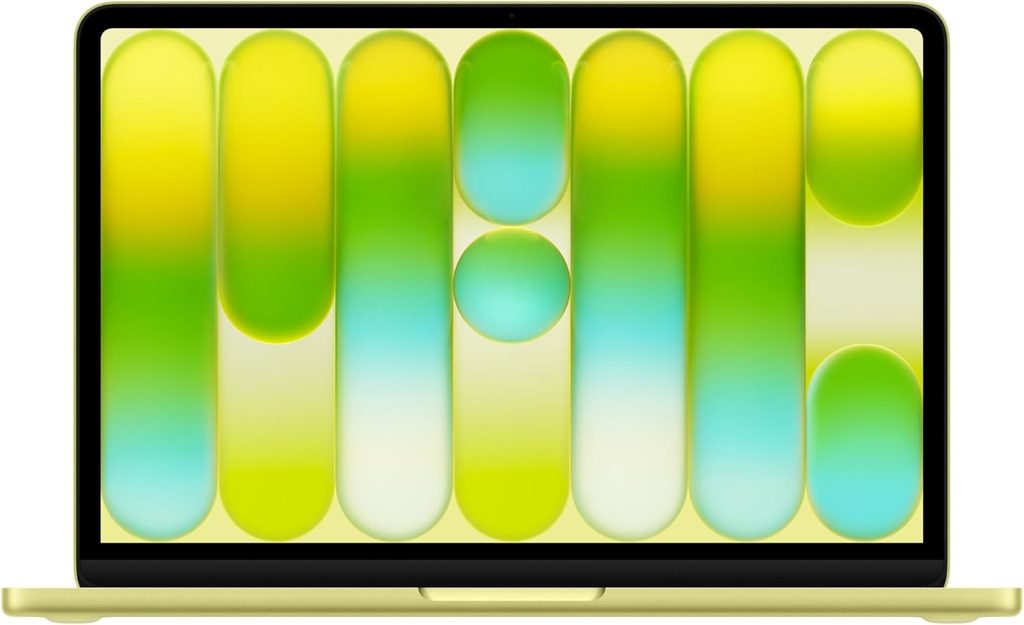
Score: 69/100 Price: $599 for 256GB without Touch ID, $699 for 512GB with Touch ID, $499 with education pricing. Launched March 11, 2026.
Specifications
- Chip: Apple A18 Pro, the same silicon as the iPhone 16 Pro, on TSMC’s 3nm process. Six cores: two performance cores at 4.0GHz and four efficiency cores at 2.4GHz. Notebookcheck measured a 6W short burst limit and 3.8W sustained
- Memory: 8GB LPDDR5-6400, fixed, with no upgrade option at any price
- Storage: 256GB or 512GB, soldered
- Display: 13-inch, 2408×1506, 219 PPI, IPS, 60Hz, sRGB gamut, no True Tone, with an ambient brightness sensor
- Battery: 36.5Wh
- Weight: 1.23 kg / 2.7 lb
- Cooling: Fanless
- Ports: Two USB-C, but the right-hand port runs at USB 2.0 speeds. No Thunderbolt, no MagSafe
- Charging: 20W
- Trackpad: Mechanical clickpad, not Apple’s Force Touch haptic pad
- Webcam: 1080p
Measured results
Sources disagree more here than anywhere else in this guide, and I’d rather show you the spread than smooth it over.
| Test | Result | Source |
|---|---|---|
| Wi-Fi web browsing at 150 nits | 13 h 28 min | Tom’s Guide and Tom’s Hardware |
| 4K video loop | 13 h 57 min | CNN Underscored |
| Real-world light load | 7 h 48 min | Dave2D |
| Real-world heavy load | Under 4 h | Dave2D |
| Display brightness, measured | 452.6 nits | Tom’s Hardware |
| Display brightness, measured | 516 nits | Notebookcheck |
| Display brightness, rated | 500 nits | Apple |
| Flicker (PWM) | None detected | Notebookcheck |
| Geekbench 6 single-core | 3,535 | Tom’s Hardware |
| Geekbench 6, aggregated | 3,412 single / 8,581 multi | NanoReview (crowd-sourced) |
| Cinebench 2024, aggregated | 161 single / 654 multi | NanoReview (crowd-sourced) |
| Charging from empty, 30 min | 22% | Tom’s Hardware |
| Charging from empty, 60 min | 44% | Tom’s Hardware |
| Repairability | Rated Apple’s most repairable laptop yet, with a screwed-in battery, modular ports and no parts pairing | iFixit |
| Notebookcheck overall rating | 86% | Notebookcheck |
Two of those gaps deserve a note. On brightness, Tom’s Hardware got 452.6 nits and Notebookcheck got 516. Panel variation between units is normal and both are bright enough for a lecture hall, so I’d treat roughly 450 to 500 nits as the honest range. On battery, the gap between “13 hours 28 minutes” and “under 4 hours” isn’t a contradiction. It’s a small 36.5Wh cell being extremely efficient at video decode and web browsing and not at all efficient under sustained load. Plan for seven to nine hours of realistic law school work.
The Geekbench single-core figure is the genuinely surprising part. At 3,535, the A18 Pro beats the M3 and comfortably outruns every Snapdragon in this price bracket. Notebookcheck also praised the chassis, the typing experience, the speakers, the display accuracy in sRGB, and confirmed no flicker. The chip is not the problem here.
The two problems
8GB of memory, permanently. Duke Law’s 2026-27 sheet asks for 16GB minimum and specifically says to consider 32GB when the machine can’t be upgraded later. The Neo is 8GB and will never be more. Westlaw, Lexis, a PDF reader, Word and a browser full of tabs is exactly the workload where 8GB starts swapping. You’ll feel it by 2L.
The approval question is unsettled. ExamSoft’s requirements page now lists A18 as a supported chip. Indiana Maurer’s page still says ExamSoft hasn’t confirmed the Neo will run Examplify and that it isn’t recommended until they do. Someone hasn’t updated. Ask your school.
What’s good
- $599, or $499 with education pricing. Nothing else here is remotely close
- Real aluminum Apple build quality and macOS at that number
- Excellent single-core performance for the money
- Fanless and silent, and Notebookcheck rated the display bright with very accurate sRGB color and no flicker
- Around 13 and a half hours of web browsing at 150 nits from a tiny 36.5Wh battery
- iFixit called it Apple’s most repairable laptop yet, which is a first in over a decade
What’s not
- 8GB of RAM forever. For a three-year degree this is the deal-breaker
- Approval status varies by school and is actively in flux
- Notebookcheck specifically flagged short battery life at high brightness, slow charging, temporal dithering and a very reflective screen
- USB 2.0 on one of the two ports, no Thunderbolt, no MagSafe
- 20W charging is slow: 22% in half an hour, 44% in an hour
- No keyboard backlight, and no Touch ID on the base model
- A mechanical clickpad rather than Apple’s Force Touch pad
Who should buy it
Honestly, not many law students. If your budget is genuinely $600 and the alternative is a five-year-old machine, the Neo is a real upgrade and I understand the arithmetic. But if you can stretch to a refurbished MacBook Air M4 or a discounted ThinkPad E14, do that instead. The 8GB ceiling is the kind of decision you regret in month fourteen, not month two.
Everything side by side
| ThinkPad X1 Carbon G14 | ThinkPad E14 Gen 8 | MacBook Air 13 M5 | Zenbook A14 (2026) | MacBook Neo | |
|---|---|---|---|---|---|
| Price | ~$2,249 list | ~$960–$1,265 | $1,099 | $999.99 | $599 / $699 |
| CPU | Core Ultra 5 325 | Ryzen AI 7 345 | Apple M5 | Snapdragon X2 Elite | Apple A18 Pro |
| Architecture | x86 | x86 | ARM (Apple) | ARM (Windows) | ARM (Apple) |
| Memory | 32GB soldered | 16GB, to 64GB | 16GB soldered | 16GB soldered | 8GB fixed |
| Storage | 512GB, replaceable | 512GB, 2 slots | 512GB soldered | 512GB | 256GB / 512GB |
| Screen | 14″ 1920×1200 matte IPS | 14″ 1920×1200 matte IPS | 13.6″ 2560×1664 IPS | 14″ 1920×1200 OLED | 13″ 2408×1506 IPS |
| Measured brightness | 546 nits (NBC) | 420 nits (NBC) | 546 nits (NBC) | 407 nits (Windows Central) | 452.6–516 nits (TH / NBC) |
| Measured contrast | 1800:1 | 1400:1 | 1437:1 | Effectively infinite, 0.01 black | Not published |
| sRGB coverage | 99.1% | 59% | 98.6% | 100% | sRGB gamut, P3 not supported |
| Flicker (PWM) | None | None | None | Not published | None |
| Battery @150 nits | 23 h 13 m (Wi-Fi, NBC) | 13 h 20 m (Wi-Fi, NBC) | 16 h 11 m (Wi-Fi, NBC) | 22 h 25 m (video, TR) | 13 h 28 m (Wi-Fi, TG) |
| Battery @ max brightness | 14 h 14 m (NBC) | 10 h 20 m (NBC) | 6 h 39 m (NBC) | 13–14 h real-world at 50% (DT) | 7 h 48 m light load (Dave2D) |
| Geekbench 6 single | 2,620 | 2,604 | 4,185 | Cinebench 2026: 631 | 3,535 |
| Geekbench 6 multi | 11,038 | 9,100 | 17,072 | Cinebench 2026: 5,740 | 8,581 |
| SSD sequential read | 6,900 MB/s | 6,789 MB/s | 6,473 MB/s | 7,066 MB/s | Not published |
| Noise under load | 38.9 dB(A) | 36.7 dB(A) | Silent | Not published | Silent |
| Weight | 2.51 lb | 3.21 lb | 2.71 lb | 2.18 lb | 2.70 lb |
| Windows 11 Pro | Yes | Yes | n/a | Usually Home | n/a |
| Exam software status | Clear | Clear | Clear | Verify with school | Verify with school |
| My score | 95 | 84 | 83 | 75 | 69 |
NBC = Notebookcheck. TH = Tom’s Hardware. TG = Tom’s Guide. TR = Trusted Reviews. DT = Digital Trends.
The things that actually decide your three years
Lecture hall battery math
Everyone quotes battery at 150 nits because that’s the standardized test. Nobody mentions that 150 nits is dim. In a room with windows you’ll be running 300 to 400 nits, and that’s the number that decides whether you’re hunting for an outlet at three in the afternoon.
Take an ordinary 1L Tuesday. Contracts 9:00 to 10:20. Torts 10:40 to 12:00. Lunch. Civ Pro 1:30 to 2:50. Library until 7:00. That’s about nine hours away from your desk, with maybe seven hours of screen-on time.
- ThinkPad X1 Carbon at maximum brightness: 14 h 14 min. You finish the day near half charge.
- ThinkPad E14 at maximum brightness: 10 h 20 min. You finish around 30%.
- MacBook Air M5 at maximum brightness: 6 h 39 min. You die during the library block.
The Air isn’t a bad laptop. It’s a laptop that wants you to sit around 60% brightness or carry its very light 167-gram charger. Just decide that now instead of discovering it during finals.
Backpack math
A 1L carries roughly this on a normal day. Chemerinsky’s Constitutional Law hardcover runs over five pounds on its own, and a supplement adds another pound and a half. Then there’s the laptop.
| Laptop | Charger | Total | |
|---|---|---|---|
| Zenbook A14 (2026) | 2.18 lb | 0.60 lb (100W) | 2.78 lb |
| MacBook Neo | 2.70 lb | 0.20 lb (20W) | 2.90 lb |
| MacBook Air 13 M5 | 2.71 lb | 0.37 lb (30W) | 3.08 lb |
| ThinkPad X1 Carbon G14 | 2.51 lb | 0.61 lb (65W) | 3.12 lb |
| ThinkPad E14 Gen 8 | 3.21 lb | 0.45 lb (65W) | 3.66 lb |
Charger weights from Notebookcheck’s measurements where published and from manufacturer specifications otherwise.
The spread from lightest to heaviest is under a pound. That sounds trivial on paper. It is not trivial on a fifteen-minute walk across campus, twice a day, six semesters running, on top of six pounds of books. If you commute on foot or by subway, weight should matter more to you than any benchmark on this page.
There’s a second-order effect too. If a machine genuinely lasts a full day, the charger stays in your locker, and that’s where the real weight savings live. Another point for the X1 Carbon.
Your eyes, and 1,000 pages a week
Two measurements matter enormously for people who read for a living, and almost no review puts them up front.
Flicker. Some laptops dim the backlight by switching it on and off very rapidly. Sensitive people get headaches and eye strain from it across long sessions. Notebookcheck tests for this and reports that roughly half the laptops it has measured use it. The good news for this guide: the X1 Carbon’s IPS panel, the ThinkPad E14, the MacBook Air M5 and the MacBook Neo all tested clean. If a screen has ever given you a headache, buy from that list and be cautious with OLED.
Matte versus glossy. Both ThinkPads use matte anti-glare panels. The MacBook Air is glossy but carries an anti-reflective coating Notebookcheck called a visible improvement over typical glossy screens. The Zenbook’s OLED is glossy and the Neo’s panel drew a “very reflective” note from Notebookcheck. In a lecture hall with overhead fluorescents behind you, matte wins and it isn’t a close call.
Brightness. The X1 Carbon and the Air both hit 546 nits. The Neo lands somewhere between 452 and 516. The E14 hits 420. The Zenbook is dimmest at around 379 to 407. All are usable. Anything below roughly 300 nits fights you near a window, which is one more reason to avoid $500 laptops for this particular job.
The Windows 11 Pro trap
This one catches people every single year. Duke Law advises against Home or standard editions of Windows 11 on the grounds that they aren’t fully compatible with an enterprise network and may lack necessary encryption software, and recommends Pro, Enterprise or Education instead. It calls TPM 1.2 or 2 essential for Windows machines because of drive encryption, notes this may mean shopping for a business-class laptop rather than a consumer model, and specifically discourages buying Windows laptops from big-box stores partly because those models may lack TPM.
Both ThinkPads here ship with Windows 11 Pro. Most consumer laptops, including most retail Zenbook configurations, ship with Home. Upgrading later is possible but it’s an errand you don’t want during orientation week.
If your school has a similar policy, that one line quietly eliminates most of the laptops on the shelf at your local electronics store.
What to skip
iPads. NYU states outright that tablets and e-readers don’t meet the exam requirement. ExamSoft does publish an iPad version of Examplify, but your institution has to enable it, and most law schools don’t. Great second screen for reading. Not your primary machine.
Chromebooks. ExamSoft says Examplify does not run on Chromebooks, Android or Linux. Not “runs poorly.” Does not run.
A Windows VM on a Mac. ExamSoft names virtualization as a license violation and blocks it. Buy the operating system you actually need.
Detachable 2-in-1s. ExamSoft carves out the Surface Pro as an exception among tablets, but Santa Clara’s page still says it doesn’t recommend them and requires an external keyboard if you insist. Get a clamshell.
Gaming laptops. Five pounds, three hours unplugged, and a fan that sounds like a hair dryer in a silent library. No.
Paying extra for touch. Examplify won’t accept touch input on Mac or Windows laptops. Save the money and the weight.
How to configure whatever you buy
Memory: 16GB minimum, 32GB if you can’t upgrade later. That’s Duke’s guidance and it’s the right call. Law school is a tab-management degree.
Storage: 512GB. Santa Clara wants 50GB free and recommends 100GB or more. Minnesota wants 100GB or more of total capacity. A 256GB drive holding three years of PDFs and recorded lectures gets tight fast, and Examplify wants headroom to work in.
Warranty: buy the extension, and buy accidental damage coverage. A JD is three years. Standard warranties are one. Duke’s technology center packages typically bundle three or four years of warranty plus accidental damage coverage, which the school describes as real peace of mind. Coffee gets spilled in law libraries with impressive regularity.
Back up weekly, in two places. Duke advises backing up user data at least weekly and warns against relying only on a local backup that can be stolen alongside the laptop. Use OneDrive or iCloud plus something physical. Losing an outline in April is a nightmare you don’t recover from.
Turn off automatic OS updates in September. Miami Law’s page notes that exam software doesn’t support brand-new Windows and macOS releases on day one, and advises turning off auto-update until the exam vendors announce support. This is the highest-value five-minute task on this entire page.
The exam-day dry run
Do this in the first two weeks of the semester, not the night before. It takes twenty minutes.
- Install Examplify from the link your school sends. Not from a search result.
- Confirm you have an administrator account on the machine.
- On Windows, check your build under Settings, System, About. You want 24H2 or 25H2.
- Set display scaling to 100% and look at a page of text. If it’s uncomfortably small, solve that now rather than in December.
- Confirm you are not in Windows S mode.
- Free up at least 50GB, and 100GB if you can.
- Uninstall or disable virtual machine software. If your school uses ExamMonitor, disable virtual cameras and audio tools like OBS or Krisp.
- Take the practice exam your school posts, all the way through, including the upload.
- Turn off automatic OS updates.
- Screenshot the successful upload confirmation. If something goes sideways later, that screenshot is your evidence the machine worked.
If step eight fails, you have three months to fix it instead of three minutes.
Common questions
Either works at most schools. ExamSoft supports Windows 11 and macOS Sonoma, Sequoia and Tahoe. Check your specific school, since some have Windows-specific requirements around TPM and drive encryption for clinic work.
16GB is the working answer. Duke Law’s 2026-27 specifications list 16GB as the minimum and suggest 32GB if the laptop can’t be upgraded later. Examplify itself only requires 4GB, with 8GB recommended for proctored exams, but the exam software isn’t what fills your memory. Your browser is.
Maybe. ExamSoft allows ARM on Windows 11 24H2 or higher with Examplify 3.10.0 or later. But Minnesota’s published minimum is a non-ARM processor, Santa Clara warns Examplify may not run correctly on Snapdragon machines, and Indiana Maurer requires x64. Get written confirmation from your school before you buy.
Where I land
If your school requires Windows and the budget allows, get the ThinkPad X1 Carbon Gen 14 with the matte WUXGA IPS panel. Twenty-three hours unplugged at 150 nits, more than fourteen at full brightness, the best keyboard in the business, Windows 11 Pro and TPM standard, and a palm rest that stays cool under load. Skip the OLED no matter how good it looks in the store, because it costs you half your battery.
If you’re like most students, get the MacBook Air 13″ M5. $1,099 buys a fast, silent, well-supported machine with an excellent screen, and Apple finally made 512GB standard. Just remember it wants to live around 60% brightness.
If money is the binding constraint, get the ThinkPad E14 Gen 8. It’s the only laptop here you can open up and improve later, and across three years that’s worth more than any number on the spec sheet.
And whichever one you pick, send that email to your school’s IT desk before you check out. One question, one reply, saved somewhere you can find it. It’s the cheapest insurance you’ll buy all year.
Sources
Published measurements and policy documents referenced above, all accessed August 2026:
- ExamSoft, Examplify Minimum System Requirements
- Notebookcheck, Flagship business laptop with almost 24 hours of battery life — Lenovo ThinkPad X1 Carbon Gen 14 Review, July 25, 2026
- Notebookcheck, Lenovo ThinkPad E14 G8 review — AMD update for the classic ThinkPad with long battery life, August 4, 2026
- Notebookcheck, Insane performance and efficiency without fans — Apple MacBook Air 13 M5 Entry Review, March 7, 2026
- Notebookcheck, Apple MacBook Neo Review — Surprisingly good and capable laptop for $599 with one big flaw, March 2026
- Tom’s Hardware, Apple MacBook Air (13-inch, M5) review, March 2026
- Tom’s Hardware, Apple MacBook Neo review: a budget-priced game-changer, March 2026
- Tom’s Guide, MacBook Neo review and battery testing, March 2026
- Windows Central, ASUS Zenbook A14 (2026) review, July 2026
- Trusted Reviews, Asus Zenbook A14 (2026) Review, April 2026
- Expert Reviews, Asus Zenbook A14 UX3407NA (2026) review, May 2026
- Digital Trends, ASUS Zenbook A14 (2026) review, August 2026
- 91mobiles, ASUS ZenBook A14 (2026) Review, 2026
- CNN Underscored and Dave2D, MacBook Neo battery testing, March 2026
- iFixit, MacBook Neo teardown, March 2026
- Law school technology policies: Duke University School of Law (Academic Technologies, updated June 29, 2026), New York University School of Law, Indiana University Maurer School of Law, University of Minnesota Law School, Santa Clara University School of Law, University of Miami School of Law
Notebookcheck’s battery figures come from its standardized Wi-Fi web browsing test, run once at 150 nits and again at maximum panel brightness. Display measurements are taken with an X-Rite i1Pro 3 and analyzed in CalMAN. Surface temperatures are measured with a calibrated Fluke t3000FC. Where results from different outlets appear side by side in a table, the testing protocols differ and the numbers should be compared with that in mind.
Prices reflect U.S. listings at the end of August 2026 and change frequently. Law school technology requirements are revised annually. Verify both before you buy.

Hi, my name is Burak. I am a mechanical engineer. I have been writing laptop reviews for the Engineering Laptops website since 2020. Please feel free to contact me if you have any questions.