
Last updated: September 8, 2026
Table of contents
- Why gaming benchmarks are the wrong lens for UE5
- How I picked these five, and where every number comes from
- The five picks at a glance
- The numbers that should drive your decision
- Best Laptop for Unreal Engine 5 Development in 2026: 5 Machines I’d Actually Trust With a Shader Compile
- 1. MSI Raider 16 Max HX (2026) — the fastest UE5 laptop you can buy
- 2. Lenovo Legion Pro 7i Gen 11 — the value pick that keeps up
- 3. Asus ROG Strix Scar 18 (2026) — for people who look at pixels for a living
- 4. Razer Blade 16 (2026) — the only one you’ll actually carry
- 5. Apple MacBook Pro 16 (M5 Max) — the honest Mac option
- Buying advice that’s specific to right now
- Four ways to cut compile times that cost nothing
- Mistakes I see people make
- Frequently asked questions
- The bottom line
- Sources
The short version. If you want the fastest Unreal Engine 5 laptop money can buy today, get the MSI Raider 16 Max HX (2026) with the Core Ultra 9 290HX Plus and a 175 W RTX 5090. If you want roughly the same compile speed for a lot less money, buy the Lenovo Legion Pro 7i Gen 11 with an RTX 5080. If you have to carry the thing, the Razer Blade 16 (2026) is the only machine here that lasts a real workday, and you pay for that with about half the multi-core throughput.
I’ve spent an embarrassing share of my career watching a shader compile progress bar. That’s the honest reason this guide exists. Almost every “best laptop for Unreal Engine” list I read ranks machines by how many frames they push in Cyberpunk, which tells you nearly nothing about what your Tuesday afternoon is going to feel like when you sync a branch and 12,000 shaders decide they need recompiling.
So I built this guide around the part of the day you spend waiting. Five laptops, one per brand, all current 2026 models, every number below pulled from published lab measurements I can point you to. Let’s get into it.
Why gaming benchmarks are the wrong lens for UE5
Gaming and Unreal development stress a machine in almost opposite ways. A game is a short, GPU-heavy sprint. Development is a long, ugly, CPU-heavy grind: shader compilation, code builds, lighting bakes, asset imports, Nanite processing, Derived Data Cache writes. And you’re doing all of that with Blender, Substance, a browser full of tabs, and a version control sync running alongside.
Puget Systems, who build workstations for exactly this workflow, put it plainly: most Unreal development tasks are multi-threaded and scale with core count, and shader compilation specifically is a demanding, cache-sensitive job that can eat hours a week on a big project. Epic’s own numbers point the same direction. Their recommended spec looks modest on paper (quad-core, 32 GB RAM, 8 GB+ VRAM), but if you build the engine from source without a distributed build system, Epic suggests compiling on a machine with 12 to 16 CPU cores.
Which gives us the ranking that actually matters:
- Sustained multi-core CPU throughput. Not peak boost. Sustained, 40 minutes in, fans howling.
- VRAM. 16 GB is the working floor for Lumen plus Nanite plus virtual shadow maps at 1600p with your DCC apps open. 24 GB is comfort.
- RAM capacity and channels. 32 GB minimum, 64 GB is where big worlds stop hurting. And two sticks, not one. I’ll show you exactly what one stick costs you.
- NVMe speed and a free second M.2 slot. Your DDC and Intermediate folders will happily eat 200–400 GB on a serious project.
- A display you can trust, if you touch lighting or materials at all.
- Battery, which is where nearly every big Windows machine here falls over.
Frame rate still matters, obviously. But a laptop that wins a three-minute benchmark and then throttles at minute fifteen is a bad development machine no matter what the marketing says.
How I picked these five, and where every number comes from
I want to be straight with you about this part, because it’s what most roundups hide.
Every measured figure in this article is a published lab result from a named outlet — mostly Tom’s Hardware and Notebookcheck, with additional data from PCWorld, HotHardware, Macworld and MacRumors. I’ve kept comparisons inside a single lab’s dataset wherever possible, because Tom’s battery run (web browsing, video streaming and OpenGL at 150 nits) and Notebookcheck’s suite are not interchangeable. Where I do cross labs, I say so in the table.
The Unreal-specific interpretation is mine. Nobody publishes a standardized “compile the shaders on a 40 GB UE5 project” benchmark across every laptop, so I lean on the closest published proxies: Cinebench R23 multi-core, Blender BMW27 CPU, and the HandBrake 4K-to-1080p transcode. All three are long, all-core, thermally punishing jobs that behave a lot like shader compilation. They’re not identical to it, and I flag that again where it matters.
My selection rules were simple: current 2026 models only, one machine per brand, and every pick had to have at least one full lab review with measured display, thermal and battery data behind it. Minimum spec to even qualify: 16 GB of VRAM, a 24-core-class CPU or Apple Max-tier silicon, and 32 GB of RAM.
One more bit of 2026 context that changes the usual advice: Nvidia’s RTX 50-series Blackwell mobile GPUs are still the newest laptop GPUs available. There was no Super refresh on the laptop side this year. Intel’s Panther Lake (Core Ultra series 3) landed in thin-and-light machines, but the high-power HX socket is still Arrow Lake, refreshed as the Core Ultra 9 290HX Plus. Nothing here is about to be made obsolete by a surprise launch next month.
The five picks at a glance
| Model | CPU | GPU | Display | RAM & upgrade path | Battery | Best for |
|---|---|---|---|---|---|---|
| MSI Raider 16 Max HX (2026) | Core Ultra 9 290HX Plus, 24C/24T | RTX 5090, 24 GB, 175 W | 16″ 2560×1600 OLED, 240 Hz | 32 GB DDR5, 2× SODIMM (to 64 GB+) | 91.8 Wh | Fastest compiles, best all-rounder |
| Lenovo Legion Pro 7i Gen 11 | Core Ultra 9 290HX Plus, 24C/24T | RTX 5080 16 GB or RTX 5090 24 GB | 16″ 2560×1600 OLED, 240 Hz | 32 GB DDR5-8533, 2× SODIMM | 99.9 Wh | Best value per compiled shader |
| Asus ROG Strix Scar 18 (2026) | Core Ultra 9 290HX Plus, 24C/24T | RTX 5090, 24 GB, 175 W | 18″ 3840×2400 mini-LED, 240 Hz | 32 GB DDR5-6400 (ships as 1×32), 2× SODIMM | 90 Wh | Lighting, look-dev, HDR work |
| Razer Blade 16 (2026) | Core Ultra 9 386H, 16 cores | RTX 5090, 24 GB, up to 160 W | 16″ 2560×1600 OLED, 240 Hz | 32 or 64 GB LPDDR5X, soldered | 90 Wh | Devs who actually travel |
| Apple MacBook Pro 16 (M5 Max) | M5 Max, 18-core CPU | 40-core integrated GPU | 16.2″ 3456×2234 Liquid Retina XDR | 36–128 GB unified, soldered | 99.6 Wh | iOS/mobile targets, cinematics, endurance |
The numbers that should drive your decision
Here’s the head-to-head first, because it settles a couple of arguments immediately. Everything in this table comes from Tom’s Hardware, same suite, same team, so the comparison is clean.
| Machine | Geekbench 6 multi | HandBrake 4K→1080p | Battery (150 nits) | Peak brightness | Weight |
|---|---|---|---|---|---|
| MSI Raider 16 Max HX | 20,656 | 1:51 | 8:34 | brightest of the group (OLED) | 5.73 lb |
| Razer Blade 18 (2026) | 20,166 | 2:01 | 5:31 | 538 nits | 7.06 lb |
| Asus ROG Strix Scar 18 | 17,629 | 2:11 | 4:59 | 428.2 nits default / 1,124 nits HDR | 8.16 lb |
| Razer Blade 16 (2026) | 16,971 | 3:17 | 12:46 | 408.2 nits | 4.71 lb |
Source: Tom’s Hardware reviews of each model, 2026.
Two things jump out at me.
First: the Scar 18 gives up 15% of its multi-core score to laptops running the identical CPU. The reason is right there in the spec sheet. Asus shipped the review unit with 32 GB as a single 32 GB stick. One channel. On a $4,999 laptop. For UE5, where shader compile workers and asset streaming are both memory-bandwidth hungry, that’s a self-inflicted wound. It’s fixable for the price of one SODIMM, but nobody should have to fix it.
Second: the Blade 16 needs 77% longer than the Raider on the same transcode. That’s Panther Lake’s Core Ultra 9 386H against a 24-core Arrow Lake HX chip. Notebookcheck’s data tells the same story even more brutally, and that’s the second table.
Notebookcheck lab measurements
| Test | MSI Raider 16 Max HX (290HX Plus, RTX 5090) | Razer Blade 16 2026 (386H, RTX 5090) | Lenovo Legion Pro 7i Gen 10 (275HX, RTX 5080) |
|---|---|---|---|
| Cinebench R23 multi | 40,560 | 20,750 | 36,597 |
| Cinebench R23 single | 2,356 | 2,087 | 2,195 |
| Cinebench 2024 multi | 2,215 | 1,318* | 2,060 |
| Geekbench 6.7 multi / single | 20,699 / 3,149 | 16,903 / 2,886 | 19,081 / 3,052 |
| Blender BMW27 (CPU) | 84 s | 171 s | 90 s |
| Blender Classroom (CPU) | 134 s | 282 s | 148 s |
| Blender Classroom (OptiX / CUDA) | 10 s / 17 s | 10 s / 17 s | 12 s / 18 s |
| 3DMark Time Spy (score) | 22,497 | 21,685 | 21,992 |
| 3DMark Speed Way | 6,182 | 6,189 | 5,918 |
| SSD sequential read (CDM) | 6,977 MB/s | 6,991 MB/s | 6,551 MB/s |
| Display max brightness | 487.2 nits | 462.2 nits | 507.3 nits |
| ColorChecker ΔE / greyscale ΔE | 0.62 / 0.70 | 3.03 / 0.60 | 3.20 / 1.00 (0.84 calibrated) |
| DCI-P3 coverage | 99.3% | 99.7% | 99.5% |
Source: Notebookcheck reviews. *Blade 16 Cinebench 2024 multi derived from its R23 result within the same test set; all other figures are directly measured. The Legion column is Notebookcheck’s Gen 10 unit, which shares the chassis, cooling design, panel and SSD layout of the Gen 11 that’s on sale now. See the Lenovo section for what changed.
My compile-time proxy
Normalising the HandBrake times to the Raider, here’s roughly what an hour of shader compilation on the fastest machine turns into on the others:
| Machine | Multiplier | One hour on the Raider becomes |
|---|---|---|
| MSI Raider 16 Max HX | 1.00× | 60 minutes |
| Razer Blade 18 (2026) | 1.09× | ~65 minutes |
| Asus ROG Strix Scar 18 | 1.18× | ~71 minutes |
| Alienware 16 Area-51 (reference) | 1.30× | ~78 minutes |
| Razer Blade 16 (2026) | 1.77× | ~106 minutes |
Derived from Tom’s Hardware HandBrake 4K→1080p transcode times. This is a proxy, not a UE5 measurement.
Real shader compiles are more cache-sensitive than HandBrake and scale a little differently, so treat the multipliers as directional. But the ordering holds across every sustained multi-core test I could find, and the size of the Blade 16 gap is confirmed independently by Cinebench and Blender. If you compile two hours a day, the thin laptop costs you about an hour of your life daily. That’s the trade, stated plainly.
Best Laptop for Unreal Engine 5 Development in 2026: 5 Machines I’d Actually Trust With a Shader Compile
1. MSI Raider 16 Max HX (2026) — the fastest UE5 laptop you can buy

MSI built this thing to win one argument: 300 W of total system power in a 16-inch chassis, 175 W to the RTX 5090 and up to 125 W to the CPU. It works. Notebookcheck’s verdict was that it delivers 18-inch performance in a 16-inch body, and their testing found it faster than MSI’s own larger Titan 18 HX.
Specifications
- CPU: Intel Core Ultra 9 290HX Plus, 24 cores / 24 threads, 8× Lion Cove P-cores at 5.5 GHz, 16× Skymont E-cores at 4.7 GHz, 215 W PL2 / 152 W PL1
- GPU: GeForce RTX 5090 Laptop, 24 GB GDDR7, 175 W, MUX switch
- Memory: 32 GB DDR5-5600 dual-channel, two SODIMM slots
- Storage: 1 TB Micron 2500 PCIe 4.0, plus one free PCIe 5.0 M.2 slot
- Display: 16″ 2560×1600 Samsung OLED, 240 Hz, DisplayHDR 1000, glossy
- Chassis: 363 × 269.7 × 28.9 mm, 2.655 kg, 91.8 Wh battery, 1.335 kg power brick
- Ports: 2× Thunderbolt 4, 3× USB-A 3.2 Gen 2, HDMI 2.1, SD reader, 2.5 GbE
- Price: from around $2,500 with the RTX 5080, roughly $4,400 as tested with the 5090
Measured performance
| Test | Result | Source |
|---|---|---|
| Cinebench R23 multi / single | 40,560 / 2,356 | Notebookcheck |
| Cinebench 2024 multi / single | 2,215 / 137.2 | Notebookcheck |
| Cinebench 2026 multi / single | 8,911 / 565 | Notebookcheck |
| Geekbench 6 multi / single | 20,656 / 3,231 | Tom’s Hardware |
| Blender BMW27 CPU | 84 s | Notebookcheck |
| Blender Classroom OptiX / CUDA | 10 s / 17 s | Notebookcheck |
| 3DMark Time Spy / Fire Strike | 22,497 / 39,148 | Notebookcheck |
| 3DMark Steel Nomad / Speed Way | 5,710 / 6,182 | Notebookcheck |
| HandBrake 4K→1080p | 1:51 | Tom’s Hardware |
| SSD CrystalDiskMark seq. read / write | 6,977 / 5,988 MB/s | Notebookcheck |
| Display brightness (max / average) | 487.2 / 481.4 nits, 98% uniformity | Notebookcheck |
| Colour accuracy | ColorChecker ΔE 0.62, greyscale ΔE 0.70 | Notebookcheck |
| Gamut | 99.9% sRGB, 99.3% DCI-P3, 87.5% AdobeRGB | Notebookcheck |
| Cyberpunk 2077, 1080p / 1440p Ultra | 161.7 / 111.2 fps | Notebookcheck |
| Battery | 8:34 | Tom’s Hardware |
That display result is the sleeper feature. ΔE 0.62 straight out of the box is calibrated-monitor territory. If you’re authoring materials or grading a cinematic, you aren’t fighting the panel to see what you actually made.
One trap you need to know about. Notebookcheck measured 3DMark Time Spy graphics scores across MSI’s power profiles: 26,009 in Cooler Boost, 25,594 in Apex, 23,905 in Extreme Performance and 23,572 in Balanced. Sitting on the default profile costs you roughly 10% overall. Set Apex or Cooler Boost, put on headphones, get on with your day.
What I like
- Fastest sustained multi-core numbers of any 16-inch laptop currently measured, which maps directly onto shader and code compile time
- Service subpanel gets you into both M.2 slots and both SODIMM slots without stripping the whole base
- A PCIe 5.0 slot sits empty from the factory, perfect for a dedicated DDC and project drive
- 240 Hz OLED with near-reference colour accuracy and DisplayHDR 1000
- 8:34 of battery for a machine with a 175 W 5090 in it is genuinely surprising
What I don’t
- Heavy and thick for a 16-inch machine at 2.655 kg, plus a 1.335 kg brick
- The plastic base flexes; the Alienware and Razer feel more expensive at similar prices
- Very warm CPU temperatures under sustained load, and Cooler Boost is loud
- Glossy panel with no matte option, so glare is real in a bright room
- No G-Sync and no Advanced Optimus
- Ships with a PCIe 4.0 drive despite having a Gen 5 slot sitting right there
My verdict: the best pure Unreal machine on this list. Budget for a second SODIMM to hit 64 GB and a Gen 5 SSD for the empty slot, and you’ve got a portable UE5 workstation with very few excuses left.
2. Lenovo Legion Pro 7i Gen 11 — the value pick that keeps up
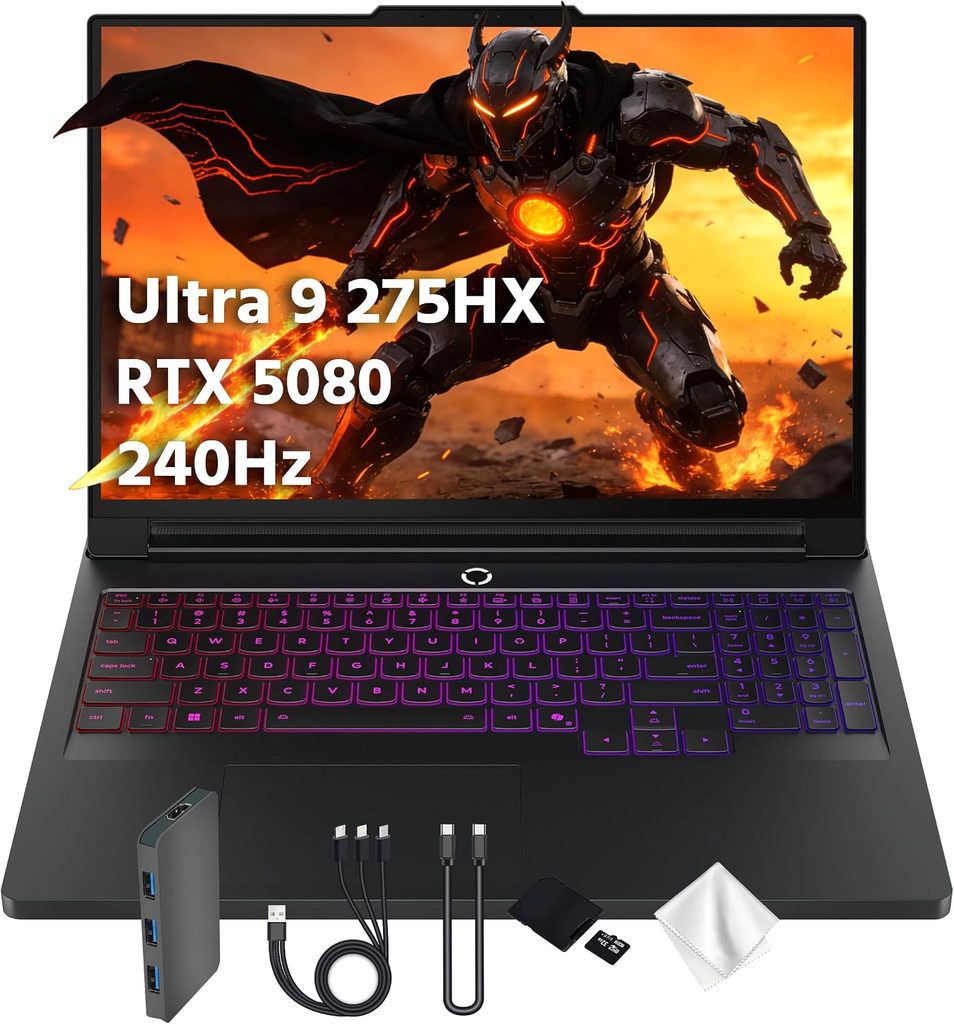
The Legion Pro 7i has been the performance-per-dollar champion for three generations running, and the Gen 11 keeps it going. Jarrod’sTech, who tests more gaming laptops than almost anyone, reported that the 2026 refresh broke their record for best gaming performance thanks to the 290HX Plus. PCWorld, reviewing MSI’s flagship, kept circling back to the same conclusion: the Legion is the better buy for most people.
Specifications (Gen 11)
- CPU: Intel Core Ultra 9 290HX Plus, 24 cores / 24 threads, P-cores to 5.5 GHz
- GPU: RTX 5080 16 GB or RTX 5090 24 GB
- Memory: 32 GB DDR5-8533, two user-accessible SODIMM slots
- Storage: two M.2 slots, one PCIe 5.0 and one PCIe 4.0
- Display: 16″ 2560×1600 OLED, 240 Hz
- Battery: 99.9 Wh, 400 W adapter
- Chassis (Gen 10 baseline): 364.4 × 275.9 × 26.65 mm, 2.643 kg plus a 1.206 kg brick
Measured performance
| Test | Result | Notes |
|---|---|---|
| Cinebench R23 multi / single | 36,597 / 2,195 | Notebookcheck, Gen 10 chassis (275HX) |
| Cinebench 2024 multi / single | 2,060 / 134 | Notebookcheck, Gen 10 |
| Geekbench 6.7 multi / single | 19,081 / 3,052 | Notebookcheck, Gen 10 |
| Blender BMW27 / Classroom CPU | 90 s / 148 s | Notebookcheck, Gen 10 |
| Blender Classroom OptiX / CUDA | 12 s / 18 s | Notebookcheck, Gen 10 with RTX 5080 |
| 3DMark Time Spy / Speed Way | 21,992 / 5,918 | Notebookcheck, Gen 10 with RTX 5080 |
| PCMark 10 | 9,153 | Notebookcheck, Gen 10 |
| SSD seq. read / write (CDM) | 6,551 / 6,157 MB/s | Notebookcheck, Gen 10, PCIe 4.0 drive |
| Display brightness (max / average) | 507.3 / 497.8 nits, 97% uniformity | Notebookcheck, same panel family |
| HDR brightness | 970 nits measured | Notebookcheck |
| Colour accuracy | ColorChecker ΔE 3.2 (0.84 calibrated), greyscale ΔE 1.0 | Notebookcheck |
| Gamut | 100% sRGB, 99.5% DCI-P3, 94.4% AdobeRGB | Notebookcheck |
| Fan noise, idle / gaming load | 22.9 dB(A) / 53.9 dB(A) | Notebookcheck |
| CPU under Prime95 | 95 °C at ~156 W, stable 3.9 GHz | Notebookcheck |
| Battery, office workload | ~5.5 hours with the dGPU disabled | 2026 Gen 11 review testing |
I’m being deliberately transparent here: the big labs haven’t yet run the Gen 11 through the full suite, so most of the measured figures above come from Notebookcheck’s Gen 10 unit, which shares the chassis, cooling architecture, panel and slot layout. The Gen 11 swaps in the 290HX Plus (worth roughly 8–14% in multi-core depending on the reviewer) and faster DDR5-8533 memory. Read the table as a floor, not a ceiling.
Why it earns the spot. DDR5-8533 is the fastest memory in this group by a wide margin, and bandwidth is one of the quiet levers on compile throughput. The 99.9 Wh battery is the largest you’re allowed to fly with. And the pricing is consistently the most aggressive of any flagship here.
The thermal note nobody else mentions. Reviewer Matthew Moniz, testing the 290HX Plus across several chassis, found it hitting 100–103 °C and throttling under sustained load, while the older 275HX sat in the low 90s. In gaming that barely matters, because the CPU isn’t pinned. In a 45-minute shader compile it matters enormously. That’s exactly why I’d take a big chassis over a thin one with the same chip, and why I’d point most people at the RTX 5080 configuration: less GPU heat dumped into a shared thermal envelope means more headroom for the CPU to hold its clocks.
What I like
- Best price-to-compile-throughput ratio in this group, and it gets discounted hard and often
- 99.9 Wh battery, the biggest you can legally carry onto a plane
- DDR5-8533 in two accessible slots, upgradeable to 64 GB
- PCIe 5.0 and PCIe 4.0 M.2 slots, so DDC and project files can live on separate drives
- Excellent OLED with measured 970-nit HDR, plus G-Sync and Advanced Optimus
- The best keyboard on any Windows gaming laptop, no argument from me
What I don’t
- 2.6 kg plus a 400 W brick, so nearly 3.9 kg of carry weight
- Around 5.5 hours of light-use battery, and performance is heavily throttled unplugged
- Getting to the RAM and SSD means removing an inner aluminium plate and a fan connector
- CPU stabilises around 95 °C under Prime95 even with the oversized vapour chamber
- Glossy panel, and the side ports sit too far forward and tangle with your mouse hand
My verdict: if you’re spending your own money rather than a studio’s, this is the one. Buy the RTX 5080 version and put the savings into 64 GB of RAM and a bigger SSD.
3. Asus ROG Strix Scar 18 (2026) — for people who look at pixels for a living

Everything about this machine is aimed at your eyes. The 18-inch mini-LED panel runs 3840×2400 at 240 Hz with around 2,000 dimming zones and G-Sync, and in HDR, Tom’s measured 1,124 nits at a 10% window, 1,090 nits at 40% and 943 nits at full field. If you’re doing lighting, look-dev or HDR-targeted cinematics, that’s a real tool, because you can actually see what your Lumen setup is doing in the highlights instead of guessing.
Specifications
- CPU: Intel Core Ultra 9 290HX Plus, 24 cores / 24 threads
- GPU: RTX 5090, 24 GB GDDR7, 175 W maximum graphics power
- Memory: 32 GB DDR5-6400, shipped as a single stick, two SODIMM slots
- Storage: 1 TB PCIe 4.0, two M.2 slots
- Display: 18″ 3840×2400 mini-LED, 240 Hz, G-Sync, anti-glare
- Chassis: 399 × 298 × 35 mm, 3.7 kg, 90 Wh battery, 450 W adapter
- Ports: 2× Thunderbolt 5, 3× USB-A 3.2 Gen 2, HDMI 2.1, 2.5 GbE
- Price: $4,299 with the RTX 5080, $4,999 with the RTX 5090
Measured performance
| Test | Result | Source |
|---|---|---|
| Geekbench 6 multi | 17,629 | Tom’s Hardware |
| HandBrake 4K→1080p | 2:11 | Tom’s Hardware |
| 25 GB file transfer | 2,042.69 MB/s | Tom’s Hardware |
| Metro Exodus, 15-loop stress | 141 fps average, 141.5 → 141.1 across runs | Tom’s Hardware |
| CPU / GPU temperature under stress | 66 °C / 64 °C average | Tom’s Hardware |
| Surface temperatures | 91 °F keyboard, 90 °F touchpad, 108 °F underside | Tom’s Hardware |
| Brightness, SDR default / multi-zone strong | 428.2 / 584.6 nits (peaks 625) | Tom’s Hardware |
| Brightness, HDR 10% / 40% / 100% | 1,124 / 1,090 / 943 nits | Tom’s Hardware |
| DCI-P3, default settings | 77.9% | Tom’s Hardware |
| Battery | 4:59 | Tom’s Hardware |
Look at that stress test again: 141.5 fps on the first loop and 141.1 fps on the fifteenth, with the CPU at 66 °C and the GPU at 64 °C. That’s the most thermally stable machine in this group by a distance. For long editor sessions and overnight bakes, that steadiness is worth more to me than a headline benchmark score.
What I like
- The best display on any laptop for lighting and HDR work, with real measured 1,000-plus-nit output
- Superb thermal stability; essentially zero drift across a 15-loop stress run
- Tool-less bottom panel, two M.2 slots, two SODIMM slots, replaceable battery
- Thunderbolt 5, 2.5 GbE and five programmable macro keys
- Quiet enough that fan noise doesn’t take over the room
What I don’t
- Single-channel RAM as shipped, costing roughly 15% of multi-core performance against identical hardware
- No PCIe 5.0 SSD at $4,999
- 3.7 kg, and it will not fit on an economy tray table
- The display needs a maze of Armoury Crate settings before it performs as advertised
- Soft, washed-out webcam
- 4:59 of battery
My verdict: buy it for the screen, then add a second matching SODIMM the day it arrives. With dual-channel memory and a Gen 5 drive it goes from frustrating to excellent. Out of the box, it’s the most expensive way to leave performance on the table.
4. Razer Blade 16 (2026) — the only one you’ll actually carry
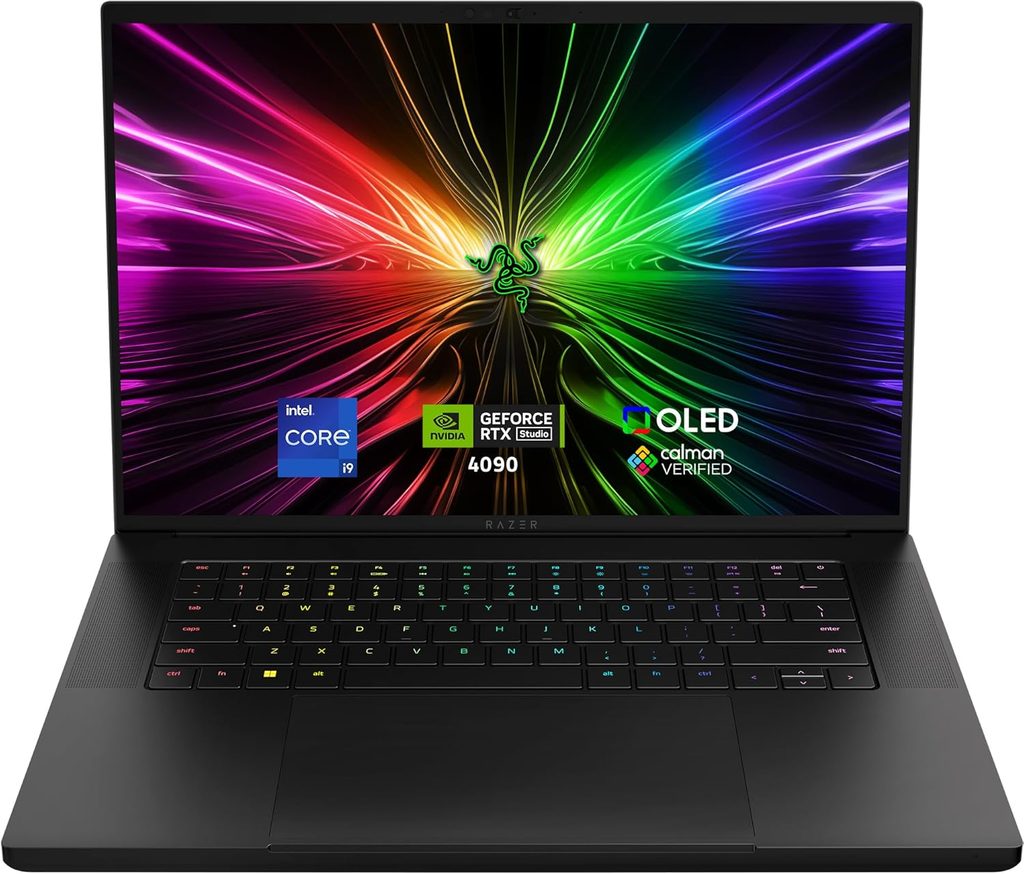
Razer moved this year’s Blade 16 to Intel’s Panther Lake Core Ultra 9 386H, a 16-core chip running at roughly 25 W, and paired it with an RTX 5090 fed up to 160 W inside a 0.69-inch chassis. The result is the most interesting trade-off on this list, and the one I’d think hardest about.
Specifications
- CPU: Core Ultra 9 386H, 16 cores (4 P + 8 E + 4 low-power E), 4.9 GHz max
- GPU: RTX 5090, 24 GB GDDR7
- Memory: 32 GB LPDDR5X-9600, soldered; 64 GB only at order time
- Storage: 2 TB Lexar NM790 PCIe 4.0, second M.2 slot free
- Display: 16″ 2560×1600 OLED, 240 Hz
- Chassis: 355 × 250.5 × 17.4 mm, 2.14 kg (4.71 lb), 90 Wh battery, 280 W adapter
- Ports: Thunderbolt 5, Thunderbolt 4, 3× USB-A, HDMI 2.1, UHS-II SD reader
- Price: $3,499 with RTX 5070 Ti, $3,999 with RTX 5080, $4,899 with RTX 5090
Measured performance
| Test | Result | Source |
|---|---|---|
| Geekbench 6 multi / single | 16,971 / 2,895 | Tom’s Hardware |
| Cinebench R23 multi / single | 20,750 / 2,087 | Notebookcheck |
| Blender BMW27 / Classroom CPU | 171 s / 282 s | Notebookcheck |
| Blender Classroom OptiX / CUDA | 10 s / 17 s | Notebookcheck |
| 3DMark Time Spy / Speed Way | 21,685 / 6,189 | Notebookcheck |
| HandBrake 4K→1080p | 3:17 | Tom’s Hardware |
| 25 GB file transfer | 1,735.09 MB/s | Tom’s Hardware |
| SSD sequential read | 6,991 MB/s | Notebookcheck |
| Metro Exodus, 15-loop stress | 133.39 fps average, GPU at 1.95 GHz | Tom’s Hardware |
| CPU / GPU under load | 75.3 °C / 87 °C | Tom’s Hardware |
| Surface temperatures | 102 °F keyboard, 92 °F touchpad, 130 °F underside | Tom’s Hardware |
| Display brightness / gamut | 408.2 nits, 90% DCI-P3, 127% sRGB | Tom’s Hardware |
| Colour accuracy | ColorChecker ΔE 3.03, greyscale ΔE 0.60 | Notebookcheck |
| Battery | 12:46 | Tom’s Hardware |
Where it wins. GPU work is basically uncompromised. Time Spy of 21,685 and Speed Way of 6,189 put it within a couple of percent of the much larger Raider, and its Blender OptiX render times are identical. Viewport performance, Lumen, Nanite, texture bakes, anything leaning on the GPU runs like a desktop. Then it goes almost thirteen hours on a charge, which nothing else here comes close to.
Where it loses. Cinebench R23 multi of 20,750 against the Raider’s 40,560. Blender Classroom on CPU at 282 seconds against 134. If shader compiles and C++ builds are your daily reality, this laptop costs you real hours. And the RAM is soldered, so 32 GB is 32 GB forever. For UE5 in 2026 I’d call 32 GB the floor, not a comfortable place to settle.
What I like
- 12:46 of battery in a machine with a 5090 in it, which is close to absurd
- Beautiful OLED, superb build, and a design that doesn’t scream “gamer” in a client meeting
- Full-fat GPU performance despite the thin chassis
- Thunderbolt 5, SD card reader, and a second M.2 slot sitting empty
- The one machine here you can genuinely work on in a café or on a plane
What I don’t
- Roughly half the multi-core throughput of the HX machines, which is exactly the wrong half for Unreal
- Soldered memory, so order 64 GB up front or live with 32 GB permanently
- The fans are loud under load despite the elegant exterior
- Nearly $5,000 as tested, with no haptic trackpad at that price
- 130 °F underside, so it’s a desk machine when it’s working hard
My verdict: buy it if you’re an artist, a technical designer, a client-facing dev, or someone who works from three locations a week. Don’t buy it if your day is compile-wait-compile. If you love Razer but live in the compile loop, the Blade 18 (2026) is the same brand’s answer, with a Geekbench 6 multi of 20,166, a 2:01 HandBrake time and 5:31 of battery, at 3.2 kg.
5. Apple MacBook Pro 16 (M5 Max) — the honest Mac option

I went back and forth on putting a Mac in a UE5 guide. Here’s the case for and the case against, with no marketing on either side.
Specifications
- Chip: M5 Max, 18-core CPU, 40-core GPU, up to 128 GB unified memory, up to 8 TB SSD
- Display: 16.2″ 3456×2234 Liquid Retina XDR mini-LED, 1,000 nits sustained SDR and XDR, 1,600 nits peak HDR, full P3, optional nano-texture glass
- Ports: 3× Thunderbolt 5, HDMI, SDXC, MagSafe 3
- Battery: 99.6 Wh
- Released: March 11, 2026
Measured performance
| Test | Result | Source |
|---|---|---|
| Geekbench 6 single / multi | 4,268 / 29,233 | MacRumors, AppleInsider |
| Geekbench 6 Metal (GPU) | ~232,718 | Public Geekbench results |
| Cinebench 2026 single / multi / GPU | 722 / 9,426 / 94,035 | Macworld |
| Battery, Wi-Fi at 150 nits | 18.5 hours | Notebookcheck, 16-inch M5 chassis |
| Battery, full brightness | 6.6 hours | Notebookcheck |
| Sustained CPU power draw | 72 W peak, 62 W sustained | Notebookcheck |
For context, Notebookcheck’s Cinebench 2026 multi result for the MSI Raider was 8,911. The M5 Max posts 9,426 in the same benchmark from a different lab, at a fraction of the power draw. On raw CPU this thing is genuinely competitive with the fastest x86 laptop silicon on the market.
Now the part the spec sheet won’t tell you. Unreal Engine 5.8 shipped in June 2026, and Epic has steadily closed the macOS gap: Nanite runs on M2 and newer through the SM6 Metal path without special builds. But you’re still developing on the minority platform. No CUDA, so a chunk of third-party GPU renderers and ML tooling are off the table. No DLSS. Windows and console packaging still needs a Windows machine somewhere in your pipeline. Plugin coverage is thinner, and you will occasionally be the first person to hit a Metal-specific bug.
There’s a hardware trap too: get the 16-inch, not the 14-inch. Notebookcheck tested the same M5 Max chip in both chassis and their 14-inch review lists severe thermal throttling and inconsistent CPU performance among the cons. The bigger body is the one that can actually feed the chip.
What I like
- Elite CPU performance with 15–18 hours of real battery life, which nothing on the Windows side approaches
- Up to 128 GB of unified memory, so enormous scenes and local AI tooling both fit
- The best-calibrated display here, with reference modes for BT.709, BT.2020, HDR10 and P3-DCI built into the OS
- Silent under most loads, cool on the lap, one Thunderbolt 5 dock away from a full desk setup
- Holds resale value in a way no gaming laptop ever does
What I don’t
- No CUDA, no DLSS, no parity with the Windows, PC and console pipeline
- Zero upgradeability, and Apple’s memory and storage pricing is punishing
- Still a second-class Unreal platform for plugins and tooling
- 12-month warranty and essentially no user serviceability
- Wrong machine entirely if you ship PC or console titles as your primary target
My verdict: excellent if you’re targeting iOS, Vision Pro or mobile, doing cinematics and virtual production prep, or you’re a hybrid artist who lives in DCC apps and treats Unreal as one tool among several. Not the machine if UE5 for PC or console is your main job.
Buying advice that’s specific to right now
A few 2026 quirks change the standard advice.
Memory and storage prices are ugly. The DRAM and NAND market has been squeezed hard all year, and RTX 50-series street prices climbed sharply over the summer. The practical consequence: configure more RAM and storage at purchase than you normally would, because aftermarket sticks aren’t the bargain they used to be. That said, still buy machines with SODIMM slots. Soldered means locked out entirely.
Don’t wait for the next GPU generation. RTX 50 mobile is still current and there was no laptop Super refresh. If you need a machine now, buy now.
RTX 5080 versus 5090. At 1600p the 5090’s lead over a well-powered 5080 is smaller than the price gap suggests. Look at Time Spy: the Legion’s RTX 5080 scored 21,992 against the Raider’s 5090 at 22,497. The real argument for the 5090 is 24 GB of VRAM versus 16 GB. If you work with 8K textures, dense Nanite scenes, virtual production or multiple 4K displays, take the 24 GB. Otherwise a 5080 plus 64 GB of system RAM plus a bigger SSD beats a stripped 5090 configuration every single time.
My configuration priority, in order: 64 GB RAM → 2 TB or larger NVMe → RTX 5080/5090 → CPU tier → everything else.
Four ways to cut compile times that cost nothing
Hardware is half of it. The other half is setup, and most people skip it.
- Set up a shared Derived Data Cache. On a team, a shared DDC means you download compiled shaders instead of compiling them. It’s the single biggest iteration win available and it’s free.
- Use Unreal Build Accelerator. UBA distributes builds across machines you already own, including that idle desktop under your desk, and its agents run on both Intel and Apple Silicon.
- Give your DDC and Intermediate folders their own drive. This is exactly why that empty second M.2 slot matters. OS and engine on the boot drive, project and cache on the second.
- Never leave the machine on the default balanced profile. Notebookcheck measured about a 10% overall drop on the Raider between Cooler Boost and Balanced, and 13% on the Legion between Performance and Balanced. Over a year of compiles, that’s days of your life.
Mistakes I see people make
- Buying for frame rate. The GPU is the least likely bottleneck in your actual working day.
- Accepting a single RAM stick. Check the listing. If it says 32 GB and there are two slots, ask whether that’s 1×32 or 2×16. The Scar 18 shows exactly what it costs.
- Buying 8 or 12 GB of VRAM to save money. You’ll hit the wall on your first serious Nanite scene with Lumen and virtual shadow maps enabled.
- Ignoring the power brick. A 400–450 W adapter weighs over 1.2 kg. Factor that into the word “portable.”
- Trusting peak numbers. Ask what happens at minute 40. That’s why the Scar 18’s flat 15-loop result and the 290HX Plus throttling reports matter more to me than any single score.
Frequently asked questions
How much VRAM do I need for Unreal Engine 5?
16 GB is the practical minimum for comfortable Lumen and Nanite work at 1600p with other apps open. 24 GB gives you headroom for virtual production, 8K textures and multi-monitor setups. Epic’s official 8 GB recommendation will run the editor, but it won’t feel good on a real project.
Is 32 GB of RAM enough for UE5 development?
It’s the floor. 64 GB is where large worlds, long lighting builds and heavy multitasking stop hurting. Puget Systems’ rule of thumb is 32 GB for most users and 64 GB or more for RAM-intensive work, and developers who compile constantly often run far past that.
Which laptop CPU compiles shaders fastest right now?
The Intel Core Ultra 9 290HX Plus, a 24-core Arrow Lake HX refresh. In a well-cooled chassis it posted 40,560 in Cinebench R23 multi-core, roughly double what Panther Lake thin-and-light chips manage.
Can you develop Unreal Engine 5 on a MacBook?
Yes, and it’s far better than it was two years ago. Nanite runs on M2 and newer through the SM6 Metal path, and Epic keeps closing the parity gap. You still lose CUDA, DLSS and direct Windows and console packaging, so most PC and console studios keep a Windows machine in the loop.
Do I need a 4K laptop screen?
No, and I’d argue against it on a 16-inch machine. 2560×1600 is the sweet spot: the RTX 5090 Laptop is happier driving it and editor UI scaling is cleaner. The exception is the Scar 18, where 18 inches makes 4K genuinely useful.
Is a gaming laptop fine for professional Unreal work?
Yes. The main differences from a mobile workstation are ISV certification and pro drivers, neither of which Unreal requires. What you do want is a big chassis, two SODIMM slots, two M.2 slots, and a manufacturer that gives the CPU real sustained power.
How long do these machines last before they feel slow?
Judging by how the 2025 Legion Pro 7i still trades blows with 2026 hardware, a 24-core HX chip with 16 GB of VRAM and 64 GB of RAM should carry a working UE5 developer comfortably for three to four years, especially if you keep a drive free for cache and can add memory later.
The bottom line
- Best overall for Unreal Engine 5: MSI Raider 16 Max HX (2026). Fastest sustained CPU throughput, a near-reference OLED, and enough expansion to grow with your project.
- Best value: Lenovo Legion Pro 7i Gen 11 with the RTX 5080. Same CPU class, faster memory, bigger battery, considerably less money.
- Best display for lighting and look-dev: Asus ROG Strix Scar 18 (2026), as long as you add that second RAM stick on day one.
- Best portable: Razer Blade 16 (2026), with clear eyes about the compile penalty.
- Best Mac: MacBook Pro 16 with M5 Max, for mobile targets, cinematics, and anyone who values 18 hours unplugged over CUDA.
Buy for the part of the day you spend waiting. That’s the whole philosophy here, and it’s served me better than any spec sheet ever has.
Sources
- Tom’s Hardware — Razer Blade 16 (2026) review
- Tom’s Hardware — Razer Blade 18 (2026) review
- Tom’s Hardware — Asus ROG Strix Scar 18 (2026) review
- Tom’s Hardware — MSI Raider 16 Max HX review
- Tom’s Hardware — HyperX Omen Max 16 review
- Tom’s Hardware — Best Gaming Laptops 2026
- Tom’s Hardware — Best of CES 2026
- Notebookcheck — MSI Raider 16 Max HX review
- Notebookcheck — Razer Blade 16 (2026) review
- Notebookcheck — Lenovo Legion Pro 7i 16 Gen 10 review
- Notebookcheck — Lenovo Legion Pro 7i 16 Gen 11 (RTX 5090) specs and reviews
- Notebookcheck — Lenovo Legion Pro 7i 16 Gen 11 (RTX 5080) specs and reviews
- Notebookcheck — Apple MacBook Pro 16 (2026) review
- Notebookcheck — Apple MacBook Pro 14 (2026) M5 Max
- Notebookcheck — Best gaming laptops ranking
- PCWorld — MSI Raider 16 Max HX review
- PCWorld — Lenovo Legion Pro 7i 16 Gen 10 review
- HotHardware — MSI Raider 16 Max HX review
- Macworld — MacBook Pro 16-inch M5 Max review
- MacRumors — M5 Max Geekbench results
- AppleInsider — M5 Max benchmark analysis
- Matthew Moniz — Lenovo Legion 9i (2026) review and 290HX Plus thermals
- Puget Systems — Hardware recommendations for Unreal Engine
- Puget Systems — Best workstations for Unreal Engine in 2026
- Puget Systems — Choosing the right CPU for Unreal Engine
- Epic Games — Unreal Engine 5.8 release announcement
- Epic Games — Unreal Engine 5.8 release notes
- Epic Games — Unreal Engine on macOS feature parity progress report
- Epic Games — Hardware ray tracing in Unreal Engine
- MSI — Raider 16 Max HX product page
- Asus ROG — Strix SCAR 18 (2026) product page

Hi, my name is Burak. I am a mechanical engineer. I have been writing laptop reviews for the Engineering Laptops website since 2020. Please feel free to contact me if you have any questions.