Last updated: November 18, 2026
Table of contents
- Quick Picks
- What Makes a Laptop “Good for Bed”? My 6 Bedtime Questions
- Best Laptops for Light & Back Sleepers (2026): Silent, Dim & Cool
- 1. Apple MacBook Air 13 (M5) : Best Laptop for Light Sleepers
- 2. Asus Zenbook A14 (Snapdragon X2 Elite) : Best Laptop for Back Sleepers
- 3. Lenovo Yoga 9i 2-in-1 Aura Edition 14 Gen 11 : Best Convertible for Reclining
- 4. Microsoft Surface Laptop 8 (13.8-inch) : Best Flicker-Free Windows Touchscreen
- 5. Dell XPS 14 (2026, Core Ultra 7 355, IPS) : Best Battery Life and Matte Screen
- Side-by-Side Comparison
- My Bedtime Score: Ranking All Five for Night Use
- My 5-Minute “Bedtime Setup” for Any Laptop
- How I Put This Guide Together
- FAQ
- Final Thoughts
- Sources
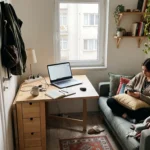
It’s 11:48 p.m. The room is dark, my partner’s been asleep for an hour, and I’ve got one last email to answer. I open the laptop and the screen hits me like a flashlight in the face. Then, right when I start typing, the fan kicks on with that thin, rising whine, like a tiny hair dryer somewhere under the blanket.
She rolls over. She sighs. That’s all, but I know exactly what it means.
If you’ve been there, you already know the usual “best laptop” lists won’t help. They tell you which machine renders a 3D scene four seconds faster. They don’t tell you which one stays silent at midnight, which screen dims down to almost nothing, or which one won’t make your stomach feel like it’s holding a heating pad when you’re lying on your back watching a show.
Here’s something I didn’t expect when I started digging into lab data: the difference between the dimmest screen and the brightest “dimmest” screen in this guide is more than 12x. One laptop dims to 2.1 nits. Another refuses to go below 26.5 nits. In a pitch-black bedroom, that’s the difference between a soft glow and a lamp. Nobody prints that number on the box.
So I built this guide around bedtime. Five laptops from five different brands, every one of them the newest generation you can buy as of November 2026, judged on the things that actually matter when you’re horizontal in the dark.
Quick Picks
| Award | Laptop | Why |
|---|---|---|
| Best overall for light sleepers | Apple MacBook Air 13 (M5) | No fan, so it can’t make noise. Dims to 2.1 nits, no flicker |
| Best for back sleepers | Asus Zenbook A14 (Snapdragon X2 Elite) | Just 992 g, and its Whisper mode tops out at 28.1 dB(A) |
| Best 2-in-1 for reclining | Lenovo Yoga 9i 2-in-1 Aura Edition Gen 11 | 360° hinge and tent mode keep the laptop off your body |
| Best flicker-free Windows touchscreen | Microsoft Surface Laptop 8 (13.8″) | No PWM, dims to 2.1 nits, fan is usually off |
| Best battery + matte screen | Dell XPS 14 (2026, Core Ultra 7 355) | 20h41m web battery result, no bottom vents to block |
What Makes a Laptop “Good for Bed”? My 6 Bedtime Questions
I ignored the marketing and asked the same six questions about every laptop:
- How loud is it? I looked at the quiet mode and at full load, measured in dB(A).
- How dim does the screen go? This is the minimum brightness in nits, and it’s the most overlooked spec in the whole category.
- Does the screen flicker? Many OLED panels use PWM dimming, and the flicker usually gets worse as you turn brightness down. That’s exactly what you do at night.
- How hot does the bottom get? If it’s resting on your stomach or thighs, the underside temperature matters more than the CPU temperature.
- How heavy is it? Holding 3+ pounds over your face gets old fast. So does having it sit on your chest.
- How far does the hinge go? A 360° convertible can stand on the mattress in tent mode, so nothing rests on you at all.
Why decibels matter so much here
The World Health Organization’s Guidelines for Community Noise say continuous background noise in a bedroom should stay at or below about 30 dB(A) for good sleep. They also say individual noise events above 45 dB(A) should be avoided. The WHO notes that measurable effects on sleep begin at around 30 dB.
Keep those two numbers, 30 and 45, in mind while you read the noise results below. They’re the most useful yardstick I found.
One important detail: the lab I lean on most for noise, Notebookcheck, measures from 15 cm (about 6 inches) away. Your partner’s head is a lot farther than that. In open-air physics, sound drops roughly 6 dB every time you double the distance, so going from 15 cm to 60 cm cuts about 12 dB. Bedrooms have walls and pillows that reflect sound, so treat that as a rough estimate, not a guarantee. Still, it means the lab numbers are the worst case, not the typical case.
Why minimum brightness matters
A well-known 2015 study in PNAS (Chang, Aeschbach, Duffy and Czeisler) compared reading on a light-emitting e-reader before bed with reading a printed book. The screen readers took longer to fall asleep and had less melatonin in the evening. Their body clock shifted later, and they felt less alert the next morning.
You don’t have to give up your laptop at night. But you’ll want a screen that can go really dim and a warm color setting. That’s why I treat minimum nits as a headline spec in this guide.
Best Laptops for Light & Back Sleepers (2026): Silent, Dim & Cool
1. Apple MacBook Air 13 (M5): Best Laptop for Light Sleepers
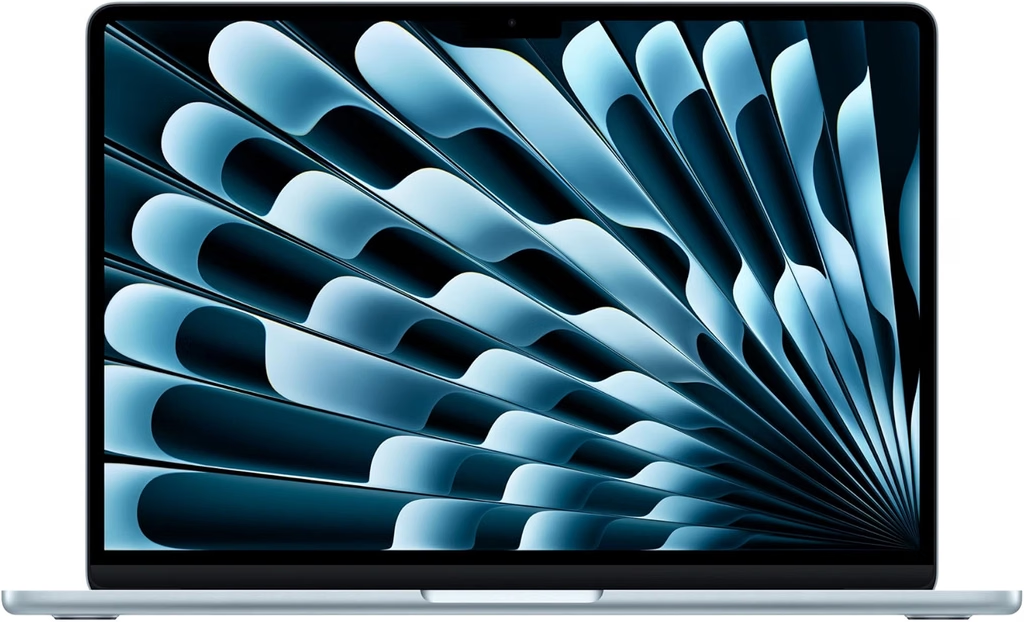
The short version: If the sound of a fan is your enemy, this is the end of the search. The MacBook Air has no fan at all, so it’s 0 dB, whether you’re scrolling Reddit or exporting 200 photos.
Key Specs
- Processor: Apple M5, 10 cores (4 performance + 6 efficiency)
- Graphics: 8-core M5 GPU on the base model; higher configs get 10 cores
- Memory / Storage: 16 GB unified memory / 512 GB SSD (base)
- Display: 13.6-inch IPS (Liquid Retina), 2560 x 1664, 60 Hz, rated at 500 nits
- Weight: 1.23 kg (2.71 lb)
- Thickness: 11.3 mm
- Battery: 53.8 Wh
- Ports: MagSafe, 2x Thunderbolt/USB-C, 3.5 mm headphone jack
- Wireless: Wi-Fi 7, Bluetooth 6
- Starting price: $1,099
Lab Results
| Test | Result | Source |
|---|---|---|
| Cinebench 2024 (single / multi) | 200 / 957 | Notebookcheck |
| Geekbench 6 (single / multi) | 4,185 / 17,072 | Notebookcheck |
| 3DMark Steel Nomad Light | 4,405 | Notebookcheck |
| 3DMark Wild Life Extreme | 9,617 | Notebookcheck |
| SSD (Blackmagic, read / write) | 6,473 / 6,559 MB/s | Notebookcheck |
| Max brightness | 546 nits | Notebookcheck |
| Minimum brightness | 2.1 nits | Notebookcheck |
| Contrast | 1,437:1 | Notebookcheck |
| Color gamut | 98.6% sRGB, 98.1% Display P3 | Notebookcheck |
| PWM flicker | None detected | Notebookcheck |
| Fan noise | 0 dB (fanless) | N/A, no fan |
| Underside temp, max load (peak / avg) | 42.4°C (108°F) / 37.8°C (100°F) | Notebookcheck |
| Underside temp, idle (avg) | 23.4°C (74°F) | Notebookcheck |
| Wi-Fi battery test (150 nits) | 16h 11m | Notebookcheck |
| Mixed-use battery test (150 nits) | 15h 28m | Tom’s Hardware |
| 4K video loop | 16h 38m | CNN Underscored |
Why I picked it
Silence is the obvious win, but the screen is what really sold me for bedtime. Notebookcheck measured it dimming all the way down to 2.1 nits with no PWM flicker. That’s about as gentle as a laptop screen gets in a dark room.
At idle, the underside sits at room temperature, around 23°C. Even under a full stress test, it peaked at 42.4°C. That’s warm, but it’s not “move it off me right now” hot.
It’s also seriously fast for its size. The M5 posted the best single-core CPU scores in this group, and its SSD is about twice as fast as the previous generation’s.
One extra tip for Mac users who want it even darker: macOS has a Reduce White Point setting under Accessibility. It dims the screen beyond the normal brightness slider. Turn on Night Shift too and you’ve got the most bedroom-friendly screen here.
The catch
No fan means it has to slow itself down during long, heavy jobs. Tom’s Hardware ran Cinebench 2026 in a loop and watched the score start at 3,415 and settle in the low 2,300s. For email, streaming, writing and photo edits, you’ll never notice. For 45-minute video exports, you will.
The screen also tops out at 60 Hz, and the IPS panel can’t show true black like an OLED can.
Pros
- Truly silent, 0 dB under any load
- Dims to 2.1 nits with zero PWM flicker
- Cool underside at idle and in light use
- Class-leading single-core speed
- Excellent battery life, 15 to 16+ hours in lab tests
- Starts at $1,099
Cons
- Throttles under sustained heavy loads
- 60 Hz display
- Only two USB-C ports
- RAM and storage can’t be upgraded later
- IPS blacks aren’t true black in a dark room
Should you wait for the M6? As of this writing, an M6 MacBook Air is only rumored for early 2027. Apple hasn’t announced anything, and the M5 is the current model.
2. Asus Zenbook A14 (Snapdragon X2 Elite): Best Laptop for Back Sleepers
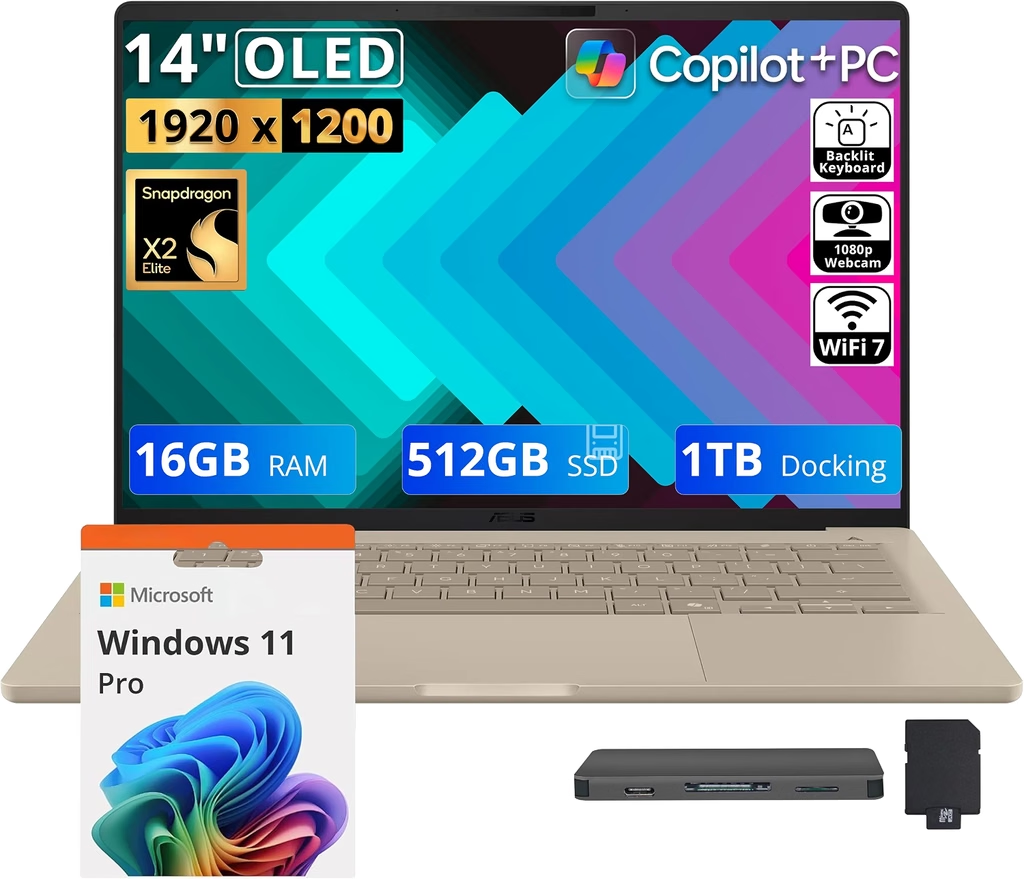
The short version: At 992 grams (2.19 lb), it’s the lightest laptop in this guide by a wide margin. If you lie flat and hold your laptop up over your face, or balance it on your chest, this is the one your arms will thank you for.
Key Specs
- Processor: Qualcomm Snapdragon X2 Elite (X2E-88-100), 18 cores
- Graphics: Qualcomm Adreno X2-90
- Memory / Storage: 24 GB / 512 GB base; the reviewed unit had 32 GB / 1 TB
- Display: 14-inch OLED, 1920 x 1200, 60 Hz, glossy, non-touch
- Weight: 992 g (2.19 lb)
- Thickness: 15.9 mm
- Battery: 70 Wh
- Ports: 2x USB4 (40 Gbps), HDMI 2.1, USB-A, 3.5 mm headphone jack
- Wireless: Wi-Fi 7, Bluetooth
- Starting price: $1,149; the 32 GB / 1 TB config is $1,799
Lab Results
| Test | Result | Source |
|---|---|---|
| Cinebench 2024 (single / multi) | 149 / 1,471 | Notebookcheck |
| Cinebench R23 (single / multi) | 1,629 / 16,808 | Notebookcheck |
| Geekbench 6 (single / multi) | 3,814 / 20,325 | Notebookcheck |
| 3DMark Time Spy | 4,098 | Notebookcheck |
| 3DMark Steel Nomad Light | 4,877 | Notebookcheck |
| 3DMark Wild Life Extreme | 9,826 | Notebookcheck |
| SSD (CrystalDiskMark, read / write) | ~7,059 / ~5,806 MB/s | Notebookcheck |
| Max brightness (SDR / HDR) | 408 / 625 nits | Notebookcheck |
| Minimum brightness | 4.9 nits | Notebookcheck |
| Contrast | Effectively infinite (OLED) | Notebookcheck |
| Color gamut | 98.8% sRGB, 99.5% P3, Delta E 1.1 | Notebookcheck |
| PWM flicker | 480 Hz, 15% amplitude (at 83% brightness and below) | Notebookcheck |
| Underside temp, max load (peak / avg) | 47.2°C (117°F) / 35.6°C (96°F) | Notebookcheck |
| Underside temp, idle (avg) | 22.6°C (73°F) | Notebookcheck |
| Wi-Fi battery test (150 nits) | ~16.1 hours | Notebookcheck |
| PCMark office battery | 22h 25m | Trusted Reviews |
| Web / 4K video battery | 17 h / 20 h | Consumer Reports |
Fan Noise by Power Mode (Notebookcheck)
This is the most important table in the whole article, because it shows how much the power mode changes the experience:
| Power mode | Max fan noise | Cinebench 2024 multi |
|---|---|---|
| Whisper | 28.1 dB(A) | 926 |
| Standard | 36.6 dB(A) | 1,240 |
| Performance | 51.7 dB(A), settling at 48.7 | 1,471 |
Why I picked it
The weight is the headline, but Whisper mode is the real story. Even at full tilt in Whisper mode, Notebookcheck measured just 28.1 dB(A). That’s under the WHO’s 30 dB bedroom guideline, measured from only 6 inches away.
And it doesn’t turn into a slug. A Cinebench 2024 multi-core score of 926 in Whisper mode is roughly in line with the fanless MacBook Air at full power.
The OLED panel is a quiet bonus for night use. In dark mode, black pixels are actually switched off, so the screen gives off far less light than an IPS panel showing the same thing. The battery is huge for a sub-1 kg laptop, too. Several labs measured somewhere between 16 and 22 hours depending on the test.
The catch
Switch to Performance mode and this thing gets loud: 51.7 dB(A) at 15 cm, which goes past the WHO’s 45 dB single-event limit. My rule at night is simple: Whisper mode, always.
The OLED does use PWM at 480 Hz, though the amplitude is a low 15%. Asus includes a flicker-free dimming option in its software for people who are sensitive to it.
Notebookcheck also found the hinge a little loose, with some light creaking. And it runs Windows on Arm, so double-check that any niche apps you rely on are supported.
Pros
- Lightest pick by far at 992 g
- Whisper mode stays under 30 dB(A) and is still quick
- True-black OLED, great for dark mode
- Excellent battery life
- Strong CPU performance for the price
- Good port selection, including HDMI and USB-A
Cons
- Very loud in Performance mode
- PWM flicker, although it’s mild
- Underside reached 47.2°C under max load, the warmest here
- 60 Hz, no touchscreen
- Slightly loose hinge
- Windows on Arm app compatibility can still vary
3. Lenovo Yoga 9i 2-in-1 Aura Edition 14 Gen 11: Best Convertible for Reclining
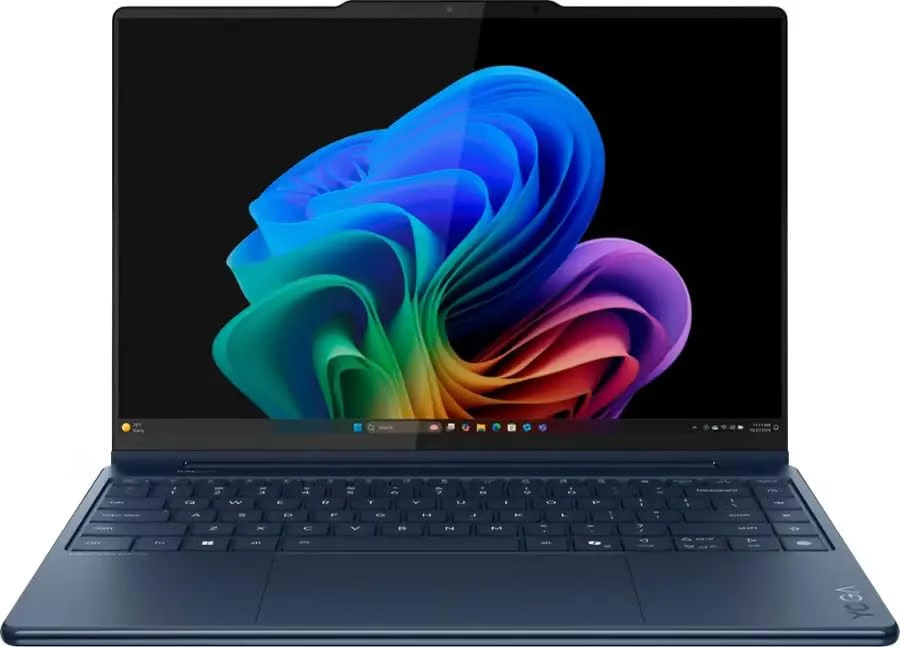
The short version: This is the only laptop here that doesn’t have to sit on you at all. Flip it into tent mode and it stands on the mattress like a small TV, which makes it the most comfortable way to watch something while lying back.
Key Specs
- Processor: Intel Core Ultra 7 355 (Panther Lake), 8 cores
- Graphics: Intel Graphics (4 Xe3 cores)
- Memory / Storage: 32 GB LPDDR5x (soldered) / 1 TB PCIe 4.0 SSD (M.2 2242, replaceable)
- Display: 14-inch OLED touchscreen, 2880 x 1800, 30 to 120 Hz variable refresh rate, glossy
- Pen: Included
- Hinge: 360°, with laptop, tent, stand and tablet modes
- Weight: 1.298 kg (2.86 lb)
- Thickness: 15.29 mm
- Battery: 70 Wh, 65 W USB-C charger
- Ports: 2x Thunderbolt 4, HDMI 2.1, USB-A, 3.5 mm headphone jack
- Wireless: Wi-Fi 7
- Price: From about $1,849; $2,299 as configured in Ultrabookreview’s test
Lab Results
| Test | Result | Source |
|---|---|---|
| Cinebench 2024 (single / multi) | 119.4 / 650 | Notebookcheck |
| Cinebench R23 (single / multi) | 1,977 / 11,456 | Notebookcheck |
| Geekbench 6 (single / multi) | 2,755 / 10,971 | Notebookcheck |
| 3DMark Time Spy | 3,336 | Notebookcheck |
| 3DMark Steel Nomad Light | 2,350 | Ultrabookreview |
| 3DMark Wild Life Extreme | 5,772 | LaptopMedia |
| SSD (CrystalDiskMark, read / write) | 7,022 / 5,587 MB/s | Notebookcheck |
| Max brightness (SDR / HDR) | 508 / 1,059 nits | Notebookcheck |
| Minimum brightness | 4.66 nits | Notebookcheck |
| Color gamut | 99.8% P3 | Notebookcheck |
| PWM flicker | 966 Hz, 20% amplitude | Notebookcheck |
| Fan noise (idle / avg load / max) | 24.8 / 27 / 44.5 dB(A) | Notebookcheck |
| Fan noise by mode | <30 dBA Battery Saver, ~35 Auto, ~40 Performance | Ultrabookreview |
| Underside temp, stress (peak / avg) | 44.6°C (112°F) / 34.2°C (94°F) | Notebookcheck |
| Palm rest temp, stress (max) | 32.4°C (90°F) | Notebookcheck |
| Offline video battery (180 nits) | 15h 39m | LaptopMedia |
| Real-world browsing | 10+ hours | Notebookcheck |
Why I picked it
For a back sleeper who props up on pillows, tent mode is a game-changer. The laptop stands upright on the bed, the screen sits at a natural viewing angle, and there’s no heat on your body at all.
Even when you do use it on your lap, the numbers are reassuring. Notebookcheck’s stress test pushed the underside to 44.6°C at peak, but the average was a much friendlier 34.2°C. The palm rests never went above 32.4°C.
The OLED does use PWM, but at 966 Hz it’s roughly twice the Zenbook’s frequency, and higher-frequency flicker is generally easier on sensitive eyes. It dims to 4.66 nits, and in Battery Saver mode Ultrabookreview measured the fans under 30 dBA. The speakers are also excellent, which matters when you’re keeping the volume low at night.
The catch
The touchpad. Ultrabookreview described its physical click as louder than any laptop the reviewer had used in years. Next to a sleeping partner, that “clunk” is a real problem. The fix is easy: turn on tap-to-click and never press the pad.
It’s also the most expensive pick here, and the Core Ultra 7 355 is slower than the chips in the Zenbook and MacBook. The glossy screen reflects a lot, too, though that’s less of an issue in a dark bedroom.
Pros
- 360° hinge with tent mode, so nothing rests on your body
- High-frequency PWM (966 Hz), which is easier on sensitive eyes
- Quiet in Battery Saver mode, under 30 dBA
- Gorgeous 2.8K 120 Hz OLED touchscreen
- Pen included
- Excellent speakers
- Replaceable M.2 SSD
Cons
- Unusually loud physical touchpad click
- Most expensive laptop in this guide
- Slower CPU and GPU than the Snapdragon and Apple picks
- Very reflective glossy screen
- Soldered RAM
4. Microsoft Surface Laptop 8 (13.8-inch): Best Flicker-Free Windows Touchscreen
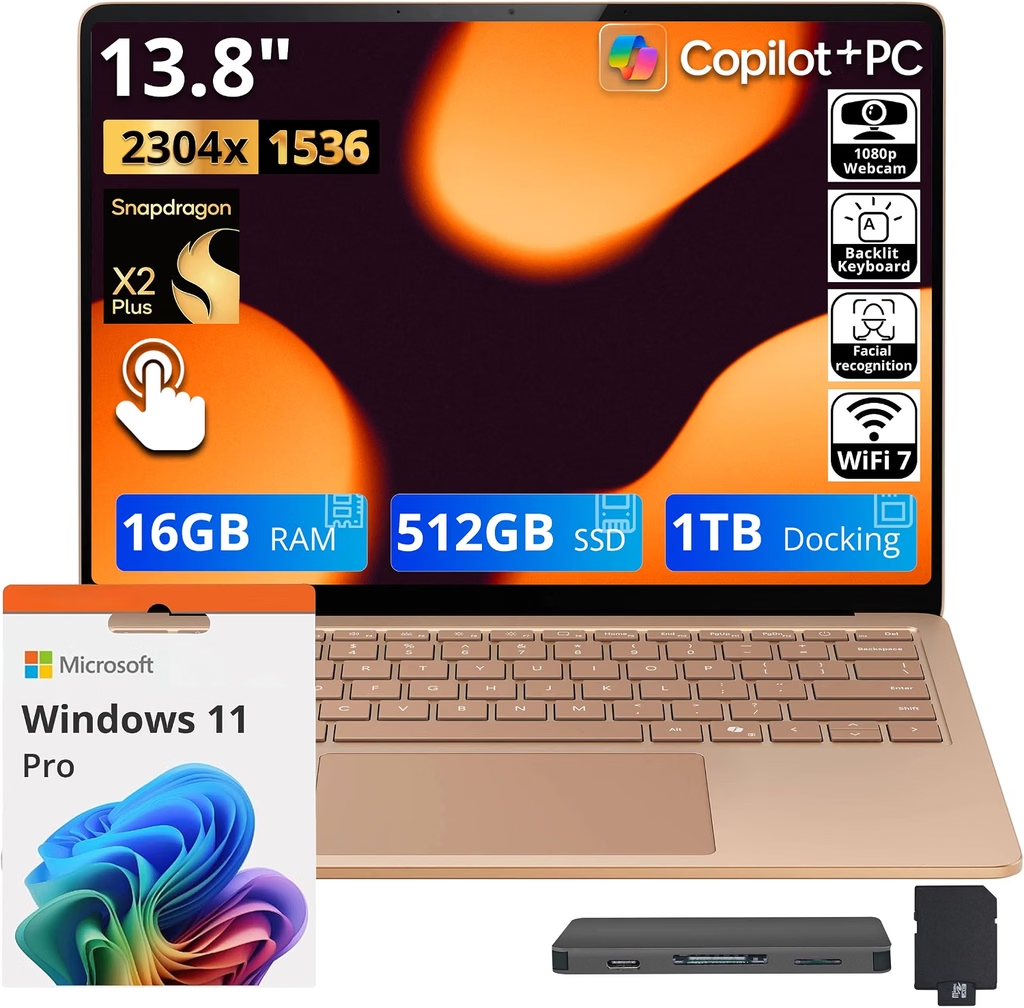
The short version: If you want Windows, a touchscreen and zero PWM flicker, this is the one. Its screen dims just as low as the MacBook Air’s, and its single fan stays off during most light work.
Key Specs
- Processor: Qualcomm Snapdragon X2 Plus (X2P-64-100), 10 cores
- Graphics: Qualcomm Adreno X2-45
- Memory / Storage: 16 GB / 512 GB (swappable M.2 2230 SSD)
- Display: 13.8-inch IPS touchscreen, 2304 x 1536 (3:2), 120 Hz, glossy
- Weight: 1.338 kg (2.95 lb)
- Thickness: 17.5 mm
- Battery: 54 Wh
- Ports: 2x USB4, USB-A, 3.5 mm headphone jack, Surface Connect
- Wireless: Wi-Fi 7
- Starting price: $1,599
Lab Results
| Test | Result | Source |
|---|---|---|
| Cinebench 2024 (single / multi) | 134 / 854 | Notebookcheck |
| Cinebench R23 (single / multi) | 1,390 / 9,777 | Notebookcheck |
| Geekbench 6 (single / multi) | 3,265 / 14,277 | Notebookcheck |
| 3DMark Time Spy | 2,538 | Notebookcheck |
| 3DMark Steel Nomad Light | 2,935 | Notebookcheck |
| SSD (CrystalDiskMark, read / write) | 2,945 / 1,365 MB/s | Notebookcheck |
| Max brightness | 659 nits | Notebookcheck |
| Minimum brightness | 2.1 nits | Notebookcheck |
| Contrast | 1,402:1 | Notebookcheck |
| Color gamut | 97.8% sRGB, 96.5% P3, Delta E 0.9 | Notebookcheck |
| PWM flicker | None | Notebookcheck |
| Fan noise (idle / avg load / max) | 25.1 / 25.1 / 42.4 dB(A) | Notebookcheck |
| Fan noise, Cyberpunk 2077 | 37.4 dB(A) | Notebookcheck |
| Underside temp, max load (peak / avg) | 42.5°C (109°F) / 38.7°C (102°F) | Notebookcheck |
| Underside temp, idle (avg) | 25.7°C (78°F) | Notebookcheck |
| Wi-Fi battery test (150 nits) | ~19 hours | Notebookcheck |
| PCMark video battery | 19h 28m | Galaxus |
Why I picked it
Look at the noise row closely: Notebookcheck measured 25.1 dB(A) at idle and 25.1 dB(A) as the average under load. In practice that means the fan simply stays off for most everyday tasks. Its full-load maximum of 42.4 dB(A) is also still under the WHO’s 45 dB single-event line, even at 15 cm.
The screen is the other big win. No PWM, a 2.1-nit minimum that ties the MacBook Air, and very accurate colors. The 3:2 shape shows more of a web page or document at once, which is nice when you’re reading in bed.
Battery life was the longest of any pick in Notebookcheck’s own Wi-Fi test, at almost 19 hours. The keyboard and haptic touchpad are among the best on Windows laptops. And the haptic pad doesn’t make the mechanical clunk the Yoga’s does.
The catch
It’s a regular clamshell, so it doesn’t recline or flip like the Yoga. If you lie completely flat, you’ll be propping it up with your knees or a pillow.
It’s also pricey for a 16 GB / 512 GB machine. The IPS panel can’t do OLED-level blacks, and its SSD is the slowest here, though you won’t feel that in everyday use. Like the Zenbook, it runs Windows on Arm.
A quieter alternative from the same family: Microsoft’s smaller Surface Laptop 13 (2026) reached only 29 dB(A) at its loudest in Notebookcheck’s stress test. If you’d rather have a smaller screen and the quietest possible Windows machine, it’s worth a look.
Pros
- No PWM, dims to 2.1 nits
- Fan stays off in most light use
- Max noise stays under the WHO’s 45 dB event limit
- Bright, accurate 120 Hz 3:2 touchscreen
- Silent haptic touchpad and an excellent keyboard
- Around 19 hours in Notebookcheck’s Wi-Fi test
- Swappable SSD
Cons
- Standard clamshell hinge, no tent or tablet mode
- Expensive for the base specs
- IPS blacks aren’t true black in a dark room
- Slowest SSD in this guide
- Windows on Arm compatibility caveats
5. Dell XPS 14 (2026, Core Ultra 7 355, IPS): Best Battery Life and Matte Screen
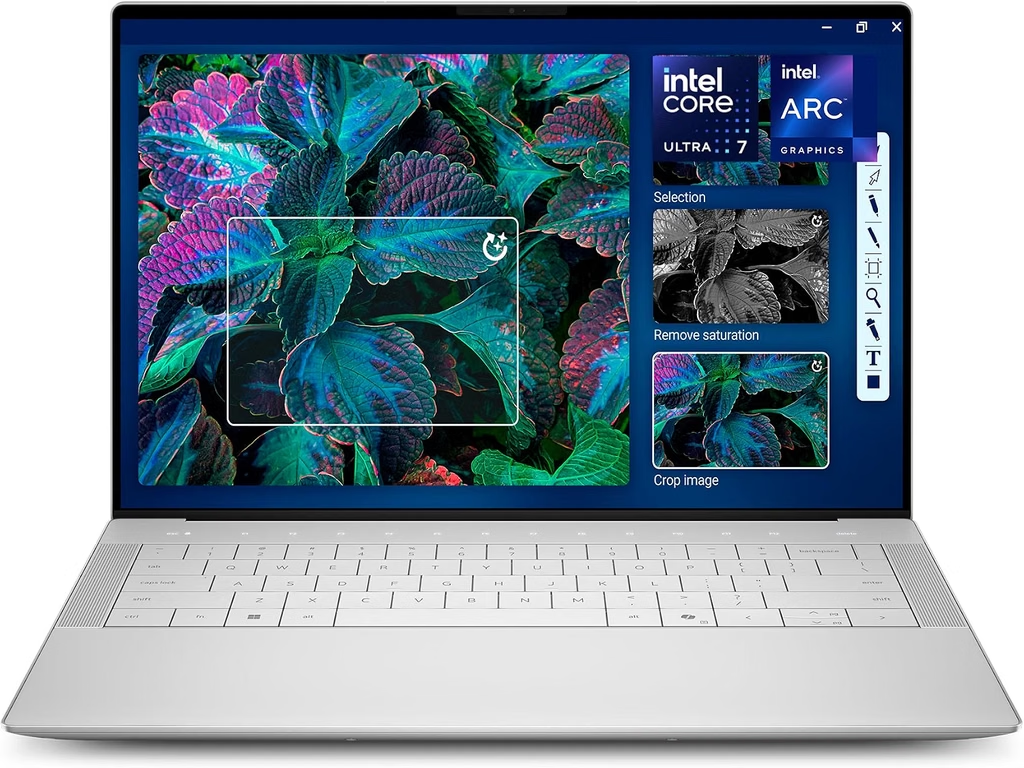
The short version: It’s a battery marathoner. Tom’s Guide measured 20 hours 41 minutes of continuous web browsing. Dell also designed it with no bottom vents, so a blanket can’t block the airflow.
Key Specs
- Processor: Intel Core Ultra 7 355 (Panther Lake), 8 cores
- Graphics: Intel Graphics (4 Xe3 cores)
- Memory / Storage: 16 GB / 512 GB
- Display: 14-inch IPS, 1920 x 1200, matte, 1 to 120 Hz variable refresh rate, non-touch
- Weight: 1.455 kg (3.21 lb), measured by Notebookcheck
- Thickness: 15.2 mm
- Battery: 70 Wh
- Ports: 3x Thunderbolt 4 (USB-C), 3.5 mm headphone jack
- Wireless: Wi-Fi 7, Bluetooth 6
- Price: About $1,699 for this configuration
Lab Results
| Test | Result | Source |
|---|---|---|
| Cinebench 2024 (single / multi) | 117.1 / 636 | Notebookcheck |
| Cinebench R23 (single / multi) | 1,940 / 11,348 | Notebookcheck |
| Geekbench 6 (single / multi) | 2,701 / 11,394 | Notebookcheck |
| 3DMark Time Spy | 3,250 | Notebookcheck |
| SSD (sequential read / write) | 5,157 / 2,538 MB/s | Notebookcheck |
| Max brightness | 561 nits | Notebookcheck |
| Minimum brightness | 26.5 nits | Notebookcheck |
| Contrast | 2,551:1 | Notebookcheck |
| Color gamut | 95.3% sRGB, 64% P3 | Notebookcheck |
| PWM flicker | None (IPS model) | Notebookcheck |
| Fan noise (idle / avg load / max) | 23 / 30.8 / 45.9 dB(A) | Notebookcheck |
| Underside temp, load (peak / avg) | 38.6°C (101°F) / 33.3°C (92°F) | Notebookcheck |
| Keyboard deck temp, load (peak / avg) | 37.8°C (100°F) / 31.4°C (89°F) | Notebookcheck |
| Wi-Fi battery test | 14h 28m | Notebookcheck |
| Continuous web surfing (150 nits) | 20h 41m | Tom’s Guide |
Why I picked it
Two things make the XPS 14 a smart bedtime pick. First, it stays the coolest underneath. Notebookcheck measured a peak of just 38.6°C on the bottom under load, the lowest in this group, and barely above body temperature. Second, there are no bottom vents to choke on a duvet.
At 23 dB(A), its idle noise is basically the sound of an empty room. The matte IPS screen has no PWM flicker and the best contrast of the IPS panels here. Three Thunderbolt ports are also handy if you charge from a cable on the nightstand.
The catch
The minimum brightness is 26.5 nits. That’s more than 12 times brighter than the MacBook Air or Surface at their dimmest, and it’s the biggest weakness for anyone using it in a dark room. Use dark mode and Windows Night light, and consider a warm bedside lamp so the screen isn’t the only light source.
Notebookcheck also flags the fan as high-pitched when it ramps up, and its 45.9 dB(A) maximum lands just over the WHO’s event threshold at 15 cm. It’s the heaviest laptop here, and the narrow 64% P3 color gamut won’t excite photographers.
One warning: the OLED version of the XPS 14 flickers at a low 240 Hz with 29% amplitude, according to Notebookcheck. If flicker bothers you, stick with this IPS model.
Pros
- Best web-browsing battery result in this guide (20h 41m, Tom’s Guide)
- Coolest underside temperatures in this group
- No bottom vents to block with blankets
- Matte, PWM-free IPS with strong contrast
- Very quiet at idle (23 dB(A))
- Three Thunderbolt 4 ports
Cons
- Can’t dim below 26.5 nits, the worst in the group for dark rooms
- High-pitched fan under load
- Heaviest pick at 1.455 kg
- Narrow color gamut
- Avoid the OLED option if you’re flicker-sensitive
Side-by-Side Comparison
| MacBook Air 13 M5 | Zenbook A14 | Yoga 9i 2-in-1 Gen 11 | Surface Laptop 8 13.8 | XPS 14 (Ultra 7 355) | |
|---|---|---|---|---|---|
| Starting price | $1,099 | $1,149 | ~$1,849 | $1,599 | ~$1,699 |
| Weight | 1.23 kg / 2.71 lb | 0.992 kg / 2.19 lb | 1.298 kg / 2.86 lb | 1.338 kg / 2.95 lb | 1.455 kg / 3.21 lb |
| Panel | 13.6″ IPS, 60 Hz | 14″ OLED, 60 Hz | 14″ OLED touch, 120 Hz | 13.8″ IPS touch, 120 Hz | 14″ matte IPS, 120 Hz |
| Min brightness | 2.1 nits | 4.9 nits | 4.66 nits | 2.1 nits | 26.5 nits |
| PWM flicker | None | 480 Hz / 15% | 966 Hz / 20% | None | None |
| Light-load noise | 0 dB | 28.1 dB(A) (Whisper max) | 27 dB(A) (avg load) | 25.1 dB(A) (avg load) | 30.8 dB(A) (avg load) |
| Max fan noise | 0 dB | 51.7 dB(A) | 44.5 dB(A) | 42.4 dB(A) | 45.9 dB(A) |
| Underside peak, load | 42.4°C | 47.2°C | 44.6°C | 42.5°C | 38.6°C |
| Cinebench 2024 (S/M) | 200 / 957 | 149 / 1,471 | 119.4 / 650 | 134 / 854 | 117.1 / 636 |
| Geekbench 6 (S/M) | 4,185 / 17,072 | 3,814 / 20,325 | 2,755 / 10,971 | 3,265 / 14,277 | 2,701 / 11,394 |
| 3DMark | Steel Nomad Light 4,405 | Time Spy 4,098 | Time Spy 3,336 | Time Spy 2,538 | Time Spy 3,250 |
| SSD read / write (MB/s) | 6,473 / 6,559 | ~7,059 / ~5,806 | 7,022 / 5,587 | 2,945 / 1,365 | 5,157 / 2,538 |
| Battery (lab Wi-Fi/web) | 16h 11m | ~16.1 h | 10+ h browsing; 15h 39m video | ~19 h | 14h 28m (NBC); 20h 41m (TG) |
| Hinge | Clamshell | Clamshell | 360° convertible | Clamshell | Clamshell |
All noise and temperature figures are from Notebookcheck (mic at 15 cm), except where noted in each laptop’s section. 3DMark Time Spy doesn’t run on macOS, so the MacBook shows Steel Nomad Light instead. SSD tools differ by platform, so compare those numbers loosely.
My Bedtime Score: Ranking All Five for Night Use
No other buying guide I’ve seen does this, so I made my own rubric. Each laptop gets 0 to 10 points in six categories, based on the lab measurements above. The maximum score is 60. This is my editorial scoring, not a lab’s, but every input is a published measurement.
| Criteria | MacBook Air M5 | Zenbook A14 | Yoga 9i 2-in-1 | Surface Laptop 8 | XPS 14 |
|---|---|---|---|---|---|
| Noise (quiet mode + max) | 10 | 8 | 8 | 8 | 7 |
| Minimum brightness | 10 | 8 | 8 | 10 | 4 |
| Flicker | 10 | 6 | 8 | 10 | 10 |
| Underside heat | 8 | 6 | 7 | 8 | 9 |
| Weight (on chest / over face) | 7 | 10 | 7 | 6 | 5 |
| Hinge flexibility | 5 | 5 | 10 | 5 | 5 |
| Bedtime Score (out of 60) | 50 | 43 | 48 | 47 | 40 |
How to read it: The MacBook Air wins overall because it’s flawless on the two things light sleepers care about most, noise and darkness. The Yoga comes second thanks to tent mode (just turn on tap-to-click). The Zenbook scores lower overall but wins outright on weight, which is why it’s my pick specifically for back sleepers.
My 5-Minute “Bedtime Setup” for Any Laptop
The right settings can matter as much as the right laptop. Here’s what I’d do on day one:
- Pick the quietest power mode. On the Zenbook, that’s Whisper mode. On the Yoga, Battery Saver keeps the fans under 30 dBA. On any Windows laptop, a battery-saver or quiet profile limits how loud the fans can get.
- Turn on warm color at night. Use Night Shift on macOS or Night light in Windows, and schedule both for sunset.
- Go below the brightness slider. On a Mac, Reduce White Point in Accessibility settings dims the screen further than the normal slider does.
- Use dark mode on OLED. On the Zenbook and Yoga, black pixels turn off completely, so dark mode cuts the light coming off the screen.
- Enable tap-to-click. That way, a loud physical touchpad click never wakes anybody up.
- Turn off the keyboard backlight. You’ll be surprised how much it lights up a dark room.
- Keep vents clear. Don’t bury the laptop in a duvet. A pillow, a lap desk or even a hardcover book underneath keeps it cooler and quieter, because the fans don’t have to work as hard.
How I Put This Guide Together
I want to be upfront about this, because you deserve to know where the numbers come from. I didn’t invent a single figure here. Every benchmark, temperature, brightness and battery number comes from independent reviewers who publish their test methods:
- Notebookcheck measures displays with an X-Rite i1Pro 3 spectrophotometer and CalMAN software. It measures noise with a calibrated microphone 15 cm from the laptop, in a room whose ambient noise is about 23 to 24 dB(A). It runs battery tests as Wi-Fi web browsing at 150 nits, and stress tests with Prime95 plus FurMark.
- Tom’s Guide runs continuous web surfing over Wi-Fi at 150 nits until the battery dies.
- Tom’s Hardware cycles web browsing, video streaming and light OpenGL work at 150 nits.
- Ultrabookreview profiles displays with an X-Rite i1 Display Pro and measures noise at head level.
- CNN Underscored loops 4K video for its battery runtime test.
When two labs disagreed, I showed both numbers. When a figure came from a less established source, I left it out.
I also confirmed that each model is the latest generation on sale as of November 2026. And I picked based on bedtime criteria first, raw speed second.
FAQ
What’s the quietest laptop for using in bed?
The Apple MacBook Air 13 (M5). It has no fan, so it makes no fan noise at all, under any workload. On Windows, the Surface Laptop 8 keeps its fan off in most light tasks, and the Asus Zenbook A14 tops out at 28.1 dB(A) in Whisper mode.
How loud is too loud next to a sleeping partner?
The WHO’s guidelines say continuous noise in a bedroom should stay at or below about 30 dB(A), and single noise events should stay under 45 dB(A). Most laptops here idle around 23 to 25 dB(A), close to the sound of a silent room. The risk is a fan ramping up under heavy load, so stick to quiet power modes at night.
Is it safe to rest a laptop on my stomach or lap?
In light use, these laptops stay close to room or skin temperature on the bottom. Under full stress, the undersides peaked between 38.6°C (XPS 14) and 47.2°C (Zenbook A14) in Notebookcheck’s testing. For heavy tasks, or long sessions on bare skin, put a pillow or lap desk underneath.
Does screen flicker (PWM) matter at night?
It can, especially for people who get headaches or eye strain. PWM flicker usually becomes more noticeable at low brightness, which is how most people use a screen in bed. The MacBook Air, the Surface Laptop 8 and the XPS 14 IPS showed no PWM in testing. If you want OLED, the Yoga 9i’s 966 Hz flicker is a gentler choice than lower-frequency panels.
Is OLED or IPS better for nighttime use?
Each has an advantage. OLED shows true black, so dark mode emits very little light. IPS panels like the MacBook Air and Surface Laptop 8 can dim to 2.1 nits without any flicker. If you’re sensitive to flicker, choose IPS. If you love dark mode and movies, choose OLED.
Does using a laptop before bed hurt sleep?
Research suggests it can. A 2015 PNAS study found that people who read on a light-emitting device before bed took longer to fall asleep, had suppressed melatonin and felt less alert the next morning, compared with reading a printed book. Dimming the screen as low as it goes and using warm color settings helps reduce that effect.
What’s the lightest laptop for using while lying on my back?
The Asus Zenbook A14, at 992 g (2.19 lb). It’s light enough to hold above your face for a while without your arms getting tired.
Should I wait for the M6 MacBook Air?
Right now, the M6 MacBook Air is only rumored for early 2027, and Apple hasn’t announced it. If you need a quiet laptop now, the M5 is the current model and an excellent choice.
Final Thoughts
If you share a bed with a light sleeper, buy the MacBook Air 13 (M5). It can’t make fan noise, and its screen goes almost as dark as your phone’s night mode.
If you lie on your back and hold your laptop up, the Zenbook A14 is the featherweight that won’t tire your arms. Just keep it in Whisper mode.
If you want something that stands on the mattress by itself, the Yoga 9i 2-in-1 and its tent mode are hard to beat.
If you’re a Windows person who wants a flicker-free touchscreen, go with the Surface Laptop 8. And if all-night battery and a cool underside are what matter most, the XPS 14 delivers, as long as you can live with its brighter minimum.
Whichever you choose, set it up for bedtime on day one. Your partner will notice, even if it’s only because they didn’t notice anything at all.
Sources
- Notebookcheck – Apple MacBook Air 13 M5 Entry Review: https://www.notebookcheck.net/Insane-performance-and-efficiency-without-fans-Apple-MacBook-Air-13-M5-Entry-Review.1242707.0.html
- Notebookcheck – Apple MacBook Air 15 M5 Review: https://www.notebookcheck.net/Apple-MacBook-Air-15-M5-Review-Very-powerful-fanless-and-without-competition.1244905.0.html
- Notebookcheck – MacBook Air 13 M5 vs M4 Battery Life: https://www.notebookcheck.net/MacBook-Air-13-M5-Vs-M4-battery-life-New-MacBook-suffers-from-6-shorter-endurance-on-max-brightness.1245763.0.html
- Tom’s Hardware – Apple MacBook Air 13-inch M5 Review: https://www.tomshardware.com/laptops/macbooks/apple-macbook-air-13-inch-m5-review
- CNN Underscored – Apple MacBook Air M5 Review: https://www.cnn.com/cnn-underscored/reviews/apple-macbook-air-m5
- 9to5Mac – M6 Mac Release Schedule: https://9to5mac.com/2026/09/30/m6-mac-release-schedule-heres-when-new-macs-are-coming/
- Notebookcheck – Asus Zenbook A14 Review (Snapdragon X2 Elite): https://www.notebookcheck.net/Asus-Zenbook-A14-Laptop-Review-Snapdragon-X2-Elite-against-the-MacBook-Air-M5.1261944.0.html
- Trusted Reviews – Asus Zenbook A14 (2026) Review: https://www.trustedreviews.com/reviews/asus-zenbook-a14-2026
- Consumer Reports – Asus Zenbook A14 (2026): https://www.consumerreports.org/electronics-computers/laptops-chromebooks/asus-zenbook-a14-14-oled-2k-14-oled-2k-display-snapdragon-x2-elite-2026/m424310
- Expert Reviews – Asus Zenbook A14 UX3407NA (2026) Review: https://www.expertreviews.co.uk/technology/laptops/asus-zenbook-a14-ux3407na-2026-review
- Notebookcheck – Lenovo Yoga 9 2-in-1 14IPH11 Review: https://www.notebookcheck.net/Lenovo-Yoga-9-2-in-1-14IPH11-review-Panther-Lake-holds-back-an-otherwise-great-convertible.1416434.0.html
- Ultrabookreview – Lenovo Yoga 9i 2-in-1 (Panther Lake) Review: https://www.ultrabookreview.com/76168-lenovo-yoga-9i2in1-pantherlake-review/
- LaptopMedia – Lenovo Yoga 9i 2-in-1 Aura Edition 14 Gen 11 Review: https://laptopmedia.com/gb/review/lenovo-yoga-9i-2-in-1-aura-edition-14-gen-11-review-2-8k-oled-great-speakers-and-15-hours-of-battery/
- MakeUseOf – Lenovo Yoga 9i 2-in-1 Aura Edition Review: https://www.makeuseof.com/lenovo-yoga-9i-2-in-1-aura-edition-review/
- Notebookcheck – Microsoft Surface Laptop 13.8 (2026) Review: https://www.notebookcheck.net/snapdragon-x2-plus-is-much-faster-microsoft-surface-laptop-13-8-2026-review.1334131.0.html
- Galaxus – Surface Laptop 8 13.8-inch Review: https://www.galaxus.at/en/page/surface-laptop-8-138-inch-review-better-graphics-and-faster-ram-43822
- Notebookcheck – Microsoft Surface Laptop 13 (2026) Review: https://www.notebookcheck.net/Microsoft-Surface-Laptop-13-2026-Review-Almost-silent-with-Snapdragon-X2-Plus.1429184.0.html
- Notebookcheck – Dell XPS 14 Core Ultra 7 355 Review: https://www.notebookcheck.net/Dell-XPS-14-Core-Ultra-7-355-review-Still-great-but-not-nearly-as-special.1222645.0.html
- Notebookcheck – Dell XPS 14 (2026) Core Ultra X7 Review: https://www.notebookcheck.net/Dell-XPS-14-2026-review-Fully-reborn-with-Intel-Panther-Lake-X7.1218670.0.html
- Tom’s Guide – Dell XPS 14 Battery Life Test: https://www.tomsguide.com/computing/laptops/move-over-macbook-the-new-dell-xps-14-is-now-the-longest-lasting-laptop-weve-ever-tested
- Digital Trends – Dell XPS 14 (DA14260) Review: https://www.digitaltrends.com/computing/dell-xps-14-da14260-review-a-windows-laptop-i-wanted-to-keep-using/
- World Health Organization – Noise Fact Sheet: https://www.who.int/europe/news-room/fact-sheets/item/noise
- WHO / European Commission – Night Noise Guidelines: https://ec.europa.eu/health/ph_projects/2003/action3/docs/2003_08_frep_en.pdf
- Chang, Aeschbach, Duffy & Czeisler (2015), PNAS – Evening use of light-emitting eReaders: https://www.pnas.org/doi/10.1073/pnas.1418490112

Hi, my name is Burak. I am a mechanical engineer. I have been writing laptop reviews for the Engineering Laptops website since 2020. Please feel free to contact me if you have any questions.