Last updated: November 21, 2026
Table of contents
- Key Takeaways
- Quick Picks: The 5 Best Laptops for SAP in 2026
- What SAP Actually Requires From a Laptop in 2026
- The SAP Role-Based Buying Matrix
- Comparison Table: Specs and Lab Results
- Best Laptops for SAP Software in 2026: 5 Picks Backed by Lab Data
- 1. Lenovo ThinkPad X1 Carbon Gen 14 Aura Edition : Best Laptop for SAP Overall
- 2. HP EliteBook X G2i 14 : Best for Power-User SAP Consultants
- 3. Dell Pro 14 Premium (PA14260) : Best SAP Laptop for IT-Managed Fleets
- 4. ASUS ExpertBook Ultra (B9406CAA) : Best Laptop for ABAP Developers
- 5. Apple MacBook Pro 14 (M6) : Best Mac for SAP Users
- Why I Left Out the Surface Laptop Ultra and Other ARM Laptops
- Buying Guide: How to Choose a Laptop for SAP
- How I Chose These Laptops
- Frequently Asked Questions
- Final Verdict
- Sources
You’ve probably seen this happen, or it’s happened to you.
A consultant unboxes a beautiful new laptop on Sunday night. Monday morning she’s at a client site, the VPN connects, SAP Logon opens, and she runs a big line-item report and sends it to Excel through Analysis for Office. Then Excel freezes. The fan spins up, the progress bar stops moving, and twelve people on a Teams call watch her apologize.
The laptop wasn’t slow. It was the wrong laptop for SAP, and that’s a different problem.
I’ve noticed that most “best laptop for SAP” articles are ordinary business laptop roundups with “SAP” added to the headline. They’ll tell you about a fast processor and a nice screen. They won’t tell you that the newest SAP GUI for Windows refuses to install on Windows 10. They won’t mention that there’s still no native SAP GUI build for ARM-based Windows laptops, including some of the fastest machines you can buy this year. And they won’t explain why 32-bit Excel can hit a memory wall on a laptop with 64GB of RAM.
So I did it the other way around. I started with SAP’s own documentation: release notes, platform support pages, the README for SAP’s ABAP trial, and the Analysis for Office memory limits. Then I worked backward to the hardware. After that I went through published lab results from Notebookcheck, StorageReview, Tom’s Hardware, Tom’s Guide, Trusted Reviews, XDA, TweakTown and others, so every number in this guide comes from a named source you can check.
To be clear, I didn’t run these benchmarks on my own bench. Every measurement is credited to the lab that made it. What I added is the SAP part: which numbers actually matter for your SAP role, and which ones you can ignore.
Key Takeaways
- SAP GUI for Windows 8.10 became generally available on July 16, 2026. SAP supports it until June 30, 2029, on Windows 11 and Windows Server 2016, 2019, 2022 and 2025. Windows 10 isn’t on that list.
- SAP GUI for Windows 8.00 is supported until July 31, 2027, so anyone still on Windows 10 doesn’t have long.
- SAP GUI for Windows has no native ARM build. The only ARM64 SAP GUI is SAP GUI for Java on macOS. Some users report the x64 version runs under Windows’ Prism emulation, but SAP doesn’t officially support that.
- A Mac works for many SAP users through SAP GUI for Java and browser-based Fiori. It isn’t a good fit if you depend on SAP GUI for Windows add-ins or on Analysis for Office.
- 32-bit Office causes SAP problems. A 32-bit process on 64-bit Windows gets 2GB of memory by default. Use 64-bit Office with 64-bit Analysis for Office.
- RAM matters more than the CPU for most SAP buyers. I’d treat 16GB as the floor for end users, 32GB as the minimum for consultants, and 64GB as the target for developers running SAP’s ABAP trial locally.
Quick Picks: The 5 Best Laptops for SAP in 2026
| Award | Laptop | Why it wins for SAP | Standout lab result |
|---|---|---|---|
| Best Overall | Lenovo ThinkPad X1 Carbon Gen 14 Aura Edition | x64 Intel, 32GB minimum, great keyboard, 1.14 kg | 23.2 h Wi-Fi battery (Notebookcheck, IPS model) |
| Best for Power Consultants | HP EliteBook X G2i 14 | H-class Core Ultra chip in a 1.2 kg body, optional 5G | PCMark 10 Productivity: 18,859 (StorageReview) |
| Best for IT-Managed Fleets | Dell Pro 14 Premium (PA14260) | vPro Enterprise, FIPS 140-3 TPM, up to 64GB, replaceable battery | 16 h 30 min Modern Office battery (StorageReview) |
| Best for ABAP Developers | ASUS ExpertBook Ultra (B9406CAA) | Up to 64GB, accurate tandem OLED, 70Wh battery | 20 h 27 min battery (Trusted Reviews) |
| Best Mac for SAP | Apple MacBook Pro 14 (M6) | Fiori and SAP GUI for Java run natively on Apple Silicon | 19 h 05 min web battery (Tom’s Guide) |
What SAP Actually Requires From a Laptop in 2026
SAP GUI for Windows: lighter than you’d expect
SAP lists the official hardware requirements for SAP GUI for Windows in SAP Note 26417, which requires an S-user login. Historically the figures have been small. Older versions of the note listed 512MB of RAM as required and 1GB as recommended. SAP Help says roughly 800MB of disk space is enough for one version (32-bit or 64-bit) of SAP GUI for Windows.
SAP Business Client 8.10 asks for more: 4GB of RAM or more is required and 8GB is recommended on Windows. SAP also notes that the 64-bit shell uses about 40% more memory than the 32-bit one.
If SAP GUI is that light, why do I keep saying 32GB? Because SAP GUI never runs alone. On a normal day it sits next to Teams, Outlook, a VPN client, Citrix Workspace, a couple dozen Chrome tabs with Fiori Launchpad, and an Excel file holding a few hundred thousand rows. SAP GUI itself doesn’t need much memory. Everything around it does.
The Windows 10 cutoff
SAP’s announcement is clear. SAP GUI for Windows 8.10 supports Windows 11 and Windows Server 2016 through 2025. If your company image is still Windows 10, you’ll stay on SAP GUI 8.00, which is supported until July 31, 2027. Every Windows laptop in this guide ships with Windows 11 Pro.
Windows on ARM can quietly break SAP
Few reviewers cover this. The 2026 Snapdragon and Nvidia RTX Spark laptops are fast. StorageReview measured the Surface Laptop Ultra at 6,963 points in Cinebench 2026 multi-core. But SAP GUI for Windows is an x64 application. An accepted answer on SAP Community, citing SAP Note 66971, says the only ARM64 SAP GUI is the macOS version and that there’s no plan for a Windows ARM release.
Some users report that the x64 SAP GUI runs fine under Prism emulation, and that ABAP Development Tools work once they install an x64 JRE and Eclipse. That’s encouraging, but it isn’t official support. If something breaks at 11 p.m. during month-end close, your BASIS team won’t want to hear that the setup was unsupported. That’s why every Windows pick below runs on x64 Intel.
SAP on a Mac: what works and what doesn’t
- SAP GUI for Java 8.10 is the current supported release. Revision 15 shipped in October 2026, and SAP has said 8.10 is the last version that supports Intel Macs (SAP Note 3690821).
- macOS 26 (Tahoe) is supported on Apple Silicon starting with SAP GUI for Java 8.10 revision 7.
- Version 8.10 added an ABAP source editor control, which Mac-based developers had been asking for.
- Fiori, SAP GUI for HTML and SAP’s cloud apps run in the browser, so the platform doesn’t matter.
- The catch: on current macOS you can’t run the ABAP Cloud Developer Trial in Docker Desktop on an M-series MacBook. The workaround is an emulated AMD64 Linux VM in UTM/QEMU, which is slow.
Running SAP locally: the ABAP trial’s RAM requirements
If you want an ABAP system on your own laptop, SAP’s official README for the ABAP Platform Trial image asks for:
- 4 CPUs, 16GB of RAM and 170GB of disk assigned to Docker
- 32GB of total system RAM recommended
- A warning that Docker gives itself only half of the available memory by default
The container itself warns that it needs at least 16GB of RAM and 70GB of free disk. One SAP Community user reported the running container using about 19GB of RAM at first.
In practice, 32GB is enough if you’re running the ABAP trial alongside Eclipse ADT, Teams and a browser, but it’s tight. 64GB is comfortable. That requirement is the reason two of my five picks have 64GB options.
Analysis for Office and large Excel exports
Visual BI Solutions explains the issue clearly. A 32-bit process can use about 2GB of memory at most, and after .NET overhead Excel is left with roughly 1.2GB. Analysis for Office also has a default limit of 500,000 data cells per result set, which can be changed through SAP Note 2083067. One SAP Community member reported 64-bit Excel using more than 8GB on complex queries.
The fix is the same every time: 64-bit Windows, 64-bit Office, 64-bit Analysis for Office, and enough RAM for Excel to use.
The SAP Role-Based Buying Matrix
I haven’t found this table anywhere else. Find your role and buy the spec it calls for.
| SAP role | Typical tools | Minimum RAM | My recommended RAM | CPU priority | Display priority | Best pick |
|---|---|---|---|---|---|---|
| End user (finance, procurement, warehouse) | SAP GUI for Windows, Fiori Launchpad, Excel | 16GB | 16–32GB | Low | Matte, comfortable all day | ThinkPad X1 Carbon Gen 14 (IPS) |
| Functional consultant (FI/CO, MM, SD) | SAP GUI, Fiori, Analysis for Office, Teams, VPN/Citrix | 32GB | 32GB | Medium | Sharp text, dual external monitors | HP EliteBook X G2i or ThinkPad X1 Carbon |
| ABAP / RAP developer | Eclipse ADT, SAP GUI, Git, local ABAP trial in Docker | 32GB | 64GB | High multi-core | High resolution for code and debugger | ASUS ExpertBook Ultra (64GB) |
| BASIS / technical admin | SAP GUI, RDP/SSH, HANA tools, multiple VPNs | 32GB | 32–64GB | Medium | Strong external monitor support | Dell Pro 14 Premium |
| Mac-based consultant / Fiori developer | Fiori, SAP GUI for Java, Business Application Studio, VS Code | 16GB | 24–32GB | Medium | Excellent | MacBook Pro 14 (M6) |
| Traveling consultant | All of the above, mostly on battery | 32GB | 32GB | Medium | Low-power panel for battery life | ThinkPad X1 Carbon Gen 14 (IPS) |
Comparison Table: Specs and Lab Results
| ThinkPad X1 Carbon Gen 14 | HP EliteBook X G2i 14 | Dell Pro 14 Premium | ASUS ExpertBook Ultra | MacBook Pro 14 (M6) | |
|---|---|---|---|---|---|
| CPU (as reviewed) | Core Ultra 5 325 / Ultra 7 355 | Core Ultra 7 356H / 366H | Core Ultra 7 366H vPro | Core Ultra X7 358H | Apple M6 (12-core CPU) |
| Max RAM | 64GB (Core Ultra X) | 64GB | 64GB | 64GB (X9 388H) | 32GB |
| Weight | 1.14 kg (IPS) / 989 g (OLED) | 1.212 kg | 1.15 kg (2.54 lb) | 1.111 kg | 3.4 lb (1.54 kg) |
| Geekbench 6 single / multi | 2,635 / 11,107 (Tom’s Hardware) | 2,804 / 16,390 (StorageReview) | 2,894 / 16,763 (StorageReview) | 2,805 / 16,225 (TweakTown) | 4,752 / 21,184 (Tom’s Guide) |
| SSD sequential read | 7,045 MB/s (MyFixGuide) | 7,919 MB/s (StorageReview) | 4,955 MB/s (StorageReview) | 11,198 MB/s (TweakTown) | 6,684 MB/s (Tom’s Guide) |
| Battery result | 23.2 h Wi-Fi (Notebookcheck) | 17 h 13 min Modern Office (StorageReview) | 16 h 30 min Modern Office (StorageReview) | 20 h 27 min (Trusted Reviews) | 19 h 05 min web (Tom’s Guide) |
| Display as reviewed | IPS: 524 nits avg, 99.1% sRGB (Notebookcheck) | SureView IPS: 692 nits avg, 2,675:1 (Notebookcheck) | Tandem OLED, 100% DCI-P3, rated 400 nits (Dell spec) | Tandem OLED: 611.6 nits SDR, 1,403 HDR (Notebookcheck) | XDR: 571 nits SDR, Delta E 0.19 (Tom’s Guide) |
| Starting price (US) | $2,249 | $2,711.99 (Amazon, Nov 12, 2026) | $2,409 | ~$3,600 as reviewed | $1,999 |
These numbers come from different labs, configurations and test methods, so treat comparisons across columns as rough guidance. That’s why I’ve named the source for each figure.
Best Laptops for SAP Software in 2026: 5 Picks Backed by Lab Data
1. Lenovo ThinkPad X1 Carbon Gen 14 Aura Edition: Best Laptop for SAP Overall
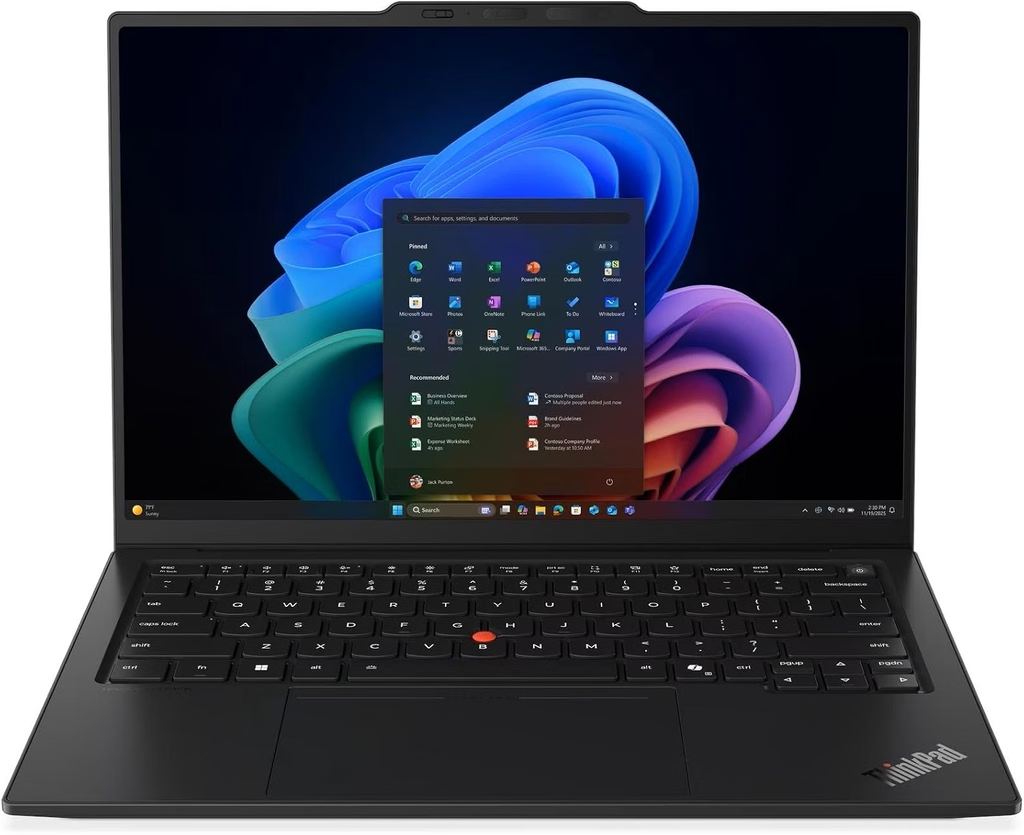
If I had to choose one laptop for an SAP consultant I’d never met, who flies two days a week and spends the other three in SAP GUI, I’d choose this one. It isn’t the fastest laptop here, but it’s the one you’re least likely to regret.
Specs
- CPU: Intel Core Ultra Series 3 (Panther Lake), from Core Ultra 5 325 up to Core Ultra X models
- RAM: 32GB LPDDR5X minimum, up to 64GB with Core Ultra X (soldered)
- Storage: M.2 2280 PCIe SSD (user-replaceable)
- Display: 14-inch 1920 x 1200 low-power IPS touch, 60Hz; optional 2.8K OLED at 120Hz
- Ports: 3x Thunderbolt 4, USB-A 3.2 Gen 1, HDMI 2.1, 3.5mm audio, nano-SIM slot
- Wireless: Intel Wi-Fi 7 BE211, Bluetooth 5.4, optional 4G/5G
- Battery: 58Wh
- Weight: 1.14 kg (IPS touch) / 989 g (OLED)
- Warranty (reviewed unit): 36 months
- Price: from $2,249 on Lenovo’s site; $2,749 with Core Ultra 7 355 on Amazon
What the labs found
Notebookcheck’s Andreas Osthoff reviewed the Core Ultra 5 325 model with the IPS panel and gave it 90%. The standout result is battery life: 23.2 hours in Notebookcheck’s Wi-Fi test at 150 nits, and still 14 hours at full brightness. The OLED version ran 13.5 hours in the same test, nearly 10 hours less. For a traveling consultant, that gap is reason enough to choose the IPS panel.
Notebookcheck measured the display with an X-Rite i1Pro 3 and CalMAN software: 524 nits average brightness, a 0.3 black level, 1,800:1 contrast, 99.1% sRGB coverage, and no PWM flicker. Out-of-the-box color accuracy was weak, with a ColorChecker Delta E of 5 that dropped to 1.1 after calibration. That doesn’t matter for SAP GUI and spreadsheets, but it would for design work.
Tom’s Hardware tested the Core Ultra 7 355 version. It scored 2,635 single-core and 11,107 multi-core in Geekbench 6 and finished a 4K-to-1080p HandBrake transcode in 6 minutes 12 seconds. In a 10-loop Cinebench 2026 stress test it started at 2,581 points and stayed between 2,500 and 2,600, which is very stable. The keyboard deck peaked at 94°F between the G and H keys and the underside at 106°F, so it stays comfortable on your lap.
Engadget measured 16 hours in PCMark 10 Modern Office. XDA recorded 8,011 in PCMark 10 and 118 single / 582 multi in Cinebench 2024. MyFixGuide measured the SSD at 7,045 MB/s read and 5,860 MB/s write. iFixit gave it a 9/10 repairability score, which is unusual for a laptop this thin.
Why it suits SAP work
- The keyboard. You type transaction codes and long text fields all day. Notebookcheck measured 1.5mm of key travel, and almost every reviewer praises it.
- Three Thunderbolt 4 ports, with charging from either side, make docking to two monitors at a client site easy.
- Optional 5G gets you onto the VPN without hunting for hotel Wi-Fi.
- 32GB is the minimum. Lenovo doesn’t sell a 16GB version. Engadget lists that as a con, but for SAP buyers I see it as an advantage.
Pros
- Best battery life in this guide (IPS model)
- 32GB of RAM standard
- Excellent keyboard and haptic touchpad
- Stable sustained performance
- 9/10 iFixit repairability score
Cons
- Poor color accuracy out of the box
- The OLED option costs nearly 10 hours of battery life
- RAM is soldered
- Lower multi-core performance than the H-class chips in the HP and Dell
- Expensive, with a noticeable camera bump
Who should buy it: end users, functional consultants and anyone who does SAP work away from a desk. Choose the IPS screen if battery life matters to you.
2. HP EliteBook X G2i 14: Best for Power-User SAP Consultants
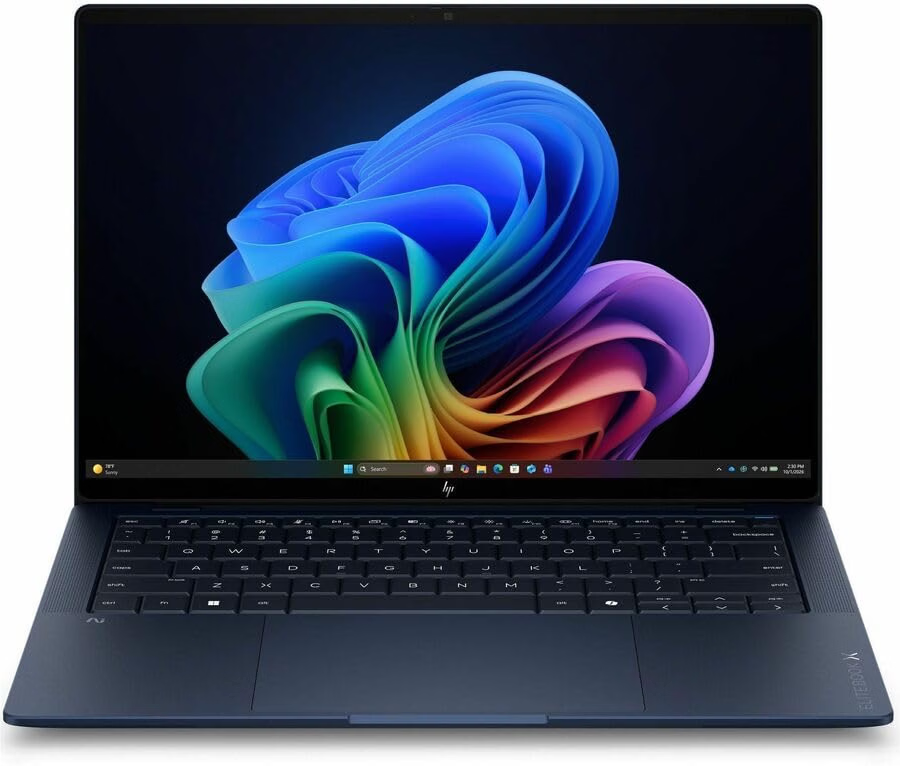
I’d give the EliteBook X G2i to a senior FI/CO consultant who works in Analysis for Office all day, keeps three SAP systems open, and rarely closes a browser tab. It fits an H-class processor into a 1.2 kg body.
Specs
- CPU: Intel Core Ultra 7 356H (16 cores: 4 P + 8 E + 4 LP-E) in Notebookcheck’s unit; Core Ultra 7 366H vPro in StorageReview’s unit
- RAM: 32GB LPDDR5X as reviewed, up to 64GB (soldered)
- Storage: 1TB NVMe as reviewed; up to 2TB PCIe Gen5 per HP
- Display options: 1920 x 1200 IPS (including SureView privacy panels), 1920 x 1200 OLED, or 2880 x 1800 3K OLED at 120Hz
- Ports: 2x Thunderbolt 4, USB-C 3.2 Gen 2, USB-A 3.2 Gen 1, HDMI, 3.5mm audio, nano-SIM slot
- Wireless: Intel Wi-Fi 7 BE211, Bluetooth 5.4, optional 5G
- Battery: 68Wh, 65W GaN USB-C charger
- Weight: 1.212 kg
- Warranty: 36 months
- Price: $2,711.99 on Amazon as of November 12, 2026; around $4,700 for a similar configuration in HP’s store
What the labs found
Notebookcheck’s Benjamin Herzig tested the Core Ultra 7 356H model with a SureView privacy IPS panel and gave it 90%. He called the keyboard one of the best Notebookcheck had tried recently. Key measurements:
- Display: 692 nits average and 856 nits at the center, 2,675:1 contrast, 0.32 black level, 91.1% sRGB, ColorChecker Delta E 4.4 (1.9 after calibration), no PWM
- Cinebench R23: 17,980 multi-core / 2,039 single-core (Best Performance mode, 40W PL1 / 60W PL2)
- Wi-Fi 7: 4,109 Mbit/s transmit and 3,290 Mbit/s receive
StorageReview tested a Core Ultra 7 366H model with the 3K OLED screen against the Dell Pro 14 Premium on the same processor. For SAP buyers, this is the most useful comparison I found:
- PCMark 10 overall: 9,209, the best in that test group
- PCMark 10 Productivity: 18,859, compared with 14,466 for the Dell. This subtest covers spreadsheets and writing, which is most of a consultant’s day.
- Geekbench 6: 2,804 single / 16,390 multi
- Cinebench 2026: 494 single / 4,060 multi
- 3DMark Storage: 3,156, compared with 1,913 for the Dell
- SSD (Blackmagic): 8,949 MB/s write, 7,919 MB/s read
- Battery: 17 hours 13 minutes in PCMark 10 Modern Office (Balanced mode, 50% brightness)
Gizbot measured similar Geekbench 6 scores of 2,861 single and 16,309 multi. Digit recorded almost 12 hours in its own PCMark battery test.
Why it suits SAP work
Its Geekbench 6 multi-core score of over 16,000 is about 45% higher than the ThinkPad’s Core Ultra 7 355 result from Tom’s Hardware. That extra headroom matters when you’re refreshing a large BW query in Analysis for Office while sharing your screen on Teams over a VPN. The SureView privacy panel is also useful if you work on payroll or financial data in airport lounges.
Pros
- H-class performance in a 1.2 kg body
- Best PCMark 10 Productivity score in StorageReview’s group
- Very bright display (692 nits measured on the SureView panel)
- Excellent keyboard, which is user-replaceable
- Optional 5G, fast Wi-Fi 7, 36-month warranty
Cons
- RAM is soldered
- The SureView panel has poor viewing angles, and Digit noted its 60Hz refresh rate
- The fan gets loud under sustained load
- Very expensive at list price; Techaeris notes a $4,743 list price that mostly makes sense in a corporate fleet deal
Who should buy it: functional consultants and finance power users who want more multi-core performance than the ThinkPad without a heavier laptop. Skip the SureView panel unless you need the privacy filter.
3. Dell Pro 14 Premium (PA14260): Best SAP Laptop for IT-Managed Fleets
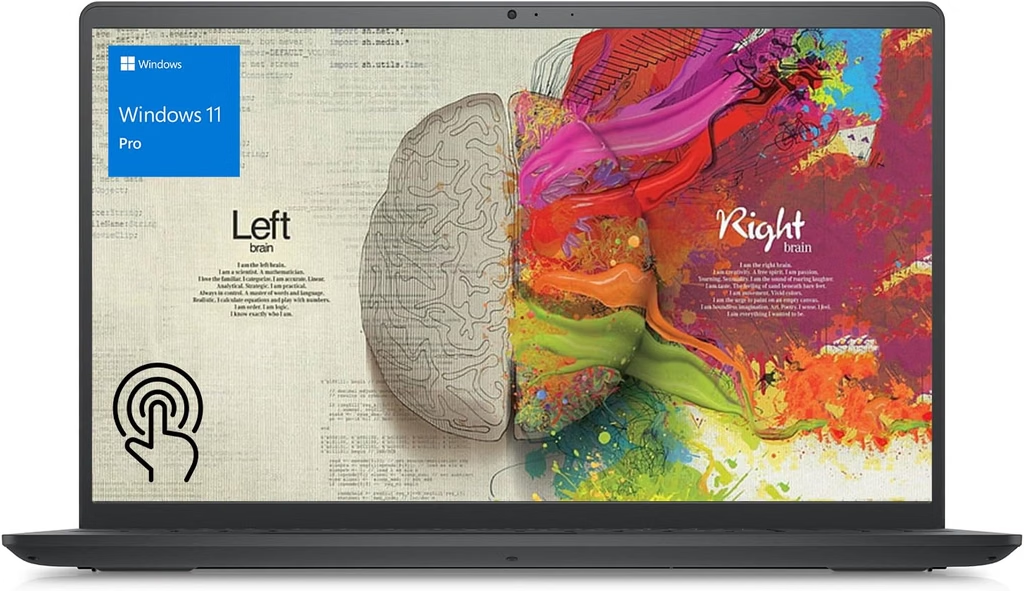
Dell retired the Latitude name, and the Pro 14 Premium replaced the top of that line. If you’re a BASIS lead or an IT manager buying 200 laptops for an S/4HANA rollout, this is the one your security team will prefer.
Specs
- CPU options: Intel Core Ultra 5 335, Core Ultra 7 365, or Core Ultra 7 366H (16 cores, 50 TOPS NPU), all with vPro
- RAM: up to 64GB LPDDR5X-8533 (soldered)
- Storage: up to 2TB; 1TB TLC Samsung PM9C1b PCIe Gen4 as reviewed
- Display options: 1920 x 1200 WUXGA LCD (400 or 500 nits) up to a 2880 x 1800 Tandem OLED touch panel (400 nits, 100% DCI-P3, Gorilla Glass)
- Camera: 8MP HDR with IR, presence detection and a privacy shutter
- Ports: 2x Thunderbolt 4, USB-A 3.2 Gen 1, HDMI 2.1, 3.5mm audio
- Wireless: Intel Wi-Fi 7 BE211, Bluetooth 6.0, optional 5G
- Battery: 60Wh (40Wh on base models), customer-replaceable
- Security: vPro Enterprise, FIPS 140-3-certified TPM 2.0, quantum-resistant BIOS verification
- Weight: from 2.54 lb (1.15 kg)
- Price: from $2,409; $5,219 as tested at full spec (StorageReview)
Dell’s configurator prices change often and vary by region. A Notebookcheck news report listed a higher US starting price because North American models start with the Core Ultra 7 365 vPro. Check the price on the day you buy.
What the labs found
StorageReview’s Dylan Bryan tested the top configuration (Core Ultra 7 366H, 64GB, Tandem OLED). Benchmarks ran in Best Performance mode, and battery tests ran in Balanced mode at 50% brightness:
- Geekbench 6: 2,894 single / 16,763 multi, the best single-core score in its group
- Geekbench 7: 2,609 single / 17,878 multi, ahead of every other system in the comparison
- Cinebench 2026: 508 single / 3,857 multi
- PCMark 10: 8,482 overall, 10,840 Essentials, 14,466 Productivity
- 3DMark CPU Profile (max threads): 9,625, ahead of the HP’s 9,179
- SSD (Blackmagic): 4,574 MB/s write, 4,955 MB/s read
- Battery: 16 hours 30 minutes in PCMark 10 Modern Office
- Charging: 0–50% in 23 minutes, 0–80% in 48 minutes, full in 1 hour 33 minutes
StorageReview also pointed out that the Dell Pro 7 14, on the same processor with a lower-resolution LCD, ran 26 hours 18 minutes. The roughly ten-hour difference comes from the Tandem OLED panel, not the platform. For SAP buyers, the LCD version could extend battery life a lot. KAD tested a base Core Ultra 5 335 model with the 40Wh battery and recorded over 13 hours in PCMark 10 Modern Office.
Why it suits SAP work
- vPro Enterprise gives IT remote, out-of-band management, which helps when you’re imaging hundreds of laptops before an SAP go-live.
- The replaceable battery can keep a fleet laptop in service beyond the usual three-year refresh.
- The 64GB option covers BASIS admins and developers who run local VMs.
- The 8MP camera with presence detection helps if you spend the whole day on video calls.
Pros
- Enterprise-grade security and remote management
- Up to 64GB of RAM
- Fast charging, and the battery and SSD are easy to replace
- Light magnesium chassis
- Best single-core results in StorageReview’s group
Cons
- Every model uses a 4 Xe-core integrated GPU, with no graphics upgrade
- SSD speeds trail the HP and ASUS
- The Tandem OLED costs a lot of battery life compared with the LCD
- Conventional touchpad rather than a haptic one
- Prices vary widely by region and configuration
Who should buy it: BASIS admins, IT departments standardizing an SAP fleet, and security-focused organizations. Choose the LCD if battery life is the priority.
4. ASUS ExpertBook Ultra (B9406CAA): Best Laptop for ABAP Developers
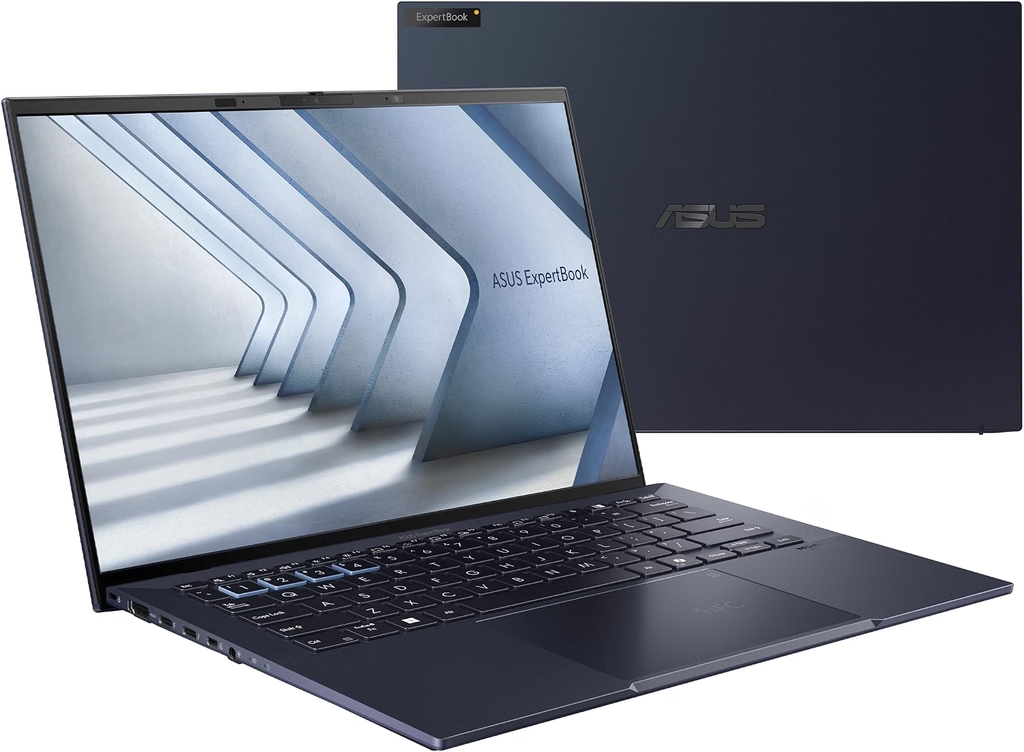
This laptop surprised me most while I was researching. Notebookcheck’s Allen Ngo compared it to a 1 kg gaming laptop. For an ABAP developer who wants to run SAP’s ABAP trial locally, it offers the two things that matter most: up to 64GB of RAM and plenty of multi-core performance, at about 1.1 kg.
Specs
- CPU: Intel Core Ultra X7 358H (16 cores) as reviewed; Core Ultra X9 388H optional
- GPU: Intel Arc B390 (12 Xe3 cores)
- RAM: 32GB LPDDR5X-8533 as reviewed; up to 64GB with the X9 388H (soldered)
- Storage: up to 2TB PCIe 5.0; single M.2 2280 slot
- Display: 14-inch 2880 x 1800 Tandem OLED, 120Hz variable refresh, matte Gorilla Glass touch
- Ports: 2x Thunderbolt 4, 2x USB-A 3.2 Gen 2, HDMI 2.1, 3.5mm audio
- Wireless: Intel Wi-Fi 7 BE211, Bluetooth 6.0
- Battery: 70Wh, 90W charger
- Weight: 1.111 kg
- Warranty: three years in the US
- Price: about $3,600 as reviewed
What the labs found
Notebookcheck rated it 87.6%. Its X-Rite i1Pro 3 measurements were 611.6 nits average in SDR, 1,403 nits peak in HDR, a ColorChecker Delta E of 1.18 (0.73 after calibration), 100% sRGB and 96.2% Display P3 coverage, with effectively infinite contrast. That makes it the most accurate screen out of the box among the Windows laptops here. The matte coating does make it look a little grainier than glossy OLEDs.
Battery life is excellent for an OLED laptop. Trusted Reviews measured 20 hours 27 minutes, and XDA recorded more than 14.3 hours in the Procyon productivity battery test.
TweakTown measured 2,805 single / 16,225 multi in Geekbench 6 and 124 single / 1,114 multi in Cinebench 2024. XDA’s unit, running the chip at 50W, scored 2,751 / 16,076 in Geekbench 6. TweakTown’s review also reported PCIe 5.0 SSD speeds of 11,198 MB/s read and 10,105 MB/s write, and only a 1% performance drop over a 30-minute Cinebench run.
Why it suits ABAP development
Consider a typical developer workday: Eclipse with ADT open on several projects, a debugger session, SAP GUI for a quick SE11 lookup, Git, Teams, and a Docker container running the ABAP trial in the background with 16GB of RAM reserved. SAP’s README asks for 16GB for Docker plus headroom. That’s comfortable on a 64GB ExpertBook Ultra and tight on a 32GB laptop.
The 2880 x 1800 screen also fits much more code and many more debugger variables than a 1920 x 1200 display.
Pros
- Up to 64GB of RAM in a 1.1 kg chassis
- Most color-accurate screen in this guide
- Excellent battery life for an OLED laptop
- Fastest SSD in this guide (11,198 MB/s read)
- Strong integrated graphics for multiple high-resolution monitors
- Three-year US warranty
Cons
- Full CPU performance isn’t available on battery (Notebookcheck)
- The haptic touchpad is too sensitive, according to Notebookcheck
- The matte OLED looks grainier than glossy panels
- The PCIe 5.0 SSD may throttle under sustained load
- High price
Who should buy it: ABAP and RAP developers, SAP technical architects, and anyone who runs SAP containers or VMs locally. Pay extra for the 64GB model. It will be worth it.
5. Apple MacBook Pro 14 (M6): Best Mac for SAP Users
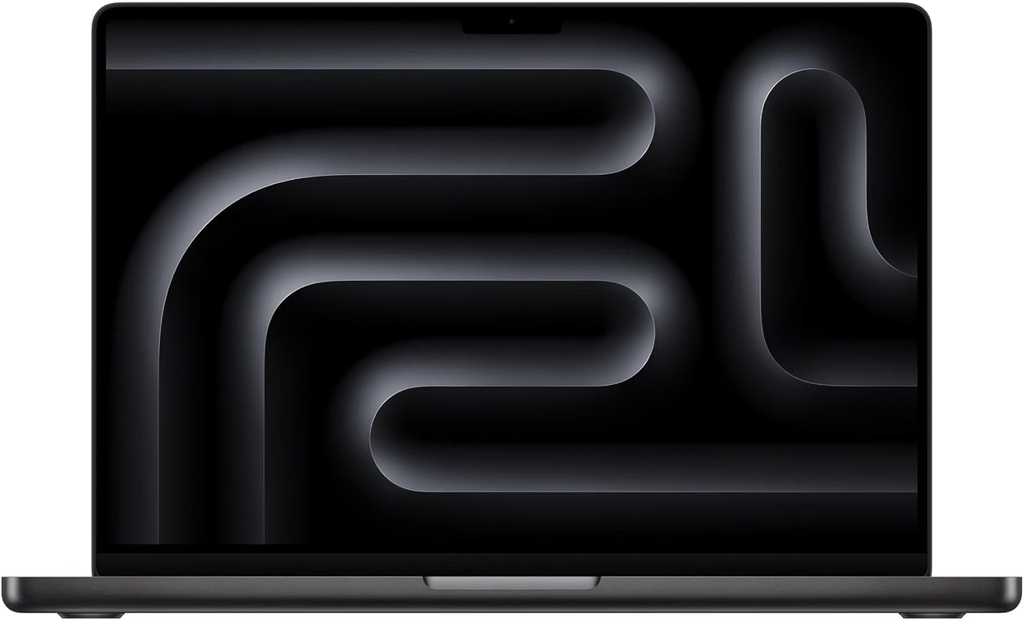
To be honest, the MacBook Pro isn’t the best SAP laptop for most people. It is the right one for a growing group: Fiori developers, S/4HANA Public Cloud consultants, and anyone whose SAP work happens in a browser or in SAP GUI for Java.
Specs
- Chip: Apple M6 (12-core CPU, 12-core GPU), built on TSMC’s 2nm process
- Memory: 16GB unified memory as reviewed, up to 32GB
- Storage: 1TB base
- Display: 14.2-inch 3024 x 1964 Liquid Retina XDR, 120Hz
- Ports: MagSafe, 3x Thunderbolt 4, HDMI, SDXC slot, 3.5mm audio
- Wireless: Wi-Fi 7, Bluetooth 6 (Apple N1 chip)
- External displays: up to two 6K monitors at 60Hz
- Weight: 3.4 lb (1.54 kg)
- Price: $1,999 (16GB/1TB), $400 more than last year’s base model
What the labs found
Tom’s Guide’s Tony Polanco tested the $1,999 base model:
- Geekbench 6: 4,752 single / 21,184 multi, the highest in this guide by a wide margin
- HandBrake 4K to 1080p: 2 minutes 50 seconds
- SSD (Blackmagic): 6,501 MB/s write, 6,684 MB/s read
- 3DMark Wild Life Extreme Unlimited: 15,635
- Display: 571 nits SDR, 1,482 nits HDR (40% window), 115.1% sRGB, 81.5% DCI-P3, Delta E 0.19
- Battery: 19 hours 5 minutes of continuous web browsing at 150 nits
Notebookcheck’s analysis of the M6 chip found about 21% more multi-core performance than the M5 in the MacBook Pro 14, along with 13–15% better single-core efficiency.
Where it works for SAP and where it doesn’t
It works well for Fiori Launchpad, SAP Business Application Studio, SAP Analytics Cloud, S/4HANA Cloud in the browser, and SAP GUI for Java 8.10, which runs natively on Apple Silicon.
It doesn’t work well for:
- SAP GUI for Windows-only features and add-ins your company might rely on
- Analysis for Office, which is an Excel for Windows add-in
- Running the ABAP Cloud Developer Trial in Docker Desktop on Apple Silicon, which no longer works on current macOS
- Heavy workloads that need more than 32GB of memory
Pros
- Fastest single-core and multi-core scores in this guide
- Long web-browsing battery life (19 h 05 min, Tom’s Guide)
- Excellent color accuracy (Delta E 0.19)
- SAP GUI for Java runs natively on Apple Silicon
- Supports two external 6K monitors
Cons
- No SAP GUI for Windows and no Analysis for Office
- Running the ABAP trial locally in Docker isn’t practical on Apple Silicon
- 32GB maximum memory on the M6
- More expensive than last year’s model
- Heaviest laptop in this guide at 3.4 lb
Who should buy it: Fiori/UI5 developers, BTP and cloud consultants, and companies that standardize on Macs. Before you buy, ask your SAP team whether any of your critical work depends on SAP GUI for Windows.
Why I Left Out the Surface Laptop Ultra and Other ARM Laptops
This wasn’t an easy decision. Tom’s Hardware measured the Surface Laptop Ultra’s RTX Spark N1X at 3,151 single-core and 20,203 multi-core in Geekbench 6, and StorageReview called it the fastest multi-core CPU in its test group. But it’s an ARM-based Windows laptop, and SAP GUI for Windows has no native ARM build. Until SAP officially supports Windows on ARM, I won’t recommend one as a primary SAP laptop, however fast it is.
Buying Guide: How to Choose a Laptop for SAP
1. RAM: buy for your heaviest day
- 16GB: enough for end users working in SAP GUI and Fiori
- 32GB: the right amount for consultants using Analysis for Office, Teams, VPN/Citrix and many browser tabs
- 64GB: for developers running the ABAP trial locally or BASIS admins running VMs
RAM is soldered on every laptop in this guide, so you can’t upgrade it later. Choose carefully.
2. Platform: x64 Windows 11 for SAP GUI
If your work depends on SAP GUI for Windows, choose an Intel or AMD x64 laptop with Windows 11. SAP GUI 8.10 won’t run on Windows 10, and Windows on ARM isn’t officially supported.
3. Display: plan for external monitors
Most SAP consultants work docked to two external monitors. Every laptop here has at least two Thunderbolt 4 ports plus HDMI. When you’re working on the laptop screen alone, a 16:10 display shows more rows of SAP GUI output, which helps with long ALV grids.
4. Battery: IPS beats OLED for frequent travelers
Notebookcheck’s ThinkPad results and StorageReview’s Dell results point the same way: on otherwise identical hardware, an OLED panel can cost around 10 hours of battery life. If you travel often, choose IPS or LCD.
5. Security and remote management
Corporate IT will want Intel vPro (the Dell offers vPro Enterprise), TPM 2.0, an IR camera for Windows Hello, and a WWAN option for secure connections outside the office.
6. Office: always 64-bit
Make sure IT installs 64-bit Office and 64-bit Analysis for Office. A 32-bit Excel process hits a memory limit no matter how much RAM the laptop has.
How I Chose These Laptops
Here’s how I built this list:
- SAP requirements first. I started with SAP’s own documentation: the SAP GUI for Windows 8.10 announcement, the SAP GUI Family page, SAP Business Client requirements, the ABAP Platform Trial README, and SAP Community answers that cite SAP Notes 26417, 66971 and 3690821.
- Latest generation only. Each pick is the newest model in its line as of November 2026, and I checked that none has been replaced by a successor.
- One laptop per brand. Five brands, five picks.
- Independent lab data only. I didn’t run these benchmarks myself, and every number is credited to the lab that measured it. Notebookcheck uses an X-Rite i1Pro 3 colorimeter with CalMAN software and runs its Wi-Fi battery test at 150 nits. StorageReview runs PCMark 10 Modern Office in Balanced mode at 50% brightness. Tom’s Guide runs continuous web browsing at 150 nits. Tom’s Hardware runs a 10-loop Cinebench 2026 stress test. I also used results from Trusted Reviews, XDA, TweakTown and others.
- Weighted for SAP work. I prioritized RAM capacity, platform support, battery life, keyboard quality and multi-monitor support over raw graphics performance.
Frequently Asked Questions
What are the laptop requirements for SAP GUI in 2026?
SAP GUI for Windows 8.10 requires Windows 11 or Windows Server 2016–2025. According to SAP Help, about 800MB of disk space is enough for one version. SAP Business Client 8.x requires 4GB of RAM or more and recommends 8GB. For real-world use, I recommend at least 16GB, and 32GB for consultants.
Is 16GB of RAM enough for SAP?
It’s enough for end users working in SAP GUI and Fiori. If you run Analysis for Office, Teams and a VPN at the same time, 32GB is safer. To run the ABAP trial locally, SAP recommends 32GB of total system RAM.
Can I run SAP on a MacBook?
Yes, with some limits. SAP GUI for Java 8.10 runs natively on Apple Silicon, and Fiori works in any browser. SAP GUI for Windows and Analysis for Office don’t run on macOS, and the Docker-based ABAP trial no longer runs on Apple Silicon.
Does SAP GUI work on Snapdragon or other ARM Windows laptops?
Not officially. There’s no native ARM64 version of SAP GUI for Windows. Some users report that the x64 version runs under Prism emulation, but SAP doesn’t support that setup.
What’s the best laptop for SAP S/4HANA developers?
The ASUS ExpertBook Ultra with 64GB of RAM. It has enough memory to run the ABAP Cloud Developer Trial in Docker alongside Eclipse ADT and your everyday apps.
Does SAP GUI 8.10 work on Windows 10?
No. SAP GUI 8.10 supports Windows 11 and Windows Server 2016–2025. On Windows 10 you’ll need SAP GUI 8.00, which is supported until July 31, 2027.
What’s the best laptop for an SAP consultant who travels?
The Lenovo ThinkPad X1 Carbon Gen 14 with the IPS screen. Notebookcheck measured 23.2 hours of Wi-Fi battery life, and it weighs 1.14 kg.
Final Verdict
If you only want one answer, buy the Lenovo ThinkPad X1 Carbon Gen 14 Aura Edition with the IPS screen and 32GB of RAM. It’s the safest and most comfortable SAP laptop for most people, and its battery will last through the longest go-live day.
If your role is different:
- Heavy consultant workloads: HP EliteBook X G2i 14
- IT fleet rollouts: Dell Pro 14 Premium
- ABAP development with local containers: ASUS ExpertBook Ultra with 64GB
- Fiori, cloud or Mac-based teams: MacBook Pro 14 (M6)
Whichever laptop you choose, stick to Windows 11 on x64, 64-bit Office, and as much RAM as you can afford. You’ll be glad you did at 11 p.m. on the last day of month-end close.
Sources
- Notebookcheck: Lenovo ThinkPad X1 Carbon Gen 14 Review
- Notebookcheck: ThinkPad X1 Carbon Gen 14 OLED vs IPS
- Notebookcheck: ThinkPad X1 Carbon Gen 14 Specs and Prices
- Tom’s Hardware: ThinkPad X1 Carbon Gen 14 Aura Edition Review
- Engadget: Lenovo ThinkPad X1 Carbon Gen 14 Review
- XDA Developers: ThinkPad X1 Carbon Gen 14 Aura Edition Review
- MyFixGuide: ThinkPad X1 Carbon Gen 14 Aura Edition Review
- MakeUseOf: Lenovo ThinkPad X1 Carbon Gen 14 Review
- Notebookcheck: HP EliteBook X G2i Review
- StorageReview: HP EliteBook X G2i Review
- Digit: HP EliteBook X G2i 14 Review
- Gizbot: HP EliteBook X G2i 14 Review
- Techaeris: HP EliteBook X G2i 14 Review
- Windows Central: HP EliteBook X 14 G2i Hands-On
- StorageReview: Dell Pro 14 Premium Review
- TechRadar: Dell Pro 14 Premium Review
- KAD: Dell Pro 14 Premium PA14260 Review
- Notebookcheck: Dell Pro 14 Premium Global Launch
- Dell: Pro 14 Premium PA14260 Fact Sheet
- Notebookcheck: ASUS ExpertBook Ultra Review
- Notebookcheck: ASUS ExpertBook Ultra B9406CAA Specs
- Trusted Reviews: ASUS ExpertBook Ultra (2026) Review
- XDA Developers: ASUS ExpertBook Ultra Review
- TweakTown: ASUS ExpertBook Ultra Review
- Windows-HQ: ASUS ExpertBook Ultra Performance Analysis
- UltrabookReview: ASUS ExpertBook Ultra Review
- Technobaboy: ASUS ExpertBook Ultra Review
- Tom’s Guide: Apple MacBook Pro M6 Review
- Notebookcheck: Apple M6 SoC Analysis
- Tom’s Hardware: Microsoft Surface Laptop Ultra RTX Spark Review
- StorageReview: Microsoft Surface Laptop Ultra for Business Review
- SAP Community: SAP GUI for Windows 8.10 General Availability
- SAP Community: SAP GUI Family
- SAP Help: SAP Business Client for Desktop Installation
- SAP Community: SAP GUI on ARM Windows Clients
- SAP Community: SAP and ARM64 Windows 11 with Prism Emulator
- SAP Community: SAP GUI for Java 8.10
- SAP Community: SAP GUI and macOS Tahoe 26
- SAP Community: Notes on Installing SAP GUI for Java on macOS
- SAP Community: Running ABAP Cloud Developer Trial on a Mac
- SAP Community: ABAP Cloud Developer Trial Discussion
- SAP Community: ABAP Trial RAM Usage
- SAP Community: ABAP Platform 2023 on Cloud Appliance Library
- GitHub: SAP ABAP Platform Trial Image README
- SAP Community: Analysis for Office Data Cells Limit and Memory
- SAP Community: Analysis for Office Multi-Thread Support
- Visual BI Solutions: Consuming Large Datasets on Analysis for Office
- SAP Community: Laptop Requirements for SAP Developers
- SAP Technical Guru: SAP GUI 64-bit
- IDES24: Installing and Using SAP GUI on Windows, macOS, iPad and iPhone

Hi, my name is Burak. I am a mechanical engineer. I have been writing laptop reviews for the Engineering Laptops website since 2020. Please feel free to contact me if you have any questions.