
Table of contents
- The Short Answer
- First, The Thing Nobody Wants To Tell You About 2026 Prices
- How I Put This Guide Together
- Best Gaming Laptops Under $1,500 in 2026
- The Numbers Nobody Else Bothers To Work Out
- About That 8GB Of Video Memory
- Should You Wait For The Next Generation?
- How To Choose: Work Through This
- Questions People Keep Asking Me
- Where I Land
I’ve been shopping this price bracket obsessively since spring, partly for a friend who kept asking me “is now a bad time to buy?” and partly because the answer turned out to be more complicated than I expected. So here’s everything I’ve dug up: five machines I’d actually hand my own money over for, backed by hard lab numbers rather than vibes.
Quick warning before you scroll. The $1,500 gaming laptop in 2026 is not the same animal it was last year, and if you go in with 2025 expectations you’re going to get a nasty surprise at checkout. I’ll explain why in a minute.
The Short Answer
If you just want the recommendation and you’re not here for the deep dive:
| What you need | The laptop | GPU / CPU | What it costs right now |
|---|---|---|---|
| Best overall | Lenovo Legion Pro 5 16 (Gen 10) | RTX 5070 / Core Ultra 7 255HX | $1,260 – $1,499 |
| Best battery life | Asus TUF Gaming A16 (FA608UP) | RTX 5070 / Ryzen 7 260 | $1,299 – $1,449 |
| Best thin and light | Gigabyte Aero X16 (1WH) | RTX 5070 / Ryzen AI 7 350 | $1,350 – $1,400 |
| Best value | HP Omen 16 (2025–26) | RTX 5060 / Ryzen 9 8940HX | $1,025 – $1,199 |
| Best compact OLED | Lenovo Legion 5 15 (Gen 10) | RTX 5060 / Ryzen 7 260 | $1,299 – $1,449 |
My pick, if you make me choose one: the Lenovo Legion Pro 5 16 with the RTX 5070 and the OLED screen. It has the fastest processor of the five by a mile, the best display I’ve seen at this money, and it drops to around $1,260 often enough that waiting for a sale is a genuinely good strategy. List price is $1,975, so don’t pay that.
First, The Thing Nobody Wants To Tell You About 2026 Prices
Memory prices have gone completely off the rails, and it has reshaped this entire price segment.
Here’s the chain of events. Through 2025, AI companies signed enormous long-term contracts for high-bandwidth memory. Samsung, SK Hynix and Micron, who between them make almost all of the world’s DRAM, did the sensible commercial thing and moved fab capacity away from ordinary consumer DDR5 toward the stuff that earns HBM margins. Contract DRAM prices rose roughly 170% across 2025. TrendForce recorded consumer DRAM contract prices climbing as much as 89% in a single quarter of 2026. Tom’s Hardware tracked a 32GB DDR5 kit going from about $100 in September 2025 to well over $400 by this summer.
NAND followed. Then in July 2026, Nvidia’s kit price increases confirmed that GDDR7 had joined the party too.
A gaming laptop is uniquely exposed to all of this because it carries three separate kinds of memory: system RAM, video RAM, and the NAND in the SSD. All three got more expensive at once. Lenovo, Dell, HP, Acer and Asus have all confirmed price increases in the 15–20% range, with high-end models projected as high as 30%.
You can even see it in Nvidia’s product decisions. In April 2026 they quietly launched a 12GB version of the RTX 5070 Laptop GPU. Same GB206 chip, same 4,608 CUDA cores, same 128-bit bus, same 384 GB/s of bandwidth. The only change was swapping 2GB memory modules for 3GB ones, and the stated reason was that 3GB modules were what they could actually get hold of.
So what does this mean for you, practically? This:
The 16GB Trap
Work through the arithmetic with me, because it inverts the usual budget-shopping logic completely.
| What you buy | Sticker | What it really costs you over three years |
|---|---|---|
| 16GB soldered, no slots | $1,199 | $1,199, and you are stuck at 16GB permanently |
| 16GB in one slot (single channel) | $1,199 | $1,199 + roughly $200 for the matching stick = $1,399, plus you eat halved memory bandwidth until you buy it |
| 16GB across two slots | $1,299 | $1,299 + roughly $400 for a 2×16GB kit = $1,699 |
| 32GB already installed | $1,499 | $1,499. That’s it. |
Read that bottom row again. A laptop with 32GB fitted at $1,499 is genuinely cheaper than a laptop with 16GB soldered at $1,199. The manufacturer bought that memory at contract prices. You’d be buying it at retail panic prices.
This is why I’ve weighted RAM configuration heavily in everything below, and why two of my five picks are machines that ship with 32GB as standard.
One more thing worth knowing: most of the stock sitting in warehouses right now was built in the first half of 2026, which means it still has pre-hike memory contracts baked into it. That’s exactly why the discounts I quote below look as generous as they do. I would not bet on them surviving another quarter.
How I Put This Guide Together
I want to be upfront about where the numbers come from, because I think that matters more than a byline.
The measurements I quote are from standardised laboratory testing. The bulk of them come from Notebookcheck, whose test bench has been running the same suite for about twenty years using proper instruments: an X-Rite i1Pro 3 colorimeter for the screens, an Earthworks M23R microphone at 15cm for the acoustics, calibrated Fluke probes for surface temperatures, and a Metrahit Energy meter at the wall socket for power draw. Where a second independent data point existed I cross-checked against LaptopMedia, PCWorld, TechRadar, Geeks3D and Gadget Pilipinas. Nothing below is a manufacturer claim.
What I’ve added on top is the analysis. The frames-per-watt figures, the noise-per-frame comparison, the unplugged performance collapse and the memory maths are all my own calculations worked out from those published measurements, and I show the working every time so you can check me.
Here’s the protocol those numbers came out of, so you know what you’re reading:
| Area | How it’s tested |
|---|---|
| Processor, sustained | Cinebench R15 multi-core on a loop, minimum 30 runs, measuring the drop from peak to steady state |
| Processor, burst | Cinebench R23 and R20, Geekbench 6.7, 7-Zip, Blender BMW27, HWBOT x265 |
| Graphics, synthetic | 3DMark Fire Strike (1080p), Time Spy (1440p), 3DMark 11 |
| Real games | Cyberpunk 2077, Baldur’s Gate 3, Doom: The Dark Ages, Assassin’s Creed Shadows, F1 25, GTA V, Strange Brigade, Dota 2, X-Plane 11 — from 1080p to 4K, with and without DLSS |
| Heat | Prime95 and FurMark together, surface temperatures mapped across nine points top and bottom, ambient logged |
| Noise | dB(A) at 15cm at idle, under average load, at peak, and specifically during a Cyberpunk 2077 Ultra run |
| Display | Brightness at nine points, contrast, black level, sRGB / DCI-P3 / AdobeRGB coverage, ΔE2000 colour and greyscale accuracy, grey-to-grey and black-to-white response, PWM frequency and amplitude |
| Storage | CrystalDiskMark, AS SSD, DiskSpd, plus a sustained read loop at queue depth 8 that exposes throttling burst tests hide |
| Battery | Wi-Fi browsing script at 150 cd/m², an H.264 1080p video loop, and a maximum-brightness load test |
| Power | Wall draw at idle, during Cyberpunk 2077 Ultra, and at peak stress |
That Cyberpunk-specific noise and power measurement matters more than you’d think. Plenty of laptops post respectable “load” acoustics because the test doesn’t hammer the processor and graphics chip the way an actual open-world game does at the same time.
Best Gaming Laptops Under $1,500 in 2026
1. Lenovo Legion Pro 5 16 (Gen 10) — Best Overall

As tested: Intel Core Ultra 7 255HX · RTX 5070 Laptop at 115W · 32GB DDR5-6400 · 1TB SK Hynix · 16-inch 2560×1600 OLED at 165Hz
This is the one I’d buy, and the reason is boring but important: it doesn’t have a hole in it. Almost everything else in this bracket has one obvious compromise you have to talk yourself into. This doesn’t.
Specifications
- Processor: Intel Core Ultra 7 255HX, Arrow Lake-HX, 20 cores and 20 threads — eight Lion Cove performance cores at up to 5.2 GHz, twelve Skymont efficiency cores at up to 4.5 GHz, 125W sustained and 185W burst
- Graphics: Nvidia GeForce RTX 5070 Laptop, 8GB GDDR7, 115W, Advanced Optimus with a proper MUX switch
- Screen: 16-inch 16:10 Samsung OLED (ATNA60HS01-0), 2560×1600, 165Hz, DisplayHDR True Black 1000, Dolby Vision, G-SYNC
- Memory: 32GB DDR5-6400 across two accessible SO-DIMM slots
- Storage: 1TB PCIe 4.0 SK Hynix, second M.2 slot empty and ready
- Ports: Thunderbolt 4, USB4 40Gbps, USB-C with 65–100W power delivery, three USB-A, HDMI 2.1, Ethernet, headphone jack
- Wireless: Wi-Fi 7 (MediaTek MT7925), Bluetooth 5.4
- Battery: 80Wh, 245W charger
- Weight and thickness: 2.28 kg (5.03 lbs), 25.95mm
- Extras: 5MP webcam with a physical shutter, 24-zone RGB keyboard, metal lid
What the benchmarks say
| Test | Result |
|---|---|
| Cinebench R23 multi-core | 34,005 |
| Cinebench R23 single-core | 2,163 |
| Cinebench R15 multi, peak | 5,190 |
| Cinebench R15 sustained loop average | 4,910 (roughly a 7% drop over 30 runs) |
| Geekbench 6.7 multi-core | 19,623 |
| Geekbench 6.7 single-core | 3,028 |
| 3DMark Fire Strike Graphics | 37,831 |
| 3DMark Time Spy Graphics | 13,510 |
| PCMark 10 | 8,910 |
| PCMark 10 Digital Content Creation | 17,200 |
| Blender BMW27, processor render | 104 seconds |
| 7-Zip compression | 104,055 MIPS |
That Cinebench R23 multi-core score of 34,005 is about 25% clear of the average for the gaming laptop class over the last two years. It is a genuinely fast chip and it is the main reason this laptop wins.
Frame rates in actual games
| Game | 1080p | 1440p | 1440p with DLSS Quality |
|---|---|---|---|
| Cyberpunk 2077, Ultra | 107 fps (88.7 minimum) | 68.3 fps | 80.7 fps |
| Baldur’s Gate 3, Ultra | 130.6 fps | 90 fps | 135.8 fps |
| Doom: The Dark Ages, Ultra Nightmare | 72.2 fps | 49.4 fps | 70 fps |
| Assassin’s Creed Shadows, Ultra High | 46 fps | 38 fps | 45 fps |
| F1 25, Ultra High | 64.5 fps | 42 fps | 58 fps |
| GTA V, Highest with 4×MSAA | 153.2 fps | 126 fps | 134 fps |
| Dota 2, Ultra | 162.4 fps | 131 fps | 145 fps |
| Strange Brigade, Ultra | 246 fps | 177.4 fps | 198 fps |
| X-Plane 11.11, High | 101.6 fps | 80 fps | 92 fps |
I care about the consistency more than the peak. Over a full sustained Cyberpunk loop it averaged 99.9 fps within a band of 94.4 to 101.2 fps. That’s a spread of about 7% from start to finish. This machine does not fall apart when it gets warm, which is more than I can say for a lot of thin gaming laptops.
The screen, which is the real selling point
| Measurement | Result |
|---|---|
| Brightness, centre | 521 cd/m² |
| Brightness, nine-point average | 518.6 cd/m² |
| Uniformity | 98% |
| Contrast | 6,947:1 (black level 0.075 cd/m²) |
| sRGB coverage | 100% |
| DCI-P3 coverage | 99.3% |
| AdobeRGB coverage | 93.9% |
| ΔE2000 ColorChecker, out of the box | 2.5 (worst case 4.85) |
| ΔE2000 greyscale | 3.17 |
| Grey-to-grey response | 2.0 ms (1.0 rise, 1.0 fall) |
| Black-to-white response | 1.4 ms |
| Gamma / colour temperature | 2.35 / 6,454 K |
| PWM dimming | 1,300 Hz at 16.7% amplitude |
Some context on that 2ms response figure. The average across every display Notebookcheck has ever tested sits at 30.9 ms. This panel lands in the top 10% ever measured. If you play competitive shooters, that number is worth more to you than twenty extra average frames.
The PWM is fast enough that most people won’t notice it, but if you’re one of the unlucky ones who gets headaches from OLED dimming, that’s the caveat to know before you order.
Heat, noise and power
Under sustained stress it peaked at 42°C on the top surface and 44°C underneath. For reference, the class average is 40.4°C and 43.2°C, and the RTX 5070 Ti version of this same laptop runs 6°C hotter on the bottom. The WASD cluster sat at 37°C and the palm rests at 31°C, which is below skin temperature, so it never feels warm under your hands.
During Cyberpunk it pulled 231W at the wall and made 50.27 dB(A) of fan noise. At idle it’s silent at 23 dB(A) with the fans off.
Lenovo’s performance modes are worth actually using, because they’re properly differentiated:
| Mode | Cinebench R15 | Cyberpunk fps | GPU power | Noise |
|---|---|---|---|---|
| Performance | 5,190 | 107 | 103W | 50.3 dB |
| Balanced | 4,463 | 94.2 | 93W | 47.3 dB |
| Eco | 3,731 | 72 | 55W | 38.4 dB |
Balanced costs you 12% of your frame rate and cuts the perceived loudness roughly in half. Remember that plus three decibels is about a doubling of how loud something sounds to your ear. That’s the setting I’d leave it on.
Battery and storage
Wi-Fi browsing gets you 6 hours 12 minutes, video playback 6 hours 5 minutes, and gaming at full brightness 1 hour 46 minutes.
The SK Hynix drive posts 6,199 MB/s sequential read and 2,240 MB/s write in CrystalDiskMark, with an AS SSD total of 8,115. But the number I actually care about is the sustained read loop, which averaged 6,927 MB/s and dipped as low as 3,483 MB/s toward the end. The drive throttles when it gets hot. It won’t hurt you in games, but if you’re editing video, plan on filling that second M.2 slot.
What I like
- The display is not close. 521 nits, 6,947:1 contrast, 99.3% DCI-P3, 2ms response. Nothing else here competes.
- The Core Ultra 7 255HX is a properly quick chip and it holds its clocks, losing only about 7% over a long Cinebench loop.
- 32GB in two accessible slots, which in this market is worth real money.
- Genuinely restrained temperatures for a machine pulling 231W.
- Wi-Fi 7 measured at 1,861 Mbit/s transmit, the fastest in its comparison group.
- Thunderbolt 4, USB4, a real MUX switch, and a 5MP webcam with a shutter.
- It goes on sale constantly. Watch it, don’t pay list.
What I don’t
- 8GB of video memory. Indiana Jones and the Great Circle flags a VRAM overflow at 1080p on Low, and repeatedly crashed on launch at High and Ultra. Assassin’s Creed Shadows also overflows at 1440p Ultra, though it stayed playable there. More on this further down.
- Unplugged, it retains only 18% of its 3D performance. That’s an 82% collapse in Fire Strike. Processor performance drops about 43%. This is a plug-in-only machine and you should treat it as one.
- The finish is a fingerprint magnet in a way that genuinely annoyed reviewers.
- USB-A ports are capped at 5 Gbps, there’s no Thunderbolt 5 and no SD card reader.
- Lenovo Vantage and Legion Space carry adverts. Lenovo Now is pure promotional junk, uninstall it on day one.
- It dropped around 30 frames in a YouTube playback test.
- The speakers are quiet and have basically no bass.
- Five pounds. This lives on a desk.
Notebookcheck’s overall verdict: 86% — Games Performance 90%, Application Performance 91%, Temperature 93%, Display 87%, Battery 70%.
2. Asus TUF Gaming A16 (FA608UP) — Best Battery Life By A Country Mile
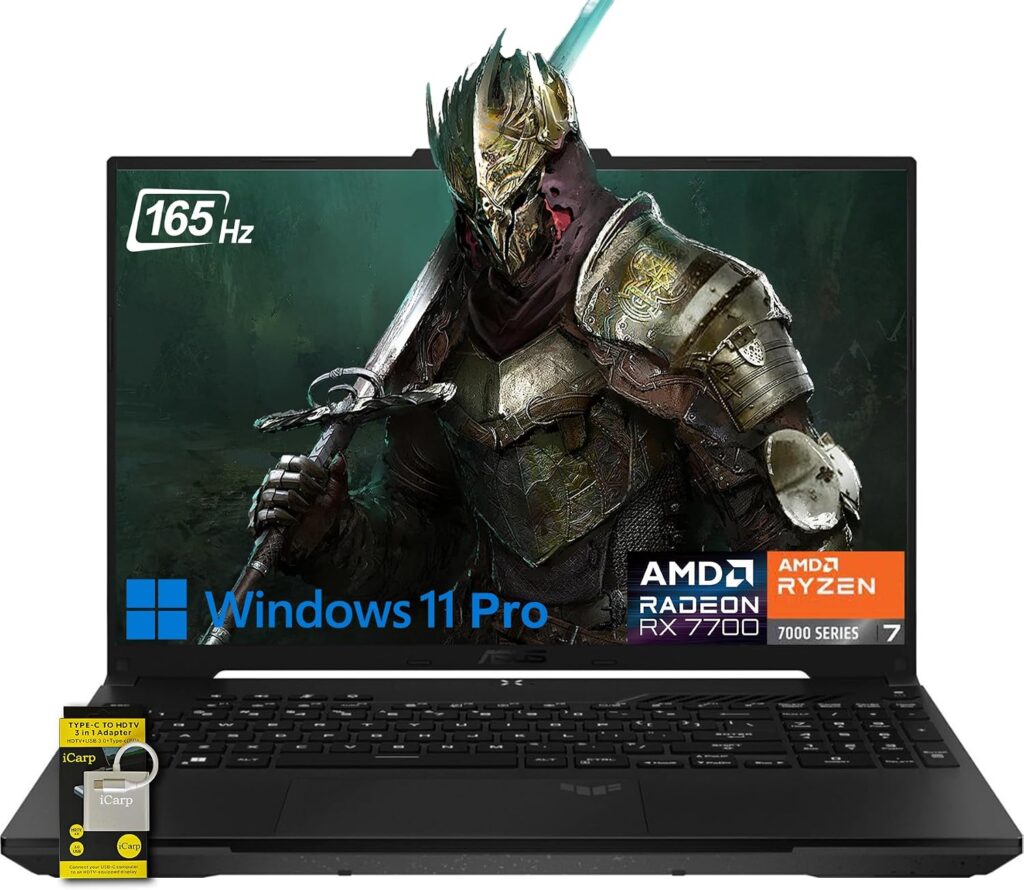
As tested: AMD Ryzen 7 260 · RTX 5070 Laptop · 16GB DDR5-5600 · 1TB WD SN5000S · 16-inch 2560×1600 IPS at 165Hz · 90Wh
I genuinely did not expect to be writing this section. A gaming laptop with an RTX 5070 that browses the web for thirteen hours shouldn’t exist. LaptopMedia’s separate testing of this chassis pushed past fourteen hours. That is not an incremental improvement over the competition, it’s a different category.
And the graphics implementation isn’t a compromise either. This posted the highest Time Spy Graphics score of any RTX 5070 laptop in its comparison group, ahead of the Legion, the Alienware and the Schenker.
Specifications
- Processor: AMD Ryzen 7 260, Zen 4 Hawk Point-HS, 8 cores and 16 threads, up to 5.1 GHz
- Graphics: Nvidia GeForce RTX 5070 Laptop, 8GB GDDR7
- Screen: 16-inch 16:10 IPS, 2560×1600, 165Hz, G-SYNC compatible
- Memory: 16GB DDR5-5600 in upgradeable SO-DIMM slots
- Storage: 1TB PCIe 4.0 WD SN5000S, second slot free
- Ports: two USB-C (one with 20V/5A power delivery, one with DisplayPort and G-SYNC passthrough), three USB-A at 10Gbps, HDMI 2.1, Ethernet, headphone jack
- Wireless: Wi-Fi 6E (MediaTek MT7922), Bluetooth 5.3
- Battery: 90Wh
- Weight and thickness: 2.2 kg (4.88 lbs), 25.7mm
- Build: MIL-STD-810H rated chassis
What the benchmarks say
| Test | Result |
|---|---|
| Cinebench R23 multi-core | 17,277 |
| Cinebench R23 single-core | 1,760 |
| Cinebench R15 sustained loop average | 2,740 |
| Geekbench 6.7 multi-core | 13,299 |
| Geekbench 6.7 single-core | 2,673 |
| 3DMark Fire Strike Graphics | 37,193 |
| 3DMark Time Spy Graphics | 14,771 — best RTX 5070 result in the group |
| CrossMark overall | 1,712 |
| Blender BMW27, processor render | 182 seconds |
| 7-Zip compression | 72,400 MIPS |
Frame rates in actual games
| Game | 1080p |
|---|---|
| Cyberpunk 2077, Ultra | 109.4 fps (88.6 minimum) |
| Cyberpunk 2077, sustained loop average | 110.2 fps (range 104.1 – 111.0) |
| Baldur’s Gate 3, Ultra | 127.5 fps |
| GTA V, Highest with 4×MSAA | 124.8 fps |
| Final Fantasy XV, High | 142.3 fps |
| Strange Brigade, Ultra | 219 fps |
| Dota 2, Ultra | 123.2 fps |
| X-Plane 11.11, High | 80.7 fps |
The screen
| Measurement | Result |
|---|---|
| Brightness, centre | 480 cd/m² |
| Brightness, average | 456 cd/m² |
| Uniformity | 91% |
| Contrast | 1,191:1 (black level 0.43 cd/m²) |
| sRGB coverage | 97.2% |
| DCI-P3 coverage | 69.4% |
| AdobeRGB coverage | 71.9% |
| ΔE2000 ColorChecker | 1.4 (worst case 2.5) |
| ΔE2000 greyscale | 1.2 |
| Grey-to-grey response | 6.3 ms |
| Black-to-white response | 4.8 ms |
| PWM dimming | None detected |
Factory calibration this good on a sub-$1,500 gaming laptop is unusual. A ΔE of 1.4 out of the box means you can genuinely trust the colours without touching a calibrator.
Heat, noise and battery
Surfaces peaked at 39.5°C on top and 45.1°C underneath, which is the coolest top surface of any RTX 5070 machine in this guide. The trade-off comes out of the fans: 53.9 dB(A) during Cyberpunk and 57.1 dB(A) at peak. That is loud, and it’s the loudest of my five picks. Headphones aren’t optional here.
At the wall it pulled 198.9W during Cyberpunk and 235.2W at peak stress.
Battery: 13 hours of Wi-Fi browsing. I keep repeating that number because it still doesn’t feel real.
One more thing I noticed digging through the data: it recorded 563.8 μs of maximum DPC latency, comfortably the best in its group. The Legion managed 810 μs and one Gigabyte competitor hit 4,219 μs. If you record audio or you’re sensitive to stutter, that’s a meaningful advantage nobody advertises.
What I like
- Thirteen hours unplugged, from a machine with an RTX 5070 in it. Nothing else here is close.
- The fastest RTX 5070 implementation measured, at 14,771 Time Spy Graphics.
- Highest Cyberpunk average of all five picks, at 109.4 fps.
- Excellent factory colour accuracy, 480 nits, and no PWM flicker.
- Coolest top surface among the RTX 5070 machines.
- Best DPC latency in its class, which matters for audio work and frame pacing.
- MIL-STD-810H build, and it feels it.
- The Ryzen 7 260 handles graphics load on battery better than the Intel HX chips do.
What I don’t
- The weakest processor of the RTX 5070 group. At 17,277 in Cinebench R23 multi it sits 49% behind the Legion Pro 5. If you stream, encode, or play processor-heavy simulation games, you will feel that gap.
- Loudest under load at 53.9 dB(A).
- The SSD is the soft spot. AS SSD total of 4,498 against the Legion’s 8,115, and a 4K Q32T16 read of just 1,036 MB/s.
- Wi-Fi 6E rather than Wi-Fi 7.
- IPS, not OLED. 69.4% DCI-P3 means HDR content looks flat next to the Lenovos.
- Ships with 16GB. In this market, budget for the upgrade at purchase or accept the ceiling.
- No full USB4 or Thunderbolt.
Buy this if you actually leave the house with your laptop, or you mostly play esports titles where the graphics chip matters more than the processor.
3. Gigabyte Aero X16 (1WH) — Best Thin And Light
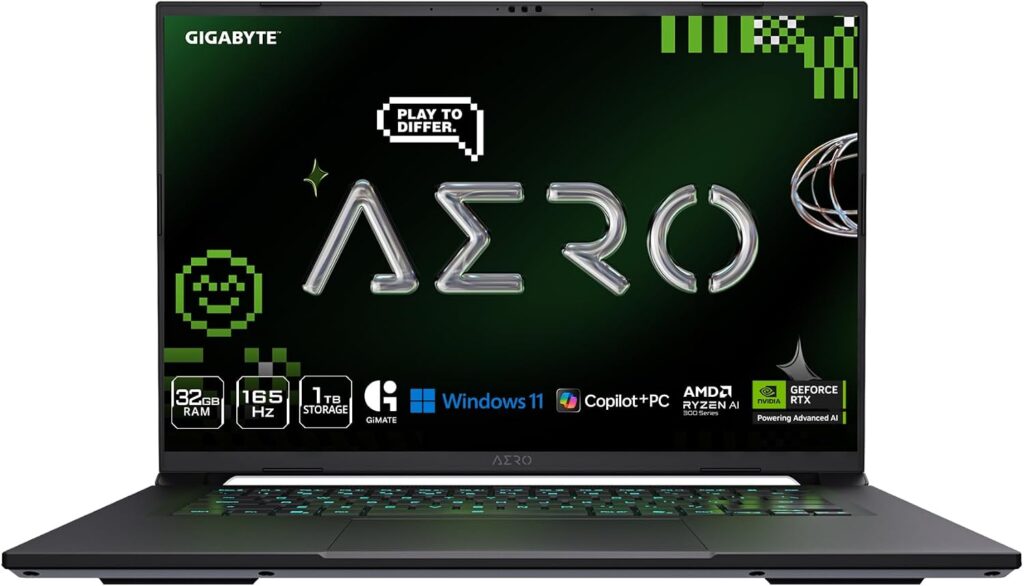
As tested: AMD Ryzen AI 7 350 · RTX 5070 Laptop at 85W · 32GB DDR5 · 1TB Kingston · 16-inch 2560×1600 IPS at 165Hz · 76Wh
At 19.9mm thick and 2.0 kg, this is the only RTX 5070 laptop in the bracket you’d genuinely carry every day. It’s also the efficiency champion, and by a margin that surprised me enough that I went back and checked the maths twice.
Specifications
- Processor: AMD Ryzen AI 7 350, Zen 5 Krackan Point, 8 cores and 16 threads, with a 50 TOPS-class NPU
- Graphics: Nvidia GeForce RTX 5070 Laptop, 8GB GDDR7, configured at 85W
- Screen: 16-inch 16:10 matte IPS, 2560×1600, 165Hz
- Memory: 32GB DDR5, upgradeable
- Storage: 1TB PCIe 4.0 Kingston, second M.2 Gen4 slot free
- Wireless: Wi-Fi 6E (Realtek RTL8852CE), Bluetooth 5.2
- Battery: 76Wh, 150W charger
- Weight and thickness: 2.0 kg (4.34 lbs), 19.9mm
- Extras: 1080p IR webcam, two 2W speakers, Golden Curve keyboard switches
What the benchmarks say
| Test | Result |
|---|---|
| Cinebench R23 multi-core | 17,865 |
| Cinebench R23 single-core | 1,966 |
| Cinebench R15 sustained loop average | 2,388 |
| Geekbench 6.7 multi-core | 14,025 |
| Geekbench 6.7 single-core | 2,863 |
| 3DMark Fire Strike Graphics | 31,345 |
| 3DMark Time Spy Graphics | 12,119 |
| PCMark 10 | 7,925 |
| Blender BMW27, processor render | 182 seconds |
| Blender Classroom, OptiX GPU render | 20.8 seconds |
Frame rates in actual games
| Game | 1080p | 1440p |
|---|---|---|
| Cyberpunk 2077, Ultra | 90.1 fps (73.4 minimum) | 58 fps |
| Cyberpunk 2077, sustained loop average | 89.7 fps (range 80.8 – 91.1) | — |
| Baldur’s Gate 3, Ultra | 109.4 fps | 74 fps |
| Assassin’s Creed Shadows, Ultra High | 40 fps | 30 fps |
| GTA V, Highest with 4×MSAA | 111.8 fps | 92 fps |
| Strange Brigade, Ultra | 234 fps | 168 fps |
| Dota 2, Ultra | 131.9 fps | 108 fps |
| X-Plane 11.11, High | 83.7 fps | 66 fps |
The screen
| Measurement | Result |
|---|---|
| Brightness, centre | 395 cd/m² |
| Brightness, average | 398 cd/m² |
| Uniformity | 97% |
| Contrast | 1,500:1 (black level 0.32 cd/m²) |
| sRGB coverage | 96.1% |
| DCI-P3 coverage | 68.7% |
| AdobeRGB coverage | 71.2% |
| ΔE2000 ColorChecker | 1.3 (worst case 2.8) |
| ΔE2000 greyscale | 1.8 |
| Grey-to-grey response | 12.0 ms |
| Black-to-white response | 5.6 ms |
That ΔE of 1.3 is the most accurate panel of my five straight out of the box. The 12ms response is the problem, and I’ll come back to it.
Heat, noise, battery
Surfaces reached 43.3°C on top and 50.3°C underneath. Don’t game with this one on bare legs. Fan noise during Cyberpunk was 50.2 dB(A), which makes it the quietest RTX 5070 machine here, and peak load noise was also 50.2 dB — it simply doesn’t have a louder gear.
Wall draw during Cyberpunk was 123.8W. Read that again in light of the frame rate. It’s producing 90 fps on less power than several RTX 5060 laptops consume.
Battery gets you 8 hours 36 minutes of Wi-Fi browsing.
What I like
- 2.0 kg and 19.9mm with a real RTX 5070 inside. That combination barely exists.
- Astonishing efficiency. It’s the frames-per-watt winner and it isn’t close.
- The quietest RTX 5070 machine under gaming load, and it has no louder mode to surprise you with.
- Best colour accuracy of the five at ΔE 1.3, with 97% uniformity.
- 32GB fitted as standard, which sidesteps the memory problem entirely.
- 8 hours 36 minutes of real-world battery from only 76Wh.
- Second M.2 slot free, RAM upgradeable, which is rare in something this thin.
What I don’t
- 12ms grey-to-grey. This is the slowest panel here and you can see the smearing in fast motion. Competitive shooter players should look elsewhere.
- 395 nits and 68.7% DCI-P3 means it’s the dimmest and least punchy screen of the RTX 5070 group.
- Lowest gaming performance of the three RTX 5070 machines, about 17% behind the Legion in Cyberpunk. The 85W power limit is doing that.
- 50.3°C underneath.
- The matte finish attracts fingerprint oils across the whole keyboard deck, not just the keys.
- Wi-Fi 6E, not 7.
- The Kingston drive is mid-tier at 2,508 MB/s in DiskSpd sequential read.
- Port placement is right at the front edge, which left-handed users will find irritating with a mouse.
- Reviewers consistently describe the keyboard as mushy, with deck flex.
Buy this if the laptop has to fit in the bag you carry daily and you mostly play single-player games.
4. HP Omen 16 (2025–26) — Best Value, And The Coolest Laptop I’ve Come Across

As tested: AMD Ryzen 9 8940HX · RTX 5060 Laptop at a full 115W · 16GB DDR5-5600 · 1TB Samsung PM9C1b · 16-inch 1920×1200 IPS at 144Hz · 70Wh
HP split its gaming range in 2025. Omen Max took the flagship slot, and the regular Omen dropped into budget territory. That story usually ends badly. This time it didn’t.
The Ryzen 9 8940HX is a sixteen-core, thirty-two-thread chip that scores 27,145 in Cinebench R23 multi-core. That’s more processor than an RTX 5060 laptop has any business carrying, and it beats the RTX 5070-equipped TUF A16 by 57%. Meanwhile the chassis runs cooler than any gaming laptop I’ve seen numbers for.
Specifications
- Processor: AMD Ryzen 9 8940HX, Zen 4 Dragon Range refresh, 16 cores and 32 threads, up to 5.3 GHz
- Graphics: Nvidia GeForce RTX 5060 Laptop, 8GB, running the full 115W rating including 25W Dynamic Boost, with Optimus and a MUX switch
- Screen: 16-inch 16:10 IPS, 1920×1200, 144Hz on the base configuration. Better panels are available and you should read the cons before you order.
- Memory: 16GB DDR5-5600, single stick, single channel
- Storage: 1TB PCIe 4.0 Samsung PM9C1b
- Ports: two USB-A at 5Gbps, one USB-A at 10Gbps, one USB-C at 10Gbps with power delivery, HDMI 2.1, Ethernet, headphone jack
- Wireless: Wi-Fi 6 (Realtek RTL8852BE), Bluetooth 5.4
- Battery: 70Wh, 230W charger
- Weight and thickness: 2.4 kg (5.28 lbs), 23.7mm
- Extras: 1080p IR webcam, four-zone RGB keyboard, 26-key rollover
What the benchmarks say
| Test | Result |
|---|---|
| Cinebench R23 multi-core | 27,145 |
| Cinebench R23 single-core | 1,917 |
| Cinebench R15 sustained loop average | 4,084 (barely any throttling) |
| Geekbench 6.7 multi-core | 11,447 |
| Geekbench 6.7 single-core | 2,816 |
| 3DMark Fire Strike Graphics | 30,913 |
| 3DMark Time Spy Graphics | 11,655 |
| PCMark 10 | 8,054 |
| PCMark 10 Digital Content Creation | 13,465 |
| 7-Zip compression | 103,455 MIPS |
| Blender BMW27, processor render | 116 seconds |
Frame rates in actual games
| Game | 1080p | 1440p | 1440p with DLSS |
|---|---|---|---|
| Cyberpunk 2077, Ultra | 86.6 fps (59 minimum) | 56.1 fps | 65.2 fps |
| Cyberpunk 2077, sustained loop average | 78.2 fps (range 74.1 – 78.9) | — | — |
| Baldur’s Gate 3, Ultra | 109.1 fps | 75.5 fps | 114.3 fps |
| GTA V, Highest with 4×MSAA | 127.5 fps | 104 fps | 116 fps |
| Final Fantasy XV, High | 111 fps | 88 fps | — |
| Strange Brigade, Ultra | 217.8 fps | 155.7 fps | 178 fps |
| Dota 2, Ultra | 161.6 fps | 132 fps | — |
| F1 25, High | 154 fps | 112 fps | — |
| X-Plane 11.11, High | 93.9 fps | 74 fps | — |
The performance modes, which actually do something
HP gives you four modes plus a battery profile, and unusually they’re all meaningfully different:
| Mode | Cinebench R15 | Fire Strike Graphics | Cyberpunk fps | Noise |
|---|---|---|---|---|
| Unleashed | 4,857 | 31,331 | 84.6 | 52.7 dB |
| Performance | 4,296 | 25,485 | 78.1 | 49.0 dB |
| Balanced | 4,121 | 26,919 | 65.4 | 40.5 dB |
| Eco | 4,204 | 13,800 | 60.0 | 29.0 dB |
| On battery | 2,987 | 18,609 | 47.0 | 31.0 dB |
Eco at 29 dB is effectively silent and still gives you 60 fps in Cyberpunk. That’s a genuinely useful late-night setting and I wish more laptops offered something like it.
The screen, and this is where you need to pay attention
| Measurement | Result on the base panel |
|---|---|
| Brightness, centre | 328 cd/m² |
| Brightness, average | 313 cd/m² |
| Uniformity | 91% |
| Contrast | 1,262:1 (black level 0.26 cd/m²) |
| sRGB coverage | 58.1% |
| DCI-P3 coverage | 40.0% |
| AdobeRGB coverage | 38.7% |
| ΔE2000 ColorChecker | 4.73 (worst case 17.47) |
| ΔE2000 greyscale | 2.05 |
| Grey-to-grey response | 27.6 ms |
| Black-to-white response | 19.4 ms |
| PWM dimming | None detected |
That is a poor panel, and I’m not going to pretend otherwise. 58.1% sRGB is below what budget laptops now routinely manage. HP does offer better options across the range, going up to a 1600p 500-nit 240Hz panel with full sRGB coverage on the Ryzen AI and Core Ultra configurations. Configure up, or buy something else.
Heat, noise, battery, storage
This is the standout. Under full combined stress it peaked at 36°C on top and 37°C underneath. The class average is 40.4°C and 43.2°C. Palm rests measured 27°C, below skin temperature. Notebookcheck scored it 98% on temperature, and having read a lot of these reviews, I don’t remember seeing a better result on a gaming machine.
Fan noise during Cyberpunk was 49.5 dB(A), peaking at 52.7 dB. Wall draw during Cyberpunk was 192W, peaking at 208W.
Battery is the weak spot: 4 hours 57 minutes browsing, 5 hours 7 minutes of video, 1 hour 20 minutes gaming at full brightness. The 70Wh cell is small for the class.
The Samsung drive posts 7,204 MB/s sequential read in CrystalDiskMark and holds 7,228 MB/s in the sustained loop, which is the best sustained figure of my five. Its AS SSD total of 5,084 is weak though, dragged down by poor 4K performance at 356 MB/s in the Q32T16 write test.
What I like
- 36°C maximum surface temperature. That’s exceptional and it changes how the laptop feels to use.
- A sixteen-core Ryzen 9 that out-muscles RTX 5070 laptops on processor work by more than 50%.
- The RTX 5060 runs at its full 115W rating, not a cut-down implementation.
- The cheapest laptop in this guide, routinely $1,025 to $1,199, and sometimes with 32GB.
- Four genuinely distinct performance modes including a near-silent 29 dB Eco setting.
- The keyboard is quiet and well damped, and the touchpad clicks cleanly. Both are better than the price suggests.
- Basically no throttling over a long Cinebench loop.
- Best sustained SSD read throughput here.
What I don’t
- The base display, which I’ve covered above. This is the reason it isn’t higher in my list.
- Single-channel memory. AIDA64 measured 35,634 MB/s memory read against 60,000 to 95,000 MB/s for dual-channel rivals. Add the second stick on day one.
- 70Wh gets you under five hours. Worst battery in this guide.
- Wi-Fi 6 only, measured at 943 Mbit/s, roughly half what the Legion manages.
- No USB4, no Thunderbolt, no SD reader, and only one USB-C port.
- The Omen Gaming Hub is stuffed with adverts, scratch cards and “rewards” promotions. It feels like adware.
- All-plastic chassis with visible flex in the keyboard deck, replacing last year’s aluminium.
- Weak, bass-free speakers.
Notebookcheck’s overall verdict: 83% — Temperature 98%, AI Performance 91%, Keyboard 89%, Games Performance 87%, Display 79%, Battery 64%.
5. Lenovo Legion 5 15 (Gen 10) — Best Compact OLED
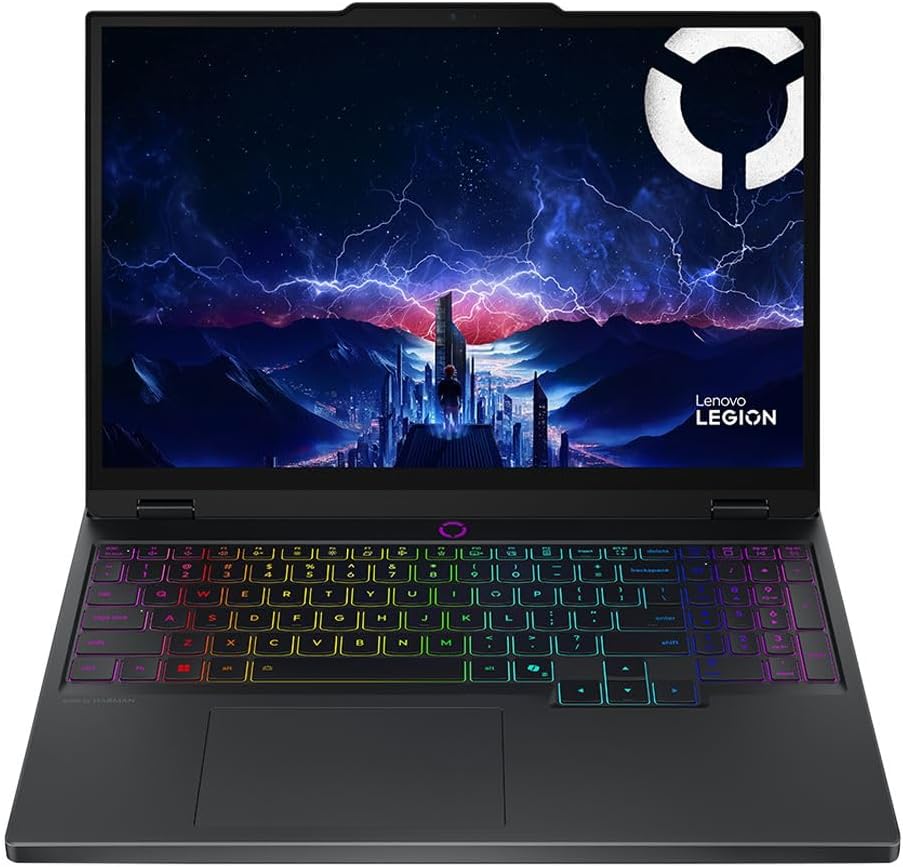
As tested: AMD Ryzen 7 260 · RTX 5060 Laptop · 32GB DDR5 · 1TB SK Hynix PVC10 · 15.1-inch 2560×1600 OLED at 165Hz · 80Wh
At 1.9 kg and 21.5mm this is the lightest machine in the guide, and it carries the second-best display. If the Legion Pro 5 16 is simply too much laptop for your life, this is the answer.
Specifications
- Processor: AMD Ryzen 7 260, Zen 4, 8 cores and 16 threads
- Graphics: Nvidia GeForce RTX 5060 Laptop, 8GB
- Screen: 15.1-inch 16:10 OLED, 2560×1600, 165Hz, 200 PPI
- Memory: 32GB DDR5
- Storage: 1TB PCIe 4.0 SK Hynix PVC10
- Wireless: Wi-Fi 7 (MediaTek MT7925), Bluetooth 5.4
- Battery: 80Wh
- Weight and thickness: 1.9 kg (4.27 lbs), 21.5mm
What the benchmarks say
| Test | Result |
|---|---|
| Cinebench R23 multi-core | 17,712 |
| Cinebench R23 single-core | 1,801 |
| Cinebench R15 sustained loop average | 2,777 |
| Geekbench 6.7 multi-core | 13,349 |
| Geekbench 6.7 single-core | 2,683 |
| 3DMark Fire Strike Graphics | 33,193 |
| 3DMark Time Spy Graphics | 12,306 |
| PCMark 10 | 8,241 |
| PCMark 10 Digital Content Creation | 13,832 |
| Blender BMW27, processor render | 183 seconds |
| Blender Classroom, OptiX GPU render | 21 seconds |
Frame rates in actual games
| Game | 1080p | 1440p |
|---|---|---|
| Cyberpunk 2077, Ultra | 90.8 fps (73.9 minimum) — best RTX 5060 result measured | 59 fps |
| Cyberpunk 2077, sustained loop average | 82.5 fps (range 77.1 – 83.6) | — |
| Baldur’s Gate 3, Ultra | 110.7 fps | 76 fps |
| GTA V, Highest with 4×MSAA | 120.1 fps | 98 fps |
| Final Fantasy XV, High | 126 fps | 96 fps |
| Strange Brigade, Ultra | 235 fps | 168 fps |
| Dota 2, Ultra | 134.7 fps | 112 fps |
| F1 25, High | 165.5 fps | 118 fps |
| X-Plane 11.11, High | 92.4 fps | 73 fps |
The screen
| Measurement | Result |
|---|---|
| Brightness, centre | 492 cd/m² |
| Brightness, average | 495 cd/m² |
| Uniformity | 92% |
| Contrast | 1,009:1 as measured (black level 0.54 cd/m² — OLED black measurements vary with on-screen brightness, so real-world contrast in dark scenes is far higher) |
| sRGB coverage | 100% |
| DCI-P3 coverage | 99.9% |
| AdobeRGB coverage | 98.3% |
| ΔE2000 ColorChecker | 0.9 (worst case 1.8) |
| ΔE2000 greyscale | 1.2 |
| Grey-to-grey response | 0.42 ms |
| Black-to-white response | 0.40 ms |
The 0.42ms figure is not a typo. This is the fastest panel in the guide and one of the fastest measured in any laptop. Put that alongside a ΔE of 0.9 and 98.3% AdobeRGB and you have a screen that’s simultaneously good enough for competitive shooters and good enough for colour work, in a four-pound machine. That combination is genuinely rare.
Heat, noise, battery, storage
Surfaces peaked at 42.2°C on top and 51.7°C underneath. That bottom figure is the hottest in this guide, so use a stand.
The fans are the quietest here though, at 49 dB(A) during Cyberpunk and 50 dB at peak. Wall draw was 162.6W during Cyberpunk and 233.6W at peak stress.
Battery gets you 9 hours 42 minutes of Wi-Fi browsing and about 1 hour 18 minutes of gaming at full brightness.
The SK Hynix PVC10 is the fastest drive in this guide by a clear margin: an AS SSD total of 9,856, 4K Q32T16 write of 4,946 MB/s, 4K Q1T1 read of 96.1 MB/s, and 5,639 MB/s sequential read. Wi-Fi 7 measured 1,820 Mbit/s transmit and 1,698 Mbit/s receive.
What I like
- 1.9 kg with an OLED and an RTX 5060. Nothing else offers that combination at this money.
- 0.42ms response and ΔE 0.9. Competitive-grade motion clarity and creator-grade colour in the same panel.
- The fastest SSD here, and it isn’t close.
- The quietest under gaming load at 49 dB.
- 9 hours 42 minutes of real battery life.
- Best RTX 5060 gaming results I found anywhere, at 90.8 fps in Cyberpunk.
- Wi-Fi 7 with genuinely strong measured throughput.
- 32GB as standard.
What I don’t
- 51.7°C underneath. The hottest bottom surface in this guide.
- The Ryzen 7 260 is the processor floor of these five. At 17,712 in Cinebench R23 multi it’s 35% behind the Legion Pro 5.
- It’s an RTX 5060, so you’ll be leaning on DLSS at 1440p in newer titles.
- 8GB of video memory paired with a 1600p panel is a tight fit and will get tighter.
- Maximum DPC latency of 2,333 μs, the worst of my five. Not ideal if you record audio.
- Availability and configuration vary a lot by region, so check what’s actually on sale where you are.
- OLED burn-in remains a long-term risk if you leave static interface elements on screen for years.
The Numbers Nobody Else Bothers To Work Out
This is the part I actually enjoyed doing.
Frames Per Watt
I took each laptop’s measured Cyberpunk 2077 Ultra frame rate and divided it by the measured total system power draw during that exact run. This is whole-system draw at the wall socket, not a graphics-chip figure, which makes it a real-world number rather than a spec-sheet one.
| Laptop | Cyberpunk 1080p Ultra | Power at the wall | Frames per watt |
|---|---|---|---|
| Gigabyte Aero X16 | 90.1 fps | 123.8W | 0.73 |
| Lenovo Legion 5 15 | 90.8 fps | 162.6W | 0.56 |
| Asus TUF Gaming A16 | 109.4 fps | 198.9W | 0.55 |
| Lenovo Legion Pro 5 16 | 107.0 fps | 231W | 0.46 |
| HP Omen 16 | 86.6 fps | 192W | 0.45 |
The Aero X16 is 59% more efficient than the Legion Pro 5. That efficiency is precisely why it can be 2.0 kg and 50.2 dB, because you cannot build a thin quiet laptop around a 231W power budget. It’s also exactly why it’s slower. This is the entire trade-off expressed as one number, and now you can decide whether you want to pay it.
There’s a second lesson buried in that table. The HP Omen’s RTX 5060 is less efficient per frame than two of the RTX 5070 machines. A lower-tier chip pushed to its full power ceiling is not automatically the efficient choice.
The Unplugged Collapse
Manufacturers never talk about this and most reviews don’t measure it. Of my five picks, two have published battery-mode performance figures, and the gap between them is enormous:
| Laptop | Graphics performance on battery | Processor performance on battery | What that means in Cyberpunk |
|---|---|---|---|
| Lenovo Legion Pro 5 16 | 18% of plugged-in performance (an 82% Fire Strike collapse) | 43% slower | Roughly 20 fps. Effectively unplayable. |
| HP Omen 16 | 73% of plugged-in performance (a 27% Fire Strike drop) | 38% slower | A measured 47 fps in battery mode. Playable. |
The Legion’s number is the harshest I’ve come across. If you ever intend to game away from a socket, the Omen 16 or the TUF A16 are your machines. The Legion Pro 5 is a plug-in-only device and pretending otherwise will just disappoint you on a train.
The Cost Of Your Frames In Decibels
Same Cyberpunk run, comparing what each machine charges you in fan noise for the performance it delivers:
| Laptop | Noise during Cyberpunk | Frame rate | Decibels per 10 fps |
|---|---|---|---|
| Lenovo Legion Pro 5 16 | 50.3 dB | 107.0 fps | 4.7 |
| Asus TUF Gaming A16 | 53.9 dB | 109.4 fps | 4.9 |
| Lenovo Legion 5 15 | 49.0 dB | 90.8 fps | 5.4 |
| Gigabyte Aero X16 | 50.2 dB | 90.1 fps | 5.6 |
| HP Omen 16 | 49.5 dB | 86.6 fps | 5.7 |
Keep in mind that plus three decibels is roughly a doubling of perceived loudness, so the TUF A16 at 53.9 dB really is noticeably louder than the Legion 5 15 at 49 dB. That’s not a rounding error, it’s the difference between “I can hear it” and “I need headphones.” The Legion Pro 5 gives you the best acoustic value: the most frames for the least noise.
Every Screen, Side By Side
| Model | Panel | Brightness | Contrast | sRGB | DCI-P3 | AdobeRGB | ΔE2000 | Grey-to-grey |
|---|---|---|---|---|---|---|---|---|
| Legion Pro 5 16 | OLED | 521 nits | 6,947:1 | 100% | 99.3% | 93.9% | 2.5 | 2.0 ms |
| Legion 5 15 | OLED | 492 nits | 1,009:1 (measured) | 100% | 99.9% | 98.3% | 0.9 | 0.42 ms |
| Asus TUF A16 | IPS | 480 nits | 1,191:1 | 97.2% | 69.4% | 71.9% | 1.4 | 6.3 ms |
| Gigabyte Aero X16 | IPS | 395 nits | 1,500:1 | 96.1% | 68.7% | 71.2% | 1.3 | 12.0 ms |
| HP Omen 16 (base) | IPS | 328 nits | 1,262:1 | 58.1% | 40.0% | 38.7% | 4.73 | 27.6 ms |
The gap between the top and the bottom of that table is huge, and screens are the single most under-discussed spec in this price bracket. Think about what a 27.6ms response time means on a 144Hz display: the panel has 6.9 milliseconds to show you a new frame and it needs four times that long. You’re paying for a refresh rate your eyes will never actually receive.
Every Drive, Side By Side
| Model | Drive | Sequential read | AS SSD total | Sustained read loop |
|---|---|---|---|---|
| Legion 5 15 | SK Hynix PVC10 | 5,639 MB/s | 9,856 | 6,573 MB/s |
| Legion Pro 5 16 | SK Hynix HFS001TEJ9X | 5,856 MB/s | 8,115 | 6,927 MB/s, dipping to 3,483 |
| Gigabyte Aero X16 | Kingston OM8PGP4 | 4,042 MB/s | 7,205 | 4,808 MB/s |
| HP Omen 16 | Samsung PM9C1b | 4,595 MB/s | 5,084 | 7,228 MB/s |
| Asus TUF A16 | WD SN5000S | 4,346 MB/s | 4,498 | 5,192 MB/s |
That last column is the one that matters for loading screens and shader compilation. Note how the Omen has the worst AS SSD score but the best sustained read. Burst benchmarks and real behaviour genuinely diverge, which is exactly why the sustained loop test exists.
Heat And Noise, Side By Side
| Model | Peak top surface | Peak bottom | Idle noise | Cyberpunk noise | Peak noise |
|---|---|---|---|---|---|
| HP Omen 16 | 36°C | 37°C | 23 dB | 49.5 dB | 52.7 dB |
| Asus TUF A16 | 39.5°C | 45.1°C | 24.8 dB | 53.9 dB | 57.1 dB |
| Legion Pro 5 16 | 42°C | 44°C | 23 dB | 50.3 dB | 52.9 dB |
| Legion 5 15 | 42.2°C | 51.7°C | 25 dB | 49 dB | 50 dB |
| Gigabyte Aero X16 | 43.3°C | 50.3°C | 32.2 dB | 50.2 dB | 50.2 dB |
Class averages for context: 40.4°C on top, 43.2°C underneath.
About That 8GB Of Video Memory
Every RTX 5070 and RTX 5060 in this guide ships with 8GB of GDDR7. You deserve a straight answer about what that costs you, because the marketing certainly won’t give you one.
Here’s what actually happened in testing:
Indiana Jones and the Great Circle flags a video memory overflow at 1080p on Low settings. It stays smooth up to Medium. At High and Ultra it repeatedly crashed on launch. Assassin’s Creed Shadows overflows at 1440p Ultra, but frame times stayed consistent and it remained playable at 38 fps. Everything else across the test suite ran without memory-related stutter.
So 8GB isn’t broken today. It is, however, the specific thing that will age this hardware, and Nvidia clearly knows it. That’s why the 12GB RTX 5070 Laptop GPU exists as of mid-2026, using 24Gb memory modules on the same GB206 chip with the same 4,608 CUDA cores, the same 128-bit bus and the same 384 GB/s of bandwidth. It’s purely a capacity increase. Asus, Lenovo and MSI were among the first to ship it.
My advice: if you can find a 12GB RTX 5070 configuration inside your budget, take it over the 8GB version even at a small premium. It won’t be measurably faster, but it will stay usable considerably longer.
One caveat so you don’t get the wrong idea. The 12GB card still doesn’t close the gap to the RTX 5070 Ti, which uses a 192-bit interface for 672 GB/s. Capacity and bandwidth are different problems and only one of them got solved.
Should You Wait For The Next Generation?
Short answer, no.
Nvidia neither launched nor teased RTX 50 Super mobile parts at CES 2026, and the Super launch has been reported as on hold over 3GB GDDR7 pricing. Since memory is the thing causing the delay, waiting for a cheaper and better laptop is essentially a bet against a multi-year supply crunch.
And the forecasts are not encouraging. TrendForce projected DRAM contract prices rising a further 13% to 18% quarter over quarter in Q3 2026. Micron’s new capacity isn’t expected until around Q3 2028. Intel and Silicon Motion have both pointed to 2028 before conditions normalise. Gartner expects the storage side of the crunch to run into 2027.
Meanwhile the stock on shelves right now still carries pre-hike memory contracts. If you need a laptop in the next twelve months, buying from existing inventory is the rational move, and I say that as someone who normally tells people to wait.
How To Choose: Work Through This
Start here.
Will this laptop ever leave a desk? If no, buy the Legion Pro 5 16 and stop reading. Best screen, best processor, best sustained performance, and its terrible battery behaviour won’t matter to you. If yes, keep going.
Do you need it to survive a full workday unplugged? If yes, it’s the Asus TUF A16 at thirteen hours, or the Legion 5 15 at nine hours forty-two. If no, keep going.
Is weight the deciding factor? If you need to stay under 4.5 pounds, that’s the Legion 5 15 at 4.27 lbs with an OLED, or the Aero X16 at 4.34 lbs with an RTX 5070. If not, keep going.
Is your budget hard-capped around $1,100? Then it’s the HP Omen 16, but only in a configuration with the upgraded display panel, and add a second stick of RAM immediately.
Do you do colour-critical creative work? The Legion 5 15 at ΔE 0.9 and 98.3% AdobeRGB, or the Legion Pro 5 16 at 99.3% DCI-P3 with 6,947:1 contrast.
Specs Worth Checking Before You Click Buy
RAM configuration and slot count. In 2026 this is the number one spec, ahead of the graphics chip. Two occupied slots beats one. 32GB fitted beats 16GB plus a plan.
The actual panel part number. Manufacturers ship four or five different displays under a single model name. HP’s Omen 16 ranges from a 58% sRGB 300-nit panel to a 500-nit 240Hz full-sRGB one, and both are called “HP Omen 16.” Find the exact SKU.
Grey-to-grey response time, not just refresh rate. Under 6ms if you play anything competitive. If the retailer can’t tell you, look up the panel model.
The graphics chip’s power rating in watts. A 115W RTX 5070 and an 85W RTX 5070 are different products with a 17% performance gap between them. It’s usually buried in the footnotes.
A MUX switch or Advanced Optimus. Without one you hand 5 to 15% of your frames to the integrated graphics passthrough.
A second M.2 slot. With NAND priced where it is, expandability is money in your pocket.
Red Flags
- Single-channel memory. It costs you 40 to 60% of your memory bandwidth and you’ll feel it in frame time consistency.
- Any panel under 300 nits or under 90% sRGB coverage.
- Wi-Fi 6 in 2026. Wi-Fi 7 is standard at this price now.
- “Up to 165Hz” with no response time published anywhere. There’s usually a reason for that silence.
- Last-generation processors bolted to current graphics chips. It’s a way of hitting a price by building in a bottleneck.
- Any listing that won’t tell you the exact panel or the graphics power rating.
Questions People Keep Asking Me
Yes, but the definition shifted. In 2025 that budget got you an RTX 5070 with 32GB comfortably. In 2026 it gets you an RTX 5070 with 16GB at list price, or 32GB if you catch a sale. Every machine in this guide clears 85 fps in Cyberpunk 2077 at 1080p Ultra with no upscaling at all, which is a genuinely good place to be.
On raw numbers, the RTX 5070 machines here average about 102 fps in Cyberpunk at 1080p Ultra against 88.7 fps for the RTX 5060 ones. That’s roughly a 15% gap and it widens at 1440p. But the cheapest RTX 5060 machine here costs about $400 less than the average RTX 5070 one. If you play at 1080p, an RTX 5060 with a strong processor behind it, like the Omen’s sixteen-core Ryzen 9, is the better buy. If you bought a 1600p screen, get the 5070.
For gaming alone, yes. For gaming with Discord, twenty browser tabs, Spotify and OBS all running, no. And with DDR5 kits at roughly four times their 2025 price, “I’ll upgrade later” is a far more expensive plan than it used to be. Buy 32GB up front if the budget stretches.
Where I Land
The Lenovo Legion Pro 5 16 with the RTX 5070 and the OLED panel is the one to buy. It has the fastest processor here by 25%, a 521-nit screen with 6,947:1 contrast and a 2ms response time, 32GB in accessible slots, and it peaks at 42°C. It falls to around $1,260 to $1,290 against a $1,975 list price often enough that patience genuinely pays. Its weaknesses are real, but they’re the weaknesses of a desk machine, and that’s exactly what it is.
Get the Asus TUF Gaming A16 if you actually travel. Thirteen hours of unplugged browsing alongside the fastest RTX 5070 implementation measured is a combination that shouldn’t be possible. You pay for it with a much weaker processor and 53.9 dB of fan noise.
Get the HP Omen 16 if the budget is genuinely tight. A sixteen-core Ryzen 9, an RTX 5060 at its full power rating, and a 36°C maximum surface temperature for around $1,100. Just don’t buy the base display, and add that second stick of RAM on day one.
Get the Gigabyte Aero X16 if it has to live in your bag. Two kilos, 19.9mm, 0.73 frames per watt and ΔE 1.3. You’re accepting a 12ms response time in exchange.
Get the Lenovo Legion 5 15 if you want the most laptop in the least weight. 4.27 pounds, a 0.42ms OLED at ΔE 0.9, the fastest drive here, nearly ten hours of battery and the quietest fans of the five.
Whichever way you go: check the exact panel, check the RAM slots, and buy from stock that’s already on the shelf. In this market that last point is the most valuable advice in the whole article.
Benchmark figures cited throughout are measured values from standardised laboratory testing, principally Notebookcheck’s test bench, cross-referenced against LaptopMedia, PCWorld, TechRadar, Geeks3D and Gadget Pilipinas where independent second data points existed. The frames-per-watt, decibels-per-frame, unplugged-collapse and memory cost calculations are worked out by this publication from those published measurements. Prices quoted are street prices observed in August 2026 and are unusually volatile in the current memory market, so check before you buy.

Hi, my name is Burak. I am a mechanical engineer. I have been writing laptop reviews for the Engineering Laptops website since 2020. Please feel free to contact me if you have any questions.