Last updated: September 23, 2026
Key Takeaways
- Automation engineering students need specialized laptops that can run software like Siemens TIA Portal and Rockwell Studio 5000 efficiently.
- Key factors include x86 Windows compatibility, built-in Ethernet ports, sufficient RAM, and upgradeable components.
- Top recommendations include the Lenovo ThinkPad P14s Gen 7 for its power and features, and budget-friendly options like the Acer Nitro V 16S AI.
- The article evaluates various laptops based on performance, battery life, and essential features for automation coursework.
- Students should prioritize laptops with at least 32GB of RAM and 1TB SSD for optimal performance during their studies.
Table of contents
- Quick Picks: The 5 Best Laptops for Automation Engineering Students
- Why Automation Engineering Needs a Different Kind of Laptop
- How I Evaluated These Laptops
- Best Laptops for Automation Engineering College (2026): PLC-Ready Picks, Tested Data & Buying Guide
- 1. Lenovo ThinkPad P14s Gen 7 : Best Overall Laptop for Automation Engineering
- 2. Dell Pro 5 14 (Intel) : Best Battery Life and Best Lab-Day Ports
- 3. ASUS ROG Zephyrus G14 (2026) : Most Power in a 14-Inch Body
- 4. HP OmniBook Ultra 14 (Intel) : Lightest Premium Pick
- 5. Acer Nitro V 16S AI : Best Budget Laptop for Automation Engineering
- Head-to-Head Comparison
- My PLC-Ready Scorecard
- What About MacBooks and Snapdragon Laptops?
- Buying Tips I Wish Someone Had Given Me
- Frequently Asked Questions
- Final Verdict
- Sources
Most “best laptops for engineering students” lists are written for mechanical or computer science majors. They rank machines by how pretty the screen is or how fast they render a 3D scene, and that’s about it. If you’re starting a degree in automation engineering, control systems, mechatronics or industrial automation, that kind of list can steer you wrong.
Your laptop has a different job. It has to run Siemens TIA Portal, Rockwell Studio 5000, CODESYS and MATLAB/Simulink, and probably a virtual machine or two on top of that. On lab days, it also has to plug into a real PLC with an Ethernet cable and just work. A gorgeous ultrabook that needs three dongles to talk to an S7-1500 is a bad laptop for you, no matter what score it got somewhere else.
So I built this guide around one simple question: will this laptop get you through four years of PLC labs, simulation projects and a senior capstone without making you fight it?
Quick Picks: The 5 Best Laptops for Automation Engineering Students
| Rank | Laptop | Best For | Chip / Graphics | Built-in Ethernet (RJ45) |
|---|---|---|---|---|
| 1 | Lenovo ThinkPad P14s Gen 7 | Best overall, capstone-ready workstation | Intel Core Ultra 7 366H + NVIDIA RTX PRO 1000 | Yes |
| 2 | Dell Pro 5 14 (Intel) | Best battery life and lab-day ports | Intel Core Ultra X7 368H + Arc B390 | Yes |
| 3 | ASUS ROG Zephyrus G14 (2026) | Most GPU power in a 14-inch body | Intel Core Ultra 9 386H + RTX 5070 Ti | No (adapter needed) |
| 4 | HP OmniBook Ultra 14 (Intel) | Lightest premium pick | Intel Core Ultra X9 388H + Arc B390 | No (dock needed) |
| 5 | Acer Nitro V 16S AI | Best budget pick | AMD Ryzen 7 260 + RTX 5060 | Yes |
Why Automation Engineering Needs a Different Kind of Laptop
This is the part most buying guides skip. It’s also the part that decides whether your laptop becomes a tool or a daily headache.
1. You need x86 Windows, because ARM laptops are a trap for PLC work
Siemens TIA Portal is still the most common PLC environment in automation programs, and it doesn’t get along with ARM chips. One industrial automation knowledge base reports that TIA Portal v17 crashes when opening Project View inside a Windows ARM64 virtual machine on Apple Silicon. It also says Siemens software doesn’t support Windows ARM64’s x86 translation, and that Siemens hasn’t published any timeline for certifying TIA Portal on ARM64. Rockwell is in better shape: according to the same source, Studio 5000 v33 and FactoryTalk View v12 have run successfully on Apple Silicon through Parallels with Windows ARM64. But sooner or later your program will almost certainly put Siemens software in front of you.
My rule is simple: Intel or AMD (x86) Windows only. That’s why every laptop here is x86, and why I’ll tell you exactly which HP configuration to stay away from.
2. A real Ethernet port saves you in every lab
Siemens PLCs talk over PROFINET and Allen-Bradley PLCs over EtherNet/IP, and both run over Ethernet. USB-C Ethernet adapters do work. But they get lost, borrowed or yanked out halfway through a download. A built-in RJ45 port is a quality-of-life feature, and I weight it heavily in this guide.
3. RAM matters more than raw CPU speed
TIA Portal setup guidance treats 8GB as the bare minimum. For multi-device programming and simulation, it says 16GB is really where you need to start, because too little RAM means slow compiles. It also strongly recommends an SSD over a hard drive for faster project loading.
I’d go a step further. A lot of students end up keeping more than one TIA Portal version in virtual machines, because different labs and different PLC firmware often want different versions. Every VM eats RAM and storage. Get 32GB of RAM and 1TB of storage if you can. 64GB is a real luxury if you’ll run PLCSIM, a VM and SolidWorks at the same time.
4. A GPU helps, but it’s not the first thing to look at
A dedicated GPU pays off in SolidWorks, Factory I/O and digital-twin work in Unity or NVIDIA Omniverse. For pure ladder logic and structured text, a strong integrated GPU is plenty. That’s why this list has both types.
How I Evaluated These Laptops
I want to be completely upfront about this. I didn’t make up a single number in this article. Every Cinebench, Geekbench, PCMark, display, SSD, thermal and battery result below comes from established independent labs: Notebookcheck, StorageReview, PCWorld and Tom’s Hardware. All of them are credited in the Sources section. Different labs use different battery tests, so I name the test each runtime came from and don’t treat results from two labs as if they were the same thing.
On top of that lab data, I checked each machine against my own PLC-Ready Checklist:
- Architecture: is it x86 Intel/AMD? (required for TIA Portal)
- Wired networking: is there a built-in RJ45 port, or will you live on adapters?
- Legacy ports: is there USB-A for PLC cables, USB-to-serial adapters and license dongles?
- Memory headroom: can you get 32GB or more, and can you upgrade it later?
- Sustained performance: does the chip hold its speed through long compiles and simulations?
- Battery: will it last a full lab day?
- GPU: is it enough for SolidWorks, Factory I/O and 3D simulation?
Best Laptops for Automation Engineering College (2026): PLC-Ready Picks, Tested Data & Buying Guide
1. Lenovo ThinkPad P14s Gen 7: Best Overall Laptop for Automation Engineering
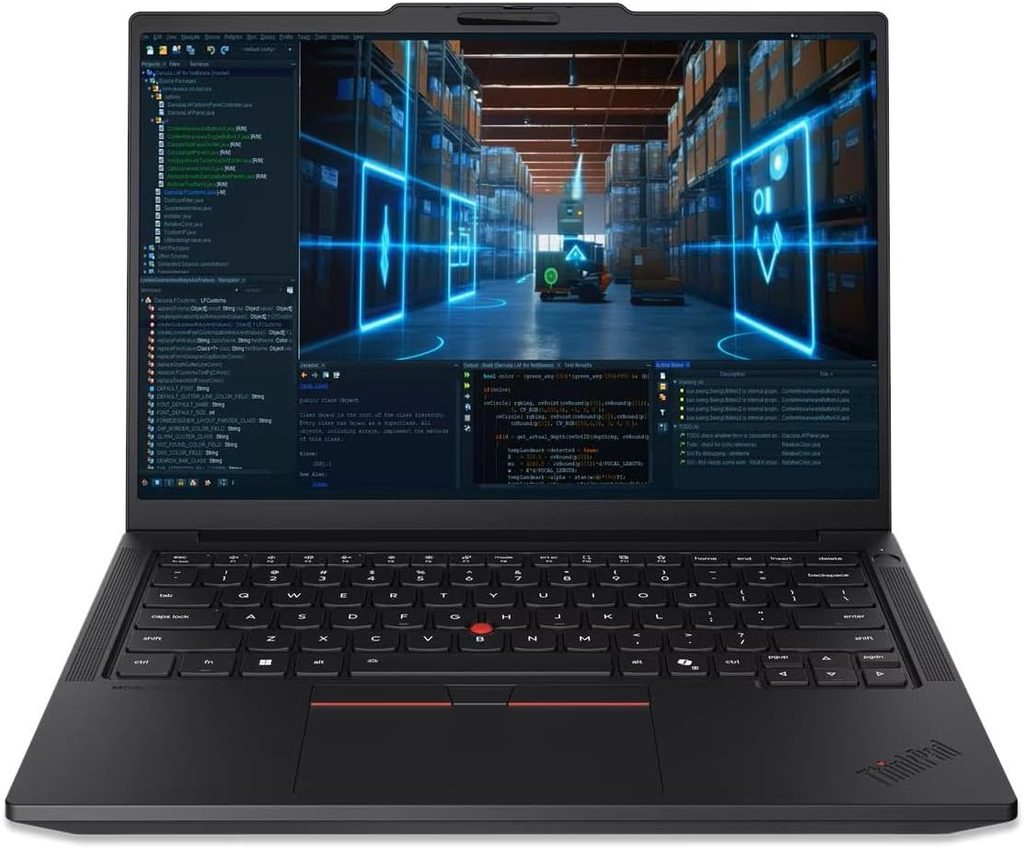
If I could hand one laptop to every automation student, this would be it. It’s a genuine mobile workstation, it has every port a PLC lab could ask for, and it’s still light enough to carry across campus every day.
Key Specs (StorageReview review unit)
- CPU: Series 3 Intel Core Ultra 7 366H with vPro, 16 cores, up to 4.8 GHz
- GPU: NVIDIA RTX PRO 1000 Blackwell with 8GB of GDDR7
- Memory: 64GB LPDDR5x in a single customer-replaceable LPCAMM2 slot, expandable to 96GB
- Storage: 2TB PCIe Gen5 SSD from SK hynix
- Display: 14.5-inch 3K IPS (3072×1920), 500 nits, 120Hz, 100% DCI-P3, anti-glare
- Ports: two Thunderbolt 4, two 5Gbps USB-A, HDMI 2.1, Gigabit Ethernet, an SD Express 8.0 card reader and a combo audio jack
- Battery: 75Wh, customer replaceable, charged over USB-C with a 100W adapter
- Weight: starts at 3.59 lb (1.63 kg), with a chassis tested to MIL-STD-810H procedures
Test Results
- Cinebench R23: 2,056 single-core, 18,546 multi-core
- Cinebench 2024 / 2026: 123 / 1,118 in Cinebench 2024, and 502 single-thread / 4,492 multi-thread in Cinebench 2026
- Geekbench 6: 2,808 single-core, 16,319 multi-core
- PCMark 10: 9,083 overall
- SSD: about 8,511 MB/s read and 8,262 MB/s write in Blackmagic Disk Speed Test
- Battery: 15 hours 52 minutes in the PCMark 10 Modern Office test, at 50% brightness in Balanced mode
Why It Wins for Automation Students
For me, this is the detail that matters most. The P14s Gen 7 carries ISV certifications from Altair, ANSYS, Autodesk, Bentley, Dassault, PTC and Siemens, among others. A Siemens certification on a laptop you’ll be running Siemens software on for four years is a big deal.
Cooling matters just as much. With the exact same Core Ultra 7 366H chip, the thinner Dell Pro 7 14 scored 14,640 in Cinebench R23 multi-core, while the P14s Gen 7 hit 18,546. StorageReview puts that roughly 27% gap down to the P14s’s thicker chassis and better cooling. In plain English, long compiles and simulations stay fast instead of slowing to a crawl.
The GPU makes a real difference in CAD, too. In SPECviewperf 15’s SolidWorks test, the P14s Gen 7 scored 53.63. A laptop with the same CPU but only integrated graphics managed 11.86.
Pros
- Built-in Gigabit Ethernet plus two USB-A ports, so no dongle juggling in the PLC lab
- Siemens ISV certification
- Replaceable memory, SSD, battery and keyboard make it a laptop that can last all four years
- Excellent sustained CPU performance for a 14-inch machine
- Nearly 16 hours in PCMark 10’s office battery test, even with a dedicated GPU
Cons
- Expensive as tested: StorageReview lists the equivalent retail model at a discounted $4,703.16
- Its 8GB of graphics memory wasn’t enough for a 13-billion-parameter language model test. That doesn’t matter for PLC work, but it’s worth knowing if you’re into AI
- The retail configuration only comes with a one-year warranty
How to save money: You don’t need the fully loaded version. The P14s Gen 7 is sold in eight CPU configurations, including one pairing a Core Ultra 5 336H with a 6GB RTX PRO 500. For most students, a mid-range configuration with 32GB of RAM is the sweet spot.
2. Dell Pro 5 14 (Intel): Best Battery Life and Best Lab-Day Ports
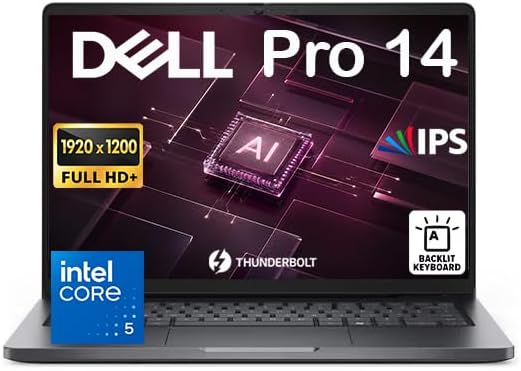
If you’d rather save serious money and weight and don’t need a dedicated GPU, this is the one I’d pick. The fun surprise is that Dell’s mid-tier Pro 5 actually beats its more expensive Pro 7 sibling in the areas automation students care about most.
Key Specs (Notebookcheck review unit)
- CPU: Intel Core Ultra X7 368H, 16 cores and 16 threads, with a 41W sustained power limit
- GPU: Intel Arc B390 integrated graphics with 12 Xe3 cores
- Memory: 64GB LPCAMM2 at 8533 MT/s, dual-channel
- Display: 14-inch 1920×1200 IPS, 120Hz, matte
- Ports: on the right, a 5Gbps USB-A port, RJ-45 Gigabit Ethernet and a headset jack. On the left, HDMI 2.1, a second 5Gbps USB-A port and two Thunderbolt 4 USB-C ports with DisplayPort 2.1 and 100W charging
- Networking: Intel I219-LM Gigabit Ethernet, Wi-Fi 7 and Bluetooth 6
- Battery / Weight: 70Wh, 1.471 kg (3.24 lb)
Test Results
- Cinebench R23: 2,169 single-core, 17,350 multi-core
- Cinebench 2026: 527 single-thread, 4,440 multi-thread
- Geekbench 6.7: 2,924 single-core, 12,050 multi-core. That multi-core result is notably below the 14,936 average Notebookcheck lists for this chip
- PCMark 10: 10,456 overall, the highest score in Notebookcheck’s comparison group
- 3DMark Time Spy (Graphics): 7,114 points for the Arc B390, versus 3,130 for the smaller integrated GPU in the Dell Pro 7 14
- Display (measured): 560 nits average brightness, a 2333:1 contrast ratio and 96.9% sRGB coverage. ColorChecker DeltaE was 4.09 out of the box and 1.26 after calibration, and no PWM flicker was detected
- SSD: about 13,928 MB/s in sequential Q8 reads, though the Gen5 drive throttled from roughly 14 GB/s to 11 GB/s after a few minutes of heavy load
- Thermals: under stress, the CPU briefly boosted to 66W and hit 96°C, then settled at 2.4 GHz and 40W to hold around 81°C. The palm rests peaked at about 33°C, so they don’t get hot
- Battery: 21 hours 17 minutes in Notebookcheck’s Wi-Fi web-browsing test
Why It’s Great for Automation Students
That port layout is exactly what I want in a PLC lab: Ethernet and USB-A on one side, power and displays on the other. And the “cheaper” model really does win. Notebookcheck points out that RJ-45, the optional LPCAMM2 memory and the Panther Lake X7 chips are all things the pricier Pro 7 14 doesn’t offer. StorageReview’s testing backs this up: the Pro 5 14 costs $108 less than the Pro 7 14 Intel and still wins most GPU and AI tests.
With a 21-hour Wi-Fi result, you can leave the charger at home on most lab days.
Pros
- Built-in RJ45 and two USB-A ports
- Outstanding battery life
- The Arc B390 is strong enough for light SolidWorks and Factory I/O work
- Easy to service, with a sturdy build
Cons
- The graphics and SSD can throttle under sustained load, the display isn’t factory-calibrated, there’s no USB-C port on the right edge, and the OLED option is limited to FHD at 300 nits
- The price climbs quickly with upgrades: configurations run from about $2,000 for the base Core Ultra 5 up to $3,000 or more for the Core Ultra X7
- If you choose standard SODIMM memory instead of LPCAMM2, only short M.2 2230 SSDs are supported. Pick LPCAMM2 when you configure it
3. ASUS ROG Zephyrus G14 (2026): Most Power in a 14-Inch Body
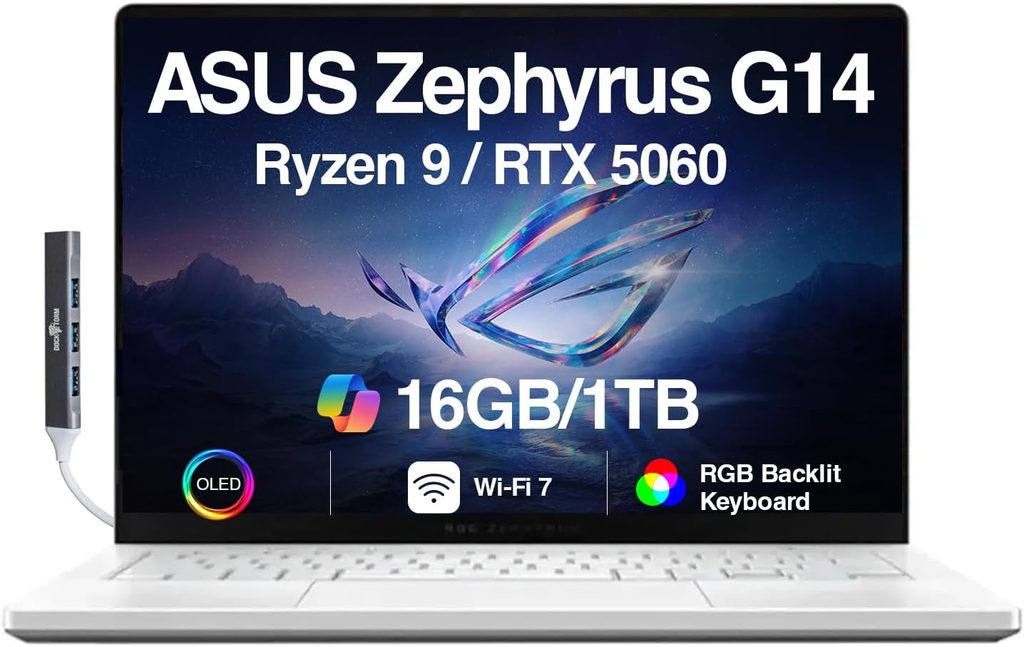
Don’t let the “ROG” badge fool you. The 2026 G14 is a serious engineering machine that also happens to be great for gaming. If your coursework leans on 3D simulation, digital twins, robotics visualization or big SolidWorks assemblies, this is the most GPU power you can get in a 14-inch laptop.
Key Specs (Notebookcheck review unit)
- CPU: Intel Core Ultra 9 386H, 16 cores, with a 70W sustained power limit
- GPU: NVIDIA GeForce RTX 5070 Ti Laptop with 12GB of GDDR7, up to 115W including Dynamic Boost, with Advanced Optimus
- Memory: 32GB LPDDR5x-8533, soldered to the board
- Display: 14-inch 2880×1800 OLED, 120Hz, HDR
- Ports: HDMI 2.1, two 10Gbps USB-A ports, one USB4/Thunderbolt 4 port, one 10Gbps USB-C port and a UHS-II SD card reader
- Battery / Weight: 73Wh, 1.568 kg (3.46 lb), with a 250W power adapter
Test Results
- Cinebench R23: 2,012 single-core, 21,186 multi-core
- Cinebench 2026: 498 single-thread, 5,141 multi-thread
- Geekbench 6.7: 2,810 single-core, 17,224 multi-core
- 3DMark Time Spy (Graphics): 16,295 points
- Blender 3.3 Classroom (OptiX): 17 seconds
- Display (measured): about 514 nits average in SDR and up to 1,140 nits in HDR, a 25,400:1 contrast ratio, 99.8% Display P3 coverage and a ColorChecker DeltaE of 1.3
- SSD: a PCIe 4.0 Kioxia BG6 drive reaching about 5,901 MB/s in sequential Q8 reads
- Thermals & noise: surfaces topped out around 41.7°C and the palm rests stayed cool at 31.5°C, but fan noise hit 55.5 dB(A) while gaming in Turbo mode
- Battery: 14 hours 22 minutes of Wi-Fi browsing at 150 nits, and 8 hours 18 minutes at maximum brightness
Why It Makes This List
According to Notebookcheck, the G14 is still the only 14-inch laptop you can get with an RTX 5070 Ti or RTX 5080, and the switch to Intel brought noticeably longer battery life. That 12GB of video memory gives it a real edge over 8GB cards when you’re working with large 3D scenes. And the two USB-A ports will make your PLC cables and license dongles happy.
Pros
- The best GPU performance you’ll find in a 14-inch laptop
- An excellent, accurately calibrated OLED display
- Notebookcheck praises its keyboard, speakers, Thunderbolt, Wi-Fi 7 and full-size SD card reader
- Very long battery life for a gaming-class laptop
Cons
- No RJ45 port. Budget for a USB-C Gigabit Ethernet adapter and keep it in your bag permanently
- The memory is soldered, the OLED uses PWM flicker, there’s no PCIe 5.0 support, and the fans get loud at full power
- It’s expensive: the RTX 5070 Ti configuration lists for $3,199
4. HP OmniBook Ultra 14 (Intel): Lightest Premium Pick
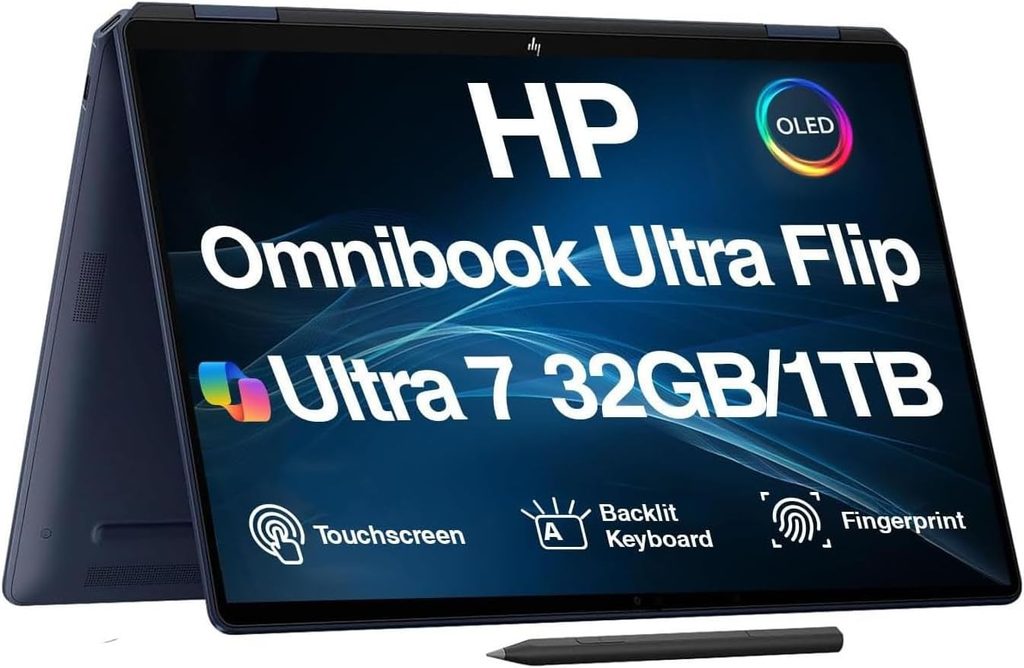
This one is for students who walk and commute a lot and do most of their heavy lifting on lab PCs or over remote desktop. It’s beautifully built and fast. But it comes with one very important warning about which version to buy.
Heads-up: Buy the Intel Version Only
HP also sells the OmniBook Ultra with Qualcomm Snapdragon X2 Plus and X2 Elite ARM chips, while the Intel models keep wider x86 software compatibility. Given everything I said earlier about TIA Portal and ARM, don’t buy the Snapdragon version for automation coursework. Only look at the Intel Core Ultra configurations.
Key Specs (PCWorld review unit)
- CPU: Intel Core Ultra X9 388H with Arc B390 graphics and a 50 TOPS NPU
- Memory / Storage: 64GB LPDDR5x-9600 and a 2TB PCIe Gen 4 SSD
- Display: 14-inch 2880×1800 OLED touchscreen at 120Hz
- Ports: three Thunderbolt 4 ports and a 3.5mm audio jack
- Battery / Weight: 70Wh, 2.82 lb
Test Results (Notebookcheck’s Core Ultra X9 388H unit)
- Cinebench R23: 2,213 single-core, 17,663 multi-core
- Cinebench 2026: 533 single-thread, the highest in its comparison group, and 4,044 multi-thread
- Geekbench 6.7: 3,027 single-core, 16,568 multi-core
- 3DMark Time Spy (Graphics): 6,288 points
- Display (measured): 446 nits at the center of the screen, 100% sRGB and 99.9% Display P3 coverage, and a ColorChecker DeltaE of 1.76
- Battery: 12.6 hours in Notebookcheck’s Wi-Fi test, and more than 18 hours in PCWorld’s 4K video-loop test. These are two different tests that reflect different kinds of use
Pros
- PCWorld praises the excellent keyboard, the large haptic touchpad and the tiny 65W GaN charger
- Top-tier single-core speed, which keeps IDEs like TIA Portal feeling snappy
- Light, premium and quiet
Cons
- The worst port selection on this list for lab work. There’s no USB-A, no Ethernet and no SD card reader, so most people will need a Thunderbolt or USB-C dock or a handful of adapters
- Integrated graphics only: PCWorld found the Arc B390 still 15% to 25% slower than an RTX 5060
- Snapdragon versions exist too, so you need to shop carefully
Pricing: Entry-level models with a Core Ultra 7 356H start at $1,699.99. A Core Ultra X9 388H configuration with 32GB of RAM and 1TB of storage was listed at Best Buy for $2,199.99.
5. Acer Nitro V 16S AI: Best Budget Laptop for Automation Engineering
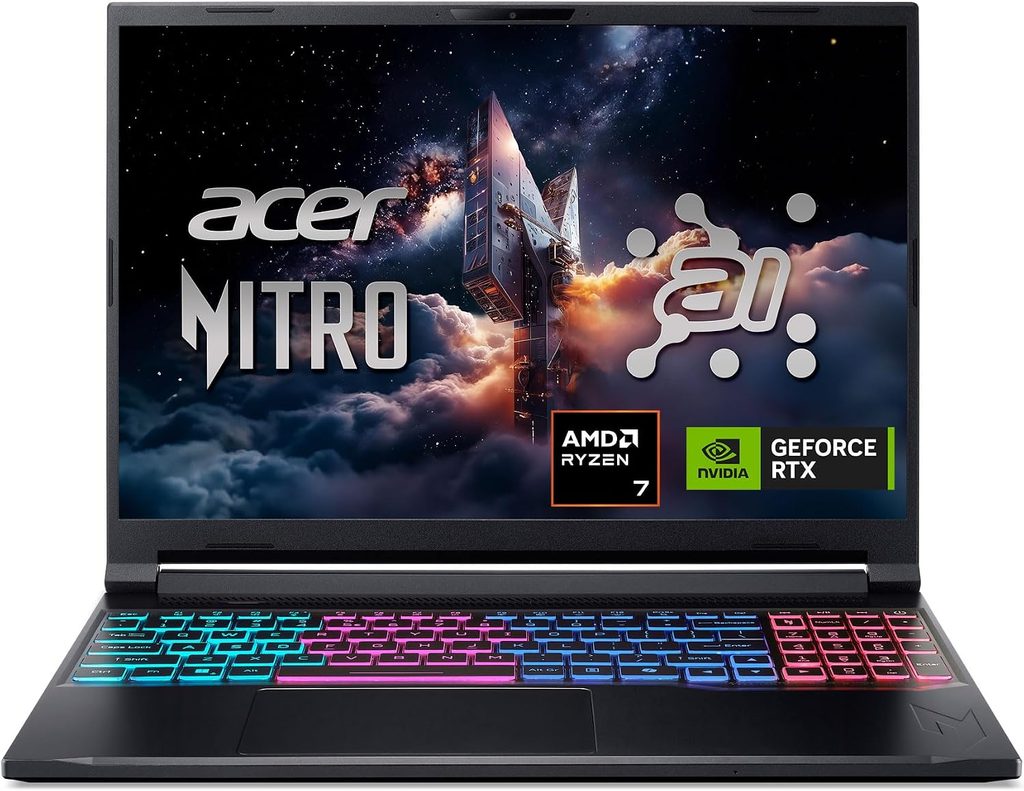
Not everyone has $2,000 or more to spend on a laptop, and honestly, you don’t have to. The Nitro V 16S AI gives you an RTX GPU, a real Ethernet port and upgradeable memory for a fraction of what the other laptops here cost.
Key Specs (Tom’s Hardware review unit)
- CPU: AMD Ryzen 7 260 (Zen 4 “Hawk Point”), 8 cores and 16 threads, boosting up to 5.1 GHz
- GPU: NVIDIA GeForce RTX 5060 Laptop with 8GB of GDDR7, capped at 85W
- Memory / Storage: 32GB DDR5-5600 (2x16GB) and a 1TB PCIe 4.0 SSD
- Display: 16-inch 1920×1200 IPS at 180Hz
- Ports: one USB-C, three USB-A, HDMI 2.1, a headphone jack and Gigabit Ethernet, plus a microSD card slot
- Battery / Weight: 76Wh, 4.55 lb
Test Results
- Geekbench 6: 2,659 single-core, 12,837 multi-core. The multi-core score was last in its comparison group
- File transfer: 1,838.88 MBps copying 25GB of mixed media files, the fastest in the group
- HandBrake (4K to 1080p): 4 minutes 32 seconds
- Display (measured): 391.8 nits maximum brightness, with 77.4% DCI-P3 and 109.3% sRGB coverage
- Thermals: during the Metro Exodus stress test, the touchpad stayed at 79°F, the area between the G and H keys reached 109°F, and the hottest spot on the bottom hit 127°F
- Battery: more than 10 hours 17 minutes in Tom’s Hardware’s web browsing, video streaming and OpenGL test at 150 nits
Why It’s the Budget King for Automation Students
Three USB-A ports plus Ethernet make this a fantastic lab machine. The upgradeability is just as good: there are two M.2 slots, with one left open, and two SO-DIMM memory slots. Down the road, that means you can drop in a second SSD just for your TIA Portal virtual machines.
Pros
- $1,299 as configured
- Built-in Ethernet plus three USB-A ports
- Upgradeable RAM and a free SSD slot
- Good battery life for a gaming-class laptop
Cons
- It trails similarly priced competitors in 1080p gaming, the webcam is only 720p, and it ships with a lot of bloatware
- No IR camera and no fingerprint reader, so there’s no biometric Windows Hello login
- Its Zen 4 processor posts the weakest multi-core scores on this list
- The heaviest laptop here
Head-to-Head Comparison
All figures come from the independent reviews cited above. Geekbench 6 was run on every laptop. Battery runtimes come from different labs using different tests, so compare them only within the same test.
| Laptop | Geekbench 6 Single-Core | Geekbench 6 Multi-Core | Battery Life (test used) | Weight | Price as Tested | Built-in RJ45 |
|---|---|---|---|---|---|---|
| Lenovo ThinkPad P14s Gen 7 | 2,808 | 16,319 | 15h 52m (PCMark 10 Modern Office) | 3.59 lb | $4,703.16 | Yes |
| Dell Pro 5 14 | 2,924 | 12,050 | 21h 17m (Notebookcheck Wi-Fi) | 3.24 lb | ~$4,000 | Yes |
| ASUS ROG Zephyrus G14 (2026) | 2,810 | 17,224 | 14h 22m (Notebookcheck Wi-Fi) | 3.46 lb | $3,199 | No |
| HP OmniBook Ultra 14 (Intel) | 3,027 | 16,568 | 12.6h (Notebookcheck Wi-Fi) | 2.82 lb | $3,049.99 | No |
| Acer Nitro V 16S AI | 2,659 | 12,837 | 10h 17m (Tom’s Hardware) | 4.55 lb | $1,299 | Yes |
My PLC-Ready Scorecard
This is my own scoring, based on the checklist from my methodology section. It measures how well each laptop fits automation coursework specifically, not how good it is as an all-around laptop. Each category is scored out of 5.
| Laptop | x86 | Built-in RJ45 | USB-A Ports | RAM Headroom | GPU for CAD/Sim | Battery | Total /30 |
|---|---|---|---|---|---|---|---|
| ThinkPad P14s Gen 7 | 5 | 5 | 4 (2 ports) | 5 (replaceable, up to 96GB) | 5 | 4 | 28 |
| Acer Nitro V 16S AI | 5 | 5 | 5 (3 ports) | 5 (SO-DIMM slots) | 4 | 3 | 27 |
| Dell Pro 5 14 | 5 | 5 | 4 (2 ports) | 4 (up to 64GB LPCAMM2) | 3 | 5 | 26 |
| ASUS Zephyrus G14 (2026) | 5 | 1 | 4 (2 ports) | 3 (32GB, soldered) | 5 | 4 | 22 |
| HP OmniBook Ultra 14 (Intel) | 5* | 1 | 1 (none) | 4 | 3 | 4 | 18 |
*Intel configurations only. The Snapdragon versions would score 1.
Notice anything? The cheapest laptop on the list outscores two machines that cost more than twice as much. For PLC work, ports and upgradeability matter more than raw horsepower.
What About MacBooks and Snapdragon Laptops?
I get this question all the time, so here’s my honest answer. They’re excellent laptops, but for an automation engineering degree built around Siemens tools, they’re the wrong ones. ARM-based machines can’t run standard x86 Windows, and as I covered above, TIA Portal isn’t certified for Windows on ARM. If you already own a MacBook, plan on using your school’s lab PCs or remote desktop for Siemens work, and don’t expect to go online with a PLC directly from it.
Buying Tips I Wish Someone Had Given Me
- Get at least 32GB of RAM, and 64GB if you can. VMs, PLCSIM and SolidWorks together will fill 16GB before lunch.
- Get at least a 1TB SSD. A single TIA Portal install is big, and several versions in VMs are huge.
- Put together a small lab kit: a USB-C Gigabit Ethernet adapter (even if your laptop has RJ45, as a backup), a USB-to-RS-232/RS-485 serial adapter for older equipment, and a short patch cable.
- Check your program’s software list before you buy. Some departments standardize on Rockwell, some on Siemens and some on CODESYS-based platforms.
- Look for student pricing. Most big laptop makers run education discount programs, and they can take a real chunk off business-class models.
- Think about an extended warranty. A laptop that gets carried between lab benches for four years takes a beating.
Frequently Asked Questions
What is the best laptop for automation engineering students in 2026?
My top pick is the Lenovo ThinkPad P14s Gen 7. It combines built-in Ethernet, USB-A ports, replaceable memory, an NVIDIA RTX PRO GPU and Siemens ISV certification in a laptop that weighs about 3.6 lb.
Do I need a dedicated GPU for automation engineering?
Not for PLC programming itself. A dedicated GPU does help a lot with SolidWorks, Factory I/O, digital twins and 3D robotics simulation. If your program is CAD-heavy, get one.
How much RAM do I need for TIA Portal?
16GB is a realistic minimum. I recommend 32GB, especially if you’ll be running TIA Portal inside virtual machines.
Can I use a MacBook for automation engineering?
I don’t recommend it as your main machine. TIA Portal isn’t certified on ARM-based systems, so you’d have to rely on lab PCs or remote desktop for Siemens work.
Why does an Ethernet port matter for automation engineering?
Most modern PLCs, whether Siemens over PROFINET or Allen-Bradley over EtherNet/IP, are programmed and monitored over Ethernet. A built-in RJ45 port is one less adapter to lose or forget.
What’s the best budget laptop for automation engineering?
The Acer Nitro V 16S AI. For about $1,300, you get an RTX 5060, 32GB of upgradeable RAM, three USB-A ports and built-in Ethernet.
Final Verdict
If you want a laptop that will never be the weak link in your degree, get the Lenovo ThinkPad P14s Gen 7. If you want the best mix of battery life, low weight and PLC-friendly ports without a dedicated GPU, the Dell Pro 5 14 is superb. Students doing heavy simulation who don’t mind carrying an Ethernet adapter should look at the ASUS ROG Zephyrus G14 (2026). If style and portability come first, go for the HP OmniBook Ultra 14, but only the Intel version. And if money is tight, the Acer Nitro V 16S AI proves you don’t have to spend a fortune to be PLC-ready.
Sources
- StorageReview – Lenovo ThinkPad P14s Gen 7 Review: https://www.storagereview.com/review/lenovo-thinkpad-p14s-gen-7-review-rtx-pro-1000-and-panther-lake-in-a-3-6-pound-workstation
- Laptop Decision – Lenovo ThinkPad P14s Gen 7 Configurations: https://laptopdecision.com/review/lenovo-thinkpad-p14s-gen-7
- Notebookcheck – Dell Pro 5 14 Review: https://www.notebookcheck.net/Dell-Pro-5-14-review-Midrange-with-surprisingly-few-compromises.1392391.0.html
- StorageReview – Dell Pro 7 14 Intel Review: https://www.storagereview.com/review/dell-pro-7-14-intel-review-26-hours-of-battery-in-dells-thinnest-pro-laptop
- Notebookcheck – Asus ROG Zephyrus G14 2026 Review: https://www.notebookcheck.net/One-of-the-best-compact-gaming-laptops-gets-a-brighter-OLED-Asus-ROG-Zephyrus-G14-2026-Review.1321952.0.html
- Notebookcheck – Asus ROG Zephyrus G14 Review Verdict: https://www.notebookcheck.net/Review-verdict-for-Asus-ROG-Zephyrus-G14-Powerful-and-efficient-allrounder.1338006.0.html
- PCWorld – HP OmniBook Ultra 14 Review: https://www.pcworld.com/article/3179790/hp-omnibook-ultra-14-review-2.html
- Engadget – HP OmniBook Ultra 14 Review: https://www.engadget.com/2211901/hp-omnibook-ultra-14-review/
- Tom’s Hardware – Acer Nitro V 16S AI Review: https://www.tomshardware.com/laptops/gaming-laptops/acer-nitro-v-16s-ai-review
- Industrial Monitor Direct – Apple Silicon Mac PLC Programming: TIA Portal on M1/M2: https://industrialmonitordirect.com/blogs/knowledgebase/m1m2-mac-for-siemens-tia-portal-plc-programming-guide
- LEADTIME – Installing and Licensing TIA Portal: https://leadtime.ca/blogs/learning-center/installing-licensing-tia-portal-system-requirements-installation-steps-license-management

Hi, my name is Burak. I am a mechanical engineer. I have been writing laptop reviews for the Engineering Laptops website since 2020. Please feel free to contact me if you have any questions.