Last updated: September 10, 2026
Table of contents
- Before anything else: the memory thing
- How I put this guide together
- Best Laptops for University Students in 2026 (Lab-Tested Numbers, Not Guesses)
- 1. Apple MacBook Air 13 (M5, 2026) — the boring right answer
- 2. Dell XPS 13 (2026) — I did not expect a $699 laptop to feel like this
- 3. Lenovo Yoga Slim 7i Aura Edition (2026) — the one you forget is in your bag
- 4. Acer Swift Go 14 AI (2026) — endurance, plus the ports Lenovo deleted
- 5. HP OmniBook 7 16 (2026) — the engineering student’s answer
- Everything side by side
- Two comparisons I haven’t seen anywhere else
- What to buy for your degree
- How much RAM and storage do you actually need?
- The checklist I’d run before spending the money
- What I deliberately left out, and why
- Questions I get asked constantly
- Where I’d actually land
- Sources
I’ve lost count of how many “best student laptop” lists I’ve read that never once tell you a measured number. Five laptops, a friendly paragraph each, “great battery life,” and you’re back where you started. That’s why you’re still searching at midnight three weeks before move-in.
So I did the annoying version instead. I went through the published test data from the labs that actually measure this stuff — Tom’s Hardware, Tom’s Guide, TweakTown, Trusted Reviews, PCWorld, Macworld, Notebookcheck — and pulled out every figure that matters for a student. Battery runtimes with the test method named. Colorimeter brightness readings. Cinebench 2026 stress loops, which are the only benchmark that tells you how a laptop behaves an hour into a render instead of three seconds into one.
Then I did the thing nobody does: I compared the first benchmark run to the tenth. The gap between those two numbers changed my ranking. I’ll show you why below.
One more thing before we start, and it’s the most expensive sentence on this page if you skip it: every laptop here has soldered RAM, and 2026 is the worst year in a decade to be stingy about memory. More on that in a second.
Here’s where I landed.
| My pick | Who I’d hand it to | Starts at | Measured battery | The catch |
|---|---|---|---|---|
| Apple MacBook Air 13 (M5, 2026) | Almost everyone | $1,099 | 15h 28m | Sheds about a third of its peak speed under long loads |
| Dell XPS 13 (2026) | Tight budget, still wants nice hardware | $699 | 14h 26m | Slow chip; the 8GB version genuinely struggles |
| Lenovo Yoga Slim 7i Aura Edition (2026) | Anyone walking campus all day | $849 | 16h 38m | No headphone jack, no USB-A, no HDMI |
| Acer Swift Go 14 AI (2026) | All-day unplugged + real ports | ~$1,299 | 20h 51m | 60 Hz, 1200p screen and only 512GB |
| HP OmniBook 7 16 (2026) | Engineering, CAD, CS, data work | ~$1,270 | 22h 20m | 4.3 lbs — you’ll feel it by October |
Before anything else: the memory thing
If you’re comparing today’s prices to what you paid for a laptop in 2023, you’re going to think everyone’s gone mad. They haven’t. Memory happened.
AI data centres ate the world’s DRAM supply. Manufacturers shifted fab capacity toward high-bandwidth memory and server DDR5 because that’s where the money is, and consumer laptop RAM got whatever was left over. TrendForce tracked global DRAM contract prices climbing an estimated 90–95% quarter over quarter in Q1 2026, then another projected 58–63% in Q2, with a further 10–15% expected in Q3. IDC reported that Lenovo, Dell, HP, Acer and Asus had all warned clients of 15–20% price increases, with some high-end models projected as high as 30%. By mid-2026 the cumulative DRAM rise was around 170%, and analysts don’t expect relief before 2027, because new fab capacity takes years to build.
You can see it in the products themselves if you know where to look. Apple quietly killed the $999 MacBook Air starting price this year. The MacBook Neo launched at $599 in March and was bumped to $699 in June. Dell shipped the new XPS 13 with basically two configurations, because keeping the SKU count low is how you keep the price at $699.
So here’s the rule I’d give my own sibling:
The RAM you buy on day one is the RAM you graduate with. Not one laptop in this guide lets you add more later. In a year when memory costs this much, the $200 you spend going from 8GB to 16GB at checkout is cheaper than the replacement laptop you’ll buy in year three.
Buy the memory. Buy less internal storage if something has to give — a 1TB external USB-C SSD is cheap, tiny and solves that problem forever. There is no external RAM.
How I put this guide together
I want to be straight with you about what this is, because you should demand that from anyone recommending a $1,000 purchase.
I did not run these benchmarks myself. What I did was collect published, repeatable lab measurements from outlets that document their methodology, and name the source next to every single number. If you want to check one, you can — the links are at the bottom. I’d rather show you someone else’s honest measurement than pretend I had five review units on my desk.
Here’s what each test actually tells you, because a number with no context is just decoration:
Geekbench 6 runs short bursts of mixed work. Single-core predicts how snappy a laptop feels when you click things — opening apps, loading a page, scrolling a 200-page PDF. Multi-core predicts compiles, exports and heavy multitasking. Because the bursts are short, it flatters thin laptops that can’t sustain heat.
Cinebench 2026, run ten times in a row, is the honest one. Render the same scene repeatedly and the chip can’t hide behind boost clocks. The gap between run one and the settled score is the single best predictor of how a machine behaves during a long export.
3DMark covers graphics. Steel Nomad is brutal and unforgiving. Solar Bay is ray-traced but optimised. Speed Way is built for desktop GPUs, so an integrated chip scoring 993 there isn’t embarrassing, it’s just out of its league.
Battery tests are not interchangeable, and this is where most comparison articles quietly lie to you. Tom’s Hardware runs browsing plus video plus WebGL at 150 nits — that’s a workload, and it’s the harshest here. Tom’s Guide runs continuous Wi-Fi web surfing at 150 nits. Trusted Reviews uses PCMark 10’s video loop, which is gentle because video decoding is hardware-accelerated and barely touches the CPU. TweakTown uses UL Procyon Office. A laptop tested with the softest method will always look best. I’ve labelled the test beside every runtime in this article, and you should be suspicious of any guide that doesn’t.
Brightness is a colorimeter reading in nits, not a box claim. Under 350 nits and you’ll fight a window. Above 450 and you’re genuinely comfortable outdoors in shade.
Last caveat: cross-lab comparisons carry noise. Different rooms, different ambient temperatures, different Windows power profiles, different review-unit silicon. Wherever I compare two laptops head to head, I’ve used numbers from the same lab running the same test. Where I couldn’t, I say so out loud.
Best Laptops for University Students in 2026 (Lab-Tested Numbers, Not Guesses)
1. Apple MacBook Air 13 (M5, 2026) — the boring right answer
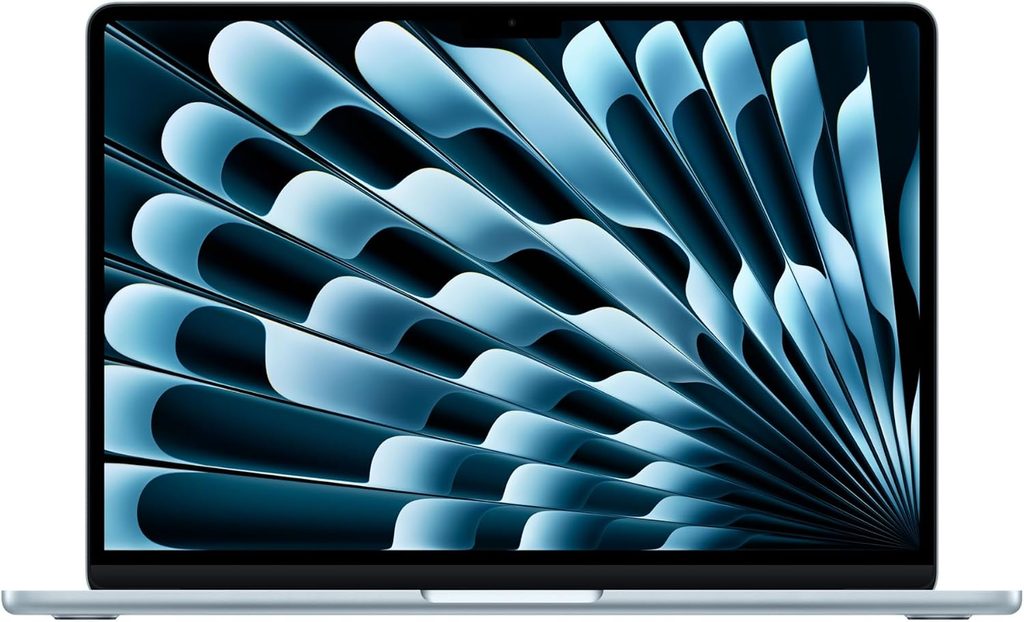
If you’ve got no strong opinions and no weird software requirements, buy this one and go enjoy your summer. I’m not being lazy. The numbers back it up harder than I expected them to.
What you get
- Chip: Apple M5, 10-core CPU with 8-core GPU at $1,099, 10-core GPU on the upgrade
- Memory: 16GB unified, minimum — this is new this year and it matters a lot
- Storage: 512GB base, up from 256GB last year
- Display: 13.6-inch, 2560 × 1664 Liquid Retina IPS with True Tone
- Battery: 53.8 Wh
- Ports: MagSafe 3, two Thunderbolt 4, 3.5 mm headphone jack
- Size: 2.7 lbs (1.23 kg), 11.97 × 8.46 × 0.44 inches
- Camera: 12MP Center Stage
- Wireless: Apple N1 — Wi-Fi 7, Bluetooth 6, Thread
- Software: macOS Tahoe 26, one-year warranty, AppleCare+ at $6.99/month or $69.99/year
The measured numbers
| Test | Result | Who measured it |
|---|---|---|
| Geekbench 6 single-core | 4,168 | Tom’s Hardware |
| Geekbench 6 multi-core | 17,067 | Tom’s Hardware |
| Cinebench 2026 multi-core, first run | 3,415 | Tom’s Hardware |
| Cinebench 2026 multi-core, settled after 10 loops | low 2,300s | Tom’s Hardware |
| 3DMark Steel Nomad | 1,005 | Tom’s Hardware |
| 25GB real file copy | 1,924.84 MB/s | Tom’s Hardware |
| HandBrake, 4K to 1080p | 4 min 41 sec | Tom’s Hardware |
| Xcode compile, large codebase | 165 seconds | Tom’s Hardware |
| Peak brightness | 458.8 nits | Tom’s Hardware |
| Colour: DCI-P3 volume / sRGB | 83.1% / 117.3% | Tom’s Hardware |
| Battery: browsing + video + WebGL, 150 nits | 15h 28m | Tom’s Hardware |
| Battery: looped local video, 150 nits | 18h 24m | Macworld |
| Overall review score | 92% | Notebookcheck |
That 4,168 single-core score is the highest figure in this entire article and it isn’t close. The Core Ultra 7 355 in the Lenovo managed 2,729 on the same test in the same lab. In practice that gap is why the Air feels quicker than laptops that cost more — nearly everything you do on a computer is a single-core moment.
The thermal story, which changed how I rank this laptop
The MacBook Air has no fan. Tom’s Hardware ran Cinebench 2026 ten times back to back and watched it open at 3,415, decay across the first few runs, then settle in the low 2,300s. That’s roughly a 33% drop from peak to sustained.
I don’t think that’s a defect. It’s the bargain Apple made on your behalf: sprint beautifully, then throttle quietly instead of getting hot and loud. And it stays genuinely comfortable while doing it. Under that same stress test the keyboard centre measured 105.1°F, the trackpad 96°F, and the hottest point on the underside 107.9°F. TG Pro read the M5 itself at 63.24°C, which is cool for a chip under sustained load.
For an essay, a lecture recording, a Python problem set, a Figma file? You’ll never notice. For a 40-minute video export at 2am? You will.
Battery, told honestly
15h 28m under the harsher mixed workload. 18h 24m in Macworld’s looped-video test. Both are real, they just measure different days.
Here’s the part Apple won’t put on a poster: Notebookcheck found the M5 Air’s endurance had not improved over the M4 and actually came in around 6% shorter at maximum brightness. Notebookcheck still rated the machine 92% overall, so this isn’t a knock on the laptop — it’s a reminder that the efficiency gains went into speed, not runtime. And the Lenovo below beat it by over an hour on Tom’s Hardware’s own test. The MacBook Air is no longer the automatic battery champion, and I think that’s the most interesting shift in laptops this year.
Gaming, briefly
It’s not a gaming laptop, but it isn’t hopeless either. Tom’s Hardware ran InZoi at 1680 × 1050 with MetalFX in performance mode, very low settings and hardware ray tracing on, and got 40–55 fps depending on the scene. Fine for a study break. Not a reason to buy.
Pricing reality
$1,099 to start with 16GB and 512GB. $1,299 for the config with the 10-core GPU and a 1TB drive. RAM upgrades are eye-watering — $200 for 24GB, $400 for 32GB — but as Tom’s Hardware pointed out, that’s not actually unreasonable next to what memory costs everywhere else right now.
Check Apple’s education store with your university email before you buy anywhere. The discount is real and people forget every year.
What I like
- Fastest single-core performance here by a country mile
- 16GB of RAM as the floor, in a year when 8GB is everywhere
- Silent. Always. No fan, no whine in a quiet library
- The trackpad. Nothing else in the industry is close and I’m tired of pretending otherwise
- macOS will run happily on this for six-plus years, so your resale value in year four is real money
- MagSafe means tripping over the cable doesn’t end with a cracked chassis on a dorm floor
What I don’t
- Loses roughly a third of its peak multi-core speed under sustained load
- The $999 entry price is gone and isn’t coming back
- The notch is still there and I still catch myself looking at it
- Two Thunderbolt ports and nothing else, so you’ll own a dongle
- Memory upgrades cost more than some people’s entire laptop budget
- If your department mandates Windows-only software, none of the above matters
Get it if: you’re in humanities, business, law, CS, design or life sciences. Skip it if: your program hands you a required-software list with .exe files on it.
2. Dell XPS 13 (2026) — I did not expect a $699 laptop to feel like this
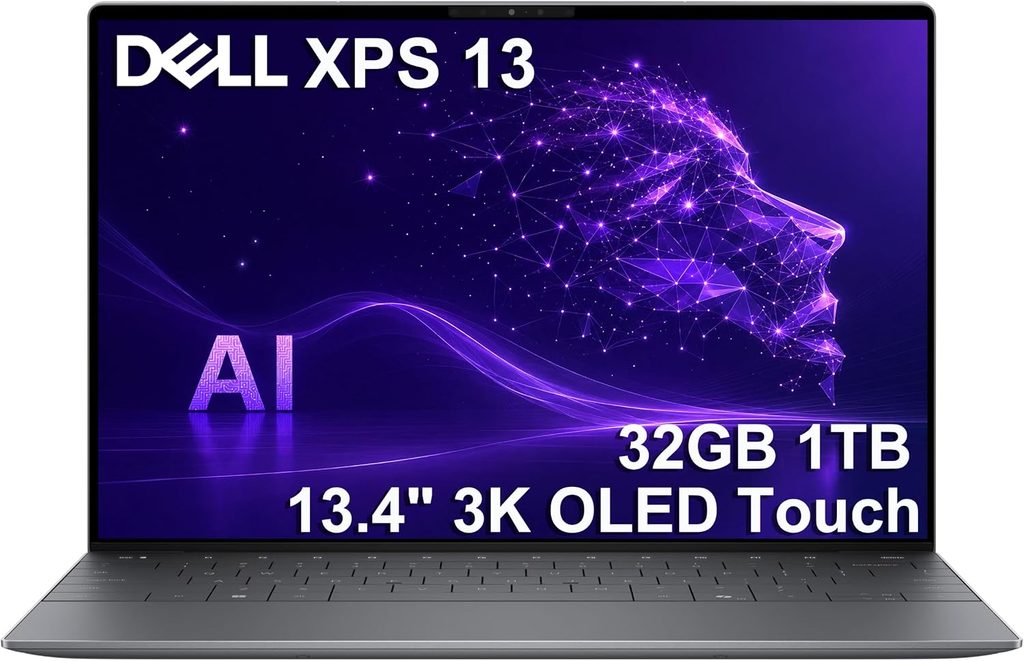
Dell killed the XPS name in 2025 and then brought it straight back at CES 2026, aimed squarely at Apple’s cheap MacBook. It worked. Tom’s Hardware gave it an Editor’s Choice and called it the new bar for mainstream Windows laptops. Tom’s Guide called it the best budget Windows laptop right now.
Having read every review of it I could find, I agree — with one loud condition I’ll get to.
What you get
- Chip: Intel Series 3 Core 5 320 “Wildcat Lake” on the Intel 18A process — 2 performance cores to 4.6 GHz, 4 low-power efficiency cores to 3.4 GHz, 6 cores and 6 threads, 15W base with a 35W turbo ceiling
- Graphics: Intel Graphics, 2 Xe3 cores
- Memory: 8GB or 16GB LPDDR5-7467, single channel, soldered
- Storage: 512GB PCIe Gen 4 (Kioxia BG7 or SK hynix PVC10 — Dell multi-sources)
- Display: 13.4-inch, 2560 × 1600 touch, 30–120 Hz variable refresh
- Battery: 52 Wh, with a folding phone-style charger
- Ports: two USB-C at 10 Gbps, both with DisplayPort 2.1 and charging. No headphone jack.
- Size: 2.2 lbs (1 kg), 11.69 × 7.9 × 0.5 inches
- Camera: 1080p with IR for Windows Hello
- Wireless: Intel Wi-Fi 7 BE213, Bluetooth 6.0
The measured numbers
| Test | Result | Who measured it |
|---|---|---|
| Geekbench 6 single-core | 2,684 | Tom’s Guide |
| Geekbench 6 multi-core | 7,952 | Tom’s Guide |
| Geekbench 6 GPU (Compute) | 12,848 | XpertPick |
| Cinebench 2026 multi-core | 1,407 | PCWorld |
| Cinebench 2026, first run (16GB) | 1,443 | Tom’s Hardware |
| Cinebench 2026, settled after 10 loops | high 1,600s | Tom’s Hardware |
| Average core clock during stress | 3.13 GHz | Tom’s Hardware |
| UL Procyon Office Productivity | 6,491 | PCWorld |
| HandBrake, 4K to 1080p | 10 min 38 sec | Tom’s Guide |
| 3DMark Steel Nomad (16GB) | 369 | Tom’s Hardware |
| 3DMark Wild Life Extreme | 2,455 (~14 fps) | Tom’s Guide |
| CrystalDiskMark sequential read / write | 6,984 / 5,805 MB/s | XpertPick |
| Peak brightness | just under 400 nits | Tom’s Hardware |
| Battery: continuous web browsing, 150 nits | 14h 26m | Tom’s Guide |
| CPU package under stress | 87.49°C average, P-cores spiking to 100°C | Tom’s Hardware |
| Sustained package power | 22W | XpertPick |
| 3DMark stress loop frame-rate stability | 98.7% | XpertPick |
The 8GB versus 16GB question — please read this bit
This is the part that should decide your purchase, so don’t skim.
Tom’s Hardware tested both configurations side by side with identical processors. In Cinebench 2026, the 8GB machine scored lower on nine of the ten runs. Cinebench’s own developer explains why: below roughly 8.5 GB of available memory the benchmark starts leaning on virtual memory, which triggers heavy paging and drags everything down.
Then there’s the test you’ll actually live with. With fifteen identical Chrome tabs open, the reviewer described the 16GB machine as simply smoother — Windows animations more fluid, tab switching faster. On the 8GB unit, tabs frequently flashed white before rendering.
Fifteen tabs. That’s a Tuesday afternoon for anyone writing a paper.
The 16GB model is $899. I hate that $200 buys you nothing but memory. I’d still pay it, every time, and I’d tell you to as well.
Thermals and the fan surprise
Dell put two fans in a 2.2-pound laptop, which tells you they knew this chip runs warm. Under the ten-loop Cinebench stress test the CPU averaged 87.49°C with P-cores occasionally touching 100°C. But surface temperatures stayed civil: 104°F at the top keyboard row (above the number keys, not where your hands rest), 87°F at the trackpad, 88.5°F on the deck, 108.5°F at the hottest spot underneath.
And here’s the bit I found genuinely interesting: the settled Cinebench score came in higher than the opening run. It dipped to 1,374, climbed to 1,701, then held in the high 1,600s once the fans got going. Fans are deeply unglamorous and they work.
XpertPick’s testing backs this up from another angle — 98.7% frame-rate stability across a 3DMark stress loop, at a sustained 22W package draw. This chip is not fast, but it’s remarkably consistent.
One honest inconsistency I’m not going to paper over
Reviewers disagree about this screen. Tom’s Hardware measured roughly 75% DCI-P3 coverage on their unit. XpertPick measured 98% on theirs, with no PWM flicker. Dell confirmed to Tom’s Hardware that it multi-sources panels — their two review units had a Sharp panel and an LG panel, with visibly different black levels and viewing angles, and different SSDs to match (the SK hynix drive ran about 350 MB/s faster in file transfer).
What that means for you: the panel you receive is a lottery within Dell’s spec. Every reviewer agrees it’s good for the money. Just don’t buy it expecting a specific colour-gamut figure if you’re doing colour-critical work.
Things worth calling out
The charger is a small folding-prong brick with a detachable cable rather than the usual lump. It’s a tiny thing you’ll appreciate daily.
The speakers are a quad setup with 8W peak output and they surprised me in every review I read — there’s actual bass in a half-inch chassis.
The software is almost clean. A WhatsApp shortcut, a LinkedIn shortcut, two Dell utilities and one McAfee bookmark. On a budget Windows laptop in 2026, that’s close to a miracle.
The webcam is the weak spot. It’s 1080p rather than 720p, which is progress, but Tom’s Guide described the image as blurry and washed out. Fine for a seminar. Not flattering.
What I like
- Genuinely premium aluminium at $699, and 2.2 lbs — lighter than the MacBook Air
- 2560 × 1600 touchscreen with variable refresh, sharper than plenty of $1,300 laptops
- 14h 26m of measured battery from a 52 Wh cell
- Backlit keyboard, which the same-priced MacBook Neo doesn’t have
- Nearly no bloatware
- Great speakers, tiny charger, quiet fans
- Rock-steady sustained behaviour: 98.7% frame-rate stability, 22W
What I don’t
- 7,952 in Geekbench 6 multi-core is slow, full stop. That HandBrake time of 10:38 is more than double the MacBook Air’s
- The 8GB model measurably struggles and I wouldn’t buy it
- No headphone jack
- Two USB-C ports and nothing else
- 512GB is effectively the only storage tier at these prices
- Panel and SSD are a lottery
- Mediocre webcam
Get it if: you write, read, present and browse, and you’d rather spend the difference on rent. Skip it if: you compile, render, edit video or run virtual machines.
3. Lenovo Yoga Slim 7i Aura Edition (2026) — the one you forget is in your bag
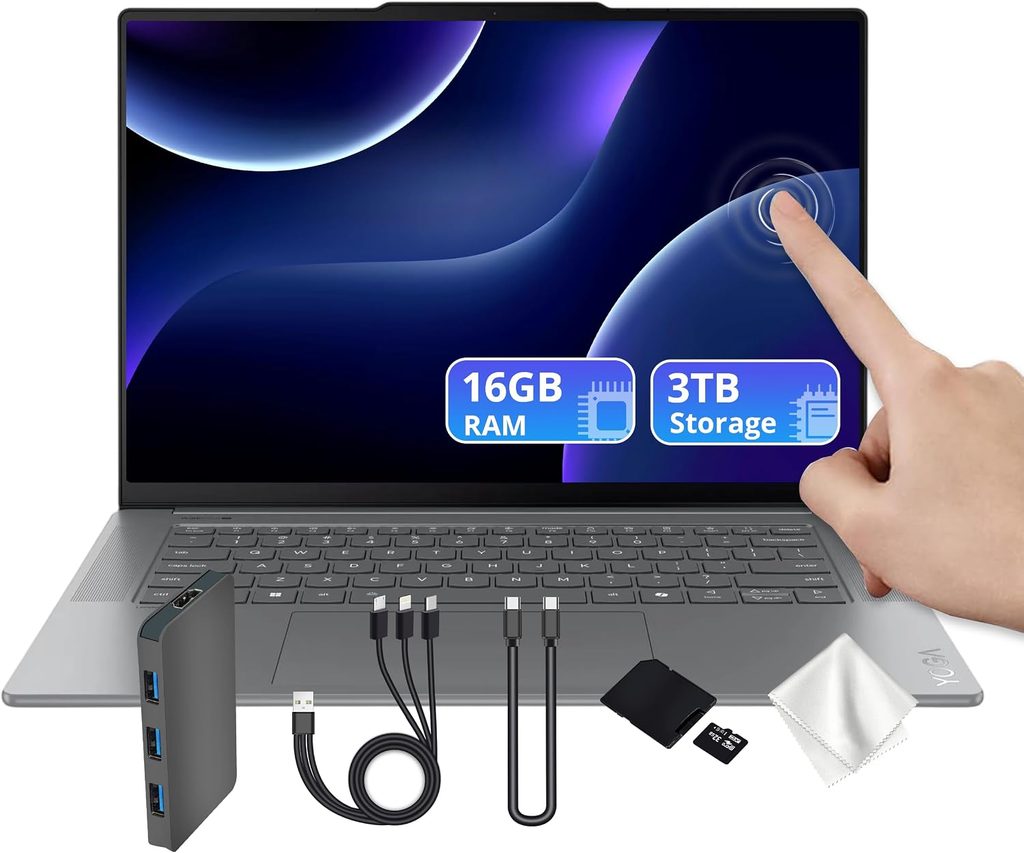
The reviewer at Tom’s Hardware opened the shipping box and briefly assumed the laptop had been stolen in transit, because the box felt empty. It weighs 2.15 pounds. A 13-inch MacBook Air weighs 2.7.
If you walk between four buildings a day, that half-pound isn’t spec-sheet trivia. It’s your shoulder in November.
What you get
- Chip: Intel Core Ultra 7 355 (Panther Lake) — 4 performance cores to 4.7 GHz, 4 efficiency cores
- Graphics: Intel Arc integrated, 4 Xe cores at up to 2.5 GHz
- NPU: Intel AI Boost, up to 49 TOPS
- Memory: up to 32GB LPDDR5x-7467, dual channel, soldered
- Storage: up to 1TB M.2 2242 PCIe 4.0
- Display: 14-inch, 2880 × 1800, 120 Hz POLED touch, Gorilla Glass 3, Dolby Vision
- Battery: 75 Wh, 65W USB-C charging
- Ports: three Thunderbolt 4. That is the complete list.
- Size: 2.15 lbs (0.975 kg), 0.55 inches thick
- Build: magnesium alloy, tested to MIL-STD-810H
- Camera: 5MP with IR and a physical e-shutter switch on the side
- Audio: four speakers — two 2W woofers, two 2W tweeters
- Wireless: Wi-Fi 7, Bluetooth 5.4. One-year warranty.
The measured numbers
| Test | Result | Who measured it |
|---|---|---|
| Geekbench 6 single-core | 2,729 | Tom’s Hardware |
| Geekbench 6 multi-core | 11,555 | Tom’s Hardware |
| Cinebench 2026, first runs | 2,465–2,485 | Tom’s Hardware |
| Cinebench 2026, settled after 10 loops | upper 2,500s | Tom’s Hardware |
| P-core / E-core clocks under load | 3.87 / 3.49 GHz | Tom’s Hardware |
| 3DMark Steel Nomad | 513 | Tom’s Hardware |
| 25GB real file copy | ~1,700 MB/s | Tom’s Hardware |
| HandBrake, 4K to 1080p | 5 min 56 sec | Tom’s Hardware |
| Peak brightness | 476 nits | Tom’s Hardware |
| Colour coverage | 120.6% DCI-P3, 170.3% sRGB | Tom’s Hardware |
| CPU under Cinebench stress | 83.4°C | Tom’s Hardware |
| Battery: browsing + video + WebGL, 150 nits | 16h 38m | Tom’s Hardware |
The number that made me re-rank my list
16 hours and 38 minutes. On the same test, in the same lab, the MacBook Air managed 15h 28m. This 2.15-pound Windows laptop beat the machine that has owned this category for four years, by more than an hour, while weighing half a pound less.
The display is the other headline. 476 nits is the brightest measured panel in this guide, and OLED usually loses brightness comparisons. Pair that with 120.6% DCI-P3 coverage, true blacks and 120 Hz, and it’s the best screen here. It isn’t close.
And then there’s this
Look at the Cinebench 2026 figures again. The Lenovo opens around 2,475 and climbs into the upper 2,500s over ten loops. The MacBook Air opens at 3,415 and falls to the low 2,300s.
Which means that under sustained multi-core load, this thing finishes ahead of the MacBook Air. The Air wins the sprint by a mile. The Lenovo wins the marathon.
You pay for that with noise — Tom’s Hardware described the fans as clearly audible during the stress test. Silence has a price and Apple charges it in throttling.
The ports problem, which is a real problem
Three Thunderbolt 4 ports. No HDMI, which the previous generation had. No USB-A. No 3.5 mm headphone jack.
Think about what that means on a campus. Wired earbuds in the library: dongle. Projector in a seminar room: dongle. A classmate hands you a flash drive: dongle. Lab bench equipment with a USB-B cable: dongle plus adapter.
If your degree involves rooms full of older hardware, this is disqualifying and I’d stop considering it right now. If you’re wireless-everything and you mostly write, you’ll never think about it again.
About that price range
Lenovo lists the Yoga Slim 7i Aura Edition from $849.99, but the review unit — Core Ultra 7 355, 32GB, 1TB, 2.8K POLED — came to $1,629.99. That’s an enormous spread, and every benchmark and battery figure above came from the expensive one.
Configure it carefully and read the spec line twice before you check out. Lenovo’s configuration pages are a maze and I say that as someone who enjoys spec sheets.
What I like
- 2.15 lbs, 0.55 inches, magnesium alloy tested to MIL-STD-810H
- Best-measured display here: 476 nits, 120.6% DCI-P3, 120 Hz OLED
- 16h 38m measured, beating the MacBook Air on the identical test
- Sustained multi-core performance that actually improves under load
- Four speakers with real bass, and I’ve seen multiple reviewers say the same
- 5MP webcam with a hardware kill switch — quietly useful for proctored exams
- Big haptic trackpad at 4.72 × 2.95 inches
What I don’t
- No headphone jack, no USB-A, no HDMI
- Single-core performance is 35% behind the MacBook Air
- Fans are audible under load
- Ships with McAfee, Adobe upsells and a Dropbox trial
- One-year warranty
- Those white keycaps are going to look grim by junior year
- The SSD is technically replaceable but it’s buried under the heatpipe assembly
Get it if: portability and screen quality top your list and you already live the dongle life. Skip it if: you plug wired things into your laptop on a regular basis.
4. Acer Swift Go 14 AI (2026) — endurance, plus the ports Lenovo deleted
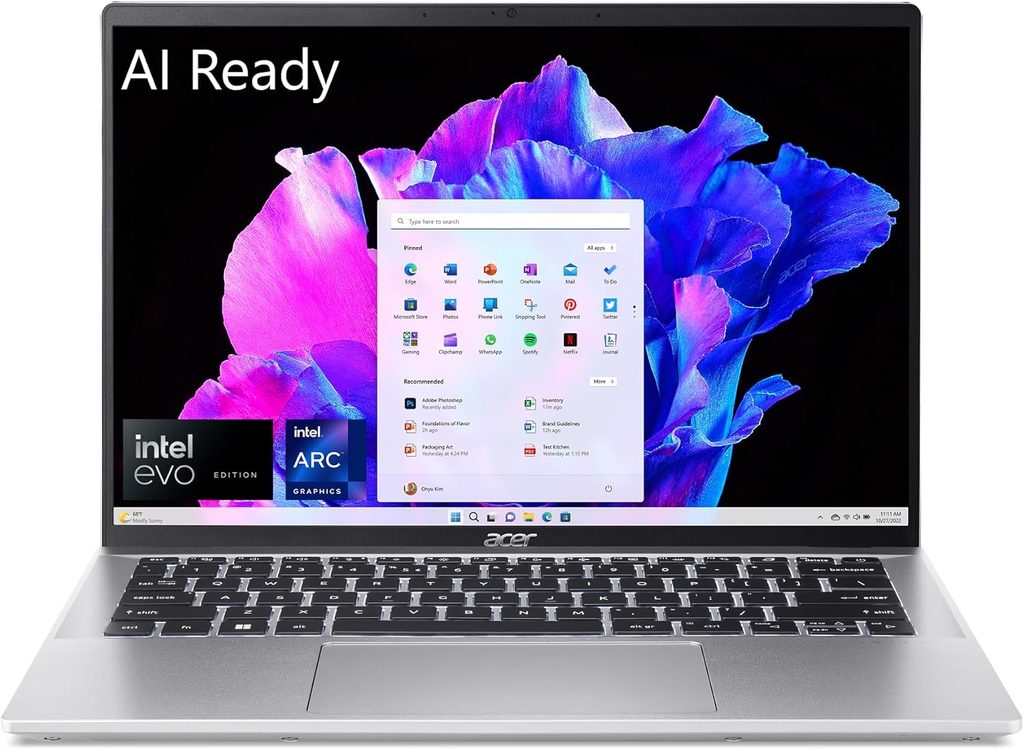
Acer refreshed the Swift Go at CES 2026 with a new chassis, Panther Lake silicon and an OLED panel. Trusted Reviews called it one of the most compelling laptops they’d seen this year, and the appeal is simple: it runs for an absurd length of time and you can plug things into it.
What you get
- Chip: Intel Core Ultra 7 355 (Panther Lake) — 4 Cougar Cove performance cores to 4.7 GHz, 4 Darkmont low-power efficiency cores, 8 cores and 8 threads
- Graphics: Intel Graphics Xe3, 4 cores at up to 2,450 MHz
- Memory: 16GB (32GB available on higher configurations)
- Storage: 512GB PCIe Gen 4 NVMe
- Display: 14-inch, 1920 × 1200, 60 Hz OLED, 16:10, VESA DisplayHDR True Black 500
- Battery: 65 Wh
- Ports: USB4 / Thunderbolt 4, USB-A, HDMI, 3.5 mm
- Size: 1.12 kg (2.47 lbs)
- Wireless: Wi-Fi 7, Bluetooth 5.4
- Extra: 180-degree display hinge, handy for group work
The measured numbers
| Test | Result | Who measured it |
|---|---|---|
| Battery: PCMark 10 video loop, 150 nits | 20h 51m | Trusted Reviews |
| SSD sequential read | 7,087.70 MB/s | Trusted Reviews |
| SSD sequential write | 5,666.23 MB/s | Trusted Reviews |
| Peak SDR brightness | 382.3 nits | Trusted Reviews |
| Black level | 0.03 | Trusted Reviews |
| Contrast ratio | 13,610:1 | Trusted Reviews |
| Colour temperature | 6,700 K | Trusted Reviews |
| Geekbench 6 single / multi-core | 2,729 / 11,555 (see note) | Tom’s Hardware |
| 3DMark Steel Nomad | 513 (see note) | Tom’s Hardware |
A note on those last two rows, because I won’t fake a number. Trusted Reviews reported that this chip moves only a few percentage points over last year’s Core Ultra 7 255 in Geekbench 6 and Cinebench R23, but didn’t publish absolute figures. So I’ve used Tom’s Hardware’s measurements of the same Core Ultra 7 355 with the same 4-core Xe3 integrated graphics in the Lenovo Yoga Slim 7i as the closest lab reference for that silicon. It’s a different chassis with different cooling, so treat it as a ballpark, not a reading off this exact machine.
Reading these numbers honestly
20h 51m is the second-biggest battery figure here. But remember the methodology note: PCMark 10’s video loop is a much lighter workload than the browsing-plus-WebGL test that produced the MacBook Air’s 15h 28m and the Lenovo’s 16h 38m. Decoding video is hardware-accelerated and barely wakes the CPU.
Under the harsher protocol this laptop would land meaningfully lower. Probably still excellent. Not 21 hours.
The storage is legitimately quick, though — 7,087 MB/s read is near the ceiling of what PCIe Gen 4 allows, and it’s the second-fastest drive in this guide.
The display measurements tell a nuanced story too. 382.3 nits is respectable but not bright, and it’s the dimmest panel here. What you’re really buying is that 13,610:1 contrast ratio and a 0.03 black level — OLED doing what OLED does. Text on white looks fine; movies at night look genuinely lovely.
Where it gives ground
The panel spec is the compromise: 1920 × 1200 at 60 Hz. It’s OLED, so contrast and colour are excellent, but 60 Hz feels dated next to the Lenovo’s 120 Hz and the resolution sits well behind the Dell’s 2560 × 1600 — on a laptop that costs $600 less.
The integrated GPU is the 4-core Xe3, not the 12-core Arc B390 in the HP below. Casual games and light photo work are fine. Prolonged 3D or video work is not.
And 512GB at this price is stingy. Trusted Reviews said so and I’d have said it louder.
What I like
- Enormous endurance: 20h 51m measured, 22 hours claimed by Acer
- The full port set — Thunderbolt, USB-A, HDMI, headphone jack
- Very fast storage at 7,087 MB/s read
- 1.12 kg, which is light for a machine carrying this many ports
- 13,610:1 contrast and a 0.03 black level
- Wi-Fi 7 and Bluetooth 5.4
- 180-degree hinge, which sounds like nothing until you’re showing a slide to three people
What I don’t
- 60 Hz and 1200p is weak for the money
- Dimmest screen here at 382.3 nits
- Weakest integrated graphics in this guide
- Generation-over-generation performance gain is marginal
- 512GB base storage
- At ~$1,299 it sits uncomfortably close to a MacBook Air
Get it if: all-day unplugged use and a real port selection matter more to you than pixel count. Skip it if: you stare at the screen eight hours a day and care about it.
5. HP OmniBook 7 16 (2026) — the engineering student’s answer
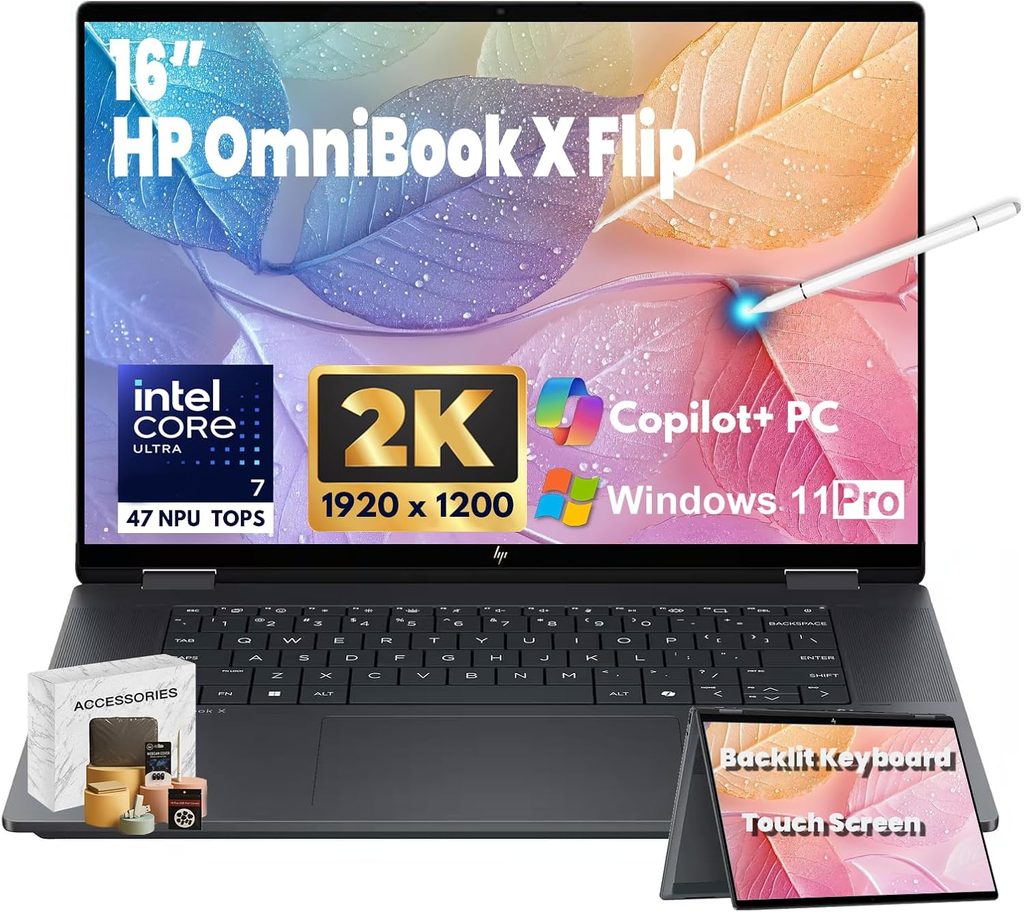
TweakTown’s verdict was that this looks like a boring mid-range 16-incher and then refuses to put a foot wrong. It scored 85%, and it’s the only laptop here that plays modern games — without a discrete GPU, which is the genuinely surprising part.
What you get
- Chip: Intel Core Ultra X7 358H (Panther Lake) — 4 performance + 8 efficiency + 4 low-power efficiency cores, 16 cores and 16 threads, 1.5–4.8 GHz, 18MB L3. Idles at about 2.5W.
- Graphics: Intel Arc B390 — 12 Xe3 cores at 2.5 GHz
- NPU: 50 TOPS
- Memory: 32GB DDR5-8533
- Storage: 1TB NVMe, with 2TB configurations available
- Display as tested: 16-inch, 2560 × 1600 IPS, 240 Hz, matte, no HDR
- Display, alternate US config: 16-inch 2048 × 1280 OLED, 120 Hz touch, HP-rated at 400 nits SDR and 620 nits HDR with 100% DCI-P3 and a 1,000,000:1 contrast ratio
- Ports: two Thunderbolt 4, two USB-A (3.2 Gen 1 and Gen 2), HDMI 2.1, 3.5 mm
- Wireless: Wi-Fi 7, Bluetooth 6
- Size: 1.96 kg (4.3 lbs)
- Charger: 245 g phone-style brick, 50% charge in 30 minutes
- Camera: 1440p with Poly AI processing. 12-month warranty.
The measured numbers
| Test | Result | Who measured it |
|---|---|---|
| Geekbench 6 single-core | 2,904 | TweakTown |
| Geekbench 6 multi-core | 16,687 | TweakTown |
| Geekbench 6 GPU (Compute) | 56,508 | TweakTown |
| Cinebench R24 single-core | 125 | TweakTown |
| Cinebench R24 multi-core | 1,176 | TweakTown |
| 30-minute sustained Cinebench drop | −1.5% | TweakTown |
| CrystalDiskMark sequential read | 10,312 MB/s | TweakTown |
| CrystalDiskMark sequential write | 7,913 MB/s | TweakTown |
| 3DMark Steel Nomad | 1,618 (~16 fps) | TweakTown |
| 3DMark Solar Bay | 30,064 (~114 fps) | TweakTown |
| 3DMark Speed Way | 993 (~10 fps) | TweakTown |
| 3DMark Night Raid | 49,559 (~373 fps) | TweakTown |
| UL Procyon AI Computer Vision, CPU / GPU | 148 / 390 | TweakTown |
| UL Procyon Video Editing (Premiere, 4 × 900MB UHD) | 155 seconds | TweakTown |
| Battery: UL Procyon Office | 22h 20m | TweakTown |
The two numbers that sell this laptop
10,312 MB/s sequential read. TweakTown called it one of the fastest results they’ve recorded from a single-SSD laptop, and the 7,913 MB/s write is nearly as impressive. If you drag around 40GB datasets, CAD assemblies, or a Docker environment that rebuilds itself twice an hour, this is where your day actually goes. It’s the fastest storage here by a wide margin — roughly 47% quicker than the Acer, which was itself excellent.
−1.5% across a 30-minute Cinebench run. That’s effectively no thermal throttling. Set it next to the MacBook Air’s roughly 33% decay and you have the whole argument for this machine in one line.
The multi-core Cinebench R24 score of 1,176 also edged past the HP ZBook Ultra G1a running AMD’s Strix Halo (1,169) in the same lab — and that chip lives in far more expensive workstations.
Gaming, with one honest asterisk
TweakTown ran actual games and published the frame rates:
- Shadow of the Tomb Raider, native resolution, lowest settings: 86 fps plugged in, 83 fps on battery
- Black Myth: Wukong, native, medium settings: 61 fps, identical plugged and unplugged
- Cyberpunk 2077, native, Ultra preset: 67 fps plugged, 69 fps on battery. With Ray Tracing set to Ultra, 50 fps dropping to 43 on battery
The near-identical battery-versus-plugged results are the genuinely notable part. No discrete GPU means no performance cliff the moment you unplug, and in a dorm room that’s a real quality-of-life difference.
Now the asterisk, because I’d rather flag it than have you feel misled: that Cyberpunk figure is high enough that the reviewer himself expressed surprise at it. The Steel Nomad and Speed Way results — 16 fps and 10 fps — paint a much more sober picture of what this integrated GPU does when a benchmark refuses to be optimised for it. If you’re buying this laptop specifically to game, verify against a second source first. If you’re buying it to run Blender viewports, SolidWorks and Unity, the Solar Bay score of 30,064 (~114 fps) is the number that should reassure you.
The display trade
The tested unit uses a matte 240 Hz IPS panel, and TweakTown was honest about what that costs: colours aren’t as vibrant as OLED, contrast is good-for-IPS, there’s no HDR, and bright highlights blow out slightly. In exchange, no reflections. If you take notes in a lecture hall with windows behind you, I’d argue that’s worth more than a wider colour gamut.
There’s also a 2K OLED configuration sold through US retailers — 120 Hz, HP-rated at 400 nits SDR and 620 nits HDR with 100% DCI-P3. I haven’t seen an independent colorimeter reading of that panel yet, so treat those as manufacturer figures rather than lab-verified ones. Different panel, different trade. Pick deliberately rather than by accident.
What I like
- Basically no thermal throttling — 1.5% loss over half an hour
- Fastest storage in this guide by a huge margin
- Arc B390 runs modern games, and runs them on battery
- 22h 20m battery life in a 16-inch chassis
- Complete ports: two USB-A, HDMI 2.1, headphone jack, two Thunderbolt 4
- 1440p Poly webcam and mic array — described as among the best on the market for calls
- 245 g charger that hits 50% in half an hour
- Silent most of the time, stiff magnesium alloy chassis with minimal flex
What I don’t
- 4.3 lbs. This is a desk laptop that travels, not a travel laptop
- The tested IPS panel isn’t especially colourful and has no HDR
- The charging port sits exactly where your mouse wants to be
- US availability has been patchy and pricing swings hard between retailers
- 16 inches doesn’t fit every lecture-hall desk, and you’ll discover that in week one
Get it if: you’re in engineering, architecture, CS, data science or media production and your workloads run for minutes rather than seconds. Skip it if: you carry your laptop more than you use it.
Everything side by side
The basics
| MacBook Air 13 M5 | Dell XPS 13 | Yoga Slim 7i | Swift Go 14 AI | OmniBook 7 16 | |
|---|---|---|---|---|---|
| Starts at | $1,099 | $699 / $899 | $849 | ~$1,299 | ~$1,270 |
| CPU | Apple M5 | Core 5 320 | Core Ultra 7 355 | Core Ultra 7 355 | Core Ultra X7 358H |
| Cores / threads | 10 / 10 | 6 / 6 | 8 / 8 | 8 / 8 | 16 / 16 |
| RAM at base price | 16GB | 8GB | 16GB | 16GB | 32GB |
| Storage at base price | 512GB | 512GB | 512GB | 512GB | 1TB |
| Screen | 13.6″ IPS, 2560×1664 | 13.4″ touch, 2560×1600, 120 Hz | 14″ POLED touch, 2880×1800, 120 Hz | 14″ OLED, 1920×1200, 60 Hz | 16″ IPS matte, 2560×1600, 240 Hz |
| Measured brightness | 458.8 nits | just under 400 nits | 476 nits | 382.3 nits | 400 nits (HP-rated, OLED config) |
| Weight | 2.7 lbs | 2.2 lbs | 2.15 lbs | 2.47 lbs | 4.3 lbs |
| Headphone jack | Yes | No | No | Yes | Yes |
| USB-A | No | No | No | Yes | Two |
| HDMI | No | No | No | Yes | Yes (2.1) |
Processor performance
| MacBook Air 13 M5 | Dell XPS 13 | Yoga Slim 7i | Swift Go 14 AI | OmniBook 7 16 | |
|---|---|---|---|---|---|
| Geekbench 6 single-core | 4,168 | 2,684 | 2,729 | 2,729 (same-silicon reference) | 2,904 |
| Geekbench 6 multi-core | 17,067 | 7,952 | 11,555 | 11,555 (same-silicon reference) | 16,687 |
| HandBrake, 4K → 1080p | 4:41 | 10:38 | 5:56 | — same chip as Yoga | not published |
| Cinebench 2026, first run | 3,415 | 1,443 | ~2,475 | not published | not published |
| Cinebench 2026, settled | ~2,300 | ~1,650 | ~2,550 | not published | not published |
| Cinebench R24 multi-core | not published | not published | not published | not published | 1,176 |
Graphics
| MacBook Air 13 M5 | Dell XPS 13 | Yoga Slim 7i | Swift Go 14 AI | OmniBook 7 16 | |
|---|---|---|---|---|---|
| Integrated GPU | Apple 10-core | Intel 2 Xe3 cores | Intel Arc 4 Xe cores | Intel Xe3 4 cores | Intel Arc B390, 12 Xe3 cores |
| 3DMark Steel Nomad | 1,005 | 369 | 513 | 513 (same-silicon reference) | 1,618 |
| Geekbench 6 GPU Compute | not published | 12,848 | not published | not published | 56,508 |
Storage speed
| Laptop | Result | Test used | Who measured it |
|---|---|---|---|
| HP OmniBook 7 16 | 10,312 / 7,913 MB/s | CrystalDiskMark sequential | TweakTown |
| Acer Swift Go 14 AI | 7,087.70 / 5,666.23 MB/s | Sequential read/write | Trusted Reviews |
| Dell XPS 13 | 6,984 / 5,805 MB/s | CrystalDiskMark sequential | XpertPick |
| Apple MacBook Air 13 M5 | 1,924.84 MB/s | 25GB real file copy | Tom’s Hardware |
| Lenovo Yoga Slim 7i | ~1,700 MB/s | 25GB real file copy | Tom’s Hardware |
Those last two are real-world file copies, not synthetic sequential reads. They aren’t directly comparable to the three above them, and I’d rather say that than let a table imply the MacBook has slow storage. It doesn’t.
Battery, with the test named every time
| Laptop | Result | Test used | Who measured it |
|---|---|---|---|
| HP OmniBook 7 16 | 22h 20m | UL Procyon Office | TweakTown |
| Acer Swift Go 14 AI | 20h 51m | PCMark 10 video loop, 150 nits | Trusted Reviews |
| Lenovo Yoga Slim 7i | 16h 38m | Browsing + video + WebGL, 150 nits | Tom’s Hardware |
| Apple MacBook Air 13 M5 | 15h 28m | Browsing + video + WebGL, 150 nits | Tom’s Hardware |
| Dell XPS 13 | 14h 26m | Continuous web browsing, 150 nits | Tom’s Guide |
Only the middle two were tested identically. If you want a clean like-for-like comparison, that’s the one to trust: the Lenovo beats the MacBook Air by 70 minutes.
Two comparisons I haven’t seen anywhere else
Peak versus settled — what I’m calling the throttle gap
Everyone quotes peak scores. Almost nobody publishes what happens on run ten. Tom’s Hardware ran an identical Cinebench 2026 ten-loop protocol on three of these laptops, which makes this a fair fight:
| Laptop | Cooling | Run 1 | Settled | Change |
|---|---|---|---|---|
| MacBook Air 13 M5 | fanless | 3,415 | ~2,300 | −33% |
| Lenovo Yoga Slim 7i | one fan | ~2,475 | ~2,550 | +3% |
| Dell XPS 13 | two fans | 1,443 | ~1,650 | +14% |
And separately, TweakTown’s 30-minute sustained Cinebench run on the HP OmniBook 7: −1.5%.
The takeaway isn’t “MacBooks are bad.” It’s that peak scores predict how a laptop feels and settled scores predict how it performs. If your work is bursty — writing, browsing, coding in short cycles — the Air’s 4,168 single-core is the number that matters and it demolishes everything else here. If your work is a 45-minute export, look at the right-hand column, because that’s the machine you’ll actually be sitting in front of.
Notice that both fanned Windows laptops raised their settled scores. Cooling headroom is a feature, and it’s one you can’t see anywhere on a spec sheet.
Dollars per tested unplugged hour
A rough affordability lens: take the entry price, divide by the measured runtime. Read the test column before you draw conclusions, because these are not equivalent workloads.
| Laptop | Price used | Measured hours | $ per hour | Test |
|---|---|---|---|---|
| Dell XPS 13 (8GB) | $699 | 14.4 | ~$49 | web browsing |
| HP OmniBook 7 16 | $1,270 | 22.3 | ~$57 | Procyon Office |
| Acer Swift Go 14 AI | $1,299 | 20.9 | ~$62 | video loop |
| Dell XPS 13 (16GB) | $899 | 14.4 | ~$62 | web browsing |
| MacBook Air 13 M5 | $1,099 | 15.5 | ~$71 | mixed load |
| Lenovo Yoga Slim 7i (as tested) | $1,630 | 16.6 | ~$98 | mixed load |
Restrict it to the two machines tested under the identical harsh protocol and the picture is clean: the MacBook Air at $71 an hour versus the fully loaded Yoga Slim 7i at $98. The Lenovo’s premium buys you weight and screen quality, not runtime — which is a perfectly good reason to pay it, as long as you know that’s what you’re paying for.
What to buy for your degree
| Your program | My pick | Runner-up | Why |
|---|---|---|---|
| Computer Science / Software | MacBook Air 13 M5 | HP OmniBook 7 16 | Unix shell out of the box, a 165-second Xcode compile, and the best single-core response for editor snappiness. Go HP if you’re stuck in a Windows-only toolchain or running heavy local containers |
| Mechanical / Civil Engineering, CAD | HP OmniBook 7 16 | — | Arc B390 handles viewport work, zero throttling over 30 minutes, and 10 GB/s storage for large assemblies. Check your department’s software licensing first |
| Graphic Design / Media | Lenovo Yoga Slim 7i | MacBook Air 13 M5 | 476 nits and 120.6% DCI-P3 is the best panel here by measurement. The Air is the safer ecosystem bet if Adobe is your whole life |
| Business / Economics / Law | Dell XPS 13 (16GB) | MacBook Air 13 M5 | Excel, PDFs, thirty tabs, a Teams call. Spend the savings on literally anything else |
| Humanities / Social Sciences | Dell XPS 13 (16GB) | Acer Swift Go 14 AI | You need a keyboard and a battery, not a GPU |
| Nursing / Pre-Med | Acer Swift Go 14 AI | Dell XPS 13 (16GB) | Windows for proctoring and clinical software, 20+ hours for long shifts, USB-A for lab peripherals |
| Architecture | HP OmniBook 7 16 | Lenovo Yoga Slim 7i | Screen area plus sustained rendering beats portability in this one |
| Data Science / Statistics | HP OmniBook 7 16 | MacBook Air 13 M5 | 16 cores and 32GB standard handles local training; the Air handles anything you push to a cluster |
| Film / Video Production | HP OmniBook 7 16 | MacBook Air 13 M5 | 155 seconds in the Procyon Premiere test versus 4:41 in HandBrake — different tests, but the HP’s sustained cooling is what saves you at 2am |
How much RAM and storage do you actually need?
RAM: 16GB. That’s the answer for essentially everyone reading this. The Dell testing above showed 8GB visibly struggling at fifteen browser tabs and scoring lower in a benchmark it should have matched. Windows only gets hungrier. Go 32GB if you run virtual machines, local AI models, large CAD assemblies or multi-track video timelines. 8GB is acceptable only for a genuine Chromebook-replacement use case, and only if the price gap is severe.
Storage: 512GB is fine for most people. I know that sounds like a cop-out, so here’s the reasoning. NAND prices rose alongside DRAM, so the upgrade costs real money — and unlike RAM, you can add storage later for almost nothing. A 1TB USB-C external SSD is cheap, pocket-sized and fast. Buy less internal storage and more memory. Reverse that logic and you’ll regret it by sophomore year.
The exception: if you’re in video, photo or CAD, get 1TB internally. Shuttling project files to an external drive every day is a tax you’ll pay a thousand times.
The checklist I’d run before spending the money
- Get your department’s software list first. Not the university’s — your specific program’s. Every single year, students buy MacBooks and discover in week two that a required application is Windows-only. Ten minutes of email now saves a thousand dollars later.
- Check education pricing. Apple, Dell, Lenovo, HP and Acer all run .edu discounts. Never pay retail while holding a student email address.
- Count your ports against a real week. Wired earbuds, projector, printer, external drive, lab equipment. Then look at the Lenovo’s three-Thunderbolt-and-nothing-else layout and be honest with yourself.
- Decide sprint or marathon. Go back to the throttle gap table. Bursty work? Buy for single-core. Sustained work? Buy for cooling.
- Weigh it against your walk. The gap between 2.15 lbs and 4.3 lbs is the difference between a laptop you always have with you and one you leave in your room.
- Buy the RAM. I’ve said it three times now and I’d say it a fourth.
- Price out accidental damage cover. Most of these ship with a one-year warranty. Liquid incidents in shared kitchens are close to a statistical certainty.
What I deliberately left out, and why
Gaming laptops. They’re heavy, they’re loud, their unplugged battery life is miserable, and 2026 pricing has been brutal. If you want to game, a $700 laptop plus a desktop or console at home beats a $2,500 gaming laptop you resent carrying across campus.
Chromebooks. With the Dell XPS 13 at $699 and Apple’s MacBook Neo at the same price, the argument for a mid-range Chromebook has mostly collapsed. Entry-level ones still make sense on very tight budgets.
Last year’s models at “discount” pricing. The 2026 silicon — Panther Lake, Wildcat Lake, M5 — is meaningfully more efficient, and you’re keeping this thing for four years. A 20% discount on 2025 hardware is usually a bad trade. The one exception: given this year’s memory prices, you’ll occasionally find an older machine with more RAM than the new equivalent at a similar price. Compare configurations, not model years.
Questions I get asked constantly
Is a MacBook Air worth it for a student in 2026? For most degrees, yes. It posted 4,168 in Geekbench 6 single-core in Tom’s Hardware testing — the highest figure in this guide by a wide margin — it now ships with 16GB of RAM as standard, and it ran 15 hours 28 minutes on a demanding mixed-workload battery test. The exception is any program requiring Windows-only software, which no amount of performance fixes.
How much RAM do I need for university? 16GB. Tom’s Hardware tested 8GB and 16GB Dell XPS 13 units with identical processors, and the 8GB model scored lower on nine of ten Cinebench 2026 runs while visibly stuttering when switching between fifteen Chrome tabs. Every laptop in this guide has soldered memory, so you cannot fix this decision later.
Which student laptop has the best battery life? The HP OmniBook 7 16 posted the longest single result at 22 hours 20 minutes in TweakTown’s UL Procyon Office test. But battery tests aren’t interchangeable. Under the harsher browsing-plus-video-plus-WebGL protocol Tom’s Hardware uses, the Lenovo Yoga Slim 7i’s 16 hours 38 minutes was the best result, beating the MacBook Air’s 15 hours 28 minutes on the identical test.
Can I do engineering coursework on a MacBook? It depends entirely on your department. Apple silicon handles MATLAB, Python, R and most CS toolchains without complaint. SolidWorks, several ANSYS products and various industry CAD packages remain Windows-only. Ask before you buy, not after.
Do I need an OLED screen? No, but it’s the upgrade you’ll notice most often. The Lenovo’s POLED panel measured 476 nits with 120.6% DCI-P3 coverage — the best display here by measurement. If you’re reading for eight hours a day, that matters more than a benchmark score. That said, the HP’s matte IPS panel is arguably better in a bright lecture hall, because no reflections beats wide colour when the sun’s behind you.
Are laptop prices going to come down? Not soon. Analysts expect the memory shortage to run into 2027, because DRAM manufacturers shifted fab capacity to data centre products and new capacity takes years to come online. Waiting most likely means paying more for less.
Is 8GB of RAM enough for a student laptop in 2026? Only for genuinely light use — a browser, a word processor, streaming. The measured evidence says fifteen browser tabs is enough to degrade an 8GB Windows machine. If you can find $200 for 16GB, find it.
What’s the lightest laptop here? The Lenovo Yoga Slim 7i Aura Edition at 2.15 lbs (0.975 kg), with the Dell XPS 13 right behind at 2.2 lbs. Both undercut the 13-inch MacBook Air’s 2.7 lbs.
Which one has the fastest storage? The HP OmniBook 7 16, at 10,312 MB/s sequential read and 7,913 MB/s write in CrystalDiskMark as measured by TweakTown. That’s roughly 47% faster than the Acer, which is itself very quick.
Should I buy now or wait for a sale? Buy when you need it. Component costs have been climbing all year and manufacturer guidance keeps pointing upward rather than down. Do check education pricing and back-to-school promotions, but I wouldn’t sit on the fence for three months hoping for a price cut that the underlying supply situation doesn’t support.
Where I’d actually land
If you want one sentence: buy the MacBook Air 13 M5 unless your program requires Windows, in which case buy the Dell XPS 13 with 16GB and put the savings toward a decent external monitor.
If you want three:
- Under $900 — Dell XPS 13, 16GB configuration. Nothing near this price feels this good in the hand, and 14h 26m of measured battery is not a compromise.
- Around $1,100 — MacBook Air 13 M5. Best single-core performance here, 16GB standard, completely silent, and it’ll still be worth money in four years.
- If you render, compile or model — HP OmniBook 7 16. It doesn’t throttle, its storage is faster than anything else here by a mile, and it plays games on battery without a discrete GPU.
And whatever you choose: get the RAM. This year of all years, get the RAM.
Sources
Every benchmark result, colorimeter reading, thermal measurement, storage figure and battery runtime cited above comes from the following published reviews and industry reports.
Laptop reviews
- Tom’s Hardware — Apple MacBook Air (13-inch, M5) review: https://www.tomshardware.com/laptops/macbooks/apple-macbook-air-13-inch-m5-review
- Macworld — 13-inch MacBook Air (M5) review: https://www.macworld.com/article/3086162/13-inch-macbook-air-m5-review.html
- Notebookcheck — MacBook Air 13 M5 vs M4 battery life: https://www.notebookcheck.net/MacBook-Air-13-M5-Vs-M4-battery-life-New-MacBook-suffers-from-6-shorter-endurance-on-max-brightness.1245763.0.html
- Tom’s Hardware — Dell XPS 13 (2026) review: https://www.tomshardware.com/laptops/dell-xps-13-2026-review
- Tom’s Guide — Dell XPS 13 (2026) review: https://www.tomsguide.com/computing/laptops/dell-xps-13-2026-review
- PCWorld — Dell XPS 13 review: https://www.pcworld.com/article/3208707/dell-xps-13-review.html
- XpertPick — Dell XPS 13 (2026) review: https://www.xpertpick.com/laptops/reviews/dell-xps-13-2026-review-a-complete-premium-macbook-neo-rival-under-rs-1-lakh/
- Engadget — Dell XPS 13 (2026) review: https://www.engadget.com/2231708/dell-xps-13-2026-review/
- Tom’s Hardware — Lenovo Yoga Slim 7i Aura Edition (2026) review: https://www.tomshardware.com/laptops/ultrabooks-ultraportables/lenovo-yoga-slim-7i-aura-edition-2026-review
- Trusted Reviews — Acer Swift Go 14 AI (2026) review: https://www.trustedreviews.com/reviews/acer-swift-go-14-ai-2026
- Notebookcheck — Acer Swift Go 14 AI OLED SFG14-I71 specifications and review index: https://www.notebookcheck.net/Acer-Swift-Go-14-AI-OLED-SFG14-I71-Reviews-and-Specs.1390343.0.html
- Notebookcheck — Acer Swift Go 14 AI and Swift Go 16 AI announced at CES 2026: https://www.notebookcheck.net/Acer-Swift-Go-16-AI-and-Swift-Go-14-AI-are-official-with-up-to-Core-Ultra-9-386H-Panther-Lake-CPU-and-OLED-displays.1196973.0.html
- TweakTown — HP OmniBook 7 (Panther Lake) 16-inch laptop review: https://www.tweaktown.com/reviews/11437/hp-omnibook-7-panther-lake-16-inch-laptop/index.html
- Consumer Reports — HP OmniBook 7 16-inch listing and configuration data: https://www.consumerreports.org/electronics-computers/laptops-chromebooks/hp-omnibook-7-16/m420687/
Silicon and platform background
- Phoronix — Intel Core Ultra X7 358H “Panther Lake” performance and efficiency testing: https://www.phoronix.com/review/intel-core-ultra-x7-358h-linux
- Notebookcheck — first Intel Core 5 320 “Wildcat Lake” benchmarks: https://www.notebookcheck.net/Our-first-Intel-Core-5-320-Wildcat-Lake-benchmarks-are-in-and-they-re-okay.1367979.0.html
- Notebookcheck — Core Ultra X7 358H versus Core Ultra 7 255H throttling comparison: https://www.notebookcheck.net/Core-Ultra-X7-358H-vs-Core-Ultra-7-255H-Panther-Lake-throttles-less-and-performs-more-consistently.1215787.0.html
Memory shortage and pricing
- Insight — 2026 RAM shortage analysis, citing TrendForce DRAM contract pricing: https://www.insight.com/en_US/campaigns/insight/2026-ram-shortage.html
- PCWorld — PC makers warn of up to 20% price increases due to the RAM shortage, citing IDC: https://www.pcworld.com/article/3021660/computer-prices-could-go-up-by-20-due-to-ram-shortage-pc-makers-warn.html
- Notebookcheck — memory prices expected to rise a further 45% in 2026: https://www.notebookcheck.net/With-memory-prices-expected-to-rise-another-45-in-2026-Lenovo-may-delay-laptop-launches.1192702.0.html
- Newegg Insider — why laptop prices are rising in 2026: https://www.newegg.com/insider/why-gaming-laptop-prices-are-rising-in-2026-and-why-waiting-will-cost-you/
- MacRumors — MacBook Neo pricing history and the June 2026 increase: https://www.macrumors.com/roundup/macbook-neo/
Prices and availability were accurate at the time of writing and change frequently in the current component market. Check before you buy.

Hi, my name is Burak. I am a mechanical engineer. I have been writing laptop reviews for the Engineering Laptops website since 2020. Please feel free to contact me if you have any questions.