
Estimated reading time: 25 minutes
Key Takeaways
- In 2026, VRAM is crucial for local AI image generation; 16 GB is the minimum and 24 GB is optimal.
- The best overall laptop is the Lenovo Legion Pro 7i Gen 10, featuring a full-power RTX 5090 and solid cooling design.
- For portability, choose the Razer Blade 16 (2026), the only 24 GB laptop that’s easy to carry.
- The MacBook Pro 16″ with M5 Max excels for larger models due to its unified memory architecture, avoiding VRAM limitations.
- Consider the HP Omen Max 16 for a budget-friendly option; it covers most needs with a 16 GB RTX 5080.
Table of contents
- The Short Version
- Why Laptop Prices Got Strange in 2026
- How Much VRAM Do You Actually Need?
- The Spec Nobody Tells You to Check: TGP
- RAM, Storage, and the Boring Stuff That Bites
- NVIDIA vs Apple vs AMD for Local Image Generation
- The 5 Best Laptops for Stable Diffusion in 2026
- Side-by-Side Comparison
- What Generation Speeds to Expect
- Should You Buy a Laptop at All?
- Getting Set Up Without Losing a Weekend
- Common Questions
- The Verdict
Somewhere between the RTX 3060 era and now, running Stable Diffusion on a laptop stopped being a party trick and started being a job. People are training LoRAs on client photos, running ComfyUI graphs forty nodes deep, and queueing three hundred images before bed. The hardware conversation had to grow up with it.
Here’s the problem: nobody makes a laptop for this. Manufacturers build gaming machines and creator machines, and we borrow them. Which means the specs that get top billing on the box — refresh rate, TOPS ratings, CPU core counts — are mostly irrelevant to us, and the specs that decide whether you’ll be happy in six months are buried in a footnote or left off the page entirely.
So this guide does two things. First, it explains what genuinely matters for local AI image generation, in plain language, with no hedging. Then it recommends five specific laptops I’d stand behind in 2026, including exactly where each one will let you down. Because they all let you down somewhere.
Fair warning up front: 2026 is an expensive, weird year to buy a laptop. I’ll explain why, and what to do about it.
The Short Version
If you don’t want to read 4,000 words, here it is:
- VRAM decides what you can run. Everything else decides how fast. In 2026, 16 GB is the realistic minimum for a new purchase and 24 GB is where things get comfortable.
- Check the GPU’s wattage (TGP), not just its name. The same RTX 5080 can be configured anywhere from 80W to 175W, and the gap between those two is enormous.
- Best overall: Lenovo Legion Pro 7i Gen 10. Full-power RTX 5090, 24 GB, upgradeable RAM, cooling that survives long jobs.
- Best if you need to carry it: Razer Blade 16 (2026). The only 24 GB machine that fits a normal bag.
- Best for very large models: MacBook Pro 16″ M5 Max. No VRAM ceiling at all, silent, slower per image.
- Best value: HP Omen Max 16 with the RTX 5080. 16 GB covers most real work for well under flagship money.
- Don’t wait for prices to drop. Memory supply is projected tight into 2027 and beyond.
Why Laptop Prices Got Strange in 2026
Before any recommendations, you need this context or the prices below will look insane to you.
The AI data center buildout ate the memory market. DRAM makers redirected capacity toward high-bandwidth memory for AI accelerators, where margins run 40–60% instead of 15–25% on consumer parts. What followed was one of the sharpest price runs in the industry’s history: contract DRAM prices climbed roughly 170% across 2025, and Gartner’s forecast — the one everyone cites — puts memory costs up around 130% by the end of 2026, translating to PC prices roughly 17% higher than 2025 levels.
Manufacturers passed it straight through. Lenovo, Dell, HP, Acer and ASUS have all confirmed increases in the 15–20% band, with high-end configurations pushed further. Memory and storage went from around 15% of a laptop’s bill of materials to over 30%.
Now here’s why this hits us harder than anyone. A machine for local image generation is the most memory-dependent product on the shelf. You’re buying inflated GDDR7 on the GPU, inflated DDR5 for the system, and an inflated NVMe drive to hold sixty gigabytes of checkpoints. Three separate price shocks, one purchase.
Two things follow from this, and they’re both counterintuitive:
Don’t wait. New fabrication capacity doesn’t reach volume until 2027 at the earliest, and several executives have said publicly that 2027 looks worse than 2026 rather than better. Intel’s CEO put relief at 2028. Every month people have spent waiting for this to blow over has cost them money.
Look hard at last year’s stock. Retailers still moving 2025 inventory bought that memory under old contracts. The pricing has gotten genuinely absurd in places — ASUS listed a 2026 Zephyrus G16 with an RTX 5080 at $4,799 while the 2025 model with the faster RTX 5090 and more RAM was selling around $4,599. Newer, slower, more expensive. Check both model years before you commit to anything.
How Much VRAM Do You Actually Need?
This is the whole ballgame, so let’s be precise about it.
VRAM is not a performance spec. It’s a permission slip. It decides which models will load at all. Once a model fits, the GPU’s speed determines your generation time — but if it doesn’t fit, speed is irrelevant, because you’ll either get an out-of-memory error or the system will start shuffling data to your regular RAM, at which point everything falls off a cliff so steep you’ll assume something is broken.
The model landscape has moved a lot, so the old “8 GB is fine” advice from the SD 1.5 days is badly out of date. Here’s where things actually stand:
| VRAM | What runs well | What doesn’t |
|---|---|---|
| 8 GB | SDXL (especially with Lightning or Turbo LoRAs), FLUX.2 Klein 4B, heavily quantized GGUF builds | Anything at full precision; ControlNet stacks; batch generation; training |
| 12 GB | SDXL comfortably, FLUX.2 Klein 4B natively, FLUX.1 dev at low GGUF quants | FP8 workflows get tight; multi-ControlNet starts failing |
| 16 GB | FLUX.1 dev at FP8, FLUX.2 Klein 9B, Qwen-Image at FP8, Krea 2, multi-ControlNet SDXL, SDXL LoRA training | Unquantized large models, big batches, most video diffusion |
| 24 GB | Qwen-Image at full precision, FLUX.2 dev quantized, batches of 4–8, DreamBooth fine-tuning, entry-level video diffusion | FLUX.2 dev at BF16, which wants roughly 64 GB |
| Unified memory (Apple, 36–128 GB) | Essentially anything, unquantized, including models no laptop GPU can hold | Nothing on capacity — the limit is speed, not size |
My honest recommendation for 2026: if you’re spending real money on a new machine, 16 GB is your floor and 24 GB is your target. An 8 GB card will work today and frustrate you within a year. The open-weights ecosystem is not getting lighter.
There’s also a licensing wrinkle worth knowing if you sell your output: FLUX.1 schnell ships under Apache 2.0, but FLUX.1 dev and FLUX.2 dev weights carry non-commercial licenses. Check the exact variant before you put anything in a client deliverable.
The Spec Nobody Tells You to Check: TGP
If you take one thing from this article, make it this one.
NVIDIA lets laptop manufacturers configure the same GPU across an enormous power range — an RTX 5080 can be set anywhere from about 80W to 175W. At the bottom of that range it performs roughly like a desktop RTX 4070. At the top, roughly like a desktop RTX 4090. Same chip. Same name on the box. Over 25% performance difference between the best and worst implementations, and the suspiciously cheap listing is almost always the strangled one.
Manufacturers are inconsistent about publishing this. ASUS ROG, MSI and Acer Predator generally do. Others make you dig. If you can’t find the TGP for the exact SKU you’re looking at, treat that as a red flag and move on.
Diffusion makes this worse than gaming does. Games load the GPU in bursts — a heavy scene, then a menu, then a loading screen. Image generation pins the card at full draw for the entire run, and if you’re queueing a batch it stays pinned for an hour or more. That’s a sustained thermal load, and it’s the exact scenario where thin chassis and low power limits show their teeth. A laptop that benchmarks beautifully for three minutes can be 20% slower on image forty than it was on image one.
Which is why cooling design deserves more weight in this decision than it gets in most gaming reviews.
RAM, Storage, and the Boring Stuff That Bites
System RAM. Model loading, VAE decode, and any CPU offloading live here. FLUX.2 dev with offloading enabled wants 64 GB. In a normal year I’d say buy 64 GB and stop thinking about it. In 2026, given what memory costs, 32 GB on a machine with socketed SODIMM slots is a defensible plan — you add more when the market calms down. On soldered-memory laptops there’s no later. Buy what you need on day one.
This is quietly one of the strongest arguments for the Legion and Omen over the Blade and the MacBook.
Storage. People underestimate this every time. A single FLUX.2 dev setup with its text encoder and VAE runs around 60 GB. Add SDXL checkpoints, thirty LoRAs, a couple of upscaler models, Qwen-Image, and your own outputs, and a 1 TB drive is gone inside six months of active use. 2 TB is the sensible number, and a second free M.2 slot is worth real money because you can fill it later at whatever storage costs then.
Displays. This one’s underrated for image work specifically. You are going to spend hours judging skin tones, evaluating whether an upscale introduced artifacts, and deciding if a color grade holds. A mediocre panel will lie to you about all three. OLED and Mini LED both do this job well; a bog-standard 240Hz IPS gaming panel often doesn’t.
Battery. There isn’t any. Generating on battery power throttles the GPU hard and drains a full charge in well under an hour. This is a plugged-in activity. Judge battery life on whether the machine is tolerable for regular work, not for generation.
NVIDIA vs Apple vs AMD for Local Image Generation
Let’s handle this cleanly, because it decides which section below you should actually read.
NVIDIA wins on software, and it isn’t close. ComfyUI, AUTOMATIC1111, Forge, InvokeAI and essentially every custom node in the ecosystem are built and tested against CUDA first. When a new model drops, the CUDA path works on day one. That’s not a small advantage — it’s the difference between generating and debugging.
Apple wins on capacity. Unified memory means the GPU addresses the whole pool, so there’s no VRAM wall to hit. A 128 GB M5 Max loads models that no laptop GPU on earth can hold. It’s slower per image, and the MPS/MLX path occasionally trips over nodes written with CUDA assumptions, but the ceiling is somewhere else entirely.
AMD is the one I can’t recommend here. ROCm exists and it works, but it consistently trails CUDA on compatibility, and a meaningful number of popular ComfyUI custom nodes simply don’t run. If you enjoy troubleshooting more than you enjoy generating, go for it. Otherwise, no. That’s why there’s no AMD graphics option in the five picks below — it’s not a brand preference, it’s a time-cost calculation.
And on NPUs: the 40-plus TOPS neural processors that dominate laptop marketing right now do essentially nothing for you. They’re designed for low-power background inference — video call blur, live captions, assistant features. Diffusion pipelines run on the GPU and ignore them completely. Don’t let a TOPS figure influence a single dollar of this purchase.
The 5 Best Laptops for Stable Diffusion in 2026
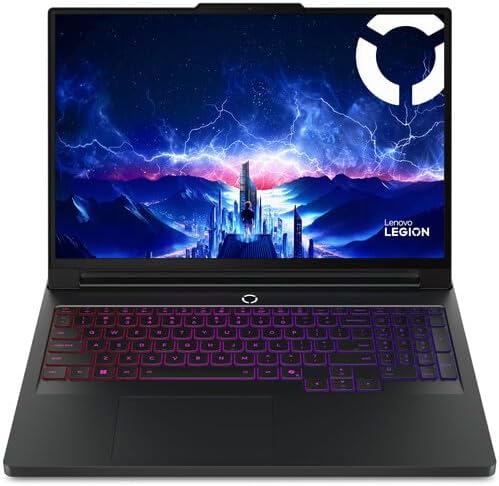
1. Lenovo Legion Pro 7i Gen 10 — Best Overall
Rough price: $3,500 – $4,200
There’s a version of this list where I get clever and recommend something unexpected. This isn’t it. The Legion Pro 7i is the boring, correct answer: it does every fundamental right and asks you to tolerate noise and weight in exchange.
Specifications
| GPU | RTX 5090 Laptop, 24 GB GDDR7, 175W (full power) |
| CPU | Intel Core Ultra 9 275HX, 24 cores |
| RAM | 32–96 GB DDR5-6400, socketed SODIMM |
| Storage | 1–4 TB NVMe, dual M.2 slots |
| Display | 16″ WQXGA 2560×1600 OLED, 240Hz, 16:10, ~500 nits |
| Battery | 99.99 Wh |
| Connectivity | Wi-Fi 7, Thunderbolt 4, 2.5 Gb Ethernet, HDMI 2.1 |
| Weight | ~2.7 kg / 6 lb |
What makes it work for this
The 175W ceiling is the headline, but the cooling is what earns the recommendation. Lenovo’s thermal design has the chassis volume to actually use that power budget, so the GPU holds high clocks deep into a long queue rather than sawtoothing. On thinner machines, image ninety takes noticeably longer than image ten. Here it mostly doesn’t.
The OLED panel matters more than it would on a gaming machine, because your entire output is still images that you’re grading by eye. And the socketed memory is a genuinely strategic advantage in this specific year — buy 32 GB now, add 32 or 64 more when DRAM stops being priced like a rare metal.
Pros
- Full-power 175W RTX 5090 with 24 GB, no artificial cap
- Best sustained thermals in the 16-inch class
- Upgradeable to 96 GB DDR5 with dual SSD slots
- Color-accurate OLED you can actually trust for evaluation
- Huge 99.99 Wh battery makes it usable as a normal laptop
Cons
- Genuinely loud under sustained load — plan for headphones or a separate room
- Heavy, with a power brick that feels like a second device
- Battery life is underwhelming for productivity despite the large cell; reviewers have consistently flagged this
- 2026 pricing has climbed hard
Buy it if: you want maximum capability per dollar and the machine mostly lives on a desk.
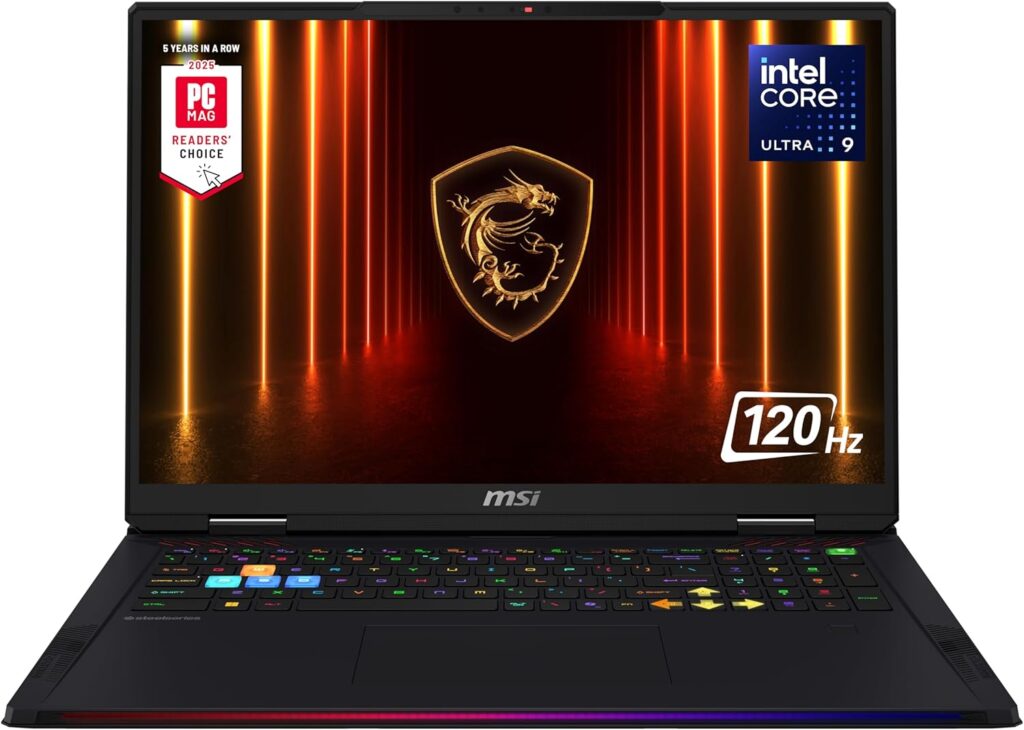
2. MSI Raider 18 HX AI — Best for Long Batch Runs and Training
Rough price: $4,000 – $4,800
Eighteen-inch laptops exist because thermodynamics doesn’t negotiate. More chassis volume means bigger heatsinks and slower fan speeds for the same heat output. If your workflow is “start a training run, go to sleep, check it in the morning,” that’s worth more than any benchmark score.
Specifications
| GPU | RTX 5090 Laptop, 24 GB GDDR7, 175W |
| CPU | Intel Core Ultra 9 285HX or AMD Ryzen 9 9955HX3D (SKU dependent) |
| RAM | 64 GB DDR5-6400 standard, expandable, socketed |
| Storage | 2 TB NVMe, multiple M.2 slots |
| Display | 18″ UHD+ 3840×2400 Mini LED, 120Hz, DisplayHDR 1000 (QHD+ 240Hz also offered) |
| Extras | Thunderbolt 5, 2.5 Gb LAN, Wi-Fi 7, UHS-III card reader |
| Weight | ~3.6 kg / 7.94 lb |
What makes it work for this
This is a desktop workstation with a hinge. The thermal headroom means it holds full GPU power essentially indefinitely without the fans reaching their unpleasant top end, and 64 GB of RAM as standard means CPU offloading for something like FLUX.2 dev is a real option rather than a theoretical one.
The Mini LED display is the underrated part. Proper local dimming and high peak brightness give you a far more honest look at high-contrast output than any laptop OLED at this size. And the UHS-III card reader sounds like trivia until you’re pulling four hundred reference shots off a camera to assemble a training set.
Pros
- Best sustained thermal performance of anything here
- 64 GB RAM standard — no immediate upgrade purchase required
- Excellent 18″ Mini LED for evaluating output
- Thunderbolt 5 and 2.5 Gb LAN for external storage and NAS workflows
- Full keyboard with a real number pad
Cons
- Nearly 8 lb — this moves between rooms, not between cities
- Expensive, and 2026 pricing hasn’t been gentle
- The 18″ footprint doesn’t fit most bags or airline tray tables
- 120Hz on the 4K panel is limiting if you also game seriously
Buy it if: you run LoRA training, long overnight batches, or video diffusion experiments and want a desk machine you can occasionally relocate.
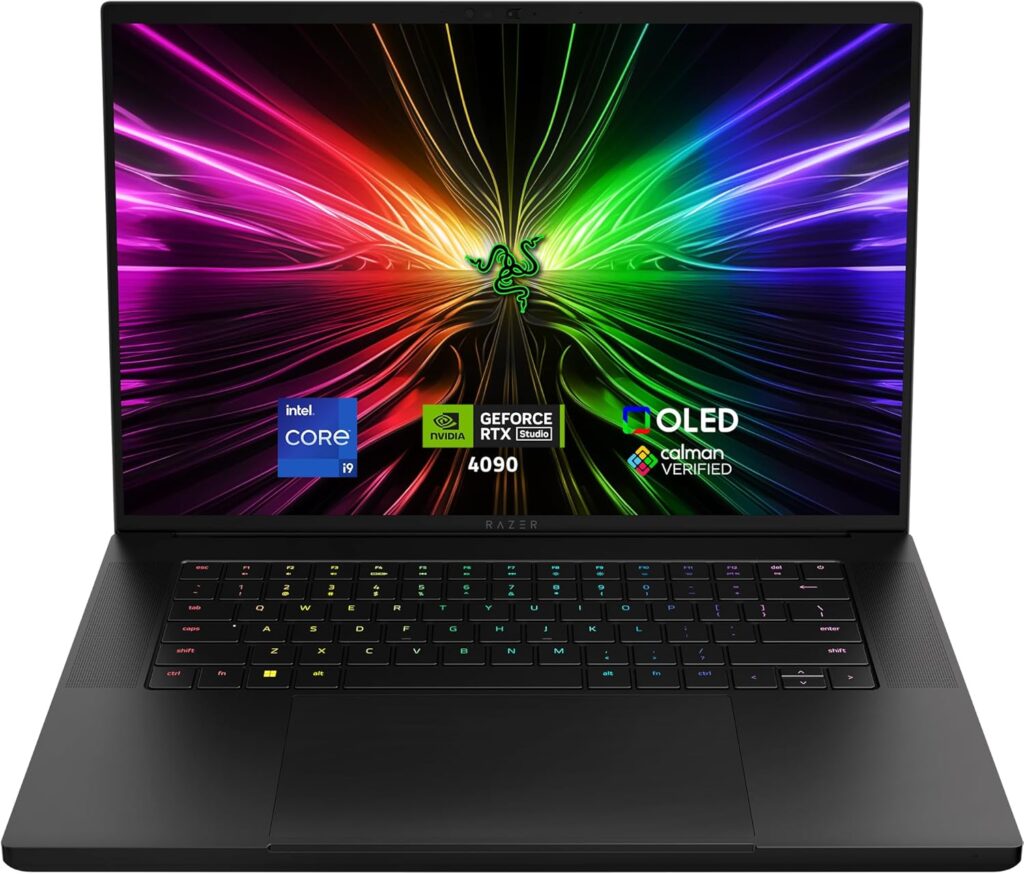
3. Razer Blade 16 (2026) — Best Portable
Rough price: $4,300 – $5,200
I have mixed feelings about recommending Razer. It’s overpriced, the memory is soldered, and their support reputation is inconsistent. It’s also, essentially without competition, the only way to get 24 GB of GDDR7 into a bag you’d actually want to carry.
Specifications
| GPU | RTX 5090 Laptop, 24 GB GDDR7, up to 165W |
| CPU | Intel Core Ultra 9, 16 cores (2026 refresh) |
| RAM | Up to 64 GB LPDDR5X-9600, soldered, not upgradeable |
| Storage | Up to 4 TB NVMe, user-serviceable |
| Display | 16″ QHD+ 2560×1600 OLED, 240Hz, DisplayHDR TrueBlack 1000, up to 1100 nits HDR |
| Ports | Thunderbolt 5 (80 Gbps bidirectional; 120 Gbps downstream with Bandwidth Boost) |
| Thickness | 14.9 mm |
| Weight | ~2.1 kg / 4.7 lb |
What makes it work for this
165W instead of 175W costs you single-digit percentages and buys back an enormous amount of practical usability. This is a machine you’ll open on a train, in a client’s office, at a café. If your creative work happens away from a desk, that’s not a nice-to-have — it’s the entire justification for buying a laptop instead of a tower.
The 2026 display upgrade is more meaningful than a spec bump: peak HDR brightness went from around 500 nits on the 2025 model to 1100. For HDR image work, that’s visible, not theoretical. Thunderbolt 5 also means external storage that doesn’t bottleneck, which matters once your checkpoint library outgrows the internal drive.
Pros
- 24 GB of VRAM in a 14.9 mm chassis — genuinely nothing else does this
- Superb OLED, now bright enough for real HDR evaluation
- Best build quality here by a clear margin
- Thunderbolt 5 with serious bandwidth
- Quieter than the big machines at comparable loads
Cons
- Soldered RAM. Whatever you configure is permanent. Think hard.
- Worst performance-per-dollar in this group
- Thin chassis throttles sooner than the 16″ and 18″ bricks on genuinely long jobs
- Razer’s repair experience is a real gamble by reputation
Buy it if: you’re a freelancer or on-site creative and the workstation has to fit in the same bag as everything else.
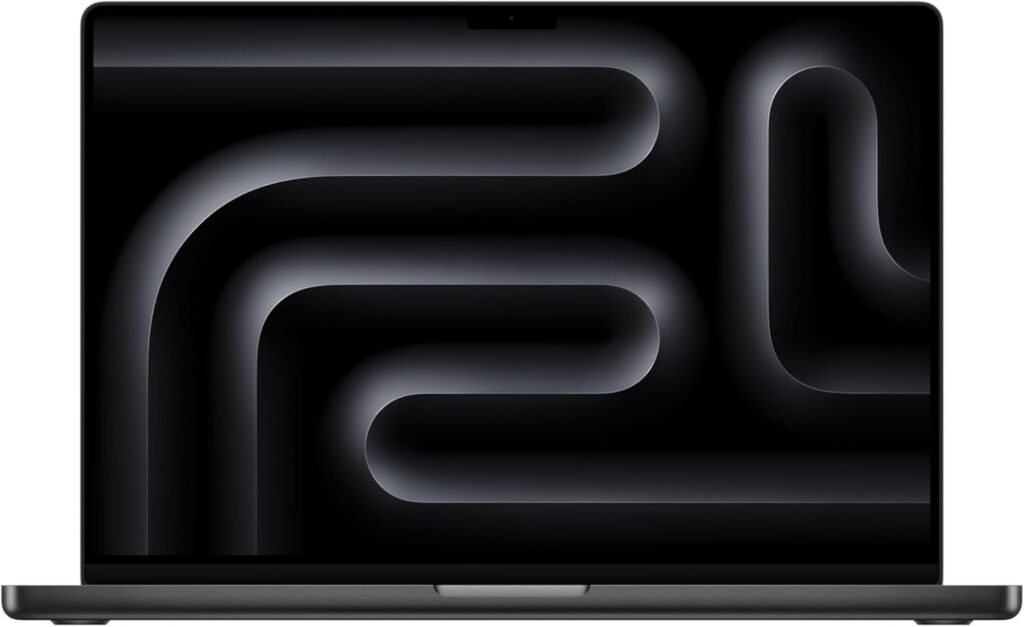
4. Apple MacBook Pro 16″ (M5 Max) — Best for Very Large Models
Rough price: $3,899 and up, considerably up
This one asks you to reframe the question. Every Windows machine above hits a hard wall at 24 GB. Past that you’re quantizing, offloading, or giving up. Apple’s unified memory architecture doesn’t have that wall — the GPU addresses the entire pool, and the pool goes to 128 GB.
Specifications
| Chip | Apple M5 Max, 18-core CPU (6 super cores + 12 performance), up to 40-core GPU |
| Architecture | Fusion Architecture combining two dies into one SoC; Neural Accelerator in every GPU core |
| Memory | Up to 128 GB unified, up to 614 GB/s bandwidth |
| Display | 16.2″ Liquid Retina XDR Mini LED, 1600 nits peak HDR |
| Ports | 3× Thunderbolt 5, HDMI, SDXC, MagSafe 3, headphone |
| Wireless | Apple N1 chip, Wi-Fi 7, Bluetooth 6 |
| OS | macOS 26 Tahoe |
| Weight | ~2.1 kg / 4.8 lb |
What makes it work for this
Capacity, and comfort. FLUX.2 dev at BF16 wants roughly 64 GB — flatly impossible on any NVIDIA laptop, routine on a 128 GB M5 Max. If your work involves experimental or research-grade models rather than the well-quantized community mainstream, this is the only laptop in the conversation.
Apple has clearly aimed this generation at AI workloads too. The Neural Accelerator in each GPU core and the higher memory bandwidth add up to a claimed 4× AI performance improvement over the M4 generation, with LLM prompt processing up to 4× faster than M4 Pro and Max.
And then there’s the part spec sheets don’t capture: it’s silent, it stays cool, and it works on battery. If you’ve ever sat next to a Legion at full tilt, you understand why that isn’t a minor consideration.
Pros
- No VRAM ceiling — the only laptop that runs the largest models unquantized
- Effectively silent, cool, and genuinely portable
- Best display here for judging output, full stop
- Battery life that survives an actual work session
- Excellent at everything surrounding the workflow: video, Photoshop, code
Cons
- No CUDA. You’re on MPS and MLX. Core workflows are fine; some custom nodes aren’t.
- Slower per image than an RTX 5090 at equivalent model sizes — the advantage is capacity, not throughput
- Painfully expensive once you spec 64 GB or 128 GB, and it’s soldered
- Thinner community support; most tutorials assume NVIDIA
Buy it if: you’re running large or experimental models, you’re already in the Apple ecosystem, or you value silence and battery over raw speed.
5. HP Omen Max 16 (RTX 5080) — Best Value
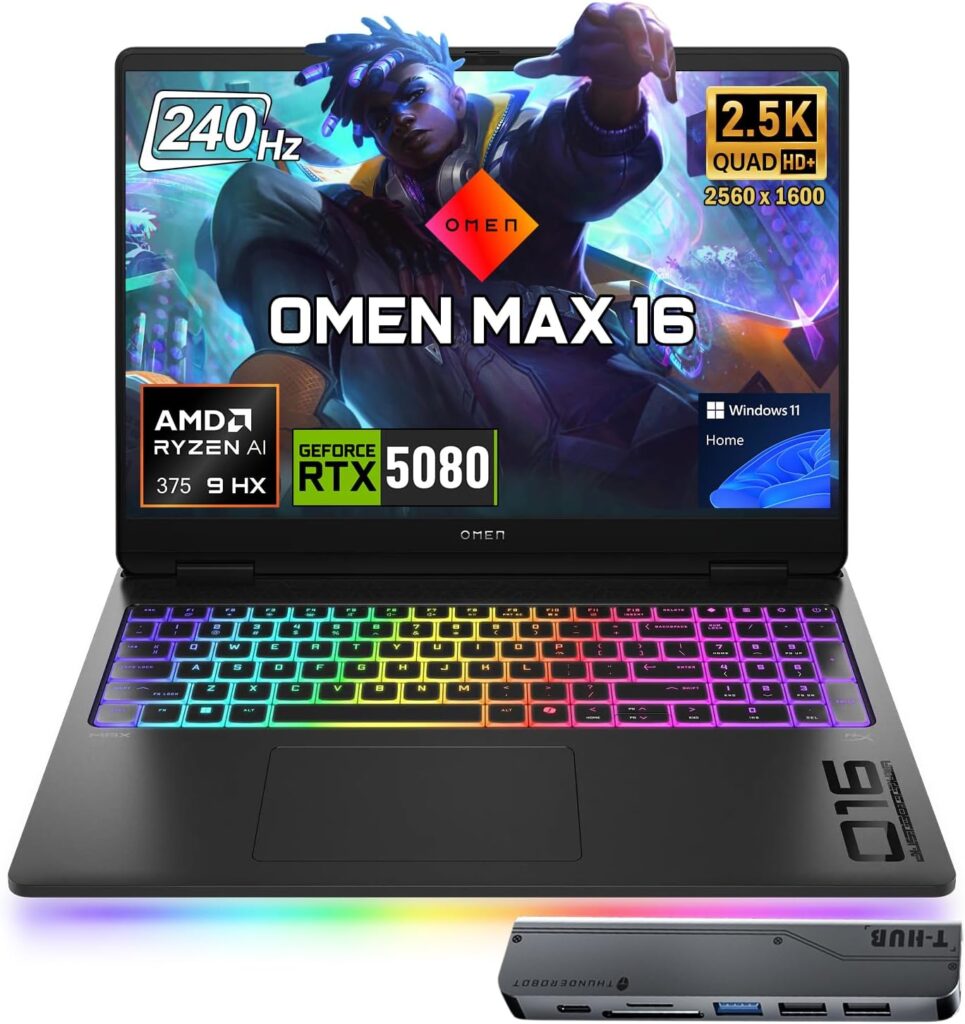
Rough price: $2,200 – $3,100
Not everyone needs 24 GB. If your work is SDXL, FLUX.1 dev at FP8, FLUX.2 Klein, and normal ControlNet pipelines, the RTX 5080’s 16 GB covers it — and the Omen Max drops to genuinely reasonable money during sales. I’ve watched the RTX 5080 configuration fall to around $2,200 on HP’s own store.
Specifications
| GPU | RTX 5080 Laptop, 16 GB GDDR7, 7,680 CUDA cores — verify TGP on your SKU |
| CPU | Intel Core Ultra 9 275HX or AMD Ryzen AI 9 HX 375 (config dependent) |
| RAM | 32 GB DDR5, socketed and upgradeable |
| Storage | 1 TB NVMe, second M.2 slot available |
| Display | 16″ 2560×1600, 240Hz — IPS on most configs, OLED on some |
| Chassis | Aluminum, OMEN Tempest cooling |
| Weight | ~2.7 kg / 5.9–6.1 lb |
What makes it work for this
16 GB is precisely the point where local generation stops feeling like a compromise. FLUX.1 dev at FP8, FLUX.2 Klein 9B, Qwen-Image quantized, Krea 2, SDXL with several ControlNets and a hires fix pass — it all fits. What you’re giving up is headroom for the biggest models and the biggest batches, not access to the ecosystem itself.
The cooling is better than the price implies, and the aluminum chassis has the good manners not to look like a gaming laptop, which matters if this thing has to appear in a client meeting.
Pros
- Best VRAM-per-dollar here, especially on sale
- Solid cooling that holds up under sustained load
- Understated aluminum build; the RGB can be switched off entirely
- Upgradeable RAM and a second SSD slot
- Discounted frequently and deeply
Cons
- 16 GB is a real ceiling. No unquantized Qwen-Image, limited batching, tight on video diffusion.
- Most configurations ship IPS rather than OLED — confirm the exact SKU
- Around three hours of battery in reviewers’ testing
- Quality control has been inconsistent, with the Intel builds better regarded than the AMD ones. Buy where returns are easy.
- HP lists multiple “Omen Max 16” model years simultaneously, which makes shopping confusing
Buy it if: you’d rather have a capable 16 GB machine and $1,500 left in your account than a 24 GB machine and nothing.
Side-by-Side Comparison
| Legion Pro 7i Gen 10 | MSI Raider 18 HX AI | Razer Blade 16 (2026) | MacBook Pro 16″ M5 Max | HP Omen Max 16 | |
|---|---|---|---|---|---|
| GPU | RTX 5090 | RTX 5090 | RTX 5090 | M5 Max 40-core | RTX 5080 |
| Memory for models | 24 GB | 24 GB | 24 GB | Up to 128 GB unified | 16 GB |
| Power (TGP) | 175W | 175W | 165W | ~65–100W total SoC | Varies — check SKU |
| Max system RAM | 96 GB, socketed | 96 GB, socketed | 64 GB, soldered | 128 GB, unified/soldered | 96 GB, socketed |
| Display | 16″ OLED 240Hz | 18″ 4K Mini LED | 16″ OLED, 1100 nits | 16.2″ XDR Mini LED | 16″ IPS/OLED 240Hz |
| Weight | ~6 lb | ~7.9 lb | ~4.7 lb | ~4.8 lb | ~6 lb |
| Noise under load | Loud | Moderate | Moderate | Near-silent | Moderate |
| Software stack | CUDA | CUDA | CUDA | MPS / MLX | CUDA |
| RAM upgradeable | Yes | Yes | No | No | Yes |
| Rough price | $3,500–4,200 | $4,000–4,800 | $4,300–5,200 | $3,899+ | $2,200–3,100 |
What Generation Speeds to Expect
Numbers get thrown around irresponsibly in this space, so let me be direct about what this is: ballpark ranges assembled from published benchmarks and community reports, not a controlled test of these exact machines. Real times swing hard depending on sampler, step count, attention backend (SageAttention and xformers make a genuine difference), driver version, resolution, and whether your fans have been told to behave quietly.
| Workload | RTX 5090 (24 GB) | RTX 5080 (16 GB) | M5 Max (128 GB) |
|---|---|---|---|
| SDXL 1024×1024, 30 steps | ~4–6 sec | ~7–10 sec | ~20–30 sec |
| SDXL + Lightning LoRA, 4 steps | Under 1 sec | ~1–2 sec | ~3–5 sec |
| FLUX.1 dev FP8, 1024×1024, 20 steps | ~15–25 sec | ~25–40 sec | ~40–70 sec |
| FLUX.2 Klein 4B, 4 steps | Sub-second | ~1 sec | ~2–4 sec |
| Qwen-Image, full precision | Fits quantized/FP8 | Quantized only | Fits natively |
| SDXL LoRA training | Comfortable | Workable | Slow but possible |
The pattern holds across every workload: NVIDIA wins throughput, Apple wins capacity. Decide which constraint actually binds you.
Should You Buy a Laptop at All?
I’d be doing you a disservice to skip this, so here it is honestly.
Buy a desktop instead if the machine will live on a desk. A desktop RTX 5090 gives you 32 GB of VRAM rather than 24, runs faster at the same tier, costs considerably less for equivalent performance, and lets you swap the GPU in three years without replacing the whole computer. If portability isn’t a genuine requirement, the tower is simply the right answer and it isn’t a close call.
Rent cloud GPUs instead if you work in bursts. Instances with 48 GB cards run around $0.35 per hour on some providers. That’s roughly ten thousand hours of compute for what a Legion Pro 7i costs, on hardware no laptop can match. You trade away latency, convenience, and the comfort of your work living on your own machine.
Buy a laptop if it needs to travel with you, you want zero marginal cost per image, you care about privacy and working offline, or you just want the hardware to be yours. Every one of those is a legitimate reason. I only want you choosing it deliberately rather than by default.
Getting Set Up Without Losing a Weekend
A handful of things that will save you real time:
- Use a manager rather than manual installs. Stability Matrix handles Python environments, dependency conflicts, and a shared model folder across ComfyUI, Forge and A1111. Maintaining four separate Python environments by hand is its own hobby, and not a rewarding one.
- Match your versions. CUDA 12.4 or newer, Python 3.10 or 3.11. Newest is not best here — the stable releases are what the ecosystem is tested against.
- Plug in and set Windows to maximum performance. The default balanced profile will happily run your GPU at reduced power and never mention it. People chase phantom performance problems for weeks over this.
- Undervolt the CPU. On these chassis the CPU and GPU share a thermal budget. A modest CPU undervolt frequently frees enough headroom for the GPU to sustain higher clocks. It’s free performance and it takes twenty minutes.
- Get the laptop off the desk. A cheap stand or cooling pad is worth 5–10°C, and on a thin chassis that’s the margin between holding clocks and sawtoothing.
- Plan storage from day one. Between checkpoints, LoRAs, upscalers and your own outputs, expect the model library to pass 500 GB within a year of serious use.
Common Questions
How much VRAM do I need for Stable Diffusion in 2026? Eight gigabytes is the bare minimum and covers SDXL plus small quantized models. Sixteen gigabytes is the practical floor for a new purchase — it handles FLUX.1 dev at FP8, FLUX.2 Klein 9B, and Qwen-Image quantized. Twenty-four gigabytes is the comfortable target and runs nearly everything the open-weights community produces.
Is an RTX 5080 laptop enough, or do I need the RTX 5090? The 5080’s 16 GB covers the large majority of image generation work. Step up to the 5090’s 24 GB if you want unquantized large models, batches of four or more, video diffusion, or serious fine-tuning. If you’re genuinely unsure which category you’re in, you’re almost certainly in the 5080 category.
Can a MacBook run Stable Diffusion well? Better than most people expect. Unified memory removes the VRAM ceiling entirely, so large models load without quantization tricks. It’s slower per image than a comparable NVIDIA laptop, and some CUDA-dependent ComfyUI nodes won’t run. It wins decisively on capacity and comfort, and loses on raw speed.
Do AMD GPU laptops work for Stable Diffusion? Technically yes, through ROCm. Practically, the tooling is built and tested on CUDA first, and a meaningful number of popular ComfyUI custom nodes don’t function on AMD hardware. Unless troubleshooting is the part you enjoy, choose NVIDIA or Apple.
Does the NPU in “AI laptops” help with image generation? No, essentially not at all. NPUs handle low-power background inference — call blur, live captions, assistant features. Diffusion runs on the GPU and ignores the NPU. TOPS ratings should not influence this purchase.
Should I wait for laptop prices to come down? No. Memory supply constraints are projected to persist into 2027 and possibly 2028, with new fabrication capacity years from volume production. Waiting has consistently cost buyers money throughout 2026. If you need the machine, buy from current inventory.
How much system RAM do I actually need? Thirty-two gigabytes is a workable minimum. Sixty-four is the right answer if you plan to use CPU offloading for large models like FLUX.2 dev. Given current pricing, buying 32 GB on an upgradeable machine and expanding later is a sound strategy — which is a strong argument for socketed memory over soldered.
Will these laptops handle AI video generation too? The 24 GB machines manage current open-weights video models at modest resolutions and durations, with patience. The 16 GB machines struggle. The 128 GB MacBook loads large video models but generates slowly. Video is where laptop hardware still visibly runs out of road.
Does the CPU matter much for Stable Diffusion? Far less than people assume. Any modern HX-class processor is sufficient. Don’t spend $400 moving from a Core Ultra 7 to a Core Ultra 9 — put that money into VRAM, RAM, or storage, where it will actually change your experience.
Can I generate images on battery power? You can, but you shouldn’t plan around it. The GPU throttles significantly on battery and a full charge disappears in well under an hour of sustained generation. Treat this as a plugged-in activity.
What’s the difference between OLED and Mini LED for this work? OLED gives you perfect blacks and excellent color accuracy, which is ideal for evaluating shadow detail and subtle grading. Mini LED gives you much higher sustained brightness with real HDR headroom. Both are substantially better than a standard IPS gaming panel. Either is fine; a cheap IPS panel is the option to avoid.
The Verdict
For most people reading this, the Lenovo Legion Pro 7i Gen 10 is the answer. Full-power RTX 5090, 24 GB of VRAM, memory you can upgrade later, cooling that survives a long night of work, and a display honest enough to judge your own output on. It’s loud and it’s heavy and it doesn’t apologize, because it does the actual job better per dollar than anything else here.
If it has to travel, the Razer Blade 16 (2026) is the only machine putting 24 GB in a bag you’d genuinely want to carry — just be very deliberate about the RAM configuration, because you’re committing to it permanently.
If you’re running models larger than 24 GB can hold, the MacBook Pro 16″ with M5 Max isn’t just the best option, it’s the only laptop option, and it happens to be a pleasant thing to live with.
And if you’re being sensible about money in a year that punishes everyone — the HP Omen Max 16 with the RTX 5080 gets you into serious local generation for meaningfully less, with a 16 GB ceiling that’s real but manageable.
Whatever you land on: confirm the TGP, confirm the exact display panel in your SKU, check both model years for stock, and don’t hold out for a price correction. It isn’t coming.

Hi, my name is Burak. I am a mechanical engineer. I have been writing laptop reviews for the Engineering Laptops website since 2020. Please feel free to contact me if you have any questions.





