Last updated: October 21, 2026
Table of contents
- Quick Picks at a Glance
- Key Takeaways (If You Only Read One Section)
- Side-by-Side: Specs and Independent Benchmarks
- How I Chose These Laptops
- Real Java Build Times
- How Much RAM Do You Really Need for Java? A Simple Calculator
- JDK and ARM Compatibility Checklist
- The 5 Best Laptops for Java Programming in 2026
- 1. Apple MacBook Pro 14/16 (M5 Pro) : Best Laptop for Java Overall
- 2. Lenovo ThinkPad X1 Carbon Gen 14 : Best Java Laptop for Typing and Travel
- 3. Dell XPS 14 (2026) : Best Balanced Windows Ultrabook for Java
- 4. HP ZBook 8 G2a 14 : Best Java Laptop for Docker, Kubernetes, and Big JVM Heaps
- 5. ASUS ROG Zephyrus G14 (2026) : Best for Android Studio, Java, and GPU Work
- Buying Guide: What Actually Matters for Java Development
- Frequently Asked Questions
- My Final Verdict
- A Few Honest Notes on the Data
- Sources
Here’s a number that stopped me cold. One developer took the same Spring Boot project, ran the exact same GraalVM native-image build on two different laptops, and timed both. One finished in 59 seconds. The other took 217 seconds.
Same code, same build command, same developer. One laptop gave him back almost three minutes, and he runs that build a dozen times a day.
I’ve been thinking about that gap ever since, because it captures something most laptop reviews never mention. Java is a very forgiving language to write, and a very hard workload to run. Your IDE indexes a hundred thousand files in the background. The Gradle daemon sits there holding onto RAM. Docker quietly reserves six gigabytes for a Postgres container you forgot was running. Then you hit “Run,” Spring Boot wakes up, and the fan starts sounding like a hair dryer.
A laptop that looks great in a gaming benchmark can still crawl through your workday. A laptop with a “boring” spec sheet can feel faster than anything else you’ve used. So I set out to find the five machines that actually make Java development feel fast in late 2026. I only picked current-generation hardware, one laptop per brand, and I backed every claim with published, independent measurements.
The short answer: if you can afford it, the Apple MacBook Pro with the M5 Pro chip is the best laptop for Java programming right now. It had the highest published CPU scores of any laptop I compared, more than 21 hours of measured battery life, and the fastest real-world build times I could find. If you need Windows or Linux, the Lenovo ThinkPad X1 Carbon Gen 14 is the one to beat for typing and travel. If you run serious Docker and Kubernetes stacks, the HP ZBook 8 G2a 14 is the only pick here that lets you upgrade the RAM yourself.
Quick Picks at a Glance
| Award | Laptop | Why it wins for Java | Starting price |
|---|---|---|---|
| 🏆 Best overall | Apple MacBook Pro 14/16 (M5 Pro) | Fastest CPU, longest battery life, best build times | $2,699 (16-inch, 24GB/1TB) |
| ⌨️ Best keyboard & portability | Lenovo ThinkPad X1 Carbon Gen 14 | 1.5mm key travel, under 1 kg with OLED, almost 24h battery (IPS) | $2,249 |
| ⚖️ Best balanced Windows ultrabook | Dell XPS 14 (2026) | 16 cores, function row is back, excellent Linux results | $1,600 |
| 🐳 Best for Docker & Kubernetes | HP ZBook 8 G2a 14 | 64GB on upgradeable SO-DIMMs, Ubuntu-certified | ~$3,700 as reviewed |
| 🤖 Best for Android + GPU work | ASUS ROG Zephyrus G14 (2026) | RTX 5070 Ti, superb OLED, 1.7mm keyboard | $3,199 |
Key Takeaways (If You Only Read One Section)
- Single-core speed makes your IDE feel fast. Indexing, code completion, and incremental compiles lean on one or two cores. Clean builds, test suites, and GraalVM native-image builds use every core you have.
- 32GB of RAM is the real minimum in 2026. 16GB still works for learning, but once you add Docker, a few services, and a browser, it becomes the bottleneck. Go for 64GB if you run local Kubernetes.
- ARM is great for Java, with one big exception. Apple Silicon is a first-class Java platform. Windows-on-ARM laptops run Java fine, but Google says plainly that Android Studio doesn’t support them.
- Check whether the RAM is soldered. Four of my five picks have soldered memory, so buy the amount you’ll need in year three on day one.
Side-by-Side: Specs and Independent Benchmarks
| MacBook Pro 16 (M5 Pro) | ThinkPad X1 Carbon Gen 14 | Dell XPS 14 (2026) | HP ZBook 8 G2a 14 | ROG Zephyrus G14 (2026) | |
|---|---|---|---|---|---|
| CPU | Apple M5 Pro, 18 cores | Core Ultra 7 355 (Core Ultra X options) | Core Ultra X7 358H, 16 cores | Ryzen AI 9 HX PRO 470, 12C/24T | Core Ultra 9 386H, 16 cores |
| RAM (as reviewed) | 64GB LPDDR5x-9600, soldered | 32GB LPDDR5x, soldered (up to 64GB) | 32GB LPDDR5x-9600, soldered | 64GB DDR5-5600, 2x SO-DIMM | 32GB LPDDR5x-8533, soldered |
| Geekbench 6 (single / multi) | 4,295 / 28,436 | 2,635 / 11,107 | 2,867 / 16,927 | 2,945 / 13,878 | 2,931 / 17,440 |
| Cinebench (version noted) | 2024: 201 / 2,347 | 2024: 118 / 582 | 2024: ~123 / ~1,035 (chip average) | R23: 2,042 / 21,244 | 2024 multi: 1,262 (Turbo) |
| SSD | PCIe 5.0, fastest file copy in Tom’s Hardware’s group (14-inch M5) | 7,045 / 5,860 MB/s seq. read/write | 1,419.76 MBps (25GB copy) | 7,067 / 6,809 MB/s seq. read/write | PCIe 4.0, M.2 2280 (replaceable) |
| Display (measured) | Mini-LED, 3456×2234, 120Hz | IPS: 524 nits avg, 1800:1 | OLED: 389 nits avg, ΔE 1.27, 99.7% P3 | IPS: 392 nits avg, 2174:1, 95.5% P3 | OLED: 514 nits avg, ΔE 1.3, 99.8% P3 |
| Battery (lab test) | 21h 10m | Almost 24h (IPS) / 13h 10m (OLED) | 20h 41m (IPS) / 12h 23m (OLED) | ~16h | ~14.5h |
| Weight | 2.12 kg | 1.14 kg (IPS) / 0.99 kg (OLED) | 1.44 kg | 1.45 kg | 1.57 kg |
| Key ports | 3x TB5, HDMI, SDXC, MagSafe | 3x TB4, HDMI 2.1, USB-A | 3x TB4, 3.5mm | 2x TB4, USB-C, USB-A, HDMI, RJ45 | TB4, USB-C, 2x USB-A, HDMI, SD UHS-II |
These numbers come from different labs, software versions, and power modes, so read cross-column comparisons as directional rather than exact. Sources for every figure are listed at the end.
How I Chose These Laptops
Most “best laptop” lists don’t explain how they were put together, so here’s exactly how I did it.
I didn’t put all five of these units through a lab myself. Instead, I gathered measurements from independent labs that publish their methods. Notebookcheck measures displays with a colorimeter and runs a Wi-Fi browsing battery test at 150 nits. Tom’s Hardware and Tom’s Guide run their own battery loops at 150 nits. For Linux performance I used Phoronix, and for Java build timings I used public developer benchmarks. Each number is credited to the lab that measured it, and where two labs disagree, I show both numbers.
My filters were simple:
- Newest generation only. As of October 2026, that means Apple’s M5 Pro, Intel’s Core Ultra Series 3 (“Panther Lake”), and AMD’s Ryzen AI 400 series. If a model has a shipping successor, I left it out.
- One laptop per brand. That way the list is still useful if your IT department only buys one brand, or you already have a favorite.
- I weighted the specs for Java work. In order of importance: single-core speed, multi-core speed, RAM ceiling, keyboard, display comfort for long coding sessions, ports, Linux support, and ARM/x86 compatibility.
Real Java Build Times
Cinebench is a 3D rendering test, and you aren’t rendering anything. So I looked for numbers that measure work Java developers actually do.
Gradle, Spring Boot, and GraalVM: one developer’s real-world test
Developer Steven PG ran the same Spring Boot demo project on several machines. He measured ./gradlew clean compileJava for compile time, ./gradlew clean bootRun for JVM startup, and ./gradlew clean nativeRun for GraalVM native builds. He repeated the runs so dependency downloads wouldn’t skew the results.
| Machine | JDK compile | JVM startup | GraalVM native compile | Native startup |
|---|---|---|---|---|
| Apple M5 Max (18 cores, 48GB) | 450 ms | 1.196 s | 59 s | 129 ms |
| Apple M4 Pro (14 cores, 48GB) | 333 ms | 1.304 s | 68 s | 189 ms |
| Apple M3 Pro (12 cores, 36GB) | 650 ms | 1.490 s | 79 s | 205 ms |
| Ryzen 7 5700G desktop (Pop!_OS) | 1,000 ms | 2.410 s | 186 s | 172 ms |
| Dell Precision 5560, Intel i7 (Windows 11) | 1,460 ms | 3.465 s | 217 s | 277 ms |
The difference between 333 ms and 450 ms for compileJava is too small to notice in practice. The native-image column is where it matters: under a minute versus three and a half minutes per build. If you ship Quarkus, Micronaut, or Spring Native services, a modern chip pays for itself in time saved. One caveat: this is one person’s project on his own machines, not a controlled lab study, so treat it as a rough guide.
Big-project compile test
This test isn’t Java, but the community-run XcodeBenchmark is a clean, repeatable measure of how fast a chip gets through a large codebase:
| Machine | Clean build |
|---|---|
| MacBook Pro 16″ (2026), M5 Pro 18-core, 48GB | 89 s |
| MacBook Pro 14″ (2026), M5 Pro 15-core, 24GB | 101 s |
| MacBook Pro 16″ (2024), M4 Max 14-core, 36GB | 139 s |
The cheaper 15-core M5 Pro finishes within about 13% of the 18-core chip. That’s why I think the 14-inch M5 Pro is the best value for most Java developers.
Java on Linux: the Dell’s chip held up
Phoronix ran the DaCapo Java benchmark suite on the Core Ultra X7 358H (the same chip that’s in the Dell XPS 14) under Ubuntu. In the H2 database workload, it was the fastest mobile CPU they tested. Phoronix also recommends Linux 6.19 or newer for the best Panther Lake driver support.
How Much RAM Do You Really Need for Java? A Simple Calculator
This is the question I get asked most, so here’s a simple worksheet. The IntelliJ and Android Studio numbers are official requirements. The other rows are my planning estimates, so adjust them for your own projects.
| What’s running | RAM budget | Basis |
|---|---|---|
| OS + browser + Slack/Teams | 6–8 GB | Planning estimate |
| IntelliJ IDEA (one mid-size project) | 3–4 GB | JetBrains requires 8GB total, ~3GB free for the IDE |
| Gradle daemon + Kotlin daemon + test JVMs | 2–4 GB | Planning estimate |
| Each Spring Boot service running locally | 1–2 GB | Planning estimate |
| Docker VM + Postgres/Redis/Kafka | 4–8 GB | Planning estimate |
| Local Kubernetes (kind/minikube) | +4–6 GB | Planning estimate |
| Android Studio + emulator | 16 GB minimum, 32 GB recommended (total) | Google’s official requirements |
My recommendations by workload:
- Students, coursework, small Spring apps: 16GB works, but 24–32GB will last you longer.
- Professional backend dev (IntelliJ + 2–3 services + Docker): 32GB.
- Microservices with local Kubernetes, or Android plus backend work: 48–64GB.
- All of the above plus a local LLM coding assistant: 64GB or more.
JDK and ARM Compatibility Checklist
| Task | Apple Silicon (macOS) | Windows on ARM (Snapdragon) | x86 (Intel/AMD) |
|---|---|---|---|
| Native JDK builds | ✅ All major distributions | ✅ Microsoft Build of OpenJDK (11, 17, 21, 25) | ✅ |
| IntelliJ IDEA | ✅ Native arm64 | ✅ | ✅ |
| Android Studio + emulator | ✅ ARM64 system images | ❌ Not supported, per Google | ✅ |
| Docker Desktop | ✅ (build multi-arch for x86 prod) | ⚠️ Native ARM build, still labeled early access | ✅ |
| Building x86 images for production | docker buildx --platform linux/amd64 | Same | Native |
Bottom line: ARM laptops make excellent Java machines. The deal-breaker is Android Studio on Windows on ARM. If Android is anywhere in your future, that’s the reason I didn’t include a Snapdragon laptop this year.
The 5 Best Laptops for Java Programming in 2026
1. Apple MacBook Pro 14/16 (M5 Pro): Best Laptop for Java Overall
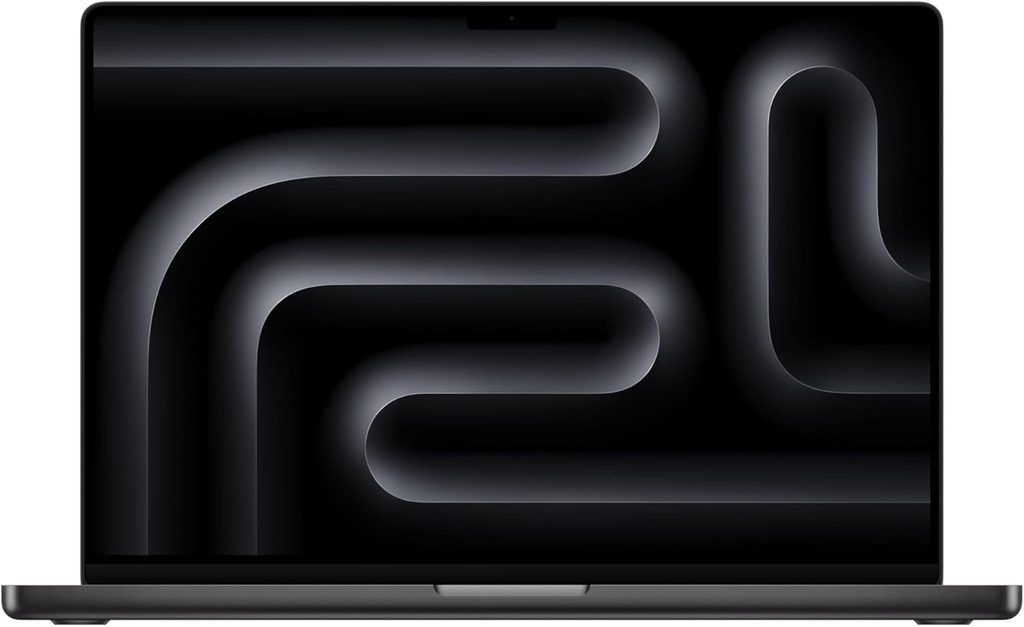
Specs (16-inch model reviewed by Notebookcheck)
- CPU: Apple M5 Pro, 18 cores (6 super cores + 12 performance cores)
- GPU: 20-core M5 Pro GPU
- Memory: 64GB LPDDR5x-9600 as reviewed (24GB base; up to 128GB with M5 Max)
- Storage: PCIe 5.0 SSD, base model now starts at 1TB
- Display: 16.2-inch Mini-LED, 3456 x 2234, 120Hz, optional matte nano-texture
- Ports: 3x Thunderbolt 5, HDMI, SDXC, MagSafe, headphone jack
- Battery: 99.6 Wh
- Weight: 2.12 kg
- Price: from $2,699 (24GB/1TB)
Benchmarks
- Cinebench 2024: 201 single / 2,347 multi (Notebookcheck)
- Geekbench 6: 4,295 / 28,436 (Notebookcheck); 4,306 / 28,586 (Tom’s Guide)
- 15-core M5 Pro (14-inch) average: 4,302 / 25,892 in Geekbench 6 (Notebookcheck)
- Battery: 21h 10m in Tom’s Guide’s web-surfing test at 150 nits. A later Tom’s Guide comparison lists 21h 25m.
- SSD: Tom’s Hardware measured 1,917 MBps in a 25GB file copy on the 14-inch M5 model, the fastest in its comparison group.
- Brightness: 558 nits SDR on the 14-inch M5 model (Tom’s Hardware)
Why it’s my top pick for Java
On paper the gap with the other four laptops is big, and in daily use it’s bigger. The M5 Pro’s single-core score is roughly 45–60% higher than the Intel and AMD chips on this list. You notice that every time IntelliJ re-indexes, every time autocomplete pops up, and every time you hot-reload a Spring app.
The multi-core results matter too. Notebookcheck found the 16-inch model can run the chip at full power without throttling, and measured about 20% more CPU performance than the M4 Pro. Every major JDK, IntelliJ, Eclipse, VS Code, and Android Studio runs natively on it. The Mini-LED screen is also the best display for reading code on this list. If you work near windows, the optional matte nano-texture is worth paying for.
Pros
- ✅ Fastest single-core and multi-core performance in this roundup
- ✅ Over 21 hours of measured battery life, so you can leave the charger at home
- ✅ Thunderbolt 5, Wi-Fi 7, and a PCIe 5.0 SSD
- ✅ Gorgeous Mini-LED screen with a matte option
- ✅ Quiet during normal coding
Cons
- ❌ Expensive, and RAM upgrades at checkout cost a lot
- ❌ RAM and storage are soldered
- ❌ Notebookcheck measured constant PWM flicker and slowish panel response times
- ❌ Notebookcheck found the included 140W charger falls short under full load
- ❌ Only a one-year standard warranty
Who shouldn’t buy it: developers whose whole production stack is Windows-specific (.NET interop, Windows-only tooling), and anyone who wants to upgrade RAM later.
My setup tip: Install an aarch64 JDK 21 or 25 LTS through SDKMAN. In IntelliJ, open Help → Change Memory Settings and give the IDE 4–6GB if you have 36GB or more. If you deploy to x86 servers, set up multi-arch builds with Jib or docker buildx early, so you don’t run into platform surprises in CI.
About timing: Apple has a launch event scheduled for October 28, 2026. Bloomberg’s Mark Gurman has reported that it will bring the first M6 MacBook Pro, which is a 14-inch entry model, while the M5 Pro and M5 Max stay as Apple’s top chips. If you’re buying a Mac, wait a week and see whether M5 Pro prices drop.
2. Lenovo ThinkPad X1 Carbon Gen 14: Best Java Laptop for Typing and Travel
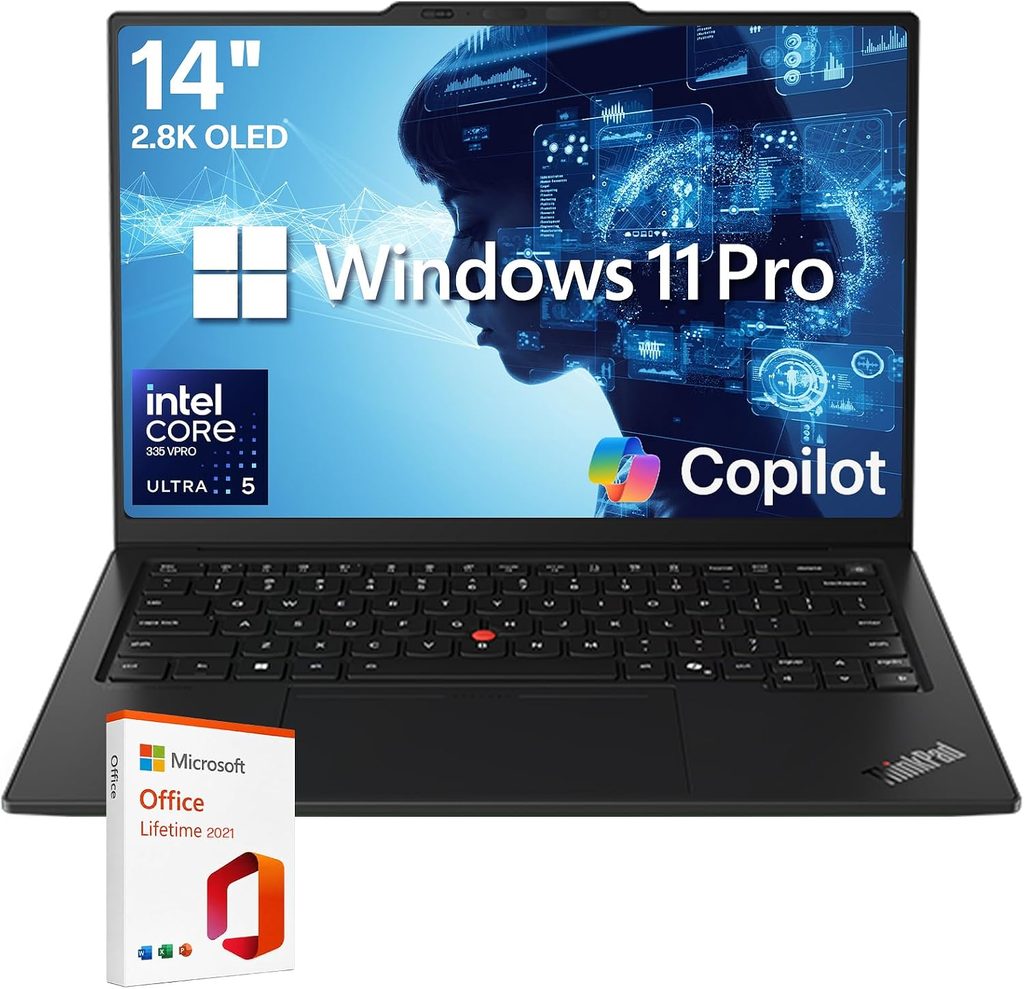
Specs
- CPU: Intel Core Ultra 5 325 or Core Ultra 7 355 (Panther Lake), with Core Ultra X options
- Memory: 32GB minimum, up to 64GB LPDDR5x (soldered)
- Storage: M.2 2280 PCIe 5.0 SSD (user replaceable)
- Display: 14-inch 1920×1200 low-power IPS touch, or 2880×1800 120Hz OLED
- Ports: 3x Thunderbolt 4, HDMI 2.1, USB-A, optional 4G/5G
- Battery: 58 Wh
- Weight: 1.14 kg (IPS) / 0.99 kg (OLED)
- Price: from $2,249
Benchmarks
- Geekbench 6: 2,635 / 11,107 (Tom’s Hardware, Core Ultra 7 355)
- Cinebench 2024: 118 / 582 (XDA Developers, Core Ultra 7 355)
- Cinebench R23: 2,019 / 17,358 (MyFixGuide, Core Ultra 7 355)
- Sustained load: steady between 2,500 and 2,600 points across 10 Cinebench 2026 loops (Tom’s Hardware)
- SSD: 7,045 MB/s read / 5,860 MB/s write sequential (MyFixGuide)
- Display: IPS averaged 524 nits with an 1800:1 contrast ratio (Notebookcheck); OLED hit 473 nits and 82% DCI-P3 (Tom’s Hardware)
- Battery: almost 24 hours in Notebookcheck’s Wi-Fi test (IPS); 13h 10m on the OLED (Tom’s Hardware); 16 hours in Engadget’s PCMark 10 office test
- Temperatures under stress: 94°F between the G and H keys, 106°F on the underside (Tom’s Hardware)
Why it’s on my list
You’ll type far more code than you’ll compile. That’s why this laptop is here. It has 1.5mm of key travel, a TrackPoint, and dedicated Home/End/PgUp/PgDn keys, which help more in an IDE than an extra 10% of benchmark score.
Every configuration starts at 32GB of RAM, so nobody ends up stuck with 16GB. The Core Ultra 7 355 won’t win any multi-core contests, but Tom’s Hardware’s stress loop showed it holding steady instead of slowing down. With the IPS screen, a lab measured almost 24 hours of battery life, which is a lot of coding time.
Pros
- ✅ Best keyboard on this list, plus the TrackPoint
- ✅ Under 1 kg with the OLED panel
- ✅ Outstanding battery life with the IPS screen
- ✅ 3x Thunderbolt 4, HDMI, USB-A, Wi-Fi 7, optional 5G
- ✅ SSD and battery are easy to service
Cons
- ❌ RAM is soldered
- ❌ Notebookcheck found the IPS panel’s factory calibration poor (ΔE 5, fixable to 1.1 with calibration)
- ❌ Battery life and weight change a lot depending on the screen you pick
- ❌ Multi-core performance of the Core Ultra 7 355 trails the other chips on this list
Who shouldn’t buy it: people who run GraalVM native builds or huge multi-module Maven builds all day. If that’s you, configure a Core Ultra X chip or look at the HP.
My setup tip: On Windows, keep your repos and Gradle cache inside WSL2’s own ext4 filesystem, not under /mnt/c. Builds run much faster that way. Also add your project folders to Microsoft Defender’s exclusions. For Linux, use a distro with kernel 6.19 or newer.
3. Dell XPS 14 (2026): Best Balanced Windows Ultrabook for Java
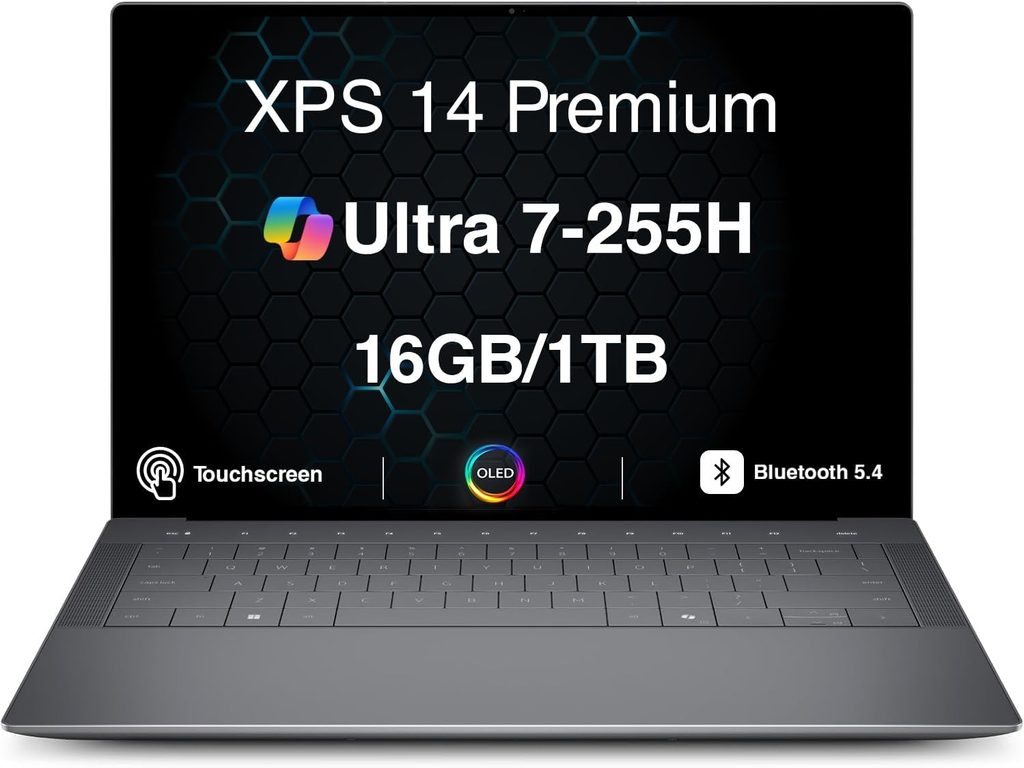
Specs (Notebookcheck review unit)
- CPU: Intel Core Ultra X7 358H, 16 cores (4P + 8E + 4LP-E)
- GPU: Intel Arc B390 (12 Xe3 cores)
- Memory: 32GB LPDDR5x-9600 (soldered)
- Storage: 1TB SSD (M.2 slot fits 2230 or 2280)
- Display: 14-inch 2880×1800 OLED touch, 20–120Hz (1920×1200 IPS option)
- Ports: 3x Thunderbolt 4, headphone jack
- Battery: 70 Wh
- Weight: 1.44 kg
- Price: from $1,600; $2,200 as reviewed
Benchmarks
- Geekbench 6: 2,867 / 16,927 (Tom’s Hardware)
- Cinebench 2024: about 123 / 1,035 (CPU-Monkey’s average for this chip)
- HandBrake video transcode: 4 minutes 30 seconds (Tom’s Hardware)
- SSD: 1,419.76 MBps in a 25GB file copy (Tom’s Hardware)
- OLED display: 389 nits average, ΔE 1.27, 100% sRGB, 99.7% P3 (Notebookcheck)
- Battery: 20h 41m with the IPS screen, 12h 23m with the OLED (Tom’s Hardware)
- Temperatures under stress: 91.5°F keyboard, 104.5°F underside (Tom’s Hardware)
- Java on Linux: fastest mobile chip in Phoronix’s DaCapo H2 database test
Why it’s on my list
The XPS 14 puts 16 cores into a 1.44 kg laptop for a lot less than a MacBook Pro. That’s plenty for multi-module Maven builds and a few containers running in the background.
It also has a real function row again. If you live on IntelliJ shortcuts (Shift+F10 to run, F8 to step over), that matters. The IPS model’s battery result of over 20 hours is the longest Tom’s Hardware has measured on an x86 chip. Phoronix’s Linux tests on this exact processor make it a safe choice for dual-booting.
Pros
- ✅ 16 cores in a thin, light chassis
- ✅ Physical function row is back
- ✅ Best x86 battery life on this list (IPS model)
- ✅ Beautifully calibrated OLED option
- ✅ Strong Linux and Java benchmark results
Cons
- ❌ Notebookcheck found it can’t hold its turbo speeds for long, so long builds slow down
- ❌ Shallow 0.8mm key travel, and Tom’s Hardware’s reviewer typed less accurately on it
- ❌ USB-C only, so plan on a dock
- ❌ The OLED flickers using PWM at 240Hz
- ❌ 32GB maximum in the reviewed configuration, and it’s soldered
Who shouldn’t buy it: heavy typists who care about key travel, and anyone who needs more than 32GB.
My setup tip: Switch to Dell’s Performance mode when you compile. Then cap Gradle’s parallel workers with org.gradle.workers.max=8 in gradle.properties so a long build doesn’t max out the cooling and slow IntelliJ down.
4. HP ZBook 8 G2a 14: Best Java Laptop for Docker, Kubernetes, and Big JVM Heaps
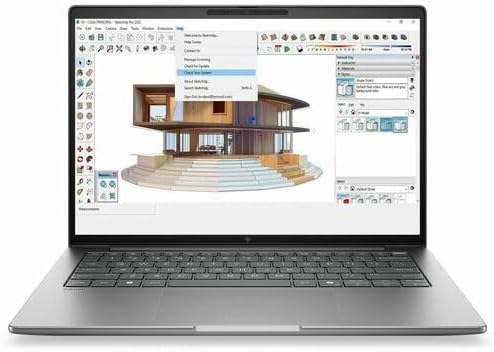
Specs (Notebookcheck review unit)
- CPU: AMD Ryzen AI 9 HX PRO 470, 12 cores / 24 threads (Zen 5 + Zen 5c)
- GPU: AMD Radeon 890M
- Memory: 64GB DDR5-5600 on two user-upgradeable SO-DIMM slots
- Storage: 1TB SSD (single slot)
- Display: 14-inch 2560×1600 120Hz matte IPS
- Ports: 2x Thunderbolt 4, USB-C, USB-A, HDMI, Gigabit Ethernet (RJ45), smart card reader
- Battery: 68 Wh
- Weight: 1.45 kg
- Warranty: 3 years
- Price: about $3,700 as reviewed
Benchmarks (Notebookcheck)
- Geekbench 6: 2,945 single / 13,878 multi
- Cinebench R23: 2,042 single / 21,244 multi
- SSD: 7,067 MB/s read / 6,809 MB/s write sequential, with no throttling in a sustained loop
- Display: 422 nits max (392 average), 2174:1 contrast, 99.3% sRGB, 95.5% P3, ΔE 6
- Battery: about 16 hours in the Wi-Fi test, longer than every other 14-inch workstation Notebookcheck compared it with
- Noise and heat: 42.6 dB(A) max under load, 45.3°C max on the underside, no throttling in an hour-long stress test
- On battery: performance doesn’t drop when you unplug
Why it’s on my list
This is the only laptop on my list where you can add RAM later, and it already ships with 64GB. If your day is IntelliJ plus a Docker Compose stack (Postgres, Kafka, Redis, Keycloak) plus a local Kubernetes cluster, this is the laptop that won’t run out of memory.
Notebookcheck saw no throttling in an hour-long stress test and no performance drop on battery, so your Gradle builds take the same time at your desk or on a plane. This exact configuration is also on Canonical’s list of Ubuntu 24.04 LTS certified laptops, which makes it the safest Linux pick here. The built-in Ethernet port is handy on locked-down corporate networks.
Pros
- ✅ 64GB of RAM, and you can upgrade it
- ✅ Ubuntu-certified configuration
- ✅ Consistent performance with no throttling, even on battery
- ✅ Excellent 1.5mm keyboard, plus Ethernet, HDMI, and USB-A
- ✅ 16-hour battery life and a three-year warranty
Cons
- ❌ Expensive for its raw performance
- ❌ Weak color accuracy (ΔE 6), and calibration barely helps
- ❌ Only one SSD slot, no SD card reader
- ❌ No dedicated GPU option for CUDA work
Who shouldn’t buy it: developers who also do color-critical design work, and anyone on a tight budget.
My setup tip: Install Ubuntu 24.04 or 26.04 LTS and run Docker Engine natively, without Docker Desktop’s VM. Your containers get the full 64GB, and bind-mount file I/O is far faster than on macOS or Windows. Set explicit memory limits on your containers so a runaway JVM can’t take your IDE down with it.
5. ASUS ROG Zephyrus G14 (2026): Best for Android Studio, Java, and GPU Work
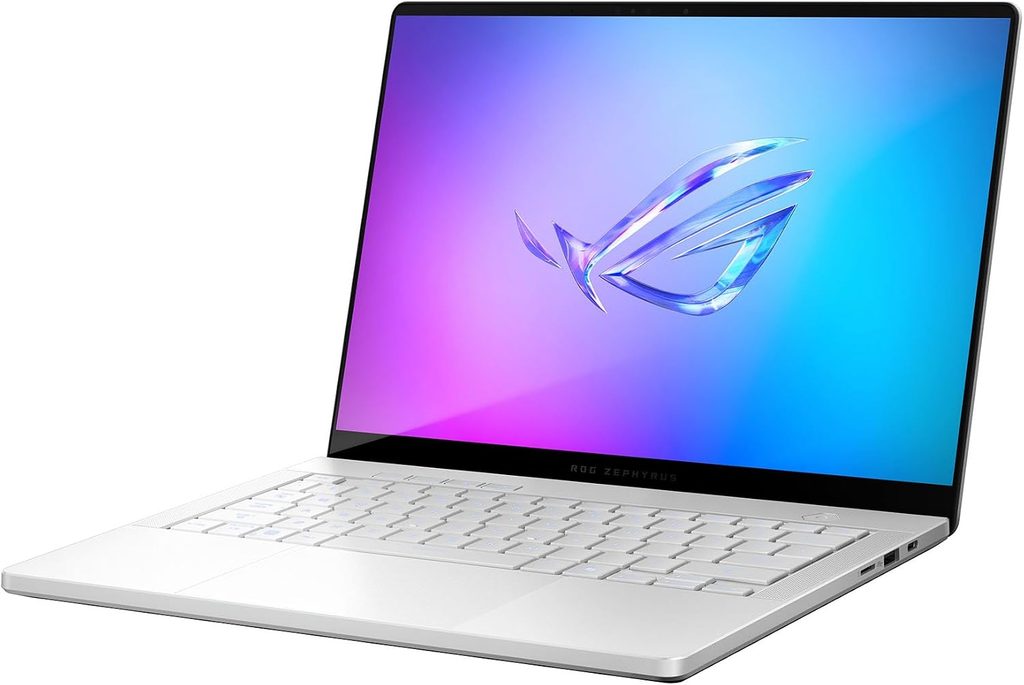
Specs (Notebookcheck review unit)
- CPU: Intel Core Ultra 9 386H, 16 cores
- GPU: NVIDIA GeForce RTX 5070 Ti Laptop, 12GB GDDR7, 115W
- Memory: 32GB LPDDR5x-8533 (soldered)
- Storage: 1TB SSD (M.2 2280, replaceable, PCIe 4.0)
- Display: 14-inch 2880×1800 OLED, 120Hz, G-Sync
- Ports: Thunderbolt 4, USB-C, 2x USB-A, HDMI 2.1, full-size SD (UHS-II), headphone jack
- Battery: 73 Wh
- Weight: 1.57 kg
- Price: $3,199 (RTX 5070 Ti, 32GB)
Benchmarks
- Geekbench 6: 2,931 single / 17,440 multi (UltrabookReview)
- Cinebench 2024 multi: 1,262 in Turbo mode, 1,169 in Silent mode (Notebookcheck)
- Display: 514 nits average SDR, up to 1,140 nits HDR, 25,400:1 contrast, ΔE 1.3, 99.8% P3 (Notebookcheck)
- Battery: almost 14.5 hours at 150 nits (Notebookcheck)
- Noise: 38.2 dB(A) in Silent mode vs 55.5 dB(A) in Turbo (Notebookcheck)
- SD card reader: 182 MB/s average (Notebookcheck)
Why it’s on my list
If your Java work goes beyond the backend, into Android apps, CUDA-accelerated machine learning with DJL or Deeplearning4j, or LibGDX game development, this is the most powerful 14-inch laptop you can buy. It’s also great for gaming when the workday’s over.
Notebookcheck found that for CPU-only work, Silent mode performs almost the same as Turbo. So you can compile quietly all day and only let the fans spin up when the GPU has real work. The 1.7mm-travel keyboard is one of the best on any laptop right now.
Pros
- ✅ RTX 5070 Ti for CUDA, emulator acceleration, and gaming
- ✅ Bright, accurate OLED panel
- ✅ Excellent keyboard and a full-size SD reader
- ✅ Silent mode keeps almost all of the CPU performance
- ✅ Much better battery life than older G14 models
Cons
- ❌ Expensive; Notebookcheck points to the 2025 model as the better value if you don’t need HDR
- ❌ 32GB of soldered RAM
- ❌ Loud under full GPU load (55.5 dB(A))
- ❌ No PCIe 5.0, and the OLED uses 960Hz PWM
Who shouldn’t buy it: pure backend developers who won’t use the GPU. You’d be paying extra for hardware you don’t need.
My setup tip: In Android Studio, use x86_64 system images and enable Windows Hypervisor Platform (WHPX) for the fastest emulator. In Armoury Crate, keep Silent mode on while you code and switch to Turbo only for GPU jobs.
Buying Guide: What Actually Matters for Java Development
Processor: single-core first, multi-core second
Your IDE’s responsiveness comes down to single-core speed. Clean builds, big test suites, and native images scale with core count. If you can only optimize one, choose single-core.
RAM: buy for year three
Use my calculator above. Remember that most premium laptops have soldered RAM now, so whatever you buy is what you’ll have for the life of the laptop.
Keyboard and display
Look for at least 1.5mm of key travel and a physical function row. For the screen, a 16:10 aspect ratio, 2.5K or higher resolution, and a matte finish make a real difference over 10-hour days. If you’re sensitive to flicker, check each review’s PWM measurements.
Ports
At minimum, you want two Thunderbolt or USB4 ports for a dock and dual monitors. HDMI and USB-A save you from carrying dongles. Ethernet helps on corporate networks.
Operating system
- macOS: best battery life and performance, Unix tooling, native ARM64 JDKs.
- Linux: fastest Docker (no VM), closest to most production servers.
- Windows: perfectly fine with WSL2. Avoid Windows on ARM if you need Android Studio.
Frequently Asked Questions
What is the best laptop for Java programming in 2026?
The Apple MacBook Pro with the M5 Pro chip. It posts the highest independent CPU scores (around 28,400 in Geekbench 6 multi-core on the 18-core version), lasts more than 21 hours in battery testing, and had the fastest build times I found.
How much RAM do I need for Java development?
32GB for professional work. IntelliJ alone needs about 3GB free, Google recommends 32GB for Android Studio with the emulator, and Docker adds several gigabytes on top. Go for 64GB if you run local Kubernetes.
Is 16GB of RAM enough for IntelliJ IDEA?
For learning and small projects, yes. Once you add Docker, a few Spring Boot services, and a browser full of tabs, 16GB becomes the bottleneck.
Is a MacBook good for Java development?
Yes. All major JDKs, IntelliJ IDEA, Eclipse, VS Code, and Android Studio run natively on Apple Silicon. Just build multi-arch container images if your production servers are x86.
Can I use a Snapdragon (Windows on ARM) laptop for Java?
For backend Java, yes. Microsoft publishes native ARM64 OpenJDK builds. For Android development, no: Google states that Android Studio doesn’t currently support Windows on ARM.
Do I need a dedicated GPU for Java?
No, unless you do Android emulation at scale, CUDA-based machine learning, or game development. For those, the ASUS ROG Zephyrus G14 is my pick.
What’s the best laptop for Java on Linux?
The HP ZBook 8 G2a 14, because its exact configuration is Ubuntu-certified. The Dell XPS 14 and ThinkPad X1 Carbon also run well on Linux kernel 6.19 or newer.
Should I wait for the M6 MacBook Pro?
If you’re buying a Mac, wait until after Apple’s October 28 event. The first M6 model is expected to be an entry-level 14-inch, so the M5 Pro should stay the “Pro” choice, but prices may shift.
My Final Verdict
If your budget allows it, buy the MacBook Pro with the M5 Pro chip. It’s the fastest, longest-lasting Java machine you can buy today. I’d get the 14-inch 15-core version with at least 36GB of RAM.
If you’re staying with Windows or Linux:
- ThinkPad X1 Carbon Gen 14 if typing comfort and portability matter most.
- Dell XPS 14 for the best overall balance.
- HP ZBook 8 G2a 14 if your workflow is mostly containers.
- ASUS ROG Zephyrus G14 if Android or GPU work is part of your job.
Whichever you choose, remember the build test from the top of this article: an older laptop took 217 seconds for a build that a current one finished in 59. Over a year of daily builds, that adds up to a lot of time spent waiting.
A Few Honest Notes on the Data
- Every number in this article comes from an independent lab or a public benchmark database, and each one is credited above. Different labs use different software versions and power modes, so comparisons between laptops are approximate.
- Some numbers are for closely related configurations. The ThinkPad figures cover Core Ultra 5 and Core Ultra 7 units, the MacBook figures mix 14- and 16-inch models, and the XPS 14’s Cinebench 2024 figure is a chip-level average.
- Tom’s Guide reported 21h 10m of battery life for the 16-inch M5 Pro in its review and 21h 25m in a later comparison. I’ve included both.
- The Java build-time table is one developer’s real Spring Boot project, not a lab study. Use it as a rough guide.
- Prices are the ones published at review time and may have changed since.
Sources
- Notebookcheck – Apple MacBook Pro 16 (2026) Review: M5 Pro
- Notebookcheck – Apple M5 Pro 18-Core Processor Benchmarks
- Tom’s Guide – MacBook Pro 16-inch M5 Pro Review
- Tom’s Guide – Best MacBook
- Tom’s Guide – Apple M5 vs Intel vs AMD vs Snapdragon X2
- MacRumors – MacBook Pro M5 Pro and M5 Max Review
- Notebookcheck – Lenovo ThinkPad X1 Carbon Gen 14 Review
- Tom’s Hardware – Lenovo ThinkPad X1 Carbon Gen 14 Aura Edition Review
- XDA Developers – ThinkPad X1 Carbon Gen 14 Review
- MyFixGuide – Lenovo ThinkPad X1 Carbon Gen 14 Review
- Engadget – Lenovo ThinkPad X1 Carbon Gen 14 Review
- Notebookcheck – Dell XPS 14 (2026) Review
- Tom’s Hardware – Dell XPS 14 (2026) Review
- CPU-Monkey – Intel Core Ultra X7 358H
- Phoronix – Intel Core Ultra X7 358H Linux Review
- Phoronix – Intel Panther Lake Linux Power
- OpenBenchmarking – Panther Lake Results
- Notebookcheck – HP ZBook 8 G2a 14 Review
- Ubuntu – Certified HP ZBook Laptops
- Notebookcheck – ASUS ROG Zephyrus G14 (2026) Review
- Notebookcheck – ROG Zephyrus G14 2026 RTX 5070 Ti
- Notebookcheck – ROG Zephyrus G14 2026 with Panther Lake
- UltrabookReview – ASUS ROG Zephyrus G14 GU405 Review
- MyFixGuide – ASUS ROG Zephyrus G14 (2026) Review
- Steven PG – Casual Machine Performance Test (Gradle/GraalVM)
- XcodeBenchmark on GitHub
- Android Developers – Install Android Studio
- JetBrains – Install IntelliJ IDEA
- Microsoft – Download the Microsoft Build of OpenJDK

Hi, my name is Burak. I am a mechanical engineer. I have been writing laptop reviews for the Engineering Laptops website since 2020. Please feel free to contact me if you have any questions.





