
Estimated reading time: 11 minutes
Key Takeaways
- To run software like Aspen HYSYS and Aspen Plus effectively, you need a powerful CPU, at least 16GB of RAM (32GB recommended), and a fast NVMe SSD.
- The article features the top 5 laptops suited for these applications, including the Lenovo ThinkPad P16 Gen 3 and ASUS ROG Zephyrus G16.
- The Lenovo ThinkPad P16 Gen 3 is ideal for its unmatched processing power, while the ASUS ROG Zephyrus G16 offers a balance of portability and performance.
- For budget-conscious users, the ASUS TUF Gaming A16 provides reliable performance without breaking the bank.
- Choosing the right laptop involves focusing on CPU speed, sufficient RAM, and effective cooling for long simulations.
Table of contents
If you’ve ever sat in a chemical engineering lab or a process design office waiting for a massive chemical plant flowsheet to converge, you know the absolute pain of a lagging computer. When searching for the Best Laptops for Aspen HYSYS and Aspen Plus, it’s important to consider how demanding these programs can be. Running Aspen HYSYS or Aspen Plus isn’t like opening a few Excel sheets or streaming a 4K video. We are talking about heavy-duty thermodynamic equations, mass and energy balances, dynamic simulations, and complex flash calculations running all at once.
If your laptop doesn’t have the muscle, AspenTech software will turn it into a literal space heater while giving you the dreaded “Not Responding” screen.
So, what do you actually need in 2026 to run these programs flawlessly? Let’s skip the confusing tech jargon for a second and keep it real: you need a killer CPU with high single-core speeds (because HYSYS loves fast individual cores), at least 16GB of RAM (though 32GB is the sweet spot), and a fast NVMe SSD so your massive simulation files load in the blink of an eye.
Whether you are a student trying to survive your senior design project or a senior process engineer designing full-scale refineries, we’ve rounded up the top 5 best laptops on the market right now that will handle Aspen HYSYS and Aspen Plus without breaking a sweat.
Quick Comparison: The Top Picks at a Glance
| Laptop Model | Best For | Key CPU | Recommended RAM |
| Lenovo ThinkPad P16 Gen 3 | Absolute Workstation King | Intel Core Ultra 9 285HX | 32GB / 64GB DDR5 |
| ASUS ROG Zephyrus G16 | Power Meets Sleek Design | AMD Ryzen AI 9 HX 370 | 32GB LPDDR5X |
| Lenovo Legion Pro 5i | Maximum Value & Raw Power | Intel Core i9-14900HX | 32GB DDR5 |
| Dell XPS 16 | Premium Professional Look | Intel Core Ultra 7 155H | 32GB LPDDR5X |
| ASUS TUF Gaming A16 | Budget-Conscious Students | AMD Ryzen 7 8845HS | 16GB / 32GB DDR5 |
What Makes a Laptop Good for AspenTech Software?
Before we dive into the list, let’s clear up a common myth: Do you need an insanely expensive gaming GPU for Aspen Plus? Not necessarily. While a dedicated graphics card (like an NVIDIA RTX series) helps keep the 3D graphics in your plant layout and dynamic animations smooth, the heavy lifting is done almost entirely by your Processor (CPU) and Memory (RAM).
Also, keep in mind that Aspen software is fundamentally built for Windows. If you are looking at a MacBook, you will have to mess around with virtual machines or Boot Camp (which isn’t supported on newer Apple chips), which drains performance. Stick to Windows for a headache-free experience.
Top 5 Laptops for Aspen HYSYS & Aspen Plus
1. Lenovo ThinkPad P16 Gen 3 (The Ultimate Simulation Workstation)
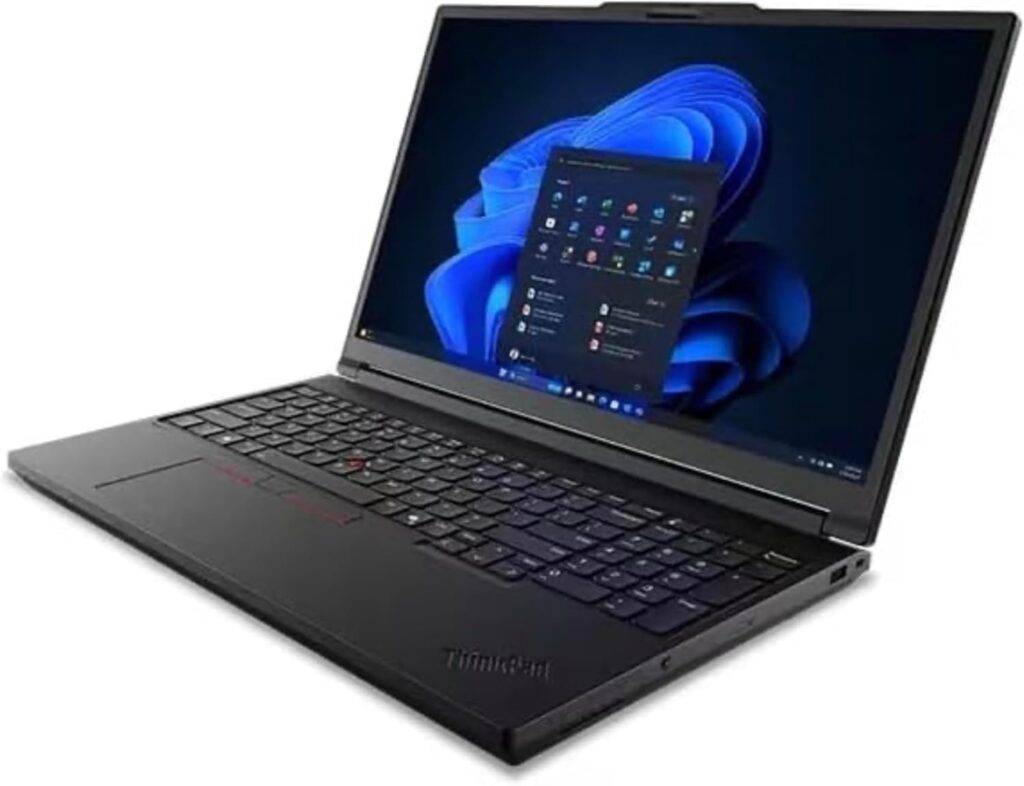
If budget isn’t an issue and you want an absolute tank that will crunch through heavy columns, complex recycles, and optimization loops effortlessly, the Lenovo ThinkPad P16 Gen 3 is the gold standard. This is a true mobile workstation. It comes with enterprise-grade components, an incredible keyboard for long hours of data entry, and industrial-strength cooling that keeps the laptop running at peak speeds without thermal throttling.
Specifications
- CPU: Up to Intel Core Ultra 9 285HX (24 Cores, Up to 5.5 GHz)
- Graphics: NVIDIA RTX Pro 2000 Ada or GeForce RTX 4070 / 5070
- RAM: 32GB DDR5 (Expandable up to a massive 192GB)
- Storage: 1TB NVMe PCIe Gen4 SSD (Up to 8TB available)
- Display: 16-inch WQXGA (2560 x 1600) IPS, 400 nits (OLED optional)
Pros
- Unmatched processing power; handles massive industrial flowsheets like a desktop.
- Legendary ThinkPad keyboard that makes typing up massive engineering reports a breeze.
- Highly upgradable RAM and storage slots.
- Incredible build quality and military-grade durability.
Cons
- It is a heavy beast; carrying it across a university campus will feel like a workout.
- The power brick is massive.
- Quite expensive for an average student budget.
2. ASUS ROG Zephyrus G16 (Power Meets Sleek Portability)
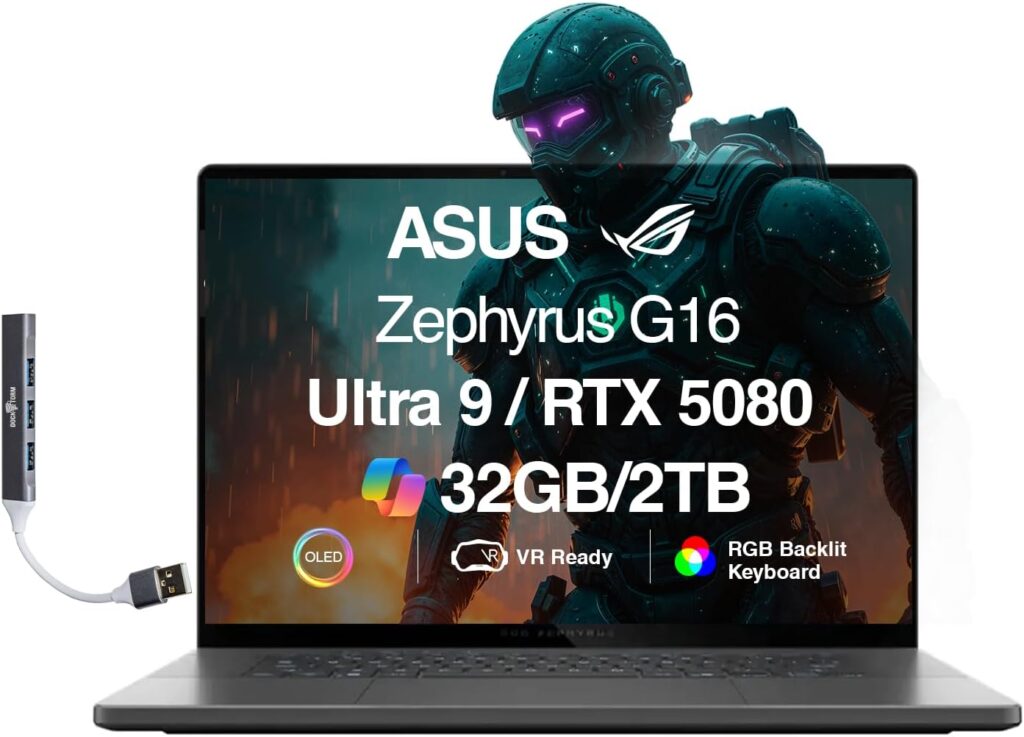
Don’t want to carry around a laptop that looks and feels like a cinder block? The ASUS ROG Zephyrus G16 is the answer. It borrows the sleek, thin aesthetics of a premium ultrabook but packs a fierce gaming-grade engine under the hood. Equipped with the latest AMD Ryzen AI chips, it delivers fantastic battery life when you’re just browsing the web, but transforms into a calculation monster the moment you hit “Run” on your HYSYS simulation.
Specifications
- CPU: AMD Ryzen AI 9 HX 370 (12 Cores, 24 Threads, Up to 5.1 GHz)
- Graphics: NVIDIA GeForce RTX 4070 or RTX 5060
- RAM: 32GB LPDDR5X (Soldered)
- Storage: 1TB NVMe M.2 SSD
- Display: 16-inch 2.5K (2560 x 1600) OLED, 240Hz
Pros
- Incredibly slim and lightweight for a 16-inch high-performance laptop.
- Gorgeous OLED screen that makes reading text and looking at complex PFDs (Process Flow Diagrams) incredibly sharp.
- Great battery life thanks to the efficient AMD processor.
Cons
- The RAM is soldered onto the motherboard, meaning you cannot upgrade it later (make sure to buy the 32GB version!).
- Can get quite warm to the touch under heavy simulation loads.
3. Lenovo Legion Pro 5i (The Sweet-Spot Performance Beast)
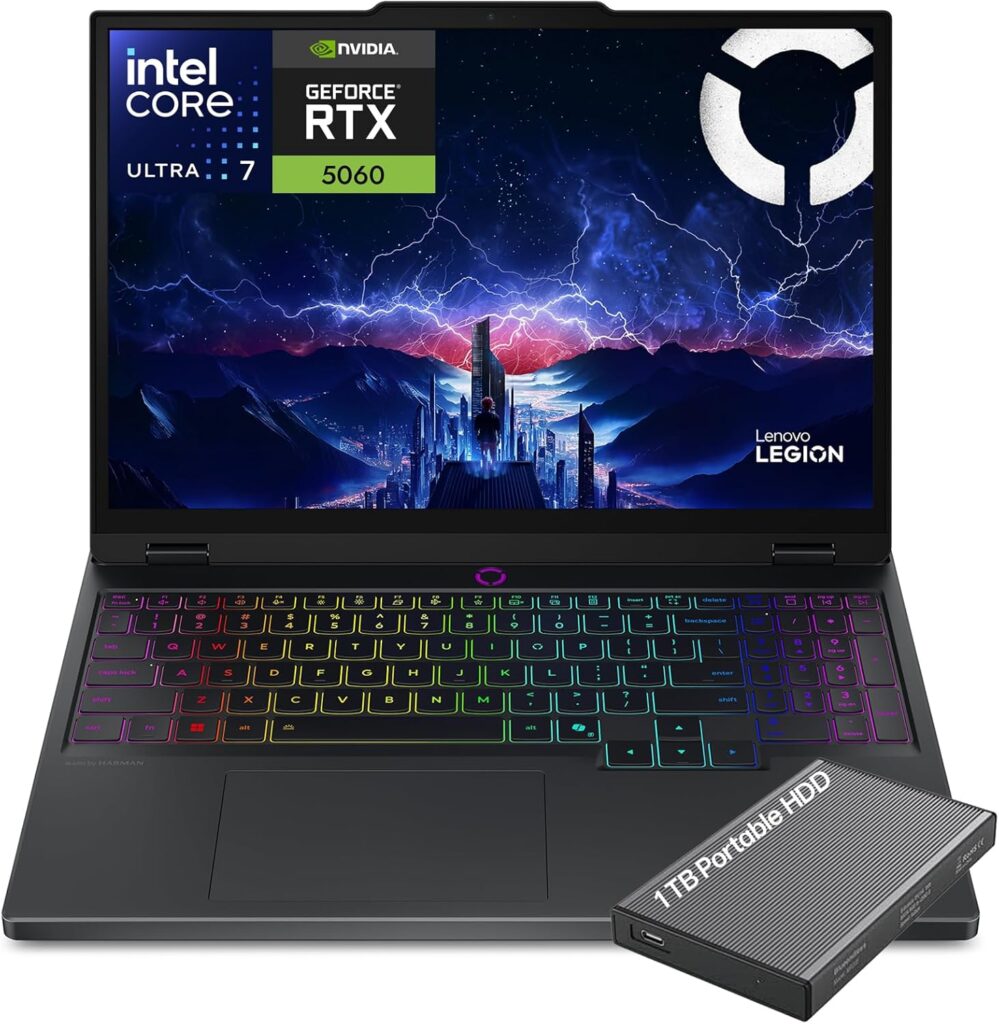
If you want the maximum possible raw performance for your money, gaming laptops are usually the best hidden secret for engineers. The Lenovo Legion Pro 5i is arguably the most balanced high-performance laptop on the market. It features a top-tier Intel desktop-replacement processor that treats complex mathematical iterations like a minor warmup exercise.
Specifications
- CPU: Intel Core i9-14900HX or Core Ultra 9 (24 Cores, Up to 5.8 GHz)
- Graphics: NVIDIA GeForce RTX 4070 (8GB GDDR6)
- RAM: 32GB DDR5 (Dual Channel)
- Storage: 1TB NVMe PCIe 4.0 SSD
- Display: 16-inch WQXGA (2560 x 1600) IPS, 165Hz
Pros
- Incredible price-to-performance ratio.
- Exceptional dual-fan cooling system; it stays cool even during multi-hour dynamic simulations.
- Plenty of ports (USB-A, USB-C, HDMI, Ethernet) so you don’t need an annoying dongle.
Cons
- Battery life is pretty poor (around 3-4 hours of basic use), so you’ll need to stay close to a wall outlet.
- Distinctly looks like a gaming laptop, which might not fit every corporate boardroom aesthetic.
4. Dell XPS 16 (The Premium Executive Choice)
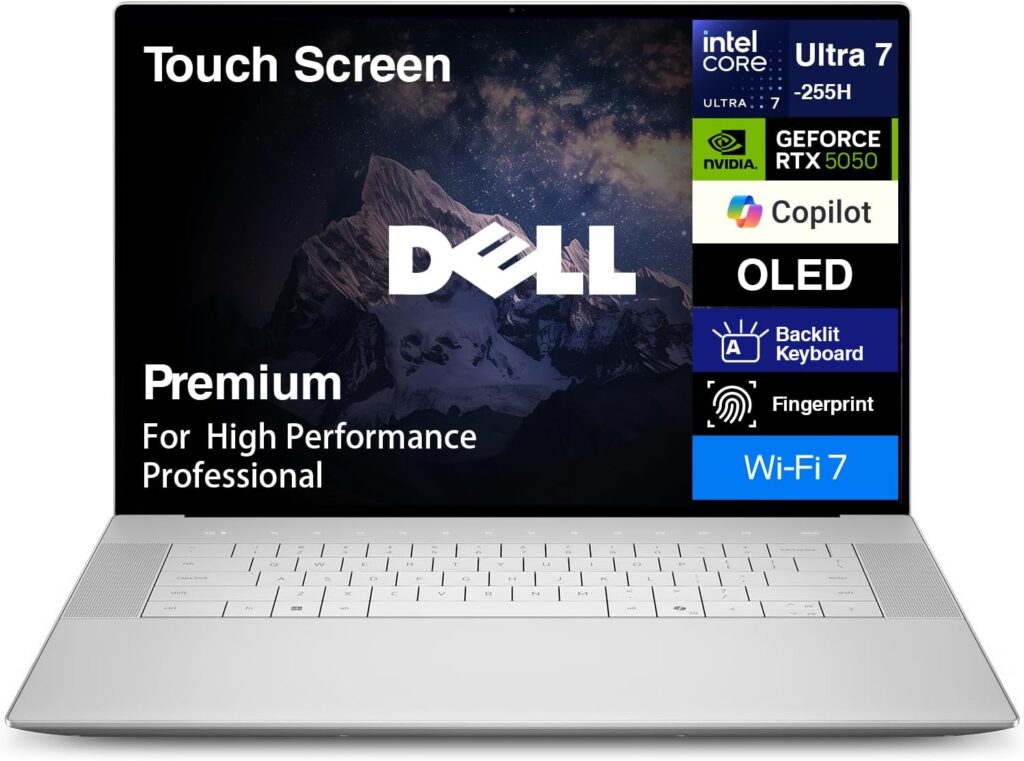
If you are a working consultant, a manager, or an engineer who values premium design, minimalism, and a sleek corporate appearance, the Dell XPS 16 is a work of art. Machined out of aluminum and glass, it looks incredibly modern. But don’t let its pretty face fool you—it packs the Intel Core Ultra processors and dedicated NVIDIA graphics, giving you more than enough juice to run complex distillation column sizing or pipeline hydraulics.
Specifications
- CPU: Intel Core Ultra 7 155H or Ultra 9 185H (Up to 16 Cores, 5.1 GHz)
- Graphics: NVIDIA GeForce RTX 4060 or 4070
- RAM: 32GB LPDDR5X
- Storage: 1TB PCIe Gen4 SSD
- Display: 16.3-inch FHD+ (1920 x 1200) InfinityEdge display (4K OLED optional)
Pros
- Gorgeous, ultra-premium design and build quality that rivals Apple.
- The InfinityEdge display gives you a huge amount of screen real estate for massive flowsheets.
- Excellent battery life compared to traditional gaming laptops.
Cons
- Limited port selection (mostly USB-C / Thunderbolt 4), meaning you’ll need adapters for standard USB flash drives or external monitors.
- Premium pricing—you pay a tax for that sleek look and feel.
5. ASUS TUF Gaming A16 (The Budget-Friendly Savior)
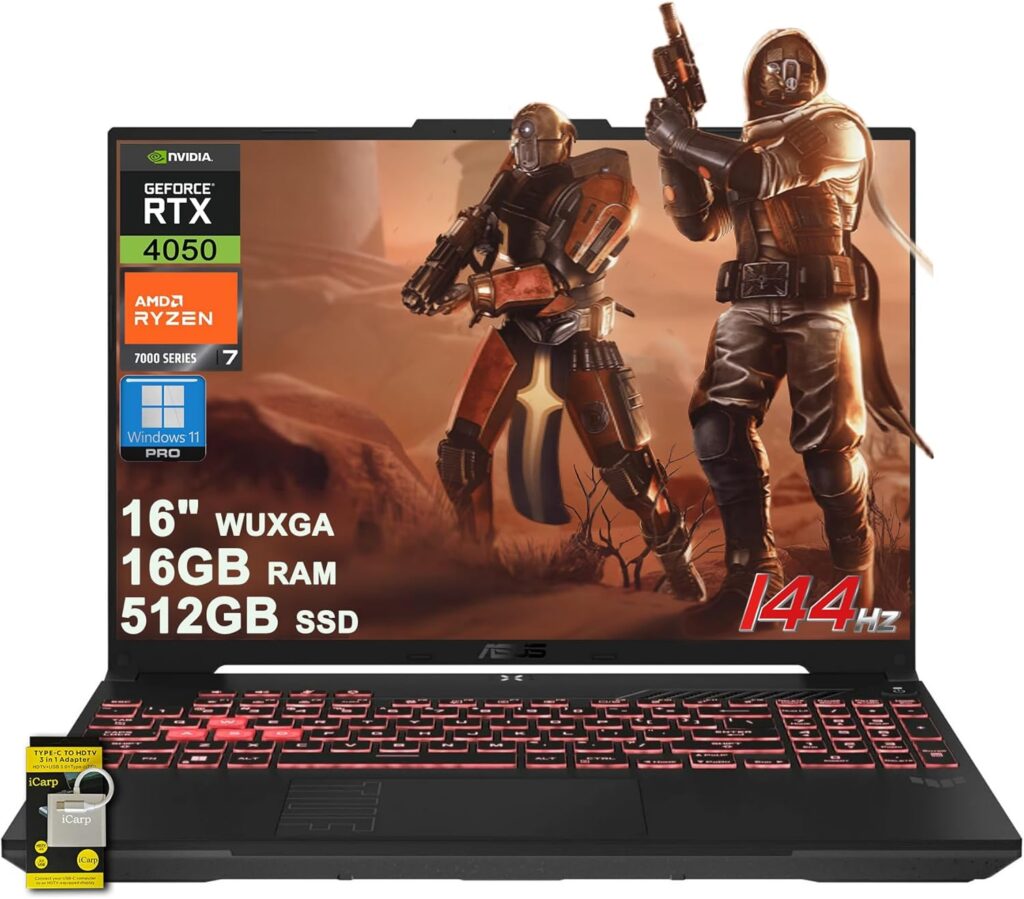
Let’s be honest: engineering school is expensive, and not everyone can drop $2,000 on a laptop. If you need a reliable machine that will get you through your chemical engineering degree without breaking the bank, the ASUS TUF Gaming A16 is a powerhouse budget option. It combines an ultra-reliable AMD Ryzen chip with a solid dedicated GPU and standard military-grade toughness.
Specifications
- CPU: AMD Ryzen 7 8845HS (8 Cores, 16 Threads, Up to 5.1 GHz)
- Graphics: NVIDIA GeForce RTX 4060 or AMD Radeon RX 7600S
- RAM: 16GB DDR5 (Easily upgradable to 32GB)
- Storage: 512GB or 1TB NVMe SSD
- Display: 16-inch WUXGA (1920 x 1200) IPS, 165Hz
Pros
- Highly affordable while meeting all the recommended hardware specs for AspenTech.
- Great battery life for a budget performance laptop.
- Rugged, tough build that handles being thrown into a backpack daily.
Cons
- The screen colors are a bit muted compared to the premium choices on this list.
- The default 16GB of RAM is fine for standard student projects, but you may want to swap in a 32GB kit later for massive plant simulations.
The Verdict: Which One Should You Buy?
At the end of the day, picking the right laptop comes down to your daily routine:
- Go with the Lenovo ThinkPad P16 Gen 3 if you want an absolute professional workhorse that will last you for years in an industrial environment and you don’t mind the heavy weight.
- Go with the ASUS ROG Zephyrus G16 if you are a student or traveling consultant who needs a perfect balance of thin design, great battery life, and high calculation performance.
- Go with the Lenovo Legion Pro 5i if you want the absolute best performance for your cash and don’t mind keeping the charger nearby.
- Go with the ASUS TUF Gaming A16 if you are looking for a reliable, durable budget laptop that won’t lag when your senior design project flowsheet starts getting complex.
What laptop are you currently using for your simulations? Drop your thoughts, questions, or software troubleshooting stories in the comments below!
How to Choose the Best Laptop for Aspen HYSYS
Time needed: 5 minutes
If you’re ready to upgrade your machine but feel overwhelmed by all the tech specs, just follow these three simple steps to make sure your new laptop won’t choke on your simulations.
- Prioritize the Processor’s Single-Core Speed
Don’t get tricked by just looking at the total number of cores. Because of how Aspen HYSYS runs its sequential calculation loops, single-core performance is king. Look for a laptop featuring a high-end processor (like an Intel Core i9 or AMD Ryzen 9) that can boost past 5.0 GHz. This ensures your flash calculations and column iterations finish in seconds rather than minutes.
- Lock In at Least 32GB of Fast DDR5 RAM
While 16GB of RAM might get you through basic university homework, it will quickly become a bottleneck if you are running massive, full-scale plant designs or complex recycles. Opting for 32GB of RAM gives your system the breathing room it needs to handle massive data tables and background calculations without freezing up on you.
- Check the Laptop’s Cooling and Thermal Design
Heavy thermodynamic modeling pushes a laptop’s hardware to its absolute limit, generating a lot of heat. If a laptop gets too hot, it automatically slows itself down to protect the components (thermal throttling). Look for laptops with robust dual-fan setups and generous air vents—like high-end gaming laptops or dedicated mobile workstations—so you can run long dynamic simulations at maximum speed.
FAQs
Honestly, it’s a bit of a headache. AspenTech software is built strictly for Windows. If you buy a MacBook, you’ll have to run Windows through a virtual machine (like Parallels) or use a cloud desktop. While it is doable, it hogs a ton of system resources and usually runs much slower. If your primary goal is stress-free simulation work, save yourself the frustration and stick to a solid Windows machine.
Not really! A common mistake people make is blowing their whole budget on a top-of-the-line gaming graphics card (GPU). While a decent dedicated GPU (like an NVIDIA RTX 4060) is great for keeping 3D plant layouts and animations smooth, Aspen spends 95% of its time crunching math, not graphics. Put your money toward a faster processor (CPU) and more RAM first—that’s what actually speeds up your simulation runtimes.
If you are a student working on typical classroom assignments and smaller, single-column flowsheets, 16GB of RAM will get the job done just fine. However, if you are tackling a massive senior design project or working in the industry with huge, full-scale plant designs with endless recycle loops, 16GB will start to choke. Upgrading to 32GB is the single best way to keep your laptop from freezing up when things get complex.

Hi, my name is Burak. I am a mechanical engineer. I have been writing laptop reviews for the Engineering Laptops website since 2020. Please feel free to contact me if you have any questions.





