
Estimated reading time: 8 minutes
Key Takeaways
- Slow storage hampers productivity in engineering tasks, making a high-performance NVMe SSD essential.
- Key factors for engineers when choosing the best SSD for engineering laptop include speed, reliability, and capacity.
- Top SSDs for engineering laptops in 2026 include Samsung 990 Pro, SK hynix Platinum P41, and Sabrent Rocket 5, among others.
- Consider factors like interface compatibility, endurance, and thermal performance before purchasing an SSD.
- A two-drive strategy—using a primary SSD for the OS and applications and a secondary SSD for data—ensures optimal performance.
Table of contents
Fast, reliable storage that keeps your CAD files, simulations, and projects moving. If you’re looking for the best SSD for engineering laptop setups, choosing the right drive can make all the difference in performance.
If you use an engineering laptop for things like CAD design, simulations, coding, or data analysis, you already know one thing: slow storage kills productivity. Large project files, simulation datasets, virtual machines, and heavy software like SolidWorks, MATLAB, or ANSYS can easily overwhelm a basic SSD.
That’s why choosing the right NVMe SSD can make a huge difference. A good drive doesn’t just load files faster—it keeps performance stable during long writes, handles massive datasets smoothly, and stays reliable for years.
In this guide, we’ll walk through the best SSDs for engineering laptops in 2026, explain their real strengths and weaknesses, and help you choose the right one for your workflow.
Why Engineers Need a High-Performance SSD
Engineering workloads are different from everyday laptop use. Opening documents or browsing the web barely touches modern storage, but engineering software pushes drives to their limits.
Here are a few examples:
- CAD projects can include thousands of parts and large assemblies
- Simulation software generates huge temporary files
- Rendering workloads constantly write and rewrite data
- Virtual machines run like a second operating system on your storage
- Data science and AI workloads move massive datasets
A fast SSD means:
- Faster project load times
- Quicker simulations and exports
- Smooth multitasking
- Better reliability during heavy workloads
In short, a good SSD saves time every single day.
Best SSDs for Engineering Laptops in 2026
Here are the drives that stand out right now for performance, reliability, and real-world usability in engineering machines.
1. Samsung 990 Pro – Best Overall SSD for Engineering Laptops
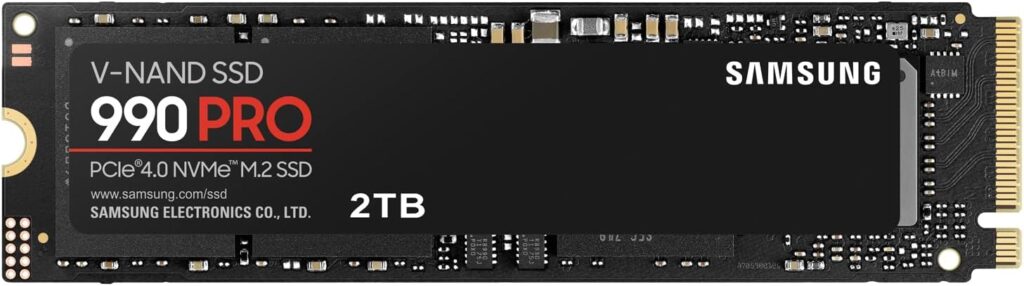
Samsung has been leading the NVMe SSD market for years, and the 990 Pro continues that tradition. It’s incredibly fast, extremely reliable, and optimized for heavy workloads.
For most engineers, this drive offers the best balance of speed, endurance, and stability.
Key Specifications
| Feature | Details |
|---|---|
| Interface | PCIe 4.0 NVMe |
| Max Read Speed | Up to 7450 MB/s |
| Max Write Speed | Up to 6900 MB/s |
| Form Factor | M.2 2280 |
| Capacity Options | 1TB / 2TB / 4TB |
Pros
- Extremely fast real-world performance
- Excellent reliability
- Great software support (Samsung Magician)
- Strong sustained write speeds
Cons
- Slightly expensive
- PCIe 4.0 only (not Gen5)
Best For
Engineers who want a dependable, high-performance primary drive for CAD, programming, simulations, and heavy multitasking.
2. SK hynix Platinum P41 – Best Power-Efficient SSD
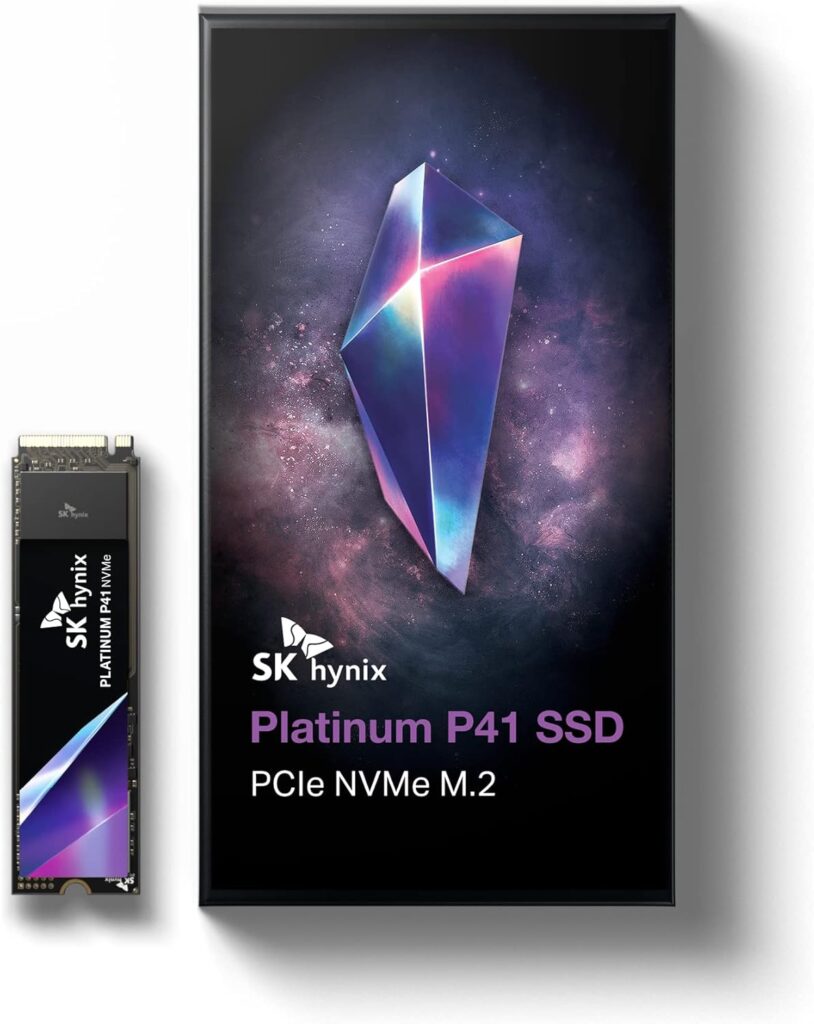
The SK hynix Platinum P41 quietly became one of the most respected NVMe drives in the industry. It delivers excellent speed while consuming less power than many competitors.
For laptop users, that means less heat and better battery life.
Key Specifications
| Feature | Details |
|---|---|
| Interface | PCIe 4.0 NVMe |
| Max Read Speed | Up to 7000 MB/s |
| Max Write Speed | Up to 6500 MB/s |
| Form Factor | M.2 2280 |
| Capacity Options | 1TB / 2TB |
Pros
- Excellent power efficiency
- Very stable performance
- Strong endurance rating
- Competitive pricing
Cons
- Fewer capacity options
- Software tools are limited
Best For
Engineers who run long simulations or heavy workloads on laptops and want strong performance without excessive heat.
3. Sabrent Rocket 5 – Best PCIe 5.0 Performance
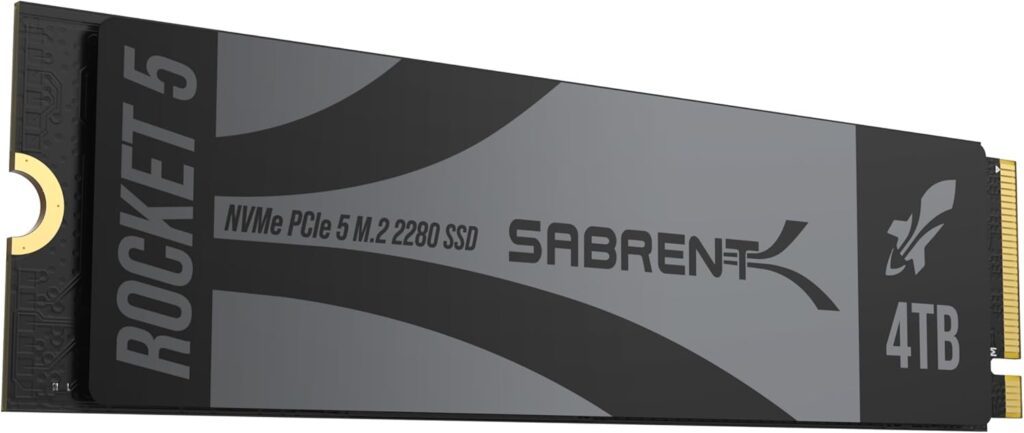
If your laptop supports PCIe Gen5, the Sabrent Rocket 5 delivers some of the fastest speeds available today.
This drive is built for extreme data transfer workloads—perfect for large simulations, video processing, or big datasets.
Key Specifications
| Feature | Details |
|---|---|
| Interface | PCIe 5.0 NVMe |
| Max Read Speed | Up to 14,000 MB/s |
| Max Write Speed | Up to 12,000 MB/s |
| Form Factor | M.2 2280 |
| Capacity Options | 1TB / 2TB / 4TB |
Pros
- Amazingly fast sequential speeds
- Ideal for massive datasets
- Future-ready performance
Cons
- Generates more heat
- Requires PCIe 5.0 support
- Expensive
Best For
Engineers working with large simulations, rendering projects, or data-heavy workloads.
4. Crucial T700 – High-End Gen5 Alternative
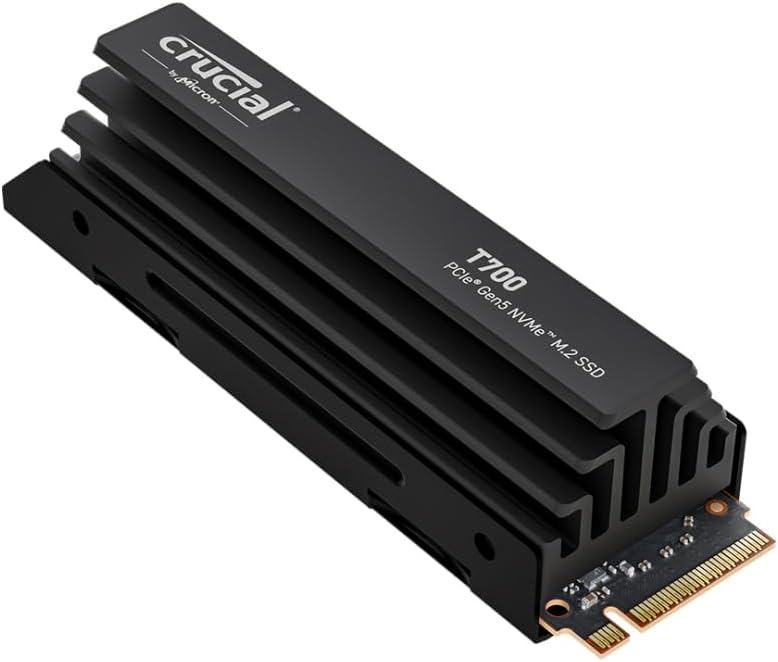
The Crucial T700 is another PCIe 5.0 drive pushing the limits of storage performance. It’s a strong option if you want cutting-edge speeds with the reliability of Micron memory technology.
Key Specifications
| Feature | Details |
|---|---|
| Interface | PCIe 5.0 NVMe |
| Max Read Speed | Up to 12,400 MB/s |
| Max Write Speed | Up to 11,800 MB/s |
| Form Factor | M.2 2280 |
| Capacity Options | 1TB / 2TB / 4TB |
Pros
- Very fast performance
- Strong brand reputation
- Large capacity options
Cons
- Runs hot under heavy load
- Needs compatible hardware
Best For
Professionals who want next-generation storage performance for demanding workflows.
5. WD Black SN850X – Best Value High-Performance SSD
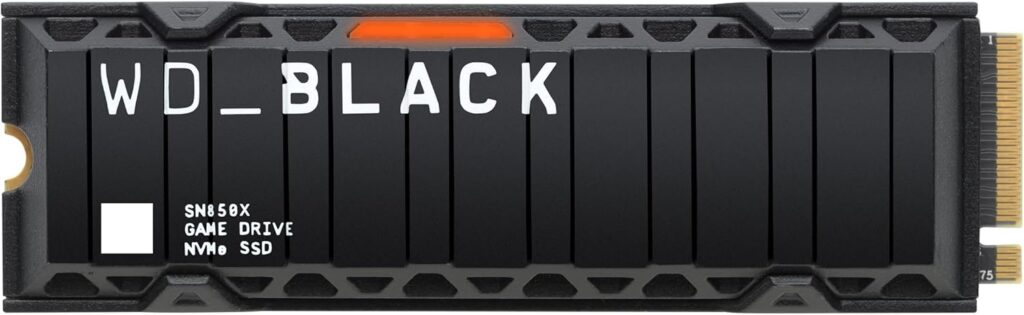
The WD Black SN850X remains one of the best value drives in the premium NVMe category. It delivers excellent speeds and reliability at a more accessible price.
Key Specifications
| Feature | Details |
|---|---|
| Interface | PCIe 4.0 NVMe |
| Max Read Speed | Up to 7300 MB/s |
| Max Write Speed | Up to 6600 MB/s |
| Form Factor | M.2 2280 |
| Capacity Options | 1TB / 2TB / 4TB |
Pros
- Excellent price-to-performance ratio
- Fast gaming and workstation speeds
- Reliable long-term performance
Cons
- Slightly higher power consumption
- Not the fastest Gen4 drive
Best For
Students, engineers, and creators who want premium performance without paying top-tier prices.
Quick Comparison Table
| SSD | Interface | Max Read | Max Write | Best Use Case |
|---|---|---|---|---|
| Samsung 990 Pro | PCIe 4.0 | 7450 MB/s | 6900 MB/s | Overall performance |
| SK hynix P41 | PCIe 4.0 | 7000 MB/s | 6500 MB/s | Power efficiency |
| Sabrent Rocket 5 | PCIe 5.0 | 14,000 MB/s | 12,000 MB/s | Extreme workloads |
| Crucial T700 | PCIe 5.0 | 12,400 MB/s | 11,800 MB/s | Next-gen performance |
| WD Black SN850X | PCIe 4.0 | 7300 MB/s | 6600 MB/s | Best value |
How to Choose the Right SSD for Engineering Work
Time needed: 5 minutes
Before buying an SSD, consider these important factors.
- Interface Compatibility
Not every laptop supports PCIe 5.0. Most machines still use PCIe 4.0, so buying a Gen5 drive may not provide any benefit.
- Capacity
Engineering projects grow quickly. Many professionals prefer 2TB or 4TB drives to avoid running out of space.
- Endurance (TBW)
Simulation workloads write large amounts of data. Look for drives with high TBW ratings to ensure long-term reliability.
- Thermal Performance
High-speed SSDs generate heat. Drives with better efficiency maintain performance longer in laptops.
Storage Setup Tips for Engineering Laptops
Many professionals use a simple two-drive strategy:
Primary SSD
- Operating system
- Engineering software
- Active projects
Secondary SSD
- Large datasets
- Simulations
- Archived projects
This setup keeps performance consistent and prevents your main drive from filling up too quickly.
The Bottom Line
Engineering software is getting heavier every year, and storage speed plays a huge role in overall system performance. A high-quality NVMe SSD can dramatically reduce load times, speed up simulations, and make daily work much smoother.
For most users, the Samsung 990 Pro or SK hynix Platinum P41 offers the best balance of speed and reliability. If your laptop supports next-generation hardware and you need maximum bandwidth, drives like the Sabrent Rocket 5 or Crucial T700 push performance even further.
Choose the right SSD, and your engineering laptop will feel faster, smoother, and far more capable for years to come.
FAQs
If you’re working with CAD models, simulations, or large datasets, the answer is usually yes. A fast SSD can significantly reduce load times and make heavy software feel much more responsive. It’s one of those upgrades you notice immediately.
It depends on your laptop. If your system actually supports PCIe 5.0, the extra speed can help when transferring very large files or working with massive simulations. But for most engineers today, a high-quality PCIe 4.0 SSD is still more than fast enough.
Most engineers are comfortable with at least 1TB, but 2TB is often the sweet spot. Engineering software, project files, and simulation data can add up quickly, so having extra space makes life a lot easier.

Hi, my name is Burak. I am a mechanical engineer. I have been writing laptop reviews for the Engineering Laptops website since 2020. Please feel free to contact me if you have any questions.





