Last updated: November 27, 2026
Table of contents
- Your Laptop Is Quietly Rearranging Your Body
- Quick Picks: The 5 Best Ergonomic Laptops of 2026
- How I Picked and Scored These Laptops
- The Ergonomic Numbers, Side by Side
- The Palm Rest Temperature Leaderboard
- 1. Lenovo ThinkPad X1 Carbon Gen 14 : Best Ergonomic Laptop Overall
- 2. HP EliteBook X G2i (14″) : Best Keyboard Runner-Up and Best Hinge
- 3. Asus ExpertBook Ultra (B9406) : Coolest Hands, Brightest Screen
- 4. Apple MacBook Air 15 (M5) : Best for Silence (and Mac Users)
- 5. Microsoft Surface Laptop 8 (13.8″) : Best Screen Shape for Reading and Writing
- The Near Miss: Why the Dell XPS 14 (2026) Didn’t Make the List
- The Posture Setup Guide: Make Any of These Laptops Work for Your Body
- Key Takeaways
- Frequently Asked Questions
- What is the most ergonomic laptop in 2026?
- Which laptop has the best keyboard for typing all day?
- Which laptop stays coolest under your palms?
- What is the quietest laptop?
- Is a matte or glossy screen better for your eyes?
- Is a 3:2 screen better than 16:10 for work?
- Should I wait for the M6 MacBook Air?
- Does a 180-degree hinge actually matter?
- Is a laptop alone good enough for ergonomics?
- The Fine Print
- Sources
The best ergonomic laptop you can buy right now is the Lenovo ThinkPad X1 Carbon Gen 14. It pairs a 1.5 mm-travel keyboard and a TrackPoint with a body that weighs about 1 to 1.14 kg, a palm rest that stayed at 28.7 °C under a full stress test, and just over 23 hours of battery life in Notebookcheck’s Wi-Fi test.
That’s the short answer. The long one is a lot more interesting.
Your Laptop Is Quietly Rearranging Your Body
You probably know this feeling, even if you’ve never put a name to it.
It’s a little after 4 p.m. You’ve been typing since breakfast. Your right wrist has that dull, warm ache. Your neck feels like someone tightened a bolt at the base of your skull. And the laptop’s fan has been whining for two hours straight, like a mosquito that pays rent. You aren’t tired from the work. You’re tired from the machine.
Here’s what took me far too long to realize: when you buy a laptop, you’re not just buying a computer. You’re buying a posture.
The keyboard sets the angle of your wrists. The screen height sets the angle of your neck. The palm rest temperature decides whether your hands feel fine at 4 p.m. or feel like they’ve been sitting on a warm phone all day. The fan decides whether your brain gets to sink into deep work or keeps getting tapped on the shoulder. And the weight decides whether you actually take the thing to the coffee shop, or end up hunched over the kitchen counter because the bag felt like a brick.
Here’s the part that still gets me. You’ll touch your laptop more hours this year than almost anything else you own. Most of us spend more time picking a mattress.
So I went looking for an honest answer to one question: which laptops in late 2026 are actually kindest to the human body? Not the fastest. Not the prettiest. The ones that let you type, point, read, and think for eight hours without your body filing a complaint.
What I found surprised me. The laptop with the coolest palm rest isn’t the one you’d guess. The one with no fan at all isn’t the coolest to touch. One of the most expensive business machines here has a fan that gets louder than its rivals. And a 2026 flagship I fully expected to put on this list, the redesigned Dell XPS 14, didn’t make the cut, for reasons that have nothing to do with speed.
Let’s get into it.
Quick Picks: The 5 Best Ergonomic Laptops of 2026
| Rank | Laptop | My Ergo Score | Best for | Weight (measured) | Price (reference) |
|---|---|---|---|---|---|
| 1 | Lenovo ThinkPad X1 Carbon Gen 14 | 91.5 / 100 | All-day typists, frequent travelers | 0.99–1.14 kg (2.2–2.5 lb) | $2,032 at launch, about $2,534 now |
| 2 | HP EliteBook X G2i (14″) | 85.5 / 100 | Keyboard purists, laptop-stand users | 1.21 kg (2.7 lb) | About $2,685 (reviewed config) |
| 3 | Asus ExpertBook Ultra (B9406) | 82 / 100 | Cool hands, bright rooms | 1.11 kg (2.4 lb) | $3,599 at launch |
| 4 | Apple MacBook Air 15 (M5) | 81 / 100 | Silence lovers, big-screen readers | 1.51 kg (3.3 lb) | From $1,299 |
| 5 | Microsoft Surface Laptop 8 (13.8″) | 76.5 / 100 | Reading and writing on a tall 3:2 screen | 1.34 kg (3.0 lb) | From $1,599 |
Prices move every week and depend heavily on the configuration, so treat these as reference points from the reviews I used, not quotes.
How I Picked and Scored These Laptops
I want to be straight with you about where every number comes from, because you deserve that.
I didn’t make up a single measurement, and I didn’t guess. Every temperature, decibel reading, brightness figure, battery runtime, SSD speed and benchmark score in this guide comes from published, named lab reviews. Most of it comes from Notebookcheck, because it tests every machine with the same instruments and the same procedures, which makes the numbers comparable. I also leaned on Tom’s Hardware, Tom’s Guide, Trusted Reviews, Windows Central, PCWorld and LaptopMedia. Whenever I quote a number, I tell you who measured it.
What I added is a way to turn all those lab numbers into one simple question: how does this laptop treat your body?
My Wrist-and-Neck Scorecard (100 points)
| Category | Weight | What I looked at |
|---|---|---|
| Keyboard | 25 | Key travel, feedback, layout sanity (arrow keys, function row, Ctrl/Fn) |
| Pointing | 15 | Touchpad size, click quality, accidental-touch risk, TrackPoint |
| Display comfort | 20 | Brightness, matte vs. glossy, PWM flicker, aspect ratio, hinge angle |
| Portability | 15 | Weight on a scale, footprint |
| Heat and noise | 15 | Palm rest temperature, top-deck heat, fan noise at idle and full load |
| Ports and webcam | 10 | Charging on both sides, USB-A/HDMI for desk setups, webcam shutter |
Each category gets a score out of 10, then I weight it. The final scores are my own judgment built on top of real measurements. They aren’t a lab number, and two careful reviewers could land a few points apart.
The rules I stuck to
- Current generation only, as of November 2026. I checked every product line for newer releases. Apple’s M6 chip has landed in the 14-inch MacBook Pro, but not in the MacBook Air yet. Bloomberg’s Mark Gurman reported on November 25, 2026 that M6 Airs are expected in spring 2027, and Apple hasn’t announced them. So the M5 Air is the newest MacBook Air you can actually buy.
- One laptop per brand. Five brands, five picks.
- Ergonomics first. Raw speed only mattered when it affected heat, noise or battery life.
The Ergonomic Numbers, Side by Side
Every figure in this table comes from Notebookcheck’s reviews, so the testing method is the same across all five. The review units had different chips and screens, so read it as a strong guide rather than a perfect apples-to-apples match.
| Metric | ThinkPad X1 Carbon Gen 14 | HP EliteBook X G2i | Asus ExpertBook Ultra | MacBook Air 15 (M5) | Surface Laptop 8 (13.8″) |
|---|---|---|---|---|---|
| Tested chip | Core Ultra 5 325 | Core Ultra 7 356H | Core Ultra X7 358H | Apple M5 | Snapdragon X2 Plus |
| Screen tested | 14″ 16:10 IPS, matte | 14″ 16:10 IPS SureView, matte | 14″ 16:10 tandem OLED, matte | 15.3″ 16:10 IPS, glossy with anti-reflective coating | 13.8″ 3:2 IPS, glossy |
| Average brightness | 524 nits | 692 nits | 612 nits (SDR) | 521 nits | 623 nits |
| PWM flicker | None detected | None detected | 968.8 Hz | None detected | None detected |
| Fan noise at full load | 38.9 dB(A) | 47.5 dB(A) | 45.2 dB(A) | 0 (no fan) | 42.4 dB(A) |
| Palm rest max | 28.7 °C | 31.3 °C | 26.6 °C | 33.3 °C | 35 °C |
| Top deck max (under load) | 40.7 °C | 40.3 °C | 38.6 °C | 44.1 °C | 44.4 °C |
| Wi-Fi battery test (150 nits) | 23 h 13 min | 17 h 59 min | about 16.1 h | 17 h 12 min | 18 h 53 min |
| Geekbench 6 single / multi | 2,620 / 11,038 | 2,821 / 16,446 | 2,836 / 16,674 | 4,195 / 16,995 | 3,265 / 14,277 |
| Weight on the scale | 1.139 kg (IPS touch) | 1.212 kg | 1.111 kg | 1.512 kg | 1.338 kg |
A quick note on that battery row: those runtimes all come from low-power configurations. Pick an OLED screen or a faster chip and your hours will drop, sometimes by a lot. I flag the big gaps in each review below.
The Palm Rest Temperature Leaderboard
This is the table I wish every review site published. Your palms sit on this surface for hours, and a warm deck is one of the most underrated sources of discomfort out there. These are Notebookcheck’s maximum palm rest readings during a stress test, so they’re the worst case, not what you’ll feel while answering email.
| Laptop | Palm rest max (°C) | Palm rest max (°F) | What it feels like |
|---|---|---|---|
| Asus ExpertBook Ultra | 26.6 | about 80 | Cooler than your skin. Excellent. |
| ThinkPad X1 Carbon Gen 14 | 28.7 | about 84 | Cool. You won’t notice it. |
| HP EliteBook X G2i | 31.3 | about 88 | Neutral. Fine all day. |
| MacBook Air 15 (M5) | 33.3 | about 92 | Faintly warm under heavy, sustained work. |
| Surface Laptop 8 (13.8″) | 35 | about 95 | Noticeably warm when you push it. |
For a sense of scale, the skin on your hands usually sits somewhere around 29 to 32 °C in a normal room. Anything below that feels cool to the touch, and anything in the mid-30s feels warm.
The biggest surprise for me? The fanless MacBook Air isn’t the coolest laptop to touch. Silence and coolness are two different things. With no fan, the heat has nowhere to go except into the aluminum, and that’s where your hands are.
1. Lenovo ThinkPad X1 Carbon Gen 14: Best Ergonomic Laptop Overall
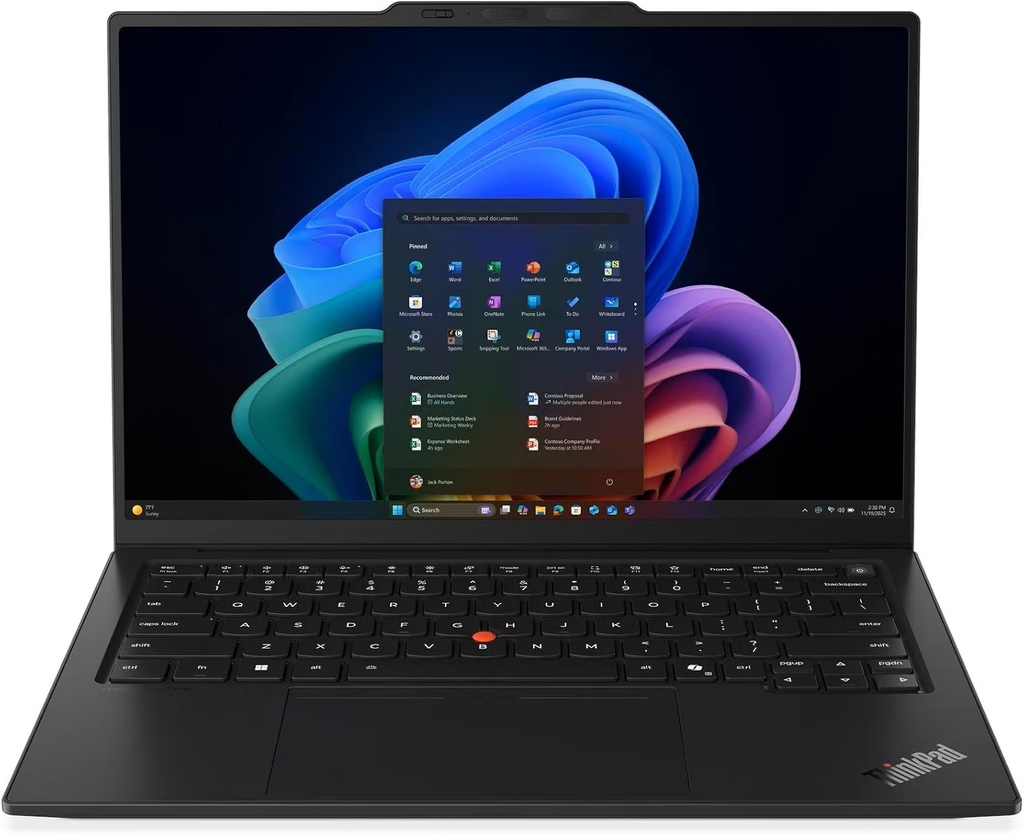
My Ergo Score: 91.5 / 100
There’s a reason people who type for a living get a little sentimental about ThinkPads. The Gen 14 keeps everything that made this line a legend, and it finally kills the old “great keyboard, so-so battery” complaint.
Key specs
- Processor: Intel Core Ultra “Panther Lake” (Core Ultra 5 325 up to Core Ultra X7)
- Memory: 32 GB base, up to 64 GB (soldered)
- Screen options: 14″ 1920 x 1200 IPS at 60 Hz (touch or non-touch), or 2880 x 1800 OLED at 120 Hz with variable refresh; privacy screen only on the 1920 x 1200 panel
- Hinge: Opens a full 180 degrees
- Battery: 58 Wh
- Ports: 3x Thunderbolt 4 (two left, one right), USB-A, HDMI 2.1, headphone jack; optional 5G
- Webcam: 5 MP with IR face login
- Weight: 1.139 kg for the IPS touch model on Notebookcheck’s scale; 989 g for the OLED model
- Price: About $2,032 at launch on Lenovo’s site. Prices have crept up since, with MakeUseOf now listing $2,534 and pointing to the global component shortage.
What the lab tests found
- Keyboard: Notebookcheck measured 1.5 mm of key travel (1.35 mm on the G, H and B keys, which sit around the TrackPoint). It says the keyboard is basically unchanged from the last model, and that’s a compliment. Tom’s Hardware called it best-in-class.
- Screen (IPS, Notebookcheck): 524 nits average, 1,800:1 contrast, 99.1% sRGB and no PWM flicker. The catch is factory calibration: ColorChecker ΔE came in at 5.0 and grayscale ΔE at 8.3, and calibrating it costs nearly 100 nits of brightness.
- Screen (OLED, Tom’s Hardware): 473 nits peak, 82% DCI-P3, 115% sRGB.
- Heat: In Notebookcheck’s stress test, the palm rest peaked at 28.7 °C, the top deck at 40.7 °C and the underside at 42.8 °C. Tom’s Hardware measured 94 °F between the G and H keys and 72 °F on the touchpad during a 10-loop Cinebench run.
- Fan noise: 24.8 dB(A) at idle, which is basically silent, and 38.9 dB(A) at full load. That makes it the quietest fan-cooled laptop on this list.
- Battery: 23 hours 13 minutes in Notebookcheck’s Wi-Fi test at 150 nits with the low-power IPS screen, and still 14 hours 14 minutes at full brightness. Go OLED and it drops hard: Tom’s Hardware got 13 hours 10 minutes in its own test.
- Performance: With the Core Ultra 5 325, Notebookcheck recorded Cinebench 2024 scores of 645 multi and 113.3 single, Cinebench R23 at 10,980 and 1,892, Geekbench 6 at 11,038 multi and 2,620 single, and 3DMark Time Spy at 3,208. Tom’s Hardware’s Core Ultra 7 355 unit hit 11,107 multi in Geekbench 6. Plenty for office work, but not a graphics machine unless you buy a Core Ultra X chip.
- SSD: About 6,900 MB/s sequential read in CrystalDiskMark (Notebookcheck).
Why it wins on ergonomics
The ThinkPad is the only laptop here that gives you two completely different ways to point: a TrackPoint right under your index finger and a large haptic touchpad. If you’ve ever felt that ache in your forearm from reaching down to the touchpad over and over, the TrackPoint is the fix, because your hands never leave the home row.
The Thunderbolt ports on both sides matter more than you’d think. You can charge from whichever side the outlet is on, instead of draping a cable across your lap. And the 180-degree hinge means you can tip the screen way back when the laptop sits on a stand.
Pros
- Best keyboard and pointing combo you can get in an ultralight
- Coolest palm rest among fan-cooled models here (28.7 °C) and quietest fan under load (38.9 dB(A))
- Huge battery life on the IPS screen
- Charging ports on both sides, plus USB-A and HDMI for desk setups
- 180-degree hinge
- Swappable SSD
Cons
- Poor out-of-box color calibration on the IPS panel
- The OLED version gives up about 10 hours of battery life
- Notebookcheck criticized the large camera bump on the lid
- Pricey for a Core Ultra 5 machine
Who should NOT buy this
Skip it if you do color-critical photo work and don’t plan to calibrate the screen. Also skip it if you want 120 Hz smoothness and marathon battery life, because here you only get to pick one.
2. HP EliteBook X G2i (14″): Best Keyboard Runner-Up and Best Hinge
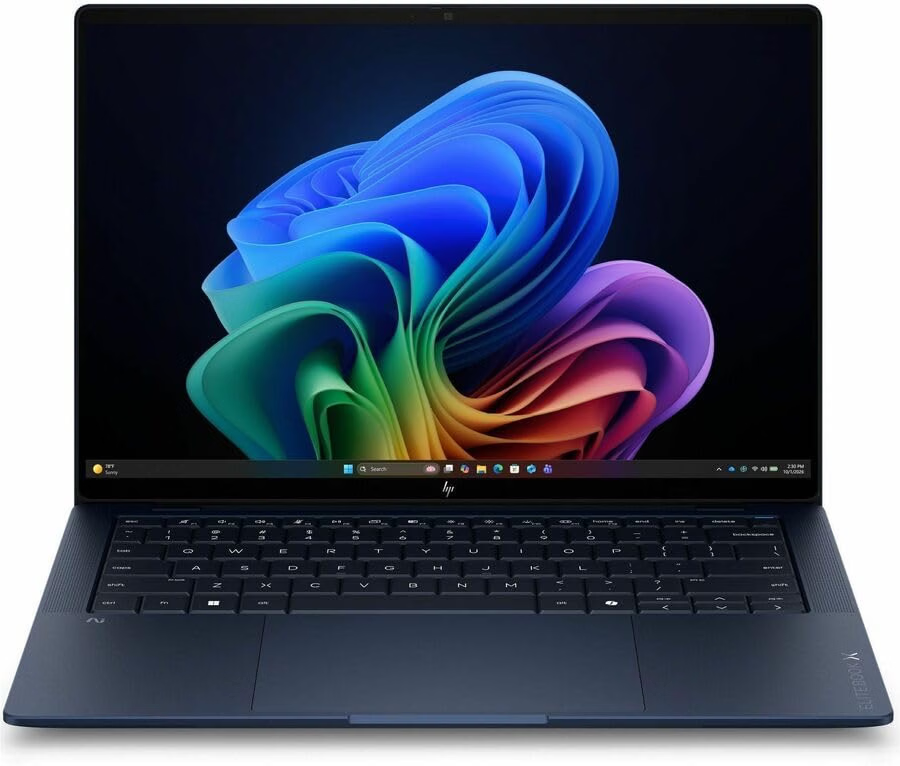
My Ergo Score: 85.5 / 100
HP built this laptop to steal ThinkPad buyers, and on the keyboard front it very nearly pulls it off.
Key specs
- Processor: Intel Core Ultra “Panther Lake” (tested: Core Ultra 7 356H); AMD and Qualcomm versions use the same chassis
- Memory: 16 GB to 64 GB LPDDR5X (soldered)
- Screen options: Seven 14″ 16:10 panels, every one of them matte, from a 400-nit low-power IPS up to a 700-nit 2.8K tandem OLED at 120 Hz
- Hinge: Opens to 177 degrees
- Battery: 68 Wh (56 Wh on lighter configurations)
- Ports: HDMI, 2x Thunderbolt 4 (left side), USB-C 3.2 Gen 2, USB-A, headphone jack; optional 5G
- Webcam: 5 MP with IR and a physical privacy shutter
- Weight: 1.212 kg (Notebookcheck’s 5G unit)
- Price: A configuration close to Notebookcheck’s review unit sold for $2,684.99 at Amazon in late November 2026. Fully loaded builds on HP’s store run far higher.
What the lab tests found
- Keyboard: Notebookcheck calls it one of the best laptop keyboards it has tested recently, with roomy keys, solid feedback and long travel. HP redesigned the layout, and the keyboard is now user-replaceable. The one complaint that keeps coming up: the arrow keys are cramped.
- Touchpad: A huge 13.8 x 9 cm haptic glass pad that Notebookcheck calls a strong contender for best Windows touchpad.
- Hinge: Opens to 177 degrees with one hand and doesn’t wobble. That’s nearly flat, which helps a lot with posture (more on that in the setup guide below).
- Screen (SureView privacy panel, Notebookcheck): Very bright at 692 nits average and 856 nits peak, with 2,675:1 contrast and no PWM flicker. But brightness uniformity was just 53%, sRGB coverage was 91.1%, out-of-box ColorChecker ΔE averaged 4.4, and the viewing angles are so narrow it looks dim unless you sit dead center. My advice: pick one of the six non-SureView panels unless you truly need privacy.
- Heat: Palm rest max 31.3 °C, top deck 40.3 °C, underside 40.8 °C.
- Fan noise: 24.5 dB(A) at idle, but 47.5 dB(A) at full load. Notebookcheck says that’s louder than every other business laptop in its comparison group.
- Battery: About 18 hours (17 hours 59 minutes) in Notebookcheck’s Wi-Fi test. Trusted Reviews measured 14 hours 14 minutes in PCMark 10 Modern Office at 150 nits.
- Performance: Notebookcheck’s Core Ultra 7 356H unit scored Cinebench R23 at 17,980 multi and 2,039 single, and Geekbench 6 at 16,446 multi and 2,821 single. Trusted Reviews’ unit landed at Geekbench 6 2,823 single and 16,124 multi, which lines up nicely.
Why it ranks second
The keyboard and hinge are elite. The fan is the only reason this isn’t number one. If your day includes long code compiles, heavy spreadsheets or back-to-back video calls in a quiet room, that 47.5 dB(A) peak will remind you it’s working. For writing and browsing, though, it stays silent.
Pros
- Arguably the best keyboard on any 2026 Windows ultralight
- Enormous, excellent haptic touchpad
- 177-degree hinge is great for laptop stands and laps
- Every screen option is matte
- Webcam shutter, HDMI and USB-A built in
- User-replaceable keyboard
Cons
- Loudest fan under load on this list
- SureView panel has narrow viewing angles and uneven brightness
- Very expensive in fully loaded builds
- Soldered RAM
Who should NOT buy this
Skip it if you work in quiet shared spaces and run heavy workloads for long stretches. Also skip it if your IT department plans to hand you the SureView panel and you don’t actually need privacy.
3. Asus ExpertBook Ultra (B9406): Coolest Hands, Brightest Screen
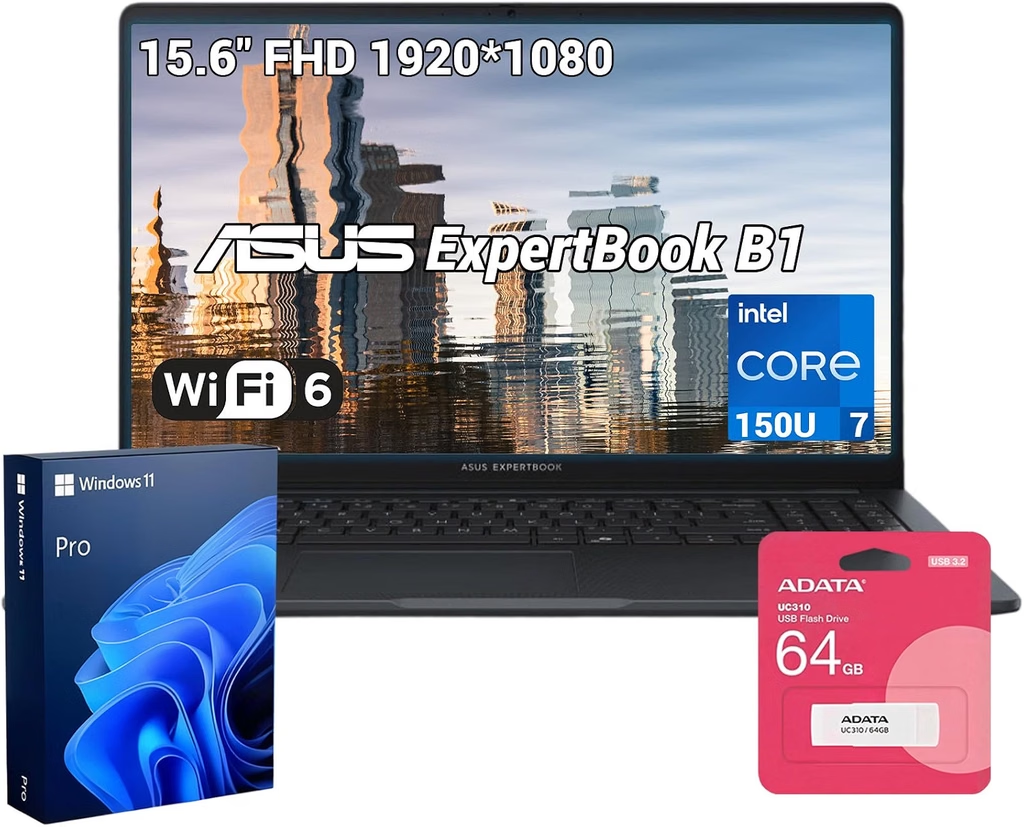
My Ergo Score: 82 / 100
This is the laptop that surprised me most once I lined up the data. It’s tiny, it’s fast, and it has the coolest palm rest of any laptop I looked at.
Key specs
- Processor: Intel Core Ultra X7 358H or X9 388H with Arc B390 graphics
- Memory: 32 GB to 64 GB LPDDR5X (soldered)
- Screen: 14″ 2880 x 1800 tandem OLED, 120 Hz, touch, with a matte Gorilla Glass finish
- Hinge: Opens to about 160 degrees
- Battery: 70 Wh
- Ports: Thunderbolt 4 on each side, 2x USB-A, HDMI 2.1, headphone jack
- Webcam: 1080p with IR and a physical shutter
- Weight: 1.111 kg (Notebookcheck’s scale)
- Price: $3,599 at US launch for the Core Ultra X7 model
What the lab tests found
- Keyboard: 1.5 mm of travel with decently firm feedback, though Notebookcheck says the Space and Enter keys feel light next to a ThinkPad or EliteBook.
- Touchpad: This is the weak spot. It measures 12.8 x 8.8 cm, but the haptic click is very weak and the front edge sits flush with the edge of the chassis, which Notebookcheck says leads to more accidental clicks.
- Screen: 612 nits average in SDR and 1,403 nits in HDR. Out-of-box accuracy is excellent, with a ΔE of 1.18 and 96.2% Display P3 coverage. It does use PWM, but at 968.8 Hz, which Notebookcheck says is high enough that most sensitive users won’t notice. The trade-off: the matte coating makes the OLED look noticeably grainier than glossy panels.
- Hinge: Opens to about 160 degrees. Notebookcheck’s pre-release unit had a hinge that was too loose to hold the lid steady, and Asus said it would fix that before retail.
- Heat: Palm rest max 26.6 °C, top deck 38.6 °C, underside 38.4 °C. These are the coolest numbers on this list.
- Fan noise: Up to 45.2 dB(A) at full load, and about 31.8 dB(A) while gaming in Balanced mode.
- Battery: About 16.1 hours in Notebookcheck’s Wi-Fi test. Other labs saw different numbers: LaptopMedia got 14 hours 19 minutes of video playback, and PCWorld projected about 12 hours from its drain rate.
- Performance: The fastest laptop here for multi-core work. Notebookcheck recorded Cinebench 2024 at 1,125 multi and 124.2 single, Cinebench R23 at 19,841 and 2,079, Geekbench 6 at 16,674 multi and 2,836 single, and 3DMark Time Spy at 7,270, more than double the ThinkPad. Full performance isn’t available on battery, though.
- SSD: The PCIe 5 drive hit about 10,189 MB/s sequential read and about 5,450 MB/s sequential write in CrystalDiskMark, but Notebookcheck notes it can throttle under sustained load.
Pros
- Coolest palm rest and top deck on this list
- Brightest screen here, matte, with excellent color accuracy
- USB-C on both sides, plus two USB-A ports
- Webcam shutter
- Strongest CPU and graphics performance in the group
Cons
- Weakest touchpad here: soft haptics and a flush front edge
- Matte OLED looks grainy
- Very expensive
- Performance drops on battery
- Fan gets loud under full load
Who should NOT buy this
Skip it if you rely on the touchpad all day and never use a mouse. Also skip it if razor-sharp text matters more to you than glare control.
4. Apple MacBook Air 15 (M5): Best for Silence (and Mac Users)
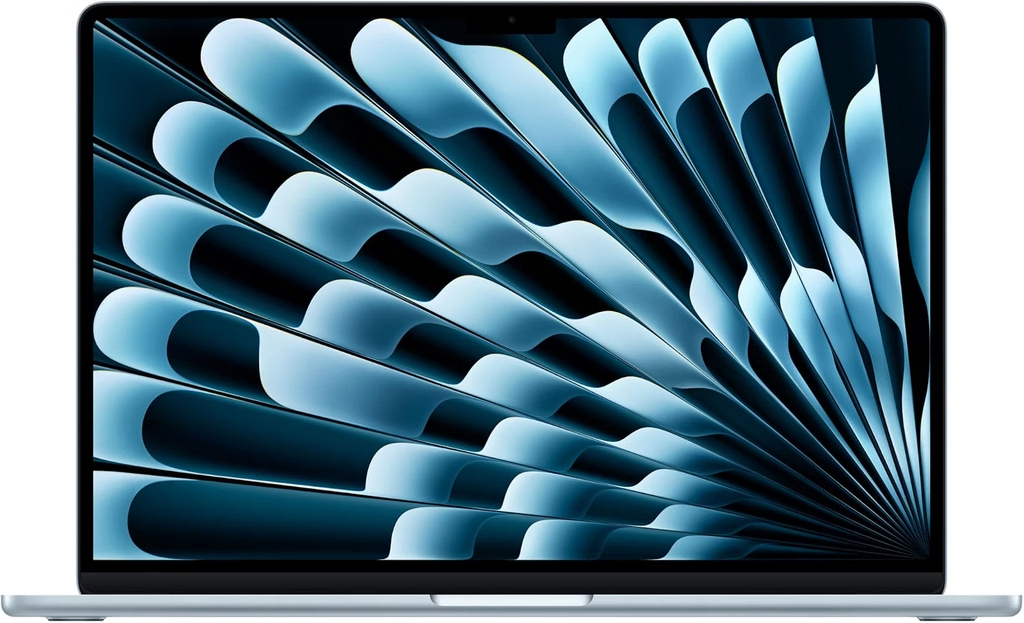
My Ergo Score: 81 / 100
If fan noise drives you up the wall, you can stop reading here. This laptop has no fan. Zero decibels, forever.
Key specs
- Chip: Apple M5 (10-core CPU, 10-core GPU)
- Memory: 16 GB base, up to 32 GB
- Storage: 512 GB base
- Screen: 15.3″ 2880 x 1864 Liquid Retina IPS, 60 Hz, glossy with an anti-reflective coating
- Battery: 66.5 Wh
- Ports: MagSafe and 2x Thunderbolt 4 / USB-C (all on the left), headphone jack (right)
- Webcam: 12 MP Center Stage (no shutter, no Face ID)
- Weight: 1.512 kg (Notebookcheck’s scale), 11.5 mm thick
- Price: From $1,299
What the lab tests found
- Screen (Notebookcheck): 521 nits average, about 1,223:1 contrast, 97.5% Display P3 and no PWM flicker. Notebookcheck says the anti-reflective surface gives it a visible edge over most glossy screens. The downside is the 60 Hz refresh rate.
- Screen (Tom’s Guide): 454 nits in SDR, 117.2% sRGB, 83% DCI-P3, and a ΔE of 0.27, which is about as accurate as laptop screens get.
- Heat: Top deck max 44.1 °C, underside 43.1 °C, palm rest 33.3 °C. Silent, yes, but not cool under sustained load.
- Fan noise: None. It’s fanless.
- Battery: 17 hours 12 minutes in Notebookcheck’s Wi-Fi test. Tom’s Guide measured 15 hours 37 minutes of nonstop web surfing at 150 nits. Apple rates it at up to 15 hours of wireless web and up to 18 hours of video streaming.
- Performance: Notebookcheck recorded Cinebench 2024 at 962 multi and 199 single, the best single-core score here by a mile, and Geekbench 6 at 16,995 multi and 4,195 single. After a 30-minute stress test, multi-core results dropped about 10%, but performance doesn’t drop on battery. Tom’s Guide got a Geekbench 6 multi score of 17,276 and finished its 4K-to-1080p Handbrake video test in 4 minutes 34 seconds.
- SSD: Tom’s Guide’s BlackMagic Disk Speed Test showed 6,499 MB/s write and 6,728 MB/s read, roughly double the M4 model.
The ergonomic catch
Both USB-C ports sit on the left side. That’s the worst port layout in this group if your desk outlet is on the right. At 1.51 kg it’s also the heaviest laptop here, which is the price of that big 15.3-inch screen.
That said, the big screen is a genuine neck-saver if you work without an external monitor. Bigger text means less leaning in, and less leaning in means less strain at the end of the day.
Pros
- Completely silent, all the time
- Large, accurate, flicker-free screen with good anti-glare treatment
- Fastest single-core performance here
- Long battery life, with no slowdown on battery
- Lowest starting price on this list
Cons
- Heaviest pick here (1.51 kg)
- Both USB-C ports on one side; no HDMI or USB-A
- 60 Hz only
- Gets warm on top under sustained load (44.1 °C)
- No webcam shutter, and only a one-year standard warranty
Who should NOT buy this
Skip it if you depend on Windows-only software, or if you carry your laptop all day and every 100 grams counts. If you can wait, Bloomberg’s Mark Gurman reports M6 MacBook Airs are due in spring 2027 as a chip-only update in the same design. Apple hasn’t confirmed that, and a chip update wouldn’t change any of the ergonomics I’ve described here.
5. Microsoft Surface Laptop 8 (13.8″): Best Screen Shape for Reading and Writing
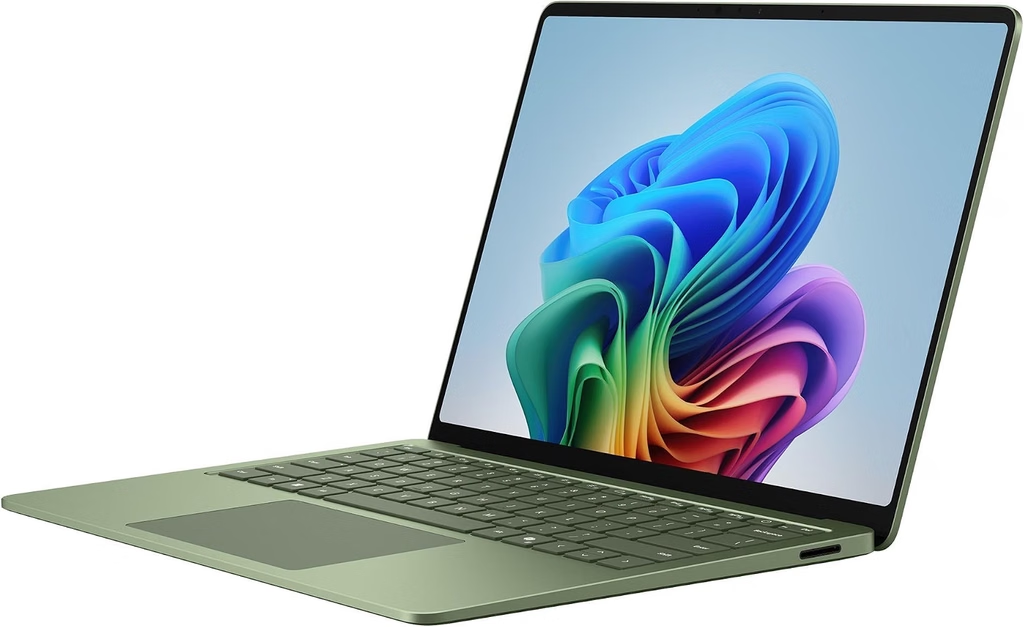
My Ergo Score: 76.5 / 100
The Surface has a quiet superpower that spec sheets tend to bury: a 3:2 screen. It’s taller than the 16:10 panels on every other laptop here, so you see more lines of a document without scrolling and you tip your head down less.
Key specs
- Processor (consumer model tested): Qualcomm Snapdragon X2 Plus (X2P-64-100); business models offer Intel Core Ultra Series 3
- Memory: 16 GB base (soldered)
- Storage: 512 GB, swappable M.2 2230 drive
- Screen: 13.8″ 2304 x 1536 IPS, 3:2, 120 Hz, touch, glossy; business Intel models can get an anti-reflective privacy panel
- Battery: 54 Wh
- Ports: 2x USB4 USB-C and USB-A (all left side), headphone jack and Surface Connect (right)
- Webcam: 1080p with IR face login
- Weight: 1.338 kg (Notebookcheck’s scale)
- Price: From $1,599 for the consumer model. The business Intel model starts at $1,949.99.
What the lab tests found
- Screen (Notebookcheck): 623 nits average, 1,402:1 contrast, 96.5% Display P3, ColorChecker ΔE of 0.9 and no PWM flicker. Notebookcheck says the preset color profiles are good enough for photo editing without calibration.
- Keyboard and touchpad: Notebookcheck calls the keyboard super comfortable to type on and rates the haptic touchpad very highly. Not everyone agrees, though. Galaxus found the keys a bit spongy, and PCWorld says rivals have caught up.
- Heat: Top deck max 44.4 °C, underside 42.5 °C, palm rest 35 °C. That’s the warmest set of hands-on numbers in this group.
- Fan noise: 25.1 dB(A) at idle, up to 42.4 dB(A) at full load.
- Battery: 18 hours 53 minutes in Notebookcheck’s Wi-Fi test at 150 nits, and a little over 8.5 hours at full brightness.
- Performance (Notebookcheck): Cinebench 2024 at 854 multi and 134 single, Cinebench R23 at 9,777 and 1,390, Geekbench 6 at 14,277 multi and 3,265 single, and 3DMark Time Spy at 2,538. Windows Central’s Intel business unit scored 16,152 in Geekbench 6 multi.
- SSD: The swappable 512 GB drive is the slowest here, at about 2,945 MB/s read and 1,365 MB/s write in CrystalDiskMark. You won’t feel it in everyday work, but big file copies take longer.
Pros
- Tall 3:2 screen that’s ideal for reading and writing
- Bright, accurate, flicker-free panel at 120 Hz
- Very good battery life
- Swappable SSD
Cons
- Warmest palm rest here (35 °C)
- Glossy screen on consumer models
- No HDMI, no webcam shutter, and a proprietary Surface Connect port instead of a third USB-C
- Expensive for the specs
- Windows on Arm still trips up some niche software
Who should NOT buy this
Skip it if your hands run warm or you rely on older x86-only Windows software. And if you work next to a bright window and hate glare, ask about the business model’s anti-reflective screen option.
The Near Miss: Why the Dell XPS 14 (2026) Didn’t Make the List
I really wanted to include the redesigned XPS 14. It’s a lovely machine. Physical function keys are back, and battery life on the LCD version is excellent: Tom’s Hardware measured 20 hours 41 minutes with the IPS screen. But on pure ergonomics, Notebookcheck’s numbers sank it:
- 0.8 mm of key travel, which Notebookcheck describes as shallower and softer than the ThinkPad and EliteBook keyboards
- A hinge that only opens to about 140 degrees
- PWM flicker on the OLED at 240.6 Hz, which Notebookcheck warns sensitive users may notice
- No webcam shutter, and every port is USB-C
If you’re sensitive to flicker or you type all day, those are dealbreakers. Otherwise it’s a great laptop. It just isn’t a great ergonomic laptop.
The Posture Setup Guide: Make Any of These Laptops Work for Your Body
Here’s the uncomfortable truth: even the best laptop on this list is an ergonomic compromise, because the screen and keyboard are glued together. When the keyboard sits at the right height, the screen is too low. When the screen sits at the right height, the keyboard is too high. Here’s how I’d fix that, depending on where you work.
At a desk: the two-piece setup
- Raise the laptop on a stand so the top of the screen sits roughly at eye level.
- Add an external keyboard and mouse so your elbows rest near 90 degrees and your wrists stay flat.
- Use the hinge. The ThinkPad’s 180-degree hinge, the HP’s 177 degrees and the Asus’s 160 degrees all let you tip the screen back on a stand to a comfortable viewing angle. The Dell’s 140-degree limit makes that much harder.
- Charge from the side nearest the outlet. The ThinkPad and Asus both charge from either side, so your cable doesn’t snake across the desk.
On the couch or a plane: the one-piece setup
- Go matte if you can (ThinkPad IPS, every EliteBook panel, the Asus), because you can’t control the lighting.
- Lighter is better. The ThinkPad OLED (989 g) and the Asus (1.11 kg) are easiest on your thighs and shoulders.
- Palm rest temperature matters more here, since your hands sit on the deck the whole time. The Asus and ThinkPad lead.
For your eyes
- If screens give you headaches, favor panels where Notebookcheck found no PWM flicker: the ThinkPad IPS, HP EliteBook, MacBook Air and Surface. The Asus flickers at 968.8 Hz, which is high enough that most people won’t notice.
- Turn the brightness down indoors. Every laptop here easily beats what you need in an office, and a blinding screen in a dim room is a fast track to eye strain.
- Follow the old 20-20-20 habit: every 20 minutes, look at something about 20 feet away for 20 seconds.
Desk Setup Pairing Guide
| Laptop | Pair it with | Why |
|---|---|---|
| ThinkPad X1 Carbon Gen 14 | A simple stand and any USB-C dock | Charging on both sides and HDMI make it plug-and-play |
| HP EliteBook X G2i | A tilting stand | The 177-degree hinge lets the screen angle back comfortably |
| Asus ExpertBook Ultra | An external mouse | Skips its weak, edge-flush touchpad |
| MacBook Air 15 (M5) | A USB-C hub on the left side | Both data ports sit on the left, with no HDMI |
| Surface Laptop 8 (13.8″) | A portable stand | The 3:2 screen shines when it’s raised to eye level |
Key Takeaways
- Best overall: The ThinkPad X1 Carbon Gen 14 has the best typing and pointing combo, cool palm rests, a quiet fan and 23 hours 13 minutes of battery life on the IPS screen.
- Silence isn’t the same as coolness. The fanless MacBook Air is the quietest, but its top deck hits 44.1 °C under load, while the Asus and ThinkPad stay cooler to the touch.
- The fan matters more than most reviews admit. The HP’s 47.5 dB(A) peak is the one big flaw on an otherwise elite keyboard machine.
- Screen shape is ergonomics too. The Surface’s 3:2 panel shows more of a document at once.
- Skip the privacy screen unless you need it. Notebookcheck’s SureView unit had narrow viewing angles and uneven brightness.
Frequently Asked Questions
What is the most ergonomic laptop in 2026?
Based on published lab data, it’s the Lenovo ThinkPad X1 Carbon Gen 14. It combines 1.5 mm of key travel, a TrackPoint, a 180-degree hinge, a palm rest that maxed out at 28.7 °C, a fan that peaked at just 38.9 dB(A), and up to 23 hours 13 minutes of Wi-Fi battery life on the IPS model.
Which laptop has the best keyboard for typing all day?
It’s a near tie between the ThinkPad X1 Carbon Gen 14 and the HP EliteBook X G2i. Notebookcheck measured 1.5 mm of travel on the ThinkPad and called the HP’s one of the best laptop keyboards it has tested recently. I give the edge to the ThinkPad because of the TrackPoint and the much quieter fan.
Which laptop stays coolest under your palms?
The Asus ExpertBook Ultra, with a maximum palm rest temperature of 26.6 °C in Notebookcheck’s stress test. The ThinkPad X1 Carbon Gen 14 is right behind it at 28.7 °C.
What is the quietest laptop?
The MacBook Air 15 (M5) is completely silent because it has no fan. Among laptops with fans, the ThinkPad X1 Carbon Gen 14 was the quietest at full load, at 38.9 dB(A).
Is a matte or glossy screen better for your eyes?
Matte screens cut down reflections, which helps a lot in bright rooms and near windows. The trade-off is that a matte coating can make OLED text look grainier, as Notebookcheck found on the Asus. Flicker matters too: if screens give you headaches, look for “no PWM detected” in lab reviews.
Is a 3:2 screen better than 16:10 for work?
For reading and writing, usually yes. A 3:2 screen like the Surface Laptop 8’s shows more vertical content at the same width, so you scroll less and look down less. For movies, 16:10 gives you smaller black bars.
Should I wait for the M6 MacBook Air?
Only if you’re in no hurry. Apple hasn’t announced it. Bloomberg’s Mark Gurman reports 13- and 15-inch M6 Airs for spring 2027 as a chip-only update in the current design. That means the ergonomics (weight, ports, screen, keyboard) would stay the same as the M5 model.
Does a 180-degree hinge actually matter?
It does if you use a laptop stand or work on your lap. A wider hinge lets you tip the screen back to a comfortable angle. The ThinkPad X1 Carbon Gen 14 opens to 180 degrees, the HP EliteBook X G2i to 177, the Asus to about 160, and the Dell XPS 14 only to about 140.
Is a laptop alone good enough for ergonomics?
For a few hours, a good laptop is fine. For full workdays at a desk, the healthiest setup is the laptop raised on a stand to eye level with an external keyboard and mouse. Pick a laptop with ports on both sides and a wide hinge, and that setup becomes much easier.
The Fine Print
- Configurations differ. Notebookcheck tested different chips and screens on each laptop (for example, a Core Ultra 5 IPS ThinkPad against a Core Ultra X7 OLED Asus). Battery life and heat change a lot with configuration, especially OLED versus IPS.
- Some numbers come from different labs. Battery results vary between Notebookcheck, Tom’s Hardware, Tom’s Guide, Trusted Reviews, LaptopMedia and PCWorld because their tests differ. I’ve named the lab every time.
- The Asus Wi-Fi battery figure (about 16.1 hours) and its 45.2 dB(A) fan maximum come from Notebookcheck’s comparison tables in its other reviews, where the ExpertBook Ultra appears as a rival.
- My Ergo Scores are editorial judgments weighted from published measurements. They aren’t a lab measurement.
- Prices change weekly, and the high prices on the HP and Asus are tied to specific configurations.
Sources
- Notebookcheck: Lenovo ThinkPad X1 Carbon Gen 14 review
- Notebookcheck: ThinkPad X1 Carbon G14 vs. HP EliteBook X G2i
- Tom’s Hardware: Lenovo ThinkPad X1 Carbon Gen 14 Aura Edition review
- Ultrabookreview: 2026 Lenovo ThinkPad X1 Carbon Gen 14 explained
- Gadget Scout: Lenovo ThinkPad X1 Carbon Gen 14 review
- Notebookcheck: HP EliteBook X G2i review
- Trusted Reviews: HP EliteBook X G2i review
- Techaeris: HP EliteBook X G2i 14 review
- Notebookcheck: Asus ExpertBook Ultra review
- Notebookcheck: Asus ExpertBook Ultra US launch and price
- Notebookcheck: Dell Pro 7 14 review (ExpertBook Ultra comparison data)
- PCWorld: Asus ExpertBook Ultra review
- LaptopMedia: Asus ExpertBook Ultra B9406 review
- Notebookcheck: Apple MacBook Air 15 M5 review
- Tom’s Guide: MacBook Air M5 review
- Notebookcheck: Apple M5 processor benchmarks
- Notebookcheck: Microsoft Surface Laptop 13.8 (2026) review
- Notebookcheck: Surface Laptop 8 pricing
- Windows Central: Surface Laptop for Business 8 review
- Tom’s Guide: Microsoft Surface Laptop 8 review
- Galaxus: Surface Laptop 8 13.8-inch review
- PCWorld: Surface Laptop 8 review
- Notebookcheck: Dell XPS 14 (2026) review
- Tom’s Guide: Dell XPS 14 (2026) review
- Notebookcheck: Best business laptops ranking

Hi, my name is Burak. I am a mechanical engineer. I have been writing laptop reviews for the Engineering Laptops website since 2020. Please feel free to contact me if you have any questions.