Last updated: November 23, 2026
Table of contents
- The quick answer
- Key takeaways
- Quick picks at a glance
- How I picked and checked these laptops
- Side-by-side: the measured numbers
- Best Laptops for Software Development (2026): 5 Picks I’d Actually Code On
- 1. Apple MacBook Pro with PROLED XDR (M5 Pro) : best laptop for software development overall
- 2. Dell XPS 14 (2026) : best Windows laptop for programming, and very good on Linux
- 3. Lenovo ThinkPad X1 Carbon Gen 14 Aura Edition : best keyboard and best for developers who travel
- 4. ASUS ROG Zephyrus G16 (2026, GU606) : best for CUDA, machine learning and game development
- 5. HP OmniBook Ultra 14 (Core Ultra X9 388H) : best premium ultraportable for developers
- The developer-specific numbers most reviews skip
- What I’d buy with my own money
- Frequently asked questions
- Sources
Fifty-six seconds. That’s the gap I keep coming back to.
In side-by-side tests published by Adam Talks Tech, the same Xcode project took 160 seconds to build on a base M5 MacBook Pro and 104 seconds on an M5 Pro. Fifty-six seconds doesn’t sound like much. Then you remember how many times a day you hit Build, run the test suite, or wait on a hot reload. Do it 60 times and you’ve lost close to an hour. Every single workday. Do the math and, every couple of months, your laptop has quietly eaten a full 40-hour workweek of your life, one progress bar at a time.
And here’s the one that genuinely made me sit up. A public Phoronix Test Suite result for a Dell machine with Intel’s new Core Ultra X7 358H shows a Linux kernel build finishing in 112.55 seconds with Intel’s thermald service running, and 152.47 seconds without it. Same laptop. Same kernel. One background daemon. That’s roughly a 35% swing in compile time that most people would never think to check.
That’s the stuff I wish more laptop reviews talked about. Most “best laptop for programming” lists tell you about color gamut and how pretty the lid looks. Nice, sure. But when you write code for a living, the questions that actually matter are different. How fast does it compile? How much RAM can I get before Docker, a local Kubernetes cluster, forty browser tabs and a local AI model start fighting each other? Does Linux behave? Will the keyboard wreck my wrists by Thursday?
So that’s how I built this guide. Late 2026 has been a wild year for laptops. Apple shipped new MacBook Pros with a tandem OLED panel, Intel’s Panther Lake chips landed in almost every premium Windows machine, and battery life on Windows finally stopped being a joke. I narrowed everything down to five laptops from five different brands, only current models (nothing that’s already been replaced by a newer generation), and I pulled every benchmark from a named, independent lab. You’ll find all of them listed at the end.
The quick answer
If you want the short version before we dig in, here it is.
- Best overall: Apple MacBook Pro with PROLED XDR (M5 Pro). It scored 4,323 single-core and 29,219 multi-core in Geekbench 6 in Tom’s Guide’s testing, and the 14-inch model lasted 16 hours 56 minutes in their web-browsing battery test.
- Best Windows and Linux all-rounder: Dell XPS 14 (2026) with the Core Ultra X7 358H. Strong compile performance, a beautifully calibrated OLED, and Phoronix found it a genuinely nice Linux machine.
- Best keyboard and best for travel: Lenovo ThinkPad X1 Carbon Gen 14 Aura Edition. It weighs 2.15 lb, has 1.5 mm of key travel, and the IPS version ran for almost 24 hours in Notebookcheck’s Wi-Fi test.
- Best for CUDA, machine learning and game dev: ASUS ROG Zephyrus G16 (2026), with up to an RTX 5090 and 24 GB of VRAM, yet more than 13 hours of web browsing on battery.
- Best premium ultraportable with a 16-core chip: HP OmniBook Ultra 14 (Core Ultra X9 388H). It’s 2.82 lb, posted 3,027 single-core in Geekbench 6 (the highest Windows score in this guide), and comes with a 120 Hz 3K OLED as standard.
Key takeaways
- Single-core speed decides how fast your tools feel. Language servers, linters, test watchers and hot reload mostly lean on one or two cores. Apple’s M5 Pro scores around 4,300 in Geekbench 6 single-core, while the best Panther Lake laptops here land between roughly 2,600 and 3,000.
- RAM is the real dividing line now. Every laptop on this list has soldered memory. Whatever you buy today is what you’ll live with for the next three to five years, so buy for the workload you’ll have, not the one you have now.
- Panther Lake fixed Windows battery life. Even a gaming laptop with an RTX 5080 managed 13 hours 45 minutes in Tom’s Guide’s web test. Apple still leads, but the gap is no longer embarrassing.
- On Linux, configuration matters almost as much as hardware. The thermald result above is the clearest example I’ve seen all year.
- Local AI changes the math. If you want to run big open-weight models on your laptop, memory capacity matters more than raw GPU speed.
Quick picks at a glance
| Award | Laptop | Starting price (US) | Why it made the list |
|---|---|---|---|
| Best overall | Apple MacBook Pro with PROLED XDR (M5 Pro) | $2,899 (14-inch) | Fastest per-core CPU here, Xcode builds in roughly 89 to 104 seconds, all-day battery |
| Best Windows and Linux all-rounder | Dell XPS 14 (2026) | $1,599 | 16-core Core Ultra X7 358H option, 99.7% Display P3 OLED, very good on Linux |
| Best keyboard and travel | Lenovo ThinkPad X1 Carbon Gen 14 Aura Edition | $2,249 (Lenovo direct) | 2.15 lb, 1.5 mm key travel, almost 24 hours of battery on IPS |
| Best for CUDA and ML | ASUS ROG Zephyrus G16 (2026) | $3,699 (ASUS store) | Up to RTX 5090 with 24 GB VRAM, 64 GB RAM, two SSD slots |
| Best premium ultraportable | HP OmniBook Ultra 14 (Core Ultra X9 388H) | $1,699.99 (Core Ultra 7 356H) | 16-core X9 in a 2.82 lb body, 3K 120 Hz OLED standard, 12 h 37 min Wi-Fi battery |
How I picked and checked these laptops
I’d rather be upfront about how this guide came together, because you deserve to know where every number comes from.
- Release dates first. I only considered laptops on sale as of November 2026, and I threw out anything that’s been replaced by a newer generation. That’s why you won’t see the ThinkPad X1 Carbon Gen 13, M4-era MacBook Pros, or the 2025 Dell 14 Premium here, even though plenty of programming laptop roundups published this year still recommend them.
- One brand, one pick. Five laptops, five different brands. No brand gets a second slot just because it makes a lot of good machines.
- Numbers only from named, independent labs. CPU, display, SSD, thermal and battery figures come from Notebookcheck, Tom’s Guide, Tom’s Hardware, Phoronix and OpenBenchmarking, Ultrabook Review, PetaPixel, PC Gamer, Engadget, Macworld and Adam Talks Tech. When two labs disagree, I show both and tell you whose number is whose.
- Developer workloads over gaming. In rough order of importance: compile times (Xcode, Linux kernel), sustained multi-core performance, maximum RAM, Linux behavior, keyboard quality, ports and external display support, and battery life under light load.
- No filler numbers. If a lab didn’t measure something on a specific laptop, I didn’t invent it. I either used a measurement from another independent lab or left that metric out of the comparison.
A quick word on battery tests. They aren’t interchangeable. Tom’s Guide loops web browsing over Wi-Fi at 150 nits. Tom’s Hardware mixes browsing, light graphics work and video streaming at 150 nits. Notebookcheck runs its own Wi-Fi script at 150 nits. A 13-hour result from one lab isn’t the same as 13 hours from another, so I always name the lab next to the number.
Side-by-side: the measured numbers
This is the table I’d want pinned above my desk if I were shopping right now. Every figure comes from an independent lab, and the lab is named in brackets.
| Spec / test | MacBook Pro PROLED (M5 Pro) | Dell XPS 14 (2026) | ThinkPad X1 Carbon Gen 14 | ROG Zephyrus G16 (2026) | HP OmniBook Ultra 14 |
|---|---|---|---|---|---|
| Tested chip | M5 Pro, 18-core CPU | Core Ultra X7 358H (16 cores) | Core Ultra 7 355 / Core Ultra 5 325 (8 cores) | Core Ultra 9 386H (16 cores) + RTX 5080 | Core Ultra X9 388H (16 cores) |
| Geekbench 6 single / multi | 4,323 / 29,219 (Tom’s Guide) | 2,867 / 16,927 (Tom’s Guide) | 2,635 / 11,107 (Tom’s Hardware, Ultra 7 355) | 2,877 / 16,960 (Tom’s Guide) | 3,027 / 16,568 (Notebookcheck) |
| Cinebench 2024 single / multi | 201 / 2,347 (Notebookcheck, 16-inch M5 Pro) | 125.5 / 974 (Notebookcheck) | 113.3 / 645 (Notebookcheck, Ultra 5 325) | 120.4 / 1,271 (Notebookcheck) | 129 / 1,002 (Notebookcheck) |
| Web battery at 150 nits | 16 h 56 min, 14-inch (Tom’s Guide) | 12 h 23 min, OLED (Tom’s Guide) | almost 24 h, IPS (Notebookcheck); 13 h 10 min, OLED (Tom’s Hardware) | 13 h 45 min (Tom’s Guide) | 12 h 37 min (Notebookcheck) |
| SDR brightness | 557.5 nits (Tom’s Guide) | 389 nits (Notebookcheck) | 524 nits, IPS (Notebookcheck) | 515 nits (Notebookcheck) | 447 nits (Notebookcheck) |
| Color accuracy (Delta E, lower is better) | 0.19 (Tom’s Guide) | 1.27 (Notebookcheck) | 5.0 out of the box, 1.1 calibrated, IPS (Notebookcheck) | 1.5 (Notebookcheck) | 1.76 (Notebookcheck) |
| Maximum RAM | 64 GB (M5 Pro), 128 GB (M5 Max) | 64 GB | 64 GB (Core Ultra X chips) | 64 GB | 64 GB |
| Weight | 3.0 lb (14-inch) | 3.18 lb | 2.15 lb (OLED) | 4.24 lb | 2.82 lb |
One honest caveat: different labs run slightly different tests, so treat comparisons across labs as directional. Within a single lab’s column, the comparisons are much tighter.
Best Laptops for Software Development (2026): 5 Picks I’d Actually Code On
1. Apple MacBook Pro with PROLED XDR (M5 Pro): best laptop for software development overall
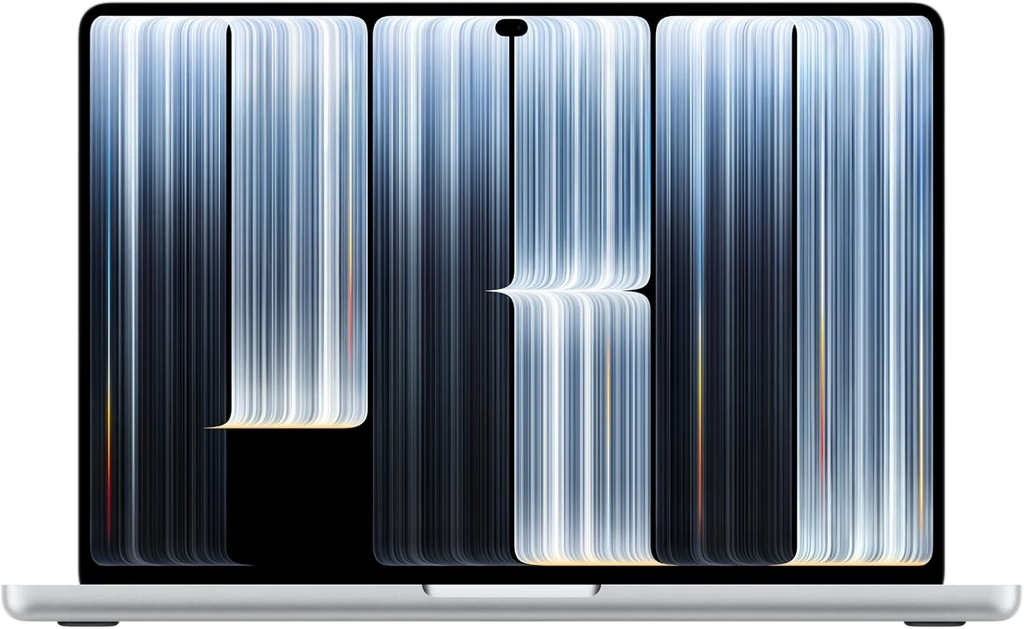
Released: announced October 28, 2026, on sale November 6, 2026.
First, let me clear up the confusing part. Apple now sells three MacBook Pro families: the new 14-inch M6 entry model, the mini-LED M5 Pro and M5 Max models from March 2026, and the new PROLED XDR models that use the same M5 Pro and M5 Max chips with a tandem OLED touchscreen. The M6 is the newest chip, but it’s the entry tier. Tom’s Guide measured it at 4,752 single-core and 21,184 multi-core in Geekbench 6, it starts with 16 GB of memory, and it sells for $1,999. That single-core number is great, but for serious builds the M5 Pro’s roughly 29,000 multi-core score is in another league, and the PROLED models are the newest machines that carry it.
Specs
- CPU / GPU: Apple M5 Pro, up to an 18-core CPU and 20-core GPU (the base chip is 15-core CPU / 16-core GPU)
- Memory: 24 GB base, up to 64 GB on M5 Pro and 128 GB on M5 Max; Notebookcheck lists the M5 Pro’s memory bandwidth at 307 GB/s
- Storage: 1 TB base
- Display: 14.2-inch or 16.2-inch PROLED XDR tandem OLED, 120 Hz, multi-touch
- Ports: 3x Thunderbolt 5, HDMI, SD card reader, 3.5 mm headphone jack, MagSafe 3
- External displays: up to three (M5 Pro), up to four (M5 Max)
- Weight: 3.0 lb (14-inch M5 Pro), 4.1 lb (16-inch M5 Max)
- Price: $2,899 (14-inch M5 Pro), $3,399 (16-inch M5 Pro), $4,499 and $4,799 (14- and 16-inch M5 Max)
Benchmarks and measurements
- Geekbench 6: 4,323 single / 29,219 multi for the 14-inch M5 Pro, and 4,359 / 30,327 for the 16-inch M5 Max (Tom’s Guide)
- Cinebench 2024: 201 single / 2,347 multi for the M5 Pro in the 16-inch chassis, and 199 / 2,490 for the M5 Max (Notebookcheck)
- Xcode build times: public XcodeBenchmark results compiled by MacDuty show 89 seconds on the 18-core M5 Pro (16-inch) and 101 seconds on the 15-core M5 Pro (14-inch). Adam Talks Tech averaged three runs on its own project: 102.4 seconds on the PROLED model versus 99.3 seconds on the mini-LED M5 Pro.
- HandBrake 4K to 1080p: 1:50 for the 14-inch M5 Pro and 1:40 for the 16-inch M5 Max (Tom’s Guide)
- SSD (Blackmagic): 13,194 MB/s read and 10,950 MB/s write (Tom’s Guide, 14-inch, 1 TB)
- Local AI: Adam Talks Tech measured roughly 96 tokens per second on the M5 Pro and 132 on the M5 Max in its local LLM test
- Display: 557.5 nits SDR, 1,980 nits HDR, Delta E 0.19 (Tom’s Guide). PetaPixel measured 105.2% DCI-P3 with an average Delta E of 1.08 on the M5 Max model and called it “the best display you can buy right now.”
- Battery: 16 h 56 min (14-inch M5 Pro) and 21 h 24 min (16-inch M5 Max) in Tom’s Guide’s web test
- Thermals and noise: in its review of the March 2026 16-inch M5 Max (same chip family, mini-LED chassis), Notebookcheck saw the CPU level off at about 70 W under sustained load, with fans peaking at 40.9 dB(A) in automatic mode and 53.9 dB(A) in High Power mode
Why I’d code on it
What stands out to me on Apple Silicon isn’t the benchmark chart. It’s the absence of waiting. Restarting a language server, re-running a test watcher, saving a file and watching hot reload kick in: most of that leans on one or two cores, and the M5 Pro’s single-core lead over Intel’s Panther Lake chips is roughly 43 to 64% in Geekbench 6, depending on which Windows laptop in this guide you compare it to. You feel that a hundred times a day.
For iOS and macOS work, there’s simply no alternative, since Xcode only runs on a Mac. For full-stack work, Docker Desktop and OrbStack run arm64 containers natively. The one gotcha is amd64-only images, which run under emulation and are noticeably slower.
The 64 GB ceiling on the M5 Pro covers most container-heavy setups. If you want to run 70B-class local models comfortably, step up to the M5 Max with 128 GB of unified memory. Right now that’s the most proven way to run big open-weight models on a laptop.
Pros
- Fastest single-core performance on this list by a wide margin
- Xcode builds measured at roughly 89 to 104 seconds
- SSD speeds above 13 GB/s read
- Battery life no Windows laptop here matches in a like-for-like test
- Thunderbolt 5, HDMI and an SD slot, so most desks need no dongle
- Up to 128 GB unified memory on M5 Max for local AI
Cons
- Expensive, and the PROLED 14-inch costs about $400 more than the mini-LED M5 Pro with the same chip
- No native Linux; you’ll live in VMs and containers
- Memory and storage are soldered, and Apple’s upgrade prices sting
- The touchscreen does little for coding; Tom’s Guide’s own verdict notes there’s no performance upgrade over the March M5 Pro models
- Notebookcheck flagged minimal repair options and only a 12-month standard warranty on the 16-inch M5 Max
Money-saving tip: if you don’t care about OLED or touch, the mini-LED 14-inch M5 Pro has the same chip for around $2,499, and in Adam Talks Tech’s runs it was actually a hair faster in Xcode (99.3 vs. 102.4 seconds).
2. Dell XPS 14 (2026): best Windows laptop for programming, and very good on Linux
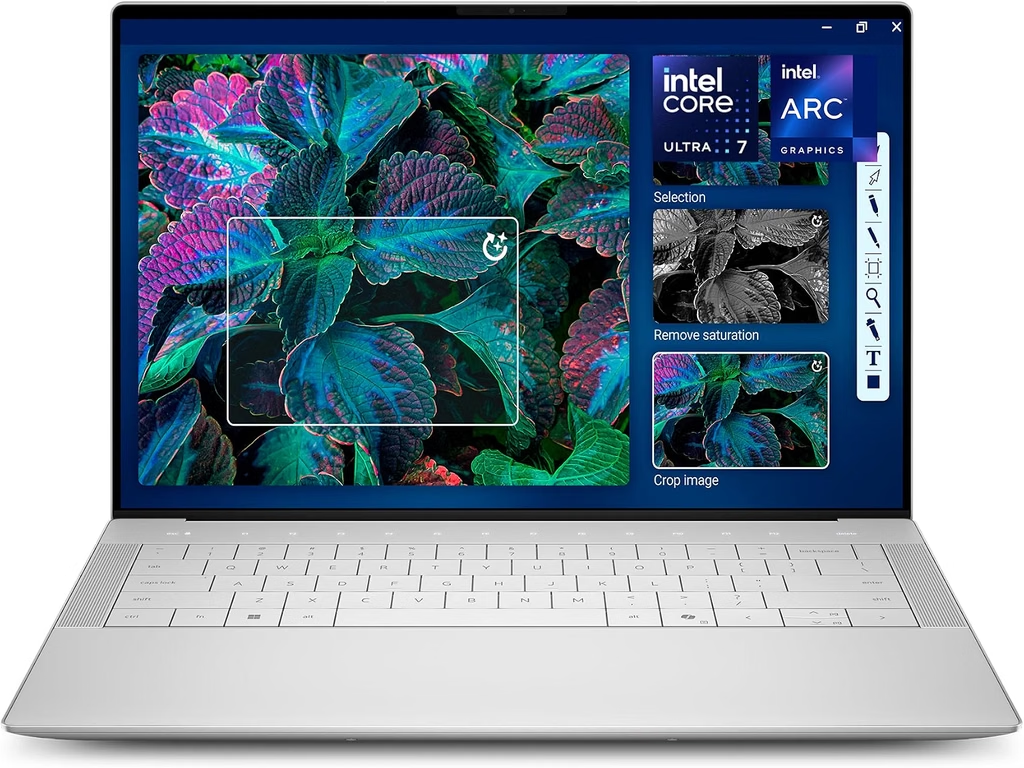
Released: unveiled at CES in January 2026. Dell brought back the XPS name after a year of “Dell 14 Premium” branding, so this replaces the 2025 Dell 14 Premium.
Specs
- CPU: up to Intel Core Ultra X9 388H; the reviewed unit had the Core Ultra X7 358H (16 cores, 30 W sustained / 69 W short burst)
- GPU: Intel Arc B390 integrated (12 Xe3 cores) on X-series chips
- Memory: up to 64 GB LPDDR5x, soldered
- Storage: 1 TB PCIe SSD in the review unit
- Display: 14-inch 2880 x 1800 OLED touch (20 to 120 Hz) or 1920 x 1200 IPS (1 to 120 Hz)
- Ports: 3x Thunderbolt 4 (40 Gbps, DisplayPort 2.1), 3.5 mm jack; no SD slot, no USB-A, no HDMI
- Battery: 70 Wh
- Weight: 3.18 lb (1.44 kg)
- Price: from $1,599; $2,199 as Tom’s Guide tested it
Benchmarks and measurements
- Geekbench 6: 2,867 single / 16,927 multi (Tom’s Guide); 2,927 / 17,121 (Notebookcheck)
- Cinebench 2024: 125.5 single / 974 multi (Notebookcheck)
- Cinebench R23: 2,086 single / 18,932 multi (Notebookcheck)
- HandBrake 4K to 1080p: 4:32 (Tom’s Guide)
- 3DMark Time Spy: 7,546 overall (Notebookcheck)
- SSD: 4,809 MB/s read and 3,779 MB/s write in Blackmagic (Tom’s Guide); 4,161 MB/s read and 3,356 MB/s write in AS SSD (Notebookcheck)
- Sustained performance: in a looped Cinebench R15 multi-thread run, performance dropped by as much as 25% as the chip settled into its 30 W sustained limit (Notebookcheck). On the thermal side, HotHardware measured a warmest topside point of 96°F, along the top edge near the display, so the palm rest stays comfortable.
- Display: 389 nits average, 99.7% Display P3, 100% sRGB, Delta E 1.27 out of the box; PWM flicker detected at 240.62 Hz (Notebookcheck)
- Battery: 12 h 23 min with OLED (Tom’s Guide), 20 h 41 min with the 1200p IPS panel (Tom’s Guide), and a record 21 h 20 min for an IPS model with the Core Ultra 7 (Tom’s Guide), 10 h 21 min in PCMark 10 Modern Office (Engadget). Notebookcheck calculated about 55% longer battery life than the 2025 Dell 14 Premium.
- Linux: Phoronix reviewed the XPS 14 (DA14260) under Linux and found it a nice Linux experience, with kernel compiles running noticeably faster than on an MSI laptop using the same chip
Why I’d code on it
This is the laptop I’d hand to a .NET, Java or Python developer who has to live on Windows, or a backend developer who wants to dual-boot Ubuntu. Phoronix’s broader Panther Lake testing found the Core Ultra X7 358H faster than both Lunar Lake and Arrow Lake in code compilation, with excellent power efficiency, and the XPS 14’s vapor chamber lets that chip stretch its legs better than most chassis.
The Arc B390 graphics are surprisingly strong for integrated graphics; Notebookcheck says they come quite close to a GeForce RTX 4050. And three Thunderbolt 4 ports with DisplayPort 2.1 make a docked, multi-monitor desk easy.
Pros
- Excellent Panther Lake performance per watt
- Factory-calibrated OLED with a Delta E of 1.27
- Over 20 hours of battery with the IPS panel (Tom’s Guide)
- Proven good Linux behavior, per Phoronix
- Physical function keys are back, along with a clearly marked trackpad
Cons
- Shallow 0.8 mm key travel, which Engadget singled out as the laptop’s big weakness
- No SD slot, no USB-A, no HDMI
- Soldered RAM
- PWM flicker on the OLED at 240 Hz
- Long compiles run slower than short bursts once the 30 W sustained limit kicks in
3. Lenovo ThinkPad X1 Carbon Gen 14 Aura Edition: best keyboard and best for developers who travel
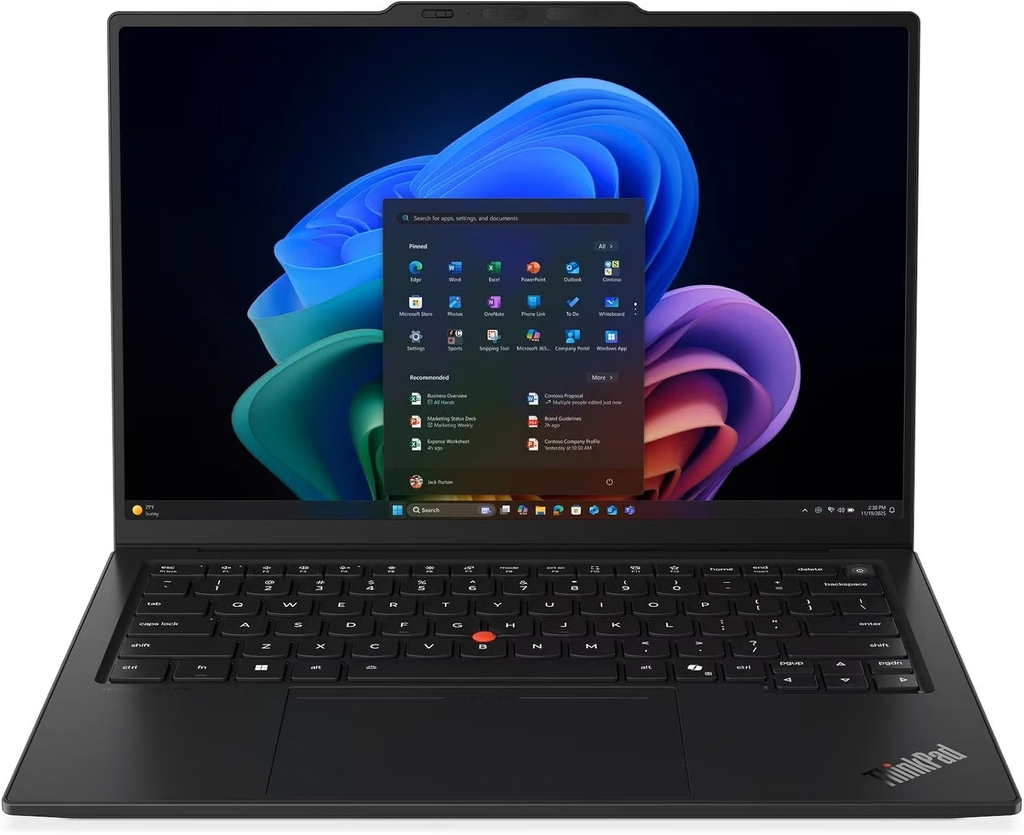
Released: 2026, as the Panther Lake generation. Tom’s Hardware published its review on July 5, 2026, and Notebookcheck on July 25, 2026. It replaces the Gen 13, which some roundups still recommend.
Specs
- CPU: Core Ultra 5 325, Core Ultra 7 355, or Core Ultra X-series
- Memory: 32 GB minimum, soldered; up to 64 GB with Core Ultra X chips
- Storage: user-replaceable M.2 2280 PCIe SSD
- Display: 14-inch 1920 x 1200 IPS at 60 Hz (touch optional) or 2880 x 1800 OLED at 120 Hz
- Ports: 3x Thunderbolt 4 (one on the right side), HDMI 2.1, USB-A, 3.5 mm jack, optional 5G
- Battery: 58 Wh, held in with screws and replaceable
- Weight: 2.15 lb (0.98 kg) for the OLED model with a magnesium base
- Price: from $2,249 at Lenovo (Notebookcheck); Tom’s Hardware’s Core Ultra 7 355 OLED unit was $2,217.30
Benchmarks and measurements
- Geekbench 6: 2,635 single / 11,107 multi (Tom’s Hardware, Core Ultra 7 355); 2,620 / 11,038 (Notebookcheck, Core Ultra 5 325)
- Cinebench 2024: 113.3 single / 645 multi (Notebookcheck, Core Ultra 5 325)
- Cinebench R23: 1,892 single / 10,980 multi (Notebookcheck)
- Sustained load: 10 back-to-back runs of Cinebench 2026 stayed between 2,500 and 2,600 points with no throttling (Tom’s Hardware)
- HandBrake 4K to 1080p: 6:12 (Tom’s Hardware)
- SSD: 5,129 MB/s read and 3,282 MB/s write in AS SSD (Notebookcheck)
- Thermals: during Tom’s Hardware’s stress test, the keyboard between G and H hit 94°F, the underside 106°F and the touchpad 72°F, with the CPU averaging 91°C. Notebookcheck measured a maximum surface temperature of 42.8°C (109°F) and fan noise of 38.9 dB(A) in Best Performance mode.
- Display: IPS at 524 nits, 1,800:1 contrast, 99.1% sRGB, but Delta E 5.0 out of the box, dropping to 1.1 after calibration (Notebookcheck). OLED at 473 nits, 82% DCI-P3, 115% sRGB (Tom’s Hardware).
- Battery: almost 24 hours in Notebookcheck’s Wi-Fi test and 14 hours at full brightness with the IPS panel; 13 h 10 min with OLED (Tom’s Hardware)
- Notebookcheck rating: 90%
Why I’d code on it
If you spend eight hours a day typing, the keyboard matters more than any benchmark, and this one is the best here. Notebookcheck measured 1.5 mm of key travel, nearly double the XPS 14, and you also get the TrackPoint and dedicated Home, End, Page Up and Page Down keys. That’s a quiet blessing when you’re navigating a 3,000-line file.
ThinkPads have been a Linux favorite for a long time, and the 64 GB option plus the replaceable SSD and battery make this a laptop you can realistically keep for four or five years. The ports are refreshingly practical too: HDMI and USB-A mean you can plug into a conference-room TV or a hardware dongle without hunting for an adapter.
The trade-off is raw multi-core power. The Core Ultra 5 325 and Core Ultra 7 355 are eight-core chips, so they’re clearly behind the 16-core X-series on big builds. If you compile large C++ or Rust projects, configure a Core Ultra X chip.
Pros
- Best keyboard on this list, with 1.5 mm of travel and a TrackPoint
- Incredibly light at 2.15 lb
- Almost 24 hours of battery with the IPS panel
- HDMI 2.1, USB-A and three Thunderbolt 4 ports
- Stable sustained performance with no throttling across 10 loops
- Replaceable SSD and battery, optional 5G
Cons
- Pricey for an eight-core base configuration
- IPS panel is poorly calibrated out of the box (Delta E 5.0)
- The OLED option cuts battery life dramatically
- Soldered RAM
- A chunky webcam bump on the lid that Notebookcheck didn’t like at all
4. ASUS ROG Zephyrus G16 (2026, GU606): best for CUDA, machine learning and game development
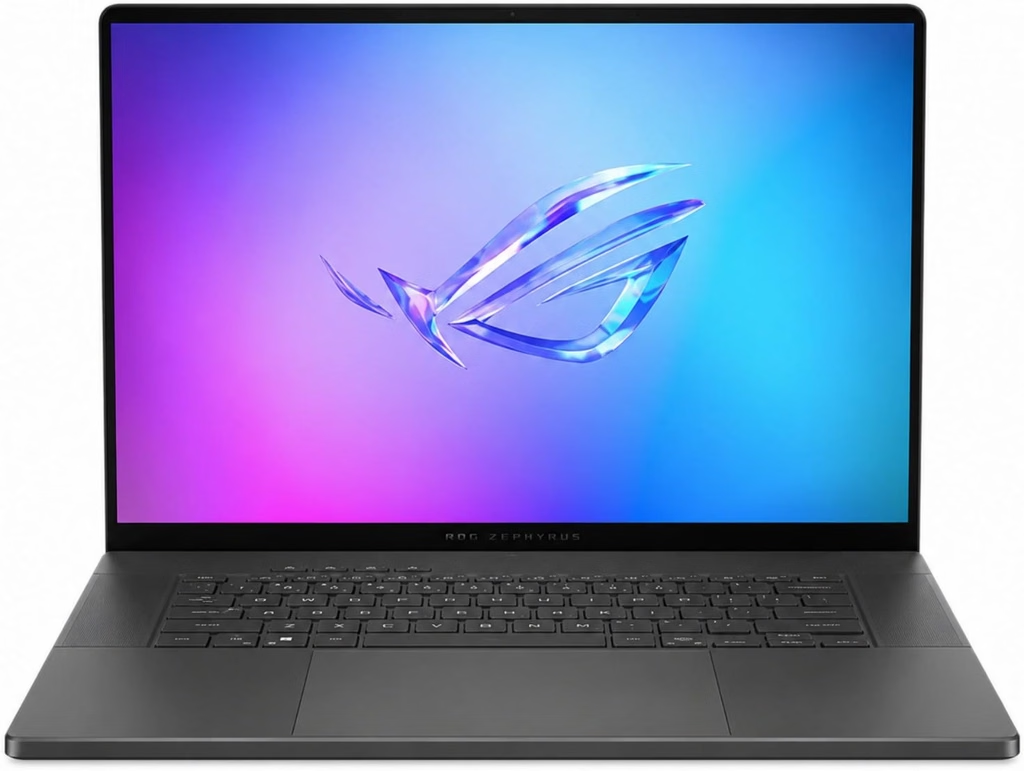
Released: shown at CES on January 6, 2026, with reviews from May through September 2026. It replaces the 2025 GU605.
Specs
- CPU: Intel Core Ultra 9 386H (16 cores)
- GPU: RTX 5060, 5070, 5070 Ti, 5080 (16 GB) or 5090 (24 GB GDDR7), up to 160 W in Manual mode
- Memory: up to 64 GB LPDDR5X-8533, soldered
- Storage: two M.2 2280 slots, PCIe 4.0
- Display: 16-inch 2560 x 1600 OLED, 240 Hz, G-Sync
- Ports: 1x Thunderbolt 4, 1x USB-C 3.2 Gen 2, 2x USB-A 3.2 Gen 2, HDMI 2.1, UHS-II SD reader, 3.5 mm jack
- Battery: 90 Wh
- Weight: 4.24 lb (1.922 kg), plus a 723 g power brick
- Price: from $3,699 at the ASUS store (RTX 5070 Ti, 32 GB); $4,799 as Tom’s Guide tested it (RTX 5080, 64 GB)
Benchmarks and measurements
- Geekbench 6: 2,877 single / 16,960 multi (Tom’s Guide); 2,947 / 17,319 (Notebookcheck)
- Cinebench 2024: 120.4 single / 1,271 multi (Notebookcheck); 127 / 1,283 over a 10-minute run (Ultrabook Review)
- Cinebench R23: 2,123 single / 21,834 multi (Notebookcheck)
- HandBrake 4K to 1080p: 3:09 (Tom’s Guide)
- 3DMark Time Spy: 18,703 graphics score in Turbo (Notebookcheck)
- Sustained CPU power: about 70 W in Turbo and about 75 W in Manual mode during long Cinebench and Blender loops (Ultrabook Review)
- Thermals and noise: keyboard and chassis usually stayed between 33 and 37°C during heavy work and gaming, with fans at 46 to 48 dBA in Turbo and about 52 dBA in Manual (Ultrabook Review). Notebookcheck measured up to 54.8 dB(A) in Turbo. In PC Gamer’s gaming runs the CPU averaged 72°C and the GPU 69°C.
- SSD: Notebookcheck rated transfer rates as good but noted the drives are limited to PCIe 4.0
- Display: 515 nits SDR, 1,138 nits HDR peak, 91.7% DCI-P3, Delta E 1.5 (Notebookcheck); 469 nits and 80.4% DCI-P3 in Tom’s Guide’s measurement
- Battery: 13 h 45 min in Tom’s Guide’s web test; almost 12.5 hours in Notebookcheck’s Wi-Fi test, about 38% longer than the 2025 model; 55 minutes of gaming on battery (Tom’s Guide)
- Ratings: 90% from Notebookcheck, “Recommended” from Tom’s Guide, 78/100 from PC Gamer, which loved the laptop but hated the price
Why I’d code on it
If your work depends on CUDA (PyTorch training, TensorRT, Unreal Engine, GPU-accelerated simulation), Apple Silicon and integrated graphics just aren’t options. The Zephyrus G16 is the slimmest way I know to carry up to 24 GB of NVIDIA VRAM.
What surprised me most is the battery. Panther Lake’s efficiency gives this RTX 5080 machine more than 12 hours of web browsing in two different labs. You can code on the couch all day and only plug in when the GPU work starts.
The 1.7 mm keyboard is genuinely nice to type on, and the second SSD slot is perfect for keeping Linux on its own drive. On Linux you’ll lean on NVIDIA’s proprietary driver and the community asus-linux tools for fan and GPU-mode control. It works, but expect some setup.
Pros
- Up to 24 GB of VRAM (RTX 5090) for CUDA and ML
- 13+ hours of web battery in Tom’s Guide’s test, which is wild for an RTX 5080 laptop
- Excellent 1.7 mm keyboard and a stiff aluminum unibody
- Two SSD slots, SD reader, HDMI 2.1, two USB-A ports
- Bright 240 Hz OLED with strong HDR
Cons
- Very expensive, especially with 64 GB of RAM
- Only one Thunderbolt 4 port; no Thunderbolt 5 or PCIe 5.0
- RAM is soldered and tops out at 64 GB
- PWM flicker on the OLED
- Loud in Turbo and Manual modes, and you’ll carry a 723 g power brick
5. HP OmniBook Ultra 14 (Core Ultra X9 388H): best premium ultraportable for developers
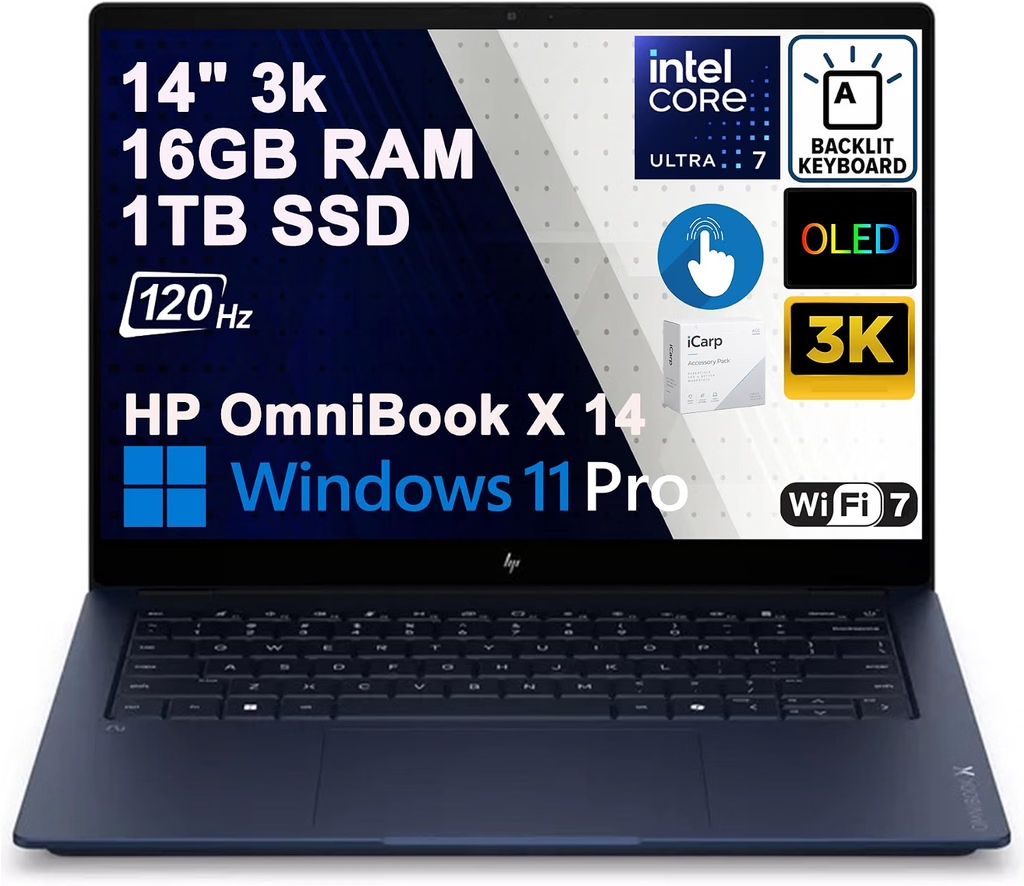
Released: previewed at CES in January 2026; Notebookcheck’s review of the Core Ultra X9 version ran July 22, 2026. It replaces the original 2024 OmniBook Ultra 14.
Specs
- CPU: up to Intel Core Ultra X9 388H (16 cores, 26 W sustained / 43 W short burst); Snapdragon X2 versions also exist, but I’d stick with Intel for development work
- GPU: Intel Arc B390 integrated (12 Xe3 cores)
- Memory: up to 64 GB LPDDR5x, soldered (32 GB in the review unit)
- Storage: up to 2 TB PCIe Gen 5 SSD, user-replaceable M.2 2280
- Display: 14-inch 2880 x 1800 OLED touch, 120 Hz
- Ports: 3x Thunderbolt 4 (DisplayPort 2.1, USB PD 3.1), 3.5 mm jack; no USB-A, no HDMI
- Battery: 70 Wh
- Weight: 2.82 lb (1.281 kg), with a tiny 166 g charger
- Price: from $1,699.99 with the Core Ultra 7 356H; $2,199.99 at Best Buy with the Core Ultra X9 388H, 32 GB and 1 TB (PCWorld)
Benchmarks and measurements
- Geekbench 6: 3,027 single / 16,568 multi (Notebookcheck)
- Cinebench 2024: 129 single / 1,002 multi (Notebookcheck)
- Cinebench R23: 2,213 single / 17,663 multi (Notebookcheck)
- 3DMark Time Spy: 6,806 overall (Notebookcheck)
- SSD: 6,738 MB/s read and 4,758 MB/s write in AS SSD (Notebookcheck)
- Sustained performance: about a 9% drop over a looped Cinebench R15 run (Notebookcheck)
- Thermals and noise: up to 40.2°C (104°F) on top and 44.2°C (112°F) underneath under load, with fans averaging 42.9 dB(A) and peaking at 44.1 dB(A) (Notebookcheck)
- Display: 447 nits, infinite contrast, 99.9% DCI-P3, 100% sRGB, Delta E 1.76 out of the box (1.18 calibrated); PWM at 927 Hz (Notebookcheck)
- Battery: 12 h 37 min in Notebookcheck’s Wi-Fi test
- Notebookcheck rating: 88%
Why I’d code on it
This is the one for developers who want a lot of CPU in a bag they barely notice. It has the highest Geekbench 6 single-core score of any Windows laptop in this guide, the same 16-core design as the XPS 14’s X7, and a 3K 120 Hz OLED as standard, all in 2.82 lb.
In practice, its Cinebench 2024 multi-core score edged out the XPS 14 (1,002 vs. 974), and its sustained-performance drop was much smaller (about 9% vs. up to 25%), which matters on long builds. The Gen 5 SSD slot is a nice touch for big repos and container images. The catch is the keyboard: Notebookcheck found the redesign spongier than before, so if you type hard all day, try one in a store first.
One honest note: I couldn’t find a dedicated Linux review of this specific model. Its Panther Lake platform is the same family Phoronix tested favorably on the XPS 14, but if Linux is your daily driver, the XPS 14 is the safer, proven bet.
Pros
- Highest single-core score among the Windows laptops here
- 16-core Core Ultra X9 in a 2.82 lb chassis
- Gorgeous 3K 120 Hz OLED with 99.9% DCI-P3
- Smaller sustained-performance drop than the XPS 14
- User-replaceable Gen 5 SSD slot and a 166 g charger
Cons
- Spongy keyboard with weak clickpad haptics
- No USB-A or HDMI
- Fans ramp up quickly under load
- PWM flicker on the OLED
- RAM is soldered; X9 configurations with 64 GB get expensive fast
A note on the one I left out: HP also announced the ZBook Ultra G3a 16 in September 2026, with up to 192 GB of unified memory and up to 160 GB usable by the GPU. On paper it’s the most exciting local-AI laptop of the year. But as of this update, StorageReview’s preview unit wasn’t cleared for performance testing, and I couldn’t find a single independent benchmark. I don’t recommend laptops on spec sheets, so it stays on my watch list for now.
The developer-specific numbers most reviews skip
Most roundups stop at Cinebench and a battery number. When I’m choosing a machine to write code on, I want a few more answers, so I worked them out from the published data above.
Which laptop for which dev stack?
| Your stack | My pick | Runner-up | Why |
|---|---|---|---|
| iOS and macOS (Swift, Xcode) | MacBook Pro M5 Pro | Mini-LED MacBook Pro M5 Pro | Xcode only runs on macOS; measured builds of roughly 89 to 104 s |
| Full-stack JavaScript / TypeScript with containers | MacBook Pro M5 Pro | HP OmniBook Ultra 14 | Single-core speed for tooling, 64 GB ceiling |
| .NET, C#, Windows desktop apps | Dell XPS 14 | HP OmniBook Ultra 14 | Native Windows, 16-core Panther Lake, calibrated OLED |
| Linux kernel, embedded, systems C/C++ | Dell XPS 14 (X7 358H) | ThinkPad X1 Carbon Gen 14 (Core Ultra X) | Linux behavior verified by Phoronix, 16 cores |
| DevOps, SRE, consulting on the road | ThinkPad X1 Carbon Gen 14 | HP OmniBook Ultra 14 | 2.15 lb, HDMI and USB-A, optional 5G, almost 24 h on IPS |
| ML training (PyTorch, CUDA), game engines | ROG Zephyrus G16 | None on this list | Up to 24 GB of NVIDIA VRAM |
| Local LLMs, agent development, private AI | MacBook Pro M5 Max (128 GB) | ROG Zephyrus G16 (RTX 5090) | 128 GB of unified memory vs. 24 GB of fast VRAM |
RAM headroom: what actually fits
All five laptops have soldered memory. There’s no upgrading later, so this table matters more than it looks.
| Laptop | Max RAM | What that comfortably handles (my rough guide) |
|---|---|---|
| ThinkPad X1 Carbon Gen 14 | 64 GB (Core Ultra X) | IDE, several containers, a small local cluster, 7B to 14B local models |
| Dell XPS 14 | 64 GB | Same as above |
| HP OmniBook Ultra 14 | 64 GB | Same as above |
| ROG Zephyrus G16 | 64 GB system + up to 24 GB VRAM | CUDA models that fit in 24 GB; bigger models spill into system RAM and slow down |
| MacBook Pro M5 Pro / M5 Max | 64 GB / 128 GB unified | Up to about 30B quantized models on the Pro, 70B-class on the Max |
My rule of thumb: 32 GB is the floor for container-based work in 2026, and 48 to 64 GB is where I’d land if you run local clusters, several VMs, or mid-size local models.
Cost per unit of multi-core performance
I divided each tested configuration’s price by its published Geekbench 6 multi-core score. Lower means more CPU throughput per dollar.
| Laptop (tested configuration) | Price | Geekbench 6 multi | Dollars per point |
|---|---|---|---|
| MacBook Pro PROLED 14-inch (M5 Pro 18-core, 48 GB) | $3,699 (Tom’s Guide) | 29,219 | $0.127 |
| Dell XPS 14 (X7 358H, 32 GB, OLED) | $2,199 (Tom’s Guide) | 16,927 | $0.130 |
| HP OmniBook Ultra 14 (X9 388H, 32 GB, 1 TB) | $2,199.99 (Best Buy, via PCWorld) | 16,568 (Notebookcheck) | $0.133 |
| ThinkPad X1 Carbon Gen 14 (Ultra 7 355, OLED) | $2,217.30 (Tom’s Hardware) | 11,107 | $0.200 |
| ROG Zephyrus G16 (RTX 5080, 64 GB) | $4,799 (Tom’s Guide) | 16,960 | $0.283 |
Here’s the funny part: the most expensive laptop in the guide is the best value per unit of CPU. The XPS 14 and OmniBook Ultra 14 are right behind it. The ThinkPad and the Zephyrus spend your money elsewhere, on the keyboard and weight in one case and the RTX GPU in the other.
Battery efficiency: minutes of web browsing per watt-hour
| Laptop | Battery | Measured runtime | Minutes per Wh |
|---|---|---|---|
| ThinkPad X1 Carbon Gen 14 (OLED) | 58 Wh | 13 h 10 min (Tom’s Hardware) | 13.6 |
| HP OmniBook Ultra 14 | 70 Wh | 12 h 37 min (Notebookcheck) | 10.8 |
| Dell XPS 14 (OLED) | 70 Wh | 12 h 23 min (Tom’s Guide) | 10.6 |
| ROG Zephyrus G16 | 90 Wh | 13 h 45 min (Tom’s Guide) | 9.2 |
Even with an OLED panel, the eight-core ThinkPad squeezes the most out of every watt-hour. I left the MacBook out of this one because I couldn’t confirm the PROLED model’s battery capacity from an independent lab.
The Linux tip almost nobody mentions
If you run Linux on a Panther Lake laptop, check that Intel’s thermal daemon is installed and running:
systemctl status thermaldIn the public OpenBenchmarking result I mentioned at the top, kernel builds took 112.55 seconds with thermald active and 152.47 seconds without it. It’s a user-uploaded Phoronix Test Suite run rather than a formal review, but it lines up with how these chips manage power. Also, stay on a current kernel. Phoronix reported in February 2026 that graphics benchmarks on a Core Ultra X7 358H laptop ran slower on Linux 7.0 than on 6.19, and its June follow-up noted that Linux 7.1 turns on FRED by default, a change Phoronix had already shown delivering CPU gains on Panther Lake.
What I’d buy with my own money
- Most professional developers: the 14-inch MacBook Pro with M5 Pro and 48 GB. Go mini-LED to save about $400, or PROLED if you want the best screen on any laptop right now. Please don’t buy 24 GB if you live in containers.
- Windows or Linux developers: the Dell XPS 14 with the Core Ultra X7 358H and 32 GB (64 GB if you run VMs). Choose the IPS panel if battery life matters more than color: 20 h 41 min vs. 12 h 23 min in Tom’s Guide’s test.
- Developers who want the lightest fast Windows laptop: the HP OmniBook Ultra 14 with the Core Ultra X9 388H. Just try the keyboard before you commit.
- Typists, consultants and frequent flyers: the ThinkPad X1 Carbon Gen 14 with a Core Ultra X chip, 64 GB and the IPS panel.
- CUDA and ML engineers: the Zephyrus G16 with the RTX 5090 (24 GB) and 64 GB of RAM. The RTX 5080’s 16 GB of VRAM fills up fast with modern models.
- Local AI builders: the MacBook Pro M5 Max with 128 GB is the proven choice today. Keep an eye on independent reviews of HP’s ZBook Ultra G3a 16 if you need x86 and more memory.
Frequently asked questions
What is the best laptop for software development in 2026?
The Apple MacBook Pro with the M5 Pro chip. In Tom’s Guide’s testing, the 14-inch PROLED model scored 4,323 single-core and 29,219 multi-core in Geekbench 6 and lasted 16 hours 56 minutes on battery, and public Xcode benchmark runs on M5 Pro machines finish in about 89 to 104 seconds.
What is the best Windows laptop for programming?
The Dell XPS 14 (2026) with the Core Ultra X7 358H. It scored 2,867 / 16,927 in Geekbench 6 (Tom’s Guide), its OLED covers 99.7% of Display P3 with a Delta E of 1.27 (Notebookcheck), and the IPS version lasted over 20 hours in Tom’s Guide’s battery test.
Which laptop is best for Linux development?
The Dell XPS 14 (2026), which Phoronix tested under Linux and found to be a nice Linux experience. The ThinkPad X1 Carbon Gen 14 is the better choice if keyboard quality and portability matter more to you than raw multi-core power.
How much RAM do I need for programming in 2026?
32 GB is the practical minimum for container-based development. Go for 48 to 64 GB if you run local Kubernetes clusters, several VMs, or local models in the 14B to 30B range. Every laptop in this guide has soldered memory, so buy for where you’ll be in three years.
Is the M6 MacBook Pro better than the M5 Pro for coding?
Not for heavy builds. Tom’s Guide measured the M6 at 4,752 / 21,184 in Geekbench 6. That’s faster in single-core but well behind the M5 Pro’s roughly 29,000 multi-core score, and the M6 starts with only 16 GB of memory.
What laptop can run a 70B LLM locally?
The MacBook Pro with M5 Max and 128 GB of unified memory is the most practical option with full independent reviews. A typical laptop GPU with 16 to 24 GB of VRAM can’t hold a 70B model without offloading to system RAM, which slows things down a lot.
Is a gaming laptop good for programming?
Yes, if you need CUDA. The ROG Zephyrus G16 (2026) pairs up to an RTX 5090 with 24 GB of VRAM with 13 hours 45 minutes of web browsing in Tom’s Guide’s test and a comfortable 1.7 mm keyboard.
Are Snapdragon X2 Windows laptops good for developers?
They’re getting better, but I still recommend Intel or Apple for most development work. Windows on ARM compatibility varies with toolchains, drivers and peripherals, and that’s exactly the kind of friction you don’t want on a work machine.
Sources
- Tom’s Guide: MacBook Pro with PROLED XDR review
- Tom’s Guide: MacBook Pro M6 review
- MacRumors: Apple announces new MacBook Pro models
- Notebookcheck: Apple M5 Pro 18-core benchmarks and specs
- Notebookcheck: Apple MacBook Pro 16 (2026) M5 Max review
- PetaPixel: M5 Max MacBook Pro with PROLED XDR review
- MacDuty: Xcode benchmarks from M1 to M6
- Adam Talks Tech: M5 Pro vs. PROLED MacBook Pro tested
- Adam Talks Tech: M5 vs. M5 Pro vs. M5 Max benchmarks
- Adam Talks Tech: M5 Pro vs. M5 MacBook Pro buying guide
- Tom’s Guide: Dell XPS 14 (2026) review
- Tom’s Guide: Dell 14S (2026) review with XPS 14 battery comparison
- Tom’s Guide: Dell XPS 14 longest-lasting laptop test
- Notebookcheck: Dell XPS 14 (2026) review
- Notebookcheck: Dell XPS 14 (2026) DA14260 reviews and specs
- Notebookcheck: Dell XPS 14 (2026) battery life vs. Dell 14 Premium
- Engadget: Dell XPS 14 (2026) review
- HotHardware: Dell XPS 14 (2026) review, thermals and battery
- Phoronix: Dell XPS 14 with Panther Lake on Linux
- Phoronix: Intel Core Ultra X7 358H Linux performance
- OpenBenchmarking: Panther Lake kernel build result with and without thermald
- Tom’s Hardware: Lenovo ThinkPad X1 Carbon Gen 14 Aura Edition review
- Notebookcheck: Lenovo ThinkPad X1 Carbon Gen 14 review
- ServeTheHome: Lenovo ThinkPad X1 Carbon Gen 14 internal hardware
- Tom’s Guide: ASUS ROG Zephyrus G16 (2026) review
- Notebookcheck: ASUS ROG Zephyrus G16 (2026) review
- Ultrabook Review: ASUS ROG Zephyrus G16 GU606 review
- PC Gamer: ASUS ROG Zephyrus G16 (2026) review
- ASUS: ROG Zephyrus G16 (2026) GU606 specifications
- ASUS US store: ROG Zephyrus G16 (2026) pricing
- Notebookcheck: HP OmniBook Ultra 14 Core Ultra X9 review
- PCWorld: HP OmniBook Ultra 14 review
- Tom’s Hardware: HP OmniBook Ultra 14 Panther Lake and Snapdragon X2 specs
- RTINGS: HP OmniBook Ultra 14 (2026) review
- StorageReview: HP ZBook Ultra G3a 16 preview
- StorageReview: Best mobile workstations of 2026
- RTINGS: Microsoft Surface Laptop 8th Edition (2026) review

Hi, my name is Burak. I am a mechanical engineer. I have been writing laptop reviews for the Engineering Laptops website since 2020. Please feel free to contact me if you have any questions.