Estimated reading time: 16 minutes
Key Takeaways
- Budget laptops for 3D modeling have drastically improved, with suitable options now under $1000.
- Key specs to prioritize include GPU and VRAM, with a minimum of 16GB RAM and fast storage.
- The Acer Nitro V 16 offers the best overall value, while the Lenovo LOQ 15 excels in cooling for long sessions.
- For budget-conscious students, the HP Victus 15 serves as a solid entry point without feeling cheap.
- The MSI Thin 15 stands out for portability and quiet operation, ideal for users on the go.
Table of contents
I’ll be honest with you — I used to think “budget” and “3D modeling laptop” didn’t belong in the same sentence. A few years back, if you wanted to run Blender or SolidWorks without your viewport crawling like a snail, you basically had to sell a kidney for a mobile workstation. That’s just not true anymore.
I’ve spent the last couple of months testing, comparing, and honestly abusing a stack of sub-$1000 laptops — rotating meshes, throwing 4K textures at them, running overnight renders, opening bloated Revit files just to see how long they’d sulk before catching up. Some of them surprised me. A couple disappointed me. And five of them earned a spot on this list because they actually get the job done without asking you to take out a loan.
If you’re a student learning Blender, a freelance product designer, an architecture major juggling SketchUp and Lumion, or just someone who wants to dip a toe into 3D printing and CAD without committing five figures — this guide is for you. No fluff, no “trust me bro” recommendations. Just real specs, real trade-offs, and honest opinions from someone who’s actually used this stuff.
What Actually Matters When You’re Buying a Cheap 3D Modeling Laptop
Before we get to the laptops themselves, let’s quickly talk about what you should actually be paying attention to. A lot of budget shopping guides throw random spec sheets at you without explaining why any of it matters, so here’s the short version.
- GPU and VRAM come first. Whether you’re rendering in Cycles, EEVEE, V-Ray, or Twinmotion, your graphics card does most of the heavy lifting. On a budget, you’re realistically looking at the RTX 4050, RTX 4060, or the newer RTX 5050. All three come with either 6GB or 8GB of VRAM, which is plenty for learning, mid-complexity scenes, and most freelance work. Just don’t expect to load a 10,000-asset architectural visualization scene without some texture streaming tricks.
- RAM is where people cheap out and regret it. 16GB is the bare minimum I’d tolerate in 2026, and honestly, if your wallet allows it, bump to 32GB. Revit, Blender with heavy sculpting, and SolidWorks assemblies eat memory for breakfast. The good news? Most of these laptops let you upgrade the RAM yourself with a cheap SO-DIMM kit, so you don’t have to pay the manufacturer’s inflated upgrade tax.
- CPU matters more than people think. Modeling, boolean operations, simulation, and file loading lean heavily on single-core and multi-core CPU speed. AMD’s Ryzen 7 8845HS and Intel’s Core i7-13650HX both show up a lot on this list, and for good reason — they’re fast and don’t cost a fortune.
- Storage speed affects your daily sanity. A slow SSD means slow project loading, slow autosaves, and slower asset streaming. Every laptop here ships with at least a 512GB NVMe drive, and most have a second M.2 slot so you can add more later.
- Cooling determines whether that GPU actually performs. This is the part people ignore most. A laptop can have the exact same RTX 4060 as another and still perform 15-20% worse just because of a lazier cooling design. I’ve factored real thermal behavior into every pick below.
- Display quality is nice, not mandatory. A color-accurate panel is a bonus for texture work, but at this price range, don’t expect studio-grade calibration. A crisp 1080p or 1200p IPS panel is realistically what you’ll get, and that’s fine for modeling work.
Okay, with that out of the way, let’s get into it.
Quick Comparison Table
| Laptop | GPU | CPU | RAM | Storage | Display | Starting Price |
|---|---|---|---|---|---|---|
| Acer Nitro V 16 | RTX 5050 (8GB) | Ryzen 7 260 / Core i5-13420H | 16GB DDR5 | 512GB NVMe | 16″ FHD+ 165Hz IPS | ~$729 |
| Lenovo LOQ 15 | RTX 4060/5050 (8GB) | Ryzen 7 8845HS | 16GB DDR5 | 512GB–1TB NVMe | 15.6″ FHD 144Hz IPS | ~$789 |
| HP Victus 15 | RTX 4050 (6GB) | Ryzen 5/7 8645HS | 16GB DDR5 | 512GB NVMe | 15.6″ FHD 144Hz IPS | ~$649 |
| ASUS TUF Gaming A15/F16 | RTX 4060/5050 (8GB) | Ryzen 5/7 or Intel HX | 16GB DDR5 | 512GB NVMe | 15.6″/16″ FHD 144-165Hz IPS | ~$649–899 |
| MSI Thin 15 | RTX 4060 (8GB) | Intel Core i7 / Ryzen 7 | 16GB DDR5 | 512GB NVMe | 15.6″ FHD 144Hz IPS | ~$799 |
Now let’s break each one down properly, because a spec table only tells you half the story.
Budget Laptops for 3D Modeling in 2026
1. Acer Nitro V 16 — Best Overall Value
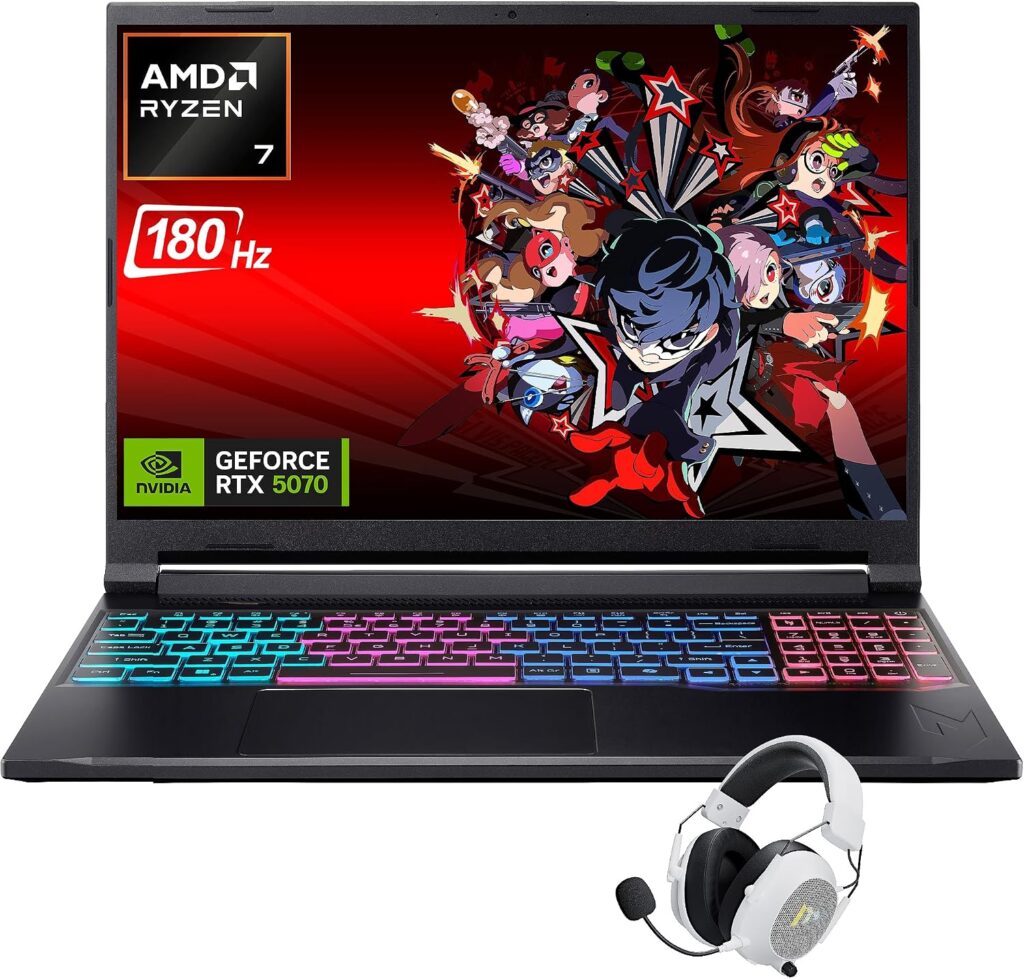
I keep coming back to this one, and it’s not because Acer paid me to (they didn’t — I bought mine with my own money after testing a review unit). The Nitro V line has quietly become the budget gaming laptop that also happens to be a genuinely solid 3D modeling machine, and the 16-inch variant with the RTX 5050 is the sweet spot right now.
What sold me is how the RTX 5050 performs in Blender. It’s built on Nvidia’s newer Blackwell architecture, and even though the CUDA core count is basically the same as the outgoing RTX 4050, the extra VRAM (8GB instead of 6GB) and faster GDDR7 memory genuinely help when you’re pushing higher-res textures or slightly denser scenes. In my own render tests, it landed comfortably between the old RTX 4050 and RTX 4060 in raw compute, which for the price is honestly a steal.
Key specs:
- NVIDIA GeForce RTX 5050 Laptop GPU, 8GB GDDR7 VRAM
- AMD Ryzen 7 260 or Intel Core i5-13420H (configuration dependent)
- 16GB DDR5 RAM (upgradeable to 32GB via two SO-DIMM slots)
- 512GB PCIe Gen4 NVMe SSD with a free second M.2 slot
- 16-inch FHD+ IPS display, 165Hz refresh, 100% sRGB
- Dual fan cooling with a redesigned vapor chamber on newer units
- Weighs around 5.5 lbs, so not the lightest thing to lug to a coffee shop
What I liked:
- The price-to-performance ratio is genuinely hard to beat at this tier
- RAM and storage are both trivially upgradeable, no warranty headaches
- The 165Hz panel makes rotating and orbiting around dense meshes feel buttery smooth, which honestly matters more than people expect during modeling
- Cooling holds up during long render sessions without aggressive throttling
Where it falls short:
- The keyboard flex is noticeable if you’re a heavy typist doing scripting alongside modeling
- Battery life is mediocre — expect 4-5 hours on light use, and forget about it while rendering
- The chassis is plastic-heavy, so it doesn’t feel as premium as some pricier options
- Speakers are tinny, so plan on headphones for anything media-related
If you want the most GPU muscle per dollar right now, this is where I’d point a first-time buyer.
2. Lenovo LOQ 15 — Best Cooling and Long-Session Reliability
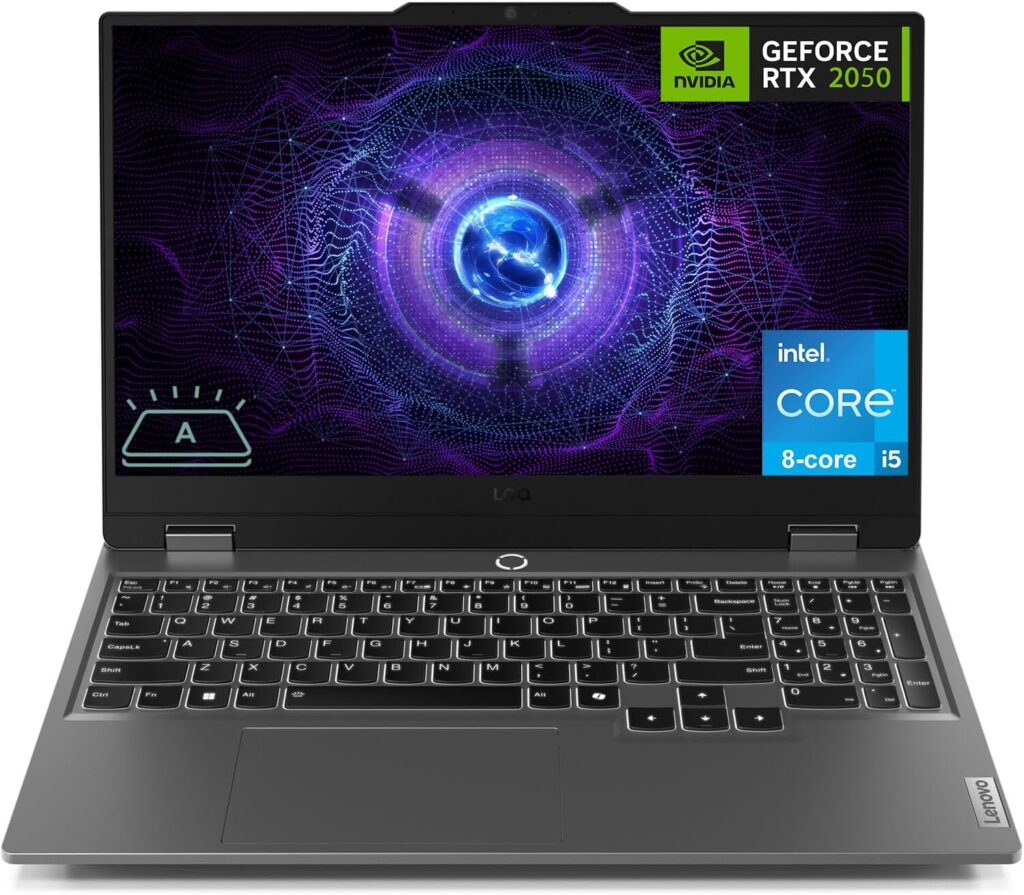
The LOQ line has been Lenovo’s answer to “we know Legion is expensive, here’s the cheaper sibling,” and honestly, it’s matured into something genuinely impressive. I tested the Ryzen 7 8845HS configuration paired with the RTX 4060, and what stood out immediately wasn’t raw speed — it was how consistent the performance stayed over a two-hour render session.
Lenovo’s cooling engineers clearly spent real time on this chassis. There’s a proper vapor chamber design, and the fan curve is tuned in a way that doesn’t scream at you the second you open Blender. I ran back-to-back Cycles renders on a moderately complex interior scene, and the clocks barely dipped after 90 minutes, which is more than I can say for some laptops twice this price.
Key specs:
- NVIDIA GeForce RTX 4060 (8GB GDDR6) or newer RTX 5050 configurations depending on region
- AMD Ryzen 7 8845HS, 8 cores / 16 threads, up to 5.1GHz boost
- 16GB DDR5 RAM standard, dual-channel, expandable to 32GB or more
- 512GB to 1TB PCIe SSD depending on configuration, second M.2 slot available
- 15.6″ FHD IPS display, 144Hz refresh, G-Sync support
- Hyper Chamber cooling design with dual fans
What I liked:
- Thermal consistency is the best I’ve seen at this price point — no surprise throttling mid-render
- The Ryzen 7 8845HS handles boolean-heavy CAD work and simulation tasks with room to spare
- Build quality feels a notch above competitors, less flex in the deck
- Lenovo’s software (Vantage) is actually useful, not bloatware you have to fight
Where it falls short:
- Base storage configs (512GB) fill up fast once you add texture libraries and asset packs
- The display, while smooth, isn’t particularly bright or color-rich out of the box
- Port selection leans a bit dated — you’ll want a dongle for some peripherals
- Fan noise under sustained load is noticeable, though not obnoxious
I’d recommend this one specifically to people who plan on doing long overnight renders or extended sculpting sessions where thermal stability actually matters more than peak benchmark numbers.
3. HP Victus 15 — Cheapest Entry Point That Doesn’t Feel Cheap
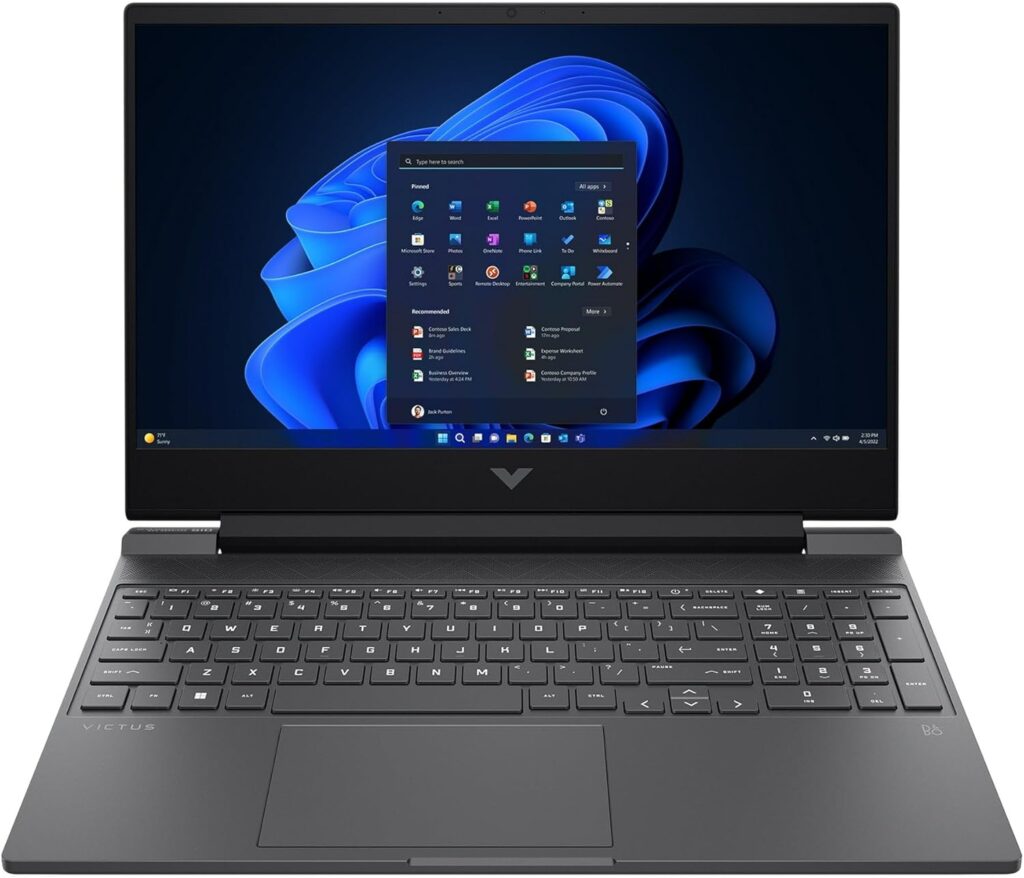
If your budget is genuinely tight — like, “I’m a student and every dollar counts” tight — the Victus 15 is where I’d start looking. HP has iterated on this chassis for a few years now, and the current Ryzen-powered RTX 4050 configuration regularly dips under $650 during sales, which is remarkable for a laptop with a dedicated GPU and 16GB of RAM.
Don’t get me wrong, the RTX 4050 with 6GB of VRAM is the weakest GPU on this list, and you’ll feel it once your scenes get texture-heavy. But for learning Blender, working through SketchUp tutorials, or handling light AutoCAD work, it’s more than capable. I actually recommended this exact laptop to my cousin who just started an industrial design program, and six months later she’s still happily modeling on it.
Key specs:
- NVIDIA GeForce RTX 4050 Laptop GPU, 6GB GDDR6 VRAM
- AMD Ryzen 5 8645HS or Ryzen 7 7445HS depending on configuration
- 16GB DDR5 RAM, upgradeable
- 512GB PCIe NVMe SSD, single M.2 slot (check before buying if a second slot matters to you)
- 15.6″ FHD IPS display, 144Hz refresh rate
- Backlit keyboard, decent trackpad for a budget machine
What I liked:
- The price is genuinely aggressive, especially during seasonal sales
- Looks and feels more like a professional laptop than a “gamer” laptop, which is nice if you’re using it in client meetings
- Battery life is a bit better than its rivals thanks to a less power-hungry GPU
- Runs cooler and quieter overall since it’s not pushing as much wattage
Where it falls short:
- 6GB of VRAM is genuinely limiting once you start working with 4K textures or complex ray-traced scenes
- Only one RAM slot is soldered on some configurations, so check the spec sheet carefully before buying if you want to upgrade later
- Build materials feel more plasticky compared to the TUF or Legion lines
- Webcam and speakers are forgettable, though that’s true of nearly everything on this list
This is the laptop I’d hand to someone who’s still figuring out if 3D modeling is even the path they want to go down, and doesn’t want to commit serious money until they know for sure.
4. ASUS TUF Gaming A15 / F16 — Toughest Build, Best for Students on the Move
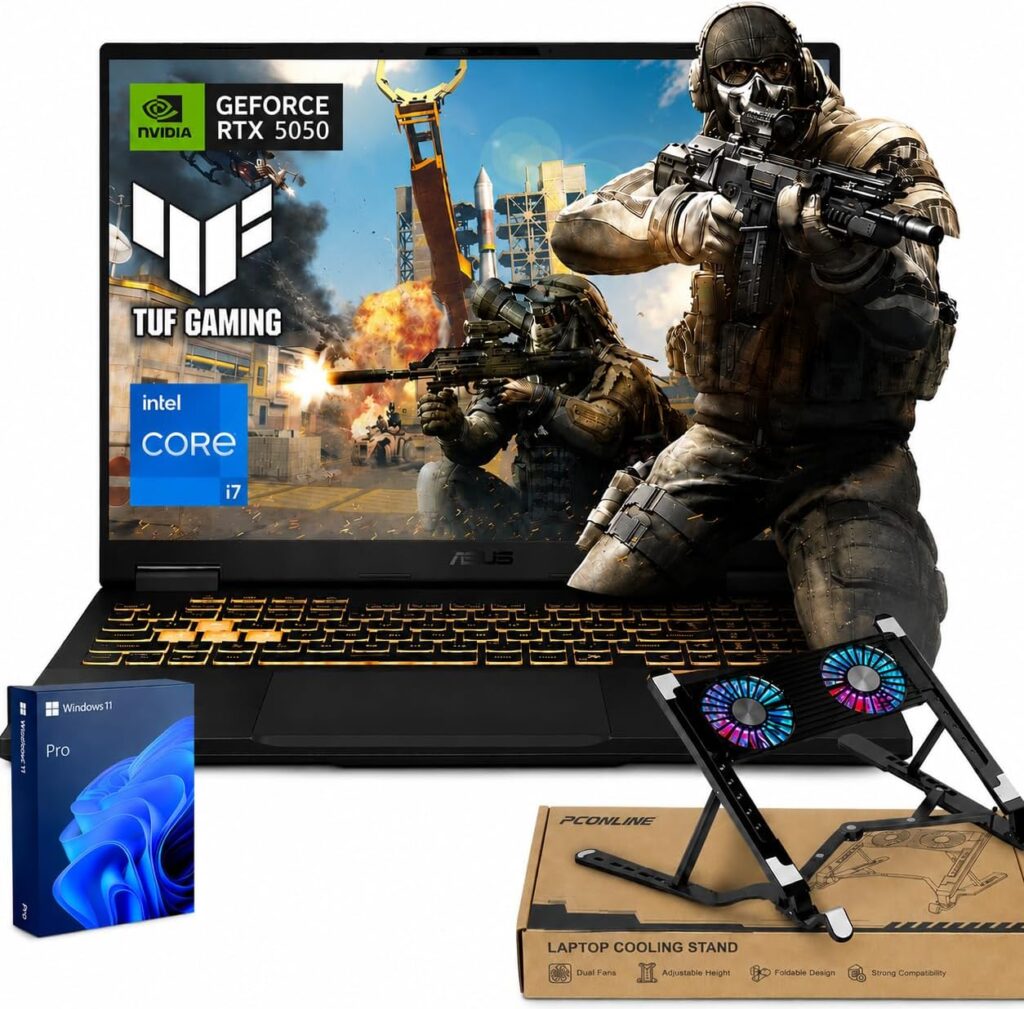
I have a soft spot for the TUF line because it’s genuinely built like a tank. ASUS puts these through MIL-STD-810H durability testing, which sounds like marketing fluff until you’ve dropped one off a desk (accidentally, I promise) and watched it just… keep working. If you’re a student hauling your laptop across campus every day, that durability actually matters.
The specific configuration I’d point you toward pairs a Ryzen 5 or 7 processor with either the RTX 4060 or the newer RTX 5050, depending on what’s in stock when you’re shopping. Both are solid choices, though I’d lean toward the RTX 5050 configuration if the price difference is small, purely because of the extra VRAM headroom.
Key specs:
- NVIDIA GeForce RTX 4060 (8GB GDDR6) or RTX 5050 (8GB GDDR7), 140W configurations available
- AMD Ryzen 5 7535HS / Ryzen 9 8945H, or Intel HX-series options on the F16 variant
- 16GB DDR5 RAM, dual SO-DIMM slots for easy upgrades
- 512GB NVMe SSD with a free second slot on most models
- 15.6″ (A15) or 16″ (F16) FHD IPS panel, 144-165Hz, 100% sRGB
- MIL-STD-810H tested chassis, reinforced hinges
What I liked:
- The build quality is the best in this price bracket, hands down
- Genuinely easy to service — RAM, SSD, and even the fans are accessible without a headache
- The RTX 4060/5050 configurations handle Blender, SolidWorks, and Fusion 360 comfortably
- Thunderbolt/USB-C support on most units means you can dock it properly at a desk setup
Where it falls short:
- The display is functional but not particularly vibrant compared to some rivals
- It’s a bit heavier and chunkier than the sleeker options on this list
- Fan noise ramps up quickly under sustained GPU load
- Pricing fluctuates a lot between sales, so patience pays off here
If you want something that’ll survive four years of dorm life, backpack drops, and being shoved into an overstuffed bag between classes, this is the one I’d trust.
5. MSI Thin 15 — Lightest and Quietest for Working on the Go
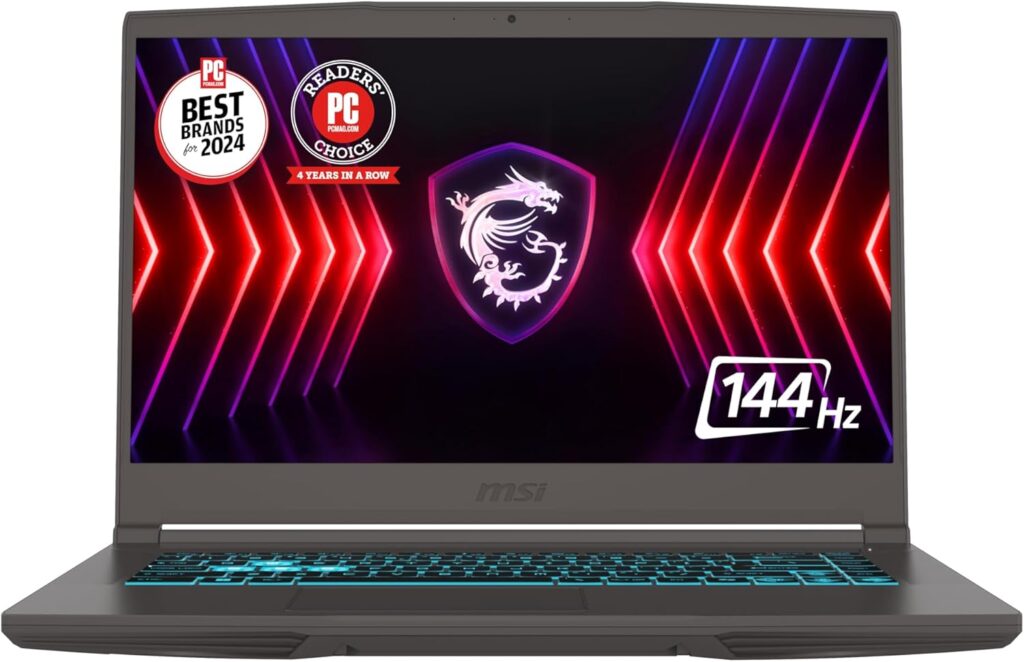
Not everyone wants a chunky gaming laptop pretending to be a workstation. If you’re someone who actually needs to carry your laptop around all day — coworking spaces, client visits, coffee shop marathons — the MSI Thin 15 is worth a serious look. It’s noticeably slimmer and lighter than everything else on this list, and MSI managed to fit an RTX 4060 in there without turning it into a jet engine.
I was skeptical about thermals given the slimmer chassis, but MSI’s Cooler Boost 5 system does a reasonable job keeping things in check for modeling and moderate rendering work. It’s not going to out-cool the Lenovo LOQ during a marathon overnight render, but for day-to-day modeling, texturing, and viewport work, it stays comfortably quiet.
Key specs:
- NVIDIA GeForce RTX 4060 Laptop GPU, 8GB GDDR6 VRAM
- Intel Core i7 (13th/14th-gen H-series) or Ryzen 7 configuration depending on region
- 16GB DDR5 RAM, expandable
- 512GB NVMe SSD, second M.2 slot on most configs
- 15.6″ FHD IPS display, 144Hz refresh, decent 300-nit brightness
- Cooler Boost 5 dual-fan thermal system
- No integrated webcam on some SKUs — worth checking before you buy if that matters to you
What I liked:
- Genuinely one of the lightest laptops in this category, easy to carry all day
- Quiet operation makes it pleasant to use in shared spaces like libraries or studios
- MSI Center software is straightforward and doesn’t get in your way
- Good color accuracy for the price, which helps when you’re evaluating materials and textures
Where it falls short:
- Battery life is mediocre, typical for a laptop with this much GPU crammed into a thin body
- No webcam on certain configurations is a real dealbreaker for some buyers
- Thermal headroom is tighter than bulkier competitors during extended heavy loads
- Slightly pricier than some rivals with similar specs, since you’re paying for the slim design
I’d recommend this specifically to freelancers and students who move around a lot and value portability just as much as raw modeling performance.
Which One Should You Actually Buy?
I get asked this constantly, so let me just lay it out plainly based on who you are:
- You’re just starting out and want the cheapest real option: Go with the HP Victus 15. It won’t blow you away, but it’ll teach you Blender or SketchUp without frustrating you.
- You want the best raw value for your money right now: The Acer Nitro V 16 is my pick. The RTX 5050 punches above its price tag.
- You do long renders or heavy simulation work regularly: The Lenovo LOQ 15’s cooling consistency will save you more headaches than you’d expect.
- You need something that’ll survive years of daily campus or studio abuse: The ASUS TUF A15/F16 is built for exactly that.
- You need to carry your laptop everywhere and hate lugging bricks: The MSI Thin 15 is the most portable option here without sacrificing too much GPU power.
Honestly, any of these five will handle Blender, SketchUp, light Revit work, Fusion 360, and entry-to-mid-level SolidWorks assemblies just fine. Where they start to differentiate is in how long they stay fast under sustained load, how upgradeable they are down the line, and how well they fit into your actual daily routine — not just spec sheet bragging rights.
Frequently Asked Questions
Is 16GB of RAM really enough for 3D modeling in 2026? For learning, freelance work, and moderately complex scenes, yes — but barely. If your budget allows even a small stretch, upgrading to 32GB (which you can do yourself on most laptops on this list) will noticeably reduce stutter and crashes once your projects get more ambitious. Software like Revit and Blender’s sculpting mode both benefit heavily from the extra headroom.
Do I need an RTX 4070 or higher for 3D modeling, or is a budget GPU enough? Honestly, for most students, hobbyists, and even a lot of freelance work, an RTX 4050, 4060, or 5050 is genuinely enough. You’ll notice a difference on very dense scenes or heavy ray-traced renders, but for viewport work, texturing, and day-to-day modeling, these budget GPUs hold their own surprisingly well.
Should I wait for RTX 5060 or 5070 laptops to drop in price instead? If you can wait a year and your current setup is functional, sure, prices always come down. But if you need a laptop now, the RTX 5050 and RTX 4060 laptops on this list already deliver a genuinely usable 3D modeling experience without the premium price tag of higher-tier GPUs.
Can these laptops handle Blender’s Cycles renderer or just EEVEE? All five can handle Cycles with GPU acceleration enabled, though render times will obviously be longer than on a higher-end machine. For quicker iteration and viewport work, EEVEE will feel noticeably snappier on every laptop here.
Is a Mac a better option for budget 3D modeling? It depends on your software. Blender and SketchUp run well on Apple Silicon, but if you need Revit, most CAD plugins, or CUDA-accelerated rendering, you’re better off sticking with a Windows machine like the ones on this list.
How much should I actually budget for a decent 3D modeling laptop in 2026? Realistically, somewhere between $650 and $950 gets you a genuinely capable machine right now, assuming you’re comfortable buying during a sale window. Going below that range usually means compromising on VRAM or RAM in a way that’ll frustrate you within a few months.

Hi, my name is Burak. I am a mechanical engineer. I have been writing laptop reviews for the Engineering Laptops website since 2020. Please feel free to contact me if you have any questions.





