
Last updated: October 31, 2026
Table of contents
- The Short Answer
- Quick Picks at a Glance
- Side-by-Side: Specs and Independent Lab Results
- How I Picked These Laptops
- What Aviation Schools Actually Require (Read This Before You Buy Anything)
- Flight Simulator Requirements vs. These Laptops
- The 5 Best Laptops for Aviation Students in 2026
- 1. Dell XPS 14 (2026) — Best Overall for Aviation Students
- 2. Apple MacBook Air 15 (M5) — Best Mac and Best for Ground School
- 3. Lenovo Legion 5i Gen 11 — Best Value for Flight Simulation
- 4. Asus ROG Zephyrus G14 (2026) — Best Portable Sim Powerhouse
- 5. Acer Swift Go 14 AI (2026) — Best Budget Pick and Best Battery Life
- Also Considered (and Why They Didn’t Make the Cut)
- Your Sim Setup: The USB Port Reality Check
- Laptop or iPad? Here’s the Truth
- My 30-Minute “Return Window” Test
- Buying Guide: What Actually Matters for Aviation Students
- The Right Laptop for Your Aviation Track
- Key Takeaways
- Frequently Asked Questions
- Final Verdict
- Sources
It’s 11:40 p.m. Your checkride is in nine days. You’ve got a stack of FAA knowledge-test questions open in one window, a sectional chart in another, and a flight simulator idling in the background so you can run that RNAV approach one more time before bed. You click “fly”… and the fan screams, the frame rate drops to a slideshow, and your yoke isn’t even recognized because there’s nowhere to plug it in.
That moment is a lot more common than it should be. Here’s the strange part: most aviation students pick their laptop the same way an English major does. Thin, pretty, on sale. Then the semester starts, and they find out the hard way that aviation school plays by its own rules.
Some programs flat-out warn against Macs. The most popular flight simulator on the planet doesn’t run on macOS at all. One of the biggest aviation universities in the country says it wants 32GB of RAM in your laptop — that’s more than plenty of gaming rigs ship with. And another school will actually refuse to let certain iPads into the cockpit because they’re too big.
I didn’t believe some of that until I read it in the schools’ own published requirements. So I did what I wish someone had done for me: I pulled the actual computer requirements from Embry-Riddle, the University of North Dakota and Purdue, the official system specs for Microsoft Flight Simulator 2024 and X-Plane 12, and hundreds of independent lab measurements from the most trusted laptop reviewers out there. Then I matched them, line by line.
What came out of that is this guide: five laptops, five different brands, each one the newest version currently on sale, and each one picked for a specific kind of aviation student. No fluff, no recycled “best student laptops” list with the word “pilot” sprinkled on top.
Let’s get you a laptop that keeps up with you.
The Short Answer
- Best overall: Dell XPS 14 (2026) with the Core Ultra X7 358H. It runs Windows (which aviation programs lean on), its integrated graphics come surprisingly close to an entry-level gaming GPU, and it lasted 16 hours 45 minutes in Notebookcheck’s Wi-Fi battery test.
- Best Mac / best for ground school: Apple MacBook Air 15 (M5). Silent, bright, insanely fast for everyday work — as long as your program doesn’t need Windows-only software.
- Best value for flight simulation: Lenovo Legion 5i Gen 11. A real RTX 50-series GPU, three USB-A ports for sim gear, Ethernet and upgradeable RAM.
- Best portable sim powerhouse: Asus ROG Zephyrus G14 (2026). An RTX 5070 Ti in a 14-inch, 3.46-pound body.
- Best budget pick and best battery life: Acer Swift Go 14 AI (2026). Just over 20 hours of video playback in independent testing, and it weighs about 2.5 pounds.
Quick Picks at a Glance
| Award | Laptop | Starting Price (US) | Why It Wins |
|---|---|---|---|
| Best overall | Dell XPS 14 (2026) | $1,599 ($2,199.99 for the X7 358H OLED config) | Windows, near-RTX 4050 integrated graphics, 16h 45m battery |
| Best Mac / ground school | Apple MacBook Air 15 (M5) | $1,299 at launch | Fanless, 538-nit peak screen, Geekbench 6 single-core above 4,100 |
| Best value for flight sims | Lenovo Legion 5i Gen 11 | $1,899 (RTX 5060) | RTX 50-series GPU, 3x USB-A, Ethernet, upgradeable RAM |
| Best portable sim powerhouse | Asus ROG Zephyrus G14 (2026) | $3,159.99 at Best Buy (Asus lists from $3,599) | RTX 5070 Ti at 130W in a 14-inch chassis |
| Best budget / best battery | Acer Swift Go 14 AI (2026) | $1,299 | 20h 51m video battery, 1.12 kg (2.47 lb) |
Side-by-Side: Specs and Independent Lab Results
| Dell XPS 14 (2026) | MacBook Air 15 (M5) | Lenovo Legion 5i Gen 11 | Asus Zephyrus G14 (2026) | Acer Swift Go 14 AI (2026) | |
|---|---|---|---|---|---|
| CPU | Intel Core Ultra X7 358H | Apple M5 (10-core) | Core Ultra 7 251HX or Core Ultra 7 356H | Intel Core Ultra 9 386H | Intel Core Ultra 7 355 |
| GPU | Intel Arc B390 (integrated) | Apple 10-core GPU | RTX 5060 or RTX 5070 | RTX 5070 Ti (up to RTX 5080) | Intel Graphics (4 Xe3 cores) |
| Display | 14″ 2880×1800 OLED 120Hz (1920×1200 matte IPS optional) | 15.3″ 2880×1864 IPS 60Hz | 15.3″ 2560×1600 OLED 165Hz | 14″ 2880×1800 OLED 120Hz | 14″ 1920×1200 OLED 60Hz |
| Measured brightness | 389 nits avg (Notebookcheck) | 520.9 nits avg (Notebookcheck) | 495 nits SDR, 1,076 nits HDR (Notebookcheck) | ~500 nits SDR, 1,140 nits HDR (Notebookcheck) | 382.3 nits (Trusted Reviews) |
| Color | 100% sRGB, 99.7% P3, Delta E 1.27 | 98.3% sRGB, 97.5% P3, Delta E 2.1 | 100% sRGB, 99.9% P3, Delta E 3.4 | 99.8% DCI-P3, Delta E 1.20 (Profesional Review) | 100% sRGB, 99% DCI-P3 |
| Weight | 1.444 kg (3.18 lb) | 1.512 kg (3.33 lb) | 1.946 kg (4.29 lb) | 1.568 kg (3.46 lb) | 1.12 kg (2.47 lb) |
| Battery result | 16h 45m Wi-Fi (Notebookcheck) | 15h 28m web (Tom’s Hardware, 13″ M5 sibling) | 7h 03m web (Tom’s Guide) | 8h 32m web (Tom’s Guide) | 20h 51m video (Trusted Reviews) |
| USB-A ports | 0 | 0 | 3 | 2 | 2 |
| Ethernet | No | No | Yes | No | No |
| Runs MSFS 2024? | Yes | No | Yes | Yes | Yes (but too weak to enjoy it) |
One quick heads-up I always give people: battery tests differ from outlet to outlet. A web-browsing loop at Tom’s Guide and a video loop at Trusted Reviews aren’t the same workload, so treat cross-outlet comparisons as ballpark, and compare within the same outlet whenever possible.
How I Picked These Laptops
I want to be straight with you about how this guide was built, because you deserve to know where the numbers come from.
I didn’t run every benchmark in this article on my own bench. Instead, I gathered, cross-checked and interpreted published lab results from outlets with transparent, repeatable testing methods — Notebookcheck, Tom’s Hardware, Tom’s Guide, Trusted Reviews, LaptopMedia, Gizmodo, GamesRadar+, Profesional Review and others. Every number in this article is credited to the outlet that measured it. Where two reviewers disagreed, I told you.
Then I ran every candidate through filters that generic laptop roundups never use:
- Newest model only. As of October 31, 2026, I only allowed the current generation of each laptop line. The MacBook Air is on M5 (released March 2026), and current reporting points to an M6 Air arriving in early 2027, not this fall. Apple did announce an M6 14-inch MacBook Pro on October 27, 2026, but it doesn’t ship until November 6 and there’s no independent lab data on it yet — so I left it out instead of guessing.
- University requirement match. Every pick was checked against the published computer requirements from Embry-Riddle, UND and Purdue.
- Simulator readiness. I compared each GPU, RAM and storage spec against Microsoft’s MSFS 2024 tiers and Laminar Research’s X-Plane 12 requirements.
- Lab data that matters. CPU (Cinebench R23/2024, Geekbench 6), graphics (3DMark), display (colorimeter brightness, gamut, Delta E, PWM flicker), storage speed, thermals/throttling and battery life.
- Aviation-specific practicality. USB-A ports for yokes and rudder pedals, Ethernet for online exams, sunlight readability, weight in a flight bag and RAM upgradeability.
- One laptop per brand. Five picks, five brands, so you get real variety instead of three versions of the same machine.
What Aviation Schools Actually Require (Read This Before You Buy Anything)
This is the section I couldn’t find anywhere else, and honestly, it’s the most important part of this guide. These aren’t opinions. They come straight from the schools.
Embry-Riddle Aeronautical University
Embry-Riddle’s admissions FAQ encourages students bringing their own Windows computers to meet or beat these recommendations:
- Intel Core Ultra 7 265U processor (or better)
- 32GB of RAM or more, because many of the applications are memory-hungry
- 500GB of storage, with a 1TB SSD preferred
- A graphics card with at least 1GB of memory and OpenGL 3.2 support
- An Ethernet port
- Dual-band Wi-Fi
- Windows 11
For flight students at the Daytona Beach campus, the required equipment list includes a headset, an electronic flight computer, a plotter, a kneeboard and an Apple iPad (any series) with at least 256GB of storage. Embry-Riddle Worldwide also notes that some programs — including engineering, Decision Sciences and Technology Management — require access to a Windows machine for software like Microsoft Project, Microsoft Visio and SAP.
University of North Dakota (John D. Odegard School of Aerospace Sciences)
UND’s IT department says any newer Windows or Mac laptop should handle general coursework, and it prefers a screen of 14 inches or larger. But the aerospace guidance is blunt: Apple computers “could experience issues with some of the software we use at Aerospace.”
For flight training, UND requires an iPad mini, a standard iPad, an 11-inch iPad Air or an 11-inch iPad Pro. The 13-inch iPad Air and Pro, and the older 12.9-inch iPad Pro, are not authorized in flight training because of their size. Students also have to buy the UND edition of ForeFlight through the university rather than directly from ForeFlight.
Purdue University
Purdue Polytechnic lets aviation and transportation majors choose their computer largely by personal preference, and it recommends an iPad for the Professional Flight AT 210 course. But Purdue’s general student PC guidance for Engineering and Polytechnic students recommends at least a 6-core Core i5 or Ryzen 5, 16GB of RAM (32GB recommended), a 500GB SSD (1TB recommended) and a dedicated AMD or Nvidia graphics card. It also states that it does not recommend macOS for Aeronautics and Astronautics, Industrial and Mechanical Engineering, or Polytechnic students.
What I take away from all of this
If you’re a flight student, plan on an iPad for the cockpit and a Windows laptop for everything else. If you’re in aerospace engineering, aeronautical engineering technology or a management track that uses Windows-only tools, a Mac can turn into a real headache. And if your coursework is mostly online ground school, Office and test prep? A MacBook Air is perfectly fine — and genuinely lovely to live with.
The Embry-Riddle spec checklist: how my picks stack up
Embry-Riddle publishes the most detailed laptop recommendation of the three schools, so I used it as a scorecard.
| ERAU recommendation | Dell XPS 14 (X7 358H) | MacBook Air 15 (M5) | Legion 5i Gen 11 | Zephyrus G14 (2026) | Acer Swift Go 14 AI |
|---|---|---|---|---|---|
| Core Ultra 7 265U-class CPU or better | ✅ | ✅ (Apple M5) | ✅ | ✅ | ✅ |
| 32GB RAM | ✅ (32GB config) | ⚠️ 16GB base, 32GB optional | ⚠️ 16GB stock, user-upgradeable | ✅ (up to 32GB) | ⚠️ 16GB as tested (up to 32GB configs) |
| 1TB SSD preferred | ✅ (1TB config) | ⚠️ 512GB base | ⚠️ 512GB–1TB | ✅ (up to 2TB) | ⚠️ 512GB as tested |
| GPU with 1GB+ memory, OpenGL 3.2 | ✅ | ✅ | ✅ | ✅ | ✅ |
| Ethernet port | ❌ (dongle) | ❌ (dongle) | ✅ | ❌ (dongle) | ❌ (dongle) |
| Windows 11 | ✅ | ❌ | ✅ | ✅ | ✅ |
✅ meets it · ⚠️ meets it only in some configurations · ❌ doesn’t meet it out of the box
Flight Simulator Requirements vs. These Laptops
Microsoft Flight Simulator 2024 (official tiers)
| Minimum | Recommended | Ideal | |
|---|---|---|---|
| CPU | Ryzen 5 2600X / Core i7-6800K | Ryzen 7 2700X / Core i7-10700K | — |
| GPU | Radeon RX 5700 / GeForce GTX 970 | Radeon RX 5700 XT / GeForce RTX 2080 | Radeon RX 7900 XT / GeForce RTX 4080 |
| VRAM | 4GB | 8GB | 12GB |
| RAM | 16GB | 32GB | 64GB |
| Storage | 50GB | 50GB | 50GB |
| Internet bandwidth | 10 Mbps | 50 Mbps | 100 Mbps |
| OS | Windows 10 | Windows 10 | Windows 10 |
Notice the bandwidth row. MSFS 2024 streams a huge chunk of its world from the cloud, so your dorm Wi-Fi matters almost as much as your graphics card.
X-Plane 12 (Laminar Research)
- Minimum: a 4-core or better Intel Core or AMD Ryzen CPU, 8GB of RAM, a Vulkan 1.3-capable Nvidia, AMD or Intel GPU with at least 2GB of VRAM, and 25GB of disk space.
- Recommended: a Core i5-12600K, Ryzen 5 3500 or better — or Apple Silicon — plus 16–24GB of RAM and a GPU with at least 8GB of VRAM (GeForce RTX 3070 or better, or Intel Arc B580).
- Intel graphics: Laminar supports Intel Arc GPUs only, and they need X-Plane 12.3.0 or newer. macOS 12 Monterey or later is supported.
My sim-readiness verdict for each pick
| Laptop | MSFS 2024 | X-Plane 12 | My take |
|---|---|---|---|
| Dell XPS 14 (Arc B390) | Runs, but below the recommended GPU tier | Arc graphics fit Laminar’s Intel rule | Good for procedure practice at modest settings, not for eye candy |
| MacBook Air 15 (M5) | Not available on macOS | Native Apple Silicon support | Great for X-Plane, a non-starter for MSFS |
| Legion 5i Gen 11 | Meets the recommended GPU tier; upgrade to 32GB RAM | Comfortable | The best balance of price and sim performance |
| Zephyrus G14 (2026) | Well above the recommended GPU tier | Excellent | The best portable sim rig in this guide |
| Acer Swift Go 14 AI | Technically launches, but the GPU is far too weak to enjoy | Too weak for a good experience | A study machine, not a sim machine |
The 5 Best Laptops for Aviation Students in 2026
1. Dell XPS 14 (2026) — Best Overall for Aviation Students
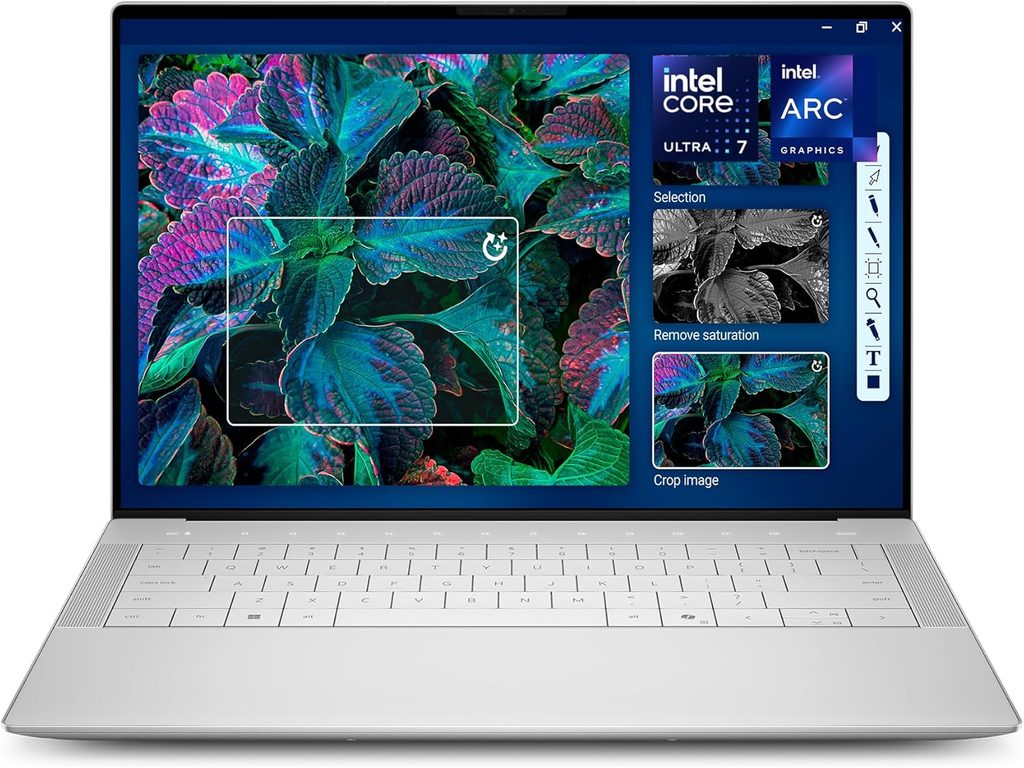
Key specs (configuration reviewed by Notebookcheck):
- CPU: Intel Core Ultra X7 358H (16 cores, Panther Lake)
- GPU: Intel Arc B390 (12 Xe3 cores, integrated)
- RAM: 32GB LPDDR5x-9600 (soldered)
- Storage: 1TB Samsung PM9C1b SSD
- Display: 14-inch 2880×1800 OLED, 120Hz, glossy touch (a 1920×1200 matte 500-nit IPS panel is also available)
- Ports: 3x USB-C Thunderbolt 4 (USB4 40Gbps), 3.5mm headphone jack
- Battery: 70Wh
- Weight: 1.444 kg (3.18 lb)
- Price: from $1,599; $2,199.99 for the X7 358H/OLED configuration
The XPS 14 sits at the top of my list because it fits the reality of aviation school better than anything else I looked at. It runs Windows 11, so you won’t slam into the Mac compatibility walls UND and Purdue warn about. The configuration Notebookcheck tested hits Embry-Riddle’s 32GB RAM and 1TB SSD recommendations. And it pulls off something that would’ve sounded ridiculous two years ago: it can run a flight sim respectably without a dedicated graphics card.
Performance. Notebookcheck measured 18,932 points multi-core and 2,086 single-core in Cinebench R23. Tom’s Hardware recorded 2,867 single-core and 16,927 multi-core in Geekbench 6, and 1,446 points in 3DMark Steel Nomad. Notebookcheck’s verdict on the Arc B390 is the headline: it “comes quite close to the GeForce RTX 4050” — without the extra weight and power draw of a discrete GPU.
Thermals. There’s one catch Notebookcheck flagged: during a sustained Cinebench R15 loop, multi-core performance dropped by as much as 25%. Long renders or big compile jobs won’t hold peak speed the whole way. For notes, test prep, Office and moderate sim sessions, you’ll never notice.
Display. The OLED is gorgeous and accurate. Notebookcheck measured 100% sRGB, 99.7% Display P3 and a Delta E of 1.27 right out of the box, with 389 nits on average (396 nits peak). Now here’s where I put my aviation hat on: Notebookcheck found the glossy OLED fine in the shade but too dim and reflective in brighter outdoor conditions, and it detected PWM flicker at 240.62 Hz. If you plan to study on the FBO patio or near an open hangar door, seriously consider the matte IPS panel.
Battery. This is the XPS 14’s secret weapon. In a follow-up test, Notebookcheck got 16 hours 45 minutes in its Wi-Fi test at 150 nits. Tom’s Hardware measured 12 hours 23 minutes for the OLED model, and a whopping 20 hours 41 minutes for a 1200p LCD model with a Core Ultra 7 355 in its web/video/OpenGL test.
The configuration trap you need to avoid. The Arc B390 graphics only come with the Core Ultra X7 and X9 chips. Notebookcheck notes the non-X configurations are at least $400 cheaper — but Tom’s Hardware measured the Core Ultra 7 355 version at just 532 points in Steel Nomad, versus 1,446 for the X7. That’s roughly a third of the graphics performance. If simulators matter to you even a little, don’t save money on the processor.
Pros:
- Windows 11 plus the strongest integrated graphics in this guide
- Excellent battery life, especially with the IPS panel
- Highly accurate OLED colors out of the box
- Premium, rigid build in a 3.18-lb package
- Meets Embry-Riddle’s RAM and SSD recommendations in the X7 configuration
Cons:
- Zero USB-A ports — your yoke and pedals need a hub
- Glossy OLED is too dim and reflective in direct sun
- No microSD slot and no Ethernet
- Multi-core throttling under long, heavy loads
- RAM is soldered, so buy what you’ll need on day one
Who it’s for: Flight, ATC, dispatch, management and safety students who want one premium Windows laptop for everything, with casual-to-moderate simulator use on the side.
2. Apple MacBook Air 15 (M5) — Best Mac and Best for Ground School
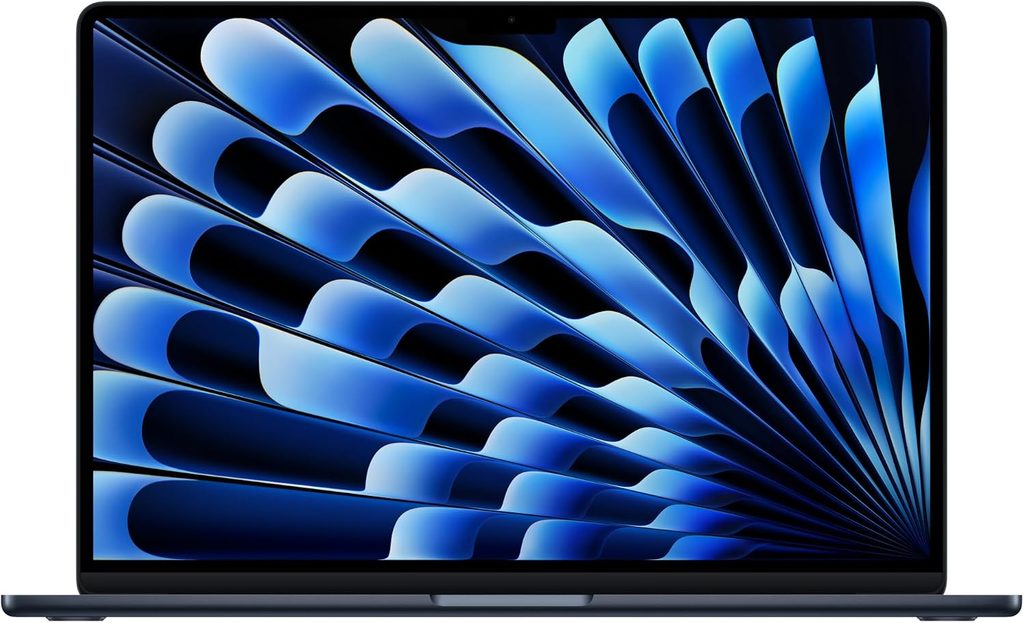
Key specs:
- CPU: Apple M5 (10 cores: 4 performance, 6 efficiency)
- GPU: Apple M5 10-core GPU
- RAM: 16GB base (32GB optional), soldered
- Storage: 512GB base (up to 2TB)
- Display: 15.3-inch 2880×1864 IPS, 60Hz
- Ports: 2x Thunderbolt 4/USB4, MagSafe charging, 3.5mm headphone jack
- Wireless: Wi-Fi 7, Bluetooth 6
- Battery: 66.5Wh
- Weight: 1.512 kg (3.33 lb)
- Price: $1,299 (16GB/512GB) at launch
If your program doesn’t push Windows-only software on you, this is the laptop I’d most enjoy carrying through four years of ground school. Notebookcheck gave it 91.6% and pointed out something worth thinking about: there’s no fanless Windows laptop that competes with it. None.
Performance. Gizmodo measured 4,172 single-core and 17,157 multi-core in Geekbench 6. That single-core score is the reason everything — opening a 300-page PDF of the FAR/AIM, scrubbing through a lecture recording, juggling 40 browser tabs — feels instant. Notebookcheck even got Assassin’s Creed Shadows running at more than 30 fps on the 15-inch M5 Air, in total silence, because there are no fans to make noise. Tom’s Hardware measured 1,005 points in 3DMark Steel Nomad on the 13-inch M5 Air and did see the chip throttle in the fanless chassis during heavier sustained work, which is the trade-off for silence.
Display. Notebookcheck measured 520.9 nits on average (538 nits peak), 98.3% sRGB, 97.5% Display P3, a 1,223:1 contrast ratio and a Delta E of 2.1 (0.7 after calibration). It found no PWM flicker at all, and the screen’s anti-reflective treatment gave it a visible advantage over most glossy panels outdoors. That makes it the best study screen in this guide for bright rooms. The 60Hz refresh rate is its main weakness.
Storage and battery. In Tom’s Hardware’s 25GB file-transfer test, the 13-inch M5 Air hit 1,924.84 MBps. On battery, the same outlet measured 15 hours 28 minutes on the 13-inch model — better than every Windows laptop in its comparison. The 15-inch carries a bigger 66.5Wh battery, so expect at least that much in similar use.
The aviation catch. There’s no macOS version of Microsoft Flight Simulator 2024. UND warns Mac users about software issues at its aerospace school, and Purdue doesn’t recommend macOS for engineering and Polytechnic students. The good news? X-Plane 12 lists Apple Silicon in its recommended specs, and Sheppard Air’s FAA test prep runs on Macs with macOS 10.10.5 or later.
Pros:
- Completely silent, fanless design with flagship-level single-core speed
- The brightest screen in this guide, with anti-reflective treatment and no PWM
- All-day battery life and a small, easy-to-pack charger
- MagSafe keeps both USB-C ports free while charging
- X-Plane 12 runs natively on Apple Silicon
Cons:
- No Microsoft Flight Simulator 2024 on macOS
- Software compatibility warnings from UND and Purdue
- Only two USB-C ports — sim gear needs a hub
- Soldered RAM and storage; 16GB base is below Embry-Riddle’s 32GB recommendation
- 60Hz screen
Who it’s for: Professional flight and aviation management students whose coursework is browser-, Office- and test-prep-based — especially those who already live in the Apple world with their cockpit iPad.
3. Lenovo Legion 5i Gen 11 — Best Value for Flight Simulation
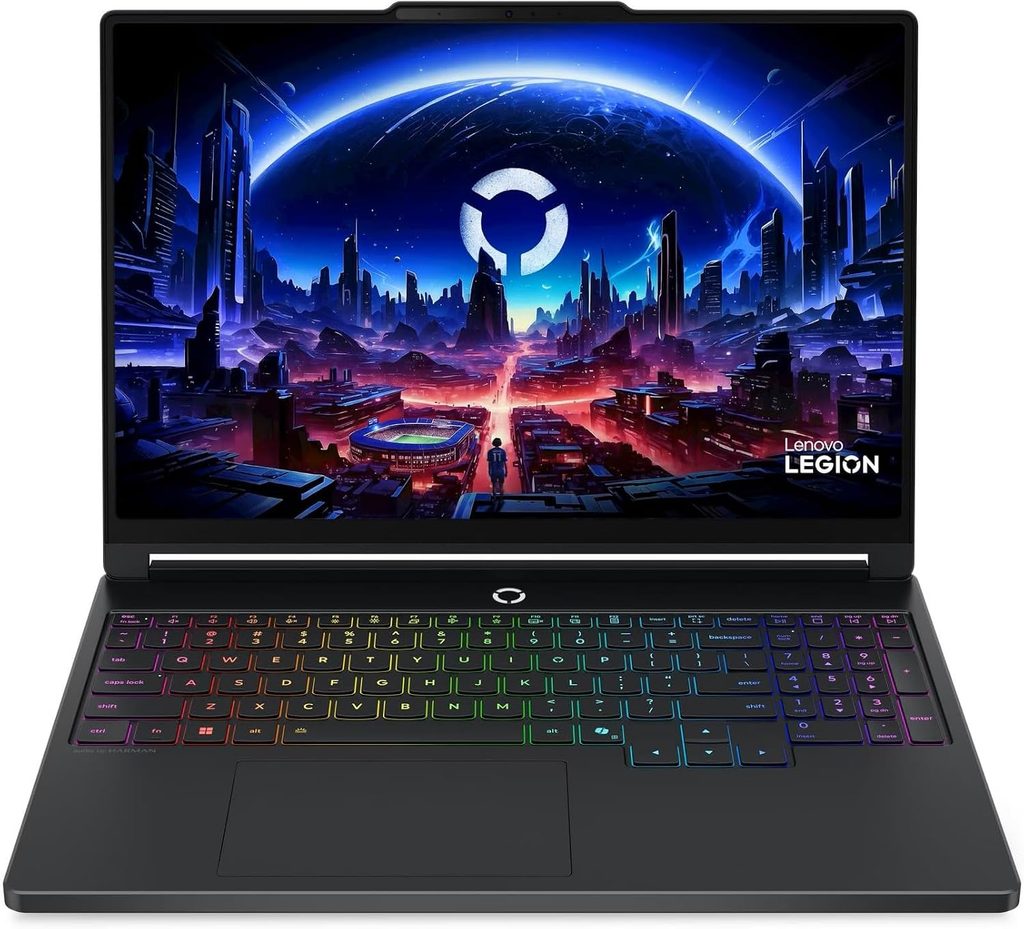
Key specs (configurations reviewed by Notebookcheck, Tom’s Guide and LaptopMedia):
- CPU: Intel Core Ultra 7 251HX (Arrow Lake-HX); a Panther Lake version with Core Ultra 7 356H or Core Ultra 9 386H also exists
- GPU: Nvidia GeForce RTX 5060 (8GB) or RTX 5070
- RAM: 16GB DDR5-5600 in 2x SODIMM slots (upgradeable)
- Storage: 512GB–1TB, with 2x M.2 slots (one slot takes drives 42mm or shorter)
- Display: 15.3-inch 2560×1600 OLED, 165Hz, G-Sync, DisplayHDR 1000
- Ports: 3x USB-A (5Gbps), 1x Thunderbolt 4, 1x USB-C 10Gbps, HDMI 2.1, Ethernet, 3.5mm jack
- Battery: 80Wh
- Weight: 1.946 kg (4.29 lb), plus a 664g power adapter
- Price: $1,899 for the RTX 5060 model; about $2,300 as configured with an RTX 5070
This is the laptop I’d tell most sim-hungry students to buy, and the reason is almost boring: three USB-A ports, an Ethernet jack, upgradeable RAM and a real Nvidia GPU for under $2,000. If you’ve ever tried to plug a yoke, rudder pedals and a throttle quadrant into a thin-and-light with two USB-C ports, you know exactly why that matters.
Performance. With the Core Ultra 7 251HX, Notebookcheck measured 26,001 points multi-core and 1,941 single-core in Cinebench R23 — about 37% ahead of the XPS 14 in multi-core. Tom’s Guide’s RTX 5070 unit averaged 10,394 across its suite of seven 3DMark tests and ran Cyberpunk 2077 at 44.1 fps at 1080p with ray tracing on Ultra. LaptopMedia tested the Core Ultra 7 356H/RTX 5060 version, called it one of the strongest RTX 5060 implementations it has tested, recorded 1,232 points in Cinebench 2024 multi-core, and saw the GPU hold a stable 113W during long gaming sessions. That sustained power is exactly what a long cross-country in MSFS 2024 needs.
Display. Notebookcheck measured 495 nits on average in SDR and 1,076 nits in HDR mode, with 100% sRGB, 99.9% Display P3 and a Delta E of 3.4 (0.59 after calibration). PWM flicker runs at a high 1,298.2 Hz, so most people sensitive to flicker won’t notice it. The downside: Notebookcheck found the panel very glossy and reflective, even by gaming-laptop standards.
Battery. Tom’s Guide measured 7 hours 3 minutes in its web-surfing test, which is a big leap for a Legion — the Gen 9 model barely managed three and a half hours in the same test. That’s enough to get through a morning of classes without hunting for an outlet.
My money-saving tip. MSFS 2024 recommends 32GB of RAM. Tom’s Guide found Lenovo charges $370 to go from 16GB to 32GB. Because the Legion has two SODIMM slots — and Notebookcheck’s unit shipped with one slot open — adding a matching 16GB DDR5-5600 stick yourself is usually far cheaper, and it gives you dual-channel memory as a bonus.
Pros:
- Real RTX 50-series graphics for MSFS 2024 and X-Plane 12
- Three USB-A ports plus Ethernet — ideal for sim peripherals and online exams
- Upgradeable RAM and two M.2 slots
- Excellent OLED with HDR, G-Sync and high-frequency PWM
- Respectable 7-hour web battery for a gaming laptop
Cons:
- 4.29 lb plus a 664g power brick is a lot to carry
- Very reflective glossy screen
- Weak bottom-firing speakers
- Factory RAM upgrades are expensive
Who it’s for: Students who want to practice procedures, IFR approaches and airline operations in MSFS 2024 or X-Plane 12 with a full peripheral setup, without spending $3,000 or more.
4. Asus ROG Zephyrus G14 (2026) — Best Portable Sim Powerhouse
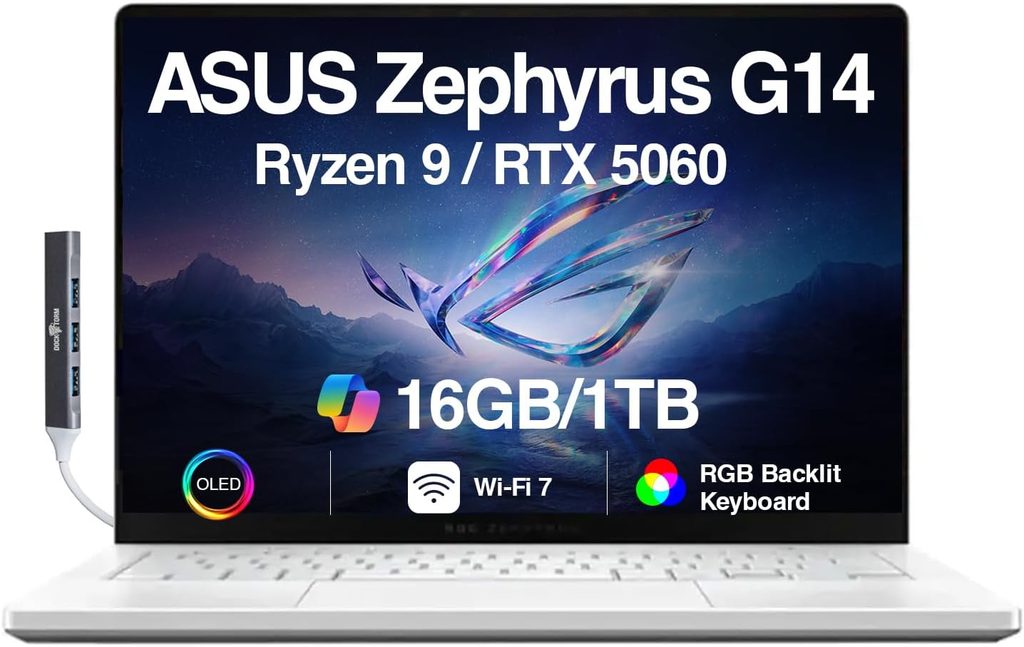
Key specs (configuration reviewed by Tom’s Guide):
- CPU: Intel Core Ultra 9 386H
- GPU: Nvidia GeForce RTX 5070 Ti (up to RTX 5080), now running at up to 130W
- RAM: up to 32GB
- Storage: up to 2TB
- Display: 14-inch 2880×1800 OLED, 120Hz, 0.2ms response, Gorilla Glass DXC
- Ports: HDMI 2.1, 2x USB-A 3.2 Gen 2, 1x USB-C 3.2 Gen 2, 1x USB4, full-size SDXC card reader, 3.5mm jack
- Wireless: Wi-Fi 7, Bluetooth 5.4
- Weight: 1.568 kg (3.46 lb) measured by Notebookcheck, plus a 724g power supply
- Price: $3,159.99 at Best Buy as reviewed by Tom’s Guide; Asus lists configurations from $3,599
If you want MSFS 2024 to look stunning and you want to carry the machine to class every day, nothing else here comes close. Tom’s Guide reviewed it from a student’s point of view and described it as an elite gaming laptop at night and a no-compromise workstation during the day. That’s a pretty good description of an aviation student’s life, honestly.
Performance. Tom’s Guide recorded a 3DMark average of 12,428 — slightly ahead of last year’s RTX 5080 G14 (12,370) — thanks to a redesigned bottom-panel airflow and a GPU power bump from 110W to 130W. It hit 44 fps in Cyberpunk 2077 at 1080p with RT Ultra, 49 fps in Black Myth: Wukong at 1080p Cinematic, transcoded a 4K video in Handbrake in 3 minutes 19 seconds, and its SSD read at 6,144 MB/s.
Thermals. Tom’s Guide reported zero throttling on its test bench. GamesRadar+, however, noticed some throttling once the laptop came off a hard, flat desk. My advice: keep it on a desk or a stand during long sim sessions, not on a bed or your lap.
Display. Notebookcheck measured slightly above 500 nits in SDR and up to 1,140 nits with HDR content, fixing the dimness complaint that dogged earlier G14 OLEDs. Spanish outlet Profesional Review measured 99.8% DCI-P3 coverage and an average Delta E of 1.20 in DCI-P3 with a colorimeter. In plain English: it’s bright, accurate and gorgeous.
Battery and noise. Tom’s Guide measured 8 hours 32 minutes in its web-surfing test, just short of a full workday. It also warned that the fans get loud during AAA gaming or heavy rendering — loud enough that a quiet lecture hall will hear it.
The aviation upside. Two USB-A ports plus USB-C and USB4 mean your yoke and pedals plug straight in, and HDMI 2.1 drives a big external monitor for a proper panel view. The return of a full-size SD card reader is a nice bonus if you record your flights with an action cam.
Pros:
- The strongest GPU in this guide in a 14-inch, 3.46-lb chassis
- Bright, accurate 2.8K 120Hz OLED
- Great port mix: 2x USB-A, HDMI 2.1, USB4 and SDXC
- Improved cooling with higher sustained GPU power
- Meets every Embry-Riddle recommendation except Ethernet
Cons:
- Very expensive, and pricing went up year over year
- Loud fans under heavy load
- Battery falls a little short of a full study day
- Performance can dip on soft surfaces
Who it’s for: Serious simmers, students eyeing VR or high-detail airliner flying, and aerospace engineering students who also need CAD and rendering muscle.
5. Acer Swift Go 14 AI (2026) — Best Budget Pick and Best Battery Life
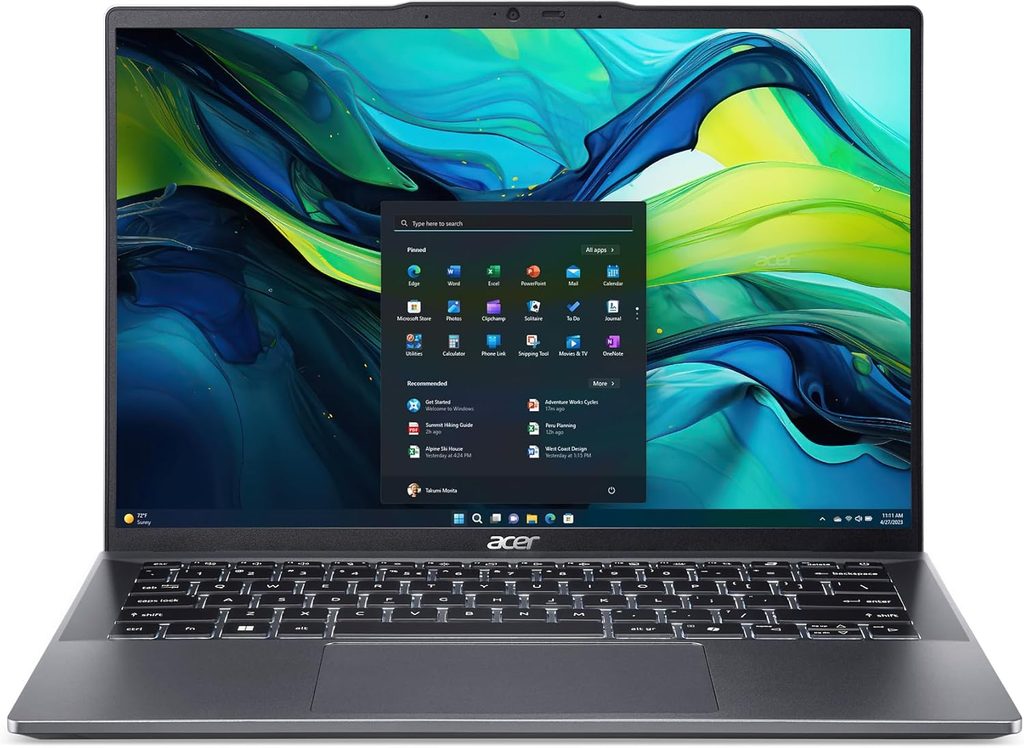
Key specs (as reviewed by Trusted Reviews and LaptopMedia):
- CPU: Intel Core Ultra 7 355 (Panther Lake)
- GPU: Intel Graphics (4 Xe3 cores)
- RAM: 16GB (up to 32GB in other configurations)
- Storage: 512GB PCIe Gen 4 SSD
- Display: 14-inch 1920×1200 OLED, 60Hz
- Ports: 2x Thunderbolt 4, 2x USB-A (5Gbps), HDMI 2.1, 3.5mm jack
- Wireless: Wi-Fi 7, Bluetooth 6.0
- Battery: 71Wh
- Weight: 1.12 kg (2.47 lb)
- Price: $1,299 as tested
Not every aviation student has $2,000 left after paying for flight hours. Believe me, I get it — flight training eats budgets alive. The Swift Go 14 AI is my pick for the student who mainly needs a light, reliable laptop for ground school, test prep and papers, and who never wants to hunt for an outlet again.
Battery. This is the headline. Trusted Reviews measured 20 hours 51 minutes in the PCMark 10 video test at 150 nits. LaptopMedia’s video test ran just over 20 hours, beating the ThinkPad X1 Carbon Gen 14’s roughly 17 hours in the same test. That’s the best runtime in this guide, by a wide margin.
Display and storage. Trusted Reviews measured 382.3 nits of peak SDR brightness, 100% sRGB, 99% DCI-P3 and 95% Adobe RGB. Its SSD read at 7,087.70 MB/s and wrote at 5,666.23 MB/s, which is excellent for a laptop at this price. LaptopMedia detected OLED flicker at about 471 Hz, worth knowing if you get headaches from PWM.
Performance. LaptopMedia recorded 644 points in Cinebench 2024 multi-core for the Core Ultra 7 355 — plenty for Office, browsers, test-prep software and video calls, but nowhere near the gaming machines here. For graphics context, Tom’s Hardware measured the same chip at 532 in 3DMark Steel Nomad inside the XPS 14. Translation: this is not a flight-sim laptop.
The surprise. For a 2.47-pound ultraportable, the port selection is genuinely great — Trusted Reviews singled it out too. Two USB-A ports mean you can plug in a basic yoke or a USB mouse without a dongle, and HDMI 2.1 lets you hook up a second monitor in your dorm.
Pros:
- The best battery life in this guide by a wide margin
- The lightest laptop here at 1.12 kg
- Two USB-A ports and HDMI 2.1 on an ultraportable
- Color-rich OLED and a very fast Gen 4 SSD
- The most affordable pick on the list
Cons:
- Weak integrated graphics for MSFS 2024 or X-Plane 12
- About 382 nits isn’t bright enough for direct sunlight
- 60Hz panel and low-frequency OLED flicker
- 16GB of RAM as tested falls short of Embry-Riddle’s 32GB recommendation
Who it’s for: Budget-conscious flight students, online and Worldwide students, and anyone whose laptop is a study tool while the iPad does the flying.
Also Considered (and Why They Didn’t Make the Cut)
- HP OmniBook Ultra 14 (Snapdragon X2 Elite): Tom’s Hardware measured 3,942 single-core and 20,075 multi-core in Geekbench 6 and 13 hours 27 minutes of battery life. Impressive. But it runs Windows on Arm, has no Thunderbolt ports and came in at $2,879.99 as Tom’s Hardware configured it. Aviation software and sim-peripheral drivers are usually built for x86 Windows, and I’m not comfortable recommending Arm to a student who can’t afford a compatibility surprise in the middle of a semester.
- Apple 14-inch MacBook Pro (M6): Announced October 27, 2026 at $1,999 and shipping November 6. There’s no independent lab data yet, so ranking it would be guesswork. I’ll revisit it once the reviews are in.
- Apple MacBook Air (M6): Widely reported to be coming in early 2027. If you’re buying a MacBook Air today, the M5 is the current model.
Your Sim Setup: The USB Port Reality Check
Nobody talks about this, and it bites aviation students all the time. A typical home sim setup is a yoke, rudder pedals and a throttle quadrant — and a lot of that gear still uses USB-A plugs. Here’s how each pick handles it:
| Laptop | USB-A | USB-C / Thunderbolt | Ethernet | What I’d do |
|---|---|---|---|---|
| Dell XPS 14 | 0 | 3x Thunderbolt 4 | No | Get a powered USB-C hub with 4+ USB-A ports |
| MacBook Air 15 (M5) | 0 | 2x Thunderbolt 4 | No | Get a powered hub; MagSafe keeps both ports free while charging |
| Legion 5i Gen 11 | 3 | 1x Thunderbolt 4 + 1x USB-C | Yes | Plug and play for most setups |
| Zephyrus G14 (2026) | 2 | 1x USB-C + 1x USB4 | No | Yoke and pedals plug right in; add a hub for a third device |
| Acer Swift Go 14 AI | 2 | 2x Thunderbolt 4 | No | Fine for a yoke and pedals; add a hub for more |
Ethernet deserves a mention too. Embry-Riddle lists an Ethernet port in its recommendations, and UND’s IT office says a wired connection is the best option for live online classes and exams because Wi-Fi can drop without warning. Only the Legion has one built in. For everyone else, an inexpensive USB-C-to-Ethernet adapter is the cheapest insurance policy you’ll ever buy.
Laptop or iPad? Here’s the Truth
Let me save you some confusion: your laptop is not your electronic flight bag. Embry-Riddle requires flight students to own an iPad with at least 256GB, UND requires specific iPad sizes plus a UND-edition ForeFlight subscription, and Purdue recommends an iPad for its Professional Flight AT 210 course.
So the smart money move is usually:
- An iPad that fits your program’s rules (remember, UND doesn’t allow 13-inch models in flight training).
- A laptop matched to your major and your simulator ambitions.
If you’re an Apple fan through and through, the MacBook Air pairs beautifully with an iPad. Just confirm your program’s software won’t trap you first.
My 30-Minute “Return Window” Test
This is a little ritual I recommend to every aviation student, because most retailers give you a limited return window and you want to find problems while you can still send the laptop back:
- Plug in every sim peripheral you own — yoke, pedals, throttle, headset — and make sure Windows (or macOS) recognizes all of them.
- Download the X-Plane 12 demo and fly one full traffic pattern. Watch for stutters and listen to the fans.
- Install your school’s required software, or at least your FAA test-prep app, and run a full practice exam.
- Take the laptop outside in daylight and see if you can actually read the screen.
- Run it unplugged for a full class day and note when it hits 20%.
If it passes all five, you’ve got a keeper.
Buying Guide: What Actually Matters for Aviation Students
Operating system
Windows is the safer default. UND, Purdue and Embry-Riddle all point to Windows dependencies in some programs, and MSFS 2024 is Windows-only on PC. Go with a Mac only if your advisor confirms you won’t need Windows-only software.
RAM
Embry-Riddle recommends 32GB, Microsoft recommends 32GB for MSFS 2024, and Purdue recommends 32GB for its Engineering and Polytechnic students. 16GB is workable for ground school, but if the RAM is soldered (XPS 14, MacBook Air, Swift Go 14), buy the amount you’ll need for all four years on day one.
Graphics
For MSFS 2024, aim for the recommended tier’s 8GB of VRAM. For X-Plane 12, Laminar recommends 8GB of VRAM (RTX 3070 or better, or Intel Arc B580). Integrated graphics can handle light procedure practice, but a dedicated RTX card is what makes simming genuinely enjoyable.
Storage
MSFS 2024 needs 50GB and X-Plane 12 needs 25GB at minimum — but add-on aircraft and scenery grow fast. Embry-Riddle and Purdue both prefer a 1TB SSD, and I completely agree.
Display and sunlight readability
If you study at the airport, brightness and anti-glare matter more than resolution. The MacBook Air’s 520.9-nit average with anti-reflective treatment is the best here. The XPS 14’s glossy OLED struggles in direct sun, so pick its matte IPS option if outdoor use matters to you.
Battery life
Long days bouncing between class, the flight line and the library are normal. The Acer (20h 51m in Trusted Reviews’ video test) and the XPS 14 (16h 45m in Notebookcheck’s Wi-Fi test) are the endurance champs. The gaming laptops will want their chargers by mid-afternoon.
Weight
Your flight bag already carries a headset, kneeboard, iPad, logbook, E6B and flashlight. Every pound counts. The Acer weighs 2.47 lb; the Legion weighs 4.29 lb before you add its 1.46-lb power brick.
The Right Laptop for Your Aviation Track
| Track | My pick | Why |
|---|---|---|
| Professional flight (pilot) | Dell XPS 14 or MacBook Air 15 (M5) | Battery life and portability; the iPad handles the cockpit |
| Flight student who loves simming | Lenovo Legion 5i Gen 11 | RTX GPU, USB-A ports, upgradeable RAM |
| Aerospace / aeronautical engineering | Asus Zephyrus G14 (2026) or Legion 5i Gen 11 | Purdue recommends a dedicated GPU and Windows |
| Aviation management / dispatch / safety | Dell XPS 14 | Windows-only tools like Project and Visio, plus all-day battery |
| Online / Worldwide students | Acer Swift Go 14 AI | Light, affordable, 20+ hours of battery |
Key Takeaways
- Windows laptops are the safer choice for most aviation programs; Macs work best when coursework is Office- and browser-based.
- Microsoft Flight Simulator 2024 has no macOS version; X-Plane 12 runs natively on Apple Silicon.
- 32GB of RAM and a 1TB SSD line up with what Embry-Riddle and Purdue recommend.
- USB-A ports and Ethernet are underrated features for sim peripherals and online exams.
- Your iPad, not your laptop, is your cockpit device — budget for both.
Frequently Asked Questions
What is the best laptop for aviation students in 2026?
For most students, the Dell XPS 14 (2026) with the Core Ultra X7 358H. It runs Windows, its Arc B390 graphics come close to an RTX 4050 according to Notebookcheck, and it lasted 16 hours 45 minutes in Notebookcheck’s Wi-Fi battery test.
Can I use a MacBook in aviation school?
Often, yes — but check with your program first. UND warns that Apple computers may run into issues with some of its aerospace software, and Purdue doesn’t recommend macOS for its Aeronautics and Astronautics and Polytechnic students. A MacBook works well for Office, browsers, X-Plane 12 and Sheppard Air test prep.
Can I run Microsoft Flight Simulator 2024 on a Mac?
No. Microsoft lists Windows as the PC operating system for MSFS 2024, and there’s no macOS version. X-Plane 12 is the Mac-friendly alternative.
How much RAM do I need for flight simulation?
Microsoft recommends 32GB for MSFS 2024 (16GB minimum, 64GB ideal). Laminar Research recommends 16–24GB for X-Plane 12.
Do I need a gaming laptop for flight school?
No. You only need one if you want to fly simulators on it. For ground school, test prep and papers, a thin-and-light like the Acer Swift Go 14 AI or MacBook Air is plenty.
Do I need both an iPad and a laptop?
Most likely, yes. Embry-Riddle requires flight students to own an iPad with at least 256GB of storage, and UND requires an iPad of an approved size plus a UND-edition ForeFlight subscription.
Does FAA test-prep software run on both Mac and Windows?
Sheppard Air’s test-prep platform runs on Windows, on Macs with macOS 10.10.5 or later, and on 64-bit iPads. Check each vendor’s compatibility page before you buy.
Is a Snapdragon (Arm) Windows laptop a good idea for aviation students?
I’d be cautious. Snapdragon X2 laptops like the HP OmniBook Ultra 14 are fast and efficient, but aviation software and simulator peripheral drivers are generally built around x86 Windows, so an Intel or AMD laptop is the lower-risk choice.
How much should an aviation student spend on a laptop?
Around $1,300 gets you an excellent study machine like the Acer Swift Go 14 AI or the base MacBook Air 15. Plan on $1,900 or more if you want to fly MSFS 2024 properly, which is where the Legion 5i Gen 11 comes in.
Final Verdict
If I could recommend only one laptop to an aviation student this fall, it would be the Dell XPS 14 (2026) with the Core Ultra X7 358H — ideally with the matte IPS screen if you’ll study outdoors. It respects the Windows reality of aviation programs, it has the battery to survive a full day of class and flight-line waiting, and its Arc B390 graphics are good enough to practice procedures in a sim.
If simming is a big part of how you want to learn, get the Lenovo Legion 5i Gen 11 and add a 16GB RAM stick yourself. If budget isn’t a concern and you want the best sim experience in a bag-friendly size, the Asus ROG Zephyrus G14 (2026) is the one. Mac lovers in Office-heavy programs will adore the MacBook Air 15 (M5). And students on a tight budget simply can’t beat the battery life of the Acer Swift Go 14 AI (2026).
Whatever you choose, remember: the iPad goes in the cockpit, the laptop goes in the bag, and the best investment is the one that keeps you studying — and flying — without frustration.
Blue skies.
A note on the data: benchmark, display and battery figures in this guide come from the independent reviewers credited next to each number. Configurations vary, and prices reflect what reviewers and retailers listed at the time of writing; memory and laptop prices have been moving in 2026, so double-check current pricing before you buy.
Sources
- Notebookcheck – Dell XPS 14 (2026) review
- Notebookcheck – Dell XPS 14 (2026) battery life follow-up
- Tom’s Hardware – Dell XPS 14 (2026) review
- Tom’s Guide – Dell XPS 14 (2026) review
- Notebookcheck – Apple MacBook Air 15 M5 review
- Notebookcheck – MacBook Air 15 M5 runs Assassin’s Creed Shadows
- Gizmodo – M5 MacBook Air review
- Tom’s Hardware – Apple MacBook Air 13-inch M5 review
- Trusted Reviews – Apple MacBook Air M5 review
- Notebookcheck – Lenovo Legion 5 15IAX11 review
- Tom’s Guide – Lenovo Legion 5i Gen 11 review
- LaptopMedia – Lenovo Legion 5i 15 Gen 11 review
- Tom’s Guide – Asus ROG Zephyrus G14 (2026) review
- Notebookcheck – Asus ROG Zephyrus G14 2026 review
- Profesional Review – ASUS ROG Zephyrus G14 2026 review
- GamesRadar+ – Asus ROG Zephyrus G14 (2026) review
- Trusted Reviews – Acer Swift Go 14 AI (2026) review
- LaptopMedia – Acer Swift Go 14 (SFG14-I71) review
- Notebookcheck – Acer Swift Go 14 AI with 71Wh battery
- Liliputing – Acer Swift Go 14 AI (SFG14-I71) specs and ports
- Tom’s Hardware – HP OmniBook Ultra 14 (Snapdragon X2 Elite) review
- MacRumors – 14-inch MacBook Pro with M6 chip
- Embry-Riddle – First-time student computer recommendations
- Embry-Riddle Daytona Beach – Flight FAQ
- Embry-Riddle Worldwide – Software requirements
- University of North Dakota – Technology requirements
- Purdue Polytechnic – Computer recommendations
- Purdue University – Student PC minimum requirements
- NZXT – Microsoft Flight Simulator 2024 system requirements
- Laminar Research – X-Plane 12 system requirements
- Sheppard Air – FAQ and compatibility

Hi, my name is Burak. I am a mechanical engineer. I have been writing laptop reviews for the Engineering Laptops website since 2020. Please feel free to contact me if you have any questions.





