Estimated reading time: 16 minutes
Key Takeaways
- The best laptops for CRM and ERP focus on multitasking, battery life, and keyboard comfort rather than sheer processing power.
- Key features for a CRM/ERP laptop include at least 16GB RAM, a quality display, enterprise security, and good port selection.
- Recommendations for 2026 include the Lenovo ThinkPad X1 Carbon, Dell 14 Premium, and HP EliteBook X G1a, among others.
- The Apple MacBook Air M5 excels in browser-based CRM tasks, while the Acer Aspire 5 is a solid choice for budget-conscious users.
- Ultimately, the right laptop depends on your specific work style and needs in using CRM and ERP software.
Table of contents
- What Actually Matters for CRM & ERP Work (Before You Buy)
- Quick Comparison Table
- Best Laptops for CRM & ERP in 2026
- 1. Lenovo ThinkPad X1 Carbon Gen 14 — The One I’d Recommend to Almost Anyone
- 2. Dell 14 Premium — The Workhorse for People Who Live in Spreadsheets and Dashboards
- 3. HP EliteBook X G1a — For the Multitaskers Who Refuse to Close Tabs
- 4. Apple MacBook Air M5 — The Underrated Pick for Browser-Based CRM Work
- 5. Acer Aspire 5 — The Budget Pick That Doesn’t Feel Like a Compromise
- So Which One Should You Actually Buy?
- Frequently Asked Questions
If your job involves living inside a CRM or ERP system for eight-plus hours a day, you already know something most laptop reviews never talk about: the bottleneck usually isn’t your processor. It’s everything around it. It’s the twelfth browser tab you’ve got open next to Salesforce, the VPN client eating your RAM in the background, the RDP session into your company’s SAP environment, the second monitor you plug in every morning, and the fact that your battery needs to survive a client visit without you hunting for an outlet like it’s an emergency.
I’ve spent a good chunk of the last year testing and comparing laptops specifically for this kind of workload — sales ops, account management, finance teams running NetSuite or Dynamics 365, consultants who bounce between five different client ERPs a week. And what I’ve learned is that the “best laptop for CRM/ERP” conversation is almost never about raw horsepower. It’s about multitasking headroom, screen real estate, keyboard comfort for long data-entry sessions, security features your IT department will actually approve, and a battery that doesn’t quit halfway through a sales day.
So here’s my honest, no-fluff rundown of the five laptops I’d actually recommend in 2026 if your workday revolves around business software rather than gaming or video editing.
What Actually Matters for CRM & ERP Work (Before You Buy)
Before jumping into the picks, it’s worth being clear about what separates a good CRM/ERP laptop from a laptop that just happens to run Chrome.
- RAM headroom, not just raw speed. Most CRM and ERP platforms are browser-based or run through Citrix/RDP, and both of those eat memory for breakfast. 16GB is the bare minimum I’d tolerate in 2026; 32GB is where things start feeling genuinely smooth once you add a VPN client, Outlook, Teams, and a spreadsheet open at the same time.
- A display you can actually work on. Data entry, dashboards, and multi-column reports all benefit from a sharper, taller panel. A 16:10 aspect ratio gives you noticeably more vertical space than the old 16:9 standard, which matters a lot when you’re scrolling through record after record.
- Port selection and docking support. If you’re plugging into a second monitor, a wired network, or a docking station every morning, you want at least one proper Thunderbolt/USB4 port that can handle power, data, and video over a single cable.
- Enterprise security features. Fingerprint readers, IR cameras for Windows Hello, TPM 2.0, and vPro-style remote manageability aren’t nice-to-haves anymore — if your company handles customer financial data through the CRM, IT will likely require this stuff before they even issue you the laptop.
- Battery life that survives a real day. Sales reps and consultants don’t get to plan their day around a charger. Anything under 8 real-world hours is going to annoy you eventually.
- A keyboard you can type on for hours without hating your life. This sounds minor until you’ve spent a week doing bulk data entry on a mushy keyboard.
With that out of the way, here are the five laptops I’d put my own money on.
Quick Comparison Table
| Laptop | Best For | Starting Price | RAM (max) | Battery Life | Weight |
|---|---|---|---|---|---|
| Lenovo ThinkPad X1 Carbon Gen 14 | Overall best / IT-managed fleets | $1,999 | 32GB LPDDR5X | ~11-12 hrs | 2.17 lbs (0.98 kg) |
| Dell 14 Premium | Power + big screen real estate | $1,649 | 32GB DDR5 | ~8 hrs | 1.72 kg (3.8 lbs) |
| HP EliteBook X G1a | Heavy multitaskers, max RAM | $1,999 | 64GB LPDDR5X | ~8-10 hrs (varies) | 1.49 kg (3.3 lbs) |
| Apple MacBook Air M5 | Browser-based CRM, field sales | $1,099 | 24GB unified | Up to 18 hrs | 1.24 kg (2.7 lbs) |
| Acer Aspire 5 | Budget-conscious teams | ~$500-650 | 32GB DDR5 | ~7-8 hrs | 1.7 kg (3.75 lbs) |
Now let’s actually break each of these down, because the table alone won’t tell you which one fits your actual workday.
Best Laptops for CRM & ERP in 2026
1. Lenovo ThinkPad X1 Carbon Gen 14 — The One I’d Recommend to Almost Anyone
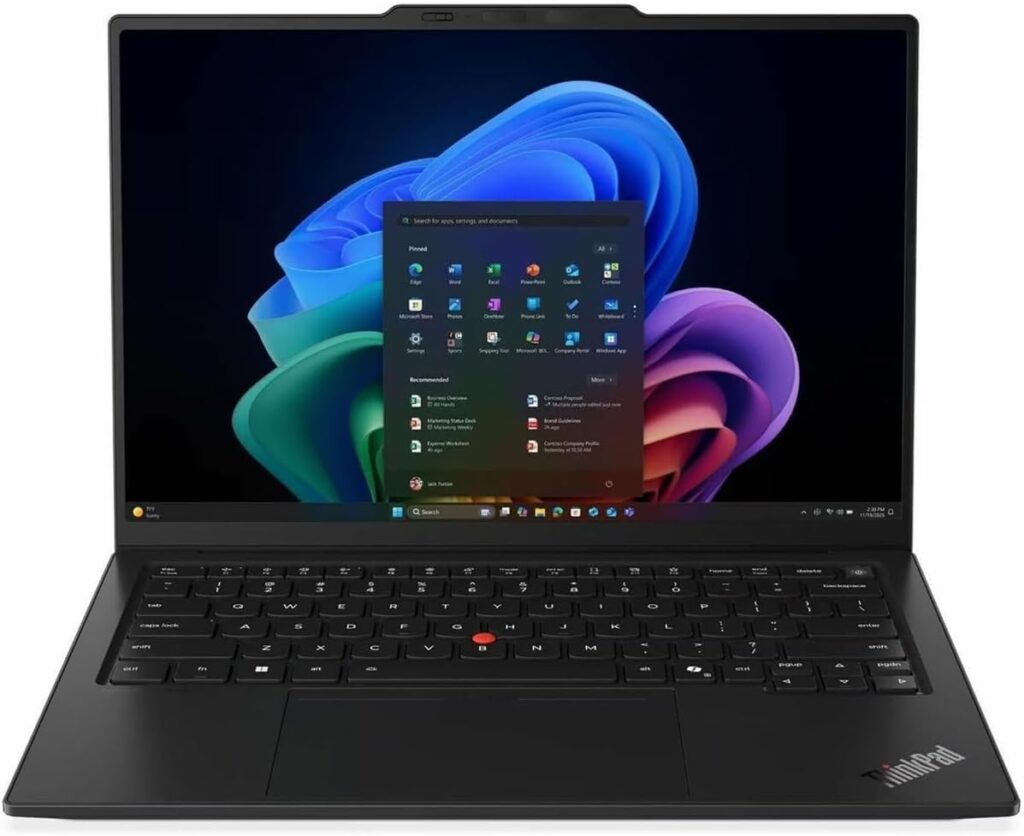
I’ll be upfront: this is the laptop I’d put in front of a CRM/ERP power user without a second thought. The X1 Carbon has been the go-to business laptop for over a decade for a reason, and the Gen 14 refresh actually fixes the one real complaint people had about the last couple of generations — battery life. Lenovo redesigned the internals with what they call a “Space Frame” layout, which lets components sit on both sides of the motherboard. The upside for you isn’t the engineering trivia, it’s that the chassis runs cooler, charges the battery faster, and is genuinely easier for IT to repair if something breaks — which matters a lot if your company manages a fleet of these.
Key Specs:
- Intel Core Ultra 7 355 (Panther Lake) or higher configurations available
- Up to 32GB LPDDR5X-8533 memory
- 14-inch WUXGA (1920×1200) IPS or 2.8K OLED display options
- Up to 2TB PCIe Gen 4 SSD
- Wi-Fi 7, Bluetooth 5.4
- Fingerprint reader, IR camera with Windows Hello, TPM 2.0, optional vPro
- Weighs just 2.17 lbs / 0.98 kg
- MIL-STD-810H tested durability
Why it works for CRM/ERP: The keyboard is still, hands down, one of the best you’ll type on in any laptop — and if your day involves entering customer records, updating opportunity stages, or filling out ERP forms for hours, that matters more than people give it credit for. It’s also the kind of machine most corporate IT departments already know how to manage, image, and repair, which cuts down on the “waiting three weeks for a replacement” headache when something goes wrong.
Pros:
- Best-in-class keyboard for long data-entry sessions
- Excellent build quality and serviceability — this thing is built to survive years of daily commuting
- Strong security stack that satisfies most enterprise IT requirements out of the box
- Battery life finally caught up to the rest of the field this generation
Cons:
- Starting price is steep for smaller teams or self-funded buyers
- Base configuration only comes with a 1920×1200 non-touch panel — you’ll pay more for the OLED upgrade
- Integrated graphics only, so anything beyond light dashboard work (like heavier BI tools) will show its limits
2. Dell 14 Premium — The Workhorse for People Who Live in Spreadsheets and Dashboards
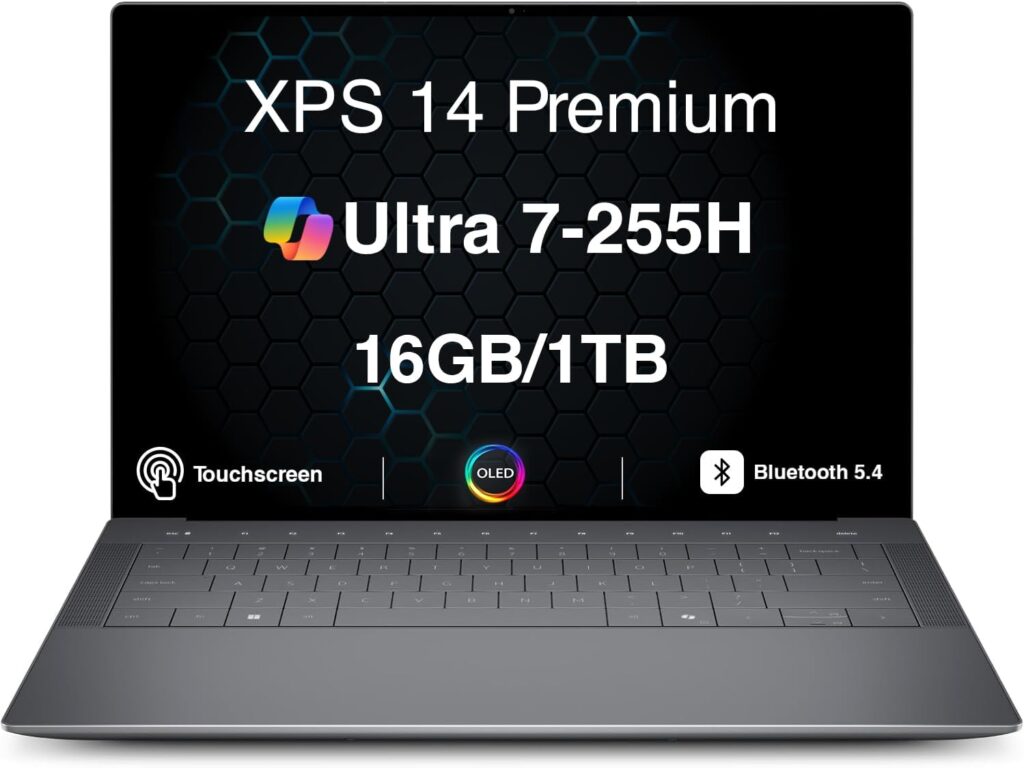
The Dell 14 Premium is basically what happened when Dell folded its beloved XPS line into a new naming scheme, and honestly, the laptop itself barely skipped a beat. If you’re the kind of CRM/ERP user who’s constantly bouncing between a dashboard, a pivot table, and a dozen open records, this one’s worth a serious look — it leans more “compact workstation” than “ultraportable,” and that’s actually a compliment here.
Key Specs:
- Intel Core Ultra 7 255H, 16 cores (6 performance + 8 efficient)
- Up to 32GB LPDDR5X memory
- Up to 1TB SSD storage
- 14.5-inch display, up to 2.8K OLED touch option (120Hz) on the XPS 14 variant
- Intel Arc 140T integrated graphics, optional discrete RTX 4050
- Thunderbolt 4, Wi-Fi 7, Bluetooth 5.4
- 1.72 kg (3.8 lbs)
Why it works for CRM/ERP: The extra CPU headroom really shows up when you’re running a CRM in one window, an ERP RDP session in another, and Excel doing heavy pivot table calculations on top of that — this machine doesn’t choke the way a lot of thinner ultrabooks do under that kind of load. The optional high-res OLED panel is also genuinely great for anyone staring at reports and charts all day; colors and contrast are noticeably better than a standard IPS panel.
Pros:
- Handles heavy multitasking without breaking a sweat — noticeably snappier than the competition when juggling multiple RDP/VPN sessions
- Excellent display options, especially the OLED touch variant
- Thunderbolt 4 makes docking to a monitor setup painless
- Solid, sturdy build with almost no flex in the chassis
Cons:
- At 8 hours 16 minutes of measured battery life, it’s the shortest-legged laptop on this list if your day includes back-to-back client visits
- Touch-style function keys and a borderless trackpad take some getting used to
- No webcam privacy shutter, which some security-conscious IT teams will flag
3. HP EliteBook X G1a — For the Multitaskers Who Refuse to Close Tabs
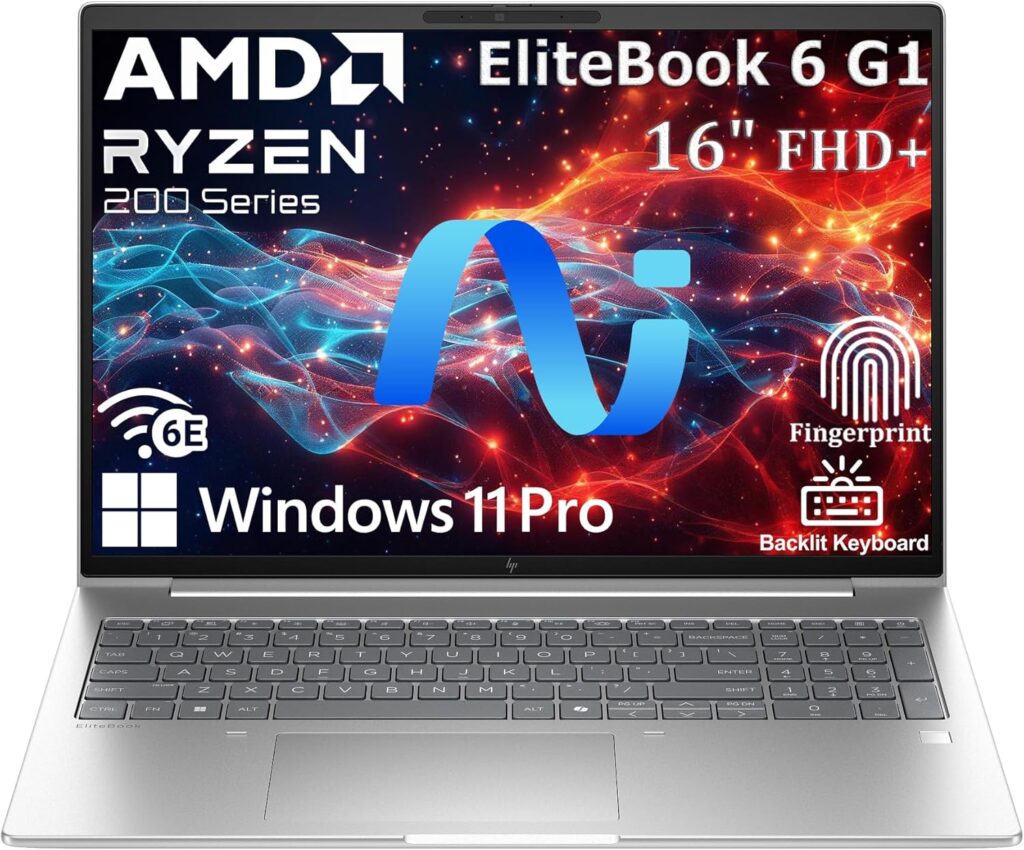
If you’re the type of person who has eleven CRM tabs, three ERP windows, and a Teams call running simultaneously and genuinely can’t be bothered to close any of them, the EliteBook X G1a might be the most practical laptop on this whole list. It’s built around AMD’s Ryzen AI processors, and the standout here isn’t really the AI features — it’s that you can spec this thing with a genuinely absurd amount of RAM.
Key Specs:
- AMD Ryzen AI 9 HX PRO 375 (12-core, up to 5.1GHz boost)
- Up to 64GB LPDDR5X memory
- Up to 1TB PCIe Gen4 SSD
- 14-inch WUXGA IPS or 2.8K OLED 120Hz display options
- AMD Radeon 890M integrated graphics, NPU rated at 55 TOPS
- Wi-Fi 7, Bluetooth 5.4
- HP Wolf Pro security suite, fingerprint reader, IR camera
- 1.49 kg (3.3 lbs)
Why it works for CRM/ERP: RAM is genuinely the single biggest bottleneck for CRM/ERP power users who insist on running everything at once, and 64GB is more than double what most competitors offer at this price. If your role involves things like reconciling data between a CRM and an ERP simultaneously, or running local reporting tools alongside cloud-based platforms, this is the laptop that won’t start swapping to disk and grinding to a halt.
Pros:
- Massive RAM ceiling that genuinely future-proofs it against heavier workloads
- HP’s Wolf Pro security suite is one of the more thorough enterprise security packages you’ll find pre-installed
- Strong port selection, including Thunderbolt 4 and full-size HDMI, so docking is rarely an issue
- Sharp OLED display option for anyone doing a lot of dashboard/reporting work
Cons:
- Battery life is the weak point here — reviewers have consistently found it falls short of HP’s “all-day” claims under real workloads
- At 3.3 lbs, it’s noticeably heavier than the Lenovo or the MacBook Air if you’re carrying it between client sites
- Memory is soldered, so you need to buy the RAM configuration you’ll actually need upfront
4. Apple MacBook Air M5 — The Underrated Pick for Browser-Based CRM Work
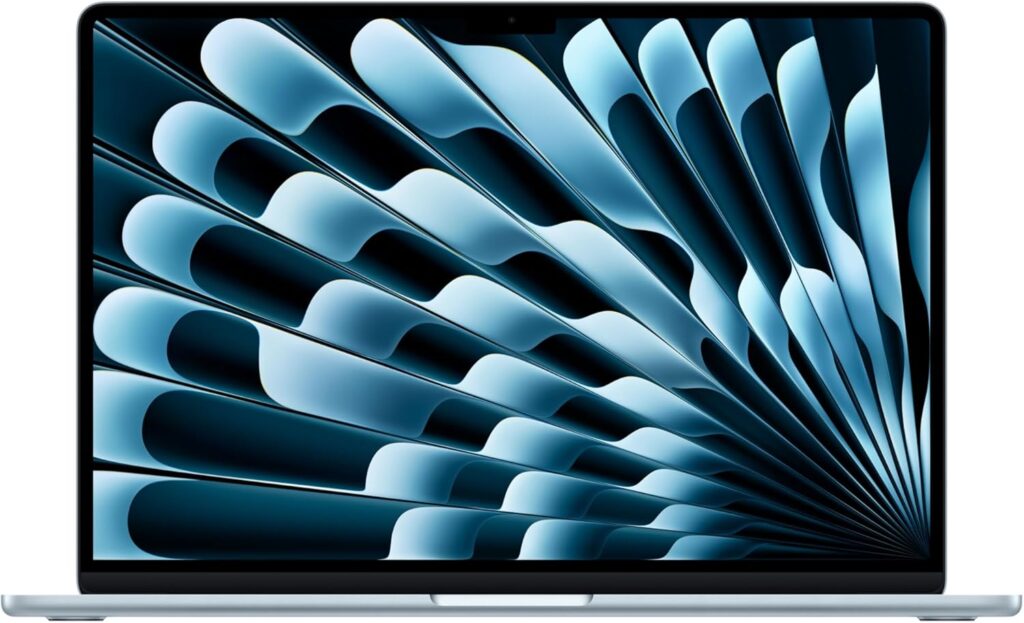
I know what you’re thinking — Mac and enterprise ERP don’t always mix, especially if your company runs a Windows-only legacy system with a bunch of add-ins that only work on Internet Explorer’s ghost. Fair point. But here’s the thing: an enormous amount of modern CRM/ERP work now happens entirely through the browser — Salesforce, HubSpot, NetSuite, Workday, most of Dynamics 365 — and for that kind of workflow, the MacBook Air M5 is honestly one of the most pleasant machines you can use all day.
Key Specs:
- Apple M5 chip, 10-core CPU, up to 10-core GPU
- 16GB unified memory standard, configurable up to 24GB
- 512GB SSD standard (up from 256GB last generation), configurable up to 4TB
- 13.6-inch or 15.3-inch Liquid Retina display
- Up to 18 hours of battery life (Apple’s claim, and it holds up surprisingly well in light-to-moderate use)
- Wi-Fi 7, Bluetooth 6
- Fanless design — completely silent under typical office workloads
Why it works for CRM/ERP: The battery life alone changes how you plan your day. I’ve genuinely gone a full day of back-to-back client calls, CRM updates, and email without touching a charger, which isn’t something I can say about most Windows ultrabooks on this list. It’s also fanless, so on long calls where you’re sharing your screen, you’re not fighting laptop fan noise in the background. The catch is obvious: if your ERP requires a native Windows client or a legacy plugin, you’ll need Parallels or a remote desktop workaround, which adds a layer of friction some IT teams won’t want to deal with.
Pros:
- Best battery life on this entire list by a wide margin
- Fanless, silent operation — genuinely nice for video calls
- Excellent value at $1,099 for the 13-inch model, especially with the doubled base storage this generation
- Trackpad and keyboard are still some of the best in the business, full stop
Cons:
- Native Windows-only ERP software requires a workaround (Parallels, Windows 365, or remote desktop)
- 24GB is the RAM ceiling, which can feel tight if you’re running heavy virtualization on top of everything else
- No touchscreen, and the display lacks the 120Hz ProMotion refresh rate found on the Pro line
5. Acer Aspire 5 — The Budget Pick That Doesn’t Feel Like a Compromise
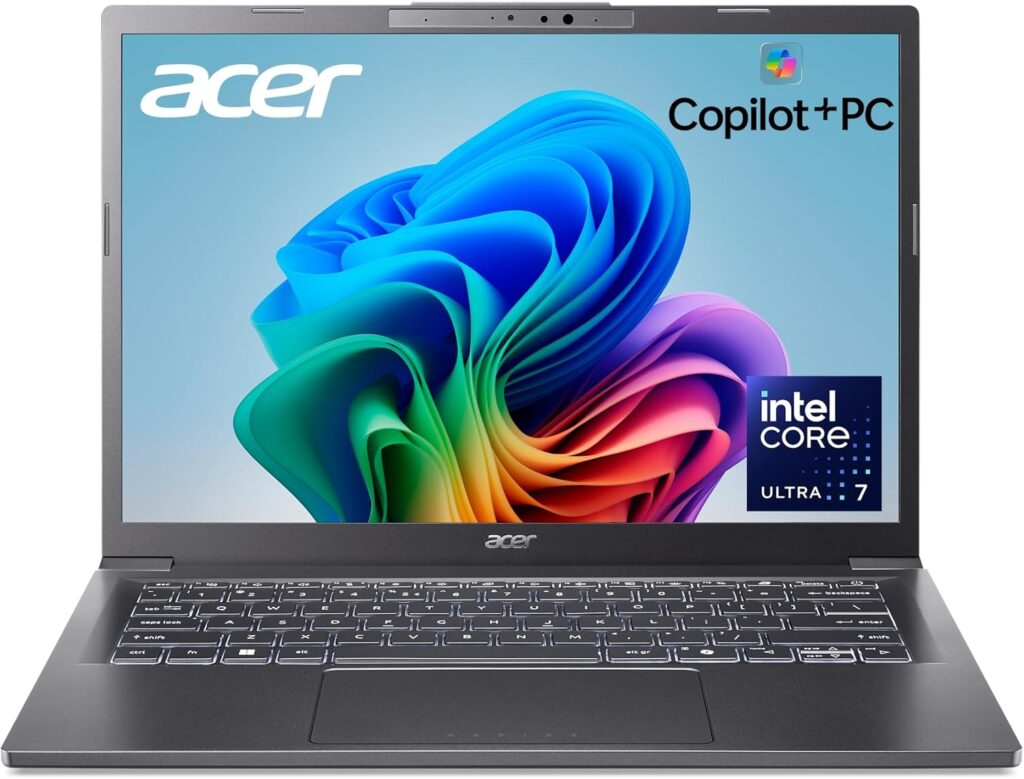
Not everyone reading this has a $2,000 laptop budget, and honestly, not everyone needs one. If your CRM/ERP usage is fairly light — a handful of tabs, some data entry, basic reporting, no heavy multitasking across a dozen apps — the Acer Aspire 5 punches well above its price tag, and it’s genuinely become one of the better options for smaller teams equipping multiple employees on a budget.
Key Specs:
- Intel Core i5/i7 (13th Gen) or AMD Ryzen options depending on configuration
- Up to 32GB DDR5 memory
- Up to 1TB SSD storage
- Available in 14-inch, 15.6-inch, and 17.3-inch screen sizes
- Integrated graphics
- 1.7 kg (3.75 lbs)
Why it works for CRM/ERP: For a company outfitting a whole sales team or a customer service department where each laptop mostly needs to run a browser-based CRM plus Outlook and a couple of spreadsheets, there’s a strong argument you simply don’t need to spend $2,000 per seat. The Aspire 5 handles that kind of workload comfortably, and the option to configure up to 32GB of RAM means it won’t necessarily choke the moment you open a fifth tab.
Pros:
- Genuinely competitive price for what you get
- Solid, no-nonsense build quality for a budget machine
- Configurable up to 32GB RAM, which is more headroom than you’d expect at this price
- Available in multiple screen sizes depending on your team’s preference
Cons:
- Modest overall performance compared to the rest of this list — fine for light CRM work, not built for heavy multitasking
- 720p webcam is a real letdown in a world of daily video calls
- Limited port selection compared to the premium options here
- Battery life and build quality are noticeably a step down from the business-class machines above
So Which One Should You Actually Buy?
Here’s my honest take, stripped of any hedging:
- If your company issues laptops through an IT department and needs something durable, secure, and easy to manage at scale — go with the ThinkPad X1 Carbon Gen 14. It’s the safest, most well-rounded choice, and IT teams already know how to support it.
- If your day is dashboards, spreadsheets, and heavy multitasking between CRM and ERP windows — the Dell 14 Premium has the horsepower to keep up without stuttering.
- If you genuinely refuse to close browser tabs and need every gigabyte of RAM you can get — the HP EliteBook X G1a with 64GB is the one that won’t slow down on you.
- If your CRM/ERP stack is fully browser-based and you spend your day in client meetings without a charger nearby — the MacBook Air M5 will outlast almost everything else on this list, and it’s quieter too.
- If you’re equipping a team on a tight budget and the workload is light-to-moderate — the Acer Aspire 5 gets the job done without the premium price tag.
There’s no single “best” laptop here — there’s a best laptop for how you actually work, and that’s really the question worth answering before you swipe your card. If you’re still torn between two of these, my honest advice is to think about which failure mode annoys you more: running out of battery mid-meeting, or watching your laptop grind to a halt with too many tabs open. Whichever one you’d rather never deal with again should make the decision pretty easy.
Frequently Asked Questions
Do I need a dedicated GPU for CRM and ERP software? No, not really. CRM and ERP platforms are almost entirely CPU and RAM-bound rather than GPU-bound. A dedicated GPU only starts to matter if you’re also doing things like local BI visualization work, heavy data modeling, or design tasks alongside your CRM/ERP usage. For the vast majority of users, integrated graphics are more than enough.
How much RAM do I actually need for CRM/ERP work in 2026? 16GB is the realistic floor if you’re running just a browser and email. But if you’re using a VPN client, RDP into an ERP system, and keeping a dozen tabs open at once — which describes most CRM/ERP users I’ve talked to — 32GB is where things start feeling comfortable rather than merely tolerable.
Is a MacBook a bad choice for ERP software like SAP or Dynamics? It depends entirely on how your company deploys that software. If it’s accessed through a browser or a cloud-hosted client, a Mac works fine. If it requires a native Windows application or a legacy plugin, you’ll need a workaround like Parallels, a Windows virtual machine, or a remote desktop connection — which adds a bit of friction but isn’t a dealbreaker for most people.
How important is battery life for someone who mostly works from a desk? Less important than for field sales or consulting roles, obviously, but still worth considering. Even desk-based CRM users end up in conference rooms, at client sites occasionally, or working from home without a dedicated charger nearby. I’d still avoid anything under 7-8 hours of real-world battery life if you have the choice.
Should I prioritize screen size or screen resolution? Resolution and aspect ratio generally matter more than raw size for CRM/ERP work. A 14-inch screen with a 16:10 aspect ratio and a sharp 2.8K panel will show you more usable data than a 15.6-inch screen at a lower resolution. That said, if you’re doing heavy data entry all day and don’t travel much, a bigger screen at your desk (with an external monitor) will always beat squinting at a laptop panel regardless of resolution.
What security features should I actually look for? At minimum: a fingerprint reader or IR camera for Windows Hello, TPM 2.0 support, and a physical webcam privacy shutter if you’re on video calls handling sensitive customer data. If your company deals with financial records through the ERP, ask your IT team whether they require vPro or similar remote-management support before you buy — it’ll save you a headache down the line.

Hi, my name is Burak. I am a mechanical engineer. I have been writing laptop reviews for the Engineering Laptops website since 2020. Please feel free to contact me if you have any questions.





