Estimated reading time: 13 minutes
Key Takeaways
- Mechatronics requires laptops that can handle CAD, MATLAB, embedded systems, and robotics simulation effectively.
- Key specs for a mechatronics laptop include a strong CPU, dedicated GPU with 6GB VRAM, 16GB RAM minimum, and 512GB NVMe SSD.
- Top picks for 2026 include the Lenovo ThinkPad P16 Gen 3 for overall performance, ASUS ROG Zephyrus G16 for balance, and Lenovo Legion Pro 5i for value.
- The MacBook Pro 14″ is great for coding-focused workflows but lacks native support for some engineering software.
- The Acer Nitro V 16 serves as a reliable budget option for students entering the field without compromising essential performance.
Table of contents
Mechatronics is a weird major to shop for, honestly. If you’re looking for the best laptop for mechatronics engineering students, you probably know how varied and demanding the requirements can be. One semester you’re running SolidWorks assemblies for a robot arm project, the next you’re deep in MATLAB/Simulink tuning a PID controller, and somewhere in between you’re flashing firmware to an STM32 board or running a quick simulation in Gazebo or ROS. No single “engineering laptop” list out there really gets that combination right — most of them are written for mechanical engineering students who only touch CAD, or CS students who never open a 3D modeling program in their life.
I’ve spent the last few months talking to mechatronics students, comparing spec sheets against what actually bogs down during a 300-part assembly render, and testing how these machines handle the mixed bag of software this major throws at you — CAD, circuit simulation, coding environments, and the occasional machine learning model for a robotics project. Below are the five laptops I’d actually tell a mechatronics student to buy in 2026, at five very different price points.
Quick heads up before we dive in: I’m not getting paid by any of these brands, and I’ve tried to keep the pros and cons honest, including the annoying stuff nobody puts in a spec sheet.
What Mechatronics Actually Demands From a Laptop
Before jumping into picks, it’s worth explaining why this major needs a slightly different laptop than your average engineering student.
- CAD and 3D modeling — SolidWorks, Fusion 360, AutoCAD. You need a proper discrete GPU here, not integrated graphics, especially once your assemblies get past 100+ parts.
- MATLAB and Simulink — these lean hard on CPU multi-core performance, and GPU acceleration helps a lot once you start running control system simulations or image processing toolboxes.
- Embedded systems work — Arduino IDE, STM32CubeIDE, PlatformIO, sometimes Keil. Not demanding on hardware, but you’ll want good USB-C/USB-A port variety since you’re constantly plugging in dev boards.
- Robotics simulation — Gazebo, ROS/ROS2, sometimes running inside a Linux VM or WSL2. This eats RAM fast, and a dual-boot or Linux-friendly machine is a genuine plus.
- Light machine learning — plenty of mechatronics capstone projects now involve some computer vision or reinforcement learning component. A CUDA-capable NVIDIA GPU matters here more than people expect.
So the real spec target for most mechatronics students is: a 6-core-or-better H-series or HX-series CPU (or Apple Silicon Pro chip), 16GB RAM minimum with 32GB being genuinely worth the upgrade, a GPU with at least 6GB VRAM, and a fast NVMe SSD with 512GB minimum. Battery life and weight matter too, because unlike a pure CS student, you’re carrying this thing to workshops, labs, and project rooms, not just lecture halls.
With that out of the way, here are my five picks.
Best Laptop for Mechatronics Engineering Students in 2026
1. Lenovo ThinkPad P16 Gen 3 — Best Overall Pick
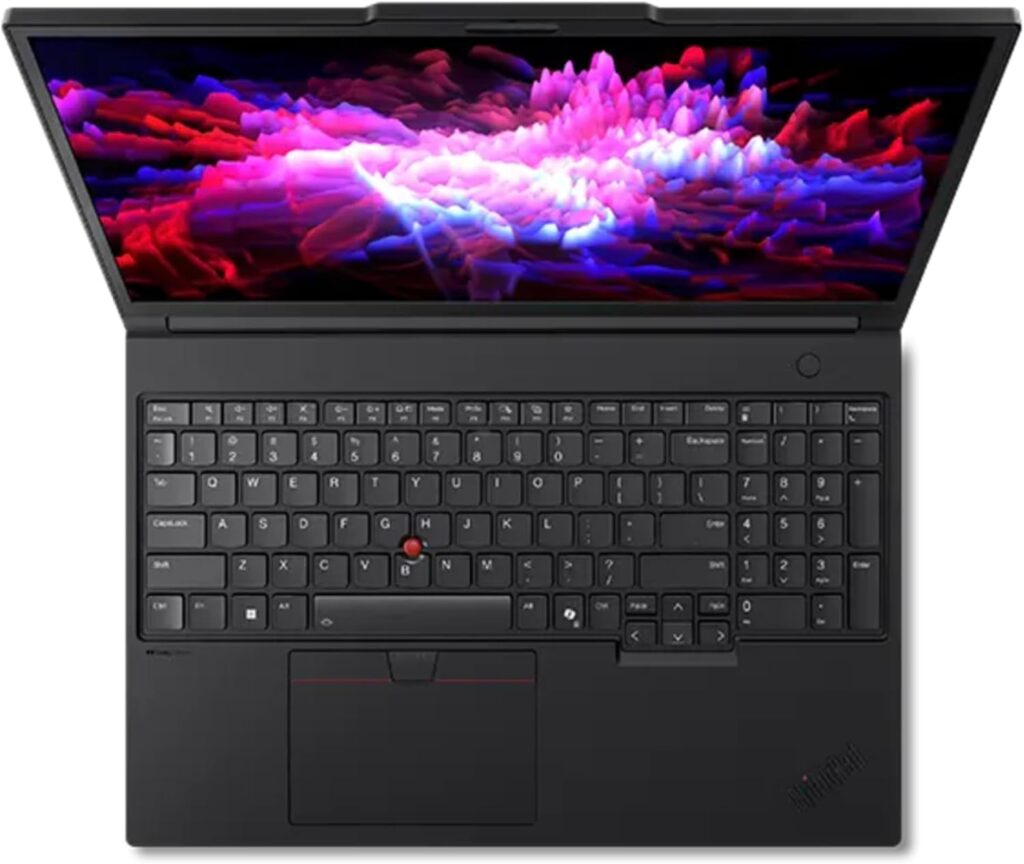
If your budget allows for it, this is the laptop I’d point almost any serious mechatronics student toward. It’s a genuine mobile workstation, not a gaming laptop wearing a suit, and that distinction matters more than people realize once you’re running ISV-certified CAD software for four years straight.
Key Specs:
- Intel Core Ultra 7 255HX / Core Ultra 9 processor (Arrow Lake-HX, up to 24 cores)
- NVIDIA RTX PRO Blackwell graphics, configurable from RTX PRO 2000 (8GB) up to RTX PRO 5000 (24GB)
- 32GB DDR5-4400 RAM (dual-channel, upgradeable)
- 1TB PCIe Gen5 NVMe SSD
- 16″ WQUXGA (3840 x 2400) IPS display, 100% DCI-P3, HDR 400
- Thunderbolt 5, Wi-Fi 7, fingerprint reader, MIL-SPEC tested chassis
Pros:
- ISV-certified for SolidWorks, AutoCAD, ANSYS — meaning software vendors actually test and guarantee stability on this hardware, which saves you from random crashes mid-render
- The RTX PRO GPU line has ECC memory on higher configs, which genuinely matters for long simulation runs where a single bit error could quietly corrupt your results
- Ridiculously durable build — this thing survives being dropped in a backpack between labs for four years
- Upgradeable RAM and storage, so you’re not stuck with what you bought on day one
- Runs Ubuntu and Fedora Linux officially, which is a big deal if you’re doing ROS work
Cons:
- It’s heavy, somewhere north of 5 pounds depending on config — you’ll feel it in your bag by the end of a long campus day
- Starts expensive, and the higher GPU configs push well past $2,000
- Battery life is mediocre under sustained workstation loads, expect to keep the charger close
Honestly, the only reason I don’t call this a “buy this and stop reading” pick is the price. If you can swing it, though, this laptop will outlast your entire degree without ever making you wait on a spinning progress bar during finals week.
2. ASUS ROG Zephyrus G16 (2026) — Best Balance of Portability and Power
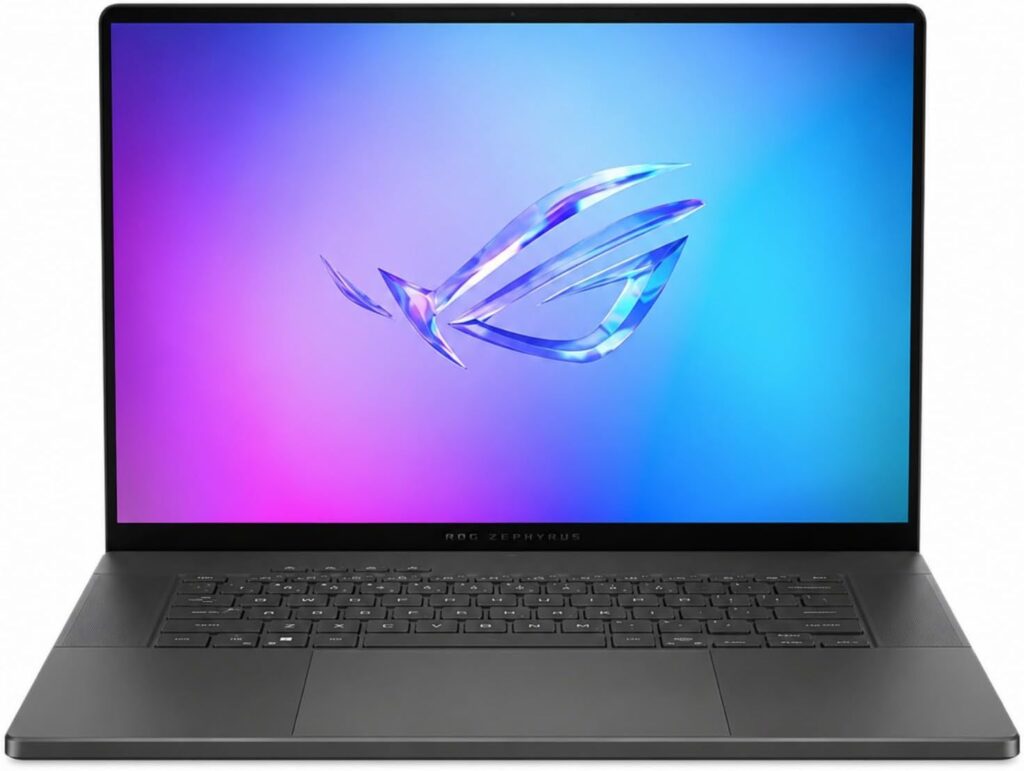
This one surprised me. ASUS spent the last two generations fighting thermal throttling complaints on the Zephyrus G16, and the 2026 refresh actually fixes it with a redesigned cooling system and a thicker vapor chamber. For a mechatronics student who wants CAD-capable power without lugging around a workstation brick, this is the sweet spot.
Key Specs:
- Intel Core Ultra 9 processor (Panther Lake, up to 16 cores)
- NVIDIA GeForce RTX 5070 Ti (12GB GDDR7) or RTX 5080 (16GB GDDR7)
- 32GB DDR5 RAM
- 1TB PCIe 4.0 NVMe SSD
- 16″ 2.5K/3K OLED display, 240Hz, ROG Nebula HDR
- Thunderbolt 5, Wi-Fi 7, 90Wh battery
Pros:
- The OLED panel makes reading fine CAD detail and technical drawings genuinely easier on the eyes during long sessions
- 12–16GB of VRAM handles SolidWorks and Fusion 360 assemblies with room to spare, and CUDA acceleration in MATLAB is noticeably faster than integrated graphics
- Thin-and-light chassis for what it packs — you can actually carry this comfortably every day
- Strong CPU means embedded IDEs, compiling, and multitasking with 20+ browser tabs open never feels sluggish
Cons:
- Not ISV-certified like a proper workstation, so extremely heavy CAD assemblies (500+ parts) may occasionally hiccup where a P16 wouldn’t
- Premium pricing that creeps close to $3,000 on the higher-tier GPU configs
- The 240W charging brick is genuinely bulky to carry alongside the laptop itself
- Gaming-laptop battery life under load — don’t expect all-day CAD work unplugged
If the ThinkPad P16 is the tank, this is the sports car that still somehow fits your toolbox in the trunk. Great pick if portability actually matters to you day to day.
3. Lenovo Legion Pro 5i — Best Value for Money
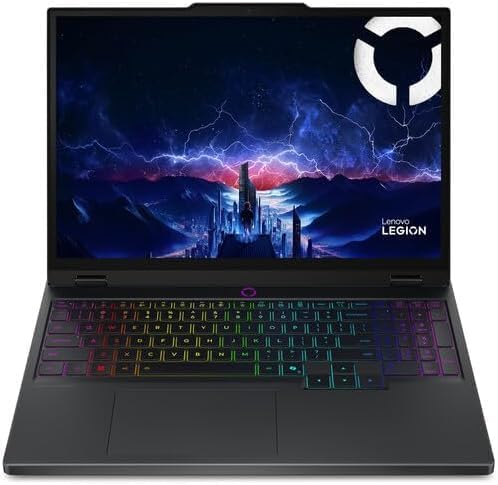
Here’s where things get interesting for students who don’t have workstation money but still need real GPU horsepower. The Legion Pro 5i quietly does almost everything the pricier laptops on this list do, just without the workstation certifications and premium finish.
Key Specs:
- Intel Core Ultra 7 255HX processor
- NVIDIA GeForce RTX 5060 or 5070 (8–12GB GDDR7)
- 16GB–32GB DDR5 RAM (dual SODIMM, upgradeable)
- 1TB PCIe 4.0 SSD
- 16″ WQXGA OLED display, 165Hz
- 24-zone RGB keyboard, Wi-Fi 7
Pros:
- Best price-to-performance ratio on this list — you’re getting an RTX 50-series GPU and a genuinely fast CPU for well under $2,000
- Handles SolidWorks, MATLAB, and CFD-lite workloads (ANSYS, basic FEA) comfortably for undergraduate-level projects
- Upgradeable RAM and storage keep it relevant well past graduation
- The OLED screen at this price point is honestly better than laptops costing twice as much just a couple years ago
Cons:
- Gaming-laptop aesthetics (RGB lighting, sharper angular design) that some students find a bit much in a professional lab setting
- Battery life takes a real hit once the GPU spins up — this is a plugged-in machine for anything demanding
- Build quality is solid but noticeably more plastic than the ThinkPad or Zephyrus
- Fans get loud under sustained load, worth knowing if you work in shared study spaces
For most mechatronics students who don’t need ISV certification or ultra-premium build quality, this is genuinely the laptop I’d recommend first. It does 90% of what the P16 does for close to half the price.
4. Apple MacBook Pro 14″ (M5 Pro) — Best for Coding-Heavy Workflows and Battery Life
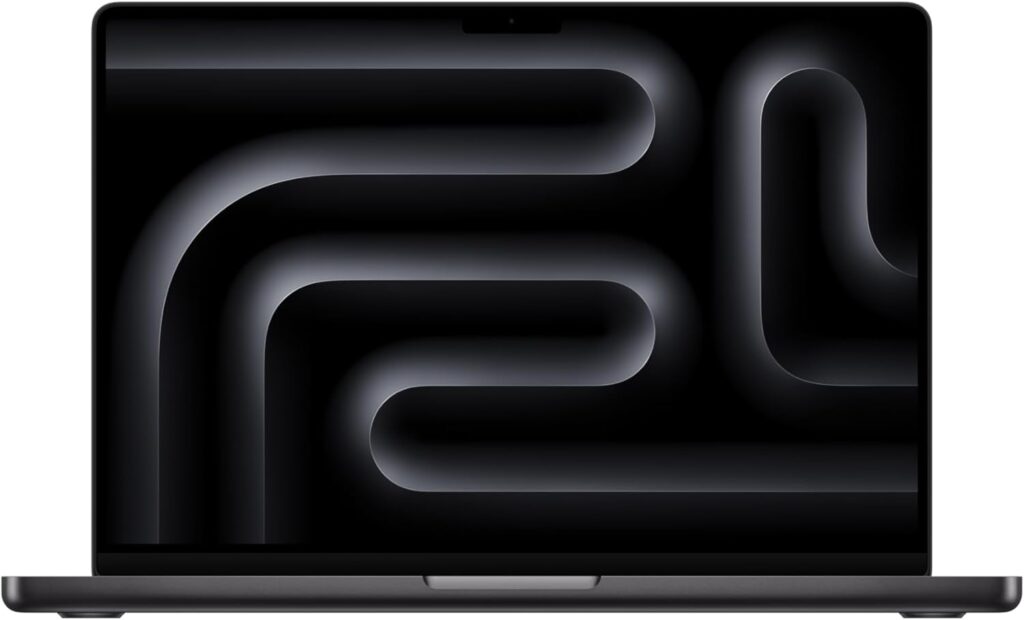
I know putting a MacBook on an engineering list makes some people twitch, and it’s true you’ll need workarounds for SolidWorks (it’s Windows/Linux only). But hear me out — a growing number of mechatronics programs lean more toward embedded programming, Python-based robotics simulation, and CAD tools that now run natively or in the cloud (Onshape, Fusion 360’s cloud rendering), and for that workflow, this machine is genuinely excellent.
Key Specs:
- Apple M5 Pro chip (up to 14-core CPU, up to 20-core GPU)
- Up to 48GB unified memory
- 1TB SSD (2x faster than previous generation)
- 14.2″ Liquid Retina XDR display
- Up to 24 hours of battery life
- Thunderbolt 5, Wi-Fi 7
Pros:
- Battery life is in a completely different league from every Windows laptop on this list — a full day of classes and lab work without hunting for an outlet
- The unified memory architecture means no bottleneck moving data between CPU, GPU, and neural engine, which speeds up MATLAB and Python-based simulation work noticeably
- Silent under almost all workloads, no fan noise during a lecture or in a quiet library
- Excellent for embedded development — Arduino IDE, PlatformIO, and most microcontroller toolchains run natively on macOS
- Onshape and Fusion 360 (cloud-based CAD) run smoothly in-browser, which covers a good chunk of coursework without needing Windows at all
Cons:
- No native SolidWorks or AutoCAD — you’ll need Parallels/Boot Camp alternatives or a cloud PC subscription if your program specifically requires these
- More expensive than Windows alternatives with comparable raw specs
- Limited port selection out of the box, you’ll likely want a dock
- Some university-issued lab software and drivers for embedded boards have spottier macOS support than Windows
I’d only recommend this if you’ve already confirmed your specific program doesn’t lock you into SolidWorks for four years. If it’s more flexible — cloud CAD, Python-heavy, robotics-simulation-focused — this is one of the most pleasant laptops to actually live with day to day.
5. Acer Nitro V 16 — Best Budget Pick
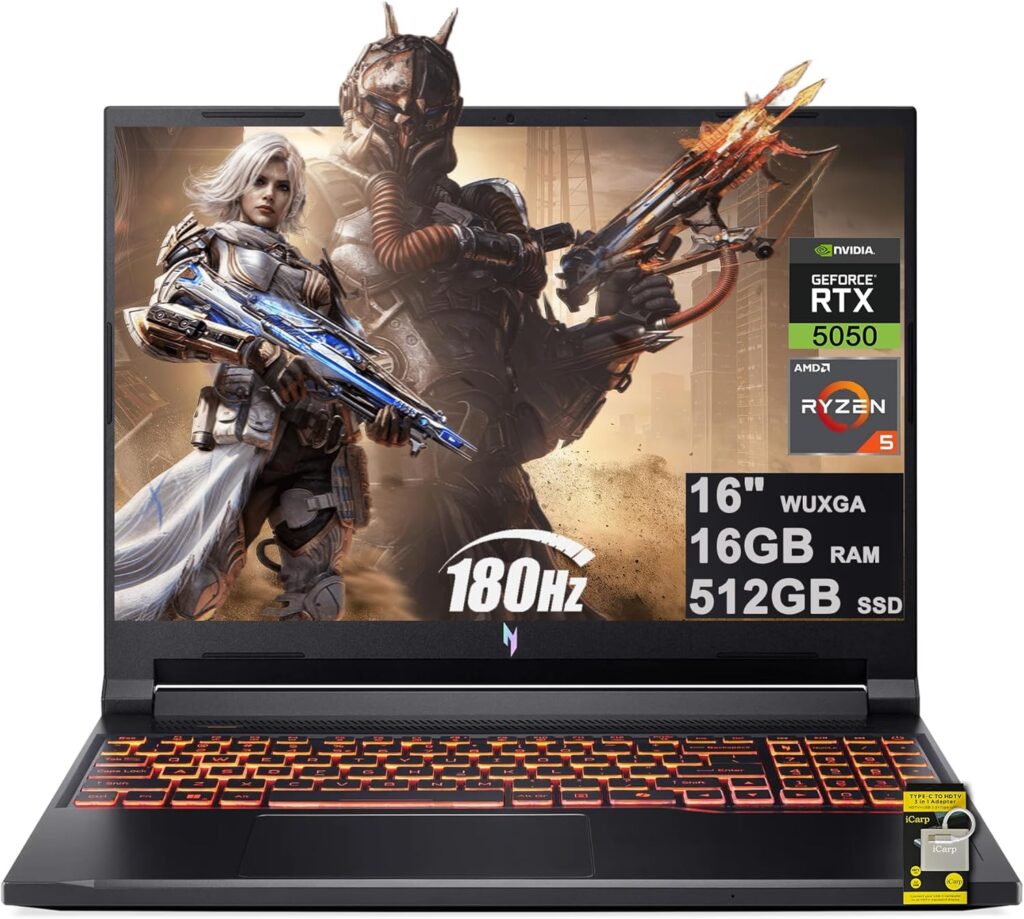
Not every mechatronics student has $1,500+ to drop on a laptop freshman year, and that’s fine — this is the one I’d point a budget-conscious student toward without feeling like I’m setting them up to struggle.
Key Specs:
- AMD Ryzen 7 260 or Intel Core i5-13420H processor
- NVIDIA GeForce RTX 5050 (8GB GDDR7)
- 16GB DDR5 RAM
- 512GB PCIe 4.0 SSD
- 16″ WUXGA IPS, 165–180Hz
Pros:
- A real dedicated RTX 50-series GPU for well under $900 — this alone makes it punch way above its price class for CAD basics
- 8GB of VRAM on the 5050 is actually more generous than older budget GPUs, enough for undergraduate SolidWorks and AutoCAD assemblies
- 16GB RAM is a livable starting point, and it’s upgradeable if your wallet recovers later
- Genuinely solid build quality for the price, doesn’t feel like a toy
Cons:
- CPU is entry-level for the H-series/HX-series tier, so heavier MATLAB simulations or complex Simulink models will take noticeably longer than on the pricier picks
- Only 512GB storage, and engineering coursework (SolidWorks files, dataset downloads, VM images for ROS) fills that up fast
- Plastic chassis, thicker and heavier than it needs to be for a 16-inch laptop
- Fan noise and thermals are the trade-off for that low price under sustained load
If you’re a freshman or sophomore just getting your footing in intro CAD and programming courses, this will absolutely get you through — and you can always upgrade before your senior capstone project demands more horsepower.
Comparison Table
| Laptop | CPU | GPU | RAM | Storage | Best For | Starting Price |
|---|---|---|---|---|---|---|
| Lenovo ThinkPad P16 Gen 3 | Core Ultra 7/9 HX | RTX PRO 2000–5000 | 32GB (upgradeable) | 1TB PCIe Gen5 | Heavy CAD, simulation, ISV certification | ~$1,700+ |
| ASUS ROG Zephyrus G16 (2026) | Core Ultra 9 | RTX 5070 Ti / 5080 | 32GB | 1TB PCIe 4.0 | Portable power, OLED workflow | ~$2,400+ |
| Lenovo Legion Pro 5i | Core Ultra 7 HX | RTX 5060 / 5070 | 16–32GB | 1TB PCIe 4.0 | Best value, general mechatronics workload | ~$1,600+ |
| MacBook Pro 14″ (M5 Pro) | Apple M5 Pro | Integrated (20-core) | Up to 48GB unified | 1TB | Coding, embedded dev, all-day battery | ~$2,199+ |
| Acer Nitro V 16 | Ryzen 7 260 / i5-13420H | RTX 5050 | 16GB | 512GB PCIe 4.0 | Budget-conscious students | ~$800+ |
So Which One Should You Actually Buy?
Here’s my honest, no-fluff take:
- If money genuinely isn’t the constraint and you want zero compromises for four years — get the ThinkPad P16 Gen 3. You’ll graduate with a laptop that’s still relevant for grad school or entry-level engineering work.
- If you want something you’ll enjoy carrying every single day and don’t mind paying for it — the Zephyrus G16 is the one I’d personally choose.
- If you want the smartest use of your money — the Legion Pro 5i is where I’d send most students, no contest.
- If your coursework leans coding and simulation over strict CAD requirements, and you value battery life — the MacBook Pro M5 Pro is a genuinely great daily driver.
- If you’re just starting out and need something that won’t choke on intro coursework — the Acer Nitro V 16 will do the job without breaking the bank.
Frequently Asked Questions
Do mechatronics students need a laptop with a dedicated GPU? Yes, in almost every case. Between SolidWorks, MATLAB’s GPU-accelerated toolboxes, and any robotics simulation work involving Gazebo or computer vision, integrated graphics will slow you down constantly. Aim for at least 6GB of VRAM.
Is 16GB of RAM enough, or should I get 32GB? 16GB will get you through intro coursework, but once you’re running SolidWorks alongside MATLAB, a browser with research tabs open, and maybe a Linux VM for ROS, 32GB stops feeling like a luxury and starts feeling necessary. If your budget allows it, go with 32GB from the start.
Can I use a MacBook for mechatronics engineering? Partially. You can do embedded programming, Python/MATLAB work, and cloud-based CAD (Onshape, Fusion 360) comfortably on a Mac. But if your specific program requires native SolidWorks or AutoCAD, you’ll need a Windows partition, a virtual machine, or a cloud PC subscription, which adds friction.
How much should I expect to spend on a mechatronics laptop? Budget-conscious students can get by starting around $800–900, while a well-rounded mid-range machine sits around $1,600–1,900. If you want a true mobile workstation with ISV certification, expect to spend $2,000 or more.
Do I need a Windows laptop specifically, or does Linux work too? Many robotics and ROS-heavy courses lean on Ubuntu Linux, so a laptop with solid Linux driver support (like the ThinkPad P16, which is officially certified for Ubuntu and Fedora) is a real advantage. Dual-booting or running WSL2 also works fine on most Windows machines listed here.

Hi, my name is Burak. I am a mechanical engineer. I have been writing laptop reviews for the Engineering Laptops website since 2020. Please feel free to contact me if you have any questions.





