
Last updated: October 23, 2026
Table of contents
- Quick Answer: My 5 Picks at a Glance
- How I Put This Guide Together
- The Blender Fit Score: How I Ranked Them
- Blender Benchmarks: The Numbers That Matter
- OptiX, Metal, CUDA, HIP: Which One Will You Actually Use?
- How Much VRAM Do You Need for Blender?
- The 5 Best Laptops for Blender: Full Reviews
- 1. Apple MacBook Pro 16 (M5 Max, 2026) : Best Laptop for Blender Overall
- 2. Lenovo Legion Pro 7i Gen 11 (2026) : Fastest Windows Laptop for Blender
- 3. Razer Blade 16 (2026) : Best Portable RTX 5090 Laptop for Blender
- 4. Dell Pro Max 16 Plus : Best Mobile Workstation for Blender Pros
- 5. ASUS ROG Zephyrus G16 (2026) : Best Lightweight All-Rounder for Blender
- Side-by-Side Spec Comparison
- Which Laptop Fits the Way You Use Blender?
- Rendering on Battery: The Reality Nobody Mentions
- Throttling During Long Renders
- Buying Guide: What Really Matters for Blender
- Frequently Asked Questions
- My Final Verdict
- Sources
Three years ago, if you’d told a Blender artist that a MacBook would beat NVIDIA’s fastest laptop GPU in Blender’s own benchmark database, you’d have been laughed out of the Discord server.
Well, here we are. In the Blender Open Data database, the M5 Max now posts a median score of 8,160. The laptop RTX 5090 sits at 8,009. It’s a small gap, but it’s real, and it’s the wrong way around from what most of us expected.
That isn’t even the strangest thing I found while putting this guide together. A Razer laptop with an RTX 5090 inside ran for almost 13 hours in a battery test. One checkbox in Blender’s Preferences cut a render from 22 seconds to under 12 on the same laptop. And a workstation that costs about $5,000 rendered a scene faster than a gaming laptop with a supposedly stronger GPU.
The laptop market for 3D work has quietly flipped upside down this year. If you’re about to spend three to five grand on a machine that will live with your .blend files for the next few years, the old rules (“just buy the biggest NVIDIA card”) are no longer the whole story.
So I dug through every credible lab result I could find, threw out anything I couldn’t trace back to a real measurement, and narrowed it down to five laptops, one per brand. They’re all the newest model in their line as of October 2026. Here’s what I’d buy, and why.
Quick Answer: My 5 Picks at a Glance
| Rank | Laptop | Best for | GPU (memory) | Standout Blender result | Weight | Price (tested config) |
|---|---|---|---|---|---|---|
| 1 | Apple MacBook Pro 16 (M5 Max, 2026) | Best overall, huge scenes | 40-core M5 Max (up to 128GB unified) | Open Data median 8,160.83 | 4.73 lb | $4,499 |
| 2 | Lenovo Legion Pro 7i Gen 11 (2026) | Fastest Windows renders | Up to RTX 5090 (24GB) | Fastest Blender render in Jarrod’sTech’s test pool | ~5.8 lb | $3,467 (RTX 5080, on sale) |
| 3 | Razer Blade 16 (2026) | Portable RTX 5090 | RTX 5090 (24GB), 160W | 12 h 46 min battery life | 4.68 lb | $4,899.99 |
| 4 | Dell Pro Max 16 Plus | Studios and big simulations | RTX PRO 5000 Blackwell (24GB) | Classroom in 11 s (OptiX) | 6.27 lb | ~$5,000 |
| 5 | ASUS ROG Zephyrus G16 (2026) | Light all-rounder | RTX 5080 (16GB) | Classroom in 11.71 s (OptiX) | 4.3 lb | $4,499 |
The short version: If you’re comfortable on macOS, the MacBook Pro 16 with M5 Max is the best Blender laptop you can buy right now. If your workflow depends on NVIDIA, go with the Legion Pro 7i Gen 11 for raw speed or the Razer Blade 16 if you’ll carry it every day.
How I Put This Guide Together
I want to be straight with you, because it matters when you’re spending this kind of money. I didn’t have all five of these laptops on my desk at the same time. Nobody writing a roundup this month does. RTX 5090 review units and maxed-out M5 Max configs don’t exactly grow on trees.
Instead, I did what I’d want a friend to do for me. I gathered published, repeatable measurements from labs and reviewers with a track record, checked them against each other, and only kept numbers I could tie to a named source. Here’s where they came from:
- Blender Open Data. This is the Blender Foundation’s public benchmark database, where people upload real results from their own machines. Since it’s crowd-sourced, I use median scores and tell you how many samples are behind them.
- Notebookcheck. Full lab reviews with calibrated display measurements, color accuracy (Delta E), sustained CPU loops, Geekbench and Blender CPU tests.
- UltrabookReview. Actual Blender render times on current Blender builds (BMW and Classroom scenes, CUDA vs. OptiX, CPU vs. GPU), plus SPECviewperf and fan noise per power mode.
- Tom’s Hardware, TechRadar, Gizmodo, MakeUseOf, ITPro, Trusted Reviews, Hardware Canucks and Jarrod’sTech. Battery rundowns, thermals, SSD tests, pricing and long-load behavior.
I followed three rules:
- Newest model only. If a newer generation is out, the old one doesn’t make the list.
- One laptop per brand, so you get five real choices instead of five versions of the same thing.
- Blender versions get flagged. Cycles gets faster with almost every release, so a Classroom time from Blender 3.3 and one from Blender 5.1 aren’t a perfect apples-to-apples match. Whenever I compare across versions, I’ll tell you.
The Blender Fit Score: How I Ranked Them
Most “best laptops for Blender” lists rank machines by gaming frame rates. I get why, since those numbers are everywhere, but they’re the wrong ruler. Nobody’s Cycles render cares how many frames per second you get in Cyberpunk.
So I built a score around what actually slows Blender artists down:
| What I measured | Weight | Why it matters in Blender |
|---|---|---|
| GPU render speed (Cycles) | 35% | Final renders, look-dev and Cycles viewport previews |
| Memory headroom (VRAM / unified memory) | 20% | If the scene doesn’t fit, it crashes or crawls |
| Sustained performance | 15% | Animations render for hours, not 30 seconds |
| CPU and viewport | 10% | Physics bakes, geometry nodes, high-poly sculpting |
| Display accuracy | 10% | Color decisions in look-dev and compositing |
| Portability and battery | 10% | Working away from your desk |
| Laptop | Render | Memory | Sustained | CPU | Display | Portability | Fit Score |
|---|---|---|---|---|---|---|---|
| MacBook Pro 16 (M5 Max) | 8.5 | 10 | 7 | 9 | 9.5 | 9.5 | 8.8 |
| Lenovo Legion Pro 7i Gen 11 | 9.5 | 8 | 9 | 9.5 | 8 | 5 | 8.6 |
| Dell Pro Max 16 Plus | 9 | 9.5 | 7.5 | 9 | 9 | 5 | 8.5 |
| Razer Blade 16 (2026) | 9 | 8 | 7.5 | 7 | 8.5 | 9.5 | 8.4 |
| ASUS ROG Zephyrus G16 (2026) | 8.5 | 7 | 8 | 7 | 8.5 | 9 | 8.0 |
These sub-scores are my own judgment calls, built on the lab data you’ll see below. Use them as a tiebreaker rather than a lab result.
Blender Benchmarks: The Numbers That Matter
Blender Open Data (GPU medians)
| GPU | Median score | Number of results | Backend |
|---|---|---|---|
| Apple M5 Max (40-core GPU) | 8,160.83 | 85 | Metal |
| NVIDIA RTX 5090 Laptop GPU | 8,009.14 | 32 | OptiX / CUDA |
| NVIDIA RTX 5090 desktop (for scale) | 16,109.1 | 160 | OptiX / CUDA |
A separate snapshot of the newer Blender 5.2.0 results, reported by MobiDevices, put the M5 Max at 8,113, which tells the same story. Apple’s top laptop chip and NVIDIA’s top laptop GPU are neck and neck now. And both are still about half as fast as a desktop RTX 5090. If you need truly huge render throughput, a desktop still wins. That’s just physics and power limits.
Classroom scene render times (GPU)
| Laptop / GPU | Backend | Render time | Blender version |
|---|---|---|---|
| Dell Pro Max 16 Plus / RTX PRO 5000 | OptiX | 11 s | 3.3 |
| Dell Pro Max 16 Plus / RTX PRO 5000 | CUDA | 16 s | 3.3 |
| ASUS Zephyrus G16 / RTX 5080 | OptiX | 11.71 s | 5.1.2 |
| ASUS Zephyrus G16 / RTX 5080 | CUDA | 22.16 s | 5.1.2 |
| Lenovo Legion Pro 7i Gen 10 / RTX 5080 (Gen 11’s predecessor, as a floor) | OptiX | 11.33 s | 4.3.2 |
| MacBook Pro M5 Max | Metal | 12 s | Not specified by the tester |
| MacBook Pro M5 Pro | Metal | 19.47 s | Not specified by the tester |
Look at the two Zephyrus rows. It’s the same laptop, the same scene, the same Blender version. 11.71 seconds with OptiX versus 22.16 seconds with CUDA. That’s almost exactly twice as fast just from changing one setting. If you own an RTX laptop and you’ve never touched Edit > Preferences > System > Cycles Render Devices, go do it right now. I’ll wait.
Render speed per dollar
Here’s something I haven’t seen anyone else bother with. I took each laptop’s published result and divided it by the price of the configuration that was actually tested.
| Laptop (tested config) | Metric | Price | Value |
|---|---|---|---|
| MacBook Pro 16, M5 Max 48GB/2TB | Open Data 8,160.83 | $4,499 | ~1,814 points per $1,000 |
| Razer Blade 16, RTX 5090/32GB/2TB | Open Data 8,009.14 (RTX 5090 laptop median) | $4,899.99 | ~1,634 points per $1,000 |
| ASUS Zephyrus G16, RTX 5080/64GB | Classroom 11.71 s (~307 renders/hour) | $4,499 | ~68 renders/hour per $1,000 |
| MacBook Pro 16, M5 Max | Classroom 12 s (~300 renders/hour) | $4,499 | ~67 renders/hour per $1,000 |
| Dell Pro Max 16 Plus, RTX PRO 5000 | Classroom 11 s (~327 renders/hour) | ~$5,000 | ~65 renders/hour per $1,000 |
Two caveats. The Blade’s figure uses the median for all RTX 5090 laptops, and Razer runs its GPU at 160W, so its real score likely sits a little below that median. And the Classroom times come from different Blender builds.
Still, the pattern is clear: at the high end, you pay almost the same per unit of render speed no matter which laptop you buy. That means the real decision comes down to the other things: memory, operating system, weight, battery and noise.
OptiX, Metal, CUDA, HIP: Which One Will You Actually Use?
Cycles talks to your graphics chip through something called a backend. Here’s the plain-English version:
- OptiX (NVIDIA RTX): uses the GPU’s dedicated ray-tracing cores and runs the OptiX denoiser. It’s the fastest option on any RTX laptop, by a lot.
- CUDA (NVIDIA): the older route. It’s worth keeping around as a fallback if a feature or add-on misbehaves with OptiX, but it’s noticeably slower.
- Metal (Apple Silicon): the only GPU option on a Mac, and now a genuinely strong one. Its big advantage is unified memory: the GPU can use most of your system RAM.
- HIP (AMD) and oneAPI (Intel Arc): both work, but none of my five picks rely on them. For a Windows laptop bought mostly for Blender, NVIDIA is still the safest bet in 2026.
How Much VRAM Do You Need for Blender?
This is the table I wish someone had shown me before my first “out of memory” crash at 2 a.m. It’s a rule of thumb from real-world work, not a lab measurement. Texture resolution, volumes and simulation caches can move these numbers a lot.
| Scene type | Example | VRAM I’d want | Which picks fit comfortably |
|---|---|---|---|
| Learning and simple props | The donut, single product shots | 8GB | All five |
| Mid-size scenes | Interiors, a character with 4K textures | 12–16GB | All five |
| Heavy scenes | Full environments, lots of 8K textures, volumetrics | 24GB | Legion and Blade (RTX 5090), Dell (RTX PRO 5000), MacBook Pro M5 Max |
| Big production and simulations | City scenes, huge smoke or fluid caches | 32GB and up | MacBook Pro M5 Max with 64–128GB; Dell with 128GB of system RAM for CPU-side bakes |
The laptop RTX 5090 stops at 24GB. The M5 Max goes up to 128GB of unified memory. That one difference is why I put the MacBook at number one, even though an RTX 5090 can be a touch faster on scenes that fit.
The 5 Best Laptops for Blender: Full Reviews
1. Apple MacBook Pro 16 (M5 Max, 2026): Best Laptop for Blender Overall

Key specs:
- CPU: Apple M5 Max, 18 cores (6 “super” cores + 12 performance cores)
- GPU: 40-core M5 Max GPU (Metal)
- Memory: 48GB unified LPDDR5x-9600 as tested, configurable up to 128GB
- Storage: 2TB SSD as tested, up to 8TB
- Display: 16.2-inch Mini-LED, 3456 x 2234, 120Hz (glossy, matte option available)
- Battery: 99.6Wh
- Weight: 4.73 lb (2.144 kg)
- Ports: 3x Thunderbolt 5, HDMI, SDXC card reader, MagSafe, headphone jack
- Price: $4,499 (M5 Max, 48GB, 2TB)
Lab results:
| Test | Result | Source |
|---|---|---|
| Blender Open Data (median) | 8,160.83 | Blender Open Data |
| Classroom (GPU, Metal) | 12 s (M5 Pro: 19.47 s, base M5: 29.76 s) | AdamTalks |
| Barbershop scene, 500 samples | 33% faster than M4 Max | Galaxus |
| SDR brightness | 710 nits max (up to 1,164 nits with the ambient light sensor) | Notebookcheck |
| HDR peak brightness | 1,737 nits | Notebookcheck |
| Color gamut | 100% sRGB, 99.3% Display P3 | Notebookcheck |
| Color accuracy (Delta E) | 1.1 out of the box | Notebookcheck |
| Sustained chip power | Short bursts up to 114W, settling at 70W | Notebookcheck |
What it’s like to work on: I honestly didn’t think I’d ever write “Mac” at the top of a Blender list, but the numbers left me no choice. The M5 Max edges out the laptop RTX 5090 in Open Data. More importantly, it isn’t boxed in by 24GB of VRAM. Those big environment scenes that knock Windows laptops over just keep going here.
The screen is the best of the bunch for color work. A Delta E of 1.1 straight out of the box means I’d trust it for look-dev without reaching for a calorimeter. Notebookcheck also found it very quiet during everyday use, and that makes a real difference over a long modeling session.
There are two things I don’t love. First, the cooling. Notebookcheck saw the chip burst to 114W and then settle at 70W under sustained load, so you’re not getting everything the M5 Max could give. Second, the included 140W charger can’t keep up at full tilt: the battery dropped about 12% per hour while plugged in during heavy load. For an overnight animation render, keep an eye on it.
One more tip: don’t buy the 14-inch M5 Max for Blender. Notebookcheck measured the 16-inch running the same chip about 15% faster thanks to its bigger cooling system.
Pros:
- Matches the laptop RTX 5090 in Blender Open Data
- Up to 128GB of unified memory, the most “VRAM” you can get in any laptop
- Best measured display in this group (Delta E 1.1, 1,737-nit HDR)
- Quiet during everyday work
- Three Thunderbolt 5 ports plus HDMI and an SD card reader
Cons:
- Included 140W charger can’t keep the battery topped up under full load
- Sustained power settles at 70W, below the chip’s potential
- No OptiX or CUDA, so NVIDIA-only add-ons and render engines are out
- Everything is soldered; no upgrades later
- Standard warranty is just 12 months
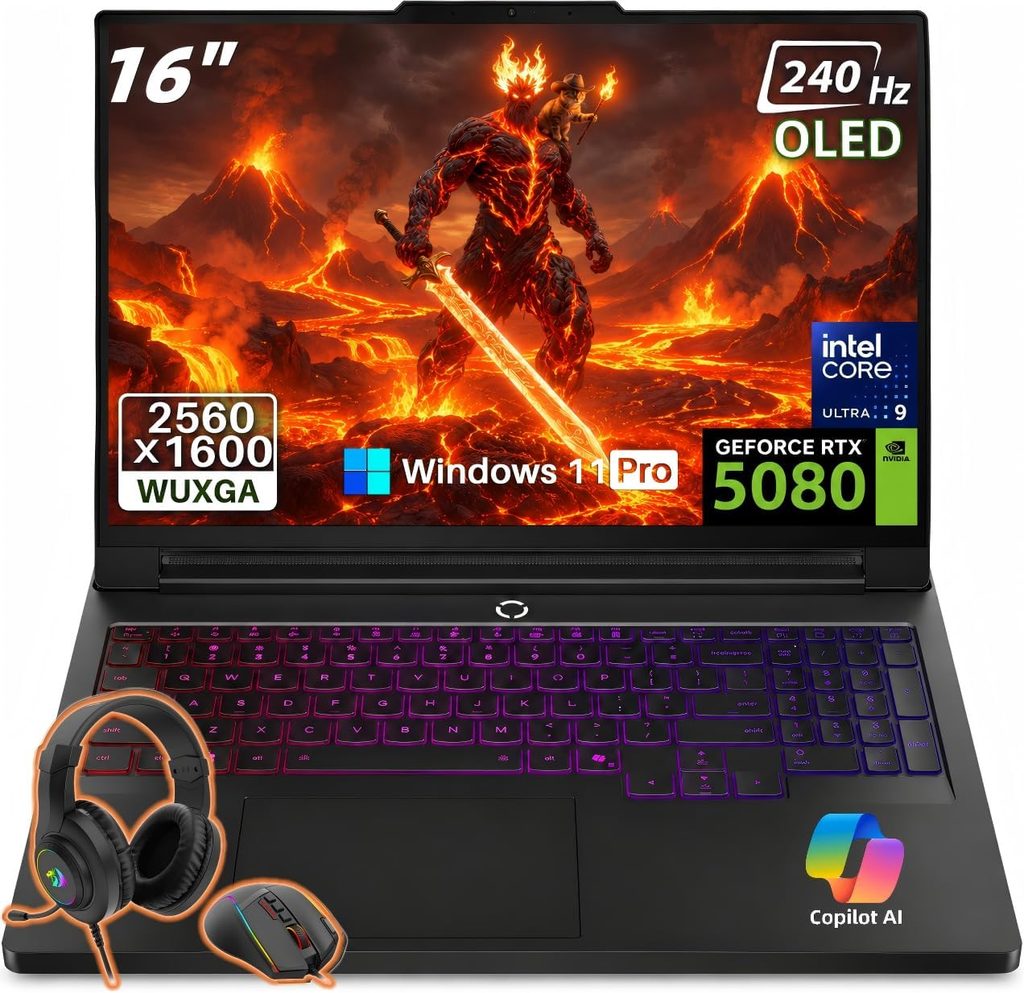
2. Lenovo Legion Pro 7i Gen 11 (2026): Fastest Windows Laptop for Blender
Key specs:
- CPU: Intel Core Ultra 9 290HX Plus (24 cores, up to 5.5GHz)
- GPU: Up to NVIDIA RTX 5090 Laptop (24GB GDDR7); MakeUseOf tested the RTX 5080 (16GB GDDR7)
- Memory: 32GB DDR5-6400 as tested
- Storage: 2TB across two PCIe 5.0 SSDs as tested
- Display: 16-inch OLED, 2560 x 1600, 240Hz
- Battery: 99.9Wh with Super Rapid Charge
- Weight: about 5.8 lb (measured on the Gen 10 chassis)
- Ports: USB4/Thunderbolt, second USB-C with 100W charging, HDMI, Wi-Fi 7
- Price: RTX 5080 config listed at $5,578.99, seen discounted to $3,467.49
Lab results:
| Test | Result | Source |
|---|---|---|
| Blender render | Fastest result in Jarrod’sTech’s entire test pool | Jarrod’sTech |
| 3DMark Time Spy | Top of Jarrod’sTech’s charts, ahead of the 18-inch Legion 9i | Jarrod’sTech |
| Geekbench | Best Windows laptop Jarrod’sTech has tested, 14% up on the 2025 model | Jarrod’sTech |
| SSD speed (CrystalDiskMark) | 12,430 MB/s read / 13,206 MB/s write | MakeUseOf |
| 3DMark Steel Nomad (RTX 5080) | 3,940 in Hybrid mode, almost 24% higher in dGPU mode | MakeUseOf |
| Battery (office use, dGPU off) | 5.5 hours | Jarrod’sTech |
| Classroom, OptiX (Gen 10, RTX 5080, Blender 4.3.2) | 11.33 s | UltrabookReview |
What it’s like to work on: This is the laptop I’d point a Windows Cycles user to if all they care about is getting renders out the door. Jarrod’sTech, whose testing I’ve followed for years, called it the fastest laptop it has ever tested. The Gen 10 model it replaces was already rendering Classroom in 11.33 seconds with an RTX 5080, so the Gen 11 starts from a strong floor.
Where it really pulls ahead is the CPU. Physics bakes, geometry nodes and CPU fallback renders all lean on raw core count. For context, Notebookcheck measured the previous Gen 10’s chip at 36,597 in Cinebench R23 multi-core. That’s 76% ahead of the Razer Blade 16’s 20,750, and the Gen 11’s 290HX Plus is a step up from that.
The SSDs are absurdly quick too, over 12 GB/s, which you’ll feel when opening big .blend files or writing out simulation caches.
One thing you must do on day one: switch the graphics to dGPU mode in Lenovo Vantage. MakeUseOf saw nearly 24% more GPU performance after flipping that switch. Leaving it in Hybrid mode leaves speed on the table.
Pros:
- Top-tier HX processor for simulations and bakes
- Up to RTX 5090 with 24GB of VRAM
- Dual PCIe 5.0 SSDs measured above 12 GB/s
- 240Hz OLED and a maxed-out 99.9Wh battery
- Frequently on sale well below list price
Cons:
- Heavy, with a big power brick (Gizmodo found the 400W brick on the previous model hefty)
- Short battery life: about 3 hours of light browsing in MakeUseOf’s test
- Ships in Hybrid graphics mode, which costs performance until you change it
- Bulkier than the Blade or Zephyrus for daily carry
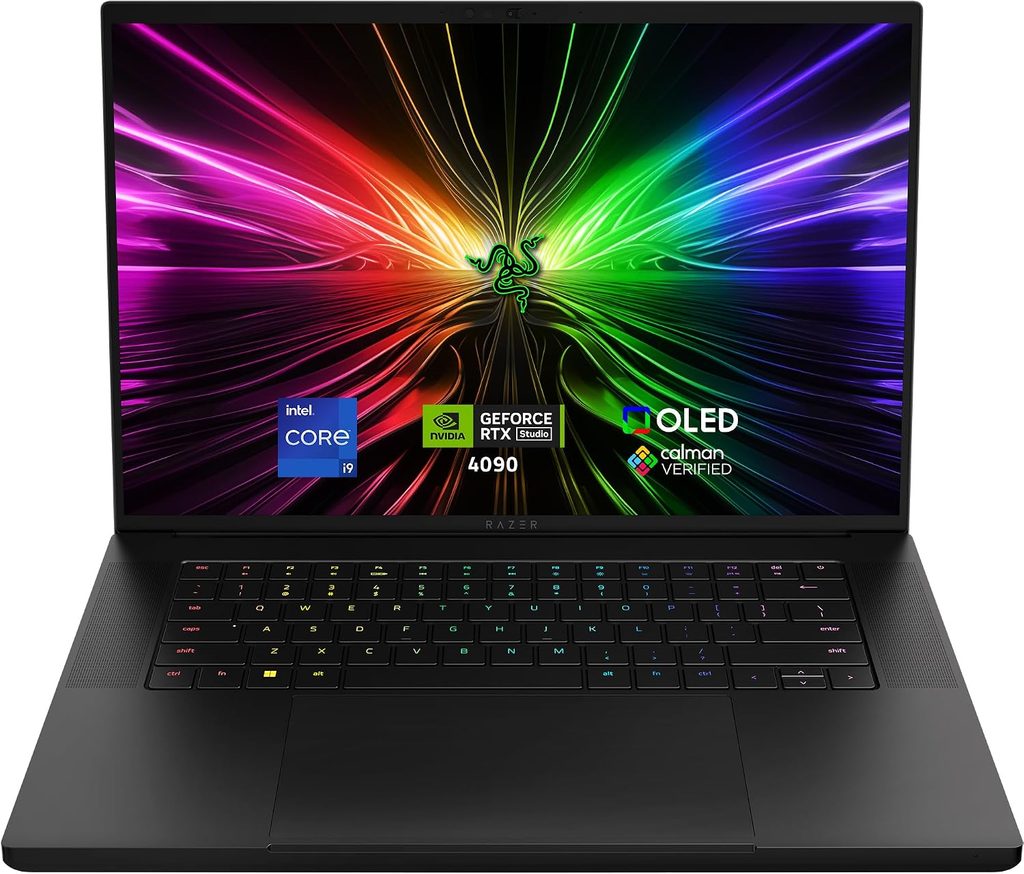
3. Razer Blade 16 (2026): Best Portable RTX 5090 Laptop for Blender
Key specs:
- CPU: Intel Core Ultra 9 386H (Panther Lake, 16 cores, up to 4.9GHz)
- GPU: NVIDIA RTX 5090 Laptop, 24GB GDDR7, running at 160W in testing
- Memory: 32GB LPDDR5X-9600 (soldered)
- Storage: 2TB SSD
- Display: 16-inch OLED, 2560 x 1600, 240Hz, HDR
- Battery: 90Wh
- Weight: 4.68 lb (2.124 kg), 0.69 inches thick
- Ports: 3x USB-A 10Gbps, Thunderbolt 5, Thunderbolt 4, HDMI, SDXC reader, headphone jack
- Price: $4,899.99 (RTX 5090/32GB/2TB); $3,999.99 with an RTX 5080
Lab results:
| Test | Result | Source |
|---|---|---|
| Blender Open Data (RTX 5090 laptop median) | 8,009.14 | Blender Open Data |
| Blender BMW27 (CPU) | 171 s | Notebookcheck |
| Cinebench R23 | 20,750 multi / 2,087 single | Notebookcheck |
| Geekbench 6 | 16,903 multi / 2,886 single | Notebookcheck |
| Sustained CPU (Cinebench R15 loop) | ~8% drop over time | Notebookcheck |
| Display | 472.9 nits, 100% sRGB, 99.7% P3, Delta E 3.03 (0.6 after calibration) | Notebookcheck |
| Battery life (mixed use, 150 nits) | 12 h 46 min | Tom’s Hardware |
| Battery life (gaming load) | 81 minutes | TechRadar |
| Temperatures under stress | CPU 75.3°C, GPU 87°C | Tom’s Hardware |
What it’s like to work on: This is the laptop for people who actually leave the house. You get a full RTX 5090 with 24GB of VRAM in a body that weighs about the same as the MacBook Pro and is thinner. Thanks to Intel’s new Panther Lake chip, Tom’s Hardware got close to 13 hours of everyday use out of it. I’d have called that impossible for a 5090 laptop a year ago.
In practice, that means you can model, UV-unwrap and sculpt all day at a café, then plug in at home for the heavy Cycles work.
The catch is the CPU. The 386H is an efficiency-minded H-series chip, not a power-hungry HX. Hardware Canucks measured the 2026 Blade about 8–13% slower in Blender and Houdini than the 2025 model. GPU-heavy Cycles renders stay right up there; Gizmodo found its GPU render times in a dead heat with the much bigger Alienware Area-51. But CPU-side bakes and simulations will take longer than on the Legion or the Dell.
The screen is gorgeous, though its Delta E of 3.03 out of the box means you’ll want to calibrate it for serious color work. Once calibrated, it hit 0.6, which is excellent.
Pros:
- RTX 5090 with 24GB of VRAM in a 4.68 lb, 0.69-inch chassis
- Remarkable battery life for this class (12 h 46 min)
- Stunning 240Hz OLED with 99.7% P3 coverage
- Great port selection, including Thunderbolt 5, three USB-A and an SD reader
Cons:
- Weaker multi-core CPU than HX-powered rivals
- 8–13% slower in Blender and Houdini than its 2025 predecessor
- Expensive at $4,899.99
- Soldered RAM and no Ethernet port
- Needs calibration for color-critical work
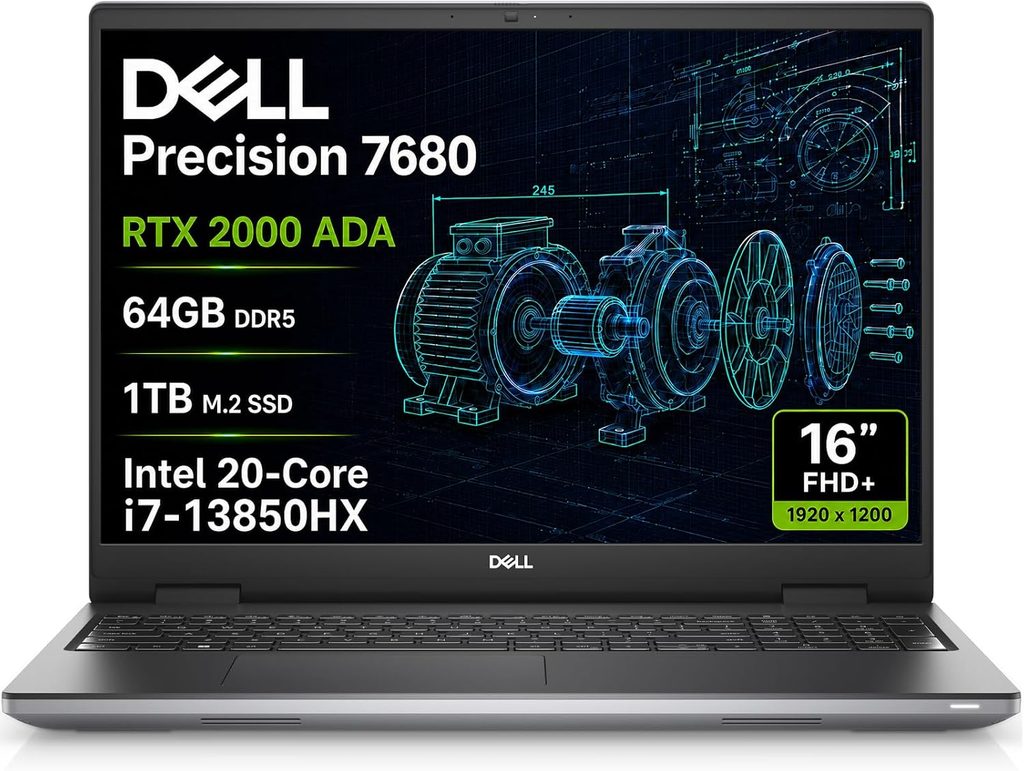
4. Dell Pro Max 16 Plus: Best Mobile Workstation for Blender Pros
Key specs:
- CPU: Intel Core Ultra 9 285HX
- GPU: NVIDIA RTX PRO 5000 Blackwell, 24GB GDDR7 (rated at 175W)
- Memory: 128GB CAMM2 as tested
- Storage: 2TB PCIe 5.0 SSD
- Display: 16-inch 4K OLED touchscreen, 120Hz
- Weight: 6.27 lb (2.845 kg)
- Ports: USB-C based I/O (charging uses one of the three USB-C ports) plus a broad mix of other connections
- Price: about $5,000 as tested; the line starts at $3,700
Lab results:
| Test | Result | Source |
|---|---|---|
| Classroom (Blender 3.3): OptiX / CUDA / CPU | 11 s / 16 s / 162 s | Engineeringlaptops lab data |
| Same test on an Alienware 16 Area-51 (RTX 5080) | 13 s / 19 s / 160 s | Engineeringlaptops lab data |
| 3DMark Time Spy (Graphics) | 23,742 | Engineeringlaptops lab data |
| 3DMark Speed Way | 6,389 | Engineeringlaptops lab data |
| Display | 557 nits, Delta E 2.42 out of the box, 0.70 calibrated | Engineeringlaptops lab data |
| Sustained GPU power | ~125W at launch, 160–165W after a firmware update | Notebookcheck, ITPro |
| Battery life | 2 h 37 min | Trusted Reviews |
What it’s like to work on: This is the laptop I’d hand to someone who renders for paying clients and can’t afford a crash at 3 a.m. It’s the only machine here that gives you 24GB of VRAM and 128GB of system RAM in the same box. For CPU-side fluid and smoke simulations, that RAM ceiling is a lifesaver.
The RTX PRO 5000 Blackwell is built on the same silicon as the mobile RTX 5090, but tuned for professional apps and certified drivers. It rendered Classroom with OptiX in 11 seconds, two seconds faster than an RTX 5080 Alienware on the same Blender build. In games it trails the RTX 5090 by roughly 25–30%, but you’re not buying this to play games.
One important heads-up: early on, Notebookcheck found the GPU sustaining only around 125W despite its 175W rating. ITPro later saw it hold 160–165W after a firmware update. Update the BIOS before you start any long render. It’s free performance.
As of October 2026, Dell hasn’t released a successor, so this is still the current model.
Pros:
- 24GB of VRAM plus up to 128GB of CAMM2 RAM (StorageReview lists configs up to 256GB)
- Certified pro drivers and workstation-grade stability
- Sharp 4K OLED that calibrates down to Delta E 0.70
- Beat an RTX 5080 gaming laptop in the Classroom OptiX test
Cons:
- Heaviest pick here at 6.27 lb
- GPU power depends on firmware updates
- Gets expensive fast once you add the RTX PRO 5000
- Short battery life (2 h 37 min in Trusted Reviews’ test)
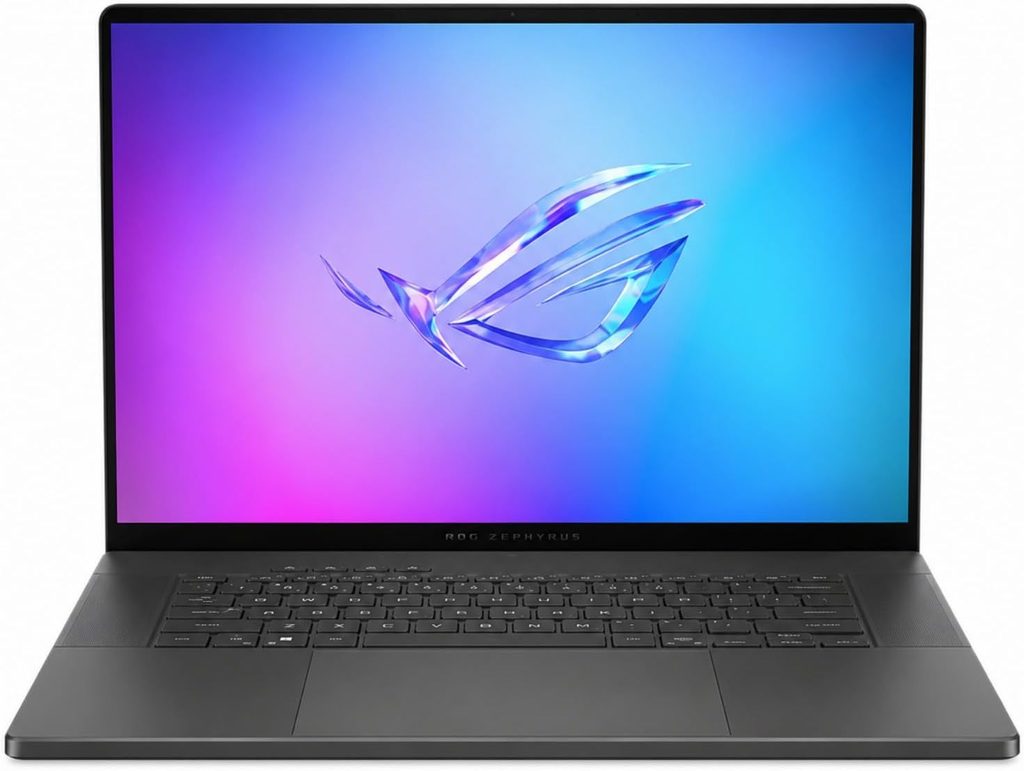
5. ASUS ROG Zephyrus G16 (2026): Best Lightweight All-Rounder for Blender
Key specs:
- CPU: Intel Core Ultra 9 386H (Panther Lake)
- GPU: NVIDIA RTX 5080, 16GB, up to 160W with Dynamic Boost (RTX 5060 through RTX 5090 configs available)
- Memory: 64GB LPDDR5x-8533 (onboard)
- Storage: 1TB SSD, two M.2 slots
- Display: 16-inch OLED, 2560 x 1600, 240Hz, 500 nits SDR, 1,100 nits HDR peak
- Battery: 90Wh, 250W charger, USB-C charging up to 100W
- Weight: 4.3 lb (1.95 kg)
- Ports: Thunderbolt 4, USB-C 10Gbps, 2x USB-A, HDMI 2.1, SD UHS-II reader, headphone jack
- Price: $4,499 as reviewed
Lab results:
| Test | Result | Source |
|---|---|---|
| Classroom, GPU (Blender 5.1.2) | 11.71 s OptiX / 22.16 s CUDA | UltrabookReview |
| BMW, GPU (Blender 5.1.2) | 5.65 s OptiX / 10.83 s CUDA | UltrabookReview |
| Classroom, CPU (Blender 5.1.2) | 4 min 09 s | UltrabookReview |
| SPECviewperf 15, Blender viewport test | 91.08 | UltrabookReview |
| Display | 506.41 nits, 100% sRGB, 99.9% DCI-P3 | UltrabookReview |
| Fan noise | Under 35 dBA Silent, 42–43 dBA Performance, ~52 dBA Manual | UltrabookReview |
| Overall review rating | 90% | Notebookcheck |
What it’s like to work on: If you’re a freelancer or a student who wants one laptop for everything, this is the one I’d hand you. It’s the lightest machine on this list at 4.3 lb, it’s built from a lovely CNC-machined aluminum chassis, and it rendered Classroom in 11.71 seconds on a current Blender release.
I also like that UltrabookReview measured its Blender viewport performance in SPECviewperf. Few reviews check that, and it’s what you feel every second you spend orbiting around a model.
The three fan modes are handy in real life. I’d sculpt and model in Silent mode (under 35 dBA, barely audible) and only switch to Performance when it’s time to render. Manual mode is fast but loud at around 52 dBA.
The one hard limit is the RTX 5080’s 16GB of VRAM. That’s plenty for most freelance work, but if you build heavy environments, spend the extra on the RTX 5090 configuration.
A quick note on ASUS’s ProArt P16. A brand-new 2026 version launched in the US on October 16, built around NVIDIA’s Arm-based RTX Spark chip instead of a traditional RTX graphics card. It starts at $2,599.99. Since it’s an entirely new Windows-on-Arm platform and nobody has published Blender render results for it yet, I’d wait before betting your workflow on it. And I won’t recommend the older model now that it’s been replaced.
Pros:
- Lightest pick at 4.3 lb, with a premium aluminum build
- Fast OptiX renders on the latest Blender
- Bright 240Hz OLED with 99.9% DCI-P3 coverage
- Whisper-quiet Silent mode for long modeling sessions
Cons:
- RTX 5080 config is capped at 16GB of VRAM
- H-series CPU is slower than HX chips for CPU renders and simulations
- Loud in Manual mode
- $4,499 is steep for an RTX 5080 machine
Side-by-Side Spec Comparison
| Spec | MacBook Pro 16 M5 Max | Legion Pro 7i Gen 11 | Razer Blade 16 (2026) | Dell Pro Max 16 Plus | Zephyrus G16 (2026) |
|---|---|---|---|---|---|
| CPU | M5 Max, 18-core | Core Ultra 9 290HX Plus | Core Ultra 9 386H | Core Ultra 9 285HX | Core Ultra 9 386H |
| GPU | 40-core M5 Max | Up to RTX 5090, 24GB | RTX 5090, 24GB | RTX PRO 5000, 24GB | RTX 5080, 16GB (up to RTX 5090) |
| Memory (tested / max) | 48GB / 128GB unified | 32GB DDR5 | 32GB (soldered) | 128GB CAMM2 | 64GB (onboard) |
| Display | 16.2″ Mini-LED, 120Hz | 16″ OLED, 240Hz | 16″ OLED, 240Hz | 16″ 4K OLED touch, 120Hz | 16″ OLED, 240Hz |
| Weight | 4.73 lb | ~5.8 lb | 4.68 lb | 6.27 lb | 4.3 lb |
| Fastest port | Thunderbolt 5 | USB4/Thunderbolt | Thunderbolt 5 | USB-C | Thunderbolt 4 |
| Tested price | $4,499 | $3,467 (on sale) | $4,899.99 | ~$5,000 | $4,499 |
Which Laptop Fits the Way You Use Blender?
- Sculpting (multires, dyntopo, millions of polys): This leans on single-core speed, memory and the viewport more than raw render power. Get the MacBook Pro M5 Max for its memory and quiet fans, or the Zephyrus G16 in Silent mode.
- Cycles rendering (stills and animation): The Legion Pro 7i Gen 11 or Razer Blade 16 with an RTX 5090, using OptiX, plugged in, in dGPU mode.
- EEVEE and real-time look-dev: Any of the five works. Focus on the screen: the MacBook Pro (Delta E 1.1) and the Dell (0.70 calibrated) are the most color-accurate.
- Simulations (fluid, smoke, cloth, geometry nodes): CPU cores and system RAM matter most, so pick the Dell Pro Max 16 Plus or the Legion Pro 7i Gen 11.
- Animation with long render queues: You need sustained power, so the Legion or the Dell. Skip the 14-inch MacBooks for this.
- Just learning Blender: Honestly, you don’t need any of these. AdamTalks measured the base M5 MacBook Pro rendering Classroom in 29.76 seconds, which is perfectly fine for learning. A cheaper RTX 5060 or 5070 laptop works too.
Rendering on Battery: The Reality Nobody Mentions
Here’s the uncomfortable truth: don’t plan on rendering with a Windows RTX laptop unplugged. TechRadar measured the Razer Blade 16 lasting just 81 minutes under a gaming load, and a Cycles render pulls similar power. Windows laptops also cut GPU power sharply on battery, so renders slow down on top of draining fast.
The MacBook does much better, but it has limits too. Notebookcheck saw its battery dropping about 12% an hour under full load even while plugged into the 140W adapter.
My routine: model, sculpt and rig on battery; render at the wall.
Throttling During Long Renders
- MacBook Pro 16 M5 Max: bursts to 114W, then holds steady around 70W (Notebookcheck). Stable, but below what the chip can do.
- Razer Blade 16: GPU runs at 160W and reached 87°C in Tom’s Hardware’s stress test; CPU performance dips about 8% over long loops (Notebookcheck).
- Dell Pro Max 16 Plus: about 125W sustained at launch, 160–165W after a firmware update (Notebookcheck, ITPro).
- Zephyrus G16: Manual mode squeezes out extra power at about 52 dBA of fan noise (UltrabookReview).
- Legion Pro 7i Gen 11: Jarrod’sTech found the keyboard and palm rest stayed comfortably cool under sustained gaming load.
Buying Guide: What Really Matters for Blender
- GPU first, CPU second. Most of your render time lives on the GPU, whether that’s an RTX card with OptiX or an M5 Max with Metal.
- Treat VRAM as a hard ceiling. Buy for the scenes you’ll be making two years from now, not the ones you make today.
- System RAM: 32GB minimum, 64GB or more for simulations. On a Mac, unified memory covers both.
- Check the GPU’s wattage. The same “RTX 5090” can run anywhere from about 120W to 175W depending on the laptop, and that changes render times.
- A fast SSD pays off. PCIe 5.0 drives like the Legion’s (12+ GB/s) make big files and simulation caches load faster.
- Look for measured color accuracy. Delta E under 2 and full P3 coverage are what you want for look-dev.
- Plan to render plugged in. Battery life matters for modeling, not rendering.
Frequently Asked Questions
What is the best laptop for Blender in 2026?
For most people comfortable with macOS, it’s the Apple MacBook Pro 16 with M5 Max. Its 40-core GPU scores a median of 8,160.83 in Blender Open Data, slightly ahead of the laptop RTX 5090, and it supports up to 128GB of unified memory. On Windows, an RTX 5090 laptop like the Lenovo Legion Pro 7i Gen 11 or the Razer Blade 16 (2026) is the best choice.
Is a MacBook good for Blender?
Yes, and in 2026 it’s genuinely great. Blender’s Metal backend lets the M5 Max match NVIDIA’s best laptop GPU in Open Data. The trade-off is that OptiX- and CUDA-only add-ons and render engines won’t work.
Is an RTX 5080 enough for Blender?
For most freelance and student work, yes. The ASUS Zephyrus G16 with an RTX 5080 rendered the Classroom scene in 11.71 seconds with OptiX on Blender 5.1.2. Its 16GB of VRAM is the main limit for very heavy scenes.
Should I use OptiX or CUDA in Blender?
Use OptiX on any NVIDIA RTX laptop. On the Zephyrus G16, OptiX rendered Classroom in 11.71 seconds versus 22.16 seconds with CUDA, nearly twice as fast.
How much RAM do I need for Blender?
32GB is a comfortable starting point in 2026. Go for 64GB or more if you run fluid or smoke simulations or build large environments. Workstations like the Dell Pro Max 16 Plus go up to 128GB and beyond.
Can I render in Blender on battery?
You can, but I wouldn’t for anything big. Windows RTX laptops cut power and drain quickly on battery; TechRadar measured the Razer Blade 16 at 81 minutes under heavy load. Render plugged in.
Is a gaming laptop OK for Blender, or do I need a workstation?
A gaming laptop is fine for most artists. Workstations like the Dell Pro Max 16 Plus add certified drivers, much higher RAM limits and extra stability, which matters most for studio and client work.
How much VRAM do I need for Blender?
8GB is enough for learning, 12–16GB for mid-size scenes, and 24GB for heavy environments. For massive production scenes, a MacBook Pro M5 Max with 64–128GB of unified memory gives you the most headroom of any laptop.
My Final Verdict
If I could only buy one laptop for Blender today, I’d take the MacBook Pro 16 with M5 Max, ideally with 64GB of memory or more, because big scenes stop being scary. If your pipeline lives on NVIDIA, the Lenovo Legion Pro 7i Gen 11 with an RTX 5090 is the speed king. Get the Razer Blade 16 (2026) if you’ll carry it every day. Studio pros should go for the Dell Pro Max 16 Plus. And if you just want one sensible, light machine that handles everything well, the ASUS ROG Zephyrus G16 (2026) is the one I’d happily live with.
Whichever you pick, do me one favor: open Preferences and switch Cycles to OptiX (or Metal on a Mac) before your first render. It’s the cheapest upgrade you’ll ever make.
Sources
- https://opendata.blender.org/benchmarks/query/
- https://opendata.blender.org/devices/NVIDIA%20GeForce%20RTX%205090%20Laptop%20GPU/
- https://mobidevices.com/en/apple-m5-ultra-vs-nvidia-rtx-5080-blender-test
- https://www.notebookcheck.net/Apple-s-fastest-laptop-starts-to-show-its-age-Apple-MacBook-Pro-16-2026-M5-Max-Review.1250821.0.html
- https://www.notebookcheck.net/Review-verdict-for-the-Apple-MacBook-Pro-16-2026-Powerful-M5-Max-insufficient-PSU.1383794.0.html
- https://www.notebookcheck.net/Apple-M5-Pro-M5-Max-GPU-Analysis-M5-Max-GPU-on-par-with-the-GeForce-RTX-5070-and-faster-than-Strix-Halo.1246060.0.html
- https://adamtalks.tech/reviews/m5-vs-m5-pro-vs-m5-max-macbook-pro-benchmarks-best-buy/
- https://www.galaxus.at/en/page/m5-pro-and-m5-max-macbook-pro-review-more-of-the-same-41988
- https://www.notebookcheck.net/Lenovo-Legion-Pro-7i-16-Gen-11-Reviews-and-Specs.1335554.0.html
- https://exceldisc.com/blog/lenovo-legion-pro-7i-2026-review-the-fastest-gaming-laptop
- https://www.makeuseof.com/lenovo-legion-pro-7i-review/
- https://www.ultrabookreview.com/71446-lenovo-legion-pro-7i-gen10-review/
- https://gizmodo.com/lenovo-legion-pro-7i-2025-review-thick-and-hefty-never-looked-so-good-2000671210
- https://www.notebookcheck.net/Razer-Blade-16-review-Intel-Core-Ultra-delivers-faster-frame-rates.1303661.0.html
- https://www.tomshardware.com/laptops/gaming-laptops/razer-blade-16-2026-review
- https://www.techradar.com/computing/gaming-laptops/razer-blade-16-2026
- https://gizmodo.com/razer-blade-16-2026-review-a-gaming-laptop-you-can-actually-call-portable-2000783170
- https://www.notebookcheck.net/Questionable-upgrade-Razer-Blade-16-2026-costs-more-vs-2025-version-but-is-reportedly-slower-in-gaming.1302115.0.html
- https://www.notebookcheck.net/Dell-Pro-Max-16-Plus-review-One-of-a-kind-mobile-workstation.1132122.0.html
- https://engineeringlaptops.com/dell-pro-max-laptop-review/
- https://www.itpro.com/hardware/laptops/the-dell-pro-max-16-plus-is-a-superb-mobile-workstation-with-one-major-flaw
- https://www.trustedreviews.com/reviews/dell-pro-max-16-plus
- https://www.storagereview.com/review/dell-pro-max-16-plus-with-qualcomm-aic100-review-excellent-workstation-experimental-accelerator
- https://aecmag.com/workstations/dell-launches-new-pro-precision-workstations/
- https://www.ultrabookreview.com/75392-asus-rog-zephyrus-g16-gu606-review/
- https://www.notebookcheck.net/One-of-the-best-slim-gaming-laptops-gets-even-better-Asus-ROG-Zephyrus-G16-2026-Review.1384320.0.html
- https://www.globenewswire.com/news-release/2026/10/16/3382549/0/en/asus-proart-p16-p14-powered-by-nvidia-rtx-spark-now-available-for-purchase-in-the-united-states.html

Hi, my name is Burak. I am a mechanical engineer. I have been writing laptop reviews for the Engineering Laptops website since 2020. Please feel free to contact me if you have any questions.





