Last updated: September 24, 2026
Table of contents
- My Five Picks at a Glance
- How I Picked These Laptops
- Best Laptops for Business and Personal Use (2026): 5 Lab-Verified Picks
- 1. Lenovo ThinkPad X1 Carbon Gen 14 : Best Overall for Business and Personal Use
- 2. Apple MacBook Air 13 (M5) : Best for Mac Users, Freelancers and Small Businesses
- 3. HP EliteBook X G2i : Best for IT-Managed Businesses
- 4. Dell XPS 14 (2026) : Best for Work by Day, Creating and Gaming by Night
- 5. ASUS ExpertBook Ultra (B9406, 2026) : Best Screen and Lightest Powerful Laptop
- Side-by-Side Performance
- Battery Life: Why Two Labs Never Agree
- Display Measurements
- Storage, Noise and Sustained Performance
- The Two-Hat Test: How Each Laptop Handles Work and Life
- Which One Should You Buy? My 30-Second Guide
- Buying Tips I Learned the Hard Way
- Frequently Asked Questions
- My Final Verdict
- Sources
Here’s a number that stopped me cold while I was digging through this year’s lab results: 23 hours and 13 minutes. That’s how long one business laptop lasted in a standardized Wi-Fi test before it finally gave up. That’s a full workday, a long evening of Netflix, and most of the next morning’s meetings on a single charge.
Now here’s the part that made me put my coffee down. Take the exact same laptop, swap in the prettier, pricier screen, and it dies almost 10 hours earlier. Same chip, same battery, same keyboard. Just a different panel, and a completely different laptop to live with.
That one discovery changed how I wrote this guide. Most “best laptop” lists stop at the spec sheet. But in 2026, the details you tick in a configurator can matter more than the model name on the lid. And with a memory-chip shortage pushing prices up across the board, picking wrong is more expensive than it’s ever been.
So I went looking for laptops that can do both jobs we all ask of them now: handle the 9 a.m. client call, the quarterly spreadsheet, the VPN and the security software, and then turn into the thing you stream shows on, edit vacation photos with, or sneak in a game of Baldur’s Gate 3 on a Friday night. I compared thousands of published benchmark results from independent labs, noted every place where they disagreed, and narrowed it down to five laptops from five different brands. Every one of them is the newest model its maker sells.
Let’s get into it.
My Five Picks at a Glance
| Award | Laptop | Why it wins | Starting price (Sept 2026) |
|---|---|---|---|
| Best overall | Lenovo ThinkPad X1 Carbon Gen 14 | Over 23 hours of lab-tested battery (IPS), best keyboard, full IT features | About $2,000–$2,250 |
| Best for Mac users & small businesses | Apple MacBook Air 13 (M5) | Fastest single-core speed, totally silent | $1,299 |
| Best for IT-managed companies | HP EliteBook X G2i | Top-tier productivity scores, tool-free keyboard swap, 5G | About $2,479 (street) |
| Best for work by day, creating and gaming by night | Dell XPS 14 (2026) | Arc B390 graphics close to a 2024 RTX 4050 laptop | $1,599 |
| Best screen and lightest powerful laptop | ASUS ExpertBook Ultra (B9406) | Bright matte Tandem OLED at about 1.1 kg, 3-year warranty | $2,999 |
How I Picked These Laptops
I want to be completely straight with you about how this list came together, because you deserve to know why you should trust it.
Newest models only. If a brand has already released a successor, the older model didn’t make the cut. No leftover 2025 stock dressed up as a bargain.
One laptop per brand. You get five genuinely different options, not three versions of the same ThinkPad.
Every number comes from an independent lab. Notebookcheck, StorageReview, Tom’s Hardware, Ultrabook Review and several others did the measuring; they’re all listed at the end. I didn’t round anything in a laptop’s favor, and where two labs got different results, I show you both and explain why.
Two scorecards, not one. For the work side, I looked at keyboard comfort, IT management features like Intel vPro, 5G options, security, repairability and warranty. For the personal side, I looked at screen quality, speakers, weight, silence, light gaming and creative performance, and price.
One more thing worth knowing: prices are genuinely jumpy right now. Apple raised most Mac prices by roughly 15 to 20 percent in late June 2026, lifting the base MacBook Air by $200 to $1,299, and said it had never seen component costs rise this much this fast. Other brands are feeling the same squeeze, so treat every price here as a snapshot.
Best Laptops for Business and Personal Use (2026): 5 Lab-Verified Picks
1. Lenovo ThinkPad X1 Carbon Gen 14: Best Overall for Business and Personal Use
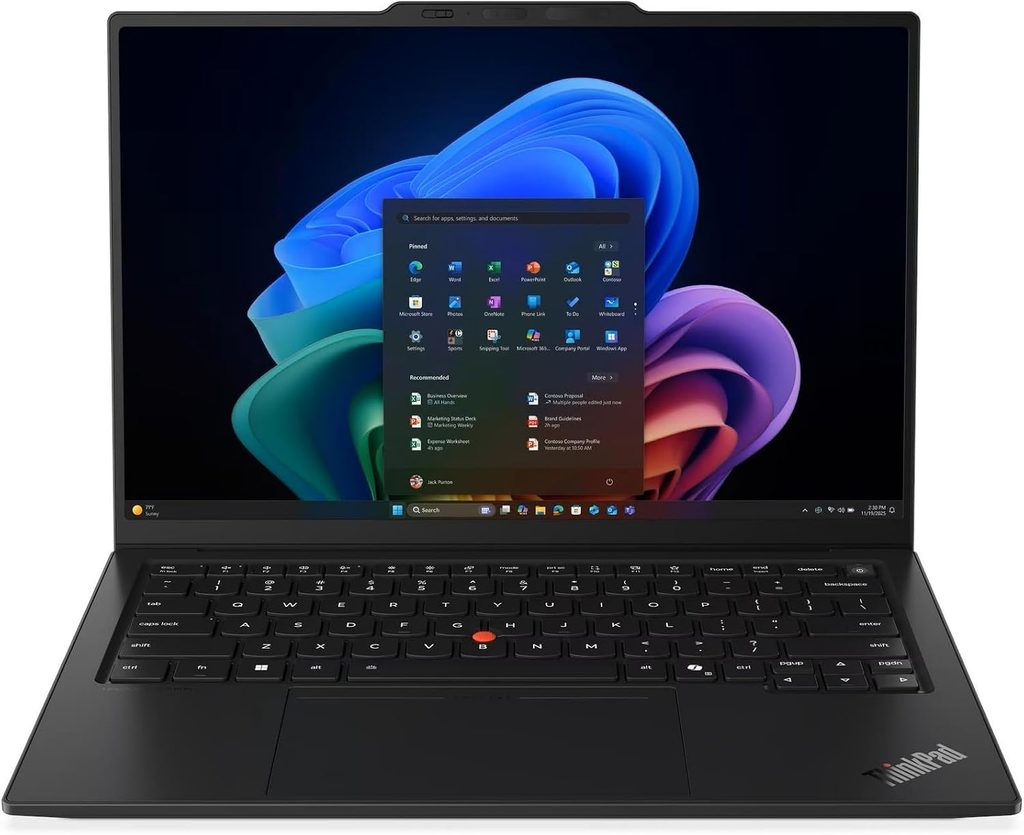
If a friend who types all day and travels constantly asked me for one laptop, this is the one I’d send them. Lenovo rebuilt the X1 Carbon from the inside for 2026, and it finally fixed the one thing I never loved about the previous generation: battery life.
Key specs
- Processor: Intel Core Ultra Series 3 (Panther Lake), up to Core Ultra X7 with Arc B390 graphics
- Memory: 32GB minimum, up to 64GB LPDDR5x (soldered)
- Display options: 14-inch 1920×1200 low-power IPS (60 Hz, touch or non-touch) or 2.8K OLED (120 Hz)
- Storage: M.2 2280 SSD, PCIe 5.0 capable
- Ports: 3× Thunderbolt 4, HDMI 2.1, USB-A, optional nano-SIM for 4G/5G
- Wireless: Wi-Fi 7, Bluetooth 5.4
- Battery: 58 Wh
- Weight: about 0.99 kg (OLED) to 1.14 kg (IPS touch)
What the lab data shows
Remember that number from the intro? This is the laptop. Notebookcheck measured more than 23 hours in its Wi-Fi test at 150 nits on the IPS touchscreen model, and even at maximum brightness it ran for more than 14 hours, beating every rival in their comparison. XDA’s reviewer saw 5 to 8 hours of screen-on time in real web-app and light productivity work, comfortably enough to leave the charger at home.
And here’s the trap I mentioned. The OLED version managed only around 13.5 hours in that same Wi-Fi test, almost 10 hours shorter, and about 7.5 hours at full brightness. In fairness, the OLED model is lighter at 989 grams versus 1.14 kg for the IPS touch model, because OLED versions get a magnesium base instead of aluminum. My advice? Unless you edit photos professionally, take the IPS and enjoy never hunting for an outlet.
Performance with the base chip is steady rather than dramatic. The Core Ultra 5 325 unit scored 10,980 in Cinebench R23 multi-core, 11,038 in Geekbench 6 multi-core, 2,620 single-core, and 7,709 in PCMark 10. That’s plenty for Office, a pile of browser tabs, Slack and video calls. If you do photo or video work on the side, step up to a Core Ultra X chip.
Storage is quick too. LaptopMedia’s 1TB unit came with a PCIe 4.0 drive that hit 7.0 GB/s reads and 6.5 GB/s writes, peaking at a reasonable 58°C.
It runs cool and quiet. Under full stress, the fan topped out at 38.9 dB(A), the hottest spots reached 40.7°C on top and 42.8°C underneath, and the palm rests stayed cooler than your skin.
One honest warning about the display: the base IPS panel averaged 524 nits with a 1800:1 contrast ratio and 99.1% sRGB coverage, but its factory calibration had a noticeable green-blue tint; correcting it fixes the colors but costs almost 100 nits of peak brightness.
The keyboard is still the one everyone else is chasing. Thurrott called it close to perfect, with 1.5 mm of key travel, great feedback, the classic TrackPoint and a haptic touchpad.
Pros
- Longest battery life on this list with the IPS screen
- The best keyboard on any Windows laptop right now
- Three Thunderbolt 4 ports plus HDMI, USB-A and optional 5G
- Easier repairs thanks to modular keyboard and USB-C ports
- Cool and quiet under load
Cons
- RAM is soldered, so buy what you need up front
- The OLED option costs you nearly 10 hours of battery
- IPS panel needs color calibration out of the box
- Base graphics are weak for gaming or creative work
- The webcam bump on the lid isn’t pretty
My take
Ultrabook Review noted a US starting price of $1,999 at launch, and Tom’s Hardware lists a start of $2,032 with its Core Ultra 7 355 test unit at $2,217.30. It’s not cheap, but this is the kind of laptop you’ll still be happy with in year four. It’s a little plain for personal use, but the speakers are genuinely good, and it vanishes into a bag.
Buy it if you type for a living, travel often, or your IT team needs vPro and 5G.
Skip it if you want OLED eye candy and top battery life at the same time, or you game.
2. Apple MacBook Air 13 (M5): Best for Mac Users, Freelancers and Small Businesses
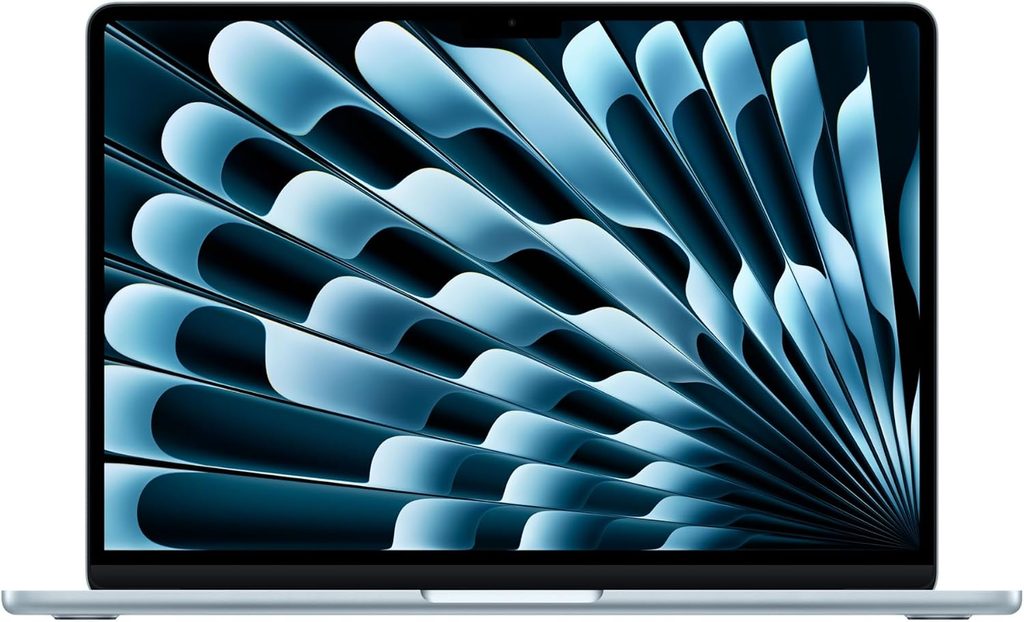
The MacBook Air is the laptop I recommend most often to people who don’t want to think about their laptop. The M5 generation doesn’t reinvent anything. It just keeps doing the fundamentals better than almost anything else.
Key specs
- Chip: Apple M5, 10-core CPU, 8- or 10-core GPU
- Memory: 16GB unified memory, up to 32GB
- Display: 13.6-inch 2560×1664 Liquid Retina (IPS LED)
- Storage: 512GB base
- Ports: MagSafe 3, 2× Thunderbolt 4, 3.5 mm headphone jack
- Wireless: Apple N1 chip (Wi-Fi 7, Bluetooth 6)
- Battery: 53.8 Wh
- Weight: 2.7 lb (1.23 kg), fanless
What the lab data shows
Single-core speed is where Apple still leaves everyone behind. Tom’s Hardware measured 4,168 single-core and 17,067 multi-core in Geekbench 6. Every Windows laptop on this list lands somewhere between about 2,600 and 2,950 single-core. That gap is why a Mac feels so instant when you open apps or jump between tabs.
The fanless design does have a limit. In Tom’s Hardware’s Cinebench 2026 stress test, the M5 started at 3,415 points and gradually slid to the low 2,300s as it heated up. For email, documents, spreadsheets and even Lightroom, you’ll never notice. For long 4K exports, you will.
Battery life depends on who’s testing, which is exactly why I show both. Tom’s Hardware’s mix of browsing, video streaming and light graphics at 150 nits ran 15 hours 28 minutes, while Macworld’s test hit 18 hours and 24 minutes. Apple itself promises 15 hours of wireless web and 18 hours of video. Any way you slice it, that’s a full workday with room to spare.
Heat is a non-issue in daily use. During the stress test, the middle of the keyboard measured 105.1°F, the touchpad 96°F, and the warmest spot underneath 107.9°F.
The screen reached 458.8 nits with 83.1% DCI-P3 color volume, matching the MacBook Pro despite lacking its mini-LED panel. Storage is fast, too: it copied 25GB of files at 1,924.84 MBps, a hair ahead of the M5 MacBook Pro.
Pros
- Fastest single-core performance on this list, by a mile
- Completely silent, always
- Excellent trackpad and speakers for its size
- Simple to own, and resale value stays strong
- The least expensive laptop in this roundup
Cons
- Base price jumped to $1,299 after the June 2026 increase
- Slows down during long, heavy workloads
- No vPro, smart card reader or built-in 5G
- Only two USB-C ports; RAM and storage are soldered
- The notch still cuts into the top of the screen
My take
For freelancers, consultants and small business owners who live in Google Workspace or Microsoft 365, this is the easiest recommendation in the whole article. It’s also the best “personal” laptop here if your phone is an iPhone. If your company runs Windows-only software or manages devices centrally, keep scrolling.
Buy it if you want the best balance of battery, weight and speed, and you don’t need Windows.
Skip it if your employer’s IT setup requires Windows management tools.
3. HP EliteBook X G2i: Best for IT-Managed Businesses
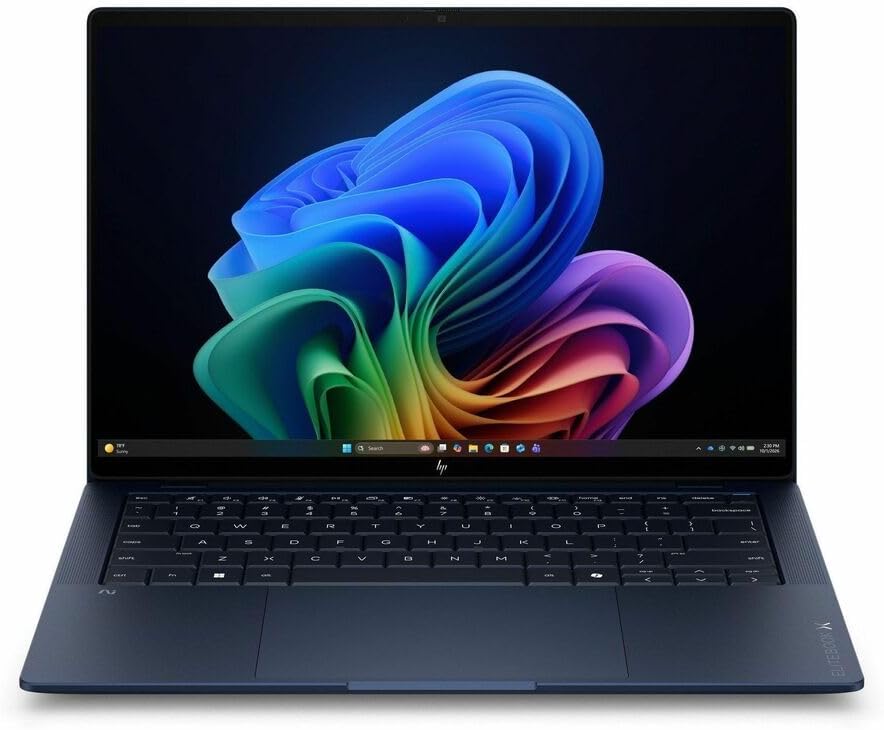
The EliteBook X G2i is the most “corporate” laptop on this list, and I mean that as a compliment. It’s also the one that surprised me most once I lined up the benchmark results.
Key specs
- Processor: Intel Core Ultra 5 325 up to Core Ultra 7 366H vPro, or Core Ultra X7 358H with Arc B390 graphics
- NPU: 50 TOPS
- Memory: 16GB to 64GB LPDDR5x (soldered)
- Display options: seven matte panels, including a 400-nit low-power IPS, an 800-nit Sure View privacy screen, a 3K 120 Hz OLED and a 700-nit Tandem OLED touch
- Storage: M.2 2280 NVMe, up to PCIe 5.0
- Ports: 2× Thunderbolt 4, USB-C 10Gbps, USB-A, HDMI 2.1, lock slot, optional nano-SIM
- Wireless: Wi-Fi 7, optional 5G
- Webcam: 5 MP with IR and a physical privacy shutter
- Battery: 68 Wh, 50% in 30 minutes
- Weight: about 2.4 to 2.7 lb depending on configuration
What the lab data shows
StorageReview’s 3K OLED unit scored 9,209 overall in PCMark 10, and its Productivity subscore of 18,859 was the highest the lab had ever recorded in this class, about 14% ahead of a ThinkPad P14s and roughly 35% ahead of two Dell Pro machines. If your day is spreadsheets and documents, that’s the number that matters.
A second lab tells a similar story. Notebookcheck’s Core Ultra 7 356H unit hit 17,980 in Cinebench R23 multi-core and 16,446 in Geekbench 6 multi-core, and it didn’t throttle on battery power. Their one-hour stress test showed no throttling at all, and the chassis barely rose above 40°C.
The trade-off is noise. Notebookcheck measured 47.5 dB(A) under load, louder than any other business laptop in its comparison, though it stays completely silent when idle. That’s the price of letting the chip run fast.
Storage is genuinely quick in the Gen5 configuration. StorageReview’s SK hynix drive wrote at 8,949 MB/s and read at 7,919 MB/s.
Battery follows the same screen rule I keep coming back to. The 3K OLED clamshell lasted 17 hours 13 minutes in PCMark 10 Modern Office at 50% brightness, and the Flip version with a different panel ran more than four hours longer on the same chip. HP’s own data shows around 31 hours of video on the 300-nit OLED against about 23 hours on the 500-nit one. Digit’s unit landed at almost 12 hours in its PCMark battery test with the best-efficiency mode, a good reminder that settings and workloads swing results a lot.
The screen you pick matters here more than on any other laptop in this guide. Notebookcheck’s Sure View privacy panel averaged 692 nits with a 2675:1 contrast ratio and no PWM flicker, but its viewing angles were very narrow even with privacy mode turned off, and it covered only 91.1% of sRGB despite HP’s 100% claim. Unless you really need privacy in airports and coffee shops, pick one of the other panels.
The feature I’d highlight for IT departments is repairability. The keyboard is top-mounted and comes out in three steps with no screws, which HP says takes about ten minutes, and a replacement kit costs around $100 to $150. Notebookcheck also called it one of the best laptop keyboards it had tested recently, and praised the 177-degree hinge.
One real flaw: StorageReview noticed flex in the center of the clamshell’s lid when carrying it closed, which the Flip model didn’t show.
Pros
- Record-level PCMark 10 productivity score
- One of the best keyboards available, and it’s user-replaceable
- Physical webcam shutter, 5G option, full vPro and Wolf Security
- No throttling in long stress tests
- Seven screen choices, including a privacy panel
Cons
- Loud fan under heavy load (47.5 dB(A))
- Sure View panel has poor viewing angles
- Some lid flex on the clamshell
- Base graphics are weak for creative work
- HP’s pricing and configurations are confusing
My take
HP’s list prices are wild; Notebookcheck saw a similar configuration at around $4,700 on HP’s own store, while a Core Ultra 7 356H model with 32GB and 512GB was listed at $2,479 on Amazon. StorageReview found the Core Ultra X7 version with a 3K OLED on sale for $3,399. Never pay HP sticker price. On the personal side, the Atmospheric Blue finish and the OLED panel make it more fun than a corporate laptop has any right to be.
Buy it if your company manages laptops centrally, or you care about keeping a laptop running for years.
Skip it if you’re sensitive to fan noise or want the stiffest possible chassis.
4. Dell XPS 14 (2026): Best for Work by Day, Creating and Gaming by Night
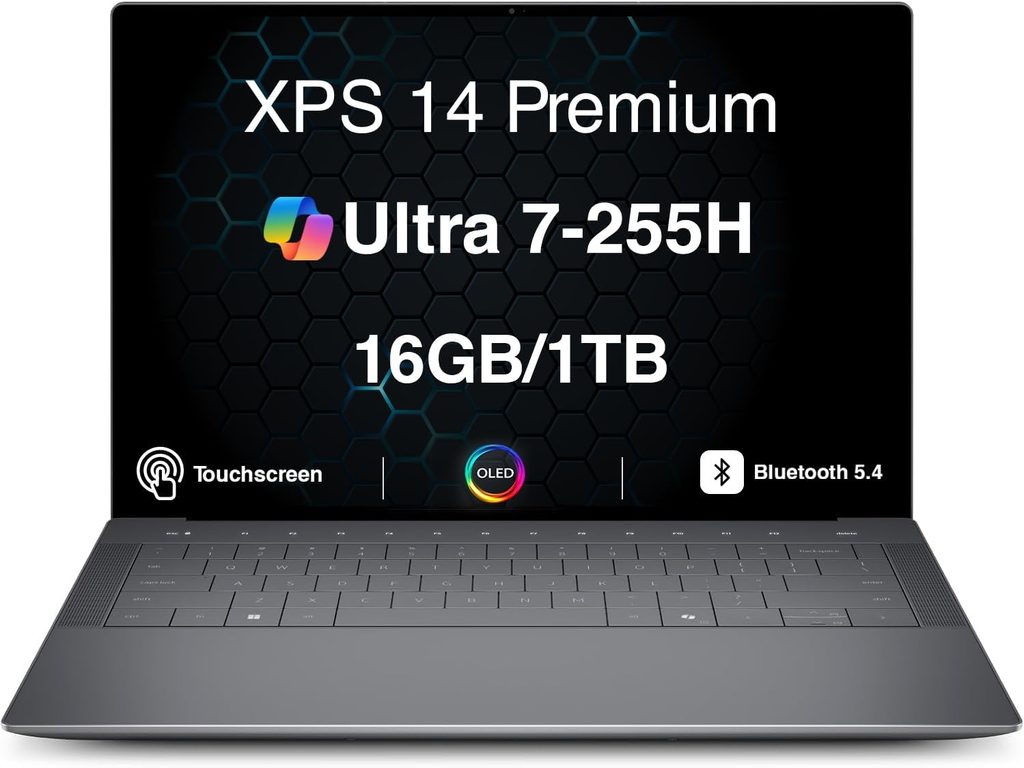
The XPS name is back, and so are real function keys. This is the laptop on the list that leans hardest into the “personal” side without giving up its professional polish.
Key specs
- Processor: Intel Core Ultra 5 325, Core Ultra 7 355, Core Ultra X7 358H or X9 388H
- Graphics: Intel Graphics (base) or Arc B390 (12 Xe3 cores)
- Memory: 16GB to 64GB
- Display options: 14-inch 1920×1200 IPS (1–120 Hz, 500 nits) or 2880×1800 OLED touch (20–120 Hz)
- Ports: 3× Thunderbolt 4 USB-C, 3.5 mm jack
- Speakers: 10 W quad setup
- Battery: 70 Wh
- Webcam: 8 MP with Windows Hello
- Weight: about 3 lb
What the lab data shows
The Arc B390 graphics are the reason to buy this laptop. Notebookcheck found its 3DMark scores roughly double the previous Arc 140T and 25 to 40 percent ahead of the 2024 XPS 14 with a dedicated RTX 4050, although that Nvidia card still rendered about 35 percent faster in professional apps. In actual games, the X7 358H model hit 40.9 fps in Cyberpunk 2077 and 48.7 fps in Baldur’s Gate 3, both at 1080p Ultra. That’s real weekend gaming on a thin-and-light.
Overall system performance is the highest in this roundup. It scored 9,880 in PCMark 10, 18,932 in Cinebench R23 multi-core, 3,990 in Cinebench 2026 multi-core, and 17,121 multi-core with 2,927 single-core in Geekbench 6. The catch: in a Cinebench R15 loop, multi-thread performance dropped by as much as 25 percent, while the ASUS ExpertBook Ultra with the same chip held up noticeably better.
Noise depends heavily on the power mode. HotHardware found it stayed under 40 dB even under sustained load, while NoobFeed measured 44 to 46 dB in the Ultra Performance mode. Stick with the balanced modes for everyday work and you’ll barely hear it.
The OLED screen is accurate rather than dazzlingly bright. Notebookcheck measured an average of 389 nits, 99.7% Display P3 coverage and a color error (deltaE) of just 1.27 out of the box, but it also detected PWM flicker at 240 Hz, which people with sensitive eyes may feel. The SSD held around 7,000 MB/s with no throttling.
Battery life is excellent, especially with the right screen. Notebookcheck’s X7 OLED model lasted 16 hours 45 minutes in its Wi-Fi test at 150 nits in Balanced mode, 55 percent longer than last year’s Dell 14 Premium. Tom’s Hardware’s XPS 14 with the lower-resolution screen reached 20 hours 41 minutes. Push it hard in Performance mode, though, and xpertpick measured 12 hours 29 minutes.
Pros
- Arc B390 graphics rival a 2024 RTX 4050 laptop in games
- Highest PCMark 10 score in this roundup
- Very color-accurate OLED and strong 10 W speakers
- Real function keys are back
- Long battery life, especially with the IPS screen
Cons
- USB-C only: no HDMI, no USB-A, no microSD
- No physical webcam privacy shutter
- Shallow 0.8 mm key travel
- CPU throttles in long heavy loads
- OLED uses low-frequency PWM dimming
My take
Tom’s Guide lists a starting price of $1,599, with its Core Ultra X7 358H review unit valued at $2,199. If your “personal use” includes photo editing, video projects or a few hours of gaming, this is the one I’d pick. If your “business use” means plugging into conference-room projectors all week, pack a dongle and don’t forget it.
Buy it if you want one laptop for work, creative hobbies and casual gaming.
Skip it if you type for hours every day or hate carrying adapters.
5. ASUS ExpertBook Ultra (B9406, 2026): Best Screen and Lightest Powerful Laptop
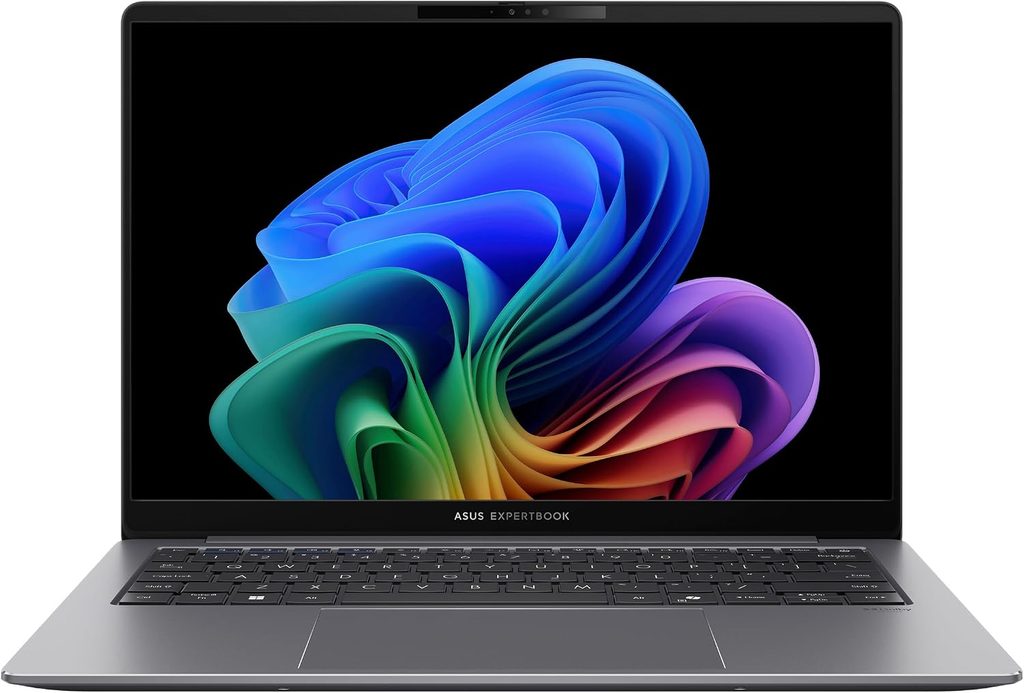
This one flew under the radar in the US, and honestly, I think that’s a mistake. It pairs the lightest high-performance chassis on the list with the best screen and the most consistent sustained performance.
Key specs
- Processor: Intel Core Ultra X7 358H (up to X9 388H in some markets)
- Graphics: Intel Arc B390
- NPU: 50 TOPS
- Memory: 32GB or 64GB LPDDR5x (soldered)
- Display: 14-inch 2880×1800 Tandem OLED touch, matte Gorilla Glass, 30–120 Hz, 600 nits SDR / 1,400 nits HDR
- Storage: single M.2 2280 slot (Gen4 or Gen5)
- Ports: 2× Thunderbolt 4, 2× USB-A, HDMI 2.1, 3.5 mm jack
- Battery: 70 Wh, 90 W USB-C charger
- Weight: about 1.1 kg (2.45 lb)
- Durability: MIL-STD-810H tested
What the lab data shows
The screen is the star. Ultrabook Review calls this matte Tandem OLED arguably the best display on any laptop right now, with close to 600 nits sustained, 1,400 nits HDR peak and real usability outdoors, though the matte layer adds a little grain on white backgrounds. Notebookcheck’s measurements back it up: 612 nits average brightness, 96.2% Display P3 coverage and a deltaE of just 1.18.
It also holds its performance better than anything else here. In Performance mode it scored 19,777 in Cinebench R23 and 18,371 across a 10-minute loop, plus 4,533 in a 10-minute Cinebench 2026 run, 16,506 multi-core in Geekbench 6 and 9,399 in PCMark 10. It passed a 20-loop 3DMark stress test both flat on a desk and raised, meaning performance didn’t sag as heat built up.
It’s remarkably quiet for its power. Expect about 40 to 42 dBA in Performance mode at around 45 W, 30 to 35 dBA in Standard mode at around 30 W, and under 30 dBA in Whisper mode, with Standard delivering roughly 80 to 95 percent of full performance. Under heavy load, a warm spot of about 43 to 45°C forms on top, while the keyboard and touchpad stay in the mid-30s.
With the Gen5 drive, it’s the fastest storage in this roundup. Notebookcheck’s Samsung PM9E1 hit 14,067 MB/s in sequential reads. And yes, it games: 47.2 fps in Cyberpunk 2077 at 1080p Ultra.
Battery is good rather than record-breaking. Notebookcheck’s Wi-Fi test lasted 16.1 hours, while Ultrabook Review saw about 7 to 10 hours of browsing in Standard mode and 12 to 14 hours of YouTube in Whisper mode at 50% brightness.
Pros
- The best screen on this list, and it’s usable outdoors
- Lightest high-performance laptop in this roundup
- Best sustained performance and a genuinely quiet Standard mode
- Full-size HDMI and two USB-A ports
- 3-year warranty standard, extendable to 5
Cons
- Early units had a weak hinge that only opens to about 140°
- Edge-to-edge touchpad can register accidental touches
- The 2 MP webcam is disappointing on a business laptop
- No 5G option
- Bulky 90 W charger and limited US availability
My take
In the US it’s mostly sold as a Core Ultra X7 358H model with 32GB and 1TB at an MSRP of $2,999, and ASUS includes a 3-year warranty with the option of up to 5. For a small business that can’t afford downtime, that warranty alone is a big deal. Just test the webcam before your first important client call.
Buy it if you want a stunning screen and serious performance in about one kilo.
Skip it if you need 5G, a sharp webcam or a hinge that folds flat.
Side-by-Side Performance
These results come from different labs and configurations, so read them as a fair ballpark rather than a stopwatch race. I’ve noted the chip in each case.
| Laptop (chip tested) | Geekbench 6 single / multi | Multi-core render test | PCMark 10 overall | Lab |
|---|---|---|---|---|
| ThinkPad X1 Carbon Gen 14 (Core Ultra 5 325) | 2,620 / 11,038 | Cinebench R23: 10,980 | 7,709 | Notebookcheck |
| MacBook Air M5 (M5, 10-core) | 4,168 / 17,067 | Cinebench 2026: 3,415 at start, low 2,300s sustained | Windows-only benchmark, can’t run on macOS | Tom’s Hardware |
| HP EliteBook X G2i (Core Ultra 7 366H) | 2,804 / 16,390 | Cinebench 2026: 4,060 | 9,209 | StorageReview |
| Dell XPS 14 (Core Ultra X7 358H) | 2,927 / 17,121 | Cinebench 2026: 3,990 | 9,880 | Notebookcheck |
| ASUS ExpertBook Ultra (Core Ultra X7 358H) | 2,825 / 16,506 | Cinebench 2026: 4,533 (10-min run) | 9,399 | Ultrabook Review |
Battery Life: Why Two Labs Never Agree
This is the section I wish every buying guide had. The same laptop can post wildly different battery numbers depending on who tests it, how bright the screen is, and which power mode is on. So here are the results with their test conditions right next to them.
| Laptop | Result | Test conditions | Lab |
|---|---|---|---|
| ThinkPad X1 Carbon Gen 14 (IPS) | 23 h 13 min | Wi-Fi browsing, 150 nits | Notebookcheck |
| ThinkPad X1 Carbon Gen 14 (OLED) | About 13.5 h | Same test | Notebookcheck |
| MacBook Air M5 | 15 h 28 min | Web, video and light graphics, 150 nits | Tom’s Hardware |
| MacBook Air M5 | 18 h 24 min | Macworld battery test | Macworld |
| HP EliteBook X G2i (3K OLED) | 17 h 13 min | PCMark 10 Modern Office, 50% brightness | StorageReview |
| HP EliteBook X G2i | Almost 12 h | PCMark battery test, 50% brightness, best efficiency | Digit |
| Dell XPS 14 (X7, OLED) | 16 h 45 min | Wi-Fi browsing, 150 nits, Balanced | Notebookcheck |
| Dell XPS 14 (lower-res screen) | 20 h 41 min | Tom’s Hardware battery test | Tom’s Hardware |
| ASUS ExpertBook Ultra | 16.1 h | Wi-Fi browsing | Notebookcheck |
| ASUS ExpertBook Ultra | 7–10 h | Real-world browsing, Standard mode, 50% brightness | Ultrabook Review |
The lesson I took away: your screen choice shapes battery life more than your processor does. On the ThinkPad, going OLED costs almost 10 hours. On the HP, the company’s own data shows about an 8-hour gap between its dimmer and brighter OLED panels. If you mostly work indoors, the lower-power screen is the smarter buy every single time.
Display Measurements
| Laptop | Panel tested | Average brightness | Color gamut | Worth knowing |
|---|---|---|---|---|
| ThinkPad X1 Carbon Gen 14 | 1200p IPS touch | 524 nits | 99.1% sRGB | No PWM flicker; needs calibration |
| MacBook Air M5 | 2560×1664 IPS | 458.8 nits | 83.1% DCI-P3 volume | True Tone adjusts to your room |
| HP EliteBook X G2i | 1200p Sure View IPS | 692 nits | 91.1% sRGB | No PWM; very narrow viewing angles |
| Dell XPS 14 | 2.8K OLED | 389 nits | 99.7% Display P3 | deltaE 1.27; PWM at 240 Hz |
| ASUS ExpertBook Ultra | 3K Tandem OLED (matte) | 612 nits | 96.2% Display P3 | deltaE 1.18; 1,400 nits HDR peak |
Storage, Noise and Sustained Performance
| Laptop | SSD speed | Fan noise under load | Behavior under long heavy load |
|---|---|---|---|
| ThinkPad X1 Carbon Gen 14 | 7.0 GB/s read, 6.5 GB/s write (PCIe 4.0) | 38.9 dB(A) | Stays cool; power fluctuates between 30–40 W |
| MacBook Air M5 | 1,924.84 MB/s in a 25GB file copy | Silent (fanless) | Throttles from 3,415 to low 2,300s in Cinebench 2026 |
| HP EliteBook X G2i | 7,919 MB/s read, 8,949 MB/s write (Gen5) | 47.5 dB(A) | No throttling in a one-hour stress test |
| Dell XPS 14 | About 7,000 MB/s sustained | Under 40 dB (balanced) to 44–46 dB (Ultra Performance) | Up to 25% multi-thread drop in a Cinebench loop |
| ASUS ExpertBook Ultra | 14,067 MB/s read (Gen5) | 40–42 dBA (Performance), 30–35 dBA (Standard) | No drop across a 20-loop 3DMark stress test |
A quick note: the MacBook’s figure is a real-world file copy rather than a synthetic sequential read, so it naturally looks lower than the others.
The Two-Hat Test: How Each Laptop Handles Work and Life
This is my own scorecard, and it’s the heart of this guide. Each laptop is rated on the things that matter when one machine has to wear two hats. These are my editorial ratings, built on the lab data above.
| X1 Carbon Gen 14 | MacBook Air M5 | EliteBook X G2i | XPS 14 | ExpertBook Ultra | |
|---|---|---|---|---|---|
| Work hat | |||||
| Keyboard for long typing | ★★★★★ | ★★★★ | ★★★★★ | ★★★ | ★★★★ |
| IT management features | ★★★★★ | ★★ | ★★★★★ | ★★★ | ★★★★ |
| 5G option | Yes | No | Yes | No | No |
| Ports without adapters | ★★★★★ | ★★ | ★★★★★ | ★★ | ★★★★★ |
| Repairability | ★★★★ | ★★ | ★★★★★ | ★★★ | ★★★ |
| Personal hat | |||||
| Screen for movies and photos | ★★★ (IPS) | ★★★★ | ★★★★ (OLED) | ★★★★ | ★★★★★ |
| Light gaming | ★★ | ★★★ | ★★ | ★★★★★ | ★★★★★ |
| Speakers | ★★★★ | ★★★★★ | ★★★★ | ★★★★ | ★★★★ |
| Silence | ★★★★ | ★★★★★ | ★★★ | ★★★ | ★★★★ |
| Best fit | Road warriors | Apple households | Corporate fleets | Creators and gamers | Screen lovers |
Which One Should You Buy? My 30-Second Guide
- You travel constantly and type all day: ThinkPad X1 Carbon Gen 14, with the IPS screen.
- You already use an iPhone and don’t need Windows: MacBook Air M5.
- Your company’s IT department is involved: HP EliteBook X G2i, with any screen except Sure View unless you need privacy.
- You edit photos, make videos or game on weekends: Dell XPS 14 with the Arc B390 chip.
- You want the best screen and the lightest powerful laptop: ASUS ExpertBook Ultra.
Buying Tips I Learned the Hard Way
Buy the memory you’ll need on day one. Every laptop on this list has soldered RAM, so there’s no upgrading later. Memory prices are climbing in 2026, and that won’t make future upgrades any cheaper. 16GB is the floor; 32GB is what I’d pick for anyone who lives with dozens of tabs open alongside Teams and Excel.
Look for the “X” in Intel’s chip names. Core Ultra X7 and X9 chips include Arc B390 graphics, and that’s a massive jump. StorageReview found the Arc B390 running more than twice as fast as the standard integrated graphics in Blender and AI image generation. If your personal life involves anything visual, it’s worth the extra money.
Never trust a list price. HP in particular runs permanent “sales,” and the same configuration can differ by over a thousand dollars between stores.
Choose your screen before your processor. As the battery table shows, the display you pick shapes your daily experience far more than the jump from a Core Ultra 5 to a Core Ultra 7.
Frequently Asked Questions
What is the best laptop for business and personal use in 2026?
For most people, it’s the Lenovo ThinkPad X1 Carbon Gen 14 with the IPS screen. It pairs the longest measured battery life in this roundup with a superb keyboard and full business features, while staying light enough to carry everywhere. If you’re a Mac user, the MacBook Air M5 is the easier choice.
Is a MacBook Air good enough for business?
Yes, for freelancers, consultants and small businesses. It handles Microsoft 365, Google Workspace, Zoom and Slack with ease. It’s a weaker fit for companies that need Windows device management, smart card readers or built-in 5G.
Is an OLED screen worth it on a work laptop?
Only if image quality matters more to you than runtime. Lab tests show OLED versions can lose anywhere from several hours to nearly 10 hours of battery compared with the IPS version of the same laptop.
Can any of these laptops handle gaming?
The Dell XPS 14 and ASUS ExpertBook Ultra with Arc B390 graphics ran Cyberpunk 2077 at roughly 41 to 47 fps at 1080p Ultra in Notebookcheck’s testing. The others are best suited to casual games.
Why are laptops more expensive in 2026?
A global memory-chip shortage driven by AI demand has raised component costs. Apple, for example, raised most Mac prices by roughly 15 to 20 percent in June 2026.
Do I need a Copilot+ PC or a laptop with an NPU?
All five laptops here have capable AI hardware. It helps with things like background blur on calls and on-device AI features, but I wouldn’t make it the main reason you choose one laptop over another.
My Final Verdict
There’s no single perfect laptop, but there is a perfect one for the way you actually live. My top pick for balancing work and personal life is the Lenovo ThinkPad X1 Carbon Gen 14, as long as you choose the IPS screen. If you’re in Apple’s world, the MacBook Air M5 is still the easiest laptop to love. If your company hands out laptops by the dozen, the HP EliteBook X G2i is built for exactly that life. And if your evenings involve creative projects or games, the Dell XPS 14 or ASUS ExpertBook Ultra will make you happier than any spec sheet suggests.
Whichever you choose, pick the screen carefully, buy enough memory up front, and never pay full list price. Your future self, sitting in an airport with 40% battery left at 9 p.m., will thank you.
Sources
- StorageReview – Best Business Laptops for Work in 2026: https://www.storagereview.com/best/business-laptops
- StorageReview – HP EliteBook X G2i Review: https://www.storagereview.com/review/hp-elitebook-x-g2i-review
- Notebookcheck – HP EliteBook X G2i Review: https://www.notebookcheck.net/Lightweight-powerhouse-laptop-with-32-GB-RAM-HP-EliteBook-X-G2i-review.1365539.0.html
- Digit – HP EliteBook X G2i 14 Review: https://www.digit.in/reviews/laptops/hp-elitebook-x-g2i-14-review-small-size-serious-performance.html
- Notebookcheck – Lenovo ThinkPad X1 Carbon Gen 14 Review: https://www.notebookcheck.net/Flagship-business-laptop-with-almost-24-hours-of-battery-life-Lenovo-ThinkPad-X1-Carbon-Gen-14-Review.1332558.0.html
- Tom’s Hardware – Lenovo ThinkPad X1 Carbon Gen 14 Aura Edition Review: https://www.tomshardware.com/laptops/lenovo-thinkpad-x1-carbon-gen-14-aura-edition-review
- LaptopMedia – Lenovo ThinkPad X1 Carbon Gen 14 Aura Edition Review: https://laptopmedia.com/review/lenovo-thinkpad-x1-carbon-gen-14-aura-edition-review-the-ultimate-business-laptop-gets-modular/
- Thurrott – ThinkPad X1 Carbon Gen 14 Aura Edition Review: https://www.thurrott.com/mobile/copilot-pc/338965/lenovo-thinkpad-x1-carbon-gen-14-aura-edition-review-panther-lake-perfection
- XDA Developers – ThinkPad X1 Carbon Gen 14 Review: https://www.xda-developers.com/review-thinkpad-x1-carbon-gen-14-aura-ediiton/
- Ultrabook Review – 2026 Lenovo ThinkPad X1 Carbon Gen 14 Explained: https://www.ultrabookreview.com/74228-2026-lenovo-thinkpad-x1-x9-aura/
- Tom’s Hardware – Apple MacBook Air 13-inch (M5) Review: https://www.tomshardware.com/laptops/macbooks/apple-macbook-air-13-inch-m5-review
- Macworld – 13-inch MacBook Air (M5) Review: https://www.macworld.com/article/3086162/13-inch-macbook-air-m5-review.html
- Macworld (syndicated) – MacBook Air M5 Battery Result: https://nordot.app/1442903243493294185
- Daring Fireball – Apple Raises Prices (June 2026): https://daringfireball.net/linked/2026/06/25/apple-raises-prices
- Notebookcheck – Dell XPS 14 2026 Review: https://www.notebookcheck.net/Dell-XPS-14-2026-review-Fully-reborn-with-Intel-Panther-Lake-X7.1218670.0.html
- Notebookcheck – Dell XPS 14 (2026) Battery Life Analysis: https://www.notebookcheck.com/Intel-Panther-Lake-glaenzt-Neues-Dell-XPS-14-2026-bietet-55-laengere-Akkulaufzeit-als-Dell-14-Premium-2025.1225345.0.html
- Tom’s Guide – Dell XPS 14 (2026) Review: https://tomsguide.com/computing/laptops/dell-xps-14-2026-review
- HotHardware – Dell XPS 14 (2026) Review: https://hothardware.com/reviews/dell-xps-14-da14260-review-2026?page=3
- NoobFeed – Dell XPS 14 Review: https://www.noobfeed.com/hardware/dell-xps14-review-panther-lake-performance
- xpertpick – Dell XPS 14 (2026) Review: https://www.xpertpick.com/personal-computing/dell-xps-14-2026-review-stunning-looks-and-stellar-battery-but-tempered-performance/
- Ultrabook Review – ASUS ExpertBook Ultra Longer-Term Review: https://www.ultrabookreview.com/74674-asus-expertbook-ultra-review/

Hi, my name is Burak. I am a mechanical engineer. I have been writing laptop reviews for the Engineering Laptops website since 2020. Please feel free to contact me if you have any questions.