
Last updated: September 13, 2026
Table of contents
- The short version
- How I put this together
- Five measurements that predict your real experience
- Best Laptop for Journalism Students in 2026: 5 Picks I’d Actually Recommend
- 1. Apple MacBook Air 13″ (M5) — the one I’d recommend to most people
- 2. Dell XPS 14 (2026) — the longest-lasting Windows laptop I can find
- 3. Lenovo ThinkPad X1 Carbon Gen 14 — what a working reporter would buy
- 4. Asus Zenbook S14 (2026) — the best screen here, with one big asterisk
- 5. HP OmniBook Ultra 14 (2026) — the quiet, fast, all-day option
- All five, side by side
- Pick by your beat, not by the spec sheet
- Buying advice specific to 2026
- Mistakes I’d talk you out of
- Frequently asked questions
- Where I’d land
- Sources
Journalism school is a strange kind of stress test for a laptop, and most buying guides get it wrong because they treat it like any other college major.
You’re going to type somewhere around half a million words over four years. You’ll open the lid in a courthouse hallway, on a bus, in a stadium press box, in a church basement at a zoning meeting that runs past eleven. You’ll cut a 90-second package at 2 a.m., dump 400 RAW files off a card, then jump on a call with a source who has fifteen minutes and no patience.
Nobody in a newsroom has ever asked what their 3DMark score is. What they have asked, out loud, in a panic: why is my battery dead, it said twenty hours.
So this guide is built around the things that actually ruin your day. Five laptops, five different brands, all current 2026 models. Every number below comes from a published lab measurement by a named outlet. Where the labs disagree with each other, I show you both numbers instead of picking the flattering one.
The short version
| Pick | Best for | Starting price (US) | Weight | The number that sold me |
|---|---|---|---|---|
| Apple MacBook Air 13″ (M5) | Most journalism students | $1,099 ($999 education) | 2.7 lb | 18 h 24 m looping video at 150 nits (Macworld) |
| Dell XPS 14 (2026) | Longest Windows battery, best all-rounder | $1,599 | 3.0 lb | 20 h 41 m mixed-use test on the 1200p model (Tom’s Hardware) |
| Lenovo ThinkPad X1 Carbon Gen 14 | Heavy writers and field reporters | ~$1,899 | 2.15–2.51 lb | 14 h 14 m at full brightness (Notebookcheck) |
| Asus Zenbook S14 (2026) | Photo and video-heavy students | ~$1,700 | 2.65 lb | 459 nits measured, 1,050 nits HDR peak (Notebookcheck) |
| HP OmniBook Ultra 14 (2026) | Silent all-day machine, on-device AI | ~$1,720 as configured | 2.8 lb | 4K→1080p Handbrake transcode in 2 m 11 s (Tom’s Hardware) |
If you want to stop reading right now: get the 13-inch MacBook Air with M5 at the $999 education price, spend the leftover money on a decent recorder, and go report something. Everything below explains the cases where that’s the wrong call.
How I put this together
I want to be straight with you about method, because “we tested 60 laptops” gets thrown around a lot and usually means somebody read a spec sheet.
I did not personally run a colorimeter across five review units in a lab. What I did was pull the raw measurements from outlets that own the equipment and publish their procedures, then normalize and re-weight those results against a rubric built for reporting work rather than generic productivity.
The labs I leaned on: Notebookcheck (CalMAN colorimetry with an X-Rite i1Pro 3, calibrated Fluke thermometry, an Earthworks M23R microphone at 15 cm for fan noise, iperf3, Metrahit power meters), Tom’s Hardware (surface thermometry plus a standardized browse-stream-WebGL battery loop at 150 nits), PCWorld, Macworld, Tom’s Guide, Windows Central, Trusted Reviews, Engadget and Hardware Canucks.
Here’s how I weighted things, and why:
| What I scored | Weight | Why it matters in this job specifically |
|---|---|---|
| Battery at maximum brightness | 20% | You file from sunlit places. The 150-nit figure is fiction outdoors. |
| Keyboard quality and key travel | 20% | Half a million words. Typos cost accuracy, and accuracy is the whole job. |
| Weight and thickness | 15% | It rides next to a recorder, a charger and a notebook. |
| Screen brightness, flicker and color | 15% | Eight hours of text a day, plus culling photos on deadline. |
| Fan noise under load | 10% | A fan spinning up during an interview lands in your audio. |
| Ports and connectivity | 10% | Card readers, audio interfaces, projectors, hotel Ethernet. |
| Sustained (not burst) performance | 10% | Exports and long transcription runs, not 10-second benchmarks. |
Notice what’s absent: gaming performance, discrete GPUs, RGB anything. If you’re a journalism student who also games, buy a console. It’ll cost less than the laptop premium.
Five measurements that predict your real experience
This is the section I’d actually bookmark. Everyone publishes Geekbench and a battery number. These five tell you far more, and almost nobody puts them in a student guide.
1. Battery life at full brightness, not 150 nits
Standard battery tests run the screen at 150 nits. That’s a dim office. Outdoors, in a press box, or next to a window in a bright library, you’ll be pinned at 100%, and the gap is brutal.
Notebookcheck publishes both figures. Same laptop, same test, two brightness settings:
| Laptop | Wi-Fi browsing @ 150 nits | Wi-Fi browsing @ max brightness | What you lose |
|---|---|---|---|
| ThinkPad X1 Carbon Gen 14, IPS panel | 23 h 13 m | 14 h 14 m | −39% |
| ThinkPad X1 Carbon Gen 14, OLED panel | 13 h 30 m | 7 h 36 m | −44% |
| MacBook Air 13 (M5) | 16 h 11 m | 6 h 39 m | −59% |
| MacBook Air 13 (M4), for reference | 16 h 13 m | 7 h 05 m | −56% |
Read that third row twice. The MacBook Air loses close to 60% of its runtime when you turn the screen up. It’s still a superb laptop, but “eighteen hours” and “six hours thirty-nine minutes” describe the same machine on the same day, and which one you get depends entirely on where you’re sitting.
There’s a second thing hiding in that table. The M5 Air is measurably worse at full brightness than the M4 it replaced, because Apple kept the same 53.8 Wh battery and spent the efficiency gains on performance instead. Notebookcheck’s framing is blunt about it: at full brightness the M5 is roughly where the two-year-old M3 was.
What I’d do with this: if your work happens in bright rooms or outdoors, weight the IPS and LCD panel options above the OLED ones, and mentally halve any headline battery claim.
2. Fan noise, in dB(A), versus your recorder
Here’s a failure mode nobody warns you about. You set the laptop next to your recorder to take notes during an interview, Chrome decides to reindex something, the fan spins up, and now there’s a whine under your subject’s voice for eleven minutes.
Notebookcheck measures this properly. The ThinkPad X1 Carbon Gen 14 sits at 24.8 dB(A) at idle, which is genuinely inaudible in a quiet room, and peaks at 38.9 dB(A) in Best Performance mode. In Balanced it tops out at 36 dB(A). In Best Efficiency it never goes above 29 dB(A).
That last figure is the useful one. Flip the machine into its efficiency profile before you hit record and it effectively vanishes from the room.
The MacBook Air has no fan at all, which is the nuclear solution to this problem and a legitimate reason to buy one if you record a lot of audio.
Practical habit: whatever you buy, learn where the power profile toggle lives and switch it to quiet before an interview. Ten seconds. It’ll save a recording eventually.
3. PWM flicker
A lot of OLED panels dim by flickering the backlight thousands of times per second. Most people never notice. A meaningful minority get headaches and eye strain, and you’re about to spend an enormous number of hours staring at text.
Here are the panels in this guide that have been properly flicker-tested:
| Panel | PWM result | Source |
|---|---|---|
| MacBook Air 13 (M5), Liquid Retina IPS | No PWM detected | Notebookcheck |
| ThinkPad X1 Carbon Gen 14, 1920×1200 IPS | No PWM detected | Notebookcheck |
| Zenbook S14 (2026), 2.8K OLED | Flickers at 960 Hz | Notebookcheck |
960 Hz is high enough that most people won’t consciously register it. But if you’ve ever gotten a headache from an OLED phone, this is the single most useful line in this article. Go stare at one in a store for ten minutes before you spend $1,700.
4. Sustained performance versus the first thirty seconds
Benchmark headlines are burst numbers. Video exports are not bursts.
Tom’s Hardware ran a Cinebench 2026 stress loop on the M5 MacBook Air. It opened at 3,415 points and settled into the low 2,300s, roughly a 32% drop as the fanless chassis saturated. Skin temperatures during that run: 105.1 °F at the center of the keyboard, 96 °F on the touchpad, 107.9 °F at the hottest point underneath, with the chip itself reading 63.24 °C.
The Dell XPS 14 with the Core Ultra X7 hit 91.5 °F on the keyboard, 83.5 °F on the touchpad and 104.5 °F on the bottom, with the processor at 63.57 °C. The cheaper Core Ultra 7 355 version ran cooler on the surface but hotter internally, at 72.14 °C.
For a 40-second clip, none of this matters. For a 20-minute multicam export, a laptop with a fan finishes meaningfully sooner and doesn’t cook your lap while it does it.
5. Key travel, and one honest typing measurement
This is the metric I care most about, and I’ve never seen it in a student laptop guide.
| Laptop | Key travel | What reviewers found |
|---|---|---|
| ThinkPad X1 Carbon Gen 14 | 1.5 mm (1.35 mm on G, H and B) | Notebookcheck scored the keyboard 92% and the pointing device 96% |
| Asus Zenbook S14 (2026) | 1.1 mm | Short throw but crisp feedback; comfortable for long sessions |
| Dell XPS 14 (2026) | 0.8 mm, zero-lattice | Tom’s Hardware’s reviewer peaked at 105 wpm on monkeytype but dropped into the low 90s, and his accuracy fell from a usual ~98% to 95% |
| HP OmniBook Ultra 14 (2026) | Not published | PCWorld called it one of the better keyboards of 2026 with generous travel; Notebookcheck felt the 2026 redesign didn’t improve on the old one |
| MacBook Air 13 (M5) | Not published | Tom’s Hardware: not the deepest travel here, but comfortable |
That three-point accuracy drop on the Dell sounds trivial. Over a 1,500-word story it’s roughly 45 extra errors to catch. Over four years it’s a tax you pay every single day. If you write for a living, and you’re about to, key travel is a tool specification, not a preference.
Best Laptop for Journalism Students in 2026: 5 Picks I’d Actually Recommend
1. Apple MacBook Air 13″ (M5) — the one I’d recommend to most people
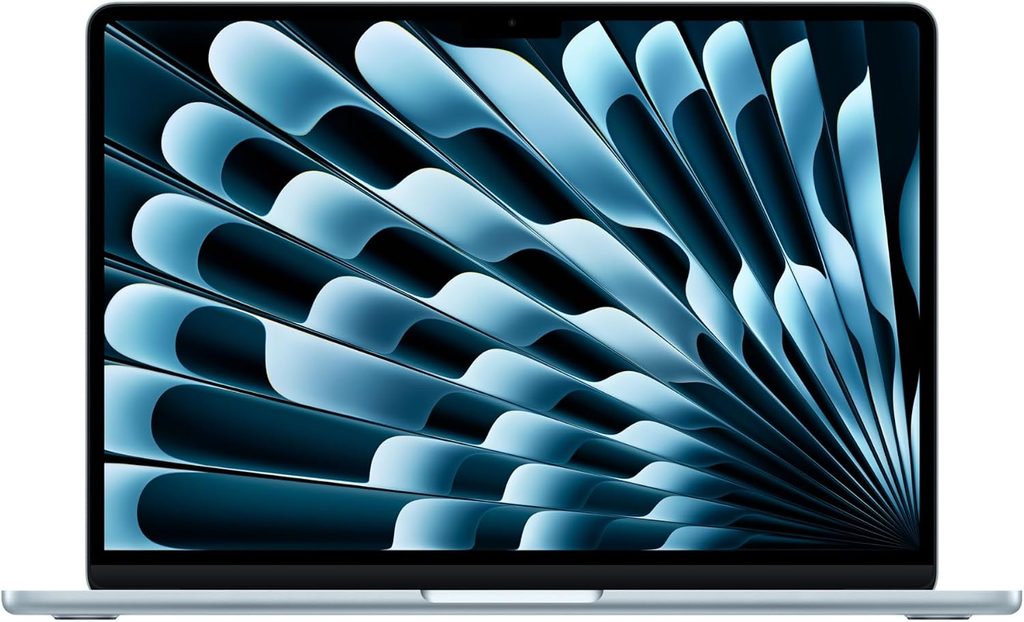
Why it wins: it’s silent, it’s light, the camera and mics are the best here, and the education price is $999.
Apple shipped the M5 Air on 11 March 2026. It looks identical to the M4 model, which is fine, because the M4 model looked fine.
Specifications
| Chip | Apple M5, 10-core CPU, 10-core GPU, 16-core Neural Engine |
| Memory | 16 GB unified (base) |
| Storage | 512 GB (base) |
| Display | 13.6-inch Liquid Retina IPS, 2560×1664, 224 ppi, 500 nits rated, P3, True Tone |
| Battery | 53.8 Wh, fanless |
| Ports | 2× Thunderbolt 4, MagSafe 3, 3.5 mm |
| Camera and audio | 12 MP Center Stage camera, three-mic array, Spatial Audio |
| Wireless | Wi-Fi 7, Bluetooth 6 |
| Weight | 2.7 lb (1.24 kg) |
| Price | $1,099, or $999 with education pricing. 15-inch: $1,299 / $1,199 |
The measured numbers
- Geekbench 6: 4,172 single-core and 17,157 multi-core (Gizmodo). Tom’s Hardware logged 4,168 single-core on its own unit. Nothing in the Windows world touches that single-core figure.
- Cinebench 2026 stress loop: starts at 3,415, settles in the low 2,300s (Tom’s Hardware).
- Blender BMW render: 2 minutes 37 seconds (Gizmodo).
- Battery, four independent results: 18 h 24 m looping a downloaded film at 150 nits (Macworld); 16 h 11 m Wi-Fi browsing at 150 nits and 6 h 39 m at full brightness (Notebookcheck); 15 h 37 m continuous web surfing at 150 nits (Tom’s Guide); 15 h 28 m on Tom’s Hardware’s browse-stream-WebGL loop.
- Display measured: 458.8 nits peak, 83.1% DCI-P3 by volume, 117.3% sRGB (Tom’s Hardware). No PWM flicker detected (Notebookcheck).
- Storage: Apple roughly doubled SSD throughput this generation after years of sitting around 3 GB/s (Macworld). It shows when you’re dumping a 64 GB card.
- Thermals: 105.1 °F keyboard, 96 °F touchpad, 107.9 °F underside under sustained load. Warm, never painful.
- Notebookcheck rated the whole package 92%.
What it’s like to actually use for this work
The fanless design is the sleeper feature. No fan means no fan noise in your recordings, ever. For an audio or video student that’s worth more than a couple of Geekbench points.
The 12 MP Center Stage camera is the best webcam in this entire guide by a wide margin, which matters the first time you do a remote interview and would like to look like a professional rather than a hostage. The three-mic array is good enough that if your recorder dies mid-interview, the laptop is a workable backup.
macOS is also where most journalism-adjacent software lives comfortably: Final Cut, Logic, Descript, Adobe’s suite, and every transcription tool worth using.
The real cost is ports. Two Thunderbolt ports, one of which you’ll often be charging through, means you’re buying a hub on day one. Budget $40 to $70 for one with USB-A, HDMI and an SD slot, and buy it before your first assignment rather than the night before it.
Pros
- Fastest single-core performance here and the smoothest day-to-day feel
- Completely silent, with no fan to contaminate a recording
- 12 MP camera and three-mic array are the best on this list
- No PWM flicker, and well calibrated straight out of the box
- $999 education pricing makes it the best build quality per dollar here
- Strongest long-term resale value of anything in this guide
Cons
- Loses 59% of its runtime at full brightness, measured at 6 h 39 m
- Throttles about 32% under sustained load, so long exports drag
- Only two ports, so a hub is mandatory rather than optional
- No HDMI, no SD reader, no touchscreen, 60 Hz only
- At 458.8 nits measured, it’s the dimmest screen in this comparison
- Battery endurance is a small step backwards from the M4
Buy it if you write, record and edit modestly and you value silence over ports. Skip it if your program mandates Windows-only software or you’re doing heavy multicam work every week.
2. Dell XPS 14 (2026) — the longest-lasting Windows laptop I can find
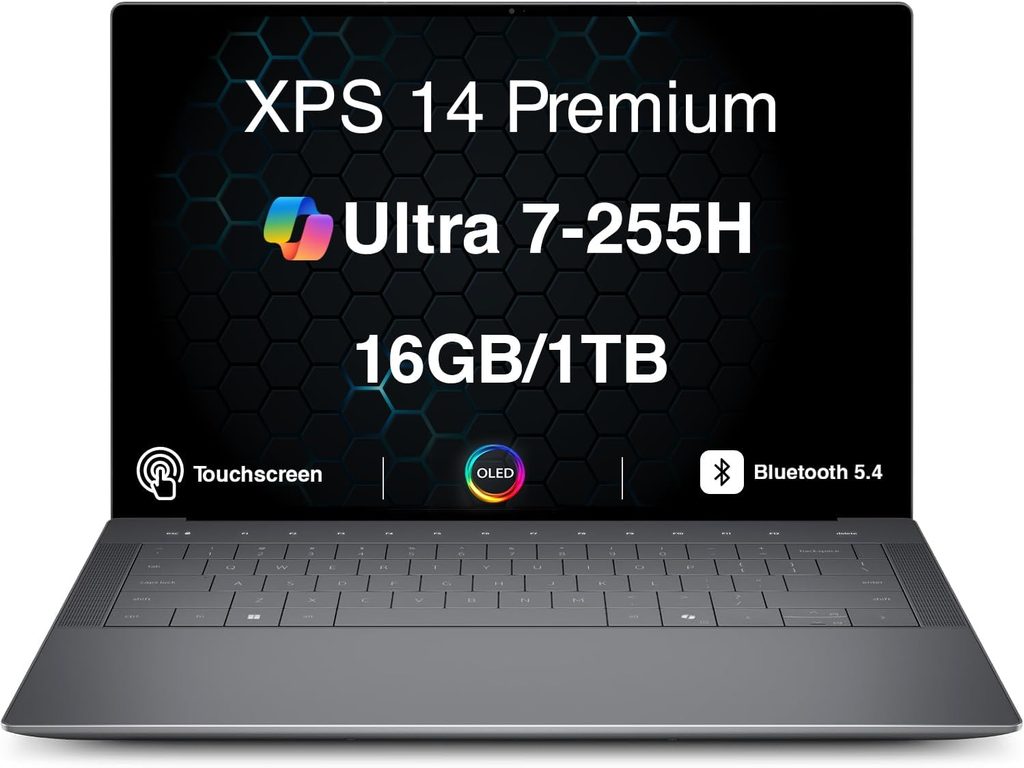
Why it’s here: on the 1200p configuration it’s the longest-running x86 laptop anyone has measured recently, and Dell finally put the function keys back.
After two years of a widely disliked redesign and a confusing rebrand, Dell put the XPS name back on the lid and, more importantly, put physical function keys back on the deck.
Specifications
| Entry configuration | High-end configuration | |
|---|---|---|
| CPU | Intel Core Ultra 7 355 | Intel Core Ultra X7 358H |
| Graphics | Intel Graphics, 4 Xe3 cores | Intel Arc B390, 12 Xe3 cores |
| Memory | 16 GB LPDDR5x-7467 | 32 GB LPDDR5x-9600 |
| Storage | 512 GB PCIe Gen 4 | 1 TB PCIe Gen 4 |
| Display | 14-inch 1920×1200 non-touch, 1–120 Hz variable refresh | 14-inch 2880×1800 tandem OLED touch, 20–120 Hz |
| Battery | 70 Wh, 100 W USB-C | 70 Wh, 100 W USB-C |
| Ports | 3× Thunderbolt 4, 3.5 mm | Identical |
| Camera | 8 MP HDR with IR | Identical |
| Weight | 3.0 lb (1.36 kg) | 3.0 lb (1.36 kg) |
| Price | $1,699.99 (from $1,599.99 with the Ultra 5 325) | $2,199.99 |
The measured numbers
- Battery, 1200p model: 20 h 41 m on Tom’s Hardware’s mixed browse-stream-WebGL loop at 150 nits. That’s the longest they’d recorded from an x86 laptop since 2024.
- Battery, OLED model: 12 h 23 m on the same test. An eight-hour swing from a panel choice.
- Notebookcheck: 16 h 45 m Wi-Fi browsing at 150 nits in Balanced mode, and an overall score of 87%, up from 83% for last year’s model. For context, the 2024 XPS 14 with the same 69.5 Wh cell managed 7 h 45 m.
- Hardware Canucks: 43 h 03 m on a light web-browsing test with the Ultra 7 355 and the 1 Hz variable refresh panel. Treat it as a best case, but it shows what VRR does for static text.
- Geekbench 6: 2,867 / 16,927 on the Core Ultra X7 unit; 2,685 / 7,964 on the Ultra 7 355 (Tom’s Hardware).
- Handbrake 4K to 1080p: 4 minutes 30 seconds (X7) against 6 minutes 45 seconds (Ultra 7).
- 3DMark Steel Nomad: 1,446 (X7) against 532 (Ultra 7).
- 25 GB file copy: 1,730.36 MB/s on the 512 GB SanDisk drive, 1,419.76 MB/s on the 1 TB Samsung.
- Display: the OLED measured 365 nits with 89.7% DCI-P3 by volume and 126.6% sRGB; the LCD measured brighter at 466 nits but only 71.4% DCI-P3 (Tom’s Hardware). Notebookcheck independently measured the OLED at 389 nits. Both are well under Dell’s claimed 500 nits, and that’s a fair thing to be annoyed about on a tandem OLED.
- Thermals: 91.5 °F keyboard, 83.5 °F touchpad, 104.5 °F underside, 63.57 °C on the chip (X7 config).
What it’s like to actually use for this work
That 1–120 Hz variable refresh panel is why this thing wins on battery. When you’re staring at a document that isn’t changing, the screen barely refreshes. For a writer, that’s the perfect workload, and the numbers back it up.
Three Thunderbolt ports is genuinely useful: charge, drive a monitor and hang a card reader off it at once. There’s no HDMI and no microSD slot, which stings for anyone shooting stills.
The 8 MP webcam is excellent, and the quad-speaker system (two 3 W drivers plus two 2 W tweeters, 10 W total) is louder and clearer than you’d expect, which matters when you’re reviewing interview audio in a hotel room. Notebookcheck specifically flagged the new speakers as much louder than last year’s.
The keyboard is the weak point, and I’d be doing you a disservice to soften it. 0.8 mm of travel with no gaps between keys is the shallowest here, and the measured accuracy drop is real. Go type on one.
One gotcha worth knowing before you panic: Dell ships this with an adaptive charge mode that can stop charging at 80% if it’s plugged in for more than twelve hours, and changing it means going into the BIOS. Good for battery longevity, alarming the first time you unplug expecting a full charge.
Pros
- Longest measured real-world battery life of any x86 laptop right now, on the 1200p config
- Physical function row is back, and the touchpad now has tactile edges you can feel
- Three Thunderbolt 4 ports, so you can charge from either side
- Excellent 8 MP webcam and genuinely strong 10 W quad speakers
- SSD and battery are both user-replaceable
- The tandem OLED, if you pick it, has the widest color gamut here
Cons
- 0.8 mm key travel with a zero-lattice layout, and a measurable accuracy penalty
- Choosing the OLED costs you roughly eight hours of battery
- Both panels measured well below the advertised 500 nits
- No HDMI and no microSD reader
- Starts at $1,599, and RAM upgrades are punishing
- RAM and Wi-Fi module are soldered
- Adaptive charging defaults to a BIOS-only setting
Buy it if you want the longest Windows battery available and you can live with a shallow keyboard. Get the 1920×1200 model, not the OLED, unless you specifically need the color accuracy. The battery difference isn’t close.
3. Lenovo ThinkPad X1 Carbon Gen 14 — what a working reporter would buy
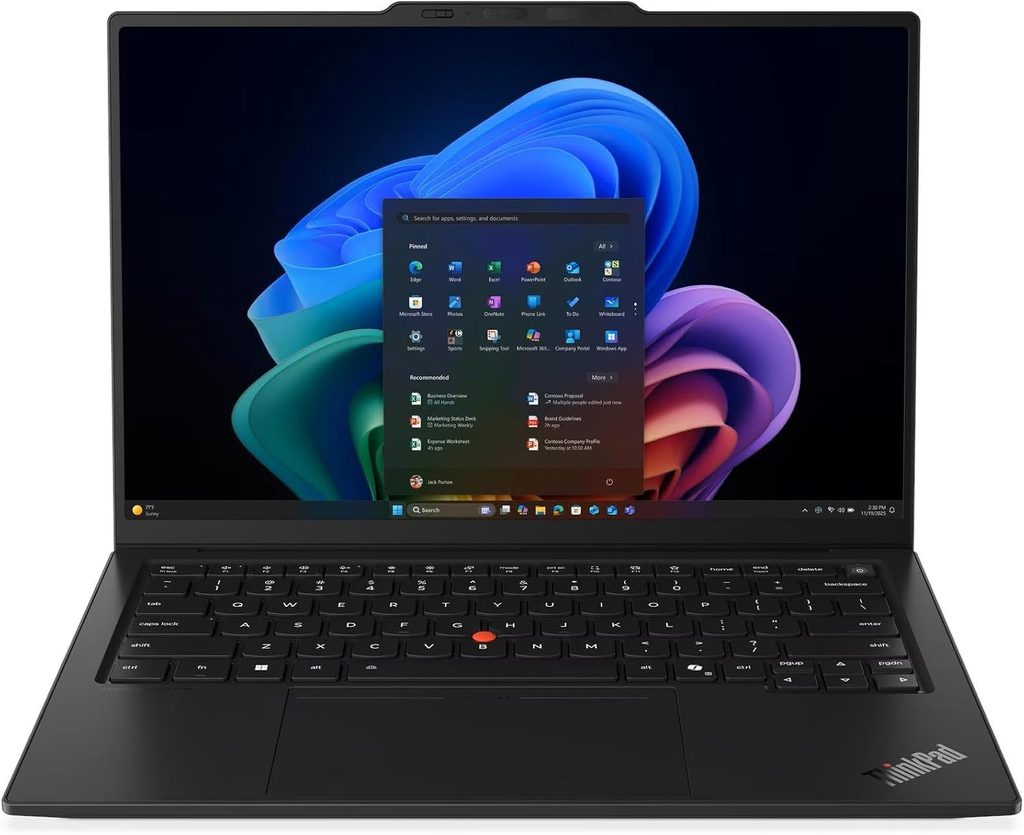
Why it’s here: the best keyboard on any laptop this thin, 14 hours at full brightness, an optional 5G modem, and a battery you can replace yourself.
The Gen 14 rebuild is the biggest change to this chassis in years. Lenovo’s new Space Frame design mounts components on both sides of the motherboard, shrinking the board by around 20% and freeing space for a fan roughly 70% larger. The keyboard deck lifts out as a single serviceable unit.
Specifications
| CPU | Intel Core Ultra 5 325 up to Core Ultra X7 368H (Panther Lake) |
| Memory | 32 GB minimum on every configuration, up to 64 GB, soldered |
| Storage | M.2 2280, PCIe 5.0 capable, user-replaceable |
| Display | 14-inch 1920×1200 low-power IPS 60 Hz, or 2880×1800 OLED 120 Hz |
| Battery | 58 Wh, customer-replaceable, 65 W charger |
| Ports | 3× Thunderbolt 4, USB-A 3.2 Gen 1 (always-on), HDMI 2.1, 3.5 mm, nano-SIM, Kensington nano |
| Wireless | Wi-Fi 7 (Intel BE211), Bluetooth 5.4, optional 4G/5G WWAN |
| Camera | 5 MP with IR (10 MP on certain OLED configurations) |
| Weight | 989 g (2.15 lb) OLED, 1.139 kg (2.51 lb) IPS touch |
| Warranty | 36 months |
| Price | roughly $1,899 to $2,750 depending on configuration |
The measured numbers
- Battery: 23 h 13 m Wi-Fi browsing at 150 nits and 14 h 14 m at maximum brightness on the IPS model, from a battery of only 58 Wh. The OLED variant drops to 13 h 30 m and 7 h 36 m respectively.
- Display (IPS), measured: 546 nits maximum, 524 nits average, 540 nits sustained on battery, 0.3 cd/m² black level, 1800:1 contrast, 93% brightness uniformity, 99.1% sRGB, 72% AdobeRGB, 69.8% DCI-P3, no PWM.
- The display’s real flaw: factory calibration is poor. ColorChecker ΔE of 5.0 and greyscale ΔE of 8.3, with a visible green-blue cast, because Lenovo pushed brightness at the expense of accuracy. Notebookcheck’s free calibration profile drops the error to ΔE 1.1 but costs you nearly 100 nits.
- CPU (Core Ultra 5 325): Cinebench 2024 645 multi / 113.3 single; Cinebench R23 10,980 / 1,892; Geekbench 6.7 11,038 / 2,620; Blender BMW27 in 310 seconds.
- System: PCMark 10 score of 7,709, with a Productivity sub-score of 13,901. CrossMark 1,675.
- SSD (Samsung PM9C1b, 512 GB, PCIe 4.0): 6,900 MB/s sequential read and 5,762 MB/s write in CrystalDiskMark; 0.058 ms read access time.
- Noise: 24.8 dB(A) idle, 38.9 dB(A) maximum in Best Performance, 36 dB(A) in Balanced, 29 dB(A) in Best Efficiency.
- Temperatures: 40.7 °C maximum on top, 42.8 °C on the bottom, palm rest never above 28.7 °C.
- Wi-Fi 7: 4,557 Mbit/s transmit and 3,244 Mbit/s receive on iperf3 with a matching router. That’s the fastest wireless throughput in this guide.
- Speakers: 84.7 dB(A) with linear response; Notebookcheck rated the sound better than 97% of laptops in its class.
- Overall Notebookcheck score 90%, keyboard 92%, pointing device 96%, battery 92%.
What it’s like to actually use for this work
This is the laptop built for the job, and I mean that literally rather than as a compliment.
The optional 5G modem with a nano-SIM slot means you can file from a protest, a rural county courthouse, or a stadium where the press Wi-Fi has collapsed under two hundred laptops. Nothing else on this list offers that.
The port selection is the only complete one here. Three Thunderbolt 4 ports split across both sides, so you charge from whichever side the outlet is on. A full-size USB-A that stays powered with the lid shut, so your recorder charges overnight. HDMI 2.1 for the seminar room projector that has never once cooperated with a dongle.
The keyboard is the best on any laptop this thin. 1.5 mm of travel, and if you’re a TrackPoint person, Lenovo still sells a variant with physical buttons above the touchpad.
The replaceable battery deserves its own paragraph. Laptop batteries meaningfully degrade in three to four years. Buy this as a freshman and you can drop a new cell in it as a senior for the price of a textbook instead of buying a whole laptop. Over a four-year degree that arguably makes it the cheapest machine here despite the sticker price.
One decision to get right: the display option changes the physical laptop. The OLED model gets a magnesium base and comes in under a kilogram. The IPS model gets an aluminium base and weighs 150 g more. But the IPS model lasts nearly ten hours longer on a charge. If you write for a living, take the IPS. Every time.
And an honest flaw: the camera scored only 55% at Notebookcheck, and there’s a chunky camera bump on the lid that looks awkward next to everything else here.
Pros
- Best keyboard on any laptop this thin, at 1.5 mm of travel
- 14 h 14 m at full brightness, which nothing else here comes close to
- Optional 4G/5G modem for filing from anywhere
- The only complete port selection: 3× Thunderbolt 4, USB-A, HDMI 2.1, headphone jack
- User-replaceable battery and SSD, with a three-year warranty as standard
- Speakers rated better than 97% of its class, which matters for reviewing audio
- 32 GB of RAM minimum on every single configuration
- Down to 29 dB(A) in efficiency mode, and no PWM flicker on the IPS panel
Cons
- Expensive. Real configurations run $1,899 to $2,750
- Poor factory colour calibration at ΔE 5.0, so you’ll want to load a profile
- Soldered RAM with no upgrade path
- The 5 MP webcam is the weakest part of the machine
- Picking the OLED costs you nearly ten hours of battery
- Ugly camera bump, and the chassis material changes with the display you pick
Buy it if you write constantly, work in the field, and plan to keep the machine five or six years. If the price is genuinely out of reach, the ThinkPad T14s Gen 7 shares much of the same keyboard DNA for considerably less money.
4. Asus Zenbook S14 (2026) — the best screen here, with one big asterisk
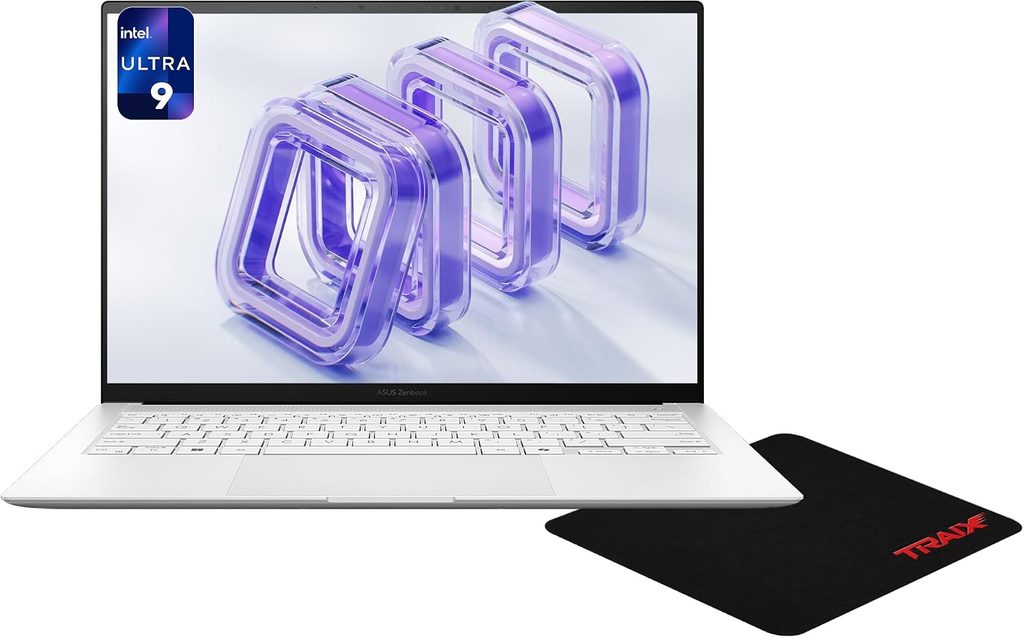
Why it’s here: Asus made an already good OLED substantially brighter, and paired it with the biggest battery in this guide.
Specifications
| CPU | Intel Core Ultra 9 386H (16 cores: 4 P at 4.9 GHz, 8 E at 3.9, 4 low-power E at 3.5) |
| Graphics | Intel Graphics 4 Xe3 — the non-X variant, which matters, see below |
| Memory | 32 GB, soldered |
| Storage | 1 TB PCIe 4.0, M.2 2280, user-replaceable |
| Display | 14-inch 2880×1800 OLED, 120 Hz, 243 ppi, touch |
| Battery | 77 Wh, the largest here, with a 68 W USB-C charger |
| Ports | 2× Thunderbolt 4, USB-A 3.1 Gen 2, HDMI, 3.5 mm |
| Wireless | Wi-Fi 7, Bluetooth 6.0 |
| Camera | 1080p (2 MP) with IR |
| Chassis | Ceraluminum, 12.9 mm thick, 1.2 kg (2.65 lb) |
| Price | around $1,700 equivalent (£1,599.99 UK, roughly €1,799 street) |
The measured numbers
- Display, the headline: Notebookcheck measured 459 nits maximum and 456.9 nits average, with 98% uniformity, 454 nits sustained on battery, and effectively infinite contrast thanks to a true 0 cd/m² black. Maximum SDR brightness climbed from 370 to 450 nits year over year; HDR peak went from 615 to 1,050 nits.
- Colour accuracy: ColorChecker ΔE of 1.0 straight out of the box, which is genuinely rare. Notebookcheck’s verdict was that you can edit images on it without touching a thing. Trusted Reviews measured 100% sRGB, 100% DCI-P3 and 93% AdobeRGB.
- The display’s flaw: PWM flicker at 960 Hz, and bright content can look slightly grainy because of the touch layer.
- Battery: 18 h 28 m in Trusted Reviews’ battery test. Gizbot logged roughly 12 h 30 m of real screen-on time across browsing, writing and 1080p YouTube. Gizmochina reported 14 to 16 hours of moderate mixed use at medium brightness. Asus rates it at up to 27 hours of 1080p video playback at 150 nits.
- Geekbench 6: 2,801 single-core and 16,525 multi-core (Gizmochina).
- Cinebench: 909 multi / 117 single in Cinebench 2024 (Gizmochina); 954 multi in Cinebench R24 (91mobiles).
- SSD: 7,054.75 MB/s sequential read and 5,927.27 MB/s write in CrystalDiskMark, with 46.98 MB/s and 153.15 MB/s on 4K random (Gizbot).
- Geekbench 6 GPU: 23,767 plugged in against 22,853 on battery. Under 4% loss when you unplug, which is unusually good for an x86 machine.
- Charging: 50% in 41 minutes, full in 88 minutes (Trusted Reviews).
- Wi-Fi 7: around 3,059 Mbit/s receive on iperf3.
- Generational gain: Notebookcheck found CPU performance roughly doubles over the Lunar Lake model it replaces.
What it’s like to actually use for this work
If you’re the student who shoots the photos, cuts the video and builds the graphics, this is your screen. 2880×1800 at 243 ppi, 1,050 nits of HDR peak, and a ΔE of 1.0 out of the box in a 2.65 lb chassis is a properly good editing display. The 77 Wh battery is the biggest here, and the trackpad at 127 × 79 mm is enormous for a 14-inch machine.
The ports are sensible in a way premium laptops often aren’t: two Thunderbolt 4, a real USB-A for your card reader or recorder, and HDMI so you can plug into a projector without hunting for an adapter.
Now the catch, and it’s significant. Asus fitted the non-X version of Panther Lake. The Core Ultra 9 386H has sixteen CPU cores, which is great, but its integrated graphics use only 4 Xe3 cores rather than the 12 in the Arc B390 you get in X-series chips like the Ultra X7 358H. Notebookcheck’s testing found the GPU is actually slower than the Arc 140V in last year’s Lunar Lake Zenbook. On a laptop sold substantially on its screen, that’s a strange call, and it means GPU-accelerated video timelines won’t scrub as smoothly as the CPU spec suggests.
The 1080p webcam is unremarkable, there’s no fingerprint reader, and the speakers fire downwards, so they suffer on a bed or a sofa.
Pros
- Best display in this guide: 459 nits measured, 1,050 nits HDR, ΔE 1.0 out of the box
- Largest battery here at 77 Wh, and it charges to 50% in 41 minutes
- Fastest conventional SSD in this comparison at 7,054 MB/s read
- Loses under 4% of GPU performance when unplugged
- Full port set including USB-A and HDMI in a 12.9 mm chassis
- Ceraluminum finish resists fingerprints and looks grown-up
- Replaceable SSD, and a genuinely huge trackpad
Cons
- PWM flicker at 960 Hz, which is a real problem for a minority of people
- The non-X integrated GPU is slower than last year’s model for graphics work
- 1080p webcam is forgettable at this price
- No fingerprint reader
- Downward-firing speakers lose out on soft surfaces
- Soldered RAM
- Expensive for the graphics performance you actually get
Buy it if the screen is your primary tool and you know you’re not sensitive to flicker. Skip it if your workflow leans hard on GPU-accelerated video effects.
5. HP OmniBook Ultra 14 (2026) — the quiet, fast, all-day option
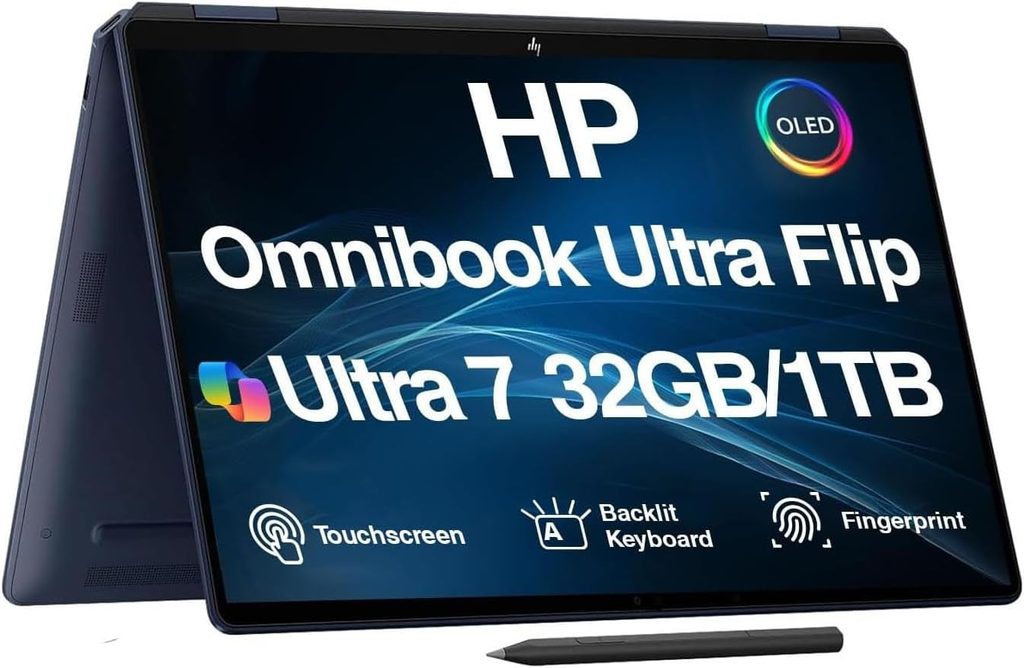
Why it’s here: it’s the quickest machine in this guide at real work, it’s near-silent, and it doesn’t slow down when you unplug it.
HP finally retired the Spectre name and rebuilt this around either Qualcomm’s Snapdragon X2 or Intel’s Panther Lake. It’s the first OmniBook with a compact vapour chamber, and every 2026 configuration gets a 120 Hz OLED.
Specifications
| CPU | Snapdragon X2 Plus (10-core), X2 Elite (12- or 18-core), or Intel Panther Lake up to Core Ultra X9 388H |
| NPU | 80 TOPS on X2 Plus, 85 TOPS on X2 Elite |
| Memory | 16 to 64 GB LPDDR5x-9523, soldered |
| Storage | 512 GB to 2 TB, M.2 PCIe Gen 5, removable |
| Display | 14-inch 2880×1800 OLED, 120 Hz variable refresh, 500 nits SDR and 1,000 nits HDR (HP rated) |
| Battery | 70 Wh, 65 W GaN USB-C charger |
| Ports | 3× USB-C (Thunderbolt 4 on Intel models, USB4 on Snapdragon), 3.5 mm |
| Camera | 5 MP with IR, 1440p at 30 fps, physical privacy shutter, dual-mic array |
| Wireless | Wi-Fi 7, Bluetooth 6.0 |
| Dimensions | 12.25 × 8.49 × 0.42 in (0.29 in at the front edge) |
| Weight | 2.8 lb (1.27 kg) |
| Price | around $1,200 on sale for the base X2 Plus; $1,719.99 for X2 Elite with 32 GB, 512 GB and the 3K OLED; $1,999.99 at Best Buy with 1 TB |
The measured numbers
- Geekbench 6: 3,942 single-core and 20,075 multi-core (Tom’s Hardware); 3,687 and 20,448 (Windows Central). That multi-core figure is the highest in this guide.
- Cinebench 2026: 4,646 multi-core and 632 single-core (Windows Central).
- Handbrake 4K to 1080p: 2 minutes 11 seconds (Tom’s Hardware). The MacBook Air M5 took over four minutes on the same job, and the Dell XPS 14 with the Core Ultra X7 took 4 minutes 30 seconds.
- SSD: 10,407.29 MB/s sequential read and 7,225.54 MB/s write in CrystalDiskMark (Windows Central). It also managed 2,620 MB/s on a 25 GB real-file copy, roughly 700 MB/s faster than the MacBook Air.
- Geekbench GPU: 39,738. CrossMark: 1,993 (Windows Central).
- Battery, and the labs genuinely disagree here: 13 h 27 m on Tom’s Hardware’s browse-stream-WebGL loop at 150 nits; around 22 hours in Windows Central’s controlled testing; over 19.5 hours of continuous local video at Techaeris. HP claims up to 28 hours of video playback. I’d plan around fifteen and treat anything more as a bonus.
- Notebookcheck’s aggregated score across published reviews sits at 89.33%. CNET rated it 83%.
What it’s like to actually use for this work
The pitch is simple: a 2.8 lb laptop with a 1,000-nit HDR OLED, the fastest storage and multi-core performance here, and enough battery that you stop thinking about the charger. It’s also the quietest Windows machine in this guide thanks to the vapour chamber.
That 85 TOPS NPU isn’t a marketing number for journalism students specifically. On-device transcription is the single most useful AI feature in this profession, and a fast NPU means you can transcribe a 90-minute council meeting locally, on battery, without uploading a confidential recording to somebody else’s server. For source protection alone that’s worth thinking about hard.
PCWorld liked the keyboard a lot, calling it one of the better ones of 2026, though Notebookcheck felt the 2026 redesign didn’t actually improve on the previous OmniBook and EliteBook boards. Reviewers split on this one, so try it. The 5 MP camera shoots up to 1440p and has a physical privacy shutter, which is a nice touch for a journalist, though Windows Central noted it gets noisy in low light and Tom’s Hardware called it merely so-so.
The trade-offs are real. On Snapdragon models there’s no Thunderbolt, no USB-A and no SD reader, so high-bandwidth docks and some capture hardware are out. Windows on Arm is dramatically better than it was two years ago but still has occasional potholes, so check that any specialty software your programme mandates actually runs before you buy.
There’s also a pricing minefield. Thurrott documented processor upgrades adding $400 to $1,120 to the base price, with a maxed unit passing $3,400. Engadget’s review sample came to roughly $4,000, and Notebookcheck put the Core Ultra X9 configuration at around $2,500. Do not buy the top configuration. The $1,719.99 X2 Elite build is the sweet spot, and the base X2 Plus at around $1,200 on sale is excellent value.
Pros
- Highest multi-core score and fastest video transcode in this guide
- Fastest storage here by a distance, at 10,407 MB/s read
- No performance drop when you unplug it, which x86 laptops can’t match
- Near-silent operation thanks to the compact vapour chamber
- 85 TOPS NPU for fast, private, on-device transcription
- 2.8 lb and 0.42 inches thick, with a 120 Hz OLED on every configuration
- Physical webcam privacy shutter, and removable PCIe Gen 5 storage
- Base configurations are genuinely good value on sale
Cons
- No Thunderbolt, no USB-A and no SD reader on the Snapdragon models
- Battery results vary enormously between labs, from 13 h 27 m to about 22 h
- The 5 MP webcam gets noisy in low light
- Windows on Arm still needs a compatibility check for niche software
- Configuration pricing escalates absurdly at the top end
- Reviewers are split on the redesigned keyboard
- No fingerprint reader in the power button this generation
Buy it if you want the quietest, fastest Windows laptop here and your software stack is mainstream. Verify Arm compatibility first if your programme mandates specific tools.
All five, side by side
| MacBook Air 13 M5 | Dell XPS 14 (2026) | ThinkPad X1 Carbon G14 | Zenbook S14 (2026) | OmniBook Ultra 14 (2026) | |
|---|---|---|---|---|---|
| Screen | 13.6″ IPS, 60 Hz | 14″ 1200p VRR or 2.8K tandem OLED | 14″ 1200p IPS 60 Hz or 2.8K OLED 120 Hz | 14″ 2.8K OLED 120 Hz | 14″ 2.8K OLED 120 Hz |
| Peak brightness | 458.8 nits measured | 466 nits LCD / 365 nits OLED measured | 546 nits measured | 459 nits measured | 500 nits SDR (HP rated) |
| Weight | 2.7 lb | 3.0 lb | 2.15 lb OLED / 2.51 lb IPS | 2.65 lb | 2.8 lb |
| Battery capacity | 53.8 Wh | 70 Wh | 58 Wh | 77 Wh | 70 Wh |
| Best measured runtime | 18 h 24 m (Macworld) | 20 h 41 m (Tom’s Hardware) | 23 h 13 m (Notebookcheck) | 18 h 28 m (Trusted Reviews) | ~22 h (Windows Central) |
| Toughest measured runtime | 15 h 28 m (Tom’s Hardware) | 12 h 23 m OLED (Tom’s Hardware) | 13 h 30 m OLED (Notebookcheck) | 12 h 30 m real use (Gizbot) | 13 h 27 m (Tom’s Hardware) |
| Geekbench 6 multi | 17,157 | 16,927 (Ultra X7) | 11,038 (Ultra 5 325) | 16,525 | 20,075 |
| SSD sequential read | roughly double the previous generation (Macworld) | 1,730 MB/s on a 25 GB copy | 6,900 MB/s | 7,054 MB/s | 10,407 MB/s |
| Webcam | 12 MP | 8 MP HDR | 5 MP (10 MP on some OLED configs) | 2 MP / 1080p | 5 MP / 1440p with shutter |
| USB-A | No | No | Yes | Yes | No |
| HDMI | No | No | Yes (2.1) | Yes | No |
| Cellular option | No | No | Yes, 4G/5G | No | No |
| Replaceable battery | No | Yes, fiddly | Yes | No | No |
| Cooling | Fanless | Dual fan | Dual fan, 24.8–38.9 dB(A) | Dual fan with vapour chamber | Vapour chamber |
| Starting price | $1,099 / $999 edu | $1,599 | ~$1,899 | ~$1,700 | ~$1,200 on sale |
Two notes on reading that table honestly. Every brightness figure is an independent lab measurement except the HP, which is the manufacturer’s rating because no lab has published a measured SDR figure for that exact panel yet. And the battery rows come from different tests at different labs, so treat them as a range rather than a leaderboard. That’s why I’ve shown you the best and the toughest result for each machine instead of one flattering number.
Pick by your beat, not by the spec sheet
Mostly writing, print or digital or features: ThinkPad X1 Carbon Gen 14 with the IPS panel, if the money’s there. The keyboard and the 14-hour full-brightness battery are unmatched. Otherwise the MacBook Air.
Video journalism: Dell XPS 14 with the Core Ultra X7 and Arc B390 graphics, or the MacBook Air if your programme teaches Final Cut. Note that the Zenbook’s non-X graphics make it a weaker video machine than its spec sheet implies.
Photojournalism: Zenbook S14 for the panel. It’s the only screen here measured at ΔE 1.0 out of the box. Budget for a USB-C card reader regardless of what you buy, because none of these five has an SD slot.
Audio, podcasting or heavy interviewing: MacBook Air. It’s fanless, so it physically cannot contaminate a recording, and its three-mic array is the best here. The OmniBook Ultra is a close second for on-device transcription that never touches a cloud server.
Data journalism, spreadsheets, scrapers, mapping: Dell XPS 14 with 32 GB, or the ThinkPad. Every X1 Carbon configuration ships with at least 32 GB, which in 2026 is a real perk.
Paying for it yourself and it hurts: $999 MacBook Air on education pricing, or the base HP OmniBook Ultra when it dips to around $1,200.
Buying advice specific to 2026
RAM is the story this year. Memory prices have more than doubled amid the AI infrastructure buildout, and laptop makers passed it straight through to you. Tom’s Hardware noted Dell charges $400 to move the XPS 14 from 32 GB to 64 GB. Since RAM is soldered on all five of these machines, whatever you buy is what you have for the life of the laptop. Don’t buy 16 GB if you can possibly stretch to 32 GB. You cannot fix this later.
Storage is the opposite advice. Four of these five let you replace the SSD, and external drives are cheap and fast. Buy the smaller drive, save $200 to $300, and carry a 2 TB external for footage. Media students fill any internal drive within a semester anyway.
Ports beat thinness. In a normal semester you’ll meet SD cards, audio interfaces, USB-A recorders, hotel Ethernet and projectors that only speak HDMI. Only two laptops here have USB-A and HDMI. Whatever you pick, buy a hub early.
Take the education price. Apple’s $999 tier needs nothing more than a .edu address. Dell, Lenovo and HP all run student programmes too, and Lenovo’s ThinkPad discounts can be substantial. Never pay list price for any of these.
Think in four-year cost. A $1,899 ThinkPad with a replaceable battery and a three-year warranty can work out cheaper across a degree than a $1,300 laptop you abandon in year three because the battery died and it’s glued shut.
Mistakes I’d talk you out of
- Buying OLED because it looks best in the shop. Two laptops here lose eight to ten hours of runtime to the OLED option. In a shop you’re on mains power. In a lecture hall you’re not.
- Buying 16 GB to afford a nicer screen. The screen will still be nice in three years. 16 GB won’t be, and it’s soldered.
- Buying a gaming laptop because it’s more power per dollar. It’s four pounds heavier, the battery lasts four hours, and the fans will ruin every recording you make near it.
- Trusting the manufacturer’s battery claim. HP claims up to 28 hours. Tom’s Hardware measured 13 h 27 m. Both statements are technically defensible. Only one describes your Tuesday.
- Skipping the external mic. Every built-in laptop microphone on this list is worse than a $70 recorder. Spend the money there instead of on a storage upgrade.
Frequently asked questions
How much RAM does a journalism student really need in 2026? 32 GB if you can afford it, 16 GB as an absolute floor. RAM is soldered on every laptop in this guide, so it’s a permanent decision. If you edit video or run Adobe apps alongside thirty browser tabs, 16 GB will feel tight by your second year.
Is a Mac better than Windows for journalism school? For most students, yes, mainly because of the software ecosystem, the fanless design, the resale value and the education pricing. The exceptions are programmes that mandate Windows-only tools, and students who need a cellular modem or a full port selection, where the ThinkPad wins outright.
Do I need a touchscreen? No. Touch adds weight and cost, and on the ThinkPad it changes the chassis material and adds 150 grams. Unless you annotate PDFs with a stylus constantly, skip it.
Is OLED worth it for reading and writing all day? It depends on you. OLED gives perfect blacks and better colour, but it costs battery life. Dell’s OLED XPS 14 measured 12 h 23 m against 20 h 41 m for the LCD version. Some panels also use PWM dimming that triggers headaches in sensitive users, and the Zenbook S14’s OLED flickers at 960 Hz. If OLED phones have ever given you eye strain, test one before you commit.
Which of these is quietest for recording interviews? The MacBook Air M5, because it has no fan at all. Among the fan-cooled machines, the ThinkPad X1 Carbon measured 29 dB(A) in its efficiency power profile, which is essentially inaudible at conversational distance.
Can any of these transcribe audio locally, without uploading it? Yes, and for source protection that matters. The HP OmniBook Ultra’s Snapdragon X2 Elite has an 85 TOPS NPU, and the Panther Lake and Apple Silicon chips here all have capable neural engines. On-device transcription keeps confidential recordings off third-party servers.
What’s the single best battery life on this list? It depends how you measure. The ThinkPad X1 Carbon with the IPS panel hit 23 h 13 m at 150 nits and 14 h 14 m at full brightness, which is the best full-brightness figure here by a wide margin. The Dell XPS 14’s 1200p model reached 20 h 41 m on a heavier mixed-use test. Both are excellent; the ThinkPad is the one that holds up when you turn the screen up.
Do I need Thunderbolt? Only if you plan to run a high-bandwidth dock, an external GPU or professional capture hardware. For a card reader, a monitor and a hub, plain USB-C is fine. Worth knowing that the Snapdragon versions of the HP OmniBook Ultra don’t have it.
How long should a journalism student expect a laptop to last? Four to six years, if the battery is serviceable. Batteries degrade noticeably around year three. The ThinkPad X1 Carbon and the Dell XPS 14 both allow battery replacement; the other three effectively don’t.
Are these prices going to come down? Not soon. The memory shortage driving 2026 laptop pricing is tied to AI data centre demand, and manufacturers have publicly discussed sourcing workarounds rather than price cuts. Buy on an education discount or a seasonal sale rather than waiting for list prices to fall.
Is a MacBook Air powerful enough for video editing coursework? For single-camera packages, yes comfortably. For long multicam exports, be aware the fanless chassis throttles around 32% under sustained load, so a 20-minute export takes noticeably longer than on the Dell or the HP. If video is your main track, get one of those instead.
Where I’d land
If you’re a journalism student who just wants the answer: the 13-inch MacBook Air with M5 at the $999 education price is right for most people. It’s silent, it’s light, it has the best camera and microphones here, and everything you need runs on it.
If you write more than you shoot and the budget allows, the ThinkPad X1 Carbon Gen 14 with the IPS panel is what a working reporter would pick. The keyboard, the 14 hours at full brightness, the cellular option and the replaceable battery add up to a tool rather than a gadget.
And if you want the best Windows value, the Dell XPS 14 in its 1920×1200 configuration delivers over twenty measured hours for $1,699, which is a remarkable thing to be able to write in 2026.
Whatever you choose, put the leftover money into a recorder and a hub. The laptop is not the part of your kit that decides whether the story is any good.
Sources
Every measurement in this guide comes from one of the following published reviews and reports.
Apple MacBook Air 13-inch (M5)
- https://www.tomshardware.com/laptops/macbooks/apple-macbook-air-13-inch-m5-review
- https://www.macworld.com/article/3086162/13-inch-macbook-air-m5-review.html
- https://www.notebookcheck.net/MacBook-Air-13-M5-Vs-M4-battery-life-New-MacBook-suffers-from-6-shorter-endurance-on-max-brightness.1245763.0.html
- https://gizmodo.com/m5-macbook-air-review-a-laptop-with-real-middle-child-energy-2000732830
- https://www.tomsguide.com/computing/macbooks/macbook-air-m5-review
- https://www.macworld.com/article/2655094/m5-macbook-air-design-display-specs-release-price.html
- https://appleinsider.com/articles/26/03/30/m5-macbook-air-review-incremental-update-but-the-best-buy-for-most
Dell XPS 14 (2026)
- https://www.tomshardware.com/laptops/dell-xps-14-2026-da14260-review
- https://www.notebookcheck.net/Dell-XPS-14-2026-review-Fully-reborn-with-Intel-Panther-Lake-X7.1218670.0.html
- https://www.notebookcheck.net/Dell-XPS-14-2026-with-Intel-Panther-Lake-delivers-55-longer-battery-life-vs-2025-Dell-14-Premium.1225329.0.html
- https://tomsguide.com/computing/laptops/dell-xps-14-2026-review
- https://www.tweaktown.com/news/110827/dell-xps-14-battery-lasts-43-hours-during-web-browsing-test-thanks-to-vrr/index.html
Lenovo ThinkPad X1 Carbon Gen 14
- https://www.notebookcheck.net/Flagship-business-laptop-with-almost-24-hours-of-battery-life-Lenovo-ThinkPad-X1-Carbon-Gen-14-Review.1332558.0.html
- https://www.engadget.com/2252512/lenovo-thinkpad-x1-carbon-gen-14-review/
- https://www.ultrabookreview.com/74228-2026-lenovo-thinkpad-x1-x9-aura/
- https://www.ultrabookreview.com/75917-lenovo-thinkpad-x1carbon-gen14-review/
- https://www.thurrott.com/mobile/copilot-pc/336628/lenovo-thinkpad-x1-carbon-gen-14-aura-edition-first-impressions
Asus Zenbook S14 (2026, UX5406AA)
- https://www.notebookcheck.net/Asus-ZenBook-S14-2026-Laptop-Review-Brighter-OLED-but-a-slow-Panther-Lake-iGPU.1342874.0.html
- https://www.notebookcheck.net/Asus-ZenBook-S14-UX5406AA.1241911.0.html
- https://www.trustedreviews.com/reviews/asus-zenbook-s-14-2026
- https://www.gizmochina.com/2026/05/30/asus-zenbook-s14-ux5406aa-full-review/
- https://www.gizbot.com/laptop/reviews/asus-zenbook-s14-2026-review-a-premium-ultraportable-that-plays-to-its-strengths-125775.html
- https://www.91mobiles.com/reviews/asus-zenbook-s14-ux5406-review/
HP OmniBook Ultra 14 (2026)
- https://www.tomshardware.com/laptops/hp-omnibook-ultra-14-snapdragon-x2-elite-2026-review
- https://www.windowscentral.com/hardware/laptops/hp-omnibook-ultra-14-2026-snapdragon-x2-review
- https://www.pcworld.com/article/3179790/hp-omnibook-ultra-14-review-2.html
- https://www.notebookcheck.net/HP-OmniBook-Ultra-14-Core-Ultra-X9-review-Fully-redesigned-and-so-much-better-than-before.1317970.0.html
- https://www.notebookcheck.net/HP-OmniBook-Ultra-2026-Series-Reviews.1333949.0.html
- https://www.thurrott.com/mobile/copilot-pc/340107/hp-omnibook-ultra-14-snapdragon-x2-review
- https://www.engadget.com/2211901/hp-omnibook-ultra-14-review/
- https://techaeris.com/2026/07/07/hp-omnibook-ultra-14-review/
Market context and cross-model comparisons
- https://www.pcworld.com/article/436674/best-pc-laptops.html
- https://www.techradar.com/computing/laptops/ive-reviewed-hundreds-of-laptops-these-are-the-best-ones-that-have-launched-so-far-in-2026
- https://www.cnn.com/cnn-underscored/reviews/best-laptops
- https://www.macrumors.com/guide/upcoming-apple-products/

Hi, my name is Burak. I am a mechanical engineer. I have been writing laptop reviews for the Engineering Laptops website since 2020. Please feel free to contact me if you have any questions.





