
Last updated: November 11, 2026
Table of contents
- At a glance: the 5 best gaming laptops under $2,500
- How I put this list together (the honest version)
- Best Gaming Laptops Under $2,500 in 2026
- 1. Lenovo Legion Pro 5i (RTX 5070 Ti) : Best gaming laptop under $2,500 overall
- 2. Acer Predator Helios Neo 16S AI (2026) : Best portable gaming laptop under $2,500
- 3. HP HyperX Omen 16 (2026, Valorant Edition) : Best for esports and high refresh rates
- 4. Alienware 16X Aurora (2026) : Best build quality and all-day battery
- 5. MSI Vector 16 HX AI (RTX 5070 Ti) : Best budget pick with full-power graphics
- Benchmark showdown: all five side by side
- Display, SSD and battery compared
- The “living with it” scorecard: heat, noise and power
- My value math: what each dollar really buys you
- The config trap: don’t get burned on price
- Buying guide: what actually matters under $2,500
- Why there’s no ASUS on this list
- Frequently asked questions
- My final verdict
- Sources
Here’s something that genuinely made me put my coffee down.
A $2,250 HP gaming laptop now scores 36,580 points in Cinebench R23 multi-core. A few years ago, Lenovo’s Legion 9 flagship (the one that shipped with an RTX 4090 and a price tag that made people wince) managed 31,889 in the very same Notebookcheck chart. So a mid-priced 16-inch laptop now out-crunches a machine that used to be the king of the hill by about 15%.
Sounds like the best time ever to buy a gaming laptop, right?
Not quite. 2026 has also been the year memory and storage prices went sideways. Tom’s Guide watched an RTX 5070 Legion configure all the way up to $2,825, money that bought you an RTX 5090 laptop not that long ago. Notebookcheck pointed out that even a heavily discounted Legion Pro 5i still cost about 16% more than it did in 2025. So your $2,500 buys more raw power than ever, and it’s also easier than ever to burn it on the wrong configuration.
That’s the problem I set out to fix. I spent weeks digging through published lab results from Notebookcheck, Tom’s Hardware, Tom’s Guide, GamesRadar+, PC Gamer, GameStar, 91mobiles and others. I compared the numbers side by side and threw out every laptop that turned out to be last year’s model with a new sticker. What’s left are five machines, one per brand, that I’d honestly spend my own money on. For each one you’ll get the benchmarks, the frame rates, the heat and noise numbers, and a plain-English line on who should skip it.
Quick answer
- Best overall: Lenovo Legion Pro 5i (RTX 5070 Ti, 140W, 240Hz OLED), around $2,150 on sale
- Best portable: Acer Predator Helios Neo 16S AI (2026), 4.85 lb, 18.8 mm thin, from about $2,225
- Best for esports and CPU-heavy games: HP HyperX Omen 16 (Ryzen 9 9955HX3D), about $2,250
- Best build quality and battery for work: Alienware 16X Aurora (2026, OLED), about $2,000 for the RTX 5070 model
- Best budget RTX 5070 Ti: MSI Vector 16 HX AI, from about $2,100
At a glance: the 5 best gaming laptops under $2,500
| Laptop | Best for | CPU | GPU (max power) | Display | Weight | Price I’m referencing |
|---|---|---|---|---|---|---|
| Lenovo Legion Pro 5i (16IAX10H) | Best overall | Core Ultra 9 275HX | RTX 5070 Ti 12GB (140W) | 16″ 2560×1600 OLED, 240Hz | 5.3 lb (2.41 kg) | $2,149.99 (Best Buy sale, 32GB/1TB) |
| Acer Predator Helios Neo 16S AI (2026) | Best portable | Core Ultra 9 290HX Plus | RTX 5070 Ti 12GB (115W) | 16″ 2560×1600 OLED, 240Hz | 4.85 lb (2.2 kg) | $2,224.99 (16GB) / $2,399.99 (32GB) |
| HP HyperX Omen 16 Valorant Edition (2026) | Esports, CPU-heavy games | Ryzen 9 9955HX3D | RTX 5070 8GB (115W) | 16″ 2560×1600 IPS, 240Hz | 5.38 lb (2.44 kg) | $2,250 |
| Alienware 16X Aurora (2026) | Build quality, all-day work | Core Ultra 7 270HX Plus / Ultra 9 290HX Plus | RTX 5070 8GB (115W) | 16″ 2560×1600 matte OLED, 240Hz | 5.7 lb (2.57-2.61 kg) | $1,999.99 (Best Buy sale, RTX 5070 OLED) |
| MSI Vector 16 HX AI (A2XWHG) | Cheapest full-power 5070 Ti | Core Ultra 7 255HX | RTX 5070 Ti 12GB (140W) | 16″ IPS, 2560×1600 240Hz (or 1920×1200 144Hz) | 5.7 lb (2.6 kg) | About $2,100 |
Prices in this market move every week, sometimes up. Treat the figures above as a snapshot and check the retailer before you hit buy.
How I put this list together (the honest version)
I want to be upfront about this, because I think you deserve it: I didn’t run these five laptops through a lab of my own for this guide. What I did was gather measured results from outlets that publish their methods, cross-check them against each other, and only keep numbers I could tie to a specific laptop and configuration.
Here are the rules I followed:
- Newest model only. For every line, I checked whether a successor exists. If it does, the older one is out. That’s why you’ll see the 2026 Helios Neo 16S AI with the Core Ultra 9 290HX Plus here, not the 2025 version with the 275HX.
- One source per row. In the comparison tables, each number comes from one outlet’s test of one unit. When the only lab data for a chassis comes from a sibling configuration, I tell you exactly which one.
- Same lab where it counts. Most of the CPU, GPU, battery, noise, heat and SSD numbers come from Notebookcheck, because it tests every laptop with the same tools. Displays are measured with an X-Rite i1Pro 3 colorimeter. Battery runs use a Wi-Fi browsing script at 150 nits. Noise is measured in dB(A) with a mic 15 cm from the chassis. Running everything through one lab keeps the comparisons fair.
- My own math is shown. The value scores further down use only cited prices and cited benchmarks, and I show every division so you can check me.
Best Gaming Laptops Under $2,500 in 2026
1. Lenovo Legion Pro 5i (RTX 5070 Ti): Best gaming laptop under $2,500 overall
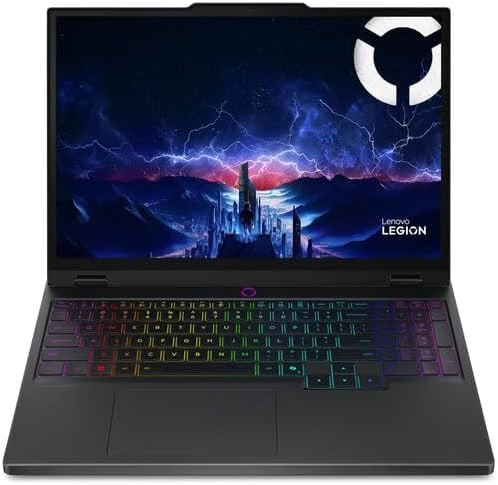
If a friend handed me $2,500 and said “just pick one,” this is what I’d buy them. The Legion Pro 5i runs its RTX 5070 Ti at the full 140W, pairs it with a bright, fast OLED, and on a good day it sells for well under budget. Notebookcheck called it the most powerful RTX 5070 Ti gamer it had tested so far, and the numbers back that up.
A quick word on “is this the latest model?” Lenovo hasn’t launched a Gen 11 Legion Pro 5i. Instead, it stretched this Gen 10 chassis into 2026 with new Core Ultra 9 290HX Plus and 12GB RTX 5070 options. For gaming, the 140W RTX 5070 Ti is still the strongest GPU you can put in this body, so this is the configuration I’d get.
Key specs
- CPU: Intel Core Ultra 9 275HX (24 cores)
- GPU: Nvidia GeForce RTX 5070 Ti Laptop, 12GB GDDR7, 140W
- RAM: 32GB DDR5 (two SODIMM slots)
- Storage: 1TB WD PC SN8000S NVMe, plus a second M.2 slot
- Display: 16-inch 2560×1600 OLED, 240Hz
- Battery: 80Wh
- Weight: 5.3 lb (2.41 kg), plus a 2 lb (898 g) power brick
- MUX switch and Advanced Optimus: yes
- Price: $2,149.99 at Best Buy (32GB/1TB), which Best Buy advertised as $1,200 off list in late September
CPU benchmarks. 91mobiles measured 34,179 points in Cinebench R23 multi-core and 2,060 in Cinebench 2024 multi-core. Notebookcheck recorded 2,248 in R23 single-core, plus 19,885 multi-core and 3,089 single-core in Geekbench 6. That’s flagship-class speed for anything from streaming to code compiles.
Gaming performance. This is where it pulls ahead. In Notebookcheck’s testing at 1080p:
- Cyberpunk 2077 (Ultra): 132.4 fps
- Baldur’s Gate 3 (Ultra): 138.9 fps
- GTA V (Highest): 147.6 fps
- Final Fantasy XV (High): 181.4 fps
- Strange Brigade (Ultra): 353 fps
Its 3DMark Time Spy graphics score was 17,966 in Notebookcheck’s run, and 91mobiles got an 18,369 overall Time Spy score. That Cyberpunk number is the best of all five laptops here.
Display. I’d buy it for the screen alone. Notebookcheck measured 522 nits average brightness, effectively infinite contrast (true OLED blacks), 99.9% Display P3 coverage, 100% sRGB, and a DeltaE of 2.49 straight out of the box. Response time is about 2 ms. The panel does use PWM dimming, but at 1.3 kHz, which Notebookcheck says is high enough that most sensitive users won’t notice it.
SSD. The WD SN8000S is the fastest drive in this roundup: 6,935 MB/s sequential read and 6,408 MB/s write in CrystalDiskMark, and it didn’t throttle in Notebookcheck’s endurance run.
Heat and noise. Under load the keyboard deck peaks at 48°C, the bottom at 50°C, and the palm rests stay at a comfortable 37°C. During a one-hour stress test the CPU briefly passed 100°C before settling down, while the GPU averaged 86°C in Cyberpunk. It’s loud when pushed: 55.9 dB(A) on average in Performance mode and 58.5 dB(A) in Extreme mode. At idle, it’s a whisper at 24 dB(A).
Battery. Notebookcheck got 4 hours 55 minutes of Wi-Fi browsing and 4 hours 50 minutes of 1080p video. That’s fine for a lecture or a flight, but the 80Wh battery is smaller than its rivals’. Gaming unplugged only gives you a fraction of the GPU’s power, so think of it as a plug-in machine.
Pros
- Full 140W RTX 5070 Ti with 12GB VRAM; fastest gaming numbers on this list
- Gorgeous 522-nit OLED with near-perfect color coverage
- Fastest SSD here, no throttling
- Two RAM slots and two SSD slots for easy upgrades
- MUX switch plus Advanced Optimus
Cons
- Loud under full load (55.9 dB(A) average in Performance mode)
- Battery is smaller than the competition’s
- No Thunderbolt on the reviewed unit
- The finish is a fingerprint magnet
- Pricing jumps around; Notebookcheck caught a Best Buy “deal” going up by $250 in May
Who should skip it: anyone who needs Thunderbolt docking for work, or wants to game away from an outlet.
2. Acer Predator Helios Neo 16S AI (2026): Best portable gaming laptop under $2,500

This is the one I’d throw in my backpack. Acer fit a 24-core Core Ultra 9 290HX Plus and an RTX 5070 Ti into a body that’s 18.8 mm thick and weighs 4.85 lb, according to Tom’s Hardware’s review of the 2026 model. It even comes with a padded travel sleeve. You’ll still see the 2025 version with the older 275HX chip on store shelves, so check the CPU name before you buy.
Key specs
- CPU: Intel Core Ultra 9 290HX Plus (24 cores, up to 5.5 GHz)
- GPU: Nvidia GeForce RTX 5070 Ti Laptop, 12GB GDDR7, 115W
- RAM: 16GB or 32GB DDR5-6400 (two slots)
- Storage: 1TB PCIe 4.0 SSD, plus a second M.2 slot
- Display: 16-inch 2560×1600 OLED, 240Hz, G-Sync, 100% DCI-P3
- Weight and size: 4.85 lb (2.2 kg); 14.05 x 10.85 x 0.74 inches
- Extras: Thunderbolt 4, 1080p IR webcam, Wi-Fi 6E
- Price: $2,224.99 (16GB/1TB) or $2,399.99 (32GB/1TB) on sale at Best Buy
Gaming performance. Tom’s Hardware found the 2026 model performed significantly better than the Gigabyte and HyperX laptops it went up against, thanks largely to its 115W RTX 5070 Ti. In its repeated-run gaming stress test, the GPU held an average of 1.62 GHz at a cool 74°C.
For detailed frame rates, the best data comes from Notebookcheck’s review of the identical 2025 chassis with the slightly older CPU. At 1080p Ultra it ran Cyberpunk 2077 at 100.8 fps, Baldur’s Gate 3 at 122.8 fps and GTA V at 147 fps. Notebookcheck also tested this chassis in newer games: ARC Raiders hit 79.8 fps at 1080p Epic with ray tracing and 58 fps at 1440p, while Borderlands 4 managed 31.1 fps at 1080p on its Badass preset. Its Time Spy score was 14,888. One important note: on that 2025 unit, the GPU often stayed below its 115W limit and drew about 100W in Turbo mode. Tom’s Hardware says Acer’s new cooling shelf lets the 2026 model actually use the full 115W.
CPU benchmarks. On the 2025 unit, Notebookcheck measured 31,727 in Cinebench R23 multi-core, 2,250 single-core, and 19,675 in Geekbench 6 multi-core. Notebookcheck estimates the newer 290HX Plus is about 11% faster than the 275HX in multi-core work, so the 2026 model should land a bit higher.
Display. The OLED here is a stunner. Notebookcheck measured 394 nits average brightness, a 9,750:1 contrast ratio, 99.9% DCI-P3 coverage, and an excellent 1.61 DeltaE out of the box. Its 0.25 ms response time is the fastest of the five. The one catch is PWM flicker at 960 Hz, which is lower than Lenovo’s, so very sensitive eyes might feel it.
SSD. Notebookcheck’s unit used a Micron 3500 1TB drive that read at about 4,987 MB/s and wrote at 3,422 MB/s, but speeds wobbled during long runs.
Heat, noise and battery. The keyboard deck peaks at 47°C, while the bottom reaches 55°C, so don’t game with it on your lap. Fan noise averages 53 dB(A) under load and 45 dB(A) in Balanced mode. Battery is the weak spot: Notebookcheck got 5 hours of Wi-Fi browsing on the 76Wh 2025 chassis. Tom’s Hardware’s verdict on the 2026 model was blunt about short battery life too, and Best Buy buyers complain that the panel stays at 240Hz on battery.
Pros
- Thinnest and lightest RTX 5070 Ti laptop on this list
- Best-looking OLED here: 0.25 ms response, 1.61 DeltaE
- Newest Intel HX processor
- Thunderbolt 4 and two RAM and SSD slots
Cons
- 115W GPU limit means fewer frames than the 140W machines
- Short battery life
- Bottom panel gets hot (55°C)
- The 16GB base model will feel tight in a couple of years
Who should skip it: anyone whose laptop never leaves the desk. If you don’t need the thin body, the 140W Lenovo and MSI give you more frames per dollar.
3. HP HyperX Omen 16 (2026, Valorant Edition): Best for esports and high refresh rates
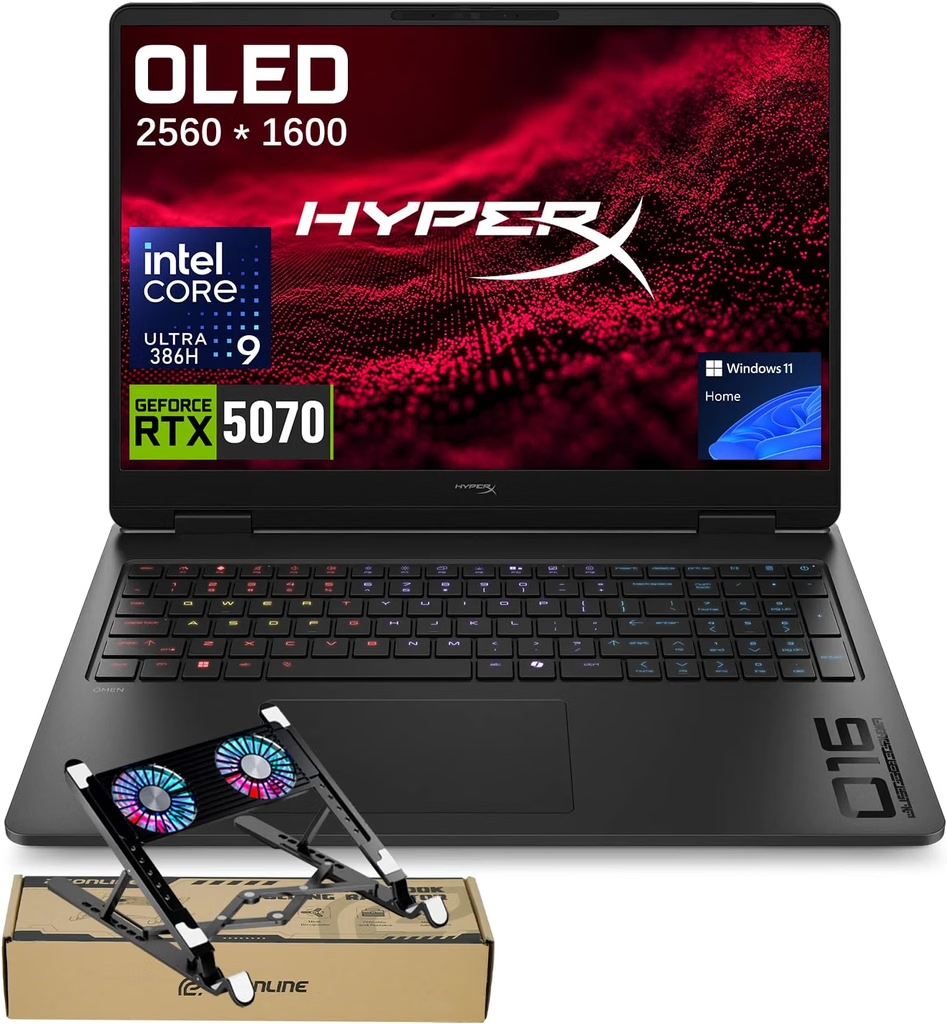
HP has moved its Omen line under the HyperX name this year, and the Valorant Edition is the most interesting model so far. Its secret weapon is the AMD Ryzen 9 9955HX3D, a 16-core chip with stacked 3D V-Cache. That’s exactly what CPU-bound shooters love when you’re trying to hold 240 fps and still get smooth frame pacing.
Key specs
- CPU: AMD Ryzen 9 9955HX3D (16 cores, 32 threads)
- GPU: Nvidia GeForce RTX 5070 Laptop, 8GB GDDR7, 115W, Advanced Optimus
- RAM: 32GB DDR5-5600 (two SODIMM slots)
- Storage: 1TB SSD, two M.2 slots
- Display: 16-inch 2560×1600 IPS, 240Hz, matte
- Battery: 83Wh
- Weight: 5.38 lb (2.44 kg)
- Ports: three USB-A, one USB-C 10Gbps with charging, HDMI 2.1, Ethernet, audio jack; Wi-Fi 7 and Bluetooth 6.0
- Warranty: one year in the US
- Price: $2,250 (HP launched it at $3,049.99 in May)
CPU benchmarks. These are the best CPU numbers I found at this price. Notebookcheck measured:
- Cinebench R23: 36,580 multi-core, 2,154 single-core
- Cinebench 2024: 2,015 multi-core, 128 single-core
- Geekbench 6: 19,418 multi-core, 3,159 single-core
- Blender BMW27: 91 seconds
Gaming performance. Notebookcheck’s 1080p results:
- Cyberpunk 2077 (Ultra): 108.8 fps
- Baldur’s Gate 3 (Ultra): 134.5 fps
- GTA V (Highest): 171.5 fps, the best GTA result in this roundup thanks to that 3D V-Cache
- Dota 2 Reborn (Ultra): 200 fps
- F1 24 (Ultra High): 88.6 fps
- Cyberpunk 2077 at 1440p Ultra: 79.9 fps
In 3DMark it scored 13,787 in Time Spy and 3,049 in Steel Nomad. Here’s the honest part: the 8GB RTX 5070 is the weak link. Tom’s Guide found it trailing Lenovo’s 12GB RTX 5070 Legion 5i in ray-traced games. Cyberpunk at 1080p RT Ultra ran at 35.3 fps versus 44.1 fps on the Lenovo, and Forza Horizon 6 with ray tracing ran at 42 fps versus 50 fps.
Display. It’s IPS, not OLED, but it’s a really good IPS. Notebookcheck measured 545 nits average brightness (the brightest SDR screen here), 1,212:1 contrast, 98.8% sRGB coverage and no PWM flicker at all. Gray-to-gray response is 5.6 ms. For long sessions with static HUDs, IPS also means zero burn-in worry.
SSD. Sequential speeds came in at 4,837 MB/s read and 2,539 MB/s write in Notebookcheck’s test. That’s quick enough for games, but it’s the slowest write speed among the 1TB drives here.
Heat and noise. This is the coolest laptop to the touch on the list: the keyboard deck peaks at 40.2°C, the bottom at 43°C, and the palm rests stay at 29.2°C. During a Cyberpunk session in Performance mode, the CPU averaged 75°C and the GPU 72°C. The trade-off is noise in Unleashed mode, which hit 54.7 dB(A). In Balanced mode, gaming noise drops to a much friendlier 43.4 dB(A).
Battery. Weak. Notebookcheck got 3 hours 54 minutes of Wi-Fi browsing and Tom’s Guide got 2 hours 41 minutes in its web test. The power-hungry 3D V-Cache CPU is a big part of why.
Pros
- Fastest multi-core CPU performance under $2,500
- Bright, flicker-free 545-nit IPS screen with no burn-in risk
- Coolest surface temperatures in this roundup
- Easy upgrades: two RAM slots and two SSD slots
- Full numpad and roomy arrow keys
Cons
- 8GB of VRAM holds it back in ray-traced AAA games
- Shortest battery life here
- Loud in Unleashed mode
- No Thunderbolt and no G-Sync
Who should skip it: single-player fans who want maxed-out ray tracing at 1600p. A 12GB RTX 5070 Ti will serve you better for similar money.
4. Alienware 16X Aurora (2026): Best build quality and all-day battery
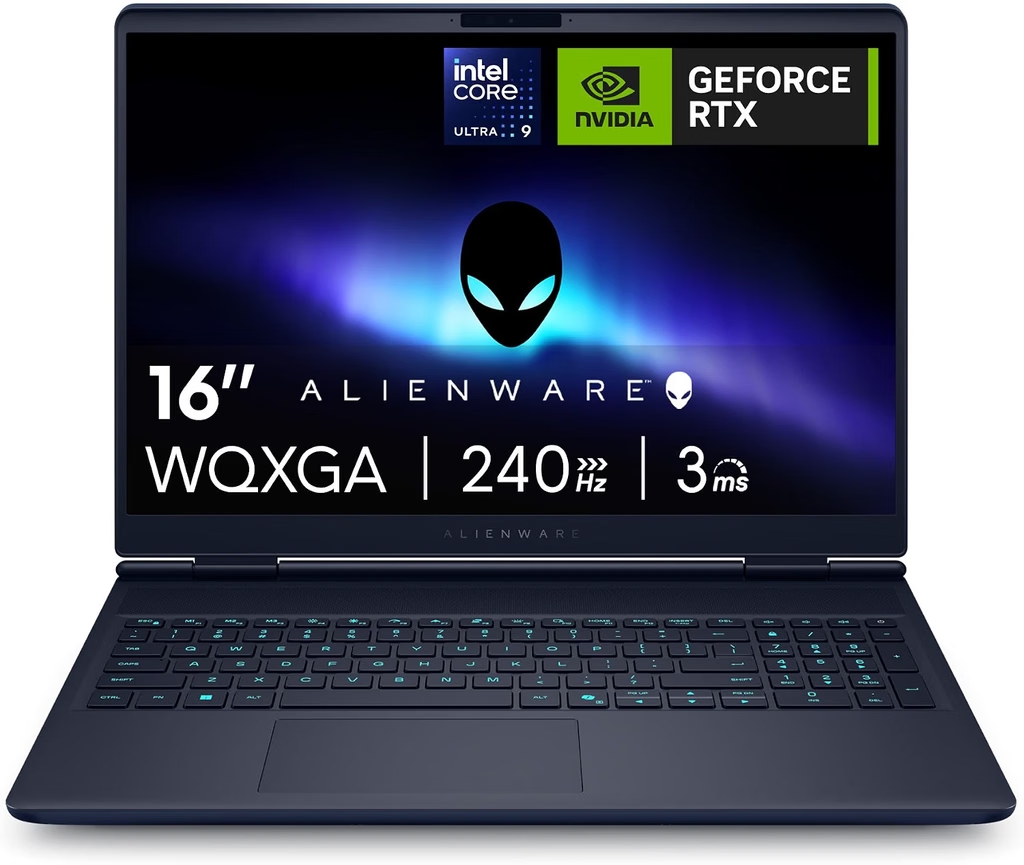
The 2026 Alienware 16X Aurora finally added what reviewers begged for last year: an OLED panel, HDR support and an RTX 5070 Ti option. The catch is that Dell only sells the Ti with the Core Ultra 9 290HX Plus, which pushes that configuration to around $3,000. The sweet spot under $2,500 is the RTX 5070 OLED model, which Best Buy has been selling for $1,999.99.
Key specs
- CPU: Intel Core Ultra 7 270HX Plus or Core Ultra 9 290HX Plus
- GPU: Nvidia GeForce RTX 5070 Laptop, 8GB GDDR7, 115W
- RAM: 16GB DDR5 (two SODIMM slots, upgradeable)
- Storage: 1TB PCIe Gen4 SSD (two M.2 slots)
- Display: 16-inch 2560×1600 matte OLED, 240Hz, G-Sync, HDR
- Battery: 96Wh, the largest you can take on a US flight
- Weight: 2.57 to 2.61 kg (about 5.7 lb); 23.4 mm thick
- Ports: Thunderbolt 4, one USB-C 10Gbps, two USB-A, HDMI 2.1, Ethernet, audio jack
- Price: $1,999.99 at Best Buy (RTX 5070 OLED); GamesRadar+’s Core Ultra 7 test unit cost $2,679.99 configured directly from Dell
Gaming performance. The GPU here is the same 115W RTX 5070 that Notebookcheck tested in the Aurora’s 2025 body, so those results are a solid guide. At 1080p it hit 102.9 fps in Cyberpunk 2077 (Ultra), 140.8 fps in Baldur’s Gate 3 and 259 fps in Strange Brigade, with a 14,321 Time Spy score. GamesRadar+ tested the 2026 RTX 5070 model and saw comfortably over 60 fps in Cyberpunk at 1080p with full RT Ultra, plus 62 fps in Total War: Three Kingdoms on Ultra.
If you’re curious what the extra $1,000 buys you, Notebookcheck’s 2026 RTX 5070 Ti unit scored 16,581 in Time Spy and 114.9 fps in Cyberpunk. That’s about 15% faster, but at that price you can get the Lenovo and still have money left over.
CPU benchmarks. Notebookcheck’s Core Ultra 9 290HX Plus unit scored 37,038 in Cinebench R23 multi-core (the highest number in this article), 2,330 single-core, and 19,855 in Geekbench 6 multi-core. The Core Ultra 7 270HX Plus in cheaper configurations has fewer cores, so expect less than that.
Display. Notebookcheck measured 384 nits average in SDR and 621 nits peak in HDR, with 99.6% Display P3 coverage and a 0.45 ms response time. The matte coating is the real story: it kills reflections, which is great if you game near a window, though it adds a slight graininess.
SSD. The 2026 unit’s Kioxia BG7 read at 5,863 MB/s and wrote at 5,724 MB/s in AS SSD, the second-fastest write speed here. Notebookcheck also noted the SSD throttling from last year’s model is gone.
Heat, noise and battery. In Cyberpunk, Notebookcheck measured 48.7 dB(A) in Balanced, 51.5 dB(A) in Performance and a loud 59.8 dB(A) in Overdrive. Notebookcheck’s advice is to stick with Performance mode, because Overdrive adds a lot of noise for little gain. The keyboard deck peaks at 48.2°C and the bottom at 41°C. Battery life is the big surprise: Notebookcheck got 7.4 hours of Wi-Fi browsing with the GPU on Automatic and the screen at 60Hz. GamesRadar+ got through full eight-hour workdays more than once, and about 3.5 hours when gaming crept in.
Pros
- Rock-solid aluminum and magnesium chassis
- Matte OLED with HDR and G-Sync, which is rare at this price
- Best battery life in this roundup (7.4 hours of Wi-Fi browsing)
- Thunderbolt 4, two RAM slots and two SSD slots
Cons
- Only 8GB of VRAM on the RTX 5070
- The RTX 5070 Ti costs around $3,000
- Dimmer than the other OLEDs in SDR
- Heaviest laptop on the list; fans ramp up suddenly
Who should skip it: anyone who wants 12GB of VRAM under $2,500. Alienware simply won’t sell you that combination at this price.
5. MSI Vector 16 HX AI (RTX 5070 Ti): Best budget pick with full-power graphics
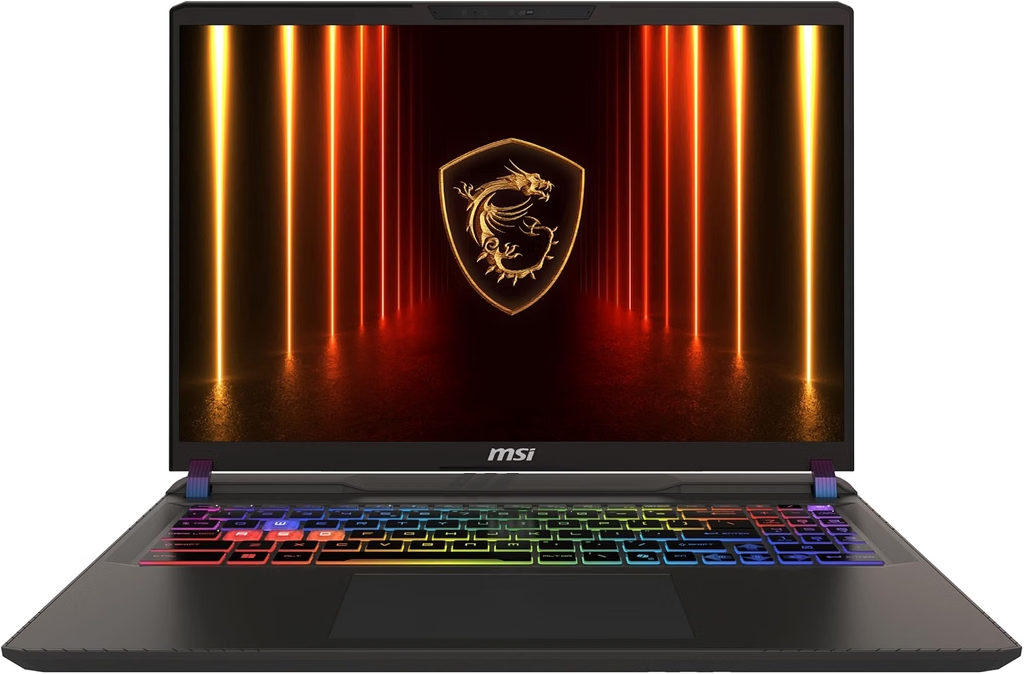
The Vector isn’t trying to win a beauty contest. It’s a no-nonsense workhorse that gets you a full 140W RTX 5070 Ti for about $2,100, which is the lowest price I found for that GPU at full power. MSI hasn’t shipped a newer Core Ultra 200HX Plus Vector 16 in the US (its 2026 refresh went to the Raider line), so this is still the current model.
Key specs
- CPU: Intel Core Ultra 7 255HX (20 cores)
- GPU: Nvidia GeForce RTX 5070 Ti Laptop, 12GB GDDR7, 140W
- RAM: 16GB DDR5-5600 (two SODIMM slots)
- Storage: 512GB or 1TB NVMe, plus a spare M.2 slot
- Display: 16-inch IPS, either 2560×1600 at 240Hz or 1920×1200 at 144Hz depending on the model
- Battery: 90Wh
- Weight: 5.7 lb (2.6 kg); 28.6 mm thick
- Connectivity: Intel Wi-Fi 6E
- Warranty: one year limited
- Price: from about $2,100
CPU benchmarks. Notebookcheck measured 27,129 in Cinebench R23 multi-core, 2,167 single-core, 1,500 in Cinebench 2024 multi-core, and 16,885 multi-core and 2,923 single-core in Geekbench 6. That’s the lowest CPU score on this list, but it barely matters in games, as you’re about to see.
Gaming performance. The full-power GPU does the heavy lifting. Notebookcheck’s results:
- Cyberpunk 2077 at 1080p Ultra: 119.6 fps
- Doom: The Dark Ages at 1440p Ultra Nightmare: 57.9 fps
- Space Marine 2 at 1440p Ultra: 73.1 fps
- Stalker 2 at 1440p Epic: 46.9 fps
- Star Wars Outlaws at 1440p Cinematic: 40.3 fps
Notebookcheck measured 15,886 in Time Spy. GameStar got an even higher 17,105, which tied an XMG Pro 16 with the same GPU and a faster CPU, and ran Cyberpunk at 80.75 fps at 1440p on max details.
Display. This is where you need to be careful. The QHD+ 240Hz panel Notebookcheck tested is solid: 473 nits peak, 1,126:1 contrast, 96.6% Display P3 and a 3.47 DeltaE. The cheaper 144Hz FHD+ panel is a different story. Notebookcheck says it covers only 45% NTSC, which is roughly 65% of sRGB, so colors look washed out.
SSD. The 512GB Micron 2400 in Notebookcheck’s unit is the slowest drive here: 4,432 MB/s read and 1,738 MB/s write in CrystalDiskMark. You’ll want to add a second drive anyway, given today’s game sizes.
Heat, noise and battery. Under load it’s actually the quietest here, at 46 dB(A) on average and 49 dB(A) at peak. The flip side is that the fans never fully stop: Notebookcheck measured up to 38 dB(A) at idle. Surface temperatures run warm at 53°C on top and 52°C underneath. Battery life is excellent for a full-power gaming laptop: 6 hours 59 minutes of Wi-Fi browsing in Notebookcheck’s test.
Pros
- Cheapest full 140W RTX 5070 Ti on the list
- Second-best Cyberpunk frame rate here (119.6 fps at 1080p Ultra)
- Nearly seven hours of Wi-Fi battery life
- Quietest under heavy load
Cons
- The 144Hz FHD+ panel version has poor color coverage
- Common configurations come with only 16GB of RAM and 512GB of storage
- Fans hum even at idle
- Plain, plasticky design; Wi-Fi 6E instead of Wi-Fi 7
Who should skip it: anyone who can’t confirm the exact model number before buying. If you end up with the 144Hz FHD+ panel, the screen undercuts a great GPU.
Benchmark showdown: all five side by side
All figures below are from Notebookcheck unless noted. Where a newer unit hasn’t been fully lab-tested yet, the closest identical chassis or GPU configuration is used and labeled.
| Laptop (unit tested) | Cinebench R23 multi / single | Geekbench 6 multi / single | 3DMark Time Spy (overall) | Cyberpunk 2077, 1080p Ultra |
|---|---|---|---|---|
| Lenovo Legion Pro 5i (275HX, 5070 Ti 140W) | 34,179 (91mobiles) / 2,248 | 19,885 / 3,089 | 18,369 (91mobiles) | 132.4 fps |
| Acer Helios Neo 16S AI (2025 chassis, 275HX, 5070 Ti) | 31,727 / 2,250 | 19,675 / 3,113 | 14,888 | 100.8 fps |
| HP HyperX Omen 16 (9955HX3D, 5070 115W) | 36,580 / 2,154 | 19,418 / 3,159 | 13,787 | 108.8 fps |
| Alienware 16X Aurora (RTX 5070 115W; CPU from 290HX Plus unit) | 37,038 / 2,330 | 19,855 multi | 14,321 | 102.9 fps |
| MSI Vector 16 HX AI (255HX, 5070 Ti 140W) | 27,129 / 2,167 | 16,885 / 2,923 | 15,886 | 119.6 fps |
The pattern is clear: the two 140W RTX 5070 Ti machines (Lenovo and MSI) lead in games, while the HP and Alienware lead in raw CPU muscle.
Display, SSD and battery compared
| Laptop | Panel | Measured brightness | Color and accuracy | Response | SSD seq. read / write | Battery (Wi-Fi browsing) |
|---|---|---|---|---|---|---|
| Lenovo Legion Pro 5i | OLED 240Hz | 522 nits avg | 99.9% P3, DeltaE 2.49 | ~2 ms | 6,935 / 6,408 MB/s | 4 h 55 min (80Wh) |
| Acer Helios Neo 16S AI | OLED 240Hz | 394 nits avg | 99.9% P3, DeltaE 1.61 | 0.25 ms | 4,987 / 3,422 MB/s | 5 h 00 min (2025 chassis, 76Wh) |
| HP HyperX Omen 16 | IPS 240Hz | 545 nits avg | 98.8% sRGB, DeltaE 3.31 | 5.6 ms gray-to-gray | 4,837 / 2,539 MB/s | 3 h 54 min (83Wh) |
| Alienware 16X Aurora | Matte OLED 240Hz | 384 nits SDR, 621 nits HDR | 99.6% P3, DeltaE 3.27 | 0.45 ms | 5,863 / 5,724 MB/s | 7 h 24 min (96Wh) |
| MSI Vector 16 HX AI (QHD+ panel) | IPS 240Hz | 473 nits peak | 96.6% P3, DeltaE 3.47 | 6 ms | 4,432 / 1,738 MB/s (512GB) | 6 h 59 min (90Wh) |
The “living with it” scorecard: heat, noise and power
Most reviews obsess over peak performance. But what you actually live with every day is how hot the keyboard gets, how loud the fans are, and how much power the thing pulls from the wall. So here are those numbers in one place, all from Notebookcheck.
| Laptop | Max keyboard-deck temp | Max bottom temp | Fan noise while gaming | Power draw in Cyberpunk |
|---|---|---|---|---|
| Lenovo Legion Pro 5i | 48°C | 50°C | 55.9 dB(A) (Performance) | ~255W |
| Acer Helios Neo 16S AI | 47°C | 55°C | 52 dB(A) (Turbo) / 45 dB(A) (Balanced) | GPU alone ~100W in Turbo (2025 chassis) |
| HP HyperX Omen 16 | 40.2°C | 43°C | 49.7 dB(A) (Performance) / 54.7 dB(A) (Unleashed) | ~239W |
| Alienware 16X Aurora | 51°C (RTX 5070) | 45.6°C (RTX 5070) | 51.8 dB(A) (RTX 5070) | ~217W (RTX 5070) |
| MSI Vector 16 HX AI | 53°C | 52°C | 46 dB(A) avg load, 49 dB(A) max | Highest of the group, per Notebookcheck |
For reference, 50 dB(A) is roughly a busy office, while 55 dB(A) is closer to a running dishwasher. If you game in a shared room without headphones, the HP in Balanced mode (43.4 dB(A)) and the MSI are the easiest to live with.
My value math: what each dollar really buys you
I wanted a way to compare value that doesn’t rely on gut feeling, so I divided each laptop’s price by its GPU wattage and VRAM, and worked out how many Cyberpunk frames and Time Spy graphics points every $100 gets you. For the first two columns, lower is better. For the last two, higher is better.
| Laptop | Price used | $ per GPU watt | $ per GB of VRAM | Cyberpunk fps per $100 | Time Spy graphics points per $100 |
|---|---|---|---|---|---|
| Lenovo Legion Pro 5i | $2,149.99 | $15.36 (÷140W) | $179.17 (÷12GB) | 6.16 (132.4 fps) | 836 (17,966) |
| MSI Vector 16 HX AI | $2,100 | $15.00 (÷140W) | $175.00 (÷12GB) | 5.70 (119.6 fps) | 767 (16,103) |
| Alienware 16X Aurora (RTX 5070) | $1,999.99 | $17.39 (÷115W) | $250.00 (÷8GB) | 5.15 (102.9 fps) | 699 (13,976) |
| HP HyperX Omen 16 | $2,250 | $19.57 (÷115W) | $281.25 (÷8GB) | 4.84 (108.8 fps) | 618 (13,909) |
| Acer Helios Neo 16S AI (16GB) | $2,224.99 | $19.35 (÷115W) | $185.42 (÷12GB) | 4.53 (100.8 fps, 2025 chassis) | 657 (14,615, 2025 chassis) |
What this tells me: the Lenovo gives you the most gaming per dollar, with the MSI close behind. The Acer charges a premium for thinness, the HP for its CPU, and the Alienware for its build quality and battery. None of those premiums is wrong, but you should know you’re paying them.
The config trap: don’t get burned on price
This is the section I wish every buyer read before checking out.
- List prices are fiction right now. Best Buy showed the Legion Pro 5i at $1,200 off list and the Acer at $550 to $800 off. If you’re about to pay full MSRP for any of these, stop.
- “Deals” can go up. Notebookcheck caught Best Buy labeling a $2,099 Legion Pro 5i as a Memorial Day deal while raising the price by $250. Use a price tracker.
- Same name, different screen. The MSI Vector 16 HX AI comes with either a good QHD+ 240Hz panel or a dim, washed-out FHD+ 144Hz one. Check the full model number.
- The Ti costs extra at Alienware. Dell only pairs the 16X Aurora’s RTX 5070 Ti with the Core Ultra 9 290HX Plus. That pushes it to about $3,000, and Notebookcheck found the faster CPU adds almost nothing for gaming.
- Factory upgrades are where they get you. Tom’s Guide found Lenovo charging $370 to go from 16GB to 32GB on the Legion 5i Gen 11. All five laptops here have SODIMM slots, so buy less RAM and add a kit yourself.
- Not all RTX 5070s are equal. Lenovo and HP now sell 12GB versions of the RTX 5070 in some models, while most laptops (including the HP and Alienware picks above) use the 8GB version. In Tom’s Guide’s ray-tracing tests, the 12GB card was about 25% faster in Cyberpunk.
Buying guide: what actually matters under $2,500
GPU tier and wattage. In late 2026, the 12GB RTX 5070 Ti is the sweet spot under $2,500. The 8GB RTX 5070 is great for 1080p and esports, but it starts running out of video memory in newer AAA games with ray tracing. Wattage matters too: in this roundup, the 140W RTX 5070 Ti machines beat the 115W RTX 5070 machines by 11 to 29 fps in Cyberpunk at 1080p Ultra.
CPU. Any current HX processor is plenty for gaming. The Ryzen 9 9955HX3D helps in CPU-bound titles like GTA V and esports shooters. If you edit video or render 3D, the extra cores in the Core Ultra 9 and Ryzen 9 chips are worth it.
Display. OLED gives you the sharpest motion (0.25 to 2 ms response in the tests above), perfect blacks and real HDR. IPS can be just as bright with no burn-in risk and, on the HP, no PWM flicker. Either way, aim for 2560×1600 at 165Hz or more.
RAM and storage. 32GB is the comfortable target for 2026. With today’s memory prices, a free M.2 slot is often worth more than a bigger factory SSD.
Cooling and noise. Thicker laptops usually keep their GPUs running at full power. Thin ones, like the Acer, trade some watts for portability. If you game without headphones, look at noise numbers, not just frame rates.
MUX switch or Advanced Optimus. This sends the GPU’s output straight to the display for extra frames and lower latency, then switches back to save battery. It’s worth confirming on any model you’re considering.
Warranty. HP and MSI give you one year in the US. If your laptop travels a lot, an extended plan is worth pricing out. And if it mostly sits on a desk, turn on the charge limit (most cap at 80%) to slow battery wear.
Why there’s no ASUS on this list
Believe me, I looked. The 2026 ROG Zephyrus G14 is excellent, but its RTX 5070 Ti version costs $3,199 to $3,599 in the US. The 2026 ROG Strix G16 with the Core Ultra 9 290HX Plus is on sale in Canada, Europe and the UK, but as of Notebookcheck’s October 2026 update, it hadn’t reached US stores. Since the 2025 Strix G16 already has a successor, it didn’t make the cut. If the new Strix lands in the US under $2,500, it’ll be a serious contender.
Frequently asked questions
What is the best gaming laptop under $2,500 right now? The Lenovo Legion Pro 5i with the 140W RTX 5070 Ti and 240Hz OLED. It posted the highest Cyberpunk 2077 frame rate in this roundup (132.4 fps at 1080p Ultra in Notebookcheck’s test) and sells for about $2,150 on sale.
Is the RTX 5070 Ti worth it over the RTX 5070 in a laptop? Yes, usually. The RTX 5070 Ti has 12GB of VRAM versus 8GB on most RTX 5070 laptops, and in this roundup the 140W 5070 Ti machines ran Cyberpunk 10 to 29% faster than the 115W RTX 5070 machines.
What’s the lightest RTX 5070 Ti gaming laptop under $2,500? The 2026 Acer Predator Helios Neo 16S AI. It weighs 4.85 lb, is 18.8 mm thick, and costs $2,224.99 to $2,399.99 on sale.
Which gaming laptop under $2,500 has the best battery life? The Alienware 16X Aurora (2026), which lasted 7.4 hours of Wi-Fi browsing in Notebookcheck’s test. The MSI Vector 16 HX AI is close behind at 6 hours 59 minutes.
Is OLED good for gaming laptops? Yes. The OLED panels here measured response times between 0.25 ms and about 2 ms, much faster than the 5.6 to 6 ms of the IPS panels. The downsides are PWM flicker on some models and a small burn-in risk with static HUDs.
How much RAM does a gaming laptop need in 2026? 16GB is the minimum and 32GB is the comfortable target. All five laptops here have two SODIMM slots, so you can upgrade yourself instead of paying factory prices.
Why are gaming laptops more expensive in 2026? Memory and storage costs climbed sharply this year. Notebookcheck noted that even a heavily discounted Legion Pro 5i was still about 16% more expensive than in 2025.
Should I pay extra for a Core Ultra 9 290HX Plus over the 275HX? Only if you do heavy CPU work like rendering or compiling. Notebookcheck found the newer chip adds almost nothing to gaming performance.
My final verdict
If you want the most gaming for your money and a screen you’ll love looking at, get the Lenovo Legion Pro 5i with the RTX 5070 Ti while it’s under $2,200. It’s the fastest gamer here, and it’s the one I’d buy.
If your laptop travels with you every day, the Acer Predator Helios Neo 16S AI is worth the small premium for its thin, light body and gorgeous OLED. Competitive shooter players who care about CPU speed and a flicker-free screen should look at the HP HyperX Omen 16. If you want a laptop that feels premium and lasts a full workday, the Alienware 16X Aurora is the one. And if you want full-power RTX 5070 Ti graphics for the least money, grab the MSI Vector 16 HX AI, as long as it’s the QHD+ 240Hz panel version.
Whichever you pick, don’t pay list price, double-check the exact model number, and buy RAM upgrades yourself. Those three habits alone can save you a few hundred dollars.
Sources
- Notebookcheck: Lenovo Legion Pro 5 16IAX10H OLED review
- Notebookcheck: Lenovo Legion Pro 5i is $1,200 off (September 2026)
- Notebookcheck: Lenovo Legion Pro 5i with Core Ultra 9 290HX Plus launch
- Notebookcheck: Lenovo Legion Pro 5i 16 vs Legion Pro 7i 16
- 91mobiles: Lenovo Legion Pro 5i Gen 10 review
- Back2Gaming: Lenovo Legion Pro 5i (2025) review
- UltrabookReview: Lenovo Legion Pro 5i Gen 10 review
- Tom’s Hardware: Acer Predator Helios Neo 16S AI review
- Tom’s Hardware: Acer Predator Helios Neo 16S AI Best Buy deal
- Notebookcheck: Acer Predator Helios Neo 16S AI review
- Notebookcheck: Acer Predator Helios Neo 16 with Core Ultra 9 290HX Plus
- Trusted Reviews: Acer Predator Helios Neo 16S AI review
- Best Buy: Acer Predator Helios Neo 16S AI customer reviews
- Notebookcheck: HP HyperX Omen 16 review
- HP: 2026 HyperX Omen 16 (AMD)
- Tom’s Guide: Lenovo Legion 5i Gen 11 review
- Notebookcheck: Alienware 16X Aurora 2026 review
- GamesRadar+: Alienware 16X Aurora 2026 review
- Notebookcheck: MSI Vector 16 HX AI review
- Notebookcheck: MSI Vector 16 HX AI 144Hz model deal and panel notes
- GameStar: MSI Vector 16 HX test
- PC Gamer: MSI Vector 16 HX AI review
- LaptopMedia: MSI Vector 16 HX AI A2XW review
- MSI: Vector 16 HX AI A2XWHG US spec sheet
- Gizmodo: Lenovo Legion 5i (2026) review
- Notebookcheck: Asus ROG Strix G16 2026 launch
- Notebookcheck: Asus ROG Zephyrus G14 2026
- Tom’s Guide: Asus ROG Zephyrus G14 (2026) review

Hi, my name is Burak. I am a mechanical engineer. I have been writing laptop reviews for the Engineering Laptops website since 2020. Please feel free to contact me if you have any questions.