Last updated: October 17, 2026
Table of contents
- The Short Version
- Quick Picks at a Glance
- How I Picked These Laptops
- Spec Comparison Table
- The Number Nobody Talks About: Price Per GPU Watt
- Which One Should You Buy?
- Best Gaming Laptops Under $2,000 (2026): 5 Picks I’d Actually Spend My Own Money On
- 1. ASUS ROG Strix G16 (G614FR) : Best Gaming Laptop Under $2,000 Overall
- 2. MSI Vector 16 HX AI (A2XWHG) : Best Value RTX 5070 Ti Laptop
- 3. Acer Predator Helios Neo 16 AI (2026) : Best Pick for the Newest Hardware
- 4. Lenovo Legion 5i Gen 11 (2026) : Best OLED Screen and Best Battery Life
- 5. HP HyperX Omen 16 (2026) : Best for Esports (Wait for a Sale)
- Fan Noise vs. Performance: What You’ll Actually Hear
- Upgradeability and Long-Term Ownership
- GPU Power Explained: Why the Sticker Lies
- Is Intel’s New Core Ultra 9 290HX Plus Worth Paying Extra For?
- Frequently Asked Questions
- My Final Recommendations
- Sources
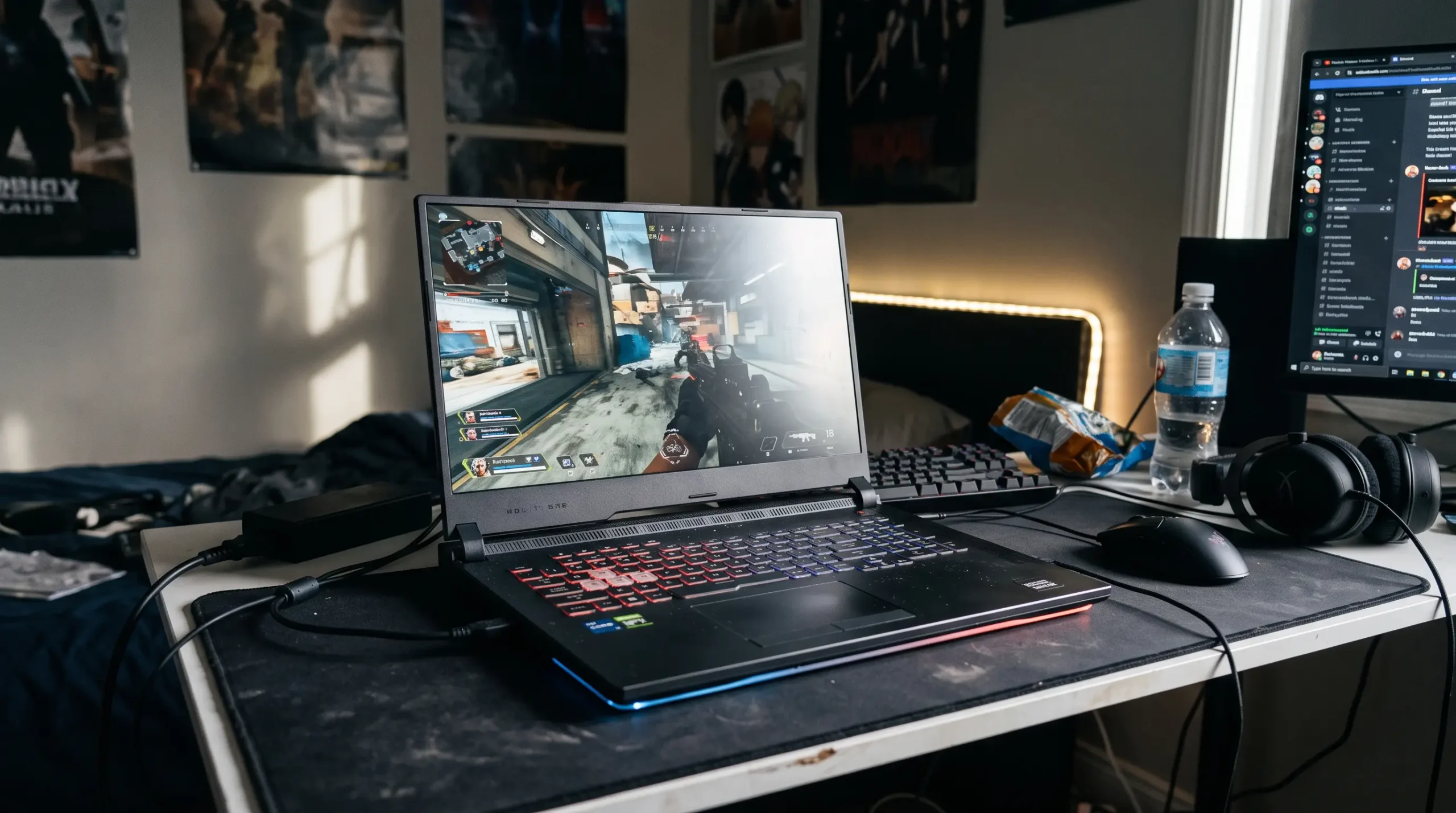
Here’s something that genuinely stopped me in my tracks while I was putting this guide together. Two gaming laptops can carry the exact same “RTX 5070 Ti” sticker, sit side by side on the same Best Buy shelf, and still be almost a full graphics tier apart in real games. One of them can even cost $450 less than a rival with a weaker GPU inside.
Same name on the box. Wildly different laptop.
That’s the dirty little secret of buying a gaming laptop in 2026, and it’s exactly why so many people end up overpaying. The badge tells you almost nothing. The power limit, the screen, the fans, the RAM slots and the price you actually pay at checkout tell you everything.
So I did the boring part for you. I went through dozens of independent lab reviews, pulled every Cinebench run, 3DMark score, frame-rate chart, nit reading, decibel measurement and battery result I could find, and cross-checked them against real US retail prices. Then I narrowed it down to five laptops, one per brand, that I’d honestly be happy to spend my own money on with a $2,000 ceiling.
If you only read one sentence, make it this one: the ASUS ROG Strix G16 (G614FR) at $1,999 is the gaming laptop I’d buy right now. It runs a full-power 140W RTX 5070 Ti, it posted the strongest CPU scores of anything on this list, its 240Hz screen is bright enough to fight a sunny window, and it stays surprisingly quiet while doing it.
But it’s not the right laptop for everybody. Let me show you why.
The Short Version
- Best overall: ASUS ROG Strix G16 G614FR (Ryzen 9 9955HX + 140W RTX 5070 Ti) for $1,999. It hit 16,651 in 3DMark Time Spy and 84 fps in Cyberpunk 2077 at QHD+ Ultra in Ultrabookreview’s testing.
- Best bang for the buck: MSI Vector 16 HX AI with a 140W RTX 5070 Ti for $1,799.99. It’s the cheapest full-power 5070 Ti I could find from a major brand.
- Newest silicon under $2K: 2026 Acer Predator Helios Neo 16 AI with Intel’s brand-new Core Ultra 9 290HX Plus for $1,999.99.
- Best screen and battery life: Lenovo Legion 5i Gen 11 with a 2.5K OLED and just over 7 hours of web browsing, starting at $1,899.
- Best for esports (on sale only): HP HyperX Omen 16 (2026) with the Ryzen 9 9955HX3D. Its $2,250 list price is over budget, so wait for a deal.
Quick Picks at a Glance
| Award | Laptop | Configuration I recommend | US price |
|---|---|---|---|
| Best overall | ASUS ROG Strix G16 (G614FR) | Ryzen 9 9955HX, RTX 5070 Ti 140W, 16GB, 1TB, QHD+ 240Hz | $1,999 |
| Best value | MSI Vector 16 HX AI (A2XWHG) | Core Ultra 7 255HX, RTX 5070 Ti 140W, 16GB, 1TB, FHD+ 144Hz | $1,799.99 |
| Newest CPU | Acer Predator Helios Neo 16 AI (2026) | Core Ultra 9 290HX Plus, RTX 5070 Ti, 16GB, 1TB, WQXGA 240Hz | $1,999.99 |
| Best OLED + battery | Lenovo Legion 5i Gen 11 (2026) | Core Ultra 7, RTX 5060 115W, 16GB, 1TB, 15.3″ 2.5K OLED 165Hz | $1,899 |
| Best for esports | HP HyperX Omen 16 (2026) | Ryzen 9 9955HX3D, RTX 5070 115W, 32GB, 1600p 240Hz IPS | $2,250 list (buy on sale) |
How I Picked These Laptops
I want to be straight with you about how this list came together, because a lot of “best laptop” articles out there are basically spec sheets with a few adjectives sprinkled on top.
Every benchmark, brightness reading, noise level and battery result in this guide comes from a named, published, independent review: Notebookcheck, Ultrabookreview, Tom’s Guide, PC Gamer, LaptopMedia, PC Guide, Gizmodo, TweakTown and a few others. I tell you who measured what, right next to the number. And when a reviewer tested a slightly different configuration than the one I’m recommending, I say so plainly instead of hoping you won’t notice.
These were my ground rules:
- Current models only. Every pick is the newest version still on sale in the US as of October 2026. Where a 2026 refresh exists (Acer, Lenovo, HP), I picked the 2026 model.
- Actually buyable under $2,000. I checked real retailer or manufacturer listings for each exact configuration. HP is the one exception, and I flag it loud and clear.
- One laptop per brand. Five brands, five picks, no repeats.
- Independent numbers only. No marketing claims, no “up to” figures from a press release.
On storage: every laptop here ships with a PCIe 4.0 or faster NVMe SSD, which is plenty quick for game loading. Honestly, at this level the SSD is the last thing that’ll hold you back, so I spent my attention on the parts that actually change your experience: GPU power, the screen, noise and upgrade room.
Spec Comparison Table
| ASUS ROG Strix G16 G614FR | MSI Vector 16 HX AI | Acer Helios Neo 16 AI (2026) | Lenovo Legion 5i Gen 11 | HP HyperX Omen 16 (2026) | |
|---|---|---|---|---|---|
| CPU | Ryzen 9 9955HX (16 cores) | Core Ultra 7 255HX (20 cores) | Core Ultra 9 290HX Plus (24 cores) | Intel Core Ultra 7 | Ryzen 9 9955HX3D (16 cores) |
| GPU (power) | RTX 5070 Ti 12GB (140W) | RTX 5070 Ti 12GB (140W) | RTX 5070 Ti 12GB (115W listed) | RTX 5060 8GB (115W) | RTX 5070 8GB (115W) |
| Display | 16″ QHD+ 240Hz IPS | 16″ FHD+ 144Hz IPS | 16″ WQXGA 240Hz IPS | 15.3″ 2.5K 165Hz OLED | 16″ 1600p 240Hz IPS |
| RAM | 16GB DDR5-5600 | 16GB DDR5-5600 | 16GB DDR5-6400 | 16GB DDR5 | 32GB DDR5-5600 |
| Battery | 90Wh | 90Wh | 90Wh | 80Wh | 83Wh |
| Weight | 5.2 lb (2.35 kg) | 5.76 lb (2.61 kg) | 5.3–5.95 lb (2.4–2.7 kg) | 4.1–4.25 lb (1.87–1.93 kg) | 5.38 lb (2.44 kg) |
| Price | $1,999 | $1,799.99 | $1,999.99 | $1,899 | $2,250 list |
The Number Nobody Talks About: Price Per GPU Watt
This is the part I wish every buying guide included. Inside the same GPU family, the wattage the laptop maker allows the graphics chip to draw (called TGP) is the single biggest predictor of frame rates. So I took each laptop’s price and divided it by its GPU power limit. Lower means more gaming muscle for every dollar.
I did the same for video memory, because VRAM is quietly becoming the thing that decides how long a gaming laptop stays useful.
| Laptop | Price | GPU power | $ per GPU watt | VRAM | $ per GB of VRAM |
|---|---|---|---|---|---|
| MSI Vector 16 HX AI | $1,799.99 | 140W | $12.86 | 12GB | $150 |
| ASUS ROG Strix G16 G614FR | $1,999 | 140W | $14.28 | 12GB | $167 |
| Lenovo Legion 5i Gen 11 | $1,899 | 115W | $16.51 | 8GB | $237 |
| Acer Helios Neo 16 AI (2026) | $1,999.99 | 115W | $17.39 | 12GB | $167 |
| HP HyperX Omen 16 (2026) | $2,250 | 115W | $19.57 | 8GB | $281 |
What this tells me: if raw frames per dollar is all you care about, the MSI wins, full stop. The catch is the screen on that $1,799 model, which I’ll get into below. The ASUS costs $200 more for the exact same 140W GPU but gives you a dramatically better display, and to me that’s money well spent. The HP looks like the worst deal on paper, which is exactly why I’m telling you to only buy it on sale.
Which One Should You Buy?
| If you mostly… | Get this | Why |
|---|---|---|
| Play big AAA games at 1440p on a desk | ASUS ROG Strix G16 | 140W RTX 5070 Ti, bright 240Hz QHD+ screen, quiet Performance mode |
| Want the most GPU for the least money | MSI Vector 16 HX AI | Full-power RTX 5070 Ti for $1,799.99 |
| Stream, edit video or compile code while gaming | Acer Helios Neo 16 AI (2026) | 24-core Core Ultra 9 290HX Plus |
| Carry your laptop to class or work every day | Lenovo Legion 5i Gen 11 | Lightest pick, OLED screen, 7+ hours of browsing |
| Grind Valorant, CS2 or other high-fps esports titles | HP HyperX Omen 16 (2026) | Ryzen 9 9955HX3D with 3D V-Cache |
Best Gaming Laptops Under $2,000 (2026): 5 Picks I’d Actually Spend My Own Money On
1. ASUS ROG Strix G16 (G614FR): Best Gaming Laptop Under $2,000 Overall
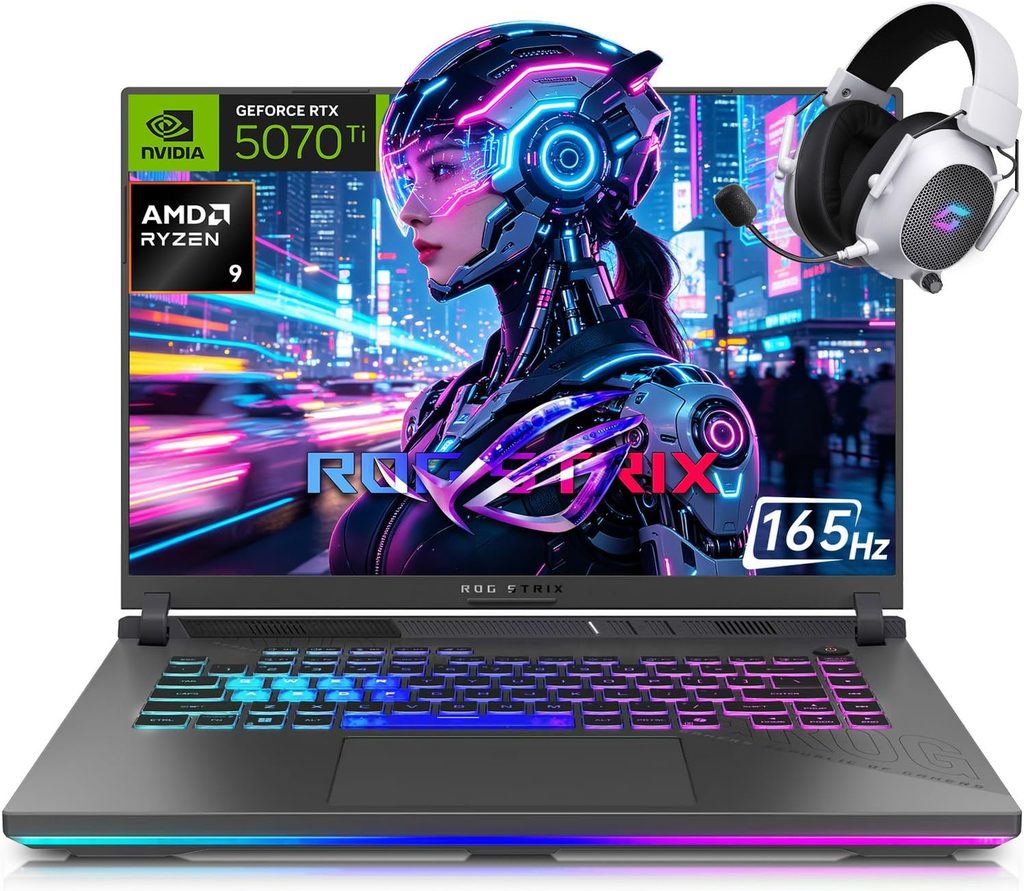
The one-line verdict: a full-power RTX 5070 Ti, a 16-core Zen 5 processor and a genuinely excellent screen, for one dollar under the limit.
Quick heads-up before you shop, because this trips a lot of people up. ASUS sells two Strix G16 lines. The G615 is the Intel version, and it got the new Core Ultra 9 290HX Plus for 2026, but once you add an RTX 5070 Ti it climbs past $2,000. The G614 is the AMD version, and it’s the one you want at this budget. Ultrabookreview points out it’s built on the older Strix chassis, but it’s also smaller and noticeably lighter than the G615, weighing in under 2.4 kg against about 2.8 kg for its Intel sibling. That’s a trade I’d take every time.
Specs
- CPU: AMD Ryzen 9 9955HX (16 cores, 32 threads, Zen 5)
- GPU: NVIDIA GeForce RTX 5070 Ti Laptop, 12GB GDDR7, 140W with Dynamic Boost, MUX switch and Advanced Optimus
- RAM: 16GB DDR5-5600 in two SO-DIMM slots (upgradeable to 64GB)
- Storage: 1TB PCIe 4.0 NVMe SSD, two M.2 slots
- Display: 16″ QHD+ (2560 x 1600), 240Hz, IPS, matte
- Ports: 2x USB4 (40Gbps, one with up to 100W charging), 2x USB-A 10Gbps, HDMI 2.1 FRL, Gigabit Ethernet, 3.5mm jack
- Battery: 90Wh with a 280W adapter
- Weight: 2.35 kg (5.2 lb)
- Price: $1,999
Benchmarks (Ultrabookreview, Turbo mode)
| Test | Score |
|---|---|
| 3DMark Time Spy | 16,651 (Graphics 18,051) |
| 3DMark Port Royal | 11,739 |
| 3DMark Speed Way | 4,551 |
| 3DMark Steel Nomad | 3,992 |
| 3DMark Fire Strike | 38,529 |
| Cinebench R23 (multi / single) | 39,388 / 2,194 |
| Cinebench R23 sustained (10-minute loop) | 38,582 |
| Cinebench 2024 (multi / single) | 2,086 / 124 |
| Geekbench 6 (single / multi) | 3,096 / 19,774 |
| PCMark 10 | 9,402 |
That sustained Cinebench number is the one I’d point you to. Plenty of laptops post a big first run and then sag as they heat up. This one dropped only about 2% over ten straight minutes of punishment.
Real game frame rates (QHD+, Turbo mode, Ultrabookreview)
| Game | Average FPS |
|---|---|
| Cyberpunk 2077 (Ultra, ray tracing off) | 84 |
| Cyberpunk 2077 (path tracing + DLSS with 4x Multi Frame Generation) | 158 |
| Shadow of the Tomb Raider | 146 |
| Far Cry 6 | 125 |
| Red Dead Redemption 2 | 100 |
| Horizon Forbidden West | 67 |
| Black Myth: Wukong (Cinematic, ray tracing off) | 48 |
Screen, heat and noise
Ultrabookreview measured the panel with a colorimeter and got 99.8% sRGB, 98.6% DCI-P3 and 87.4% AdobeRGB coverage, almost 590 nits at the center and a 1,585:1 contrast ratio, with no PWM flicker. For an IPS screen, that’s about as good as it gets at this price. Games look punchy, and you won’t be squinting near a window.
The fans are the other pleasant surprise. Ultrabookreview clocked them under 35 dBA in Silent mode, around 38 dBA in Performance, about 45 dBA in Turbo and about 52 dBA in Manual. Performance mode is the sweet spot I’d live in: you keep most of the speed, and it’s quiet enough to game without headphones.
Under gaming load, the CPU and GPU sat in the mid-80s °C on a flat desk while the GPU held its full 140W. Prop the back up and temperatures dropped another 5 to 7°C. My honest advice? Spend $15 on a basic laptop stand. It’s the cheapest performance upgrade you’ll ever buy.
Pros
- Full 140W RTX 5070 Ti, the most GPU muscle you can get at this price
- Best multi-core CPU result on this list (39,388 in Cinebench R23)
- Bright, wide-gamut 240Hz QHD+ screen with no flicker
- Quiet in Performance mode (around 38 dBA)
- Two USB4 ports, two RAM slots and two M.2 slots
Cons
- Older chassis design, and Ultrabookreview found the ergonomics a bit hit or miss
- Only 16GB of RAM out of the box
- At $1,999 there’s zero breathing room under the budget
- Runs warmer on a flat desk; it really wants that stand
2. MSI Vector 16 HX AI (A2XWHG): Best Value RTX 5070 Ti Laptop
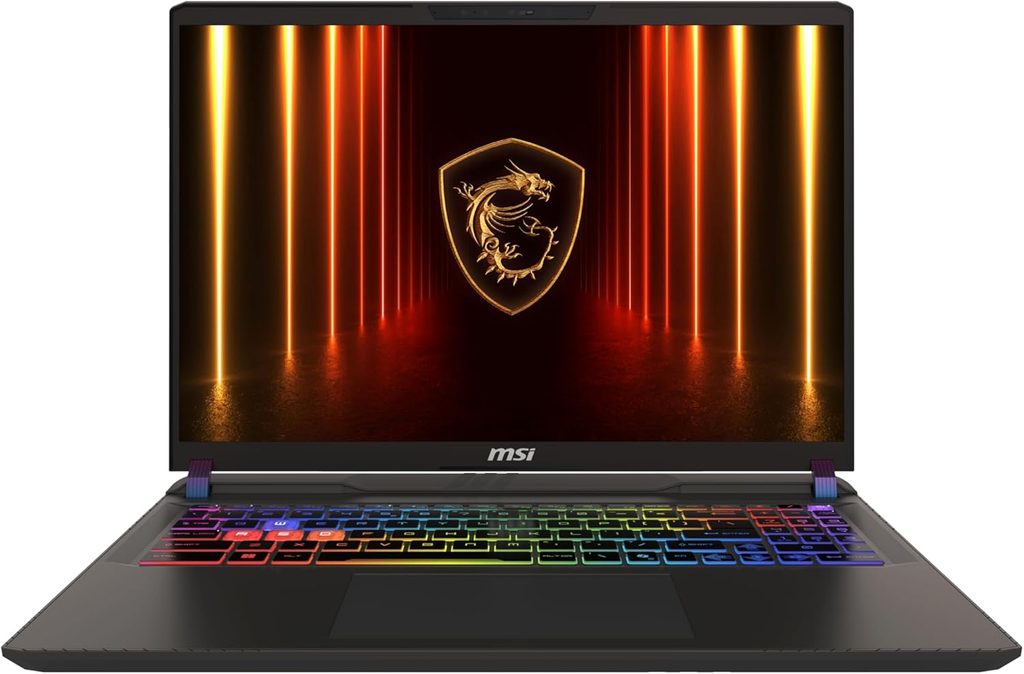
The one-line verdict: the cheapest full-power RTX 5070 Ti I found from a major brand, as long as you can live with loud fans and a pretty basic screen on the entry model.
I’ll be honest, the MSI is a bit of a “know what you’re buying” laptop. On pure GPU power per dollar, nothing on this list touches it. But you pay for that savings in two places: noise and display quality.
Specs (Best Buy configuration)
- CPU: Intel Core Ultra 7 255HX (20 cores)
- GPU: NVIDIA GeForce RTX 5070 Ti Laptop, 12GB GDDR7, 140W
- RAM: 16GB DDR5-5600 in two SO-DIMM slots
- Storage: 1TB NVMe SSD, two M.2 2280 slots (one free)
- Display: 16″ FHD+ (1920 x 1200), 144Hz, IPS
- Ports: 2x Thunderbolt 5, 2x USB-A 10Gbps, HDMI 2.1, 2.5Gb Ethernet, SD card reader
- Battery: 90Wh with a 330W adapter
- Weight: 2.61 kg (5.76 lb)
- Price: $1,799.99 at Best Buy
What the lab measured (Notebookcheck, rated 84%)
| Test | Result |
|---|---|
| Battery life (Wi-Fi browsing test) | About 7 hours |
| Noise while gaming (AI mode) | 46–49 dB(A) |
| Noise at maximum performance | Just under 60 dB(A) |
| Power draw (idle / stress peak) | About 16W / 336W |
| QHD+ panel brightness (average / center) | 426 / 473 nits |
| QHD+ panel contrast | 1,126:1 |
| QHD+ panel color accuracy (Delta E out of box / calibrated) | 3.47 / 1.36 |
| QHD+ panel color gamut | 99.8% sRGB, 96.6% Display P3 |
| Performance vs. RTX 5080 laptop (Alienware 16 Area-51) | About 20% slower |
The screen catch you need to know about
Here’s the thing that a lot of deal posts gloss over. Notebookcheck’s display numbers above come from the pricier QHD+ 240Hz version. The $1,799.99 Best Buy model uses a 144Hz FHD+ panel that Notebookcheck says covers only about 45% NTSC, which works out to roughly 65% of sRGB. In plain English, colors look noticeably washed out next to the ASUS.
Is that a dealbreaker? For competitive shooters where you’re chasing frames, not sunsets, honestly no. If you plan to plug into an external monitor most of the time, it matters even less. But if you care about how your games look on the laptop itself, the QHD+ model is the better buy, and Notebookcheck put its US price at roughly $2,100.
The fans are the other honest tradeoff. Notebookcheck found the Vector audible even at idle in AI mode, and close to 60 dB(A) flat out. This is a headphones-on laptop.
Pros
- Best price per GPU watt on this list ($12.86 per watt)
- Two Thunderbolt 5 ports, which is rare at this price
- Two RAM slots and two M.2 slots for easy upgrades
- 2.5Gb Ethernet and an SD card reader
- About 7 hours of web browsing in Notebookcheck’s test
Cons
- Loud: audible at idle in AI mode, near 60 dB(A) at full tilt
- The $1,799 model’s 144Hz screen has a narrow color gamut
- Heavy power brick, and Notebookcheck found the chassis fiddly to open
- Heaviest laptop on this list
3. Acer Predator Helios Neo 16 AI (2026): Best Pick for the Newest Hardware
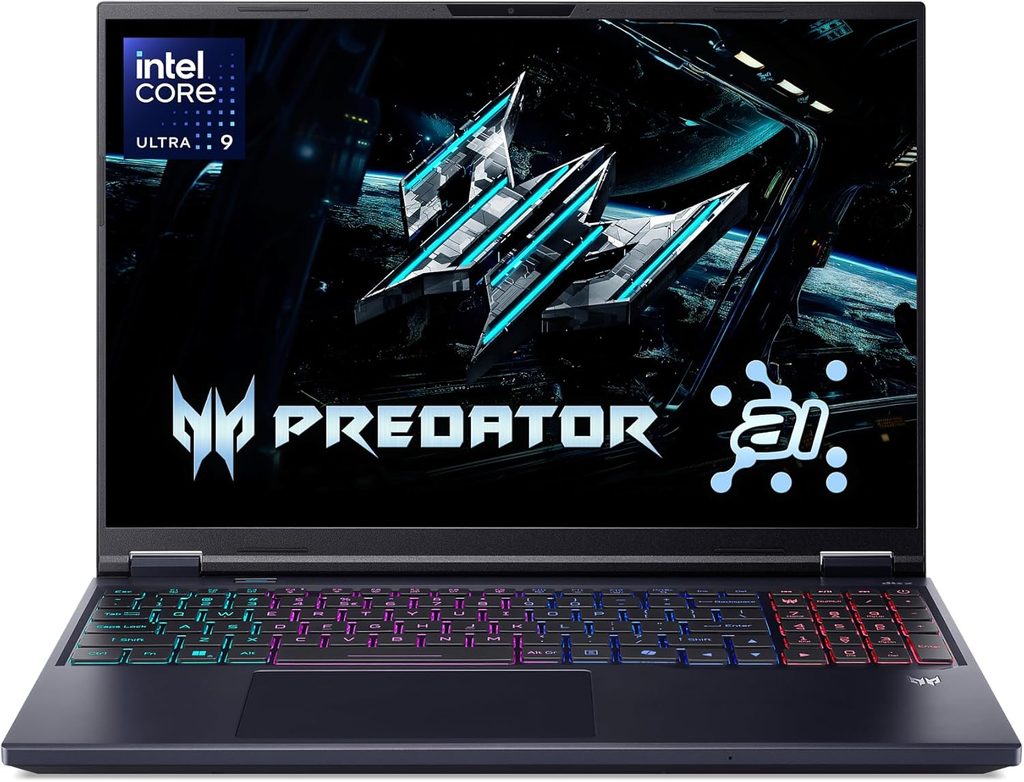
The one-line verdict: the only laptop under $2,000 here with Intel’s brand-new Core Ultra 9 290HX Plus, and the one I’d pick if you stream, edit or work on the same machine you game on.
Specs
- CPU: Intel Core Ultra 9 290HX Plus (24 cores: 8 performance + 16 efficient, up to 5.5GHz)
- GPU: NVIDIA GeForce RTX 5070 Ti Laptop, 12GB GDDR7 (PC Gamer reported Acer lists 115W total graphics power on this chassis)
- RAM: 16GB DDR5-6400 in two SO-DIMM slots (up to 64GB)
- Storage: 1TB PCIe Gen 4 NVMe SSD, two M.2 slots
- Display: 16″ WQXGA (2560 x 1600), 240Hz, IPS
- Connectivity: Thunderbolt 4, three USB-A ports, HDMI, 2.5Gb Ethernet, Wi-Fi 6E, Bluetooth 5.4
- Battery: 90Wh
- Weight: 2.4–2.7 kg (5.3–5.95 lb), depending on who weighed it
- Price: $1,999.99 at B&H
What reviewers measured
Full lab reviews of this exact 290HX Plus plus RTX 5070 Ti combination are still thin on the ground, so I’ve pulled the closest real data and labeled exactly where each number came from:
| Test | Result | Tested by / configuration |
|---|---|---|
| Geekbench 6 (single / multi) | 3,231 / 21,707 | PC Guide, 2026 model with 290HX Plus (RTX 5080 unit) |
| Light-use battery life | About 11 hours 30 minutes | PC Guide, 2026 model |
| Screen brightness | 635 nits | PC Gamer, 2025 model with RTX 5070 Ti |
| Color gamut | 99% DCI-P3 | PC Gamer, 2025 model |
| Peak CPU temperature | 94°C | PC Gamer, 2025 model |
| 290HX Plus vs. 275HX | Up to 15% faster single-thread, 25% faster multi-thread | Notebookcheck |
That 635-nit reading is the kind of number that makes you do a double take. It’s brighter than most OLED laptops in regular SDR use. PC Gamer also found the 2025 version beat both the Razer Blade 14 and the ROG Zephyrus G14 in 3DMark Time Spy Extreme, which is a nice result for a laptop at this price.
Now the honest part. That 11.5-hour battery figure is a light-use test. Game on battery and you’ll see a small fraction of it; PC Gamer called gaming battery life poor. PC Guide also flagged the weight, a merely okay touchpad and side exhausts that can blow hot air onto your mouse hand.
Pros
- Newest and most powerful CPU on this list, great for streaming and creative work
- Very bright 240Hz screen with wide color coverage
- Fast DDR5-6400 memory, Thunderbolt 4 and 2.5Gb Ethernet
- Two RAM slots and two M.2 slots
- Excellent light-use battery life for a gaming laptop
Cons
- GPU listed at 115W, versus 140W on the ASUS and MSI
- Hefty, and the side exhausts get toasty
- Only 16GB of RAM at this price
- The new CPU draws more power without adding many frames in games
4. Lenovo Legion 5i Gen 11 (2026): Best OLED Screen and Best Battery Life
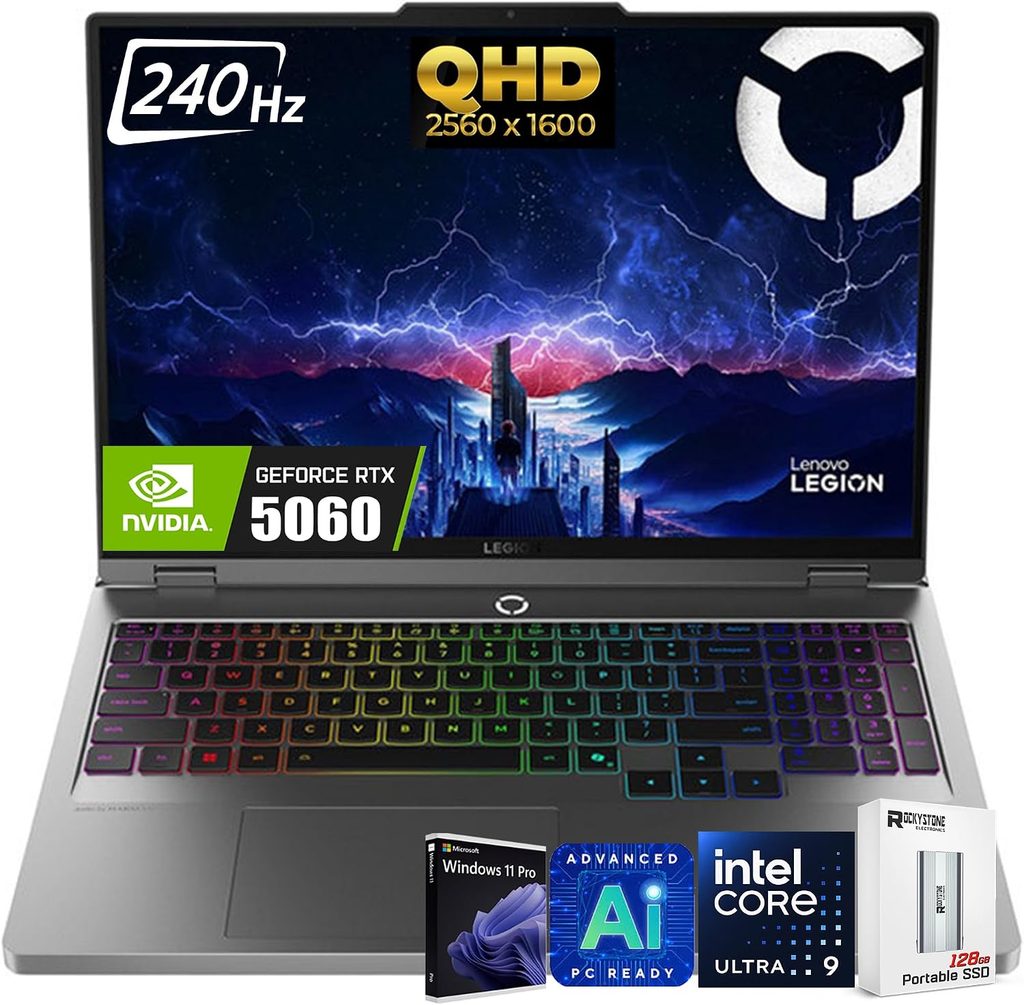
The one-line verdict: the gaming laptop I’d hand to a college student. It has a gorgeous OLED, one of the best keyboards in the business and real all-day-ish battery life, in the lightest body on this list.
Specs (under-$2,000 configuration)
- CPU: Intel Core Ultra 7 (configurations vary between the Core Ultra 7 251HX and the Panther Lake Core Ultra 7 356H)
- GPU: NVIDIA GeForce RTX 5060 Laptop, 8GB, full-power 115W (RTX 5070 12GB available at extra cost)
- RAM: 16GB DDR5 (replaceable)
- Storage: 1TB SSD, two M.2 slots (the first supports PCIe Gen 5)
- Display: 15.3″ 2.5K (2560 x 1600) OLED, 165Hz
- Ports: Thunderbolt 4 (40Gbps), USB-C 10Gbps, 3x USB-A 5Gbps, HDMI 2.1, Ethernet, audio jack
- Wireless: Wi-Fi 7, Bluetooth 5.4
- Battery: 80Wh
- Weight: about 4.1–4.25 lb; 13.54 x 9.66 x 0.75–0.79 inches
- Price: $1,899 preconfigured
What the lab measured
| Test | Result | Tested by |
|---|---|---|
| Average SDR brightness | 491 nits | Tom’s Guide |
| Peak HDR brightness | 1,049 nits | Tom’s Guide |
| Color gamut | 137.5% DCI-P3 | Tom’s Guide |
| Web browsing battery life | 7 hours 3 minutes | Tom’s Guide |
| Gaming battery life (PCMark 10) | 1 hour 27 minutes | Tom’s Guide |
| 3DMark (average of 7 tests) | 10,394 | Tom’s Guide (RTX 5070 unit) |
| Cyberpunk 2077 (1080p, Ray Tracing Ultra) | 44.1 fps | Tom’s Guide (RTX 5070 unit) |
| Forza Horizon 6 (1080p, Extreme + RT) | 50 fps | Tom’s Guide (RTX 5070 unit) |
| Black Myth: Wukong (1600p, Cinematic) | 27 fps | Tom’s Guide (RTX 5070 unit) |
| Peak CPU temperature at full load | 82°C | Gizmodo |
Important context: Tom’s Guide’s frame rates come from the RTX 5070 version, which costs well over $2,000 once configured. The $1,899 RTX 5060 model will be slower. To give you a realistic idea, Tom’s Guide’s RTX 5060-powered MSI Stealth 16 AI+ managed 31.2 fps in the same Cyberpunk test. LaptopMedia tested the RTX 5060 Legion and called it one of the most balanced 15-inch gaming laptops it had reviewed recently, noting its sustained GPU performance came surprisingly close to bigger machines.
And that screen? 137.5% DCI-P3 with over 1,000 nits of HDR peak brightness means movies and HDR games look stunning. Pair it with 7 hours of browsing and an 82°C CPU ceiling under full load, and you’ve got a gaming laptop you can actually carry around without dreading it.
One shopping tip: Lenovo’s prices bounce around constantly, and Tom’s Guide called its custom upgrade pricing steep. Grab the preconfigured model and add RAM yourself later if you need it.
Pros
- Best screen on this list: OLED, 137.5% DCI-P3, over 1,000 nits HDR
- Longest real-world battery life of the group (7:03 web browsing)
- Lightest pick, with Thunderbolt 4 and Wi-Fi 7
- Excellent keyboard with 1.6mm of key travel
- Runs cool, with the CPU topping out at 82°C in Gizmodo’s testing
Cons
- The under-$2K model uses an RTX 5060 with only 8GB of VRAM
- Expensive upgrades if you build a custom configuration
- Speakers are underwhelming, according to Tom’s Guide
- Gaming on battery lasts under an hour and a half
5. HP HyperX Omen 16 (2026): Best for Esports (Wait for a Sale)
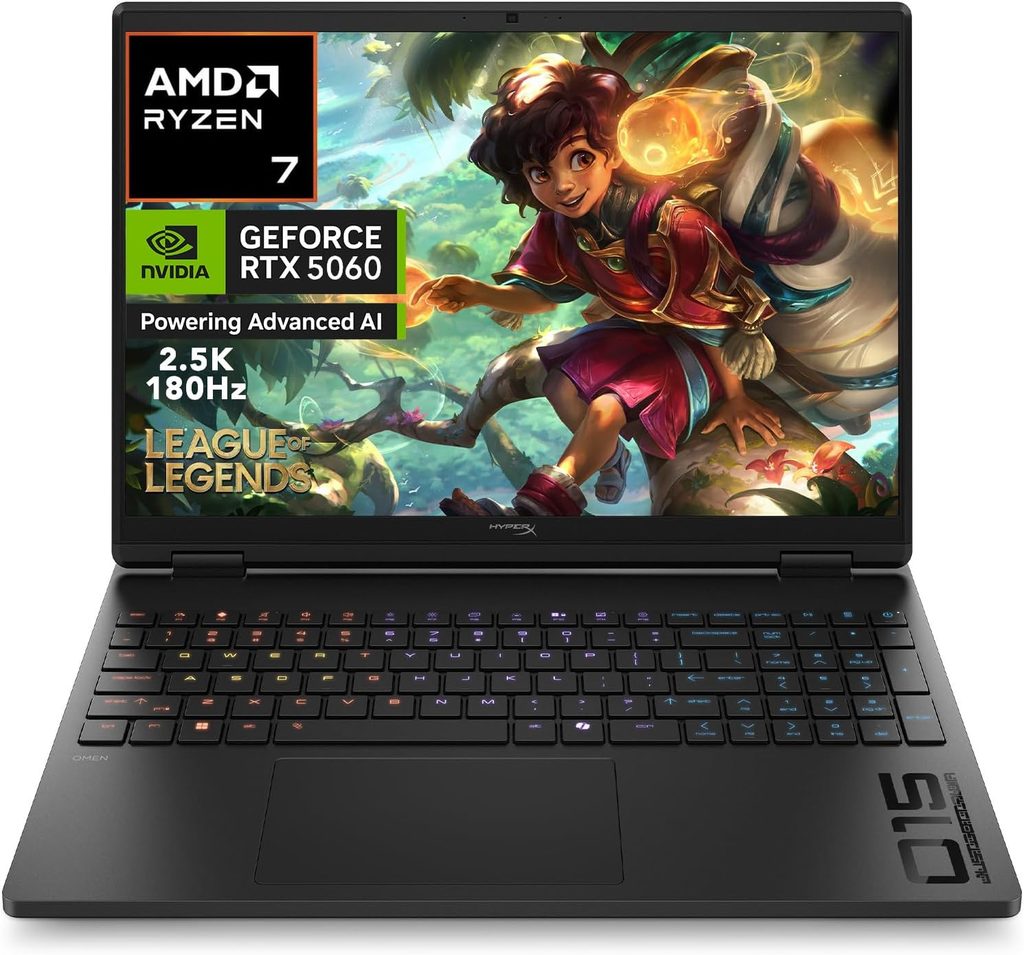
The one-line verdict: a monster of a CPU for high-refresh esports and a chassis that’s easy to upgrade, but at its $2,250 list price, you should only buy it on sale.
Let me level with you. This is the one pick I couldn’t confirm under $2,000 at the moment I’m writing this. Notebookcheck reviewed the Valorant Edition at $2,250. It’s still on my list because it’s HP’s current mainstream gaming laptop, it has a CPU nothing else here offers, and HP runs discounts constantly. TweakTown notes HP sales sometimes knock off 20% or more. Set a price alert for $1,999 or lower and pounce.
Specs (reviewed configuration)
- CPU: AMD Ryzen 9 9955HX3D (16 cores, 3D V-Cache)
- GPU: NVIDIA GeForce RTX 5070 Laptop, 8GB GDDR7, 115W, Advanced Optimus
- RAM: 32GB DDR5-5600 dual-channel in two SO-DIMM slots
- Storage: Two M.2 slots
- Display: 16″ 2560 x 1600, 240Hz, IPS
- Ports: 2x USB-A 5Gbps, 1x USB-A 10Gbps, 1x USB-C 10Gbps, HDMI 2.1, Gigabit Ethernet, 3.5mm jack
- Wireless: Wi-Fi 7, Bluetooth 6.0
- Battery: 83Wh
- Weight: 2.44 kg (5.38 lb)
- Price: $2,250 list
What the lab measured (Notebookcheck, rated 85%)
| Test | Result |
|---|---|
| Cinebench R23 (multi / single) | 36,580 / 2,154 |
| Cinebench R20 (multi) | 14,209 |
| Geekbench 6.7 (single / multi) | 3,159 / 19,418 |
| Screen brightness (average / center) | 545 / 569.7 nits |
| Contrast | 1,212:1 |
| Color accuracy (Delta E out of box / calibrated) | 3.31 / 0.67 |
| Color gamut | 98.8% sRGB, 73% Display P3 |
| Black-to-white response time | 10.7 ms |
| PWM flicker | None detected |
Notebookcheck found the 9955HX3D only a hair behind laptops running Intel’s new Core Ultra 9 290HX Plus in CPU work. That extra 3D V-Cache really earns its keep in CPU-bound esports games, where you’re pushing hundreds of frames and the processor, not the GPU, becomes the bottleneck.
The downsides are real, though. You get only 8GB of VRAM, no G-Sync, no HDR and just three-zone RGB lighting. Notebookcheck also found battery life short and the fans very loud in the top Unleashed mode. The good news: Notebookcheck praised how easy the laptop is to service, with both RAM and storage simple to reach.
Pros
- Ryzen 9 9955HX3D is ideal for high-fps esports
- 32GB of dual-channel RAM out of the box
- Easy to service, with two RAM slots and two M.2 slots
- Bright, accurate sRGB screen with no flicker
- Wi-Fi 7 and Bluetooth 6.0
Cons
- $2,250 list price is over budget
- Only 8GB of VRAM on the RTX 5070
- No G-Sync, no HDR, no Thunderbolt
- Short battery life and very loud fans in Unleashed mode
Fan Noise vs. Performance: What You’ll Actually Hear
Benchmarks are great, but you’ll live with the fan noise every single day. Here’s what reviewers heard:
| Laptop | Everyday / balanced mode | Maximum performance mode | Measured by |
|---|---|---|---|
| ASUS ROG Strix G16 | About 38 dBA (Performance) | About 45 dBA (Turbo), 52 dBA (Manual) | Ultrabookreview |
| MSI Vector 16 HX AI | 46–49 dB(A) gaming in AI mode | Just under 60 dB(A) | Notebookcheck |
| Acer Helios Neo 16 AI | Surprisingly well-behaved | CPU peaked at 94°C | PC Gamer |
| Lenovo Legion 5i Gen 11 | Cool and composed | CPU peaked at 82°C at full load | Gizmodo |
| HP HyperX Omen 16 | Recommended mode for comfort | Very loud in Unleashed mode | Notebookcheck |
My take: if you game without headphones, the ASUS in Performance mode is the one you can comfortably live with. The MSI in max mode is the one your roommate will complain about.
Upgradeability and Long-Term Ownership
A gaming laptop you can upgrade is a gaming laptop that lasts longer. This matters even more in 2026, because manufacturer RAM and storage upgrades have gotten expensive. Buying the base model and adding a stick of RAM yourself is almost always cheaper.
| Laptop | RAM slots | M.2 slots | Fast USB-C | Ownership notes |
|---|---|---|---|---|
| ASUS ROG Strix G16 G614FR | 2x SO-DIMM (up to 64GB) | 2x PCIe 4.0 | 2x USB4 (40Gbps) | Easy RAM and SSD upgrades, USB-C charging up to 100W |
| MSI Vector 16 HX AI | 2x SO-DIMM | 2x M.2 2280 (one free) | 2x Thunderbolt 5 | Notebookcheck found it more time-consuming to open |
| Acer Helios Neo 16 AI | 2x SO-DIMM (up to 64GB) | 2x PCIe 4.0 | Thunderbolt 4 | LaptopMedia praised its upgradeability; 2.5Gb Ethernet |
| Lenovo Legion 5i Gen 11 | Replaceable | 2x (one PCIe Gen 5, one Gen 4) | 1x Thunderbolt 4 | LaptopMedia found it straightforward to open |
| HP HyperX Omen 16 | 2x SO-DIMM | 2x M.2 | USB-C 10Gbps | Notebookcheck praised its easy serviceability |
GPU Power Explained: Why the Sticker Lies
Remember that surprise I mentioned at the top? Here’s what’s going on.
TGP (Total Graphics Power) is how many watts the laptop lets its graphics chip pull. The RTX 5070 Ti Laptop can run at up to 140W, according to Notebookcheck’s spec database, but laptop makers are free to cap it lower to keep a machine thinner, cooler or quieter. Both the ASUS Strix G16 and the MSI Vector 16 run theirs at the full 140W. Others stop at 115W. Same name, very different frame rates.
So when you shop, look for the words “140W” or “max TGP” on the spec sheet. If a retailer doesn’t list it, that’s usually a sign it’s the lower number.
VRAM is the other trap. The RTX 5070 Ti comes with 12GB, while the RTX 5070 and RTX 5060 in most laptops come with 8GB. TweakTown’s HP Omen 16 review warned that 8GB just doesn’t cut it at 4K with ray tracing. At 1440p with today’s high-resolution textures, those extra 4GB buy you more years before you have to start turning settings down.
Is Intel’s New Core Ultra 9 290HX Plus Worth Paying Extra For?
For pure gaming? Mostly no.
Notebookcheck tested the 290HX Plus in the Alienware 16 Area-51 and found it up to 25% faster than the old 275HX in multi-threaded work. The catch is that it also drew up to 25% more power, ran its cores up to 100°C, and barely moved the needle in games. Bestlaptop.deals measured about 6% higher average gaming performance along with slightly better 1% lows, which is nice, but it’s not a reason to pay hundreds more.
If you stream, render, edit video or compile code, the extra cores are a genuine bonus, and that’s exactly why I picked the Acer for that crowd. If you just game, put your money toward GPU wattage instead.
Frequently Asked Questions
What is the best gaming laptop under $2,000 right now?
The ASUS ROG Strix G16 (G614FR) at $1,999. It pairs a full-power 140W RTX 5070 Ti with a Ryzen 9 9955HX, scored 16,651 in 3DMark Time Spy and averaged 84 fps in Cyberpunk 2077 at QHD+ Ultra in Ultrabookreview’s testing.
Can you get an RTX 5070 Ti gaming laptop for under $2,000?
Yes. The MSI Vector 16 HX AI ($1,799.99), the ASUS ROG Strix G16 G614FR ($1,999) and the 2026 Acer Predator Helios Neo 16 AI ($1,999.99) all come with an RTX 5070 Ti under $2,000.
Is the RTX 5070 Ti worth it over the RTX 5070?
For 1440p gaming, yes. You get 12GB of VRAM instead of 8GB, and laptops with the 5070 Ti usually allow higher GPU power. If you mostly play esports titles at 1080p, an RTX 5070 or RTX 5060 is plenty.
Should I get an OLED or IPS screen on a gaming laptop?
OLED, like the Legion 5i Gen 11’s panel with 137.5% DCI-P3 coverage, wins for contrast, HDR and movies. High-end IPS panels like the Acer’s (635 nits) and the ASUS’s (nearly 590 nits) are brighter in everyday use and come with zero burn-in worries.
How long does a gaming laptop battery last?
For browsing and light work, around 7 hours is a strong result; both the Legion 5i Gen 11 (7 hours 3 minutes) and the MSI Vector 16 (about 7 hours) hit it. Gaming unplugged drains batteries fast: the Legion lasted 1 hour 27 minutes in PCMark 10’s gaming test.
Is 16GB of RAM enough for gaming in 2026?
Yes, 16GB is fine for gaming today. Most laptops on this list have two RAM slots, so you can buy the 16GB model and add a second stick later, which is usually much cheaper than paying for the manufacturer’s upgrade.
What does TGP mean on a gaming laptop?
TGP stands for Total Graphics Power, the number of watts the laptop lets its GPU draw. Higher TGP generally means higher frame rates, so a 140W RTX 5070 Ti will outperform a 115W RTX 5070 Ti.
My Final Recommendations
- Buy the ASUS ROG Strix G16 G614FR if you want the best all-around gaming laptop for $2,000. It’s my top pick for a reason.
- Buy the MSI Vector 16 HX AI if every dollar needs to go toward frame rate and you don’t mind wearing headphones.
- Buy the Acer Predator Helios Neo 16 AI (2026) if you stream or create content and want the newest Intel processor.
- Buy the Lenovo Legion 5i Gen 11 if you carry your laptop every day, watch a lot of movies or simply want the best screen.
- Wait for a sale on the HP HyperX Omen 16 (2026) if you’re an esports player who wants the 9955HX3D. Just don’t pay $2,250 for it.
One last piece of advice from me: gaming laptop prices in the US move almost weekly, especially around holiday sales. If the laptop you want is sitting $100 over your budget today, give it a couple of weeks. There’s a decent chance it’ll come down to you.
Happy gaming.
Sources
- Ultrabookreview: Asus ROG Strix G16 G614FR review (Ryzen 9 9955HX, RTX 5070 Ti)
- Ultrabookreview: Asus ROG Strix G16 G615LW review
- ASUS: ROG Strix G16 (2025) G614 tech specs
- Pokde: ASUS ROG Strix G16 (G614FR) review
- LaptopMedia: ASUS ROG Strix G16 G614 (2025) review
- PC Gamer: ROG Strix G16 RTX 5070 Ti deal
- Notebookcheck: MSI Vector 16 HX AI review
- Notebookcheck: MSI Vector 16 HX AI 144Hz model deal and panel details
- Best Buy: MSI Vector 16 HX AI RTX 5070 Ti listing
- B&H Photo: Acer Predator Helios Neo 16 AI (290HX Plus, RTX 5070 Ti) listing
- Micro Center: Acer Predator Helios Neo 16 AI PHN16-I71 listing
- PC Guide: Acer Predator Helios Neo 16 AI review
- PC Gamer: Acer Predator Helios Neo 16 AI review
- LaptopMedia: Acer Predator Helios Neo 16 AI (PHN16-73) specs and review
- Acer: Predator Helios Neo 16 AI product page
- Tom’s Guide: Lenovo Legion 5i Gen 11 review
- Gizmodo: Lenovo Legion 5i (2026) review
- LaptopMedia: Lenovo Legion 5i (15″, Gen 11) review
- NanoReview: Lenovo Legion 5i Gen 11 (2026) vs Gen 10 (2025) specs
- Notebookcheck: HP HyperX Omen 16 review
- TweakTown: HP Omen 16 (RTX 5070) review
- Notebookcheck: Alienware 16 Area-51 review (Core Ultra 9 290HX Plus)
- Notebookcheck: Intel Core Ultra 9 290HX Plus benchmarks and specs
- Bestlaptop.deals: Intel Core Ultra 9 290HX Plus tested
- Notebookcheck: RTX 5070 Ti Laptop power limits (Legion Pro 5 review)

Hi, my name is Burak. I am a mechanical engineer. I have been writing laptop reviews for the Engineering Laptops website since 2020. Please feel free to contact me if you have any questions.





