Last updated: September 19, 2026
Key Takeaways
- The article reviews the best laptops for translators and heavy multitasking, focusing on practical features like keyboard comfort, battery life, and display quality.
- Five top laptops include Lenovo ThinkPad X1 Carbon Gen 14, ASUS Zenbook Duo, Apple MacBook Pro 16 (M5 Pro), Samsung Galaxy Book6 Pro 16, and Dell XPS 14.
- Key factors for evaluation include typing comfort, text readability, multitasking capabilities, battery performance, and software compatibility with CAT tools.
- Translators should prioritize RAM and be cautious of compatibility with Windows-based CAT tools when considering Mac options.
- The Lenovo ThinkPad X1 Carbon Gen 14 stands out as the best overall choice for its keyboard quality, flicker-free display, and excellent battery life.
Table of contents
- My Top 5 at a Glance
- How I Evaluated These Laptops
- The Thing Most Laptop Guides Get Wrong About Translators: CAT Tool Compatibility
- How Much RAM Does a Translator Actually Need?
- Best Laptops for Translators and Heavy Multitasking in 2026: 5 Picks Backed by Real Lab Data
- 1. Lenovo ThinkPad X1 Carbon Gen 14 : Best Overall Laptop for Translators
- 2. ASUS Zenbook Duo (2026, UX8407) : Best for Side-by-Side Source and Target Work
- 3. Apple MacBook Pro 16 (M5 Pro, 2026) : Best Raw Power and Battery Combo
- 4. Samsung Galaxy Book6 Pro 16 : Best Big, Thin Windows Screen
- 5. Dell XPS 14 (2026) : Best for Travel-Heavy Translators and Interpreters
- Head-to-Head: CPU Performance (Geekbench 6)
- Head-to-Head: Battery Life
- Head-to-Head: Display and Eye Comfort for All-Day Reading
- Head-to-Head: Storage Speed
- Head-to-Head: Ergonomics, Weight and Ports
- Which One Fits Your Workflow?
- Buying Tips I Wish Someone Had Told Me Earlier
- FAQ
- Final Verdict
- Sources
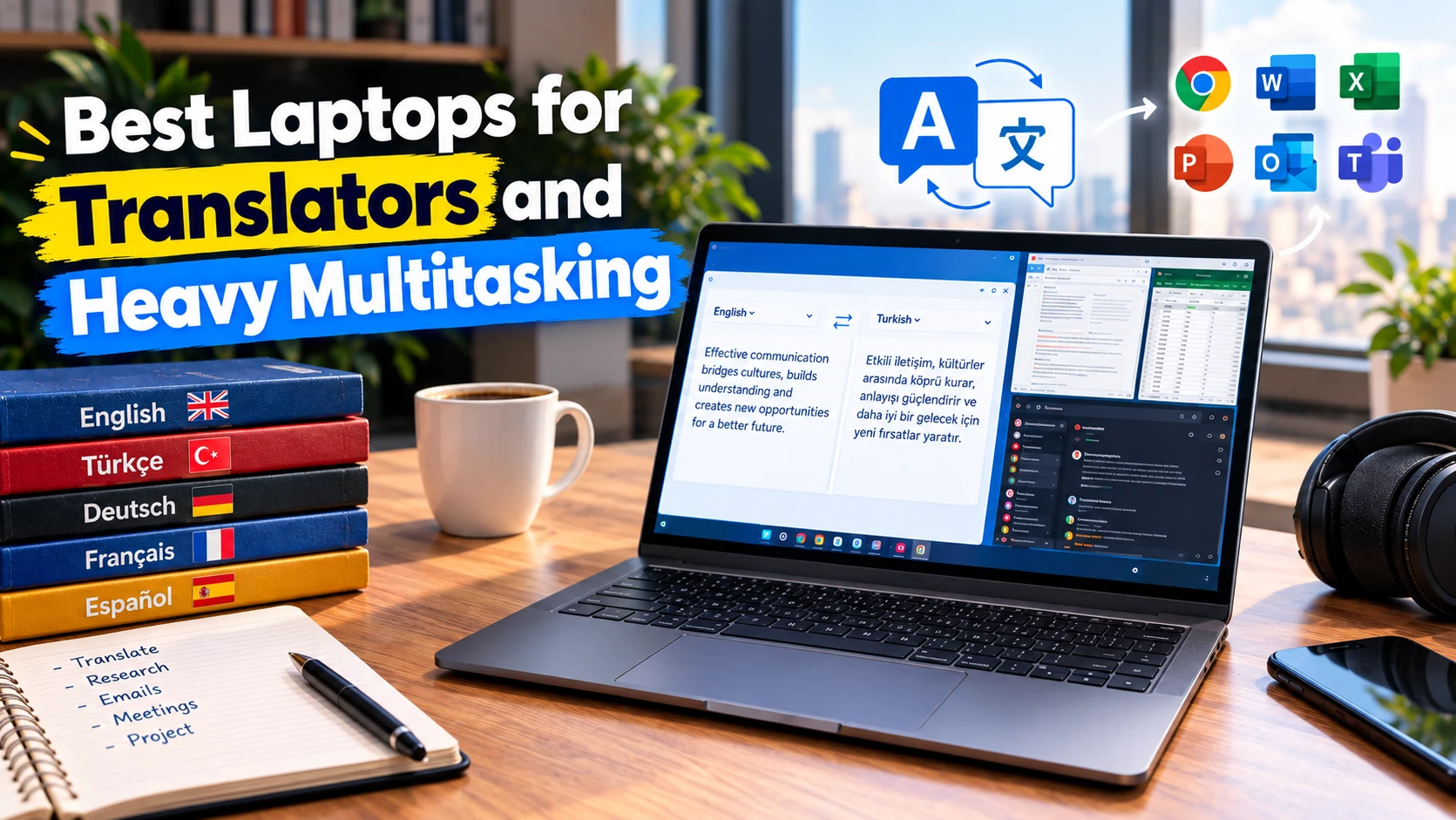
If you translate for a living, your laptop isn’t a gadget. It’s your whole office. It’s where Trados or memoQ lives next to a termbase, three reference PDFs, a client style guide, a dictionary tab, a Slack window and a Zoom call that runs 20 minutes over. Most “best laptop” lists are written for gamers or video editors, so they obsess over GPUs and ignore what matters when you type 5,000 words a day: keyboard travel, how crisp small text looks, whether the screen flickers, how much fits side by side, and whether the battery survives a full day away from a desk.
So I built this guide around translators and heavy multitaskers specifically. I picked five current-generation laptops, one per brand, with no outgoing models that already have a successor. I then pulled every hard number I could find from independent labs like Notebookcheck, Tom’s Hardware, TechRadar, Club386 and RTINGS: Geekbench, Cinebench, battery rundowns, colorimeter readings, SSD tests, fan noise and surface temperatures. Where labs disagree or tested different configurations, I tell you.
My Top 5 at a Glance
| Rank | Laptop | Best For | Starting Price | Weight | Best Published Battery Result |
|---|---|---|---|---|---|
| 1 | Lenovo ThinkPad X1 Carbon Gen 14 | Best overall for translators | $2,249 | 2.51 lb (IPS) / 2.18 lb (OLED) | 23 h 13 min (Wi-Fi, 150 nits) |
| 2 | ASUS Zenbook Duo (2026, UX8407) | Best for side-by-side source/target work | $2,299.99 (as tested) | 3.75 lb | 21 h 36 min (PCMark Modern Office, one screen) |
| 3 | Apple MacBook Pro 16 (M5 Pro, 2026) | Best raw power + battery combo | $2,699 | 4.68 lb | 21 h 10 min (web surfing) |
| 4 | Samsung Galaxy Book6 Pro 16 | Best big, thin Windows screen | $2,049 | 3.52 lb | 14 h (movie loop) |
| 5 | Dell XPS 14 (2026) | Best for travel-heavy translators and interpreters | $1,599.99 | 3.0 lb | 20 h 41 min (LCD model) |
How I Evaluated These Laptops
I didn’t just average star ratings. I weighted each machine against a translator’s real workday:
- Typing comfort (25%): key travel, layout and reviewers’ typing accuracy.
- Text readability and eye comfort (20%): measured brightness, pixel density, and whether the panel uses PWM flicker. Flicker matters far more when you stare at text for 8+ hours than when you watch a movie.
- Multitasking headroom (20%): multi-core CPU scores, RAM ceiling and memory speed.
- Battery life (20%): lab rundowns at a fixed brightness, usually 150 nits.
- Software fit (15%): whether your CAT tool runs natively. This is where Macs lose points for many translators, and I’ll explain why below.
All benchmark figures come from published, named sources, listed at the end. Different labs use different tests, so compare numbers within a table, not across unrelated tests.
The Thing Most Laptop Guides Get Wrong About Translators: CAT Tool Compatibility
Before you fall in love with any laptop, check this. The two most common desktop CAT tools, Trados Studio and memoQ, are Windows desktop applications. On a Mac you have three routes:
- Run Windows in a virtual machine (Parallels Desktop is the usual choice). On Apple Silicon that means Windows 11 on ARM, so confirm your CAT tool version and plugins are supported there before you buy.
- Switch to a browser-based CAT tool such as Phrase, Smartcat, Matecat, memoQweb or Trados’ cloud offering.
- Keep a cheap Windows machine just for CAT work, which defeats the point of a premium laptop.
My honest take: if your agencies send you Trados packages every week, buy a Windows laptop with an Intel or AMD chip. All four Windows picks here use Intel Panther Lake x86 chips, so Trados and memoQ run natively with zero emulation drama. If you mostly work in cloud CAT tools, the MacBook Pro is a fantastic machine.
How Much RAM Does a Translator Actually Need?
Here’s my rule of thumb for 2026:
- 16GB: the absolute floor. Fine for one CAT project, a browser and email.
- 32GB: the sweet spot. It comfortably handles a CAT tool, a large translation memory, 30+ browser tabs, PDFs, Teams or Zoom, and a machine translation or AI assistant window.
- 64GB: worth it if you run a Windows VM on a Mac, run local AI models for private, confidential MT, or keep huge TMs and termbases open all day.
RAM is soldered on every laptop in this list. You can’t upgrade later, so buy what you’ll need in three years.
Best Laptops for Translators and Heavy Multitasking in 2026: 5 Picks Backed by Real Lab Data
1. Lenovo ThinkPad X1 Carbon Gen 14: Best Overall Laptop for Translators
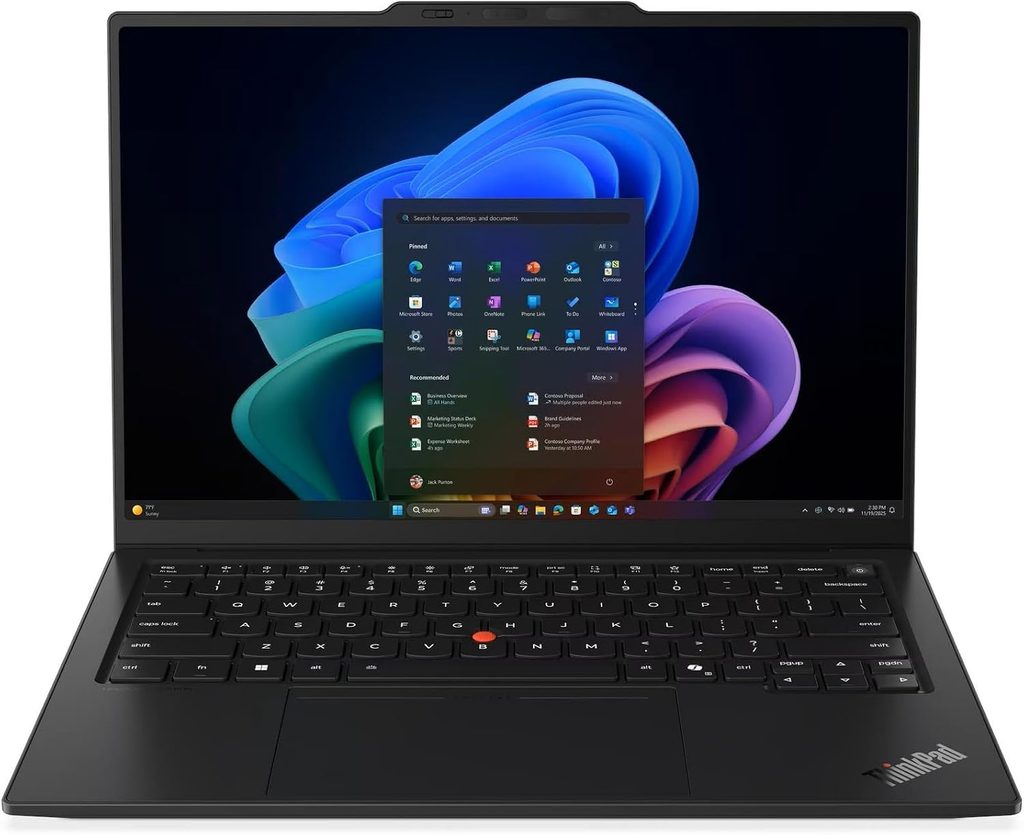
If I had to hand one laptop to a full-time freelance translator and walk away, it’d be this one. It isn’t the fastest here. But it nails the three things translators feel every single day: the keyboard, the battery and the screen comfort.
Key specs (as reviewed by Notebookcheck)
- CPU: Intel Core Ultra 5 325 (Panther Lake, 8 cores). Core Ultra 7 355 and Core Ultra X7 options are available.
- RAM: 32GB LPDDR5x-7467 standard across configurations, up to 64GB with Core Ultra X chips
- Storage: 512GB PCIe 4.0 SSD in the M.2-2280 slot, which also supports PCIe 5.0 drives
- Display: 14-inch 1920 x 1200 IPS touchscreen at 60Hz, with an optional 2.8K OLED at 120Hz
- Battery: 58Wh
- Ports: 3x Thunderbolt 4, USB-A, HDMI, 3.5 mm audio, optional 5G nano-SIM
- Wireless: Wi-Fi 7, Bluetooth 5.4
- Weight: 2.51 lb (1.139 kg) for the IPS touch model, 2.18 lb (989 g) for OLED
- Keyboard: 1.5 mm key travel, TrackPoint, haptic touchpad
What the lab numbers say
- Battery: Notebookcheck measured 23 hours 13 minutes in its Wi-Fi web test at 150 nits, and still 14 hours 14 minutes at full brightness. That’s the best result in this entire guide. The OLED version drops to about 13.5 hours at 150 nits.
- CPU: Geekbench 6 scored 2,620 single-core / 11,038 multi-core, and Cinebench 2024 scored 113.3 / 645 on the Core Ultra 5 325. The Gadgeteer’s Core Ultra 7 355 unit hit 2,621 / 11,211 in Geekbench 6.
- Office work: PCMark 10 scored 7,709. Notebookcheck’s LibreOffice test converted 20 documents to PDF in 43.6 seconds, faster than the office-class average of 57.2 seconds. This is exactly the kind of batch job translators run when delivering files.
- Display: The IPS panel averaged 524 nits with a 1,800:1 contrast ratio and 99.1% sRGB, and showed no PWM flicker. The catch is that factory calibration was poor (ΔE 5.0). Notebookcheck’s calibration fixed it but cost almost 100 nits.
- SSD: CrystalDiskMark measured 6,900 MB/s sequential read and 5,762 MB/s write.
- Noise and heat: Maximum fan noise was 38.9 dB(A). The keyboard top peaked at 40.7°C, but the palm rests stayed at 28.7°C, cooler than skin temperature.
Why I like it for translation work
That 1.5 mm keyboard is still one of the best you can buy on a thin laptop. The flicker-free IPS panel is gentle on the eyes for long editing sessions. And a 23-hour battery result means you can do a full day of proofreading at a café without hunting for an outlet. I’d skip the OLED unless you really want it: it cuts battery life almost in half, and Notebookcheck found it even grainier with bright content than the IPS.
Pros
- Class-leading battery life on the IPS model
- Superb 1.5 mm keyboard and TrackPoint
- IPS panel has no PWM flicker
- 32GB RAM standard, up to 64GB
- Excellent speakers for a business laptop
- Three Thunderbolt 4 ports, Wi-Fi 7, and optional 5G
Cons
- Poor out-of-box color calibration on the IPS panel
- Base IPS screen runs at only 60Hz
- RAM is soldered
- Oversized camera bump on the lid
- OLED option hurts battery life badly
2. ASUS Zenbook Duo (2026, UX8407): Best for Side-by-Side Source and Target Work
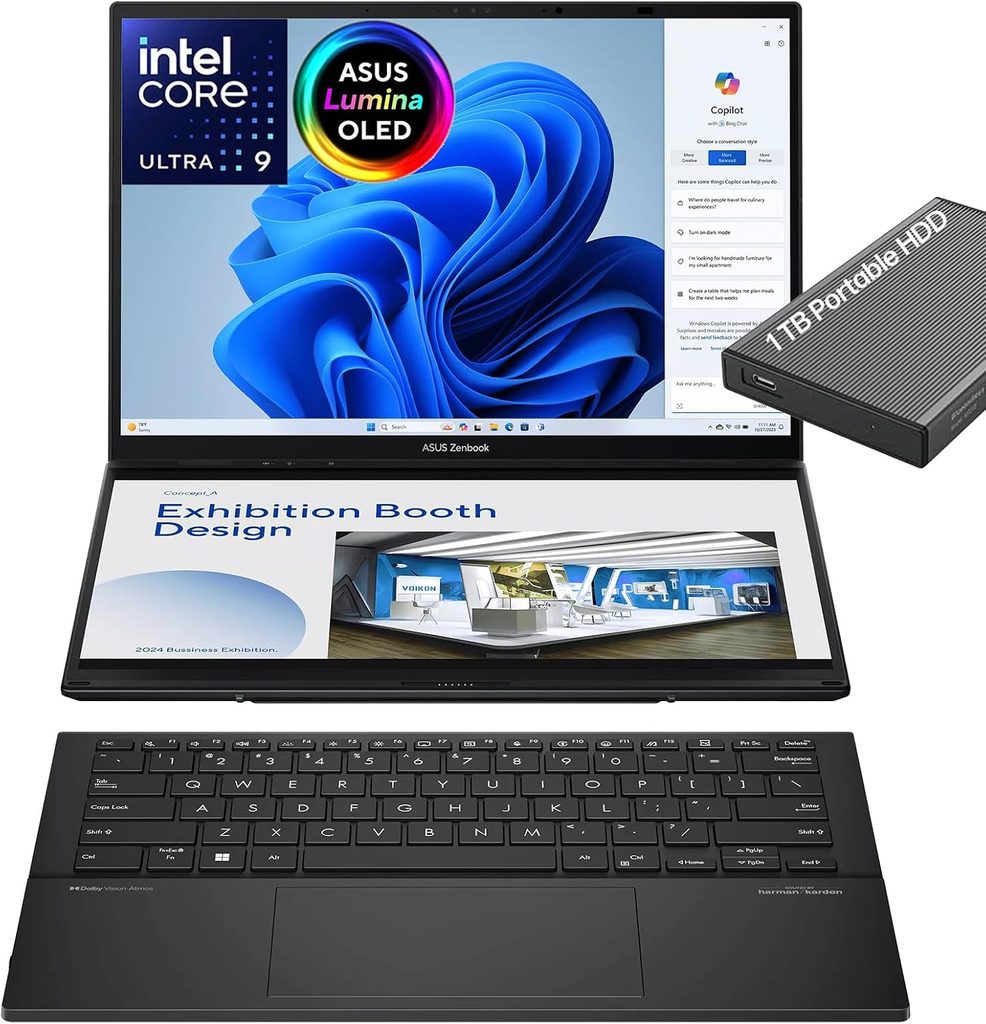
This is the laptop I’d recommend to translators who currently drag a portable monitor around. Two identical 14-inch OLED screens stacked vertically give you the source document on top and your CAT editor below, or your editor on one screen and reference material on the other. No other laptop here gives you that much usable workspace.
Key specs (top configuration)
- CPU: Intel Core Ultra X9 388H (16 cores) with Arc B390 graphics. The cheaper Core Ultra 9 386H version has a weaker iGPU.
- RAM: 32GB LPDDR5x-9600
- Storage: 2TB PCIe 4.0 SSD in a user-accessible M.2 2280 slot
- Displays: 2x 14-inch 2880 x 1800 OLED touchscreens at 144Hz with pen support
- Battery: 99Wh, the largest size airlines typically allow in a laptop
- Ports: 2x Thunderbolt 4, USB-A 10 Gbps, HDMI 2.1, 3.5 mm audio. There is no card reader.
- Wireless: Wi-Fi 7, Bluetooth 5.4
- Weight: 3.75 lb (1.7 kg); thickness 0.92 in (23.4 mm)
- Keyboard: detachable magnetic keyboard with 1.7 mm key travel
- In the box (top SKU): Asus Pen 3.0 and travel sleeve
What the lab numbers say
- Battery: Club386 recorded 21 hours 36 minutes in PCMark Modern Office in single-screen mode at 50% brightness. Gadget Pilipinas measured about 21 hours on one screen and about 14 hours with both screens active. That’s a full workday even when you use both displays.
- CPU: Notebookcheck measured Cinebench 2024 at 129.8 single / 1,172 multi, Cinebench R23 at 20,159 multi, and Geekbench 6 at 3,020 / 17,694. Club386 got Cinebench 2024 at 131 / 1,162. For comparison, the MacBook Pro 16 M5 Pro scored 2,347 multi-core in the same Notebookcheck Cinebench 2024 test.
- Display: Each panel averaged about 495 nits SDR, with 99.5% DCI-P3 and ΔE 1.6 out of the box. Response times are extremely fast. PWM flicker was detected at 720 Hz. That frequency is high enough that most sensitive users shouldn’t notice it, and ASUS offers a flicker-free OLED dimming mode in MyAsus.
- SSD: Tom’s Hardware’s 25GB file copy test ran at 1,531.30 MBps.
- Noise: Notebookcheck measured 32.2 dB(A) in Whisper mode, 39 dB(A) in Balanced, and 45.9 dB(A) in Performance mode. Whisper mode is my pick for quiet editing sessions.
Why I like it for translation work
The detachable keyboard is a hidden win. You can prop both screens up on the kickstand like a mini desktop and type from a comfortable distance. Notebookcheck called the 1.7 mm keyboard one of the best typing experiences on a 14-inch notebook. Screen sharing and mirroring software also make it handy for reviewing a translation with a client sitting across from you.
Pros
- Two full-size 3K 144Hz OLED screens, which is massive workspace for CAT work
- Huge 99Wh battery with over 20 hours on one screen in lab tests
- Excellent 1.7 mm detachable keyboard
- Strong Panther Lake performance with a powerful integrated GPU
- Pen and sleeve included on the top model
- Easily accessible SSD slot
Cons
- Thicker and heavier than a normal 14-inch laptop
- OLED panels use PWM, at 720 Hz
- No SD card reader
- RAM is soldered
- Tom’s Hardware flagged a lot of preinstalled software to remove
3. Apple MacBook Pro 16 (M5 Pro, 2026): Best Raw Power and Battery Combo
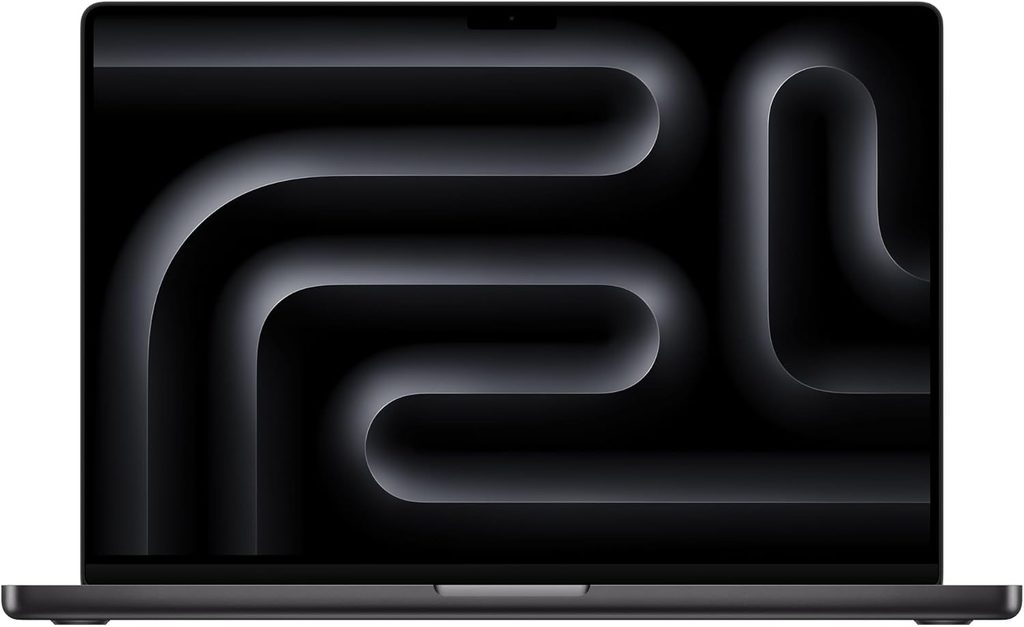
If your workflow is cloud-CAT based, or you’re a translator who also subtitles, edits video, or runs local AI models, this is the most powerful and most enduring laptop in the guide. I chose the 16-inch over the 14-inch deliberately. Notebookcheck found the 14-inch struggled to hold high power levels with the M5 Max, while the 16-inch M5 Pro ran its chip at full speed without throttling.
Key specs
- Chip: Apple M5 Pro with an 18-core CPU (6 super cores and 12 performance cores) and a 20-core GPU
- RAM: 24GB unified memory standard, configurable higher
- Storage: 1TB PCIe 5.0 SSD standard
- Display: 16.2-inch 3456 x 2234 Mini-LED (254 ppi), 120Hz ProMotion, with an optional nano-texture matte finish
- Battery: 99.6Wh
- Ports: 3x Thunderbolt 5, HDMI, SDXC card reader, MagSafe, 3.5 mm audio
- Wireless: Apple N1 chip with Wi-Fi 7 and Bluetooth 6
- Weight: 4.68 lb (2.121 kg)
What the lab numbers say
- Battery: TechRadar’s lab measured 21 hours 10 minutes in its web-surfing test. It called this the best-performing Apple laptop for battery life it has reviewed across the M3, M4 and M5 generations. CNN Underscored recorded 20 hours 12 minutes on a looping 4K video.
- CPU: Notebookcheck measured Geekbench 6 at 4,295 single / 28,436 multi, Cinebench 2024 at 201 / 2,347, and Cinebench 2026 at 738 / 9,481. That’s roughly double the multi-core throughput of the fastest Windows machine in this list.
- System responsiveness: CrossMark scored 2,725 and WebXPRT 4 scored 402, which puts it at the top of Notebookcheck’s charts. Heavy browser-based CAT tools benefit directly from this.
- SSD: Notebookcheck’s Blackmagic test hit 12,826 MB/s read / 12,812 MB/s write on a 4TB unit.
- Wi-Fi: iperf3 measured about 1.8 Gbps in both directions.
- Noise: Maximum was 41.6 dB(A) in the default Auto mode, and 51.7 dB(A) in High Power mode under full load. Notebookcheck described it as extremely quiet in everyday use.
- Display: Apple rates the Mini-LED panel at 1,000 nits SDR and 1,600 nits HDR peak. Notebookcheck praised the accurate colors and the optional matte panel, which is a big deal for translators working near windows. It also found no temporal dithering.
Why I like it (and when I don’t)
For multitaskers, this thing basically can’t be slowed down, and the battery lasts two workdays for many people. The six-speaker system is also excellent for transcription and audio-visual translation. But I have to be honest: Notebookcheck flagged constant PWM flickering, slow pixel response times, and only a 12-month warranty. And if your agencies require Trados Studio desktop, you’ll be living inside a Windows VM.
Pros
- By far the strongest multi-core performance in this guide
- Over 20 hours of battery life in two independent tests
- Optional nano-texture matte display
- Blazing PCIe 5.0 SSD
- Thunderbolt 5, HDMI, SD reader and Wi-Fi 7
- Excellent speakers and 12MP Center Stage webcam
Cons
- Trados and memoQ desktop aren’t native on macOS
- PWM flicker on the Mini-LED panel
- Heavy at 4.68 lb
- Only 12-month standard warranty
- Notebookcheck says the included 140W adapter can’t fully sustain peak load
- Expensive, especially with RAM upgrades
4. Samsung Galaxy Book6 Pro 16: Best Big, Thin Windows Screen
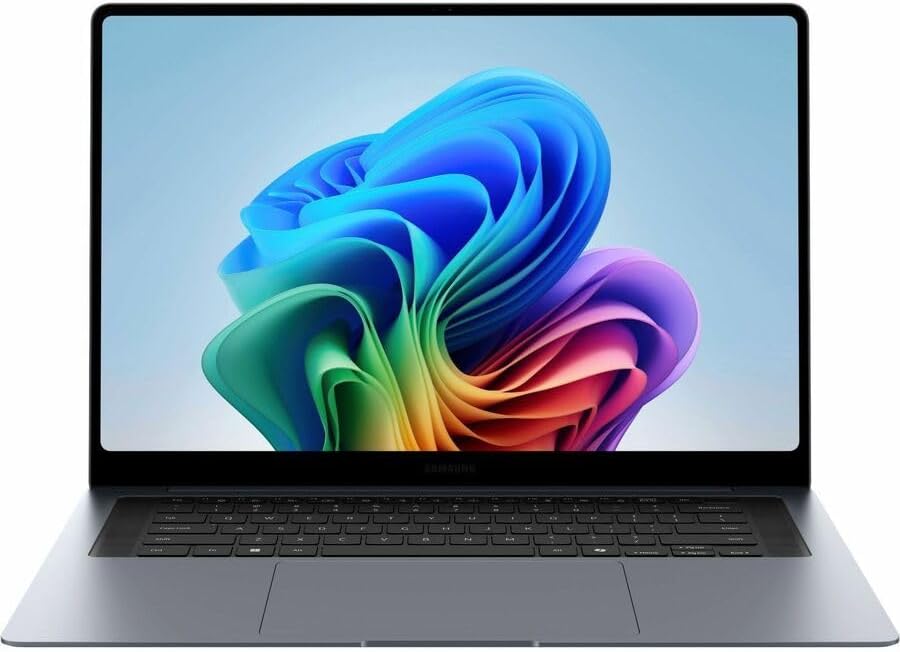
Want a 16-inch canvas for two documents side by side without carrying a brick? The Galaxy Book6 Pro 16 is surprisingly thin and light for its size. Its OLED screen is among the most accurate panels in this guide straight out of the box.
Key specs
- CPU: Intel Core Ultra 7 356H (16 cores) or Core Ultra X7 358H with Arc B390 graphics
- RAM: 32GB LPDDR5x-8533
- Storage: 1TB SSD on the retail model (Notebookcheck’s review unit had 512GB)
- Display: 16-inch 2880 x 1800 OLED touchscreen at 120Hz (variable 30–120Hz), rated up to 1,200 nits HDR
- Ports: 2x Thunderbolt 4/USB4, USB-A, HDMI, 3.5 mm audio. There’s no card reader.
- Wireless: Wi-Fi 7
- Weight: 3.52 lb (1.596 kg)
What the lab numbers say
- Display: Notebookcheck measured 513 nits maximum / 506.9 average in SDR, ΔE 1.0, and 98.3% DCI-P3. Those are excellent numbers for reference-document reading and any DTP work you do. The warning is PWM flicker at 240 Hz with a high amplitude at every brightness level. If you’re flicker-sensitive, try this one in a store first.
- CPU (Core Ultra X7 config, TechRadar): Geekbench 6 scored 2,880 / 16,837, Cinebench 2024 scored 121 / 995, Cinebench R23 multi scored 16,250, and CrossMark scored 2,125.
- SSD: TechRadar’s Blackmagic test measured 4,369 MB/s read / 3,371 MB/s write.
- Battery: TechRadar measured 14 hours in its movie-loop test, well short of Samsung’s 30-hour claim. Notebookcheck noted that some rivals with less impressive screens last longer.
- Noise and heat: Notebookcheck reported quiet fans and low temperatures.
Why I like it for translation work
Sixteen inches at 16:10 gives you real room for a CAT grid plus a reference PDF. The build is sleek aluminum, and Expert Reviews called it the best Windows alternative to the MacBook Pro 16 right now. The haptic touchpad is large, though TechRadar noticed occasional palm-triggered cursor movement.
Pros
- Big, bright, very color-accurate 16-inch OLED
- Thin and light for a 16-inch laptop
- Native Windows x86, so Trados and memoQ run without workarounds
- Quiet and cool under load
- Wi-Fi 7 and HDMI included
Cons
- 240 Hz PWM flicker could bother sensitive eyes during long text sessions
- Battery life is good but not class-leading
- Samsung removed the card reader and the numpad
- The Core Ultra 7 356H config has weak graphics
- Premium pricing
5. Dell XPS 14 (2026): Best for Travel-Heavy Translators and Interpreters
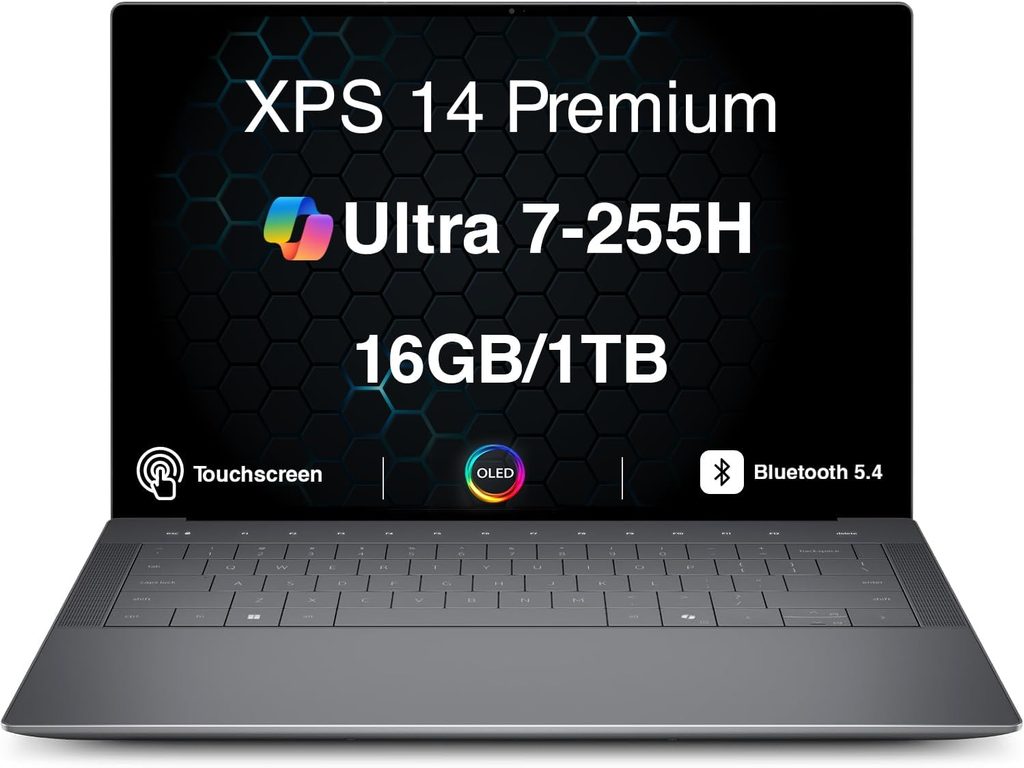
The XPS is back, and it’s a battery monster in its LCD configuration. If you’re a conference interpreter, a translator who works from airports, or someone who just hates chargers, look here. But read the keyboard section before you buy.
Key specs
- CPU: Intel Core Ultra 5 325, Core Ultra 7 355, or Core Ultra X7 358H (with Arc B390)
- RAM: 16GB to 64GB LPDDR5x
- Storage: 512GB to 1TB PCIe 4.0 SSD
- Display: 14-inch 1920 x 1200 LCD with 1–120Hz variable refresh, or a 2880 x 1800 tandem OLED touchscreen at 20–120Hz
- Battery: 70Wh with a 100W USB-C charger
- Ports: 3x Thunderbolt 4 and 3.5 mm audio. There’s no HDMI, USB-A or SD slot.
- Wireless: Wi-Fi 7, Bluetooth 6.0
- Webcam: 8MP HDR with IR for Windows Hello
- Weight: 3.0 lb (1.36 kg)
What the lab numbers say
- Battery: Tom’s Hardware recorded 20 hours 41 minutes on the LCD model. It called this the longest-running x86 laptop it had tested at the time. The OLED model managed 12 hours 23 minutes. RTINGS logged about 11 hours of light use and 8 hours of video playback on its OLED unit.
- CPU: Geekbench 6 scored 2,867 / 16,927 on the Core Ultra X7 and 2,685 / 7,964 on the Core Ultra 7 355. HandBrake 4K-to-1080p took 4:30 on the X7 and 6:45 on the Ultra 7.
- SSD: Tom’s Hardware’s 25GB file copy ran at 1,419.76 MBps on the 1TB drive and 1,730.36 MBps on the 512GB drive.
- Display: The LCD measured 466 nits and the tandem OLED 365 nits. The OLED covered 89.7% DCI-P3; the LCD covered 71.4%.
- Heat: Under a Cinebench 2026 stress run, the X7 model reached 91.5°F on the keyboard, 83.5°F on the touchpad, and 104.5°F at the hottest point on the bottom.
The honest keyboard warning
This is the one pick where I’d tell translators to pause. Dell quotes only 0.8 mm of key travel on a lattice-free layout. Tom’s Hardware’s reviewer, a fast touch typist, saw his accuracy drop from around 98% to 95%. Over a 5,000-word day, that means real extra corrections. The upside is that Dell brought back a physical function row, which is great for CAT shortcuts. My advice: buy it for travel days and pair it with an external keyboard at your desk.
Pros
- Over 20 hours of battery on the LCD model
- Light at 3.0 lb with a sturdy aluminum build
- Physical function row is back, which suits CAT shortcuts
- Good 8MP webcam and surprisingly strong speakers
- Strong Arc B390 graphics on the X7 config
Cons
- Very shallow 0.8 mm keyboard hurt typing accuracy in testing
- No HDMI, USB-A or SD card, so you’ll need a dongle
- OLED option is dim and shortens battery life a lot
- Adaptive charging can cap the battery at 80% by default, and changing it requires the BIOS
- Pricey for the base 16GB configuration
Head-to-Head: CPU Performance (Geekbench 6)
| Laptop (tested chip) | Single-Core | Multi-Core | Source |
|---|---|---|---|
| MacBook Pro 16 (M5 Pro 18-core) | 4,295 | 28,436 | Notebookcheck |
| Zenbook Duo 2026 (Core Ultra X9 388H) | 3,020 | 17,694 | Notebookcheck |
| Dell XPS 14 (Core Ultra X7 358H) | 2,867 | 16,927 | Tom’s Hardware |
| Galaxy Book6 Pro 16 (Core Ultra X7 358H) | 2,880 | 16,837 | TechRadar |
| ThinkPad X1 Carbon Gen 14 (Core Ultra 5 325) | 2,620 | 11,038 | Notebookcheck |
For plain translation work, even the ThinkPad’s number is more than enough. Multi-core headroom starts to matter when you’re batch-converting files, running local MT or AI models, aligning big TMs, or doing audio-visual work.
Head-to-Head: Battery Life
| Laptop | Result | Test Conditions | Source |
|---|---|---|---|
| ThinkPad X1 Carbon Gen 14 (IPS) | 23 h 13 min | Wi-Fi web surfing, 150 nits | Notebookcheck |
| Zenbook Duo 2026 | 21 h 36 min | PCMark Modern Office, one screen, 50% brightness | Club386 |
| MacBook Pro 16 (M5 Pro) | 21 h 10 min | Web surfing | TechRadar |
| Dell XPS 14 (LCD) | 20 h 41 min | Web, video and OpenGL mix, 150 nits | Tom’s Hardware |
| Galaxy Book6 Pro 16 | 14 h | Movie playback loop | TechRadar |
Head-to-Head: Display and Eye Comfort for All-Day Reading
| Laptop | Panel | Measured Brightness | PWM Flicker | Source |
|---|---|---|---|---|
| ThinkPad X1 Carbon Gen 14 | 14″ IPS, 1920×1200, 60Hz | 524 nits avg | None detected | Notebookcheck |
| Galaxy Book6 Pro 16 | 16″ OLED, 2880×1800, 120Hz | 506.9 nits avg | Yes, 240 Hz | Notebookcheck |
| Zenbook Duo 2026 | 2x 14″ OLED, 2880×1800, 144Hz | 495 nits avg | Yes, 720 Hz | Notebookcheck |
| Dell XPS 14 | 14″ LCD or tandem OLED | 466 nits (LCD) / 365 nits (OLED) | OLED may bother sensitive users | Tom’s Hardware, RTINGS |
| MacBook Pro 16 (M5 Pro) | 16.2″ Mini-LED, 3456×2234, 120Hz | Rated 1,000 nits SDR | Yes, constant | Notebookcheck, Apple rating |
If you get headaches or eye strain from long reading sessions, this table matters more than any benchmark. The ThinkPad’s IPS panel is the only one here that showed no flicker in testing.
Head-to-Head: Storage Speed
| Laptop | Result | Test | Source |
|---|---|---|---|
| MacBook Pro 16 (M5 Pro, 4TB) | 12,826 read / 12,812 write MB/s | Blackmagic 5GB | Notebookcheck |
| ThinkPad X1 Carbon Gen 14 (512GB) | 6,900 read / 5,762 write MB/s | CrystalDiskMark sequential | Notebookcheck |
| Galaxy Book6 Pro 16 | 4,369 read / 3,371 write MB/s | Blackmagic | TechRadar |
| Zenbook Duo 2026 (2TB) | 1,531.30 MBps | 25GB file copy | Tom’s Hardware |
| Dell XPS 14 (1TB) | 1,419.76 MBps | 25GB file copy | Tom’s Hardware |
Note that the last two rows use a real-world file copy test, which always reads lower than sequential benchmarks. Don’t compare them directly to the top three rows.
Head-to-Head: Ergonomics, Weight and Ports
| Laptop | Keyboard Notes | Weight | Card Reader | HDMI |
|---|---|---|---|---|
| ThinkPad X1 Carbon Gen 14 | 1.5 mm travel, TrackPoint | 2.18–2.51 lb | No | Yes |
| Dell XPS 14 | 0.8 mm travel, physical F-row | 3.0 lb | No | No |
| Galaxy Book6 Pro 16 | No numpad, large haptic pad | 3.52 lb | No | Yes |
| Zenbook Duo 2026 | 1.7 mm travel, detachable | 3.75 lb | No | Yes |
| MacBook Pro 16 (M5 Pro) | Well-regarded chiclet keyboard | 4.68 lb | Yes (SDXC) | Yes |
Which One Fits Your Workflow?
| Your Situation | My Pick | Why |
|---|---|---|
| Full-time freelancer on Trados or memoQ desktop | ThinkPad X1 Carbon Gen 14 | Native Windows, best keyboard, 23-hour battery, flicker-free IPS |
| Constantly comparing source and target, reviewing, post-editing MT | Zenbook Duo 2026 | Two full screens without a separate monitor |
| Cloud-CAT user who also subtitles, edits video or runs local AI | MacBook Pro 16 (M5 Pro) | Top performance plus over 20 hours of battery |
| Want one large screen at home and on the road, Windows-only | Galaxy Book6 Pro 16 | Accurate 16-inch OLED in a thin body |
| Conference interpreter or travel-heavy translator | Dell XPS 14 (LCD) | 20+ hours of battery at 3 lb; pair with an external keyboard at your desk |
Buying Tips I Wish Someone Had Told Me Earlier
- Pick the IPS or LCD screen if battery matters most. On both the ThinkPad and the XPS 14, the OLED option roughly halved lab battery life.
- Try the keyboard before you commit. A 1.7 mm keyboard and a 0.8 mm keyboard feel like different instruments after 10,000 keystrokes.
- Check for flicker sensitivity. If you’ve ever had eye strain from a phone or monitor, favor the ThinkPad’s IPS panel, or at least test OLED models in person.
- Budget for 32GB of RAM. It’s soldered on every model here.
- Confirm your CAT tool’s OS support, especially Windows on ARM if you plan to virtualize on a Mac.
- Add a dock or dongle if you choose the XPS 14. It has no HDMI or USB-A.
FAQ
What is the best laptop for translators in 2026?
For most professional translators, I recommend the Lenovo ThinkPad X1 Carbon Gen 14. It combines a 1.5 mm keyboard, a flicker-free IPS display option, native Windows support for Trados and memoQ, and over 23 hours of battery life in Notebookcheck’s Wi-Fi test.
Can I use a MacBook for translation work?
Yes, but Trados Studio and memoQ desktop are Windows applications. You’d need a Windows virtual machine or a browser-based CAT tool. If you already work in cloud CAT tools, the MacBook Pro 16 M5 Pro is an outstanding choice.
Is a dual-screen laptop worth it for translators?
If you regularly compare source and target texts or keep reference documents open, yes. The Zenbook Duo 2026 gives you two 14-inch 3K OLED screens and still lasted over 20 hours on one screen in lab testing.
How much RAM do translators need?
32GB is the sweet spot for a CAT tool, a large translation memory, dozens of browser tabs and video calls at once. Go for 64GB if you run local AI models or virtual machines.
Which laptop has the longest battery life for translators?
In published tests, the ThinkPad X1 Carbon Gen 14 with the IPS screen led with 23 hours 13 minutes. The Zenbook Duo 2026, MacBook Pro 16 M5 Pro and Dell XPS 14 LCD all passed 20 hours in their respective tests.
Do OLED screens cause eye strain?
Many OLED laptop panels dim using PWM flicker, which some people are sensitive to. In this group, the Galaxy Book6 Pro (240 Hz) and Zenbook Duo (720 Hz) both showed PWM, and Notebookcheck also flagged constant PWM on the MacBook Pro 16’s Mini-LED panel. The ThinkPad X1 Carbon’s IPS panel showed none.
Final Verdict
If you want one laptop that makes translation days easier, get the ThinkPad X1 Carbon Gen 14 with the IPS screen and 32GB of RAM. If you live in two documents at once, the Zenbook Duo 2026 is the most productive laptop layout you can buy. If you need maximum horsepower and your tools are cloud-based, the MacBook Pro 16 M5 Pro is untouchable on performance per watt. The Galaxy Book6 Pro 16 is the Windows big-screen pick, as long as flicker doesn’t bother you. And the XPS 14 is the traveler’s choice, provided you bring a better keyboard for desk days.
Sources
- Notebookcheck – Apple MacBook Pro 16 2026 Review (M5 Pro): https://www.notebookcheck.net/Apple-MacBook-Pro-16-2026-Review-M5-Pro-makes-one-of-the-best-multimedia-laptops-even-better.1245523.0.html
- Notebookcheck – Apple M5 Pro & M5 Max CPU Analysis: https://www.notebookcheck.net/Apple-M5-Pro-M5-Max-CPU-Analysis-M5-Max-is-not-much-faster-than-the-M4-Max.1246054.0.html
- TechRadar – MacBook Pro M5 Pro battery life lab results: https://www.techradar.com/computing/apples-latest-macbook-pro-surges-ahead-for-battery-life-but-with-one-disappointing-surprise
- CNN Underscored – MacBook Pro M5 14-inch and 16-inch review: https://www.cnn.com/cnn-underscored/reviews/macbook-pro-m5
- Notebookcheck – Lenovo ThinkPad X1 Carbon Gen 14 Review: https://www.notebookcheck.net/Flagship-business-laptop-with-almost-24-hours-of-battery-life-Lenovo-ThinkPad-X1-Carbon-Gen-14-Review.1332558.0.html
- The Gadgeteer – ThinkPad X1 Carbon Gen 14 Review: https://the-gadgeteer.com/2026/07/16/thinkpad-x1-carbon-gen-14-review/
- XDA Developers – ThinkPad X1 Carbon Gen 14 Aura Edition Review: https://www.xda-developers.com/review-thinkpad-x1-carbon-gen-14-aura-ediiton/
- Notebookcheck – Asus ZenBook Duo UX8407 Review: https://www.notebookcheck.net/Asus-ZenBook-Duo-UX8407-convertible-review-Intel-Panther-Lake-is-a-game-changer.1212285.0.html
- Club386 – Asus Zenbook Duo 2026 Review: https://www.club386.com/asus-zenbook-duo-2026-review/
- Tom’s Hardware – Asus Zenbook Duo (2026) Review: https://www.tomshardware.com/laptops/gaming-laptops/asus-zenbook-duo-2026-review
- Gadget Pilipinas – ASUS Zenbook DUO 2026 UX8407A4 Review: https://www.gadgetpilipinas.net/2026/04/asus-zenbook-duo-2026-ux8407a4-review/
- Notebookcheck – Samsung Galaxy Book6 Pro Review: https://www.notebookcheck.net/Samsung-Galaxy-Book6-Pro-Laptop-Review-Better-than-the-new-XPS-16.1257679.0.html
- TechRadar – Samsung Galaxy Book6 Pro Review: https://www.techradar.com/computing/laptops/samsung-galaxy-book6-pro-review
- Expert Reviews – Samsung Galaxy Book6 Pro Review: https://www.expertreviews.co.uk/technology/laptops/samsung-galaxy-book6-pro-review
- Tom’s Hardware – Dell XPS 14 (2026) Review: https://www.tomshardware.com/laptops/dell-xps-14-2026-da14260-review
- RTINGS – Dell XPS 14 (2026) Review: https://www.rtings.com/laptop/reviews/dell/xps-14-2026

Hi, my name is Burak. I am a mechanical engineer. I have been writing laptop reviews for the Engineering Laptops website since 2020. Please feel free to contact me if you have any questions.





