Estimated reading time: 14 minutes
Key Takeaways
- Selecting the best laptop for CSE engineering students in 2026 requires prioritizing RAM: 16GB minimum, with 24-32GB recommended.
- Budget options include the Acer Aspire 14 AI, while the ASUS Zenbook 14 OLED offers the best value with excellent specs.
- The Apple MacBook Air (M5) excels in battery life and performance, but students must consider software compatibility for Windows tools.
- For machine learning or gaming, the ASUS TUF Gaming A14 provides powerful performance, while the MacBook Pro 14 (M5) is the best premium choice.
- Buying the right laptop for your program’s needs will enhance your studies; always check for student discounts and future-proof your selection.
Table of contents
Let me guess. You’re starting (or surviving) a computer science engineering degree, your current laptop wheezes every time you open Android Studio, and everyone you ask gives you a different answer. If you’re wondering about the best laptop for CSE engineering students, you’re definitely not alone. Your cousin says “just get a MacBook.” Some guy on Reddit swears by ThinkPads. Your roommate says anything works because “real programmers use the cloud anyway.”
I’ve spent the last few weeks digging through spec sheets, benchmark data, and honest student feedback to cut through all that noise. Below are five laptops for 2026 — one for every budget, from “instant noodles for dinner” territory all the way up to “my internship paid well” territory.
But first, a quick reality check that will save you money.
What Actually Matters for a CS Degree (Hint: It’s Not the CPU)
Here’s the thing nobody tells you before you buy: almost any modern processor can compile your data structures homework. The real bottleneck in 2026 is RAM.
Open Chrome with 15 tabs of Stack Overflow, an IDE like IntelliJ or VS Code with a dozen extensions, a Docker container or two, and maybe a virtual machine for your operating systems course — and suddenly 8GB feels like trying to breathe through a straw. My honest advice:
- 16GB is the floor. Not the recommendation. The floor.
- 24–32GB is the sweet spot if you plan to touch machine learning, virtualization, or anything with “distributed” in the course name.
- 512GB SSD minimum. Between SDKs, datasets, VMs, and that one game you swear helps you relax, 256GB disappears fast.
- Battery life matters more than you think. Outlets in lecture halls are a battlefield. A laptop that survives a full campus day changes your life.
- A dedicated GPU is optional — unless you’re serious about ML or you game. More on that below.
One more thing worth knowing: the ongoing memory shortage has pushed laptop prices up across the board in 2026, and RAM upgrades cost more than they used to. That’s exactly why buying the right amount of memory upfront matters — several picks below have soldered RAM you can never upgrade.
Alright, let’s get to the laptops.
Best Laptops for CSE Engineering Students in 2026
1. Acer Aspire 14 AI — Best Budget Pick (~$650–$800)
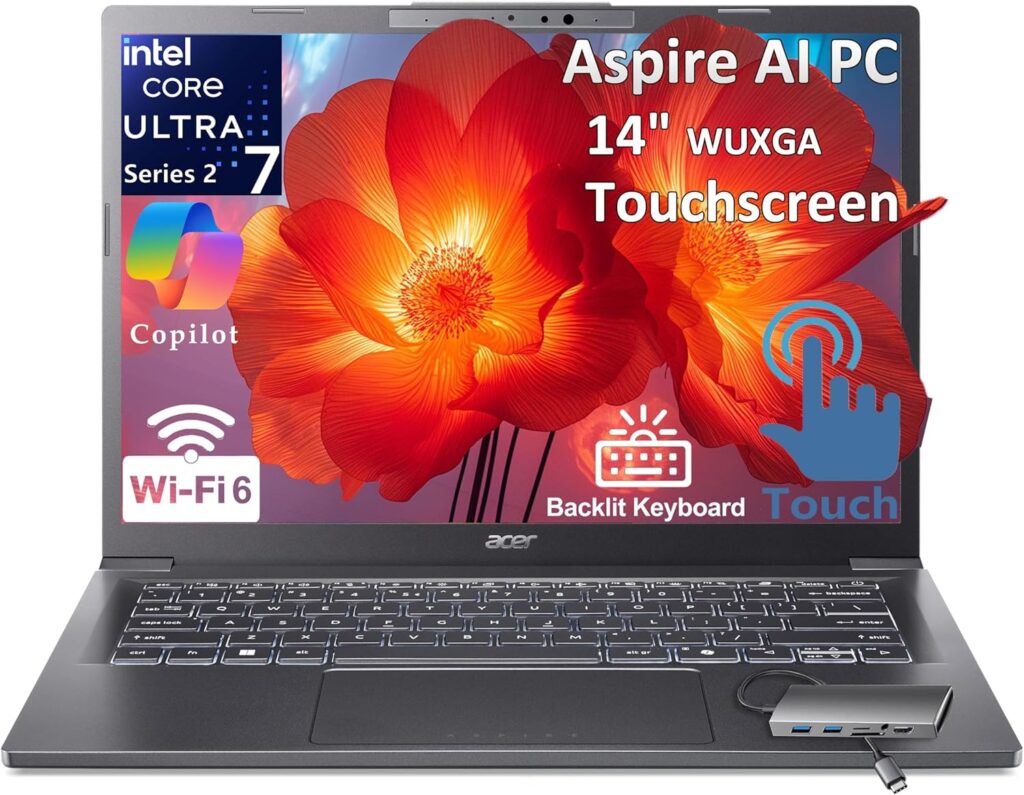
Every list needs a hero for the broke student, and this year it’s the Aspire 14 AI. Acer quietly turned this line into something genuinely good: an efficient Intel Core Ultra chip, a decent screen, and — miracle of miracles at this price — a full 16GB of RAM.
Key specs:
- CPU: Intel Core Ultra 5 226V (8 cores)
- RAM: 16GB LPDDR5X (soldered)
- Storage: 512GB NVMe SSD
- Display: 14″ WUXGA (1920×1200) IPS, touch on some configs
- Battery: ~65Wh, realistically 12–15 hours of light work
- Weight: ~1.45 kg (3.2 lbs)
- Ports: 2x Thunderbolt 4, 2x USB-A, HDMI, audio jack
Pros:
- 16GB RAM at a price where competitors still ship 8GB
- Outstanding battery life — genuinely lasts a full day of classes
- Thunderbolt 4 means you can dock it to a monitor setup later
- Quiet and cool during everyday coding
- Light enough that you’ll actually carry it
Cons:
- RAM is soldered — 16GB today is 16GB forever
- Integrated graphics only; ML training and gaming are off the menu
- The chassis is plastic and feels like it
- Speakers are… let’s call them “functional”
Who should buy it: First and second-year students, anyone on a tight budget, or someone who wants a cheap-but-capable machine and plans to SSH into beefier hardware for heavy work. It compiles code, runs WSL2 and Docker for coursework-sized projects, and won’t die at 2 PM. That’s 90% of what most students need.
2. ASUS Zenbook 14 OLED — Best Value (~$900–$1,100)
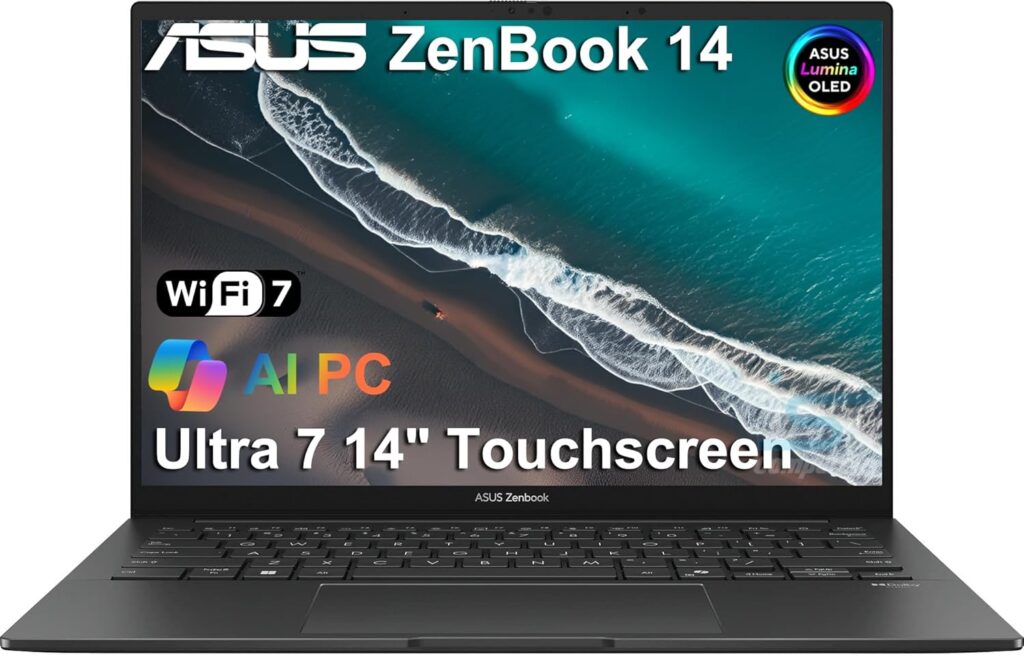
If you can stretch your budget a few hundred dollars, this is where the money goes furthest. The Zenbook 14 OLED has been the “smart student’s laptop” for a few generations now, and the 2026 model keeps the streak alive with a gorgeous OLED panel and, crucially, configurations with 24GB or 32GB of RAM.
Key specs:
- CPU: Intel Core Ultra 7 258V or AMD Ryzen AI 7 350 (depending on config)
- RAM: 24GB or 32GB LPDDR5X (soldered)
- Storage: 1TB NVMe SSD
- Display: 14″ 3K (2880×1800) OLED, 120Hz
- Battery: 75Wh, around 11–14 hours of real use
- Weight: ~1.2 kg (2.6 lbs)
- Ports: 2x Thunderbolt 4 / USB4, USB-A, HDMI 2.1, audio jack
Pros:
- That OLED screen. Once you code on it, TN panels physically hurt
- 32GB configs future-proof you for the entire degree
- 1TB storage means you’ll never play the “which VM do I delete” game
- Impressively light for what’s inside
- Great Linux compatibility if you want to dual-boot
Cons:
- OLED can theoretically burn in with static taskbars (rare in practice, but real)
- Soldered RAM again — choose your config wisely
- Fans get audible under sustained compile loads
- Glossy screen fights with sunny library windows
Who should buy it: Honestly? Most CS students. This is my “if you’re not sure, buy this” pick. The 32GB config handles virtualization courses, mid-size ML coursework via cloud notebooks, and every IDE known to humanity, and it’ll still feel fast at graduation.
3. Apple MacBook Air 13 (M5) — Best Overall (~$1,199–$1,399)
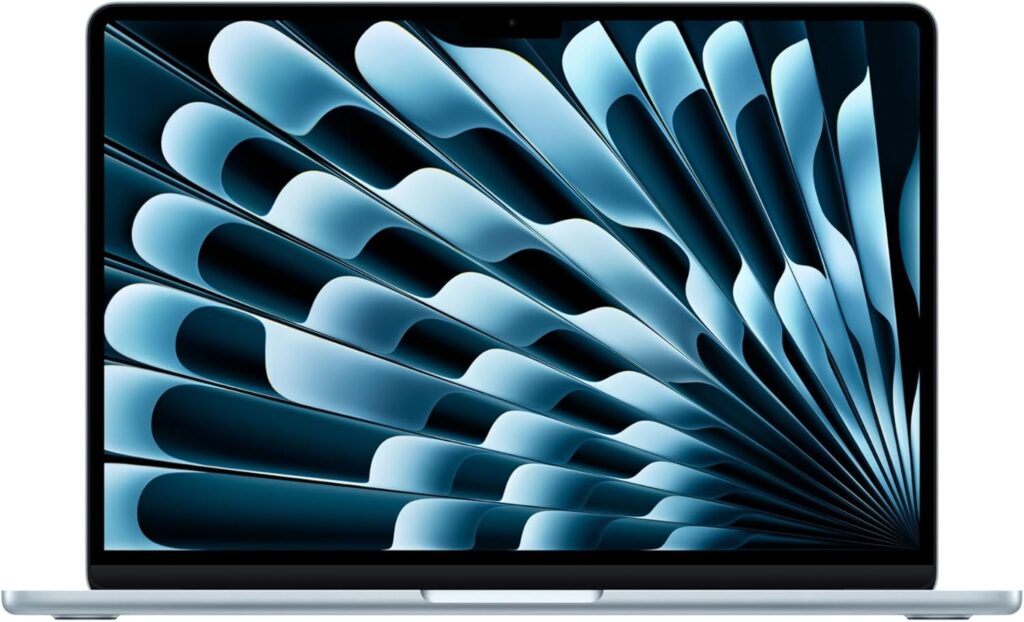
Yes, the cliché is true: half of every CS lecture hall glows with Apple logos. There’s a reason. The M5 MacBook Air is silent (literally — no fan), lasts forever on a charge, and macOS is Unix under the hood, which means your terminal works the way your servers will.
The big news for 2026: Apple finally made 16GB standard, and the M5 chip is comfortably ahead of anything else in this weight class for single-core speed — which is what most compiling and IDE work actually leans on.
Key specs:
- CPU: Apple M5 (10-core CPU, 10-core GPU)
- RAM: 16GB unified memory (24GB / 32GB optional)
- Storage: 256GB base (do yourself a favor: get 512GB)
- Display: 13.6″ Liquid Retina (2560×1664), 500 nits
- Battery: Realistically 15–18 hours. Not a typo.
- Weight: 1.24 kg (2.7 lbs)
- Ports: 2x Thunderbolt 4, MagSafe, audio jack
Pros:
- Battery life that makes chargers optional
- Completely silent — no fan exists to spin
- Native Unix environment; Homebrew, zsh, Docker, all first-class
- Insane resale value when you graduate
- The build quality embarrasses everything else at this price
Cons:
- Base 256GB storage fills up fast, and upgrades are pricey
- Some coursework (looking at you, .NET Framework legacy labs and certain FPGA tools) is Windows-only — you’ll need a VM or a lab machine
- Only two ports, both on the same side
- Zero upgradeability, ever
- 2026 price hikes made the upgrade tiers sting more than before
Who should buy it: Students who value portability and battery above all, anyone heading toward iOS/macOS development (Xcode requires a Mac, full stop), and people who just want the thing to work for four years without drama. Check your specific program’s software list first — a handful of engineering courses still demand Windows.
4. ASUS TUF Gaming A14 — Best for ML and Gaming (~$1,400–$1,600)
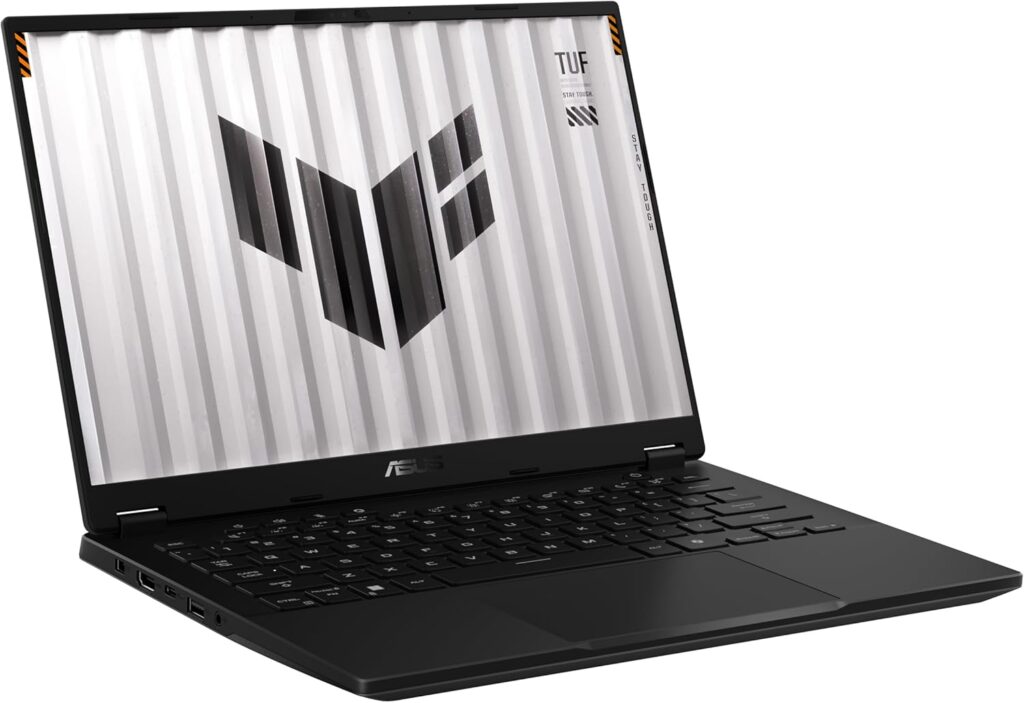
Somewhere around junior year, “machine learning” stops being a buzzword and starts being a syllabus. If you want to train models locally instead of babysitting Colab sessions that disconnect at the worst moment, you need NVIDIA silicon — and CUDA is still the toll road everything in ML runs on.
The TUF A14 is the rare gaming laptop that doesn’t look like it belongs on a spaceship and doesn’t weigh like an anvil.
Key specs:
- CPU: AMD Ryzen AI 9 HX 370 (12 cores / 24 threads)
- GPU: NVIDIA GeForce RTX 5060 (8GB GDDR7)
- RAM: 32GB DDR5 (one slot upgradeable on most configs)
- Storage: 1TB NVMe SSD (second slot available)
- Display: 14″ 2.5K (2560×1600) IPS, 165Hz
- Battery: 73Wh, about 8–10 hours of light work (far less while gaming, obviously)
- Weight: ~1.46 kg (3.2 lbs)
- Ports: USB4, USB-C 3.2, 2x USB-A, HDMI 2.1, audio jack
Pros:
- CUDA-capable GPU for local ML training and coursework
- 12-core CPU chews through parallel compiles and VMs
- Genuinely portable for a gaming laptop — 1.46 kg is wild
- Upgradeable RAM and a spare SSD slot (a dying breed of feature)
- Understated design that won’t raise eyebrows in a seminar
- And yes, it runs your games at high settings. Balance, people.
Cons:
- Battery life is “fine,” not MacBook-fine
- Fans announce themselves during training runs
- 8GB VRAM limits you to smaller models — fine for coursework, tight for serious research
- Thicker than the ultrabooks on this list
Who should buy it: Students specializing in AI/ML, game development, or graphics, plus anyone who wants one machine for both compiling and Counter-Strike. For coursework-scale model training, that RTX 5060 will save you countless hours versus CPU-only setups.
5. Apple MacBook Pro 14 (M5) — Premium Pick (~$1,799–$2,200)
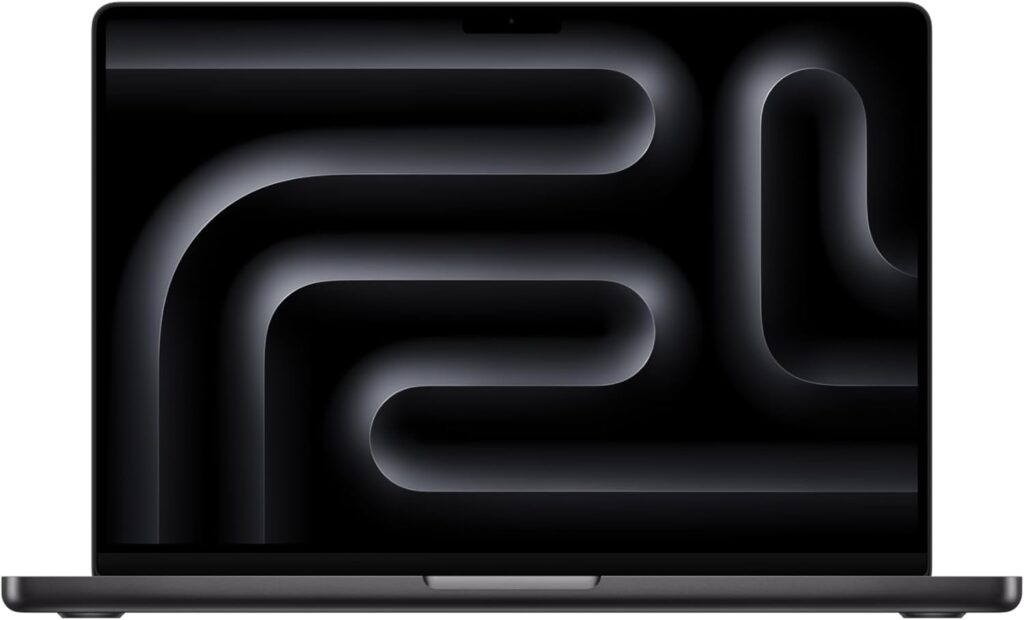
If budget genuinely isn’t the constraint, this is the endgame. The MacBook Pro 14 with the M5 chip is what happens when someone asks “what if the MacBook Air went to the gym?” Sustained performance under load, a mini-LED display that reviewers keep calling the best in any laptop, and battery life that borders on unreasonable.
Key specs:
- CPU: Apple M5 (10-core CPU, 10-core GPU, 16-core Neural Engine)
- RAM: 16GB base, configurable to 24GB or 32GB
- Storage: 512GB base, up to 4TB
- Display: 14.2″ Liquid Retina XDR (3024×1964), mini-LED, 120Hz ProMotion, 1600 nits peak
- Battery: Up to 22+ hours of video; realistically 14–17 hours of dev work
- Weight: 1.55 kg (3.4 lbs)
- Ports: 3x Thunderbolt 4, HDMI, SDXC card slot, MagSafe, audio jack
Pros:
- Active cooling means it holds peak performance through long compiles and training runs — the Air throttles, this doesn’t
- The XDR display is absurd. HDR, 120Hz, brighter than some desk lamps
- Actual ports! HDMI and an SD slot without a dongle!
- The M5’s Neural Engine accelerates on-device ML frameworks nicely
- Will comfortably outlast your degree — and possibly your first job
Cons:
- The price, obviously — and 2026’s memory-driven price bumps didn’t help
- Heavier than the Air; you’ll notice it after a semester of carrying
- Same macOS caveat: some niche engineering software wants Windows
- 32GB config pushes uncomfortably past $2,000
Who should buy it: Students who see this as a four-to-six-year investment, aspiring iOS developers, and anyone doing serious local development who refuses to compromise. If you’re going to spend eight hours a day staring at a screen, this is the screen to stare at.
Side-by-Side Comparison
| Laptop | Price Range | CPU | RAM | Storage | Display | Battery (real-world) | Weight |
|---|---|---|---|---|---|---|---|
| Acer Aspire 14 AI | $650–$800 | Core Ultra 5 226V | 16GB | 512GB | 14″ 1200p IPS | 12–15 hrs | 1.45 kg |
| ASUS Zenbook 14 OLED | $900–$1,100 | Core Ultra 7 / Ryzen AI 7 | 24–32GB | 1TB | 14″ 3K OLED 120Hz | 11–14 hrs | 1.2 kg |
| MacBook Air 13 (M5) | $1,199–$1,399 | Apple M5 | 16–32GB | 256GB–2TB | 13.6″ Retina | 15–18 hrs | 1.24 kg |
| ASUS TUF Gaming A14 | $1,400–$1,600 | Ryzen AI 9 HX 370 + RTX 5060 | 32GB | 1TB | 14″ 2.5K 165Hz | 8–10 hrs | 1.46 kg |
| MacBook Pro 14 (M5) | $1,799–$2,200 | Apple M5 | 16–32GB | 512GB–4TB | 14.2″ XDR 120Hz | 14–17 hrs | 1.55 kg |
Quick Buying Guide: How to Choose Yours
Start with your program’s software list. Before anything else, check which tools your university actually requires. If your curriculum leans on Visual Studio (the full Windows one, not VS Code), certain EDA tools, or legacy .NET, a Mac will make your life complicated. If it’s Python, Java, C++, and web stacks — which describes most modern CS programs — anything on this list works.
macOS vs. Windows vs. Linux, honestly:
- macOS gives you a Unix terminal out of the box, which mirrors the Linux servers your code will eventually run on. It’s the path of least friction for most development.
- Windows + WSL2 has become genuinely excellent. You get a real Linux kernel inside Windows, full Docker support, and compatibility with every piece of university software ever written. Don’t let anyone tell you Windows is a bad dev environment in 2026 — that take expired years ago.
- Native Linux is fantastic for learning and free of licensing headaches, but be ready to occasionally fight drivers and be that person who can’t open the proctored exam software.
Spend on RAM before anything else. A mid-range CPU with 32GB of RAM will feel faster in daily use than a flagship CPU with 16GB. Memory pressure is what makes laptops feel old.
Don’t ignore student discounts. Apple’s education store, ASUS and Acer student programs, and back-to-school promos routinely knock $100–$200 off. Also check whether your university has hardware partnerships — some do, and nobody tells freshmen about them.
Think about years three and four now. That “compiling Hello World” workload from your first semester becomes “running Kubernetes locally while training a model” by senior year. Buy for the degree, not the first semester.
Frequently Asked Questions
Is 16GB of RAM enough for computer science in 2026? For the first couple of years, yes — comfortably. For the full degree, it’s workable but you’ll feel the squeeze once containers, VMs, and ML coursework enter the picture. If your budget allows 24GB or 32GB, take it, especially on machines with soldered memory where there’s no second chance.
Do CS students really need a dedicated GPU? Most don’t. Compiling, web development, databases, and algorithms coursework couldn’t care less about your GPU. You need one if: (a) you’re specializing in machine learning and want to train locally, (b) you’re doing game or graphics development, or (c) you game in your downtime. Otherwise, cloud GPUs (Colab, Kaggle, university clusters) cover occasional needs for free.
MacBook or Windows laptop for programming? Both are excellent in 2026, and anyone who gives you an absolute answer is selling something. Choose Mac for battery life, the Unix environment, and iOS development. Choose Windows for software compatibility, gaming, upgradeability, and better price-to-performance. You will write the same code either way.
How much storage do I actually need? 512GB is the comfortable minimum. IDEs, SDKs, Docker images, datasets, and node_modules folders (a horror genre of their own) accumulate shockingly fast. 1TB means never thinking about it again. 256GB means a semester of storage-management anxiety.
Is a gaming laptop a good choice for CS? It can be a great one — powerful CPUs, dedicated GPUs, good cooling, and upgradeability. The trade-offs are battery life and weight. Modern 14-inch options like the TUF A14 have shrunk those downsides dramatically, which is exactly why one made this list.
Should I wait for prices to drop? Honestly, probably not this year. Memory prices have been climbing industry-wide, and manufacturers have been passing those costs along. If you find one of these picks at a good discount, that’s your signal.
The Bottom Line
If I had to compress this whole article into three sentences: buy the Zenbook 14 OLED with 32GB if you want the best all-rounder for the money. Buy the MacBook Air M5 if battery life and a friction-free Unix setup matter most. Buy the TUF A14 if machine learning or gaming is in your future.
And whichever you choose — the laptop is maybe 10% of the equation. The student typing on it is the other 90%. I’ve seen brilliant projects shipped from $500 machines and expensive laptops used exclusively for Netflix. Get the tool that removes friction from your work, then go do the work.
Good luck out there. The segfaults build character, I promise.

Hi, my name is Burak. I am a mechanical engineer. I have been writing laptop reviews for the Engineering Laptops website since 2020. Please feel free to contact me if you have any questions.