Estimated reading time: 6 minutes
Key Takeaways
- The ASUS Zenbook Duo offers a dual-screen setup that enhances multitasking capabilities, making it suitable for power users.
- It features dual 14″ 3K OLED displays, an Intel Core Ultra X9 processor, up to 32GB RAM, and a 99Wh battery.
- Although initially unconventional, users can adapt to its unique layout and find productivity benefits after some adjustment.
- The laptop’s solid performance, strong battery life, and extensive port selection make it a robust choice for content creators and engineers.
- However, it’s likely overkill for casual users who don’t need the extra screen space.
Table of contents
- Quick Specs: ASUS Zenbook Duo
- First Impressions: Different, But in a Good Way
- Dual Screens: Game-Changer or Overkill?
- Performance: Built for Real Work
- Battery Life: Surprisingly Solid
- Keyboard & Usability: Better Than You Think
- Ports & Connectivity: No Dongle Drama
- Who Should Actually Buy This?
- Pros and Cons
- Final Verdict: Is It Worth It?
- Final Thought
- FAQs
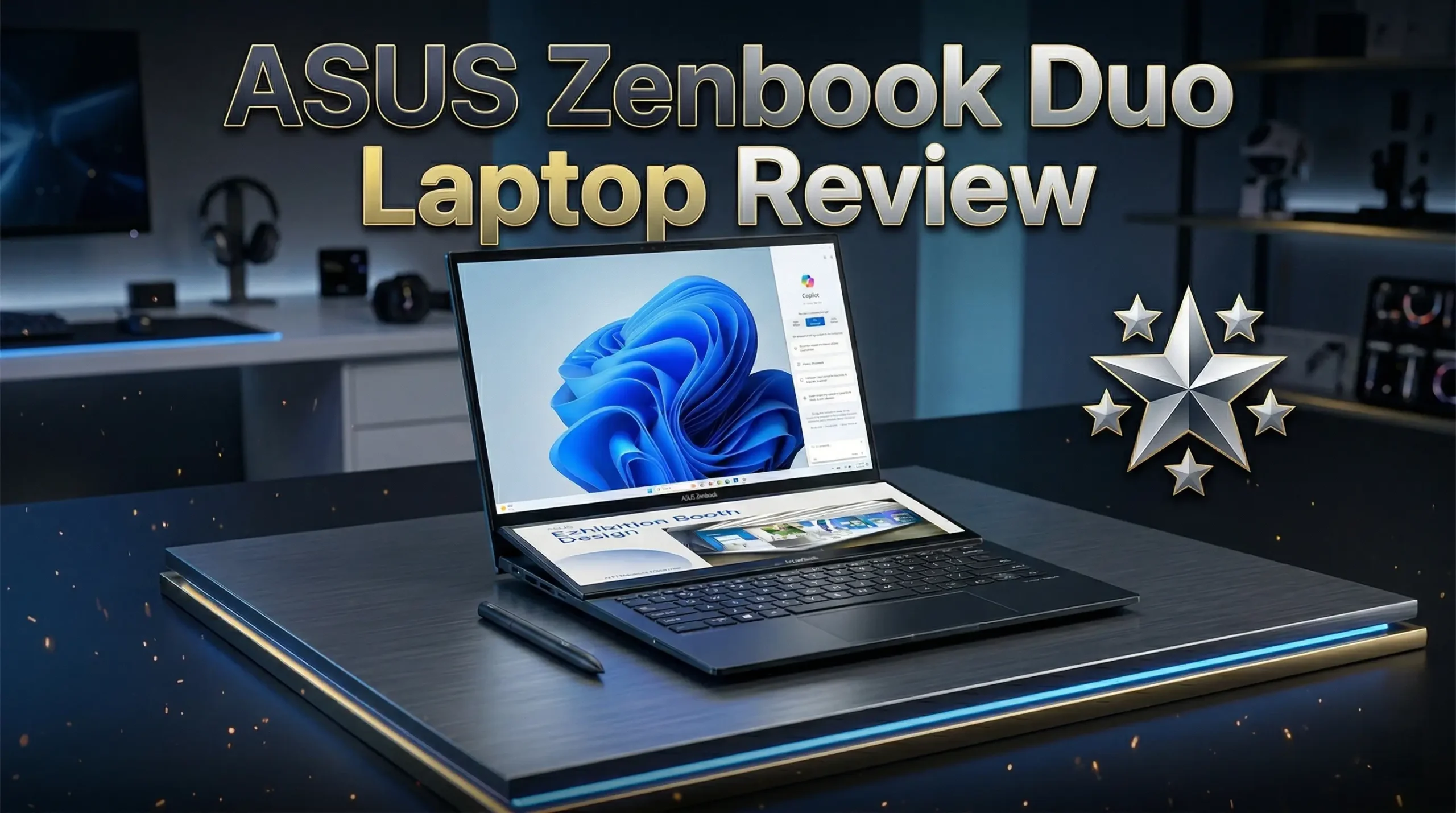
If you’ve ever wished your laptop had just a little more screen space, the ASUS Zenbook Duo might feel like a dream come true. In this ASUS Zenbook Duo Laptop Review, we’ll find out whether it is actually useful, or just another “cool idea” that sounds better on paper.
After spending time digging into what ASUS has done this year, I can tell you this — this isn’t a gimmick anymore. This is a serious machine built for people who live in multiple windows at once.
Purchase on Amazon or check availabilityQuick Specs: ASUS Zenbook Duo
| Feature | Specification |
|---|---|
| Display | Dual 14″ 3K OLED, 144Hz, touch |
| Processor | Up to Intel Core Ultra X9 Series 3 |
| RAM | Up to 32GB LPDDR5x |
| Storage | Up to 2TB SSD |
| Battery | 99Wh (dual battery system) |
| Weight | ~1.65 kg |
| Ports | 2x Thunderbolt 4, USB-A, HDMI 2.1, audio jack |
| Connectivity | Wi-Fi 7, Bluetooth 5.4 |
First Impressions: Different, But in a Good Way
The first thing you notice is obvious — two full-size screens. Not a tiny secondary strip, not a weird add-on… two real 14-inch displays stacked together.
And surprisingly? It doesn’t feel awkward.
ASUS clearly learned from earlier versions. The hinge is tighter, the gap between screens is smaller, and the whole thing feels more polished. It’s still a “different” laptop, but now it feels intentional, not experimental.
You can use it in multiple ways:
- Classic laptop mode
- Dual-screen vertical setup
- Desktop-style layout
- Sharing mode (great for meetings or presentations)
After a short adjustment period, it actually starts to feel natural.
Dual Screens: Game-Changer or Overkill?
Let’s be honest — this is the whole point of buying this laptop.
And yes, it can be a game-changer… but only if your workflow needs it.
Think about this:
- Writing something while reading sources? Perfect
- Editing video with timeline + preview? Way easier
- Coding with docs open below? Huge win
- Trading, data analysis, research-heavy work? You’ll love it
Both panels are:
- 3K resolution
- OLED (deep blacks, amazing colors)
- 144Hz (super smooth)
- Touch-enabled
It’s not just about having more space. It’s about how you use that space.
If you’re the type who constantly Alt-Tabs… this laptop fixes that problem almost instantly.
Performance: Built for Real Work
A dual-screen laptop is useless if it can’t keep up. Luckily, that’s not an issue here.
With up to Intel Core Ultra X9 Series 3 processors and 32GB RAM, this thing is clearly designed for heavy multitasking.
What does that mean in real life?
- Multiple Chrome tabs + apps → no slowdown
- Editing large files → smooth
- Creative workloads → very capable
- AI-based tools → faster thanks to built-in NPU
It’s not a gaming laptop, but it’s definitely a productivity beast.
Battery Life: Surprisingly Solid
This is where most people expect bad news… but ASUS actually delivers something impressive.
The Zenbook Duo packs a 99Wh battery, and despite having two OLED screens, it holds up pretty well.
You’re realistically looking at:
- Full workday with moderate use
- Less if you push both screens at full brightness
- More if you optimize settings
For a dual-screen device, that’s honestly better than expected.
Keyboard & Usability: Better Than You Think
The detachable keyboard is one of those things that sounds risky… but works better than expected.
You can:
- Snap it on for normal laptop use
- Remove it for full dual-screen mode
- Use it wirelessly when needed
It feels solid, not like a cheap accessory. That’s important.
Still, let’s be real:
There is a learning curve.
If you’ve only used traditional laptops your whole life, this setup will feel weird for a few days. But once it clicks, it’s hard to go back.
Ports & Connectivity: No Dongle Drama
ASUS didn’t go minimal here, thankfully.
You get:
- 2x Thunderbolt 4
- USB-A (yes, finally)
- HDMI 2.1
- Headphone jack
Plus Wi-Fi 7 support, which makes it future-ready.
No need to carry adapters everywhere — always a big win.
Who Should Actually Buy This?
Let’s keep it simple.
This laptop is perfect for:
- Content creators
- Developers
- Engineers
- Students (especially STEM)
- Remote workers juggling multiple apps
- Anyone who constantly multitasks
Maybe skip it if:
- You just browse, watch Netflix, and write emails
- You prefer simple, traditional laptops
- You don’t need extra screen space
This is a “power user” machine. If that’s not you, it might feel like overkill.
Pros and Cons
Pros
- True dual-screen experience (not a gimmick anymore)
- Stunning OLED displays (both of them)
- Strong performance for multitasking
- Solid battery for this category
- Great port selection
Cons
- Not for everyone
- Likely expensive
- Takes time to get used to
Final Verdict: Is It Worth It?
The ASUS Zenbook Duo is one of those rare laptops that actually changes how you work.
It’s not trying to be the safest option. It’s trying to be the most useful one for the right person.
If your daily workflow feels cramped on a single screen, this laptop can genuinely make your life easier.
But if you don’t need that extra space, you probably won’t fully benefit from what it offers.
Final Thought
Here’s something worth thinking about:
Would having two full screens actually make you more productive… or would it just look cool on your desk?
Be honest — because your answer to that question is exactly what decides if this laptop is perfect for you or completely unnecessary.
How To Getting the Most Out of the ASUS Zenbook Duo
Time needed: 5 minutes
A simple 3-step guide to help you quickly adapt to the ASUS Zenbook Duo and actually benefit from its dual-screen setup in real daily use.
- Set Up Your Dual-Screen Workflow
Take a few minutes to play around with the different modes (laptop, dual-screen, desktop). Find a layout that fits how you actually work — not just what looks cool. Once you get this right, everything else feels easier.
- Assign Each Screen a Purpose
Don’t just open random apps on both displays. Use one screen for your main task (writing, editing, coding) and the other for support (research, tools, chats). This simple habit makes a huge difference in productivity.
- Fine-Tune Settings for Comfort and Battery
Lower brightness when you don’t need it, tweak display settings, and adjust performance modes. Small changes here can give you longer battery life and a much more comfortable daily experience.
FAQs
At first, yeah — it feels different. But give it a couple of days and it starts to make sense. Once you build your own workflow, going back to a single screen can feel limiting.
Absolutely. Just attach the keyboard and use the top screen like any regular laptop. The second screen is there when you need it, not forced on you all the time.
That depends on how you work. If you’re always juggling multiple apps and windows, it can be a big upgrade. If not, you might not fully benefit from what it offers.

Hi, my name is Burak. I am a mechanical engineer. I have been writing laptop reviews for the Engineering Laptops website since 2020. Please feel free to contact me if you have any questions.





