Last updated: November 26, 2026
Table of contents
- Quick Picks: The 5 Best Minimalist Laptops Right Now
- Minimalist Laptops Compared at a Glance
- Is Every Pick Really the Newest Model?
- How I Picked and Ranked These Laptops
- 1. Apple MacBook Air 13 (M5) : Best Minimalist Laptop Overall
- 2. Dell XPS 13 (2026) : Best Minimalist Windows Laptop and Best Value
- 3. Asus Zenbook A14 (Snapdragon X2 Elite) : Lightest Laptop, Most Power per Gram
- 4. Microsoft Surface Laptop 13.8-inch (8th Edition) : Best Screen for Long Reading and Writing Days
- 5. Lenovo ThinkPad X1 Carbon Gen 14 : Best for Business Travel and One-Bag Living
- The Number Nobody Prints: Battery Hours per Pound
- Your Real Carry Weight: Laptop Plus Charger
- What You Can Live Without (and What You Really Can’t)
- How to Choose the Right Minimalist Laptop for You
- Frequently Asked Questions
- What is the best minimalist laptop in 2026?
- What is the best minimalist Windows laptop?
- Is there a fanless Windows laptop as good as the MacBook Air?
- Should I wait for the M6 MacBook Air?
- What’s the lightest laptop on this list?
- Is Windows on Arm (Snapdragon) ready for everyday use?
- Is 8GB of RAM enough for a minimalist laptop?
- Which minimalist laptop has the best battery life?
- Final Verdict: Own Less, Get More
- Sources
Here’s something that stopped me cold while I was digging through this year’s lab numbers. The MacBook Air, the laptop everyone pictures the second they hear the word “minimalist,” is not the lightest thing you can put in your bag. Add the charger, and it’s actually one of the heavier kits on this list. A $699 Windows laptop beats it.
That little discovery sums up why I wrote this guide. “Thin” and “minimalist” are not the same thing, and most laptop roundups treat them like they are.
So try this for a second. Picture the bag you carry every day. Now pull out the chunky power brick. Pull out the dongle pouch and the spare cable you keep “just in case.” Mute the fan that whirs every time you open a few browser tabs in a quiet library. Close the pop-up begging you to renew an antivirus trial you never asked for.
What’s left? One slim slab, one small charger, and a computer that gets out of your way so you can actually think. That’s what a minimalist laptop is supposed to feel like.
It sounds easy. It’s not. Every gram a company shaves off, every port it cuts, and every decibel it silences costs something somewhere else. Battery, heat, speed, price. Somebody always pays.
The short answer: the best minimalist laptop you can buy right now is the Apple MacBook Air 13 (M5). It has no fan at all, ships with a 30W charger about the size of a cookie in its base configuration, and lasted 16 hours and 11 minutes in Notebookcheck’s Wi-Fi battery test. If you need Windows, the 2026 Dell XPS 13 is the cleanest PC I can recommend. It weighs 2.34 pounds, has exactly two USB-C ports, and starts at $699.
By the end of this guide, you’ll know three things. Which of these five laptops fits your life. What you can safely live without. And the one number almost no review prints: how many hours of battery you get for every pound you carry.
Quick Picks: The 5 Best Minimalist Laptops Right Now
- Best minimalist laptop overall: Apple MacBook Air 13 (M5)
- Best minimalist Windows laptop and best value: Dell XPS 13 (2026)
- Lightest laptop and most power per gram: Asus Zenbook A14 (Snapdragon X2 Elite)
- Best screen for long reading and writing days: Microsoft Surface Laptop 13.8-inch (8th Edition)
- Best for business travel and one-bag living: Lenovo ThinkPad X1 Carbon Gen 14
Minimalist Laptops Compared at a Glance
| Laptop | Chip (as reviewed) | Weight | Thickness | Display | Wi-Fi battery (Notebookcheck, 150 nits) | Geekbench 6 multi-core | Ports | Starting price | Minimalism Score |
|---|---|---|---|---|---|---|---|---|---|
| Apple MacBook Air 13 (M5) | Apple M5, 10-core CPU | 2.71 lb (1.23 kg) | 0.44 in | 13.6″ 2560×1664 IPS, 60Hz | 16h 11m | 17,072 | MagSafe, 2x Thunderbolt 4, 3.5mm | $1,099 | 8.7/10 |
| Dell XPS 13 (2026) | Intel Core 5 320 / Core Ultra 7 355 | 2.34 lb (1.06 kg) | 0.5 in | 13.4″ 2560×1600 IPS touch, 120Hz | 18h 26m (Core 5) / 15h 18m (Core Ultra 7) | 7,888 (Core 5) | 2x USB-C | $699 | 8.3/10 |
| Asus Zenbook A14 (2026) | Snapdragon X2 Elite X2E-88-100 | 2.19 lb (992 g) | 0.63 in | 14″ 1920×1200 OLED, 60Hz | 16h 6m | 20,325 | 2x USB4, USB-A, HDMI, 3.5mm | $1,149 | 7.8/10 |
| Microsoft Surface Laptop 13.8 (8th Ed.) | Snapdragon X2 Plus X2P-64-100 | 2.95 lb (1.34 kg) | 0.69 in | 13.8″ 2304×1536 IPS touch, 120Hz | 18h 54m | 14,277 | 2x USB4, USB-A, 3.5mm, Surface Connect | $1,599 | 7.5/10 |
| Lenovo ThinkPad X1 Carbon Gen 14 | Intel Core Ultra 5 325 / Core Ultra 7 355 | 2.15 lb OLED / 2.51 lb IPS | 0.6 to 0.66 in | 14″ IPS 60Hz or 2880×1800 OLED 120Hz | 23h 12m (IPS) | 11,107 (Core Ultra 7, Tom’s Hardware) | 3x Thunderbolt 4, USB-A, HDMI, 3.5mm | $2,032 | 7.3/10 |
Geekbench scores are Notebookcheck’s unless noted otherwise. Prices are starting prices at the time the reviews were published and can shift with sales.
Is Every Pick Really the Newest Model?
Yes. I checked this carefully, because nothing goes stale faster than a laptop list. Here’s where each one stands as of late November 2026:
- MacBook Air 13 (M5) is Apple’s current Air. It launched in March 2026. Bloomberg’s Mark Gurman has reported that an M6 Air is expected in spring 2027, but Apple hasn’t announced anything, so the M5 is the one to buy today.
- Dell XPS 13 (DX13260) is the completely redesigned 2026 model. It shipped first with Intel’s Core Series 3 “Wildcat Lake” chips, and the Panther Lake Core Ultra 7 version followed in November.
- Asus Zenbook A14 (UX3704NA) is the 2026 refresh with Qualcomm’s second-generation Snapdragon X2 Elite. It replaces the 2025 Snapdragon X models.
- Surface Laptop 13.8-inch (8th Edition) went on sale in June 2026 with Snapdragon X2 chips. It replaces the 7th Edition.
- ThinkPad X1 Carbon Gen 14 is Lenovo’s 2026 flagship on Intel Panther Lake. It replaces Gen 13.
How I Picked and Ranked These Laptops
I want to be straight with you about how this guide was built, because I think you deserve to know where the numbers come from.
I didn’t build my own benchmark lab for this piece. Instead, I gathered the measured results that established review labs have published, cross-checked them against each other, and built my picks on top of that data. Notebookcheck, Tom’s Hardware, Tom’s Guide, XDA Developers, 91mobiles and Galaxus did the instrument work. Every number below is credited to the outlet that measured it.
Here’s what I looked at, and why each one matters if you care about a calm, simple setup:
- CPU performance: Geekbench 6 and Cinebench 2024 and 2026 scores, mostly from Notebookcheck and Tom’s Hardware.
- Graphics: 3DMark Steel Nomad, Steel Nomad Light and Time Spy.
- Display quality: brightness in nits, sRGB and DCI-P3 coverage, Delta E color accuracy and PWM flicker. Notebookcheck measures with an X-Rite i1Pro 3 and CalMAN software.
- Battery life: Notebookcheck’s Wi-Fi browsing test at 150 nits is my main yardstick, backed by Tom’s Hardware’s and Tom’s Guide’s own 150-nit tests.
- Heat and noise: surface temperatures and fan noise under stress.
- Storage speed: Blackmagic Disk Speed Test, DiskSpd and CrystalDiskMark results.
One rule I stuck to: different labs run different tests, so I never put one lab’s battery number next to another lab’s as if they were the same thing. When I compare laptops side by side, I use results from the same outlet.
What “minimalist” means in this guide: my Minimalism Score
A thin laptop isn’t automatically a minimalist one. So I scored every pick out of 10 on five things that actually make daily life feel lighter:
| Criterion | Weight | What I’m asking |
|---|---|---|
| Carry weight | 25% | How heavy is the laptop, and how heavy is the charger you have to bring? |
| Silence | 20% | Is there a fan, and how often will you hear it? |
| Ports and charger simplicity | 20% | Fewer, smarter ports and a smaller charger mean less to carry and think about. |
| Design cleanliness | 20% | Notches, camera bumps, logos, finish, and how calm the keyboard deck looks. |
| Software calm | 15% | How much preinstalled clutter, trialware and nagging shows up out of the box? |
This is my own editorial framework, not a lab measurement. I show the full breakdown for every laptop so you can see my reasoning and disagree with me if your priorities are different.
1. Apple MacBook Air 13 (M5): Best Minimalist Laptop Overall
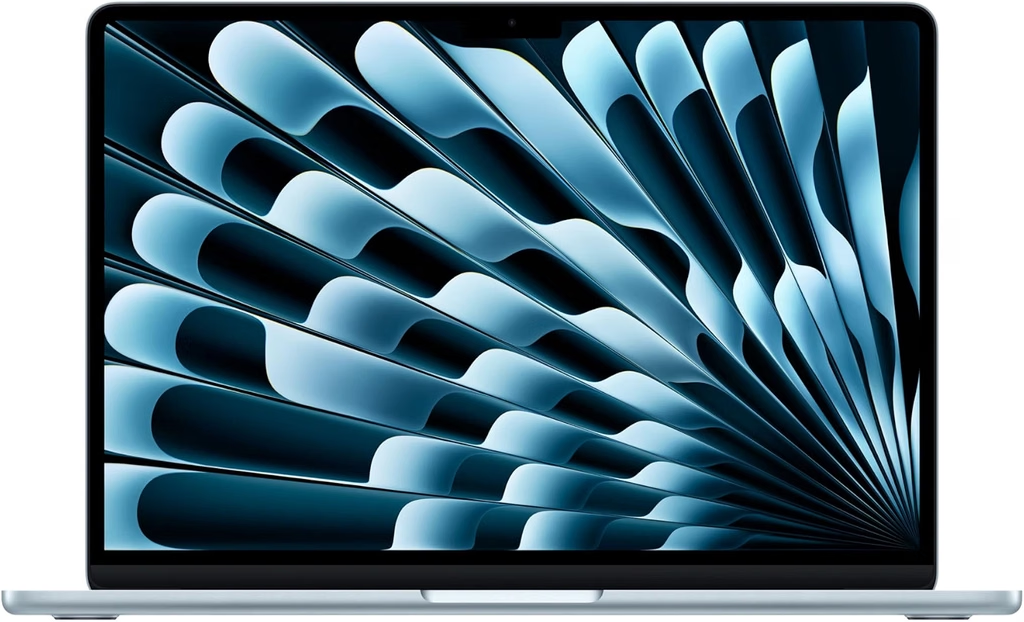
Minimalism Score: 8.7/10
If minimalism means a computer that never asks for your attention, the MacBook Air is still the one everything else gets measured against. There’s no fan, so there’s literally nothing to hear. The charger is tiny. The ports are few but fast. And the M5 is so efficient that most days you’ll forget you’re even on battery.
Key specs
- Chip: Apple M5, 10-core CPU (4 performance + 6 efficiency cores), 8-core GPU on the base model, 10-core GPU optional
- Memory: 16GB unified memory standard
- Storage: 512GB SSD standard, up to 4TB
- Display: 13.6-inch Liquid Retina IPS, 2560 x 1664, 60Hz, True Tone
- Ports: MagSafe 3, 2x Thunderbolt 4 (USB-C), 3.5mm headphone jack
- Wireless: Apple N1 chip with Wi-Fi 7 and Bluetooth 6
- Battery: 53.8Wh
- Charger: 30W on the base model (167 g, weighed by Notebookcheck); some configurations ship with a 40W adapter
- Weight: 2.71 lb (1.23 kg)
- Dimensions: 11.97 x 8.46 x 0.44 inches
- Price: from $1,099
Benchmarks and lab results
CPU performance. Notebookcheck recorded 4,185 single-core and 17,072 multi-core in Geekbench 6. Tom’s Hardware landed almost exactly on the same spot: 4,168 and 17,067. In Notebookcheck’s Cinebench 2024 run, the Air hit 200 points single-core, the highest single-core score of any laptop in this guide, and 957 multi-core. Notebookcheck went as far as calling the M5 “the fastest single core processor you can buy.”
Sustained load, the honest catch. No fan means the chip has to slow down when it gets hot. In Tom’s Hardware’s Cinebench 2026 stress loop, the Air started at 3,415 points and gradually settled in the low 2,300s. Notebookcheck lists the M5’s short-burst power limit at 24W and its sustained limit at 9W. Put simply, the Air sprints brilliantly and then jogs. Tom’s Hardware timed a 4K-to-1080p Handbrake transcode at 4 minutes 41 seconds, while the fan-cooled M5 MacBook Pro did it in 3:31.
Graphics. With the 10-core GPU, Tom’s Hardware measured 1,005 points in 3DMark Steel Nomad.
Storage. In Notebookcheck’s Blackmagic Disk Speed Test, the 512GB base model reached 6,473 MB/s read and 6,559 MB/s write. That’s more than double what the M4 Air managed. Tom’s Hardware’s 25GB file copy ran at 1,925 MBps.
Display. Notebookcheck measured 546 nits peak and 519 nits average, a 1,437:1 contrast ratio, 98.1% Display P3 and 98.6% sRGB coverage, and no PWM flicker. Out of the box, Delta E was 2.1 with a slightly cool 7,127K white point. After calibration it dropped to 0.9.
Battery. Notebookcheck’s Wi-Fi test at 150 nits ran 16 hours 11 minutes, and 6 hours 39 minutes at full brightness. Tom’s Hardware’s mixed test came in at 15 hours 28 minutes.
Heat. Even under Tom’s Hardware’s stress test, the keyboard center reached 105.1°F, the touchpad 96°F, and the hottest spot underneath 107.9°F. Warm, sure, but never uncomfortable on your lap.
What I love
The Air is the closest thing to a “nothing” computer I know of. The Tom’s Hardware reviewer typed 114 words per minute at 98% accuracy on its keyboard, and Apple’s haptic trackpad is still one of the best you can put your fingers on. But here’s the part that wins me over as a minimalist: a 167-gram charger and a laptop that never makes a sound. Notebookcheck gave it a 92% rating and singled out its price-to-performance ratio as almost impossible to beat.
What bugs me
There’s still a notch cut into the top of the screen. The display is still stuck at 60Hz in 2026, which feels a little stubborn at this price. RAM and SSD are soldered, the standard warranty is one year, and there’s no Face ID. Two USB-C ports is plenty for a minimalist, but only if you’ve already made peace with living that way.
Pros
- Completely silent, fanless design
- Best single-core performance in this guide (Geekbench 6: about 4,185)
- Small 30W charger on the base model, plus MagSafe so both USB-C ports stay free
- About 16 hours in Notebookcheck’s Wi-Fi battery test
- Very fast SSD (about 6.5 GB/s) and 16GB/512GB as the starting point
Cons
- Slows down under long, heavy loads (Cinebench 2026 drops from 3,415 to about 2,300)
- 60Hz display with a notch
- Nothing can be upgraded later
- Only two USB-C ports
Minimalism Score breakdown
| Criterion | Score | Why |
|---|---|---|
| Carry weight | 7 | 2.71 lb is light, but not the lightest here. The charger is tiny. |
| Silence | 10 | No fan at all |
| Ports and charger | 9 | MagSafe, 2x Thunderbolt 4, headphone jack, small brick |
| Design cleanliness | 9 | Beautiful unibody, minus the notch |
| Software calm | 9 | No third-party trialware out of the box |
Who should buy it: anyone who doesn’t need Windows. Students, writers, designers, and people who just want to open a laptop and start working.
Should you wait for the M6? If your current laptop is still doing its job, it’s worth keeping an eye on. Bloomberg’s Mark Gurman has reported that the next Air is expected in spring 2027, and so far the rumors point mainly to a chip upgrade rather than a redesign. That’s a report, not a promise. If you need a laptop now, the M5 is a very safe buy.
2. Dell XPS 13 (2026): Best Minimalist Windows Laptop and Best Value
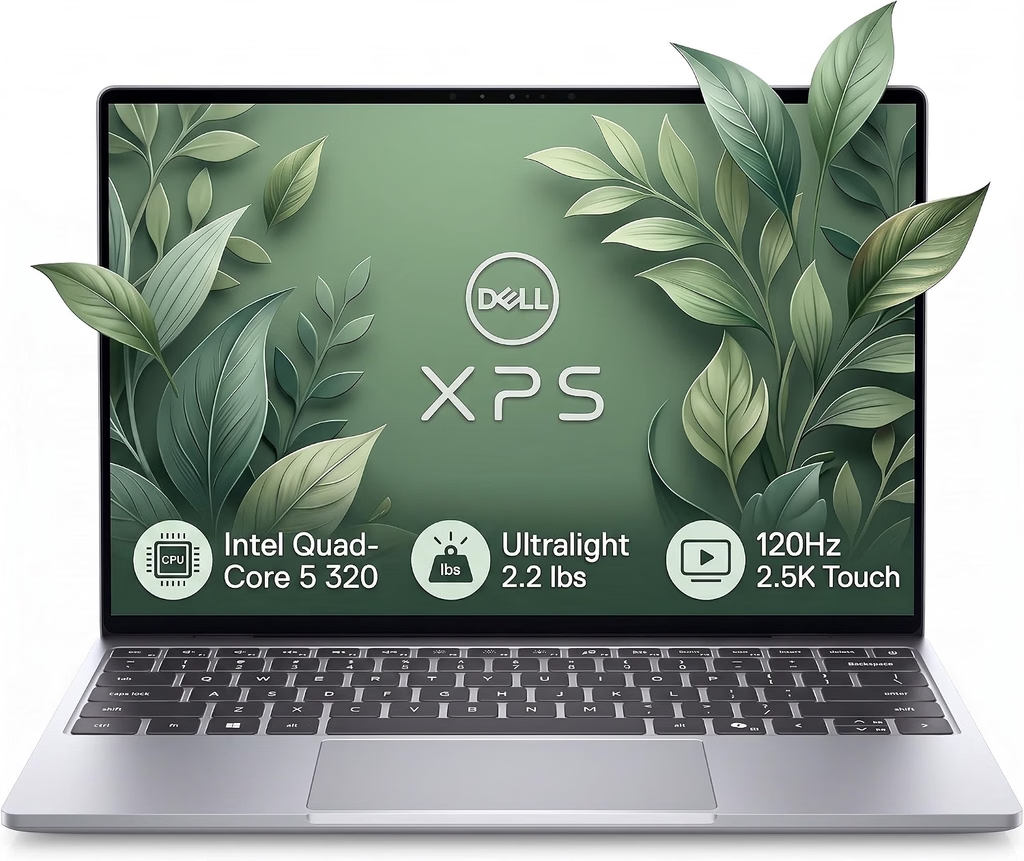
Minimalism Score: 8.3/10
This one is the surprise of the year. Dell tore up the old XPS 13 and rebuilt it smaller, lighter and a whole lot cheaper. What came out is the purest minimalist Windows laptop I’ve come across: two USB-C ports, a crisp 120Hz touchscreen, and a body that weighs less than the MacBook Air.
Key specs
- Chip: Intel Core 5 320 “Wildcat Lake” (6 cores) on the base model, or Intel Core Ultra 7 355 “Panther Lake” (8 cores)
- Memory: 8GB (base) or 16GB, up to 32GB on Core Ultra models, soldered
- Storage: 256GB to 1TB, removable M.2 2242 SSD
- Display: 13.4-inch 2560 x 1600 IPS touchscreen, 30 to 120Hz variable refresh, matte
- Ports: 2x USB-C (USB-C 3.2 Gen 2 on Core 5 models, Thunderbolt 4 on Core Ultra models); Notebookcheck lists no headphone jack
- Wireless: Wi-Fi 7, Bluetooth 6
- Battery: 52Wh
- Charger: 166 g (weighed by Notebookcheck)
- Weight: 2.34 lb (1.062 kg) Core 5; 2.35 lb (1.066 kg) Core Ultra 7
- Thickness: 0.5 in (12.7 mm)
- Price: $699 for Core 5 with 8GB, about $1,000 for Core 5 with 16GB, $1,800 for Core Ultra 7 with 16GB and 1TB
Benchmarks and lab results
CPU performance. Notebookcheck measured the Core 5 320 at 2,575 single-core and 7,888 multi-core in Geekbench 6, and 6,197 in Cinebench R23 multi-core. In everyday terms, that’s comfortable for browsers, documents and streaming, but it isn’t a workhorse. The Core Ultra 7 355 version scored 2,021 in Cinebench 2026 multi-core and 470 single-thread. Notebookcheck found it can be up to about 50% faster than the Core 5 in short bursts, but that lead shrinks to just 7 to 10% under long, sustained loads, because the slim chassis can’t hold turbo speeds for long.
Graphics. The Core 5 model scored 1,513 in 3DMark Time Spy. The Core Ultra 7 model scored 2,554 in Time Spy and 425 in Steel Nomad. That’s fine for light, casual games and not much more.
Storage. Notebookcheck’s DiskSpd test on the Core 5 unit’s Kioxia BG7 drive showed sequential reads around 6,964 MB/s. The Core Ultra 7 unit measured 5,390 MB/s read and 4,227 MB/s write.
Display. On the Core Ultra 7 unit, Notebookcheck measured 491 nits peak, 432 nits average, a 2,456:1 contrast ratio, 99.4% Display P3, 100% sRGB, a Delta E of 1.82, and no PWM flicker. Notebookcheck says you won’t find a 2.5K touchscreen with full P3 color of this quality on any other laptop under $700, and I haven’t found one either.
Battery. Notebookcheck’s Wi-Fi test ran 18 hours 26 minutes on the Core 5 model and 15 hours 18 minutes on the Core Ultra 7. Tom’s Guide’s 150-nit web-surfing test gave the Core 5 model 14 hours 26 minutes.
Heat and noise. The Core 5 model peaked at 40.7 dB(A) under load in Notebookcheck’s testing, and at idle it was as quiet as the room around it (23.3 dB(A)). The keyboard deck reached 39°C (102°F) and the underside 38.2°C (101°F). The Core Ultra 7 model peaked at 38.1 dB(A), with a top-surface maximum of 40.6°C (105°F).
What I love
This is minimalism you can actually afford. Two ports, a matte touchscreen that’s genuinely excellent, a charger that weighs the same as the MacBook Air’s, and a starting price that undercuts nearly every premium laptop out there. Tom’s Guide named it the best budget Windows laptop right now, and honestly, that undersells how premium it feels.
What bugs me
The 8GB base model is a trap for anyone who does more than browse. Notebookcheck says it struggles once you leave browsers, word processors and spreadsheets, and recommends 16GB. I agree. The new chassis also flexes more than older XPS 13 designs, the Space key feels a bit spongy, and there’s no webcam privacy shutter. And the $1,800 Core Ultra 7 version is hard to justify when it’s barely faster under sustained load. The roughly $1,000 Core 5 with 16GB is the sweet spot.
Pros
- Lighter than the MacBook Air at 2.34 lb
- Excellent 120Hz matte touchscreen with full P3 color
- Very long battery life (over 18 hours in Notebookcheck’s Core 5 Wi-Fi test)
- Two ports only, about as minimal as a laptop gets
- Starts at $699
Cons
- 8GB on the base model is too little for heavy multitasking
- Weak graphics
- Chassis is less rigid than older XPS 13s
- Core Ultra 7 upgrade offers poor value for the money
- Dell’s preinstalled utilities add some software clutter
Minimalism Score breakdown
| Criterion | Score | Why |
|---|---|---|
| Carry weight | 9 | 2.34 lb plus a 166 g charger |
| Silence | 8 | Has a fan, but it’s silent at idle |
| Ports and charger | 8 | Two USB-C and nothing else: pure, but strict |
| Design cleanliness | 9 | Clean aluminum slab, no notch |
| Software calm | 7 | Dell’s utilities need trimming |
Who should buy it: students, writers, and anyone who wants a clean Windows laptop without spending MacBook money. Just get the 16GB version.
3. Asus Zenbook A14 (Snapdragon X2 Elite): Lightest Laptop, Most Power per Gram
Minimalism Score: 7.8/10
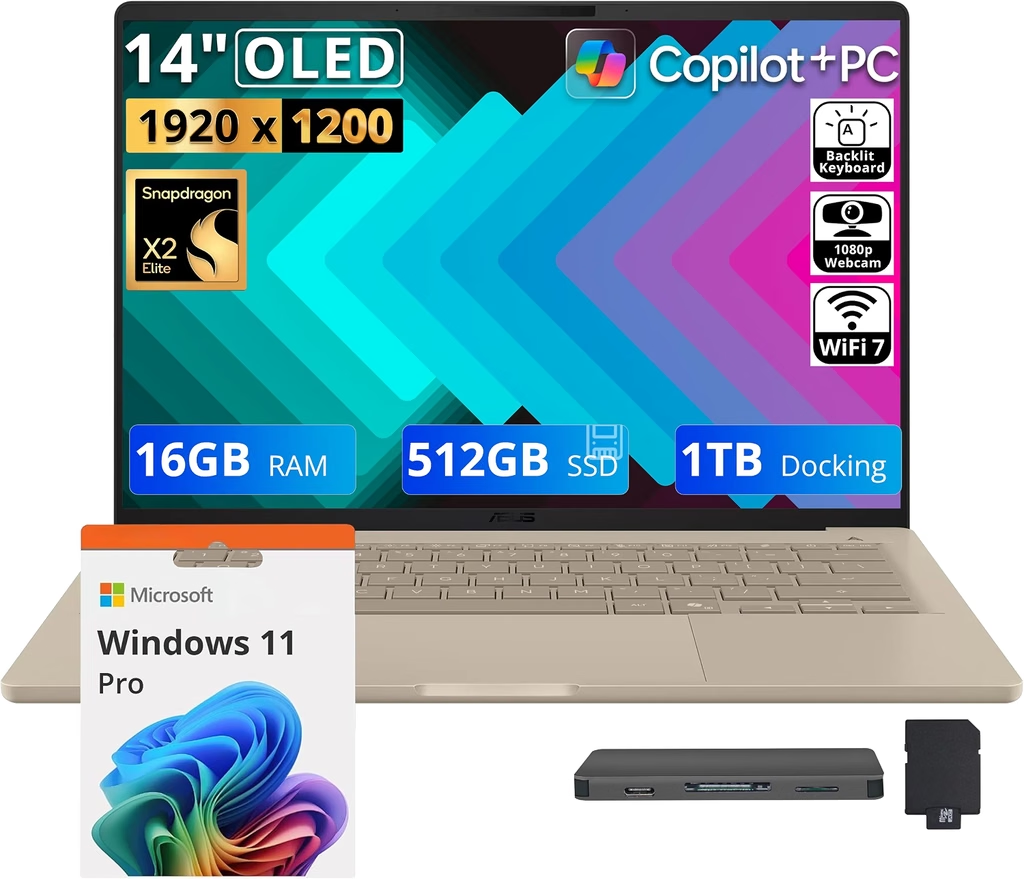
The Zenbook A14 is the featherweight of this group. It’s a 14-inch laptop that weighs just 992 grams (2.19 lb), and inside sits Qualcomm’s 18-core Snapdragon X2 Elite, which beats Apple’s M5 in multi-core tests. Picking it up feels a little odd at first, almost like you’re holding a display model. Then you open it and find an OLED screen and more CPU muscle than anything else on this list.
Key specs
- Chip: Qualcomm Snapdragon X2 Elite X2E-88-100 (18 cores, up to 4.7GHz), Adreno X2-90 GPU, 80 TOPS NPU
- Memory: 24GB (base) or 32GB LPDDR5x, soldered
- Storage: 512GB to 1TB, user-replaceable M.2 2280 SSD
- Display: 14-inch 1920 x 1200 OLED, 60Hz, glossy, no touch
- Ports: 2x USB4 (40Gbps), USB-A 3.2 Gen 2, HDMI 2.1, 3.5mm headphone jack
- Wireless: Wi-Fi 7, Bluetooth 6
- Battery: 70Wh
- Charger: 100W (248 g, weighed by Notebookcheck)
- Chassis: Ceraluminum, a ceramic-aluminum blend
- Weight: 2.19 lb (992 g)
- Thickness: 0.63 in (15.9 mm)
- Price: launched at $1,149 for 24GB/512GB; the 32GB/1TB unit Notebookcheck tested listed at $1,799, and prices have moved around since launch
Benchmarks and lab results
CPU performance. This is the headline. Notebookcheck measured 20,325 multi-core and 3,814 single-core in Geekbench 6, plus 1,471 points in Cinebench 2024 multi-core. That’s the highest multi-core result in this guide, well ahead of the MacBook Air M5’s 957 and even the MacBook Pro 14 M5’s 1,172 in the same chart. Single-core (149 in Cinebench 2024) trails the M5’s 200, so the Mac still feels a hair snappier in light tasks.
Power modes really matter. Notebookcheck tested all three of them, and the results tell a great story for anyone who values quiet:
| Mode | Cinebench 2024 multi | 3DMark Steel Nomad Light | Cyberpunk 2077, 1080p Medium | Max fan noise |
|---|---|---|---|---|
| Whisper | 926 | 4,264 | 28.4 fps | 28.1 dB(A) |
| Standard | 1,240 | 4,579 | 34.6 fps | 36.6 dB(A) |
| Performance | 1,471 | 4,877 | 42.7 fps | 51.7 dB(A) |
For a minimalist, Whisper mode is the secret weapon. You still get Cinebench scores close to the MacBook Air’s, and at 28 dB(A) the fan is basically a whisper in a quiet room.
Display. Notebookcheck measured 412 nits peak in SDR and up to 625 nits in HDR, with true OLED blacks. Color accuracy is excellent: Delta E 1.1, grayscale 1.9, 99.5% Display P3 and 98.8% sRGB. The catch: the screen uses PWM dimming at 480 Hz at 83% brightness and below. If you’re sensitive to flicker, Asus offers a software flicker-free dimming mode.
Battery. Notebookcheck’s Wi-Fi test ran 16.1 hours, roughly the same as the MacBook Air M5, and 10.9 hours at maximum brightness, which is about 4 hours longer than the Air at full blast. 91mobiles measured 22 hours 8 minutes in PCMark 10’s video test.
Heat. The keyboard deck peaked at 40.9°C (106°F), while the underside reached 47.2°C (117°F) near the rear in Performance mode. Keep it off bare legs when you’re pushing it.
Storage. Notebookcheck’s sustained DiskSpd read loop on the Micron 2600 SSD averaged 6,638 MB/s.
What I love
Nothing else gives you this much computer for this little weight. Notebookcheck rated it 88% and called it “the perfect device for your hand luggage,” and I can’t think of a better way to put it. It’s also one of the very few minimalist laptops that still has HDMI and USB-A, which means you can actually leave the dongle bag at home.
What bugs me
The OLED is only 1920 x 1200 at 60Hz, and there’s no touch option. Notebookcheck noticed light creaking from the hinge on its unit and slightly spongy keys with 1.3 mm of travel. Windows on Arm is far better than it used to be, but it’s still smart to confirm your must-have apps run on it before you buy. And the 100W charger is the heaviest brick in this guide, which eats into that featherweight advantage.
Pros
- Lightest laptop here at 992 g
- Fastest multi-core CPU in this guide (Geekbench 6 multi: 20,325)
- Gorgeous, accurate OLED (Delta E 1.1)
- 16+ hours of Wi-Fi battery, and almost 11 hours even at full brightness
- HDMI and USB-A mean no dongles
Cons
- 60Hz, 1200p OLED with PWM flicker
- Loud in Performance mode (51.7 dB)
- Some apps still need checking for Windows on Arm compatibility
- Heaviest charger in this group (248 g)
- Pricing has shifted since launch
Minimalism Score breakdown
| Criterion | Score | Why |
|---|---|---|
| Carry weight | 10 | Lightest laptop here, though the charger is bigger |
| Silence | 7 | Whisper mode is near-silent; Performance mode is not |
| Ports and charger | 7 | Great port mix, bulky 100W brick |
| Design cleanliness | 8 | Calm Ceraluminum finish |
| Software calm | 6 | MyASUS and trial offers to clean up |
Who should buy it: frequent flyers, commuters, and anyone whose shoulder has had enough. It’s also the best pick if you want MacBook Air-level portability with more multi-core power on Windows.
4. Microsoft Surface Laptop 13.8-inch (8th Edition): Best Screen for Long Reading and Writing Days
Minimalism Score: 7.5/10
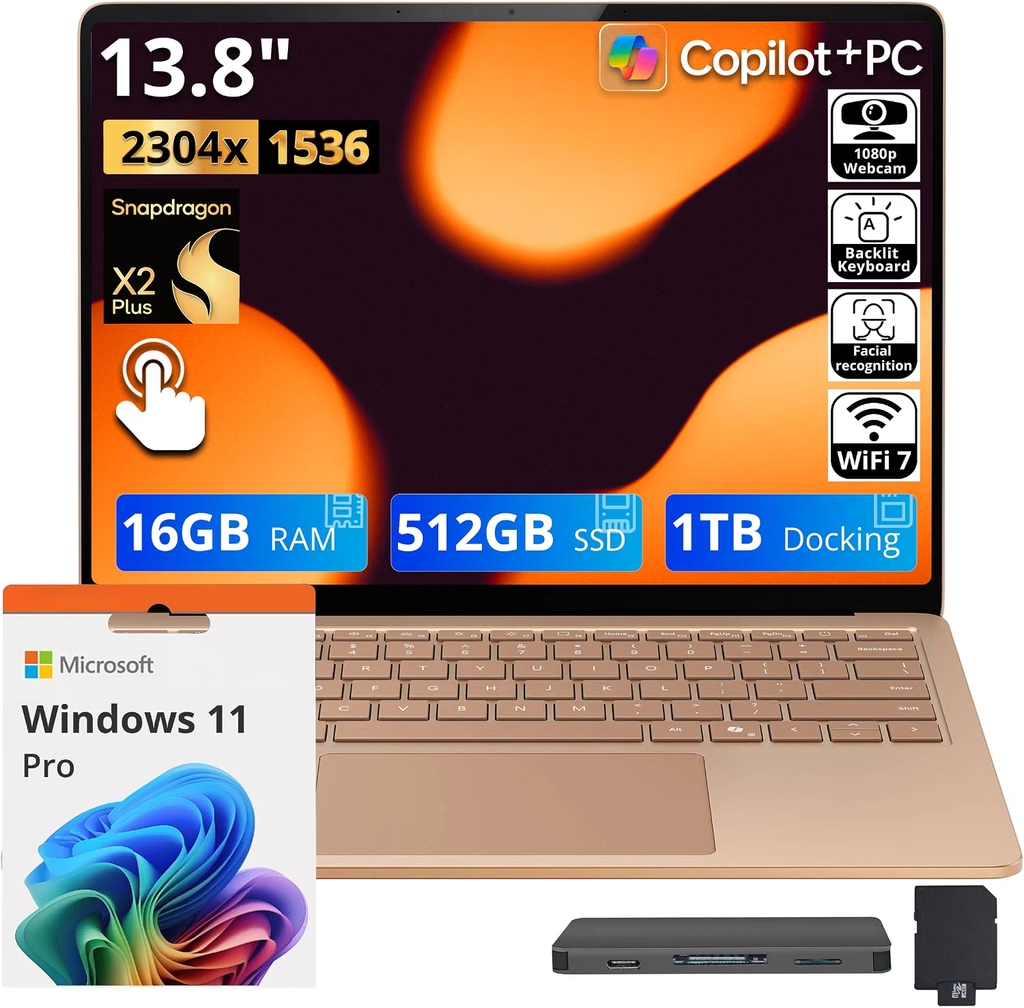
The Surface Laptop is minimalism of the gentle kind. It has a tall 3:2 screen that shows more of your document and asks for less scrolling, a soft, clean metal body, one of the best keyboard-and-trackpad combos on Windows, and a fan that stays silent most of the time. It’s the heaviest laptop here, but it might be the most relaxing one to sit in front of all day.
Key specs
- Chip: Qualcomm Snapdragon X2 Plus X2P-64-100 (10 cores, up to 4.0GHz), or Snapdragon X2 Elite X2E-78-100 (12 cores)
- Memory: 16GB LPDDR5x, up to 64GB, soldered
- Storage: 512GB, swappable M.2 2230 SSD
- Display: 13.8-inch 2304 x 1536 IPS touchscreen, 3:2, 120Hz, glossy
- Ports: 2x USB4 (40Gbps), USB-A, 3.5mm headphone jack, Surface Connect
- Wireless: Wi-Fi 7, Bluetooth 5.4
- Battery: 54Wh
- Weight: 2.95 lb (1.338 kg)
- Thickness: 0.69 in (17.5 mm)
- Price: from $1,599
Benchmarks and lab results
CPU performance. Notebookcheck measured 14,277 multi-core in Geekbench 6 and 854 multi-core / 134 single-core in Cinebench 2024. That’s a step up from the previous Snapdragon X Elite model and right in the neighborhood of Intel’s Panther Lake chips at similar power. Notebookcheck found the gap between the X2 Plus and the pricier X2 Elite to be very small, so only pay for the upgrade if you need the extra memory or storage that comes with it.
Graphics. The Adreno X2-45 scored 622 in 3DMark Steel Nomad and 2,935 in Steel Nomad Light in Notebookcheck’s testing. That’s casual-gaming territory.
Display. This is the reason to buy it. Notebookcheck measured 659 nits peak and 623 nits average, the brightest screen in this guide. It also recorded a superb 0.9 Delta E, 96.5% Display P3, 97.8% sRGB, a 1,402:1 contrast ratio, and no PWM flicker at all. The 120Hz refresh makes scrolling feel smooth as butter. The trade-offs: the glass is glossy, and response time is slow (18.3 ms black-to-white).
Battery. Notebookcheck’s Wi-Fi test ran 18.9 hours at 150 nits and 8.7 hours at full brightness, very close to Microsoft’s claim of up to 20 hours. Galaxus measured 19 hours 28 minutes in PCMark’s video test.
Storage. The SK hynix SSD reached 4,279 MB/s read and 3,104 MB/s write in CrystalDiskMark, and up to 6,522 / 5,577 MB/s in Notebookcheck’s DiskSpd test.
Heat and noise. In everyday use, Notebookcheck found the fan often silent or very quiet. Under full stress it maxed out at 42.4 dB(A), with the keyboard deck reaching 44.4°C (112°F) and the underside 42.5°C (109°F). That’s the warmest keyboard deck in this guide under heavy load, so it’s not a laptop for marathon video exports.
What I love
That screen, and the way it pairs with the keyboard and haptic trackpad. Notebookcheck rated it 88%. The swappable M.2 2230 SSD is a rare kindness at this level, and there’s very little to clean up on the software side, because Microsoft’s own hardware ships with a pretty clean Windows install.
What bugs me
It weighs 2.95 lb, and $1,599 is a lot to ask. Notebookcheck also criticized Microsoft for keeping the Intel Core Ultra version, which has much stronger graphics, mostly for business customers, so home buyers are pushed toward Snapdragon. And the proprietary Surface Connect port takes up space where a third USB-C port would’ve been more useful.
A quieter sibling worth knowing about
If silence matters more to you than screen size, look at the Surface Laptop 13-inch (2nd Edition, 2026). Notebookcheck says you’ll hardly ever hear its fan, measured almost 19 hours in its Wi-Fi battery test, and called it probably the closest Windows alternative to the MacBook Air. It costs $1,199, but you give up the 120Hz screen (it’s 60Hz) and get slower USB-C ports. Notebookcheck thinks the 13.8 is the better buy whenever it’s on sale.
Pros
- Brightest, most color-accurate screen in this guide (659 nits, Delta E 0.9)
- 120Hz 3:2 touchscreen with no PWM flicker
- Excellent keyboard and haptic trackpad
- About 19 hours of Wi-Fi battery
- Swappable SSD
Cons
- Heaviest pick here at 2.95 lb
- Expensive at $1,599
- Glossy, reflective screen
- Surface Connect port instead of a third USB-C
- Niche apps still need checking for Windows on Arm
Minimalism Score breakdown
| Criterion | Score | Why |
|---|---|---|
| Carry weight | 6 | 2.95 lb is noticeable in a bag |
| Silence | 8 | Fan is often silent |
| Ports and charger | 7 | Good ports, plus a proprietary connector |
| Design cleanliness | 9 | Calm, elegant, no logo noise |
| Software calm | 8 | Clean Microsoft Windows build |
Who should buy it: writers, researchers and spreadsheet people who stare at a screen eight hours a day and want it to be beautiful and easy on the eyes.
5. Lenovo ThinkPad X1 Carbon Gen 14: Best for Business Travel and One-Bag Living
Minimalism Score: 7.3/10
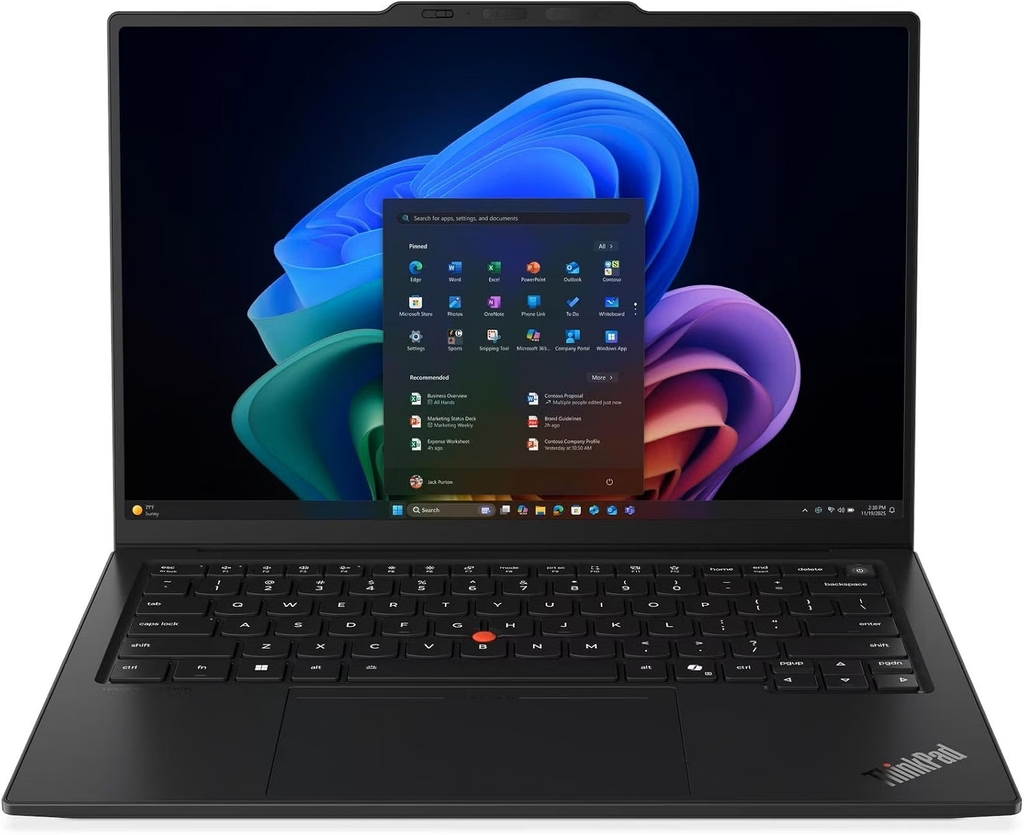
I know, a ThinkPad on a minimalist list might look like an odd choice. It has plenty of ports, a red TrackPoint nub, and that unmistakable business look. But there’s a different kind of minimalism here, the “one-bag” kind: a laptop so light, tough and well connected that it replaces a dock, a dongle kit and a backup machine. The OLED version weighs just 2.15 lb.
Key specs
- Chip: Intel Core Ultra 5 325 up to Core Ultra 7 365 (Panther Lake)
- Memory: 16GB to 64GB, soldered
- Storage: user-replaceable M.2 2280 SSD with PCIe 5.0 support
- Display: 14-inch 1920 x 1200 IPS at 60Hz (touch optional), or 2880 x 1800 OLED at 120Hz (anti-glare)
- Ports: 3x Thunderbolt 4, USB-A, HDMI 2.1, 3.5mm headphone jack; optional 5G
- Wireless: Wi-Fi 7, Bluetooth 5.4
- Battery: 58Wh
- Charger: 65W USB-C (275 g, weighed by Notebookcheck)
- Webcam: 5MP with IR, physical privacy shutter
- Weight: 2.15 lb (0.98 kg) with OLED; 2.51 lb (1.139 kg) with IPS touch
- Price: from $2,032 at the time of Tom’s Hardware’s review
Benchmarks and lab results
CPU performance. Tom’s Hardware’s Core Ultra 7 355 unit scored 2,635 single-core and 11,107 multi-core in Geekbench 6. That’s well ahead of the Dell XPS 14 with the same chip (7,964 multi-core). The more telling result came from Tom’s Hardware’s 10-loop Cinebench 2026 stress test: the X1 Carbon started at 2,581 and stayed between 2,500 and 2,600 on every single loop. That kind of steadiness is rare in a laptop this light. XDA Developers measured 118 single-core and 582 multi-core in Cinebench 2024, and 8,011 in PCMark 10.
Real-world speed. Tom’s Hardware timed a 4K-to-1080p Handbrake transcode at 6 minutes 12 seconds and a 25GB file transfer at 1,256 MBps.
Graphics. Tom’s Hardware measured 596 points in 3DMark Steel Nomad, and XDA measured 3,330 in Time Spy. That’s fine for office work and video calls, not for gaming.
Display. On the OLED, Tom’s Hardware measured 473 nits, 82% DCI-P3 and 115% sRGB. On the IPS model, Notebookcheck measured 524 nits average and 99.1% sRGB, but out-of-box color accuracy was poor (Delta E 5.0). Calibration fixed that (Delta E 1.1), at the cost of almost 100 nits of brightness.
Battery. This is the X1’s superpower, as long as you choose the IPS screen. Notebookcheck measured 23.2 hours of Wi-Fi browsing and 14 hours at full brightness, the best results in this entire guide. With the OLED panel, Tom’s Hardware got 13 hours 10 minutes in its mixed test, and Notebookcheck also notes that OLED runtimes are much shorter.
Heat. In Tom’s Hardware’s stress test, the area between the G and H keys reached just 94°F and the underside 106°F, even with the CPU averaging 91°C internally.
What I love
The keyboard is still the best in this group, with 1.5 mm of travel. Tom’s Hardware liked the speakers enough to say they could pull double duty for entertainment. The base cover comes off easily and the SSD is a standard M.2 2280 drive, which is a big deal if you want to buy one laptop and keep it for years. And the webcam has a real physical privacy shutter, which I wish every laptop had.
What bugs me
It’s expensive. The camera bump on the lid is ugly, and Notebookcheck didn’t hold back about it either. You also have to pick between the lightest chassis (OLED) and the longest battery life (IPS), because you can’t have both. Lenovo’s Vantage app and its “Smart Modes” add more layers than a minimalist really needs.
Pros
- Just 2.15 lb with OLED
- Up to 23.2 hours of Wi-Fi battery with IPS (Notebookcheck)
- Rock-steady sustained performance
- Best keyboard here, plus a privacy shutter and optional 5G
- Easy to service, with a standard M.2 2280 SSD
Cons
- Expensive, from about $2,032
- OLED version cuts battery life sharply
- IPS panel needs calibration for accurate color
- Busier design and more ports than a purist wants
Minimalism Score breakdown
| Criterion | Score | Why |
|---|---|---|
| Carry weight | 9 | 2.15 lb with OLED; 275 g charger |
| Silence | 7 | Fan-cooled, but steady and controlled |
| Ports and charger | 6 | Lots of ports: practical, not minimal |
| Design cleanliness | 7 | Camera bump and classic ThinkPad details |
| Software calm | 7 | Vantage and Smart Modes |
Who should buy it: consultants, executives, field workers and digital nomads who want one bag, one laptop and zero dongles.
The Number Nobody Prints: Battery Hours per Pound
This is my favorite way to compare minimalist laptops, and I haven’t seen it anywhere else. The whole point of going light is freedom, and freedom is really measured in hours away from the wall for every pound you carry. So I took each laptop’s Notebookcheck Wi-Fi battery result (same test, same 150-nit brightness for all five) and divided it by the laptop’s weight.
| Laptop | Notebookcheck Wi-Fi battery | Weight | Hours per pound |
|---|---|---|---|
| ThinkPad X1 Carbon Gen 14 (IPS) | 23.2 h | 2.51 lb | 9.2 |
| Dell XPS 13 (Core 5) | 18.4 h | 2.34 lb | 7.9 |
| Asus Zenbook A14 | 16.1 h | 2.19 lb | 7.4 |
| Surface Laptop 13.8 (8th Ed.) | 18.9 h | 2.95 lb | 6.4 |
| MacBook Air 13 (M5) | 16.2 h | 2.71 lb | 6.0 |
Here’s what jumped out at me. The MacBook Air wins on silence and single-core speed, but it comes in last on endurance per pound. If your life is literally “stay away from outlets as long as possible while carrying as little as possible,” the IPS ThinkPad and the XPS 13 lead the pack. Just remember the OLED ThinkPad gives up most of that advantage.
Your Real Carry Weight: Laptop Plus Charger
Your bag doesn’t care about the spec sheet. It carries the laptop and the charger. So I added up the full kit using the charger weights Notebookcheck measured on its scale:
| Laptop | Laptop weight | Charger (measured) | Total carry weight |
|---|---|---|---|
| Dell XPS 13 (Core 5) | 1,062 g | 166 g | 1,228 g (2.71 lb) |
| Asus Zenbook A14 | 992 g | 248 g (100W) | 1,240 g (2.73 lb) |
| ThinkPad X1 Carbon Gen 14 (OLED) | 980 g | 275 g (65W) | 1,255 g (2.77 lb) |
| MacBook Air 13 (M5) | 1,230 g | 167 g (30W) | 1,397 g (3.08 lb) |
Notebookcheck weighed the ThinkPad’s 65W charger with the IPS review unit, and I’ve assumed the OLED model ships with that same 65W adapter. The Surface Laptop 13.8 isn’t in this table because no lab I used published its charger weight, but at 1,338 g for the laptop alone it would land last here anyway.
My takeaway: once the charger goes in the bag, the Zenbook’s big weight lead almost vanishes, and the $699 XPS 13 becomes the lightest total kit on this list. Even better, all five laptops can charge over standard USB-C, so one small GaN charger can top up your laptop and your phone. That’s the easiest minimalist upgrade you can make, and it costs a lot less than a new laptop.
What You Can Live Without (and What You Really Can’t)
This is the conversation I wish more reviews had. Minimalism isn’t about owning less. It’s about owning exactly enough.
You can live without:
- An SD card slot. None of these five has one. Cloud sync and a single small USB-C reader cover the rare times you need it.
- More than two or three ports. If you keep one USB-C hub on your desk, two ports are plenty on the road.
- A dedicated graphics card. Every laptop here uses integrated graphics. For photo edits, streaming and casual games, that’s enough.
- A 4K screen. At 13 to 14 inches, a 2.5K panel like the XPS 13’s or the MacBook Air’s is already sharp, and it’s kinder to your battery.
You really can’t live without:
- Enough memory. 16GB is the minimalist’s floor in 2026. It’s the difference between a laptop that stays out of your way and one that stutters.
- A comfortable keyboard. You’ll touch it more than anything else you own.
- A flicker-free screen if your eyes are sensitive. OLEDs like the Zenbook A14’s use PWM dimming. The MacBook Air, XPS 13 and Surface Laptop showed no PWM in Notebookcheck’s tests.
- Battery headroom. Aim for laptops that hit 15+ hours in Notebookcheck’s Wi-Fi test. Batteries lose capacity as they age, so start with some margin.
How to Choose the Right Minimalist Laptop for You
- Decide how much silence matters. If you work in libraries, studios or a bedroom at 2 a.m., the fanless MacBook Air is unmatched. On Windows, the Surface Laptops and the Zenbook A14 in Whisper mode come closest.
- Be honest about your platform.
- macOS: the MacBook Air M5. Simple.
- Windows on Intel: the Dell XPS 13 or ThinkPad X1 Carbon, with full app compatibility.
- Windows on Arm (Snapdragon X2): the Zenbook A14 or Surface Laptop. Battery life and multi-core speed are excellent, but check that your critical apps (VPN clients, specialized plugins, games with anti-cheat) run on Arm before you buy.
- Weigh the whole kit, not just the laptop. Check the charger’s weight and make sure the laptop charges over standard USB-C.
- Match the screen to your eyes. OLED gives you perfect blacks but usually uses PWM dimming. IPS is often flicker-free and brighter. Matte finishes like the XPS 13’s fight glare; glossy ones like the Surface’s look punchier indoors.
- Don’t overbuy the chip. Notebookcheck showed the Core Ultra 7 XPS 13 is only 7 to 10% faster than the Core 5 under sustained load, and the Surface’s X2 Elite upgrade adds little over the X2 Plus. Put that money into RAM and storage instead.
- Think about the long haul. All five have soldered RAM, so buy the memory you’ll need for years. The ThinkPad (M.2 2280), Zenbook (M.2 2280), Surface (M.2 2230) and XPS 13 (M.2 2242) all let you swap the SSD. The MacBook Air can’t be upgraded at all.
Frequently Asked Questions
What is the best minimalist laptop in 2026?
The Apple MacBook Air 13 (M5). It’s fanless, weighs 2.71 lb, comes with a small 30W charger on the base model, scored about 17,000 in Geekbench 6 multi-core in both Notebookcheck’s and Tom’s Hardware’s tests, and lasted just over 16 hours in Notebookcheck’s Wi-Fi battery test.
What is the best minimalist Windows laptop?
The 2026 Dell XPS 13. It weighs 2.34 lb, has just two USB-C ports and a 120Hz 2.5K matte touchscreen with full P3 color, and lasts over 18 hours in Notebookcheck’s Wi-Fi test with the Core 5 chip. It starts at $699, but I’d get the 16GB version.
Is there a fanless Windows laptop as good as the MacBook Air?
Not quite. The closest thing is the 2026 Surface Laptop 13-inch, which Notebookcheck found so quiet you’ll hardly ever hear its fan. It still has one, though, so it isn’t truly silent the way the Air is.
Should I wait for the M6 MacBook Air?
Only if your current laptop is still working well. Bloomberg’s Mark Gurman has reported that the next MacBook Air is expected in spring 2027, and the rumors so far mostly point to a chip upgrade. Apple hasn’t announced it, so if you need a laptop now, the M5 is a safe buy.
What’s the lightest laptop on this list?
The Asus Zenbook A14 at 992 g (2.19 lb). The OLED ThinkPad X1 Carbon Gen 14 is right behind it at about 980 g (2.15 lb) in Lenovo’s lightest configuration. Once you add chargers, though, the Dell XPS 13 has the lightest total kit at 1,228 g.
Is Windows on Arm (Snapdragon) ready for everyday use?
For most people, yes. Notebookcheck says the experience is far more polished than it was at the first Snapdragon X launch, but it’s still worth checking that your must-have apps are supported before buying.
Is 8GB of RAM enough for a minimalist laptop?
For a browser and documents, barely. For anything more, no. Notebookcheck found the 8GB XPS 13 struggles once you go beyond browsers and office apps, and recommends 16GB.
Which minimalist laptop has the best battery life?
The ThinkPad X1 Carbon Gen 14 with the IPS screen. It lasted 23.2 hours in Notebookcheck’s Wi-Fi test, the longest in this guide.
Final Verdict: Own Less, Get More
The best minimalist laptop isn’t the one with the fewest features. It’s the one that makes you forget it’s even there.
For most people, that’s the MacBook Air 13 (M5): silent, fast, light and calm. If you live in Windows, the Dell XPS 13 (2026) is the cleanest, best-value take on the same idea. If every gram counts, grab the Asus Zenbook A14. If you spend your days reading and writing, the Surface Laptop 13.8 will be kindest to your eyes. And if your laptop is your whole office, the ThinkPad X1 Carbon Gen 14 with the IPS screen will outlast everything else here.
Whichever one you pick, do yourself one favor: get 16GB of RAM, buy one small USB-C charger, and leave the rest of the clutter at home. That’s where the freedom starts.
Sources
Apple MacBook Air 13 (M5)
- Notebookcheck: Apple MacBook Air 13 M5 review
- Notebookcheck: MacBook Air 13 M5 vs. M4 battery life
- Notebookcheck: Apple MacBook Air 13 M5 specs
- Tom’s Hardware: Apple MacBook Air 13-inch (M5) review
- Digital Trends: M5 MacBook Air storage speed
- Wccftech: M5 MacBook Air SSD read and write speeds
- Cinch: MacBook Air M6 rumored release date and specs
Dell XPS 13 (2026)
- Notebookcheck: Dell XPS 13 Wildcat Lake review
- Notebookcheck: Dell XPS 13 Core Ultra 7 review
- Notebookcheck: Dell XPS 13 2026 (DX13260) reviews and specs
- Notebookcheck: First Intel Core 5 320 benchmarks
- Tom’s Hardware: Dell XPS 13 (2026) review
- Tom’s Guide: Dell XPS 13 (2026) review
- Tom’s Guide: Two weeks with the new Dell XPS 13
Asus Zenbook A14 (2026)
- Notebookcheck: Asus Zenbook A14 review, Snapdragon X2 Elite vs. MacBook Air M5
- Notebookcheck: Zenbook A14 as a mobile companion
- 91mobiles: Asus Zenbook A14 (2026) review
- Tom’s Guide: Asus Zenbook A14 and A16 (2026) review
- Asus: Zenbook A14 product page
Microsoft Surface Laptop 13.8-inch (8th Edition) and Surface Laptop 13-inch (2026)
- Notebookcheck: Microsoft Surface Laptop 13.8 (2026) review
- Notebookcheck: Surface Laptop 8 13.8 reviews and specs
- Notebookcheck: Surface Laptop 8 is very good but expensive
- Galaxus: Surface Laptop 8 13.8-inch review
- Microsoft: Surface Laptop
- Notebookcheck: Microsoft Surface Laptop 13 (2026) review
- Notebookcheck: Surface Laptop 13 as a MacBook Air alternative
Lenovo ThinkPad X1 Carbon Gen 14
- Notebookcheck: Lenovo ThinkPad X1 Carbon Gen 14 review
- Notebookcheck: ThinkPad X1 Carbon G14 reviews and specs
- Tom’s Hardware: Lenovo ThinkPad X1 Carbon Gen 14 Aura Edition review
- XDA Developers: ThinkPad X1 Carbon Gen 14 Aura Edition review
Category rankings
- Notebookcheck: Best ultraportable laptops
- Notebookcheck: Best laptops for fall 2026
- Tom’s Guide: Best laptops

Hi, my name is Burak. I am a mechanical engineer. I have been writing laptop reviews for the Engineering Laptops website since 2020. Please feel free to contact me if you have any questions.