Updated September 6, 2026
Table of contents
- Read this bit first, even if you skip the rest
- Where these numbers come from
- The display trap nobody warns small business buyers about
- What actually makes a laptop a “business” laptop
- Best Laptop for a Small Business Owner in 2026: 5 Machines Backed by Real Lab Numbers
- 1. Apple MacBook Air (M5, 2026) — the safest default for most small business owners
- 2. Lenovo ThinkPad X1 Carbon Gen 14 Aura Edition — the one that outlasts your day twice over
- 3. HP EliteBook X G2i — the spreadsheet monster with a screen you’ll stare at all day
- 4. Dell Pro 7 14 Intel — the one that simply doesn’t run out
- 5. ASUS ExpertBook Ultra B9406CAA — for owners who also make things
- All five, side by side
- Now let’s talk about the money properly
- Which one should you actually buy?
- Frequently asked questions
- A note on how this was put together
- Sources
I’ve lost count of how many “best business laptop” lists I’ve read that are really just spec sheets with adjectives bolted on. Nobody measures anything. Nobody tells you what the trade-offs actually cost you. And nobody seems to notice that a small business owner buys a laptop for completely different reasons than a corporate IT department does.
So I did this one differently. Every number below comes from a lab that publishes its test conditions, and I’ve named the source of each figure so you can check my work. Where I’ve done my own arithmetic on published data, I’ve shown you the inputs.
And I’m going to start with the thing I think matters most, because it’s the mistake I see small business buyers make over and over.
Read this bit first, even if you skip the rest
In 2026, the biggest single factor in how long your laptop lasts on a charge isn’t the processor. It’s the screen option you tick in the configurator.
Three vendors, two independent labs, the same generation of silicon, and the same answer every time: swapping an LCD for a high-resolution OLED costs you somewhere between four and ten hours of measured runtime.
That’s not a rounding error. That’s the difference between a laptop that gets you through a two-day trade show without a charger and one that dies before your afternoon meetings. I break the evidence down properly further along, but if you take one thing away, take that.
Here are the five machines, one per brand:
| Pick | Best for | Standout measured result | Weight |
|---|---|---|---|
| Apple MacBook Air (M5, 2026) | Most solo owners and 2–10 person shops | 16h 11m runtime, completely silent | 1.24 kg |
| Lenovo ThinkPad X1 Carbon Gen 14 | Road warriors who type all day | 23h 13m runtime from a 58 Wh battery | 1.14 kg |
| HP EliteBook X G2i | Spreadsheet-heavy owners who want a beautiful screen | PCMark 10 Productivity of 18,859 | 1.09 kg |
| Dell Pro 7 14 Intel | Anyone who genuinely can’t be caught without power | 26h 18m in PCMark 10 Modern Office | 1.27 kg |
| ASUS ExpertBook Ultra B9406CAA | Owners who also shoot, edit, or design | 600 nits, ΔE 1.18 out of the box, Arc B390 graphics | 1.1 kg |
Where these numbers come from
I want to be straight with you about this, because “we tested it” gets thrown around very loosely in laptop reviews.
I’m not the lab. What I do is read the labs, compare them against each other, and tell you what the numbers actually mean for someone running a business. I only use results from outfits that publish their methodology, because otherwise you can’t compare anything to anything.
The four that do most of the heavy lifting here:
StorageReview runs PCMark 10 Modern Office for battery, in Balanced power mode at 50% brightness, all the way to shutdown. That’s a real office workload, not an idle drain. They also run PCMark 10, Geekbench 6 and 7, Cinebench 2026, 7-Zip, y-cruncher, Blender, and storage tests on the shipping SSD. Every machine on their business leaderboard goes through the identical suite.
Notebookcheck runs a Wi-Fi browsing test at a calibrated 150 nits, and separately at maximum brightness, which almost nobody else publishes and which is the number you actually want if you work near a window. They measure displays with an X-Rite i1Pro 3 and CalMAN, and take surface temperatures with a calibrated Fluke t3000FC.
Tom’s Hardware runs a 10-loop Cinebench stress test with surface temperatures taken during it, plus a 150-nit battery test.
MyFixGuide measures panels with a SpyderX colorimeter and runs Blender stress tests with logged CPU package power and fan noise.
One rule I don’t break: I compare within a lab, never across. A 16-hour result from Notebookcheck’s Wi-Fi test and a 16-hour result from StorageReview’s Modern Office test are not the same 16 hours. Modern Office is much harder on the CPU. Anyone who stacks those two in one column is misleading you. Wherever I put figures side by side, I’ve labelled which test produced them.
How I chose the five: current generation only, no exceptions, even where last year’s model is still on shelves at a discount. Maximum one machine per brand, so this is a genuine cross-shop rather than a Lenovo catalogue. And every pick needed published measurements behind it.
The display trap nobody warns small business buyers about
The evidence
| Machine | Panel | Measured runtime | Test |
|---|---|---|---|
| Dell Pro 7 14 Intel | 14″ WUXGA LCD | 26h 18m | PCMark 10 Modern Office (StorageReview) |
| Dell Pro 14 Premium (2026) | 14″ 2880×1800 Tandem OLED | 16h 30m | PCMark 10 Modern Office (StorageReview) |
| HP EliteBook X Flip G2i | 14″ OLED, energy-saving profile | 20h 22m | PCMark 10 Modern Office @150 nits (MyFixGuide) |
| HP EliteBook X G2i | 14″ 3K 120 Hz OLED, 500 nit | 17h 13m | PCMark 10 Modern Office (StorageReview) |
| ThinkPad X1 Carbon Gen 14 | 14″ WUXGA IPS, 60 Hz | 23h 13m | Wi-Fi browsing @150 nits (Notebookcheck) |
| ThinkPad X1 Carbon Gen 14 | 14″ 2.8K 120 Hz OLED | 13h 30m | Wi-Fi browsing @150 nits (Notebookcheck) |
Look at what those rows are saying.
The two Dell Pro machines run the same Intel Core Ultra 7 366H, tested by the same lab, on the same test. The gap is nine hours and forty-eight minutes. StorageReview says it flatly in their review: that gap is the price of the 2880×1800 Tandem OLED panel, not a platform problem.
The ThinkPad pair is even cleaner, because it’s literally one laptop with two different lids. Notebookcheck measured 23h 13m on the IPS version and 13h 30m on the OLED. Crank both to maximum brightness and the spread widens further: 14h 14m on the IPS, 7h 36m on the OLED. Roughly half.
HP’s own internal figures point the same direction: around 31 hours of video playback on their 300-nit OLED against around 23 hours on the 500-nit panel.
What it costs you, in watts
Here’s some arithmetic I did on those published figures. Divide battery capacity by measured runtime and you get the average power the whole machine pulled during the test. Rough, but it cuts straight through the marketing:
| Machine and panel | Battery | Measured runtime | Average draw |
|---|---|---|---|
| ThinkPad X1 Carbon G14, IPS | 58 Wh | 23h 13m | 2.5 W |
| Dell Pro 7 14 Intel, WUXGA LCD | 70 Wh | 26h 18m | 2.7 W |
| MacBook Air 13 M5, IPS | 53.8 Wh | 16h 11m | 3.3 W |
| HP EliteBook X G2i, 3K OLED | 68 Wh | 17h 13m | 4.0 W |
| ThinkPad X1 Carbon G14, OLED | 58 Wh | 13h 30m | 4.3 W |
| ASUS ExpertBook Ultra, 2.8K OLED | 70 Wh | 16h 06m | 4.3 W |
(The Dell and HP rows come from PCMark 10 Modern Office; the rest from Notebookcheck’s Wi-Fi test. Compare within those groups, not across them.)
The pattern survives the caveat. A bright, high-resolution, high-refresh OLED roughly doubles the machine’s power draw during light work. For a screen, that’s an enormous amount.
So should you avoid OLED?
No. I’d pick OLED myself for anything involving product photos, video, client presentations, or design work. It looks spectacular, and as you’ll see with the ASUS below, a good OLED can be genuinely colour-accurate straight out of the box in a way most LCDs aren’t.
What I’m asking you to do is choose it on purpose, knowing it costs you roughly a third of your runtime, rather than clicking it because it was in bold on the configurator. If you fly a lot, sell at markets, or work out of your van, take the LCD and put the savings toward a good external monitor for the desk. If you’re mostly at that desk and your work is visual, take the OLED and keep a 65 W charger in your bag.
Both are right answers. Drifting into it by accident isn’t.
What actually makes a laptop a “business” laptop
Quick detour, because this trips people up.
It isn’t the badge. What separates a business machine from a consumer one is manageability and firmware security: Intel vPro with AMT or AMD PRO with DASH so a machine can be patched or remotely wiped, firmware protection like Dell SafeBIOS or HP’s Endpoint Security Controller guarding the boot chain, plus TPM 2.0, smart card and cellular options.
StorageReview makes this point sharply with the Lenovo ThinkPad X9 14 — a machine they liked, but which they ultimately classified as a consumer laptop because it dropped vPro, SmartCard and WWAN.
Does a five-person business need all of that? Honestly, mostly no. You’re not running a fleet console. But two pieces of it matter enormously even if you’re on your own:
- Firmware-level protection. If someone gets into your BIOS, no antivirus in the world helps you. Worth paying for.
- Parts availability. Business lines keep replacement parts in the channel for years. Consumer lines don’t. When your keyboard dies in year three, that’s the difference between a €120 part and a new laptop.
That second point is exactly why the HP entry below scores so highly with me, and it’s the part of this decision almost no review talks about.
Best Laptop for a Small Business Owner in 2026: 5 Machines Backed by Real Lab Numbers
1. Apple MacBook Air (M5, 2026) — the safest default for most small business owners
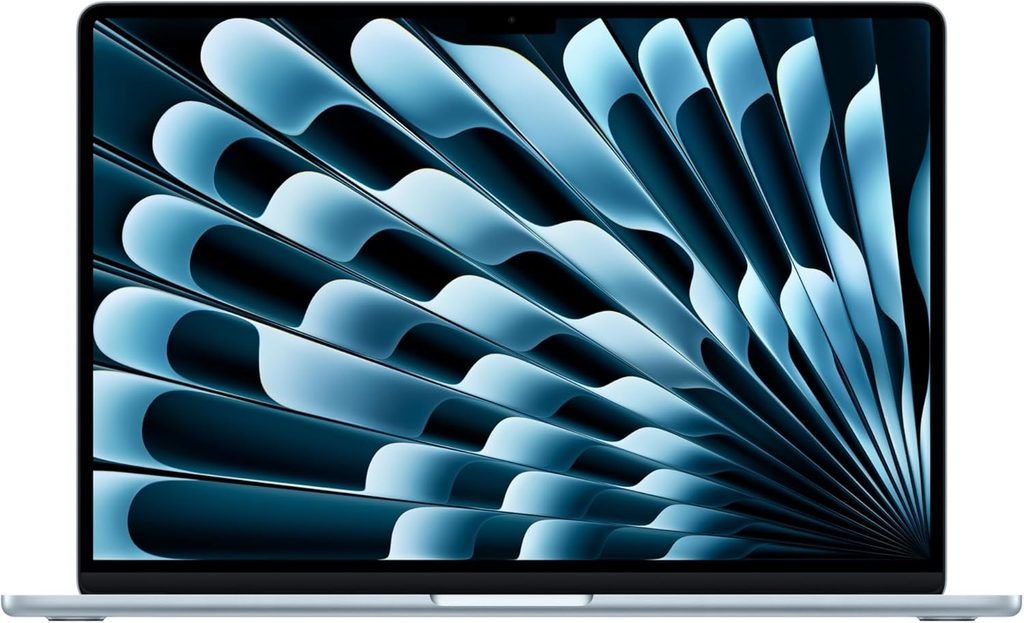
If you handed me one small business owner and no other information, this is what I’d name. Not because it wins every benchmark, but because it’s the machine least likely to turn into a problem.
Specifications
- Chip: Apple M5, up to 10-core CPU and 10-core GPU
- Memory: 16 GB base, up to 32 GB unified
- Storage: 512 GB base, up to 4 TB
- Display: 13.6″ at 2560×1664 or 15.3″ at 2880×1864, Liquid Retina IPS, 60 Hz, no touch
- Battery: 53.8 Wh (13″), Apple claims up to 18 hours
- Ports: 2× Thunderbolt 4, MagSafe, headphone jack. Drives two external displays
- Wireless: Apple N1 chip, Wi-Fi 7, Bluetooth 6
- Camera: 12 MP Center Stage
- Cooling: none. Zero fans
- Weight: 1.24 kg
- Starting price: $1,099 for the 13-inch, $1,299 for the 15-inch
- Released: March 3, 2026
The measured numbers
Battery. Notebookcheck rated the machine 92% overall and clocked 16 hours 11 minutes in their Wi-Fi test at 150 nits. At maximum brightness that falls to 6 hours 39 minutes — remember that one if you work outdoors. Tom’s Hardware measured 15h 28m on their own test, Tom’s Guide got 15h 37m, and Expert Reviews got 14h 59m out of the 15-inch model at 170 cd/m². Four labs, four tests, all landing in the same 15-to-16 hour band. That’s about as reliable as a battery figure gets.
Display. Expert Reviews measured the 15-inch panel at 526 cd/m² peak — a little above Apple’s own 500-nit claim — with 93.5% DCI-P3 coverage and an average ΔE of 0.8 against sRGB and 0.9 against DCI-P3. Those are excellent accuracy numbers straight out of the box, and better than most Windows machines manage without calibration. The weak spot is contrast: 882:1, so blacks look a bit grey at full brightness in a dark room. Notebookcheck also found no PWM flicker, which matters a lot if screens give you headaches.
Performance. Published Geekbench 6 results put the M5 Air around 3,970 single-core and 16,404 multi-core. CNN Underscored measured it as 35% faster in single-core and 42% faster in multi-core than the M3 Air. Expert Reviews clocked a 32% jump over the M4 in 4K video and image conversion.
Thermals, and this is the honest bit. Tom’s Hardware ran a Cinebench 2026 stress loop and watched the M5 open at 3,415 and settle into the low 2,300s — a real, measured throttle of roughly 32% under sustained load. Which is exactly what you’d expect from a chassis with no fan in it. They took skin temperatures during that run and reported it never became uncomfortable to use.
I read that as good news. It means the Air keeps enough performance under load to stay useful, and it does it in total silence. If your work is bursty — email, spreadsheets, calls, forty browser tabs, the occasional export — you’ll rarely reach that throttled state. If you’re rendering video for two hours every afternoon, buy something with a fan.
Pros
- Silent. No fan means no noise on client calls, ever
- Very strong single-core performance, which is what browsers and spreadsheets actually use
- ΔE 0.8 colour accuracy with no calibration needed
- 16 GB and 512 GB as the base config removes the old “the entry model is a trap” problem
- Excellent trackpad, and the build holds up over years
- Strong resale value, which quietly lowers your real cost of ownership
- No PWM flicker
Cons
- 60 Hz, at this price, in 2026
- Contrast of 882:1 is unremarkable
- Max-brightness runtime of 6h 39m is a steep drop from the 150-nit figure
- Sustained multi-core work throttles by about a third
- No touchscreen, no cellular option, no vPro-style management
- macOS. If your accounting or industry software is Windows-only, stop here
Buy it if you’re a consultant, coach, agency owner, e-commerce seller or professional services operator whose software runs anywhere. Skip it if your business depends on a Windows-only vertical app, which is far more common in trades, healthcare and logistics than people admit.
2. Lenovo ThinkPad X1 Carbon Gen 14 Aura Edition — the one that outlasts your day twice over
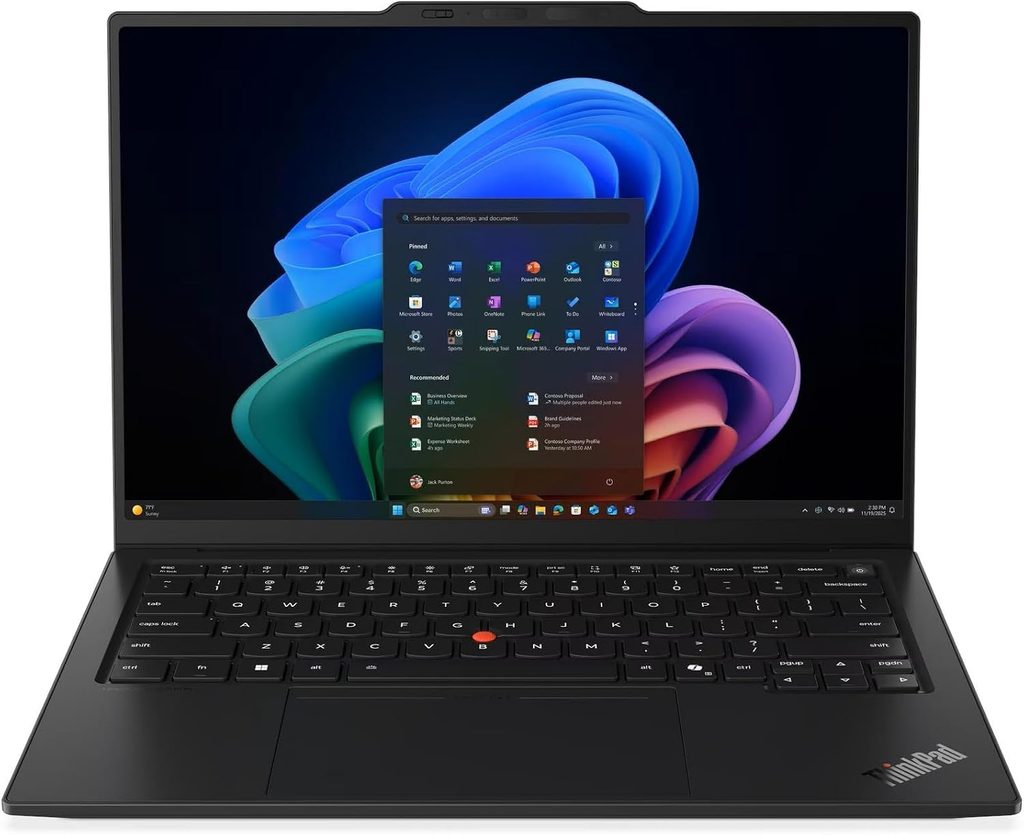
Notebookcheck published their review on July 25, 2026 and scored it 90%. Their headline was “almost 24 hours of battery life.” They weren’t exaggerating.
Specifications (as tested)
- CPU: Intel Core Ultra 5 325 (Panther Lake), 8 cores / 8 threads, up to 4.5 GHz, 35 W sustained. Configurable up to Core Ultra X7 368H
- Graphics: Intel Graphics, 4 Xe3 cores. Arc B390 available on the higher chips
- Memory: 32 GB LPDDR5x-7467, soldered. Up to 64 GB on Core Ultra X models
- Storage: 512 GB Samsung PM9C1b. The slot takes PCIe 5.0 drives
- Display: 14″ 1920×1200 IPS touch, 60 Hz. 2880×1800 120 Hz OLED optional
- Battery: 58 Wh, 65 W adapter
- Ports: 3× Thunderbolt 4, HDMI, 1× USB-A 3.2 Gen 1, headset jack, Kensington nano lock, optional 4G/5G
- Wireless: Intel Wi-Fi 7 BE211, Bluetooth 5.4
- Weight: 1.139 kg with the IPS touch panel. The OLED version drops to 989 g
- Warranty: 36 months on the tested configuration
- Durability: MIL-STD 810H
- Price: from $2,249 configured direct; the Core Ultra 7 355 version runs around $2,749 on Amazon, with other configurations appearing between $1,699 and $1,899
The measured numbers
Battery: 23 hours 13 minutes in Notebookcheck’s Wi-Fi test at 150 nits. At maximum brightness, still 14 hours 14 minutes. From a 58 Wh battery. Idle draw bottoms out at 1.6 W.
Display: average 524 nits, peak 546, black level 0.3, contrast 1800:1, 99.1% sRGB, 72% AdobeRGB, 69.8% DCI-P3, no PWM flicker.
And here’s the catch Notebookcheck flags hard: the factory calibration is bad. ColorChecker ΔE of 5.0 and greyscale ΔE of 8.3 out of the box, with a visible green-blue cast. Lenovo did that on purpose to push the brightness figure up. Notebookcheck’s own calibration drops the ColorChecker ΔE to 1.1, which is genuinely excellent, but costs almost 100 nits of peak brightness. They publish the ICC profile for free. If you do any colour-sensitive work, download it on day one.
Performance: Cinebench 2024 at 645 multi-core / 113.3 single-core. Cinebench R23 at 10,980 / 1,892. Geekbench 6.7 at 11,038 / 2,620. PCMark 10 overall of 7,709, with a Productivity subscore of 13,901 against a class average of 10,308.
Storage: the Samsung PM9C1b hit 6,900 MB/s sequential read and 5,762 MB/s write in CrystalDiskMark, with an AS SSD total of 3,647.
Thermals and noise — where it really wins for daily use. Maximum top surface temperature of 40.7 °C, bottom 42.8 °C, and the palm rest peaks at 28.7 °C, cooler than skin. Under full load it reaches 38.9 dB(A). In Balanced mode, 36 dB. In Best Efficiency, 29 dB. Idle sits at 24.8 dB, which is inaudible.
Wi-Fi: the BE211 module pushed 4,557 Mbit/s transmit and 3,244 Mbit/s receive against a Wi-Fi 7 router — several times what the previous generation managed.
The keyboard, which is why half of you are reading this section, keeps the 1.5 mm travel and the TrackPoint, with a haptic touchpad. Notebookcheck also says Lenovo genuinely improved the speakers this generation: 84.7 dB with linear response, better than 97% of laptops in its class.
Pros
- Battery life that is, measurably, near the top of the entire laptop market
- Still the best keyboard on any laptop, full stop
- Palm rests that stay cooler than your hands, and near-silent operation
- 3× Thunderbolt 4, so you can charge from either side
- 5G option, which is rare and extremely useful if you work from sites
- 36-month warranty on the tested configuration
- Outstanding Wi-Fi 7 throughput
Cons
- Soldered RAM. Whatever you buy is what you have for life
- ΔE 5.0 out of the box needs a manual fix
- The base panel is 60 Hz, which feels dated
- One USB-A port, no Ethernet, no SD reader
- Notebookcheck’s sustainability breakdown scores it just 50% on repairability
- Three chassis variants depending on screen choice, with a 150 g weight swing between them
- The camera bump on the lid is genuinely ugly
3. HP EliteBook X G2i — the spreadsheet monster with a screen you’ll stare at all day
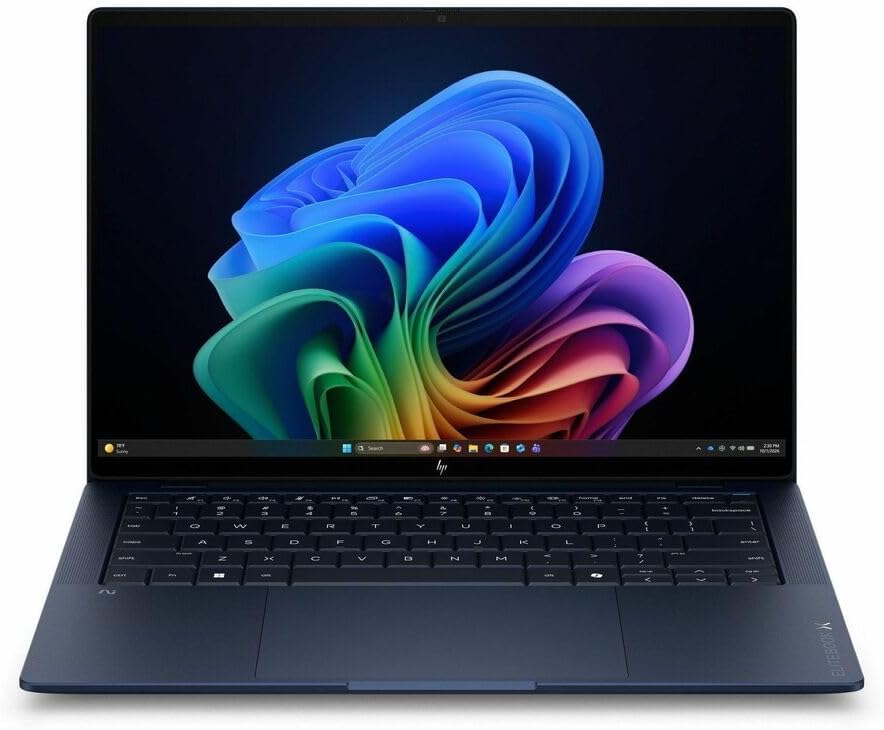
StorageReview reviewed this on August 18, 2026 and handed it the “Best Executive Thin-and-Light” slot on their business leaderboard, taking it off Dell. Lighter, faster, longer-running. Hard to argue.
Specifications (as tested)
- CPU: Intel Core Ultra 7 366H vPro (Series 3), 16 cores, up to 4.8 GHz, 50 TOPS NPU. A Core Ultra X7 358H tier with Arc B390 graphics is also sold
- Memory: 32 GB LPDDR5x-8533, soldered. 64 GB available in the lineup
- Storage: 1 TB SK hynix PCB01, PCIe Gen5
- Display: 14″ 3K (2880×1800) OLED, 120 Hz with VRR, anti-glare, 500 nits, 100% DCI-P3
- Battery: 68 Wh, 50% charge in 30 minutes, 65 W USB-C
- Ports: HDMI 2.1, 2× Thunderbolt 4, 1× USB-C 10 Gbps, 1× powered USB-A 5 Gbps, headset jack, nano lock, optional nano-SIM
- Wireless: Intel Wi-Fi 7 BE211, Bluetooth 6
- Camera: 5 MP IR with a physical shutter, Poly Camera Pro running on the NPU
- Weight: 1.088 kg as tested, from 0.99 kg
- Certifications: MIL-STD 810H (19 tests passed), ENERGY STAR, EPEAT Climate+ Gold
The measured numbers
PCMark 10 overall of 9,209. That beats the Dell Pro 7 14 Intel (8,438), the Dell Pro 14 Premium (8,482) and even the ThinkPad P14s Gen 7 mobile workstation (9,083).
But the figure that made me sit up is the Productivity subscore of 18,859, driven by a spreadsheet score of 23,502. StorageReview called it the highest they’ve ever recorded in this class — 14% ahead of that ThinkPad workstation and roughly 35% ahead of both Dell Pro machines running the identical processor.
If you live in Excel, Sheets or an accounting package, that is the single most relevant number on this page, and this machine owns it outright.
Battery: 17 hours 13 minutes in PCMark 10 Modern Office. Its convertible sibling, the EliteBook X Flip G2i, was separately measured by MyFixGuide at 20 hours 22 minutes on the same test at 150 nits in energy-saving mode. Same platform, gentler panel settings, three extra hours.
Display. StorageReview didn’t put a colorimeter on it, but MyFixGuide measured the same 2.8K OLED panel in the Flip: 511 nits peak in SDR (eight above HP’s claim) and 942 nits in HDR, with 100% sRGB, 97.6% AdobeRGB and 99.9% DCI-P3 coverage. That’s a properly wide-gamut panel, and being OLED, its contrast is effectively unlimited.
Other results: Geekbench 6 at 2,804 / 16,390. Geekbench 7 at 2,527 / 17,345. Cinebench 2026 at 494 single-thread and 4,060 multi-thread, which is 7% ahead of the identically-specced Dell Pro 7 14. 7-Zip at 87.724 GIPS, 8% ahead of that same Dell.
Storage: the SK hynix Gen5 drive wrote at 8,949 MB/s — the fastest in its comparison group — read at 7,919 MB/s, and scored 3,156 in 3DMark Storage.
Sustained load. MyFixGuide stress-tested the Flip with Blender and logged the CPU hitting 97 °C at 52 W, with the fan reaching 55 dB and the keyboard surface staying at a comfortable 31 °C. Translation: the chassis keeps your hands cool and runs the chip near its thermal limit to do it, and you will absolutely hear the fan during a long export.
The repairability story is the real differentiator, and it’s why this HP is on my list rather than a different one. The keyboard is top-mounted and comes out in three steps with no screws — HP says about a ten-minute swap, and sells the kit for roughly $100 to $150. There’s a QR code engraved on the bottom cover that takes you straight to parts ordering. The trackpad is a separate module you can replace without touching the keyboard. The battery swaps easily too.
For a small business, that isn’t a nerd feature. That’s the difference between a coffee spill costing you $130 and one afternoon, versus costing you a new laptop.
HP also says 80% of the major parts contain recycled material, down to magnesium from recycled wheel rims, and the 100 W GaN adapter is at least 90% recycled plastic.
Pros
- The best productivity and spreadsheet performance measured in this class, by a wide margin
- 1.09 kg with a 14-inch screen
- Superb OLED: 511 nits SDR, 942 nits HDR, 99.9% DCI-P3
- Repairability designed in rather than bolted on
- Fastest SSD writes in its comparison group
- Full vPro and business security stack
- Three colours, including a blue that doesn’t look silly in a client meeting
- 50% charge in half an hour
Cons
- StorageReview found noticeable lid flex on the clamshell when pressing the centre of the closed lid. The convertible doesn’t have this
- 32 GB of soldered memory has real limits — the review unit couldn’t even start y-cruncher’s 5-billion-digit test that the 64 GB comparison machines completed
- The fan hits 55 dB under sustained load
- That gorgeous OLED costs you battery, per the section above
- Pricing is chaotic. HP has no full configurator live for it, list prices reach $6,270, and the closest in-stock clamshell was selling at $3,399 during a sale, with the Flip version of the tested CPU config at $2,999. Shop the street price and ignore the list entirely
Buy it if your day is spreadsheets, dashboards and client presentations and you want the screen to be beautiful. Configure it with 64 GB if the budget stretches, and look at the Arc B390 tier if you do creative work — StorageReview’s data on that same GPU in a Dell shows it running 2.2 to 2.3 times faster in GPU compute and rendering.
4. Dell Pro 7 14 Intel — the one that simply doesn’t run out
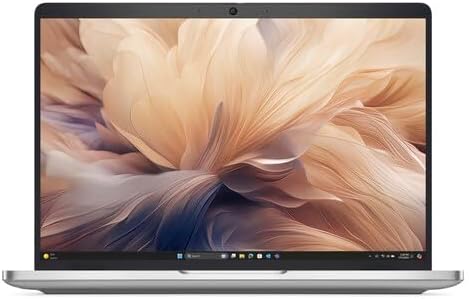
StorageReview’s Best Overall pick for 2026, and it earns it on one slightly absurd number.
Specifications (as tested)
- CPU: Intel Core Ultra 7 366H vPro (Series 3), 16 cores, 50 TOPS NPU
- Memory: 64 GB LPDDR5x-8533, soldered
- Storage: 1 TB PCIe Gen5 SSD. The M.2 2280 slot and the Wi-Fi card are both user-upgradeable
- Display: 14″ WUXGA options. Skip the cheapest one — see below
- Battery: 70 Wh with ExpressCharge, or a lighter 55.8 Wh option
- Ports: Thunderbolt, a third USB-C at 20 Gbps on some configs, headset jack, wedge lock slot, optional nano-SIM and smart card reader
- Wireless: Intel Wi-Fi 7 BE211, Bluetooth 6.0
- Charging: 65 W USB-C from either side
- Chassis: aluminium top cover and palm rest, magnesium bottom door, 16.45 mm at its thickest — up to 17% slimmer than the model it replaces
- Weight: 1.27 kg
- Security: Intel vPro with AMT, Hardware Shield, Dell SafeBIOS, tested beyond standard MIL-STD requirements
- Price: the line starts around $2,200. StorageReview’s 64 GB / 1 TB review unit listed at $5,600 as a single-unit price
The measured numbers
26 hours and 18 minutes in PCMark 10 Modern Office. Not a video loop. Not an idle drain. An actual office workload running to shutdown.
Its sibling, the Dell Pro 5 14 Intel, holds StorageReview’s all-time record at 26h 48m, but the Pro 7 is the thinner, lighter one, so it’s the one I’d carry.
PCMark 10 overall of 8,438, with Essentials at 10,981 — the highest in its comparison group — and Digital Content Creation at 10,610.
Display. Notebookcheck measured the WUXGA panel in this chassis (LG Philips LP140WU) at 571.5 nits peak, 513.2 average, contrast of 1971:1, black level 0.29, 68.1% AdobeRGB, and a ColorChecker ΔE of 4.58 out of the box, dropping to 0.72 after calibration. Greyscale ΔE was 6.8. So: bright, high contrast, mediocre factory calibration, fixable in ten minutes with a profile.
More results: Geekbench 6 at 2,862 / 16,787. Geekbench 7 at 2,589 / 17,805. Cinebench 2026 at 511 single-thread and 3,807 multi-thread.
Storage: the Gen5 drive led 3DMark Storage at 3,259 and read at nearly 8.4 GB/s in Blackmagic, with writes at 8,934 MB/s.
Where it gives ground: 7-Zip at 80.027 GIPS is 8% behind the HP on identical silicon, and StorageReview’s own verdict says the machine trades sustained CPU performance for portability, so heavy compile or render jobs belong elsewhere. That’s an honest weakness in an otherwise stacked machine.
Pros
- Battery life that borders on ridiculous — two full working days, measured, on a real workload
- Full enterprise security: vPro with AMT, Hardware Shield, SafeBIOS
- Blisteringly fast Gen5 storage
- Genuinely thin and light at 1.27 kg
- Charges from either side with a 65 W brick
- 5G-ready with an optional nano-SIM tray
- SSD and Wi-Fi card are both user-serviceable, which is rarer than it should be
- Extensive use of recycled plastic, aluminium, steel, glass and copper, with fully recyclable, plastic-free packaging
Cons
- Skip the base display. Notebookcheck measured roughly 60% sRGB coverage on the cheapest panel option. This is the most important configuration warning on this page
- Sustained multi-core work is not its strength
- Soldered RAM
- List pricing is brutal on high-end configs
- No SD card reader
- Notebookcheck noted the fan RPM changes can be sudden and audible
Buy it if you’re constantly on the road — field services, trades, real estate, site visits, anywhere the power situation is unreliable. Configure it with a WUXGA panel that isn’t the cheapest one, the 70 Wh battery, and 32 GB rather than the 64 GB that inflated the review unit’s price.
5. ASUS ExpertBook Ultra B9406CAA — for owners who also make things
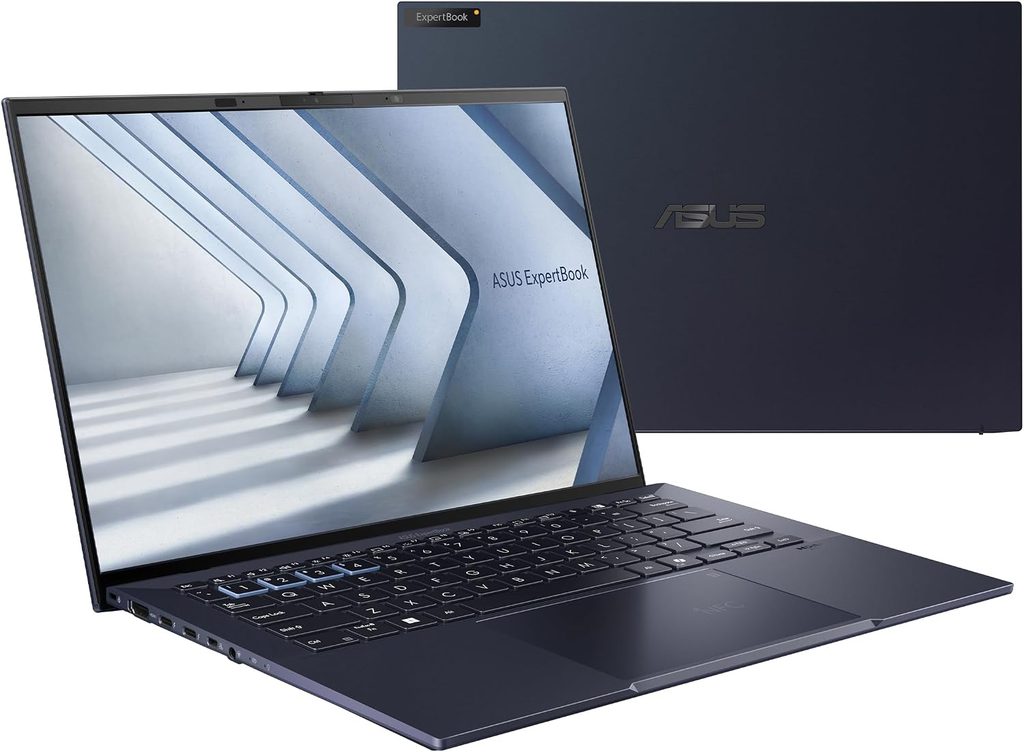
The deliberate outlier. Every other machine here optimises for endurance and manageability. This one optimises for horsepower and picture quality, and Notebookcheck’s data — scoring it 87.6% — shows it winning most performance categories in its comparison group outright.
Specifications
- CPU: Intel Core Ultra X7 358H (Panther Lake)
- Graphics: Intel Arc B390, 12 Xe3 cores
- Memory: 32 GB
- Storage: 2 TB Samsung PM9E1
- Display: 14″ 2880×1800 OLED, 120 Hz
- Battery: 70 Wh
- Wireless: Intel Wi-Fi 7 BE211
- Dimensions: 15.9 mm thick
- Weight: 1.1 kg
The measured numbers
PCMark 10 overall of 9,298, the highest in Notebookcheck’s entire comparison group. Productivity at 14,899 and Digital Content Creation at 13,541 — the latter being 50% ahead of the ThinkPad X1 Carbon Gen 14.
Cinebench 2024 at 1,125 multi-core, 74% ahead of the X1 Carbon. Cinebench R23 at 19,841 / 2,079. Geekbench 6.7 at 16,674 / 2,836. 7-Zip at 68,533 MIPS, 89% ahead of the X1 Carbon.
Graphics, which is the whole point of this machine: 3DMark Fire Strike Graphics of 17,054, Time Spy Graphics of 6,679, 3DMark 11 at 18,313. That’s 141% ahead of the X1 Carbon’s integrated graphics. Cyberpunk 2077 at 1080p Ultra runs at 47.2 fps, which tells you nothing about business use and everything about whether the GPU can carry a video timeline. It can.
The display is the best on this page, and it isn’t close. Notebookcheck measured 600.5 nits at centre and 612 nits average, 100% sRGB, 96.2% DCI-P3, 86.7% AdobeRGB, a ColorChecker ΔE of 1.18 and a greyscale ΔE of 1.0 straight out of the box, with response times of 0.71 ms and 0.94 ms.
Put that next to the ThinkPad’s out-of-box ΔE of 5.0 and the Dell’s 4.58 and you can see the difference. This screen is client-ready with zero setup and no ICC profile hunting.
Storage: the Samsung PM9E1 hit 8,710 MB/s sequential read in AS SSD and 14,067 MB/s in DiskSpd’s queued sequential read, with an AS SSD total of 6,239. Fastest drive here by a distance.
Two quieter wins. DPC latency of 398 µs was the best in its group by a mile, which matters if you record audio or run a podcast. And the speakers hit 86.8 dB with the most linear response of any laptop in the comparison — better than 99% of its class.
Thermals: maximum 38.6 °C on top and 38.4 °C on the bottom, the coolest-running machine in Notebookcheck’s group. Fan noise averages 28.6 dB under load but peaks at 45.2 dB.
Battery: 16 hours 6 minutes in the Wi-Fi test. Which, per everything I said earlier, is exactly what a 600-nit 120 Hz OLED costs you. That’s the price of admission for the best screen here.
Pros
- Best raw performance on this page by a wide margin, CPU and GPU
- Best display, full stop: brightest, most accurate, fastest response, correctly calibrated at the factory
- Fastest SSD here
- Best speakers and lowest DPC latency, which matter more than people expect for calls and recording
- Coolest surface temperatures under load
- 1.1 kg despite all of the above
- 2 TB of storage as tested
Cons
- 16 hours is the weakest battery result here — the direct cost of that spectacular screen
- TechRadar’s review flags no upgrade options and a premium price
- Streamlined port selection, which on a business machine is a real annoyance
- The fan peaks at 45.2 dB, loudest in its group
- ASUS’s business support network is thinner than Dell’s, HP’s or Lenovo’s in most markets. Check what’s actually available where you are before you buy
Buy it if your business makes things — product photography, video, design, a YouTube channel, local AI work. Skip it if you mostly answer emails on a plane.
All five, side by side
| MacBook Air M5 | ThinkPad X1 Carbon G14 | HP EliteBook X G2i | Dell Pro 7 14 Intel | ASUS ExpertBook Ultra | |
|---|---|---|---|---|---|
| Processor | Apple M5, 10-core | Core Ultra 5 325 | Core Ultra 7 366H vPro | Core Ultra 7 366H vPro | Core Ultra X7 358H |
| Graphics | 10-core Apple GPU | Intel 4 Xe3 | Intel 4 Xe | Intel 4 Xe | Arc B390, 12 Xe3 |
| Memory tested | 16 GB | 32 GB | 32 GB | 64 GB | 32 GB |
| Panel | 13.6″ 2560×1664 IPS, 60 Hz | 14″ 1920×1200 IPS, 60 Hz | 14″ 2880×1800 OLED, 120 Hz | 14″ WUXGA IPS | 14″ 2880×1800 OLED, 120 Hz |
| Measured peak brightness | 526 cd/m² | 546 cd/m² | 511 cd/m² SDR, 942 HDR | 571.5 cd/m² | 600.5 cd/m² |
| Measured contrast | 882:1 | 1800:1 | OLED, effectively unlimited | 1971:1 | OLED, effectively unlimited |
| Out-of-box colour ΔE | 0.8 | 5.0 | 99.9% DCI-P3 measured | 4.58 | 1.18 |
| Geekbench 6 single | 3,970 | 2,620 | 2,804 | 2,862 | 2,836 |
| Geekbench 6 multi | 16,404 | 11,038 | 16,390 | 16,787 | 16,674 |
| PCMark 10 overall | Not applicable (macOS) | 7,709 | 9,209 | 8,438 | 9,298 |
| Measured battery | 16h 11m (Wi-Fi) | 23h 13m (Wi-Fi) | 17h 13m (Modern Office) | 26h 18m (Modern Office) | 16h 06m (Wi-Fi) |
| Battery capacity | 53.8 Wh | 58 Wh | 68 Wh | 70 Wh | 70 Wh |
| Weight | 1.24 kg | 1.14 kg | 1.09 kg | 1.27 kg | 1.1 kg |
| Fan | None | 38.9 dB max | 55 dB under load | Yes, audible | 45.2 dB max |
| Fleet management | No | vPro available | vPro | vPro with AMT | Partial |
| Cellular option | No | 4G/5G | 5G | Optional nano-SIM | No |
| Best at | Just working | Endurance and typing | Spreadsheets and repair | Endurance and security | Performance and picture |
Two reminders on reading that table. The battery row mixes two tests — Apple, Lenovo and ASUS are Notebookcheck’s Wi-Fi run; HP and Dell are StorageReview’s PCMark 10 Modern Office, which is considerably harder. And the HP’s colour cell shows gamut rather than ΔE because no lab has published a ΔE figure for that specific panel yet; the 99.9% DCI-P3 measurement is from MyFixGuide’s SpyderX run on the identical screen in the Flip variant.
Now let’s talk about the money properly
Most reviews stop at the sticker price. That’s not how a business buys equipment.
The gap is smaller than it looks
Say you’re weighing a $1,200 machine against a $2,000 one. That $800 gap feels enormous in the moment.
Now put it against a single failure. If you bill $150 an hour and a dead keyboard costs you a day and a half of productive time while you wait on a repair, that’s over $1,800 gone — before you count the client who rebooked.
Here’s the same failure on two different machines:
- A consumer laptop with no parts channel: ship it out and wait a week or two, or buy a replacement.
- The HP EliteBook X G2i: scan the QR code on the base, order the keyboard kit for roughly $100 to $150, swap it in about ten minutes with no screws.
I’m not going to invent a statistic about keyboard failure rates. What I’ll say is this: if you own one laptop and that laptop is your business, the price gap between the cheap machine and the serviceable one gets recovered by a single avoided outage. Everything after that is profit.
Two decisions worth more than the brand you pick
Memory. Every machine here has soldered RAM. Every single one. You cannot fix this later, and the consequences are real — StorageReview’s 32 GB HP unit literally could not start a workload the 64 GB comparison machines finished. If you keep forty browser tabs, a video call and a spreadsheet open simultaneously, which every small business owner I know does, buy the memory now.
Screen. See the whole section above. It’s a runtime decision wearing an aesthetic costume.
One note for US buyers
Equipment like this is generally a deductible business expense in the United States, and Section 179 lets many small businesses deduct qualifying equipment in the year it’s placed in service rather than depreciating it over several years. Limits, phase-outs and eligibility depend on your entity type and total purchases, and they change.
I write about hardware, not tax. Talk to your CPA before you let a tax assumption drive the purchase.
Which one should you actually buy?
- Consultant, coach, agency, professional services: MacBook Air M5. Silent on calls, accurate screen, holds its value, gets out of your way.
- Bookkeeper, accountant, financial services, anyone in spreadsheets six hours a day: HP EliteBook X G2i. That 18,859 Productivity score isn’t close to anything else.
- Field services, trades, real estate, contractors, anyone working out of a vehicle: Dell Pro 7 14 Intel with the WUXGA panel and the 70 Wh battery. Twenty-six hours means you stop thinking about chargers.
- Frequent flyers, sales, anyone who types for a living: ThinkPad X1 Carbon Gen 14 with the IPS panel. Grab the free calibration profile on day one.
- E-commerce sellers, content creators, designers, product photographers: ASUS ExpertBook Ultra B9406CAA. The screen is right out of the box and the GPU is real.
- Windows-only vertical software, one machine, no IT support: Dell Pro 7 14 or the HP. Both give you vPro and a genuine parts channel.
Frequently asked questions
Is 16 GB of RAM enough for a business laptop in 2026? For email, spreadsheets, browser work and video calls, yes. For photo editing, video, virtual machines or large datasets, no. Since every machine on this list has soldered memory, you’re deciding permanently at checkout. When in doubt, take 32 GB.
How much battery life do I actually need? Look at your worst day, not your average one. If you’re at a desk with a charger nearby, anything over ten measured hours is plenty and you should put the money into the screen instead. If you’re constantly moving, the Dell Pro 7 14 at 26h 18m and the ThinkPad X1 Carbon at 23h 13m are in a category of their own.
Should I buy an OLED screen for business use? Only if your work is visual. Measured across three vendors, an OLED panel costs roughly a third of your runtime versus an LCD in the same chassis on the same silicon. If you’re mostly in documents and spreadsheets, the LCD is the better business decision — and the money you save buys a very good external monitor.
Do I need Intel vPro as a small business owner? The remote-management side is aimed at IT departments and you probably won’t touch it. The firmware-level security that ships alongside it — Hardware Shield, Dell SafeBIOS, HP’s Endpoint Security Controller — protects your boot chain, and that’s worth having at any size.
Is a MacBook a bad choice for a business? Not at all, unless your industry software is Windows-only. Check that first, before anything else. If your stack is web-based, which most small business software now is, macOS removes a whole category of maintenance from your week.
Are these prices real? The list prices in this segment are close to fiction. HP had a $6,270 list price selling at $3,399 during a sale. Dell’s single-unit price on the reviewed Pro 7 14 configuration was $5,600 while the line starts around $2,200. The MacBook Air is the one honest sticker here at $1,099. Configure down from the review units, buy through the business store, and check manufacturer-refurbished stock.
Which of these has the best screen? The ASUS ExpertBook Ultra, measured: 600.5 nits, 100% sRGB, 96.2% DCI-P3, and a ColorChecker ΔE of 1.18 with no calibration. The HP’s OLED covers more gamut at 99.9% DCI-P3 and goes brighter in HDR at 942 nits, but nobody has published a ΔE figure for it yet.
What’s the mistake you see most often? Buying the cheapest display option to save money. Notebookcheck measured roughly 60% sRGB coverage on the Dell Pro 7 14’s base panel. You will look at that screen for eight hours a day for four years. Spend the extra.
A note on how this was put together
I didn’t run these benchmarks myself. What I did was read the labs that publish their methodology, cross-check their results against each other, and name the source of every figure so you can go and verify any of it.
Where numbers came from different labs and different tests, I’ve said so rather than blending them into one tidy ranking. Blending them would have produced a cleaner-looking article and a less accurate one, and you’d have made a worse buying decision because of it.
Prices, availability and configurations in this segment move fast. Everything here reflects the state of play in early September 2026.
Sources
- StorageReview, Best Business Laptops in 2026: Lab-Tested Leaderboard — https://www.storagereview.com/best/business-laptops
- StorageReview, HP EliteBook X G2i Review — https://www.storagereview.com/review/hp-elitebook-x-g2i-review
- StorageReview, Dell Pro 7 14 Intel Review — https://www.storagereview.com/review/dell-pro-7-14-intel-review-26-hours-of-battery-in-dells-thinnest-pro-laptop
- StorageReview, Dell Pro 14 Premium Review — https://www.storagereview.com/review/dell-pro-14-premium-review
- Notebookcheck, Lenovo ThinkPad X1 Carbon Gen 14 Review — https://www.notebookcheck.net/Flagship-business-laptop-with-almost-24-hours-of-battery-life-Lenovo-ThinkPad-X1-Carbon-Gen-14-Review.1332558.0.html
- Notebookcheck, Dell Pro 7 14 P714265 review: Business with style — https://www.notebookcheck.net/Dell-Pro-7-14-P714265-review-Business-with-style.1337397.0.html
- Notebookcheck, MacBook Air 13 M5 vs M4 battery life — https://www.notebookcheck.net/MacBook-Air-13-M5-Vs-M4-battery-life-New-MacBook-suffers-from-6-shorter-endurance-on-max-brightness.1245763.0.html
- MyFixGuide, HP EliteBook X Flip G2i 14 inch Review — https://www.myfixguide.com/hp-elitebook-x-flip-g2i-14-inch-review/
- Tom’s Hardware, Apple MacBook Air (13-inch, M5) review — https://www.tomshardware.com/laptops/macbooks/apple-macbook-air-13-inch-m5-review
- Tom’s Hardware, Lenovo ThinkPad X1 Carbon Gen 14 Aura Edition review — https://www.tomshardware.com/laptops/lenovo-thinkpad-x1-carbon-gen-14-aura-edition-review
- Tom’s Guide, MacBook Air M5 review: Almost perfect — https://www.tomsguide.com/computing/macbooks/macbook-air-m5-review
- Expert Reviews, M5 Apple MacBook Air (2026) review — https://www.expertreviews.co.uk/technology/laptops/m5-apple-macbook-air-review
- CNN Underscored, MacBook Air M5: tested review — https://www.cnn.com/cnn-underscored/reviews/apple-macbook-air-m5
- Consumer Reports, Lenovo ThinkPad X1 Carbon Gen 14 Aura Edition — https://www.consumerreports.org/electronics-computers/laptops-chromebooks/lenovo-thinkpad-x1-carbon-gen-14-aura-edition-14-intel/m421460/
- TechRadar, Asus ExpertBook Ultra (2026) business laptop review — https://www.techradar.com/computing/asus-expertbook-ultra-2026-business-laptop-review

Hi, my name is Burak. I am a mechanical engineer. I have been writing laptop reviews for the Engineering Laptops website since 2020. Please feel free to contact me if you have any questions.