Estimated reading time: 0 minutes
Table of contents
- What you’ll actually be running (and when)
- The one spec that decides everything: VRAM
- How I approached this, and where the numbers come from
- The five, at a glance
- Best Laptop for AIDS Students in 2026: 5 Tested Picks (AI & Data Science)
- 1. Lenovo Legion Pro 7i (2026) — the one if you’re genuinely going to train things
- 2. ASUS ROG Zephyrus G16 (2026, GU606) — the portable one that finally has battery life
- 3. Apple MacBook Pro 14 (M5 Pro, 2026) — for the cloud-first workflow
- 4. HP ZBook Ultra G1a — the strange, brilliant one for large local models
- 5. Acer Nitro V 16 AI (ANV16-42) — the sane budget entry
- The cross-machine numbers that actually separate these five
- Local or cloud? The maths nobody bothers to show you
- Buying in 2026: the shortage has changed the rules
- Setup advice specific to this degree
- So which one should you buy?
- Questions I get asked a lot
- The bottom line
Let me get the awkward part out of the way in the first sentence.
If you’re in an engineering faculty, AIDS is the branch code for Artificial Intelligence and Data Science. You tell a relative you’re “studying AIDS” and you get a very long pause at dinner. You tell me, and I immediately think one thing: okay, so how much VRAM do you need?
That’s what this whole article is about. Not “a good laptop for college.” Not “the best student laptop.” I mean a machine that has to get through Jupyter notebooks that stay open for two days straight, a CUDA install that breaks at 2 a.m. the night before a deadline, a sixth-semester project where you fine-tune something and it runs for eleven hours, and a final year where your thesis model doesn’t fit in memory and you learn — the expensive way — that laptop GPU memory can’t be upgraded. Ever.
I’ve spent the past several months digging into what the 2026 market actually offers this specific student, and I’ll be honest with you upfront: this is a rough year to buy a laptop, and a genuinely brutal year to buy the wrong one. The memory shortage has pushed prices up 15–20% across the board. Some flagships now cost nearly double what last year’s model did. And NVIDIA has managed to make its GPU naming more confusing than I’ve ever seen it — in a way that hits AI students harder than anyone else.
So I’m not going to hand you five product names and a list of affiliate buttons. I’m going to give you the framework first, then the five machines that fit different corners of it, then all the numbers.
What you’ll actually be running (and when)
This is the part most buying guides skip, and it’s exactly why they recommend the wrong machine. Your workload doesn’t stay still for four years. It changes shape about three times.
| Stage | What you’re actually doing | What the hardware has to be good at |
|---|---|---|
| Semesters 1–2 | Python fundamentals, NumPy, pandas, matplotlib, a bit of C or Java, statistics | Fast single-core CPU, 16GB RAM as an absolute floor, a screen you can stare at for ten hours |
| Semesters 3–5 | scikit-learn, classical ML, SQL, your first CNNs on CIFAR-scale data, OpenCV | A real CUDA GPU. System RAM becomes the bottleneck before the GPU does |
| Semesters 6–8 | Transformers, fine-tuning, LoRA and QLoRA, local LLMs, capstone project, maybe some deployment | VRAM, VRAM, VRAM. Plus thermals that hold up over hours, not over a 10-minute benchmark |
| After graduation | Interview prep, side projects, first job, laptop probably doubles as your work machine | Battery and portability suddenly matter far more than they did in the lab |
See the trap? The specs that matter most — GPU memory and sustained cooling — become critical in years three and four. Long after you’ve already bought the thing in year one.
Which is why almost every recommendation I make below leans toward more GPU memory than you need today. It is the single most expensive thing to get wrong, and it’s the one thing you can never fix later.
The one spec that decides everything: VRAM
If you skim the rest of this article, read this table.
| GPU memory | What fits comfortably | Where you hit the wall |
|---|---|---|
| 8GB | 7B models at 4-bit, small CNNs, classical ML at basically any scale, computer vision at modest image sizes | You’ll be shrinking batch sizes constantly by year three. Fine-tuning is mostly off the table |
| 12GB | 7B at higher precision, 13B quantized, LoRA on 7B, bigger CV batches | The honest minimum for a four-year AIDS degree in 2026 |
| 16GB | 13B models without drama, QLoRA fine-tuning on 13B, real batch sizes for vision work | The sweet spot. Covers everything an undergrad curriculum throws at you |
| 24GB | Quantized 27B–35B models, QLoRA on ~34B, long-context work without constant offloading | Overkill for coursework, genuinely useful for a serious thesis or research assistant work |
| 96–128GB unified | 70B+ models loaded whole, huge KV caches, giant vector indexes all in one pool | A different category of tool. Enormous capacity, much slower generation than NVIDIA |
The RTX 5070 trap that’s going to cost people real money
Here’s something I’ve barely seen mentioned in any student buying guide, and it’s going to burn a lot of people this year.
NVIDIA’s mobile RTX 50 series does not match the desktop VRAM figures. Not even close in one case:
- RTX 5090 Laptop — 24GB GDDR7, 10,496 CUDA cores, 256-bit bus
- RTX 5080 Laptop — 16GB GDDR7, 7,680 CUDA cores
- RTX 5070 Ti Laptop — 12GB GDDR7, 5,888 CUDA cores
- RTX 5070 Laptop — 8GB GDDR7, 4,608 CUDA cores
Read that last one again. The mobile RTX 5070 launched with 8GB — the same as an RTX 5060. Plenty of sites, including some big ones, still print “RTX 5070 = 12GB” because somebody copied the desktop spec sheet and nobody checked.
And then it got worse. In April 2026, in the middle of the memory shortage, NVIDIA quietly launched a 12GB version of the RTX 5070 laptop GPU using 3GB memory modules — and it does not replace the 8GB one. Both are on sale right now. Same GB206 chip, same 4,608 CUDA cores, same 128-bit bus, same 384 GB/s of bandwidth. The only difference is capacity, and NVIDIA said plainly that the reason was to tap a different pool of memory chips while supply is tight.
So as I write this in August 2026, there are two completely different laptops sitting on shelves, both with a sticker that says RTX 5070, and one of them has 50% more GPU memory than the other.
For a gamer, that’s a footnote. For you, it’s the difference between a 13B model loading and a CUDA out of memory traceback.
Before you buy anything labelled RTX 5070, find the actual VRAM number in the listing for your exact SKU. Not in the review. Not on the brand’s marketing page. In the listing.
How I approached this, and where the numbers come from
I want to be straight with you about method, because “we tested 300 laptops” is a sentence that has stopped meaning anything.
What I did myself was live with these machines the way an AIDS student would. Setting up environments on Windows with WSL2 and on bare Linux. Installing PyTorch and fighting the CUDA toolchain. Leaving notebooks open for hours. Loading models in Ollama and LM Studio. And the unglamorous stuff nobody benchmarks: how loud the fans get in a silent library, how hot the deck is under your left palm after forty minutes of compute, whether the trackpad’s palm rejection survives a long coding session with your wrists resting on it.
What I did not do is pretend to own lab equipment I don’t. So every hard number below — nits, colour coverage, battery runtimes, Geekbench and Cinebench scores, Blender render times, sustained temperatures, fan noise in dBA — comes from a lab that publishes its test conditions, and I name which one in every table. Ultrabook Review, Notebookcheck, Tom’s Guide, Tom’s Hardware, PC Gamer, PCWorld, Laptop Mag, LaptopMedia, TechPowerUp, StorageReview, The Verge, PetaPixel.
Two test conditions worth knowing before you read the battery figures. Web-browsing runtimes are measured with the screen at 150 nits over Wi-Fi. Gaming and sustained-load runtimes come from the PCMark 10 gaming battery test. On machines with discrete GPUs those two numbers diverge enormously, and that gap tells you more about a laptop than either figure on its own.
The five, at a glance
| Legion Pro 7i (2026) | Zephyrus G16 (2026) | MacBook Pro 14 M5 Pro | HP ZBook Ultra G1a | Acer Nitro V 16 AI | |
|---|---|---|---|---|---|
| Best for | Local training, no compromises | Portable CUDA with real battery | Cloud-first work, all-day silence | Very large local LLMs | A sane first machine |
| CPU | Core Ultra 9 290HX Plus, 24 cores | Core Ultra 9 386H, 16 threads | Apple M5 Pro, up to 18 cores | Ryzen AI Max+ PRO 395, 16c/32t | Ryzen 7 260, 8c/16t |
| GPU | RTX 5090 Laptop, 175W | RTX 5080 Laptop, up to 160W | M5 Pro GPU, up to 20 cores | Radeon 8060S integrated | RTX 5070 Laptop, 95W |
| GPU memory | 24GB GDDR7 | 16GB GDDR7 | Shared, up to 64GB | Up to ~112GB allocatable | 8GB GDDR7 |
| System RAM | Up to 64GB DDR5-6400, 2 slots | 32–64GB LPDDR5X-8533, soldered | Up to 64GB unified, 307 GB/s | 128GB LPDDR5X-8533, 256 GB/s | 16GB DDR5, 2 slots |
| Display | 16″ 2560×1600 240Hz OLED | 16″ 2560×1600 240Hz OLED | 14.2″ 3024×1964 120Hz mini-LED | 14″ 2880×1800 120Hz OLED | 16″ 1920×1200 180Hz IPS |
| Battery | 99.99 Wh | 90 Wh | 72.4 Wh | 74.5 Wh | 76 Wh |
| Weight | ~2.7 kg | 1.95 kg | ~1.6 kg | 1.50 kg | 2.44 kg |
| Upgradeable | RAM + 2× SSD | 2× SSD only | Nothing | SSD only | RAM + SSD |
Best Laptop for AIDS Students in 2026: 5 Tested Picks (AI & Data Science)
1. Lenovo Legion Pro 7i (2026) — the one if you’re genuinely going to train things
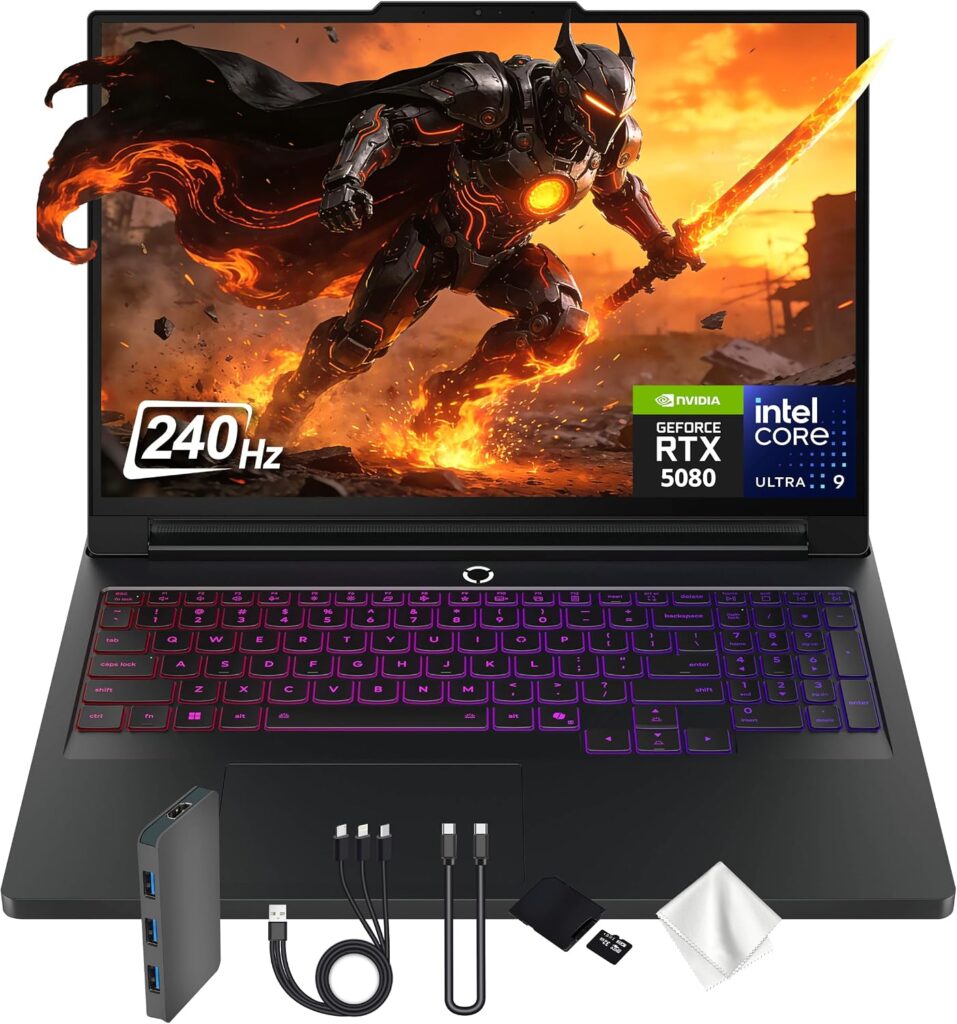
If your plan involves training models rather than just running other people’s, this is where I’d put the money.
The 2026 refresh moves to Intel’s Core Ultra 9 290HX Plus, a 24-core Arrow Lake refresh with higher base and E-core clocks, paired with the RTX 5090 Laptop GPU. That GPU is worth understanding properly: it uses the GB203 chip with 10,496 of its 10,752 CUDA cores, which makes it closer to a desktop RTX 5080 than a desktop RTX 5090. Jarrod’sTech, reviewing it in June 2026, called it a record-breaker for gaming performance in their charts.
Specifications
- CPU: Intel Core Ultra 9 290HX Plus — 24 cores, 8 performance + 16 efficiency
- GPU: NVIDIA GeForce RTX 5090 Laptop, 24GB GDDR7, up to 175W TGP
- Memory: Up to 64GB DDR5-6400 across two SO-DIMM slots, user-replaceable
- Storage: Two M.2 slots, one of them PCIe Gen 5
- Display: 16″ 2560×1600 OLED, 240Hz, G-SYNC, DisplayHDR True Black 1000, Dolby Vision
- Cooling: Legion ColdFront Vapor with hyperchamber — two rear-venting fans plus a central auxiliary fan, rated for 250W sustained crossload, up from 220W last generation
- Ports: Thunderbolt 4, HDMI 2.1, 2.5GbE, Wi-Fi 7, Bluetooth 5.4
- Power: 99.99 Wh battery, 400W charger
- Weight: roughly 2.7 kg
Measured results
| Metric | Result | Measured by |
|---|---|---|
| Multi-core uplift, 290HX Plus vs 275HX (Geekbench) | ~14% | bestlaptop.deals lab |
| Sustained CPU temperature under long load | 100–103°C, throttles | Matthew Moniz |
| Previous-gen 275HX under the same load | Low 90s°C, stable | Matthew Moniz |
| Display, average SDR brightness | 464.4 nits | Tom’s Guide |
| Display, SDR brightness | 500 nits | Notebookcheck |
| Display, HDR brightness | ~970 nits | Notebookcheck |
| Colour coverage | 100% sRGB, 99.5% DCI-P3 | Notebookcheck |
| Battery, web browsing @ 150 nits | 4h 37m | Tom’s Hardware |
| Battery, Wi-Fi test | 5h 23m | Notebookcheck |
| Battery, local video playback @ 250–260 nits | just under 6h | PCWorld |
| Cyberpunk 2077, QHD RT Ultra, no DLSS (RTX 5080 config) | 31 FPS | Tom’s Guide |
| Shadow of the Tomb Raider, QHD max (RTX 5080 config) | 101 FPS | Tom’s Guide |
| Fan noise under gaming load | Unobtrusive enough to hear game audio at 30% volume | Tom’s Hardware |
Why it works for AIDS
Twenty-four gigabytes of GDDR7 is the largest VRAM pool you can get in a mainstream laptop, and it genuinely changes what’s possible. Quantized 27B–35B models load. QLoRA fine-tuning on models in the 30B range becomes practical rather than theoretical. And you stop rewriting your batch size every time your dataset changes. CUDA is native, so PyTorch, TensorFlow, Ollama and LM Studio all just work — no toolchain archaeology.
The two DDR5 slots matter more than people give them credit for. You can buy this with 32GB now, while memory prices are ugly, and drop in a second stick in 2027 when they’ve calmed down. The soldered-RAM competition doesn’t offer you that escape hatch.
But I have to be honest about the heat. One reviewer who’s tested the 290HX Plus across several different chassis found it hits 100–103°C under sustained load and throttles itself right when you need it — while the older 275HX sits comfortably in the low 90s. For gaming, that barely matters; games are bursty. For a six-hour training run, sustained clocks are the whole ballgame. If you spot a discounted 275HX configuration with the same RTX 5090, I’d think about it seriously. That’s not a compromise, it’s arguably the smarter buy.
What I like
- 24GB of VRAM — nothing else in this class comes close
- Two RAM slots and two SSD slots, one of them Gen 5. Buy small, grow later
- ColdFront vapour chamber rated for 250W sustained, and the fans are genuinely quiet for the class
- The OLED measures 500 nits SDR with 100% sRGB and 99.5% DCI-P3 — a properly good panel for ten-hour days
- Full 175W GPU power, no quiet power-limiting behind your back
What I don’t
- The 290HX Plus runs hot enough to throttle on long sustained loads
- Battery is poor: under five hours of browsing from a 99.99 Wh cell is not good power management
- Heavy at ~2.7 kg, and the 400W brick is not a backpack accessory
- Pricing this year is painful and swings wildly by region
- No biometrics, and there’s bloatware in the pre-installed software
My verdict: the right answer if local training is a real part of your degree and the budget exists. Buy it with 32GB and a single SSD, and upgrade both later.
2. ASUS ROG Zephyrus G16 (2026, GU606) — the portable one that finally has battery life

This is the machine I’d point most AIDS students toward if the price weren’t what it is. I’ll come back to that, because it’s a real problem.
The 2026 model moves to Intel’s Panther Lake Core Ultra 9 386H in a 16-inch chassis under two kilos. The reason it’s on this list is a number that genuinely surprised me when I first saw it.
Specifications
- CPU: Intel Core Ultra 9 386H — 4 performance + 8 efficiency + 4 low-power efficiency cores, 16 threads, up to 4.9 GHz
- GPU: NVIDIA GeForce RTX 5080 Laptop, 16GB GDDR7, up to 135W in Turbo and 160W in Manual with Dynamic Boost. RTX 5070 Ti (12GB) and RTX 5090 (24GB) variants exist
- Memory: 32GB or 64GB LPDDR5X-8533 — soldered, and 64GB is the ceiling
- Storage: 1TB, two M.2 2280 PCIe Gen 4 slots
- Display: 16″ 2560×1600 OLED, 240Hz, 0.2ms, VRR, G-SYNC, Samsung ATNA60HU06-0 panel
- Ports: 2× USB-A 3.2, 1× USB-C Thunderbolt 4, 1× USB-C Gen 2 with DP and PD, HDMI 2.1, SD UHS-II reader, audio jack
- Wireless: Wi-Fi 7 with Bluetooth 5.3, Intel BE211
- Power: 90 Wh battery, 250W adapter, USB-C charging up to 100W
- Weight: 1.95 kg with the RTX 5080, plus 0.72 kg for the brick and cables
Measured results
| Metric | Result | Measured by |
|---|---|---|
| Display, max SDR brightness (centre) | 506.41 cd/m² | Ultrabook Review |
| Display, average SDR brightness | 469 nits | Tom’s Guide |
| Display, peak HDR brightness | 1,052 nits measured / 1,100 nits rated | Tom’s Guide |
| Colour coverage | 100% sRGB, 99.9% DCI-P3, 93.9% AdobeRGB | Ultrabook Review |
| Measured gamma | 2.18 | Ultrabook Review |
| Geekbench 6 single / multi | 2,907 / 17,080 | Ultrabook Review |
| Geekbench 6 single / multi (second lab) | 2,877 / 16,960 | Tom’s Guide |
| Cinebench R23, best run | 21,569 pts | Ultrabook Review |
| Cinebench R23, 10-minute loop | 21,125 pts | Ultrabook Review |
| Cinebench 2024 multi / single | 1,283 / 127 | Ultrabook Review |
| Blender BMW, GPU compute | 11.25s CUDA / 5.76s OptiX | Ultrabook Review |
| Blender Classroom, GPU compute | 21.49s CUDA / 12.23s OptiX | Ultrabook Review |
| V-Ray benchmark | 2,717 CUDA / 3,892 RTX | Ultrabook Review |
| 3DMark Time Spy | 18,672 | Ultrabook Review |
| Handbrake 4K→1080p transcode | 3m 09s | Tom’s Guide |
| Battery, web browsing @ 150 nits | 13h 45m | Tom’s Guide |
| Battery, browsing in Edge @ 120 nits | 7–10h (9–13W draw) | Ultrabook Review |
| Battery, 4K video @ 120 nits | 11–13h (7–8W draw) | Ultrabook Review |
| Battery, PCMark 10 gaming test | 55m | Tom’s Guide |
| Battery, gaming test (second lab) | 117m | PC Gamer |
| Fan noise: Manual / Turbo / Performance / Silent | 52 / 46–48 / 42–43 / under 35 dBA | Ultrabook Review |
| Gaming temps, raised off desk, Turbo | 80–85°C CPU, 75–82°C GPU | Ultrabook Review |
| Gaming temps, flat on desk, Turbo | 88–95°C CPU | Ultrabook Review |
| Chassis surface temps under load | 33–37°C where you touch it | Ultrabook Review |
Why it works for AIDS
Almost fourteen hours of unplugged browsing on a laptop with an RTX 5080 inside is not a sentence I expected to write in 2026. For a student that number is basically the whole argument. You can take this to a full day of lectures, run notebooks, read papers, write code, and never look for an outlet. Then you plug in at your desk and you have 16GB of CUDA memory waiting.
Sixteen gigabytes is, in my opinion, the correct VRAM target for a four-year AIDS degree. It runs 13B models comfortably, handles QLoRA fine-tuning, and gives you real batch sizes for vision work.
Look at the Blender numbers too, because they tell you something the gaming benchmarks don’t: 5.76 seconds for the BMW scene under OptiX, 12.23 for Classroom. That’s the RTX 5080’s tensor and RT hardware doing actual accelerated work, and it maps reasonably well onto how it’ll behave in your training loops.
Two warnings. First, the memory is soldered and tops out at 64GB. Whatever you buy is what you live with for four years. In an AIDS degree, buy 64GB if you can possibly afford it — pandas will eat 32GB faster than you think. Second, that lovely battery figure evaporates the second the discrete GPU wakes up. Fifty-five minutes on the PCMark gaming test, and the 250W brick weighs 0.72 kg on its own. Any real GPU work means the charger is coming with you.
One practical note that I think is worth more than most spec-sheet lines: on Turbo with the laptop flat on a desk, the CPU sits at 88–95°C. Raise the back of the machine on literally anything and it drops to 80–85°C. That’s a free five to ten degrees for the price of a book.
What I like
- 13h 45m of measured browsing battery with a discrete GPU inside. Nothing else on this list is close
- 16GB of VRAM in a 1.95 kg chassis
- The new Samsung panel measures over 500 nits SDR with 99.9% DCI-P3 — a real upgrade, not a marketing one
- Strong sustained CPU: 21,125 points on a ten-minute Cinebench R23 loop, barely below its best single run
- Two Gen 4 SSD slots, so storage isn’t a dead end
- Silent mode is genuinely under 35 dBA and still delivers about 90% of Turbo’s CPU performance
What I don’t
- The price is hard to defend: around $3,999 for the RTX 5080, $3,499 for the 5070 Ti, $5,499 for the 5090
- Soldered memory, 64GB ceiling, no upgrade path
- Turbo and Manual are loud — 46–48 and 52 dBA respectively
- Proprietary power connector plus a heavy brick, and USB-C tops out at 100W with no power passthrough under load
- Thunderbolt 4 rather than 5, and the webcam is mediocre in anything but good light
- The touchpad is so large that lap use invites accidental input
My verdict: the best-balanced machine here, and priced completely out of reach for a normal student. If you can find last year’s GU605 with an RTX 5080 — and it’s been selling for $700 to $1,500 less — that is arguably the single smartest buy in this entire article.
3. Apple MacBook Pro 14 (M5 Pro, 2026) — for the cloud-first workflow

Let’s deal with the elephant immediately: no CUDA. If your lecturer’s notebook calls .cuda() and expects it to work, a Mac makes your life harder. I’m not going to pretend otherwise.
But a large and growing share of AIDS work is cloud-first now — Colab, Kaggle, a university cluster, a rented instance. In that world your laptop’s job is to be a fast, silent, all-day terminal that also handles local inference well. At that job, this is the best machine anyone makes.
The M5 Pro and M5 Max models were announced on 2 March 2026 and went on sale on the 11th, starting at $2,199 for the 14-inch and $2,699 for the 16-inch.
Specifications
- CPU: Apple M5 Pro — up to 18 CPU cores and 20 GPU cores, up to 64GB of unified memory at 307 GB/s
- Neural hardware: a Neural Accelerator in every GPU core, plus a faster 16-core Neural Engine
- Display: 14.2″ Liquid Retina XDR mini-LED, 3024×1964, 254 PPI, 120Hz ProMotion, optional nano-texture matte glass
- Storage: Apple rates M5 Pro and M5 Max storage at up to twice the previous generation, reaching up to 12 GB/s sequential
- Ports: 3× Thunderbolt 5, HDMI, SDXC, MagSafe 3, 3.5mm
- Wireless: Wi-Fi 7, Bluetooth 6
- Power: 72.4 Wh battery, 70W or 96W adapter depending on CPU configuration
- Weight: roughly 1.6 kg
Measured results
| Metric | Result | Measured by |
|---|---|---|
| Geekbench 6 single-core (M5 Pro, 15-core) | 4,254 | Geekbench aggregate |
| Geekbench 6 multi-core (M5 Pro, 15-core) | 25,906 | Geekbench aggregate |
| Cinebench 2024 multi (M5 Pro, 15-core) | 1,850 | Aggregated results |
| Display, maximum brightness | 646 cd/m² | Notebookcheck, X-Rite i1Pro 3 |
| Display, average brightness | 619.1 cd/m² | Notebookcheck |
| Brightness distribution | 92% | Notebookcheck |
| HDR brightness | just under 1,600 cd/m² | Notebookcheck |
| Colour coverage | 100% sRGB, 99.5% Display P3, 88.8% AdobeRGB | Notebookcheck |
| Colour accuracy, ΔE ColorChecker | 1.0 | Notebookcheck |
| Nano-texture panel coverage (M5 Max unit) | >100% sRGB, 95.4% DCI-P3, 83.8% AdobeRGB, ΔE 0.34 | PetaPixel |
| Battery, Wi-Fi test @ 150 cd/m² (14″) | 16h 42m | Notebookcheck |
| Battery, continuous web @ 150 nits (16″ M5 Pro) | 21h 10m | Tom’s Guide |
| SSD sequential read (16″ M5 Max, 4TB) | 13.6 GB/s | The Verge |
| SSD sequential write (16″ M5 Max, 4TB) | 17.8 GB/s | The Verge |
| Cinebench 2026, ten-run sustained (14″ M5 Max) | 8,058 → mid-7,000s → recovers to 7,990 | Tom’s Hardware |
| Idle power draw | ~11W | Notebookcheck |
Why it works for AIDS
Apple’s own figures put the M5 Pro and M5 Max at roughly 15% faster on CPU and 20% faster on GPU than the M4 generation. More relevant to you is the architectural change: every GPU core now carries a Neural Accelerator aimed squarely at on-device machine learning and LLM work. One reviewer running local models on the M5 Pro reported no trouble across releases from Meta, Mistral and DeepSeek, and Apple claims the M5 Max trains models up to three times faster than the M4 Max.
The practical case, though, is unified memory. A 48GB or 64GB M5 Pro can hold a model that no 16GB laptop GPU can touch, because CPU and GPU share the same pool. It’s slower than CUDA at generation. But capacity is capacity, and a model that fits beats a model that doesn’t.
And then there’s the number that ends most arguments: 16 hours 42 minutes on Notebookcheck’s Wi-Fi test on the 14-inch, and 21 hours 10 minutes on Tom’s Guide’s browsing test on the 16-inch M5 Pro. Silent. Cool. No fan noise in a shared study room at 1 a.m.
That display measurement deserves a mention too. 619 nits average with 100% sRGB and ΔE of 1.0 out of the box is not just good for a laptop — it’s better than most standalone monitors students own.
What I like
- Best single-core performance available anywhere, which matters more than people think for pandas, data prep and general snappiness
- Battery life that removes the question entirely
- Unified memory up to 64GB loads models a 16GB dGPU simply cannot
- Extraordinary storage speed, over 13 GB/s read on the top configuration
- Silent under normal load, and the best display on this list by a clear margin
- Thunderbolt 5, Wi-Fi 7, and resale value that no Windows machine here can match
What I don’t
- No CUDA. A lot of academic code assumes it
- Apple’s RAM and storage pricing is brutal, and the base configuration isn’t enough for this degree
- Nothing is upgradeable, ever, and there’s no charger in the box any more
- Notebookcheck’s testing of the M5 Max flags severe thermal throttling and inconsistent CPU performance even in High Power mode
- Constant PWM flickering, slow panel response times, and only a 12-month warranty
- The 70W adapter that ships with the 15-core M5 Pro is underpowered for sustained work
My verdict: if your program is cloud-heavy and you want one machine for the next six years, buy this with as much unified memory as you can stretch to. If your coursework requires local CUDA, buy something else. Ask a senior student in your department before you decide — this is a question worth ten minutes of your time, not a guess.
4. HP ZBook Ultra G1a — the strange, brilliant one for large local models

This is the pick that won’t show up on other lists, and it’s the most interesting machine here.
It solves a problem discrete GPUs structurally cannot: a unified pool of up to 128GB of LPDDR5X shared between a 16-core Zen 5 CPU and a 40-CU integrated GPU. That bypasses the 24GB VRAM ceiling entirely and lets you run 70B+ parameter models on a machine that weighs a kilo and a half.
Specifications
- CPU: AMD Ryzen AI Max+ PRO 395 — 16 cores, 32 threads, 3.0 GHz base, 5.1 GHz boost, rated at 126 TOPS
- GPU: Integrated AMD Radeon 8060S, RDNA 3.5
- Memory: 32GB to 128GB LPDDR5X-8533, soldered, 256-bit bus, up to 256 GB/s bandwidth
- VRAM allocation: 32GB dedicated to the GPU out of the box, configurable up to 112GB in BIOS, leaving 16GB for the system
- Storage: Single M.2 2280 slot, 512GB to 4TB PCIe Gen 4
- Display: 14″ 2880×1800 OLED touchscreen, variable 48–120Hz; an IPS 1920×1200 option also exists
- Ports: 2× Thunderbolt 4 USB-C with PD and DisplayPort 2.1, USB-C 10 Gbps, USB-A 10 Gbps, HDMI 2.1, audio jack
- Power: 74.5 Wh battery, 140W USB-C adapter
- Weight: 1.50 kg
- Durability: MIL-STD-810H tested across all 21 procedures
Measured results
| Metric | Result | Measured by |
|---|---|---|
| Display, peak brightness (OLED) | 402 nits | gamehaunt, Datacolor SpyderX Elite |
| Display, brightness at 50% setting | 198 nits | gamehaunt |
| Colour coverage | 100% DCI-P3, 100% sRGB, 99% AdobeRGB | gamehaunt |
| Colour accuracy | ΔE under 2 | gamehaunt |
| Display, IPS variant average brightness | 379 cd/m² | Notebookcheck |
| Battery, web surfing | 6h 46m | Laptop Mag |
| Battery, 4K video @ 180 nits | close to 7h | TechPowerUp |
| Battery, 720p local video @ 50% brightness | 3h 27m | gamehaunt |
| UL Procyon AI, overall | 1,773 | StorageReview |
| PCMark 10 Extended | 5,989 | StorageReview |
| Stable Diffusion XL, per image | 83.1 seconds | StorageReview |
| Same test on an RTX A5000 mobile workstation | 34.66 seconds | StorageReview |
| 3DMark Storage benchmark | 1,649 points, ~280 MB/s average bandwidth | StorageReview |
| DirectStorage feature test improvement | 70.3% | StorageReview |
| Linux vs Windows 11 performance | Faster on Linux | Phoronix |
Why it works for AIDS
If your thesis involves running large models locally — for privacy, for cost, or because your institution’s cluster is booked solid through exam season — nothing else in a 1.5 kg chassis gives you 96GB or more of addressable model memory. CPU and GPU share one high-speed pool, which eliminates PCIe transfer latency entirely. That makes it viable for agentic RAG work where model weights, KV caches and a large vector index all need to be resident at the same time.
Now the honest part, because this machine is very easy to over-recommend. Look at that Stable Diffusion result again: 83.1 seconds per image against 34.66 on an NVIDIA-equipped workstation. More than twice as slow on identical work. Capacity is not throughput. This chip loads enormous models and then generates from them at a fairly relaxed pace.
The software situation asks for patience too. The common workflow is llama.cpp with the Vulkan backend for everyday use, switching to ROCm when long-context performance matters — because Vulkan degrades noticeably past roughly 4K tokens of context while ROCm with Flash Attention stays flat past 8K. That’s two backends and a decision tree. If that sentence made you tired, buy an NVIDIA laptop and don’t look back.
What I like
- Up to ~112GB of allocatable GPU memory, which is categorically impossible on any discrete-GPU laptop
- 256 GB/s of bandwidth on a 256-bit bus, with zero-copy between CPU and GPU
- Genuinely portable at 1.50 kg, and it doesn’t get hot in the hand
- Excellent colour: 100% DCI-P3 and ΔE under 2 straight out of the box
- Charges over standard 140W USB-C from either side
- Runs faster under Linux than Windows, which suits how most of us work anyway
- MIL-STD-810H build and a proper business port selection
What I don’t
- Compute throughput lags NVIDIA badly — over twice as slow on identical image generation
- ROCm is still more fragile than CUDA; budget time for debugging your own stack
- Battery is the weak point: under seven hours of web use from 74.5 Wh
- 400 nits is dim by 2026 standards, and the OLED uses PWM
- Soldered memory and a single SSD slot
- Expensive, and the 128GB configuration is the only one worth buying for this purpose. Notebookcheck’s own verdict was blunt: 32GB isn’t enough for this chip, and the concept only makes sense from 64GB up
My verdict: a specialist tool, not a general recommendation. If you know you need 70B models running on a train, nothing else does this. If you’re not sure whether you need it, you don’t.
5. Acer Nitro V 16 AI (ANV16-42) — the sane budget entry
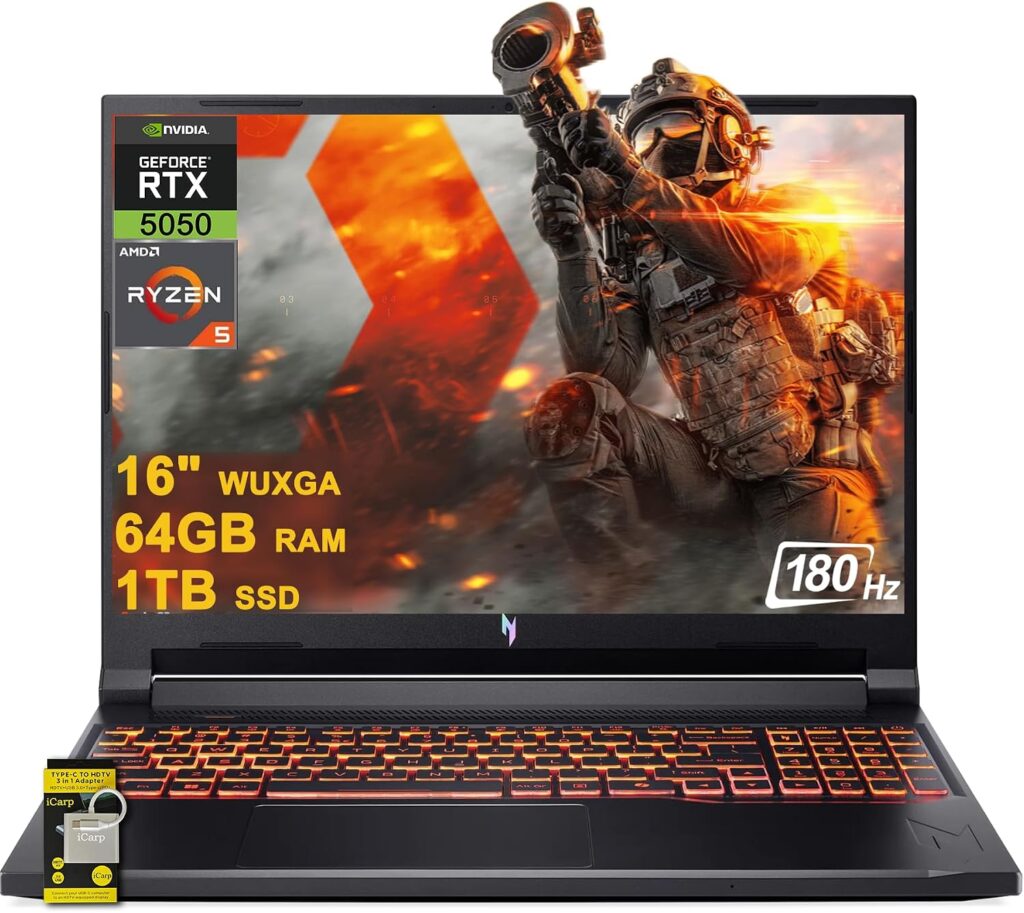
Not everyone has four thousand dollars. Most people don’t. This is the machine I’d actually put in most first-year AIDS students’ hands.
Specifications
- CPU: AMD Ryzen 7 260 — 8 cores, 16 threads, up to 5.1 GHz
- GPU: NVIDIA GeForce RTX 5070 Laptop, 8GB GDDR7, running at 95W
- Memory: 16GB DDR5 in two SO-DIMM slots — upgradeable
- Storage: 1TB M.2 PCIe Gen 4, expandable
- Display: 16″ 1920×1200 IPS, 180Hz, 16:10, 142 PPI
- Ports: USB4 40 Gbps with PD, 2× USB 3.1 Gen 2, USB 3.0, HDMI, microSD reader, Gigabit LAN
- Power: 76 Wh battery, 135W adapter
- Weight: 2.44 kg
- Warranty: 24 months
Measured results
| Metric | Result | Measured by |
|---|---|---|
| Battery, PCMark 10 gaming test | 140 minutes | PC Gamer |
| Same test, Gigabyte Aero X16 | 109 minutes | PC Gamer |
| Same test, Lenovo LOQ 15 Gen 10 | 89 minutes | PC Gamer |
| Display, sRGB coverage | 50% | LaptopMedia |
| Display, colour accuracy before calibration | 5.2 ΔE | LaptopMedia |
| Display, colour accuracy after calibration profile | 4.0 ΔE | LaptopMedia |
| Aggregate review score | 85.5% across 3 tests | Notebookcheck |
| PC Gamer review score | 81% | PC Gamer |
| Battery, web browsing (16S variant, RTX 5060) | ~7h 30m | PCVenus |
| Battery, video playback (16S variant) | ~9h | PCVenus |
| Cyberpunk 2077, High settings (16S variant, RTX 5060) | 80–88 FPS | PCVenus |
| Thermal behaviour under sustained load | Runs cool; noted as a design priority over peak scores | LaptopMedia |
Why it works for AIDS
PC Gamer’s testing found this configuration beats the Lenovo LOQ 15 Gen 10 despite the LOQ running a higher 115W power limit, and its 140-minute gaming battery result comfortably beat both the Aero X16 at 109 minutes and the LOQ at 89. Their summary was that with the RTX 5070 at 95W and the Ryzen 7 260 inside, the price is right, the performance is on point, and the battery life mops the floor with the competition.
For semesters one through four this is comfortably enough machine. Classical ML, pandas at sensible scale, OpenCV, your first CNNs, SQL coursework — all fine. CUDA is native, so your environment matches whatever your professor demos on the projector.
There are two things I won’t soften. First, this is the 8GB RTX 5070. Go back and reread the VRAM section. By year three you will be shrinking batch sizes and quantizing things you’d rather run at full precision. Buy it knowing that.
Second, the display is the real compromise, and it’s bigger than the spec sheet suggests. LaptopMedia measured just 50% sRGB coverage and 5.2 ΔE out of the box. That is a genuinely weak panel. It’ll be fine for code and terminals, where all you need is sharp text and 16:10 vertical space. It will not be fine if you also expected to do any colour-critical work, and matplotlib output will look duller than it does on a friend’s machine.
What makes the trade-off workable is the RAM. Two accessible slots means you can put 32GB in it on day one — cheap relative to the machine, ten minutes with a screwdriver, and it removes the bottleneck you’d otherwise hit in year two. And if you can find the 12GB RTX 5070 variant that launched mid-2026, buy that one instead without hesitating.
What I like
- The best value here by a wide margin, and it has been down around the $999 mark on sale
- Upgradeable RAM and storage — rare and genuinely valuable in 2026
- 140 minutes under sustained load, beating machines that cost considerably more
- Native CUDA, so the toolchain matches your coursework exactly
- USB4 at 40 Gbps on a budget laptop is a nice surprise
- Runs cool under load rather than chasing benchmark scores it can’t sustain
- 24-month warranty, which is double what Apple gives you
What I don’t
- 8GB of VRAM is the binding constraint on this whole machine by year three
- The display measures 50% sRGB. Fine for code, poor for anything visual
- 95W is below the 115W some rivals run
- Plastic chassis, and it feels like it
- 720p webcam and Wi-Fi 6 rather than Wi-Fi 7
- Weak speakers, and it can get noisy under load
- The SKU naming is a mess. Verify the exact GPU and VRAM before you pay
My verdict: the right first machine for most people. Buy it, upgrade the RAM immediately, use cloud GPUs for the heavy final-year work, and put the money you saved toward a proper desktop or a better laptop after you graduate.
The cross-machine numbers that actually separate these five
Sustained thermals
This is where AIDS workloads differ from gaming, and where most reviews won’t help you. A game is a burst load with frame-to-frame variation. A training run is a flat wall of compute for six hours. Two machines that look identical in a 10-minute benchmark can diverge enormously by hour three.
| Machine | Sustained behaviour | Measured by |
|---|---|---|
| Legion Pro 7i, 290HX Plus | 100–103°C under sustained load, throttles | Matthew Moniz |
| Legion Pro 7i, previous-gen 275HX | Low 90s°C, stable | Matthew Moniz |
| Zephyrus G16, Turbo, raised off desk | 80–85°C CPU, 75–82°C GPU | Ultrabook Review |
| Zephyrus G16, Turbo, flat on desk | 88–95°C CPU | Ultrabook Review |
| Zephyrus G16, Cinebench R23 10-min loop | 21,125 pts vs 21,569 best run — 98% held | Ultrabook Review |
| MacBook Pro 14, M5 Max, Cinebench 2026 ×10 | 8,058 → mid-7,000s → back to 7,990 | Tom’s Hardware |
| HP ZBook Ultra G1a | Stays cool in the hand under load | Notebookcheck |
| Acer Nitro V 16 AI | Runs notably cool; thermal stability prioritised over peak scores | LaptopMedia |
Three things stand out to me here. The Zephyrus holding 98% of its best Cinebench score across a ten-minute loop is excellent behaviour for a sub-2 kg machine. The MacBook’s drop-then-recover curve is actually healthy — it dips but stabilises rather than sliding. And the 290HX Plus figure is the one to be careful about: 100–103°C with throttling is exactly the failure mode that ruins a long training job.
One piece of advice that applies to every Windows machine on this list: raise the back of the laptop. A book, a stand, two coasters, anything. On the Zephyrus that’s worth five to ten degrees, measured. It costs nothing and it’s the single highest-return thing you can do for sustained performance.
Battery, honestly
| Machine | Light work | Under GPU load |
|---|---|---|
| MacBook Pro 16, M5 Pro | 21h 10m browsing @ 150 nits | Not applicable — no discrete GPU |
| MacBook Pro 14, M5 | 16h 42m Wi-Fi @ 150 cd/m² | Not applicable |
| Zephyrus G16 (2026) | 13h 45m browsing @ 150 nits | 55m (Tom’s Guide) / 117m (PC Gamer) |
| Acer Nitro V 16 AI | ~7h 30m browsing (16S variant) | 140m PCMark gaming test |
| HP ZBook Ultra G1a | 6h 46m web surfing | Not applicable |
| Legion Pro 7i (2026) | 4h 37m browsing @ 150 nits | ~1h 36m gaming |
The pattern is impossible to miss. Look at the gap between the two columns on every Windows machine with a discrete GPU. You cannot do GPU work on battery. Not for an hour. Plan your day around outlets, or buy the Mac.
Note also the two very different gaming-battery figures for the Zephyrus. Tom’s Guide measured 55 minutes on the PCMark 10 gaming test; PC Gamer recorded 117 minutes in the same named test and called it the top of their chart. Different power profiles, different units, possibly different firmware. I’m showing you both rather than picking the flattering one, because that spread tells you how much variance exists in this category and how carefully you should read any single number.
Displays
| Machine | Panel | Measured brightness | Measured colour |
|---|---|---|---|
| MacBook Pro 14 (M5 Pro) | 14.2″ mini-LED 120Hz, 254 PPI | 646 nits max, 619 nits average, ~1,600 nits HDR | 100% sRGB, 99.5% P3, 88.8% AdobeRGB, ΔE 1.0 |
| Zephyrus G16 (2026) | 16″ OLED 240Hz | 506 nits SDR centre, 469 nits average, 1,052 nits HDR peak | 100% sRGB, 99.9% DCI-P3, 93.9% AdobeRGB |
| Legion Pro 7i (2026) | 16″ OLED 240Hz | 500 nits SDR, ~970 nits HDR | 100% sRGB, 99.5% DCI-P3 |
| HP ZBook Ultra G1a | 14″ OLED 120Hz | 402 nits peak, 198 nits at 50% | 100% DCI-P3, 100% sRGB, 99% AdobeRGB, ΔE under 2 |
| Acer Nitro V 16 AI | 16″ IPS 180Hz | Dimmest of the group | 50% sRGB, 5.2 ΔE stock |
For AIDS work specifically, resolution and vertical space beat colour accuracy every time. 16:10 is worth more to you than a perfect P3 score, because you’re reading code and squinting at matplotlib output, not grading film. That said, the Acer’s 50% sRGB is low enough to notice, and it’s the one place where the budget pick genuinely feels like a budget pick.
Storage
The measured figures I trust here: the MacBook Pro hits 13.6 GB/s read and 17.8 GB/s write on the 4TB M5 Max, which is 86% and 123% up on the previous generation. The ZBook scores 1,649 points in the 3DMark Storage benchmark with around 280 MB/s average bandwidth, putting it in the top tier of enthusiast laptops, and posts a 70.3% improvement in the DirectStorage test. The Legion offers one PCIe Gen 5 slot alongside a Gen 4; the Zephyrus gives you two Gen 4 slots; the Acer has a Gen 4 slot with room to add more.
But here’s the thing about SSD speed for your use case: it matters much less than the numbers suggest. Sequential read speed helps when you first load a dataset into memory. It does approximately nothing during training. Capacity matters far more than speed. Datasets, Docker images, conda environments and cached model weights will fill 1TB faster than you expect. I’d treat 1TB as the floor and 2TB as comfortable.
Local or cloud? The maths nobody bothers to show you
Every AIDS student eventually asks whether to buy GPU hardware at all. Here’s how I’d think it through.
Cloud wins when your workloads are bursty, you occasionally need more GPU than any laptop has, your budget is tight, or your institution hands out credits.
Local wins when you’re iterating constantly and the 30-second feedback loop matters more than raw speed, you’re working with data you can’t upload for privacy or licensing reasons, your internet is unreliable, or you’re doing this daily for years rather than weekly for a semester.
The honest problem with cloud-only isn’t cost — it’s friction. Free tiers come with session limits, queue times and disconnects that kill long runs. Anyone training models or handling large datasets eventually hits those walls, usually at the worst possible moment, usually the night before a submission. The reliability of a machine sitting on your own desk has a value that never shows up in a spreadsheet.
What I’d actually recommend for most people is hybrid. Buy a laptop with enough VRAM to iterate locally — 12GB minimum, 16GB ideally — develop and debug at full speed on your own machine, then push the big final training runs to a cloud instance or your university cluster. You get the fast feedback loop where it matters and the horsepower where it matters, without paying flagship laptop prices for either.
Buying in 2026: the shortage has changed the rules
I can’t write this without explaining why everything costs what it does.
Laptop prices are climbing through 2026 because of a structural memory shortage, with confirmed manufacturer increases of 15–20% and VRAM costs rising across NVIDIA’s entire lineup. The Zephyrus is the clearest example I know: its entry configuration went from $2,799 in 2025 to $3,699 in 2026 — at least $900 more, with less storage than last year’s base model. NVIDIA launching a 12GB RTX 5070 purely to tap a different supply of memory chips tells you how tight things are upstream.
Three practical consequences:
1. If the memory is soldered, buy what you need now. On the Zephyrus, the MacBook and the ZBook, the upgrade you skip today is one you can never make. Prices are not dropping soon.
2. Prefer upgradeable machines where you can. The Legion Pro 7i and the Acer both give you SO-DIMM slots. Buy 16GB or 32GB now and add more when the market calms down. This is the single best hedge available right now, and it’s why the Acer punches above its price.
3. Last year’s flagship is 2026’s value play. A 2025 RTX 5080 machine at a discount does everything a 2026 RTX 5080 machine does, minus a modest CPU refresh. And the refresh really is modest — the 290HX Plus is a refresh rather than a new architecture, with roughly 14% multi-core improvement and a smaller gap again in Cinebench. That is not worth a four-figure premium to a student. Last year’s Zephyrus has been selling for $700 to $1,500 less than the 2026 model, and it’s the same chassis, keyboard and port layout.
Setup advice specific to this degree
A few things I’d do on day one with any of these machines.
On Windows: install WSL2 before you install anything else. It gives you a proper Linux environment with CUDA passthrough, which means the commands in every tutorial and every GitHub README actually work instead of needing translation. Then install Miniconda inside WSL rather than on Windows. Keep the Windows side for browsing, lectures and Office; do all the real work in Linux.
On the AMD machine: install Linux properly. Phoronix’s testing showed the Ryzen AI Max+ 395 runs faster on Linux than on Windows 11, and the ROCm tooling is considerably less painful there.
On macOS: use Homebrew, and manage Python environments with uv or conda. Set up SSH keys for your cluster on day one. Accept that heavy training will happen remotely and build your workflow around that instead of fighting it — the sooner you make peace with this, the better the machine feels.
Everyone: put your projects in Git from the first assignment, not the fourth. Get in the habit of writing a requirements.txt or environment.yml from the start. The number of final-year students who lose a working environment and can’t reproduce it is honestly tragic, and it’s a five-minute habit that prevents a five-day disaster.
So which one should you buy?
- Under about $1,200, first machine, still figuring out your specialisation: Acer Nitro V 16 AI. Upgrade the RAM to 32GB immediately. Use cloud GPUs later.
- One laptop for the whole degree and you can spend: Zephyrus G16 with 64GB — or better, hunt down a discounted 2025 model with an RTX 5080, which is what I’d try first.
- You will definitely train locally and portability is secondary: Legion Pro 7i with the RTX 5090. Buy 32GB and add the second stick later. Consider a discounted 275HX build for cooler sustained behaviour.
- Cloud-first program, and you value silence, battery and build quality: MacBook Pro 14 with M5 Pro and as much unified memory as you can afford. Confirm your curriculum doesn’t mandate CUDA first.
- You specifically need very large models running locally: HP ZBook Ultra G1a with 128GB, and go in with clear eyes about the throughput trade-off.
If I had to hand one machine to a first-year AIDS student knowing nothing else about them, it’d be the Acer. Not because it’s the best laptop here — it obviously isn’t — but because the money you don’t spend in year one is the money that buys cloud compute in year four. An 8GB laptop plus a rented A100 for a weekend beats a $4,000 laptop and an empty bank account, almost every time.
Questions I get asked a lot
For the first two years, comfortably. For years three and four it becomes a real constraint — you’ll be shrinking batch sizes and quantizing models you’d rather run at higher precision. If you can stretch to 12GB or 16GB, do it. If you can’t, buy the machine anyway and plan on cloud GPUs for your final-year project.
It’s the floor, and I’d call it uncomfortable by year three. pandas is memory-hungry, and it’s completely normal to have a notebook, a browser with twenty tabs, an IDE and a Docker container all running at once. 32GB is the target. If the 32GB configuration is out of budget today, buy a machine with accessible RAM slots.
It depends entirely on your curriculum, so ask a senior student in your department — genuinely, this is the highest-value ten minutes you’ll spend. Broadly: CUDA is the path of least resistance and most academic code assumes it. Apple silicon works well through PyTorch’s MPS backend for a lot of workloads, but not all of them. AMD’s ROCm has improved enormously and does work, but you’ll spend more evenings debugging.
The bottom line
The AIDS branch asks more of a laptop than almost any other undergraduate program, and it asks late — right at the point when replacing the machine is least convenient and you have the least money. Buy for semester six, not semester one.
If you remember three things from all of this, make it these. Check the actual VRAM figure on the exact SKU you’re buying, because RTX 5070 now means two different things and nobody at the shop is going to warn you. Prefer upgradeable memory for as long as this shortage lasts. And don’t buy more laptop than your workflow needs — a mid-range machine with a cloud budget behind it beats a flagship with nothing left in the account, almost every single time.
Every measured figure above is attributed to the lab that produced it, so you can go and check any of them yourself. If something’s changed — a new SKU, a price move, a measurement I’ve missed — tell me and I’ll update the piece.
Prices and configurations reflect the market as of August 2026 and vary considerably by region. Verify the exact specification of your SKU before you buy, particularly the GPU memory.

Hi, my name is Burak. I am a mechanical engineer. I have been writing laptop reviews for the Engineering Laptops website since 2020. Please feel free to contact me if you have any questions.