Estimated reading time: 18 minutes
Key Takeaways
- SAP2000 prefers a high-clock CPU and ample RAM rather than a high-end GPU.
- Recommended laptops include the ASUS ROG Zephyrus G14 for all-around performance and the Acer Nitro V 16 AI for budget users.
- Students need at least 16 GB of RAM, while professionals should aim for 32 GB for mid-size models. Large models demand 64 GB or more.
- A laptop with a fast NVMe SSD is essential for efficient SAP2000 performance.
- SAP2000 runs only on Windows; Mac users must virtualize Windows for access.
Table of contents
Let me guess. You’ve sat there watching a SAP2000 progress bar inch across the screen while your coffee went stone cold, and somewhere around the third hour you started wondering whether the problem was your model or your machine. If you’ve ever wondered about the best laptops for SAP2000, you’re not alone. Spoiler: a lot of the time, it’s the machine.
I’ve spent years around CSI software and the engineers who basically live inside it, and I put this guide together to save you the guesswork. Whether you’re a student running your very first portal frame or a structural engineer grinding through nonlinear time-history analyses on a 40-story tower, there’s a laptop here that fits — and a budget here that fits too.
But before we get into the picks, I want to tell you something that’ll save you money: SAP2000 cares about a few very specific things, and a flashy gaming spec sheet can actually trick you into buying the wrong laptop. So let’s talk about what the software actually needs, and then I’ll give you the five machines I’d genuinely recommend in 2026.
Quick Answer (For the Busy Folks)
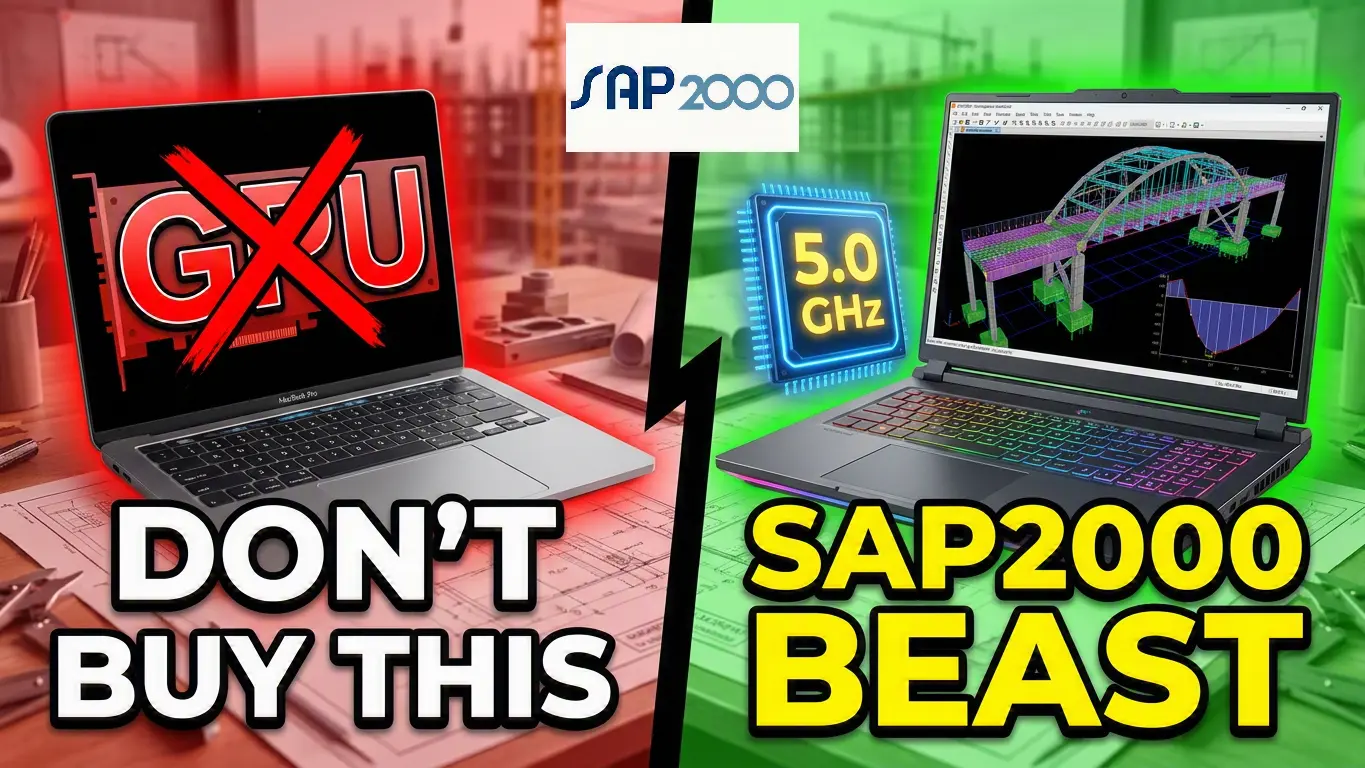
- SAP2000 loves a fast, high-clock CPU and lots of RAM way more than a fancy graphics card. CSI lists 16 GB RAM as the minimum and 64 GB as recommended, and the GPU only handles 3D viewport rendering — not the actual number-crunching.
- My top overall pick is the ASUS ROG Zephyrus G14 (12-core Ryzen AI 9 HX 370, 32 GB RAM, ~$2,200–2,500) for the best mix of power and portability. The Acer Nitro V 16 AI (~$900) is the budget hero, and the Lenovo ThinkPad P16 Gen 3 (from ~$3,025) is the no-compromise workstation.
- SAP2000 is Windows-only. It won’t run natively on a Mac, so go Windows unless you’re a die-hard Mac user who rarely opens CSI software.
What SAP2000 Actually Needs From Your Laptop
SAP2000 comes from Computers and Structures, Inc. (CSI) — the same company behind ETABS, SAFE, and CSiBridge. Good news: if a laptop handles SAP2000 well, it’ll happily run that whole family too. Here’s what actually moves the needle, straight from CSI’s own system requirements and hardware notes.
CPU Is King
This is the big one. The SAPFire Analytical Engine is multi-threaded and uses multiple cores, but CSI is refreshingly blunt about what matters: high base and turbo clock speeds. Their official guidance recommends recent Intel Core i5/i7/i9 or AMD Ryzen 5/7/9 chips with 6–8 cores and high base (above 3.5 GHz) and turbo (above 4.0 GHz) clocks for the best analysis performance.
Here’s the counterintuitive part most people miss: more cores isn’t automatically better. CSI specifically warns that server CPUs stuffed with tons of low-clock cores (think Xeon or Epyc) actually run slower, because the high core count eats away the performance gain and you end up with longer run times. Extra cores only help in one scenario — running many load cases in parallel — and even then, the number of processors that can run load cases at once is capped at eight.
So don’t get seduced by a “36-thread monster” if those threads are slow. Clock speed first, sensible core count second.
RAM Is Your Second-Best Friend
CSI lists 16 GB as the bare minimum and 64 GB as recommended. They note that the size of model you can solve — and how fast it solves — increases considerably with more RAM. In fact, CSI flat-out calls adding RAM “the most cost-effective approach to improving software performance” on a 64-bit system. Translation: if you’re choosing between spending money on a flashier GPU or more memory, pick the memory every single time.
Rough rule of thumb:
- Students / small models: 16 GB works
- Professionals / mid-size models: 32 GB is the sweet spot
- Big bridges and skyscrapers: 64 GB or more
The GPU Barely Matters (Seriously)
This is where people torch their budgets. SAP2000 only uses the graphics card for DirectX-mode 3D viewport rendering — spinning your model around on screen. CSI’s actual recommendation is modest: a DirectX 11–compatible discrete card with 512 MB or more of dedicated graphics memory. That’s it.
You do not need an RTX 5090 to run SAP2000. A discrete GPU makes rotating big models feel smoother, but it does absolutely nothing for solve times. If you also run Revit, AutoCAD 3D, or do rendering on the side, then sure — a good GPU earns its keep. For SAP2000 alone? Save the cash.
Storage: Go NVMe SSD
CSI recommends a 500 GB or larger PCIe solid-state drive and specifically says external and network drives are a bad idea. Their hardware notes go further: fast SSDs connected directly to the PCIe bus beat regular SATA drives or slower SSDs. Analysis is heavy on read/write, so a quick SSD shaves real time off response recovery.
Operating System
Windows 10 or 11, 64-bit only. This matters for the Mac question — which we’ll get to right now.
The whole thing in one line: fast multi-core CPU + plenty of RAM + a quick SSD = a happy SAP2000. The GPU is a “nice-to-have,” not a “must-have.”
A Quick Word on Macs (Read This Before You Buy)
Somebody always asks, so let’s clear it up. SAP2000 is Windows-only. CSI states plainly that their programs can’t run directly inside macOS. You can run them if you virtualize Windows on the Mac using something like Parallels or VMware Fusion — but on modern Apple Silicon Macs (the M-series chips), this gets messy. Those chips use ARM architecture, so running x86 Windows software means emulation, which piles on overhead and can get unreliable for finite-element work. Some engineers have even reported getting different analysis results in virtualized setups, which is exactly the kind of thing you don’t want in structural work.
My honest take: if SAP2000 is central to what you do, buy a Windows laptop. I’ll include a MacBook note at the end for folks who only occasionally poke at CSI software, but it’s not my main recommendation.
The 5 Best Laptops for SAP2000 in 2026 — At a Glance
| Laptop | Best For | CPU | RAM | GPU | Approx. Price (USD) |
|---|---|---|---|---|---|
| Acer Nitro V 16 AI | Budget / students | AMD Ryzen 5 240 (6C/12T) | 16 GB | RTX 5050 8 GB | ~$900 |
| ASUS Zenbook 14 OLED | Mid-range value / portability | AMD Ryzen AI 7 445 (6C/12T) | 32 GB | Radeon (integrated) | ~$1,000–1,350 |
| ASUS ROG Zephyrus G14 | Best overall | Ryzen AI 9 HX 370 (12C/24T) | 32 GB | RTX 5070 Ti | ~$2,200–2,500 |
| Lenovo Legion Pro 7i Gen 10 | High performance | Core Ultra 9 275HX (24C) | 32 GB | RTX 5080 16 GB | ~$2,619–3,200 |
| Lenovo ThinkPad P16 Gen 3 | Premium workstation | Core Ultra 9 275HX (24C) | up to 192 GB | RTX PRO 5000 24 GB | from ~$3,025 |
A heads-up on prices: these are approximate US street prices as of mid-2026, and they bounce around constantly with sales and configs. Treat them as ballparks, not gospel.
1. Acer Nitro V 16 AI — Best Budget Pick
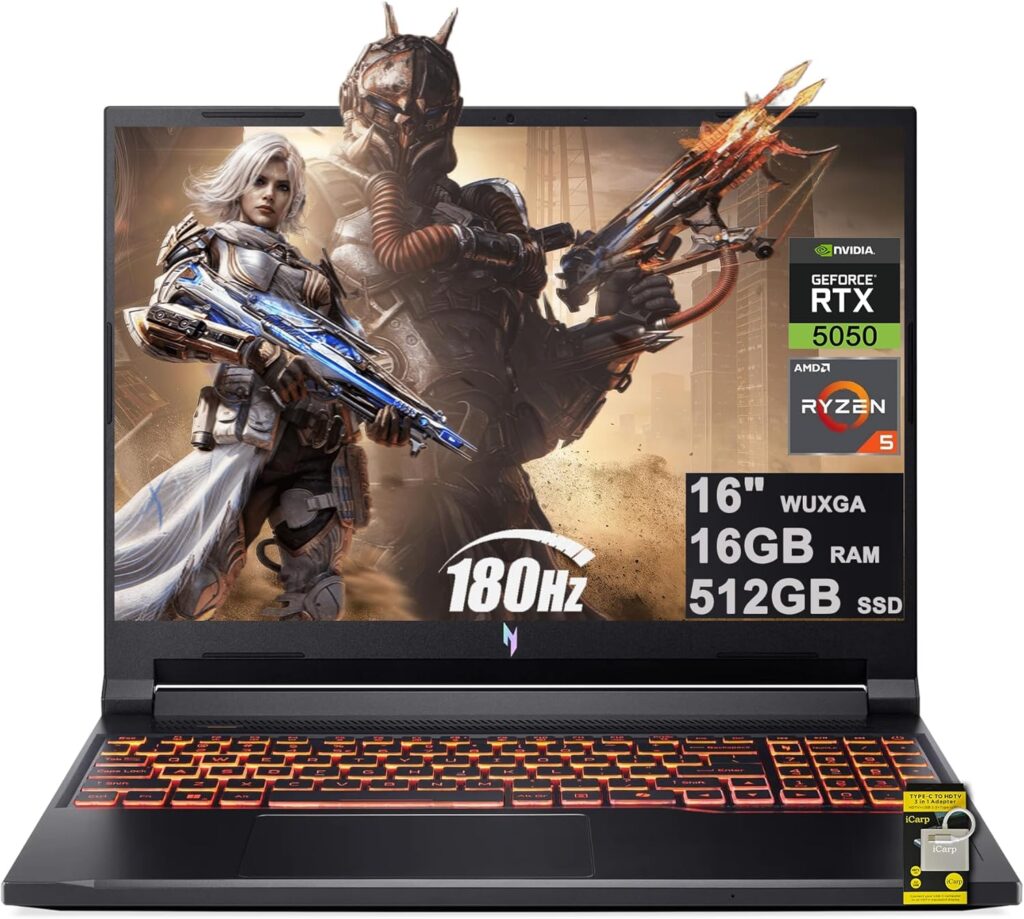
If money’s tight — and for students it almost always is — start here. The Acer Nitro V 16 AI proves you don’t need to drop two grand to run SAP2000 comfortably for coursework and small-to-medium models. Yes, it’s technically a budget gaming laptop, but that’s exactly why it’s such good value: you get a real discrete GPU and a roomy 16-inch screen at a price that won’t make your wallet flinch. In independent testing it posted a strong PCMark 10 score around 7,259 and roughly 12 hours of battery life — genuinely impressive for the category.
Specs:
- CPU: AMD Ryzen 5 240 (6 cores / 12 threads, up to 5.0 GHz, Zen 4)
- RAM: 16 GB DDR5-5600 (configs up to 32 GB available)
- GPU: NVIDIA GeForce RTX 5050 (8 GB GDDR7)
- Storage: 512 GB PCIe Gen 4 SSD
- Display: 16-inch WUXGA (1920×1200), 180 Hz, IPS, 100% sRGB
- Weight: ~2.4 kg (5.4 lbs)
- Battery: Around 12 hours in light use
- Price: Roughly $900 (entry config; 32 GB / 1 TB builds run ~$1,329)
Pros:
- Fantastic price for a machine with a discrete GPU and a 16:10 screen
- Surprisingly long battery life for a gaming-style laptop
- The taller 1920×1200 panel gives extra vertical room for spreadsheets and model trees
- Handles SAP2000 student and coursework models without breaking a sweat
Cons:
- The Ryzen 5 240 is entry-level — fine, but not fast for heavy solves
- 16 GB RAM and a 512 GB SSD feel tight if your work grows
- Plastic build and so-so speakers
- The RTX 5050 is overkill for SAP2000 specifically (you’re paying for gaming muscle you don’t strictly need)
Why it’s good for SAP2000: For students and anyone on small-to-medium models, that high single-thread clock (up to 5.0 GHz) is exactly what SAP2000 loves, and 16 GB clears CSI’s minimum. The discrete GPU keeps your 3D views smooth even though the solver never touches it. Just budget for a RAM bump down the road if your models get bigger — and shop around, because some sub-$1,000 rivals like the Lenovo LOQ 15 pair an even stronger RTX 5060 at a similar price.
2. ASUS Zenbook 14 OLED — Best Mid-Range Value
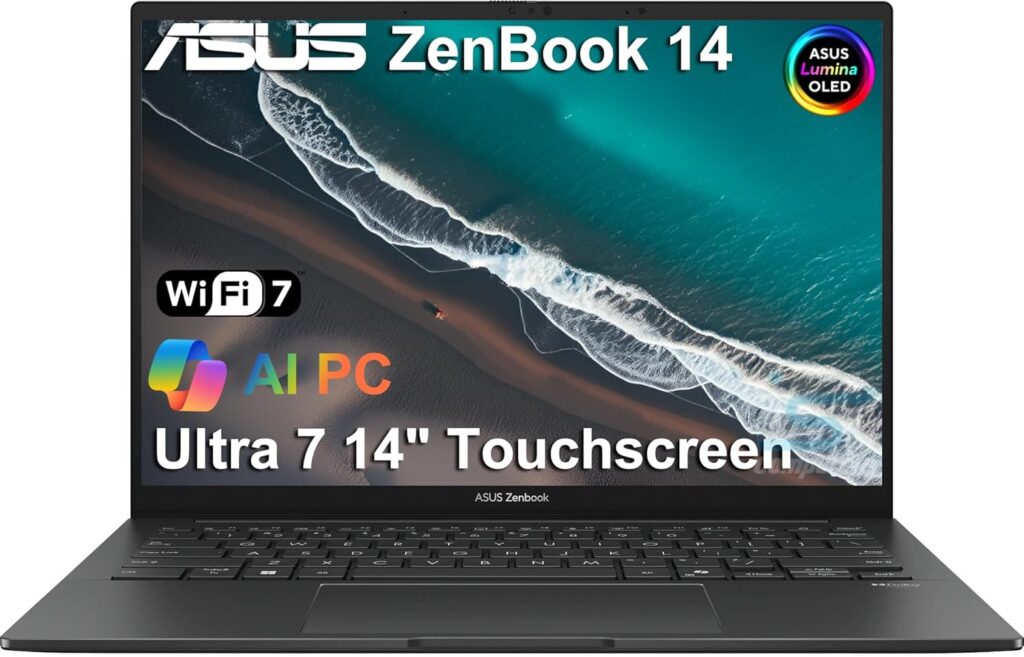
Maybe you don’t want to haul a gaming brick from lecture to site to coffee shop. The Zenbook 14 OLED is for the engineer or student who’s always on the move and wants something light and genuinely classy that still chews through real SAP2000 work. No, it doesn’t have a discrete GPU — and for SAP2000, that’s honestly fine. Remember, the solver doesn’t care about graphics.
Specs:
- CPU: AMD Ryzen AI 7 445 (6 cores / 12 threads, up to 4.6 GHz, Zen 5; 50 TOPS NPU)
- RAM: 32 GB LPDDR5X
- GPU: Integrated AMD Radeon graphics
- Storage: 1 TB PCIe SSD
- Display: 14-inch WUXGA (1920×1200) Lumina OLED, 100% DCI-P3, up to 600 nits HDR
- Weight: ~1.2 kg (2.65 lbs)
- Battery: Around 12 hours real-world; 65 W USB-C fast charging (60% in roughly 49 minutes)
- Price: Roughly $1,000–1,350 depending on config (the AMD UM3406 commonly retails near $1,349)
Pros:
- Genuinely portable (under 1.3 kg) with a premium all-metal build
- 32 GB RAM out of the box — great headroom for SAP2000 model sizes
- Gorgeous OLED display that’s easy on the eyes during long modeling sessions
- All-day battery plus fast charging
- Ships with Windows 11 Pro on many configs
Cons:
- No discrete GPU, so very large 3D models feel a touch less buttery when rotating
- LPDDR5X RAM is soldered — no upgrades later
- Only a 6-core CPU; not the fastest for marathon nonlinear solves
- The 14-inch screen is small if you like a dozen windows open at once
Why it’s good for SAP2000: This is the “I value portability and battery but still need to do real work” pick. The Zen 5 CPU has strong single-thread performance (Geekbench 6 single-core around 1,307), 32 GB RAM handles solid model sizes, and the fast SSD keeps analysis I/O snappy. The integrated GPU is perfectly adequate because — say it with me one more time — SAP2000 doesn’t lean on the GPU for solving.
3. ASUS ROG Zephyrus G14 — Best Overall
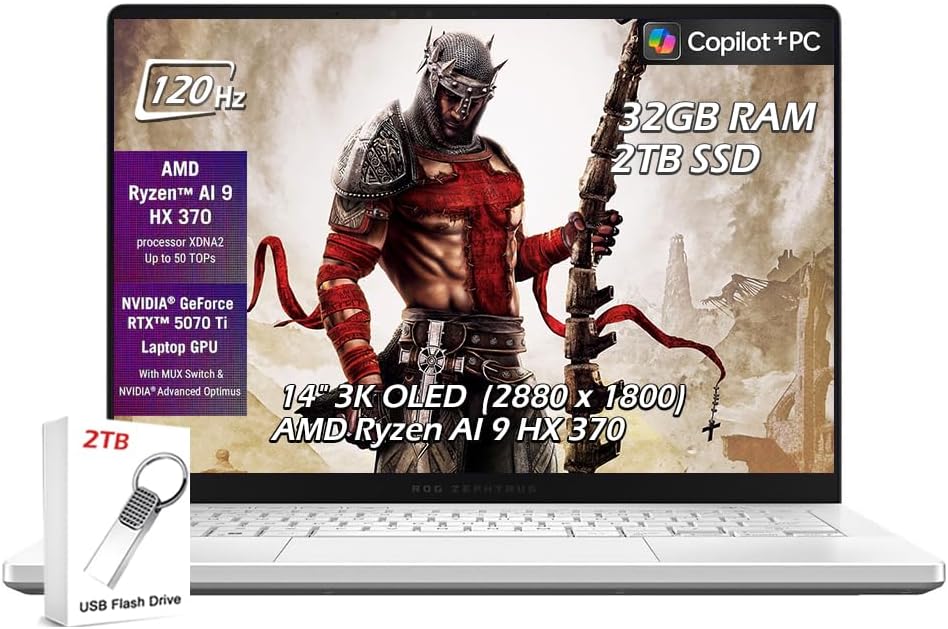
If you want a do-everything machine that nails the SAP2000 sweet spot without turning into a desktop replacement you resent carrying, this is the one I’d point most people toward. The Zephyrus G14 packs serious CPU muscle, plenty of RAM, a stunning screen, and a genuinely portable 14-inch body. It’s a gaming laptop on paper and a brilliant engineering laptop in practice.
Specs:
- CPU: AMD Ryzen AI 9 HX 370 (12 cores / 24 threads, up to 5.1 GHz, 50 TOPS NPU)
- RAM: 32 GB LPDDR5X
- GPU: NVIDIA GeForce RTX 5070 Ti Laptop GPU
- Storage: 1 TB (configs up to 2 TB) PCIe 4.0 SSD
- Display: 14-inch 3K (2880×1800) ROG Nebula OLED, 120 Hz
- Weight: ~1.6 kg (3.5 lbs)
- Battery: Around 5–6 hours in daily use (its one weak spot)
- Price: Roughly $2,200–2,500
Pros:
- The 12-core Ryzen AI 9 HX 370 is a genuine workhorse — great for parallel load cases
- Stunning 3K OLED packed into a small, portable chassis
- 32 GB RAM and a fast SSD cover most professional models
- Strong discrete GPU makes huge 3D models fly in the viewport
- Light enough to actually carry every single day
Cons:
- Battery life is mediocre when you push it — keep the charger handy
- Soldered RAM means no future upgrades past 32 GB on most configs
- Runs warm and a bit loud under sustained load
- Premium price for a 14-inch
Why it’s good for SAP2000: This is the balance pick, plain and simple. That 12-core/24-thread CPU with a 5.1 GHz boost is exactly the high-clock, multi-core chip CSI recommends, so it tears through both single big solves and batches of load cases (up to that 8-processor parallel limit). 32 GB RAM hits the professional sweet spot, and while the RTX 5070 Ti is more GPU than SAP2000 needs, it future-proofs you for any Revit, CAD, or rendering work you do alongside it. ASUS also offers 64 GB-RAM variants in some regions if you can track one down.
4. Lenovo Legion Pro 7i Gen 10 — Best High-Performance Pick
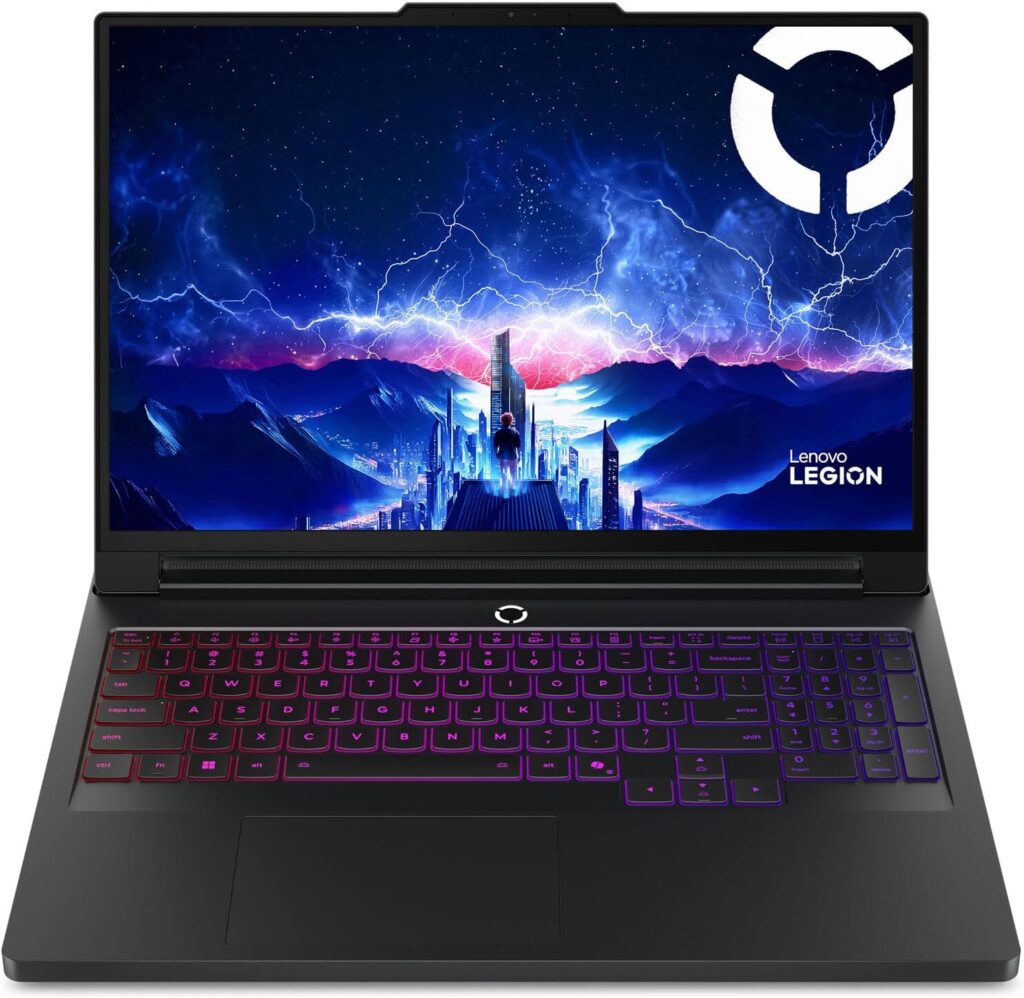
When your models get big and your patience gets short, raw horsepower wins. The Legion Pro 7i Gen 10 is built around Intel’s top mobile CPU and a beefy GPU, and it’s the machine I’d grab if I were running large models daily but didn’t want to pay full workstation prices. It’s a 16-inch desktop-replacement-class laptop that benchmarks with the best of them — independent testing measured a category-leading Geekbench 6 single-core score of 3,103 and a multi-core score of 19,597.
Specs:
- CPU: Intel Core Ultra 9 275HX (24 cores, up to 5.4 GHz)
- RAM: 32 GB DDR5-6400 (configs up to 64 GB)
- GPU: NVIDIA GeForce RTX 5080 Laptop GPU (16 GB GDDR7)
- Storage: 1 TB PCIe SSD (dual-SSD and PCIe Gen 5 options available)
- Display: 16-inch WQXGA (2560×1600) OLED, 240 Hz, DisplayHDR True Black 1000
- Weight: Around 2.7 kg (heavy)
- Battery: Middling — this is a performance machine, not a road warrior; ships with a 400 W power brick
- Price: Roughly $2,619 (base, with RTX 5070 Ti) up to $3,204 as configured with the RTX 5080
Pros:
- The 24-core Core Ultra 9 275HX is one of the fastest mobile CPUs you can buy — chews through big solves and load-case batches
- Upgradeable RAM up to 64 GB plus dual-SSD options
- Spectacular 240 Hz OLED screen
- Premium metal chassis and strong cooling for sustained performance
- DDR5-6400 is fast memory, which SAP2000 genuinely benefits from
Cons:
- Heavy and not very portable, with a chunky 400 W power brick
- Battery life takes a hit from that power-hungry CPU/GPU combo
- No fingerprint reader on some configs
- You’re paying for a gaming RTX 5080 the solver won’t use
Why it’s good for SAP2000: This is pure speed. The Core Ultra 9 275HX posts elite multi-core and single-core numbers, which is the holy grail for CSI solvers. With 64 GB RAM available and that fast DDR5-6400, it’ll handle large bridge and building models that choke lesser machines. If you do heavy ETABS / SAP2000 / CSiBridge work but a true mobile workstation feels like overkill, this is the value-performance champ. Watch for sales, too — Lenovo has discounted RTX 5080 configs of this model to as low as ~$1,932 with coupon codes.
5. Lenovo ThinkPad P16 Gen 3 — Best Premium Workstation
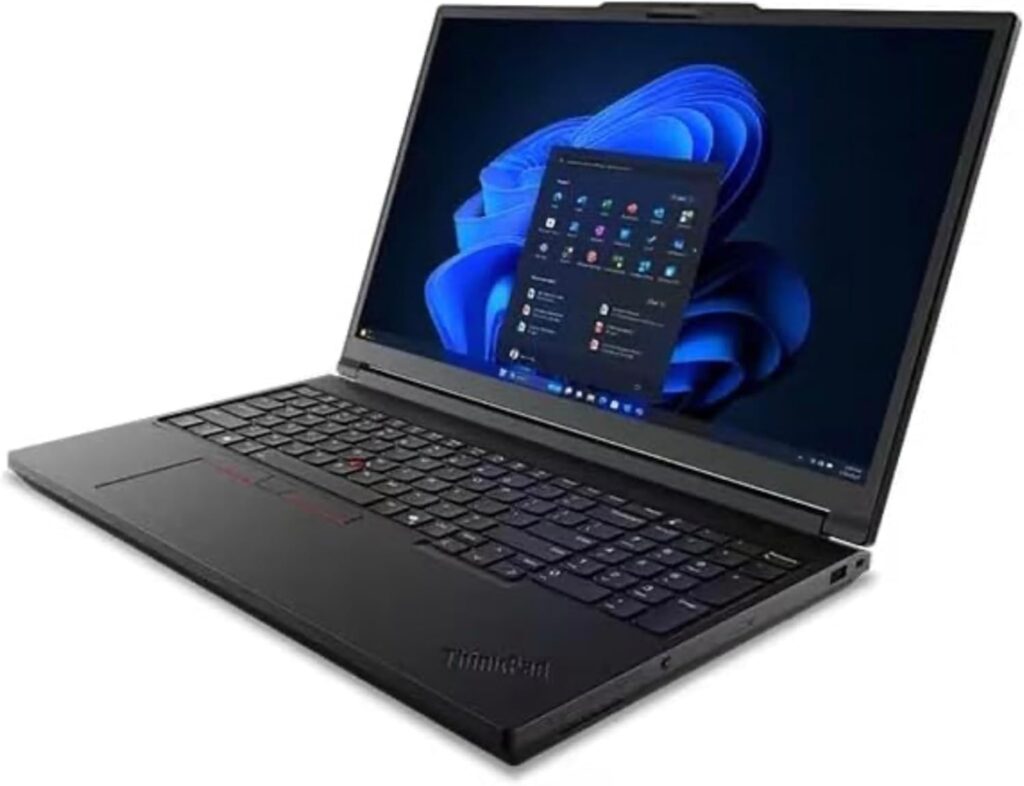
This is the no-compromise, throw-everything-at-it machine for professionals whose livelihood depends on huge models and rock-solid reliability. The ThinkPad P16 Gen 3 is a true ISV-certified mobile workstation — meaning Lenovo and the software vendors actually test and validate it for engineering applications. If you’re a firm buying for a senior engineer, this is the safe, serious choice.
Specs:
- CPU: Up to Intel Core Ultra 9 275HX (24 cores, up to 5.4 GHz); a Core Ultra 9 285HX vPro option pushes to 5.5 GHz
- RAM: Up to 192 GB DDR5-5600 non-ECC, or 128 GB ECC, across 4 SODIMM slots
- GPU: Up to NVIDIA RTX PRO 5000 Blackwell (24 GB GDDR7 ECC); lower tiers cover RTX PRO 1000/2000/3000/4000
- Storage: Up to 12 TB across 3 M.2 slots (one PCIe Gen 5), with RAID 0/1/5 support
- Display: Options up to 16-inch 3.2K (3200×2000) Tandem OLED touch (1500-nit HDR), or 4K (3840×2400) IPS at 800 nits
- Weight: Starting around 2.54 kg (5.6 lbs)
- Battery: 99.9 Wh, 180 W USB-C charging (rapid charge to 80% in about an hour)
- Price: Entry config around $3,025–3,151; fully loaded builds run $7,000+
Pros:
- ISV-certified for professional engineering software — the gold standard for reliability
- Up to 192 GB RAM and 12 TB storage — handles the biggest models you can dream up
- ECC memory option for data integrity on critical analyses
- Legendary ThinkPad keyboard and build quality; MIL-STD-810H tested
- Massive expandability, Thunderbolt 5, and Wi-Fi 7
Cons:
- Expensive — easily $7,000+ when fully loaded
- Heavy and bulky; not a casual carry
- The RTX PRO 5000 is reportedly power-limited (~105 W) in this thinner chassis, so it trails bigger Dell and HP workstations slightly
- The professional GPU is wasted on SAP2000’s solver (though great for CAD/BIM work alongside)
Why it’s good for SAP2000: When you genuinely need 64 GB+ of RAM for enormous models — and remember, CSI says solve speed and model size scale directly with RAM — nothing else here competes. The ECC memory option protects long-running analyses from bit-errors, the ISV certification means fewer driver headaches, and the high-clock 24-core CPU is exactly what the SAPFire engine wants. Overkill for students; perfect for a structural firm’s power user. If you want this class of performance but with more GPU headroom, the Dell Pro Max 16 and HP ZBook Fury use the same CPUs with beefier 280 W adapters.
Honorable Mention: Apple MacBook Pro (M5) — With a Big Asterisk
I knew somebody would ask, so here it is. The 2026 MacBook Pro with M5 Pro/Max chips is an incredible laptop — blazing fast, up to 24-hour battery, a gorgeous Liquid Retina XDR display. But SAP2000 won’t run natively on it. CSI confirms their software only runs on a Mac through virtualized Windows (Parallels or VMware), and on Apple Silicon that means emulating x86 Windows, which adds overhead and risk. Pricing per Apple’s 2026 lineup: the 14-inch M5 Pro starts at $1,699, the 16-inch at $2,699, and the M5 Max from $3,599.
My advice: only consider this if you’re primarily a Mac user who occasionally dips into CSI software — and even then, expect a clunkier experience than a native Windows machine. For serious SAP2000 work, get Windows.
How to Choose: A Quick Buying Guide
Time needed: 5 minutes
Don’t overthink it. Just match the laptop to your actual workload:
- Students / coursework / small models
6–8 core recent CPU, 16 GB RAM, 512 GB SSD. The Acer Nitro V 16 AI nails this.
- Professionals / mid-size models / multitasking
8+ core high-clock CPU, 32 GB RAM, 1 TB SSD. The Zephyrus G14 or Legion Pro 7i.
- Heavy users / huge models / firms
High-clock CPU with several cores, 64 GB+ RAM (ECC if possible), 1 TB+ fast SSD, ISV certification. The ThinkPad P16 Gen 3.
- Portability-first
The Zenbook 14 OLED — light, long battery, still does real work.
And remember the three golden rules: prioritize CPU clock speed, load up on RAM, and get an NVMe SSD. Don’t blow your budget on a monster GPU for SAP2000 alone — though if you also run Revit, AutoCAD 3D, or rendering, a discrete GPU absolutely earns its keep there.
FAQs
No. SAP2000 only uses the GPU for 3D viewport rendering in DirectX mode, and CSI’s requirement is modest — a DirectX 11–compatible card with 512 MB or more of graphics memory. The solver runs entirely on the CPU and RAM. A discrete GPU makes spinning large models smoother but does nothing for analysis speed.
CSI lists 16 GB minimum and 64 GB recommended. In practice: 16 GB for students and small models, 32 GB for most professional work, and 64 GB or more for very large bridge or building models. More RAM directly increases both the size of model you can solve and how fast it solves — CSI even calls adding RAM the most cost-effective way to improve performance.
Both matter, but high clock speed is critical. The SAPFire engine is multi-threaded and uses multiple cores, but CSI specifically recommends 6–8 core CPUs with high base (3.5 GHz+) and turbo (4.0 GHz+) clocks. They warn that high-core-count server CPUs with low clocks actually perform worse. Extra cores mainly help when running many load cases in parallel — and even then, CSI caps it at eight processors per session.
Not directly. SAP2000 is Windows-only. CSI confirms you can run it on a Mac only by virtualizing Windows (Parallels or VMware Fusion). On Apple Silicon Macs this involves x86 emulation, which adds overhead and potential reliability issues. For serious work, a Windows laptop is strongly recommended.
The Bottom Line
Here’s the honest summary after all of that: SAP2000 rewards a fast multi-core CPU and lots of RAM far more than a fancy GPU. If you’re a student, the Acer Nitro V 16 AI gets you running for around $900. If you want the best all-around machine, the ASUS ROG Zephyrus G14 is my top pick — portable, powerful, and beautifully balanced. Need more muscle for big models? The Lenovo Legion Pro 7i Gen 10 brings the heat at a relative value. And if you’re a firm or power user who can’t afford to wait around on huge analyses, the Lenovo ThinkPad P16 Gen 3 workstation is the no-compromise option. Want something light to carry everywhere? The ASUS Zenbook 14 OLED is the comfy daily driver.
Buy for your actual workload, prioritize CPU and RAM, grab a fast SSD, and don’t overspend on graphics you’ll never use. Do that, and SAP2000 will reward you with faster solves, fewer crashes, and a whole lot more time to actually do engineering. Happy modeling.

Hi, my name is Burak. I am a mechanical engineer. I have been writing laptop reviews for the Engineering Laptops website since 2020. Please feel free to contact me if you have any questions.





