
Estimated reading time: 10 minutes
Key Takeaways
- Choosing the best laptops for Simulink in 2026 involves prioritizing CPU performance, RAM, and cooling over flashy GPU specs.
- Top picks include the Dell Precision 5690 for overall performance, Lenovo ThinkPad P1 Gen 7 for portability, and HP ZBook Power G11 for value.
- The ASUS ProArt P16 excels in visual work, while the MacBook Pro M5 Max offers unmatched efficiency and battery life for macOS users.
- Generally, aim for 32GB RAM, a reliable Intel Core Ultra or Ryzen AI CPU, and a fast SSD for optimal performance.
- Avoid gaming laptops; prioritize stability and sustained performance over aesthetics when running engineering simulations.
Table of contents
If you spend hours inside MATLAB and Simulink every week, you already know one thing: not every “powerful” laptop actually feels powerful once your models get complicated.
Some laptops look amazing on paper but start heating up the second you run large simulations. Others have flashy GPUs but weak CPUs, which is the exact opposite of what most Simulink users really need.
After testing, comparing, and digging through the latest workstation and creator laptops of 2026, these are the machines that truly make sense for Simulink users right now. Whether you’re an engineering student, robotics developer, automotive engineer, or someone building heavy control systems, this guide covers the best options worth your money.
Comparison Table
| Laptop | Best For | CPU | RAM | GPU | Why It Stands Out |
|---|---|---|---|---|---|
| Dell Precision 5690 | Best Overall | Intel Core Ultra 9 | Up to 64GB | RTX Ada Series | Professional workstation power |
| Lenovo ThinkPad P1 Gen 7 | Best Portable Option | Intel Core Ultra 9 | Up to 64GB | RTX 3000 Ada | Thin, powerful, reliable |
| HP ZBook Power G11 | Best Value | Intel Core Ultra / Ryzen PRO | Up to 64GB | RTX Ada | Excellent price-to-performance |
| ASUS ProArt P16 | Best Display & Creative Work | Ryzen AI 9 HX 370 | Up to 64GB | RTX 5090 Laptop | Incredible OLED screen |
| MacBook Pro 16 (M5 Max) | Best macOS Option | Apple M5 Max | Up to 128GB | Integrated 40-Core GPU | Silent and amazingly efficient |
What Kind of Laptop Does Simulink Actually Need?
A lot of people think Simulink is all about GPU power. Truth is, CPU performance matters way more.
Most simulations rely heavily on:
- Single-core speed
- Multi-core processing
- RAM capacity
- Fast SSD storage
The GPU becomes important mainly for:
- AI workloads
- Deep learning
- CUDA acceleration
- 3D visualization
- GPU-based parallel computing
For normal Simulink workflows, a fast processor and enough RAM will make a much bigger difference than buying the most expensive graphics card on the market.
Here’s the sweet spot in 2026:
- CPU: Intel Core Ultra 7/9 or Ryzen AI 9
- RAM: 32GB minimum for serious work
- Storage: 1TB SSD or higher
- GPU: RTX 4060 or better for advanced workloads
Best Laptops for Simulink in 2026
1. Dell Precision 5690 — Best Overall Laptop for Simulink
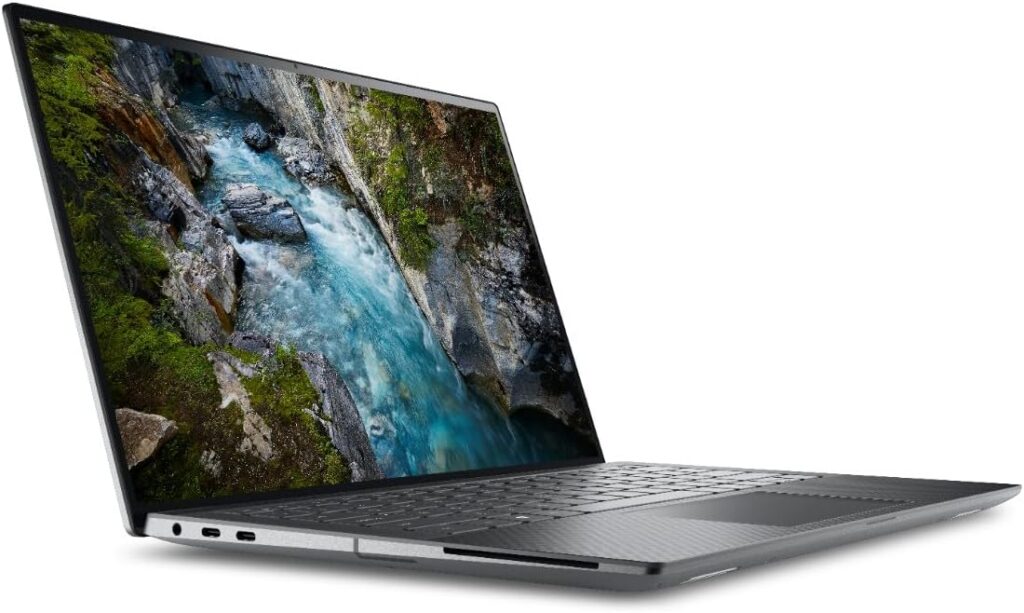
The Dell Precision line has always been trusted by engineers, and honestly, the 5690 continues that tradition beautifully.
This thing feels like it was built specifically for heavy engineering software. It’s stable, ridiculously fast, and handles large Simulink models without turning into a jet engine.
The biggest reason people love the Precision series is reliability. You can run simulations for hours without random throttling or weird instability issues.
Key Specifications
- Processor: Intel Core Ultra 7 / Ultra 9
- Graphics: NVIDIA RTX Ada Generation GPUs
- RAM: Up to 64GB LPDDR5x
- Storage: Up to 4TB SSD
- Display: 16-inch OLED or FHD+ options
- Battery: Excellent for a workstation
What’s Great About It
Incredible CPU Performance
Simulink absolutely flies on this machine. Large control system models and complex simulations feel smooth even under heavy workloads.
Professional Workstation Stability
This is not a flashy gaming laptop pretending to be professional. It’s a real workstation built for engineers.
Excellent Cooling
Thermals are surprisingly solid for a thin workstation.
Downsides
- Expensive configurations get very expensive
- RAM is soldered in some models
- Heavier than ultrabooks
Who Should Buy It?
If you want one laptop that can survive engineering school, graduate research, robotics projects, and professional workloads without compromise, this is probably the safest choice in 2026.
2. Lenovo ThinkPad P1 Gen 7 — Best Portable Engineering Laptop
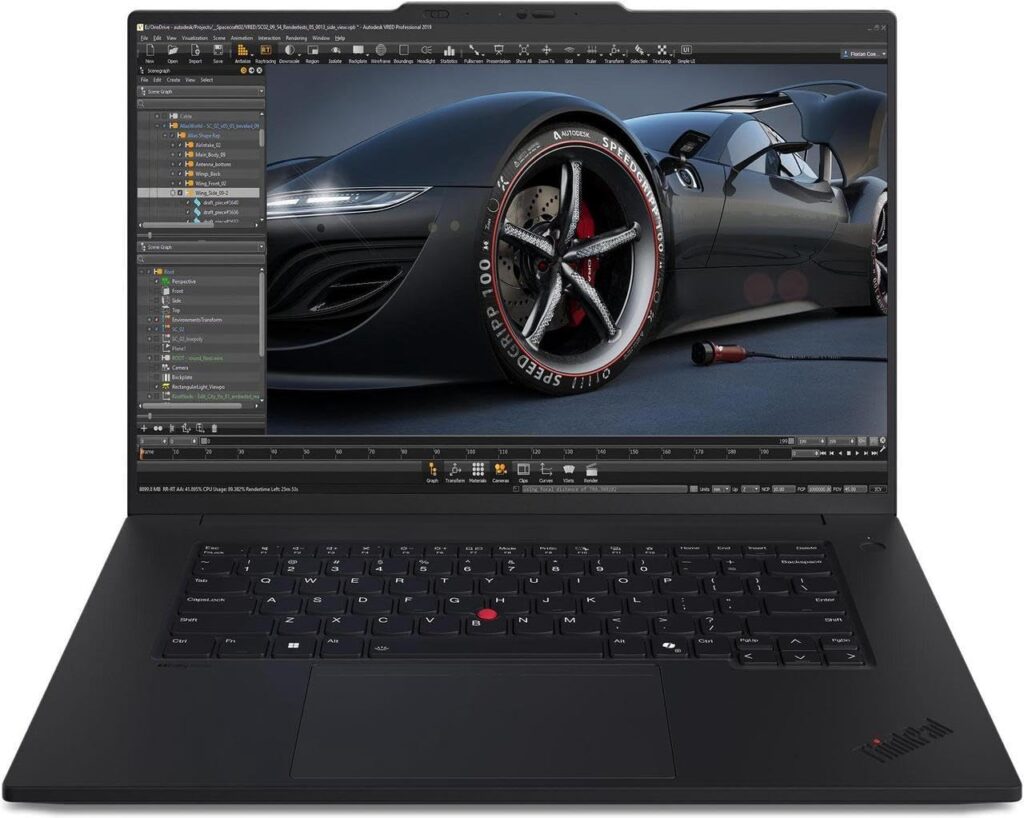
Some workstations are powerful but annoying to carry around every day.
The ThinkPad P1 Gen 7 fixes that problem.
It’s thin, surprisingly light, and still powerful enough to crush serious MATLAB and Simulink workloads. Plus, the keyboard is honestly one of the best you’ll ever type on.
And if you code for hours daily, that matters way more than people think.
Key Specifications
- Processor: Intel Core Ultra 9
- Graphics: NVIDIA RTX Ada GPUs
- RAM: Up to 64GB
- Storage: Dual SSD support
- Display: 16-inch OLED and high-refresh IPS options
Why People Love It
Extremely Portable
Compared to bulky engineering laptops, this thing feels refreshingly easy to carry.
Fantastic Keyboard
Classic ThinkPad quality. Comfortable, tactile, and built for long sessions.
Strong Battery Life
For a workstation-class machine, battery life is genuinely impressive.
Downsides
- Premium pricing
- Fans can get loud under heavy loads
- OLED models cost a lot more
Best For
Students, engineers, and developers who move around constantly and need serious power without carrying a giant brick.
3. HP ZBook Power G11 — Best Value for Money
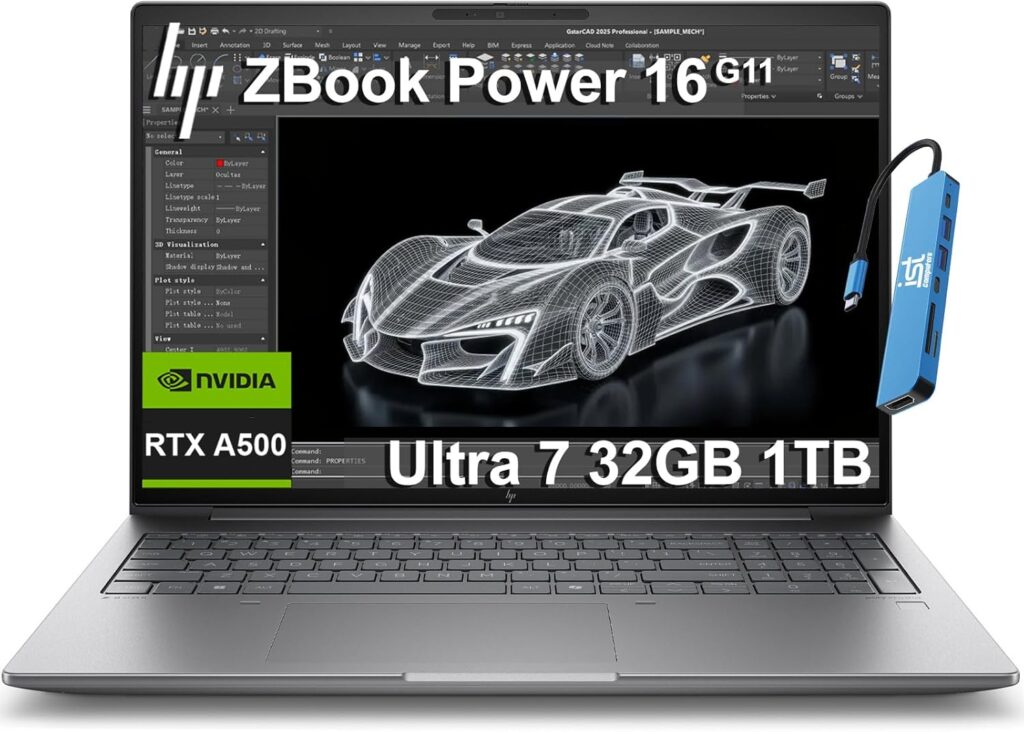
This is the laptop that quietly makes the most sense for most people.
It doesn’t scream for attention. It doesn’t try to look futuristic. But when you look at the actual hardware you’re getting for the price, the value is hard to ignore.
The ZBook Power G11 gives you workstation-grade performance without destroying your wallet.
Key Specifications
- Processor: Intel Core Ultra or AMD Ryzen PRO
- Graphics: NVIDIA RTX Ada GPUs
- RAM: Up to 64GB DDR5
- Storage: PCIe Gen4 SSD
- Display: 15.6-inch high-resolution panel
Why It’s So Good
Excellent Performance Per Dollar
You get real engineering hardware without paying luxury pricing.
Upgrade-Friendly
Unlike many modern thin laptops, some configurations are easier to upgrade later.
Durable Build
Feels sturdy and reliable.
Downsides
- Design is a little boring
- Display isn’t as impressive as OLED competitors
- Speakers are average
Best For
Engineering students and professionals who want powerful hardware without spending absurd amounts of money.
4. ASUS ProArt P16 — Best for Visual Work and Simulink
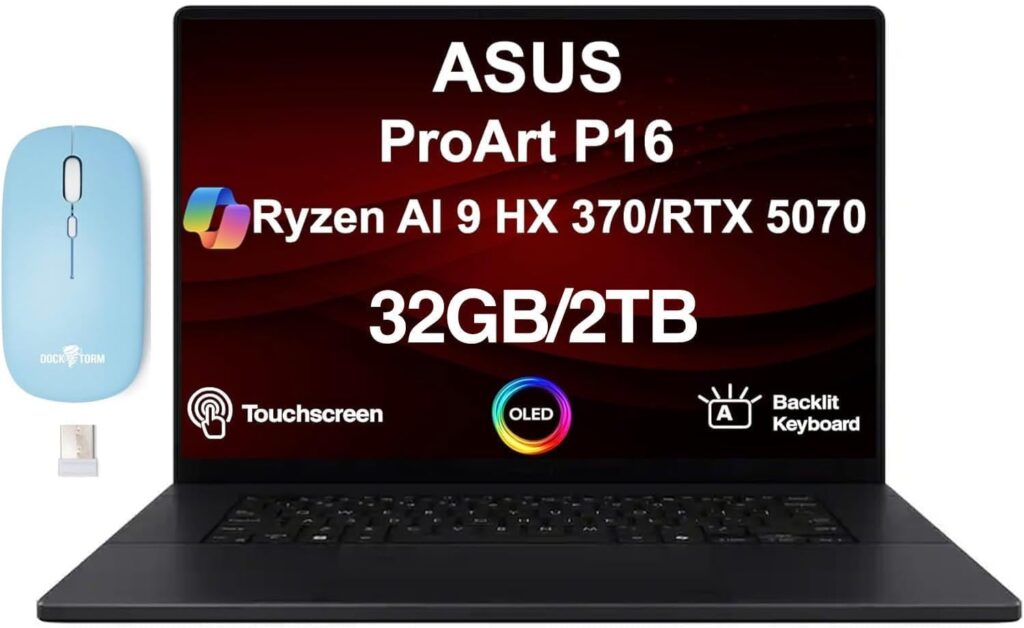
The ASUS ProArt P16 is honestly one of the coolest laptops released recently.
This machine blends creator-laptop style with serious workstation performance. If you do Simulink work alongside CAD, Blender, AI projects, rendering, or content creation, this laptop is an absolute monster.
And the OLED screen? Easily one of the best laptop displays you can buy right now.
Key Specifications
- Processor: AMD Ryzen AI 9 HX 370
- Graphics: Up to RTX 5090 Laptop GPU
- RAM: Up to 64GB
- Storage: Dual SSD support
- Display: 16-inch 4K OLED
Why It Stands Out
Gorgeous Display
Perfect for visualization, coding, and long working sessions.
Massive GPU Power
Excellent for GPU acceleration and AI workloads.
Premium Feel
Everything about this laptop feels high-end.
Downsides
- Very expensive in maxed-out configurations
- Battery drains faster under heavy GPU workloads
- More creator-focused than pure workstation-focused
Best For
Power users who want one laptop for engineering, AI, creative work, and gaming.
5. MacBook Pro 16-inch (M5 Max) — Best Mac for Simulink
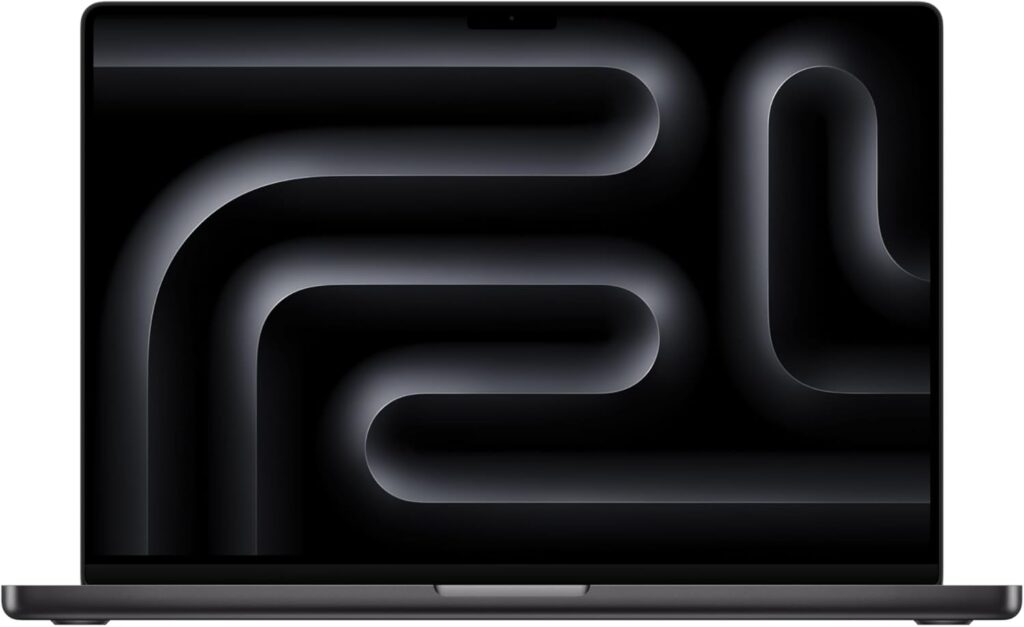
A few years ago, recommending a MacBook for Simulink would’ve sounded strange.
Not anymore.
Apple Silicon has become incredibly powerful, and the M5 Max version of the MacBook Pro is honestly ridiculous in terms of efficiency and raw performance.
The biggest surprise is how quiet it stays under load. Even during heavy MATLAB sessions, it barely makes noise.
Key Specifications
- Processor: Apple M5 Max
- GPU: 40-core integrated GPU
- RAM: Up to 128GB unified memory
- Storage: Up to 8TB SSD
- Display: 16.2-inch Liquid Retina XDR
Why People Love It
Unreal Battery Life
Still one of the best laptop batteries in the industry.
Silent Operation
Compared to Windows workstations, it feels incredibly refined.
Amazing Display and Speakers
Everything about the multimedia experience is top-tier.
Downsides
- Expensive upgrades
- Some engineering tools still work better on Windows
- GPU acceleration support can be more limited in certain workflows
Best For
macOS users who want premium hardware and already live inside Apple’s ecosystem.
Which Laptop Should You Actually Buy?
Here’s the simple version:
Buy the Dell Precision 5690 if:
You want the safest, most reliable professional workstation.
Buy the ThinkPad P1 Gen 7 if:
You want portability without sacrificing performance.
Buy the HP ZBook Power G11 if:
You want the best value for your money.
Buy the ASUS ProArt P16 if:
You also care about creative work, AI, and visuals.
Buy the MacBook Pro M5 Max if:
You prefer macOS and want incredible battery life.
Final Thoughts
The best Simulink laptop is not necessarily the most expensive laptop.
What matters is getting a machine that stays fast under real engineering workloads, keeps temperatures under control, and won’t feel outdated two years later.
In 2026, the biggest mistake people still make is buying gaming laptops with flashy specs but weak thermal performance. For Simulink, stability and sustained performance matter far more than RGB lighting or ultra-high refresh rates.
If you can afford it, aim for:
- 32GB RAM
- Modern Intel Core Ultra or Ryzen AI CPU
- Fast SSD storage
- Reliable cooling system
Do that, and your laptop will handle MATLAB, Simulink, CAD software, programming, and pretty much any engineering workload you throw at it for years.
How to Choose the Best Laptop for Simulink in 2026
Time needed: 5 minutes
- Focus on CPU Performance First
For Simulink, the processor matters more than flashy gaming features. A modern Intel Core Ultra 7/9, Ryzen AI 9, or Apple M5 chip will make simulations run much smoother, especially with larger models and multitasking.
- Get Enough RAM for Future Projects
16GB RAM may work for basic student projects, but 32GB is the real sweet spot in 2026. Bigger simulations, MATLAB toolboxes, CAD software, and multitasking all benefit from extra memory. Buying enough RAM now helps your laptop stay fast for years.
- Choose a Laptop with Good Cooling and Reliability
A powerful laptop means nothing if it overheats during long simulations. Workstation laptops like the Dell Precision, ThinkPad P1, and HP ZBook are popular because they stay stable under heavy engineering workloads and hold their performance much better over time.
FAQs
Sometimes, yes. But not every gaming laptop is a good engineering laptop. Many gaming models focus heavily on the GPU while ignoring cooling stability and long-term CPU performance. For Simulink, a reliable processor, enough RAM, and solid thermals usually matter more than flashy gaming features.
For basic university projects, 16GB can still work. But honestly, 32GB is the better choice in 2026 if you plan to use larger models, multiple toolboxes, CAD software, or multitask heavily. It gives you a much smoother experience and keeps the laptop useful longer.
It depends on the software you use most. MacBooks are fast, quiet, and have amazing battery life, but some engineering tools still work better on Windows. If your workflow depends heavily on compatibility and specialized engineering software, Windows is usually the safer option.

Hi, my name is Burak. I am a mechanical engineer. I have been writing laptop reviews for the Engineering Laptops website since 2020. Please feel free to contact me if you have any questions.





