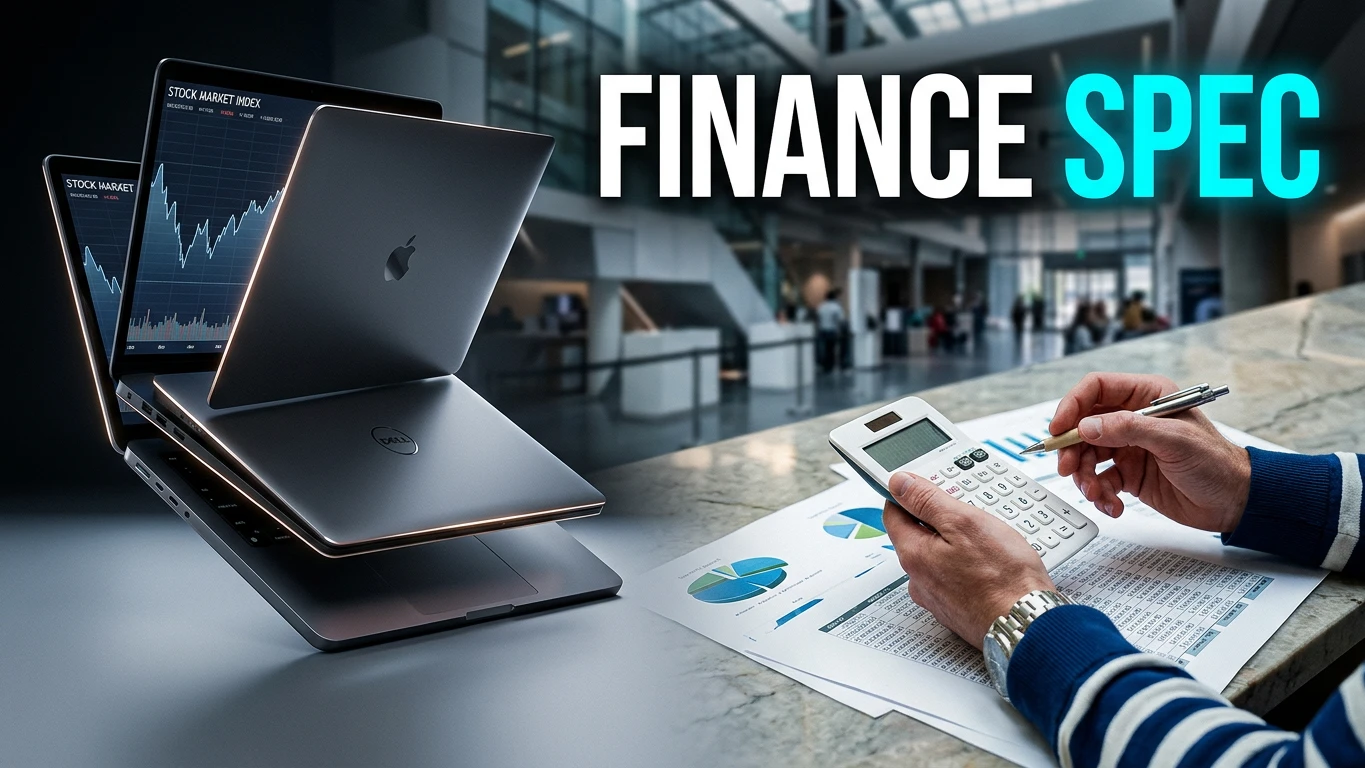
Estimated reading time: 1 minute
Key Takeaways
- Determine if your accounting program requires Windows-only software before purchasing a laptop.
- The best laptops for accounting and finance students include models like the MacBook Air 13″ M5, ASUS Zenbook 14 OLED, and Lenovo ThinkPad X1 Carbon Gen 14.
- 16GB of RAM is essential for smooth performance; avoid models with less.
- Consider a laptop’s battery life, screen size, and upgradeability to enhance productivity during studies.
- Always check your school’s specific technology requirements to avoid costly mistakes.
Table of contents
- Quick Answer: The Short Version
- First Things First: Mac or Windows?
- How Much Laptop Do You Actually Need?
- The 5 Best Laptops for Accounting & Finance Students in 2026
- Side-by-Side Comparison
- The Number Pad Question (Everyone Asks This)
- Accessories That Matter More Than You Think
- When and How to Buy (Save Real Money)
- Frequently Asked Questions
- The Bottom Line
If you’re about to drop a thousand dollars (or more) on a laptop for your accounting or finance degree, stop for a second. Before you look at a single spec sheet, there’s one question that decides everything else: does your program force you into Windows-only software?
I’ve watched too many students buy a gorgeous MacBook in August, then spend October hunched over a computer lab desktop because QuickBooks Desktop wouldn’t install. That’s a miserable and expensive mistake, and it’s completely avoidable.
So this guide does things in the right order. First we sort out the Mac-versus-Windows question with actual facts instead of vibes. Then we get into the five machines I’d genuinely recommend right now, in July 2026 — with real specs, real tested battery numbers, and honest lists of what’s annoying about each one.
Fair warning: I’m going to tell you when a laptop isn’t worth the money. That includes the popular ones.
Quick Answer: The Short Version
If you want the five-second version, here it is.
| Category | Pick | Roughly | Why |
|---|---|---|---|
| Best overall (Mac-friendly programs) | Apple MacBook Air 13″ M5 | $1,299 | Silent, 15+ hours real battery, 16GB standard |
| Best Windows value | ASUS Zenbook 14 OLED | ~$999–$1,099 | OLED screen, 75Wh battery, upgradeable SSD |
| Best premium / best keyboard | Lenovo ThinkPad X1 Carbon Gen 14 | ~$1,850–$2,300 | Built like a tank, keyboard nothing else touches |
| Best for analytics & CFA grinders | HP OmniBook Ultra 14 (Intel) | ~$1,999+ | Serious multi-core muscle, 3K OLED |
| Best under $800 | Dell 16 Plus (on sale) | ~$750–$999 | Big 16″ screen, real 16GB, frequently discounted |
And the rule that matters more than any of these picks: buy 16GB of RAM, minimum. In 2026 almost every thin laptop has its memory soldered to the motherboard. You cannot add more later. Not “it’s hard” — you literally cannot. Whatever you buy on day one is what you graduate with.
First Things First: Mac or Windows?
This is the part most laptop roundups get lazy about. They write “Macs are great for creatives, PCs are great for business!” and move on. That’s useless. Here’s what actually happens.
The Windows-only wall
Some of the software you’ll touch in an accounting program simply does not exist on macOS. Not “runs worse.” Doesn’t exist.
- QuickBooks Desktop / Enterprise — Windows 10/11, 64-bit only. No Mac version of the modern desktop product.
- Drake Tax, ProSeries, Lacerte, UltraTax CS — every major professional tax package is a Windows application.
- Power BI Desktop — Windows only. Microsoft formally closed the “make a Mac version” request in late 2025. If your data analytics course uses Power BI, you need Windows.
- Microsoft Access — still shows up in accounting information systems courses. Windows only.
- IDEA and Diligent Analytics (formerly ACL) — the audit data tools. Windows-oriented.
Meanwhile, this stuff runs fine on either platform: QuickBooks Online, Xero, Excel (yes, real Excel, including Power Query on Mac now), Tableau, Python, R, Stata, MATLAB, and every browser-based tool your school uses.
So the split is roughly this: finance majors can usually go either way, because finance lives in Excel, browsers, and lab-based Bloomberg terminals. Accounting majors hit the Windows wall far more often.
The ARM problem nobody warns you about
Here’s a trap that’s brand new for 2026, and most guides haven’t caught up.
There’s a whole category of gorgeous, incredible-battery-life Windows laptops running Snapdragon X and X2 chips. These are ARM processors, not the traditional Intel/AMD x86 kind. Windows runs a translation layer called Prism that handles most older software with roughly a 10–15% performance penalty — genuinely impressive, and you’d never notice it in Excel or Chrome.
But Intuit’s own system requirements say it plainly: QuickBooks needs an x86 processor (Intel or AMD), does not work with ARM, and Intuit does not support virtualization or emulation on ARM either. That’s not a bug they’re fixing. That’s a hard stop.
Translation for you: if you’re an accounting major who’ll need QuickBooks Desktop or professional tax software, avoid Snapdragon laptops. Buy Intel or AMD. If you’re a finance major living in spreadsheets and browsers, Snapdragon is honestly fantastic and the battery life is unreal.
What your own school says (check this before anything else)
I pulled the actual laptop requirement pages from a bunch of US business schools. They’re more opinionated than you’d expect:
| School | What they require |
|---|---|
| Stonehill College (Meehan School of Business) | Requires a Windows PC. Explicitly not an Apple laptop. |
| UConn School of Business | Windows 10/11 required. Says use of non-Windows laptops is “strongly discouraged.” Also says to avoid ARM processors. Analytics students: 16GB minimum, 32GB recommended. |
| Lehigh University | No OS preference — except finance majors, who need Windows. Their reasoning: the default standard in many finance jobs is Windows. |
| JMU College of Business | Mac users are required to access Windows software through campus labs or the virtual PC lab. |
| MTSU Jones College of Business | Macs “not recommended” for advanced technical business majors. |
| University of Denver, University of Tennessee | Windows strongly recommended; Mac users need Boot Camp, Parallels, or a VM. |
Go find your program’s technology requirements page right now. Five minutes there will save you a semester of pain. If your school hands you a spec sheet, that sheet beats anything I say in this article.
Can’t you just run Windows on a Mac?
Sort of. Parallels Desktop runs Windows 11 on Arm inside macOS on Apple Silicon, and plenty of working accountants have quietly run ProSeries and Drake that way for years. It generally works.
But understand what you’re signing up for: you’re paying for Parallels (a yearly subscription), paying for a Windows license, giving up RAM and storage to the virtual machine, and running software in a configuration the vendor doesn’t officially support. When something breaks in March with a deadline looming, “I’m running it in a VM on a Mac” is not a sentence tech support wants to hear.
If Windows-only software is a maybe, a Mac plus Parallels is a reasonable bet. If it’s a definitely, just buy the Windows laptop.
How Much Laptop Do You Actually Need?
Let’s kill some myths before we get to the picks.
RAM: 16GB is the floor. Full stop. Eight gigabytes gets you through freshman year and then starts choking. The moment you’ve got a fat Excel model open, plus Power Query refreshing, plus twenty Chrome tabs, plus Teams, plus a PDF of the textbook, 8GB starts swapping to disk and everything gets sticky. Business school IT departments have been quietly nudging their minimums to 16GB for exactly this reason. Go 32GB if you’re doing data analytics, heavy financial modeling, CFA prep with big datasets, or planning to run Windows in a VM.
Processor: mid-range is plenty. An Intel Core Ultra 5, AMD Ryzen 5, or Apple M-series chip handles everything an accounting or finance student does. Excel is mostly single-threaded, so a chip with strong single-core performance beats one with a huge core count for spreadsheet recalculation. Don’t pay for a Core Ultra 9 because a YouTube reviewer said it’s fast at video rendering. You are not rendering video.
Storage: 512GB is the sweet spot. 256GB works if you live in OneDrive or Google Drive, but it fills up faster than you think once Windows, Office, and four years of coursework pile in. Like RAM, it’s often soldered now.
Screen: 14 inches or bigger, and 16:10 if you can get it. Spreadsheets are vertical. A 16:10 or 3:2 screen shows you meaningfully more rows than an old-fashioned 16:9 panel. That extra strip of screen is the difference between seeing your whole income statement and scrolling constantly.
Battery: this is the spec that actually changes your day. Nobody talks about it enough. A laptop that gets 15 hours means you never think about outlets. A laptop that gets 6 means you’re the person circling the library looking for a seat near a plug. Manufacturer claims are fiction — I’ve used independently tested figures throughout this guide.
Weight: under 3.5 lbs. You’re carrying this thing between buildings five days a week for four years. Trust me on this one.
The 5 Best Laptops for Accounting & Finance Students in 2026
1. Apple MacBook Air 13″ M5 — Best Overall (if your program allows it)
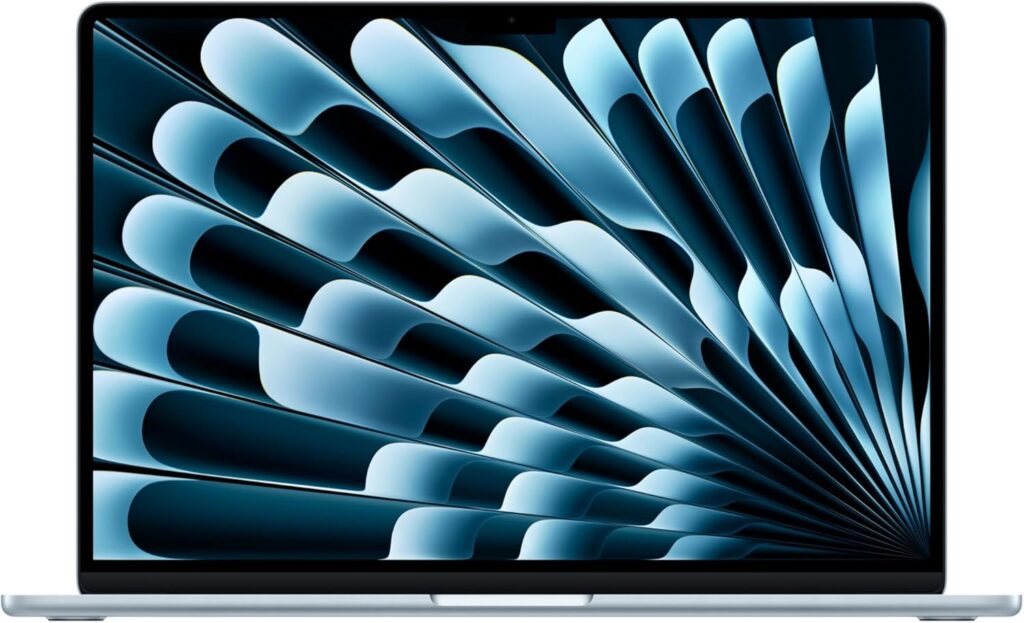
The Air is the default recommendation for a reason, and the M5 refresh made it better in the one way that mattered: 16GB of RAM is now the base configuration, so you’re not immediately upselling yourself to a usable spec.
It’s completely silent because there’s no fan. It’s cool on your lap. It wakes instantly. The trackpad is still, embarrassingly for the competition, the best in the business. And in Tom’s Hardware testing it ran 15 hours and 28 minutes on a charge — that’s a full day of class, library, and evening study with room left over.
Excel on Mac in 2026 is also much better than its reputation. Power Query is there. Most keyboard shortcuts translate. The stuff that trips people up is the Windows-only ecosystem around Excel, not Excel itself.
Specs:
- CPU: Apple M5 — 10-core CPU, 10-core GPU, 16-core Neural Engine
- RAM: 16GB unified memory standard; 24GB or 32GB optional (soldered)
- Storage: 512GB SSD base, up to 4TB (soldered)
- Display: 13.6″ Liquid Retina IPS, 2560×1664, 500 nits, 60Hz
- Battery: 53.8Wh — 15 hr 28 min tested
- Benchmarks: Geekbench 6 — 4,168 single-core / 17,067 multi-core
- Weight: ~2.7 lbs, fanless
- Ports: 2× Thunderbolt 4, MagSafe 3, 3.5mm headphone
- Displays: Drives 2 external monitors plus the built-in
- Other: 12MP Center Stage webcam, Touch ID, Wi-Fi 7, Bluetooth 6
- Price: $1,299 (up from $1,099 after Apple’s June 2026 price increase)
Pros
- Best single-core performance here, which is what Excel actually wants
- 15+ hours of tested battery life, genuinely all-day
- Silent and cool — no fan noise in a quiet library
- 16GB standard, no upsell required
- Excellent 12MP webcam for remote group projects and interviews
- Holds resale value better than any Windows laptop
Cons
- Windows-only accounting software is a real problem — QuickBooks Desktop, Drake, ProSeries, Lacerte, UltraTax, Power BI Desktop
- Got $200 more expensive in June 2026 due to the memory price crisis
- Only two ports; you’ll want a hub
- No Face ID, no touchscreen
- Nothing is upgradeable, ever
- 60Hz panel feels dated next to the OLED Windows crowd
Buy it if: you’re a finance major, or an accounting student at a school that’s built around cloud tools like QuickBooks Online and Xero. Skip it if: your program’s requirements page says Windows.
2. ASUS Zenbook 14 OLED — Best Windows Value
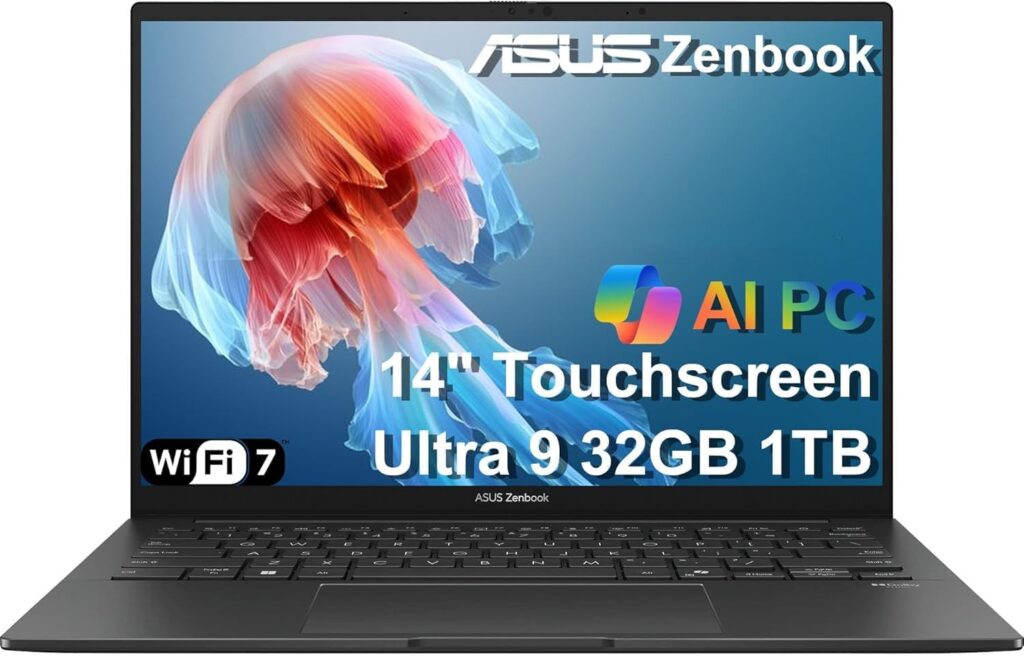
If you need Windows and don’t want to spend two grand, this is the one. The Zenbook 14 OLED keeps landing around $999–$1,099 and it doesn’t feel like a compromise machine at all.
The OLED display is the headline. Once you’ve worked on true blacks and razor-sharp text for a semester, going back to a mediocre IPS panel on a $1,500 laptop feels like a downgrade. And ASUS packed a 75Wh battery into a 2.8-pound chassis, which is a big battery for a small laptop.
The quiet detail I love: the SSD is a standard user-replaceable M.2 2280. At this price, in 2026, that’s rare. You can double your storage in three years for pocket change.
Specs:
- CPU: AMD Ryzen AI 7 445 (also available with Intel Core Ultra 200H series)
- RAM: Up to 32GB LPDDR5X (soldered)
- Storage: Up to 1TB PCIe Gen4 — user-replaceable M.2 2280
- Display: 14″ ASUS Lumina OLED, up to 3K at 120Hz, 16:10
- Battery: 75Wh — roughly 14–15 hours in mixed real-world use
- Weight: ~2.82 lbs (1.2 kg), MIL-STD-810H rated
- Ports: 2× USB4 (DisplayPort + Power Delivery), USB-A, full HDMI, 3.5mm
- Other: Wi-Fi 7, IR face login, cooling system under 25 dB
- Price: ~$999–$1,099
Pros
- Best price-to-quality ratio on this list, comfortably
- OLED at a price where rivals ship dull IPS panels
- Real HDMI and USB-A — no dongle needed for a classroom projector
- x86 processor, so QuickBooks Desktop and tax software install without drama
- Replaceable SSD, which almost nothing else here offers
- MIL-STD-810H durability testing in a sub-3lb body
Cons
- “Zenbook 14 OLED” covers a confusing pile of model years and chips — check the exact SKU before you buy
- Soldered RAM, so buy 16GB or 32GB up front
- OLED carries a small long-term burn-in risk if you leave static spreadsheet headers on screen for years
- ASUS software preinstalls a bit of bloat
- Support experience isn’t in Lenovo or Dell business-tier territory
Buy it if: you need Windows and you want the most laptop per dollar. This is the pick I’d recommend to most accounting majors.
3. Lenovo ThinkPad X1 Carbon Gen 14 Aura Edition — Best Premium Business Laptop
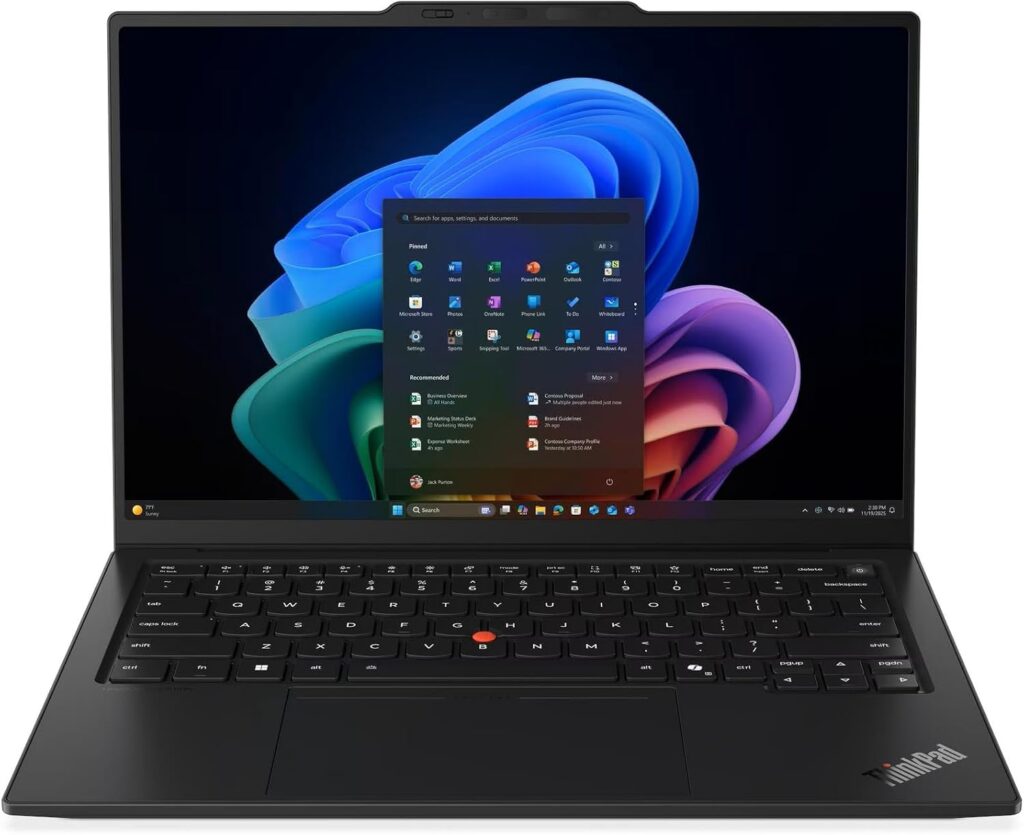
This is the laptop you buy if you’re thinking past graduation. Walk into a Big Four office and count the ThinkPads. There’s a reason.
The keyboard is the whole argument. 1.5mm of travel, properly shaped keys, and the red TrackPoint nub for people who know. If you’re going to spend the next four years — and then a career — typing numbers and writing memos, a keyboard you actually enjoy is not a luxury purchase. It’s the thing you touch every single day.
It’s also absurdly light for how tough it is. Around 2.2 pounds, carbon fiber, MIL-STD-810H tested, and Lenovo redesigned Gen 14 to be openable and serviceable — the SSD is user-replaceable, which is nearly extinct in this class.
One important warning about battery numbers on this machine: reviewers got wildly different results depending on configuration. Tom’s Hardware measured about 13 hours 10 minutes on the OLED / Core Ultra 7 build. Notebookcheck measured close to 24 hours on a lower-power IPS build with a Core Ultra 5. Same laptop name, totally different endurance. If battery life is your priority, pick the FHD+ IPS panel, not the OLED.
Specs:
- CPU: Intel Panther Lake — Core Ultra X7 368H vPro or Core Ultra 7 355
- RAM: 16 / 32 / 64GB LPDDR5X-8533 (soldered)
- Storage: 256GB–1TB M.2 2280 PCIe Gen4/Gen5 — user-serviceable
- Display: 14″ 16:10 — FHD+ (1920×1200) IPS or 2.8K (2880×1800) OLED at 120Hz, ~400 nits, 100% DCI-P3
- Battery: 58Wh — ~13 hr 10 min (OLED config) up to ~24 hr (efficient IPS config)
- Benchmarks: Geekbench 6 — 2,635 single / 11,107 multi (Core Ultra 7 355)
- Weight: ~2.2 lbs, MIL-STD-810H
- Ports: 2× Thunderbolt 4, 2× USB-A, HDMI
- Other: Up to 1440p webcam, IR Windows Hello, TrackPoint, heavy use of recycled materials
- Price: ~$1,850–$2,300+
Pros
- The best laptop keyboard money can buy — not close
- Feather-light and genuinely durable at the same time
- Serviceable and repairable, unusual in 2026
- Sharp 1440p webcam that makes you look competent on video calls
- Two USB-A ports, so your old mouse and flash drive still work
- vPro options and business-grade support; it’ll survive four years and then a job
Cons
- Expensive — you’re paying a real premium over the Zenbook for keyboard and build
- Battery life swings enormously by configuration; read the spec sheet carefully
- 58Wh battery is small in absolute terms
- Soldered RAM at a price where that stings
- Conservative black-slab looks; some people find it boring
- Lenovo’s configuration menus are genuinely confusing
Buy it if: you type a lot, you’re keeping this laptop through your first job, and the budget stretches.
4. HP OmniBook Ultra 14 (2026) — Best for Data Analytics & Heavy Modeling
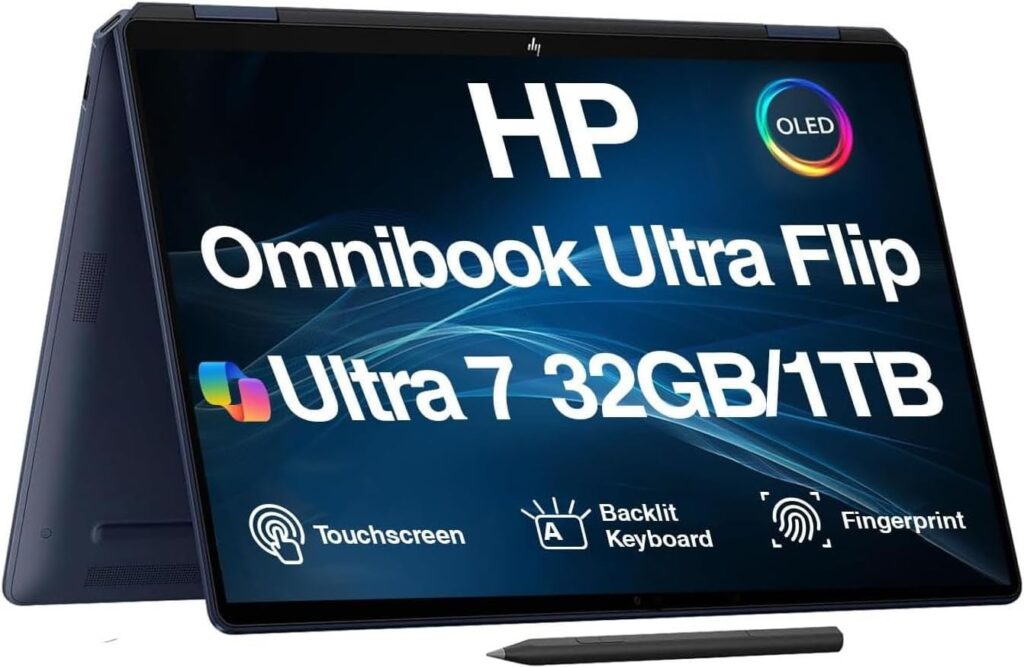
This is the power option. If your track includes serious data work — Alteryx, big Power BI models, Python, monster Excel workbooks with thousands of formulas recalculating — the OmniBook Ultra has the most headroom here.
HP sells it with two very different processors, and for accounting students the choice really matters.
The Snapdragon X2 Elite version is a monster on paper: 18 cores, up to 5.0GHz, an 85 TOPS NPU, and it posted around 20,075 multi-core in Geekbench 6 — beating the MacBook Air M5’s ~17,000. Superb battery life, too.
But it’s ARM. Which brings us right back to the QuickBooks problem. HP’s own marketing frames the choice as Snapdragon for battery and AI, Intel for graphics and “no Windows-on-Arm compatibility worries.” That’s a polite way of saying what I’ve been saying: accounting students should buy the Intel version. The Core Ultra X9 388H with Intel Arc B390 graphics gives you near-discrete GPU performance and zero compatibility asterisks.
Specs:
- CPU: Snapdragon X2 Elite (X2E-90-100, 18-core, up to 5.0GHz, 85 TOPS NPU) or Intel Core Ultra X9 388H with 12-core Intel Arc B390 graphics
- RAM: 16 / 32 / 64GB
- Storage: Up to 2TB PCIe 5.0
- Display: 3K OLED at 120Hz with VRR, 500 nits (2K OLED on Snapdragon models)
- Battery: 70Wh — around 13.5 hours tested on the Snapdragon version
- Benchmarks: Geekbench 6 — 3,942 single / 20,075 multi (Snapdragon X2 Elite)
- Weight: Under 3 lbs; extremely thin at 7.33mm at the front edge
- Price: ~$1,999 (14″, 1TB) up to $2,600–$4,000 fully loaded
Pros
- Highest multi-core performance in this guide by a clear margin
- Stunning 3K 120Hz OLED with variable refresh
- Up to 64GB RAM and 2TB of PCIe 5.0 storage — genuinely future-proof
- Intel Arc B390 graphics on the Intel model chew through visualization workloads
- Thin and light despite the power
- Strong speakers, which nobody mentions but you’ll appreciate
Cons
- Expensive, and the good configs push past $2,500
- The Snapdragon version has real compatibility limits for accounting software — read the model number twice
- Genuine overkill for a student who mostly writes memos and builds spreadsheets
- Thin chassis means it warms up under sustained load
- Battery figures on the Intel version need more independent testing
Buy it if: you’re in a data analytics concentration, doing CFA-level modeling, or you want one machine that won’t feel slow in 2031. Otherwise, save your money and get the Zenbook.
5. Dell 16 Plus — Best Under $800
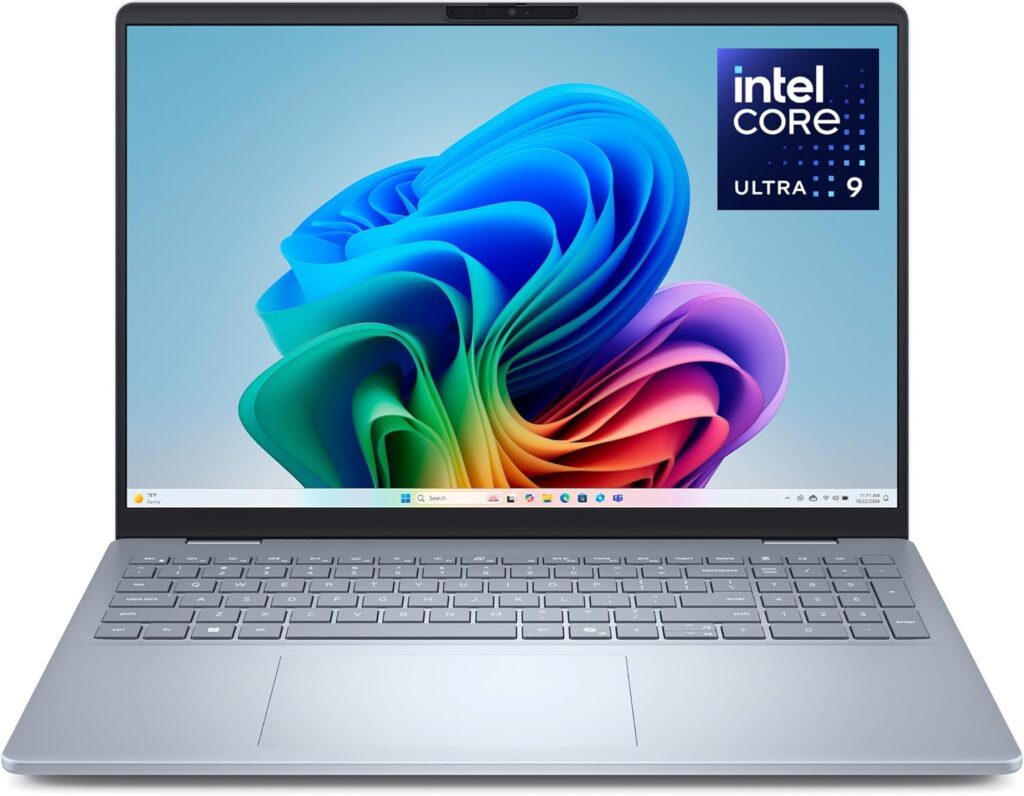
Not everyone has $1,300. And honestly, you don’t need $1,300.
Dell rebranded its mid-range line at CES 2026 — the new 14S and 16S with Panther Lake chips replace the “Plus” models. Which means the outgoing Dell 16 Plus is now the value play. It starts around $999 and drops comfortably below $800 during sales, and it’s a lot of laptop for that money.
The 16-inch screen is the real selling point for accounting students. More rows visible. More columns visible. Less scrolling. If you can’t afford both a laptop and an external monitor right now, a big built-in screen is the next best thing — and 16″ chassis are also far more likely to include a built-in number pad.
Specs:
- CPU: Intel Core Ultra 5 or Core Ultra 7 (Lunar Lake)
- RAM: 16GB–32GB
- Storage: 512GB–1TB SSD
- Display: 16″ IPS or mini-LED, 16:10
- Ports: Generous — USB-C, USB-A, HDMI, headphone
- Other: Wi-Fi 7, 1080p webcam with privacy shutter, Windows Hello
- Price: ~$999 list, frequently $750–$850 on sale
A note on the alternatives: Acer Aspire/Swift and Lenovo IdeaPad models also land in this range. Whichever you pick, verify the sale configuration has 16GB of RAM. Retailers love to discount the 8GB model and let you assume it’s the good one. It is not.
Pros
- Big 16″ 16:10 screen — the most spreadsheet real estate per dollar anywhere
- Frequently discounted well under $800
- Plenty of ports, including HDMI and USB-A
- More likely to include a built-in number pad than any 14″ machine
- Solid webcam with a physical privacy shutter
- x86 Intel, so no software compatibility asterisks
Cons
- Heavier and bulkier — this is a backpack laptop, not a coffee-shop laptop
- Battery life is average, not great; expect to carry the charger
- Build quality is fine, not premium — more plastic, more flex
- Previous-generation chip (that’s why it’s cheap)
- Screen is dimmer and less colorful than the OLED options
- Stock is finite as the new 16S rolls out
Buy it if: budget is the constraint and you’d rather have a big screen than a thin one. This is a smart purchase, not a sad compromise.
Side-by-Side Comparison
| MacBook Air 13″ M5 | ASUS Zenbook 14 OLED | ThinkPad X1 Carbon G14 | HP OmniBook Ultra 14 | Dell 16 Plus | |
|---|---|---|---|---|---|
| Price | $1,299 | ~$999 | ~$1,850+ | ~$1,999+ | ~$750–$999 |
| OS | macOS | Windows | Windows | Windows | Windows |
| Processor | Apple M5 | Ryzen AI 7 445 | Core Ultra 7 355 | Snapdragon X2 / Core Ultra X9 | Core Ultra 5/7 |
| x86 compatible? | Via Parallels only | ✅ Yes | ✅ Yes | ⚠️ Intel yes, Snapdragon no | ✅ Yes |
| RAM (base) | 16GB | 16GB | 16GB | 16GB | 16GB |
| Max RAM | 32GB | 32GB | 64GB | 64GB | 32GB |
| Screen | 13.6″ IPS 60Hz | 14″ OLED 120Hz | 14″ IPS/OLED | 14″ 3K OLED 120Hz | 16″ IPS/mini-LED |
| Tested battery | 15h 28m | ~14–15h | 13h–24h (varies) | ~13h 27m | Average |
| Weight | 2.7 lbs | 2.82 lbs | 2.2 lbs | <3 lbs | Heavy |
| Upgradeable SSD | ❌ | ✅ | ✅ | ❌ | ✅ |
| Number pad | ❌ | ❌ | ❌ | ❌ | Often ✅ |
| Best for | Finance majors | Most students | Long-haul buyers | Analytics tracks | Tight budgets |
The Number Pad Question (Everyone Asks This)
Every accounting student eventually asks whether they need a built-in numeric keypad. Here’s the honest answer, straight from working accountants on forums like Wall Street Oasis:
Don’t buy a heavier laptop just to get a numpad.
The reasoning is simple. A built-in numpad requires a 15.6″ or larger chassis, which adds real weight you’ll carry every day for four years. Meanwhile, an external USB or Bluetooth numpad costs about ten or fifteen bucks, works with any laptop, and — as one accountant put it — every firm you work at will hand you one anyway.
Is ten-key entry genuinely faster for data entry? Yes, measurably. So get one. Just get one that lives in your backpack instead of one that adds a pound to your daily carry.
Accessories That Matter More Than You Think
Straight talk: an external monitor will do more for your productivity than upgrading from a Core Ultra 5 to a Core Ultra 7. It isn’t close.
Spreadsheet work is a screen real estate problem, not a processing power problem. Being able to put your source data on one screen and your model on the other changes how you work. A decent 27-inch 1440p monitor runs $180–$250 and you’ll use it every single day.
The full priority list:
- External monitor — the single biggest upgrade to your daily life
- External numpad — $10–$30, faster data entry, stays in the bag
- USB-C dock or hub — one cable connects monitor, keyboard, mouse, ethernet, power. Essential if you bought a two-port MacBook Air.
- A proper mouse — trackpads are fine for browsing, bad for eight hours of cell-clicking
- A bag with real padding — you’re carrying a $1,300 device through crowded hallways
On external displays: the MacBook Air M5 drives two external monitors plus its own screen. Windows laptops with Thunderbolt 4 generally handle two or three through a dock. If a triple-monitor setup is the dream, check the specific model’s display limits before you buy the dock.
When and How to Buy (Save Real Money)
Back-to-school season is right now. Apple’s 2026 US Back to School promotion ran from July 16 through August 27 — education pricing plus a $100 Apple Gift Card with a MacBook Air, or $150 with a MacBook Pro, verified through UNiDAYS. Dell, Lenovo, and HP all run parallel student stores and back-to-school sales from July into September, usually with 10–20% off plus stacking coupons.
Apple’s education store knocks roughly $100–$200 off Macs year-round, separate from the seasonal gift card. Worth checking current pricing directly — Apple raised prices across the Mac line on June 25, 2026 (a memory and storage cost spike Tim Cook described as a hundred-year flood), so any article still quoting $1,099 for a MacBook Air is out of date.
Last-generation is the smartest money in tech. The MacBook Air M4 also shipped with 16GB base and is a phenomenal deal now that the M5 exists. Same goes for the ThinkPad X1 Carbon Gen 13 and the Dell 16 Plus. You give up maybe 10% performance for 25% off. For coursework, you’ll never feel the difference.
Accidental damage coverage is worth considering. Not because you’re careless, but because you’re going to carry this thing to class in the rain, set drinks next to it, and shove it into a crowded backpack a thousand times. On machines where everything is soldered, a spilled coffee can total the laptop. AppleCare+ and the equivalent Dell, Lenovo, and HP plans exist for a reason.
Buy your RAM up front. I’ll say it once more because it’s the mistake I see most. Soldered memory means the configuration you buy is permanent. Spending $200 now to go from 16GB to 32GB is annoying. Discovering in year three that your laptop can’t keep up, and buying a whole new one, costs $1,200.
Frequently Asked Questions
Is a MacBook good for accounting students? It depends entirely on your program. MacBooks handle Excel, cloud accounting tools like QuickBooks Online and Xero, and all your writing and research beautifully. But QuickBooks Desktop, Drake, ProSeries, Lacerte, UltraTax, Power BI Desktop, and Microsoft Access are Windows-only. Check your program’s requirements page first. Finance majors have far more freedom here than accounting majors.
How much RAM do accounting students need? 16GB minimum in 2026. Go 32GB if you’re in a data analytics concentration, doing heavy financial modeling, or planning to run Windows in a virtual machine. 8GB will feel fine your first year and painful by your third, and you can’t upgrade it later on most modern laptops.
Can you run QuickBooks on a Mac? QuickBooks Online runs in any browser on any Mac, no problem. QuickBooks Desktop does not have a modern Mac version — you’d need to run Windows through Parallels, which works in practice but isn’t officially supported by Intuit. Also note: QuickBooks requires an x86 processor and explicitly does not support ARM, which affects both Snapdragon laptops and virtualized setups on Apple Silicon.
Do accounting students need a laptop with a number pad? No. Buy a $10–$30 external numpad instead of a heavier laptop. You get the same ten-key speed benefit without carrying an extra pound around campus every day for four years.
Are Snapdragon laptops good for accounting students? For finance students who live in Excel, browsers, and cloud tools — yes, they’re excellent, with outstanding battery life. For accounting students who need QuickBooks Desktop or professional tax software — no. Those applications require x86 processors and won’t run on ARM chips. Buy Intel or AMD instead.
What laptop do I need for the CPA exam and Becker? Any of the five laptops here handles CPA review courses comfortably — they’re primarily video and browser-based. What matters more is a comfortable keyboard, a screen large enough to read for hours, and battery life that gets you through a full study day. Do confirm your proctoring software’s requirements before exam day.
Do I need a laptop for Bloomberg Terminal? Almost never. Bloomberg Terminal costs roughly $30,000 per user per year, so students access it through university lab machines. If your school offers Bloomberg Anywhere, Mac users connect through Citrix Workspace, and there’s a native macOS client covering core functions. For reference, Bloomberg’s official workstation requirements have specified 16GB of RAM as a minimum since 2021.
Is 8GB of RAM enough for a business student? It’s enough to start and not enough to finish. Given that RAM is soldered on nearly every thin laptop in 2026, buying 8GB means committing to 8GB for the life of the machine. Spend the extra money once.
Should I buy this year’s model or last year’s? Last year’s, usually. Generational performance gains are modest, and coursework doesn’t stress modern processors. A discounted MacBook Air M4 or ThinkPad X1 Carbon Gen 13 gives you 90% of the experience for meaningfully less money.
The Bottom Line
If I had to hand one laptop to a random accounting student walking into their sophomore year, it’d be the ASUS Zenbook 14 OLED. It’s Windows, so nothing in the curriculum can lock you out. It’s around a thousand dollars. The screen is better than laptops costing twice as much, the battery genuinely lasts, and you can upgrade the SSD down the road.
For finance majors whose programs don’t mandate Windows, the MacBook Air M5 is the better daily experience — quieter, longer-lasting, better built, and it holds its value when you sell it.
If you’re keeping this thing into your first job and you care about how a keyboard feels, the ThinkPad X1 Carbon Gen 14 is worth every extra dollar.
Analytics track or serious modeling? The Intel version of the HP OmniBook Ultra 14.
On a budget? The Dell 16 Plus on sale, with 16GB of RAM, and no apologies necessary.
But before you click buy on any of them — go read your program’s technology requirements page. It takes five minutes and it’s the only thing in this entire article that’s specific to you.

Hi, my name is Burak. I am a mechanical engineer. I have been writing laptop reviews for the Engineering Laptops website since 2020. Please feel free to contact me if you have any questions.





