Table of contents
- The short version
- How I put this together
- What changed in 2026, quickly
- Everything side by side
- Best Laptops for IT Professionals in 2026: What the Lab Numbers Actually Say
- Six things I wish more buying guides mentioned
- Which one for which job
- What didn’t make the cut, and why
- Questions I get asked a lot
- Where these numbers came from
Most “best laptop” lists are written for someone who opens a browser, a spreadsheet, and maybe Slack. That’s not you.
You’ve got four VMs running, three SSH sessions open, a Teams call you can’t leave, and you’re doing all of it from a folding chair next to a rack because the outlet you wanted is behind a switch you’re not allowed to unplug. The laptop that wins a general roundup is not automatically the laptop that survives your Tuesday.
So I built this list differently. I went through the published lab results for every current-generation business machine I could find, pulled the numbers that actually predict whether a laptop will annoy you, and threw out the ones that don’t. Frame rates in Cyberpunk? Gone. Sustained multi-core, battery life at real brightness, what happens to performance when you unplug, SSD 4K random speed, DPC latency, and whether you can replace the keyboard without a heat gun? That’s the whole list.
Five machines. All current generation. If a 2025 model got replaced this year, it isn’t here.
The short version
| What you need | What I’d buy | Street price |
|---|---|---|
| One machine for general IT work | Lenovo ThinkPad X1 Carbon Gen 14 | From $2,249 |
| A fleet you’ll be repairing for five years | HP EliteBook X G2i | ~$3,399 on sale |
| Maximum compute in a bag you forget you’re carrying | Asus ExpertBook Ultra B9406CAA | Configure direct |
| macOS shops and anything that has to run flat-out | Apple MacBook Pro 16 (M5 Pro, 2026) | From $2,699 |
| Virtualization, local models, a lab in a backpack | Lenovo ThinkPad P16 Gen 3 | From ~$3,500 |
How I put this together
I want to be straight with you here, because you’re technical and you’d catch me anyway.
I didn’t run these five machines through a thermal chamber myself. What I did was spend a long time in other people’s lab data, cross-check it, and re-weight it for the way IT people actually use hardware. Every single number below traces back to a named lab, with a date and a specific configuration attached. Where two labs used different tools, I say which tool. Where a result comes from a manufacturer rather than an independent test, I label it as a manufacturer claim.
The labs I leaned on:
Notebookcheck does the deepest instrumented testing in the business. Displays on an X-Rite i1Pro 3 with CalMAN. Noise on an Earthworks M23R at 15 cm. Surface temperatures on a calibrated Fluke t3000FC. Power draw on a Metrahit Energy. Wi-Fi with iperf3 against an Asus RT-BE96U. Battery on a Wi-Fi browsing loop, run twice, once at 150 nits and once at maximum brightness. They also state on every review page whether the unit was a manufacturer loan.
StorageReview runs a different suite that’s more useful for anything storage- or AI-adjacent: PCMark 10 including the Modern Office battery rundown, Geekbench 6 and 7, Cinebench 2026, 3DMark CPU Profile, y-cruncher, Blackmagic Disk and RAW Speed Test, the full UL Procyon AI set, SPECworkstation 4 and SPECviewperf 15.
iFixit for repairability scores, which I treat as a hard spec because for anyone managing a fleet, it is one.
One important note on battery numbers: Notebookcheck and StorageReview don’t use the same test. Notebookcheck runs a Wi-Fi browsing loop at a fixed 150 nits. StorageReview runs PCMark 10 Modern Office in Balanced mode at 50% brightness, which cycles real workloads with idle gaps. Both are honest tests. They’re just not interchangeable, so I’ve tagged every battery figure with the lab that produced it, and I compare like with like.
What I weighted, roughly in order: sustained multi-core, RAM ceiling, battery under conditions you’d recognise, I/O and manageability, then thermals and noise. Single-core bragging rights barely moved the needle.
What changed in 2026, quickly
Skip ahead if you’ve been paying attention.
Intel’s current mobile family is Core Ultra Series 3, codename Panther Lake, and it’s the first consumer silicon built on Intel’s own 18A process. New Cougar Cove P-cores, Darkmont E-cores, and a genuinely capable Arc B-series integrated GPU on the X-suffix chips. It launched at CES in January for consumers. The vPro versions for business machines only arrived a few months later, which is why ThinkPads and EliteBooks were late to the party this year.
AMD shipped its Gorgon Point Ryzen AI 400 series. Qualcomm has Snapdragon X2 Elite and X2 Elite Extreme, which post genuinely competitive multi-core numbers now. Apple is on M5, M5 Pro and M5 Max.
The practical upshot for you: 2026 is the first year where a laptop with no discrete GPU is properly fast, and where “17 hours of battery” is a measured result rather than a slide.
Everything side by side
| ThinkPad X1 Carbon G14 | HP EliteBook X G2i | ExpertBook Ultra B9406 | MacBook Pro 16 M5 Pro | ThinkPad P16 Gen 3 | |
|---|---|---|---|---|---|
| CPU as tested | Core Ultra 5 325 | Core Ultra 7 366H vPro | Core Ultra X7 358H | Apple M5 Pro | Core Ultra 9 275HX |
| Cores | 8 | 16 | 16 | 18 | 24 |
| Geekbench 6 single | 2,620 | 2,804 | 2,836 | 4,295 | 3,024 |
| Geekbench 6 multi | 11,038 | 16,390 | 16,674 | 28,436 | 17,860 |
| Max RAM | 64 GB | 64 GB | 32 GB | 128 GB | 192 GB |
| RAM upgradeable | No, soldered | No, soldered | No, soldered | No, soldered | Yes, 4× SO-DIMM |
| M.2 slots | 1 | 1 | 1 | 0, soldered | 3 |
| Sequential read | 6,900 MB/s (CDM) | 7,919 MB/s (BM) | 8,711 MB/s (AS SSD) | 12,826 MB/s (BM) | 7,926 MB/s (BM) |
| Measured battery | 23h 13m (NBC) | 17h 13m (SR) | 16h 06m (NBC) | 18h 30m (NBC) | 7h 00m (SR) |
| Wired Ethernet | No | No | No | No | Yes, 2.5 GbE |
| Thunderbolt | 3× TB4 | 2× TB4 | TB4 | 3× TB5 | 2× TB5 + 1× TB4 |
| vPro / AMT | Yes, on 365 and X-series SKUs | Yes, standard on 366H | Verify per SKU | No, MDM only | No on this SKU |
| Charger | 65 W | 100 W GaN | 65 W | 140 W | 180 W |
| Weight | 1.14 kg / 989 g | 1.09 kg | 1.1 kg | 2.12 kg | 2.5 kg |
| Street price as tested | $2,249+ | $3,399 | €4,000+ | $2,699+ | $3,500+ |
Battery keys: NBC = Notebookcheck Wi-Fi browsing loop at 150 nits. SR = StorageReview PCMark 10 Modern Office, Balanced mode, 50% brightness. Storage keys: CDM = CrystalDiskMark, BM = Blackmagic Disk Speed Test, AS SSD = AS SSD Benchmark.
Best Laptops for IT Professionals in 2026: What the Lab Numbers Actually Say
1. Lenovo ThinkPad X1 Carbon Gen 14
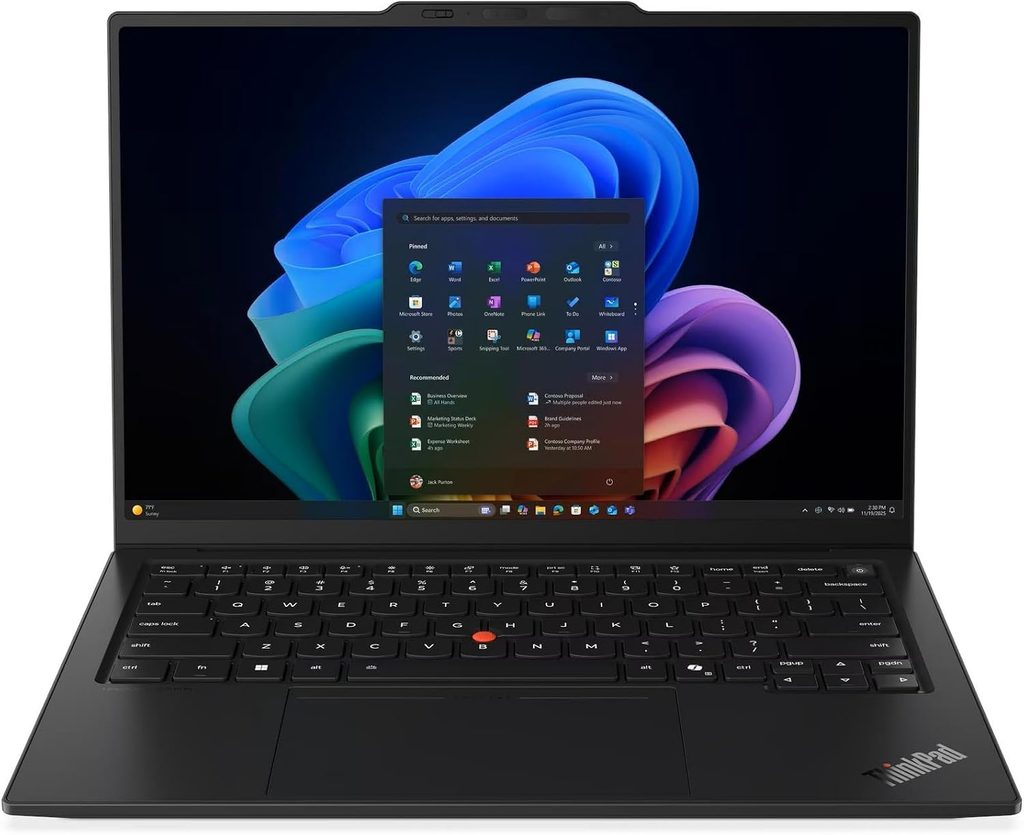
The one I’d hand to most IT people without asking a follow-up question.
Notebookcheck score 90%. Reviewed 25 July 2026 by Andreas Osthoff, updated 16 August. Unit 21V70075GE, supplied on loan.
Let me lead with the number that made me put this first.
Twenty-three hours and thirteen minutes. That’s the Wi-Fi browsing runtime at 150 nits, out of a 58 Wh battery. And because that kind of figure is usually gamed by testing at a brightness nobody actually uses, here’s the one I care about more: fourteen hours and fourteen minutes with the screen at maximum. Every competitor in that same test group came in lower, most by four hours or more.
If you’re on call, that’s the argument. You can leave the charger at your desk and not think about it again until tomorrow.
The specs
- CPU: Intel Core Ultra 5 325 (Panther Lake). 8 cores, 8 threads. Four Cougar Cove P-cores at 4.5 GHz, four Darkmont low-power E-cores at 3.4 GHz. 35 W sustained and burst.
- Also available with: Core Ultra 7 355, Core Ultra 7 365 (this is the vPro one), and the Core Ultra X7 358H / X7 368H with Arc B390 graphics
- RAM: 32 GB LPDDR5x-7467 as tested, 64 GB maximum, soldered
- Storage: 512 GB Samsung PM9C1b, PCIe 4.0. The slot itself takes PCIe 5.0 drives.
- Display tested: 14-inch, 1920×1200, IPS touch, 60 Hz, low-power panel
- Ports: 3× Thunderbolt 4, USB-A 3.2 Gen 1 (always-on), HDMI 2.1, 3.5 mm, nano-SIM, Kensington Nano
- Wireless: Intel Wi-Fi 7 BE211 at 320 MHz, Bluetooth 5.4, optional 4G or 5G WWAN
- Battery and charger: 58 Wh, 65 W USB-C
- Weight: 1.139 kg with the IPS touchscreen, 989 g with the OLED
The measurements
| Test | Result |
|---|---|
| Cinebench 2024 multi / single | 645 / 113.3 |
| Cinebench R23 multi / single | 10,980 / 1,892 |
| Geekbench 6.7 multi / single | 11,038 / 2,620 |
| PCMark 10 overall | 7,709 |
| 7-Zip | 36,228 MIPS |
| Blender BMW27 on CPU | 310 seconds |
| SSD sequential read / write | 6,900 / 5,762 MB/s (CrystalDiskMark) |
| SSD 4K read / write | 67.7 / 173.8 MB/s (AS SSD) |
| SSD access time read / write | 0.058 / 0.026 ms |
| SSD sustained read loop | 6,954 MB/s average, no throttling |
| Wi-Fi 7 iperf3 transmit / receive | 4,557 / 3,244 Mbit/s |
| Screen brightness average / peak | 524 / 546 nits |
| Contrast | 1,800:1 |
| Colour, out of the box | ΔE 5.0 ColorChecker, ΔE 8.3 greyscale |
| Colour, after calibration | ΔE 1.1 |
| Noise idle / full load | 24.8 / 38.9 dB(A) |
| Surface temperature top / bottom | 40.7 °C / 42.8 °C |
| Palm rest, hottest point | 28.7 °C |
| Power draw idle / peak | 1.6–4.9 W / 64.2 W |
| DPC latency, LatencyMon peak | 3,000 µs |
| iFixit repairability | 9 / 10 |
A few of those deserve a second look.
The Wi-Fi throughput is silly. 4.5 Gbit/s transmit against a Wi-Fi 7 router. The Gen 13 with its Wi-Fi 6E card managed 708 Mbit/s on the identical test. If you push ISOs and disk images around a lab network all day, you will feel that difference in your bones.
The SSD doesn’t sag. A sustained read loop held 6,954 MB/s on average with no degradation. It’s only a 512 GB drive at the base price, which is stingy, but the slot takes Gen 5 and swapping it is a five-minute job.
Thermals are gloriously boring. The palm rest never gets above 29 °C. The fan hits 38.9 dB(A) in Best Performance, 36 in Balanced, and 29 dB(A) in Best Efficiency. You can compile in a quiet office and nobody will look up.
The factory calibration is genuinely bad, and Lenovo did it on purpose. ΔE 8.3 on greyscale, with a green-blue cast you can see. Calibrating fixes it completely, down to ΔE 1.1, but costs you nearly 100 nits of brightness. My take: if you never colour-grade anything, leave it alone and take the brightness.
What I like
- The battery life changes how you work, and the max-brightness figure is the real proof
- Fastest Wi-Fi in its class by a mile
- Three Thunderbolt 4 ports, so you can charge from either side and still dock
- 5G option with the antennas already installed even on non-WWAN units
- 9/10 from iFixit. Modular USB-C ports, replaceable keyboard, tool-free battery.
- Speakers that make a five-hour bridge call survivable
- Quiet and cool under load
What I don’t
- Soldered RAM. What you order is what you’ve got for four years.
- The base IPS panel is 60 Hz and needs calibrating
- 512 GB on a $2,249 machine in 2026
- That camera bump on the lid is ugly and there’s no nice way to say it
- Three different chassis variants depending on your display choice, which makes the order page a minefield (I’ve got a whole section on this below)
Buy it if
You’re a sysadmin, a network engineer, a consultant, or anyone who travels. If your company buys in fleets and you get a vote, this is where I’d spend it.
Skip it if you need to run more than a couple of local VMs. 64 GB soldered is the wall, and you hit it on order day.
2. HP EliteBook X G2i
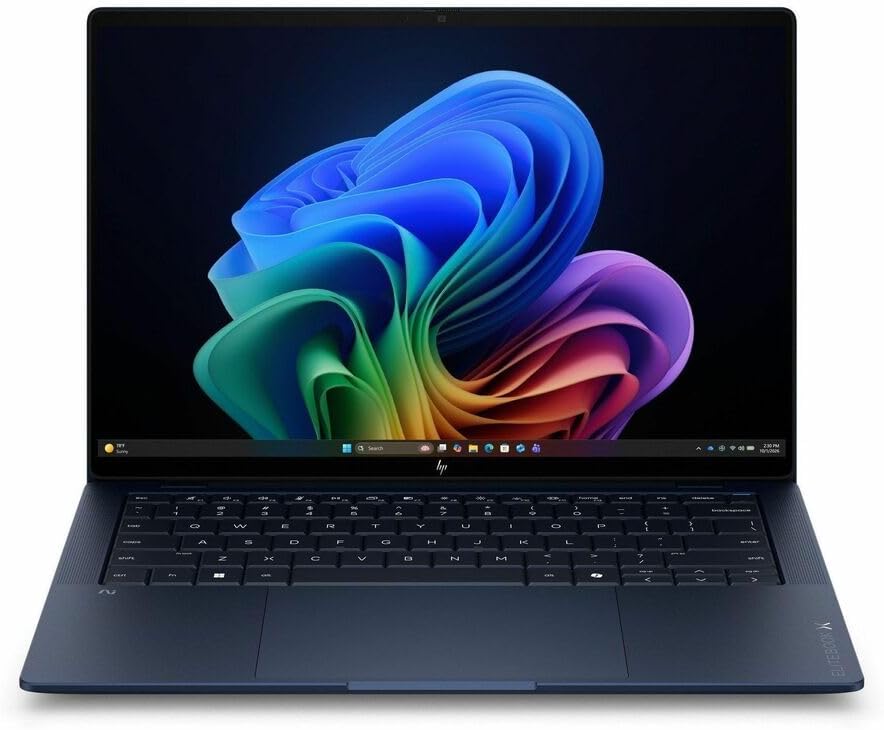
The one that makes sense the moment you’re the person who has to fix them.
StorageReview lab review, 18 August 2026, by Dylan Bryan. Unit: Core Ultra 7 366H vPro, 32 GB, 1 TB SK hynix Gen5, 3K OLED.
Here’s the thing that sold me on this machine, and it’s not a benchmark.
The keyboard comes out from the top, in three steps, with no screws. HP reckons the swap takes about ten minutes and sells a standalone replacement kit for somewhere around $100 to $150. The trackpad is its own module and comes out without disturbing the keyboard. The battery swaps easily. There’s a QR code engraved on the bottom cover that takes you straight to parts ordering.
If you’ve ever done a full teardown to reach a bottom-mounted keyboard because someone tipped coffee into a laptop, you understand exactly what that’s worth. This is the difference between a fifteen-minute bench repair and a chassis swap.
And then it turned around and posted the highest PCMark 10 Productivity score StorageReview has recorded in this class, at 18,859, driven by a 23,502 spreadsheet result. That’s 14% ahead of a ThinkPad P14s Gen 7 workstation and roughly 35% ahead of both Dell Pro machines in the comparison.
The specs
- CPU: Intel Core Ultra 7 366H vPro (Series 3). 16 cores, 16 threads, up to 4.8 GHz. 50 TOPS NPU.
- Graphics as tested: integrated Intel Graphics, 4 Xe cores. HP also sells a 12 Xe-core Arc B390 tier on the Core Ultra X7 358H.
- RAM: 32 GB LPDDR5x at 8533 MT/s, soldered. A 64 GB option exists in the lineup.
- Storage: 1 TB SK hynix PCB01, PCIe Gen 5
- Display tested: 14-inch 3K (2880×1800) OLED, 120 Hz, anti-glare, 500 nits, 100% DCI-P3. The range runs from a 1920×1200 panel up to an 800-nit Sure View privacy option and a 700-nit Tandem OLED touch variant.
- Ports: 2× Thunderbolt 4, 1× USB-C 10 Gbps, powered USB-A 5 Gbps, HDMI 2.1, 3.5 mm, nano security lock, optional nano-SIM
- Wireless: Intel Wi-Fi 7 BE211 2×2, Bluetooth 6
- Battery and charger: 68 Wh, 100 W GaN adapter made from at least 90% recycled plastic
- Weight: starts at 0.99 kg. The tested clamshell weighed 1.088 kg.
- Certifications: MIL-STD 810H, ENERGY STAR, EPEAT Climate+ Gold
The measurements
| Test | Result |
|---|---|
| PCMark 10 overall | 9,209 |
| PCMark 10 Essentials | 10,760 |
| PCMark 10 Productivity | 18,859 (class record) |
| PCMark 10 Digital Content Creation | 10,445 |
| PCMark 10 Modern Office battery | 17 hours 13 minutes |
| Geekbench 6 multi / single | 16,390 / 2,804 |
| Geekbench 7 multi / single | 17,345 / 2,527 |
| Geekbench 6 GPU OpenCL / Vulkan | 24,453 / 26,528 |
| Cinebench 2026 multi / single | 4,060 / 494 |
| 3DMark CPU Profile, max threads | 9,179 |
| 3DMark CPU Profile, single thread | 1,108 |
| 7-Zip total rating | 87.724 GIPS |
| y-cruncher Pi 1B | 34.920 seconds |
| Blender 5.2 CPU, Monster scene | 118.87 samples/min |
| Blackmagic write / read | 8,949 / 7,919 MB/s |
| 3DMark Storage | 3,156 |
| Blackmagic RAW 8K CPU decode | 72 fps |
| Procyon AI Text Generation, Phi | 1,082 |
| Procyon AI Image Generation, SD 1.5 INT8 | 3,529 |
| SPECworkstation 4, storage subsystem | 1.65 |
| SPECworkstation 4, NPU accelerator | 1.46 |
| Fast charge | 50% in 30 minutes |
The SK hynix Gen 5 drive writes at 8,949 MB/s, the fastest of anything in its comparison group. Sequential read at 7,919 MB/s trails the comps by 6 to 8%, which is the kind of gap nobody notices outside a benchmark window.
The Core Ultra 7 366H lands within 3% of the same chip in a Dell Pro 7 14 across CPU tests, which is exactly what identical silicon should do. It actually beats its Dell twin by 7% in Cinebench 2026 multi-thread and by 8% in 7-Zip, despite running 32 GB against Dell’s 64 GB.
The two things you need to know before ordering
First, the display is the battery decision. The 3K OLED unit ran 17 hours 13 minutes. The Flip variant with a dimmer panel ran 21 hours 20 minutes on the same silicon, and both Dell Pro comparison machines with LCD panels ran past 26 hours. HP’s own internal testing says roughly 31 hours of video playback on the 300-nit OLED versus around 23 hours on the 500-nit one. That’s a manufacturer figure, but it points the same direction as the independent test.
Second, the tested unit is not the fast one. StorageReview benchmarked the 4 Xe-core graphics tier. HP also sells the same chassis with the Core Ultra X7 358H and 12 Xe-core Arc B390, and that’s actually the configuration you can currently buy in stock. The same Arc B390 silicon in a Dell Pro 5 14 runs 2.2 to 2.3 times faster in GPU compute, Blender and Stable Diffusion. If you’re specifying this machine, that’s the version to get.
What I like
- The serviceability story is best in class. Keyboard out in ten minutes with no screws, modular trackpad, easy battery, QR code to the parts catalogue.
- Class-record PCMark 10 Productivity at 18,859
- vPro is standard on the 366H, so out-of-band management comes in the box
- Fastest sequential writes of anything in its group at 8,949 MB/s
- Under 1 kg for the lightest build, 1.088 kg as tested
- 50% charge in 30 minutes
- MIL-STD 810H, EPEAT Climate+ Gold, roughly 80% of major parts contain recycled material
- HP Wolf Security running from the BIOS up, and the Poly camera stack runs on the NPU instead of eating CPU
What I don’t
- Lid flex. StorageReview found noticeable give when pressing the centre of the closed lid, which the Flip variant and competitors resist better. It’s a consequence of the plastic top shell on the clamshell.
- The 32 GB configuration bit them in testing. The largest y-cruncher run wouldn’t even start, where the 64 GB comparison machines completed it. Order 64 GB.
- Battery is mid-pack against LCD rivals, and that’s the OLED’s doing
- HP’s list pricing is fiction. The $6,270 sticker sells for $3,399. Buy through a channel partner, never a marketplace.
- No configurator live at the time of testing, so what’s in stock is what you get
Buy it if
You’re the one who repairs the fleet. Or you buy for someone who is. Between the keyboard swap, the modular trackpad, vPro on the base chip and Wolf Security in the firmware, this is a machine designed by people who’ve thought about year three.
Skip it if you need maximum battery and can live with an LCD, in which case there are cheaper machines that run past 26 hours.
3. Asus ExpertBook Ultra B9406CAA
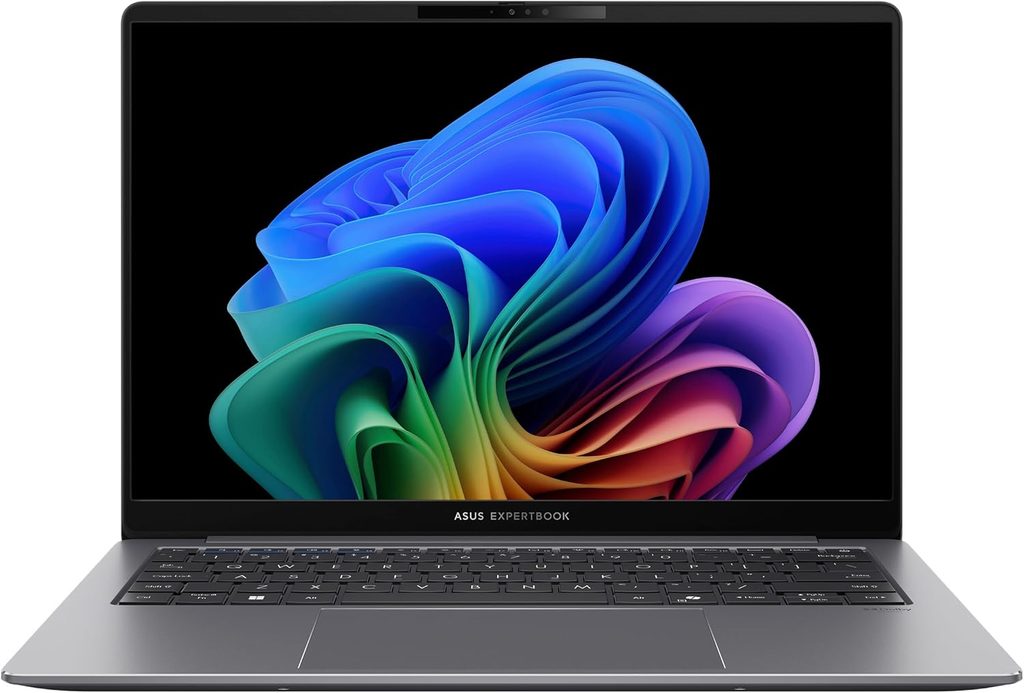
The most compute I’ve seen crammed into 1.1 kilograms.
Notebookcheck score 87.6%. Reviewed spring 2026.
This is what happens when someone puts Intel’s high-end Panther Lake chip in a chassis that weighs less than a bag of sugar and mostly gets away with it.
The Core Ultra X7 358H posted 1,125 in Cinebench 2024 multi-core. For scale, the X1 Carbon Gen 14 in the same comparison group managed 645, and last year’s well-liked Lunar Lake ThinkPads were sitting around 524. That’s a 74% jump over a machine in the same size class.
The specs
- CPU: Intel Core Ultra X7 358H (Panther Lake) with Arc B390 12 Xe3 integrated graphics
- RAM: 32 GB, soldered
- Storage: 2 TB Samsung PM9E1
- Display: 14-inch, 2880×1800 matte OLED, 120 Hz
- Wireless: Intel Wi-Fi 7 BE211
- Battery and charger: 70 Wh, 65 W USB-C
- Weight: 1.1 kg, 15.9 mm thick
The measurements
| Test | Result |
|---|---|
| Cinebench 2024 multi / single | 1,125 / 124.2 |
| Cinebench R23 multi / single | 19,841 / 2,079 |
| Cinebench R15 multi-loop average | 2,886 (very stable) |
| Geekbench 6.7 multi / single | 16,674 / 2,836 |
| PCMark 10 overall | 9,298 |
| CrossMark overall | 1,884 |
| 7-Zip | 68,533 MIPS |
| Blender BMW27 on CPU | 175 seconds |
| SSD sequential read | 8,711 MB/s (AS SSD) |
| SSD queued sequential read | 14,067 MB/s (DiskSpd q8t1) |
| AS SSD total score | 6,239 |
| 3DMark Time Spy graphics | 6,679 |
| 3DMark Fire Strike graphics | 17,054 |
| 3DMark 11 GPU | 18,313 |
| Screen brightness centre / average | 600 / 612 nits |
| Colour accuracy | ΔE 1.18 ColorChecker, ΔE 1.0 greyscale |
| Response time black to white | 0.94 ms |
| PWM frequency | 968.8 Hz |
| Noise idle / load average / load peak | 23.4 / 28.6 / 45.2 dB(A) |
| Surface temperature top / bottom | 38.6 °C / 38.4 °C |
| DPC latency, LatencyMon peak | 398 µs |
| Battery, Wi-Fi at 150 nits | 16 hours 6 minutes |
That DPC latency figure is worth a paragraph on its own. 398 microseconds is the lowest in its entire comparison group and roughly 7.5 times better than the X1 Carbon’s 3,000 µs.
If you’ve ever had a laptop where screen sharing stutters or your USB audio interface pops in the middle of a call, high DPC latency is usually why. Almost nobody puts this in a buying guide, and it’s one of the better predictors of whether a machine still feels smooth in year two, once you’ve got endpoint protection, a VPN client and an EDR agent all fighting over interrupts.
The display is the other quiet win. ΔE 1.18 straight out of the box, 600 nits, matte OLED at 120 Hz. That’s calibrated-quality without the calibration.
What I like
- Enormous CPU performance for something that weighs 1.1 kg
- Lowest DPC latency measured in its class, by a lot
- Arc B390 is roughly twice as fast as the standard Panther Lake iGPU and comfortably ahead of AMD’s best integrated option
- Excellent matte OLED, accurate before you touch it
- Very fast 2 TB SSD, 14 GB/s on queued reads
- Cool and quiet, 28.6 dB(A) average under load
What I don’t
- CPU performance drops noticeably on battery, which undermines the entire pitch of a portable powerhouse
- 32 GB soldered, no path forward at all
- The haptic clickpad can be twitchy
- The matte OLED coating looks a little grainy next to a glossy panel
- European launch listings were above €4,000 for this configuration, which is a lot. Go through Asus commercial channels rather than whatever a marketplace is asking.
Buy it if
You’re a consultant or field engineer who carries the machine all day and still needs to compile, transcode or run a local model when you land. Also worth it if your week is mostly video calls, purely because of that latency number.
Skip it if you need sustained performance while unplugged, or you’ll ever want more than 32 GB.
4. Apple MacBook Pro 16 (M5 Pro, 2026)
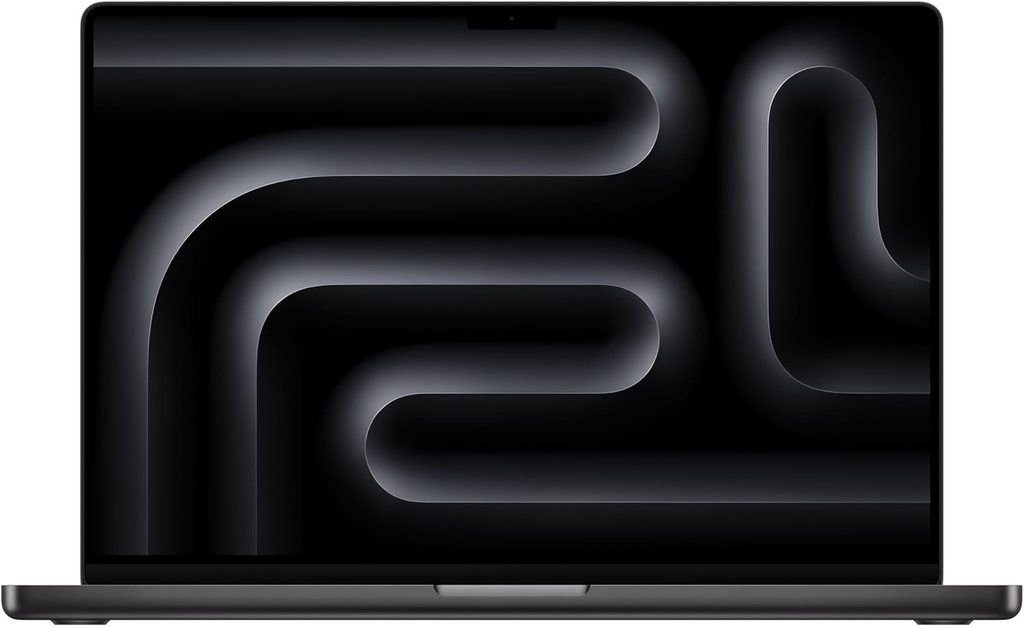
The only one here with no asterisk on its performance number.
Notebookcheck score 92%. Reviewed 9 March 2026 by Andreas Osthoff. Unit provided by Apple Germany.
Every Windows laptop on this list has a footnote attached to its benchmark score. Slower on battery. Throttles after ten minutes. Needs Best Performance mode with the fan at 45 dB.
The M5 Pro doesn’t. For certain kinds of work, that’s the entire argument and nothing else matters.
The specs
- CPU: Apple M5 Pro, 18 cores. Six “super” cores at 4.6 GHz, twelve performance cores at 4.4 GHz. 72 W peak, 62 W sustained.
- GPU: 20 cores, 38 W
- RAM: 64 GB LPDDR5x-9600 as tested. Base is 24 GB. Up to 128 GB if you step up to M5 Max.
- Storage: 4 TB, PCIe 5.0
- Display: 16.2-inch, 3456×2234 mini-LED, 120 Hz, optional matte nano-texture
- Ports: 3× Thunderbolt 5 at 120 Gbps, HDMI, SDXC, MagSafe, 3.5 mm
- Wireless: Apple N1 Wi-Fi 7, Bluetooth 6
- Battery and charger: 99.6 Wh, 140 W
- Weight: 2.121 kg
The measurements
| Test | Result |
|---|---|
| Cinebench 2024 multi / single | 2,347 / 201 |
| Cinebench 2026 multi / single | 9,481 / 738 |
| Geekbench 6.7 multi / single | 28,436 / 4,295 |
| CrossMark overall | 2,725 |
| WebXPRT 4 | 402 |
| Mozilla Kraken | 230 ms |
| Blender Classroom on CPU | 134.5 seconds |
| Blender Classroom on Metal | 36.6 seconds |
| Blackmagic disk read / write | 12,826 / 12,812 MB/s |
| Peak SSD transfer | 17 GB/s |
| 3DMark Steel Nomad | 2,323 |
| 3DMark Steel Nomad Light | 10,018 |
| 3DMark Wild Life Extreme | 23,757 |
| Geekbench 6.7 GPU Metal | 137,187 |
| Wi-Fi 7 iperf3 transmit / receive | 1,786 / 1,812 Mbit/s |
| Battery, Wi-Fi browsing | 18 hours 30 minutes |
| Fan noise, Low Power | inaudible at 1,400 rpm |
| Fan noise, Auto | 41.6 dB(A) |
| Fan noise, High Power | up to 51.7 dB(A) |
| Carbon footprint, 48 GB / 1 TB SKU | 284 kg CO2e |
Some context. 28,436 in Geekbench 6.7 multi-core puts the M5 Pro roughly 39% ahead of the fastest Core Ultra 9 285H machines in the same test group and about 21% ahead of last year’s M4 Pro. In Cinebench 2024 it lands in the same neighbourhood as desktop-replacement gaming laptops running Core Ultra 9 275HX chips.
The storage is in a different category. 12.8 GB/s both ways with peaks near 17 GB/s. The fastest Windows machine here reads at 8.7 GB/s. If you spend your day moving container images or restoring database dumps, you’ll notice.
Performance is identical unplugged. Notebookcheck confirmed all three power modes deliver the same figures on battery as on mains, and GPU performance stays stable under sustained load too. That’s not true of any Windows laptop with a discrete GPU.
The modes matter more than people realise. Low Power delivers roughly 41% of High Power’s multi-core throughput while running essentially silently at 1,400 rpm. Auto sits between them. That’s a genuinely useful dial: silent and cool in a meeting, full chip when you’re back at the desk.
The charger problem
The bundled 140 W supply is not enough at peak. During the stress test the machine pulled 92 W on the CPU and 70 W on the GPU simultaneously, and it occasionally borrows from the battery to cover the shortfall.
It’s much less severe than the 14-inch M5 Max, where Notebookcheck found the 96 W supply causing thermal throttling and inconsistent CPU performance outright. If you want the M5 Max, buy the 16-inch. If you want a 14-inch MacBook Pro, take the M5 Pro.
What I like
- Fastest sustained CPU here by a wide margin
- Zero performance loss on battery, in any mode
- 12.8 GB/s storage
- 18.5 hours of measured battery from 99.6 Wh
- Mini-LED with an optional matte finish that genuinely works
- Thunderbolt 5 at 120 Gbps
- Effectively silent in Low Power mode
What I don’t
- Constant PWM flickering on the display, which some people find unbearable
- A twelve-month warranty on a machine that starts at $2,699
- Essentially zero serviceability. Fans and battery, that’s it.
- No SD Express on the card reader
- The 140 W charger can’t cover peak draw
- 2.12 kg is real weight if you carry it daily
- No vPro equivalent. Fleet management means MDM and a completely different toolset.
Buy it if
You’re in a macOS-native team, or you’re a cloud or platform engineer running local containers and models, and you value consistency over headline numbers. Also buy it if you’re simply sick of laptops that get slower the second you unplug them.
Skip it if you’re in a Windows-centric shop, you need to open the machine, or you need to run Windows VMs natively.
5. Lenovo ThinkPad P16 Gen 3
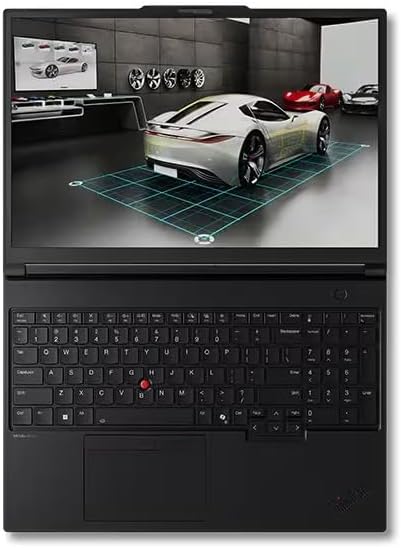
A lab you can put in a backpack.
Notebookcheck score 89%, reviewed 22 April 2026 by Benjamin Herzig. StorageReview lab review 12 March 2026 by Lyle Smith, unit configured with Core Ultra 9 275HX, RTX PRO 5000, 128 GB RAM and a 4 TB Samsung NVMe.
This is the anti-ultrabook. 2.5 kg, 30 mm at the back, giant exhaust vents that look like they came off a Batmobile, and it does not care what you think.
Here’s why it’s on an IT list rather than a CAD list: 192 GB of RAM across four SO-DIMM slots, and three M.2 2280 slots. Nothing else here comes close. If your job means running a realistic multi-node lab locally, or keeping separate customer environments on separate encrypted physical drives, this is the only machine on this page that can actually do it.
The specs
- CPU: Intel Core Ultra 9 275HX. 24 cores, eight performance cores up to 5.4 GHz and sixteen efficiency cores up to 4.6 GHz, 36 MB L3, 13 TOPS NPU. Configurable up to the Core Ultra 9 285HX.
- GPU: NVIDIA RTX PRO 5000 Blackwell with 24 GB GDDR7, 896 GB/s bandwidth, run at a 105 W TDP
- RAM: up to 192 GB DDR5 across four user-replaceable SO-DIMM slots
- Storage: three M.2 2280 slots, one PCIe 5.0 x4 and two PCIe 4.0 x4
- Display: 16-inch 3200×2000 Tandem OLED touch, 600 nits, 100% DCI-P3, DisplayHDR 600, VRR to 120 Hz. Also available in 1920×1200 at 400 or 500 nits, and 3840×2400 at 800 nits.
- Ports: 2× Thunderbolt 5 at 80 Gbps, 1× Thunderbolt 4, 2× USB-A 3.2 Gen 2, HDMI 2.1, RJ45 2.5 GbE, SD Express 8.0, 3.5 mm. There’s a cutout for a SmartCard reader on configurations that include it.
- Wireless: Wi-Fi 7 2×2 MU-MIMO, Bluetooth 5.4
- Battery and charger: 99.9 Wh user-replaceable, 180 W USB-C Power Delivery
- Weight and size: 2.5 kg, 36.2 × 25.2 × 2.97 cm
- Certifications: ENERGY STAR 9.0, EPEAT Gold, TCO Certified Gen 10
The measurements
| Test | Result |
|---|---|
| PCMark 10 overall | 10,618 (highest of its comparison group) |
| PCMark 10 Modern Office battery | 7 hours |
| Geekbench 6 multi / single | 17,860 / 3,024 (highest single-core in group) |
| Geekbench 6 GPU OpenCL | 220,751 |
| Cinebench R23 multi, on battery | 27,728 |
| CPU performance vs P16 Gen 2 | +43% on average |
| Performance loss on battery | −26% |
| 3DMark CPU Profile max threads / 1 thread | 14,868 / 1,267 |
| 7-Zip total rating | 127.8 GIPS |
| y-cruncher Pi 1B / 10B | 23.067 s / 356.414 s |
| Blackmagic disk read / write | 7,926 / 5,932 MB/s |
| 3DMark Storage | 1,945 |
| Blackmagic RAW 8K CPU / OpenCL | 104 / 143 fps |
| V-Ray GPU | 7,182 |
| LuxMark Hall / Food | 25,640 / 10,754 |
| Blender GPU, Monster scene | 3,361.80 samples/min |
| Blender CPU, Monster scene | 210.22 samples/min |
| SPECviewperf 15, blender-01 | 95.53 (best in group) |
| SPECworkstation 4, Life Sciences | 2.31 |
| Procyon AI Text Generation, Phi | 3,482 (141 tokens/sec) |
| Procyon AI Image Gen, SD 1.5 INT8 | 30,210 (1.03 sec/image) |
| Charge to 80% | 1 hour |
That seven hours on the PCMark Modern Office rundown is the surprise. A Dell Pro Max 18 Plus managed 3 hours 39 minutes on the same test, and an HP ZBook Fury G1i managed 4 hours 48 minutes. For a workstation with an HX chip and an RTX PRO GPU, seven hours is genuinely impressive, and it’s the direct result of Lenovo tuning the machine more conservatively than its rivals.
Which brings me to the trade-off, and it’s a real one.
Lenovo runs the RTX PRO 5000 at 105 W. Dell runs the same GPU at 175 W. HP runs it at 150 W. Lenovo also moved from a 230 W proprietary Slim Tip charger on the Gen 2 to a 180 W USB-C PD supply on the Gen 3. One charger for your laptop, tablet and phone is a genuine quality-of-life upgrade, and I’d take it. But 50 W less headroom is 50 W less headroom, and you can see it in the benchmark tables: this machine is consistently in the same performance tier as the Dell and HP, and consistently a few percent behind them.
Notebookcheck put it bluntly, calling the Gen 3 an overcorrection: much more mobile than the Gen 2, but making sacrifices in the thing the product line exists for.
And then there’s the −26% on battery. That’s the biggest unplugged performance drop on this list. This machine wants to be plugged in.
What I like
- 192 GB of RAM. Nothing else here gets within 50 GB.
- Three SSD slots, one of them Gen 5
- Real 2.5 GbE Ethernet built in, no dongle in your bag
- SD Express 8.0 and a SmartCard option, both increasingly rare and both still needed in enterprise
- 99.9 Wh, right up against the airline carry-on limit, and user-replaceable
- Seven hours of real battery life from a mobile workstation, which is roughly double what the Dell and HP equivalents manage
- Highest PCMark 10 and highest single-core score in its comparison group
- USB-C charging at last, and 80% in an hour
- 43% faster CPU than the previous generation
What I don’t
- 26% performance loss on battery
- The 105 W GPU ceiling and 180 W charger leave real performance on the table compared to Dell’s 175 W implementation
- 2.5 kg. This is a transportable, not a portable.
- The fans get genuinely loud under load
- vPro isn’t on every configuration. StorageReview’s unit didn’t have it. Check the SKU.
- From around $3,500, though Lenovo runs aggressive sales and the RTX PRO 2000 / 32 GB / 1 TB build has been seen at $1,689
Buy it if
You run virtualization locally. You do local model inference. You’re a security researcher who wants three genuinely isolated environments on three physical drives. You’re a field engineer who needs Ethernet and a card reader and refuses to carry a bag of adapters.
Skip it if you commute with it daily, or you work unplugged for long stretches.
Six things I wish more buying guides mentioned
This is the part I’d want to read.
1. The vPro naming trap will cost you a fleet
Intel’s Panther Lake vPro chips are named almost identically to the ones without it.
Core Ultra 7 365 has vPro. Core Ultra 7 355 does not. Otherwise they’re near-identical parts.
If your purchase spec says “Core Ultra 7” and someone in procurement orders the 355, you’ve just bought a fleet with no Active Management Technology. No out-of-band management. No remote KVM when a machine won’t POST. That difference doesn’t appear on the marketing page and it doesn’t appear in most reviews either.
Check the exact SKU number before anyone signs anything. Same story on the AMD side: PRO-suffixed chips carry DASH manageability, non-PRO chips don’t.
Intel’s own claims for the Series 3 vPro Certification Program are worth knowing, though they’re Intel’s own measurements: up to 59% less CPU utilisation, 56% better power efficiency, and 74% less background activity against uncertified configurations.
2. On the X1 Carbon, one checkbox costs you ten hours
This is the single most consequential thing in this whole article, and I’ve barely seen it written down anywhere.
The ThinkPad X1 Carbon Gen 14 ships in three physically different chassis depending on which display you tick.
| Display | Base material | Weight | Battery at 150 nits | Battery at max brightness |
|---|---|---|---|---|
| WUXGA IPS touch | Aluminium | 1.139 kg | 23h 13m | 14h 14m |
| 2.8K OLED, 120 Hz | Magnesium | 989 g | 13h 30m | 7h 36m |
Same laptop. Same 58 Wh battery. The OLED gets ten hours less at 150 nits and roughly half the runtime at full brightness. In exchange you save 150 grams and get a 120 Hz OLED.
Notebookcheck also found the OLED panel looks grainier than the IPS one, which is the opposite of what you’d expect for the money.
So: lightest machine, take the OLED. The battery life that makes this laptop special, take the IPS and accept 60 Hz and a green cast you’ll want to calibrate away. There is no configuration that gives you both, and Lenovo’s order page will not warn you.
The same pattern shows up on the HP EliteBook X G2i, incidentally. The 3K OLED unit ran 17h 13m while the dimmer-panelled Flip on identical silicon ran 21h 20m. Panel choice is the battery decision on both platforms.
3. What happens when you unplug
Nobody publishes this consistently and everybody should. Here’s what the labs have measured.
| Machine | Multi-core loss on battery |
|---|---|
| MacBook Pro 16 M5 Pro | 0%, identical in all three modes |
| ThinkPad X1 Carbon Gen 14 | −16%, power limit drops from 35 W to 25 W |
| Asus ExpertBook Ultra B9406 | Notebookcheck describes it as a noticeable drop |
| ThinkPad P16 Gen 3 | −26%, down to 27,728 in Cinebench R23 multi |
| HP EliteBook X G2i | Not separately measured. The Battery Extender mode trades refresh rate, brightness and conferencing effects for what HP says is up to two extra hours. |
If a meaningful chunk of your week happens unplugged, this table should outrank the raw benchmark scores in your decision.
4. Check the charger before you buy the laptop
| Machine | Charger | Verdict |
|---|---|---|
| ThinkPad X1 Carbon G14 | 65 W | Sufficient. Peak draw 64.2 W, settling to 45–55 W under sustained stress. |
| HP EliteBook X G2i | 100 W GaN | Sufficient for a 16-core H-series part in a sub-1 kg chassis. 50% charge in 30 minutes. |
| Asus ExpertBook Ultra B9406 | 65 W | Adequate, but the machine visibly throttles on battery anyway. |
| MacBook Pro 16 M5 Pro | 140 W | Not enough at peak. 92 W CPU plus 70 W GPU under stress, borrowing from the battery to cover it. |
| MacBook Pro 14 M5 Max | 96 W | Not enough, badly. Causes throttling and inconsistent CPU performance. Buy the M5 Pro instead. |
| ThinkPad P16 Gen 3 | 180 W USB-C PD | Down from 230 W on the Gen 2. Caps both CPU and GPU ceilings, and Lenovo runs the GPU 70 W below Dell’s implementation as a result. |
The pattern across 2026 is that manufacturers are undersizing chargers to hit portability and USB-C compatibility targets, and the machines quietly draw from the battery to cover the gap. It works. It also means “plugged in” no longer automatically means full performance.
5. RAM math for virtualization
If you’re buying a laptop to run VMs, here’s the ceiling in terms you can actually use. Assume 16 GB for the host OS, browser and toolchain, then divide what’s left.
| Machine | Max RAM | 4 GB VMs | 8 GB VMs |
|---|---|---|---|
| Asus ExpertBook Ultra B9406 | 32 GB soldered | ~4 | ~2 |
| HP EliteBook X G2i | 64 GB soldered | ~12 | ~6 |
| ThinkPad X1 Carbon G14 | 64 GB soldered | ~12 | ~6 |
| MacBook Pro, M5 Max | 128 GB soldered | ~28 | ~14 |
| ThinkPad P16 Gen 3 | 192 GB, 4× SO-DIMM | ~44 | ~22 |
Soldered memory means you make this decision once, on order day, for the life of the machine. That’s the strongest single argument for the P16, and it’s why I didn’t rank this list purely on benchmark scores.
StorageReview ran into exactly this in testing: the 32 GB EliteBook couldn’t even start the 5-billion-digit y-cruncher run that its 64 GB comparison machines completed without drama. Order the memory you’ll need in three years, not the memory you need today.
6. Repairability is a spec now, not a hobby
I’ve stopped treating this as a nice-to-have. If a machine lives four to six years in a fleet, the difference between a bench repair and a chassis swap shows up in the budget.
Where things stand in 2026:
- ThinkPad T14 Gen 7 and T16 Gen 5: 10 out of 10 from iFixit. First time the T-series has ever hit the top score. Fully modular, individually replaceable Thunderbolt ports. The score is provisional until parts and instructions land on Lenovo’s support site.
- ThinkPad X1 Carbon Gen 14: 9 out of 10. Modular USB-C ports, replaceable keyboard, tool-free battery, a double-sided motherboard that shrank the board 20% and made room for better airflow.
- HP EliteBook X G2i: no formal iFixit score, but a top-mounted keyboard that comes out in three steps with no screws, a modular trackpad, an easy battery swap and a QR code on the base linking straight to parts ordering.
- MacBook Pro 16: fans and battery. That’s the list.
Which one for which job
Sysadmin or IT generalist → ThinkPad X1 Carbon Gen 14. The battery life and the Wi-Fi throughput win it outright. Take the IPS panel.
Whoever repairs the fleet → HP EliteBook X G2i. Ten-minute keyboard swap, modular trackpad, vPro standard on the 366H, Wolf Security in the firmware.
DevOps or platform engineer, macOS shop → MacBook Pro 16 M5 Pro. Consistent performance, 12.8 GB/s storage, no penalty for unplugging.
Consultant who lives on planes → Asus ExpertBook Ultra B9406 if you need the compute, X1 Carbon Gen 14 if you need the runtime. At 1.1 kg against 1.14 kg the weight is a wash, so choose on battery versus horsepower.
Network engineer or field tech → ThinkPad P16 Gen 3. It’s the only one here with real Ethernet, SD Express 8.0 and a SmartCard option built in.
Security researcher or malware analyst → ThinkPad P16 Gen 3. Three physical drives means three genuinely isolated environments, and 192 GB means the lab actually fits.
A company that keeps hardware six years → HP EliteBook X G2i, or a ThinkPad T14 Gen 7 if you want that 10/10 iFixit score and can live with a slower chip.
What didn’t make the cut, and why
Lenovo ThinkPad T14 Gen 7. This one hurt to leave out. In August 2026 iFixit gave the T14 Gen 7 and T16 Gen 5 a perfect 10 out of 10, the first time the T-series has ever hit the top score, with fully modular Thunderbolt ports and upgradeable RAM. Notebookcheck measured up to 18 hours of real-world battery and rated it 88.8%. It’s out because CPU performance stagnated against the Lunar Lake predecessor, integrated GPU performance actually went down, and the base display disappoints on colour gamut. If repairability is your absolute top priority and you need vPro, buy this over anything else here.
Dell Pro 7 14 Intel and Dell Pro 5 14 Intel. Both ran past 26 hours in StorageReview’s Modern Office battery test, which is the best result of anything in this comparison set. The Pro 5 14 with Arc B390 also more than doubles the EliteBook’s iGPU compute scores. They’re out because they landed in this comparison as reference systems rather than primary reviews, so I don’t have the full picture on thermals, noise and serviceability that I have for the five above. If battery life is the only thing you care about, look at these next.
Asus ZenBook A14 and A16 with Snapdragon X2 Elite. The X2 Elite Extreme beats every mobile x86 chip from Intel and AMD on multi-core, even in a near-silent whisper mode below 30 dB(A), and the A14 weighs 992 g. Genuinely impressive hardware. It’s out because Windows-on-Arm compatibility is still something you verify per-tool, and Phoronix’s Ubuntu 26.04 testing found the Snapdragon Linux experience still lacking. For IT work, where your toolchain is long and weird and full of kernel drivers, that’s disqualifying for now. Ask me again next year.
Dell Pro Max 18 Plus and HP ZBook Fury G1i. Both run the same RTX PRO 5000 as the P16 Gen 3 at higher power ceilings, 175 W and 150 W respectively, and both beat it on raw throughput. Both also managed under five hours of battery against the ThinkPad’s seven, and both are considerably heavier. If you never leave the desk, they’re faster. If you ever do, they’re not.
MacBook Pro 14 with M5 Max. Actively avoid this specific configuration. Notebookcheck found the 14-inch cooling overwhelmed by the M5 Max, producing loud fans, thermal throttling and inconsistent CPU performance, with the 96 W supply insufficient at peak. Want 14 inches? Take the M5 Pro. Want the M5 Max? Take the 16.
Questions I get asked a lot
32 GB is the floor for a machine you’ll keep three years. 64 GB is the sensible target if you run any VMs or containers locally. Above that you need sockets rather than solder, which narrows the field to the ThinkPad P16 Gen 3 and its 192 GB across four SO-DIMM slots. Remember that soldered RAM is a permanent, one-time decision, and that memory prices in 2026 make “I’ll upgrade later” wishful thinking anyway.
If you manage more than about twenty machines, yes. Out-of-band management means reaching a device that won’t boot, pushing firmware without touching it, and remote-wiping a lost laptop that’s powered off. Just order the right SKU. The Core Ultra 7 365 has it, the 355 doesn’t, and they cost nearly the same.
For general IT work, no, and 2026 is the first year that’s clearly true. Intel’s Arc B390 integrated graphics scored 6,679 in 3DMark Time Spy graphics and 17,054 in Fire Strike graphics, roughly 130% ahead of the standard Panther Lake iGPU and comfortably past AMD’s Radeon 890M. You’d want a discrete card for CUDA workloads, serious local model work, or CAD. Not for anything else on your list.
Where these numbers came from
I aggregated published measurements from labs with documented, repeatable procedures, then re-weighted the results for IT workloads. Every figure traces to a named source with a date and a specific hardware configuration.
What I did not do is run these five machines through my own lab, and I’m saying that plainly because you’d work it out anyway. Implying hands-on testing that didn’t happen is exactly the thing that makes most buying guides worthless.
Sources:
- Notebookcheck: ThinkPad X1 Carbon Gen 14 review, Andreas Osthoff, 25 July 2026, updated 16 August 2026. MacBook Pro 16 M5 Pro review, Andreas Osthoff, 9 March 2026. MacBook Pro 14 M5 Max review. ThinkPad P16 Gen 3 review, Benjamin Herzig, 22 April 2026. Asus ExpertBook Ultra B9406 review. Spring 2026 and winter 2025/26 roundups, J. Simon Leitner.
- StorageReview: HP EliteBook X G2i review, Dylan Bryan, 18 August 2026. Lenovo ThinkPad P16 Gen 3 review, Lyle Smith, 12 March 2026. Comparison data drawn from their Dell Pro 7 14 Intel, Dell Pro 5 14 Intel, Dell Pro Max 18 Plus, HP ZBook Fury G1i and ThinkPad P14s Gen 7 reviews.
- iFixit: ThinkPad T14 Gen 7 and T16 Gen 5 repairability announcement, August 2026, and the laptop repairability score database.
- ServeTheHome: ThinkPad P16 Gen 3 review, May 2026, for port layout and Ethernet controller detail.
- Intel: Core Ultra Series 3 vPro launch materials. Labelled as manufacturer claims wherever cited.
- Lenovo and HP: manufacturer figures for iFixit scoring, keyboard replacement times and video playback runtimes, labelled as such throughout.
Test equipment used by Notebookcheck: X-Rite i1Pro 3 and CalMAN for displays, Earthworks M23R with Arta at 15 cm for noise, calibrated Fluke t3000FC and Voltcraft IR-900 for temperature, Metrahit Energy for power, iperf3 against an Asus RT-BE96U for networking, CrystalDiskMark, AS SSD and DiskSpd for storage.
Test suite used by StorageReview: PCMark 10 including Modern Office battery, Geekbench 6 and 7, Cinebench 2026, 3DMark CPU Profile and Storage, 7-Zip, y-cruncher, Blender 5.2, LuxMark v4, V-Ray, Blackmagic RAW and Disk Speed Test, UL Procyon AI Text Generation, Image Generation and Computer Vision, SPECworkstation 4 and SPECviewperf 15.
Disclosures: no affiliate relationships influenced the selection of these five machines. Review units for the underlying lab tests were manufacturer loans in every case, and each lab states this on its own review pages.
Prices are accurate at the time of writing and move constantly, memory especially. Configure through the manufacturer’s commercial channel rather than a marketplace listing. Third-party resellers have been marking up commercial SKUs by 75% or more this year, and HP’s list prices in particular carry standing discounts that make the sticker meaningless.
Corrections: if you spot an error, tell me and I’ll fix it with a dated note rather than a silent edit.
Published 30 August 2026. I’ll revisit this after the autumn refresh cycle.

Hi, my name is Burak. I am a mechanical engineer. I have been writing laptop reviews for the Engineering Laptops website since 2020. Please feel free to contact me if you have any questions.





