
Estimated reading time: 16 minutes
Key Takeaways
- Choose laptops with fast single-core CPU performance, ample RAM, and quick SSD for the Best Laptops for ETABS.
- The guide lists five recommended laptops for 2026, catering to different budgets and needs.
- Prioritize CPU speed over core count and aim for at least 32 GB of RAM for optimal ETABS performance.
- Top picks include Lenovo Legion Pro 5i Gen 10 for overall performance, Acer Nitro V 16S AI for budget, and ThinkPad P16 Gen 3 for workstations.
- ETABS runs efficiently on modern dedicated GPUs, but focus on CPU and RAM for best results.
Table of contents
If you’ve ever sat there watching ETABS chew through a nonlinear analysis while your laptop’s fans scream like a jet engine, you already know why this article exists. I’ve spent a lot of time around structural engineers — in design offices, at universities, on job sites — and the single most common tech question I get from them is some version of: “What laptop should I buy for ETABS?”
It’s a fair question, because ETABS is a strange beast. It’s not a game, so raw GPU power doesn’t matter much. It’s not video editing, so you don’t need a monster multi-core chip either — at least not in the way you’d think. What ETABS really wants, more than anything else, is fast single-core CPU performance, plenty of RAM, and a quick SSD. Get those three things right and even a mid-range laptop will feel great. Get them wrong and a $3,000 machine can still leave you staring at a progress bar.
So in this guide, I’m going to walk you through the five laptops I’d genuinely recommend for ETABS in 2026 — from a budget option a student can actually afford, all the way up to a workstation that can handle a 60-story tower model without breaking a sweat. Real specs, real prices, and honest opinions about where each one shines and where it falls short.
What ETABS Actually Needs
Before we get to the laptops, let me save you from a very common mistake: buying for the wrong specs.
ETABS spends most of its life doing two things — running its analysis solver and letting you build and navigate your model. The solver is where the heavy lifting happens, and here’s the thing most people don’t realize: large chunks of a typical ETABS run still lean hard on one or two CPU cores. Yes, CSI has improved multi-threading over the years, and big models with the multi-threaded solver do use more cores. But single-core speed remains the king. A CPU that boosts to 5.4 GHz will beat a slower chip with twice the cores in most day-to-day ETABS work.
RAM is the second pillar. CSI’s official recommendation is modest (8 GB minimum), but honestly, that number is a joke for real project work. A mid-size building model with several load combinations will happily eat 16 GB. If you’re doing nonlinear time-history analysis or working on large towers, 32 GB should be your floor, and 64 GB isn’t crazy.
The GPU? It matters far less than people think. ETABS uses the graphics card for the 3D viewport — rotating, zooming, rendering your model. Any modern dedicated GPU, even an entry-level one, handles that fine. You do not need an RTX 5090 for ETABS. Full stop. (Though if you also run Revit, SAP2000 with big models, or rendering software, a decent GPU is nice to have.)
And finally: a fast NVMe SSD. ETABS writes a lot of scratch and results files during analysis. A slow drive turns every run into a waiting game.
Keep those priorities in mind — CPU speed first, RAM second, SSD third, GPU last — and the recommendations below will make a lot more sense.
The 5 Best Laptops for ETABS in 2026
| Laptop | Best For | CPU | RAM | GPU | Approx. Price |
|---|---|---|---|---|---|
| Lenovo Legion Pro 5i Gen 10 | Best overall | Intel Core Ultra 9 275HX | 32 GB DDR5 | RTX 5070 | $1,850 |
| Acer Nitro V 16S AI | Best budget | Intel Core Ultra 7 255H | 16 GB DDR5 | RTX 5050 | $1,050 |
| Lenovo ThinkPad P16 Gen 3 | Best workstation | Intel Core Ultra 9 275HX | 64 GB (up to 192 GB) | RTX PRO 3000 | $3,600 |
| HP ZBook 8 G1i 14 | Best portable | Intel Core Ultra 7 265H | 32 GB | RTX PRO 500 | $2,200 |
| ASUS ProArt P16 | Best premium all-rounder | AMD Ryzen AI 9 HX 370 | 32 GB | RTX 5070 | $2,500 |
Prices are approximate US street prices as of mid-2026 and move around constantly, so treat them as ballpark figures.
1. Lenovo Legion Pro 5i Gen 10 — Best Overall for ETABS
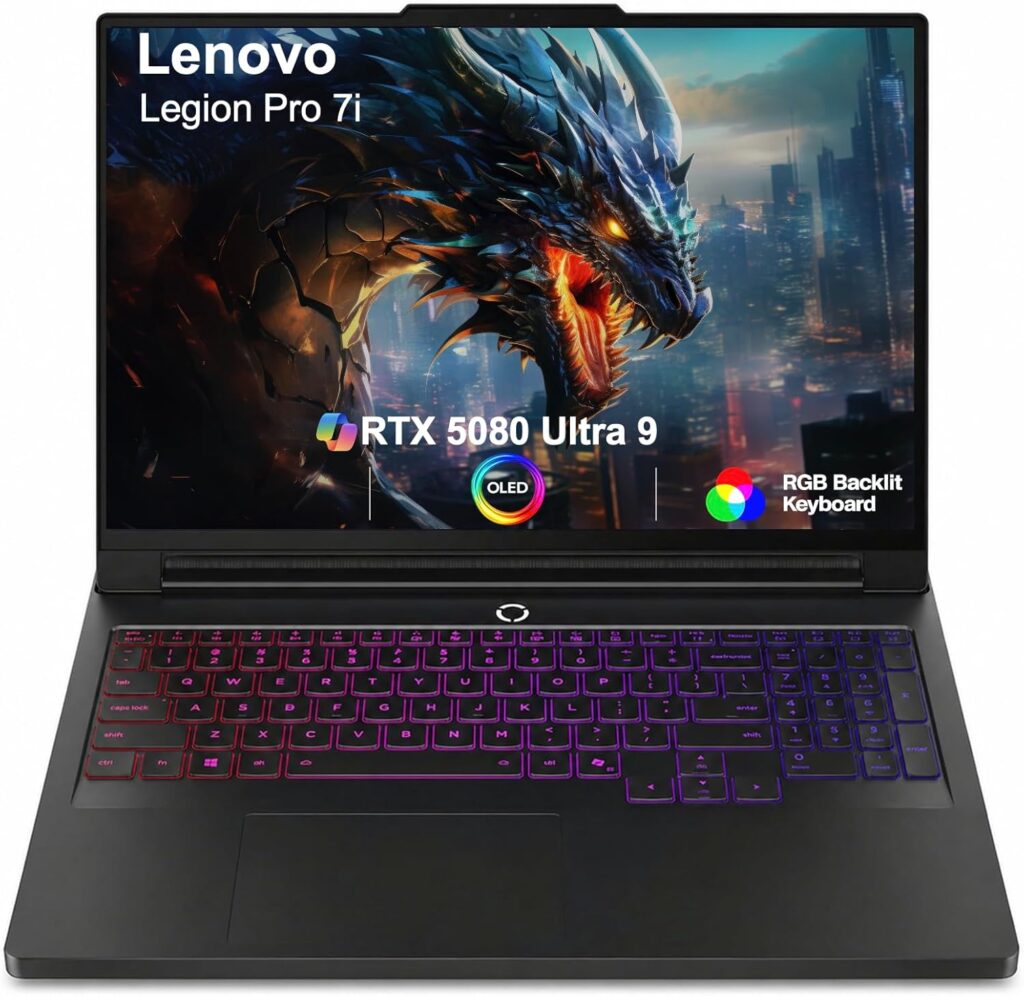
Let me start with the laptop I’d tell most working engineers to buy, no questions asked.
The Legion Pro 5i Gen 10 is technically a gaming laptop, and I know some professionals wince at that. Don’t. Gaming laptops in 2026 are the best value in high-performance computing, and this one happens to have exactly the recipe ETABS loves: Intel’s Core Ultra 9 275HX, which boosts to 5.4 GHz and posts some of the strongest single-core numbers of any mobile chip on the market. That translates directly into faster analysis runs.
Key specs:
- CPU: Intel Core Ultra 9 275HX (24 cores, up to 5.4 GHz boost)
- RAM: 32 GB DDR5-6400, user-upgradeable to 64 GB (two SODIMM slots)
- GPU: NVIDIA GeForce RTX 5070 Laptop (8 GB GDDR7)
- Storage: 1 TB PCIe Gen4 NVMe SSD, second M.2 slot available
- Display: 16-inch, 2560 x 1600 IPS, 240 Hz, ~500 nits
- Weight: ~2.5 kg (5.5 lbs)
- Ports: Thunderbolt 4, USB-A x3, HDMI 2.1, Ethernet, SD reader
In actual ETABS use, this machine is a monster. Model manipulation is instant, even on dense meshes. Analysis runs that used to take twenty minutes on my older test machines finish dramatically faster thanks to that HX-class single-core grunt. And because Lenovo’s cooling on the Legion Pro line is genuinely excellent, the CPU holds its boost clocks during long runs instead of throttling after two minutes — which is where a lot of thin laptops quietly fall apart.
The upgradeability is the quiet hero here. Two RAM slots and two SSD slots mean you can buy the 32 GB config today and jump to 64 GB in a year for a couple hundred bucks when your models get bigger. That’s real long-term value.
Pros:
- Class-leading single-core CPU performance — exactly what ETABS rewards
- Excellent sustained cooling; no throttling during long analysis runs
- Fully upgradeable RAM and storage
- Sharp, bright 16:10 display with plenty of room for model views and tables
- Strong price-to-performance ratio
Cons:
- Heavy and thick — this is a desk machine you can move, not a true portable
- Battery life is mediocre (4–5 hours of light work at best)
- Gaming aesthetics may not suit a conservative office (though this generation is fairly subdued)
2. Acer Nitro V 16S AI — Best Budget Pick
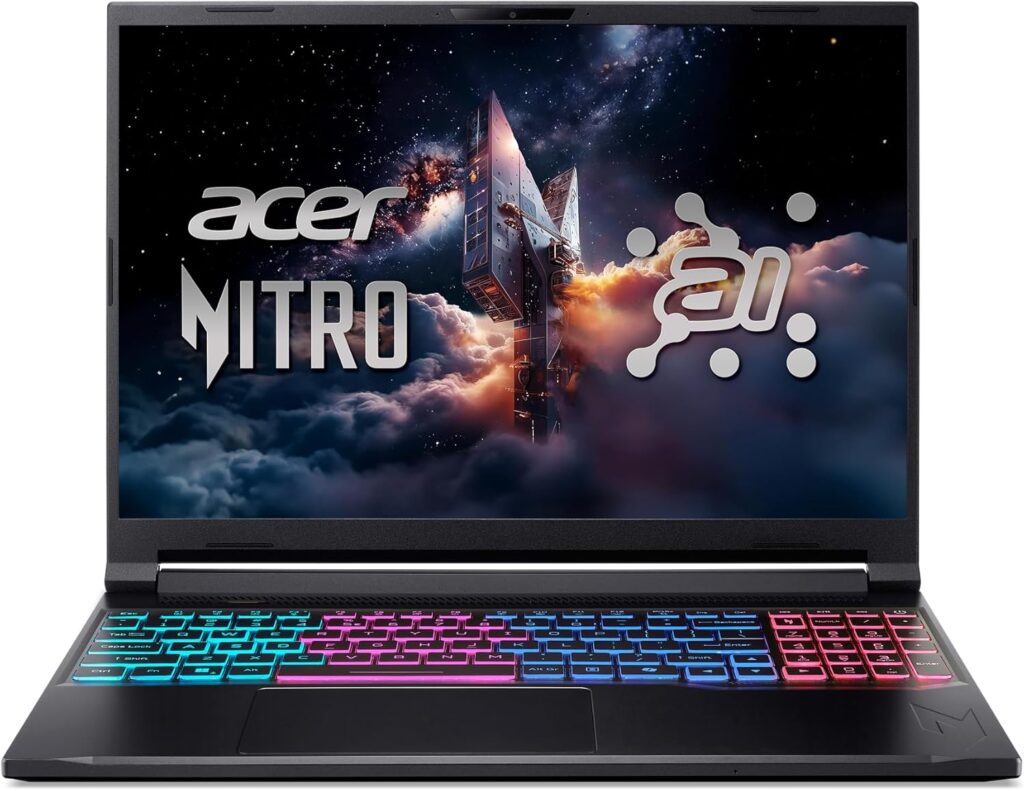
Not everyone has $2,000 to throw at a laptop, and if you’re a civil engineering student or a young engineer just starting out, I want to be straight with you: you don’t need to. The Acer Nitro V 16S AI is proof.
Key specs:
- CPU: Intel Core Ultra 7 255H (16 cores, up to 5.1 GHz boost)
- RAM: 16 GB DDR5, upgradeable to 64 GB
- GPU: NVIDIA GeForce RTX 5050 Laptop (8 GB GDDR7)
- Storage: 512 GB or 1 TB PCIe Gen4 NVMe SSD
- Display: 16-inch, 1920 x 1200 IPS, 180 Hz
- Weight: ~2.2 kg (4.9 lbs)
- Ports: Thunderbolt 4, USB-A x3, HDMI 2.1, Ethernet
Here’s the honest truth about this laptop: for coursework, typical mid-rise concrete and steel building models, and the kind of projects most engineers under five years of experience actually work on, it’s completely sufficient. The Core Ultra 7’s boost clocks are close enough to the flagship chips that analysis times won’t feel painfully different on small and medium models. The RTX 5050 spins your 3D model around without a hint of lag.
The 16 GB of RAM is the one spec I’d flag. It’s fine for student work and smaller professional models, but if you can stretch your budget by about $80, drop in another 16 GB stick on day one. It’s a ten-minute job with a screwdriver and it doubles the laptop’s useful lifespan for ETABS work.
Pros:
- Genuinely capable ETABS performance for around $1,000
- Modern current-generation CPU and GPU — nothing recycled from old stock
- Easy, cheap RAM and storage upgrades
- Decent cooling for the price bracket
Cons:
- 16 GB RAM in the base config needs an upgrade for serious project work
- Display is functional but dim and unimpressive next to pricier machines
- Build quality is plasticky — it’ll survive, but it won’t impress clients
- Speakers and webcam are strictly “good enough”
3. Lenovo ThinkPad P16 Gen 3 — Best Mobile Workstation
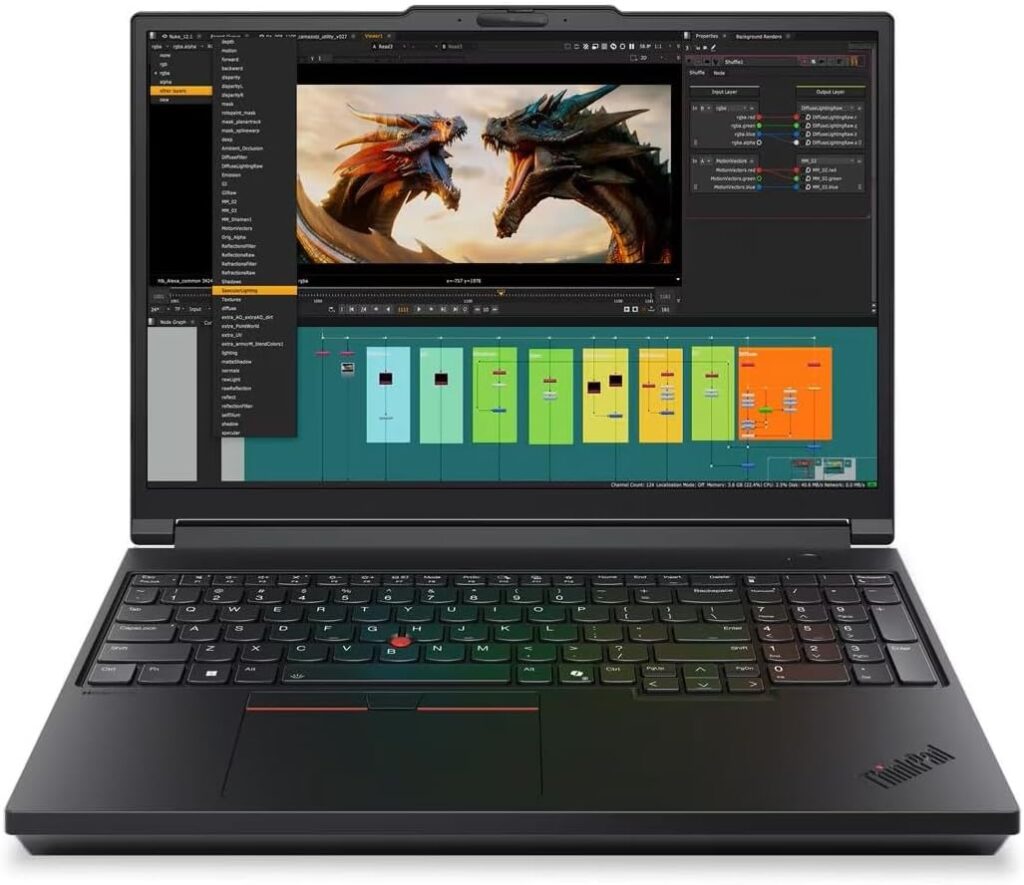
Now we get to the serious hardware. If you’re a senior engineer running huge tower models, nonlinear time-history analyses, or performance-based design work — or if your IT department requires certified, ISV-validated hardware — the ThinkPad P16 Gen 3 is the machine.
Key specs:
- CPU: Intel Core Ultra 9 275HX (24 cores, up to 5.4 GHz)
- RAM: 64 GB DDR5 (configurable up to 192 GB across four slots)
- GPU: NVIDIA RTX PRO 3000 Blackwell (professional-grade, certified drivers)
- Storage: 2 TB PCIe Gen5 NVMe SSD, multiple M.2 slots
- Display: 16-inch, up to 3840 x 2400 OLED option
- Weight: ~2.9 kg (6.4 lbs)
- Ports: Thunderbolt 5 x2, USB-A, HDMI 2.1, Ethernet, SD reader, smart card
What you’re paying for here — beyond the same excellent 275HX chip as the Legion — is capacity and reliability. Up to 192 GB of RAM means literally no ETABS model in existence will run you out of memory. The professional RTX PRO GPU comes with certified drivers for CSI products, Autodesk software, and the rest of the AEC stack, which matters enormously if your firm has ever lost a day to a graphics driver bug. And the chassis is built to MIL-SPEC standards with a keyboard that’s still the best in the business for people who type all day.
In practice, running ETABS on this machine feels almost boring — in the best way. Massive models load fast, the solver holds full boost through hour-long runs, and nothing ever hiccups. It’s the kind of tool you buy once and don’t think about for five years.
Pros:
- Effectively unlimited RAM headroom (up to 192 GB)
- ISV-certified professional GPU and rock-solid drivers
- Superb sustained performance and thermals
- Best-in-class keyboard, excellent serviceability, 3-year warranty options
- Thunderbolt 5 makes for a phenomenal docked desktop replacement
Cons:
- Expensive — configs climb well past $4,000 fast
- Heavy and bulky; this travels in a car, not a backpack
- Honestly overkill for typical building models — buy this for the big stuff
4. HP ZBook 8 G1i 14 — Best Portable Option
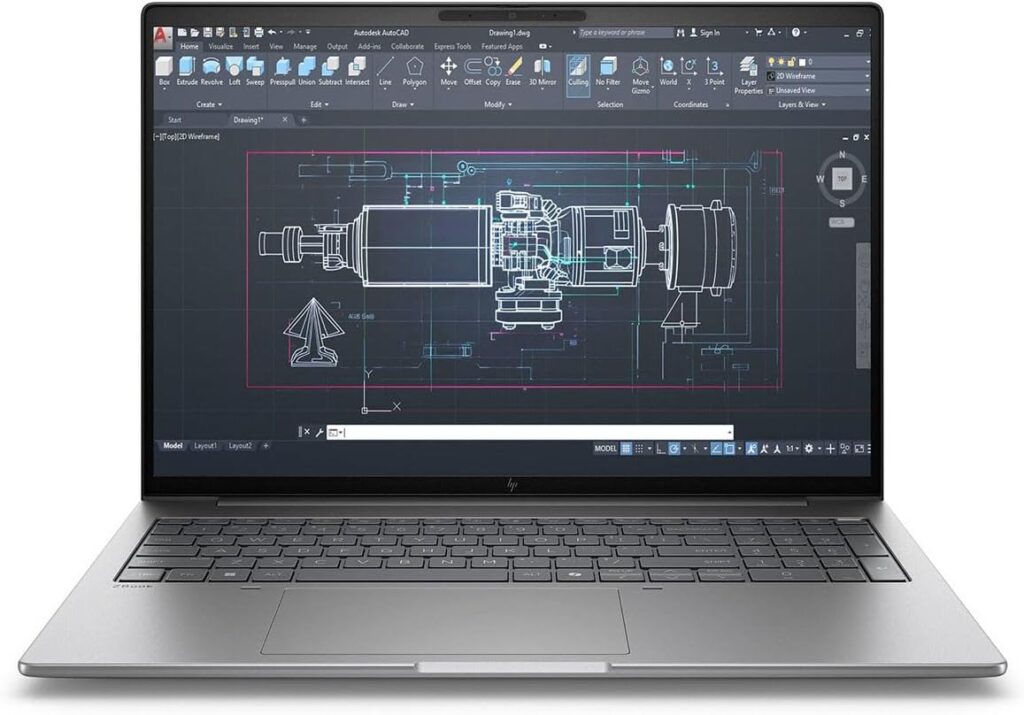
Here’s the category that used to be impossible: a genuinely thin-and-light laptop that can actually run ETABS properly. If you’re an engineer who bounces between the office, job sites, and client meetings, the ZBook 8 G1i 14 is the one I’d put in your bag.
Key specs:
- CPU: Intel Core Ultra 7 265H (16 cores, up to 5.3 GHz boost)
- RAM: 32 GB LPDDR5x
- GPU: NVIDIA RTX PRO 500 (4 GB, professional drivers)
- Storage: 1 TB PCIe Gen4 NVMe SSD
- Display: 14-inch, 2560 x 1600 IPS, low-power panel
- Weight: ~1.5 kg (3.3 lbs)
- Battery: Genuinely all-day for light work; 6+ hours mixed use
The Core Ultra 7 265H boosts past 5.2 GHz, which means small and mid-size ETABS models analyze surprisingly quickly for a machine this size. The RTX PRO 500 is a modest GPU on paper, but remember what we said earlier — ETABS barely needs one, and this handles the viewport with ease while bringing those certified professional drivers along.
The trade-off you’re accepting is sustained performance. A 14-inch chassis simply can’t shed heat like a Legion or a P16, so on very long analysis runs the CPU will settle down from its peak clocks. For quick iterative work — check a model, tweak, re-run — you’ll rarely notice. For three-hour nonlinear marathons, you’d want one of the bigger machines.
Pros:
- Real ETABS capability at 1.5 kg — you’ll actually carry it everywhere
- Excellent battery life for a workstation-class machine
- Professional GPU drivers and business-grade build, security, and support
- Quiet under normal use; great keyboard and screen
Cons:
- Sustained performance drops on very long, heavy analysis runs
- RAM is soldered — buy the 32 GB (or 64 GB) config up front, no upgrades later
- Small screen means you’ll want an external monitor at your desk
- You pay a portability premium versus similarly specced 16-inch machines
5. ASUS ProArt P16 — Best Premium All-Rounder
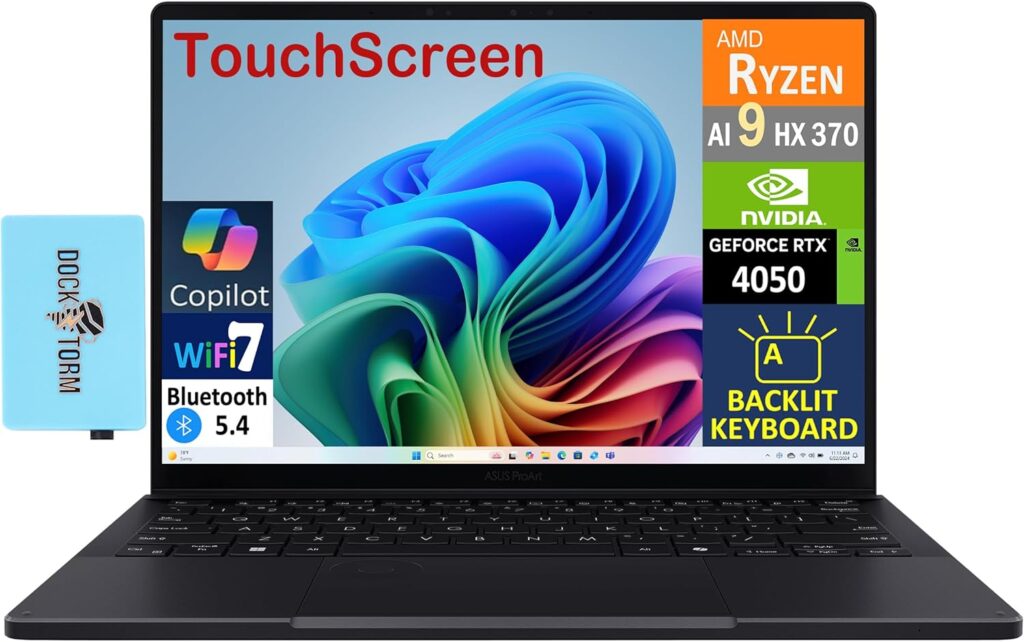
The last pick is for a specific kind of person: the engineer who runs ETABS all day but also lives in Revit, does the occasional render, edits site photos and drone footage, and wants one beautiful machine for everything. That’s the ProArt P16.
Key specs:
- CPU: AMD Ryzen AI 9 HX 370 (12 cores, up to 5.1 GHz boost)
- RAM: 32 GB LPDDR5x (64 GB config available)
- GPU: NVIDIA GeForce RTX 5070 Laptop (8 GB GDDR7)
- Display: 16-inch 4K (3840 x 2400) OLED touchscreen, 100% DCI-P3
- Storage: 1 TB PCIe Gen4 NVMe SSD, second slot available
- Weight: ~1.85 kg (4.1 lbs)
- Extras: Haptic DialPad, excellent trackpad, understated all-black design
That OLED screen deserves a paragraph of its own. Model geometry, stress contours, deformed shapes — everything looks stunning on it, and after a ten-hour day of staring at frame elements, the difference between this panel and a budget IPS display is not subtle. It’s also gorgeous for documentation, reports, and presentations.
Performance-wise, the Ryzen AI 9 HX 370 is a very strong chip, though I’ll be honest with you: in pure ETABS solver speed, Intel’s HX-class processors in the Legion and ThinkPad still hold a single-core edge. The gap isn’t dramatic, and the ProArt claws plenty back with its efficiency — it runs cooler, quieter, and lasts far longer on battery than any HX machine. If your work is 60% ETABS and 40% everything else, this balance makes a lot of sense.
Pros:
- Spectacular 4K OLED display — the best screen on this list by a mile
- Excellent balance of performance, portability, and battery life
- RTX 5070 gives you real headroom for rendering, Revit, and creative work
- Premium, professional design that looks right in any meeting room
- Quiet under load compared to gaming machines
Cons:
- Single-core speed trails Intel’s HX chips slightly in pure solver work
- LPDDR5x RAM is soldered — choose 32 GB vs 64 GB carefully at purchase
- OLED brings a small burn-in risk with static toolbars over many years
- You’re paying for the display; pure ETABS value is better elsewhere
Buying Guide: What Actually Matters for ETABS
Let me boil down years of watching engineers buy the wrong laptops into a simple checklist.
CPU — prioritize boost clock, not core count. Look for chips that boost above 5.0 GHz. In 2026 that means Intel’s Core Ultra 200H/HX series or AMD’s Ryzen AI 300 series and newer. An 8-core chip at 5.4 GHz will beat a 24-core chip at 4.2 GHz in most ETABS work. Ignore marketing that leads with core counts.
RAM — 32 GB is the sweet spot. 16 GB works for students and small models. 32 GB covers the vast majority of professional building projects comfortably. 64 GB and beyond is for large towers, dense meshes, and nonlinear dynamic analysis. And critically: check whether the RAM is upgradeable before you buy. Soldered RAM means the config you buy is the config you die with.
Storage — NVMe SSD, 1 TB, non-negotiable. ETABS results files pile up shockingly fast, and analysis performance suffers on slow drives. A PCIe Gen4 NVMe drive is standard now; don’t accept less.
GPU — almost anything modern works. An RTX 5050 handles ETABS viewports perfectly. Buy a bigger GPU only if you also render, run Revit with huge models, or want to game after hours. A professional (RTX PRO) GPU is worth it mainly for driver certification in corporate environments.
Display — 16:10, 1600p or better. ETABS is a program of tables, toolbars, and model windows. Vertical screen space and sharp text reduce daily friction more than any spec sheet suggests.
Cooling — the invisible spec. Two laptops with identical CPUs can differ by 20–30% in real analysis speed purely based on cooling. Thicker machines with better thermals sustain their boost clocks; thin ones throttle. Read reviews that test sustained load, not just ten-second benchmarks.
What to skip: 4K displays on budget machines (spend that money on RAM), massive GPUs you’ll never use, and anything with a previous-generation CPU sold at “discount” — the single-core gains each generation are real for ETABS.
Frequently Asked Questions
What are the official ETABS system requirements?
CSI lists a 64-bit Intel or AMD processor (i5/Ryzen 5 class or better recommended), 8 GB RAM minimum, around 6 GB of free disk space, and a graphics card supporting OpenGL. Treat these as the bare minimum to launch the program — not to work productively. For real project work, aim for a 5 GHz-class CPU, 32 GB RAM, and a fast NVMe SSD.
Is 16 GB of RAM enough for ETABS?
For students and small-to-medium models, yes. For professional daily use, 32 GB is the realistic minimum. Big models with many load combinations, response spectrum cases, or nonlinear analysis will push past 16 GB quickly, and once Windows starts paging to disk, your analysis times fall off a cliff.
Do I need a powerful GPU for ETABS?
No. ETABS is CPU-bound. The GPU only drives the 3D model display, and any current entry-level dedicated GPU — or even strong integrated graphics — handles that fine. Spend the money on CPU speed and RAM instead.
Can I run ETABS on a MacBook?
Not natively — ETABS is Windows-only, and Apple Silicon Macs can’t run it through Boot Camp anymore. Virtualization workarounds (Parallels with Windows on ARM) are unreliable for professional use and unsupported by CSI. If ETABS is central to your work, buy a Windows laptop.
Are gaming laptops good for ETABS?
Genuinely, yes — often the best value. Gaming laptops pair fast HX-class CPUs with strong cooling, which is exactly the recipe ETABS rewards. The trade-offs are weight, battery life, and looks. The main reason to choose a “professional” workstation instead is certified drivers, corporate support, and huge RAM capacity.
Intel or AMD for ETABS in 2026?
Both are excellent, but Intel’s HX-series chips currently hold a slight single-core edge, which shows up in solver times. AMD’s Ryzen AI chips counter with better efficiency, cooler operation, and longer battery life. For a plugged-in desk machine, lean Intel HX. For a portable all-rounder, AMD is a great choice.
Final Thoughts: Which One Should You Buy?
If you skipped to the end, here’s the whole article in four sentences.
Most working engineers should buy the Lenovo Legion Pro 5i Gen 10 — it has the fastest ETABS-relevant performance per dollar of anything on this list, and you can upgrade it for years. Students and tight budgets should grab the Acer Nitro V 16S AI and add a RAM stick — it’ll carry you through school and your first job. Senior engineers with massive models (or firms buying certified fleet hardware) should go straight to the ThinkPad P16 Gen 3 and never think about hardware again. Engineers who live on the road should take the HP ZBook 8 G1i 14, and anyone splitting time between ETABS and creative or BIM-heavy work will love the ASUS ProArt P16.
Whatever you choose, remember the hierarchy: CPU clock speed first, RAM second, SSD third, GPU last. Get that order right and ETABS will feel fast on any of these five machines — and you’ll spend your days engineering buildings instead of watching progress bars.

Hi, my name is Burak. I am a mechanical engineer. I have been writing laptop reviews for the Engineering Laptops website since 2020. Please feel free to contact me if you have any questions.