Estimated reading time: 16 minutes
Key Takeaways
- The article reviews the best 2 in 1 laptops for engineering students in 2026, highlighting multi-functional needs for CAD and software tasks.
- Key recommendations include ASUS ProArt PX13 for heavy workloads, Lenovo Yoga 9i for premium performance, and HP OmniBook X Flip 14 for budget-friendly value.
- It emphasizes the importance of RAM over CPU for multitasking in engineering and suggests models with OLED screens for better visual quality.
- The author advises checking software compatibility, especially for demanding programs like SolidWorks and ANSYS.
- In conclusion, the right laptop should cater to both present and future academic needs, with an eye on sales and discounts.
Table of contents
- Quick Comparison
- Best 2-in-1 Laptops for Engineering Students in 2026
- 1. ASUS ProArt PX13 (2026) — The Best 2-in-1 for Heavy Engineering Workloads
- 2. Lenovo Yoga 9i 2-in-1 Aura Edition (Gen 11) — The Best Premium All-Rounder
- 3. HP OmniBook X Flip 14 — The Best Value 2-in-1 for Students
- 4. Microsoft Surface Pro 13-inch (2026) — The Best Tablet-First Option
- 5. Lenovo Yoga 7 2-in-1 14 (2026) — The Best Mid-Range Balance
- How to Choose a 2-in-1 for Engineering School
- Frequently Asked Questions
- The Bottom Line
If you’re an engineering student, you already know your laptop needs are weird. One hour you’re sketching a free-body diagram in a thermodynamics lecture, the next you’re waiting on a SolidWorks assembly to rebuild, and by evening you’re grinding through a MATLAB problem set in the library. If you’re searching for the best 2 in 1 laptops for engineering students, you’re not alone. A regular clamshell laptop handles maybe two of those three things well. A good 2-in-1 handles all of them — and that’s exactly why convertibles have quietly become the go-to pick for engineering majors.
The catch? Most 2-in-1s are built for casual users, not for people who need to run CAD software without the fans screaming. Plenty of convertibles out there will fold into a lovely tablet and then choke the moment you open ANSYS. So for this guide, I focused on machines that can genuinely survive an engineering curriculum in 2026 — real performance, pen support that doesn’t feel like an afterthought, and enough battery to get through a full day of classes.
I also kept the 2026 market realities in mind. The ongoing DRAM shortage has pushed RAM prices up across the board, which means 32GB configurations that cost $1,400 last year are now flirting with $2,000. That shifted a few of my recommendations toward models that still offer sane memory pricing.
Here are the five 2-in-1s I’d actually recommend to an engineering student right now.
Quick Comparison
| Model | Display | CPU / GPU | RAM / Storage | Weight | Starting Price |
|---|---|---|---|---|---|
| ASUS ProArt PX13 (2026) | 13.3″ 3K OLED, 60Hz | Ryzen AI Max+ 395 / Radeon 8060S | 32GB / 512GB | ~1.4 kg (3.0 lbs) | $1,899 |
| Lenovo Yoga 9i 2-in-1 Aura Edition (Gen 11) | 14″ 2.8K OLED, 120Hz | Intel Core Ultra Series 3 (Panther Lake) | 32GB / 1TB | ~1.32 kg (2.9 lbs) | $1,749–$1,949 |
| HP OmniBook X Flip 14 | 14″ 2.8K OLED, 48–120Hz | Core Ultra 7 258V or Ryzen AI 7 350 | 16–32GB / 512GB–1TB | ~1.4 kg (3.1 lbs) | ~$1,000 (often much less on sale) |
| Microsoft Surface Pro 13″ (2026) | 13″ 120Hz, optional OLED | Snapdragon X2 Plus / Elite | 16–64GB / 256GB–1TB | ~0.9 kg (tablet only) | $1,499 |
| Lenovo Yoga 7 2-in-1 14 (2026) | 14″ 2K OLED | AMD Ryzen AI 5 430 / AI 7 445 | 16–24GB / 512GB–1TB | ~1.5 kg (3.3 lbs) | ~$900–$1,200 |
Best 2-in-1 Laptops for Engineering Students in 2026
1. ASUS ProArt PX13 (2026) — The Best 2-in-1 for Heavy Engineering Workloads
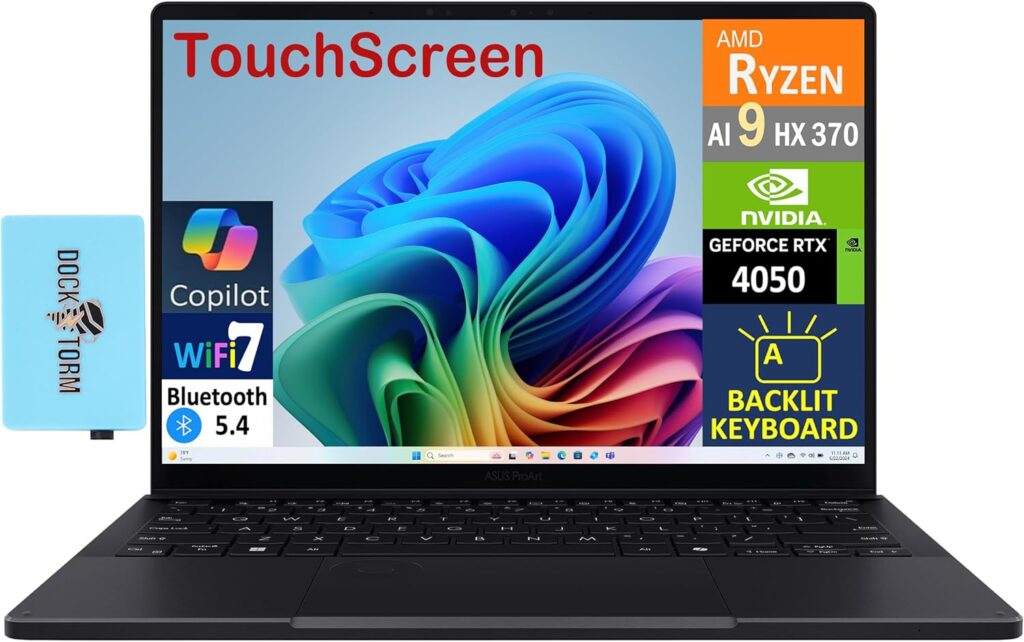
Let’s start with the machine that breaks the usual 2-in-1 rule: convertibles are supposed to be underpowered. The ProArt PX13 didn’t get the memo.
For 2026, ASUS dropped AMD’s Ryzen AI Max+ 395 into this 13-inch convertible — a Strix Halo chip with 16 Zen 5 cores, 32 threads, and the monster Radeon 8060S integrated GPU with 40 compute units. That integrated GPU trades blows with mid-range discrete cards, and the whole package sits inside a 2-in-1 that weighs about three pounds. Compared to the previous PX13 generation (Ryzen AI 9 HX 370 + RTX 4070), the new model delivers roughly 40% more multi-threaded CPU performance while keeping about 90% of the GPU muscle — without a discrete GPU draining the battery.
What makes this genuinely special for engineering students is the unified memory. The 32GB of LPDDR5X is shared between CPU and GPU, and you can adjust how much goes to graphics depending on your workload. Running a large FEA mesh? Give the GPU more headroom. Compiling code and running simulations? Pull it back to the CPU side. Higher-end configs go up to 128GB, which is frankly workstation territory.
Key specs:
- AMD Ryzen AI Max+ 395 (16 cores / 32 threads, Zen 5)
- AMD Radeon 8060S integrated graphics (40 CUs)
- 32GB unified LPDDR5X memory (configurable up to 128GB)
- 512GB PCIe NVMe SSD (base config)
- 13.3-inch 3K (2880 x 1800) OLED touchscreen, 60Hz, ~255 PPI
- 360-degree hinge, ASUS Pen 3.0 included
- 73Wh battery, 200W charger
- MIL-STD-810H durability rating, Wi-Fi 7
- Weight: ~1.4 kg (3.0 lbs)
Pros:
- Desktop-class multi-core performance in a 13-inch convertible — handles SolidWorks, ANSYS, and Fusion 360 without breaking a sweat
- Radeon 8060S rivals laptops with discrete RTX-class GPUs
- Gorgeous, extremely sharp OLED panel (sharper than a 5K desktop monitor per inch)
- $1,899 with 32GB of RAM is genuinely competitive pricing in 2026’s inflated memory market
- Stylus and sleeve included in the box
- Military-grade durability for the backpack life
Cons:
- 60Hz refresh rate feels dated at this price — most rivals run 120Hz
- 512GB base storage fills up fast once you install a full CAD suite
- Battery life is modest when you push the silicon hard
- Runs warm under sustained loads
- Fewer ports than a larger workstation laptop
Who it’s for: Mechanical, civil, aerospace, and electrical engineering students who run genuinely demanding software — 3D CAD, simulation, rendering — and want one machine that does it all, including note-taking in tablet mode.
2. Lenovo Yoga 9i 2-in-1 Aura Edition (Gen 11) — The Best Premium All-Rounder
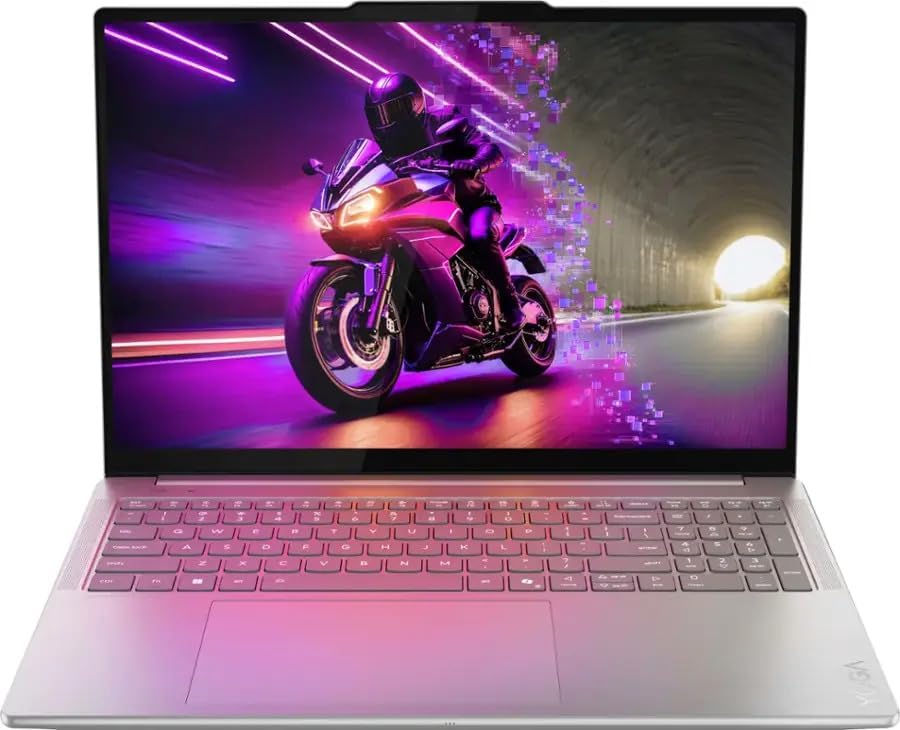
The Yoga 9i has been at or near the top of every serious 2-in-1 ranking for years, and the Gen 11 refresh Lenovo unveiled at MWC 2026 keeps that streak alive. It’s not the most powerful machine on this list, but it’s the most complete one.
The 2026 model moves to Intel’s new Core Ultra Series 3 (Panther Lake) platform, and the 14-inch 2880 x 1800 OLED display now runs at a 120Hz variable refresh rate — which makes both scrolling through datasheets and writing with the pen feel noticeably smoother. Lenovo also added something clever called Canvas Mode: the bundled Yoga Pen Gen 2 case magnetically attaches to the lid, and when you lay the laptop flat, it props the screen at a slight incline. It sounds like a gimmick until you spend two hours annotating lecture slides and realize your wrist doesn’t hate you.
The signature rotating soundbar hinge is still here, firing audio at your ears in every mode, and the build quality remains among the best of any Windows laptop — CNC-machined aluminum that feels like it’ll outlast your degree.
Key specs:
- Intel Core Ultra Series 3 processor (Panther Lake) with integrated Arc graphics
- Up to 32GB LPDDR5X RAM
- Up to 1TB PCIe Gen 4 NVMe SSD
- 14-inch 2.8K (2880 x 1800) PureSight Pro OLED touchscreen, 120Hz VRR
- 360-degree hinge with rotating soundbar speakers
- Yoga Pen Gen 2 included, with new Canvas Mode case
- 2x Thunderbolt 4, 1x USB-C, 1x USB-A
- Copilot+ PC certification
- Weight: ~1.32 kg (2.9 lbs)
Pros:
- Superb 120Hz OLED display — one of the best panels on any convertible
- Excellent keyboard and best-in-class touch/stylus latency among Windows 2-in-1s
- Canvas Mode makes long sketching and note-taking sessions genuinely comfortable
- Outstanding speakers thanks to the soundbar hinge
- Premium build with strong battery life for a full campus day
- Pen included — no extra purchase needed
Cons:
- Integrated graphics only — fine for AutoCAD, MATLAB, and moderate 3D work, but not for heavy simulation or rendering
- RAM is soldered, so buy the config you’ll need in year four, not year one
- No HDMI or SD card slot — dongle life awaits
- Launch pricing ($1,949) stings; wait for the frequent sales
Who it’s for: Engineering students whose workload leans toward coding, math software, 2D CAD, circuit design, and documentation — and who take a lot of handwritten notes. Industrial engineering, computer engineering, and first-/second-year students in any discipline will be very happy here.
3. HP OmniBook X Flip 14 — The Best Value 2-in-1 for Students
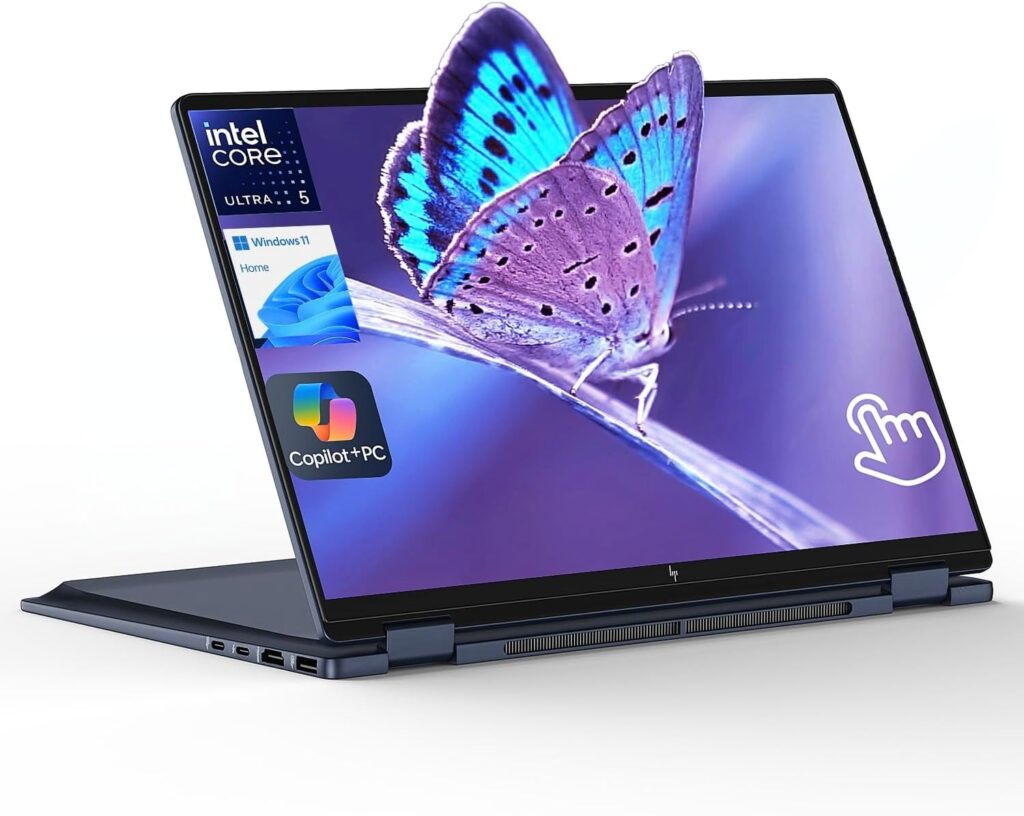
Here’s the honest truth about laptop shopping as a student: the best laptop is often the one that’s 40% off. And no 2-in-1 goes on sale as aggressively as the OmniBook X Flip 14.
The MSRP starts around $1,000, but HP discounts this thing constantly — configurations with the Intel Core Ultra 5 226V have dipped under $550, and the upgrade to the genuinely lovely 2.8K OLED panel plus an included rechargeable stylus has been spotted for only about $100 more. For a modern convertible with a Lunar Lake or Ryzen AI processor, that’s almost absurd value.
Performance-wise, both the Intel (Core Ultra 7 258V) and AMD (Ryzen AI 7 350) versions handle everyday engineering coursework — MATLAB, Python, AutoCAD, LTspice, Office, thirty browser tabs of documentation — without drama, and they stay cool and quiet doing it. Battery life lands between 10 and 12.5 hours in productivity testing depending on the config, which comfortably covers a full day of lectures and labs.
Key specs:
- Intel Core Ultra 5 226V / Ultra 7 258V (Lunar Lake) or AMD Ryzen AI 7 350
- 16GB or 32GB LPDDR5X RAM
- 512GB–1TB PCIe NVMe SSD
- 14-inch 2.8K (2880 x 1800) OLED touchscreen, 48–120Hz VRR, 400 nits (FHD+ IPS on base models)
- 360-degree hinge, stylus included with OLED configs
- Ports: Thunderbolt 4, USB-C, 2x USB-A, HDMI 2.1, audio jack
- ~10–12.5 hours real-world battery life
- Weight: ~1.4 kg (3.1 lbs)
Pros:
- Unbeatable price-to-performance when on sale — and it’s almost always on sale
- Optional 3K OLED display punches way above the price tag
- Proper port selection including HDMI and USB-A — rare at this size, no dongles needed for projectors
- Cool and quiet under load, with all-day battery
- Both CPU options are excellent; you can’t really pick wrong
Cons:
- Integrated graphics limit heavy 3D CAD and simulation work
- Keyboard travel is on the shallow side
- The two left-side USB-C ports have different speeds, which is needlessly confusing
- Base IPS display is forgettable — spend the extra $100 on OLED
Who it’s for: Budget-conscious students, or anyone whose department provides workstation lab access for the heavy lifting. If your personal laptop mainly needs to handle coursework, coding, and note-taking, this is the smart-money pick of 2026.
4. Microsoft Surface Pro 13-inch (2026) — The Best Tablet-First Option
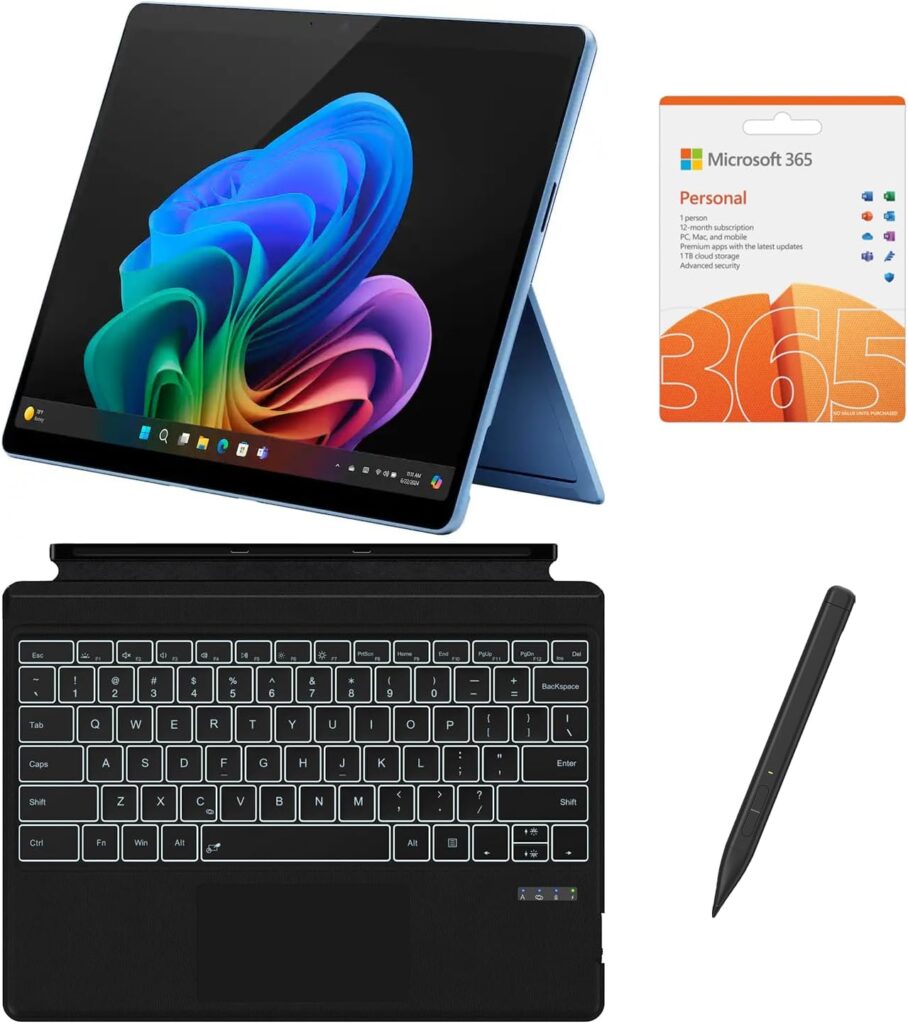
The new Surface Pro, released in June 2026, is the twelfth generation of the device that invented this category, and it’s the most refined one yet. Qualcomm’s Snapdragon X2 chips (10-core X2 Plus or 12-core X2 Elite) bring up to 53% faster graphics than the previous generation, up to 15.5 hours of battery life, and an 80 TOPS NPU. For the first time in a while, there’s also an optional OLED panel on top of the 120Hz display.
As a note-taking machine, nothing else on this list comes close. It’s a true tablet — under a kilogram without the keyboard — with the Slim Pen storing and charging inside the Flex Keyboard, which now detaches to work as a standalone wireless keyboard. Handwritten derivations, annotated PDFs, freehand sketches on the bus: this is the Surface Pro’s home turf, and it shows.
Now the honest part. The Snapdragon X2 is an ARM chip, and while Windows-on-ARM has matured enormously, engineering software remains its weakest area. SolidWorks, ANSYS, and several other industry staples either don’t run natively or run through emulation with a performance penalty. Before you buy, check every single program on your department’s software list. If your curriculum is built around Python, MATLAB (which now runs natively on ARM), Office, and web tools, you’ll be fine. If it’s built around heavyweight x86 CAD suites, look elsewhere on this list.
Key specs:
- Snapdragon X2 Plus (10-core) or X2 Elite (12-core), 80 TOPS NPU
- 16GB–64GB RAM
- 256GB–1TB removable SSD
- 13-inch PixelSense touchscreen, up to 120Hz, optional OLED
- 1440p Quad HD ultrawide webcam
- Up to 15.5 hours battery life, Wi-Fi 7
- 2x USB-C, Surface Connect port
- Weight: ~0.9 kg (tablet only)
Pros:
- Best pen and tablet experience of any Windows device — ideal for handwritten notes and sketching
- Outstanding battery life and completely silent operation
- Lightest option here by a wide margin
- Sharp 1440p webcam is great for remote labs and group project calls
- Removable SSD makes storage upgrades easy
Cons:
- ARM architecture: major CAD and simulation packages may not run, or run slowly under emulation
- Keyboard ($169–$399) and pen cost extra, pushing the real price toward $1,800+
- Only two USB-C ports
- Lap typing is still less stable than a traditional hinge
Who it’s for: Students whose engineering software stack is light or cloud-based — think software engineering, data-focused disciplines, or anyone whose heavy tools live on university lab machines. As a lecture companion and note-taking device, it has no equal.
5. Lenovo Yoga 7 2-in-1 14 (2026) — The Best Mid-Range Balance
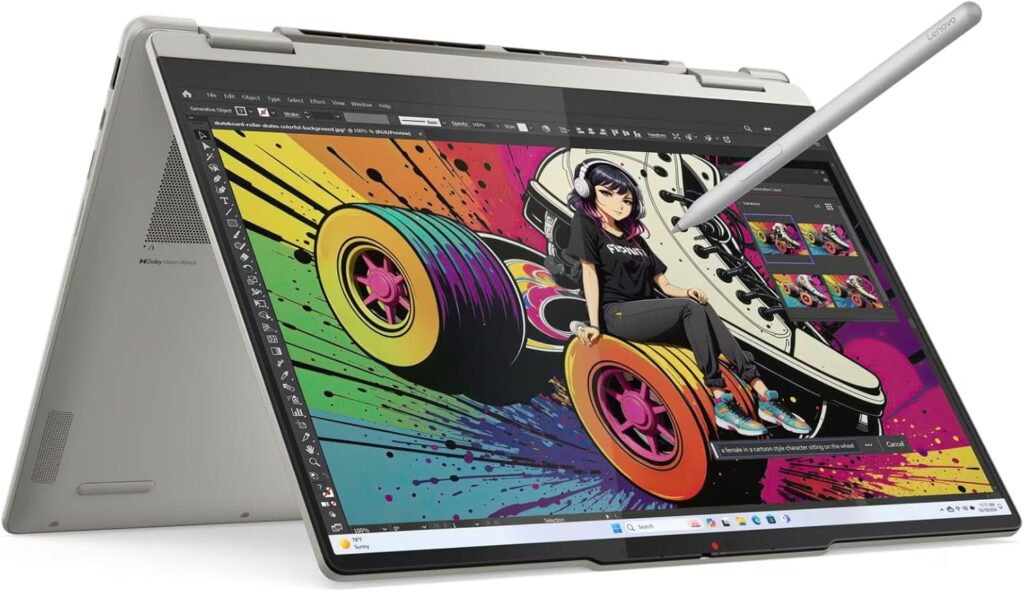
Think of the Yoga 7 2-in-1 as the Yoga 9i’s sensible sibling. You lose the soundbar hinge, the fancier chassis, and a bit of display flair — but you keep most of what actually matters, at a price hundreds of dollars lower.
The 2026 models run AMD’s new Ryzen AI 400-series chips (Ryzen AI 5 430 or Ryzen AI 7 445) paired with a 14-inch 2K OLED touchscreen. The Ryzen AI 7 445 config is roughly 15% faster in multi-threaded work than the equivalent Lunar Lake competition and comes with 24GB of RAM in many configurations — a meaningful bump over the 16GB you get elsewhere at this price, and a genuinely important consideration when a single Chrome-plus-MATLAB-plus-CAD session can eat 16GB alive.
There’s also a 16-inch version (from around $1,200) if you’d rather have more screen real estate for split-screen datasheet-and-code sessions and don’t mind the extra bulk. Just watch the pricing — Lenovo’s list prices run high, but like the HP, these see steep and frequent discounts.
Key specs:
- AMD Ryzen AI 5 430 or Ryzen AI 7 445 (2026 400-series)
- 16GB or 24GB LPDDR5X RAM
- 512GB–1TB PCIe NVMe SSD
- 14-inch 2K OLED touchscreen (16-inch 3K OLED variant available)
- 360-degree hinge, stylus support
- Radeon integrated graphics, Copilot+ PC certification
- Weight: ~1.5 kg (3.3 lbs) for the 14-inch
Pros:
- Strong multi-core performance for the money — great for compiling, MATLAB, and multitasking
- 24GB RAM configurations offer real headroom at a mid-range price
- Vivid OLED display at a price where many rivals still ship IPS
- Solid, unfussy build quality that holds up to daily backpack abuse
- Frequent discounts bring it near budget territory
Cons:
- No Thunderbolt on the AMD platform (USB4 only)
- Integrated Radeon graphics aren’t built for heavy 3D or simulation work
- List prices are inflated — never pay full MSRP
- A bit heavier than the premium 14-inch competition
Who it’s for: The student who wants more memory and CPU headroom than the budget picks offer, without paying flagship money. A great fit for computer, electrical, and industrial engineering workloads.
How to Choose a 2-in-1 for Engineering School
A few things I’d genuinely weigh before spending your money:
Check your department’s software list first. This is the single most important step, and the one everybody skips. If your program requires SolidWorks or ANSYS, you need x86 hardware with serious GPU grunt (the ProArt PX13 is your friend). If it’s mostly MATLAB, Python, and 2D CAD, any machine on this list works — and you can save a lot of money.
RAM matters more than CPU in 2026. Engineering multitasking is brutal on memory. Sixteen gigabytes is the working minimum; 24–32GB is where you stop thinking about it. And since nearly every thin 2-in-1 ships with soldered RAM, whatever you buy is what you graduate with. With DRAM prices elevated this year, models that bundle generous memory at sane prices — the ProArt PX13 and Yoga 7 stand out — deserve extra credit.
OLED is worth it, refresh rate is negotiable. Once you’ve stared at circuit diagrams and PDFs on an OLED panel for a semester, going back to a washed-out IPS screen hurts. A 120Hz refresh rate makes pen input feel nicer, but a 60Hz OLED still beats a 120Hz LCD for the actual work you’ll do.
Don’t ignore the pen situation. Some manufacturers include the stylus (ASUS, Lenovo Yoga 9i, HP’s OLED configs); others charge extra (Microsoft). A $100+ accessory changes the value math, especially since the pen is half the reason you’re buying a 2-in-1 in the first place.
Battery claims are fiction; plan for two-thirds. Manufacturer numbers come from video-playback tests with dimmed screens. Real campus use — Wi-Fi on, brightness up, twenty tabs, an IDE running — lands well below the sticker figure. Anything rated 15+ hours will genuinely survive a school day.
Buy during sales, always. Back-to-school season (July–September), Black Friday, and manufacturer flash sales routinely knock $300–700 off the HP and Lenovo picks here. The only machines that rarely see deep discounts are the Surface Pro and the ProArt.
Frequently Asked Questions
Can a 2-in-1 laptop really run engineering software like SolidWorks or ANSYS?
Yes — if you pick the right one. The ASUS ProArt PX13’s Ryzen AI Max+ 395 delivers performance comparable to laptops with discrete RTX-class GPUs, and it handles professional CAD and simulation software well. Thin convertibles with integrated graphics (Yoga 9i, OmniBook X Flip, Yoga 7) manage lighter 3D work and 2D CAD fine, but will struggle with large assemblies and meshes. ARM-based machines like the Surface Pro are the riskiest choice for traditional engineering software.
Is 16GB of RAM enough for engineering school in 2026?
It’s the minimum, not the target. It’ll get you through, but you’ll hit the ceiling when running CAD, a browser full of references, and communication apps simultaneously. If your budget allows 24GB or 32GB, take it — especially since RAM in these machines can’t be upgraded later.
Are 2-in-1 laptops durable enough for four years of student life?
The good ones, yes. The ProArt PX13 carries a MIL-STD-810H military durability rating, and the Yoga and OmniBook lines use aluminum chassis that hold up well. The hinge is the traditional weak point on convertibles, but hinge failures have become rare on quality models. A padded sleeve and a three-year accidental damage plan (usually $100–150) are still smart investments.
Should I get a Surface Pro or a convertible laptop for engineering?
It comes down to your software. The Surface Pro is the superior tablet and note-taking device, but its ARM processor can’t reliably run some major engineering applications. A 360-degree convertible like the Yoga 9i or ProArt PX13 is a better laptop that’s a slightly clumsier tablet. For most engineering majors, the convertible is the safer bet.
Is the stylus actually useful, or is it a gimmick?
For engineering specifically, it’s genuinely useful. Handwritten problem sets, annotated lecture PDFs, quick circuit sketches, free-body diagrams — these are things a keyboard handles badly and a pen handles perfectly. Students who buy a 2-in-1 and never use tablet mode usually aren’t in engineering.
What’s the best cheap 2-in-1 for engineering students in 2026?
The HP OmniBook X Flip 14, without much debate. Its sale pricing regularly undercuts everything comparable, and the OLED configuration with the included stylus is one of the best pure values in laptops right now — 2-in-1 or otherwise.
The Bottom Line
If I had to hand one machine to an incoming engineering freshman without knowing their major, it would be the Lenovo Yoga 9i 2-in-1 Aura Edition — it does everything well and nothing badly. If they told me they were going into mechanical or aerospace and living inside CAD software, I’d swap it for the ASUS ProArt PX13 without hesitation. And if they told me their budget was tight, I’d point them straight at whatever sale the HP OmniBook X Flip 14 is running this week — because there’s always one.
Whichever way you go, buy for your final year, not your first. The software gets heavier, the projects get bigger, and the laptop that feels like overkill in September of freshman year feels just right by senior design.

Hi, my name is Burak. I am a mechanical engineer. I have been writing laptop reviews for the Engineering Laptops website since 2020. Please feel free to contact me if you have any questions.





