Estimated reading time: 11 minutes
Key Takeaways
- A good coding laptop must have at least 16GB of RAM, a strong processor, a comfortable keyboard, and long battery life.
- The article lists the best laptops for programming students in 2026, highlighting options like the MacBook Air 15 (M5) and Lenovo ThinkPad X1 Carbon Gen 13.
- Budget-friendly choices include the ASUS Zenbook 14 OLED, offering great performance and display for under $1,000.
- When choosing, check your college’s software requirements, focus on essential features, and consider portability for daily commutes.
- Overall, pick a laptop that suits your coding needs and budget while ensuring it can handle future developments in programming.
Table of contents
- What Actually Makes a Good Coding Laptop?
- The Absolute Best Laptops for Programming Students
- 1. Apple MacBook Air 15-inch (M5) — The Undisputed King for Most Students
- 2. Lenovo ThinkPad X1 Carbon Gen 13 (Aura Edition) — The Windows & Linux Powerhouse
- 3. ASUS Zenbook 14 OLED (2026) — Best Value & Display on a Budget
- 4. Dell XPS 14 (9440) — Best Premium Pick for Game Dev & AI
- 5. HP OmniBook 5 14 (Snapdragon) — The Unkillable Battery Champion
- Quick Comparison: Which Laptop is Right for You?
- The Final Verdict
- How to Pick the Perfect Laptop for Your Computer Science Degree
- Got Questions? Here’s a Quick FAQ!
Let’s be real for a second. If you’re heading into a computer science degree, a coding bootcamp, or just teaching yourself Python late at night, your laptop is basically your lifeline. For this guide, we’re taking a look at the best laptops for programming students, since you’re going to be staring at this machine for thousands of hours.
Trying to run a virtual machine, spin up Docker containers, or keep 40 Stack Overflow tabs open on a sluggish, five-year-old laptop is a nightmare. You don’t just need a laptop; you need a reliable workhorse that won’t die on you during a marathon hackathon or sound like an airplane taking off in a dead-silent library.
But you also don’t want to waste your money. The tech landscape in 2026 is wild—we have ARM chips revolutionizing battery life and AI processors changing how things run natively. I’ve spent serious time testing, breaking, and coding on the latest machines to bring you a no-nonsense guide.
Here is the definitive list of the best laptops for programming students this year.
What Actually Makes a Good Coding Laptop?
Before you drop your hard-earned cash, let’s talk about what actually matters for a coding setup. Don’t get distracted by flashy marketing. Look at these four things:
- RAM (Memory): Consider 16GB the absolute minimum in 2026. If you want to future-proof your setup for machine learning or heavy IDEs (like IntelliJ or Visual Studio), bump it up to 32GB.
- The Processor (CPU): Multicore performance is what handles compilation times. Look out for the Apple M5 line, Intel Core Ultra Series 2, or AMD Ryzen AI 9.
- The Keyboard & Display: You are typing. A lot. Get a laptop with key travel that feels good and a screen that’s bright enough to read outdoors. A 16:10 aspect ratio is a huge plus because you can see more lines of code at once.
- Battery Life: You will not always get a seat next to a wall outlet in a crowded lecture hall. You need genuine, all-day battery life.
The Absolute Best Laptops for Programming Students
1. Apple MacBook Air 15-inch (M5) — The Undisputed King for Most Students
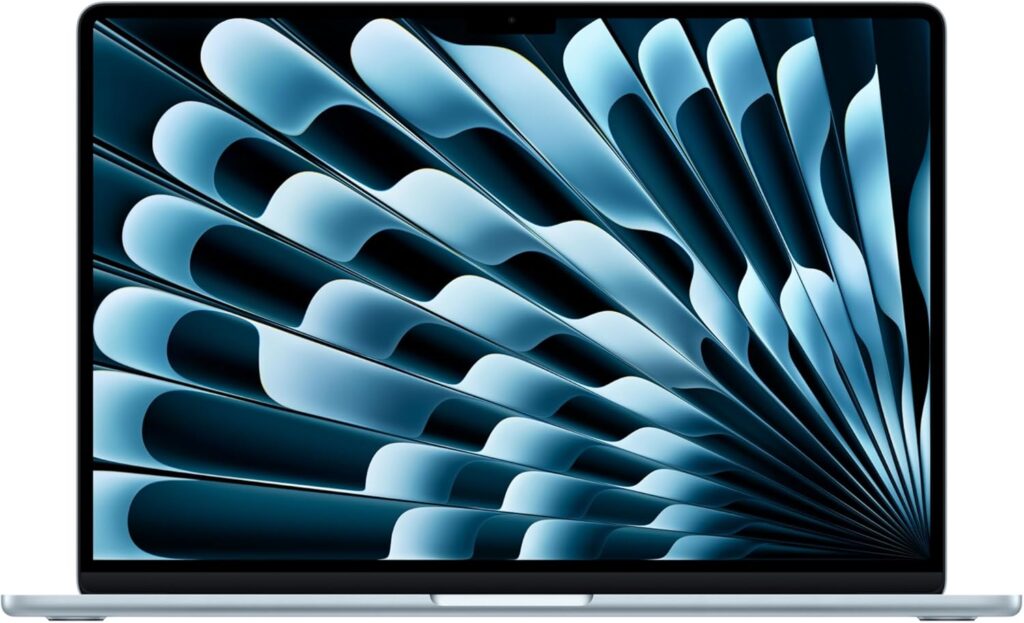
If you want a machine that you can just toss in your backpack, open up, and start coding with zero friction, the 15-inch MacBook Air with the M5 chip is the gold standard right now.
Because macOS is Unix-based, it is an absolute dream for web development, Python, and Node.js. You don’t have to jump through hoops to set up your environment. Plus, it has zero fans inside. It is completely silent, no matter how hard you push it, and it stays cool on your lap. The 15-inch screen gives you that perfect middle ground: big enough to snap your code editor and browser side-by-side, but incredibly thin.
The Breakdown
- CPU: Apple M5 (10-Core)
- RAM: 16GB or 32GB Unified Memory
- Storage: 512GB to 2TB
- Battery Life: 13–15 hours of heavy coding
The Good:
- Unix-based OS makes setting up dev environments incredibly easy.
- Battery life that genuinely lasts two days of normal student use.
- Dead silent operation.
The Bad:
- Apple’s pricing for RAM and storage upgrades is painfully expensive.
- Not the best pick if your college specifically requires obscure, Windows-only engineering software.
2. Lenovo ThinkPad X1 Carbon Gen 13 (Aura Edition) — The Windows & Linux Powerhouse
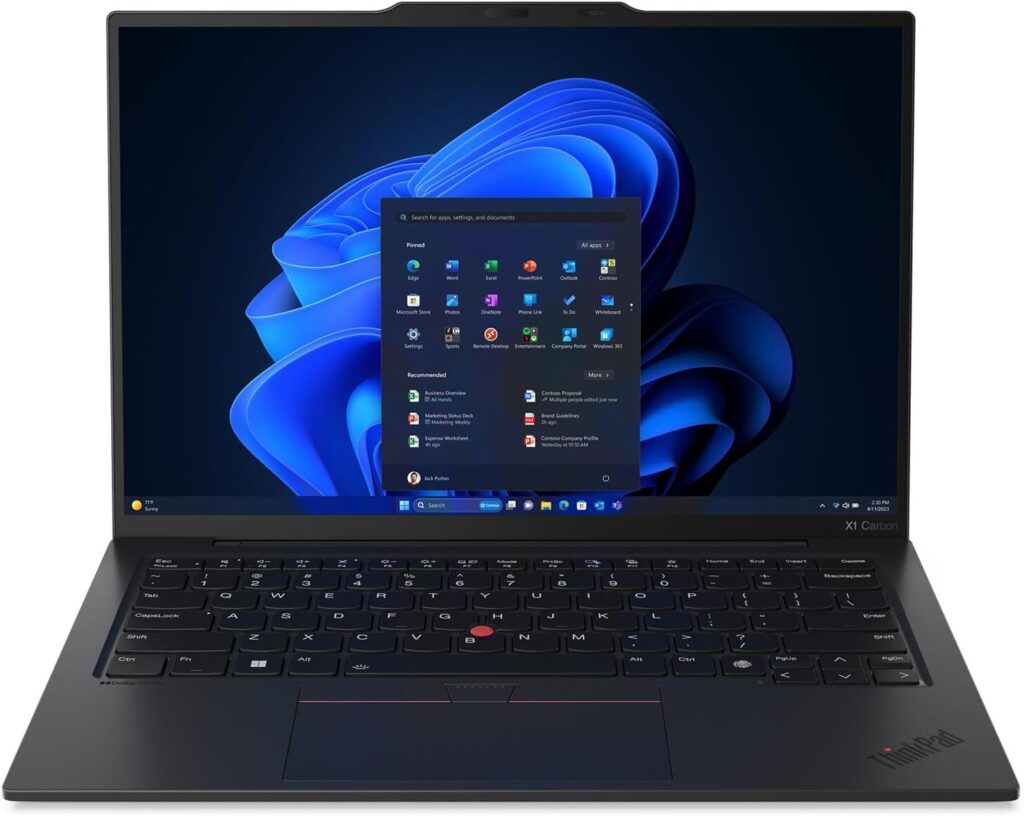
If you are a hardcore Windows user, or if you plan on dual-booting Linux (Ubuntu purists, I see you), the ThinkPad X1 Carbon Gen 13 is legendary in the developer community for a reason.
This laptop features the absolute best keyboard on the market. It is tactile, responsive, and a joy to type on for hours. The Gen 13 uses the new Intel Core Ultra chips, which finally solved the battery drain issues that older Windows laptops suffered from. It’s a rugged, military-tested machine that weighs just over 2 pounds.
The Breakdown
- CPU: Intel Core Ultra 7 258V
- RAM: 32GB LPDDR5x
- Storage: 1TB PCIe NVMe SSD
- Battery Life: 10–12 hours
The Good:
- World-class keyboard—your fingers will thank you.
- Fantastic port selection (USB-A, HDMI, and USB-C). You won’t need to carry dongles.
- Flawless Linux compatibility right out of the box.
The Bad:
- It carries a premium price tag.
- The webcam “notch” design takes a little getting used to.
3. ASUS Zenbook 14 OLED (2026) — Best Value & Display on a Budget
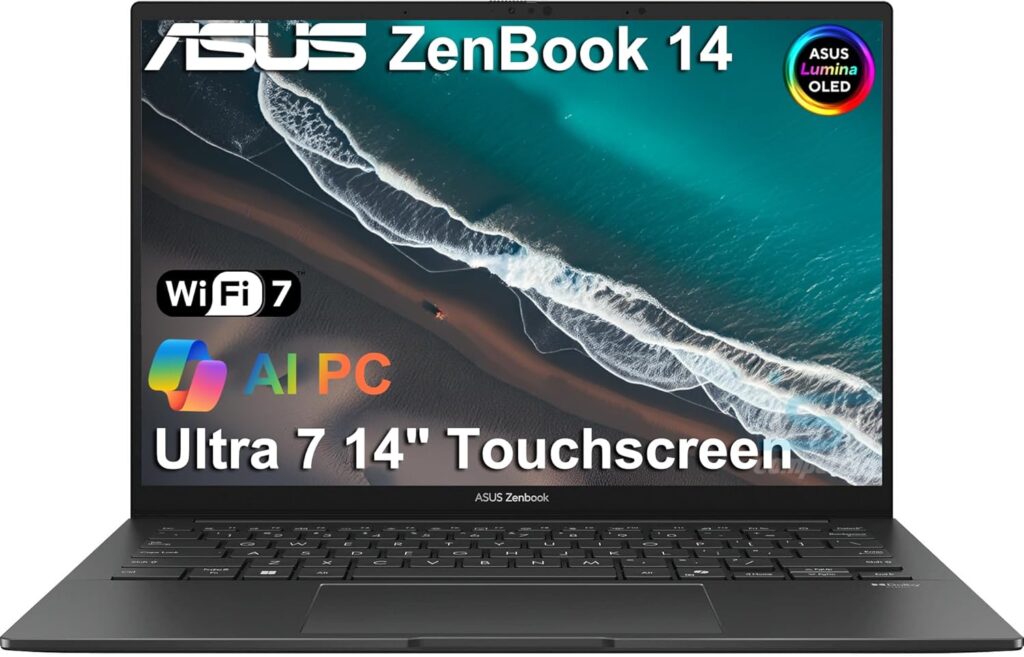
College is expensive, and you might not want to drop two grand on a laptop. If you are looking for the absolute best bang for your buck without sacrificing performance, the ASUS Zenbook 14 OLED is your best bet.
Usually priced well under $1,000, you are getting a jaw-dropping 3K OLED display. Why does that matter for coding? Deep blacks and sharp text mean way less eye strain when you’re stuck debugging a project at 2 AM in dark mode. Powered by the AMD Ryzen AI 9, it tears through code compilation just as fast as laptops twice its price.
The Breakdown
- CPU: AMD Ryzen AI 9 or Intel Core Ultra 7
- RAM: 16GB or 32GB
- Storage: 1TB SSD
- Battery Life: 9–11 hours
The Good:
- Incredible value for money.
- The OLED screen is gorgeous and super crisp.
- Premium, all-metal aluminum chassis.
The Bad:
- Can get a little warm at the bottom when running heavy scripts.
- Comes with some annoying pre-installed software you’ll have to delete on day one.
4. Dell XPS 14 (9440) — Best Premium Pick for Game Dev & AI
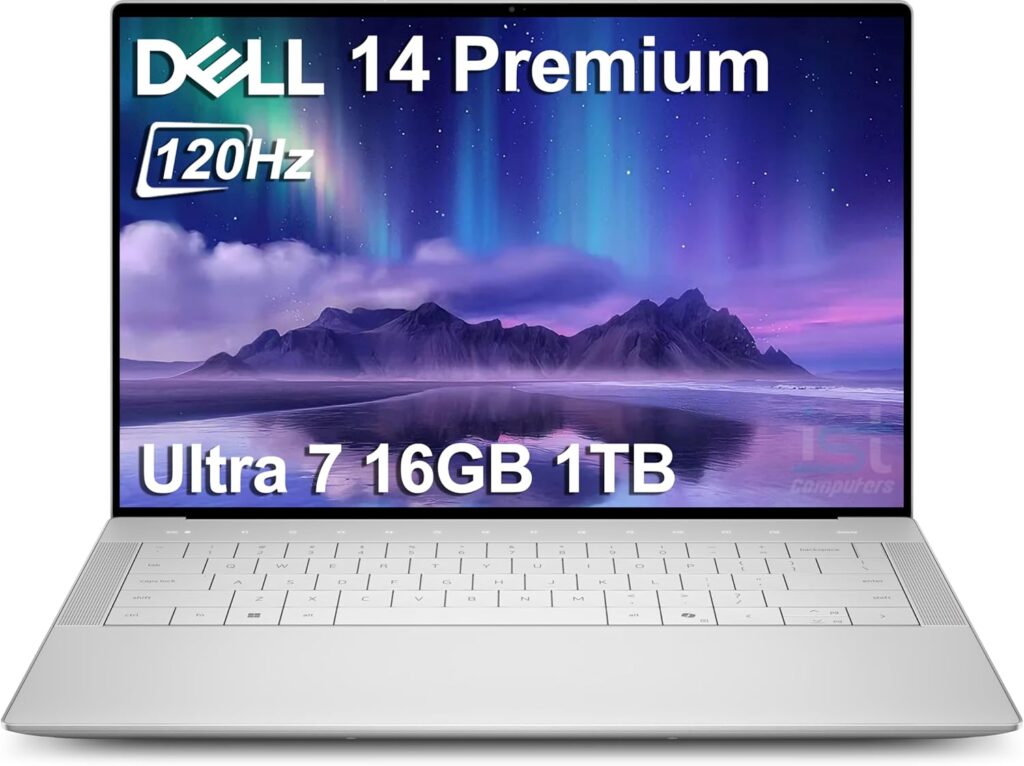
If you love the premium, sleek aesthetics of a MacBook but absolutely need a Windows machine, the Dell XPS 14 is a showstopper. Dell totally redesigned this laptop with a futuristic glass palm rest and an invisible trackpad.
What makes this a great computer science laptop is the option to include a dedicated NVIDIA graphics card (GPU). If your classes involve game development (using Unity or Unreal Engine) or you are training local AI/ML models using CUDA cores, this machine gives you the graphical horsepower you need without being a bulky “gaming” laptop.
The Breakdown
- CPU: Intel Core Ultra 7 155H
- RAM: 16GB up to 64GB
- Storage: 512GB to 2TB SSD
- Battery Life: 8–10 hours
The Good:
- Dedicated GPU options for heavier computational tasks.
- Stunning, futuristic design and build quality.
- Excellent cooling system.
The Bad:
- The touch-capacitive function row (instead of real F-keys) frustrates some developers.
- Limited ports; you will need to live the USB-C dongle life.
5. HP OmniBook 5 14 (Snapdragon) — The Unkillable Battery Champion
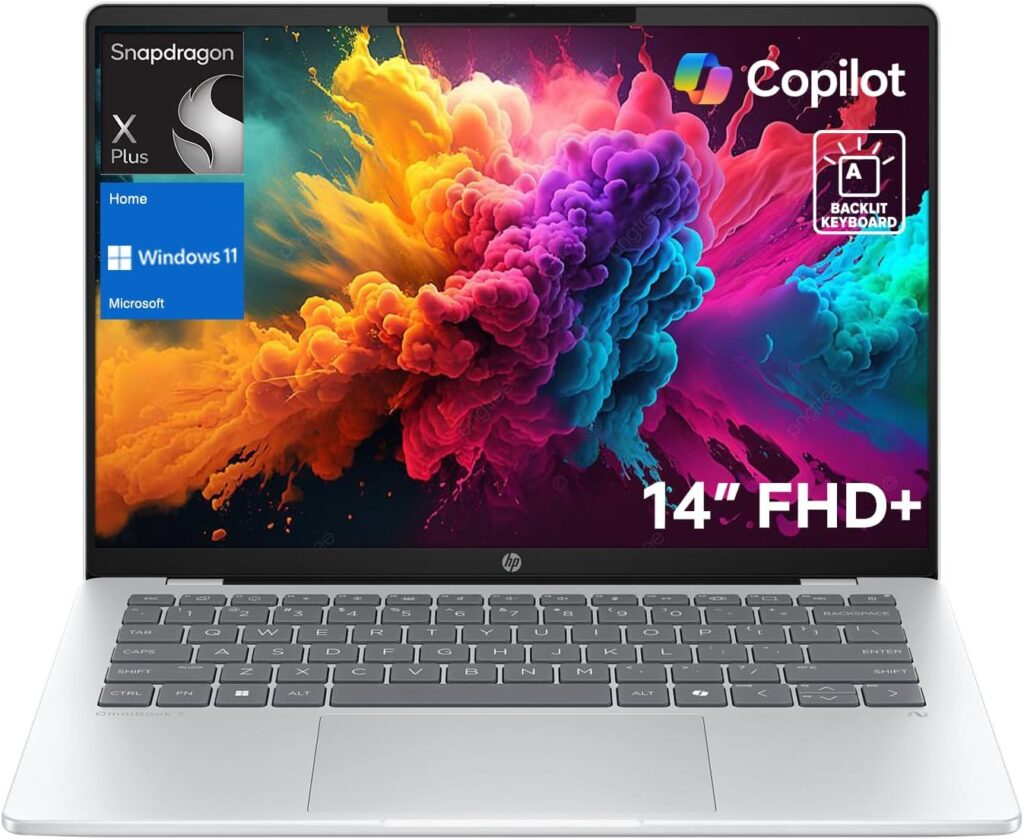
Do you have anxiety about your laptop dying in class? Enter the HP OmniBook 5. This machine uses Qualcomm’s Snapdragon X Elite processor (an ARM chip, similar to what Apple uses).
The result? A Windows laptop that genuinely lasts 15 to 20 hours on a single charge. It is incredibly snappy for writing code, browsing the web, and running WSL (Windows Subsystem for Linux).
The Breakdown
- CPU: Snapdragon X Elite
- RAM: 16GB or 32GB
- Storage: 512GB to 1TB
- Battery Life: 15–20+ hours
The Good:
- Unbeatable, multi-day battery life.
- Always cool and incredibly quiet.
- Great price-to-performance ratio.
The Bad:
- Because it’s ARM-based, a few older x86 Windows applications might not be perfectly optimized yet. Check if your university requires niche, legacy software before buying.
Quick Comparison: Which Laptop is Right for You?
If you’re still on the fence, use this quick cheat sheet to make your decision:
| Laptop Model | Standout Feature | Operating System | Estimated Battery | Base RAM |
| MacBook Air 15 (M5) | Best All-Rounder | macOS | 13–15 hours | 16GB |
| ThinkPad X1 Carbon | Best Keyboard & Linux | Windows 11 / Linux | 10–12 hours | 32GB |
| ASUS Zenbook 14 OLED | Best Value for Money | Windows 11 | 9–11 hours | 16GB |
| Dell XPS 14 | Best for Game Dev (GPU) | Windows 11 | 8–10 hours | 16GB |
| HP OmniBook 5 14 | Best Battery Life | Windows 11 (ARM) | 15+ hours | 16GB |
The Final Verdict
At the end of the day, a laptop is just a tool to help you build cool things.
If you want a foolproof, zero-hassle experience and don’t care about playing PC games, just buy the MacBook Air 15 (M5). It is the default choice for a reason.
If you are a strict Windows fan or want to tinker with Linux natively, pick up the Lenovo ThinkPad X1 Carbon. It’s an investment that will outlast your college career and transition perfectly into your first junior developer job.
How to Pick the Perfect Laptop for Your Computer Science Degree
Time needed: 5 minutes
Buying a new laptop for college doesn’t have to be a headache. If you’re feeling a bit lost in a sea of tech jargon and spec sheets, just follow these three simple steps to find your perfect coding companion without overspending.
- Check your college’s software requirements
Before you even look at a laptop, check your program’s website or email your department. If your classes rely heavily on macOS-only tools like Xcode for iOS development, you will absolutely need a MacBook. If your courses use niche, legacy Windows software, you’ll want to stick to a PC. Let your syllabus make the first decision for you.
- Focus on the “Big Three” features
Don’t get distracted by flashy marketing or unnecessary touchscreens. When you are programming, the only three things you really need to prioritize are getting at least 16GB of RAM (so your laptop doesn’t freeze when running code), a keyboard that feels comfortable for typing long essays and scripts, and a battery that will actually survive a full day of lectures.
- Keep your campus commute in mind
It’s easy to get tempted by a massive 16-inch gaming powerhouse with all the bells and whistles, but remember—you have to carry this thing in your backpack every single day. Do your shoulders a favor and aim for a laptop that weighs under 3.5 pounds. You want a machine that is light enough to grab with one hand as you rush to your next class.
Got Questions? Here’s a Quick FAQ!
Nope, definitely not! MacBooks are super popular because their operating system (macOS) is Unix-based, which makes setting up a lot of coding environments really smooth. But a good Windows machine—especially if you’re open to running Linux on it—will do the job just as well. Always double-check your college syllabus first, though; some engineering or game dev courses actually prefer Windows!
Yes, 16GB is the sweet spot for 2026. It will comfortably handle your homework, code editors, and the 50 browser tabs you’ll inevitably leave open while researching a bug. That said, if your budget allows for it and you plan on getting heavily into local AI models or massive data sets in your junior or senior year, upgrading to 32GB will give you total peace of mind.
You absolutely can! Gaming laptops have tons of processing power, which compilers love. The main trade-off is portability and battery life. Hauling a heavy, flashy gaming rig across campus gets old fast, and you might find yourself constantly hunting for a wall outlet during a three-hour lecture. If you want to game and code, try to find a nice middle ground like the Dell XPS 14 we mentioned above.

Hi, my name is Burak. I am a mechanical engineer. I have been writing laptop reviews for the Engineering Laptops website since 2020. Please feel free to contact me if you have any questions.