Estimated reading time: 7 minutes
Key Takeaways
- The MSI Titan 18 HX AI Laptop delivers exceptional performance in a heavy but durable design, targeted at gamers and creators.
- It features a stunning 18-inch Mini-LED display with UHD+ resolution and a 120Hz refresh rate, making it ideal for high-quality visuals.
- This laptop offers desktop-class power with top-tier hardware, suitable for demanding tasks like gaming and 3D modeling.
- While it has strong performance, expect loud fans and limited battery life; it’s best used as a desktop replacement.
- Overall, it’s perfect for users needing serious power and performance over portability, despite its hefty price tag.
Table of contents
- Design and Build Quality: Big, Solid, and Purposeful
- Display: One of the Best Laptop Screens Available
- Performance: Desktop-Class Power in a Laptop Body
- Cooling and Noise: Powerful, But Not Quiet
- Keyboard and Trackpad: Built for Long Sessions
- Connectivity and Ports: No Dongles Needed
- Battery Life: As Expected, Limited
- Pros and Cons
- Who Should Buy the MSI Titan 18 HX AI?
- Final Verdict
- How to Decide if the MSI Titan 18 HX AI Is Right for You
- FAQs
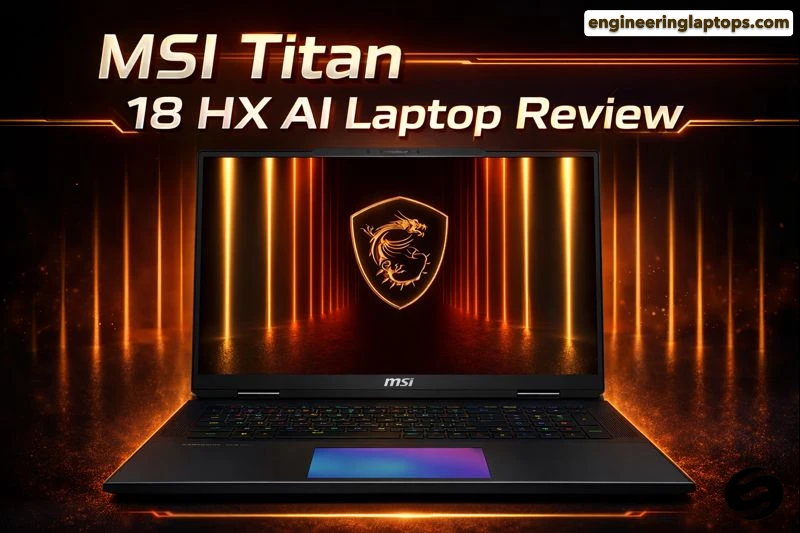
Some laptops try to balance everything. The MSI Titan 18 HX AI doesn’t. This machine is built with one clear mission: deliver the highest possible performance in a portable form factor, no matter the size or weight. In this MSI Titan 18 HX AI Laptop Review, we’ll examine why in 2026, it stands as one of the most powerful laptops you can actually buy.
If you’re a hardcore gamer, a 3D artist, a video editor, or someone who simply wants desktop-level power in a single device, the Titan 18 HX AI is worth serious attention. This review breaks down what it does well, where it struggles, and who it truly makes sense for — in plain, honest terms.
Purchase on Amazon or check availability
Design and Build Quality: Big, Solid, and Purposeful
The first thing you notice is the size. This is an 18-inch laptop, and MSI doesn’t try to hide it. The chassis is thick, wide, and clearly engineered for airflow and durability rather than portability. It uses a magnesium-aluminum alloy body that feels premium and extremely sturdy.
This isn’t a laptop you casually throw into a backpack every day. It’s closer to a mobile workstation or a desktop replacement. That said, the build quality inspires confidence. There’s minimal flex, the hinges feel strong, and everything about the design says “performance first.”
Key takeaway: It’s heavy, but it feels like it’s built to last.
Display: One of the Best Laptop Screens Available
The 18-inch Mini-LED display is easily one of the strongest reasons to buy this machine.
Display Highlights
- Resolution: 3840 × 2400 (UHD+)
- Refresh Rate: 120Hz
- Panel Type: Mini-LED
- Color Coverage: Near full DCI-P3
- HDR: VESA DisplayHDR 1000
Whether you’re gaming, editing video, or working with color-sensitive content, this screen delivers deep contrast, excellent brightness, and vibrant colors. Mini-LED makes a real difference here — blacks look deep, highlights pop, and HDR content actually feels meaningful instead of gimmicky.
For creators who don’t want to rely on an external monitor, this display alone makes the Titan 18 HX AI a standout.
Performance: Desktop-Class Power in a Laptop Body
This is where the Titan earns its name.
Core Hardware Overview
| Component | Specification |
|---|---|
| Processor | Intel Core Ultra 9 285HX |
| Graphics | NVIDIA GeForce RTX 5090 Laptop GPU (up to 24GB GDDR7) |
| Memory | Up to 96GB DDR5 |
| Storage | Multiple M.2 NVMe SSD slots |
In real-world use, the laptop feels brutally fast. Heavy multitasking, large project files, real-time rendering, and demanding games are handled without hesitation.
Gaming Performance
Modern AAA games run smoothly at high or ultra settings, even at very high resolutions. While native UHD+ gaming may require some setting tweaks in the most demanding titles, overall performance is exceptional for a laptop.
Creator Workloads
Video rendering, 3D modeling, game development, and AI-based workloads benefit massively from the powerful CPU-GPU combination and large memory support. If your workflow normally demands a desktop, this laptop can realistically replace it.
Cooling and Noise: Powerful, But Not Quiet
To sustain this level of performance, MSI relies on an aggressive cooling system.
Under heavy load:
- Fans get loud
- The chassis gets warm
- Performance stays consistent
This is not a silent machine, and it’s not pretending to be. When pushed, you’ll hear it. However, the payoff is stable, sustained performance instead of throttling.
For users who work with headphones or game with sound on, the noise is manageable. For quiet office environments, it may be too much.
Keyboard and Trackpad: Built for Long Sessions
The keyboard is one of the better ones you’ll find on a performance laptop. Some configurations include low-profile mechanical switches, offering satisfying feedback and comfort during long typing or gaming sessions.
- Key travel feels precise
- RGB lighting is customizable but not overdone
- Good spacing for an 18-inch layout
The trackpad is large and responsive, though most buyers of this machine will likely use an external mouse.
Connectivity and Ports: No Dongles Needed
MSI clearly understands its audience here.
You get:
- Thunderbolt / USB4 ports
- HDMI
- Ethernet
- Multiple USB-A ports
- Audio jack
- SD card reader (on select configurations)
This makes the Titan ideal for multi-monitor setups, external storage, and professional accessories without needing extra adapters.
Battery Life: As Expected, Limited
Even with a large 99.9Wh battery, battery life is not the Titan’s strength.
- Light use: a few hours
- Heavy workloads or gaming: expect to stay plugged in
This is a machine designed to run at full power while connected to a charger. Battery operation is more of a convenience than a selling point.
Pros and Cons
Pros
- Exceptional CPU and GPU performance
- Outstanding 18-inch Mini-LED display
- Excellent build quality
- Desktop replacement capability
- Strong port selection and expandability
Cons
- Heavy and not very portable
- Loud under load
- Expensive
- Limited battery life
Who Should Buy the MSI Titan 18 HX AI?
This laptop is ideal if:
- You want the most powerful laptop possible in 2026
- You’re replacing a desktop PC
- You work in gaming, 3D design, video production, or AI workloads
- You value display quality and raw performance over portability
It’s not ideal if:
- You travel daily with your laptop
- You need long battery life
- You prefer quiet, lightweight machines
Final Verdict
The MSI Titan 18 HX AI is not subtle, not light, and not affordable — and that’s exactly the point.
It’s a no-compromise machine built for people who need serious power and aren’t interested in cutting corners. With its stunning Mini-LED display, top-tier hardware, and desktop-level performance, it stands at the very top of the high-performance laptop category in 2026.
If you know why you need this kind of power, the Titan delivers it — confidently and unapologetically.
How to Decide if the MSI Titan 18 HX AI Is Right for You
Time needed: 5 minutes
- Understand what you actually need
Before looking at raw specs, think about how you’ll use the laptop. If your work or hobbies involve heavy gaming, 3D modeling, video editing, or demanding professional software, the Titan 18 HX AI is built exactly for that kind of load. If your needs are lighter, a smaller machine may make more sense.
- Consider your workspace and lifestyle
This is a large, powerful laptop designed to stay mostly on a desk. Make sure you’re comfortable with its size, weight, and fan noise under load. If you plan to use it as a desktop replacement rather than a travel companion, you’re in the right zone.
- Balance performance with long-term value
The MSI Titan 18 HX AI is a premium investment. Look beyond today’s performance and think about longevity. With its high-end CPU, top-tier GPU, upgradeable memory, and stunning display, it’s designed to stay relevant for years rather than months.
FAQs
It can handle everyday tasks easily, but it’s really built for heavy work. If you mostly browse the web, watch videos, or work on documents, this machine is probably more power (and weight) than you need.
For many users, yes. With its high-end CPU, powerful RTX graphics, large display, and upgrade options, it can comfortably take the place of a desktop for gaming, content creation, and professional workloads.
When pushed hard, the fans are clearly audible. It’s not distracting if you’re wearing headphones, but it’s not a quiet laptop either. That’s the tradeoff for keeping performance stable.
Related links