Estimated reading time: 17 minutes
Key Takeaways
- In 2026, laptops cost more due to a severe memory shortage affecting RAM prices, impacting overall laptop pricing.
- The best all-rounder laptop for students is the 13-inch MacBook Air (M5), offering excellent battery life and performance.
- For Windows users, the Lenovo Yoga Slim 7i Aura Edition is a great value option, being lightweight and powerful.
- Students should prioritize 16GB of RAM and take advantage of student discounts or refurbished deals to save money.
- Buy a laptop when you find a good deal, as prices are unlikely to drop significantly before late 2027.
Table of contents
- Why Laptops Got Pricier in 2026 (And What It Means for You)
- Quick Picks at a Glance
- The Full Comparison
- 5 Picks That Actually Last Four Years
- 1. 13-inch MacBook Air (M5) — The One Most Students Should Buy
- 2. Lenovo Yoga Slim 7i Aura Edition — The Smart-Money Windows Pick
- 3. MacBook Neo — The Cheapest Real Mac Ever Made
- 4. HP OmniBook 5 (Snapdragon X) — For People Who Always Forget Their Charger
- 5. Acer Swift 16 AI — Big Screen, Real Muscle, Sane Price
- How to Pick the Right One for You
- One More Word on This Year’s Prices
- Frequently Asked Questions
Picking a laptop for school used to be simple. You’d grab whatever was on sale, throw it in your bag, and hope it survived until graduation. In 2026, it’s trickier — partly because the machines themselves are better than ever, and partly because, frankly, they cost more than they did last year. We’ll get into why in a second.
Here’s the short version if you’re in a hurry: for most students, the 13-inch MacBook Air (M5) is the best all-around laptop you can buy this year. The Lenovo Yoga Slim 7i Aura Edition is the Windows machine that gets you nearly there for a few hundred dollars less. And if neither fits your budget or your major, don’t worry — there are three more picks below, each built for a different kind of student.
But before any of that, you need to understand the one thing nobody saw coming.
Why Laptops Got Pricier in 2026 (And What It Means for You)
Laptops went up in price this year, and it has almost nothing to do with shiny new features. The culprit is memory — RAM, the stuff that lets your laptop juggle a dozen browser tabs without choking.
The world is in the middle of a serious memory shortage. AI data centers have been buying up nearly every chip the factories can make, and that demand pushed prices through the roof. DRAM prices climbed roughly 90% in the first few months of the year. Samsung more than doubled what it charges for its DDR5 memory. When the chipmakers raise prices like that, the cost rolls straight downhill to the laptop on your desk.
Even Apple felt it. The company raised Mac and iPad prices in late June and didn’t sugarcoat why, saying it had never seen a component price jump this much, this fast. Dell, Lenovo, Acer, and ASUS reportedly nudged their prices up somewhere between 15% and 30%. And on cheaper laptops, some brands quietly shipped less RAM or a dimmer screen just to keep the sticker price from looking scary.
So here’s the practical advice, and it’s a little different from a normal year:
- Buy the RAM you need right now. Almost every modern thin laptop has its memory soldered to the board. You can’t pop it open and add more later. Whatever you buy is what you’re stuck with for four years.
- Don’t sit around waiting for a price crash. Most people watching the memory market don’t expect real relief before late 2027, and some say 2028. Waiting will probably cost you more than it saves.
- Lean on student discounts and refurbished deals. They’re the easiest way to dodge this year’s higher prices without giving anything up.
Alright. Let’s meet the laptops.
Quick Picks at a Glance
| What you need | Our pick | Roughly |
|---|---|---|
| Best overall, do-everything | 13-inch MacBook Air (M5) | $1,299 ($1,199 student) |
| Best value Windows machine | Lenovo Yoga Slim 7i Aura | ~$849 |
| Cheapest real MacBook | MacBook Neo | $699 ($599 student) |
| Best battery on a budget | HP OmniBook 5 (Snapdragon X) | ~$699, often less |
| Big screen with real power | Acer Swift 16 AI | $1,549 |
The Full Comparison
| Laptop | Chip | RAM / Storage | Screen | Weight | Battery (tested) |
|---|---|---|---|---|---|
| MacBook Air 13″ (M5) | Apple M5 | 16GB / 512GB | 13.6″ Liquid Retina | 2.7 lb | ~15 hr browsing |
| Lenovo Yoga Slim 7i Aura | Intel Core Ultra 7 355 | 32GB / 1TB | 14″ 2.8K OLED, 120Hz | 2.15 lb | 16h 38m |
| MacBook Neo | Apple A18 Pro | 8GB / 256GB | 13″ Liquid Retina | 2.7 lb | ~12 hr |
| HP OmniBook 5 | Snapdragon X Plus | 16GB / 512GB | 14″–16″ OLED option | ~3.0 lb | 28+ hr |
| Acer Swift 16 AI | Intel Core Ultra X7 358H | 16–32GB / 1TB | 16″ 2.8K OLED, 120Hz | 3.37 lb | 15+ hr |
5 Picks That Actually Last Four Years
1. 13-inch MacBook Air (M5) — The One Most Students Should Buy
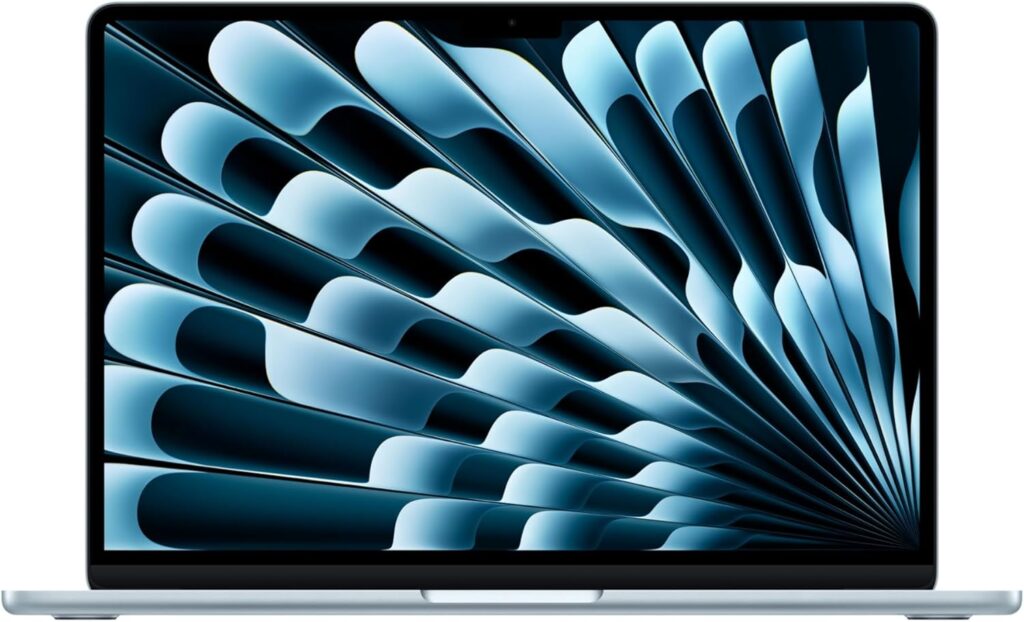
There’s a reason the MacBook Air lands at the top of basically every student laptop list, and it isn’t blind Apple worship. It’s that the Air quietly nails the four things you actually care about — battery, weight, screen, and the simple fact that it never lets you down — and it does all of it without ever asking you to think about it.
You shut the lid after a lecture. You open it the next morning. It’s still got plenty of charge, it hasn’t gotten hot, and there’s no fan whirring because there isn’t one. Over four years of libraries, group projects, and late-night essay panics, that kind of boring dependability turns out to be worth a fortune.
The M5 chip is honestly overkill for writing papers and bouncing between tabs — which is exactly the point. It means the laptop will still feel quick when you’re a senior. Photo editing, a bit of video, some coding, a wall of Chrome tabs: it shrugs all of it off. Apple’s unified memory design helps here, sharing that 16GB smartly across the whole chip instead of carving a chunk off for graphics.
The base 16GB/512GB setup is the right starting line for most people. The one honest gripe is the price. After Apple’s June bump, the 13-inch Air went from $1,099 to $1,299. If you qualify for education pricing (around $1,199), absolutely take it. And if you stumble on leftover stock at a store still clearing units near the old $949–$999 mark, grab it — that’s a steal in this market.
The specs
- Apple M5 chip (10-core CPU, 8- or 10-core GPU)
- 16GB unified memory (can go up to 24GB or 32GB)
- 512GB SSD, roughly twice as fast as the old M4’s (up to 4TB)
- 13.6-inch Liquid Retina display, 2560 × 1664
- 2.7 lb (1.24 kg)
- Up to 15 hours of web browsing, 18 hours of video
- Wi-Fi 7, Bluetooth 6
- 2× Thunderbolt 4, MagSafe, headphone jack
What’s great
- Silent, fanless, and cool no matter what you throw at it
- Brilliant battery life and the best trackpad on any laptop, full stop
- Faster SSD and Wi-Fi 7 than the older M4 model
- Holds its resale value better than any Windows laptop
What’s not
- Got noticeably pricier after the June 2026 hike
- Only two ports — you’ll want a USB-C hub
- 512GB fills up fast if you hoard photos and videos
- No touchscreen
Bottom line: If you can swing the price and you don’t need a Windows-only program for your major, this is the safest, smartest buy on the list.
2. Lenovo Yoga Slim 7i Aura Edition — The Smart-Money Windows Pick
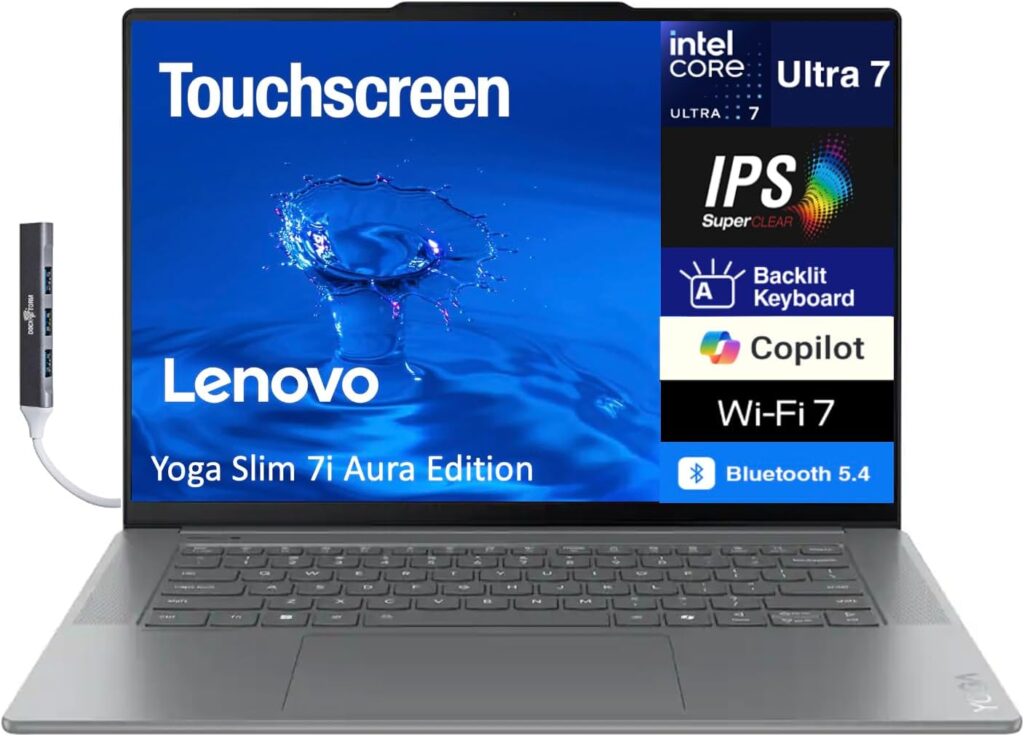
Want Windows and hate overpaying? This is your laptop. The Yoga Slim 7i Aura Edition is almost comically light — just 2.15 pounds, lighter than a MacBook Air — and in independent testing it ran for 16 hours and 38 minutes on a charge. Reviewers pointed out that’s over an hour longer than the MacBook Air, which is usually the battery king. For a machine that often sells around $849 with 32GB of RAM and a 1TB drive, that’s a wild amount of laptop for the money in a year when everything got more expensive.
The 14-inch 2.8K OLED touchscreen is a genuine pleasure — crisp for reading, gorgeous for Netflix, handy for jotting notes. And the keyboard delivers that comfortable, confident typing feel Lenovo built its name on. Under the hood it runs Intel’s newest chip, which blends long battery life with snappy everyday speed.
It is not a gaming laptop, and it won’t pretend to be. The integrated graphics will choke on demanding titles — something like Cyberpunk struggles to clear 26 fps even on low. But for the writing-research-streaming-Zoom rhythm that the vast majority of students actually live in, it’s hard to beat at this price.
Quick heads-up on the name: Lenovo sells a few different “Yoga Slim 7i Aura” versions. The one that’s such great value is the Core Ultra 7 355 model around $849. There’s also a fancier “Ultra Aura Edition” that starts closer to $1,629, so double-check the exact configuration before you click buy.
The specs
- Intel Core Ultra 7 355 (8 cores)
- 32GB LPDDR5x memory
- 1TB PCIe SSD
- 14-inch 2880 × 1800 OLED touchscreen, 120Hz
- 2.15 lb (about 1 kg)
- 16 hours 38 minutes battery (tested)
- Wi-Fi 7, Bluetooth 5.4
- Thunderbolt 4, USB-A, HDMI, headphone jack
What’s great
- So light you’ll forget it’s in your bag
- Battery outlasts most rivals, the MacBook Air included
- A big 32GB/1TB setup at a mid-range price
- Lovely OLED touchscreen and a great keyboard
What’s not
- Weak graphics — skip it if you game or do heavy 3D work
- Power button sits in an awkward spot (easy to hit by accident)
- Speakers and webcam are just okay
- Memory is soldered, so buy what you need now
Bottom line: The closest thing to a MacBook Air in the Windows world, and it costs hundreds less. For most Windows-leaning students, this is the play.
3. MacBook Neo — The Cheapest Real Mac Ever Made
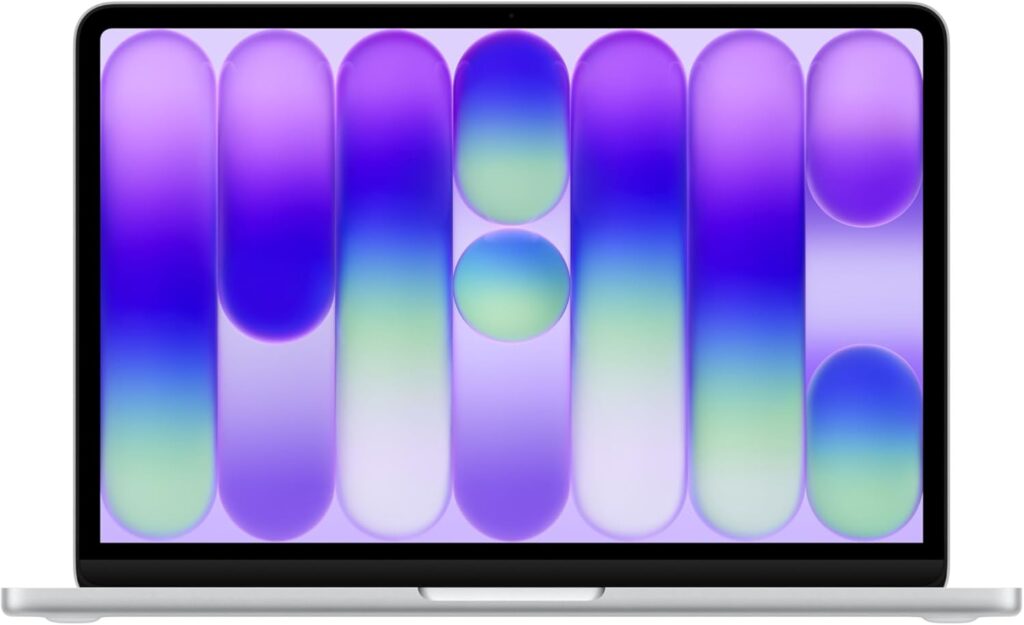
Apple’s surprise hit of the year. The MacBook Neo is the most affordable genuine MacBook the company has ever sold, it launched in March, and it basically sold out on day one. Apple said it drew more first-time Mac buyers than any launch before it.
Inside is the A18 Pro chip — the same silicon that powers the iPhone 16 Pro — and for everyday school life it feels every bit as quick as its pricier siblings. Papers, browsing, streaming, email, video calls: it zips through all of it. Early reviews found it outpaces the old M1 Air and most Windows laptops at this price. You get the premium aluminum body, a lovely 13-inch screen, and the whole Mac ecosystem for money that competes with Chromebooks.
The trade-offs are real, but they’re the smart kind. You get 8GB of RAM, 256GB of storage, a 60Hz screen, and slower 20W charging with no fast-charge. If you edit photos or video, skip it and get the Air. But if you mostly live in a browser and a word processor, the Neo hands you a Mac that doesn’t feel cheap at all. Students pay $599 versus the $699 list price, and Apple now sells refurbished units too.
The specs
- Apple A18 Pro chip (6-core CPU, 5-core GPU, 16-core Neural Engine)
- 8GB RAM
- 256GB or 512GB SSD
- 13-inch Liquid Retina display, 2408 × 1506, 500 nits
- 2.7 lb
- 60Hz, non-touch
- 2× USB-C, headphone jack
What’s great
- The cheapest way into macOS, ever
- Premium aluminum build and a sharp, bright screen
- The A18 Pro is plenty fast for everyday work
- Fun colors and an excellent keyboard
What’s not
- 8GB of RAM and 256GB of storage are tight
- Slower SSD and slow 20W charging (no fast charge)
- 60Hz, non-touch display
- Not built for serious creative work
Bottom line: A fantastic first Mac for anyone on a budget who lives in the browser. Just go in knowing the 8GB ceiling is firm.
4. HP OmniBook 5 (Snapdragon X) — For People Who Always Forget Their Charger
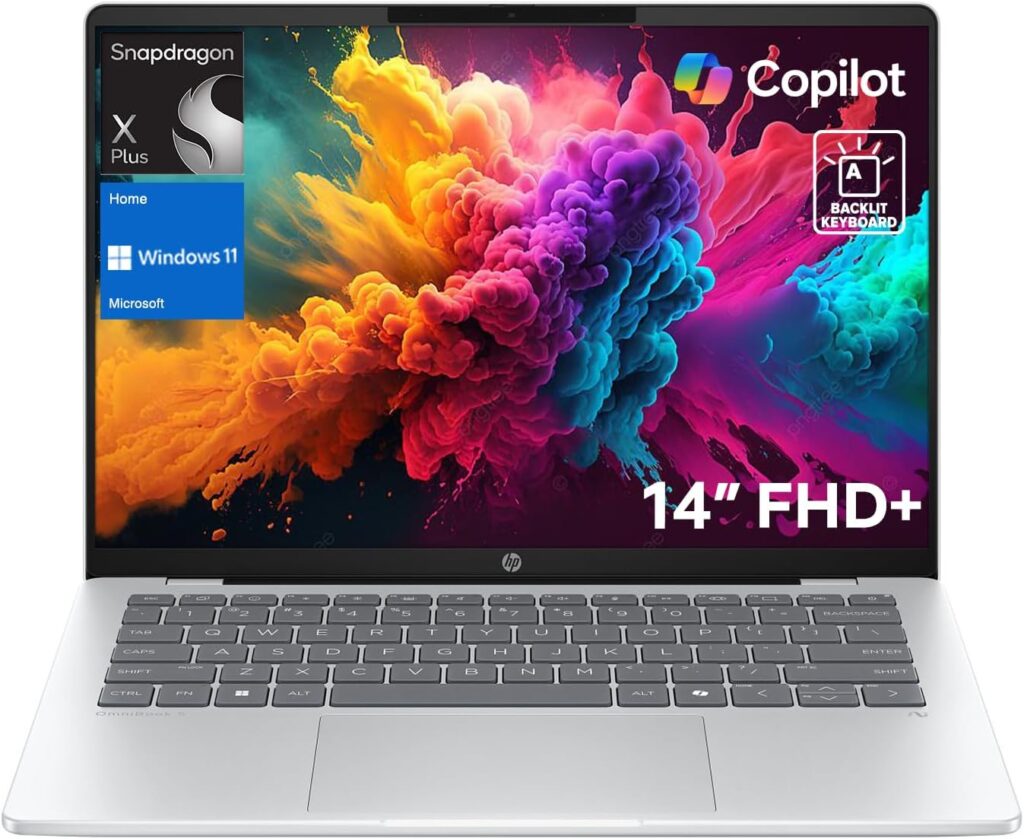
If “I never know where my charger is” describes you, meet your laptop. The HP OmniBook 5 runs on a Qualcomm Snapdragon X Plus chip that sips power so gently it can genuinely survive two full days of classes on a single charge. One battery benchmark clocked it at 28 hours and 19 minutes, and HP claims up to 34 hours of video playback on the OLED model. It’s light, quiet, fanless, and it regularly sells well under list — it’s been spotted dipping into the high $500s on sale.
There’s one catch worth understanding. Because it uses an ARM processor, most everyday apps run perfectly — Office, Chrome, Zoom, Slack, anything web-based. But some specialized Windows-only programs, especially in engineering and a few niche academic fields, either run through emulation or won’t run at all. If your coursework lives in a browser, this is an incredible deal and one of the best battery experiences money can buy. If a professor requires some specific Windows-only software, check that it works on ARM before you commit.
The specs
- Qualcomm Snapdragon X Plus (45 TOPS NPU)
- 16GB LPDDR5x memory (up to 32GB)
- 512GB–1TB PCIe Gen4 SSD
- 14-inch or 16-inch display, OLED option available
- Around 3 lb (3.48 lb for the 16-inch)
- 28+ hours measured; up to 34 hours claimed
- Wi-Fi 6E, Bluetooth 5.3
- 2× USB-C, USB-A, HDMI (16″ model), headphone jack
What’s great
- Battery that genuinely lasts two days
- Affordable, especially on sale
- Light, silent, and fanless
- An OLED screen option, which is rare at this price
What’s not
- That ARM chip means some Windows apps won’t run natively
- Mediocre webcam
- Not a powerhouse for heavy tasks
- Forgettable speakers
Bottom line: Unbeatable battery for the money. Just confirm your required software runs on ARM first, and you’re golden.
5. Acer Swift 16 AI — Big Screen, Real Muscle, Sane Price
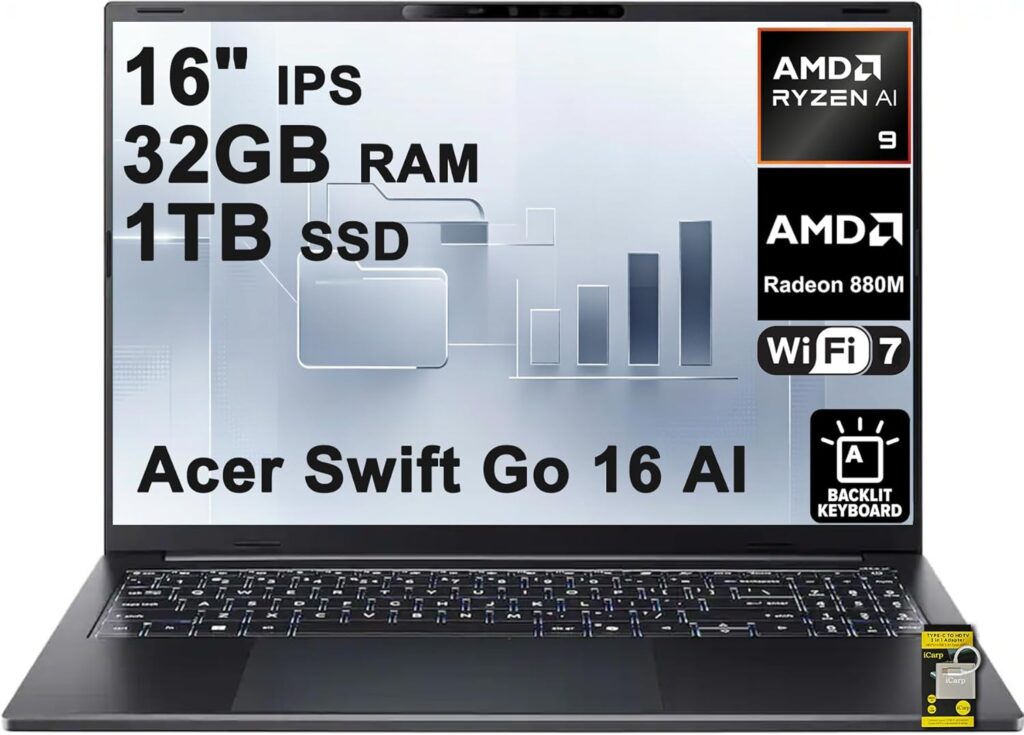
For students who want a bigger canvas and some actual horsepower — engineering, design, video editing, or anyone who’s just tired of squinting — the Acer Swift 16 AI is the value champ among premium 16-inch laptops. It pairs Intel’s newest chip with Arc B390 integrated graphics, which reviewers found trades blows with a dedicated RTX 4050. That’s enough to actually play games and chew through creative work, which most thin-and-light laptops simply can’t do. And it manages this while staying surprisingly light for a 16-incher (3.37 lb) and lasting over 15 hours on a charge.
The star of the show is the 16-inch 2.8K OLED screen — big, sharp, vivid, and brighter in testing (around 450 nits) than Acer’s own rating let on. The one downside is the glossy finish, which throws reflections in bright rooms. The speakers are thin and the keyboard could be a touch tighter. But for the price — the base model starts at $1,549, well under $2,000-plus rivals like the Dell XPS 16 — you get a true do-everything machine. If you want a large Windows laptop that handles productivity, creative work, and some after-hours gaming without wrecking your budget, this is the one to beat.
The specs
- Intel Core Ultra X7 358H with Arc B390 graphics
- 16GB or 32GB LPDDR5x memory
- 1TB SSD
- 16-inch 2880 × 1800 OLED touchscreen, 120Hz (drops to 60Hz on battery to save power)
- 3.37 lb (1.5 kg)
- 15+ hours battery
- Thunderbolt 4, USB-A, HDMI, microSD
What’s great
- Big, beautiful 16-inch OLED display
- Genuinely capable graphics — it can game and create
- Light for its size, with long battery life
- The best value among premium large laptops this year
What’s not
- Glossy screen reflects in bright rooms
- Thin, flat speakers
- Keyboard spacing could be better
- Ships with some bloatware to clean off
Bottom line: A premium 16-inch experience for hundreds less than the usual suspects. Ideal for creative and STEM students.
How to Pick the Right One for You
Start with the operating system — it’s the biggest call. If you’ve used a Mac and loved it, or you’re already deep in the iPhone and iPad world, get a MacBook. The little conveniences — AirDrop, iMessage on your laptop, picking up a task between devices, mirroring your phone — add up to something genuinely useful. If your major requires specific Windows software (a lot of engineering, finance, and specialized programs do), get Windows. When you’re unsure, ask older students in your exact program what they actually use day to day. They’ll save you from an expensive mistake.
Don’t cheap out on RAM this year. 16GB is the new floor for a laptop you want to keep for four years. 8GB is fine only for very light, browser-based use — the MacBook Neo gets away with it because macOS manages memory so efficiently. Remember, because of the shortage, nearly every laptop here has its RAM soldered down. You can’t upgrade it later. Buy what you’ll need for the machine’s whole life, right now.
Match the screen to your life. A 14-inch laptop is the sweet spot for most students — big enough to actually work on, light enough to haul around every day. Go 13-inch if portability matters above all. Go 16-inch only if you do design or engineering and don’t mind the extra weight in your bag.
Treat battery as non-negotiable. Aim for at least 12 hours of real-world life so you’re not hunting for an outlet between classes. Every laptop here clears that bar, and the HP and Lenovo picks blow right past it.
Use student discounts and time it right. Apple, Dell, Lenovo, and HP all offer verified student pricing, usually saving you 5–15%. Back-to-school season — roughly July through September — brings the best deals of the year. And Apple’s certified refurbished store or Dell’s outlet are smart ways to soften this year’s higher prices while keeping a full warranty.
One More Word on This Year’s Prices
It’s worth repeating because it touches every pick here: 2026 is an unusually expensive year to buy a laptop, and it’s not your imagination. The same memory chips that go into laptops are getting hoovered up by AI data centers, and the cost has spiked hard — DRAM jumped around 90% in just the first quarter, and Samsung’s DDR5 prices more than doubled. The fallout is higher sticker prices and, in some cheaper laptops, quietly downgraded specs to keep the price tag from looking even worse.
Some analysts have even warned that sub-$500 entry-level laptops could basically vanish in the next couple of years, because vendors can’t keep eating the cost. And this crunch is expected to stick around rather than blow over — people watching the big memory makers point to late 2027 at the earliest for real relief, with some saying 2028.
So the move is simple: buy when you find a good deal instead of waiting for a crash that may never come, prioritize the RAM and storage you’ll actually need, and use student and refurbished pricing wherever you can.
Frequently Asked Questions
How much RAM do I really need for college in 2026? 16GB is the sweet spot and the safe minimum for a laptop you’ll keep four years. 8GB works for light, web-based use, and macOS handles it better than Windows does. If you’re in a STEM field running simulations, virtual machines, or big datasets, look at 32GB. Since RAM is usually soldered now and the shortage makes everything pricier, decide before you buy — you can’t change it later.
Is a MacBook or a Windows laptop better for students? Neither is universally better — it comes down to your major and what you already know. Macs win on battery, build quality, resale value, and ecosystem. Windows wins on price range, software compatibility, touchscreens, and gaming. Check what software your program requires before you decide.
Should I buy now or wait for prices to drop? Buy when you find a good deal. The memory shortage has pushed prices up, and experts don’t expect real relief until late 2027 at the earliest. Waiting is more likely to cost you than save you this year — though back-to-school sales from July through September are your best shot at a discount.
Are Snapdragon (ARM) laptops safe to buy for school? Yes, as long as your work is browser- and Office-based — they offer incredible battery life for the money, like the 28+ hours on the HP OmniBook 5. The catch is that some specialized Windows-only programs may not run natively. If your coursework depends on a specific niche app, confirm it works on ARM before buying.
Do I need a touchscreen or a stylus? It’s a nice bonus, not a must. If you take handwritten notes or mark up PDFs and slides, a touchscreen — like on the Lenovo or Acer here — is great. Most students do just fine without one, and skipping it can shave off a little weight and money.
What’s the single best all-rounder for most students? The 13-inch MacBook Air (M5). It balances battery, weight, screen, performance, and longevity better than anything else, and it’ll still feel fast years down the road. If you need Windows or want to spend less, the Lenovo Yoga Slim 7i Aura Edition is the closest thing to it.

Hi, my name is Burak. I am a mechanical engineer. I have been writing laptop reviews for the Engineering Laptops website since 2020. Please feel free to contact me if you have any questions.