Last updated: October 3, 2026
Table of contents
- The 5 Best Laptops for Graphic Design and Photo Editing at a Glance
- How I Chose and Checked These Laptops
- Best Laptops for Graphic Design & Photo Editing (2026): Screens, Speed & Battery
- 1. Apple MacBook Pro 16 (M5 Pro, 2026) : Best Laptop for Graphic Design and Photo Editing Overall
- 2. Lenovo Yoga Pro 9i 16 Aura Edition (Gen 11, 2026) : Best Windows Laptop for Photo Editing
- 3. Asus ProArt P16 (H7606, RTX 5090) : Best for 3D, Motion Graphics and AI Work
- 4. Samsung Galaxy Book6 Ultra (2026) : Best Battery Life on Windows
- 5. Dell XPS 16 (2026) : Best Lightweight Laptop for Traveling Photographers
- Side-by-Side Comparison: Benchmarks, Screens and Battery Life
- The Creative Reality Check Most Reviews Skip
- How to Choose a Laptop for Graphic Design and Photo Editing
- Frequently Asked Questions
- My Final Verdict
- Sources
A $4,000 laptop with Nvidia’s mightiest mobile graphics chip, the RTX 5090, lost a string of Adobe and DaVinci Resolve benchmarks this year. Not to another gaming beast. It lost to a MacBook that has no Nvidia chip at all.
That wasn’t the only thing that made me stop and reread a lab report while putting this guide together. One of the prettiest OLED screens on sale right now flickers 240 times every second, at every brightness level, at full strength. The brightest screen in this roundup isn’t on the most expensive machine. And one of the best photo-editing laptops of 2026 doesn’t even have a slot for your SD card.
That’s the thing about buying a laptop for graphic design and photo editing. The spec sheet tells you almost nothing you actually need to know. What matters is whether the screen tells you the truth about color, whether it strains your eyes at midnight, how long you’ll stare at a progress bar while 64 GB of RAW files copy over, and whether the fans scream while you’re painting a mask in Photoshop.
So I went past the spec sheets. I pulled the published lab measurements for every serious creator laptop of 2026: color accuracy, brightness, flicker, sustained performance, battery rundowns, SSD and card reader speeds. Then I cut the list down to the five I’d actually spend my own money on.
The ground rules I set for myself were simple. Only the newest generation you can buy today, so no last-year leftovers. Only one laptop per brand. And not a single number in this article that doesn’t trace back to a named, independent test.
Here’s where I landed.
The 5 Best Laptops for Graphic Design and Photo Editing at a Glance
| Rank | Laptop | Best for | Display | Chip / GPU | Price |
|---|---|---|---|---|---|
| 1 | Apple MacBook Pro 16 (M5 Pro, 2026) | Best overall | 16.2″ Mini-LED, 3456 x 2234, 120 Hz | M5 Pro, 18-core CPU, 20-core GPU | From $2,699 |
| 2 | Lenovo Yoga Pro 9i 16 Aura Edition (Gen 11) | Best Windows laptop for photo editing | 16″ Tandem OLED, 3200 x 2000, 120 Hz | Core Ultra 9 386H, RTX 5060 | $3,149 as tested |
| 3 | Asus ProArt P16 (H7606, RTX 5090) | Best for 3D, motion and AI-heavy work | 16″ 4K Tandem OLED, 120 Hz | Ryzen AI 9 HX 370, RTX 5090 24 GB | $3,999 MSRP |
| 4 | Samsung Galaxy Book6 Ultra | Best battery life on Windows | 16″ OLED, 2880 x 1800, 120 Hz | Core Ultra 7 356H, RTX 5070 | $2,999 |
| 5 | Dell XPS 16 (2026) | Best lightweight pick for traveling photographers | 16″ OLED, 3200 x 2000, 120 Hz | Core Ultra X7 358H, Arc B390 | $2,350 as tested |
How I Chose and Checked These Laptops
I’ll be upfront about how this guide was built, because you deserve to know where the numbers come from. I didn’t trust any single review. For every laptop, I cross-checked results from independent labs, mainly Notebookcheck, LaptopMedia, Ultrabook Review, Tom’s Guide, Tom’s Hardware, PCWorld, TechRadar and HotHardware, and I only kept figures I could trace back to a specific test.
Different labs run different battery loops at different brightness levels. So instead of mashing everything into a made-up “score,” I tell you which lab measured what. That way you can compare apples to apples, and you can see exactly how each result was produced.
What actually matters for creative work
- Color accuracy (Delta E 2000): Under 1.0 is invisible to the human eye. Under 2.0 is safe for client work. Above 3.0, you’ll want a colorimeter.
- Color gamut: 100% sRGB is the floor for web design. Close to 100% DCI-P3 matters for modern screens and video. High AdobeRGB coverage matters if your work ends up in print.
- Brightness and glare: A glossy 400-nit OLED in a sunny café is a very different tool from a matte 600+ nit panel.
- Screen flicker (PWM): If you edit for eight hours a day, low-frequency flicker can mean tired eyes and headaches. I list the measured frequency for every model.
- Sustained performance: Short benchmarks flatter thin laptops. I looked at loop tests, temperatures and fan noise under long loads.
- RAM and VRAM: Big PSD files, Lightroom catalogs and AI tools eat memory fast. A GPU with 8 GB of VRAM often hits a wall before the chip itself does.
- Card reader speed: Photographers live and die by ingest time, so I checked that too.
My recommended minimum specs for 2026
| Your work | RAM | Storage | Graphics | Screen |
|---|---|---|---|---|
| Lightroom and Photoshop, hobby or semi-pro | 16-24 GB | 1 TB | A strong integrated GPU is fine | 100% sRGB, ideally full P3 |
| Pro photo editing, panoramas, AI denoise | 32 GB or more | 2 TB | Dedicated GPU or Apple M5 Pro/Max | Near 100% P3, Delta E under 2 |
| Branding, packaging, print work | 32 GB | 1-2 TB | Mid-range GPU is plenty | High AdobeRGB, accurate sRGB mode |
| 3D, motion graphics, generative AI | 48-64 GB or more | 2 TB or more | 16-24 GB VRAM or Apple Max-class memory | Full P3, high HDR brightness |
Best Laptops for Graphic Design & Photo Editing (2026): Screens, Speed & Battery
1. Apple MacBook Pro 16 (M5 Pro, 2026): Best Laptop for Graphic Design and Photo Editing Overall
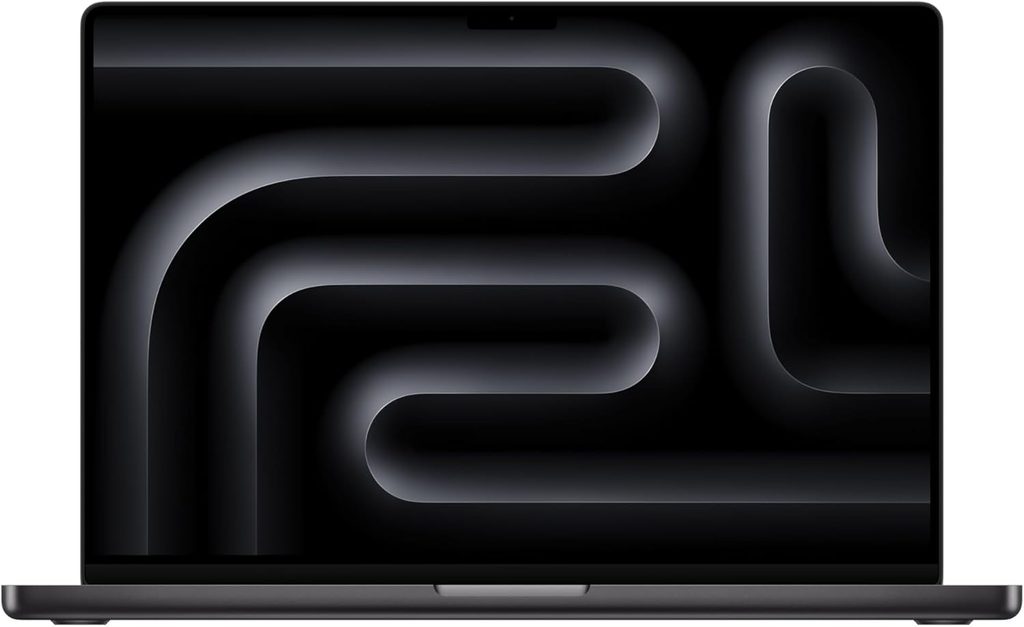
If a designer or photographer asked me for one laptop that’ll carry them for the next five years, this is the one I’d point to. Apple launched the M5 Pro and M5 Max MacBook Pros in March 2026, and in the 16-inch body, the M5 Pro is the sweet spot. Its CPU is a touch faster than last year’s M4 Max, and the big chassis lets it run flat out without throttling.
What really surprised me is how well it handles creative apps. Notebookcheck ran PugetBench, the standard benchmark suite for Adobe apps and DaVinci Resolve, and found the M5 Pro and M5 Max beating a laptop RTX 5090 in many of those creator tests. Apple’s media engines and unified memory do a lot of heavy lifting that raw GPU numbers don’t show.
Key specs
- Chip: Apple M5 Pro, 18-core CPU (6 “super” cores + 12 performance cores), 20-core GPU
- Memory: 24 GB unified (base), up to 64 GB; the M5 Max goes up to 128 GB
- Storage: 1 TB PCIe 5.0 SSD (base), up to 8 TB
- Display: 16.2″ Liquid Retina XDR Mini-LED, 3456 x 2234, 120 Hz, optional nano-texture matte glass
- Ports: 3x Thunderbolt 5, HDMI, SDXC card reader, MagSafe 3, headphone jack
- Battery: 99.6 Wh, 140 W adapter
- Weight: 4.68 lb (2.12 kg)
- Price: From $2,699 (24 GB / 1 TB). Notebookcheck’s 64 GB / 4 TB nano-texture unit came to $4,449.
Benchmarks and lab results
- Cinebench 2024: 2,347 multi-core and 201 single-core, roughly double the best Windows laptops in this guide on multi-core (Notebookcheck)
- Cinebench 2026: 9,481 multi-core and 738 single-thread (Notebookcheck)
- Geekbench 6.7: 28,436 multi-core and 4,295 single-core (Notebookcheck)
- SSD: 12,826 MB/s read and 12,812 MB/s write on the 4 TB model in Blackmagic Disk Speed Test (Notebookcheck)
- Graphics: 3DMark Steel Nomad 2,323. Notebookcheck puts the M5 Pro GPU about 15% behind a laptop RTX 5070, but it can tap far more memory than an 8 GB graphics card.
- Battery: 21 hours 10 minutes in Tom’s Guide’s web-surfing test at 150 nits, the longest of any laptop they’ve tested
- Thermals and noise: The CPU holds 62 W sustained without throttling. Fans peak at about 51.7 dB(A) in High Power mode and around 41.6 dB(A) in the default Auto mode (Notebookcheck).
- Display: Notebookcheck measured 632 nits SDR, a Delta E of 0.6, 99.7% DCI-P3 and 88.8% AdobeRGB on this Mini-LED panel, which Apple carried over unchanged into the 2026 model. Apple rates HDR peak brightness at 1,600 nits.
Why it’s my top pick for creative work
The screen is the quiet hero here. It’s one of the most color-accurate laptop panels you can buy, it’s bright enough for a sunny room, and its flicker frequency is high enough that most people never notice it. It’s also the only laptop in this list you can order with a matte (nano-texture) finish, which is a big deal if you edit near a window or on location.
Pros
- Fastest CPU in this roundup by a wide margin, and it doesn’t throttle
- Accurate, bright Mini-LED panel with an optional matte finish
- Class-leading battery life of over 21 hours in Tom’s Guide’s test
- Blazing PCIe 5.0 storage, Thunderbolt 5, Wi-Fi 7 and a built-in SD reader
- Very quiet during everyday editing
Cons
- Slow pixel response on the Mini-LED panel can blur fast motion
- RAM and storage upgrades are expensive and soldered to the board
- The card reader doesn’t support the faster SD Express standard
- The design dates back to 2021, and an OLED redesign is rumored
A quick heads-up: Bloomberg’s Mark Gurman has reported that an OLED MacBook Pro could arrive between late 2026 and early 2027. Apple hasn’t announced anything, so the M5 Pro model is the newest MacBook Pro you can buy right now.
2. Lenovo Yoga Pro 9i 16 Aura Edition (Gen 11, 2026): Best Windows Laptop for Photo Editing
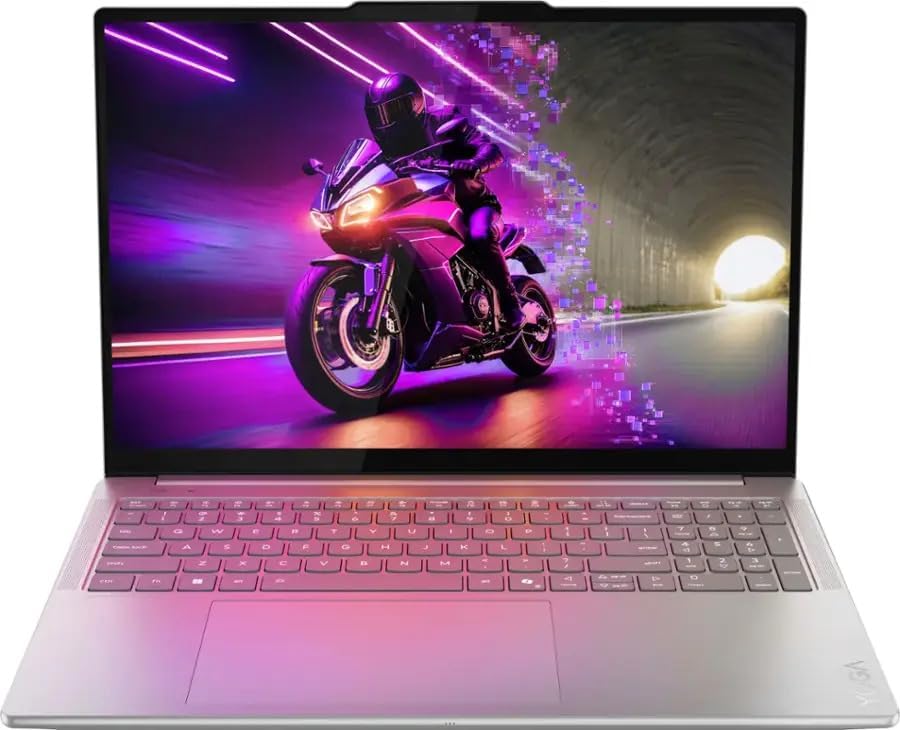
If you edit photos on Windows, this is the first laptop I’d look at. The 2026 Gen 11 model moved to Intel’s new Panther Lake chips, slimmed down a little, and kept what made the Yoga Pro 9i special: a stunning Tandem OLED screen. Two layers of light-emitting material let it get far brighter than a regular OLED, while keeping those inky blacks.
The numbers back that up. LaptopMedia measured 862 nits in SDR and 1,480 nits in HDR, while Ultrabook Review recorded about 975 nits SDR on its unit. Either way, it’s in the same league as the MacBook’s Mini-LED, and well ahead of most OLED laptops.
Key specs
- CPU: Intel Core Ultra 9 386H (16 cores, Panther Lake), around 65 W sustained
- GPU: Nvidia GeForce RTX 5060 8 GB at up to 100 W; RTX 5050 and RTX 5070 versions are also sold
- Memory: 32 GB LPDDR5x-7467 (soldered), up to 64 GB
- Storage: 1 TB PCIe 4.0 SSD, plus a free second M.2 slot
- Display: 16″ Tandem OLED, 3200 x 2000, 120 Hz, touch
- Ports: 2x Thunderbolt 4, 2x USB-A 10 Gbps, HDMI 2.1, UHS-II SD card reader, audio jack
- Battery: 92.5 Wh, 245 W charger (USB-C charging works too)
- Weight: 1.9 kg (4.2 lb)
- Extras: Lenovo Yoga Pen Gen 2 in the box; the glass touchpad accepts pen input
- Price: $3,149 as tested by Ultrabook Review
Benchmarks and lab results
- Cinebench 2024: 1,231 multi-core (LaptopMedia); 122 single-core (Ultrabook Review)
- Cinebench 2026: 4,612 multi-core and 502 single-thread (Ultrabook Review)
- Geekbench 6: 17,081 multi-core and 2,913 single-core (LaptopMedia)
- 3DMark: Time Spy Graphics 11,829 and Steel Nomad 2,632 (Ultrabook Review)
- PugetBench for DaVinci Resolve: 102,055 (Ultrabook Review)
- Blender 4.3.2 Classroom on GPU: 20.78 seconds with OptiX (Ultrabook Review)
- SSD: About 7,100 MB/s read and 6,100 MB/s write, with the drive staying at 43 °C under load (LaptopMedia)
- Display: 100% DCI-P3, Delta E 0.9 in sRGB mode and 1.0 in P3 mode straight out of the box (LaptopMedia); 96% AdobeRGB (Ultrabook Review)
- Battery: 14 hours 25 minutes of video playback at 180 nits (LaptopMedia)
- Thermals: In a 30-minute CPU stress test, the chip held 65 W and 4.29 GHz but ran at 94 °C. During a one-hour gaming load, the RTX 5060 averaged 99 W at just 71 °C (LaptopMedia).
Why photographers will love it
That 96% AdobeRGB coverage is the widest in this roundup, which matters if your photos end up in print. Factory color accuracy is excellent, so you can start editing on day one. I also like that the touch layer doesn’t add the grainy texture you see on many touch OLEDs, so fine detail in your images stays clean.
Pros
- Brightest OLED in this guide, with full P3 and 96% AdobeRGB coverage
- Excellent out-of-the-box color accuracy
- Very good battery life for a 16-inch OLED laptop with an RTX GPU
- Two M.2 slots, so storage upgrades are easy
- Great ports for creators, including a UHS-II card reader and HDMI 2.1
Cons
- Very glossy screen: LaptopMedia measured 128 gloss units, a high-glare result
- CPU runs in the mid-90s °C under long full loads
- The top GPU option is mid-range with 8 GB of VRAM
- RAM is soldered, so choose your capacity carefully
3. Asus ProArt P16 (H7606, RTX 5090): Best for 3D, Motion Graphics and AI Work
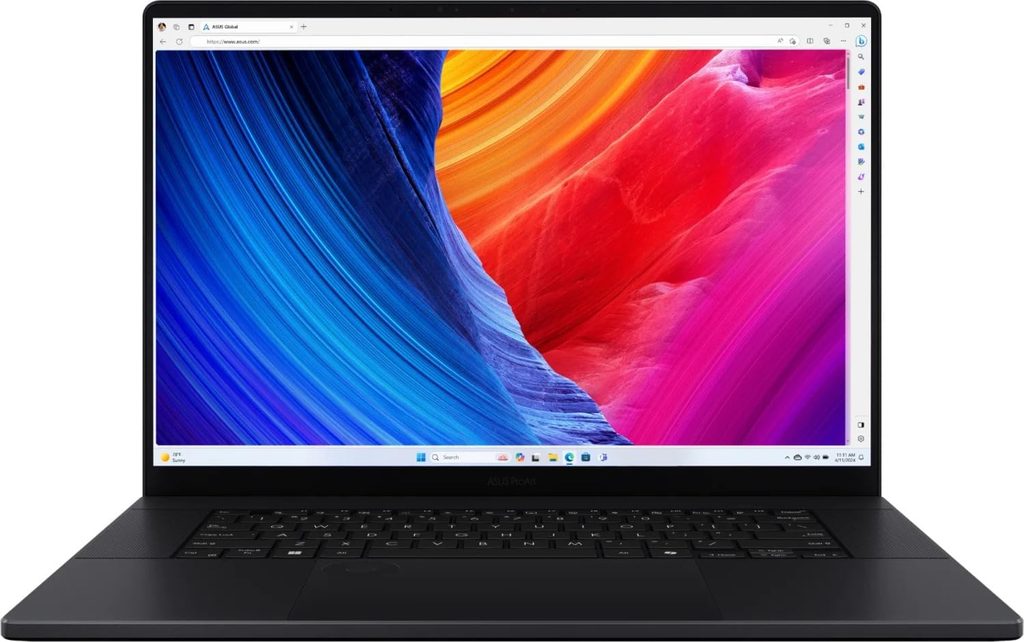
When your “graphic design” stretches into 3D scenes, motion graphics or local AI image generation, you need a serious GPU. That’s where the ProArt P16 comes in. The top version pairs a laptop RTX 5090 with a massive 24 GB of video memory and a gorgeous 4K Lumina Pro Tandem OLED screen. Notebookcheck called it the best laptop for creators in the Windows world.
Key specs
- CPU: AMD Ryzen AI 9 HX 370 (12 cores, up to 80 W)
- GPU: Nvidia GeForce RTX 5090 Laptop, 24 GB GDDR7, 120 W
- Memory: 64 GB LPDDR5x-7500 (soldered)
- Storage: 2x 2 TB SSDs (the second slot runs at PCIe 4.0 x2)
- Display: 16″ 4K (3840 x 2400) Tandem OLED, 120 Hz, touch and pen support
- Ports: USB4, 3x USB 3.2 Gen 2, HDMI, SD card reader, audio jack
- Battery: 90 Wh, 240 W adapter
- Weight: 1.95 kg (4.3 lb)
- Extras: Asus DialPad on the touchpad for brush size, zoom and timeline scrubbing
- Price: $3,999 MSRP for this configuration
Benchmarks and lab results
- Cinebench 2024: 1,242 multi-core and 116 single-core (Notebookcheck)
- Geekbench 6.7: 15,567 multi-core and 2,919 single-core (Notebookcheck)
- 3DMark Steel Nomad: 4,959, more than double the MacBook Pro 16 M5 Pro’s 2,323 (Notebookcheck)
- 3DMark Time Spy Graphics: 19,403 in Performance mode (Notebookcheck)
- Blender 3.3 Classroom on GPU: 12 seconds with OptiX, the fastest render in this guide (Notebookcheck)
- Display: 661 nits SDR, 1,600 nits HDR, Delta E 0.5, 98.9% DCI-P3 and 88.6% AdobeRGB (Notebookcheck)
- Screen flicker: 480 Hz below 50% brightness, with DC dimming between 50% and 80%; Asus also offers a flicker-free dimming option in its software (Notebookcheck)
- Noise: 53.2 dB(A) in Performance mode, 42.2 dB(A) in Whisper mode (Notebookcheck)
- Battery: About 6.5 hours of regular productivity work (CGMagazine); Mashable averaged four to five hours in its daily use
Pros
- By far the strongest GPU here, with 24 GB of VRAM for big scenes and AI models
- The most accurate screen in this roundup, with a Delta E of just 0.5
- 4K resolution with pen support, great for retouching and illustration
- Two SSD slots and 64 GB of RAM as standard on this model
- Compact for the amount of power inside
Cons
- The shortest battery life in this guide
- Gets loud under heavy load
- CPU performance is well behind Apple’s M5 Pro
- RAM is soldered and the second SSD slot is slower
A quick heads-up: Asus has announced a redesigned ProArt P16 (H7607) built on Nvidia’s Arm-based RTX Spark chip, with up to 128 GB of shared memory. It launches first in China on October 8, 2026, with no US price or independent lab tests yet. Until it arrives and gets properly tested, the H7606 is the ProArt P16 you can actually buy in the US. If you’re not in a hurry, it’s worth keeping an eye on.
4. Samsung Galaxy Book6 Ultra (2026): Best Battery Life on Windows
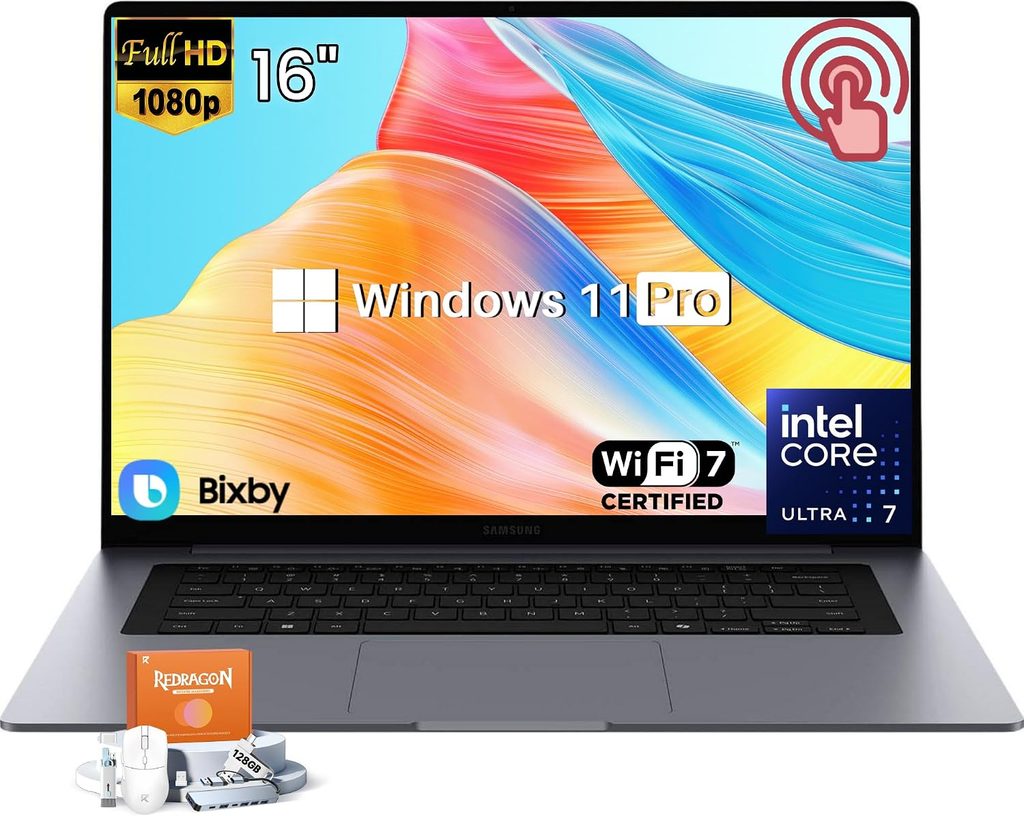
Samsung’s 2026 Ultra is the most MacBook-like Windows laptop I’ve come across: an aluminum unibody, a flat, clean deck and six speakers that sound far bigger than they should. Inside, it pairs Intel’s Panther Lake Core Ultra 7 356H with an RTX 5070.
The real headline is battery life. PCWorld’s rundown test kept it going for 25.7 hours, and Notebookcheck found its runtimes clearly beat every Windows rival it compared it with, despite having the smallest battery. For a 16-inch machine with an Nvidia GPU, that’s remarkable.
Key specs
- CPU: Intel Core Ultra 7 356H (16 cores, 65 W)
- GPU: Nvidia GeForce RTX 5070 Laptop, 8 GB, 90 W
- Memory: 32 GB LPDDR5x-8533 (soldered)
- Storage: 1 TB, with two M.2 2280 slots
- Display: 16″ OLED, 2880 x 1800, 30-120 Hz adaptive, touch
- Ports: 2x Thunderbolt 4, USB-A 5 Gbps, HDMI 2.1, SD card reader, audio jack
- Battery: 80.2 Wh, 140 W charger
- Weight: 1.9 kg (4.19 lb)
- Price: $2,999 at Samsung’s US store
Benchmarks and lab results
- Cinebench 2024: 1,232 multi-core and 122.4 single-core (Notebookcheck)
- Geekbench 6.7: 16,676 multi-core and 2,851 single-core (Notebookcheck)
- 3DMark: Time Spy Graphics 12,027 and Steel Nomad 2,784 (Notebookcheck)
- Blender 3.3 Classroom on GPU: 20 seconds with OptiX (Notebookcheck)
- Display: 499 nits SDR, 1,182 nits HDR, Delta E 0.9, 97% DCI-P3 and 85.3% AdobeRGB (Notebookcheck)
- Screen flicker: 240 Hz at every brightness level, with 100% amplitude (Notebookcheck)
- Battery: 25.7 hours in PCWorld’s rundown test
- Noise: 48.5 dB(A) in High Performance mode, about 40 dB(A) in Optimized mode (Notebookcheck)
- Card reader: 76 MB/s in Notebookcheck’s copy test
Pros
- Excellent build quality and one of the best speaker systems on any laptop
- Accurate color profiles straight out of the box
- The longest battery life of any Windows laptop in this guide
- Two SSD slots and an easy-to-remove bottom panel
Cons
- Strong 240 Hz flicker, a real concern if your eyes are sensitive
- About 500 nits in SDR, dimmer than the Tandem OLED rivals
- Only three USB ports, and a slow card reader
- Soldered RAM and a hinge that lets the screen wobble
5. Dell XPS 16 (2026): Best Lightweight Laptop for Traveling Photographers
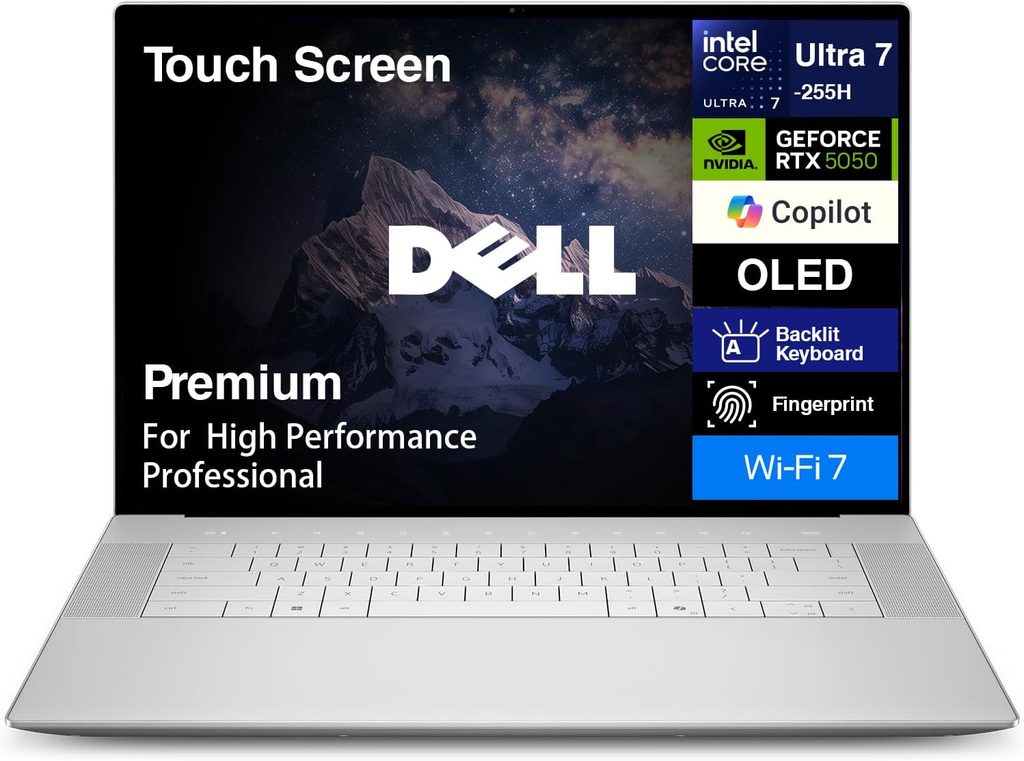
The XPS is back, and it’s a very different machine. Dell dropped the Nvidia GPU entirely and went with Intel’s Arc B390 integrated graphics, all inside a slim 14.6 mm body that weighs 1.72 kg. For 3D work, that’s a step down. But for Lightroom, Photoshop and Illustrator on the road, it makes a lot of sense, and it’s the most affordable laptop in this list.
Key specs
- CPU: Intel Core Ultra X7 358H (16 cores, Panther Lake)
- GPU: Intel Arc B390 (12 Xe3 cores, integrated)
- Memory: 32 GB LPDDR5x-9600
- Storage: 1 TB (single M.2 2280 slot)
- Display: 16″ OLED, 3200 x 2000, 20-120 Hz, touch, DisplayHDR 500
- Ports: 3x Thunderbolt 4 and an audio jack (no HDMI, USB-A or SD card reader)
- Battery: 70 Wh, compact 100 W GaN charger
- Weight: 1.72 kg (3.79 lb)
- Price: $2,350 as tested with the X7 chip and OLED screen
Benchmarks and lab results
- Cinebench 2024: 1,004 multi-core and 123.7 single-core (Notebookcheck)
- Cinebench 2026: 4,087 multi-core and 508 single-thread (Notebookcheck)
- Geekbench 6.7: 16,943 multi-core and 2,903 single-core (Notebookcheck)
- PCMark 10: 9,717 overall and 13,633 in Digital Content Creation, the highest content-creation score among the laptops Notebookcheck compared it with
- 3DMark Time Spy: 7,436 overall, 6,972 graphics (Notebookcheck)
- Blender 3.3 Classroom on GPU: 105 seconds with oneAPI (Notebookcheck)
- SSD: 7,039 MB/s read and 6,101 MB/s write in DiskSpd (Notebookcheck); 1,782 MB/s in Tom’s Hardware’s 25 GB file copy test
- Display: 395 nits SDR, 518 nits HDR, 99.5% DCI-P3 and 96.5% AdobeRGB; Delta E 3.69 out of the box, 0.68 after calibration (Notebookcheck)
- Screen flicker: 240 Hz with 31% amplitude (Notebookcheck)
- Battery: 18 hours 7 minutes in PCMark 10 video playback (HotHardware); 17 hours 16 minutes in TechRadar’s movie test
- Thermals: The CPU spikes to 100 °C, then settles near 78 °C at 40 W. The keyboard deck peaks at 40.6 °C and the fans top out at 48.6 dB(A) (Notebookcheck).
Pros
- Thinnest and lightest 16-inch laptop in this guide
- Excellent color gamut, with 99.5% P3 and 96.5% AdobeRGB
- Long battery life and a small travel charger
- The lowest price of the five
- Great speakers and cool palm rests
Cons
- No dedicated GPU, so it’s weak for 3D and heavy GPU effects
- The dimmest screen here, and it needs a calibration for color-critical work
- No SD card reader, HDMI or USB-A, so you’ll need a dongle
- The CPU can’t hold its full boost under long loads
Side-by-Side Comparison: Benchmarks, Screens and Battery Life
Here’s the short version before the tables. The MacBook Pro 16 wins every CPU test by a mile. The ProArt P16 wins every GPU test. The Yoga Pro 9i has the brightest Windows screen. And the Galaxy Book6 Ultra and XPS 16 go the longest on a charge among the Windows machines.
CPU performance
| Laptop | Cinebench 2024 multi | Cinebench 2024 single | Geekbench 6 multi | Geekbench 6 single | Lab |
|---|---|---|---|---|---|
| MacBook Pro 16 (M5 Pro) | 2,347 | 201 | 28,436 | 4,295 | Notebookcheck |
| Asus ProArt P16 (RTX 5090) | 1,242 | 116 | 15,567 | 2,919 | Notebookcheck |
| Samsung Galaxy Book6 Ultra | 1,232 | 122.4 | 16,676 | 2,851 | Notebookcheck |
| Lenovo Yoga Pro 9i Gen 11 | 1,231 | 122 | 17,081 | 2,913 | LaptopMedia, Ultrabook Review |
| Dell XPS 16 (2026) | 1,004 | 123.7 | 16,943 | 2,903 | Notebookcheck |
Notice how close the single-core scores are on the four Windows laptops. Single-core speed is what you feel when you drag a Lightroom slider or paint with a heavy brush, so day to day, they feel more alike than the multi-core column suggests.
Graphics and rendering
| Laptop | GPU | VRAM | 3DMark result | Blender Classroom (GPU) |
|---|---|---|---|---|
| Asus ProArt P16 | RTX 5090 (120 W) | 24 GB | Steel Nomad 4,959 | 12 s (OptiX, v3.3) |
| Samsung Galaxy Book6 Ultra | RTX 5070 (90 W) | 8 GB | Steel Nomad 2,784 | 20 s (OptiX, v3.3) |
| Lenovo Yoga Pro 9i Gen 11 | RTX 5060 (100 W) | 8 GB | Steel Nomad 2,632 | 20.78 s (OptiX, v4.3.2) |
| MacBook Pro 16 (M5 Pro) | 20-core Apple GPU | Shared with 24-64 GB unified memory | Steel Nomad 2,323 | 36.6 s (Metal, v3.3) |
| Dell XPS 16 (2026) | Arc B390 (integrated) | Shared with 32 GB system memory | Time Spy Graphics 6,972 | 105 s (oneAPI, v3.3) |
Display measurements
| Laptop | Panel | SDR brightness | HDR peak | Delta E (avg) | DCI-P3 | AdobeRGB | Flicker (PWM) |
|---|---|---|---|---|---|---|---|
| Lenovo Yoga Pro 9i Gen 11 | Tandem OLED, glossy | 862 nits | 1,480 nits | 0.9 (sRGB) / 1.0 (P3) | 100% | 96% | Above 1 kHz, low amplitude |
| Asus ProArt P16 | 4K Tandem OLED, glossy | 661 nits | 1,600 nits | 0.5 | 98.9% | 88.6% | 480 Hz below 50% brightness |
| MacBook Pro 16 | Mini-LED, glossy or matte | 632 nits | 1,600 nits (Apple rating) | 0.6 | 99.7% | 88.8% | 14,880 Hz |
| Samsung Galaxy Book6 Ultra | OLED, glossy | 499 nits | 1,182 nits | 0.9 | 97% | 85.3% | 240 Hz, 100% amplitude |
| Dell XPS 16 (2026) | OLED, glossy | 395 nits | 518 nits | 3.69 (0.68 calibrated) | 99.5% | 96.5% | 240 Hz, 31% amplitude |
Labs: LaptopMedia and Ultrabook Review for the Yoga; Notebookcheck for the others. MacBook panel figures come from Notebookcheck’s measurement of the same Mini-LED panel, which Apple didn’t change for 2026.
Battery life
| Laptop | Battery | Result | Test |
|---|---|---|---|
| Samsung Galaxy Book6 Ultra | 80.2 Wh | 25 h 43 min | PCWorld rundown test |
| MacBook Pro 16 (M5 Pro) | 99.6 Wh | 21 h 10 min | Tom’s Guide web surfing, 150 nits |
| Dell XPS 16 (2026) | 70 Wh | 18 h 7 min | HotHardware, PCMark 10 video playback |
| Lenovo Yoga Pro 9i Gen 11 | 92.5 Wh | 14 h 25 min | LaptopMedia video playback, 180 nits |
| Asus ProArt P16 | 90 Wh | About 6 h 30 min | CGMagazine, everyday productivity |
These tests aren’t identical, so read them as a guide rather than a race. Video loops are gentler than web browsing, which is why the Samsung’s result looks so huge. Even so, the ranking matches what every lab I checked reported.
Measured SSD speeds
| Laptop | Sequential read | Sequential write | Test |
|---|---|---|---|
| MacBook Pro 16 (M5 Pro, 4 TB) | 12,826 MB/s | 12,812 MB/s | Notebookcheck, Blackmagic |
| Lenovo Yoga Pro 9i Gen 11 | About 7,100 MB/s | About 6,100 MB/s | LaptopMedia, CrystalDiskMark |
| Dell XPS 16 (2026) | 7,039 MB/s | 6,101 MB/s | Notebookcheck, DiskSpd |
The Creative Reality Check Most Reviews Skip
Benchmarks are only half the story. These three checks don’t show up in Cinebench, but they shape your working day far more than a few hundred extra points ever will.
1. The card test: how long until you can start culling?
After a wedding or a long shoot, you’re not waiting on the processor. You’re waiting on the card reader. I took Notebookcheck’s measured reader speeds (a JPG copy test using an Angelbird AV Pro V60 card) and did the simple math for emptying a full 64 GB card.
| Laptop | Measured reader speed | Time to copy 64 GB |
|---|---|---|
| Asus ProArt P16 | 171 MB/s (measured on the RTX 5070 model, same reader) | About 6 minutes |
| MacBook Pro 16 (M5 Pro) | 125 MB/s | About 8.5 minutes |
| Samsung Galaxy Book6 Ultra | 76 MB/s | About 14 minutes |
The Yoga Pro 9i has a fast UHS-II reader built in, which is great news for photographers. The XPS 16 has no card reader at all, so budget for a good USB-C reader. On the Samsung, a fast external reader can save you real time after every shoot. None of these five laptops supports the newer SD Express standard yet.
2. The flicker test: will your eyes thank you at midnight?
Most OLED laptops dim their screens by pulsing the light on and off very quickly. This is called PWM. At high frequencies, most people never notice. At 240 Hz with full strength, sensitive people can feel eye strain within a few hours. If you’ve ever had headaches after a long editing session, this table matters more than any benchmark.
| Laptop | Measured flicker | What it means for long editing days |
|---|---|---|
| MacBook Pro 16 | 14,880 Hz | Easiest on most eyes |
| Lenovo Yoga Pro 9i Gen 11 | Above 1 kHz, low amplitude | Comfortable for most people |
| Asus ProArt P16 | 480 Hz below 50% brightness | Turn on Asus’ flicker-free dimming |
| Dell XPS 16 (2026) | 240 Hz, 31% amplitude | Try it in person if you’re sensitive |
| Samsung Galaxy Book6 Ultra | 240 Hz, 100% amplitude | The biggest risk for sensitive eyes |
3. The glare test: where will you actually be editing?
Every Windows laptop in this list has a glossy screen. LaptopMedia measured the Yoga’s panel at 128 gloss units, which puts it firmly in the high-glare category, even though it’s very bright. The MacBook Pro is the only laptop here you can order with a matte nano-texture finish. If you edit near a window or at client locations, that option is worth more than any spec bump.
4. Which laptop fits your workflow?
| If you mostly… | My pick | Why |
|---|---|---|
| Edit in Lightroom and Photoshop, on any OS | MacBook Pro 16 (M5 Pro) | Fastest CPU, accurate screen, all-day battery, built-in SD reader |
| Edit photos and prepare print work on Windows | Lenovo Yoga Pro 9i Gen 11 | Brightest OLED, 96% AdobeRGB, UHS-II reader |
| Work in 3D, motion graphics or local AI | Asus ProArt P16 (RTX 5090) | 24 GB VRAM and the fastest GPU rendering |
| Design on the go and need long days unplugged | Samsung Galaxy Book6 Ultra | The best battery life on Windows (mind the flicker) |
| Travel light and want to keep costs down | Dell XPS 16 (2026) | Thinnest, lightest and cheapest of the five |
How to Choose a Laptop for Graphic Design and Photo Editing
My advice is to buy for the screen first, memory second and the processor third. It sounds backwards, but that order held up across every review I went through for this guide.
- Screen: Aim for close to 100% DCI-P3, a measured Delta E under 2 and at least 500 nits if you ever work outside a dim studio. If you print, high AdobeRGB coverage like the Yoga’s 96% is a real advantage.
- Memory: 32 GB is the comfortable starting point for pro photo work in 2026. Every laptop here has soldered RAM, so buy what you’ll need three years from now.
- Graphics and VRAM: For Photoshop and Lightroom, a mid-range GPU is plenty. For 3D, After Effects and local AI image tools, VRAM is the first wall you’ll hit. 8 GB fills up fast, while 24 GB (ProArt) or Apple’s large unified memory gives you room to breathe.
- Storage: RAW files eat 1 TB quickly. Laptops with a second M.2 slot, like the Lenovo, Asus and Samsung, make upgrades cheap and easy.
- Ports: Count your must-haves before you buy: an SD reader, HDMI for client screens and Thunderbolt for fast external drives.
- Calibration: Even great screens drift over time. A hardware colorimeter is a smart add-on for any laptop here, and the Dell XPS 16 benefits the most.
Frequently Asked Questions
What is the best laptop for graphic design in 2026?
The Apple MacBook Pro 16 with the M5 Pro chip. It scored 2,347 in Cinebench 2024 multi-core in Notebookcheck’s testing, about twice the Windows laptops in this guide, and lasted 21 hours 10 minutes in Tom’s Guide’s battery test.
What is the best Windows laptop for photo editing?
The Lenovo Yoga Pro 9i 16 Gen 11. LaptopMedia measured its Tandem OLED at 862 nits in SDR with 100% DCI-P3 coverage and a Delta E of 0.9 out of the box, and Ultrabook Review measured 96% AdobeRGB coverage.
Is OLED or Mini-LED better for photo editing?
Both work well. OLED gives you perfect blacks and lightning-fast response, but most OLED laptops are glossy and flicker at lower frequencies. Mini-LED, as on the MacBook Pro, is very bright, flickers at a much higher frequency and comes with a matte option, but its pixels respond more slowly and bright objects can show a slight glow.
How much RAM do I need for Photoshop and Lightroom?
16 GB is fine for hobby editing. I’d recommend 32 GB for professional work with big files, panoramas or AI denoise, and 48 to 64 GB if you also work in 3D or video.
Do I need a dedicated graphics card for graphic design?
Not for 2D design and most photo editing. The Dell XPS 16’s integrated Arc B390 handles Lightroom and Photoshop comfortably. You’ll want a strong GPU, or Apple’s M5 Pro or M5 Max, for 3D, motion graphics, heavy video work and local AI image generation.
Should I wait for the next MacBook Pro or the new ProArt P16?
If your current laptop still works, waiting a few months is reasonable. An OLED MacBook Pro has been reported for late 2026 to early 2027 but isn’t announced yet, and the Arm-based ProArt P16 (H7607) launches first in China on October 8, 2026. If you need a laptop now, every model in this list is the newest version you can buy in the US today.
My Final Verdict
For most designers and photographers, the MacBook Pro 16 (M5 Pro) is the safest money you can spend. It has the fastest CPU here, an accurate screen with a matte option and battery life that no Windows laptop in this class can touch.
On Windows, I’d pick the Lenovo Yoga Pro 9i Gen 11 for photo work and the Asus ProArt P16 for anything GPU-heavy. The Galaxy Book6 Ultra is the one to get if battery life comes first, and the XPS 16 is a lovely, affordable travel companion as long as you’re fine carrying a card reader.
Whichever one you choose, check the screen’s flicker and glare against how and where you actually work. That’s the part of a laptop you’ll look at for thousands of hours.
Sources
- Notebookcheck: Apple MacBook Pro 16 2026 review (M5 Pro)
- Notebookcheck: M5 Pro and M5 Max in PugetBench creator benchmarks
- Tom’s Guide: Best laptops for battery life
- TechRadar: M5 Pro and M5 Max MacBook Pro battery testing
- Heise: OLED MacBook Pro timing report
- LaptopMedia: Lenovo Yoga Pro 9i Aura Edition (16″, Gen 11) review
- Ultrabook Review: Lenovo Yoga Pro 9i Aura Edition Gen 11 review
- Notebookcheck: Asus ProArt P16 RTX 5090 review
- CGMagazine: Asus ProArt P16 H7606 review
- Mashable: Asus ProArt P16 review
- Notebookcheck: ProArt P16 with RTX Spark N1X set to launch
- Guru3D: ASUS ProArt P16 (H7607) launches October 8
- Notebookcheck: Samsung Galaxy Book6 Ultra review
- PCWorld: Galaxy Book6 Ultra battery life test
- Tom’s Guide: Galaxy Book6 Ultra US pricing
- Notebookcheck: Dell XPS 16 Core Ultra X7 358H review
- HotHardware: Dell XPS 16 (2026) review
- TechRadar: Dell XPS 16 (2026) review
- Tom’s Hardware: Dell XPS 16 (2026) review

Hi, my name is Burak. I am a mechanical engineer. I have been writing laptop reviews for the Engineering Laptops website since 2020. Please feel free to contact me if you have any questions.