Last updated: November 17, 2026
Table of contents
- The Laptop That Woke Up the Whole Apartment
- Quick Answer
- Quick Picks: Best Laptops for Small Apartments in 2026
- The Apartment Fit Table
- Performance and Display at a Glance
- How I Picked and Evaluated These Laptops
- 1. Apple MacBook Air 13 (M5) : Best Laptop for Small Apartments Overall
- 2. Microsoft Surface Laptop 13 (2026, 2nd Edition) : The Quietest Windows Laptop for Small Apartments
- 3. ASUS Zenbook A14 (2026, Snapdragon X2 Elite) : The Lightest Laptop for Small Apartments
- 4. Dell XPS 13 (2026) : Smallest Footprint and Best Value for Small Apartments
- 5. Lenovo ThinkPad X1 Carbon Gen 14 : Best Desktop Replacement for Small Apartments
- Buying Guide: How to Choose a Laptop for a Small Apartment
- Frequently Asked Questions
- Final Verdict
- Sources
The Laptop That Woke Up the Whole Apartment
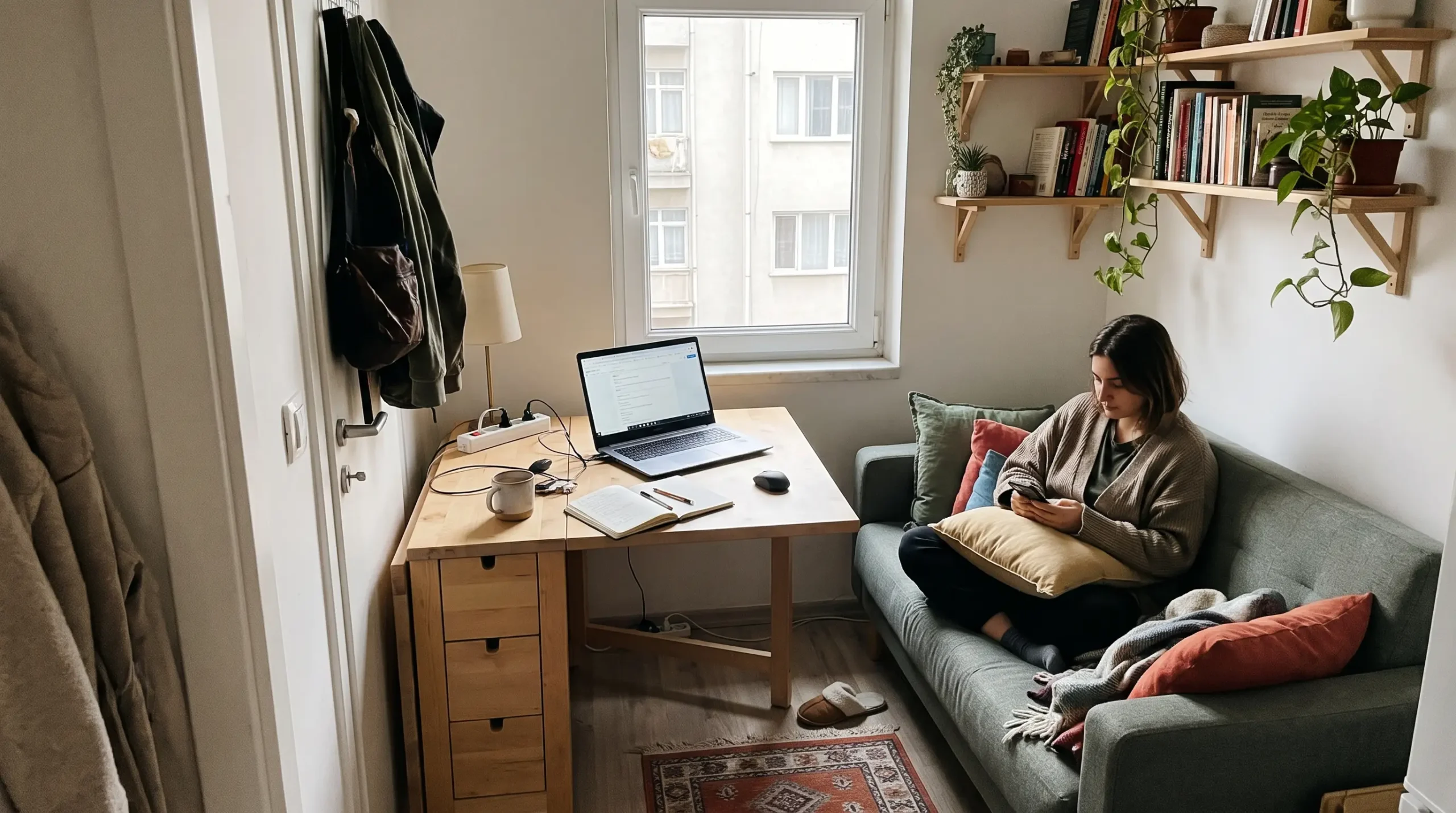
It’s 11:40 on a weeknight. You live in a studio where the “office,” the “dining room” and the “bedroom” are three corners of the same rug. Someone you love is asleep about six feet away. You open one more browser tab, and from somewhere under the keyboard a tiny jet engine starts to spin up.
You freeze like you just dropped a pan.
Nobody prints this on a spec sheet, but in 500 square feet a laptop is more than a computer. It’s a piece of furniture. It makes noise. Its charger lives on your nightstand. On a bad night it’s the reason your neighbor taps on the wall.
That’s why I wrote this guide. Most “best laptop” lists rank machines by benchmark scores and stop there. When your desk is a 24-inch café table, your couch is your conference room and your walls carry every phone buzz from upstairs, other things start to matter. How many square inches of table does it eat? How loud is it at midnight? How heavy is the brick you’ll trip over? Can one cable turn it into a full desktop, so you never need a tower PC taking up a corner?
I spent weeks reading published lab data from independent testers, tens of thousands of words of it, and re-ranked the newest laptops of 2026 around those questions. You won’t find this table on other “best laptop” lists: every pick’s exact desk footprint compared to a sheet of paper, fan noise in decibels, charger weight and real battery runtimes.
Let’s find a laptop that fits your life, not just your backpack.
Quick Answer
If you live in a small apartment, the best laptop you can buy right now is the Apple MacBook Air 13 (M5). It has no fan, so it’s completely silent. It covers about 101 square inches of table, and lab testers measured more than 15 hours of battery life.
If you need Windows:
- Microsoft Surface Laptop 13 (2026) is the quietest Windows option.
- ASUS Zenbook A14 (2026) is the lightest and the fastest.
- Dell XPS 13 (2026) has the smallest footprint and the lowest price.
- Lenovo ThinkPad X1 Carbon Gen 14 is the best laptop for replacing a desktop entirely.
Quick Picks: Best Laptops for Small Apartments in 2026
| Award | Laptop | Why it wins in a small space | Starting price* |
|---|---|---|---|
| Best Overall | Apple MacBook Air 13 (M5) | Fanless (0 dB), 101.3 sq in footprint, 15–16 hours of measured battery | $1,099 |
| Quietest Windows Laptop | Microsoft Surface Laptop 13 (2026) | 29.6 dB(A) max under full stress; matched room noise at idle | $1,199 |
| Lightest and Fastest | ASUS Zenbook A14 (2026, Snapdragon X2 Elite) | 992 g (2.19 lb), highest multi-core scores in this group | $1,149 |
| Smallest Footprint and Best Value | Dell XPS 13 (2026) | 92.4 sq in, smaller than a sheet of letter paper | $699 |
| Best Desktop Replacement | Lenovo ThinkPad X1 Carbon Gen 14 | 3× Thunderbolt 4, about 24 hours of measured battery, 38.9 dB(A) max | $2,249 |
*US starting prices as reported by reviewers at launch. The ThinkPad price is for the Core Ultra 7 355 configuration on Lenovo.com. Prices move a lot around Black Friday and the holidays, so check before you buy.
The Apartment Fit Table
“Footprint” is width × depth, the exact patch of table the laptop covers. For reference, a standard US letter sheet (8.5 × 11 inches) covers 93.5 square inches.
| Laptop | Footprint (W × D) | Area | Thickness | Weight | Max fan noise (lab) | Battery (Wi-Fi test, 150 nits) | Charger |
|---|---|---|---|---|---|---|---|
| MacBook Air 13 (M5) | 11.97 × 8.46 in | 101.3 sq in | 0.44 in | 2.71 lb (1.23 kg) | 0 dB (fanless) | 16h 11m | 40W Dynamic (60W max), in the box |
| Surface Laptop 13 (2026) | 11.26 × 8.43 in | 94.9 sq in | 0.61 in | 2.71 lb (1.23 kg) | 29.6 dB(A) | 18h 50m | 65W recommended |
| ASUS Zenbook A14 (2026) | 12.23 × 8.42 in | 103.0 sq in | 0.63 in | 2.19 lb (992 g) | 28.1 dB(A) Whisper / 51.7 dB(A) Performance | 16h 6m | 100W, 248 g |
| Dell XPS 13 (2026) | 11.69 × 7.9 in | 92.4 sq in | 0.5 in | 2.34 lb (1.06 kg) | 40.7 dB(A) | 18h 26m | 65W, 166 g |
| ThinkPad X1 Carbon Gen 14 | 12.34 × 8.63 in | 106.5 sq in | 0.66 in | 2.51 lb (1.14 kg) IPS | 38.9 dB(A) | About 24h (IPS) | 65W, 275 g |
Battery and noise figures are from Notebookcheck. Notebookcheck measures fan noise from 15 cm away, which is closer than your ears usually are. As a rough guide, a soft whisper is around 30 dB and a quiet library around 40 dB. At 50 dB(A) and up, you’ll hear “can you turn that off?” in a studio at night.
Performance and Display at a Glance
| Laptop | Geekbench 6 (single / multi) | Measured brightness | Color gamut (measured) |
|---|---|---|---|
| MacBook Air 13 (M5) | 4,168 / 17,067 (Tom’s Hardware) | 519 nits average (Notebookcheck) | 83.1% DCI-P3 (Tom’s Hardware) |
| Surface Laptop 13 (2026) | 3,269 / 12,070 (Notebookcheck) | 502 nits average | 70.2% P3 (Notebookcheck) |
| ASUS Zenbook A14 (2026) | 3,752 / 19,860 (Wccftech) | 408 nits SDR, 625 nits HDR | 99.5% P3 (Notebookcheck) |
| Dell XPS 13 (2026) | 2,575 / 7,888 (Notebookcheck) | 503 nits average | 98.2% P3 (Notebookcheck) |
| ThinkPad X1 Carbon Gen 14 | 2,635 / 11,107 (CGMagazine, Core Ultra 7 355) | 524 nits average, IPS | 69.8% P3 (Notebookcheck) |
How I Picked and Evaluated These Laptops
I’ll be straight with you: I didn’t run these benchmarks in a lab of my own, and I’m not going to pretend I did. I collected measured results from established independent testers, checked them against each other, and re-ranked the laptops for the way people actually live in small spaces. I think that’s what a useful buyer’s guide should do.
Here’s the process:
- Current generation only. I checked the release date of every pick as of November 2026. The MacBook Air runs Apple’s M5, launched in March 2026. An M6 Air has only been rumored for early 2027, and Apple hasn’t announced it. The Zenbook A14 uses Qualcomm’s Snapdragon X2 Elite. The XPS 13 is Dell’s ground-up 2026 redesign. The X1 Carbon is the Gen 14 model with Intel’s Panther Lake chips. The Surface Laptop 13 is the 2nd Edition from October 2026. That’s five brands with one laptop each.
- Where the numbers come from. Most benchmarks, display readings, battery runtimes and noise measurements come from Notebookcheck. They use an X-Rite i1Pro 3 colorimeter, a standardized Wi-Fi battery script at 150 nits, and a microphone 15 cm from the chassis. I added Tom’s Hardware’s results (Geekbench 6, 3DMark Steel Nomad, a 25GB file copy, Handbrake encoding, skin temperatures). I also used data from Engadget, Windows Central, Trusted Reviews, Consumer Reports, HotHardware, XDA Developers, CGMagazine, Wccftech and the manufacturers’ spec sheets.
- Small-apartment scoring. I weighed every laptop on six things: fan noise (thin walls, roommates, sleeping in the same room), footprint and thickness (tiny desks, bookshelf storage), lap and couch comfort (weight and bottom temperatures), charger size (nightstand clutter), one-cable docking (getting rid of a desktop tower), and Wi-Fi throughput (buildings crowded with competing networks).
- Honesty rules. When two testers disagree, I tell you. Laptop makers sometimes buy screens and SSDs from more than one supplier, so the unit you get may measure a little differently from a reviewer’s unit.
1. Apple MacBook Air 13 (M5): Best Laptop for Small Apartments Overall
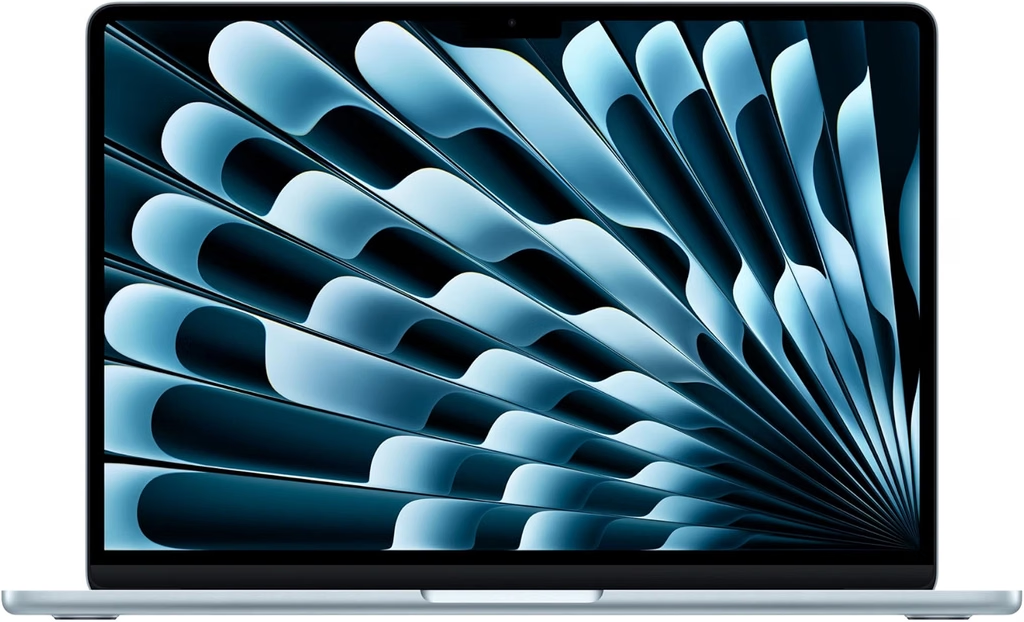
Why it’s my top pick: It has no fan, so it can’t make noise. Run an export at 2 a.m. in a studio with someone asleep across the room, and you’ll hear nothing. It’s also about the size of a sheet of paper and lasts all day, which makes it the easiest laptop I know of to live with in a small space.
Key Specs
- Chip: Apple M5, 10-core CPU (4 performance + 6 efficiency cores), 8-core or 10-core GPU
- Memory/Storage: 16GB unified memory, 512GB SSD base
- Display: 13.6-inch Liquid Retina, 2560 × 1664, 60 Hz, rated at 500 nits
- Ports: MagSafe 3, 2× Thunderbolt 4 (USB-C), 3.5 mm headphone jack
- Wireless: Apple N1 chip with Wi-Fi 7 and Bluetooth 6
- Battery: 53.8 Wh
- Dimensions: 11.97 × 8.46 × 0.44 in (304.1 × 215 × 11.3 mm)
- Weight: 2.7 lb (1.23 kg)
- Charger: 40W Dynamic Power Adapter (up to 60W) included with every M5 Air configuration
- Price: From $1,099
Benchmarks and Lab Results
- Geekbench 6: 4,168 single-core / 17,067 multi-core (Tom’s Hardware). Notebookcheck’s unit scored almost the same: 4,185 / 17,072.
- Cinebench 2024: 200 single-core / 957 multi-core (Notebookcheck). That’s the best single-core score in this guide.
- 3DMark Steel Nomad: 1,005 (Tom’s Hardware, 10-core GPU model)
- Storage: Copied a 25GB folder at 1,924.84 MBps in Tom’s Hardware’s file-transfer test
- Handbrake (4K to 1080p): 4 minutes 41 seconds (Tom’s Hardware)
- Display: 546 nits max, 519 nits average (Notebookcheck). Tom’s Hardware measured 458.8 nits, 117.3% sRGB and 83.1% DCI-P3 on its unit. The gap comes down to different units and testing methods.
- Battery: 16 hours 11 minutes in Notebookcheck’s Wi-Fi test at 150 nits; 15 hours 28 minutes in Tom’s Hardware’s battery test
- Surface temperatures under load: 105.1°F at the keyboard center, 96°F on the touchpad, 107.9°F at the hottest spot underneath (Tom’s Hardware, during a Cinebench stress loop). It gets warm but never uncomfortable.
- Sustained performance: With no fan, it slows down under long, heavy loads. In Tom’s Hardware’s Cinebench 2026 loop it started at 3,415 points and settled in the low 2,300s. Notebookcheck found the 8-core GPU model didn’t throttle during extended gaming.
What It’s Like in a Small Apartment
The silence is the whole story here. If you share a room or live in an open-plan studio, it matters more than any benchmark. Late-night video calls, long exports and binge-watching in bed all happen at zero decibels.
The speakers are a nice bonus. Expert Reviews called the Air’s speaker system “the benchmark for laptop audio,” and they fill a small room well enough that you may not need a Bluetooth speaker on your shelf. Notebookcheck also noted that the screen’s surface handles reflections better than most glossy panels, which helps if your only workspace faces a window.
Pros
- Completely silent, the best possible noise profile for shared rooms and studios
- Fastest single-core performance in this group
- More than 15 hours of measured battery life
- Wi-Fi 7 and Bluetooth 6
- Excellent speakers for its size
- No PWM flicker on the display (Notebookcheck)
Cons
- 60 Hz screen, while the cheaper Dell XPS 13 offers 120 Hz
- Only two USB-C ports, both on the left side
- RAM and storage can’t be upgraded later, so buy what you’ll need
- Slows down under long, heavy CPU loads
- The notch at the top of the screen still bugs some people
Who It’s For
Anyone who shares a room, works late or simply values quiet. It’s also the obvious pick for iPhone households. Skip it if you need Windows-only software or a touchscreen.
2. Microsoft Surface Laptop 13 (2026, 2nd Edition): The Quietest Windows Laptop for Small Apartments
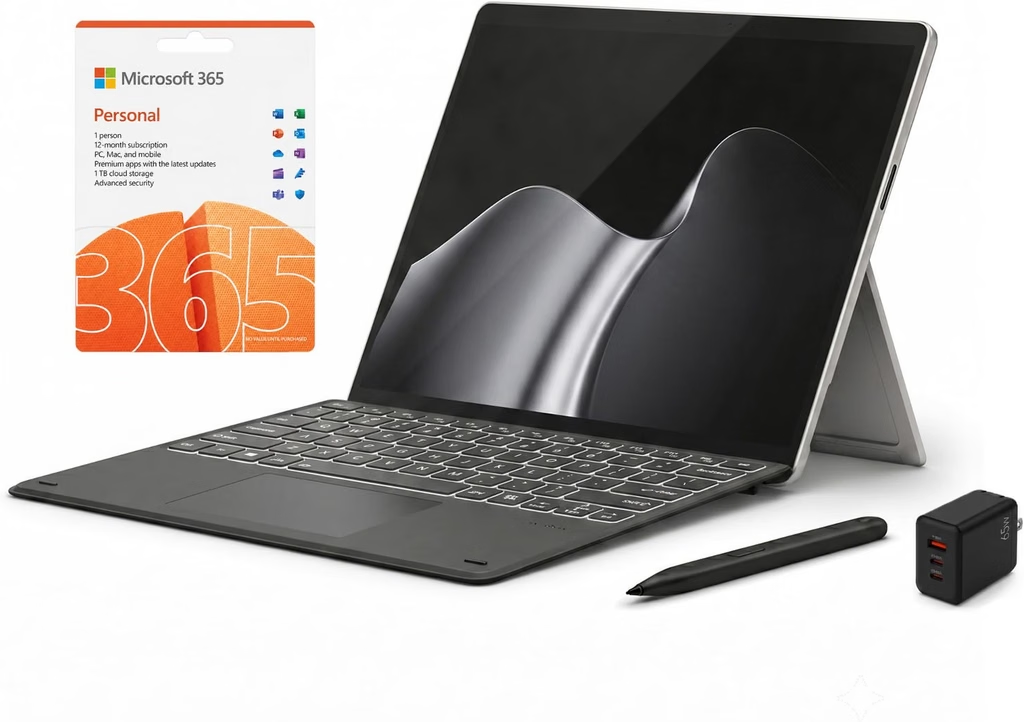
Why it’s here: It does have a fan, but you’d barely know it. In Notebookcheck’s testing, its idle noise measured 23.8 dB(A), exactly the same as the room’s background noise. It peaked at just 29.6 dB(A) during a full CPU and GPU stress test. Notebookcheck called it “one of the quietest Windows laptops you can get right now.”
Key Specs
- Processor: Qualcomm Snapdragon X2 Plus (X2P-42-100), 6 cores up to 4.0 GHz
- Graphics: Qualcomm Adreno X2-45
- Memory/Storage: 16GB LPDDR5x, 256GB or 512GB SSD
- Display: 13-inch IPS touchscreen, 1920 × 1280 (3:2), 60 Hz
- Ports: 2× USB-C 3.2 Gen 2 (10 Gbps, DisplayPort 1.4a, charging), 1× USB-A, 3.5 mm headphone jack
- Wireless: Qualcomm FastConnect 7800 with Wi-Fi 7 and Bluetooth 5.4
- Battery: 50 Wh
- Dimensions: 11.26 × 8.43 × 0.61 in (286 × 214 × 15.6 mm)
- Weight: 2.71 lb (1.23 kg)
- Price: $1,199 (256GB), $1,299 (512GB)
Benchmarks and Lab Results (Notebookcheck)
- Geekbench 6: 3,269 single-core / 12,070 multi-core
- Cinebench 2024: 130 single-core / 669 multi-core
- Cinebench R23: 1,396 single-core / 6,827 multi-core
- CrystalDiskMark: 3,827 MB/s read / 3,493 MB/s write
- Display: 502 nits average (520 max), 1857:1 contrast, 95.3% sRGB, 70.2% P3, DeltaE 2.1 out of the box, no PWM flicker
- Battery: 18 hours 50 minutes in the Wi-Fi test at 150 nits; 10 hours 41 minutes at max brightness
- Fan noise: 23.8 dB(A) idle, 27.6 dB(A) while gaming, 29.6 dB(A) max under stress
- Temperatures under stress: 39.9°C max on top, 46.6°C max underneath, palm rests up to 36.3°C
- Power draw: 3.74 W at idle (150 nits); 42.3 W average under combined stress
- Wi-Fi 7 throughput: About 2,044 Mbit/s sending, 2,054 Mbit/s receiving
What It’s Like in a Small Apartment
At about 94.9 square inches, it’s barely bigger than a sheet of letter paper. The 3:2 screen is taller than the usual 16:10, so you see more of a document or spreadsheet at once. That helps when this is your only screen. The USB-A port is a small thing that matters in real life: plug in an old printer or a thumb drive without digging through the junk drawer for a dongle.
One caution. The bottom reached 46.6°C (about 116°F) under heavy load. If you work on the couch under a blanket and run long exports, use a lap desk. For browsing, email and streaming, it stays cool and quiet.
Pros
- Practically silent: idle noise matched the room’s own background level
- Excellent battery life (18 hours 50 minutes)
- Premium metal build and a comfortable keyboard
- Touchscreen with a productive 3:2 aspect ratio
- 16GB RAM is now the minimum
Cons
- 60 Hz display, and it’s fairly reflective
- No Thunderbolt or USB4, so one-cable docking is more limited
- RAM is soldered, and the SSD is hard to reach
- Windows on Arm: check that your apps are supported before you buy
- Much slower than the MacBook Air in multi-core work (12,070 vs 17,072 in Notebookcheck’s Geekbench 6 testing, a 41% gap)
Who It’s For
Windows users who want MacBook Air–level quiet: students in dorms, people who work from a bedroom, and anyone whose roommate is a light sleeper.
3. ASUS Zenbook A14 (2026, Snapdragon X2 Elite): The Lightest Laptop for Small Apartments
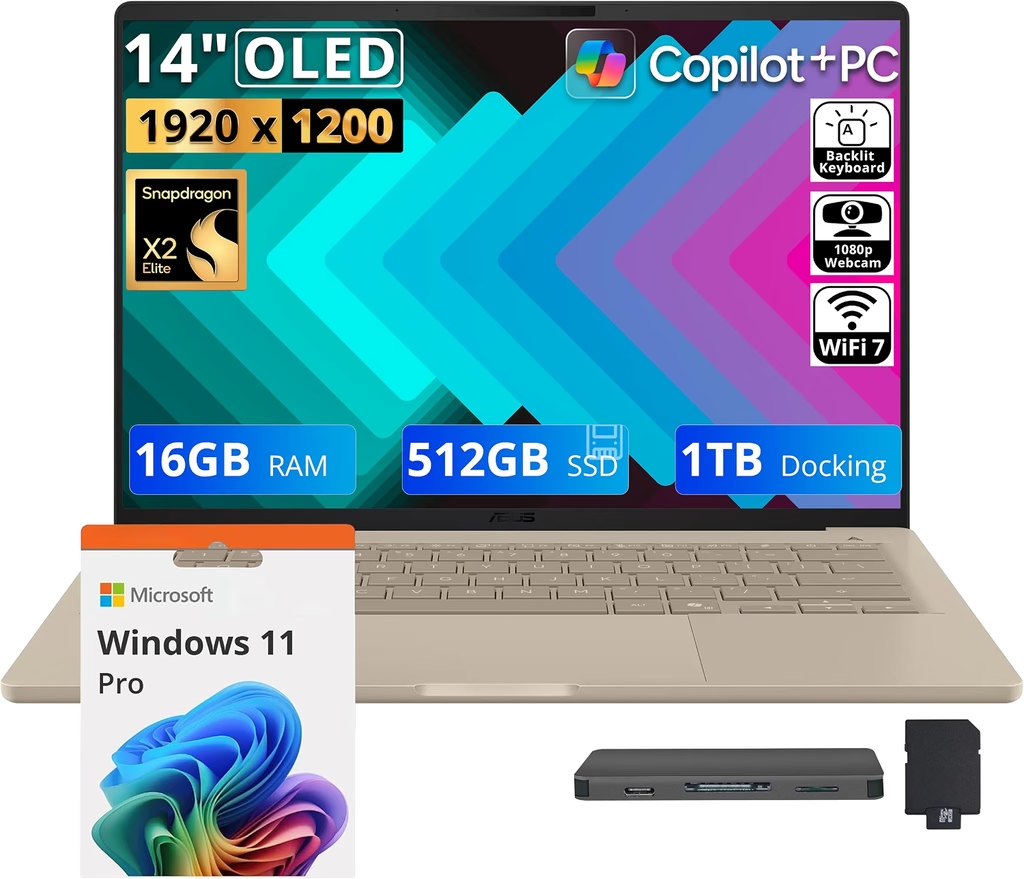
Why it’s here: It weighed 992 grams (2.19 lb) on Notebookcheck’s scale, making it the lightest laptop in this guide, and it also has the fastest multi-core processor of the five. Notebookcheck said it offers more CPU performance than any direct rival with Intel or AMD chips, even in its near-silent Whisper mode.
Key Specs
- Processor: Qualcomm Snapdragon X2 Elite X2E-88-100 (18 cores, up to 4.7 GHz)
- Graphics: Qualcomm Adreno X2-90
- Memory/Storage: 24GB base (up to 32GB) LPDDR5x-9523, 512GB–1TB SSD
- Display: 14-inch OLED, 1920 × 1200, 60 Hz, glossy, non-touch
- Ports: 2× USB4 (40 Gbps), 1× USB-A 3.2 Gen 2, HDMI 2.1, 3.5 mm headphone jack
- Wireless: Qualcomm FastConnect C7700 with Wi-Fi 7 and Bluetooth 6
- Battery: 70 Wh
- Dimensions: 12.23 × 8.42 × 0.63 in (310.7 × 213.9 × 15.9 mm)
- Weight: 2.19 lb (992 g)
- Charger: 100W USB-C, 248 g
- Price: From $1,149 (24GB/512GB); Notebookcheck’s 32GB/1TB test unit was $1,799
Benchmarks and Lab Results
- Geekbench 6: 3,752 single-core / 19,860 multi-core (Wccftech). That’s the highest multi-core score in this guide.
- Cinebench 2024 multi-core: 1,471 in Performance mode, 1,240 in Standard, 926 in Whisper (Notebookcheck)
- 3DMark Steel Nomad Light: 4,877 in Performance mode (Notebookcheck)
- Cyberpunk 2077 (1080p Medium): 42.7 fps in Performance mode, 28.4 fps in Whisper mode (Notebookcheck)
- Display: 408 nits SDR, up to 625 nits HDR, 98.8% sRGB, 99.5% Display P3, DeltaE 1.1. PWM flicker at 480 Hz with low (15%) amplitude (Notebookcheck).
- Battery: 16.1 hours in Notebookcheck’s Wi-Fi test and about 10.9 hours at max brightness. Windows Central got 23 hours 38 minutes in PCMark 10’s video test, and Trusted Reviews logged 22 hours 25 minutes in PCMark’s office test.
- Wi-Fi 7 throughput: 4,510 Mbit/s sending, 3,363 Mbit/s receiving with an ASUS RT-BE96U router (Notebookcheck)
- Fan noise by mode: 28.1 dB(A) Whisper, 36.6 dB(A) Standard, 51.7 dB(A) Performance (Notebookcheck)
What It’s Like in a Small Apartment
The noise numbers tell you exactly how to use this laptop at home: leave it in Whisper mode. At 28.1 dB(A), it’s quieter than a hushed conversation, and it still beats most rivals on speed. Save Performance mode (51.7 dB(A), which is loud) for when you’re home alone.
The OLED panel shows true blacks, so movie nights in a dark room look great. It’s also the only pick here with a full-size HDMI port, so you can plug straight into the TV without hunting for an adapter. And it weighs so little that carrying it from desk to couch to bed is no effort at all.
Pros
- Lightest pick at 992 g, comfortable on your lap and easy to stash
- Fastest multi-core performance in this guide
- Gorgeous, accurate OLED (99.5% P3, DeltaE 1.1)
- Best Wi-Fi 7 throughput in the group
- 2× USB4, USB-A and HDMI, unusually complete ports for a laptop under 1 kg
- Strong battery life
Cons
- 60 Hz OLED with no touch option
- PWM flicker (480 Hz, low amplitude) may bother people with very sensitive eyes
- Performance mode is loud at 51.7 dB(A)
- Notebookcheck’s unit had slightly loose hinges with light creaking
- Heaviest charger here (248 g, 100W)
- Windows on Arm: check your apps before buying
Who It’s For
People who move their laptop all day, from desk to couch to bed to coffee shop, and want flagship speed without the weight.
4. Dell XPS 13 (2026): Smallest Footprint and Best Value for Small Apartments
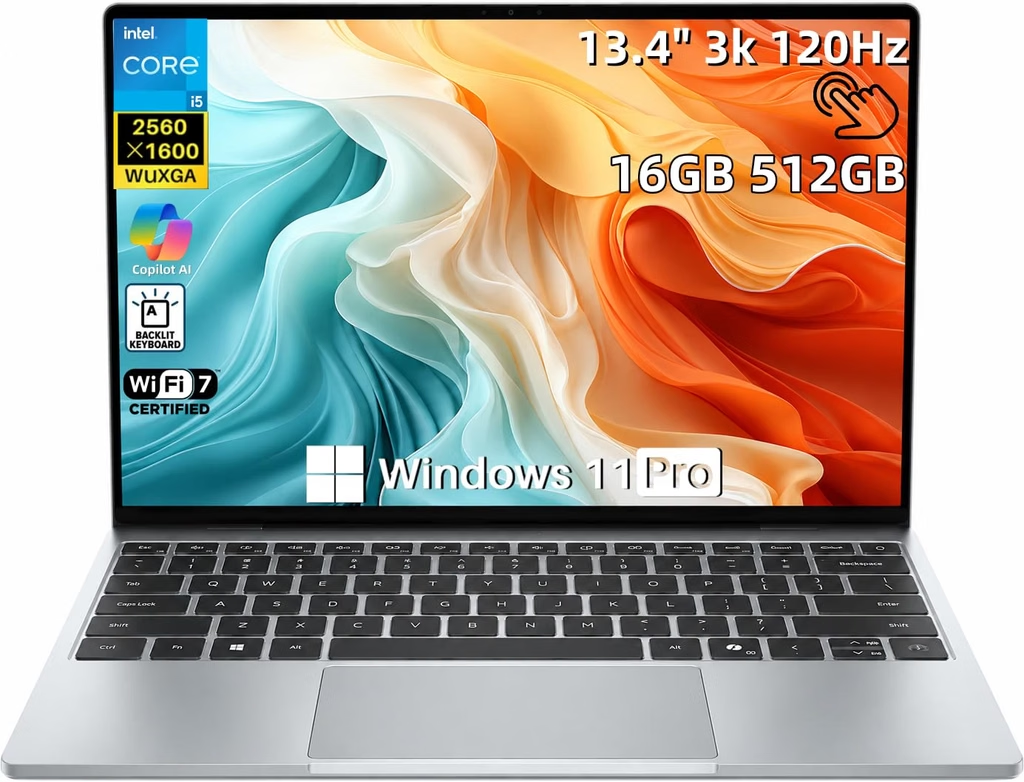
Why it’s here: At 11.69 × 7.9 inches (about 92.4 square inches), it’s the only laptop in this guide that takes up less room than a sheet of letter paper, and it starts at $699. Notebookcheck said you won’t find a 2.5K touchscreen with full P3 color of this quality on any other laptop under $700.
Key Specs
- Processor: Intel Core 5 320 “Wildcat Lake” (6 cores: 2 performance up to 4.6 GHz + 4 low-power efficiency). A Core Ultra 7 355 version is also sold.
- Graphics: Intel Graphics (2 Xe3 cores)
- Memory/Storage: 8GB or 16GB LPDDR5x (soldered), 512GB SSD
- Display: 13.4-inch IPS touchscreen, 2560 × 1600, 30–120 Hz variable refresh rate
- Ports: 2× USB-C 3.2 Gen 2 (10 Gbps, DisplayPort 2.1, charging). Core Ultra models get Thunderbolt 4. No headphone jack.
- Wireless: Intel Wi-Fi 7 BE213 with Bluetooth 6.0
- Battery: 52 Wh
- Dimensions: 11.69 × 7.9 × 0.5 in (296.9 × 200.66 × 12.7 mm)
- Weight: 2.2 lb claimed; 2.34 lb (1.062 kg) measured by Notebookcheck
- Charger: 65W USB-C, 166 g, the lightest charger in this guide
- Price: $699 (8GB), $899 (16GB)
Benchmarks and Lab Results
- Geekbench 6: 2,575 single-core / 7,888 multi-core (Notebookcheck)
- Cinebench R23: 1,926 single-core / 6,197 multi-core (Notebookcheck)
- 3DMark Steel Nomad: 369 on the 16GB model; the 8GB model couldn’t complete the test (Tom’s Hardware)
- SSD (Kioxia BG7): 6,964 MB/s sequential read, 5,647 MB/s sequential write (Notebookcheck, DiskSpd)
- Display: 539 nits at center, 503 nits average, 2157:1 contrast, 99.9% sRGB, 98.2% P3, DeltaE 1.2, no PWM flicker (Notebookcheck)
- Battery: 18 hours 26 minutes in Notebookcheck’s Wi-Fi test; 16.75 hours of web browsing in Consumer Reports’ test; nearly 15 hours in Tom’s Hardware’s test
- Fan noise: 23.3 dB(A) idle, 27.7 dB(A) average under load, 40.7 dB(A) max (Notebookcheck)
- Power draw: 2.49 W at idle (150 nits); 52 W max under load (Notebookcheck)
A note on conflicting results: Tom’s Hardware measured its XPS 13 screen at just under 400 nits and about 75% DCI-P3, well below Notebookcheck’s 539 nits and 98.2% P3. Dell told Tom’s Hardware that it buys panels from more than one supplier (Sharp and LG), so your screen could land anywhere in that range.
What It’s Like in a Small Apartment
This is the laptop for a truly tiny place: the 300-square-foot studio, the alcove “office,” the bistro table that also serves as the dining table. It’s the smallest, thinnest-feeling and cheapest laptop here, and it has the lightest charger.
The speakers surprised reviewers. Tom’s Hardware said the quad speakers (8W peak) filled a home office with sound and didn’t distort even at full volume, which means one less speaker cluttering your shelves. The trade-off is power. The Core 5 320 is built for browsers, documents and streaming, and under heavy work the fan reaches 40.7 dB(A).
Pros
- Smallest footprint in this guide (about 92.4 square inches)
- Lowest price, starting at $699
- Excellent 120 Hz 2.5K touchscreen (on Notebookcheck’s unit)
- Long battery life (15 to more than 18 hours, depending on the test)
- Lightest charger (166 g)
- Surprisingly good speakers
Cons
- The 8GB model gets sluggish fast. Every major reviewer recommends paying the extra $200 for 16GB.
- Weakest CPU and graphics of the five
- No headphone jack and only two USB-C ports
- The chassis isn’t as stiff as older XPS 13 designs (Notebookcheck)
- Screen quality varies with the panel supplier
- Fan reaches 40.7 dB(A) under heavy load
Who It’s For
Students, renters on a budget, and anyone whose “desk” is really a small table. Buy the 16GB model.
5. Lenovo ThinkPad X1 Carbon Gen 14: Best Desktop Replacement for Small Apartments
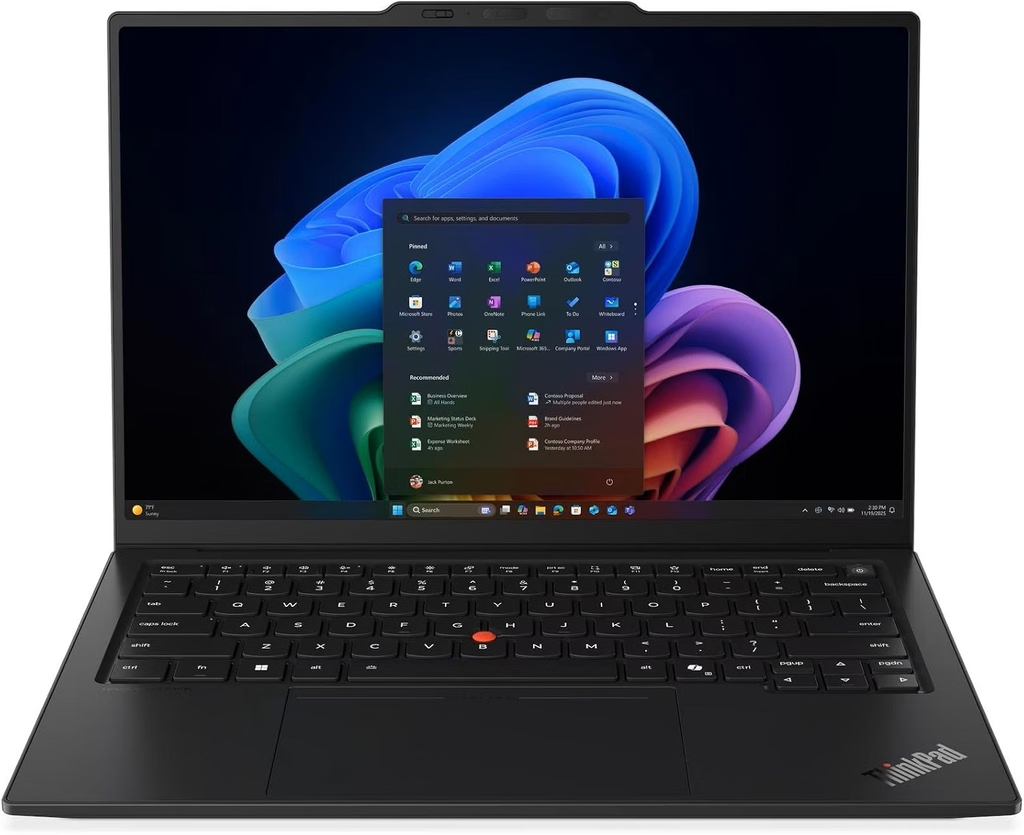
Why it’s here: In a small apartment, the smartest space saver is often not owning a desktop at all. The X1 Carbon Gen 14 has three Thunderbolt 4 ports (you can charge from either side), plus HDMI 2.1 and USB-A. One cable to a monitor or dock gives you a full workstation. Unplug it, and your “desktop” disappears.
Key Specs
- Processor: Intel Core Ultra 5 325 or Core Ultra 7 355 (Panther Lake); Core Ultra X options available
- Memory/Storage: 32GB minimum (up to 64GB) LPDDR5x, 512GB–1TB SSD
- Display options: 14-inch WUXGA IPS (60 Hz, touch optional) or 2.8K OLED (120 Hz variable refresh, 500 nits)
- Ports: 3× Thunderbolt 4 (40 Gbps), USB-A 3.2, HDMI 2.1, 3.5 mm headphone jack, optional 5G
- Wireless: Intel Wi-Fi 7 BE211
- Battery: 58 Wh, replaceable by the owner (per The Gadgeteer)
- Dimensions: 12.34 × 8.63 × 0.66 in (313.5 × 219.3 × 16.8 mm), IPS touch model
- Weight: 2.51 lb (1.14 kg) with IPS; 989 g with OLED
- Charger: 65W USB-C, 275 g
- Price: From $2,249 with Core Ultra 7 355 on Lenovo.com
Benchmarks and Lab Results
- Cinebench R23 (Core Ultra 5 325): 1,892 single-core / 10,980 multi-core (Notebookcheck)
- Geekbench 6 (Core Ultra 7 355): 2,635 / 11,107 (CGMagazine); 2,610 / 11,263 (XDA Developers)
- Display (IPS): 524 nits average, 1800:1 contrast, 99.1% sRGB, 69.8% P3. Out-of-box color accuracy was poor (DeltaE 5.0) but dropped to 1.1 after calibration (Notebookcheck).
- Battery: Almost 24 hours in Notebookcheck’s Wi-Fi test (IPS, Core Ultra 5 325) and still about 14 hours at full brightness. The OLED version lasted 13.5 hours.
- Fan noise: 38.9 dB(A) max under load (Notebookcheck). HotHardware measured 39.3 dB from about 8 inches away while looping 3DMark Steel Nomad Light in Best Performance mode.
- Temperatures: The hottest spot on the chassis was 99.5°F (37.5°C), with palm rests in the low 80s °F (HotHardware)
- Wi-Fi 7 throughput: 4,557 Mbit/s sending, 3,244 Mbit/s receiving (Notebookcheck)
What It’s Like in a Small Apartment
If I had to pick one laptop to replace two devices, this would be it. Even at full speed it stays at 38.9 dB(A), quieter than the XPS 13 at its loudest and far quieter than the Zenbook in Performance mode. A work-from-home video call won’t wake anyone.
It’s also comfortable as an all-day main computer. It has a haptic touchpad, 1.5 mm of keyboard travel, and speakers that Notebookcheck called excellent, not just good for a business laptop. With nearly a full day of measured battery life on the IPS model, you can work from the bed, the balcony or the building’s shared lounge without hunting for an outlet.
Pros
- Three Thunderbolt 4 ports, the best one-cable docking in this guide
- Exceptional battery life (about 24 hours on the IPS model)
- Quiet even under load (38.9 dB(A) max)
- Excellent keyboard, haptic touchpad and speakers
- 32GB RAM is the minimum
- Top-tier Wi-Fi 7 speeds
- Owner-replaceable battery and an easier-to-repair design overall
Cons
- By far the most expensive pick
- Largest footprint here (about 106.5 square inches)
- The IPS panel ships poorly calibrated
- Weight and battery life change a lot depending on the screen you choose
- Notebookcheck called the camera bump “massive”
- RAM is soldered
Who It’s For
Remote workers and freelancers who want one machine to be their portable and their desk computer, so they can skip the tower PC entirely.
Buying Guide: How to Choose a Laptop for a Small Apartment
1. Quiet matters more than speed
In a studio, you share the air with everyone else. Here’s how this group sorts out:
- Fanless (0 dB): MacBook Air M5. Perfect for shared bedrooms.
- Under 30 dB(A) at full load: Surface Laptop 13 (2026). Practically silent.
- Around 39–41 dB(A): ThinkPad X1 Carbon Gen 14 and Dell XPS 13. You’ll hear them under heavy load, which is fine during the day.
- Depends on the mode: Zenbook A14. About 28 dB(A) in Whisper mode, almost 52 dB(A) in Performance mode.
2. Measure your table, not just your bag
Multiply width by depth. Anything around 93.5 square inches (a letter sheet) or less fits even a tiny bistro table with room left for a coffee mug. The XPS 13 (92.4) and the Surface Laptop 13 (94.9) sit right at that line.
3. Don’t forget the charger
Your charger has to live somewhere, usually on a nightstand or a crowded power strip. Dell’s 166 g brick is the lightest here. The ThinkPad’s 65W charger is the heaviest at 275 g with its cable, followed by ASUS’s 100W brick at 248 g.
4. One cable, no desktop
If you want an external monitor, pick a laptop with USB4 or Thunderbolt (MacBook Air, Zenbook A14, X1 Carbon). One cable can then carry power, video and all your accessories, and you skip a tower PC that would take 2–3 square feet of floor.
5. Wi-Fi in a crowded building
Apartment buildings are packed with competing networks. Every laptop here supports Wi-Fi 7, which can use the less crowded 6 GHz band, but only if your router supports it too. In Notebookcheck’s testing, the Zenbook A14 and the X1 Carbon both topped 3,000 Mbit/s on a Wi-Fi 7 router.
6. Electricity costs are tiny
These laptops sip power. Notebookcheck measured the Surface Laptop 13 at 3.74 W and the XPS 13 at 2.49 W at idle, and even under full stress this group peaks at around 42–60 W. Here’s an example. A laptop averaging 10 W for 8 hours a day uses about 29 kWh a year. At 18.16 cents per kWh (the US average residential rate for August 2026 in the EIA’s Electric Power Monthly), that’s roughly $5.30 a year. A gaming desktop costs many times that.
7. Lap and couch comfort
Under heavy load, the MacBook Air topped out at 107.9°F underneath (Tom’s Hardware), and the Surface Laptop 13 reached 46.6°C, about 116°F (Notebookcheck). If you do heavy work on the couch, a cheap lap desk is worth it no matter which laptop you buy.
Frequently Asked Questions
What is the best laptop for a small apartment in 2026?
The Apple MacBook Air 13 (M5). It’s fanless and completely silent, covers about 101 square inches of table, and lasted 15 to 16 hours in lab battery tests. For Windows, the Surface Laptop 13 (2026) is the quietest, and the Dell XPS 13 (2026) is the most compact and affordable.
What is the quietest Windows laptop for a studio apartment?
The Microsoft Surface Laptop 13 (2026). Notebookcheck measured it at the room’s own background level (23.8 dB(A)) at idle and only 29.6 dB(A) under a full stress test.
Which laptop takes up the least desk space?
The Dell XPS 13 (2026), at 11.69 × 7.9 inches, or about 92.4 square inches. That’s slightly smaller than a standard 8.5 × 11-inch sheet of paper.
Can a laptop replace a desktop in a small apartment?
Yes. The Lenovo ThinkPad X1 Carbon Gen 14 is the best fit, with three Thunderbolt 4 ports for connecting a monitor, keyboard and power through one cable. The MacBook Air M5 and the Zenbook A14 also support one-cable setups over Thunderbolt or USB4.
Should I wait for the M6 MacBook Air?
Only if your current laptop still works fine. Reports from 9to5Mac and others point to an M6 MacBook Air in early 2027, but Apple hasn’t announced it, and the rumors suggest the design won’t change much.
Is 8GB of RAM enough on the Dell XPS 13?
For basic browsing, yes. For anything more, no. Tom’s Hardware, Engadget and Notebookcheck all recommend the 16GB model ($899), because the 8GB version gets sluggish when you multitask.
Do Snapdragon (Arm) Windows laptops run all my apps?
Most mainstream apps run well, but check before you buy a Snapdragon laptop like the Zenbook A14 or the Surface Laptop 13. Specialized software, some games and certain hardware drivers may still have problems.
What’s the lightest laptop for a small apartment?
The ASUS Zenbook A14 (2026). It weighed 992 grams (2.19 lb) in Notebookcheck’s measurements, and it’s the fastest multi-core performer in this guide.
Final Verdict
If I moved into a 400-square-foot studio tomorrow, I’d buy the MacBook Air 13 (M5) without a second thought. Silence, a small footprint and all-day battery are exactly what small-space living needs.
If I needed Windows, I’d pick the Surface Laptop 13 (2026) for its near-silence, or the 16GB Dell XPS 13 if both money and table space were tight. If you want to get rid of your desktop completely, get the ThinkPad X1 Carbon Gen 14. If you carry your laptop everywhere, you’ll love the featherweight Zenbook A14, as long as you keep it in Whisper mode.
Your apartment may be small. Your laptop shouldn’t make it feel any smaller.
Sources
- Tom’s Hardware: Apple MacBook Air (13-inch, M5) review
- Notebookcheck: Apple MacBook Air 13 M5 Entry Review
- Notebookcheck: MacBook Air 13 M5 vs M4 battery life
- Expert Reviews: M5 Apple MacBook Air review
- 9to5Mac: The M5 MacBook Air comes with a more powerful charger
- 9to5Mac: M6 Mac release schedule
- Notebookcheck: Microsoft Surface Laptop 13 2026 Review
- Microsoft Learn: Surface Laptop 13-inch 2nd Edition tech specs
- Notebookcheck: Asus Zenbook A14 Review (Snapdragon X2 Elite)
- Wccftech: ASUS Zenbook A14 Snapdragon X2 Elite laptop review
- Trusted Reviews: Asus Zenbook A14 (2026) Review
- Windows Central: ASUS Zenbook A14 (2026) review
- Notebookcheck: Dell XPS 13 Wildcat Lake review
- Tom’s Hardware: Dell XPS 13 (2026) review
- Engadget: Dell XPS 13 (2026) review
- Consumer Reports: Dell XPS 13 DX13260
- Notebookcheck: Lenovo ThinkPad X1 Carbon Gen 14 Review
- Notebookcheck: ThinkPad X1 Carbon G14 vs HP EliteBook X G2i
- HotHardware: ThinkPad X1 Carbon Gen 14 Aura Edition Review
- CGMagazine: Lenovo ThinkPad X1 Carbon Gen 14 Review
- XDA Developers: ThinkPad X1 Carbon Gen 14 review
- The Gadgeteer: ThinkPad X1 Carbon Gen 14 review
- U.S. Energy Information Administration: Electric Power Monthly, average retail price of electricity

Hi, my name is Burak. I am a mechanical engineer. I have been writing laptop reviews for the Engineering Laptops website since 2020. Please feel free to contact me if you have any questions.