Estimated reading time: 18 minutes
Key Takeaways
- BBA students need laptops that perform well with Excel, have good battery life, are portable, and feature decent webcams.
- The article presents five recommended laptops across various budgets, emphasizing 16GB of RAM as a must-have.
- Top choices include the MacBook Air for overall performance, the ASUS Zenbook 14 OLED for a premium Windows experience, and the Dell 14 Plus for budget-conscious users.
- The ThinkPad X1 Carbon is highlighted as a durable, long-lasting option for those planning to invest more.
- Timing your purchase during back-to-school sales can lead to significant savings on these models.
Table of contents
- What a BBA Student Actually Needs in a Laptop
- The 5 Best Laptops for BBA Students
- 1. Apple MacBook Air M5 (2026) — Best Overall for Most BBA Students
- 2. ASUS Zenbook 14 OLED (2026) — Best Windows Laptop for BBA Students
- 3. Dell 14 Plus (2026) — Best Value Windows Laptop
- 4. HP OmniBook 5 (16-inch) — Best Big Screen on a Budget
- 5. Lenovo ThinkPad X1 Carbon Gen 14 — The Premium Pick That Outlasts Your Degree
- So Which One Should You Actually Buy?
- Frequently Asked Questions
- Is a MacBook good for BBA students?
- How much RAM does a BBA student need?
- Do I really need an expensive laptop for a BBA program?
- Should I get a 14-inch or 16-inch laptop for business school?
- What’s the best budget laptop for BBA students in 2026?
- How important is the webcam, really?
- When is the best time to buy a student laptop?
- The Bottom Line
I’ve lost count of how many laptops I’ve bought, tested, returned, and lived with over the years. But lately, one question keeps landing in my inbox more than any other: “I’m starting my BBA — which laptop should I get?” That’s why I decided to put together this guide on how to choose the Best Laptop for BBA Students.
Fair question. And honestly, most of the answers floating around the internet are useless. They either recommend gaming rigs a business student will never need, or they copy-paste spec sheets without ever asking what a BBA program actually demands from a machine.
So let’s fix that. This guide is built around real BBA life: four years of Excel models that refuse to cooperate, PowerPoint decks due at midnight, back-to-back Zoom lectures, group projects, case-study PDFs by the hundred, and yes — the occasional Netflix session when accounting homework breaks your spirit. I’ve narrowed it down to five laptops across every budget, from around $600 to over $2,000, and I’ll tell you exactly who each one is for.
One thing before we dive in: 2026 has been a strange year for laptop prices. A global memory chip shortage sent component costs through the roof, and manufacturers passed a chunk of that on to us. Apple even bumped the MacBook Air’s base price mid-year. So throughout this guide I’ll give you both the official sticker price and the realistic street price — because right now, those two numbers are often very different, and knowing the difference can save you a couple hundred bucks.
What a BBA Student Actually Needs in a Laptop
Before the picks, let me show you my scorecard. “Best laptop” means nothing without context — a finance major grinding through massive spreadsheets has different needs than a marketing student who lives in Canva and Google Slides. But across the whole BBA spectrum, these are the things that genuinely matter:
Excel and Office performance. This is the big one. Business coursework leans hard on Excel — pivot tables, VLOOKUPs, financial models with a dozen linked sheets. You don’t need a monster machine for this, but you absolutely need 16GB of RAM. I’ve watched 8GB laptops choke the moment a chunky workbook opens next to a browser full of tabs. In 2026, 8GB is a trap. Don’t fall for it.
Battery that survives a full campus day. A 9 AM lecture, a library block, a group meeting, an afternoon class — that’s ten-plus hours away from a reliable outlet. I only care about real-world battery numbers, not the “up to 18 hours” marketing figure measured with the screen dimmed and everything closed.
Portability. You’re hauling this thing everywhere, every day, on top of textbooks. Under 3.5 pounds is my comfort zone. Under 3 is a genuine relief for your shoulders.
A webcam that doesn’t embarrass you. Hybrid classes and online group meetings aren’t going anywhere. A grainy 720p camera makes you look like you’re calling in from a bunker. 1080p is the floor now; the best machines have moved to 5MP or better.
Multitasking and a keyboard you can live with. Twenty Chrome tabs, Teams, Spotify, a PDF reader, and Excel — all at once — is a normal Tuesday for a business student. You want a laptop that doesn’t stutter under that load, and a keyboard comfortable enough to type a 3,000-word report without your wrists filing a formal complaint.
Value. The most expensive laptop is rarely the smartest buy for a student. That’s why this list deliberately spans budgets — there’s a real option here whether you have $600 or $2,000.
The 5 Best Laptops for BBA Students
| Laptop | Best For | Chip | RAM / Storage | Display | Weight | Real Battery | Street Price |
|---|---|---|---|---|---|---|---|
| MacBook Air M5 (13″) | Best overall | Apple M5 | 16GB / 512GB | 13.6″ Liquid Retina | 2.7 lb | ~14–15 hrs | $1,299 (M4 from ~$799) |
| ASUS Zenbook 14 OLED | Best Windows all-rounder | Ryzen AI 9 / Core Ultra 7 | 16GB / 1TB | 14″ 2.8K OLED 120Hz | ~2.7 lb | ~12–14 hrs | from ~$999 |
| Dell 14 Plus | Best budget Windows | Core Ultra 7 / Ryzen AI 5 | 16GB / 512GB | 14″ 2.5K | 3.4 lb | ~13 hrs | from ~$699 |
| HP OmniBook 5 (16″) | Best big screen on a budget | Ryzen AI 5 / 7 | 16GB / 512GB | 16″ IPS or 2K OLED | ~3.9 lb | ~9–10 hrs | ~$600–700 |
| ThinkPad X1 Carbon Gen 14 | Best premium build | Core Ultra 7 (Series 3) | 16–64GB / 512GB+ | 14″ 2.8K OLED / FHD+ | 2.15 lb | ~13 hrs | from ~$2,030 |
Now let’s get into why each one made the cut.
1. Apple MacBook Air M5 (2026) — Best Overall for Most BBA Students
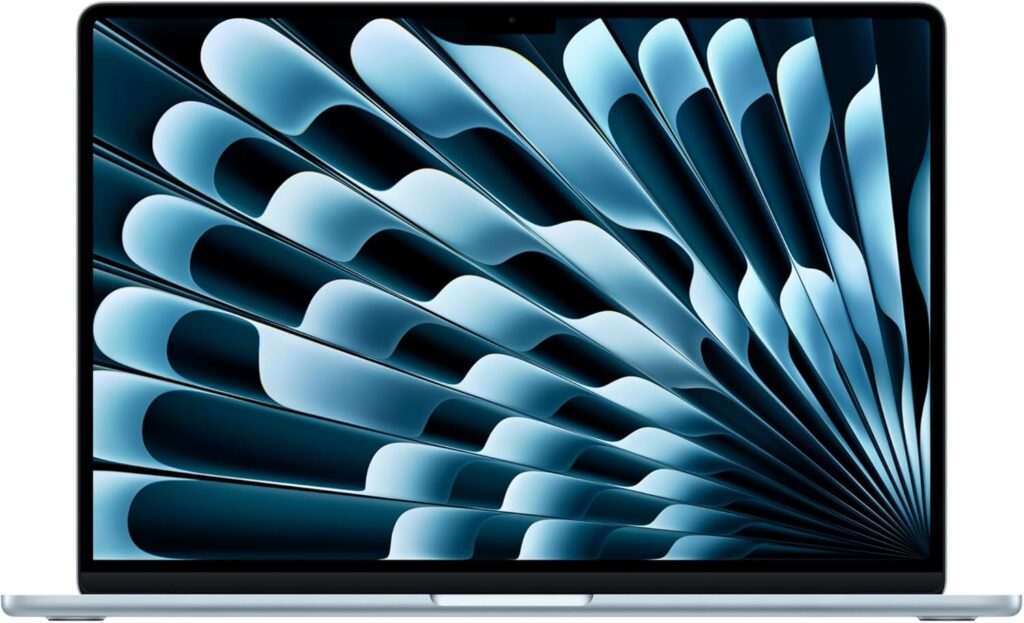
If a friend starting their BBA this fall asked me for one recommendation with no strings attached, this is the laptop I’d put in their hands. The MacBook Air has been the unofficial campus uniform for years, and after using the M5 version, I get it — it earns that status.
Apple refreshed the Air in March 2026. On paper the M5 chip is a modest step up from the M4, but the stuff that matters for students is all here: 16GB of RAM as standard, and the base storage finally doubled to 512GB. For business coursework, that combination is exactly right — nothing wasted, nothing missing.
Here’s what daily life with it actually feels like. It’s completely silent — no fan, so it never hums in a quiet lecture hall. The battery genuinely goes the distance; I’ve done full days of writing, browsing, video calls, and hotspot tethering and still come home with charge left. Fourteen to fifteen hours of mixed real-world use is entirely believable. The keyboard is one of the best you can buy, and the trackpad remains the one every Windows laptop is still chasing.
For BBA work specifically: Excel for Mac runs beautifully, Word and PowerPoint are native, and juggling twenty browser tabs alongside Teams and Spotify is a non-event. The 12MP Center Stage webcam deserves special mention — it keeps you framed as you shift around during online classes, and it’s dramatically better than the cameras on most Windows laptops at any price.
My favorite money-saving trick: the previous-generation M4 MacBook Air is still on shelves and still excellent. It’s been dipping as low as $799 on clearance — a phenomenal deal for a student. Unless you specifically want the M5’s faster AI processing and Wi-Fi 7, the M4 will carry you through your entire degree without breaking a sweat. Even the M5 itself drops below list price regularly; I’ve seen the 16GB/512GB config under $950 during sales.
Key specs:
- Apple M5 chip (10-core CPU, up to 10-core GPU)
- 16GB unified memory (up to 32GB)
- 512GB SSD (up to 2TB)
- 13.6″ Liquid Retina display, 2560×1664, 500 nits
- 12MP Center Stage webcam
- 2.7 lb (1.24 kg)
- 2× Thunderbolt 4, MagSafe charging, headphone jack
- Real-world battery: ~14–15 hours
Pros:
- Class-leading real battery life
- Silent, fanless design — zero noise in lectures
- Superb keyboard, trackpad, and webcam
- Holds its resale value better than anything else here
- Low-maintenance, virus-resistant macOS
Cons:
- Only two USB-C ports — welcome to dongle life
- Base price climbed to $1,299 in 2026
- Glossy screen catches glare in bright rooms
- A few Windows-only business tools won’t run natively
2. ASUS Zenbook 14 OLED (2026) — Best Windows Laptop for BBA Students
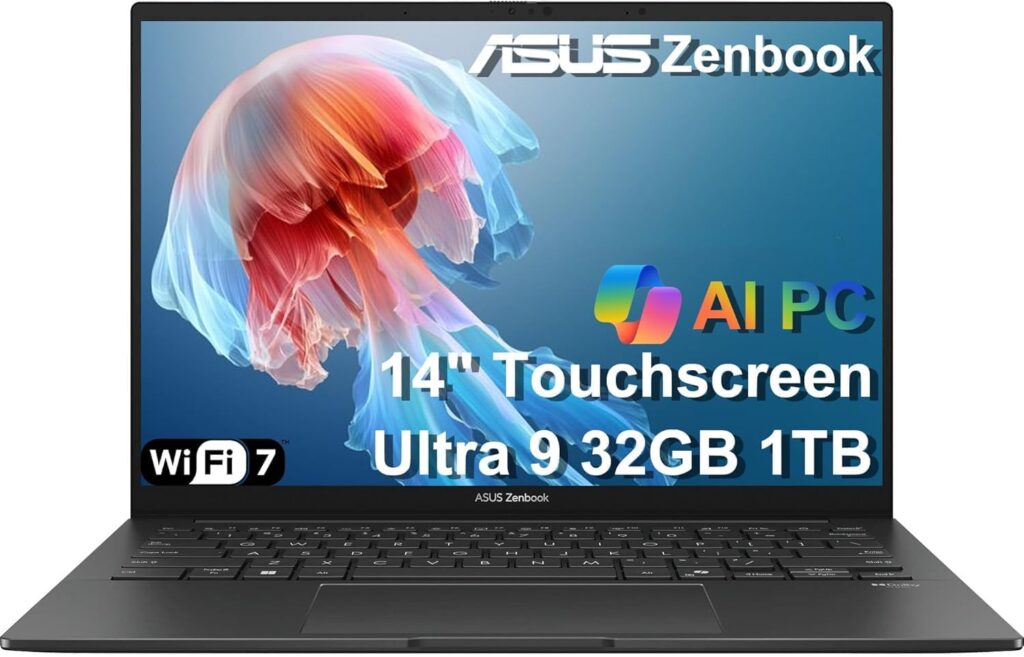
If you need Windows — or just prefer it — this is my top pick, and it isn’t particularly close. The Zenbook 14 OLED hits the exact sweet spot a business student wants: light, genuinely fast, all-day battery, and a screen that makes everything else on this list (except the ThinkPad’s OLED option) look dull. All for around a thousand dollars.
Let’s talk about that display first, because it’s the star. Once you’ve used a good OLED panel, going back to a regular laptop screen feels like a punishment. Blacks are actually black, colors pop, and the 120Hz refresh rate makes scrolling through long spreadsheets and dense PDFs feel silky. Reading case studies for two hours is simply nicer on this screen. That sounds like a small thing until you’re doing it every single day.
Under the hood, the 2026 model ships with either AMD’s Ryzen AI 9 or Intel’s Core Ultra 7 — both more than capable of shrugging off anything a BBA program throws at them. Heavy Excel work, a wall of Chrome tabs, Teams calls, even light photo or video editing if your marketing electives go that direction. The battery holds up too: twelve to fourteen hours of typical student use in my experience, and the 65W fast charger takes you from nearly dead to 60% in under an hour — a lifesaver between classes.
At roughly 2.7 pounds with a clean aluminum build, it feels far more expensive than it costs. The honest downsides: the glossy OLED reflects overhead lighting, and the webcam is fine rather than great. Neither would stop me from buying it.
Key specs:
- AMD Ryzen AI 9 HX 370 or Intel Core Ultra 7
- 16GB LPDDR5X RAM
- 1TB NVMe SSD
- 14″ 2880×1800 OLED, 120Hz, up to 600 nits
- ~2.7 lb (1.2 kg)
- Real-world battery: ~12–14 hours
- 65W fast charging
Pros:
- Gorgeous 2.8K OLED display at this price is almost unfair
- Handles every BBA workload with room to spare
- Genuine all-day battery
- Light, premium aluminum chassis
- 1TB of storage standard — double most rivals
Cons:
- Glossy screen picks up reflections
- Webcam is merely okay
- Intel version costs a bit more than the AMD one
3. Dell 14 Plus (2026) — Best Value Windows Laptop
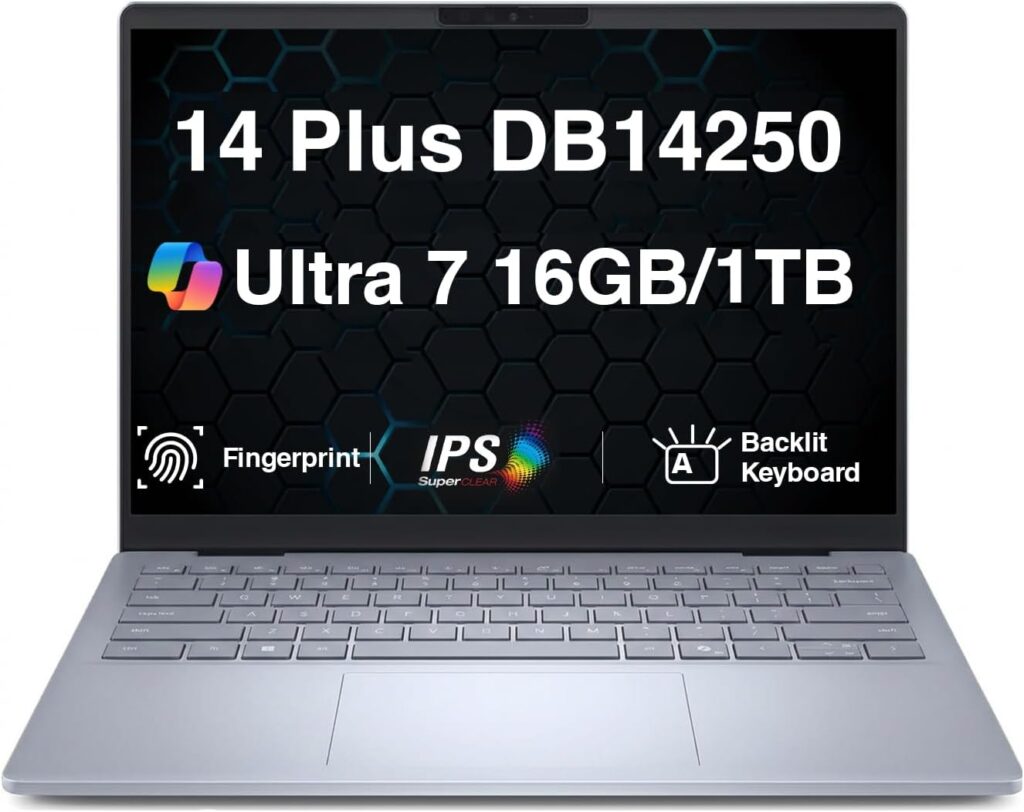
This is the one I recommend when someone tells me, “I want something dependable, but I really can’t spend more than $700.” The Dell 14 Plus won’t turn heads in the library. It’s plain, it’s gray, it’s forgettable to look at — and it is quietly one of the smartest purchases a budget-conscious business student can make.
Here’s the pricing game you need to understand: Dell lists this laptop at around $1,099, but virtually nobody pays that. The real-world price hovers around $699, and at that number, the value is genuinely hard to beat. You get a current-generation Intel Core Ultra 7 (or AMD Ryzen AI) processor, 16GB of RAM, a sharp 2.5K display, and full Copilot+ certification with on-device AI features baked into Windows.
In daily use, it just… works. Office apps fly, video calls are smooth, and the keyboard is comfortable enough for marathon writing sessions — a detail budget laptops usually get wrong. The battery is the real overachiever here: around 13 hours of realistic use, which means it survives even your worst timetable day with margin to spare. The port selection is refreshingly complete too: Thunderbolt 4, USB-A, HDMI. No dongles required.
The compromises are exactly where you’d expect. The chassis is plastic and flexes a little if you press on it. The screen, while sharp, isn’t bright enough for working outdoors in direct sun. And the design has all the personality of a filing cabinet. None of that changes the math: this is a lot of reliable laptop for $699.
Key specs:
- Intel Core Ultra 7 256V or AMD Ryzen AI 5 340
- 16GB RAM
- 512GB SSD (configurable to 1TB)
- 14″ 2.5K display, Copilot+ certified
- 3.42 lb (1.55 kg)
- Real-world battery: ~13 hours
- Thunderbolt 4, USB-A, HDMI 2.1, headphone jack
Pros:
- Exceptional value at its real street price
- 13-hour battery outlasts a full campus day
- Comfortable keyboard and trackpad
- Complete port selection — no adapters needed
- Copilot+ AI features included
Cons:
- Plastic body flexes under pressure
- Display too dim for outdoor use
- Utterly forgettable design
4. HP OmniBook 5 (16-inch) — Best Big Screen on a Budget
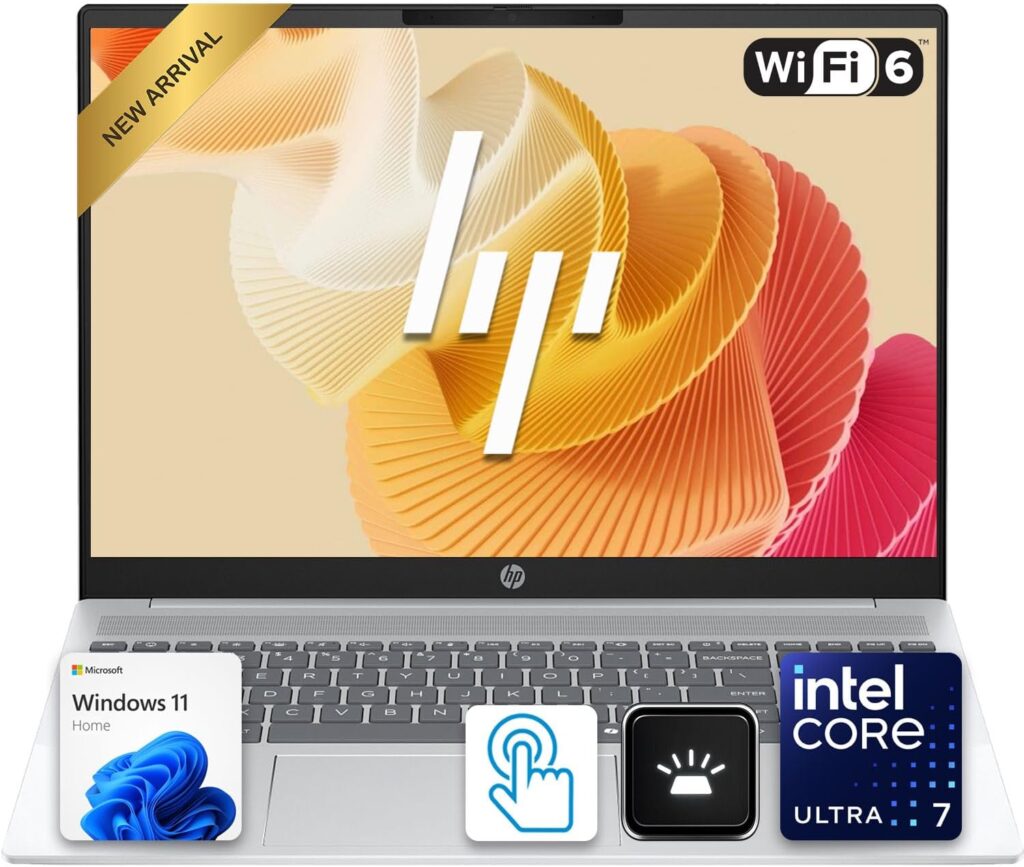
Some students just want more room to work. If you build wide financial models, keep three windows open side by side, or simply find 14-inch screens cramped, the 16-inch OmniBook 5 gives you serious screen real estate without a serious price tag.
First, the pricing — because HP makes it needlessly confusing. The official price starts above $1,000, and you should never, ever pay that. This laptop routinely sells for under $700 at major retailers, and I’ve seen the base model under $600 direct from HP. At that price, it’s a solid deal. At full price, walk away.
What you get: a big 16-inch display, an AMD Ryzen AI processor, 16GB of RAM, a 512GB SSD, and — a genuine surprise at this price — an aluminum build that feels sturdier than most budget machines. The 5MP webcam with AI auto-framing is another quiet win; you’ll look noticeably better on class calls than friends with pricier laptops. Multitasking is smooth, wake-from-sleep is instant, and fast charging gets you to 50% in about half an hour.
Now the honest part. Battery life is the weakest on this list — around 9 to 10 hours in realistic use. That covers a normal day but won’t survive a brutal one plus an evening study session. And the entry-level configuration cuts corners: the base Ryzen AI 5 chip is adequate rather than quick, and the standard 1920×1200 IPS screen is noticeably dull. My advice is simple: if you buy this laptop, stretch for the Ryzen AI 7 processor and, if the budget allows, the 2K OLED display option. Configured that way, it’s a genuinely good big-screen machine. At rock-bottom spec, keep your expectations in check.
Key specs:
- AMD Ryzen AI 5 340 (Ryzen AI 7 350 recommended)
- 16GB LPDDR5X RAM
- 512GB PCIe SSD
- 16″ 1920×1200 IPS, or 2K OLED option
- 5MP webcam with AI auto-framing
- ~3.9 lb (1.79 kg)
- Real-world battery: ~9–10 hours
- Fast charging: 50% in ~30 minutes
Pros:
- Big 16-inch canvas for spreadsheets and split-screen work
- Aluminum build punches above its price
- Excellent street-price value
- Sharp 5MP webcam — great for online classes
- Quick charging
Cons:
- Base chip and base display are underwhelming — upgrade both if you can
- Weakest battery life on this list
- Heavier than every 14-inch option here
- Inflated official pricing muddies the water
5. Lenovo ThinkPad X1 Carbon Gen 14 — The Premium Pick That Outlasts Your Degree
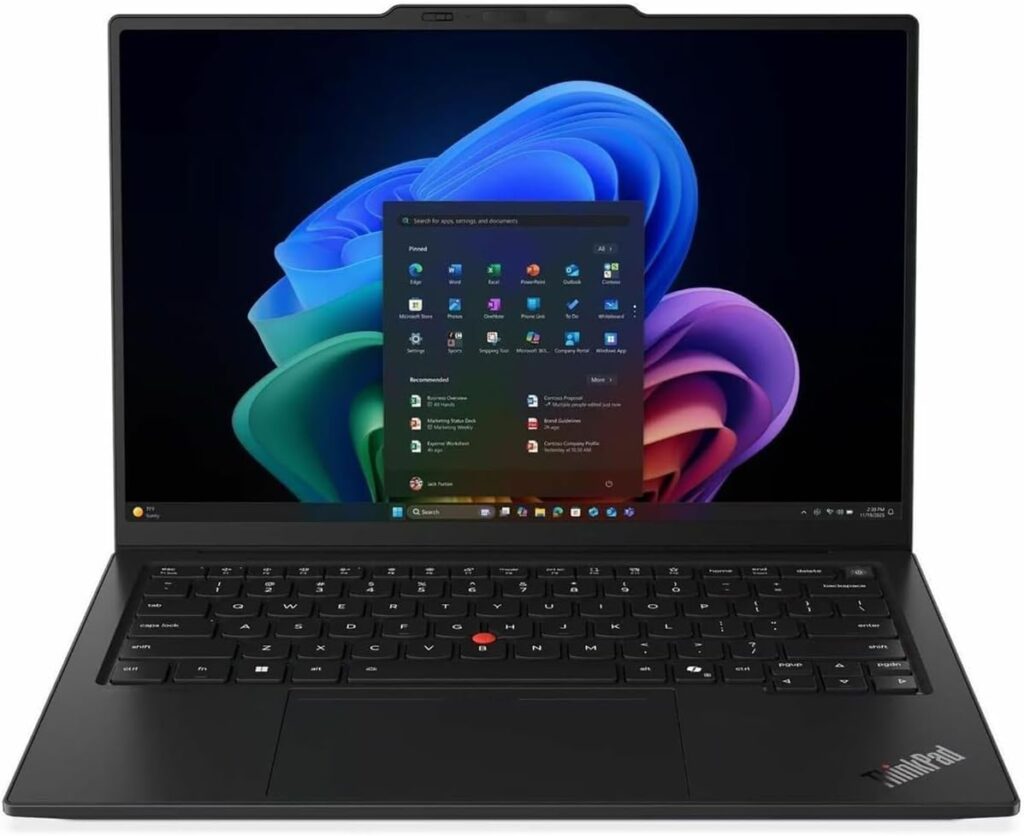
This is the splurge — for the student (or the parent of one) who wants the best-built laptop money can buy and plans to carry it straight from graduation into a corporate job. ThinkPads have been boardroom fixtures for decades, and the 2026 Gen 14 is the finest one Lenovo has ever shipped.
The first thing that hits you is the weight — or the absence of it. At 2.15 pounds, it’s the lightest laptop on this list by a wide margin, lighter even than the MacBook Air. Carbon fiber and magnesium construction, military-grade durability testing, and that keyboard — the typing experience is so good it makes long report-writing sessions almost enjoyable. Almost.
The Gen 14 runs Intel’s newest Core Ultra Series 3 chips and can be configured with up to 64GB of RAM — frankly absurd for coursework, but it guarantees this machine feels fast for the better part of a decade. And critically, Lenovo fixed the one flaw that haunted earlier X1 Carbons: battery life. Where previous generations wheezed through a workday, this one manages around 13 hours in standardized testing and comfortably clears a full day of heavy real-world use. The optional 2.8K OLED display is stunning, the 5MP webcam is one of the best fitted to any laptop, and the port selection — three Thunderbolt 4, USB-A, HDMI — beats the MacBook without a single adapter.
So why isn’t it my number one? Simple: it starts at about $2,030, and a nicely specced unit runs closer to $2,200. That’s triple the price of the Dell for coursework that a $699 machine handles perfectly well. This laptop only makes sense if the budget genuinely exists and you’re buying a professional tool for the next eight years, not just a college companion for the next four. If that’s you, nothing here will make you happier.
Key specs:
- Intel Core Ultra 5/7 (Series 3)
- 16GB / 32GB / 64GB LPDDR5X RAM
- 512GB PCIe Gen4 SSD (up to 1TB+)
- 14″ 2.8K OLED 120Hz, or FHD+ IPS
- 5MP webcam with IR face login and privacy shutter
- 2.15 lb (0.98 kg)
- Real-world battery: ~13 hours
- 3× Thunderbolt 4, USB-A, HDMI 2.1, Wi-Fi 7
Pros:
- Featherweight 2.15 lb — you’ll forget it’s in your bag
- The best laptop keyboard in the business
- Battery life finally matches the rest of the package
- Beautiful OLED option and superb webcam
- Built to survive four years of student abuse and beyond
Cons:
- Expensive — starts around $2,030
- Far more machine than BBA coursework requires
- The OLED config pushes the price even higher
So Which One Should You Actually Buy?
Five options is still a decision, so let me cut through it:
- Want the easiest, safest choice and have $1,000–$1,300? Get the MacBook Air — M5 if you want the latest, or the discounted M4 to pocket the savings. This is the default answer for most BBA students, and it’s the right one.
- Need or prefer Windows? The ASUS Zenbook 14 OLED. Best screen, best balance, best Windows experience per dollar on this list.
- Budget is tight? The Dell 14 Plus at around $699 is the value king. If you specifically want a bigger screen at that money, go HP OmniBook 5 — just upgrade the processor.
- Money’s no object? The ThinkPad X1 Carbon Gen 14. Buy once, cry once, use it for a decade.
Three parting tips no matter which you choose. First, 16GB of RAM is non-negotiable — it’s the single spec that determines whether your laptop still feels fast in year four. Second, if you’re starting in the fall, wait for back-to-school sales in July and August; these exact models routinely drop $100–$300. Third, check your program’s software list before going Mac — a handful of accounting and ERP tools remain Windows-only, and it’s a miserable surprise to discover that in week two.
Frequently Asked Questions
Is a MacBook good for BBA students?
For most, yes — genuinely great. Excel, Word, PowerPoint, Teams, and Zoom all run natively and smoothly on macOS, and the Air’s battery and build quality are best-in-class. The single caveat: some specialized business software (certain accounting packages, ERP tools, and a few Excel add-ins) is Windows-only. Check your specific program’s requirements before committing. If everything on the list runs on Mac, buy with confidence.
How much RAM does a BBA student need?
16GB. Treat it as the minimum, not a nice-to-have. An 8GB laptop starts struggling the moment a large workbook opens next to a browser full of tabs and a Teams call — which describes an average Tuesday in business school. Every laptop in this guide ships with 16GB standard for exactly that reason.
Do I really need an expensive laptop for a BBA program?
No. Business coursework — Office apps, browsing, video calls, presentations — is not demanding by modern standards. A $699 machine like the Dell 14 Plus handles all of it without complaint. Spend more only for things that improve your daily experience: a better screen, longer battery, lighter weight, or a machine you intend to carry into your career.
Should I get a 14-inch or 16-inch laptop for business school?
It’s a trade-off between your shoulders and your eyes. A 14-inch laptop is lighter and easier to carry across campus five days a week. A 16-inch screen is nicer for wide spreadsheets and side-by-side multitasking but adds nearly a pound. For students who commute with their laptop daily — which is most of you — I lean 14-inch and recommend an external monitor at your desk for heavy spreadsheet days.
What’s the best budget laptop for BBA students in 2026?
The Dell 14 Plus at roughly $699 street price is my pick — 16GB of RAM, a sharp 2.5K screen, and 13 hours of battery is a combination nothing else matches at that money. Want a bigger display? The HP OmniBook 5 16-inch regularly sells under $700. And keep an eye on the clearance M4 MacBook Air, which has dropped as low as $799 — arguably the best pure value in this entire guide when it hits that price.
How important is the webcam, really?
More than most buying guides admit. Hybrid classes, remote group meetings, and eventually job interviews all happen through that little camera. A sharp, well-lit image makes a genuinely different impression than a grainy one. The MacBook Air’s 12MP camera and the 5MP units on the ThinkPad and HP are the standouts here; plenty of otherwise good laptops still ship with cameras that do you no favors.
When is the best time to buy a student laptop?
July through early September, when back-to-school promotions reliably knock $100–$300 off exactly these models. Black Friday in late November is the other big window. If you need a laptop today, buy it today — but if your start date gives you flexibility, a few weeks of patience translates directly into money saved.
The Bottom Line
There’s no single best laptop for every BBA student — but there absolutely is a best one for your budget and preferences. For most people, the MacBook Air is the effortless default that holds its value for years. Windows fans get an equally easy answer in the ASUS Zenbook 14 OLED. On a budget, the Dell 14 Plus and HP OmniBook 5 prove you don’t need four figures for four good years. And if you want the best and plan to keep it long after graduation, the ThinkPad X1 Carbon is worth every penny.
Whatever you choose: insist on 16GB of RAM, shop the back-to-school sales, and double-check your program’s software requirements. Get those three things right, and any laptop on this list will carry you comfortably through your degree — and probably well past it.

Hi, my name is Burak. I am a mechanical engineer. I have been writing laptop reviews for the Engineering Laptops website since 2020. Please feel free to contact me if you have any questions.