Estimated reading time: 18 minutes
Key Takeaways
- DevOps work requires powerful laptops due to high demands from running containers, VMs, and monitoring tools.
- RAM is crucial; 32GB is the new minimum for effective DevOps tasks, while 64GB offers even better performance.
- The article recommends five laptops tailored for different DevOps scenarios, highlighting their specs and performance.
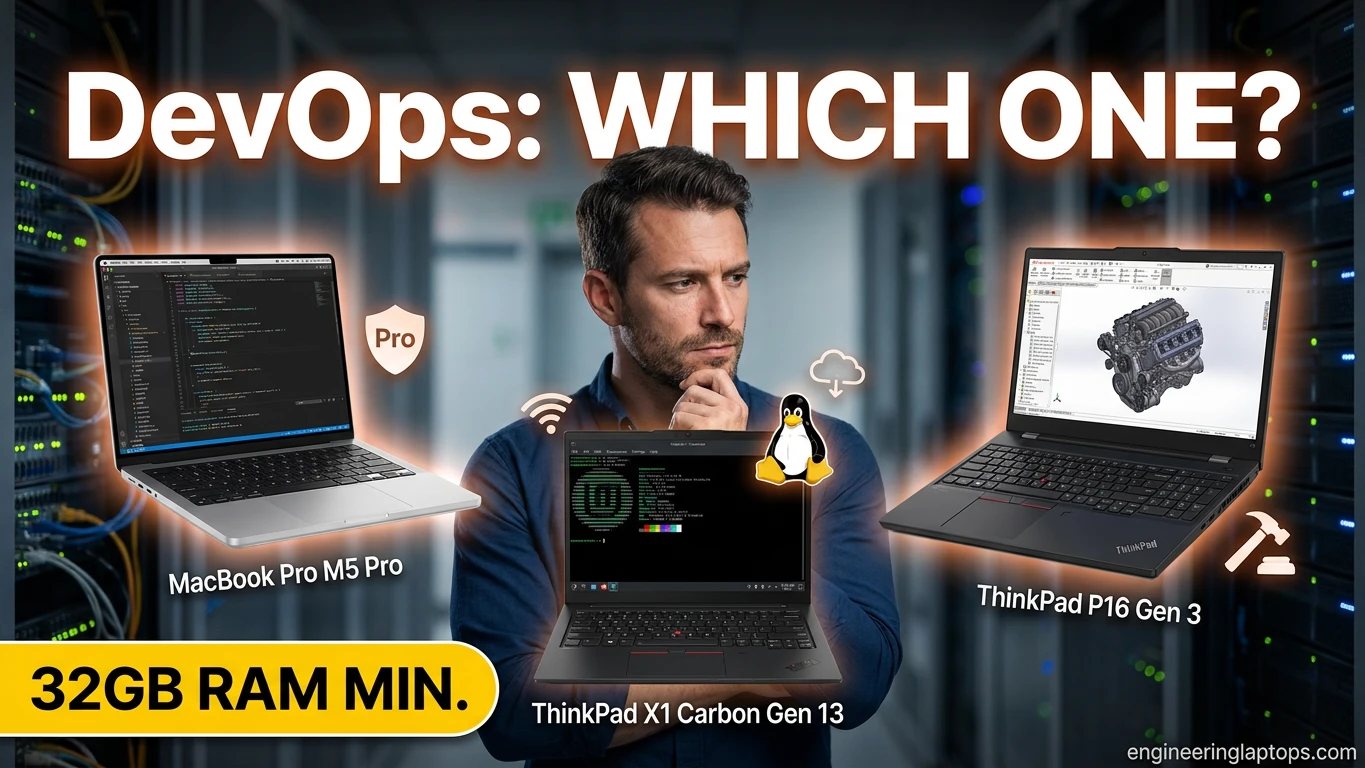
- The Best Laptop for DevOps Engineer in 2026 is the Apple MacBook Pro 14″ (M5 Pro) for its performance and battery life.
Table of contents
- What DevOps Engineers Actually Need in a Laptop
- Best Laptop for DevOps Engineers in 2026: 5 Machines That Actually Keep Up
- Comparison Table: All 5 Picks at a Glance
- Buying Guide: How to Choose Your DevOps Laptop in 2026
- Frequently Asked Questions
- How much RAM do I really need for Docker and Kubernetes in 2026?
- Mac, Linux, or Windows — which is genuinely best for DevOps?
- Is a MacBook’s ARM chip a problem for container work?
- Can I do DevOps work on a 16GB laptop?
- Do I need a discrete GPU for DevOps?
- Why are laptop prices with lots of RAM so high right now?
- Should I get a Linux-certified laptop or just install Linux on anything?
- The Bottom Line
I’ve lost count of how many DevOps engineers have told me the same story. They bought a laptop that looked great on paper, loaded up Docker Desktop, spun up a local Kubernetes cluster, opened VS Code and about fourteen browser tabs of AWS documentation — and watched the whole thing grind to a halt before lunch. That’s why choosing the Best Laptop for Devops Engineer is more important than ever.
DevOps work is weirdly demanding on hardware. You’re not rendering video or training massive models, but you are running containers, virtual machines, terminal multiplexers, cloud CLIs, and monitoring dashboards all at once, all day, every day. And in 2026, with RAM prices climbing thanks to the ongoing DRAM shortage, buying the wrong machine is a more expensive mistake than ever.
So I put this guide together the way I wish someone had done for me: five laptops, each picked for a specific real-world scenario, based on how they actually behave under DevOps workloads — not just benchmark numbers. Whether you’re on call at 3 AM with a laptop balanced on your knees, or running a six-node kind cluster locally, there’s a pick here for you.
Quick note before we dive in: prices in this article reflect what I’m seeing in mid-2026, but the memory shortage has made pricing unusually jumpy. Always check current prices before you pull the trigger.
What DevOps Engineers Actually Need in a Laptop
Before the picks, let’s talk about what matters — because it’s not the same list a gamer or a video editor would make.
RAM is king, and 32GB is the new baseline. This is the hill I will die on. Docker containers, a local Kubernetes cluster, a couple of VMs for testing, an IDE, Slack, and a browser full of Grafana dashboards will eat 16GB before you’ve had your first coffee. In 2026, 16GB is survivable for light work, but 32GB is where the frustration stops. If you can stretch to 64GB, your future self will thank you — especially since RAM prices aren’t going down anytime soon and most thin laptops now have soldered memory you can’t upgrade later.
CPU cores matter more than clock speed. Container builds, parallel CI jobs run locally, and virtualization all love cores. A modern 12–16 core chip will feel dramatically better than an older 6-core chip with a higher boost clock.
Storage: fast and roomy. Container images pile up shockingly fast. A 1TB NVMe SSD is the comfortable minimum. Docker’s layer caching also benefits hugely from fast storage — a quick SSD genuinely shortens your build times.
Your OS choice shapes everything. This is the eternal debate. macOS gives you a Unix environment with fantastic hardware, though Docker runs inside a lightweight VM. Native Linux gives you bare-metal container performance and the exact environment your servers run. Windows with WSL2 has gotten genuinely good and is often what the company hands you. There’s no wrong answer — but there’s a right answer for you, and I’ve factored it into every pick below.
Battery life is an on-call issue, not a luxury. If you’ve ever handled a production incident from an airport gate, you know. All-day battery isn’t about convenience; it’s about not adding “find a power outlet” to your incident checklist.
Keyboard quality is underrated. You live in a terminal. A mushy keyboard is a paper cut you get eight hours a day.
Alright — the picks.
Best Laptop for DevOps Engineers in 2026: 5 Machines That Actually Keep Up
1. Best Overall: Apple MacBook Pro 14″ (M5 Pro)
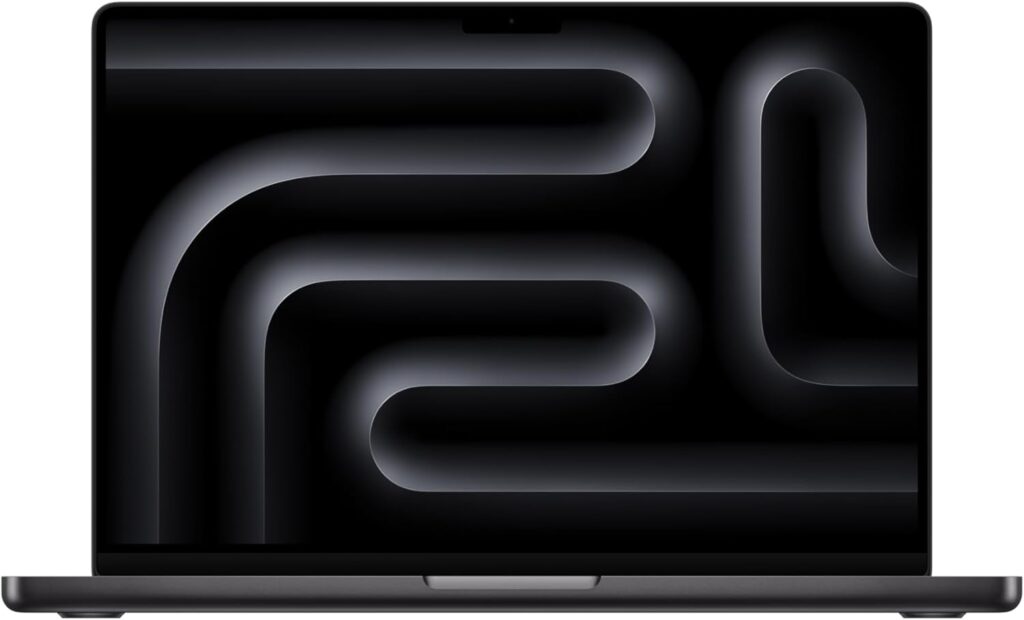
If I could only recommend one laptop to a working DevOps engineer in 2026, this is it. The M5 Pro generation has reached the point where the old “but Docker runs in a VM on Mac” complaint barely registers in day-to-day work — the chip is fast enough that containerized workloads still feel instant, and the ARM64 ecosystem is now so mature that multi-arch images are just… normal.
What keeps winning me over is the total package: the performance is there, the battery life is absurd, the screen is gorgeous for staring at YAML for ten hours, and the build quality means it survives being yanked in and out of a backpack for years.
Key Specs
- CPU: Apple M5 Pro (12-core CPU)
- RAM: 24GB unified memory (configurable to 48GB — get at least 36GB if budget allows)
- Storage: 512GB SSD base (1TB strongly recommended)
- Display: 14.2″ Liquid Retina XDR, 120Hz ProMotion, 1,000 nits sustained
- Battery: Up to 22 hours video playback; realistically 12–15 hours of actual terminal-and-browser work
- Ports: 3× Thunderbolt 5, HDMI, SDXC card slot, MagSafe 3
- Weight: 1.55 kg (3.4 lbs)
- OS: macOS
Why It Works for DevOps
The unified memory architecture is quietly brilliant for container work. Because the CPU and memory share bandwidth so efficiently, spinning up eight or ten containers alongside your normal workflow doesn’t produce the swap-thrashing slowdown you’d feel on a similarly-specced x86 machine. Tools like Colima and OrbStack have also matured beautifully, giving you lighter, faster alternatives to Docker Desktop.
The battery deserves its own paragraph. I’ve watched engineers work a full day of meetings, deploys, and incident triage without touching a charger. For on-call life, that’s not a spec — that’s peace of mind.
The catch? Price, obviously. And if your production environment is x86-only with no ARM images available, you’ll occasionally hit emulation slowdowns. That’s rarer every year, but worth knowing.
Pros
- Outstanding sustained performance for container and build workloads
- Best-in-class battery life — genuinely all-day, even under load
- Superb display and one of the better laptop keyboards Apple has made
- Silent under most workloads; fans rarely spin up
- Excellent resale value
Cons
- Expensive, and RAM/storage upgrades at purchase are pricey
- Memory is not upgradeable after purchase — buy more than you think you need
- x86-only workloads run through emulation (slower)
- macOS isn’t Linux; some kernel-level tooling (eBPF work, for example) needs a VM
2. Best for Native Linux: Lenovo ThinkPad X1 Carbon Gen 13
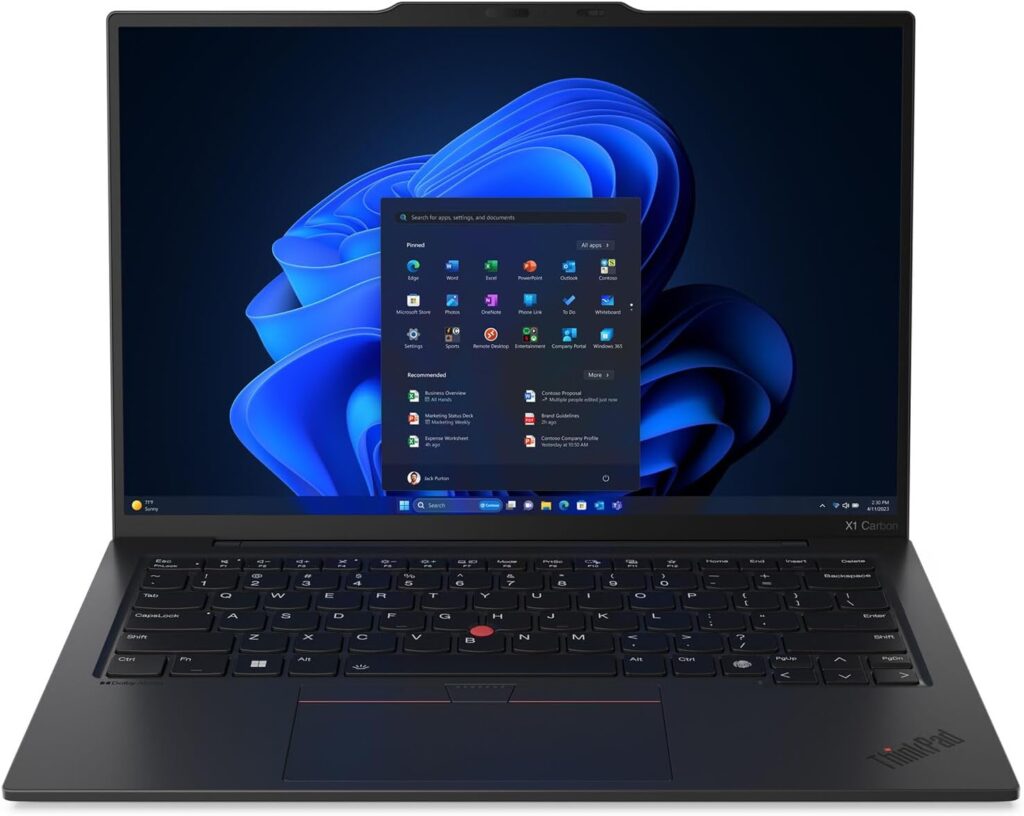
Some engineers want their laptop running the same OS as their servers, full stop. No translation layers, no VMs for Docker, no “well, actually, on macOS it works slightly differently.” If that’s you, the X1 Carbon Gen 13 is the machine I keep coming back to.
Lenovo’s Linux support is the best in the mainstream laptop world. You can buy this machine with Ubuntu or Fedora preinstalled, everything — Wi-Fi, sleep, fingerprint reader, function keys — just works out of the box, and firmware updates arrive through LVFS so you never have to boot into Windows to update your BIOS.
Key Specs
- CPU: Intel Core Ultra 7 (Series 3), 16 cores
- RAM: 32GB LPDDR5x (configurable to 64GB — soldered, so choose wisely)
- Storage: 1TB PCIe Gen 5 NVMe SSD
- Display: 14″ 2.8K OLED, 120Hz, anti-glare option
- Battery: 57Wh; roughly 10–12 hours of real Linux work with proper power tuning
- Ports: 2× Thunderbolt 4, 2× USB-A, HDMI 2.1
- Weight: 1.09 kg (2.4 lbs)
- OS: Ubuntu / Fedora (certified) or Windows 11
Why It Works for DevOps
Native Docker performance. That’s the headline. Containers run directly on the kernel with no virtualization overhead, which means faster builds, lower memory usage, and behavior that’s identical to production. If you do a lot of kernel-adjacent work — eBPF, systemd debugging, network namespace wizardry — this is your home turf.
And then there’s the keyboard. ThinkPad keyboards remain the gold standard, and when you spend your day in tmux and vim, that matters more than any benchmark. The TrackPoint means your hands never leave the home row, which sounds like a gimmick until you’ve used it for a month and can’t go back.
At 1.09 kg it’s also astonishingly light for what it is — lighter than the MacBook Air, actually.
Pros
- First-class certified Linux support; everything works out of the box
- Native container performance with zero virtualization tax
- Legendary keyboard for terminal-heavy work
- Extremely light and durable (MIL-SPEC tested)
- Firmware updates via LVFS, no Windows required
Cons
- RAM is soldered — the 64GB config costs a premium, especially in 2026’s market
- Battery life is good, not MacBook-good
- OLED panel eats battery; the IPS option is more practical for road warriors
- Intel’s efficiency still trails Apple Silicon under sustained load
3. Best for Portability & On-Call: Apple MacBook Air 15″ (M5)
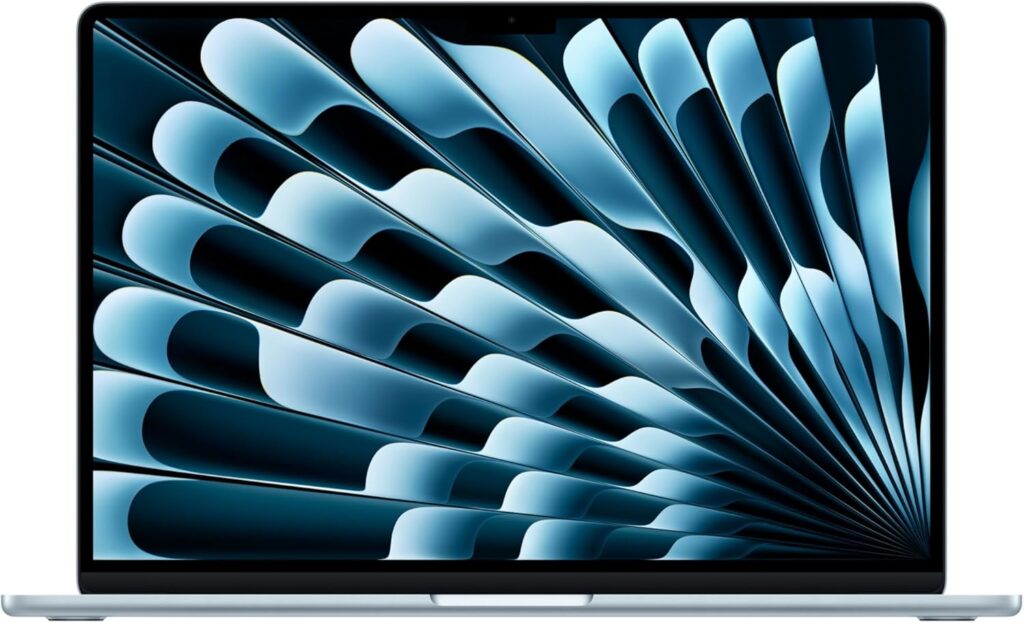
Here’s a scenario I know too well: you’re the on-call engineer this week. You need a laptop light enough to carry everywhere — dinner, the gym parking lot, your kid’s football match — because PagerDuty does not care about your plans. It needs to wake instantly, connect fast, and have enough battery that you never think about it.
That’s the MacBook Air’s whole personality. The M5 version is fanless, dead silent, wakes from sleep before the lid finishes opening, and handles a surprising amount of real work — SSH sessions, kubectl, Terraform plans, a few containers — without breaking a sweat.
Key Specs
- CPU: Apple M5 (10-core CPU)
- RAM: 16GB unified memory (configurable to 32GB — get 24GB or 32GB)
- Storage: 512GB SSD (1TB recommended)
- Display: 15.3″ Liquid Retina, 500 nits
- Battery: Up to 18 hours; easily 10–12 hours of real work
- Ports: 2× Thunderbolt 4, MagSafe 3
- Weight: 1.51 kg (3.3 lbs)
- OS: macOS
Why It Works for DevOps
Let’s be honest about what most on-call incident response actually looks like: SSH into things, read logs, check dashboards, run kubectl commands, maybe roll back a deploy. None of that needs a workstation. It needs a machine that’s there, awake, and charged. The Air nails all three.
The fanless design has a hidden benefit nobody talks about: total silence on late-night incident calls. No fan whine in your microphone at 2 AM.
The honest limitation: this is not the machine for heavy local Kubernetes clusters or big parallel builds. With 24GB+ of RAM it handles moderate container work fine, but if your daily driver workload is heavy, look at picks 1 or 5 and let the Air be your second machine — a role it plays perfectly.
Pros
- Featherweight, fanless, completely silent
- Instant wake and excellent battery — ideal for on-call life
- More than enough power for SSH, IaC, and light container work
- The most affordable way into Apple Silicon
- Big, comfortable 15″ screen at a very low weight
Cons
- Base 16GB RAM is not enough for serious container work — upgrade it
- Fanless design throttles under long sustained loads
- Only two ports; you’ll want a hub at your desk
- Supports fewer external displays than the Pro models
4. Best Value: Lenovo ThinkPad T14s Gen 6 (AMD)
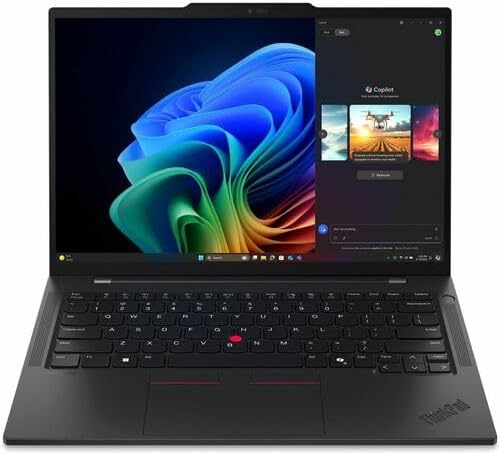
Not everyone has a company card or a bottomless budget, and honestly, you don’t need one. The T14s with AMD’s Ryzen AI 300-series chip is the pick I recommend to engineers paying out of pocket, because it delivers about 85% of the flagship experience at a price that doesn’t hurt.
AMD’s mobile chips have been on a tear, and the multi-core performance you get here for the money is genuinely hard to argue with. Docker builds, parallel test suites, a VM or two — it chews through all of it.
Key Specs
- CPU: AMD Ryzen AI 7 PRO (8 cores / 16 threads)
- RAM: 32GB LPDDR5x (64GB configurable)
- Storage: 512GB NVMe SSD (1TB upgrade is reasonably priced)
- Display: 14″ 1920×1200 IPS, 400 nits, anti-glare
- Battery: 58Wh; a solid 10–13 hours thanks to AMD’s efficiency
- Ports: 2× USB4, 2× USB-A, HDMI 2.1
- Weight: 1.24 kg (2.7 lbs)
- OS: Windows 11 or certified Linux (Ubuntu/Fedora)
Why It Works for DevOps
The value equation here is simple: 32GB of RAM standard, at a price where competitors are still charging extra to escape 16GB. In a year when memory prices are inflated, that matters a lot.
AMD’s Linux support has also gotten excellent — the open-source driver situation is arguably better than Intel’s these days — so this makes a terrific budget-friendly native Linux machine too. Same great ThinkPad keyboard, same LVFS firmware support, same business-grade durability, several hundred dollars less.
WSL2 performance on this chip is also very good if you’re in a Windows shop. Eight Zen cores with 16 threads handle the WSL2 VM plus your Windows apps without the two sides fighting each other.
Pros
- Best price-to-performance ratio in this list
- 32GB RAM standard — a big deal in 2026’s memory market
- Excellent Linux compatibility with certified configs
- Great battery efficiency from the AMD platform
- Classic ThinkPad keyboard and build quality
Cons
- Display is functional, not beautiful — no OLED option at the value price
- No Thunderbolt (USB4 covers most of the same ground, though)
- Speakers and webcam are mediocre
- Chassis is plainer than the X1 Carbon — same DNA, less polish
5. Best Workstation-Class Power: Lenovo ThinkPad P16 Gen 3
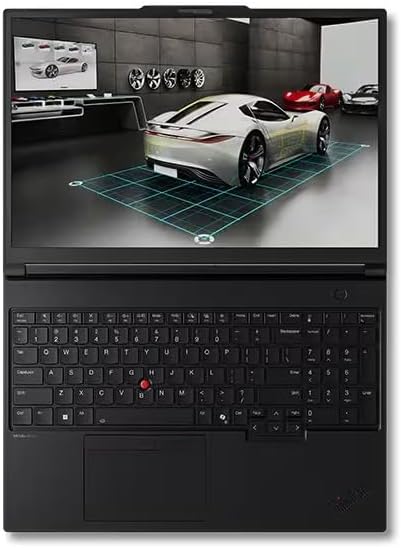
And then there’s the other extreme. Maybe you run a full local Kubernetes cluster with a service mesh. Maybe you’re testing infrastructure that needs three or four VMs running simultaneously. Maybe you’re doing platform engineering with local AI workloads in the mix. When “just use the cloud for testing” isn’t practical — or the cloud bill says otherwise — you need desktop-class hardware you can close and carry.
The P16 Gen 3 is a beast, and it makes no apologies for it.
Key Specs
- CPU: Intel Core Ultra 9 HX (24 cores)
- RAM: 64GB DDR5 (upgradeable to 192GB — yes, really, and it’s user-upgradeable)
- Storage: 2TB NVMe SSD, with room for multiple additional drives
- GPU: NVIDIA RTX Pro-series (useful for local AI/ML workloads)
- Display: 16″ 3.2K, 165Hz
- Battery: 94Wh; expect 5–7 hours of light work, much less under load
- Ports: Everything. Thunderbolt 5, USB-A, HDMI, Ethernet, SD card
- Weight: ~2.9 kg (6.4 lbs)
- OS: Windows 11 or certified Linux
Why It Works for DevOps
Twenty-four cores and up to 192GB of user-upgradeable RAM. In an era of soldered everything, that upgradeability is almost radical — and given 2026 memory prices, being able to buy the base config now and add RAM later when prices settle is a legitimate financial strategy.
This machine laughs at workloads that choke other laptops. A multi-node kind cluster, a couple of Windows VMs for testing, Prometheus and Grafana running locally, plus builds in the background — the P16 doesn’t flinch. The Ethernet port also deserves a shoutout: when you’re doing serious network testing or transferring huge images, real gigabit-plus wired networking beats hotel Wi-Fi every time.
The trade-off is written all over its spec sheet: nearly 3 kg, battery life that assumes you’re near an outlet, and a fan profile that reminds you work is being done. This is a portable workstation, not an ultrabook, and buying it for coffee-shop work would be a mistake.
Pros
- Desktop-class performance: 24 cores, up to 192GB RAM
- User-upgradeable RAM and multiple storage slots — a rarity in 2026
- Handles the heaviest local clusters and multi-VM setups with ease
- Full port selection including built-in Ethernet
- Discrete GPU opens the door to local AI/ML experimentation
Cons
- Heavy — nearly 3 kg with a large power brick on top
- Battery life is the price of all that power
- Fans get loud under sustained load
- Expensive at higher configurations
- Complete overkill if your work lives mostly in the cloud
Comparison Table: All 5 Picks at a Glance
| MacBook Pro 14″ (M5 Pro) | ThinkPad X1 Carbon Gen 13 | MacBook Air 15″ (M5) | ThinkPad T14s Gen 6 AMD | ThinkPad P16 Gen 3 | |
|---|---|---|---|---|---|
| Best for | Overall daily driver | Native Linux | Portability & on-call | Value / self-funded | Heavy local workloads |
| CPU | M5 Pro, 12 cores | Core Ultra 7, 16 cores | M5, 10 cores | Ryzen AI 7, 8C/16T | Core Ultra 9 HX, 24 cores |
| RAM | 24–48GB (soldered) | 32–64GB (soldered) | 16–32GB (soldered) | 32–64GB | 64–192GB (upgradeable) |
| Storage | 512GB–4TB | 1TB Gen 5 | 512GB–2TB | 512GB–1TB+ | 2TB+, multi-slot |
| Display | 14.2″ XDR 120Hz | 14″ 2.8K OLED 120Hz | 15.3″ Retina | 14″ FHD+ IPS | 16″ 3.2K 165Hz |
| Battery (real-world) | 12–15 hrs | 10–12 hrs | 10–12 hrs | 10–13 hrs | 5–7 hrs |
| Weight | 1.55 kg | 1.09 kg | 1.51 kg | 1.24 kg | ~2.9 kg |
| OS | macOS | Linux / Windows | macOS | Linux / Windows | Linux / Windows |
| Docker runs | In lightweight VM | Native | In lightweight VM | Native (Linux) / WSL2 | Native (Linux) / WSL2 |
Buying Guide: How to Choose Your DevOps Laptop in 2026
If none of the five picks above is an exact fit, here’s the decision framework I’d walk a friend through:
Start with RAM, and be honest with yourself. Count your typical workload: each container might take 100MB–1GB, a local K8s cluster wants 4–8GB minimum, your IDE takes 2–4GB, and the browser takes whatever’s left. If the math says 16GB is tight, it is. Buy 32GB. And if the laptop has soldered memory — most thin ones do now — remember you’re making a five-year decision on day one.
Pick your OS philosophy, then the hardware follows. Want production parity? Native Linux, which points you at ThinkPads or other certified machines. Want the best hardware and battery with a Unix environment? macOS. Locked into a Windows corporate environment? WSL2 is genuinely good now — prioritize CPU cores and RAM so the Linux VM and Windows can coexist happily.
Weigh cores over gigahertz. Builds, tests, and containers parallelize. Eight modern cores minimum; twelve or more if local builds are a daily thing.
Don’t cheap out on storage. 1TB NVMe. Container images, VM disks, and repo checkouts multiply faster than you expect, and cleaning up Docker images every Friday gets old.
Test the keyboard if you possibly can. You will type millions of characters on this thing. Ten minutes in a store can save you two years of regret.
Think about your on-call reality. If you carry the pager, battery life and instant wake stop being nice-to-haves. This alone pushes many engineers toward Apple Silicon or efficient AMD platforms.
A 2026-specific tip: with memory prices elevated, the ThinkPad P16’s user-upgradeable RAM is worth extra consideration — buy less now, add more when the market cools. On soldered machines, that option doesn’t exist, so overbuy RAM at purchase.
Frequently Asked Questions
How much RAM do I really need for Docker and Kubernetes in 2026?
32GB is the sweet spot for most DevOps engineers. 16GB works if your containers live mostly in the cloud and your local footprint is light, but the moment you run a multi-node local cluster, a service mesh, or several VMs, 16GB becomes a daily struggle. If you regularly run heavy local environments, 64GB removes the ceiling entirely.
Mac, Linux, or Windows — which is genuinely best for DevOps?
There’s no universal winner, and anyone who insists otherwise is selling something. Native Linux gives you production parity and the fastest container performance. macOS gives you exceptional hardware, battery life, and a Unix environment with a small virtualization tax on containers. Windows with WSL2 is a legitimate third option that has closed most of the gap, especially in enterprises. Pick the one that matches your team, your servers, and your tolerance for tinkering.
Is a MacBook’s ARM chip a problem for container work?
Far less than it used to be. By 2026, the vast majority of popular images ship multi-arch (ARM64 + x86), and ARM is common in production too, thanks to AWS Graviton and similar. You’ll only feel friction with legacy x86-only images, which run through emulation. If your entire production stack is x86-only with no ARM builds, factor that in — otherwise, don’t lose sleep over it.
Can I do DevOps work on a 16GB laptop?
You can, with discipline: remote development environments, cloud-based clusters instead of local ones, aggressive container cleanup. Plenty of engineers work this way happily. But if you’re buying new in 2026, spending a bit more for 32GB buys you years of not thinking about memory at all — and with soldered RAM being the norm, you usually can’t fix it later.
Do I need a discrete GPU for DevOps?
For classic DevOps work — containers, CI/CD, IaC, monitoring — no, integrated graphics are fine. The exception is if your role bleeds into MLOps or you want to experiment with running AI models locally, in which case a discrete GPU (like the one in the ThinkPad P16) starts earning its keep.
Why are laptop prices with lots of RAM so high right now?
The short version: a global DRAM shortage has pushed memory prices up sharply through 2025 and into 2026, and laptop makers pass that cost straight into high-RAM configurations. It’s also why I keep flagging upgradeable-RAM machines as a smart play — and why you should always double-check current pricing, because this market has been moving fast.
Should I get a Linux-certified laptop or just install Linux on anything?
You can install Linux on almost anything, but certified machines (like Lenovo’s Ubuntu/Fedora configs) save you the hours of chasing Wi-Fi drivers, broken sleep states, and fingerprint readers that never work. When your laptop is a work tool rather than a hobby project, certification is worth it.
The Bottom Line
If I had to compress this whole guide into three sentences: get 32GB of RAM minimum, pick the OS that matches your production world, and don’t underestimate battery life if you carry a pager. For most engineers, the MacBook Pro 14″ M5 Pro is the safest all-around bet, the ThinkPad X1 Carbon is the Linux purist’s dream, and the ThinkPad T14s AMD proves you don’t need to spend flagship money for a genuinely great DevOps machine.
Whichever way you go, remember that 2026’s memory market is volatile — check current prices before ordering, and when in doubt, buy more RAM than you think you need. Your local Kubernetes cluster will thank you.

Hi, my name is Burak. I am a mechanical engineer. I have been writing laptop reviews for the Engineering Laptops website since 2020. Please feel free to contact me if you have any questions.