Last updated: November 15, 2026
Table of contents
- The laptop that betrayed me at 2 a.m.
- Quick Picks: Best Laptops for Kali Linux in 2026
- Side-by-Side: The Specs That Matter for Kali
- The Kali Compatibility Checklist
- Best Laptops for Kali Linux (2026): 5 Pentesting Picks Ranked
- 1. Lenovo ThinkPad X1 Carbon Gen 14 : Best Overall Laptop for Kali Linux
- 2. ASUS ROG Zephyrus G14 (2026) : Best Laptop for GPU Password Cracking
- 3. MSI Prestige 14 Flip AI+ (2026) : Best Linux-Proven Laptop (and a Battery Monster)
- 4. Dell XPS 14 (2026) : Best Laptop with Ubuntu Preinstalled
- 5. Acer Swift Go 14 AI (2026) : Best Value Ethical Hacking Laptop
- The Pentester’s Scorecard
- The USB Wi-Fi Adapters That Actually Inject
- How Much RAM Do You Need for Kali VMs and Docker Labs?
- How I Put This Guide Together
- Buying Guide: How to Choose a Kali Linux Laptop
- Frequently Asked Questions
- My Final Verdict
- Sources
The short answer: For most people, the best laptop for Kali Linux right now is the Lenovo ThinkPad X1 Carbon Gen 14. If you crack hashes for a living, get the ASUS ROG Zephyrus G14 (2026). If you want the Panther Lake laptop with the most public Linux testing behind it, get the MSI Prestige 14 Flip AI+. Whichever one you pick, do your packet injection on an external USB Wi-Fi adapter. I’ll explain why below.
Key takeaways
- Best overall: ThinkPad X1 Carbon Gen 14. Notebookcheck measured 23+ hours of battery life, and it has a superb keyboard and three Thunderbolt 4 ports.
- Best for hashcat: ROG Zephyrus G14 (2026), with an RTX 5070 Ti at up to 115W and 12GB of GDDR7.
- Best Linux-proven laptop: MSI Prestige 14 Flip AI+. It’s Phoronix’s Panther Lake Linux test machine, and it ran about 20 hours on Wi-Fi in two separate labs.
- Best with Ubuntu preinstalled: Dell XPS 14 (2026), with up to 64GB of RAM.
- Best value: Acer Swift Go 14 AI (2026), with 20+ hours of battery life and a 7 GB/s SSD.
- None of these internal Wi-Fi cards is a good injection radio. Set aside about $30–$70 for a proven USB adapter.
The laptop that betrayed me at 2 a.m.
You know the moment. The engagement window is open, the client finally confirmed scope, and the coffee’s still hot. You type airmon-ng start wlan0.
Nothing happens.
Or you get something worse: a polite little error message telling you the shiny $2,000 laptop on your desk won’t do the one thing you bought it for. Then it gets worse. Linux can’t see the webcam. The machine wakes from sleep like it’s coming out of anesthesia. And the fan starts whining as soon as you spin up a second VM.
I’ve watched this happen to colleagues, to students and, yes, to me. Almost every “best laptop” list you’ll find is written for people who live in browser tabs and video calls. Not one of them warns you about any of this.
Kali isn’t a browser-tabs kind of OS. It’s a rolling, Debian-based distro: Kali 2026.3 landed on October 26, 2026 and jumped from kernel 6.19 straight to 7.1.5. And you ask your hardware to do things no marketing team ever planned for. You inject raw 802.11 frames. You keep a GPU pinned at 100% for hours running hashcat. You hold three Windows domain controllers in memory while Burp Suite grinds away in the background.
So I approached this guide differently. I didn’t stop at “this should be fine.” I gathered lab measurements from Notebookcheck, Tom’s Hardware, Tom’s Guide, PCWorld, TweakTown, LaptopMedia, Trusted Reviews, Engadget and Phoronix. Then I went through Linux bug trackers, GitHub driver projects, kernel mailing-list posts and distro forums to see what actually breaks on each machine once real people install Linux on it.
Here’s what you’ll find below that the usual roundups skip:
- A Kali compatibility checklist: Wi-Fi chipset, webcam, Secure Boot, GPU compute and upgradeability
- A pentester’s scorecard, weighted for real security work
- Hashcat context, plus the USB Wi-Fi adapters that actually inject
- RAM sizing for VM and Active Directory labs, because every laptop on this list has soldered memory
Every number in this guide comes from a named lab. Let’s get into it.
Quick Picks: Best Laptops for Kali Linux in 2026
| Award | Laptop | Why it wins | Starting price |
|---|---|---|---|
| 🏆 Best overall | Lenovo ThinkPad X1 Carbon Gen 14 | 23h+ battery at 150 nits (Notebookcheck), great keyboard, Wi-Fi 7, 3x Thunderbolt 4 | $2,032 (Tom’s Hardware) |
| 🔥 Best for GPU password cracking | ASUS ROG Zephyrus G14 (2026) | RTX 5070 Ti at up to 115W, 12GB GDDR7, CUDA hashcat | $3,199 RRP (Notebookcheck) |
| 🐧 Best Linux-proven laptop | MSI Prestige 14 Flip AI+ (2026) | Phoronix’s Panther Lake Linux test machine; ~20h Wi-Fi battery in two labs | $1,299 (Tom’s Guide, PCWorld) |
| 🧑💻 Best with Ubuntu preinstalled | Dell XPS 14 (2026) | Factory Ubuntu 24.04 LTS, Arc B390, up to 64GB RAM | $1,599.99 (Tom’s Hardware) |
| 💸 Best value | Acer Swift Go 14 AI (2026) | 20+ hour battery in two tests, 7 GB/s SSD, OLED | $1,299 (Trusted Reviews) |
Side-by-Side: The Specs That Matter for Kali
| ThinkPad X1 Carbon Gen 14 | ROG Zephyrus G14 (2026) | MSI Prestige 14 Flip AI+ | Dell XPS 14 (2026) | Acer Swift Go 14 AI (2026) | |
|---|---|---|---|---|---|
| CPU | Core Ultra 5 325 up to Core Ultra X7 | Core Ultra 9 386H | Core Ultra X7 358H | Core Ultra 5 325 up to Core Ultra X9 388H | Core Ultra 7 355 or Core Ultra X7 358H |
| GPU | Intel Graphics / Arc B390 on X chips | RTX 5070 Ti Laptop, 12GB GDDR7, 115W | Arc B390 (12 Xe3 cores) | Intel Graphics / Arc B390 | Intel Graphics / Arc B390 |
| RAM | 32–64GB, soldered | 32GB LPDDR5x-8533, soldered | 32GB LPDDR5x-8533, soldered | Up to 64GB LPDDR5X-9600, soldered | 16–32GB, soldered |
| Storage | 1x M.2 2280 | 1x M.2 2280 | 1TB PCIe SSD | Up to 4TB PCIe Gen 4 | 1x M.2 |
| Wi-Fi | Intel Wi-Fi 7 BE211 / BE201 | Intel Wi-Fi 7 BE211, replaceable | Intel Killer Wi-Fi 7 | Intel Wi-Fi 7 BE211 | Intel Wi-Fi 7 BE211, soldered |
| Battery | 58Wh | 73Wh | 81Wh | 70Wh | 71Wh |
| Weight | 0.98–1.14 kg | 1.568 kg | 1.377 kg | 1.36 kg | 1.12 kg |
| Linux preinstall | No | No | No | Ubuntu 24.04 LTS (North America) | No |
The Kali Compatibility Checklist
These six things decide whether you end up with a great Kali Linux laptop or a very expensive paperweight.
1. Kernel and platform support
All five picks run Intel’s Panther Lake (Core Ultra Series 3), and that’s good news. Phoronix reported that Panther Lake kernel support was largely settled by around Linux 6.18, and Kali 2026.3 ships kernel 7.1.5. Intel upstreamed the NPU firmware to linux-firmware before launch, and Phoronix later found that Linux 7.2 improved Arc B390 graphics performance. The lesson is simple: keep Kali updated.
2. Internal Wi-Fi: monitor mode and packet injection
Every laptop here uses an Intel Wi-Fi 7 card. Intel lists the BE211 and BE213 in its Linux driver package, so everyday networking works fine. My advice for wireless assessments: treat the internal card as your management uplink, and do the attack work on a USB adapter with documented injection support. I list the best ones further down.
3. Webcam (IPU7): the big Panther Lake gotcha
Panther Lake webcams run through Intel’s IPU7/IPU7.5 image processing unit. The IPU7 driver entered the kernel’s staging area in Linux 6.17, and by Linux 7.4 IPU7/IPU7.5 support had been folded into the unified IPU6 driver. In practice, people are still writing guides just to get a picture:
- A GitHub guide for the Dell XPS 14 uses out-of-tree pieces plus a v4l2loopback virtual webcam.
- A reverse-engineering project for the ThinkPad X1 Carbon Gen 14 (Sony IMX471 sensor) relies on an out-of-tree PSYS driver.
If you need a working camera for client calls, take them from a Windows partition or your phone for now.
4. Secure Boot and BIOS settings
Kali’s installer generally wants Secure Boot disabled. On Acer machines, also turn off Intel RST/VMD before you install: Acer community threads on earlier Swift Go 14 units report the NVMe drive stayed invisible until RST was disabled. MSI went the other way and released a test BIOS for the Prestige 14 specifically to improve Linux compatibility.
5. GPU compute for hashcat and John the Ripper
- NVIDIA (ROG G14): CUDA through NVIDIA’s proprietary or open kernel modules. On the 2024 G14, the Arch Wiki notes that the open modules (nvidia-open) avoid crashes seen with the standard driver.
- Intel Arc B390 (MSI, XPS 14, X1 Carbon with Core Ultra X): OpenCL through Intel’s open compute stack. TweakTown measured 56,765 points in Geekbench 6 GPU OpenCL on the XPS 14. That’s plenty for learning and light cracking, but a discrete RTX card plays in a different league.
6. Upgradeability for dual boot
All five have soldered RAM, so buy the memory you’ll need on day one. If you want Windows and Kali on the same machine, partition carefully or run Kali from a fast external SSD.
Best Laptops for Kali Linux (2026): 5 Pentesting Picks Ranked
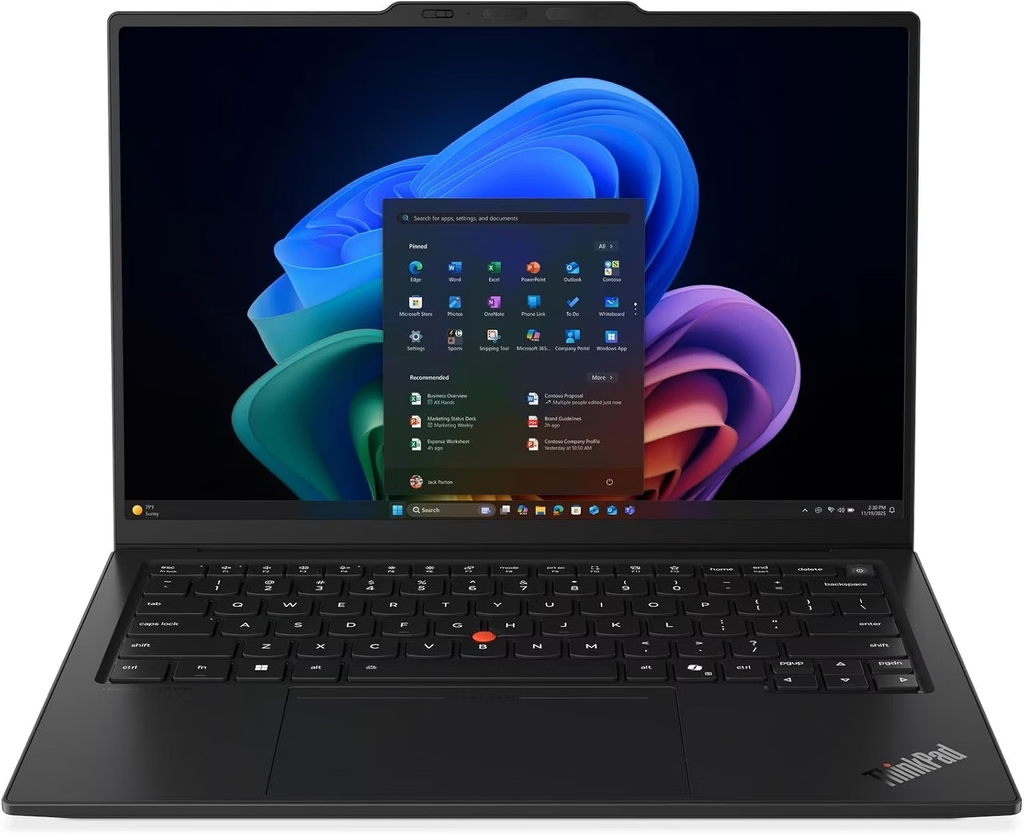
1. Lenovo ThinkPad X1 Carbon Gen 14: Best Overall Laptop for Kali Linux
Key specs
- CPU: Intel Core Ultra 5 325 or Core Ultra 7 355; up to Core Ultra X7
- GPU: Intel Graphics (Xe3), or Arc B390 on Core Ultra X chips
- RAM: 32GB LPDDR5x-7467, soldered; up to 64GB with Core Ultra X
- Storage: 1x M.2 2280 SSD
- Display: 14-inch 1920×1200 IPS 60Hz touch, or 2880×1800 OLED 120Hz
- Wi-Fi: Intel Wi-Fi 7 BE211 (Notebookcheck unit); BE201 (Tom’s Hardware unit)
- Ports: 3x Thunderbolt 4, 1x USB-A, HDMI 2.1, 3.5mm, optional 5G WWAN
- Battery: 58Wh, 65W USB-C charger
- Weight: 1.139 kg (IPS) or 0.98 kg (OLED)
- Price: from $2,032 (Tom’s Hardware); $2,249 as configured by Notebookcheck
The X1 Carbon has lived in consultants’ backpacks for years, and the Gen 14 fixes its two worst habits: so-so battery life and poor repairability. Lenovo rebuilt it around a magnesium “Space Frame” that makes the keyboard, the USB-C ports and the I/O daughterboard user-replaceable. In practice, that means a USB-C port you snap at a client site no longer costs you a motherboard. Honestly, that alone made me smile.
Benchmarks and lab results
| Test | Result | Source |
|---|---|---|
| Geekbench 6 (single/multi), Core Ultra 7 355 | 2,635 / 11,107 | Tom’s Hardware |
| Geekbench 6 (single/multi), Core Ultra 7 355 | 2,456 / 10,654 | MakeUseOf |
| Cinebench 2026, 10-loop stress | 2,581 first loop, then 2,500–2,600 | Tom’s Hardware |
| Handbrake 4K→1080p | 6 min 12 s | Tom’s Hardware |
| 25GB file copy | 1,256.31 MBps | Tom’s Hardware |
| 3DMark Steel Nomad | 596 | Tom’s Hardware |
| Wi-Fi 7 iperf3 (transmit/receive) | 4,557 / 3,244 Mbit/s | Notebookcheck |
| Battery, Wi-Fi test, IPS at 150 nits | 23+ hours | Notebookcheck |
| Battery, Wi-Fi test, IPS at full brightness | 14 hours | Notebookcheck |
Display measurements
- IPS (Notebookcheck): 524 nits average, 1800:1 contrast, 99.1% sRGB, 69.8% Display P3, ColorChecker Delta E 5.0 out of the box (1.1 after calibration). Notebookcheck called the factory calibration “pretty bad.” No PWM.
- OLED (Tom’s Hardware): 473 nits, 82% DCI-P3, 115% sRGB.
Thermals: During the 10-loop Cinebench run, Tom’s Hardware measured 94°F between the G and H keys and 106°F on the underside. Notebookcheck notes that the Core Ultra 5 325 is limited to 25W on battery, which costs about 16% of multi-core performance unplugged.
Kali notes
- Wi-Fi: solid for connectivity. Use an external adapter for injection.
- Webcam: according to a Lenovo forum report, only the OLED/2.8K version uses the IPU7 MIPI camera. The IPS version keeps a standard USB UVC webcam that works on Linux (confirmed on Fedora 44, kernel 7.0.8). Buy the IPS model. You’ll get better battery life, too.
- Some history worth knowing: in 2022, Lenovo’s Mark Pearson warned on the Linux kernel mailing list against buying X1 models with the MIPI “computer vision” camera if you planned to run Linux. That advice still holds.
Pros
- Battery life among the best Notebookcheck has measured on a business laptop
- An excellent keyboard and TrackPoint, plus dedicated Home/End/PgUp/PgDn keys, which feel like a gift in a terminal
- 3x Thunderbolt 4, USB-A and HDMI, so your Alfa adapter plugs in without a dongle
- Fast Wi-Fi 7 and optional 5G WWAN for field work
- Repairable keyboard and USB-C ports
Cons
- Soldered RAM
- Weak factory calibration on the IPS panel
- The OLED model’s webcam needs extra work on Linux
- Expensive
Who should buy it: consultants and red-teamers who travel, keep their heavy lifting in lab or cloud VMs, and need a laptop that lasts a full day on site.
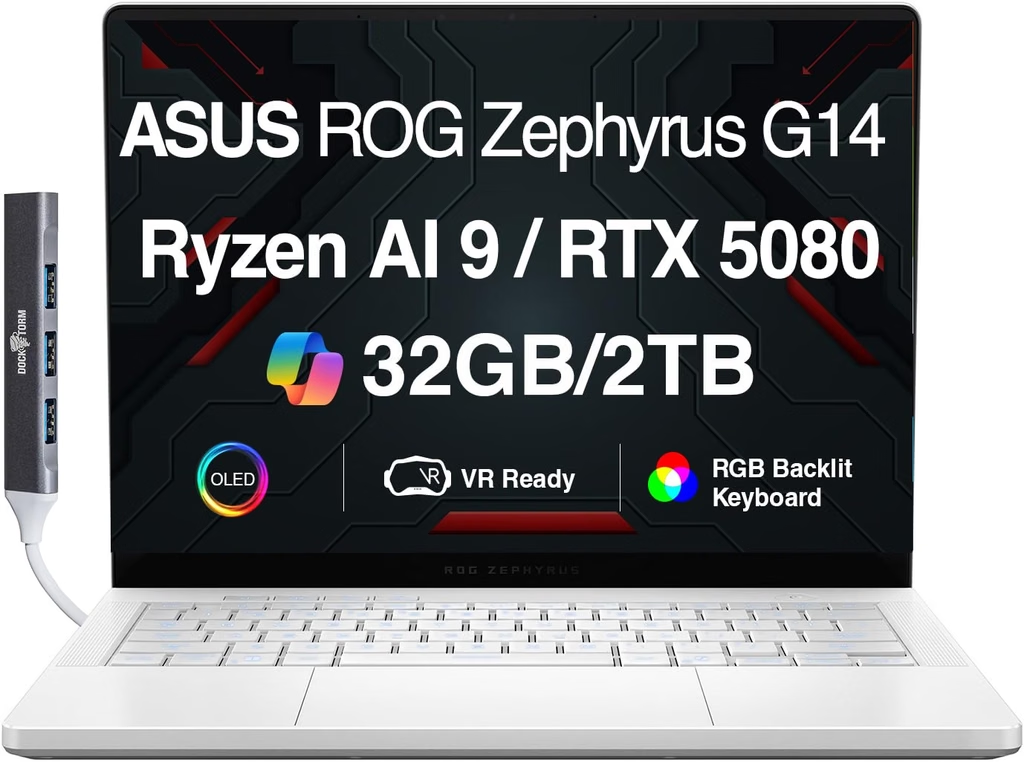
2. ASUS ROG Zephyrus G14 (2026): Best Laptop for GPU Password Cracking
Key specs (Notebookcheck review unit GU405AR)
- CPU: Intel Core Ultra 9 386H (16 cores, 70W sustained in Turbo)
- GPU: NVIDIA GeForce RTX 5070 Ti Laptop, 12GB GDDR7, up to 115W (100W TGP + 15W Dynamic Boost), Advanced Optimus
- RAM: 32GB LPDDR5x-8533, soldered
- Storage: 1TB Kioxia BG6, M.2 2280, replaceable
- Display: 14-inch 2880×1800 OLED, 120Hz, G-Sync
- Wi-Fi: Intel Wi-Fi 7 BE211, replaceable module
- Ports: Thunderbolt 4, USB4 40Gbps, 2x USB-A 10Gbps, HDMI 2.1, UHS-II SD reader
- Battery: 73Wh, 250W charger
- Weight: 1.568 kg
- Price: $3,199 RRP for the RTX 5070 Ti / 32GB configuration (Notebookcheck review); Notebookcheck’s US launch coverage lists the GU405 at $3,599
If your job involves NTLM dumps, Kerberoasting, or WPA handshakes that need to fall before the debrief, a discrete NVIDIA GPU changes everything. According to Notebookcheck, the G14 is still the only 14-inch laptop you can configure with an RTX 5070 Ti or RTX 5080. Both GPUs top out at 115W here, so they perform very close to each other. That makes the 5070 Ti the smart buy.
Benchmarks by performance mode (Notebookcheck)
| Mode | CPU TDP | Cinebench 2024 multi | GPU TGP | Time Spy Graphics | Cyberpunk 2077 QHD Ultra | Max fan noise |
|---|---|---|---|---|---|---|
| Silent | 65/50W | 1,169 | 80/45W | 9,267 | 43.8 fps | 38.2 dB(A) |
| Performance | 65/50W | 1,173 | 95W | 14,774 | 69.5 fps | 49.8 dB(A) |
| Turbo | 70W | 1,262 | 115W | 16,295 | 77.4 fps | 55.5 dB(A) |
| Battery | 54W | 1,209 | 45W | 8,115 | 39.3 fps | 38.2 dB(A) |
- Battery at 150 nits: almost 14.5 hours, roughly four hours more than the 2025 model.
- Wi-Fi 7 iperf3: 4,473 / 3,208 Mbit/s.
Display measurements (Notebookcheck): 514 nits average SDR, up to 1,140 nits HDR, 25,400:1 contrast, 100% sRGB, 99.8% Display P3, ColorChecker Delta E 1.3. PWM runs at 960Hz, which Notebookcheck says is high enough that most sensitive users won’t notice.
Hashcat reality check. Here are published hashcat 6.2.6 / CUDA 12.8 results for the desktop RTX 5070 Ti, from a comparison run posted on Medium:
- NTLM: 137.8 GH/s
- NetNTLMv2: 6,320.7 MH/s
- WPA-PBKDF2-PMKID+EAPOL: 1,363.4 kH/s
- bcrypt: 107.4 kH/s
Treat those as a ceiling. In Notebookcheck’s synthetic tests, the desktop RTX 5070 Ti runs about 34% faster than the laptop chip on average. The laptop version also has 12GB of VRAM against the desktop card’s 16GB. Even so, it’s in a different universe from any integrated GPU on this list. Run hashcat -b -m 22000 on your own unit after setup and you’ll see exactly where yours lands.
Kali notes
- Install with the iGPU only. In testing published by BestLaptop.deals, Ubuntu 26 booted on the G14 only when the laptop was set to iGPU-only mode. With the NVIDIA GPU active, even in hybrid mode, the screen went black. I’d switch to iGPU-only mode in ASUS’s settings before installing Kali, then add the NVIDIA drivers once you’re in.
- Start with NVIDIA’s open kernel modules, following the Arch Wiki’s G14 notes.
- ASUS-specific controls (power profiles, battery charge limit, panel overdrive, GPU mode switching) come from the asusctl and supergfxctl tools in the ASUS Linux project.
- Use Silent or Performance mode day to day. Turbo hits 55.5 dB(A) in Notebookcheck’s testing for a modest gain.
Pros
- The only 14-inch laptop with an RTX 5070 Ti-class GPU
- Gorgeous OLED (Delta E 1.3, 1,140-nit HDR)
- Excellent keyboard with 1.7 mm travel
- Replaceable Wi-Fi card and SSD, plus a full-size SD reader
- Much better battery life than last year’s model
Cons
- Expensive, and $600 more than the 2025 model’s $2,599
- Loud under GPU load
- Linux install needs the iGPU-only workaround
- Soldered RAM, PWM dimming
Who should buy it: pentesters who crack locally, CTF regulars, and anyone who wants one machine that does everything.
3. MSI Prestige 14 Flip AI+ (2026): Best Linux-Proven Laptop (and a Battery Monster)
Key specs (Notebookcheck, Tom’s Guide)
- CPU: Intel Core Ultra X7 358H (16 cores: 4 P-cores up to 4.8 GHz plus 12 E-cores), 30W sustained / 65W short burst
- GPU: Intel Arc B390 (12 Xe3 cores)
- RAM: 32GB LPDDR5x-8533, dual-channel, soldered
- Storage: 1TB Phison PCIe SSD
- Display: 14-inch 1920×1200 OLED touchscreen, 60Hz, stylus support
- Wi-Fi: Intel Killer Wi-Fi 7, Bluetooth 6.0
- Ports: 2x USB-A, 2x USB-C/Thunderbolt 4, DisplayPort, HDMI, headphone jack
- Battery: 81Wh, 65W charger
- Weight: 1.377 kg
- Price: $1,299 (Tom’s Guide, PCWorld); TechRadar lists $1,699.99
This is my favorite surprise on the list. On paper it’s a convertible business laptop, the kind you’d never connect with Linux. But it’s the laptop Phoronix uses for its Panther Lake Linux testing. Michael Larabel pre-ordered one, Intel then sent the same model for review, and since then almost every Panther Lake Linux article Phoronix has published has run on this machine. That includes the first big Ubuntu 26.04 review with about 300 benchmarks, the Linux 6.19 vs 7.0 regression checks, the 7.0 vs 7.1 comparisons and the Linux 7.2 graphics gains.
Why should you care? Because every Linux quirk on this exact laptop has been found, written up and tested in public. No other Panther Lake laptop has that kind of track record.
Benchmarks and lab results
| Test | Result | Source |
|---|---|---|
| Geekbench 6 (single/multi) | 2,839 / 16,558 | Tom’s Guide |
| Geekbench 6 (single/multi) | 2,864 / 16,633 | Engadget |
| Geekbench 6 (single/multi) / GPU | 2,910 / 16,699 / 56,193 | tbreak |
| Cinebench R23 multi | 17,457 | Notebookcheck |
| Cinebench 2024 (single/multi) | 123.4 / 996 | Notebookcheck |
| Handbrake | 6 min 3 s | Tom’s Guide |
| Cyberpunk 2077 1080p Ultra | 45.5 fps | Notebookcheck |
| Wi-Fi 7 iperf3 (transmit/receive) | 1,662 / 1,717 Mbit/s | Notebookcheck |
| Battery, Wi-Fi test | Almost 20 hours | Notebookcheck |
| Battery, web surfing at 150 nits | 20 h 26 min | Tom’s Guide |
| Battery, offline video at 250 nits | 34 h 28 min | PCWorld |
| Fan noise (max / Eco-Silent) | 46.5 / 27.6 dB(A) | Notebookcheck |
Look at that battery section again. PCWorld said its result beat everything else it had tested, and Tom’s Guide called it one of the longest-lasting laptops it has ever reviewed. For a long day on site with no outlet in sight, nothing on this list beats it.
Display measurements (Notebookcheck): about 292 nits average, 29,200:1 contrast, 100% sRGB, 100% P3, ColorChecker Delta E 1.4, grayscale Delta E 1.7. PWM runs at 480Hz, and there’s no HDR. The colors are excellent, but the panel is dim, which Tom’s Guide also pointed out.
What Phoronix learned running Linux on it
- The kernel version really matters. On Linux 6.18, Wi-Fi and audio didn’t work. You need 6.19 or newer, and Kali 2026.3 ships 7.1.5, so you’re covered.
- Switch to the performance profile. MSI’s balanced profile kept the chip at roughly 15–30W. Across 300 benchmarks, the performance profile delivered 1.18x the speed of balanced mode. Intel’s suggested setup adds a thermald workaround and Intel LPMD.
- It’s great at crypto workloads. In performance mode, the Prestige 14 was the fastest machine in Phoronix’s test group in OpenSSL SHA256 and SHA512. If hashing and encryption fill your day, that matters.
- Linux 7.2 improved Arc B390 graphics performance, which helps with OpenCL-based cracking practice.
- MSI shipped a test BIOS aimed at Linux compatibility, so update the BIOS before you install Kali.
Kali notes
- The Killer Wi-Fi card is Intel-based and uses the iwlwifi driver family. It’s fine for connectivity, but use an external adapter for injection.
- Like every Panther Lake laptop here, treat the webcam as a Windows-side tool for now.
- USB-A and HDMI and DisplayPort on a 14-inch convertible mean no dongle drama for your Alfa adapter or a client’s projector.
Pros
- The most thoroughly documented Panther Lake laptop on Linux
- Class-leading battery life across several independent tests
- Core Ultra X7 358H, Arc B390 and 32GB of RAM for a $1,299 MSRP
- Very color-accurate OLED (Delta E 1.4)
- Excellent port selection
Cons
- Dim panel (about 292 nits) and no HDR
- Wobbly hinges and a high-pitched fan, per Notebookcheck
- Engadget’s reviewer struggled to type at full speed without errors and disliked the trackpad
- Soldered RAM, 32GB in the reviewed configuration
- Price varies a lot by retailer
Who should buy it: Linux-first users who want proof instead of promises, and field pentesters who need the longest battery life they can get.
4. Dell XPS 14 (2026): Best Laptop with Ubuntu Preinstalled
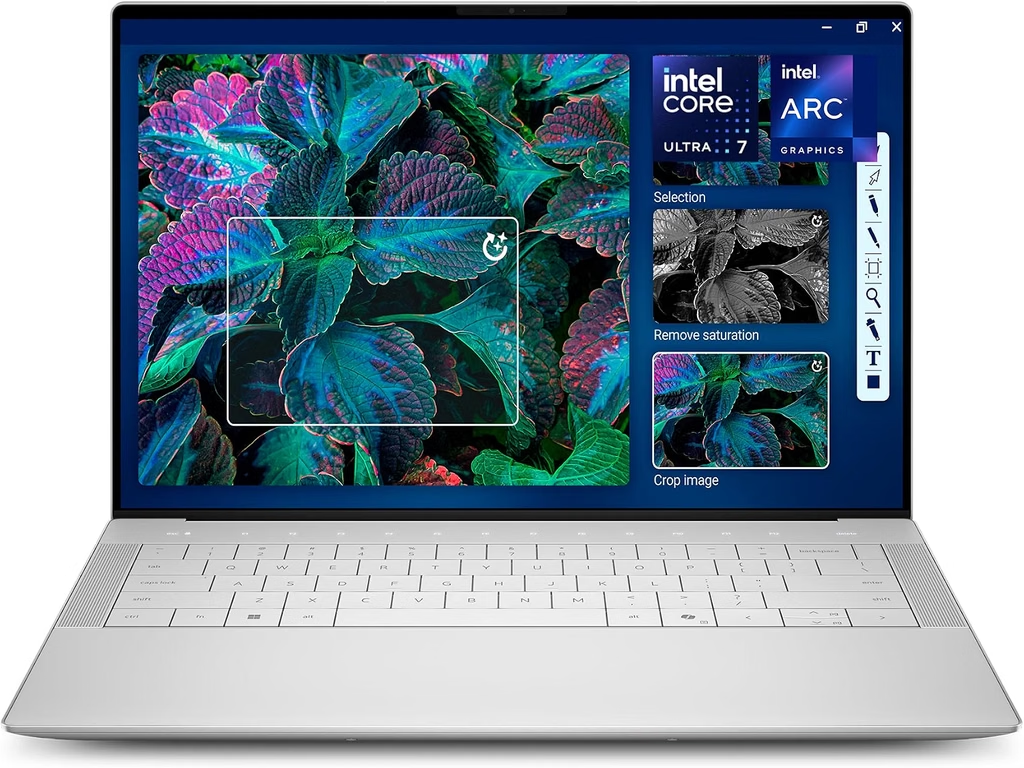
Key specs (Tom’s Hardware review units)
- CPU: Intel Core Ultra X7 358H or Core Ultra 7 355; up to Core Ultra X9 388H
- GPU: Intel Arc B390 (X7) or Intel Graphics
- RAM: 32GB LPDDR5x-9600 or 16GB LPDDR5x-7467; up to 64GB
- Storage: up to 4TB PCIe Gen 4
- Display: 14-inch 2880×1800 tandem OLED touch (20–120Hz) or 1920×1200 IPS (1–120Hz)
- Wi-Fi: Intel Wi-Fi 7 BE211, Bluetooth 6.0
- Ports: 3x Thunderbolt 4, 3.5mm
- Battery: 70Wh, 100W USB-C
- Weight: 1.36 kg
- Price: from $1,599.99 with Windows (Tom’s Hardware); the Ubuntu configuration costs $100 less than Windows 11 Home
Dell revived the XPS name at CES 2026, and since June 2, 2026 it has sold the XPS 14 with Ubuntu 24.04 LTS preinstalled in North America. Notebookcheck reports that the Ubuntu version has no configuration limits, so you can order the X9 388H, 64GB of RAM and 4TB of storage. Dell engineers also upstreamed Intel ISH sensor-hub firmware ahead of launch, which is a nice sign that Dell takes Linux seriously on this one.
Benchmarks: Core Ultra X7 358H configuration
| Test | Result | Source |
|---|---|---|
| Geekbench 6 (single/multi) | 2,867 / 16,927 | Tom’s Hardware |
| Cinebench 2026 (single/multi) | 497 / 3,013 | TweakTown |
| Geekbench 6 GPU OpenCL | 56,765 | TweakTown |
| 3DMark Steel Nomad | 1,446 | Tom’s Hardware |
| 3DMark Time Spy / Port Royal | 5,781 / 3,006 | TweakTown |
| CrystalDiskMark seq. read/write | 6,918 / 5,693 MB/s | TweakTown |
| Handbrake 4K→1080p | 4 min 30 s | Tom’s Hardware |
| Battery (OLED) | 12 h 23 min | Tom’s Hardware |
| PCMark 10 Modern Office battery | 10 h 21 min | Engadget |
Benchmarks: Core Ultra 7 355 configuration (Tom’s Hardware)
| Test | Result |
|---|---|
| Geekbench 6 (single/multi) | 2,685 / 7,964 |
| 3DMark Steel Nomad | 532 |
| Handbrake 4K→1080p | 6 min 45 s |
| 25GB file copy | 1,730.36 MBps |
| Battery (IPS) | 20 h 41 min |
Display (Tom’s Hardware): the tandem OLED measured 365 nits, 89.7% DCI-P3 and 126.6% sRGB. The IPS measured 466 nits, 71.4% DCI-P3 and 100.8% sRGB.
Thermals (Tom’s Hardware, X7): 91.5°F on the keyboard and 104.5°F at the hottest point underneath.
Kali notes
- Factory Ubuntu means Dell and Canonical have validated the firmware, Wi-Fi and suspend behavior. It’s a great base for running Kali tooling in VMs.
- The webcam uses IPU7 plus a Synaptics SVP7500 bridge, and community guides need extra modules to get it working.
- There’s no USB-A port, so keep a small USB-C hub in your bag for your Wi-Fi adapter.
Pros
- Official Ubuntu preinstall, and it costs less than Windows
- Up to 64GB of RAM, the most VM headroom among the thin-and-lights here
- Fast SSD, and the IPS model has superb battery life
- Strong Arc B390 iGPU
Cons
- Shallow 0.8 mm keyboard travel
- USB-C ports only
- Upgrades require a fiddly keyboard-deck removal
- Ubuntu version sold in North America only
Who should buy it: developers and blue-teamers who want a premium, officially Linux-supported laptop with plenty of RAM for VM labs.
5. Acer Swift Go 14 AI (2026): Best Value Ethical Hacking Laptop
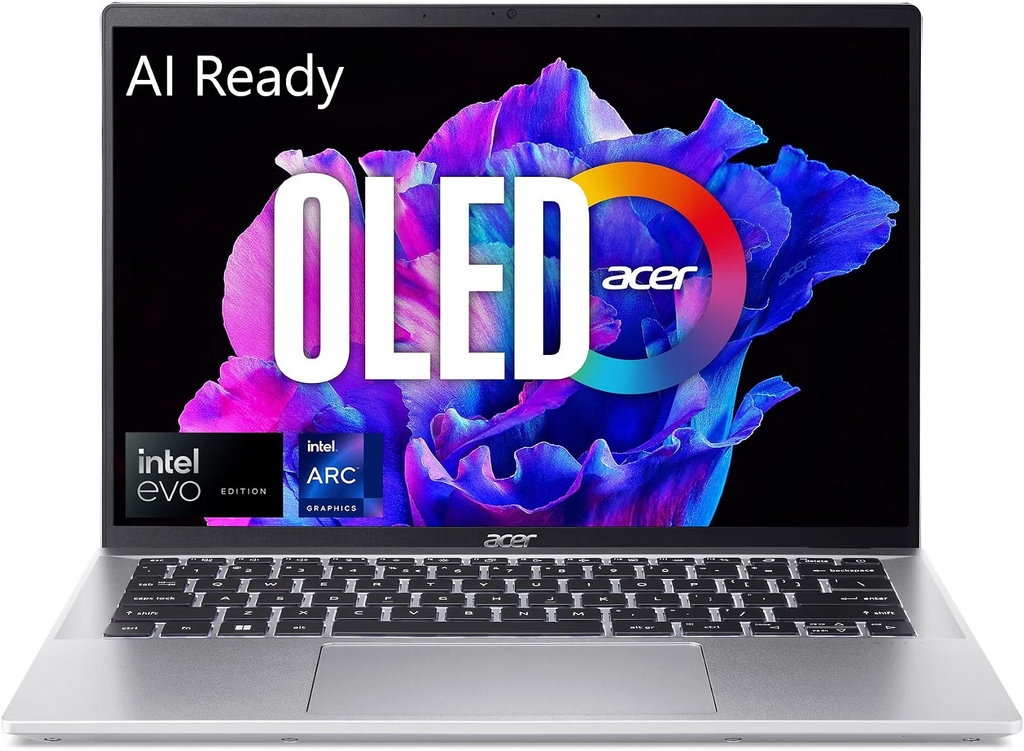
Key specs (LaptopMedia and Trusted Reviews units)
- CPU: Intel Core Ultra 7 355; Core Ultra X7 358H available
- GPU: Intel Graphics, or Arc B390 on the X7
- RAM: 16GB or 32GB, soldered
- Storage: 512GB NVMe, single slot
- Display: 14-inch 1920×1200 OLED 60Hz; 2.8K 120Hz OLED on the X7 configuration
- Wi-Fi: Intel Wi-Fi 7 BE211, soldered
- Battery: 71Wh (LaptopMedia’s battery label reading), replaceable
- Weight: 1.12 kg (LaptopMedia)
- Price: $1,299 (Trusted Reviews)
Let me be straight with you. With RAM and SSD prices inflated in late 2026, “budget” for a current-gen Panther Lake laptop with an OLED screen means around $1,300. For that, you get superb battery life and a fast SSD, from a brand that doesn’t officially support Linux. If you’re comfortable spending ten minutes in the BIOS, that’s a fair trade.
Benchmarks and lab results
| Test | Result | Source |
|---|---|---|
| Cinebench R23 (single/multi) | 1,995 / 10,357 | Trusted Reviews |
| Geekbench 6 (single/multi) | 2,708 / 11,127 | Trusted Reviews |
| Cinebench 2024 multi, Ultra 7 355 vs X7 358H | 644 vs 1,102 | LaptopMedia |
| CrystalDiskMark seq. read/write | 7.08 / 5.70 GB/s | LaptopMedia |
| PCMark 10 video loop at 150 nits | 20 h 51 min | Trusted Reviews |
| Offline video playback | 20 h 1 min | LaptopMedia |
Display: LaptopMedia measured 412 nits, 100% sRGB, 100% DCI-P3 and an average Delta E of 2.2 before calibration.
A quick note: Trusted Reviews lists the battery at 65Wh and the weight at 1.24 kg. LaptopMedia read 71Wh off the battery label itself and weighed the laptop at 1.12 kg, which matches Acer’s CES specs, so I’m going with LaptopMedia’s figures.
Kali notes
- Turn off Intel RST/VMD and Secure Boot before installing.
- Community threads on earlier Swift Go 14 models also needed alsa-ucm-conf fixes for audio and the camera.
- The Wi-Fi is soldered, so plan on a USB adapter.
Pros
- 20+ hours of battery life in two independent tests
- PCIe 4.0 SSD at around 7 GB/s
- Color-accurate OLED
- Light, at 1.12 kg
Cons
- No official Linux support, and BIOS tweaks are required
- 60Hz screen on the tested configuration
- 16GB of RAM is tight for VM labs
- Soldered Wi-Fi and RAM
Who should buy it: students and career-switchers studying for OSCP-style certifications who mostly run Kali in a VM.
The Pentester’s Scorecard
These are my own editorial scores, weighted for Kali work and based on the lab data above.
| Category (weight) | X1 Carbon Gen 14 | ROG G14 2026 | MSI Prestige 14 Flip AI+ | XPS 14 2026 | Swift Go 14 AI |
|---|---|---|---|---|---|
| Linux/Kali compatibility (25%) | 8 | 5 | 8 | 9 | 5 |
| GPU cracking power (15%) | 3 | 10 | 5 | 5 | 4 |
| VM/lab headroom (20%) | 8 | 8 | 7 | 9 | 6 |
| Portability and battery (15%) | 10 | 6 | 10 | 8 | 9 |
| Field readiness: ports, keyboard, durability (15%) | 10 | 8 | 7 | 6 | 7 |
| Value (10%) | 6 | 5 | 9 | 7 | 9 |
| Weighted total (/10) | 7.7 | 7.0 | 7.6 | 7.6 | 6.4 |
The USB Wi-Fi Adapters That Actually Inject
Don’t use any of these laptops as your packet-injection radio. Here’s what the Kali-focused adapter guides I reviewed recommend:
| Adapter | Chipset | Bands | Kali driver | My take |
|---|---|---|---|---|
| Alfa AWUS036ACM | MediaTek MT7612U | 2.4/5 GHz | mt76, in-kernel | Buy this first. Dual-band injection with nothing to compile, about $50 |
| zSecurity AR9271 / Alfa AWUS036NHA | Atheros AR9271 | 2.4 GHz | ath9k_htc, in-kernel | The best-documented injection chipset, about $30 |
| Alfa AWUS036AXML | MediaTek MT7921AUN | 2.4/5/6 GHz | mt7921u | Reaches 6 GHz, but monitor mode reportedly regressed around kernel 6.18 |
| Netgear A9000 | MediaTek MT7925U | Wi-Fi 7 | mt7925u | Reported to pass monitor and injection tests, but expensive overkill |
| Alfa AWUS036AX / AXER | Realtek RTL8832BU | 2.4/5 GHz | Limited support | Avoid for injection work |
Quick start: run sudo airmon-ng check kill, then sudo airmon-ng start wlan1, and confirm with iw dev.
How Much RAM Do You Need for Kali VMs and Docker Labs?
Every laptop here has soldered memory, so this is the biggest decision you’ll make at checkout.
| Your workload | Minimum | Recommended |
|---|---|---|
| Bare-metal Kali, web app testing, CTFs | 16GB | 32GB |
| Kali VM plus 1–2 target VMs | 32GB | 32GB |
| Active Directory lab (DC + 2 workstations + Kali) or Docker-heavy tooling | 32GB | 64GB |
| GPU cracking with VMs running at the same time | 32GB | 32GB+ |
In this group, only the X1 Carbon (with Core Ultra X) and the XPS 14 go up to 64GB.
How I Put This Guide Together
I’d rather be upfront than pretend. I didn’t have all five of these laptops on my desk at once, and I’m not going to present someone else’s measurements as my own. Instead, I did what I think matters more for a Kali buyer: I combined trusted lab data with the Linux evidence most reviewers never look at.
- Performance, display, battery, SSD and thermal figures come from named independent labs: Notebookcheck (CalMAN with an X-Rite i1Pro 3 colorimeter, iperf3 Wi-Fi tests, Wi-Fi battery runs), Tom’s Hardware, Tom’s Guide (web surfing at 150 nits), PCWorld (offline video at 250 nits), TweakTown, LaptopMedia, Trusted Reviews, Engadget, MakeUseOf and tbreak.
- Linux behavior comes from Phoronix’s hands-on kernel testing, the Arch Wiki, vendor announcements, kernel mailing lists, community bug reports and GitHub driver projects.
- Only current models made the list. Every pick runs 2026 Panther Lake silicon.
- When two labs disagreed, I said so and explained which number I trust.
- Compare battery results within a source, not across sources. Every lab runs a different test.
Buying Guide: How to Choose a Kali Linux Laptop
- Decide where Kali will live. Most pros run Kali in a VM on a stable host, so the host’s Linux support matters more than bare-metal quirks.
- Buy RAM for your biggest lab, not your average day. It’s soldered on every pick here.
- Budget for a USB Wi-Fi adapter. About $30–$70 gets you a proven chipset.
- Only pay for an NVIDIA GPU if you crack locally. Otherwise, rent cloud GPUs and save the weight, the noise and the money.
- Check your webcam needs. IPU7 cameras still need extra work on Linux.
- Keep Kali updated. Panther Lake support is mature from kernel 7.1 onward, and on some machines anything older than 6.19 breaks Wi-Fi and audio.
Frequently Asked Questions
What is the best laptop for Kali Linux in 2026?
The Lenovo ThinkPad X1 Carbon Gen 14 is the best all-rounder. Notebookcheck measured more than 23 hours of Wi-Fi battery life at 150 nits. It has three Thunderbolt 4 ports, and its IPS configuration uses a standard UVC webcam that works on Linux.
Which laptop is best for hashcat and password cracking?
The ASUS ROG Zephyrus G14 (2026). According to Notebookcheck, it’s the only 14-inch laptop offered with an RTX 5070 Ti (12GB GDDR7, up to 115W).
Which Panther Lake laptop has the best-documented Linux support?
The MSI Prestige 14 Flip AI+. Phoronix uses it as its Panther Lake Linux test system and has published hundreds of benchmarks on it across kernels 6.19 through 7.2.
Can I use my laptop’s built-in Wi-Fi for packet injection?
Don’t count on it. Use a USB adapter with a documented chipset, such as the MediaTek MT7612U in the Alfa AWUS036ACM.
How much RAM does a Kali Linux laptop need?
16GB is the minimum, 32GB is the sweet spot, and 64GB is the right call for Active Directory labs.
Does Kali Linux work on Intel Panther Lake laptops?
Yes. Kali 2026.3 ships kernel 7.1.5, which supports the platform well. The webcam is the main exception: IPU7 cameras still need extra drivers.
Is there a laptop that comes with Linux preinstalled?
Yes. The Dell XPS 14 (2026) ships with Ubuntu 24.04 LTS in North America and costs $100 less than the Windows 11 Home version.
Should I dual boot Kali or run it in a VM?
For most people, a VM is the better choice: snapshots, isolation and easy rollbacks. Dual boot only when you need full GPU access for cracking.
Do I need to disable Secure Boot to install Kali?
Usually, yes. On Acer laptops, also disable Intel RST/VMD so the installer can see the SSD.
My Final Verdict
If I could hand one laptop to a junior pentester heading to their first on-site engagement, it would be the ThinkPad X1 Carbon Gen 14 with the IPS screen, at least 32GB of RAM, and an Alfa AWUS036ACM tucked in the bag. It’s light, it lasts all day, it has the ports you need, and Kali’s 7.1 kernel handles it well.
If cracking speed is what pays your bills, the ROG Zephyrus G14 (2026) is the only 14-inch laptop with an RTX 5070 Ti. Just budget for the price, put up with the fan noise, and install in iGPU-only mode.
If you’ve been burned by Linux driver roulette before, pick one of the last two. The MSI Prestige 14 Flip AI+ has had its Linux behavior documented in public, kernel by kernel, and its battery life is honestly wild. The Dell XPS 14 with Ubuntu gives you factory Linux support and 64GB of headroom.
Whatever you choose, buy the RAM up front, keep Kali updated, and leave packet injection to an external adapter. Future you, the one staring at a terminal at 2 a.m., will be grateful.
Sources
- Kali Linux 2026.3 released – FOSSLinux
- Kali Linux 2026.3 release – OpenSourceFeed
- Panther Lake Linux support – Phoronix
- Panther Lake NPU firmware – Phoronix
- Intel Wireless Wi-Fi Drivers for Linux – Intel
- Intel IPU7 in Linux 6.17 – Phoronix
- IPU support in Linux 7.4 – daily.dev
- XPS 14 Panther Lake camera guide – GitHub
- IPU7 reverse-engineering project – GitHub
- Installing Linux on Acer Swift Go 14 – Acer Community
- Acer Swift Go 14 SFG14-72 Linux support – Acer Community
- Acer and Linux thread – Linux Mint Forums
- Laptop/ASUS – Arch Wiki
- ASUS Linux tools – Arch Wiki
- Lenovo ThinkPad X1 Carbon Gen 14 review – Notebookcheck
- ThinkPad X1 Carbon Gen 14 release – Notebookcheck
- ThinkPad X1 Carbon Gen 14 Aura Edition review – Tom’s Hardware
- ThinkPad X1 Carbon Gen 14 review – MakeUseOf
- ASUS ROG Zephyrus G14 (2026) review – Notebookcheck
- ROG Zephyrus G14 review verdict – Notebookcheck
- 2026 ROG Zephyrus G14 with Panther Lake – Notebookcheck
- ROG Zephyrus G14 GU405 US release – Notebookcheck
- NVIDIA GeForce RTX 5070 Ti Laptop – Notebookcheck
- ASUS ROG Zephyrus G14 review – BestLaptop.deals
- 2026 ROG Zephyrus G14 lineup explained – Ultrabookreview
- MSI Prestige 14 Flip AI+ review – Notebookcheck
- MSI Prestige 14 Flip AI+ review – Tom’s Guide
- MSI Prestige Flip 14 AI+ review – PCWorld
- MSI Prestige 14 Flip AI+ review – Engadget
- MSI Prestige 14 Flip AI+ review – TechRadar
- MSI Prestige 14 Flip AI+ review – tbreak
- Intel Core Ultra X7 358H Linux benchmarks – Phoronix
- Pushing Panther Lake performance further on Linux – Phoronix
- Panther Lake Linux power profiles – Phoronix
- Linux 7.2 improves Panther Lake Arc B390 graphics – Phoronix
- Best Panther Lake laptops for Linux – ComputingForGeeks
- Dell XPS 14 (2026) review – Tom’s Hardware
- Dell XPS 14 (2026) review – TweakTown
- Dell XPS 14 (2026) review – Engadget
- Dell XPS 14 with Ubuntu and up to 64GB RAM – Notebookcheck
- Dell ships XPS 14 with Ubuntu 24.04 LTS – Lunar Computer
- Dell XPS 14 (2026) review – ServeTheHome
- CachyOS Panther Lake issue – GitHub
- Acer Swift Go 14 AI (2026) review – Trusted Reviews
- Acer Swift Go 14 SFG14-I71 review – LaptopMedia
- Acer Swift Go 14 AI series – LaptopMedia
- Acer Swift Go 14 AI announcement – Notebookcheck
- Best Wi-Fi adapter for Kali Linux 2026 – Yupitek
- Best Wi-Fi adapter for Kali Linux – ComputingForGeeks
- Recommended USB wireless cards for Kali Linux – blackMORE Ops
- Best GPU for hashcat – ComputingForGeeks

Hi, my name is Burak. I am a mechanical engineer. I have been writing laptop reviews for the Engineering Laptops website since 2020. Please feel free to contact me if you have any questions.