Last updated: October 8, 2026
Table of contents
- My quick answer
- The 5 picks at a glance
- What interior design software actually needs in 2026
- How I picked these five (and where the numbers come from)
- The 5 best laptops for interior design students, reviewed
- 1. Apple MacBook Pro 16 M5 Pro (2026) : Best overall for Mac-friendly programs
- 2. Samsung Galaxy Book6 Ultra : Best Windows all-rounder
- 3. Lenovo Yoga Pro 9i Gen 11 (2026) : Best screen, and the only pick with a pen in the box
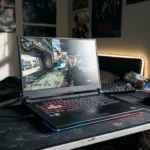
- 4. ASUS ROG Zephyrus G14 (2026) : Best rendering power you can actually carry
- 5. Dell XPS 14 (2026) : Best lightweight laptop for first- and second-years
- Side-by-side: benchmarks, screens, battery and real carry weight
- The interior design buyer’s toolkit (stuff other guides skip)
- FAQ: laptops for interior design students
- Sources
It’s 2 a.m. The final review is at nine. Your Enscape render bar is crawling, the oak flooring on your screen looks suspiciously orange next to the sample in your bag, and the battery icon just turned red. Nobody in that moment cares about a spec sheet. You care about three things: will the render finish, will the colors be true, and will this thing survive a four-hour crit with no outlet in sight?
That’s exactly the question I set out to answer. I went through the independent lab reviews of every major 2026 creator laptop, line by line: colorimeter readings, render times, battery rundowns, SSD speeds, surface temperatures, fan noise. Then I held all of it up against the software interior design programs actually teach. A few things I found genuinely surprised me:
- The longest-lasting laptop on this list ran 21 hours and 10 minutes in Tom’s Guide’s battery test. It isn’t a Windows machine.
- The widest color gamut here (98.2% of AdobeRGB, the color space print boards live in) belongs to the least expensive pick, a laptop with no graphics card at all.
- The most powerful 14-inch laptop on the list weighs only 3.46 lb, but its charger alone weighs 724 g. Once it’s in your backpack, it’s about as heavy as a 16-inch Samsung.
- A $2,699 MacBook Pro still can’t run Revit natively, and Revit is the BIM program many interior design programs build their upper-level studios around.
That’s the stuff a spec sheet never tells you. So here are the five laptops I’d actually recommend to an interior design student in 2026: one per brand, all current-generation models, and every number traced back to a published lab test.
My quick answer
If your program is Mac-friendly (SketchUp, Rhino, Archicad, Vectorworks, Adobe), get the Apple MacBook Pro with M5 Pro. If your school teaches Revit, get the Samsung Galaxy Book6 Ultra or the Lenovo Yoga Pro 9i Gen 11. If render speed matters more than anything, the ASUS ROG Zephyrus G14 (2026) is the strongest 14-inch laptop you can buy. And if you’re a first- or second-year who mostly drafts, models, and lives in Adobe, the Dell XPS 14 (2026) is the lightest, longest-lasting Windows pick here.
The 5 picks at a glance
| Laptop | Best for | CPU / GPU (as tested) | Display | Weight | Price |
|---|---|---|---|---|---|
| Apple MacBook Pro 16 M5 Pro (2026) | Best overall for Mac-friendly programs | M5 Pro 18-core CPU / 20-core GPU | 16.2″ Mini-LED, 120 Hz | 4.68 lb (2.12 kg) | From $2,699 |
| Samsung Galaxy Book6 Ultra | Best Windows all-rounder | Core Ultra 7 356H / RTX 5070 8 GB | 16″ OLED touch, 120 Hz | 4.19 lb (1.9 kg) | $3,199.99 (RTX 5070); from $2,449.99 |
| Lenovo Yoga Pro 9i Gen 11 | Best screen, pen included | Core Ultra 9 386H / RTX 5060 8 GB | 16″ Tandem OLED touch, 120 Hz | 4.2 lb (1.89 kg) | $3,149 as tested |
| ASUS ROG Zephyrus G14 (2026) | Best rendering power per pound | Core Ultra 9 386H / RTX 5070 Ti 12 GB | 14″ OLED, 120 Hz | 3.46 lb (1.57 kg) | $3,199 |
| Dell XPS 14 (2026) | Best lightweight for years 1-2 | Core Ultra X7 358H / Arc B390 (integrated) | 14″ OLED touch, 120 Hz | 3.18 lb (1.44 kg) | From $1,600; $2,200 as tested |
A quick timing note: Bloomberg’s Mark Gurman has reported that Apple is likely to launch an M6 MacBook Pro this fall. That’s expected to be the base 14-inch model, while redesigned OLED MacBook Pros are slated for late 2026 to early 2027. In other words, the M5 Pro is still the top Pro-class chip you can buy right now. If you’re a Mac person with flexible timing, though, it’s worth keeping an eye on Apple’s event calendar for a few weeks.
What interior design software actually needs in 2026
The single most important question isn’t “Mac or Windows?” It’s “Does my program teach Revit?” Here’s why: Autodesk’s Revit 2027 requirements list 64-bit Windows 11 only. Autodesk’s official route for Mac owners is running Windows 11 inside Parallels Desktop, with at least 4 GB of video memory dedicated to that virtual machine. It works, but it’s a workaround, not a native app.
The second question is your renderer. Enscape runs on Apple Silicon Macs alongside SketchUp, Rhino, Archicad, and Vectorworks, but its Revit plugin is Windows-only (because Revit is), and VR on macOS is listed as not currently supported. If your studio does VR walkthroughs of interiors, that alone decides it.
The spec sheet I’d actually shop by
| Component | Minimum that won’t frustrate you | What I’d buy for a 4-year degree | Why it matters for interiors |
|---|---|---|---|
| RAM | 16 GB | 32 GB | Revit 2027’s 32 GB tier handles a single model up to about 600 MB on disk; 16 GB covers roughly 300 MB |
| GPU | 6 GB VRAM | 8-12 GB VRAM (RTX 5060 and up) | Revit’s Performance tier asks for 8 GB VRAM; Enscape, D5, and Twinmotion live on the GPU |
| Storage | 1 TB SSD | 1-2 TB SSD | Texture libraries, 3D Warehouse assets, and render exports pile up fast |
| Display | 100% sRGB, 400 nits | 100% DCI-P3, Delta-E under 2 | You’re choosing paint, fabric, and stone on this screen |
| Weight (with charger) | Under 6 lb | Under 5 lb | You’ll carry it to every studio, crit, and site visit |
One pattern jumps out of the lab data: every 2026 laptop here has a fast enough CPU for drafting and modeling, and their single-core scores sit close together (Apple aside). Where these machines really split apart is the GPU and the screen. So that’s where I’d put the extra money, along with 32 GB of RAM.
How I picked these five (and where the numbers come from)
I want to be upfront about this, because you deserve to know how a list like this gets made. I didn’t pick laptops by spec sheet or by which brand sent the nicest press kit. I started with every 2026 creator and premium laptop that has been fully lab-tested by independent reviewers, then filtered hard:
- Newest model only. If a newer generation is on shelves, the old one is out. That’s why you won’t see the 2025 Zephyrus G14, the Dell 14 Premium, or the M4 Pro MacBook Pro here.
- One laptop per brand. Five brands, five picks. It keeps the list honest and gives you real alternatives.
- Must run a real interior design stack. SketchUp, AutoCAD, Revit (or a clear Mac workaround), Enscape or D5, plus Adobe.
- Published, sourced measurements only. CPU benchmarks (Cinebench, Geekbench), GPU benchmarks (3DMark, Blender), calibrated display readings (brightness, color gamut, Delta-E, PWM flicker), SSD speeds, surface temperatures, fan noise, and standardized battery runs.
Who measured what
| Test type | Lab sources | How they test |
|---|---|---|
| Display (gamut, Delta-E, brightness, PWM) | Notebookcheck, Tom’s Guide, LaptopMedia, Ultrabookreview | Colorimeter (X-Rite i1Pro 3 with CalMAN at Notebookcheck) against sRGB and P3 targets |
| CPU (Cinebench 2024 / R23, Geekbench 6) | Notebookcheck, Tom’s Guide, Ultrabookreview | Highest performance mode, plugged in |
| GPU (3DMark, Blender Classroom, SPECviewperf) | Notebookcheck, Ultrabookreview, LaptopMedia | Turbo or Performance profile |
| SSD (DiskSpd, CrystalDiskMark, Blackmagic) | Notebookcheck, LaptopMedia | Sequential and random transfers, plus a sustained read loop |
| Battery | Notebookcheck, Tom’s Guide, LaptopMedia, Ultrabookreview | Wi-Fi browsing at 150 nits (Notebookcheck, Tom’s Guide); video playback at 180 nits (LaptopMedia) |
| Thermals and noise | Notebookcheck, Ultrabookreview, LaptopMedia | Surface and chip temperatures under stress; dB(A) measured near the user |
One honest caution about battery numbers: every lab uses its own script and brightness level, so an hour in one lab’s test isn’t exactly an hour in another’s. That’s why I name the lab and the method next to every battery result in this article.
The 5 best laptops for interior design students, reviewed
1. Apple MacBook Pro 16 M5 Pro (2026): Best overall for Mac-friendly programs
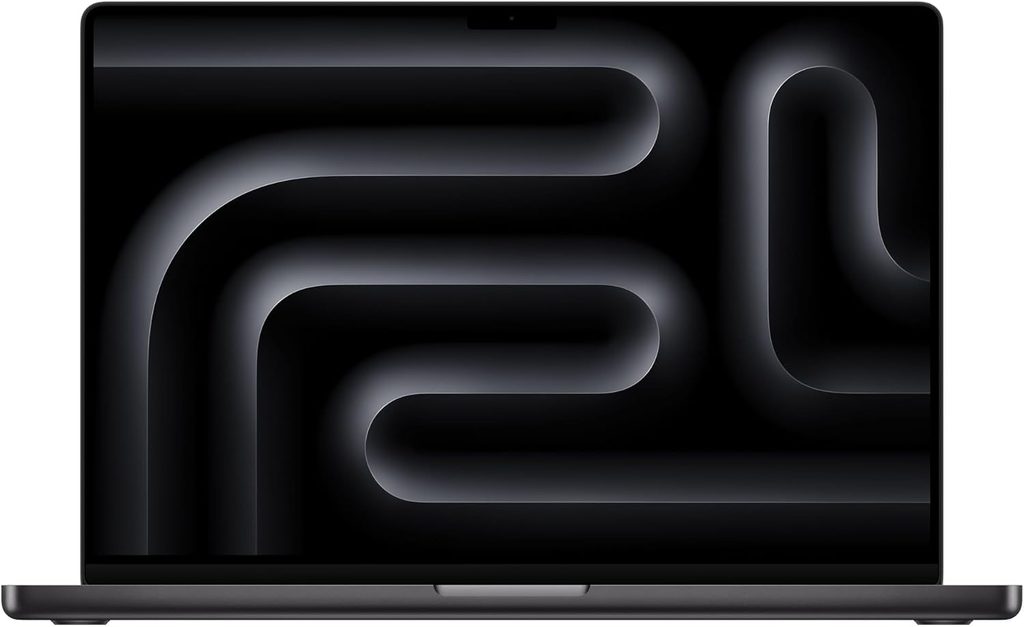
If your program runs on SketchUp, Rhino, Archicad, Vectorworks, or Adobe instead of Revit, this is the laptop I’d hand you without thinking twice. Notebookcheck gave it a 92% rating and an Editor’s Choice, and found that the M5 Pro runs at full speed in this chassis without throttling. In plain English: it doesn’t get slower halfway through your render.
Key specs
- Chip: Apple M5 Pro, 18-core CPU (6 “super” cores + 12 performance cores), 20-core GPU
- Memory: 24 GB unified memory (starting), up to 64 GB on the M5 Pro
- Storage: 1 TB PCIe 5.0 SSD (starting), up to 4 TB on the M5 Pro
- Display: 16.2-inch Liquid Retina XDR Mini-LED, 3,456 x 2,234, 120 Hz; optional matte nano-texture glass for $150
- Ports: 3x Thunderbolt 5, HDMI, SDXC card reader, headphone jack, MagSafe
- Wireless: Wi-Fi 7 and Bluetooth 6 (Apple N1 chip)
- Battery and charger: 99.6 Wh, 140 W adapter (351 g)
- Size and weight: 16.8 mm thick, 4.68 lb (2.12 kg)
- Price: from $2,699 (24 GB / 1 TB)
Benchmarks and measurements
| Test | Result | Source |
|---|---|---|
| Cinebench 2024 single / multi | 201 / 2,347 | Notebookcheck |
| Geekbench 6 single / multi | 4,295 / 28,436 | Notebookcheck |
| 3DMark Steel Nomad | 2,323 | Notebookcheck |
| Cinebench 2024 GPU | 12,948 | Notebookcheck |
| Blender 3.3 Classroom, GPU (Metal) | 36.6 s | Notebookcheck |
| SSD read / write (Blackmagic, 4 TB model) | 12,826 / 12,812 MB/s | Notebookcheck |
| Fan noise (Auto / High Power, full load) | 41.6 / 51.7 dB(A) | Notebookcheck |
| SDR / HDR brightness | 540 / 1,026 nits | Tom’s Guide |
| sRGB / DCI-P3 (volume) | 122.1% / 86.5% | Tom’s Guide |
| Delta-E (lower is better) | 0.19 | Tom’s Guide |
| Battery (Wi-Fi browsing, 150 nits) | 21 hr 10 min | Tom’s Guide |
| Handbrake 4K to 1080p | 1 min 45 s | Tom’s Guide |
What this means for an interior design student: That Delta-E of 0.19 is about as close as a laptop gets to “what you see is what you’ll print.” When you’re presenting a finish board with three slightly different greiges, this is the screen you want. Notebookcheck also points out the GPU isn’t limited to 8 GB of video memory like most RTX 5070 laptops, because it shares the big unified memory pool. That’s a real advantage for huge, texture-heavy interior scenes, even though the raw GPU is about 15% slower than an RTX 5070 in their testing.
The catch is software. Revit 2027 doesn’t run natively on macOS; Autodesk’s supported route is Windows 11 inside Parallels. Enscape runs natively with SketchUp, Rhino, Archicad, and Vectorworks on Apple Silicon, but Enscape’s VR mode isn’t supported on Mac.
Pros
- By far the fastest CPU on this list (Cinebench 2024 multi: 2,347 vs. 974-1,262 for the Windows picks)
- Incredibly accurate, bright Mini-LED screen, with an optional matte finish for glare-heavy studios
- 21+ hours of battery life in Tom’s Guide’s test
- Stays very quiet in everyday work, and GPU performance holds steady on battery
- Blazing PCIe 5.0 SSD and the best port selection here
Cons
- No native Revit; Parallels adds cost and complexity
- No Enscape VR on macOS
- Notebookcheck notes constant PWM dimming on the Mini-LED (at a high frequency, around 14,900 Hz on the M5 MacBook Pro they measured)
- Upgrades get expensive fast, and nothing can be upgraded later
- Only a 12-month standard warranty
My take: Get the 16-inch if this is also your main desk machine; the 14-inch M5 Pro is the better walker. One tip from Notebookcheck: if you’re tempted by the M5 Max, buy it in the 16-inch body. Their review found the M5 Max throttles inconsistently in the 14-inch chassis.
2. Samsung Galaxy Book6 Ultra: Best Windows all-rounder
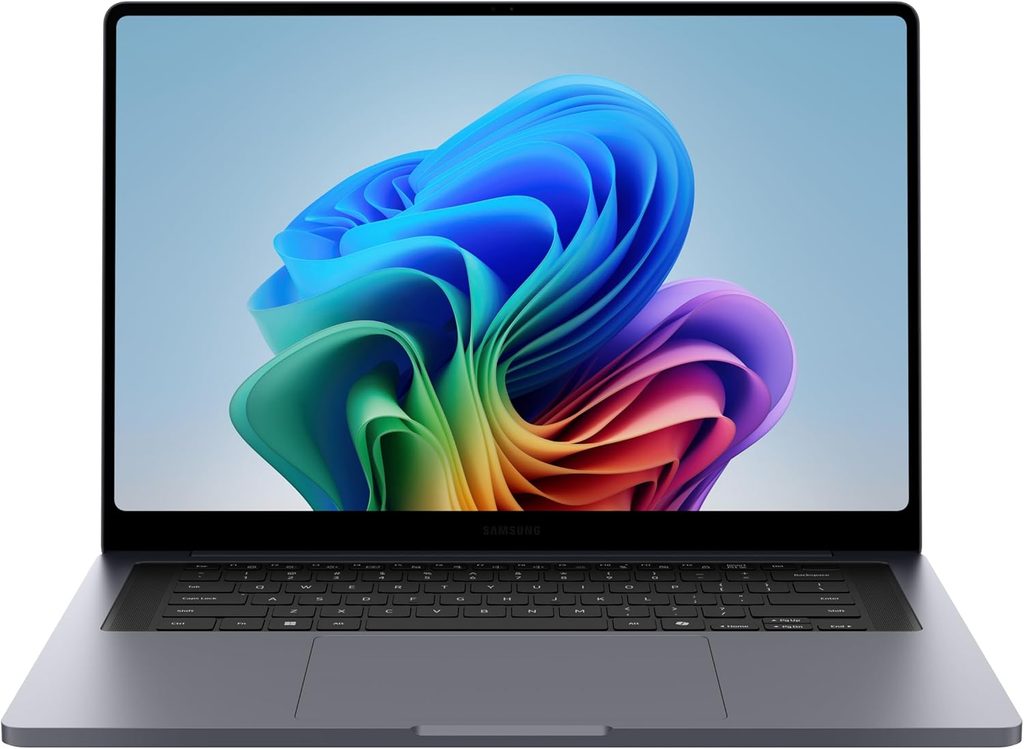
This is the laptop for the student who needs Revit and Enscape, wants a gorgeous OLED for material boards, and still expects real battery life. It looks so much like a MacBook Pro 16 that Notebookcheck joked many people would mix the two up. The difference is inside: Windows and an Nvidia RTX 5070.
Key specs
- CPU: Intel Core Ultra 7 356H (Panther Lake), 16 cores, up to 4.7 GHz, 65 W sustained
- GPU: Nvidia GeForce RTX 5070 Laptop, 8 GB GDDR7, 90 W
- Memory: 32 GB LPDDR5x-8533 (soldered)
- Storage: 1 TB Samsung PM9C1b, with two M.2-2280 slots inside
- Display: 16-inch OLED touchscreen, 2,880 x 1,800, 30-120 Hz adaptive
- Ports: 2x Thunderbolt 4, 1x USB-A (5 Gbps), HDMI 2.1, SDXC reader, 3.5 mm jack
- Battery and charger: 80.2 Wh, 140 W USB-C adapter (353 g)
- Size and weight: 15.4 mm thin, 4.19 lb (1.9 kg)
- Price: $3,199.99 for the RTX 5070 model; the Ultra lineup starts at $2,449.99 (Intel Arc) and the RTX 5060 version sits around $2,949-$2,999
Benchmarks and measurements
| Test | Result | Source |
|---|---|---|
| Cinebench 2024 single / multi | 122.4 / 1,232 | Notebookcheck |
| Cinebench R23 single / multi | 2,045 / 20,650 | Notebookcheck |
| Geekbench 6 single / multi | 2,851 / 16,676 | Notebookcheck |
| 3DMark Time Spy Graphics | 12,027 | Notebookcheck |
| 3DMark Steel Nomad | 2,784 | Notebookcheck |
| Blender 3.3 Classroom, OptiX / CUDA | 20 s / 35 s | Notebookcheck |
| Cyberpunk 2077, 1080p Ultra | 84.6 fps | Notebookcheck |
| Brightness SDR / HDR peak | 505 / 1,182 nits | Notebookcheck |
| sRGB / Display P3 / AdobeRGB | 99.9% / 97% / 85.3% | Notebookcheck |
| Delta-E ColorChecker (CalMAN) | 0.9 | Notebookcheck |
| PWM flicker | 240 Hz at 100% amplitude | Notebookcheck |
| Max fan noise (High Performance / Optimized) | 48.5 / 40.3 dB(A) | Notebookcheck |
| Battery (Wi-Fi browsing, 150 nits) | 15 hr 11 min | Tom’s Guide |
What this means for an interior design student: Notebookcheck found the factory color profiles so accurate that its own calibration couldn’t improve them. That’s rare, and it’s exactly what you want when a professor is judging your fabric swatches on screen. A 20-second Blender Classroom render with OptiX puts it right where an RTX 5070 laptop should be, so Enscape previews and D5 renders feel quick. And Notebookcheck measured battery life that beat every Windows rival in its comparison group, despite Samsung using the smallest battery of the bunch.
My one real warning is flicker. Notebookcheck measured 240 Hz PWM at full amplitude across all brightness levels. If OLED phones give you headaches, try this screen in a store before you buy.
Pros
- Excellent, very thin aluminum build
- Highly accurate OLED touchscreen with P3 and sRGB profiles
- Excellent battery life for a Windows laptop with a dedicated GPU
- Very quiet in everyday work
- Two M.2 slots, so you can add storage later
- Great six-speaker sound system
Cons
- Low-frequency PWM flicker can bother sensitive eyes
- Soldered RAM (buy 32 GB from day one)
- Limited ports, and one USB-C is taken while charging
- Slow SD reader (around 80-90 MB/s) and a slightly wobbly hinge
- No numeric keypad
My take: For a Revit-first program, this is the most balanced machine on the list. You get enough GPU for real rendering without the noise and bulk of a gaming laptop.
3. Lenovo Yoga Pro 9i Gen 11 (2026): Best screen, and the only pick with a pen in the box
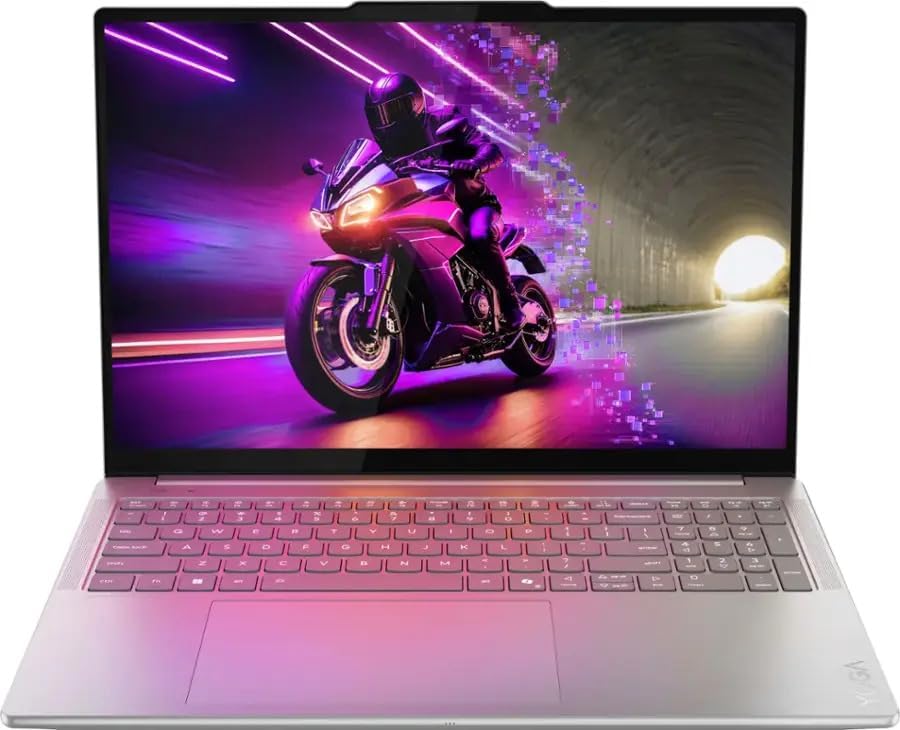
If I could choose just one screen for color-critical interiors work, it might be this one. Lenovo uses a 16-inch Tandem OLED that Ultrabookreview measured at about 975 nits of sustained SDR brightness, roughly double a typical OLED. LaptopMedia measured an average Delta-E of just 0.9 in sRGB mode and 1.0 in Display P3 mode straight out of the box. It also ships with the Yoga Pen Gen 2, and the huge glass touchpad has pen support built in, so you can sketch a quick furniture layout without buying a tablet.
Key specs (Ultrabookreview and LaptopMedia test units)
- CPU: Intel Core Ultra 9 386H (Panther Lake), 16 cores, about 65 W sustained
- GPU: Nvidia GeForce RTX 5060 Laptop, 8 GB, up to 100 W (RTX 5050 and RTX 5070 configurations also exist)
- Memory: 32 GB LPDDR5x-7467 (soldered), 64 GB available
- Storage: 1 TB SSD, plus a free second M.2 slot
- Display: 16-inch Tandem OLED touch, 3,200 x 2,000, 120 Hz
- Ports: 2x Thunderbolt 4, 2x USB-A (10 Gbps), HDMI 2.1, UHS-II SD reader, audio jack
- Battery and charger: 92.5 Wh, 245 W adapter (0.74 kg)
- Weight: 4.2 lb (1.89 kg)
- Extras: Yoga Pen Gen 2 included, 5 MP IR webcam with e-shutter, 180-degree hinge, six speakers
- Price: $3,149 as tested (the RTX 5050 version costs $300-400 less, usually paired with the standard 500-nit OLED)
Benchmarks and measurements
| Test | Result | Source |
|---|---|---|
| Cinebench 2024 single / multi (10-min run) | 122 / 1,158 | Ultrabookreview |
| Cinebench R23 single / multi | 2,115 / 21,166 | Ultrabookreview |
| Geekbench 6 single / multi | 2,865 / 16,885 | Ultrabookreview |
| 3DMark Time Spy Graphics | 11,829 | Ultrabookreview |
| 3DMark Steel Nomad | 2,632 | Ultrabookreview |
| Blender 4.3.2 Classroom, GPU (OptiX) | 20.78 s | Ultrabookreview |
| SPECviewperf 15, Enscape viewset | 36.81 | Ultrabookreview |
| V-Ray Benchmark, RTX | 2,469 | Ultrabookreview |
| SSD read / write (CrystalDiskMark) | ~7,100 / ~6,100 MB/s | LaptopMedia |
| SDR brightness | ~975 nits | Ultrabookreview |
| HDR peak (8% window) | 1,480 nits | LaptopMedia |
| sRGB / AdobeRGB / DCI-P3 | 100% / 96% / 99.6% | Ultrabookreview |
| Delta-E (sRGB / P3 mode) | 0.9 / 1.0 | LaptopMedia |
| GPU in a 1-hour gaming load | 99 W average at 71 °C | LaptopMedia |
| Battery, video playback at 180 nits | 14 hr 25 min | LaptopMedia |
| Fan noise (Performance / Adaptive) | ~45 / ~40 dB(A) | Ultrabookreview |
What this means for an interior design student: That SPECviewperf Enscape score is one of the very few published Enscape-specific benchmarks for any 2026 laptop, and it’s the reason I lean on this review so much. In plain terms: real-time Enscape walkthroughs of a furnished room run smoothly here. The 96% AdobeRGB coverage is also excellent if you prep print boards, and LaptopMedia found the RTX 5060 holding close to its full 100 W for an entire hour without overheating.
The trade-off is CPU heat. Both labs saw the processor sitting in the mid-90s °C under long full loads, and Ultrabookreview found a 45-50 °C hotspot near the space bar during heavy work. My advice: live in the Adaptive profile (about 40 dB(A)), where you still get 80-90% of full performance.
Pros
- Brightest and cleanest-looking OLED here, with excellent factory calibration
- Pen included, plus a pen-enabled touchpad for sketching
- Big 92.5 Wh battery with more than 14 hours of video playback
- Great port mix, including two USB-A and a UHS-II SD reader
- Free second SSD slot
Cons
- Highly reflective glossy screen (LaptopMedia measured 128 gloss units)
- CPU runs hot under sustained load
- RTX 5060’s 8 GB of VRAM limits very large Enscape scenes
- Pricey for its GPU tier, and the charger is heavy
My take: This is the pick for students who care most about true color and want to sketch on the same machine they render on. Lenovo runs sales often, so it pays to wait for one.
4. ASUS ROG Zephyrus G14 (2026): Best rendering power you can actually carry
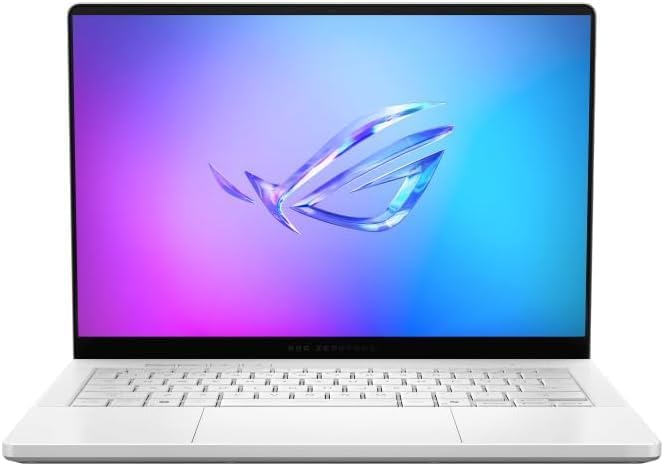
Don’t let the ROG gaming badge throw you off. The 2026 G14 is the only 14-inch laptop that can be configured with an RTX 5070 Ti (12 GB of VRAM), and that extra VRAM is a big deal for detailed interiors packed with high-res textures. Notebookcheck rated it 90% and called it one of the most versatile all-rounders on the market.
Key specs
- CPU: Intel Core Ultra 9 386H (Panther Lake), 16 cores, 70 W sustained
- GPU: Nvidia GeForce RTX 5070 Ti Laptop, 12 GB GDDR7, up to 115 W
- Memory: 32 GB LPDDR5x-8533 (soldered)
- Storage: 1 TB Kioxia BG6 PCIe 4.0 (replaceable M.2 2280)
- Display: 14-inch OLED, 2,880 x 1,800, 120 Hz, G-Sync, non-touch
- Ports: Thunderbolt 4, USB-C 3.2 Gen 2, 2x USB-A 3.2 Gen 2, HDMI 2.1, full-size SD (UHS-II), 3.5 mm
- Battery and charger: 73 Wh, 250 W adapter (724 g)
- Size and weight: 16.3 mm, 3.46 lb (1.57 kg)
- Price: $3,199 (RTX 5070 Ti, 32 GB)
Benchmarks and measurements
| Test | Zephyrus G14 (2026) | Source |
|---|---|---|
| Cinebench 2024 single / multi | 121.3 / 1,262 | Notebookcheck |
| Cinebench R23 single / multi | 2,012 / 21,186 | Notebookcheck |
| Geekbench 6 single / multi | 2,810 / 17,224 | Notebookcheck |
| 3DMark Time Spy Graphics (Turbo) | 16,295 | Notebookcheck |
| 3DMark Steel Nomad | 3,694 | Notebookcheck |
| Blender 3.3 Classroom, OptiX / CUDA | 17 s / 26 s | Notebookcheck |
| SSD sequential read (DiskSpd, Q8) | 5,901 MB/s | Notebookcheck |
| Brightness SDR / HDR | 514 / 1,140 nits | Notebookcheck |
| sRGB / Display P3 / AdobeRGB | 100% / 99.8% / 94.1% | Notebookcheck |
| Delta-E ColorChecker | 1.3 | Notebookcheck |
| PWM flicker | 960 Hz | Notebookcheck |
| Max surface temp under load | 41.7 °C (107 °F) | Notebookcheck |
| Fan noise (Silent / Turbo gaming) | 38.2 / 55.5 dB(A) | Notebookcheck |
| Battery (Wi-Fi, 150 nits / max brightness) | 14 hr 22 min / 8 hr 18 min | Notebookcheck |
What this means for an interior design student: The G14’s Time Spy graphics score is about 35% higher than the Galaxy Book6 Ultra’s in Notebookcheck’s own testing (16,295 vs 12,027), and the 12 GB of VRAM gives you real headroom in Enscape, D5, and Twinmotion. Surprisingly, it also stays cool on the outside: the keyboard deck never got hot enough to be uncomfortable, and the palm rests stayed below skin temperature even under full load. Battery life jumped about four hours over the 2025 model thanks to the Intel switch.
The honest downside is noise. In Turbo mode the fans hit 55.5 dB(A), which is “put on headphones” loud. For a quiet library, Silent mode keeps it around 38 dB(A) and the CPU performance barely changes.
Pros
- Most GPU power and most VRAM (12 GB) on this list
- Bright, accurate OLED with high-frequency PWM (960 Hz)
- Cool surfaces under load and an excellent 1.7 mm-travel keyboard
- Over 14 hours of battery in Notebookcheck’s Wi-Fi test
- Full-size SD reader plus USB-A ports, so fewer dongles
Cons
- Very loud in Turbo mode
- RAM is soldered
- $600 more than the 2025 model at launch
- Heavy 250 W charger, and no touchscreen for markup
My take: If your thesis year includes animated walkthroughs or big rendered interiors, this is the one. Just budget for good headphones.
5. Dell XPS 14 (2026): Best lightweight laptop for first- and second-years
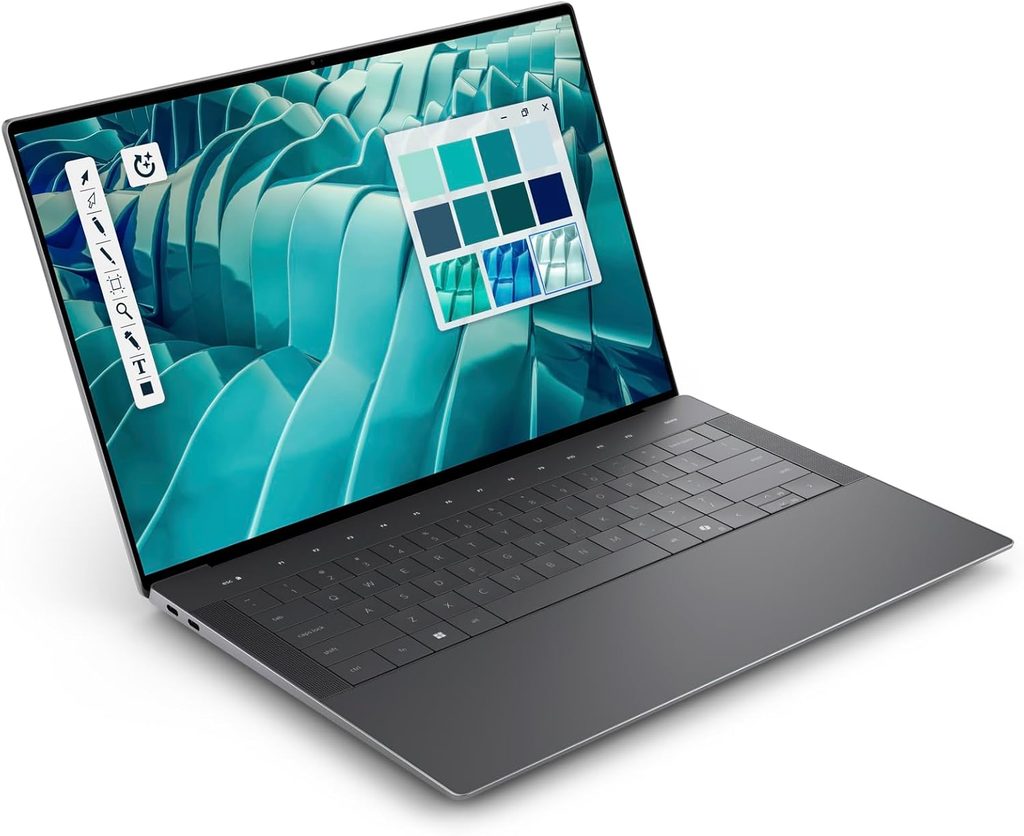
The new XPS 14 is the laptop I’d recommend to a freshman who mostly does hand sketching, AutoCAD, SketchUp, and Adobe, and wants something that disappears in a tote bag. It weighs 3.18 lb, the charger is only 381 g, and it ran 16 hours 45 minutes in Notebookcheck’s Wi-Fi test. There’s no dedicated GPU, but Intel’s new Arc B390 integrated graphics are shockingly capable.
Key specs
- CPU: Intel Core Ultra X7 358H (Panther Lake), 16 cores, up to 4.8 GHz
- GPU: Intel Arc B390 (12 Xe3 cores, integrated)
- Memory: 32 GB LPDDR5x-9600 (soldered)
- Storage: 1 TB Samsung PM9C1b PCIe 4.0
- Display: 14-inch OLED touchscreen, 2,880 x 1,800, 20-120 Hz (a 1,920 x 1,200 IPS option also exists)
- Ports: 3x Thunderbolt 4 (USB-C), 3.5 mm combo jack; no SD or microSD reader
- Battery and charger: 70 Wh, 381 g adapter
- Size and weight: 14.62 mm thin, 3.18 lb (1.44 kg)
- Extras: 8 MP (4K) webcam, quad speakers
- Price: from $1,600; $2,200 as tested
Benchmarks and measurements
| Test | XPS 14 (2026) | Source |
|---|---|---|
| Cinebench 2024 single / multi | 125.5 / 974 | Notebookcheck |
| Cinebench R23 single / multi | 2,086 / 18,932 | Notebookcheck |
| Geekbench 6 single / multi | 2,927 / 17,121 | Notebookcheck |
| 3DMark Time Spy Graphics | 7,043 | Notebookcheck |
| Blender 3.3 Classroom (Intel oneAPI GPU) | 106 s | Notebookcheck |
| SSD sequential read / write (DiskSpd, Q8) | 7,037 / 5,595 MB/s | Notebookcheck |
| Brightness (average) | 389 nits | Notebookcheck |
| sRGB / Display P3 / AdobeRGB | 100% / 99.7% / 98.2% | Notebookcheck |
| Delta-E ColorChecker (out of box / calibrated) | 1.27 / 0.71 | Notebookcheck |
| PWM flicker | 240 Hz at 29% amplitude | Notebookcheck |
| Battery (Wi-Fi, 150 nits, Balanced) | 16 hr 45 min | Notebookcheck |
What this means for an interior design student: That 98.2% AdobeRGB coverage is the best on this list, which is great news for print-heavy studio boards. The Arc B390 matches or beats the old XPS 14’s RTX 4050 in 3DMark, and Notebookcheck found gaming performance within about 10% of it. But for professional rendering, Nvidia’s CUDA cores are still roughly 35% faster, and GPU-heavy renderers like Enscape and D5 are built around dedicated graphics. So think of this as a brilliant modeling, drafting, and presentation machine, with rendering as a “leave it overnight” task.
One buying tip: only the Core Ultra X7 358H and X9 388H configurations get the full Arc B390. The cheaper non-X configurations (like the Core Ultra 5 base model) use a much weaker integrated GPU, so don’t save money in the wrong place.
Pros
- Lightest laptop and lightest charger here
- Longest battery life of any Windows pick in Notebookcheck’s Wi-Fi test (16 hr 45 min)
- Widest color gamut (98.2% AdobeRGB) with accurate factory calibration
- Very fast SSD that sustains about 7,000 MB/s without throttling
- Lowest entry price of the five
Cons
- No dedicated GPU; heavy Enscape or D5 scenes will be slow
- Only three USB-C ports and no SD reader
- CPU throttles up to 25% in long multi-core loads
- Dimmer screen (about 390 nits) and shallow key travel
- No webcam privacy shutter
My take: Perfect for years one and two, or as a lightweight companion if you have a desktop for rendering. If your program pushes Revit and Enscape early, step up to the Samsung or Lenovo instead.
Side-by-side: benchmarks, screens, battery and real carry weight
The G14 wins on raw graphics power, the MacBook Pro wins on CPU speed and battery life, and the XPS 14 wins on portability. Here’s the whole picture in one place.
CPU and GPU performance
| Laptop | Geekbench 6 single / multi | Cinebench 2024 single / multi | Blender Classroom (GPU render) | Graphics |
|---|---|---|---|---|
| MacBook Pro 16 M5 Pro | 4,295 / 28,436 (NBC) | 201 / 2,347 (NBC) | 36.6 s, Metal, Blender 3.3 (NBC) | 20-core GPU, shared unified memory |
| Galaxy Book6 Ultra | 2,851 / 16,676 (NBC) | 122.4 / 1,232 (NBC) | 20 s, OptiX, Blender 3.3 (NBC) | RTX 5070, 8 GB |
| Yoga Pro 9i Gen 11 | 2,865 / 16,885 (UBR) | 122 / 1,158 (UBR) | 20.78 s, OptiX, Blender 4.3.2 (UBR) | RTX 5060, 8 GB |
| Zephyrus G14 (2026) | 2,810 / 17,224 (NBC) | 121.3 / 1,262 (NBC) | 17 s, OptiX, Blender 3.3 (NBC) | RTX 5070 Ti, 12 GB |
| XPS 14 (2026) | 2,927 / 17,121 (NBC) | 125.5 / 974 (NBC) | 106 s, oneAPI, Blender 3.3 (NBC) | Arc B390, integrated |
NBC = Notebookcheck, UBR = Ultrabookreview. Lower Blender times are better. The Yoga was tested on a newer Blender version, so treat that time as a close estimate rather than an exact match.
Display measurements (the part interior designers should care about most)
| Laptop | Panel | SDR brightness | Color coverage | Delta-E | PWM flicker |
|---|---|---|---|---|---|
| MacBook Pro 16 M5 Pro | 16.2″ Mini-LED | 540 nits (Tom’s Guide) | 122.1% sRGB, 86.5% P3 volume (Tom’s Guide) | 0.19 (Tom’s Guide) | High frequency, ~14,900 Hz (NBC, M5 MacBook Pro) |
| Galaxy Book6 Ultra | 16″ OLED touch | 505 nits (NBC) | 99.9% sRGB, 97% P3, 85.3% AdobeRGB (NBC) | 0.9 (NBC) | 240 Hz, 100% amplitude (NBC) |
| Yoga Pro 9i Gen 11 | 16″ Tandem OLED touch | ~975 nits (UBR) | 100% sRGB, 99.6% P3, 96% AdobeRGB (UBR) | 0.9 sRGB / 1.0 P3 (LaptopMedia) | Above 1 kHz, limited amplitude (UBR, LaptopMedia) |
| Zephyrus G14 (2026) | 14″ OLED | 514 nits (NBC) | 100% sRGB, 99.8% P3, 94.1% AdobeRGB (NBC) | 1.3 (NBC) | 960 Hz (NBC) |
| XPS 14 (2026) | 14″ OLED touch | 389 nits (NBC) | 100% sRGB, 99.7% P3, 98.2% AdobeRGB (NBC) | 1.27 (NBC) | 240 Hz, 29% amplitude (NBC) |
A Delta-E under 2 means color errors are essentially invisible to the eye, and every laptop here passes. If flicker gives you eye strain, the MacBook Pro, Yoga, and G14 are the safest bets.
Battery life (with the lab and the method)
| Laptop | Result | Test |
|---|---|---|
| MacBook Pro 16 M5 Pro | 21 hr 10 min | Tom’s Guide, Wi-Fi browsing at 150 nits |
| Dell XPS 14 (2026) | 16 hr 45 min | Notebookcheck, Wi-Fi at 150 nits, Balanced mode |
| Galaxy Book6 Ultra | 15 hr 11 min | Tom’s Guide, Wi-Fi browsing at 150 nits |
| Yoga Pro 9i Gen 11 | 14 hr 25 min | LaptopMedia, video playback at 180 nits |
| Zephyrus G14 (2026) | 14 hr 22 min | Notebookcheck, Wi-Fi at 150 nits |
The “real backpack” weight: laptop plus charger
This is something I almost never see in laptop reviews, and it matters way more than you’d expect when you’re walking between studio, the library, and a site visit. Here’s what you actually carry, using each lab’s measured weights:
| Laptop | Laptop | Charger | Total carry weight |
|---|---|---|---|
| Dell XPS 14 (2026) | 1.44 kg | 381 g | 1.83 kg (4.0 lb) |
| Galaxy Book6 Ultra | 1.9 kg | 353 g | 2.25 kg (5.0 lb) |
| Zephyrus G14 (2026) | 1.57 kg | 724 g | 2.29 kg (5.1 lb) |
| MacBook Pro 16 M5 Pro | 2.12 kg | 351 g | 2.47 kg (5.4 lb) |
| Yoga Pro 9i Gen 11 | 1.89 kg | 740 g | 2.63 kg (5.8 lb) |
See the twist? The G14 is the lightest laptop here with a dedicated GPU, but its 250 W brick means it ends up about as heavy in your bag as the 16-inch Samsung. And with 21 hours of battery, the MacBook Pro is the one machine where leaving the charger at home is a realistic plan, which drops it to just 2.12 kg.
The interior design buyer’s toolkit (stuff other guides skip)
Software compatibility matrix
| Software / workflow | MacBook Pro M5 Pro | Windows + Nvidia RTX (Samsung, Lenovo, ASUS) | Windows + Arc B390 (Dell XPS 14) |
|---|---|---|---|
| SketchUp, AutoCAD, Rhino | Native | Native | Native |
| Revit 2027 | Only via Windows 11 in Parallels | Native | Native (fine for modeling) |
| Enscape with SketchUp / Rhino / Archicad / Vectorworks | Native on Apple Silicon | Native | Runs, but expect slower previews without a dedicated GPU |
| Enscape with Revit | No (Revit isn’t on macOS) | Native | Native, slower |
| Enscape VR walkthroughs | Not supported on macOS | Supported | Not a good fit |
| GPU path-traced renders (Blender Cycles, V-Ray GPU) | Metal | CUDA / OptiX (fastest) | Intel oneAPI |
A warning about the new “RTX Spark” laptops
You may see brand-new creator laptops like the ASUS ProArt P16 and P14 built on Nvidia’s RTX Spark chip, which pairs an Nvidia Grace Arm CPU with a Blackwell GPU and up to 128 GB of unified memory. They’re exciting, and ASUS says they start rolling out this fall. But they use an Arm processor, and Autodesk’s Revit 2027 requirements simply list 64-bit Windows 11 without mentioning Arm. Until Autodesk and your renderer explicitly confirm Arm support and independent reviews land, I wouldn’t bet a four-year degree on one. That’s also why none made this list.
What to buy based on where you are in your program
| Year | Typical work | Minimum GPU | My pick from this list |
|---|---|---|---|
| Year 1 | Hand drafting, Adobe, intro AutoCAD and SketchUp | Integrated is fine | Dell XPS 14 (X7 358H) |
| Year 2 | SketchUp + Enscape, lighting studies, material boards | RTX 5060 or Apple M5 Pro | Lenovo Yoga Pro 9i or MacBook Pro M5 Pro |
| Year 3 | Revit, construction docs, photoreal renders | RTX 5070, 32 GB RAM | Samsung Galaxy Book6 Ultra |
| Year 4 / thesis | Animated walkthroughs, VR, large scenes | RTX 5070 Ti with 12 GB VRAM | ASUS ROG Zephyrus G14 (2026) |
If you’re buying once for all four years, buy for year three, not year one.
My studio-day checklist before you check out
- Ask your program which software is required and whether Revit is used in core studios.
- Get 32 GB of RAM. Every laptop here has soldered memory, so you can’t upgrade later.
- Pick at least 1 TB of storage, or confirm there’s a second SSD slot (Samsung, Lenovo).
- Check flicker if you’re sensitive: test OLEDs with 240 Hz PWM in person before buying.
- Count your ports: site photos from a camera need an SD slot (MacBook Pro, Samsung, Lenovo, ASUS have one; the XPS 14 doesn’t).
- Weigh the charger, not just the laptop.
- Use your student status: Apple and most PC makers run education pricing, and Autodesk offers free educational access to its software for eligible students.
- Budget for an external monitor for your dorm desk. It’s the cheapest productivity upgrade you’ll ever make.
FAQ: laptops for interior design students
Is a MacBook good for interior design school? Yes, if your program is built on SketchUp, Rhino, Archicad, Vectorworks, or Adobe. The MacBook Pro M5 Pro has the best CPU scores and battery life on this list. If your studios require Revit, though, you’ll be running it through Windows 11 in Parallels, so a Windows laptop with an Nvidia GPU is the simpler choice.
How much RAM does an interior design student need? Get 32 GB. Autodesk’s Revit 2027 guidance says 16 GB covers a single model up to about 300 MB on disk, while 32 GB handles about 600 MB. Since every laptop here has soldered memory, you can’t add more later.
Do I really need a dedicated graphics card? For years one and two, not necessarily; the Dell XPS 14’s Arc B390 handles SketchUp, AutoCAD, and Adobe well. Once you start rendering in Enscape, D5, or Twinmotion, a dedicated Nvidia GPU with at least 8 GB of VRAM makes a huge difference. Revit’s Performance tier also asks for 8 GB of VRAM.
Is a gaming laptop OK for interior design? Often, yes. The ASUS ROG Zephyrus G14 is technically a gaming laptop, but its RTX 5070 Ti, accurate OLED (Delta-E 1.3), and 14+ hours of Wi-Fi battery life make it a great design machine. Just expect loud fans when you push it.
OLED or Mini-LED for choosing materials and colors? Both work. Every laptop on this list measured a Delta-E under 2, which means color errors are practically invisible. OLED gives you perfect blacks; Apple’s Mini-LED flickers at a much higher frequency, which is gentler if you’re sensitive to PWM.
Should I wait for the M6 MacBook Pro? Reports point to a base 14-inch M6 MacBook Pro arriving this fall, with the redesigned OLED Pro models following between late 2026 and early 2027. If you need a laptop for this semester, the M5 Pro is still Apple’s top Pro chip on sale. If you can wait a few weeks, it doesn’t hurt to see what Apple announces.
Do I need a touchscreen or pen? It’s a nice bonus, not a must. The Lenovo Yoga Pro 9i is the only pick here that includes a pen, and its touchpad doubles as a drawing surface. Many students still prefer sketching on a separate tablet.
Sources
- Notebookcheck: Apple MacBook Pro 16 2026 review (M5 Pro)
- Tom’s Guide: MacBook Pro 16-inch M5 Pro review (display, battery, Galaxy Book6 Ultra comparison)
- Notebookcheck: MacBook Pro 14 with M5 Max, throttling review
- Notebookcheck: Samsung Galaxy Book6 Ultra review
- 9to5Google: Galaxy Book 6 series US pricing and availability
- Tech Stories India: Galaxy Book6 Ultra Amazon US listings and prices
- Ultrabookreview: Lenovo Yoga Pro 9i Aura Edition review (2026, Gen 11)
- LaptopMedia: Lenovo Yoga Pro 9i Aura Edition (16″, Gen 11) review
- Notebookcheck: Asus ROG Zephyrus G14 2026 review (includes MacBook Pro 14 M5 PWM data)
- Notebookcheck: Review verdict for the Asus ROG Zephyrus G14 (2026)
- Notebookcheck: Dell XPS 14 2026 review
- Notebookcheck: Dell XPS 14 2026 battery life results
- Autodesk: Revit 2027 system requirements
- Render A House: Enscape system requirements 2026, based on Chaos documentation
- MacRumors: M6 MacBook Pro and iMacs likely coming in October
- ASUS Pressroom: ProArt P16 and P14 with Nvidia RTX Spark
- Guru3D: ASUS ProArt P14 RTX Spark specifications

Hi, my name is Burak. I am a mechanical engineer. I have been writing laptop reviews for the Engineering Laptops website since 2020. Please feel free to contact me if you have any questions.