Last updated: September 28, 2026
Key Takeaways
- Buying a laptop for college freshmen is a significant decision with long-term implications.
- The article presents five top picks for the Best Laptops for Freshman in College, based on lab data and real-world performance.
- Each laptop offers unique strengths: the MacBook Air excels in overall performance and battery life, while the Dell XPS 13 is budget-friendly.
- The Lenovo Yoga Slim 7x leads in battery life, while the HP OmniBook X Flip 14 is ideal for handwritten notes, and the ASUS TUF Gaming A14 suits gaming and engineering needs.
- Ultimately, getting 16GB of RAM is crucial for optimal performance throughout college.
Table of contents
- My Quick Picks
- At-a-Glance Comparison
- How I Picked These Five
- Best Laptops for College Freshmen (2026): 5 Picks Backed by Real Lab Data
- Head-to-Head: The Numbers Side by Side
- The 8GB Trap: Why I Keep Saying 16GB
- The Year-Four Report: What You Can Fix Before Graduation
- Which Laptop Fits Your Major?
- A Few Buying Tips I’d Give My Younger Self
- Frequently Asked Questions
- My Final Verdict
- Sources
Buying a laptop for freshman year feels like a bigger deal than it should. You’re spending real money (probably your parents’ money, or the first real chunk of your own) on something that has to survive four years of lectures, group projects, 2 a.m. essay sessions, and at least one coffee spill.
So I did what I’d want someone to do for me. I went through the major independent lab reviews published this year, pulled the actual numbers (battery rundowns, Geekbench scores, SSD speeds, screen brightness, surface temperatures), and lined them up against what a freshman’s week really looks like.
Every number in this guide comes from a named, independent reviewer, and the full list is at the bottom. I’ll also tell you where I think a laptop falls short, because every one of them does somewhere.
My Quick Picks
- Best overall: Apple MacBook Air 13 (M5)
- Best value Windows laptop: Dell XPS 13 (2026)
- Best battery life: Lenovo Yoga Slim 7x (Gen 11)
- Best 2-in-1 for handwritten notes: HP OmniBook X Flip 14 (2026)
- Best for engineering majors and gamers: ASUS TUF Gaming A14 (2026, RTX 5060)
At-a-Glance Comparison
| Laptop | Starting price | Weight | Processor | Battery life (lab test) | Best for |
|---|---|---|---|---|---|
| MacBook Air 13 (M5) | $1,299 | 2.7 lb | Apple M5 | 15h 28m (Tom’s Hardware) | Most students |
| Dell XPS 13 (2026) | $699 (8GB) / $899 (16GB) | 2.2 lb | Intel Core 5 320 | 14h 26m (Tom’s Guide) | Tight budgets |
| Lenovo Yoga Slim 7x Gen 11 | $1,049 | 2.58 lb | Snapdragon X2 Plus / X2 Elite | 19h 25m (Tom’s Hardware) | Long days away from outlets |
| HP OmniBook X Flip 14 | $1,050–$1,399.99 | 3.09 lb | AMD Ryzen AI 400 series | 14h 53m (Tom’s Hardware) | Pen and tablet use |
| ASUS TUF Gaming A14 | From $1,699.99 (RTX 5060) | 3.22 lb | Ryzen AI 9 465 + RTX 5060 | About 8h real-world (CGMagazine) | STEM, CAD, gaming |
How I Picked These Five
I set a few ground rules before I started:
- Current models only. Nothing from last year that’s been replaced by a newer version.
- One laptop per brand, so you get real variety instead of three versions of the same machine.
- No pick without independent lab data. Spec sheets tell you what a laptop should do. Lab tests tell you what it actually does.
I leaned hardest on reviewers who run the same tests on every laptop. Tom’s Hardware, for example, runs an identical battery rundown and an identical 10-loop Cinebench 2026 stress test on each machine, which let me compare four of these five laptops directly. I filled in the gaps with Tom’s Guide, Notebookcheck, CNN Underscored, Engadget, RTINGS, Macworld, and CGMagazine.
Beyond the usual specs, I added a few things I think freshmen actually need to know: what you’re paying per hour of battery, what happens when a Windows laptop runs out of memory, how hot these get on your lap, and what you can repair before graduation.
Best Laptops for College Freshmen (2026): 5 Picks Backed by Real Lab Data
1. Apple MacBook Air 13 (M5): Best Overall
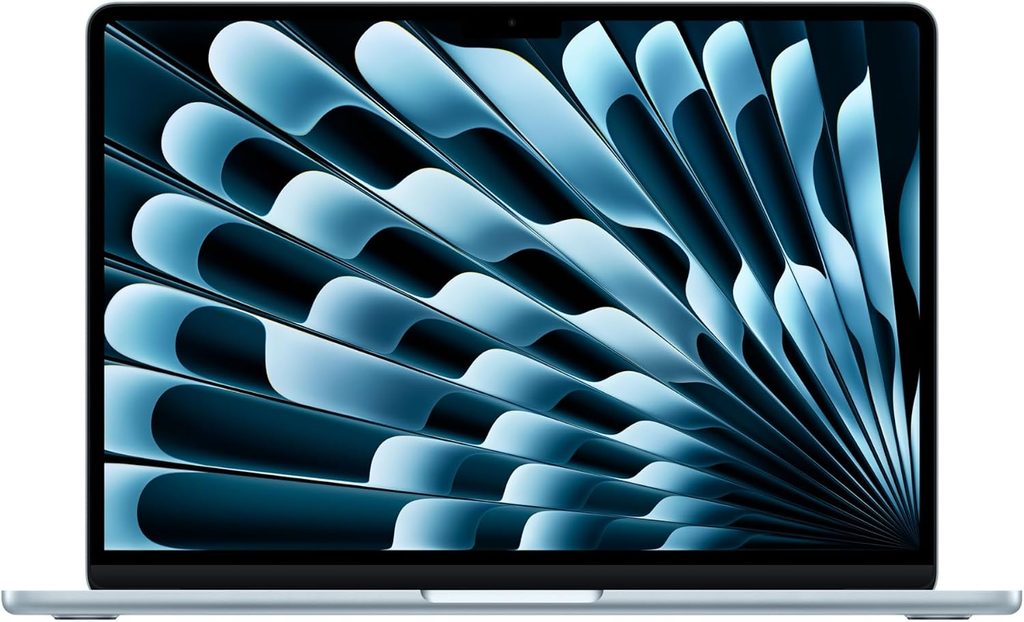
If your major doesn’t lock you into Windows software, this is the laptop I’d point most freshmen toward.
The single-core speed is what makes it feel so quick day to day. In Tom’s Hardware’s Geekbench 6 run, the Air hit 4,168 single-core and 17,067 multi-core. CS majors will appreciate that it compiled a large codebase in the Xcode Benchmark in 165 seconds.
Battery life is excellent across the board. Tom’s Hardware’s rundown at 150 nits lasted 15 hours and 28 minutes, and CNN Underscored’s 4K video loop took 16 hours and 38 minutes to drain it, 14% longer than last year’s M4 Air. That’s a full class day plus a movie without touching a charger.
The downside is price. After two increases this year, Apple moved the MacBook Air to $1,299, though the base model now ships with 512GB of storage instead of 256GB. Retailers can help: Amazon has been selling it for about $100 under Apple’s list price. Apple’s education store is worth checking too.
Key specs
- Chip: Apple M5, 10-core CPU (8-core or 10-core GPU)
- Memory: 16GB unified memory (base)
- Storage: 512GB SSD (base)
- Display: 13.6-inch, 2560 x 1664 Liquid Retina IPS
- Ports: MagSafe 3, 2x Thunderbolt 4, 3.5mm headphone jack
- Wireless: Wi-Fi 7, Bluetooth 6
- Webcam: 12MP Center Stage
- Battery: 53.8Wh
- Weight: 2.7 lb
Lab results
- Display: Tom’s Hardware measured 458.8 nits, 117.3% of sRGB, and 83.1% DCI-P3 color volume
- SSD: Copied 25GB of files at 1,924.84 MBps
- Video export: Finished a 4K-to-1080p Handbrake transcode in 4 minutes and 41 seconds
- Graphics: 1,005 points in 3DMark Steel Nomad
- Sustained load: Cinebench 2026 started at 3,415 and gradually settled in the low 2,300s, which is the fanless design trading peak speed for silence
Heat: Even without a fan, it stays comfortable. Under the stress test, the keyboard center hit 105.1°F, the touchpad 96°F, and the bottom 107.9°F.
Pros
- Completely silent, ideal for libraries and quiet lecture halls
- 16GB of RAM and 512GB of storage in the base model
- Excellent battery life confirmed by multiple labs
- One of the best keyboards and touchpads on any laptop
- Much faster storage; Macworld notes Apple roughly doubled SSD throughput in a single generation
Cons
- $1,299 is a lot more than the Air cost at the start of the year
- Slows down during long, heavy workloads like rendering
- The display notch is still there
- RAM and storage are soldered, so you’re stuck with what you buy
- Not a gaming laptop; Macworld saw performance drop after about 10 minutes of demanding games
My take: For most majors, this is the safest four-year bet on the list. And you’re not buying right before a replacement: the next-generation M6 MacBook Air isn’t expected until next year.
If you’re eyeing Apple’s cheaper MacBook Neo instead, read the section on 8GB laptops further down first.
2. Dell XPS 13 (2026): Best Value Windows Laptop
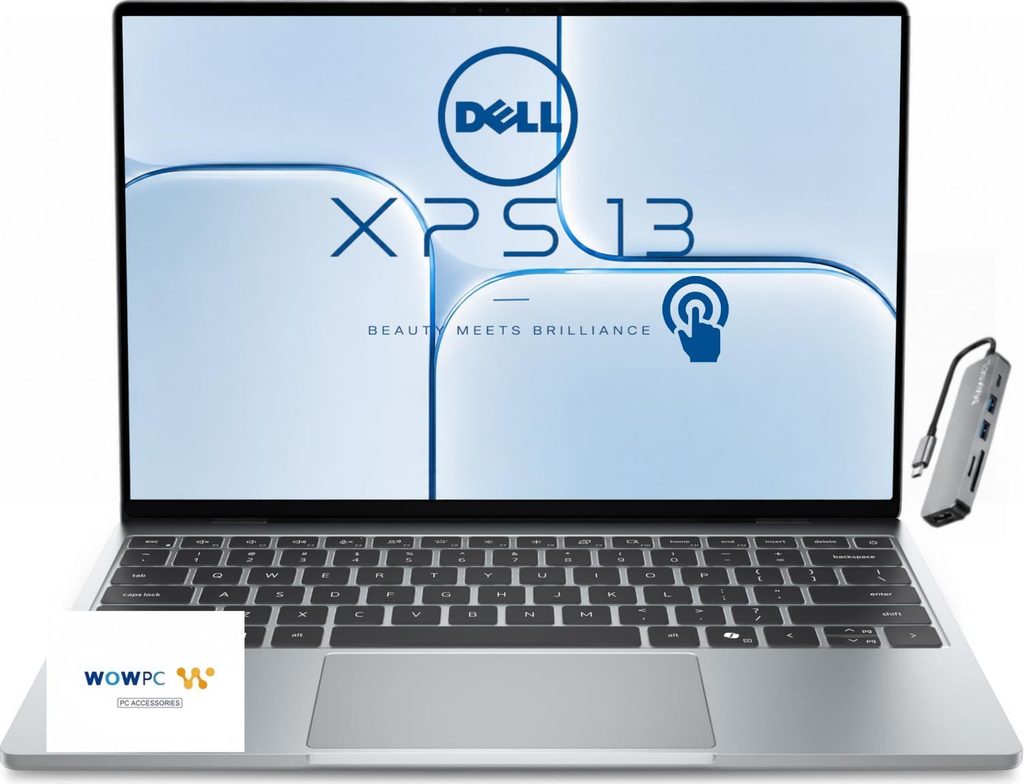
This is the laptop that surprised me most this year. It’s $699, it’s all aluminum, and it genuinely doesn’t feel like a budget machine.
Dell sells it at $699 with 8GB of RAM or $899 with 16GB, both with 512GB of storage and Intel’s Core 5 320 chip. Students get an even better deal: Tom’s Guide lists it at $599 for eligible students. It’s also the lightest laptop here, a half-pound lighter than the MacBook Neo.
Battery life is where it really punches above its price. Tom’s Guide’s web-surfing test at 150 nits ran for 14 hours and 26 minutes, beating the MacBook Neo by an hour. Engadget got 15 hours and 56 minutes in PCMark 10’s Modern Office test, and RTINGS measured about 15 hours of browsing.
Let me be straight about performance: it’s modest. Tom’s Guide recorded 2,684 single-core and 7,952 multi-core in Geekbench 6, and its Handbrake export took 10 minutes and 38 seconds, about 40 seconds behind the MacBook Neo. That’s plenty for essays, spreadsheets, research, and Zoom. It’s not built for video editing.
Key specs
- CPU: Intel Series 3 Core 5 320 (2 performance cores + 4 efficiency cores)
- Graphics: Intel Graphics (2 Xe cores)
- Memory: 8GB or 16GB LPDDR5
- Storage: 512GB SSD
- Display: 13.4-inch, 2560 x 1600 touchscreen, 30–120Hz
- Ports: 2x USB-C (10Gbps, DisplayPort 2.1, charging); no headphone jack
- Wireless: Wi-Fi 7, Bluetooth 6.0
- Webcam: 1080p with IR
- Battery: 52Wh
- Weight: 2.2 lb
Lab results
- Display: Tom’s Guide measured 398 nits, 105% sRGB, 74.7% DCI-P3, and a very accurate Delta-E of 0.23
- SSD: 3,714 MB/s write and 5,026 MB/s read in Blackmagic, far ahead of the MacBook Neo
- Sustained load: The 16GB model’s Cinebench 2026 loop started at 1,443 and settled in the high 1600s
- Graphics: 2,455 in 3DMark Wild Life Extreme (14 fps average)
Heat: Under the stress test, the top row of keys hit 104°F, while the touchpad stayed at 87°F and the keyboard deck at 88.5°F. The bottom peaked at 108.5°F.
Pros
- Premium aluminum build at a budget price
- Lightest laptop on this list
- Strong battery life across three different labs
- Very little bloatware out of the box
- Good quad speakers for the size
- Comes with a tiny phone-style charger with folding prongs, which is great for a backpack
Cons
- Limited processor and graphics performance
- Only two ports and no headphone jack
- The 8GB version struggles with multitasking
- Shallow keyboard travel
- Tom’s Guide found the webcam blurry and a bit washed out
My take: Get the 16GB version. The extra $200 stings, but it’s the difference between a laptop that feels fine in September and one that still feels fine in senior year.
3. Lenovo Yoga Slim 7x (Gen 11): Best Battery Life
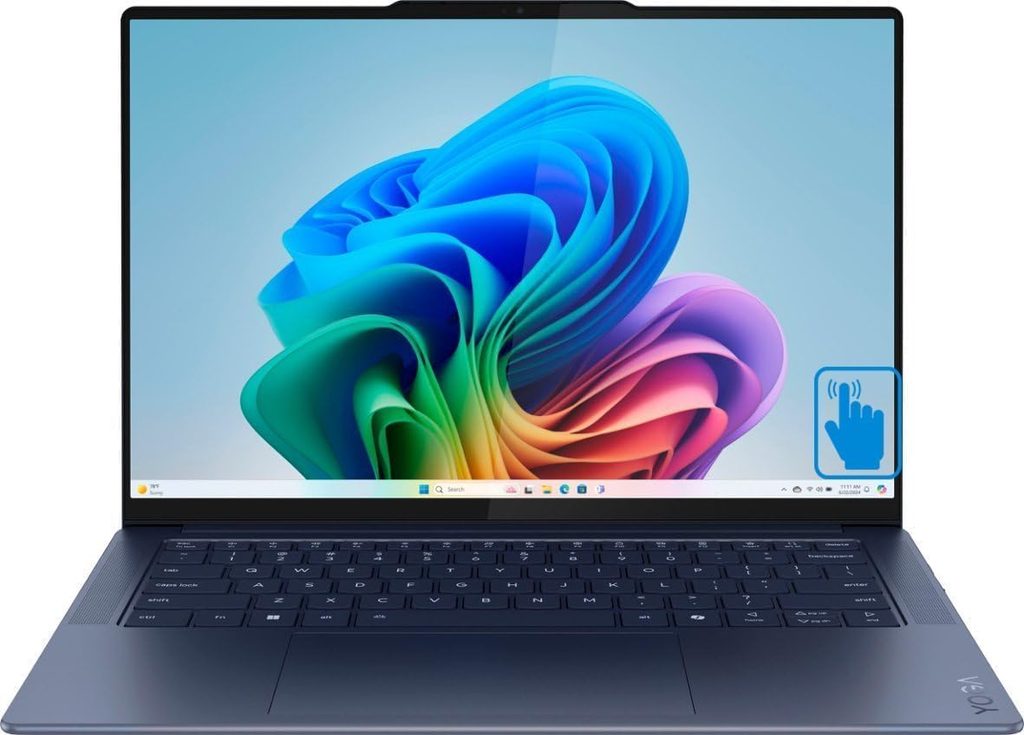
If you’re the kind of person who forgets chargers (no judgment), this is your laptop. It also happens to be surprisingly fast.
In Tom’s Hardware’s battery test, the Slim 7x was in a league of its own at 19 hours and 25 minutes, almost four hours longer than the MacBook Air. For a lot of students, that’s two full class days.
It doesn’t give up speed to get there, either. It scored 3,822 single-core and 20,563 multi-core in Geekbench 6 and finished the Handbrake transcode in 2 minutes and 11 seconds, more than twice as fast as the MacBook Air in the same test.
Key specs
- CPU: Snapdragon X2 Plus (base) or Snapdragon X2 Elite (up to 18 cores)
- Graphics: Qualcomm Adreno (X2-90 on the top model)
- Memory: 16GB or 32GB LPDDR5X
- Storage: Up to 2TB PCIe 4.0 SSD
- Display: 14-inch OLED touch, 1920 x 1200 (60Hz) or 2880 x 1800 (120Hz)
- Ports: 3x USB4; no headphone jack
- Wireless: Wi-Fi 7, Bluetooth 5.4
- Webcam: 9MP with IR
- Battery: 70Wh
- Weight: 2.58 lb
Pricing: The base model is $1,049 with the Snapdragon X2 Plus, 16GB of RAM, and a 1TB SSD. A $1,449 version moves up to the X2 Elite with 32GB, and the $1,619 top model adds the sharper 2880 x 1800 OLED.
Lab results (top X2 Elite model)
- SSD: 1,934.78 MBps in the 25GB file transfer
- Sustained load: Cinebench 2026 started at 5,926, then held steady around 5,168
- Graphics: 1,115 in 3DMark Steel Nomad, slightly ahead of Apple’s M5
- Display: The base OLED covered all of DCI-P3 but only reached 321 nits
Heat: This is the coolest laptop on the list. Tom’s Hardware measured 70°F on the touchpad, 87°F in the middle of the keyboard, and 100°F underneath.
Pros
- Longest battery life here, by a lot
- Excellent multi-core performance for the price
- Great keyboard; Tom’s Hardware’s reviewer hit 123 words per minute with 99% accuracy on the first try
- Sharp 9MP webcam for online classes and interviews
- Lenovo Vantage can cap charging at 80% to reduce battery wear
Cons
- Runs Windows on ARM, so some software may not be compatible
- USB-C only, no headphone jack
- The base 1920 x 1200 OLED is dim
- Battery results come from the top model; the base X2 Plus version may land differently
My take: Before you buy, check your syllabus or email your department about required software. Some engineering programs, niche lab tools, and exam-proctoring apps can still be picky on ARM. If everything you need runs, this is the most impressive all-rounder on the list.
4. HP OmniBook X Flip 14 (2026): Best 2-in-1 for Handwritten Notes
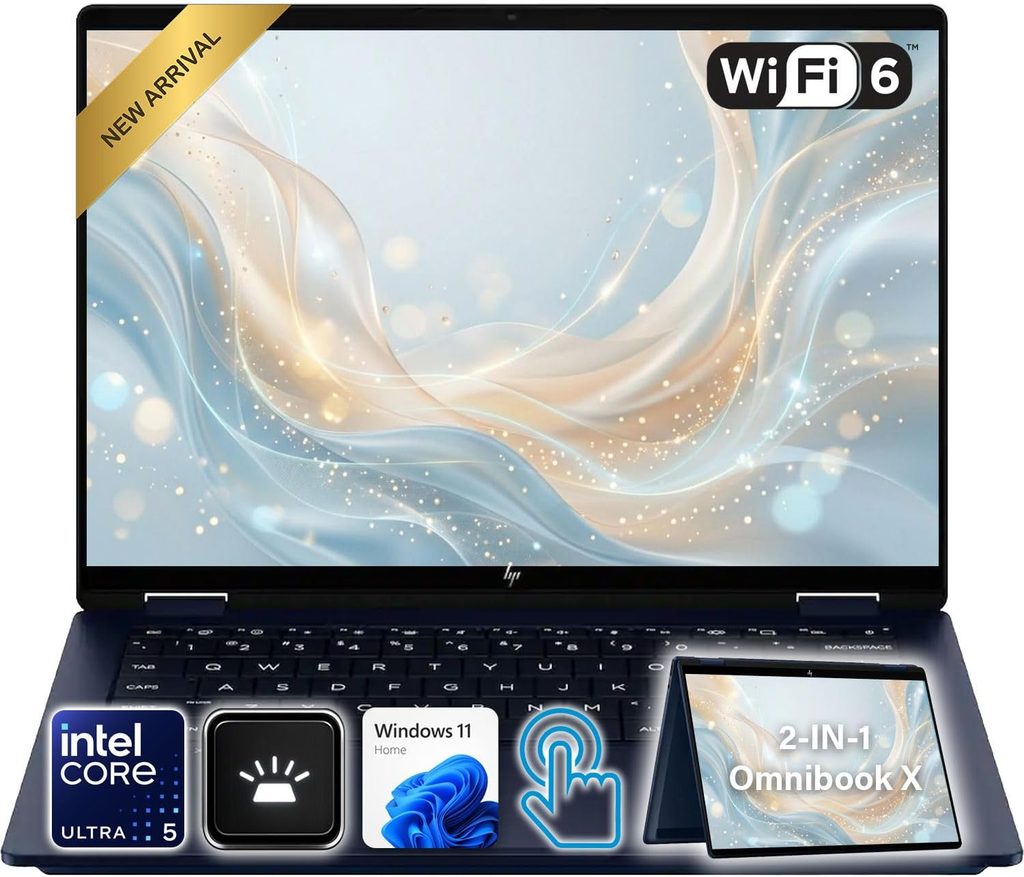
Some people just learn better with a pen. If you’re a bio major sketching cell diagrams or a math major who can’t type equations fast enough, a convertible makes a lot of sense.
The screen folds all the way back into a tablet on a 360-degree hinge, and it works with an MPP 2.0 pen that HP sells for $30. Battery life is solid: 14 hours and 53 minutes in Tom’s Hardware’s rundown.
Performance is respectable. Notebookcheck measured 2,844 single-core and 14,069 multi-core in Geekbench 6, and Tom’s Hardware’s Handbrake export took 4 minutes and 56 seconds.
Key specs
- CPU: AMD Ryzen AI 5 430 up to Ryzen AI 9 465 (Intel versions also available)
- Graphics: AMD Radeon 840M / 860M / 880M
- Memory: 16GB or 32GB LPDDR5X
- Storage: 512GB to 2TB SSD
- Display: 14-inch touch; 1920 x 1200 IPS, 1920 x 1200 OLED, or 2880 x 1800 OLED (120Hz)
- Ports: 2x USB4, 2x USB-A (10Gbps), HDMI 2.1, headphone jack
- Wireless: Wi-Fi 7
- Webcam: 5MP with IR and a physical privacy shutter
- Battery: 59Wh (70Wh with the 2880 x 1800 OLED)
- Weight: 3.09 lb
Pricing: HP’s list price for the base AMD model has moved around this year. Tom’s Hardware reported a $1,399.99 starting price, while Notebookcheck listed AMD models from $1,050. Retail sales often go lower than both.
Lab results (Ryzen AI 9 465 model)
- Display: Notebookcheck measured an average of 279.6 nits on the 1200p OLED, with 100% sRGB and 99.9% Display P3 coverage
- SSD: 7,096 MB/s sequential read and 5,931 MB/s write in Notebookcheck’s DiskSpd test
- Sustained load: Tom’s Hardware’s Cinebench 2026 loop started at 3,465, dipped to 3,070, and finished at 3,306
- Battery (second lab): 12 hours and 2 minutes in Notebookcheck’s Wi-Fi browsing test
Heat: It’s the warmest of the thin-and-lights under heavy load. Tom’s Hardware measured 79°F on the touchpad, 109°F in the middle of the keyboard, and 113°F underneath. The good news: Notebookcheck found the palm rests stay cooler than skin temperature even when it’s working hard.
Pros
- True 2-in-1 with pen support
- Best port selection of the thin-and-light picks (HDMI, USB-A, headphone jack)
- Comfortable keyboard; Tom’s Hardware’s reviewer typed 120 words per minute with perfect accuracy
- Easiest of the ultraportables to repair and upgrade
Cons
- Heaviest of the thin-and-light laptops
- Middle-of-the-pack performance
- The base OLED is dim and limited to 60Hz
- Pen sold separately
My take: Upgrade to the 2880 x 1800 OLED. It’s only $80 more on HP’s site, and it fixes the brightness issue while adding a 120Hz refresh rate. Then keep an eye on retailers, because this model goes on sale often.
5. ASUS TUF Gaming A14 (2026): Best for Engineering Majors and Gamers
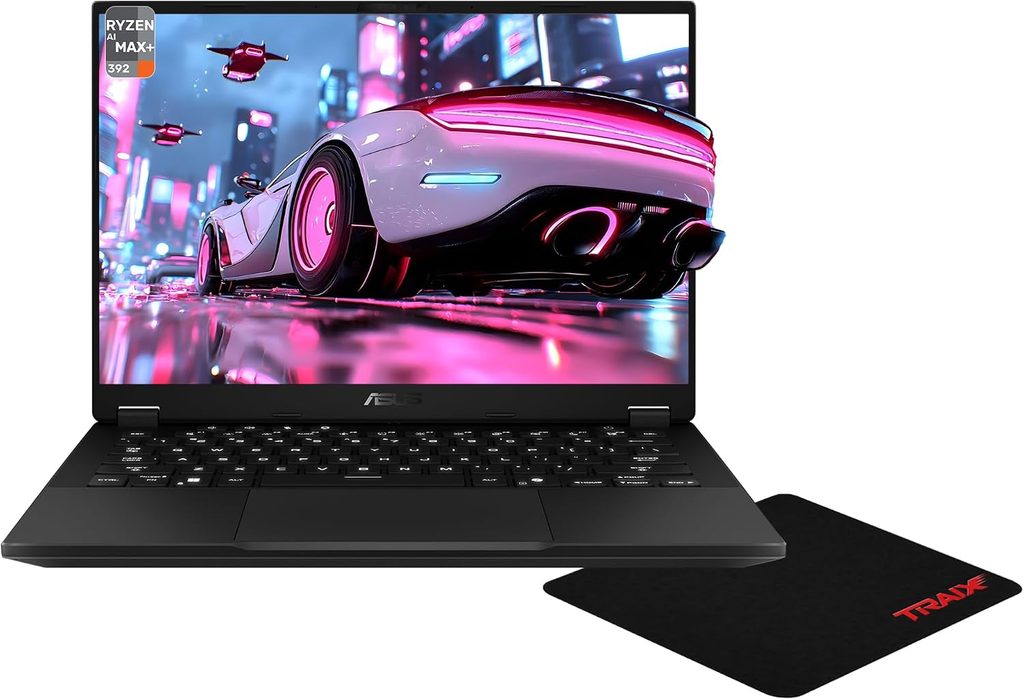
If your first semester includes SolidWorks, MATLAB, or you’re just not giving up gaming, you need a dedicated graphics card. The trick is finding one you can actually carry across campus every day.
The FA401GM model pairs AMD’s Ryzen AI 9 465 with an RTX 5060 (8GB of GDDR7) and a 14-inch 2560 x 1600 display at 165Hz, with G-Sync and a MUX switch. At 3.22 pounds, CGMagazine found it lighter than some thin-and-light ultrabooks they’ve tested.
The processor is a beast for its size. CGMagazine recorded 20,305 in Cinebench R23 multi-core and 1,061 in Cinebench 2024, the highest 14-inch results they’d seen. For context, Notebookcheck measured 17,345 in Cinebench R23 on the same chip inside HP’s slimmer OmniBook X Flip 14, so the TUF’s bigger cooling system clearly lets it run harder. At the full 2560 x 1600 resolution, CGMagazine played most modern AAA games at max settings around 60 fps, sometimes above 90.
One warning: ASUS sells two very different 2026 TUF A14s. Tom’s Hardware found the other version, which uses a Ryzen AI Max+ 392 without a dedicated GPU, didn’t deliver the gaming performance its price suggests. Make sure the listing says RTX 5060.
Key specs
- CPU: AMD Ryzen AI 9 465 (10 cores, 20 threads, up to 5.0GHz, 50 TOPS NPU)
- GPU: NVIDIA GeForce RTX 5060 Laptop, 8GB GDDR7
- Memory: 16GB or 32GB LPDDR5X (soldered)
- Display: 14-inch 2560 x 1600, 165Hz, anti-glare, rated for 400 nits and 100% sRGB
- Ports: HDMI 2.1, USB4 (40Gbps), USB-C 10Gbps, 2x USB-A 10Gbps, microSD (UHS-II), headphone jack
- Battery: 73Wh
- Weight: 3.22 lb
Battery: CGMagazine typically got about 8 hours of YouTube and web browsing in Balanced mode at the full 2.5K 165Hz. Dropping the refresh rate or switching to power-saving mode stretches that further.
Heat and noise: CGMagazine rarely found the bottom getting uncomfortably warm, even on a lap, but noted the fans get louder than you’d want in a quiet room.
Pricing: Tom’s Hardware spotted an RTX 5060 configuration with a Ryzen AI 7 350 and 16GB of RAM at Best Buy for $1,699.99. For comparison, ASUS’s premium Zephyrus G14 with an RTX 5070 Ti costs $3,199, which is exactly why I went with the TUF for students.
Pros
- Real RTX 5060 graphics in a 14-inch body
- Top-tier multi-core CPU performance for simulations and compiling code
- Best port selection on this list, including HDMI and microSD
- Charges over USB-C from either side, handy in lecture halls
- Two SSD slots for adding storage later
Cons
- Shortest battery life of the five
- Fans get loud under load
- RAM is soldered
- 8GB of video memory is a limit for the most demanding games
My take: Only buy this if your major or your hobby truly needs a GPU. If you’re pre-law or an English major, the extra weight and shorter battery life aren’t worth it.
Head-to-Head: The Numbers Side by Side
Processor performance (Geekbench 6)
| Laptop | Single-core | Multi-core | Lab |
|---|---|---|---|
| MacBook Air M5 | 4,168 | 17,067 | Tom’s Hardware |
| Lenovo Yoga Slim 7x | 3,822 | 20,563 | Tom’s Hardware |
| HP OmniBook X Flip 14 | 2,844 | 14,069 | Notebookcheck |
| Dell XPS 13 | 2,684 | 7,952 | Tom’s Guide |
The ASUS TUF Gaming A14 was benchmarked in Cinebench instead, where it hit 20,305 in Cinebench R23 multi-core (CGMagazine), ahead of the 17,345 Notebookcheck measured for the same chip in the HP.
Display quality
| Laptop | Brightness | Color coverage | Lab |
|---|---|---|---|
| MacBook Air M5 | 458.8 nits | 117.3% sRGB, 83.1% DCI-P3 | Tom’s Hardware |
| Dell XPS 13 | 398 nits | 105% sRGB, 74.7% DCI-P3 | Tom’s Guide |
| ASUS TUF Gaming A14 | 400 nits (rated) | 100% sRGB (rated) | ASUS spec |
| Lenovo Yoga Slim 7x (base OLED) | 321 nits | 100% DCI-P3 | Tom’s Hardware |
| HP OmniBook X Flip 14 (1200p OLED) | 279.6 nits | 100% sRGB, 99.9% Display P3 | Notebookcheck |
Battery life and cost per hour
This is my favorite way to cut through the marketing. Take the price, divide by the tested battery hours, and you see what you’re really paying for unplugged time.
| Laptop | Price | Tested battery | Cost per hour |
|---|---|---|---|
| Dell XPS 13 (8GB) | $699 | 14h 26m | about $48 |
| Lenovo Yoga Slim 7x | $1,049 | 19h 25m | about $54 |
| Dell XPS 13 (16GB) | $899 | 14h 26m | about $62 |
| HP OmniBook X Flip 14 | $1,050–$1,399.99 | 14h 53m | about $71–$94 |
| MacBook Air M5 | $1,299 | 15h 28m | about $84 |
Two quick notes: Tom’s Guide tested the 8GB XPS 13, and Tom’s Hardware reported both XPS 13 models topping 14 hours, so I used the same figure for both. I left the ASUS out of this table because its 8-hour figure came from real-world use rather than a scripted lab rundown, so the math wouldn’t be fair to it.
The standout: the Lenovo gives you by far the most unplugged time for the money, and the Dell is the cheapest way into genuine all-day battery.
Lap temperatures under heavy load
All four ultraportables went through the same 10-loop Cinebench 2026 stress test at Tom’s Hardware. That’s much harder than taking notes, so treat these as worst-case numbers.
| Laptop | Touchpad | Keyboard center | Underside |
|---|---|---|---|
| Lenovo Yoga Slim 7x | 70°F | 87°F | 100°F |
| Dell XPS 13 | 87°F | 88.5°F | 108.5°F |
| MacBook Air M5 | 96°F | 105.1°F | 107.9°F |
| HP OmniBook X Flip 14 | 79°F | 109°F | 113°F |
If you mostly work in bed or on a library couch, the Lenovo is the comfiest by a clear margin.
Storage speed (25GB file transfer, Tom’s Hardware)
| Laptop | Transfer speed |
|---|---|
| Lenovo Yoga Slim 7x | 1,934.78 MBps |
| MacBook Air M5 | 1,924.84 MBps |
| HP OmniBook X Flip 14 | 1,477.3 MBps |
The 8GB Trap: Why I Keep Saying 16GB
Every August, a lot of freshmen buy 8GB laptops because they’re $100 to $200 cheaper. I get it. But the evidence against it is pretty clear.
Tom’s Hardware tested the 8GB and 16GB XPS 13 side by side. Cinebench’s developer says running Cinebench 2026 with less than 8.5GB of memory forces heavy use of virtual memory, and sure enough, the 8GB XPS 13 scored a bit lower on nearly every run.
Real-world use told the same story. With 15 Chrome tabs open, the 16GB model ran smoother and switched tabs faster, while the 8GB version’s browser often flashed white before redrawing the page. Now picture that with Canvas, a Zoom lecture, a Google Doc, and Spotify all open at once. That’s a normal Tuesday in college.
My rule: If you’re keeping it for four years, 16GB is the minimum. If your budget truly can’t stretch, at least turn on your browser’s tab-sleeping feature.
The Year-Four Report: What You Can Fix Before Graduation
Freshmen rarely think about senior year. You should. A worn-out battery or a full SSD in year three can feel like needing a whole new laptop.
- MacBook Air M5: RAM and storage are soldered, so buy what you’ll need upfront. Apple released a repair manual at launch, and AppleCare+ runs $6.99 a month or $69.99 a year.
- Dell XPS 13: The small 2230 SSD should be simple to swap, and the battery looks replaceable, though Tom’s Hardware found the bottom panel’s clips very stubborn to open.
- Lenovo Yoga Slim 7x: Only the 2230 SSD and the battery can be replaced. Turn on the 80% charge limit early to slow battery wear.
- HP OmniBook X Flip 14: The 2280 SSD, the Wi-Fi card, and the battery are all replaceable. It’s the most future-friendly thin-and-light here, and Notebookcheck points out HP even publishes official service videos.
- ASUS TUF Gaming A14: Two SSD slots mean you can add storage later, but the RAM is soldered.
Which Laptop Fits Your Major?
| Major | My pick | Why |
|---|---|---|
| English, History, Humanities, Pre-Law | Dell XPS 13 (16GB) or MacBook Air M5 | Light, long battery, great for writing |
| Business, Economics | MacBook Air M5 or Yoga Slim 7x | Fast with spreadsheets, all-day battery (check Excel add-ins on ARM) |
| Computer Science | MacBook Air M5 | Fast single-core speed, quick compiling, Unix-based macOS |
| Engineering, Architecture | ASUS TUF Gaming A14 | Dedicated GPU for CAD; most engineering software needs Windows on x86 |
| Biology, Chemistry, Math | HP OmniBook X Flip 14 | Pen input for diagrams and equations |
| Nursing, Pre-Med | Yoga Slim 7x or Dell XPS 13 | Light for clinicals, long battery (check exam software first) |
| Film, Graphic Design | MacBook Air M5 or ASUS TUF Gaming A14 | Color-accurate screen or GPU power, depending on your software |
A Few Buying Tips I’d Give My Younger Self
Check your school’s requirements first. Many colleges publish recommended specs by department. Engineering and nursing programs are the most likely to have software that cares whether you’re on Mac or Windows, or ARM or Intel/AMD.
Don’t wait around for prices to drop. Laptop prices have been climbing all year because of the memory chip shortage. RAM and SSD costs jumped in 2026, Apple raised prices in late June, and it has warned more increases could follow. Stock is tight too: Apple’s own store was quoting 2 to 6 weeks for MacBook Air delivery in the US. If you need a laptop this semester, buy it now.
Always use the student discount. Apple, Dell, Lenovo, and HP all run education pricing. Stack it with a back-to-school sale when you can.
Budget for the small stuff. A USB-C hub (especially for the Dell and Lenovo), a padded sleeve, and accident protection are all worth planning for. Dorm laptops get dropped, spilled on, and sat on more than you’d think.
Frequently Asked Questions
What’s the best laptop for a college freshman in 2026?
For most students, the Apple MacBook Air 13 with the M5 chip. It’s fast, completely silent, and lasted over 15 hours in independent battery tests. If you need Windows on a budget, the Dell XPS 13 (2026) with 16GB of RAM is the best value.
How much RAM does a college student need?
16GB. Lab testing on the Dell XPS 13 showed the 8GB version slowing down with just 15 browser tabs open, before you even add Zoom or Office.
Is a Mac or a Windows laptop better for college?
It depends on your major. MacBooks are great for writing, business, computer science, and creative work. Engineering and architecture students often need Windows because programs like SolidWorks don’t run natively on macOS.
Are Snapdragon (ARM) laptops okay for college?
For most students, yes. Performance and battery life are excellent this year. Just confirm your required software, especially exam-proctoring tools and specialized engineering programs, supports Windows on ARM before you buy.
Do college students need a gaming laptop?
Only if your major needs a dedicated GPU (engineering, 3D design, some data science) or gaming is a big part of your life. Otherwise you’re trading battery life and weight for power you won’t use.
How long should a college laptop last?
All four years, as long as you buy enough RAM and storage upfront and protect it. Laptops with replaceable batteries or SSDs give you a better shot at making it to graduation without an upgrade.
What’s the cheapest good laptop for college right now?
The Dell XPS 13 (2026). It starts at $699, drops to $599 for eligible students, and lasted over 14 hours in Tom’s Guide’s battery test. Just try to stretch to the 16GB model.
My Final Verdict
If I could hand one laptop to a freshman walking onto campus this fall, it would be the MacBook Air M5, as long as their major doesn’t require Windows. It’s fast, silent, and lasts all day.
On a budget, the Dell XPS 13 (16GB) is the best value I’ve seen in years. If battery life matters most, nothing touches the Lenovo Yoga Slim 7x. Visual learners who think with a pen should grab the HP OmniBook X Flip 14 with the upgraded screen. And engineering majors should head straight for the ASUS TUF Gaming A14 with the RTX 5060.
Whichever one you choose, get 16GB of RAM. Future you will be grateful.
Sources
- Tom’s Hardware, Apple MacBook Air (13-inch, M5) review: https://www.tomshardware.com/laptops/macbooks/apple-macbook-air-13-inch-m5-review
- CNN Underscored, MacBook Air M5 review: https://www.cnn.com/cnn-underscored/reviews/apple-macbook-air-m5
- Macworld, 13-inch MacBook Air (M5) review: https://www.macworld.com/article/3086162/13-inch-macbook-air-m5-review.html
- 9to5Mac, MacBook Air supply shortages and pricing: https://9to5mac.com/2026/08/02/macbook-air-reportedly-facing-major-supply-shortages-due-to-ai-driven-memory-crisis/
- MacRumors, MacBook Air shortage report: https://www.macrumors.com/2026/08/02/macbook-air-shortage-report/
- MacRumors, M6 MacBook Air release expectations: https://www.macrumors.com/2026/06/18/m6-macbook-air-release-date-pricing-what-to-expect/
- Tom’s Hardware, Dell XPS 13 (2026) review: https://www.tomshardware.com/laptops/dell-xps-13-2026-review
- Tom’s Guide, Dell XPS 13 (2026) review: https://www.tomsguide.com/computing/laptops/dell-xps-13-2026-review
- Engadget, Dell XPS 13 (2026) review: https://www.engadget.com/2231708/dell-xps-13-2026-review/
- RTINGS, Dell XPS 13 (2026) review: https://www.rtings.com/laptop/reviews/dell/xps-13-2026
- Tom’s Hardware, Lenovo Yoga Slim 7x review: https://www.tomshardware.com/laptops/lenovo-yoga-slim-7x-review
- Tom’s Hardware, HP OmniBook X Flip 14 review: https://www.tomshardware.com/laptops/hp-omnibook-x-flip-14-review
- Notebookcheck, HP OmniBook X Flip 14 review: https://www.notebookcheck.net/HP-OmniBook-X-Flip-14-review-Flexible-performance-with-AMD-Zen-5.1333611.0.html
- CGMagazine, ASUS TUF Gaming A14 review: https://www.cgmagonline.com/review/hardware/asus-tuf-gaming-a14-laptop/
- ASUS, TUF Gaming A14 (2026) FA401GM tech specs: https://www.asus.com/laptops/for-gaming/tuf-gaming/asus-tuf-gaming-a14-2026-fa401gm/techspec/
- Gizmochina, ASUS TUF Gaming A14 (2026) announcement: https://www.gizmochina.com/2026/01/12/asus-tuf-gaming-a14-ryzen-ai-rtx-5060-ces-2026/
- Tom’s Hardware, ASUS TUF Gaming A14 (2026) review: https://www.tomshardware.com/laptops/gaming-laptops/asus-tuf-gaming-a14-2026-review
- Notebookcheck, ASUS ROG Zephyrus G14 (2026) review: https://www.notebookcheck.net/One-of-the-best-compact-gaming-laptops-gets-a-brighter-OLED-Asus-ROG-Zephyrus-G14-2026-Review.1321952.0.html

Hi, my name is Burak. I am a mechanical engineer. I have been writing laptop reviews for the Engineering Laptops website since 2020. Please feel free to contact me if you have any questions.