Estimated reading time: 10 minutes
Key Takeaways
- Laptops for 3ds Max and V-Ray must prioritize powerful GPUs, with at least 16 GB VRAM being ideal.
- In 2026, new RTX 50-series GPUs and HX-class CPUs make laptops viable for heavy rendering tasks.
- The guide provides recommendations on the best laptops for 3ds Max and V-Ray, tailored for professionals.
- Cooling performance matters greatly; even lower-spec laptops can outperform high-spec competitors if well-cooled.
- Popular models include the MSI Titan 18 for maximum power and the ASUS ProArt P16 for a balance of performance and design.
Table of contents
If you use 3ds Max with V-Ray, you already know this truth: not every “powerful” laptop is actually good at rendering. On paper, many machines look strong. In real life, some throttle, some run out of VRAM, and some just can’t keep up with heavy scenes. That’s why finding the Best Laptops for 3ds Max Vray Rendering is so important for getting reliable performance.
2026 is a great year for mobile rendering. New-generation RTX 50-series GPUs, improved HX and AI-class CPUs, faster DDR5/LPDDR5X memory, and much better cooling designs finally make laptops a real alternative to desktops — at least for most professional workflows.
This guide is written for artists, architects, product designers, and 3D professionals who actually work with 3ds Max and V-Ray every day. No marketing fluff. No spec-sheet worship. Just real-world advice, clear pros and cons, and laptops that make sense right now.
What really matters for 3ds Max & V-Ray
Before jumping into the list, let’s clear something up.
GPU comes first (especially for V-Ray GPU)
- NVIDIA RTX GPUs are still the safest and fastest choice
- VRAM matters more than raw clock speed
- 16 GB VRAM is the new minimum
- 24 GB+ VRAM is ideal for large scenes and textures
CPU still matters (don’t ignore it)
- Modeling, modifiers, simulations, and V-Ray CPU rendering all rely on CPU
- HX-class CPUs (Intel Ultra HX / AMD Ryzen HX) are the sweet spot
- High sustained performance is more important than peak boost clocks
RAM & storage are not optional
- 32 GB RAM = minimum
- 64 GB RAM = comfortable professional setup
- Fast NVMe SSDs help with scene loading, caches, and textures
Cooling = performance
A well-cooled laptop with slightly lower specs often outperforms a hotter, “stronger” one during long renders.
Quick comparison table
| Laptop Model (2026) | CPU Class | GPU | VRAM | Best For |
|---|---|---|---|---|
| MSI Titan 18 HX AI | Intel Ultra HX | RTX 5090 | 24 GB | Maximum rendering power |
| ASUS ProArt P16 | Ryzen AI HX / Intel Ultra | RTX 5070–5090 | Up to 24 GB | Creators & color work |
| Lenovo Legion Pro 7i Gen 10 | Intel Ultra HX | RTX 5080 / 5090 | 16–24 GB | Best performance value |
| Dell Precision / Pro Max 16 | Intel / AMD HX | RTX Pro 5000 | Up to 32 GB | Studio & enterprise use |
| HP ZBook Fury 16 G11 | Intel HX | RTX 5000 Ada | Up to 32 GB | Stability & expandability |
| Razer Blade 18 | Intel Ultra HX | RTX 5090 | 24 GB | Premium + portability |
Best laptops for 3ds Max & V-Ray in 2026
1. MSI Titan 18 HX AI
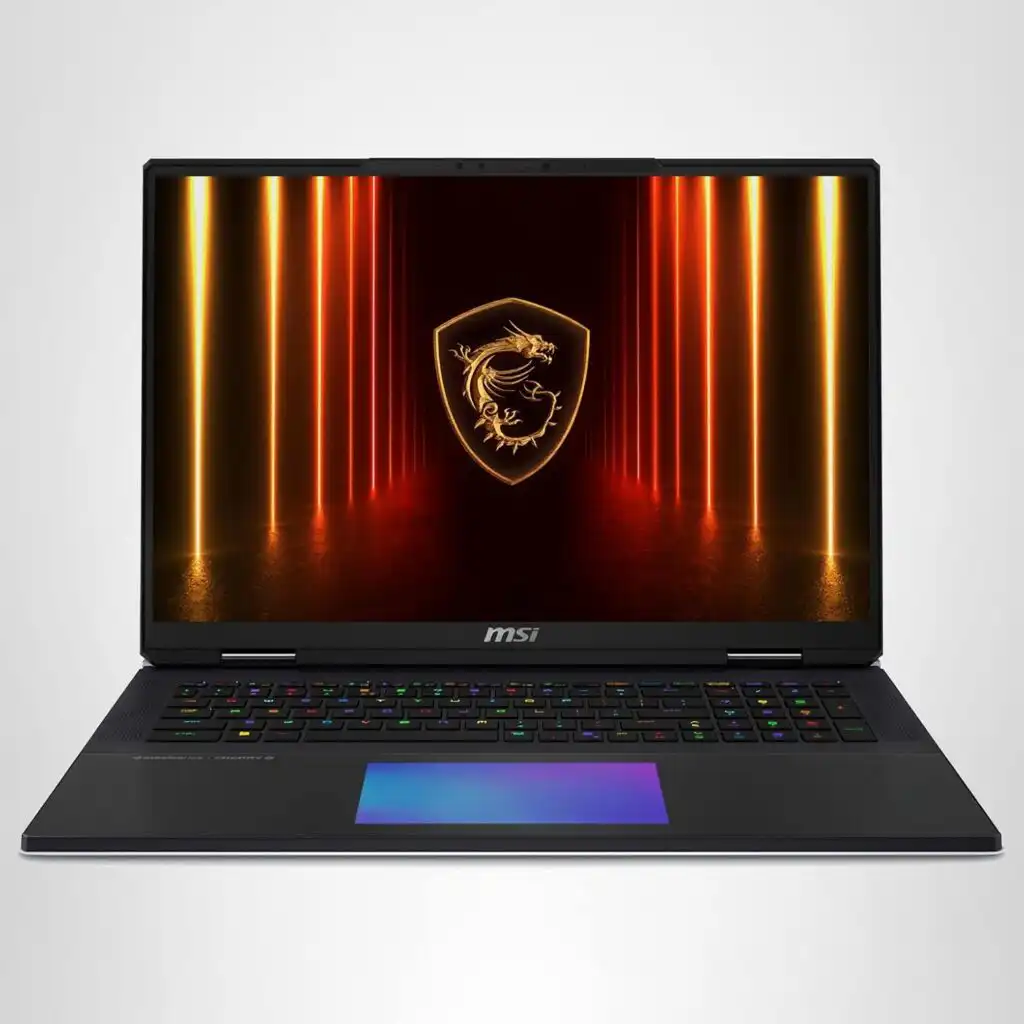
The closest thing to a desktop in laptop form
If raw power is your priority, the Titan is in a league of its own. This machine is built for people who render for hours, not minutes.
Recommended configuration
- CPU: Intel Core Ultra 9 HX
- GPU: NVIDIA RTX 5090 (high TGP)
- RAM: 64 GB
- Storage: 2 TB NVMe
- Display: 18” Mini-LED
Why it’s great
- Outstanding GPU performance for V-Ray GPU
- Excellent sustained performance (very little throttling)
- Tons of ports and expansion options
Things to consider
- Very heavy and bulky
- Expensive
- Battery life is not a priority here
Who should buy it?
Architectural visualization artists, studios, and freelancers who want desktop-level rendering without giving up mobility completely.
2. ASUS ProArt PX13 (P16)
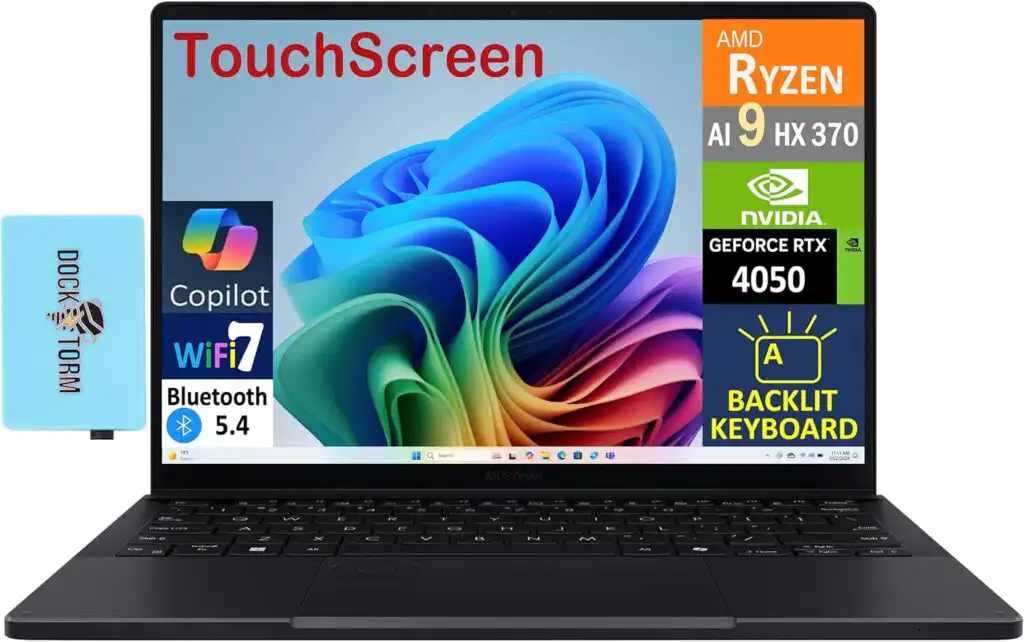
Powerful, professional, and beautiful
The ProArt P16 is made for creators who care about both performance and visual accuracy. It’s one of the best-balanced laptops for 3D artists.
Recommended configuration
- CPU: AMD Ryzen AI 9 HX or Intel Ultra
- GPU: RTX 5080 or RTX 5090
- RAM: 32–64 GB
- Storage: 1–2 TB NVMe
- Display: 16” 4K OLED (factory calibrated)
Why it’s great
- Stunning color-accurate display
- Strong GPU options without extreme bulk
- Excellent build quality
Things to consider
- Not as powerful as large 18” machines
- Top configurations get pricey
Who should buy it?
Freelancers, product designers, and artists who model, render, and also do texture or look-dev work.
3. Lenovo Legion Pro 7i (Gen 10)
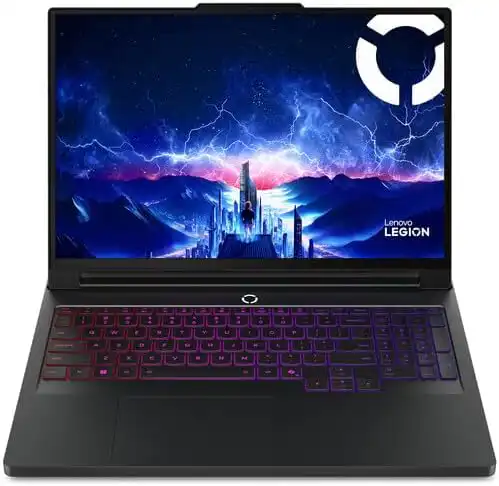
The best performance-for-money choice
This is a “gaming” laptop that happens to be amazing for 3D work. Lenovo’s cooling and power limits make a real difference.
Recommended configuration
- CPU: Intel Core Ultra 9 HX
- GPU: RTX 5080 or RTX 5090
- RAM: 32–64 GB
- Storage: 2 TB NVMe
- Display: 16” OLED or high-resolution IPS
Why it’s great
- Excellent GPU performance for the price
- Very strong cooling
- Often cheaper than workstation-class rivals
Things to consider
- Design is more gamer-styled
- Battery life is average
Who should buy it?
Artists who want maximum rendering power without paying workstation prices.
4. Dell Precision / Pro Max 16
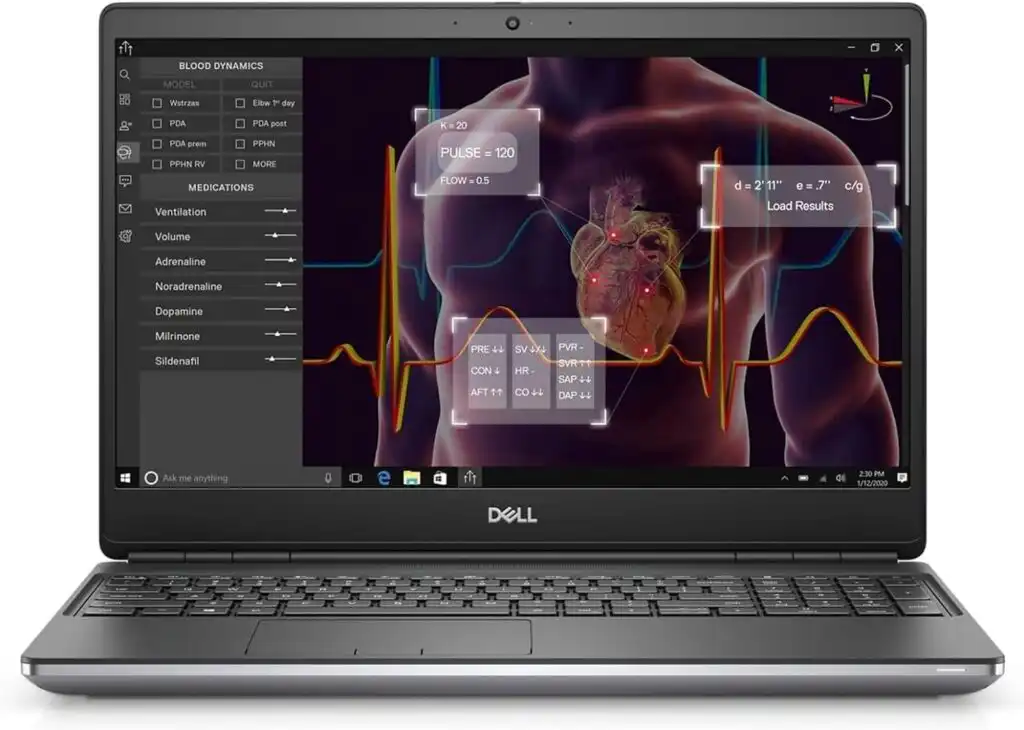
Built for professional pipelines
Dell’s Precision and Pro Max series are designed for studios that value stability and long-term reliability.
Recommended configuration
- CPU: Intel or AMD HX-class
- GPU: RTX Pro 5000
- RAM: 64–128 GB
- Storage: Dual NVMe setup
Why it’s great
- ISV-certified drivers
- Huge RAM capacity
- Reliable for long production cycles
Things to consider
- Not the fastest per dollar
- More conservative design
Who should buy it?
Studios, engineering firms, and professionals who need certified software support.
5. HP ZBook Fury 16 G11
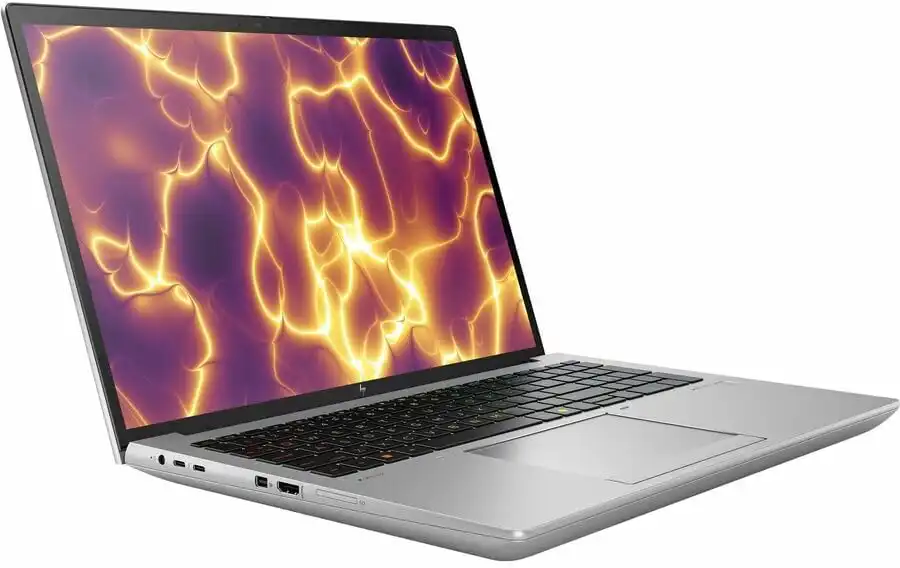
Rock-solid mobile workstation
The ZBook Fury is all about reliability and expandability. It’s not flashy, but it gets the job done every day.
Recommended configuration
- CPU: Intel HX
- GPU: RTX 5000 Ada
- RAM: 64–128 GB
- Storage: Up to 4 TB NVMe
Why it’s great
- Easy to upgrade
- Excellent long-term stability
- Strong keyboard and ports
Things to consider
- Heavy
- Expensive when fully configured
Who should buy it?
Professionals who want a dependable workstation that will last for years.
6. Razer Blade 18

High power in a premium body
Razer managed to pack serious rendering power into a relatively slim 18” design.
Recommended configuration
- CPU: Intel Ultra HX
- GPU: RTX 5090
- RAM: 32–64 GB
- Storage: 2 TB NVMe
Why it’s great
- Premium build quality
- Strong GPU performance
- Cleaner, more professional look than many gaming laptops
Things to consider
- Expensive
- Gets warm under full load
Who should buy it?
Freelancers who want top performance and a premium feel.
Recommended specs by workload
| Workload | GPU | RAM | Notes |
|---|---|---|---|
| Small scenes / learning | RTX 4060–4070 | 32 GB | Entry-level professional |
| Medium projects | RTX 4080 / 5070 | 32–64 GB | Most freelancers |
| Heavy scenes & GPU rendering | RTX 5080 / 5090 | 64 GB | Ideal for V-Ray GPU |
| Large studios / simulations | RTX Pro 5000 | 64–128 GB | Stability first |
Final thoughts
There is no single “best” laptop for everyone. The right choice depends on how you work, not just what looks impressive on a spec sheet.
- If you want maximum rendering speed, go big and powerful
- If you want balance and portability, choose a creator-focused machine
- If you need stability and certifications, workstation laptops still matter
One thing is certain in 2026: you no longer need to be stuck at a desktop to do serious 3ds Max and V-Ray work. The right laptop can now handle real production — and do it well.
FAQs
The best laptop for 3D rendering is one that stays fast under long workloads. Models with high-power NVIDIA RTX GPUs, HX-class CPUs, strong cooling, and at least 32 GB of RAM tend to perform the most consistently. Laptops like the MSI Titan 18, Lenovo Legion Pro 7i, and ASUS ProArt P16 are popular because they balance raw power with real-world stability.
For V-Ray, NVIDIA RTX graphics cards are the clear favorite. In 2026, RTX 5080 and RTX 5090 laptop GPUs offer excellent GPU rendering performance, especially when paired with 16–24 GB of VRAM. If you work with very large scenes or need certified drivers, RTX Pro 5000-class GPUs are also a strong choice.
3ds Max benefits from CPUs with strong single-core speed and lots of cores for rendering. HX-class processors, such as Intel Core Ultra 9 HX or AMD Ryzen 9 HX models, are ideal. They handle modeling and viewport work smoothly while still delivering solid performance in CPU-based rendering tasks.
Architectural rendering usually means heavy scenes, high-resolution textures, and long render times. Laptops with powerful RTX GPUs, plenty of VRAM, and good cooling work best. Machines like the MSI Titan 18 for maximum power, or the ASUS ProArt P16 for a balance of performance and color accuracy, are especially well suited for architectural visualization work.
How to Choose the Best Laptop for 3ds Max & V-Ray Rendering in 2026
Time needed: 5 minutes
- Decide how you actually render
Before looking at brands or prices, think about your workflow.
If you rely heavily on V-Ray GPU, prioritize a strong NVIDIA RTX GPU with plenty of VRAM. If you still use CPU rendering or heavy simulations, a powerful HX-class processor will make a real difference. Knowing this upfront saves time and money. - Balance power with cooling and memory
Raw specs only matter if the laptop can sustain them. Look for models known for good cooling, not just high numbers on paper. Aim for at least 32 GB RAM, and consider 64 GB if you work with large scenes or high-resolution textures. This keeps your system smooth during long render sessions.
- Choose a laptop that fits your daily work style
Think beyond performance. Screen quality matters for long modeling sessions, portability matters if you move between office and home, and reliability matters if this is your main work machine. The best laptop is the one that stays fast, stable, and comfortable to use every day — not just the one with the highest specs.
Related links