Estimated reading time: 7 minutes
Key Takeaways
- The Lenovo ThinkPad P1 Gen 8 Laptop is ideal for professionals needing power, reliability, and portability.
- It features a sleek design, excellent build quality, and multiple display options catering to different professional needs.
- The laptop offers high performance with Intel Core Ultra processors and NVIDIA RTX PRO graphics for heavy workloads.
- The keyboard and touchpad are top-notch, ensuring comfort during extended use, and it includes a good selection of ports.
- While battery life is decent, it’s not designed for all-day use under heavy loads, a common trade-off for performance.
Table of contents
- First Impressions: Clean, Strong, Professional
- Display Options: Built for Real Work
- Performance: A True Mobile Workstation
- Keyboard and Touchpad: Still a ThinkPad at Heart
- Ports and Connectivity: Ready for Any Setup
- Battery Life: Power Comes at a Cost
- Thermals and Noise: Controlled, Not Silent
- Lenovo ThinkPad P1 Gen 8 – Key Specifications
- Who Is This Laptop For?
- Final Thoughts: A Serious Tool for Serious Work
- How to Choose the Right Lenovo ThinkPad P1 Gen 8 Configuration
- FAQs
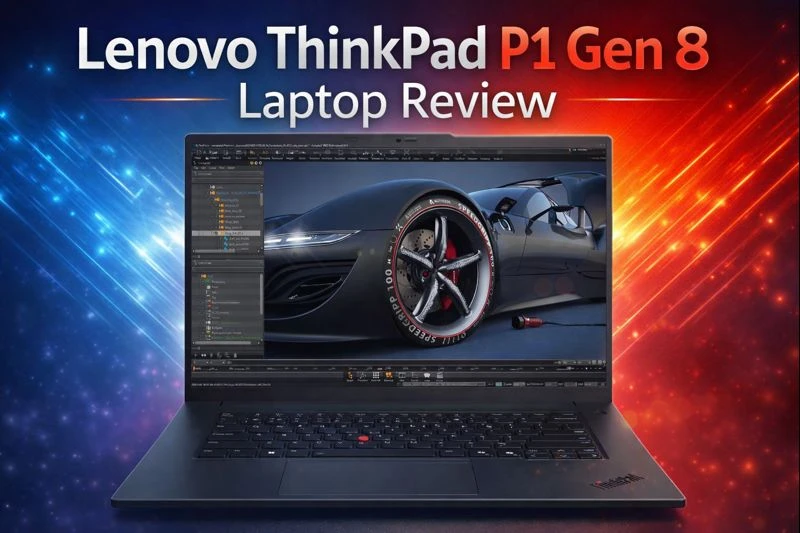
Some laptops try to do everything and end up doing nothing well. The Lenovo ThinkPad P1 Gen 8 doesn’t fall into that trap. It knows exactly who it’s for: professionals who need serious power, reliability, and a clean design they can carry anywhere. This Lenovo ThinkPad P1 Gen 8 Laptop Review will show why in 2026, this machine stands out as one of the most balanced mobile workstations you can buy.
If you’re an engineer, designer, developer, or content creator looking for a laptop that feels just as comfortable in a studio as it does in a meeting room, the P1 Gen 8 deserves your attention.
Purchase on Amazon or check availabilityFirst Impressions: Clean, Strong, Professional
At first glance, the ThinkPad P1 Gen 8 looks familiar — and that’s a good thing. Lenovo sticks to the classic ThinkPad design language: matte black finish, sharp lines, and zero unnecessary flash. It feels premium without trying too hard.
Despite its 16-inch screen, the laptop is surprisingly slim and light for a workstation-class device. You can toss it into a backpack without feeling like you’re carrying a brick. The build quality is excellent, with a sturdy lid and almost no flex. This is clearly a machine built for daily professional use, not just desk duty.
Display Options: Built for Real Work
The 16-inch display is one of the highlights of the P1 Gen 8. Lenovo offers multiple panel options, which means you can choose what fits your work style best.
Whether you go for a high-resolution OLED panel for color-critical work or a high-refresh display for smoother motion, the screen feels spacious and sharp. There’s plenty of room for timelines, code editors, 3D viewports, or multiple windows side by side.
Color accuracy is excellent on higher-end configurations, making this laptop a strong choice for photographers, video editors, and designers who care about visual precision.
Performance: A True Mobile Workstation
This is where the ThinkPad P1 Gen 8 really earns its name.
Powered by Intel Core Ultra H-series processors and paired with NVIDIA RTX PRO graphics, the laptop delivers performance that goes far beyond typical productivity machines. Everyday tasks feel instant, but more importantly, heavy workloads stay smooth and stable.
Rendering, compiling code, working with large datasets, or editing high-resolution video — the P1 Gen 8 handles all of it with confidence. It’s designed for sustained performance, not short bursts, which makes a big difference during long work sessions.
That said, performance depends heavily on the configuration you choose. If your work relies heavily on GPU power, it’s worth paying attention to the specific graphics option and power limits.
Keyboard and Touchpad: Still a ThinkPad at Heart
Lenovo hasn’t forgotten what made ThinkPads famous. The keyboard is excellent — comfortable key travel, solid feedback, and a layout that feels natural even after hours of typing. Writers, developers, and anyone who lives on the keyboard will appreciate this.
The touchpad is large, smooth, and accurate, while the iconic red TrackPoint is still there for those who swear by it. Small details, but they add up to a very pleasant daily experience.
Ports and Connectivity: Ready for Any Setup
Modern professionals often work between home, office, and travel — and the P1 Gen 8 is built for that reality.
You get a strong mix of modern and classic ports, including Thunderbolt 5, USB-A, HDMI, and more depending on the configuration. Connecting external monitors, fast storage, or docking stations is effortless. This laptop fits perfectly into both minimalist desk setups and full workstation environments.
Battery Life: Power Comes at a Cost
Let’s be honest: this is not a laptop you buy for all-day battery life.
With powerful CPUs, dedicated graphics, and high-resolution displays, battery performance is decent but not exceptional. For light tasks, you’ll get a reasonable number of hours, but under heavy workloads, you’ll want to stay near a power outlet.
That’s the trade-off for this level of performance, and it’s something most professionals already expect.
Thermals and Noise: Controlled, Not Silent
Under load, the fans do spin up — there’s no way around that. However, Lenovo’s cooling system does a solid job of keeping temperatures under control without excessive noise. During normal work, the laptop stays quiet. During intense tasks, you’ll hear it working, but it never feels out of control.
Lenovo ThinkPad P1 Gen 8 – Key Specifications
| Feature | Details (Configurable) |
|---|---|
| Display | 16″ OLED / High-resolution IPS options |
| Processor | Intel Core Ultra 7 / Ultra 9 (H-Series) |
| Graphics | NVIDIA RTX PRO series |
| Memory | Up to 64GB RAM |
| Storage | High-speed NVMe SSD |
| Weight | Approx. 1.8 kg (varies by config) |
| Operating System | Windows 11 Pro |
Who Is This Laptop For?
The ThinkPad P1 Gen 8 is ideal if you:
- Need workstation-level performance in a portable form
- Work in engineering, design, development, or content creation
- Value build quality, keyboard comfort, and reliability
You might want to look elsewhere if:
- Battery life is your top priority
- You want the lowest price for raw performance
- You mainly do light, casual tasks
Final Thoughts: A Serious Tool for Serious Work
The Lenovo ThinkPad P1 Gen 8 isn’t trying to impress everyone — and that’s exactly why it works. It’s a focused, well-built, powerful laptop designed for people who actually push their machines every day.
It’s not cheap, and it’s not flashy. But if your work demands reliability, performance, and a professional feel you can trust for years, this laptop delivers. In 2026, the ThinkPad P1 Gen 8 remains one of the smartest choices in the mobile workstation category.
If you buy the right configuration for your needs, it won’t just keep up with your work — it’ll stay out of your way and let you focus on what matters.
How to Choose the Right Lenovo ThinkPad P1 Gen 8 Configuration
Time needed: 5 minutes
Not every ThinkPad P1 Gen 8 is the same. Follow these simple steps to pick the configuration that truly matches your work style and daily needs.
- Understand What You’ll Use It For
Before choosing any specs, be honest about your workload. If you mainly code, manage projects, or multitask with many apps, a strong CPU and plenty of RAM matter most. For 3D design, video editing, or engineering software, graphics power becomes just as important.
- Pick the Right Performance Balance
Choose the processor and graphics option that fits your work, not just the highest number on paper. Intel Core Ultra CPUs handle demanding tasks smoothly, while NVIDIA RTX PRO graphics are ideal for professional visual and compute-heavy workloads. The right balance will give you better long-term performance and efficiency.
- Don’t Ignore Display and Memory
A high-quality display makes a real difference if you spend hours in front of the screen. Creators should prioritize color accuracy, while general professionals may prefer battery-friendly panels. Also, make sure you have enough RAM and fast storage — these upgrades often matter more than raw CPU speed in daily use.
FAQs
Yes. Even though it’s built as a mobile workstation, it feels smooth and responsive for daily tasks like browsing, office work, and multitasking. It’s powerful, but not overkill for regular use.
Absolutely. It’s designed for demanding tools like CAD software, video editing suites, 3D modeling apps, and development environments. As long as you choose the right configuration, it handles heavy workloads comfortably.
For a 16-inch workstation, it’s impressively portable. It’s thinner and lighter than many competitors in the same class, making it a good option for professionals who move between home, office, and travel.

Hi, my name is Burak. I am a mechanical engineer. I have been writing laptop reviews for the Engineering Laptops website since 2020. Please feel free to contact me if you have any questions.